css resize handle 9가지 — 모서리를 끌면 상자가 손에 붙어 따라온다
css resize handle 을 resize 속성 하나로만 두면 손잡이 모양은 못 바꾸고, 줄 높이에 안 맞고, 한계를 넘기면 그냥 막힌다 — 09번·02번·06번이 계산으로 푼다.
아홉 가지 크기 조절 손잡이를 화면에서 바로 끌어 본다
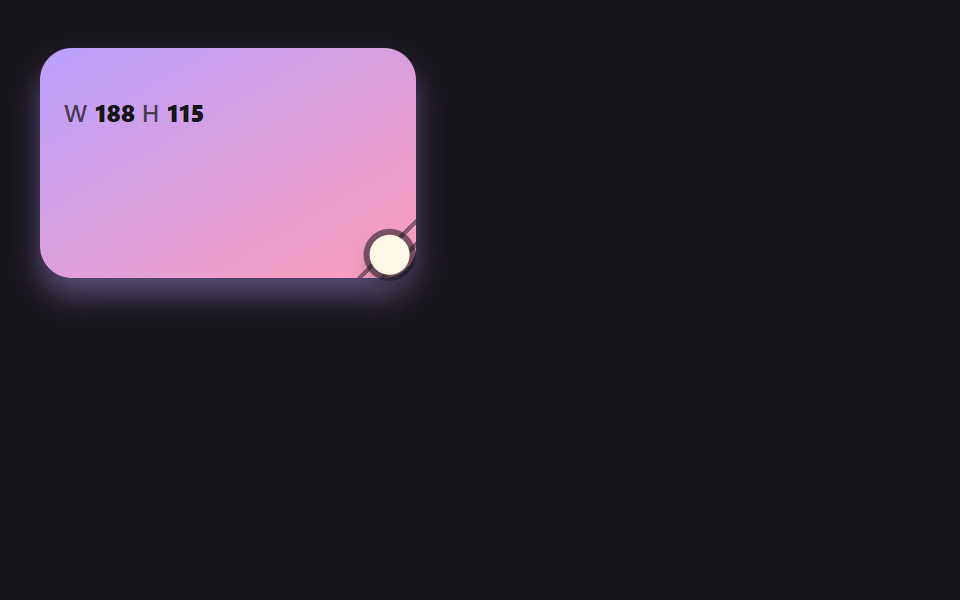 01 rh-spring-corner-grip
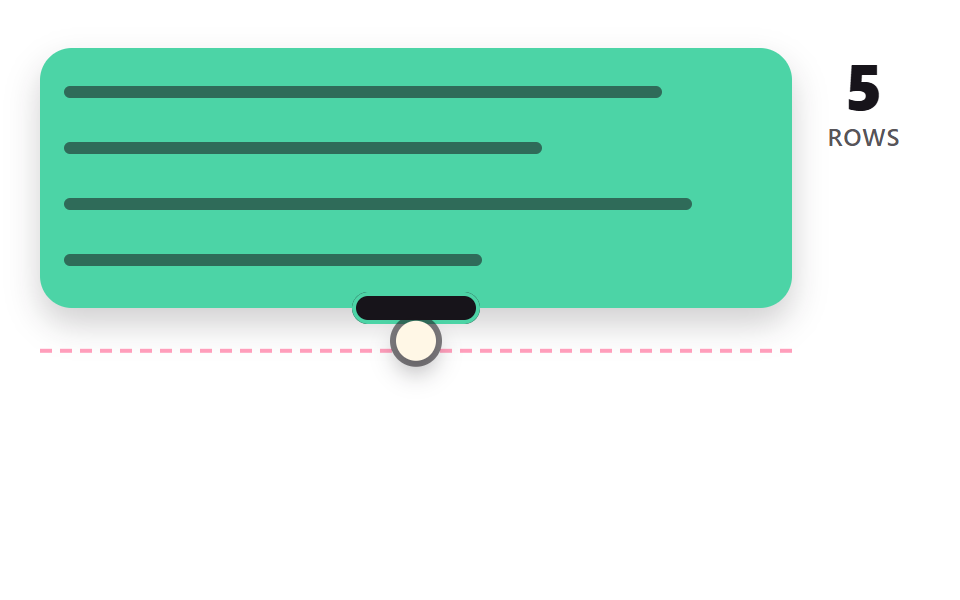 02 rh-line-snap-textarea
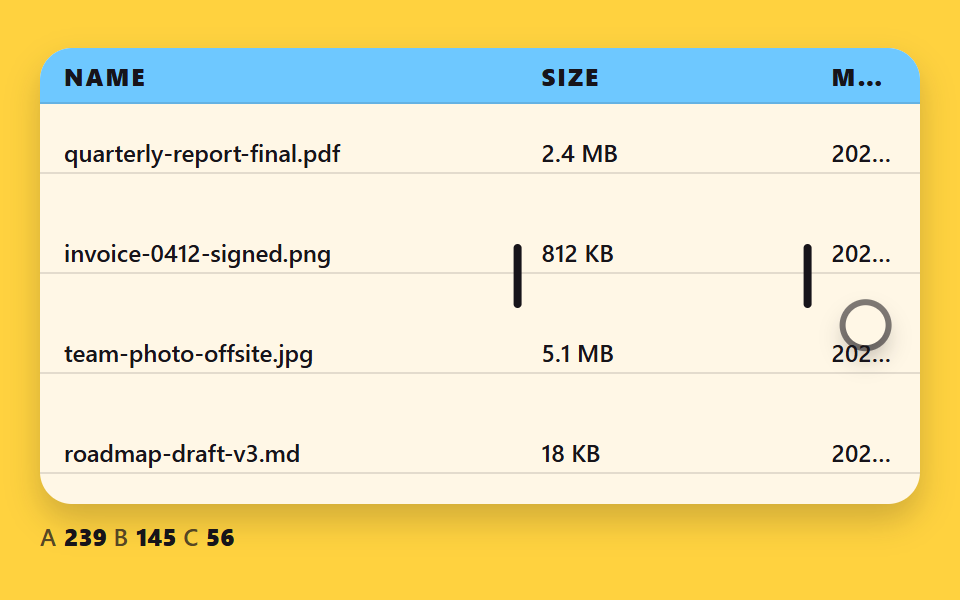 03 rh-column-border-redistribute
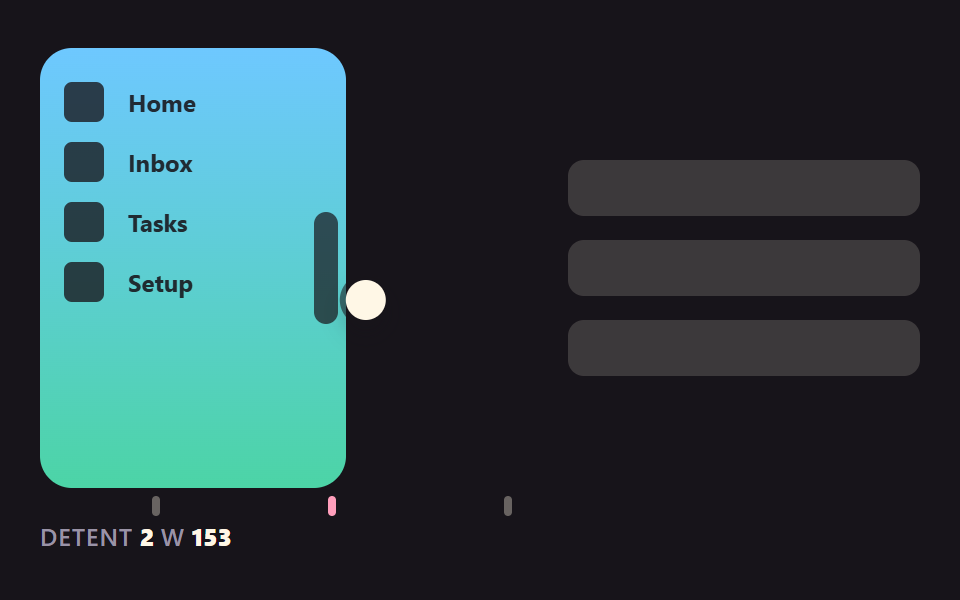 04 rh-sidebar-detent-snap
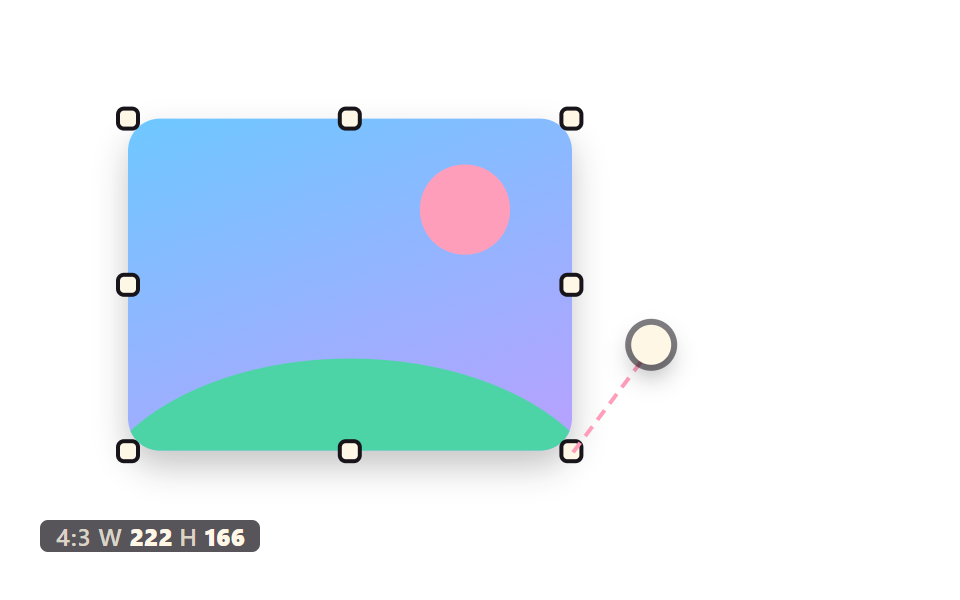 05 rh-ratio-lock-eight-handles
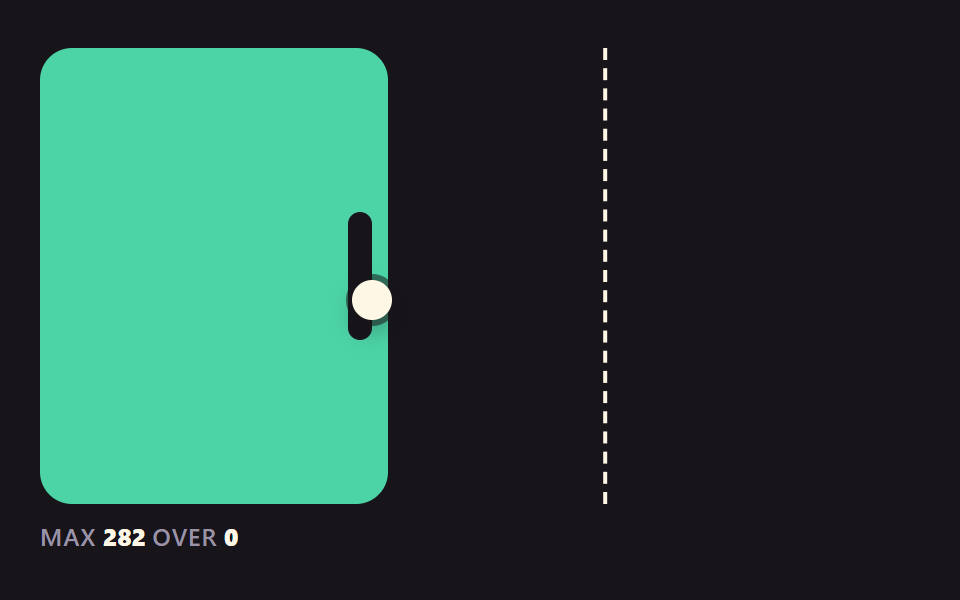 06 rh-rubber-band-limit
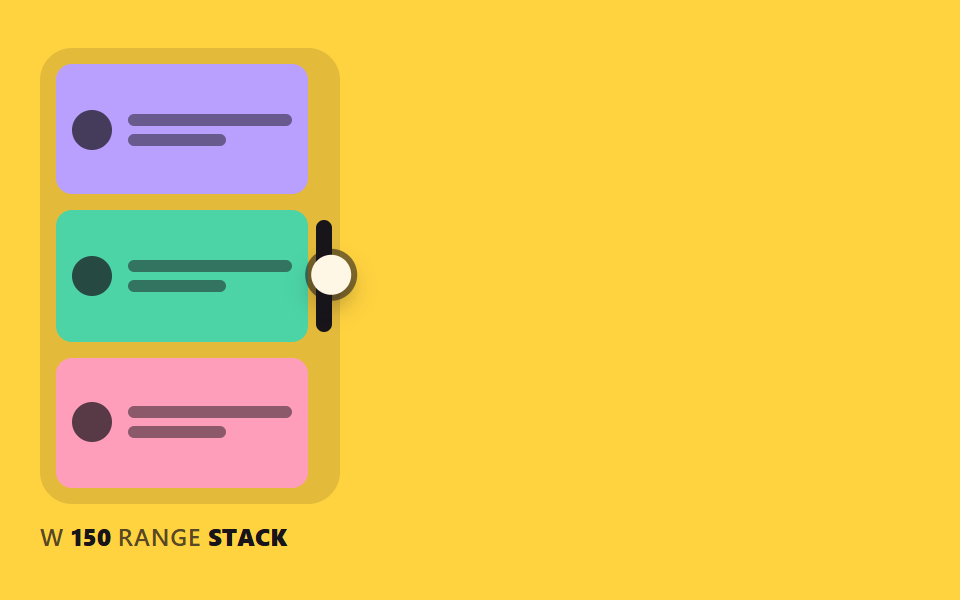 07 rh-container-reflow-readout
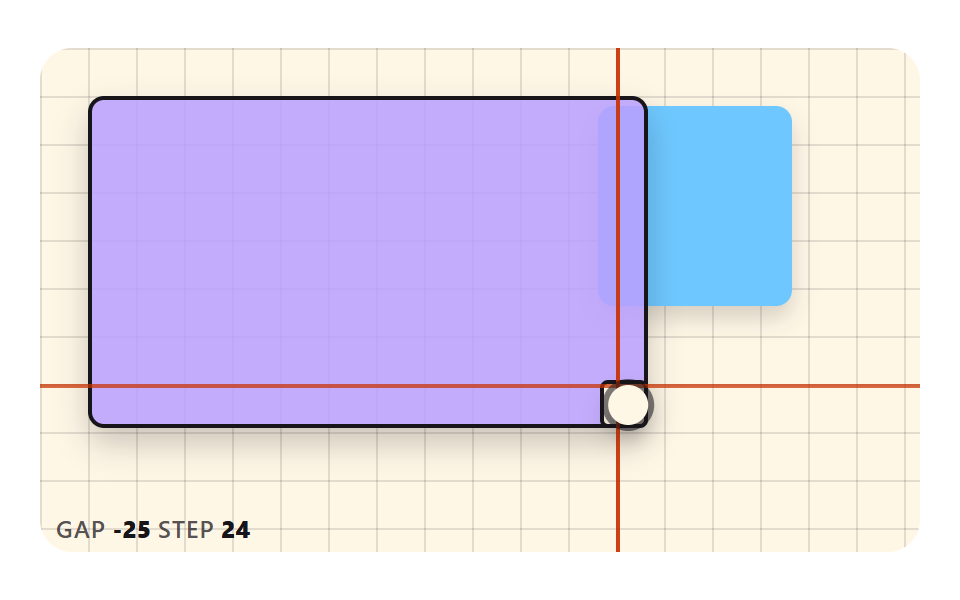 08 rh-grid-snap-guides
 09 rh-handle-shape-feedback
자동 재생 · 눌러서 해당 항목으로 · 전부 한 zip
- 01 모서리 손잡이를 끌면 스프링처럼 따라오는 상자
- 02 줄 높이 배수로 달라붙는 텍스트 영역 손잡이
- 03 경계선을 끌면 이웃 열이 남은 폭을 나눠 받는 표
- 04 세 단계 폭에 철컥 걸리는 사이드바 가장자리
- 05 비율을 지키며 여덟 방향으로 늘어나는 이미지
- 06 한계를 넘기면 저항이 커지다가 되돌아오는 상자
- 07 폭이 바뀌는 대로 배치가 갈아입는 카드
- 08 격자와 이웃 상자에 맞으면 안내선이 번쩍이는 손잡이
- 09 다가가면 점이 퍼지고 잡으면 가라앉는 손잡이 모양
css resize handle 9가지 — 목표 크기·눈금·고정점을 계산해야 손에 붙는다
장면 하나에는 최대 440×252 칸과 손잡이 하나가 들어 있고(05 만 여덟 개), 크림색 원은 가짜 포인터가 손잡이를 잡아 끄는 시연이다. 직접 잡으면 시연은 물러나고 키보드의 방향키로도 크기가 바뀐다.
아홉 장면이 같은 원리를 쓴다. 포인터 위치를 크기로 바로 쓰지 않고 목표로만 두고, 화면에 그리는 값은 그 목표를 향해 따로 계산한다. 계산 방식은 01·04·06 이 스프링, 02·03·07·09 가 지수 접근이고 05·08 은 보간 없이 그 자리에서 값을 구한다. 아홉 파일 모두 CSS transition 과 @keyframes 가 한 줄도 없고 라이브러리·외부 주소 요청도 없다.
css resizable sidebar 가 목적이면 04 부터, css resizable table columns 가 목적이면 03 부터 열어도 된다. 패널 사이를 가르는 분할선은 CSS 화면 분할 패널 9종 — 드래그로 폭이 따라오는이 맡고, 이 편은 상자·열·이미지 가장자리의 손잡이만 다룬다.
css resize handle style 을 기법별 코드로 본다
아래 조각은 각 장면 index.html 의 <script> 에서 이어진 줄만 그대로 잘랐고, 한 조각은 25줄을 넘지 않는다. 07 만 계산이 CSS 에 있어 style.scss 를 실었다.
01모서리 손잡이를 끌면 스프링처럼 따라오는 상자
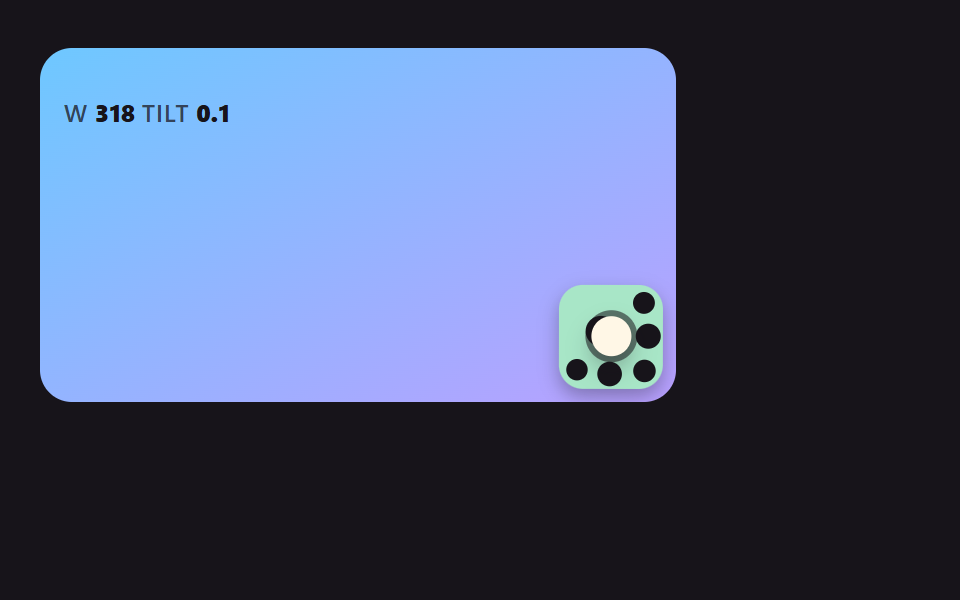
포인터는 목표 크기 tw·th 만 정하고 화면의 w·h 는 spring 이 속도를 쥔 채 쫓아가서, 손을 놓으면 한 번 넘쳤다가 자리를 잡는다. 카드·위젯 크기 조절에 맞고, 감쇠를 비율 0.5(DAMPING)로 두어 STIFFNESS 170 을 바꿔도 넘침 비율이 같다. 누적면적 78.1%에 움직인 프레임 23/23 으로 아홉 장면 중 화면을 가장 크게 채운다.
<main class="stage">
<div class="rh is-demo" id="rh" data-demo="1">
  <div class="rh__panel" data-r="panel">
    <p class="rh__meta"><span class="rh__tag">W</span> <b data-r="w">0</b> <span class="rh__tag">H</span> <b data-r="h">0</b></p>
    <button class="rh__grip" data-r="grip" type="button" aria-label="크기 조절 손잡이"></button>
  </div>
  <i class="rh__cursor" data-r="cursor"></i>
</div>
</main>
@use "../../../../site/static/demo-tokens" as *;
// 핵심: 포인터는 목표 크기만 정하고, 실제 크기는 JS 가 스프링 방정식으로 적분한 값이다.
@include stage($stage-ink);
.rh {
position: relative;
box-sizing: border-box;
width: min(100%, 440px);
height: min(252px, calc(100vh - 2 * clamp(8px, 4vw, 24px)));
color: $subject-cream;
font-size: 12px;
line-height: 16px;
font-weight: 600;
user-select: none;
}
.rh b { font-weight: 800; font-variant-numeric: tabular-nums; }
.rh__tag { color: $tick-mute; letter-spacing: .5px; }
.rh__cursor {
position: absolute;
left: -10px;
top: -10px;
width: 20px;
height: 20px;
border-radius: 50%;
background: $subject-cream;
box-shadow: 0 0 0 3px rgba($subject-ink, .55), $shadow-press;
opacity: 0;
pointer-events: none;
z-index: 6;
}
.rh[data-demo] .rh__cursor { opacity: 1; }
.rh button:focus-visible { outline: 3px solid $subject-pink; outline-offset: 2px; }
@media (prefers-reduced-motion: reduce) {
.rh__cursor { display: none; }
}
// 속도가 클수록 그림자가 들리는 양(--lift)도 같이 커진다.
.rh__panel {
--lift: 0;
position: absolute;
left: 0;
top: 0;
box-sizing: border-box;
overflow: hidden;
padding: $sp-3;
border-radius: $r-card;
background: linear-gradient(150deg, $subject-lilac, $subject-pink);
color: $subject-ink;
box-shadow: 0 calc(4px + var(--lift) * 18px) calc(8px + var(--lift) * 24px) rgba($subject-lilac, .4);
}
.rh__panel .rh__tag { color: rgba($subject-ink, .72); }
.rh__grip {
position: absolute;
right: 0;
bottom: 0;
width: 36px;
height: 36px;
padding: 0;
border: 0;
background: repeating-linear-gradient(135deg, transparent 0 6px, rgba($subject-ink, .5) 6px 8px);
clip-path: polygon(100% 0, 100% 100%, 0 100%);
cursor: nwse-resize;
touch-action: none;
}html, body {
margin: 0;
overflow: hidden;
}
.stage {
box-sizing: border-box;
min-height: 100vh;
display: grid;
place-items: center;
margin: 0;
background: #17141a;
font-family: -apple-system, "Segoe UI", "Noto Sans KR", sans-serif;
padding: clamp(8px, 4vw, 24px);
}
.rh {
position: relative;
box-sizing: border-box;
width: min(100%, 440px);
height: min(252px, 100vh - 2 * clamp(8px, 4vw, 24px));
color: #fff7e6;
font-size: 12px;
line-height: 16px;
font-weight: 600;
user-select: none;
}
.rh b {
font-weight: 800;
font-variant-numeric: tabular-nums;
}
.rh__tag {
color: #9a93a6;
letter-spacing: 0.5px;
}
.rh__cursor {
position: absolute;
left: -10px;
top: -10px;
width: 20px;
height: 20px;
border-radius: 50%;
background: #fff7e6;
box-shadow: 0 0 0 3px rgba(23, 20, 26, 0.55), 0 6px 12px rgba(23, 20, 26, 0.32);
opacity: 0;
pointer-events: none;
z-index: 6;
}
.rh[data-demo] .rh__cursor {
opacity: 1;
}
.rh button:focus-visible {
outline: 3px solid #ff9ebb;
outline-offset: 2px;
}
@media (prefers-reduced-motion: reduce) {
.rh__cursor {
display: none;
}
}
.rh__panel {
--lift: 0;
position: absolute;
left: 0;
top: 0;
box-sizing: border-box;
overflow: hidden;
padding: 12px;
border-radius: 16px;
background: linear-gradient(150deg, #b9a0ff, #ff9ebb);
color: #17141a;
box-shadow: 0 calc(4px + var(--lift) * 18px) calc(8px + var(--lift) * 24px) rgba(185, 160, 255, 0.4);
}
.rh__panel .rh__tag {
color: rgba(23, 20, 26, 0.72);
}
.rh__grip {
position: absolute;
right: 0;
bottom: 0;
width: 36px;
height: 36px;
padding: 0;
border: 0;
background: repeating-linear-gradient(135deg, transparent 0 6px, rgba(23, 20, 26, 0.5) 6px 8px);
clip-path: polygon(100% 0, 100% 100%, 0 100%);
cursor: nwse-resize;
touch-action: none;
}(function () {
const root = document.getElementById("rh");
const reduce = window.matchMedia("(prefers-reduced-motion: reduce)").matches;
let demo = !reduce;
let raf = 0;
let t0 = -1;
let last = -1;
const offs = [];
function q(sel) {
return root.querySelector(sel);
}
function clamp(v, lo, hi) {
return Math.max(lo, Math.min(hi, v));
}
function seg(t, a, b) {
const c = clamp((t - a) / (b - a), 0, 1);
return c * c * (3 - 2 * c);
}
function on(el, type, fn) {
el.addEventListener(type, fn);
offs.push(() => el.removeEventListener(type, fn));
}
function stopDemo() {
demo = false;
root.removeAttribute("data-demo");
root.classList.remove("is-demo");
}
function pos(e) {
const r = root.getBoundingClientRect();
return { x: e.clientX - r.left, y: e.clientY - r.top };
}
    function spring(x, v, to, k, c, dt) {
        const n = Math.max(1, Math.ceil(dt / 0.008));
        const h = dt / n;
        for (let i = 0; i < n; i += 1) {
            v += (-k * (x - to) - c * v) * h;
            x += v * h;
        }
        return [x, v];
    }
function sync() {
if (reduce) {
snap();
render();
}
}
// 기법: 포인터는 목표 크기(tw, th)만 정한다. 실제 크기는 속도를 가진 채 스프링 방정식으로 목표를 쫓는다.
// 감쇠를 비율(DAMPING 0.5)로 두면 강성을 바꿔도 넘침 비율이 같고 쫓는 속도만 달라진다.
const STIFFNESS = 170;
const DAMPING = 0.5;
const MIN_W = 96;
const MIN_H = 72;
const panel = q("[data-r=panel]");
const grip = q("[data-r=grip]");
const cursor = q("[data-r=cursor]");
const wEl = q("[data-r=w]");
const hEl = q("[data-r=h]");
let w = 0;
let h = 0;
let vw = 0;
let vh = 0;
let tw = 0;
let th = 0;
let px = 0;
let py = 0;
let gx = 0;
let gy = 0;
let dragging = false;
let ready = false;
function init() {
if (ready)
return;
ready = true;
tw = w = root.clientWidth * 0.42;
th = h = root.clientHeight * 0.45;
}
function userTakes() {
stopDemo();
dragging = false;
init();
}
function script(now) {
const W = root.clientWidth;
const H = root.clientHeight;
const ph = now % 2000;
const ax = W * 0.42 - 10;
const ay = H * 0.45 - 10;
const bx = W * 0.96 - 10;
const by = H * 0.94 - 10;
const cx = W * 0.62 - 10;
const cy = H * 0.62 - 10;
let t = 0;
let fx = ax;
let fy = ay;
let tx = ax;
let ty = ay;
if (ph >= 200 && ph < 760) {
t = seg(ph, 200, 760);
tx = bx;
ty = by;
}
else if (ph >= 760 && ph < 1000) {
fx = bx;
fy = by;
tx = bx;
ty = by;
}
else if (ph >= 1000 && ph < 1500) {
t = seg(ph, 1000, 1500);
fx = bx;
fy = by;
tx = cx;
ty = cy;
}
else if (ph >= 1500) {
t = seg(ph, 1500, 1960);
fx = cx;
fy = cy;
tx = ax;
ty = ay;
}
px = fx + (tx - fx) * t;
py = fy + (ty - fy) * t;
gx = 10;
gy = 10;
dragging = ph >= 200 && ph < 1960;
}
function snap() {
init();
w = tw;
h = th;
vw = 0;
vh = 0;
}
    function step(dt, now) {
        init();
        if (demo)
            script(now);
        if (dragging) {
            tw = clamp(px + gx, MIN_W, root.clientWidth);
            th = clamp(py + gy, MIN_H, root.clientHeight);
        }
        const c = 2 * DAMPING * Math.sqrt(STIFFNESS);
        const a = spring(w, vw, tw, STIFFNESS, c, dt);
        const b = spring(h, vh, th, STIFFNESS, c, dt);
        w = a[0];
        vw = a[1];
        h = b[0];
        vh = b[1];
    }
function render() {
const lift = clamp(Math.hypot(vw, vh) / 700, 0, 1);
panel.style.width = w.toFixed(1) + "px";
panel.style.height = h.toFixed(1) + "px";
panel.style.setProperty("--lift", lift.toFixed(3));
wEl.textContent = String(Math.round(w));
hEl.textContent = String(Math.round(h));
cursor.style.transform = "translate(" + px.toFixed(1) + "px," + py.toFixed(1) + "px)";
}
on(grip, "pointerdown", (e) => {
userTakes();
grip.setPointerCapture(e.pointerId);
const p = pos(e);
px = p.x;
py = p.y;
gx = w - p.x;
gy = h - p.y;
dragging = true;
});
on(grip, "pointermove", (e) => {
if (!dragging)
return;
const p = pos(e);
px = p.x;
py = p.y;
tw = clamp(px + gx, MIN_W, root.clientWidth);
th = clamp(py + gy, MIN_H, root.clientHeight);
sync();
});
on(grip, "pointerup", () => { dragging = false; });
on(grip, "pointercancel", () => { dragging = false; });
on(grip, "keydown", (e) => {
const k = e.key;
if (k !== "ArrowLeft" && k !== "ArrowRight" && k !== "ArrowUp" && k !== "ArrowDown")
return;
e.preventDefault();
userTakes();
tw = clamp(tw + (k === "ArrowRight" ? 16 : k === "ArrowLeft" ? -16 : 0), MIN_W, root.clientWidth);
th = clamp(th + (k === "ArrowDown" ? 16 : k === "ArrowUp" ? -16 : 0), MIN_H, root.clientHeight);
sync();
});
function frame(ts) {
if (t0 < 0) {
t0 = ts;
last = ts;
}
const dt = Math.min(0.05, (ts - last) / 1000);
last = ts;
step(dt, ts - t0);
render();
raf = requestAnimationFrame(frame);
}
if (reduce) {
stopDemo();
snap();
render();
}
else {
raf = requestAnimationFrame(frame);
}
return () => {
cancelAnimationFrame(raf);
offs.forEach((f) => f());
};
})();// SpringCornerGrip - vanilla 판(01-rh-spring-corner-grip) 의 React 포트. 같은 계산을 useEffect 안에서 돌린다.
import { useEffect, useRef } from "react";
import styles from "./SpringCornerGrip.module.scss";
export default function SpringCornerGrip() {
const rootRef = useRef<HTMLDivElement | null>(null);
useEffect(() => {
const rootEl = rootRef.current;
if (!rootEl) return;
const root: HTMLElement = rootEl;
const reduce = window.matchMedia("(prefers-reduced-motion: reduce)").matches;
let demo = !reduce;
let raf = 0;
let t0 = -1;
let last = -1;
const offs: Array<() => void> = [];
function q<T extends Element>(sel: string): T {
return root.querySelector(sel) as T;
}
function clamp(v: number, lo: number, hi: number): number {
return Math.max(lo, Math.min(hi, v));
}
function seg(t: number, a: number, b: number): number {
const c = clamp((t - a) / (b - a), 0, 1);
return c * c * (3 - 2 * c);
}
function on(el: EventTarget, type: string, fn: (e: any) => void): void {
el.addEventListener(type, fn);
offs.push(() => el.removeEventListener(type, fn));
}
function stopDemo(): void {
demo = false;
root.removeAttribute("data-demo");
root.classList.remove("is-demo");
}
function pos(e: PointerEvent): { x: number; y: number } {
const r = root.getBoundingClientRect();
return { x: e.clientX - r.left, y: e.clientY - r.top };
}
function spring(x: number, v: number, to: number, k: number, c: number, dt: number): number[] {
const n = Math.max(1, Math.ceil(dt / 0.008));
const h = dt / n;
for (let i = 0; i < n; i += 1) {
v += (-k * (x - to) - c * v) * h;
x += v * h;
}
return [x, v];
}
function sync(): void {
if (reduce) {
snap();
render();
}
}
// 기법: 포인터는 목표 크기(tw, th)만 정한다. 실제 크기는 속도를 가진 채 스프링 방정식으로 목표를 쫓는다.
// 감쇠를 비율(DAMPING 0.5)로 두면 강성을 바꿔도 넘침 비율이 같고 쫓는 속도만 달라진다.
const STIFFNESS = 170;
const DAMPING = 0.5;
const MIN_W = 96;
const MIN_H = 72;
const panel = q<HTMLElement>("[data-r=panel]");
const grip = q<HTMLElement>("[data-r=grip]");
const cursor = q<HTMLElement>("[data-r=cursor]");
const wEl = q<HTMLElement>("[data-r=w]");
const hEl = q<HTMLElement>("[data-r=h]");
let w = 0;
let h = 0;
let vw = 0;
let vh = 0;
let tw = 0;
let th = 0;
let px = 0;
let py = 0;
let gx = 0;
let gy = 0;
let dragging = false;
let ready = false;
function init(): void {
if (ready) return;
ready = true;
tw = w = root.clientWidth * 0.42;
th = h = root.clientHeight * 0.45;
}
function userTakes(): void {
stopDemo();
dragging = false;
init();
}
function script(now: number): void {
const W = root.clientWidth;
const H = root.clientHeight;
const ph = now % 2000;
const ax = W * 0.42 - 10;
const ay = H * 0.45 - 10;
const bx = W * 0.96 - 10;
const by = H * 0.94 - 10;
const cx = W * 0.62 - 10;
const cy = H * 0.62 - 10;
let t = 0;
let fx = ax;
let fy = ay;
let tx = ax;
let ty = ay;
if (ph >= 200 && ph < 760) { t = seg(ph, 200, 760); tx = bx; ty = by; }
else if (ph >= 760 && ph < 1000) { fx = bx; fy = by; tx = bx; ty = by; }
else if (ph >= 1000 && ph < 1500) { t = seg(ph, 1000, 1500); fx = bx; fy = by; tx = cx; ty = cy; }
else if (ph >= 1500) { t = seg(ph, 1500, 1960); fx = cx; fy = cy; tx = ax; ty = ay; }
px = fx + (tx - fx) * t;
py = fy + (ty - fy) * t;
gx = 10;
gy = 10;
dragging = ph >= 200 && ph < 1960;
}
function snap(): void {
init();
w = tw;
h = th;
vw = 0;
vh = 0;
}
function step(dt: number, now: number): void {
init();
if (demo) script(now);
if (dragging) {
tw = clamp(px + gx, MIN_W, root.clientWidth);
th = clamp(py + gy, MIN_H, root.clientHeight);
}
const c = 2 * DAMPING * Math.sqrt(STIFFNESS);
const a = spring(w, vw, tw, STIFFNESS, c, dt);
const b = spring(h, vh, th, STIFFNESS, c, dt);
w = a[0];
vw = a[1];
h = b[0];
vh = b[1];
}
function render(): void {
const lift = clamp(Math.hypot(vw, vh) / 700, 0, 1);
panel.style.width = w.toFixed(1) + "px";
panel.style.height = h.toFixed(1) + "px";
panel.style.setProperty("--lift", lift.toFixed(3));
wEl.textContent = String(Math.round(w));
hEl.textContent = String(Math.round(h));
cursor.style.transform = "translate(" + px.toFixed(1) + "px," + py.toFixed(1) + "px)";
}
on(grip, "pointerdown", (e: PointerEvent) => {
userTakes();
grip.setPointerCapture(e.pointerId);
const p = pos(e);
px = p.x;
py = p.y;
gx = w - p.x;
gy = h - p.y;
dragging = true;
});
on(grip, "pointermove", (e: PointerEvent) => {
if (!dragging) return;
const p = pos(e);
px = p.x;
py = p.y;
tw = clamp(px + gx, MIN_W, root.clientWidth);
th = clamp(py + gy, MIN_H, root.clientHeight);
sync();
});
on(grip, "pointerup", () => { dragging = false; });
on(grip, "pointercancel", () => { dragging = false; });
on(grip, "keydown", (e: KeyboardEvent) => {
const k = e.key;
if (k !== "ArrowLeft" && k !== "ArrowRight" && k !== "ArrowUp" && k !== "ArrowDown") return;
e.preventDefault();
userTakes();
tw = clamp(tw + (k === "ArrowRight" ? 16 : k === "ArrowLeft" ? -16 : 0), MIN_W, root.clientWidth);
th = clamp(th + (k === "ArrowDown" ? 16 : k === "ArrowUp" ? -16 : 0), MIN_H, root.clientHeight);
sync();
});
function frame(ts: number): void {
if (t0 < 0) {
t0 = ts;
last = ts;
}
const dt = Math.min(0.05, (ts - last) / 1000);
last = ts;
step(dt, ts - t0);
render();
raf = requestAnimationFrame(frame);
}
if (reduce) {
stopDemo();
snap();
render();
} else {
raf = requestAnimationFrame(frame);
}
return () => {
cancelAnimationFrame(raf);
offs.forEach((f) => f());
};
}, []);
return (
<main className={styles["stage"]}>
<div ref={rootRef} className={styles["rh"] + " is-demo"} data-demo="1">
<div className={styles["rh__panel"]} data-r="panel">
<p className={styles["rh__meta"]}><span className={styles["rh__tag"]}>W</span> <b data-r="w">0</b> <span className={styles["rh__tag"]}>H</span> <b data-r="h">0</b></p>
<button className={styles["rh__grip"]} data-r="grip" type="button" aria-label="크기 조절 손잡이"></button>
</div>
<i className={styles["rh__cursor"]} data-r="cursor"></i>
</div>
</main>
);
}01 · 모서리 손잡이를 끌면 스프링처럼 따라오는 상자 — 측정 누적면적 78.149% · 움직인 프레임 23/23GODRICH 원작 · zip 에 SCSS·React 포함 · 비밀번호 보기
function spring(x, v, to, k, c, dt) {
const n = Math.max(1, Math.ceil(dt / 0.008));
const h = dt / n;
for (let i = 0; i < n; i += 1) {
v += (-k * (x - to) - c * v) * h;
x += v * h;
}
return [x, v];
}
function step(dt, now) {
init();
if (demo)
script(now);
if (dragging) {
tw = clamp(px + gx, MIN_W, root.clientWidth);
th = clamp(py + gy, MIN_H, root.clientHeight);
}
const c = 2 * DAMPING * Math.sqrt(STIFFNESS);
const a = spring(w, vw, tw, STIFFNESS, c, dt);
const b = spring(h, vh, th, STIFFNESS, c, dt);
w = a[0];
vw = a[1];
h = b[0];
vh = b[1];
}
02줄 높이 배수로 달라붙는 텍스트 영역 손잡이
끄는 높이 rawH 를 줄 높이 LINE_H(28)로 나눠 가장 가까운 줄 수로 반올림하고, 상자는 그 줄 수의 높이까지 지수로 따라간다. 메모·댓글 입력창에 맞고, 점선은 손이 있는 높이 그대로라 상자와의 어긋남이 보이며 옆의 ROWS 숫자가 줄 수를 센다. 누적면적 50.6%에 움직인 프레임 23/23 이다.
<main class="stage">
<div class="rh is-demo" id="rh" data-demo="1">
  <div class="rh__box" data-r="box">
    <div class="rh__lines">
      <i class="rh__ln"></i><i class="rh__ln"></i><i class="rh__ln"></i><i class="rh__ln"></i><i class="rh__ln"></i><i class="rh__ln"></i><i class="rh__ln"></i><i class="rh__ln"></i>
    </div>
    <button class="rh__grip" data-r="grip" type="button" aria-label="크기 조절 손잡이"></button>
  </div>
  <i class="rh__raw" data-r="raw"></i>
  <p class="rh__rows"><b data-r="rows">0</b><span class="rh__tag">ROWS</span></p>
  <i class="rh__cursor" data-r="cursor"></i>
</div>
</main>
@use "../../../../site/static/demo-tokens" as *;
// 핵심: 상자 높이는 raw 높이를 줄 높이로 나눈 몫(반올림)에 맞춰 지수 감쇠로 이동한다.
@include stage($stage-paper);
.rh {
position: relative;
box-sizing: border-box;
width: min(100%, 440px);
height: min(252px, calc(100vh - 2 * clamp(8px, 4vw, 24px)));
color: $subject-ink;
font-size: 12px;
line-height: 16px;
font-weight: 600;
user-select: none;
}
.rh b { font-weight: 800; font-variant-numeric: tabular-nums; }
.rh__tag { color: rgba($subject-ink, .72); letter-spacing: .5px; }
.rh__cursor {
position: absolute;
left: -10px;
top: -10px;
width: 20px;
height: 20px;
border-radius: 50%;
background: $subject-cream;
box-shadow: 0 0 0 3px rgba($subject-ink, .55), $shadow-press;
opacity: 0;
pointer-events: none;
z-index: 6;
}
.rh[data-demo] .rh__cursor { opacity: 1; }
.rh button:focus-visible { outline: 3px solid $subject-ink; outline-offset: 2px; }
@media (prefers-reduced-motion: reduce) {
.rh__cursor { display: none; }
}
// 점선(raw)과 상자 가장자리가 어긋나 있다가 줄 수가 바뀌는 순간 붙는다.
.rh { color: $subject-ink; }
.rh__box {
position: absolute;
left: 0;
top: 0;
width: calc(100% - 64px);
height: 100px;
}
.rh__lines {
position: absolute;
inset: 0;
overflow: hidden;
border-radius: $r-card;
background: $subject-mint;
box-shadow: 0 8px 16px rgba($subject-ink, .2);
}
.rh__ln {
position: absolute;
left: $sp-3;
height: 6px;
border-radius: $r-xs;
background: rgba($subject-ink, .55);
}
$ln-widths: 86%, 70%, 90%, 62%, 78%, 88%, 66%, 82%;
@for $i from 0 through 7 {
.rh__ln:nth-child(#{$i + 1}) {
top: calc(8px + #{$i} * var(--lh) + (var(--lh) - 6px) / 2);
width: calc(#{nth($ln-widths, $i + 1)} - 24px);
}
}
.rh__grip {
position: absolute;
left: 50%;
bottom: -8px;
width: 64px;
height: 16px;
padding: 0;
border: 0;
border-radius: $r-pill;
background: $subject-ink;
box-shadow: inset 0 0 0 2px $subject-mint;
transform: translateX(-50%);
cursor: ns-resize;
touch-action: none;
}
.rh__raw {
position: absolute;
left: 0;
top: 0;
width: calc(100% - 64px);
height: 0;
border-top: 2px dashed $subject-pink;
pointer-events: none;
}
.rh__rows {
position: absolute;
right: 0;
top: 0;
width: 56px;
margin: 0;
display: grid;
justify-items: center;
}
.rh__rows b { font-size: 32px; line-height: 36px; font-weight: 800; }html, body {
margin: 0;
overflow: hidden;
}
.stage {
box-sizing: border-box;
min-height: 100vh;
display: grid;
place-items: center;
margin: 0;
background: #ffffff;
font-family: -apple-system, "Segoe UI", "Noto Sans KR", sans-serif;
padding: clamp(8px, 4vw, 24px);
}
.rh {
position: relative;
box-sizing: border-box;
width: min(100%, 440px);
height: min(252px, 100vh - 2 * clamp(8px, 4vw, 24px));
color: #17141a;
font-size: 12px;
line-height: 16px;
font-weight: 600;
user-select: none;
}
.rh b {
font-weight: 800;
font-variant-numeric: tabular-nums;
}
.rh__tag {
color: rgba(23, 20, 26, 0.72);
letter-spacing: 0.5px;
}
.rh__cursor {
position: absolute;
left: -10px;
top: -10px;
width: 20px;
height: 20px;
border-radius: 50%;
background: #fff7e6;
box-shadow: 0 0 0 3px rgba(23, 20, 26, 0.55), 0 6px 12px rgba(23, 20, 26, 0.32);
opacity: 0;
pointer-events: none;
z-index: 6;
}
.rh[data-demo] .rh__cursor {
opacity: 1;
}
.rh button:focus-visible {
outline: 3px solid #17141a;
outline-offset: 2px;
}
@media (prefers-reduced-motion: reduce) {
.rh__cursor {
display: none;
}
}
.rh {
color: #17141a;
}
.rh__box {
position: absolute;
left: 0;
top: 0;
width: calc(100% - 64px);
height: 100px;
}
.rh__lines {
position: absolute;
inset: 0;
overflow: hidden;
border-radius: 16px;
background: #4cd4a6;
box-shadow: 0 8px 16px rgba(23, 20, 26, 0.2);
}
.rh__ln {
position: absolute;
left: 12px;
height: 6px;
border-radius: 4px;
background: rgba(23, 20, 26, 0.55);
}
.rh__ln:nth-child(1) {
top: calc(8px + 0 * var(--lh) + (var(--lh) - 6px) / 2);
width: calc(86% - 24px);
}
.rh__ln:nth-child(2) {
top: calc(8px + 1 * var(--lh) + (var(--lh) - 6px) / 2);
width: calc(70% - 24px);
}
.rh__ln:nth-child(3) {
top: calc(8px + 2 * var(--lh) + (var(--lh) - 6px) / 2);
width: calc(90% - 24px);
}
.rh__ln:nth-child(4) {
top: calc(8px + 3 * var(--lh) + (var(--lh) - 6px) / 2);
width: calc(62% - 24px);
}
.rh__ln:nth-child(5) {
top: calc(8px + 4 * var(--lh) + (var(--lh) - 6px) / 2);
width: calc(78% - 24px);
}
.rh__ln:nth-child(6) {
top: calc(8px + 5 * var(--lh) + (var(--lh) - 6px) / 2);
width: calc(88% - 24px);
}
.rh__ln:nth-child(7) {
top: calc(8px + 6 * var(--lh) + (var(--lh) - 6px) / 2);
width: calc(66% - 24px);
}
.rh__ln:nth-child(8) {
top: calc(8px + 7 * var(--lh) + (var(--lh) - 6px) / 2);
width: calc(82% - 24px);
}
.rh__grip {
position: absolute;
left: 50%;
bottom: -8px;
width: 64px;
height: 16px;
padding: 0;
border: 0;
border-radius: 999px;
background: #17141a;
box-shadow: inset 0 0 0 2px #4cd4a6;
transform: translateX(-50%);
cursor: ns-resize;
touch-action: none;
}
.rh__raw {
position: absolute;
left: 0;
top: 0;
width: calc(100% - 64px);
height: 0;
border-top: 2px dashed #ff9ebb;
pointer-events: none;
}
.rh__rows {
position: absolute;
right: 0;
top: 0;
width: 56px;
margin: 0;
display: grid;
justify-items: center;
}
.rh__rows b {
font-size: 32px;
line-height: 36px;
font-weight: 800;
}(function () {
const root = document.getElementById("rh");
const reduce = window.matchMedia("(prefers-reduced-motion: reduce)").matches;
let demo = !reduce;
let raf = 0;
let t0 = -1;
let last = -1;
const offs = [];
function q(sel) {
return root.querySelector(sel);
}
function clamp(v, lo, hi) {
return Math.max(lo, Math.min(hi, v));
}
function seg(t, a, b) {
const c = clamp((t - a) / (b - a), 0, 1);
return c * c * (3 - 2 * c);
}
function on(el, type, fn) {
el.addEventListener(type, fn);
offs.push(() => el.removeEventListener(type, fn));
}
function stopDemo() {
demo = false;
root.removeAttribute("data-demo");
root.classList.remove("is-demo");
}
function pos(e) {
const r = root.getBoundingClientRect();
return { x: e.clientX - r.left, y: e.clientY - r.top };
}
function spring(x, v, to, k, c, dt) {
const n = Math.max(1, Math.ceil(dt / 0.008));
const h = dt / n;
for (let i = 0; i < n; i += 1) {
v += (-k * (x - to) - c * v) * h;
x += v * h;
}
return [x, v];
}
function sync() {
if (reduce) {
snap();
render();
}
}
// 기법: 끄는 높이(raw)를 줄 높이로 나눠 가장 가까운 줄 수로 반올림하고, 상자는 그 높이까지 지수 감쇠로 끌려간다.
// 점선은 손이 실제로 있는 높이, 상자는 줄에 맞춘 높이 - 둘의 차이가 계산이다.
const LINE_H = 28;
const PAD = 8;
const ROUND_ROWS = 1;
const EASE_TO = 14;
const box = q("[data-r=box]");
const grip = q("[data-r=grip]");
const raw = q("[data-r=raw]");
const rowsEl = q("[data-r=rows]");
const cursor = q("[data-r=cursor]");
let h = 0;
let rawH = 0;
let rows = 3;
let px = 0;
let py = 0;
let gy = 0;
let dragging = false;
let ready = false;
root.style.setProperty("--lh", LINE_H + "px");
function maxRows() {
return Math.max(2, Math.floor((root.clientHeight - 2 * PAD - 12) / LINE_H));
}
    function rowsFor(height) {
        const r = Math.round((height - 2 * PAD) / LINE_H / ROUND_ROWS) * ROUND_ROWS;
        return clamp(r, 1, maxRows());
    }
function init() {
if (ready)
return;
ready = true;
rows = Math.max(2, Math.round(maxRows() * 0.3));
h = rawH = rows * LINE_H + 2 * PAD;
}
function userTakes() {
stopDemo();
dragging = false;
init();
}
function script(now) {
const ph = now % 2000;
const lo = rows0() * LINE_H + 2 * PAD - 0.4 * LINE_H;
const hi = maxRows() * LINE_H + 2 * PAD;
const mid = Math.round(maxRows() * 0.5) * LINE_H + 2 * PAD + 0.45 * LINE_H;
let y = lo;
if (ph >= 200 && ph < 900)
y = lo + (hi - lo) * seg(ph, 200, 900);
else if (ph >= 900 && ph < 1100)
y = hi;
else if (ph >= 1100 && ph < 1800)
y = hi + (mid - hi) * seg(ph, 1100, 1800);
else if (ph >= 1800)
y = mid + (lo - mid) * seg(ph, 1800, 2000);
py = y - 4;
gy = 4;
dragging = ph >= 200;
}
function rows0() {
return Math.max(2, Math.round(maxRows() * 0.3));
}
function snap() {
init();
h = rows * LINE_H + 2 * PAD;
}
    function step(dt, now) {
        init();
        if (demo)
            script(now);
        if (dragging) {
            rawH = clamp(py + gy, LINE_H + 2 * PAD, root.clientHeight - 12);
            rows = rowsFor(rawH);
        }
        h += (rows * LINE_H + 2 * PAD - h) * (1 - Math.exp(-EASE_TO * dt));
    }
function render() {
box.style.height = h.toFixed(1) + "px";
raw.style.transform = "translateY(" + rawH.toFixed(1) + "px)";
rowsEl.textContent = String(rows);
cursor.style.transform = "translate(" + (root.clientWidth * 0.5 - 32).toFixed(1) + "px," + py.toFixed(1) + "px)";
}
on(grip, "pointerdown", (e) => {
userTakes();
grip.setPointerCapture(e.pointerId);
const p = pos(e);
py = p.y;
gy = h - p.y;
dragging = true;
});
on(grip, "pointermove", (e) => {
if (!dragging)
return;
py = pos(e).y;
rawH = clamp(py + gy, LINE_H + 2 * PAD, root.clientHeight - 12);
rows = rowsFor(rawH);
sync();
});
on(grip, "pointerup", () => { dragging = false; });
on(grip, "pointercancel", () => { dragging = false; });
on(grip, "keydown", (e) => {
if (e.key !== "ArrowUp" && e.key !== "ArrowDown")
return;
e.preventDefault();
userTakes();
rows = clamp(rows + (e.key === "ArrowDown" ? 1 : -1), 1, maxRows());
rawH = rows * LINE_H + 2 * PAD;
sync();
});
function frame(ts) {
if (t0 < 0) {
t0 = ts;
last = ts;
}
const dt = Math.min(0.05, (ts - last) / 1000);
last = ts;
step(dt, ts - t0);
render();
raf = requestAnimationFrame(frame);
}
if (reduce) {
stopDemo();
snap();
render();
}
else {
raf = requestAnimationFrame(frame);
}
return () => {
cancelAnimationFrame(raf);
offs.forEach((f) => f());
};
})();// LineSnapTextarea - vanilla 판(02-rh-line-snap-textarea) 의 React 포트. 같은 계산을 useEffect 안에서 돌린다.
import { useEffect, useRef } from "react";
import styles from "./LineSnapTextarea.module.scss";
export default function LineSnapTextarea() {
const rootRef = useRef<HTMLDivElement | null>(null);
useEffect(() => {
const rootEl = rootRef.current;
if (!rootEl) return;
const root: HTMLElement = rootEl;
const reduce = window.matchMedia("(prefers-reduced-motion: reduce)").matches;
let demo = !reduce;
let raf = 0;
let t0 = -1;
let last = -1;
const offs: Array<() => void> = [];
function q<T extends Element>(sel: string): T {
return root.querySelector(sel) as T;
}
function clamp(v: number, lo: number, hi: number): number {
return Math.max(lo, Math.min(hi, v));
}
function seg(t: number, a: number, b: number): number {
const c = clamp((t - a) / (b - a), 0, 1);
return c * c * (3 - 2 * c);
}
function on(el: EventTarget, type: string, fn: (e: any) => void): void {
el.addEventListener(type, fn);
offs.push(() => el.removeEventListener(type, fn));
}
function stopDemo(): void {
demo = false;
root.removeAttribute("data-demo");
root.classList.remove("is-demo");
}
function pos(e: PointerEvent): { x: number; y: number } {
const r = root.getBoundingClientRect();
return { x: e.clientX - r.left, y: e.clientY - r.top };
}
function spring(x: number, v: number, to: number, k: number, c: number, dt: number): number[] {
const n = Math.max(1, Math.ceil(dt / 0.008));
const h = dt / n;
for (let i = 0; i < n; i += 1) {
v += (-k * (x - to) - c * v) * h;
x += v * h;
}
return [x, v];
}
function sync(): void {
if (reduce) {
snap();
render();
}
}
// 기법: 끄는 높이(raw)를 줄 높이로 나눠 가장 가까운 줄 수로 반올림하고, 상자는 그 높이까지 지수 감쇠로 끌려간다.
// 점선은 손이 실제로 있는 높이, 상자는 줄에 맞춘 높이 - 둘의 차이가 계산이다.
const LINE_H = 28;
const PAD = 8;
const ROUND_ROWS = 1;
const EASE_TO = 14;
const box = q<HTMLElement>("[data-r=box]");
const grip = q<HTMLElement>("[data-r=grip]");
const raw = q<HTMLElement>("[data-r=raw]");
const rowsEl = q<HTMLElement>("[data-r=rows]");
const cursor = q<HTMLElement>("[data-r=cursor]");
let h = 0;
let rawH = 0;
let rows = 3;
let px = 0;
let py = 0;
let gy = 0;
let dragging = false;
let ready = false;
root.style.setProperty("--lh", LINE_H + "px");
function maxRows(): number {
return Math.max(2, Math.floor((root.clientHeight - 2 * PAD - 12) / LINE_H));
}
function rowsFor(height: number): number {
const r = Math.round((height - 2 * PAD) / LINE_H / ROUND_ROWS) * ROUND_ROWS;
return clamp(r, 1, maxRows());
}
function init(): void {
if (ready) return;
ready = true;
rows = Math.max(2, Math.round(maxRows() * 0.3));
h = rawH = rows * LINE_H + 2 * PAD;
}
function userTakes(): void {
stopDemo();
dragging = false;
init();
}
function script(now: number): void {
const ph = now % 2000;
const lo = rows0() * LINE_H + 2 * PAD - 0.4 * LINE_H;
const hi = maxRows() * LINE_H + 2 * PAD;
const mid = Math.round(maxRows() * 0.5) * LINE_H + 2 * PAD + 0.45 * LINE_H;
let y = lo;
if (ph >= 200 && ph < 900) y = lo + (hi - lo) * seg(ph, 200, 900);
else if (ph >= 900 && ph < 1100) y = hi;
else if (ph >= 1100 && ph < 1800) y = hi + (mid - hi) * seg(ph, 1100, 1800);
else if (ph >= 1800) y = mid + (lo - mid) * seg(ph, 1800, 2000);
py = y - 4;
gy = 4;
dragging = ph >= 200;
}
function rows0(): number {
return Math.max(2, Math.round(maxRows() * 0.3));
}
function snap(): void {
init();
h = rows * LINE_H + 2 * PAD;
}
function step(dt: number, now: number): void {
init();
if (demo) script(now);
if (dragging) {
rawH = clamp(py + gy, LINE_H + 2 * PAD, root.clientHeight - 12);
rows = rowsFor(rawH);
}
h += (rows * LINE_H + 2 * PAD - h) * (1 - Math.exp(-EASE_TO * dt));
}
function render(): void {
box.style.height = h.toFixed(1) + "px";
raw.style.transform = "translateY(" + rawH.toFixed(1) + "px)";
rowsEl.textContent = String(rows);
cursor.style.transform = "translate(" + (root.clientWidth * 0.5 - 32).toFixed(1) + "px," + py.toFixed(1) + "px)";
}
on(grip, "pointerdown", (e: PointerEvent) => {
userTakes();
grip.setPointerCapture(e.pointerId);
const p = pos(e);
py = p.y;
gy = h - p.y;
dragging = true;
});
on(grip, "pointermove", (e: PointerEvent) => {
if (!dragging) return;
py = pos(e).y;
rawH = clamp(py + gy, LINE_H + 2 * PAD, root.clientHeight - 12);
rows = rowsFor(rawH);
sync();
});
on(grip, "pointerup", () => { dragging = false; });
on(grip, "pointercancel", () => { dragging = false; });
on(grip, "keydown", (e: KeyboardEvent) => {
if (e.key !== "ArrowUp" && e.key !== "ArrowDown") return;
e.preventDefault();
userTakes();
rows = clamp(rows + (e.key === "ArrowDown" ? 1 : -1), 1, maxRows());
rawH = rows * LINE_H + 2 * PAD;
sync();
});
function frame(ts: number): void {
if (t0 < 0) {
t0 = ts;
last = ts;
}
const dt = Math.min(0.05, (ts - last) / 1000);
last = ts;
step(dt, ts - t0);
render();
raf = requestAnimationFrame(frame);
}
if (reduce) {
stopDemo();
snap();
render();
} else {
raf = requestAnimationFrame(frame);
}
return () => {
cancelAnimationFrame(raf);
offs.forEach((f) => f());
};
}, []);
return (
<main className={styles["stage"]}>
<div ref={rootRef} className={styles["rh"] + " is-demo"} data-demo="1">
<div className={styles["rh__box"]} data-r="box">
<div className={styles["rh__lines"]}>
<i className={styles["rh__ln"]}></i><i className={styles["rh__ln"]}></i><i className={styles["rh__ln"]}></i><i className={styles["rh__ln"]}></i><i className={styles["rh__ln"]}></i><i className={styles["rh__ln"]}></i><i className={styles["rh__ln"]}></i><i className={styles["rh__ln"]}></i>
</div>
<button className={styles["rh__grip"]} data-r="grip" type="button" aria-label="크기 조절 손잡이"></button>
</div>
<i className={styles["rh__raw"]} data-r="raw"></i>
<p className={styles["rh__rows"]}><b data-r="rows">0</b><span className={styles["rh__tag"]}>ROWS</span></p>
<i className={styles["rh__cursor"]} data-r="cursor"></i>
</div>
</main>
);
}02 · 줄 높이 배수로 달라붙는 텍스트 영역 손잡이 — 측정 누적면적 50.593% · 움직인 프레임 23/23GODRICH 원작 · zip 에 SCSS·React 포함 · 비밀번호 보기
function rowsFor(height) {
const r = Math.round((height - 2 * PAD) / LINE_H / ROUND_ROWS) * ROUND_ROWS;
return clamp(r, 1, maxRows());
}
function step(dt, now) {
init();
if (demo)
script(now);
if (dragging) {
rawH = clamp(py + gy, LINE_H + 2 * PAD, root.clientHeight - 12);
rows = rowsFor(rawH);
}
h += (rows * LINE_H + 2 * PAD - h) * (1 - Math.exp(-EASE_TO * dt));
}
03경계선을 끌면 이웃 열이 남은 폭을 나눠 받는 표
열 경계를 끌면 그만큼 오른쪽 열이 줄어 세 열의 합은 늘 표 너비와 같고, 이웃이 COL_MIN(56px)에 닿으면 경계가 멈추고 포인터만 더 간다. 데이터 표·목록에 맞으며 말줄임은 JS 가 아니라 scss 의 text-overflow: ellipsis 라서 폭이 바뀌면 브라우저가 바로 다시 자른다. 누적면적 11.6%로 아홉 중 가장 작은데 열 폭만 바뀌는 장면이라 면적이 작은 쪽에 든다.
<main class="stage">
<div class="rh is-demo" id="rh" data-demo="1">
  <div class="rh__tbl" data-r="tbl">
    <span class="rh__th">NAME</span><span class="rh__th">SIZE</span><span class="rh__th">MODIFIED</span>
    <span class="rh__td">quarterly-report-final.pdf</span><span class="rh__td">2.4 MB</span><span class="rh__td">2026-09-30 18:22</span>
    <span class="rh__td">invoice-0412-signed.png</span><span class="rh__td">812 KB</span><span class="rh__td">2026-09-28 09:05</span>
    <span class="rh__td">team-photo-offsite.jpg</span><span class="rh__td">5.1 MB</span><span class="rh__td">2026-09-21 14:40</span>
    <span class="rh__td">roadmap-draft-v3.md</span><span class="rh__td">18 KB</span><span class="rh__td">2026-09-19 11:12</span>
  </div>
  <button class="rh__bar" data-r="bar0" type="button" aria-label="크기 조절 손잡이"></button>
  <button class="rh__bar" data-r="bar1" type="button" aria-label="크기 조절 손잡이"></button>
  <p class="rh__meta"><span class="rh__tag">A</span> <b data-r="a">0</b> <span class="rh__tag">B</span> <b data-r="b">0</b> <span class="rh__tag">C</span> <b data-r="c">0</b></p>
  <i class="rh__cursor" data-r="cursor"></i>
</div>
</main>
@use "../../../../site/static/demo-tokens" as *;
// 핵심: 열 너비는 JS 가 세 숫자(합 = 표 너비)로 들고 grid-template-columns 에 쓴다.
@include stage($stage-yellow);
.rh {
position: relative;
box-sizing: border-box;
width: min(100%, 440px);
height: min(252px, calc(100vh - 2 * clamp(8px, 4vw, 24px)));
color: $subject-ink;
font-size: 12px;
line-height: 16px;
font-weight: 600;
user-select: none;
}
.rh b { font-weight: 800; font-variant-numeric: tabular-nums; }
.rh__tag { color: rgba($subject-ink, .72); letter-spacing: .5px; }
.rh__cursor {
position: absolute;
left: -10px;
top: -10px;
width: 20px;
height: 20px;
border-radius: 50%;
background: $subject-cream;
box-shadow: 0 0 0 3px rgba($subject-ink, .55), $shadow-press;
opacity: 0;
pointer-events: none;
z-index: 6;
}
.rh[data-demo] .rh__cursor { opacity: 1; }
.rh button:focus-visible { outline: 3px solid $subject-ink; outline-offset: 2px; }
@media (prefers-reduced-motion: reduce) {
.rh__cursor { display: none; }
}
// 이웃이 최소 폭에 닿으면 경계가 멈추고, 넘치는 글자는 CSS 말줄임이 자른다.
.rh { color: $subject-ink; }
.rh__tbl {
position: absolute;
left: 0;
top: 0;
width: 100%;
height: calc(100% - 24px);
display: grid;
grid-template-rows: 28px repeat(4, 1fr);
overflow: hidden;
border-radius: $r-card;
background: $subject-cream;
box-shadow: 0 8px 16px rgba($subject-ink, .2);
}
.rh__th,
.rh__td {
box-sizing: border-box;
min-width: 0;
padding: 0 $sp-3;
overflow: hidden;
white-space: nowrap;
text-overflow: ellipsis;
line-height: 28px;
border-bottom: 1px solid rgba($subject-ink, .12);
}
.rh__td { align-self: center; line-height: 1.6; font-weight: 500; }
.rh__th { background: $subject-sky; font-weight: 800; letter-spacing: 1px; }
.rh__bar {
position: absolute;
left: 0;
top: 0;
width: 16px;
height: calc(100% - 24px);
padding: 0;
border: 0;
background: transparent;
cursor: col-resize;
touch-action: none;
}
.rh__bar::before {
content: "";
position: absolute;
left: 6px;
top: 50%;
width: 4px;
height: 32px;
border-radius: $r-pill;
background: $subject-ink;
transform: translateY(-50%);
}
.rh__bar:focus-visible::before { box-shadow: 0 0 0 3px $subject-lilac; }
.rh__meta { position: absolute; left: 0; bottom: 0; margin: 0; }
.rh__cursor { z-index: 6; }html, body {
margin: 0;
overflow: hidden;
}
.stage {
box-sizing: border-box;
min-height: 100vh;
display: grid;
place-items: center;
margin: 0;
background: #ffd23f;
font-family: -apple-system, "Segoe UI", "Noto Sans KR", sans-serif;
padding: clamp(8px, 4vw, 24px);
}
.rh {
position: relative;
box-sizing: border-box;
width: min(100%, 440px);
height: min(252px, 100vh - 2 * clamp(8px, 4vw, 24px));
color: #17141a;
font-size: 12px;
line-height: 16px;
font-weight: 600;
user-select: none;
}
.rh b {
font-weight: 800;
font-variant-numeric: tabular-nums;
}
.rh__tag {
color: rgba(23, 20, 26, 0.72);
letter-spacing: 0.5px;
}
.rh__cursor {
position: absolute;
left: -10px;
top: -10px;
width: 20px;
height: 20px;
border-radius: 50%;
background: #fff7e6;
box-shadow: 0 0 0 3px rgba(23, 20, 26, 0.55), 0 6px 12px rgba(23, 20, 26, 0.32);
opacity: 0;
pointer-events: none;
z-index: 6;
}
.rh[data-demo] .rh__cursor {
opacity: 1;
}
.rh button:focus-visible {
outline: 3px solid #17141a;
outline-offset: 2px;
}
@media (prefers-reduced-motion: reduce) {
.rh__cursor {
display: none;
}
}
.rh {
color: #17141a;
}
.rh__tbl {
position: absolute;
left: 0;
top: 0;
width: 100%;
height: calc(100% - 24px);
display: grid;
grid-template-rows: 28px repeat(4, 1fr);
overflow: hidden;
border-radius: 16px;
background: #fff7e6;
box-shadow: 0 8px 16px rgba(23, 20, 26, 0.2);
}
.rh__th,
.rh__td {
box-sizing: border-box;
min-width: 0;
padding: 0 12px;
overflow: hidden;
white-space: nowrap;
text-overflow: ellipsis;
line-height: 28px;
border-bottom: 1px solid rgba(23, 20, 26, 0.12);
}
.rh__td {
align-self: center;
line-height: 1.6;
font-weight: 500;
}
.rh__th {
background: #6ec8ff;
font-weight: 800;
letter-spacing: 1px;
}
.rh__bar {
position: absolute;
left: 0;
top: 0;
width: 16px;
height: calc(100% - 24px);
padding: 0;
border: 0;
background: transparent;
cursor: col-resize;
touch-action: none;
}
.rh__bar::before {
content: "";
position: absolute;
left: 6px;
top: 50%;
width: 4px;
height: 32px;
border-radius: 999px;
background: #17141a;
transform: translateY(-50%);
}
.rh__bar:focus-visible::before {
box-shadow: 0 0 0 3px #b9a0ff;
}
.rh__meta {
position: absolute;
left: 0;
bottom: 0;
margin: 0;
}
.rh__cursor {
z-index: 6;
}(function () {
const root = document.getElementById("rh");
const reduce = window.matchMedia("(prefers-reduced-motion: reduce)").matches;
let demo = !reduce;
let raf = 0;
let t0 = -1;
let last = -1;
const offs = [];
function q(sel) {
return root.querySelector(sel);
}
function clamp(v, lo, hi) {
return Math.max(lo, Math.min(hi, v));
}
function seg(t, a, b) {
const c = clamp((t - a) / (b - a), 0, 1);
return c * c * (3 - 2 * c);
}
function on(el, type, fn) {
el.addEventListener(type, fn);
offs.push(() => el.removeEventListener(type, fn));
}
function stopDemo() {
demo = false;
root.removeAttribute("data-demo");
root.classList.remove("is-demo");
}
function pos(e) {
const r = root.getBoundingClientRect();
return { x: e.clientX - r.left, y: e.clientY - r.top };
}
function spring(x, v, to, k, c, dt) {
const n = Math.max(1, Math.ceil(dt / 0.008));
const h = dt / n;
for (let i = 0; i < n; i += 1) {
v += (-k * (x - to) - c * v) * h;
x += v * h;
}
return [x, v];
}
function sync() {
if (reduce) {
snap();
render();
}
}
// 기법: 경계를 옮긴 만큼 이웃 열이 같은 양을 잃고, 이웃이 최소 폭(COL_MIN)에 닿으면 경계가 거기서 멈춘다.
// 세 열의 합은 항상 표 너비와 같고, 잘린 글자는 CSS text-overflow 가 말줄임으로 처리한다.
const COL_MIN = 56;
const FOLLOW = 18;
const tbl = q("[data-r=tbl]");
const bar0 = q("[data-r=bar0]");
const bar1 = q("[data-r=bar1]");
const cursor = q("[data-r=cursor]");
const aEl = q("[data-r=a]");
const bEl = q("[data-r=b]");
const cEl = q("[data-r=c]");
let ready = false;
let t0w = 0;
let t1w = 0;
let d0 = 0;
let d1 = 0;
let px = 0;
let py = 0;
let gx = 0;
let drag = -1;
function total() { return root.clientWidth; }
function init() {
if (ready)
return;
ready = true;
t0w = d0 = total() * 0.34;
t1w = d1 = total() * 0.67;
}
function userTakes() {
stopDemo();
drag = -1;
init();
}
    function moveBorder(i, want) {
        const T = total();
        if (i === 0)
            t0w = clamp(want, COL_MIN, t1w - COL_MIN);
        else
            t1w = clamp(want, t0w + COL_MIN, T - COL_MIN);
    }
function script(now) {
const T = total();
const ph = now % 2000;
const s0 = T * 0.34;
const s1 = T * 0.67;
px = s0;
drag = -1;
if (ph >= 200 && ph < 700) {
px = s0 + (T * 0.76 - s0) * seg(ph, 200, 700);
drag = 0;
}
else if (ph >= 700 && ph < 800) {
px = T * 0.76;
drag = 0;
}
else if (ph >= 800 && ph < 1250) {
px = s1 + (T * 0.94 - s1) * seg(ph, 800, 1250);
drag = 1;
}
else if (ph >= 1250 && ph < 1350) {
px = T * 0.94;
drag = 1;
}
else if (ph >= 1350) {
px = T * 0.94 + (s1 - T * 0.94) * seg(ph, 1350, 1700);
drag = 1;
}
if (ph >= 1700) {
px = s1;
drag = ph < 1760 ? 1 : -1;
}
gx = 0;
py = root.clientHeight * 0.55;
if (ph >= 1760) {
t0w = s0;
t1w = s1;
}
if (drag >= 0)
moveBorder(drag, px);
}
function snap() {
init();
d0 = t0w;
d1 = t1w;
}
    function step(dt, now) {
        init();
        if (demo)
            script(now);
        else if (drag >= 0)
            moveBorder(drag, px + gx);
        const k = 1 - Math.exp(-FOLLOW * dt);
        d0 += (t0w - d0) * k;
        d1 += (t1w - d1) * k;
    }
function render() {
const T = total();
tbl.style.gridTemplateColumns = d0.toFixed(1) + "px " + (d1 - d0).toFixed(1) + "px " + (T - d1).toFixed(1) + "px";
bar0.style.transform = "translateX(" + (d0 - 8).toFixed(1) + "px)";
bar1.style.transform = "translateX(" + (d1 - 8).toFixed(1) + "px)";
aEl.textContent = String(Math.round(d0));
bEl.textContent = String(Math.round(d1 - d0));
cEl.textContent = String(Math.round(T - d1));
cursor.style.transform = "translate(" + px.toFixed(1) + "px," + py.toFixed(1) + "px)";
}
function bind(el, i) {
on(el, "pointerdown", (e) => {
userTakes();
el.setPointerCapture(e.pointerId);
const p = pos(e);
px = p.x;
py = p.y;
gx = (i === 0 ? d0 : d1) - p.x;
drag = i;
});
on(el, "pointermove", (e) => {
if (drag !== i)
return;
px = pos(e).x;
moveBorder(i, px + gx);
sync();
});
on(el, "pointerup", () => { drag = -1; });
on(el, "pointercancel", () => { drag = -1; });
on(el, "keydown", (e) => {
if (e.key !== "ArrowLeft" && e.key !== "ArrowRight")
return;
e.preventDefault();
userTakes();
moveBorder(i, (i === 0 ? t0w : t1w) + (e.key === "ArrowRight" ? 12 : -12));
sync();
});
}
bind(bar0, 0);
bind(bar1, 1);
function frame(ts) {
if (t0 < 0) {
t0 = ts;
last = ts;
}
const dt = Math.min(0.05, (ts - last) / 1000);
last = ts;
step(dt, ts - t0);
render();
raf = requestAnimationFrame(frame);
}
if (reduce) {
stopDemo();
snap();
render();
}
else {
raf = requestAnimationFrame(frame);
}
return () => {
cancelAnimationFrame(raf);
offs.forEach((f) => f());
};
})();// ColumnBorderTable - vanilla 판(03-rh-column-border-redistribute) 의 React 포트. 같은 계산을 useEffect 안에서 돌린다.
import { useEffect, useRef } from "react";
import styles from "./ColumnBorderTable.module.scss";
export default function ColumnBorderTable() {
const rootRef = useRef<HTMLDivElement | null>(null);
useEffect(() => {
const rootEl = rootRef.current;
if (!rootEl) return;
const root: HTMLElement = rootEl;
const reduce = window.matchMedia("(prefers-reduced-motion: reduce)").matches;
let demo = !reduce;
let raf = 0;
let t0 = -1;
let last = -1;
const offs: Array<() => void> = [];
function q<T extends Element>(sel: string): T {
return root.querySelector(sel) as T;
}
function clamp(v: number, lo: number, hi: number): number {
return Math.max(lo, Math.min(hi, v));
}
function seg(t: number, a: number, b: number): number {
const c = clamp((t - a) / (b - a), 0, 1);
return c * c * (3 - 2 * c);
}
function on(el: EventTarget, type: string, fn: (e: any) => void): void {
el.addEventListener(type, fn);
offs.push(() => el.removeEventListener(type, fn));
}
function stopDemo(): void {
demo = false;
root.removeAttribute("data-demo");
root.classList.remove("is-demo");
}
function pos(e: PointerEvent): { x: number; y: number } {
const r = root.getBoundingClientRect();
return { x: e.clientX - r.left, y: e.clientY - r.top };
}
function spring(x: number, v: number, to: number, k: number, c: number, dt: number): number[] {
const n = Math.max(1, Math.ceil(dt / 0.008));
const h = dt / n;
for (let i = 0; i < n; i += 1) {
v += (-k * (x - to) - c * v) * h;
x += v * h;
}
return [x, v];
}
function sync(): void {
if (reduce) {
snap();
render();
}
}
// 기법: 경계를 옮긴 만큼 이웃 열이 같은 양을 잃고, 이웃이 최소 폭(COL_MIN)에 닿으면 경계가 거기서 멈춘다.
// 세 열의 합은 항상 표 너비와 같고, 잘린 글자는 CSS text-overflow 가 말줄임으로 처리한다.
const COL_MIN = 56;
const FOLLOW = 18;
const tbl = q<HTMLElement>("[data-r=tbl]");
const bar0 = q<HTMLElement>("[data-r=bar0]");
const bar1 = q<HTMLElement>("[data-r=bar1]");
const cursor = q<HTMLElement>("[data-r=cursor]");
const aEl = q<HTMLElement>("[data-r=a]");
const bEl = q<HTMLElement>("[data-r=b]");
const cEl = q<HTMLElement>("[data-r=c]");
let ready = false;
let t0w = 0;
let t1w = 0;
let d0 = 0;
let d1 = 0;
let px = 0;
let py = 0;
let gx = 0;
let drag = -1;
function total(): number { return root.clientWidth; }
function init(): void {
if (ready) return;
ready = true;
t0w = d0 = total() * 0.34;
t1w = d1 = total() * 0.67;
}
function userTakes(): void {
stopDemo();
drag = -1;
init();
}
function moveBorder(i: number, want: number): void {
const T = total();
if (i === 0) t0w = clamp(want, COL_MIN, t1w - COL_MIN);
else t1w = clamp(want, t0w + COL_MIN, T - COL_MIN);
}
function script(now: number): void {
const T = total();
const ph = now % 2000;
const s0 = T * 0.34;
const s1 = T * 0.67;
px = s0;
drag = -1;
if (ph >= 200 && ph < 700) { px = s0 + (T * 0.76 - s0) * seg(ph, 200, 700); drag = 0; }
else if (ph >= 700 && ph < 800) { px = T * 0.76; drag = 0; }
else if (ph >= 800 && ph < 1250) { px = s1 + (T * 0.94 - s1) * seg(ph, 800, 1250); drag = 1; }
else if (ph >= 1250 && ph < 1350) { px = T * 0.94; drag = 1; }
else if (ph >= 1350) { px = T * 0.94 + (s1 - T * 0.94) * seg(ph, 1350, 1700); drag = 1; }
if (ph >= 1700) { px = s1; drag = ph < 1760 ? 1 : -1; }
gx = 0;
py = root.clientHeight * 0.55;
if (ph >= 1760) { t0w = s0; t1w = s1; }
if (drag >= 0) moveBorder(drag, px);
}
function snap(): void {
init();
d0 = t0w;
d1 = t1w;
}
function step(dt: number, now: number): void {
init();
if (demo) script(now);
else if (drag >= 0) moveBorder(drag, px + gx);
const k = 1 - Math.exp(-FOLLOW * dt);
d0 += (t0w - d0) * k;
d1 += (t1w - d1) * k;
}
function render(): void {
const T = total();
tbl.style.gridTemplateColumns = d0.toFixed(1) + "px " + (d1 - d0).toFixed(1) + "px " + (T - d1).toFixed(1) + "px";
bar0.style.transform = "translateX(" + (d0 - 8).toFixed(1) + "px)";
bar1.style.transform = "translateX(" + (d1 - 8).toFixed(1) + "px)";
aEl.textContent = String(Math.round(d0));
bEl.textContent = String(Math.round(d1 - d0));
cEl.textContent = String(Math.round(T - d1));
cursor.style.transform = "translate(" + px.toFixed(1) + "px," + py.toFixed(1) + "px)";
}
function bind(el: HTMLElement, i: number): void {
on(el, "pointerdown", (e: PointerEvent) => {
userTakes();
el.setPointerCapture(e.pointerId);
const p = pos(e);
px = p.x;
py = p.y;
gx = (i === 0 ? d0 : d1) - p.x;
drag = i;
});
on(el, "pointermove", (e: PointerEvent) => {
if (drag !== i) return;
px = pos(e).x;
moveBorder(i, px + gx);
sync();
});
on(el, "pointerup", () => { drag = -1; });
on(el, "pointercancel", () => { drag = -1; });
on(el, "keydown", (e: KeyboardEvent) => {
if (e.key !== "ArrowLeft" && e.key !== "ArrowRight") return;
e.preventDefault();
userTakes();
moveBorder(i, (i === 0 ? t0w : t1w) + (e.key === "ArrowRight" ? 12 : -12));
sync();
});
}
bind(bar0, 0);
bind(bar1, 1);
function frame(ts: number): void {
if (t0 < 0) {
t0 = ts;
last = ts;
}
const dt = Math.min(0.05, (ts - last) / 1000);
last = ts;
step(dt, ts - t0);
render();
raf = requestAnimationFrame(frame);
}
if (reduce) {
stopDemo();
snap();
render();
} else {
raf = requestAnimationFrame(frame);
}
return () => {
cancelAnimationFrame(raf);
offs.forEach((f) => f());
};
}, []);
return (
<main className={styles["stage"]}>
<div ref={rootRef} className={styles["rh"] + " is-demo"} data-demo="1">
<div className={styles["rh__tbl"]} data-r="tbl">
<span className={styles["rh__th"]}>NAME</span><span className={styles["rh__th"]}>SIZE</span><span className={styles["rh__th"]}>MODIFIED</span>
<span className={styles["rh__td"]}>quarterly-report-final.pdf</span><span className={styles["rh__td"]}>2.4 MB</span><span className={styles["rh__td"]}>2026-09-30 18:22</span>
<span className={styles["rh__td"]}>invoice-0412-signed.png</span><span className={styles["rh__td"]}>812 KB</span><span className={styles["rh__td"]}>2026-09-28 09:05</span>
<span className={styles["rh__td"]}>team-photo-offsite.jpg</span><span className={styles["rh__td"]}>5.1 MB</span><span className={styles["rh__td"]}>2026-09-21 14:40</span>
<span className={styles["rh__td"]}>roadmap-draft-v3.md</span><span className={styles["rh__td"]}>18 KB</span><span className={styles["rh__td"]}>2026-09-19 11:12</span>
</div>
<button className={styles["rh__bar"]} data-r="bar0" type="button" aria-label="크기 조절 손잡이"></button>
<button className={styles["rh__bar"]} data-r="bar1" type="button" aria-label="크기 조절 손잡이"></button>
<p className={styles["rh__meta"]}><span className={styles["rh__tag"]}>A</span> <b data-r="a">0</b> <span className={styles["rh__tag"]}>B</span> <b data-r="b">0</b> <span className={styles["rh__tag"]}>C</span> <b data-r="c">0</b></p>
<i className={styles["rh__cursor"]} data-r="cursor"></i>
</div>
</main>
);
}03 · 경계선을 끌면 이웃 열이 남은 폭을 나눠 받는 표 — 측정 누적면적 11.608% · 움직인 프레임 23/23GODRICH 원작 · zip 에 SCSS·React 포함 · 비밀번호 보기
function moveBorder(i, want) {
const T = total();
if (i === 0)
t0w = clamp(want, COL_MIN, t1w - COL_MIN);
else
t1w = clamp(want, t0w + COL_MIN, T - COL_MIN);
}
function step(dt, now) {
init();
if (demo)
script(now);
else if (drag >= 0)
moveBorder(drag, px + gx);
const k = 1 - Math.exp(-FOLLOW * dt);
d0 += (t0w - d0) * k;
d1 += (t1w - d1) * k;
}
04세 단계 폭에 철컥 걸리는 사이드바 가장자리
끄는 폭이 눈금 56·144·232(DETENTS)의 36px 안에 들면 눈금에 가까울수록 세게 그 쪽으로 끌려가고, 손을 떼면 raw + vel × 0.2 로 0.2초 앞을 내다본 위치에서 가장 가까운 눈금으로 흘러간다. 시연은 170 에서 손을 놓지만 손 속도가 약 305px/s 라 61px 앞인 231 을 보고, 가까운 144 가 아니라 232 로 간다. 관리자 화면 사이드바에 맞고 누적면적 28.3%에 움직인 프레임 18/23 이다.
<main class="stage">
<div class="rh is-demo" id="rh" data-demo="1">
  <div class="rh__side" data-r="side">
    <p class="rh__item"><i class="rh__ico"></i><span class="rh__lab" data-r="lab">Home</span></p>
    <p class="rh__item"><i class="rh__ico"></i><span class="rh__lab" data-r="lab">Inbox</span></p>
    <p class="rh__item"><i class="rh__ico"></i><span class="rh__lab" data-r="lab">Tasks</span></p>
    <p class="rh__item"><i class="rh__ico"></i><span class="rh__lab" data-r="lab">Setup</span></p>
    <button class="rh__grip" data-r="grip" type="button" aria-label="크기 조절 손잡이"></button>
  </div>
  <i class="rh__tick" data-r="tick"></i><i class="rh__tick" data-r="tick"></i><i class="rh__tick" data-r="tick"></i>
  <div class="rh__main"><i></i><i></i><i></i></div>
  <p class="rh__meta"><span class="rh__tag">DETENT</span> <b data-r="det">1</b> <span class="rh__tag">W</span> <b data-r="w">0</b></p>
  <i class="rh__cursor" data-r="cursor"></i>
</div>
</main>
@use "../../../../site/static/demo-tokens" as *;
// 핵심: 사이드바 너비는 눈금 3개 중 하나로 끌려가는 스프링이다. 라벨의 투명도는 너비에서 계산한다.
@include stage($stage-ink);
.rh {
position: relative;
box-sizing: border-box;
width: min(100%, 440px);
height: min(252px, calc(100vh - 2 * clamp(8px, 4vw, 24px)));
color: $subject-cream;
font-size: 12px;
line-height: 16px;
font-weight: 600;
user-select: none;
}
.rh b { font-weight: 800; font-variant-numeric: tabular-nums; }
.rh__tag { color: $tick-mute; letter-spacing: .5px; }
.rh__cursor {
position: absolute;
left: -10px;
top: -10px;
width: 20px;
height: 20px;
border-radius: 50%;
background: $subject-cream;
box-shadow: 0 0 0 3px rgba($subject-ink, .55), $shadow-press;
opacity: 0;
pointer-events: none;
z-index: 6;
}
.rh[data-demo] .rh__cursor { opacity: 1; }
.rh button:focus-visible { outline: 3px solid $subject-pink; outline-offset: 2px; }
@media (prefers-reduced-motion: reduce) {
.rh__cursor { display: none; }
}
.rh__side {
position: absolute;
left: 0;
top: 0;
box-sizing: border-box;
height: calc(100% - 32px);
width: 56px;
overflow: hidden;
padding: $sp-3 $sp-3;
border-radius: $r-card;
background: linear-gradient(180deg, $subject-sky, $subject-mint);
color: $subject-ink;
z-index: 2;
}
.rh__item {
display: flex;
align-items: center;
gap: $sp-3;
height: 30px;
margin: 0;
white-space: nowrap;
font-weight: 700;
}
.rh__ico {
flex: none;
width: 20px;
height: 20px;
border-radius: $r-xs;
background: rgba($subject-ink, .78);
}
.rh__lab { opacity: 0; }
.rh__grip {
position: absolute;
right: $sp-1;
top: 50%;
width: 12px;
height: 56px;
padding: 0;
border: 0;
border-radius: $r-pill;
background: rgba($subject-ink, .7);
transform: translateY(-50%);
cursor: col-resize;
touch-action: none;
}
.rh__main {
position: absolute;
inset: 0 0 32px 0;
display: grid;
align-content: center;
justify-items: end;
gap: $sp-3;
}
.rh__main i {
width: 40%;
height: 28px;
border-radius: $r-sm;
background: rgba($subject-cream, .16);
}
.rh__tick {
position: absolute;
left: 0;
bottom: 18px;
width: 4px;
height: 10px;
border-radius: $r-xs;
background: rgba($subject-cream, .35);
z-index: 3;
}
.rh__tick[data-on="1"] { background: $subject-pink; }
.rh__meta { position: absolute; left: 0; bottom: 0; margin: 0; }html, body {
margin: 0;
overflow: hidden;
}
.stage {
box-sizing: border-box;
min-height: 100vh;
display: grid;
place-items: center;
margin: 0;
background: #17141a;
font-family: -apple-system, "Segoe UI", "Noto Sans KR", sans-serif;
padding: clamp(8px, 4vw, 24px);
}
.rh {
position: relative;
box-sizing: border-box;
width: min(100%, 440px);
height: min(252px, 100vh - 2 * clamp(8px, 4vw, 24px));
color: #fff7e6;
font-size: 12px;
line-height: 16px;
font-weight: 600;
user-select: none;
}
.rh b {
font-weight: 800;
font-variant-numeric: tabular-nums;
}
.rh__tag {
color: #9a93a6;
letter-spacing: 0.5px;
}
.rh__cursor {
position: absolute;
left: -10px;
top: -10px;
width: 20px;
height: 20px;
border-radius: 50%;
background: #fff7e6;
box-shadow: 0 0 0 3px rgba(23, 20, 26, 0.55), 0 6px 12px rgba(23, 20, 26, 0.32);
opacity: 0;
pointer-events: none;
z-index: 6;
}
.rh[data-demo] .rh__cursor {
opacity: 1;
}
.rh button:focus-visible {
outline: 3px solid #ff9ebb;
outline-offset: 2px;
}
@media (prefers-reduced-motion: reduce) {
.rh__cursor {
display: none;
}
}
.rh__side {
position: absolute;
left: 0;
top: 0;
box-sizing: border-box;
height: calc(100% - 32px);
width: 56px;
overflow: hidden;
padding: 12px 12px;
border-radius: 16px;
background: linear-gradient(180deg, #6ec8ff, #4cd4a6);
color: #17141a;
z-index: 2;
}
.rh__item {
display: flex;
align-items: center;
gap: 12px;
height: 30px;
margin: 0;
white-space: nowrap;
font-weight: 700;
}
.rh__ico {
flex: none;
width: 20px;
height: 20px;
border-radius: 4px;
background: rgba(23, 20, 26, 0.78);
}
.rh__lab {
opacity: 0;
}
.rh__grip {
position: absolute;
right: 4px;
top: 50%;
width: 12px;
height: 56px;
padding: 0;
border: 0;
border-radius: 999px;
background: rgba(23, 20, 26, 0.7);
transform: translateY(-50%);
cursor: col-resize;
touch-action: none;
}
.rh__main {
position: absolute;
inset: 0 0 32px 0;
display: grid;
align-content: center;
justify-items: end;
gap: 12px;
}
.rh__main i {
width: 40%;
height: 28px;
border-radius: 8px;
background: rgba(255, 247, 230, 0.16);
}
.rh__tick {
position: absolute;
left: 0;
bottom: 18px;
width: 4px;
height: 10px;
border-radius: 4px;
background: rgba(255, 247, 230, 0.35);
z-index: 3;
}
.rh__tick[data-on="1"] {
background: #ff9ebb;
}
.rh__meta {
position: absolute;
left: 0;
bottom: 0;
margin: 0;
}(function () {
const root = document.getElementById("rh");
const reduce = window.matchMedia("(prefers-reduced-motion: reduce)").matches;
let demo = !reduce;
let raf = 0;
let t0 = -1;
let last = -1;
const offs = [];
function q(sel) {
return root.querySelector(sel);
}
function clamp(v, lo, hi) {
return Math.max(lo, Math.min(hi, v));
}
function seg(t, a, b) {
const c = clamp((t - a) / (b - a), 0, 1);
return c * c * (3 - 2 * c);
}
function on(el, type, fn) {
el.addEventListener(type, fn);
offs.push(() => el.removeEventListener(type, fn));
}
function stopDemo() {
demo = false;
root.removeAttribute("data-demo");
root.classList.remove("is-demo");
}
function pos(e) {
const r = root.getBoundingClientRect();
return { x: e.clientX - r.left, y: e.clientY - r.top };
}
function spring(x, v, to, k, c, dt) {
const n = Math.max(1, Math.ceil(dt / 0.008));
const h = dt / n;
for (let i = 0; i < n; i += 1) {
v += (-k * (x - to) - c * v) * h;
x += v * h;
}
return [x, v];
}
function sync() {
if (reduce) {
snap();
render();
}
}
// 기법: 끄는 중에는 눈금 가까이에서 PULL_RADIUS 안으로 들어오는 만큼 끌려가고(거리 비례),
// 놓을 때는 손 속도에 FLING 시간을 곱해 미리 내다본 위치에서 가장 가까운 눈금(NEAREST)으로 간다.
const DETENTS = [56, 144, 232];
const PULL_RADIUS = 36;
const FLING_VEL = 0.2;
const side = q("[data-r=side]");
const grip = q("[data-r=grip]");
const cursor = q("[data-r=cursor]");
const wEl = q("[data-r=w]");
const detEl = q("[data-r=det]");
const labs = Array.prototype.slice.call(root.querySelectorAll("[data-r=lab]"));
const ticks = Array.prototype.slice.call(root.querySelectorAll("[data-r=tick]"));
let sw = DETENTS[0];
let vs = 0;
let target = DETENTS[0];
let raw = DETENTS[0];
let lastRaw = DETENTS[0];
let vel = 0;
let px = 0;
let py = 0;
let gx = 0;
let dragging = false;
function limit() { return Math.min(DETENTS[2], root.clientWidth - 48); }
function nearest(x) {
let best = 0;
for (let i = 1; i < DETENTS.length; i += 1) {
if (Math.abs(DETENTS[i] - x) < Math.abs(DETENTS[best] - x))
best = i;
}
return best;
}
    function pulled(x) {
        const d = DETENTS[nearest(x)];
        const dist = Math.abs(x - d);
        if (dist >= PULL_RADIUS)
            return x;
        const t = 1 - dist / PULL_RADIUS;
        return x + (d - x) * t * t * 0.9;
    }
    function release() {
        if (!dragging)
            return;
        dragging = false;
        target = Math.min(DETENTS[nearest(raw + vel * FLING_VEL)], limit());
    }
function userTakes() {
stopDemo();
dragging = false;
}
function script(now) {
const ph = now % 2000;
const was = dragging;
dragging = false;
if (ph >= 200 && ph < 560) {
raw = 60 + 110 * seg2(ph, 200, 560);
dragging = true;
}
else if (ph >= 1100 && ph < 1500) {
raw = DETENTS[2] - 132 * seg2(ph, 1100, 1500);
dragging = true;
}
if (!was && dragging) {
lastRaw = raw;
vel = 0;
}
if (was && !dragging) {
dragging = true;
release();
}
px = (dragging ? raw : sw) - 4;
py = root.clientHeight * 0.5;
gx = 4;
}
function seg2(t, a, b) { return clamp((t - a) / (b - a), 0, 1); }
function snap() {
sw = target;
vs = 0;
}
function step(dt, now) {
if (demo)
script(now);
if (dragging) {
if (!demo)
raw = clamp(px + gx, 40, limit());
vel += ((raw - lastRaw) / Math.max(dt, 0.001) - vel) * 0.3;
lastRaw = raw;
target = clamp(pulled(raw), 40, limit());
}
const a = spring(sw, vs, target, 900, 2 * 0.72 * 30, dt);
sw = a[0];
vs = a[1];
}
function render() {
side.style.width = sw.toFixed(1) + "px";
const open = clamp((sw - 100) / 60, 0, 1);
for (let i = 0; i < labs.length; i += 1)
labs[i].style.opacity = open.toFixed(2);
for (let i = 0; i < ticks.length; i += 1) {
ticks[i].style.transform = "translateX(" + DETENTS[i] + "px)";
ticks[i].setAttribute("data-on", i === nearest(sw) ? "1" : "0");
}
wEl.textContent = String(Math.round(sw));
detEl.textContent = String(nearest(sw) + 1);
cursor.style.transform = "translate(" + px.toFixed(1) + "px," + py.toFixed(1) + "px)";
}
on(grip, "pointerdown", (e) => {
userTakes();
grip.setPointerCapture(e.pointerId);
const p = pos(e);
px = p.x;
py = p.y;
gx = sw - p.x;
raw = lastRaw = sw;
vel = 0;
dragging = true;
});
on(grip, "pointermove", (e) => {
if (!dragging)
return;
px = pos(e).x;
raw = clamp(px + gx, 40, limit());
if (reduce) {
target = clamp(pulled(raw), 40, limit());
sync();
}
});
on(grip, "pointerup", release);
on(grip, "pointercancel", release);
on(grip, "keydown", (e) => {
if (e.key !== "ArrowLeft" && e.key !== "ArrowRight")
return;
e.preventDefault();
userTakes();
const i = clamp(nearest(target) + (e.key === "ArrowRight" ? 1 : -1), 0, DETENTS.length - 1);
target = Math.min(DETENTS[i], limit());
sync();
});
function frame(ts) {
if (t0 < 0) {
t0 = ts;
last = ts;
}
const dt = Math.min(0.05, (ts - last) / 1000);
last = ts;
step(dt, ts - t0);
render();
raf = requestAnimationFrame(frame);
}
if (reduce) {
stopDemo();
snap();
render();
}
else {
raf = requestAnimationFrame(frame);
}
return () => {
cancelAnimationFrame(raf);
offs.forEach((f) => f());
};
})();// SidebarDetentSnap - vanilla 판(04-rh-sidebar-detent-snap) 의 React 포트. 같은 계산을 useEffect 안에서 돌린다.
import { useEffect, useRef } from "react";
import styles from "./SidebarDetentSnap.module.scss";
export default function SidebarDetentSnap() {
const rootRef = useRef<HTMLDivElement | null>(null);
useEffect(() => {
const rootEl = rootRef.current;
if (!rootEl) return;
const root: HTMLElement = rootEl;
const reduce = window.matchMedia("(prefers-reduced-motion: reduce)").matches;
let demo = !reduce;
let raf = 0;
let t0 = -1;
let last = -1;
const offs: Array<() => void> = [];
function q<T extends Element>(sel: string): T {
return root.querySelector(sel) as T;
}
function clamp(v: number, lo: number, hi: number): number {
return Math.max(lo, Math.min(hi, v));
}
function seg(t: number, a: number, b: number): number {
const c = clamp((t - a) / (b - a), 0, 1);
return c * c * (3 - 2 * c);
}
function on(el: EventTarget, type: string, fn: (e: any) => void): void {
el.addEventListener(type, fn);
offs.push(() => el.removeEventListener(type, fn));
}
function stopDemo(): void {
demo = false;
root.removeAttribute("data-demo");
root.classList.remove("is-demo");
}
function pos(e: PointerEvent): { x: number; y: number } {
const r = root.getBoundingClientRect();
return { x: e.clientX - r.left, y: e.clientY - r.top };
}
function spring(x: number, v: number, to: number, k: number, c: number, dt: number): number[] {
const n = Math.max(1, Math.ceil(dt / 0.008));
const h = dt / n;
for (let i = 0; i < n; i += 1) {
v += (-k * (x - to) - c * v) * h;
x += v * h;
}
return [x, v];
}
function sync(): void {
if (reduce) {
snap();
render();
}
}
// 기법: 끄는 중에는 눈금 가까이에서 PULL_RADIUS 안으로 들어오는 만큼 끌려가고(거리 비례),
// 놓을 때는 손 속도에 FLING 시간을 곱해 미리 내다본 위치에서 가장 가까운 눈금(NEAREST)으로 간다.
const DETENTS = [56, 144, 232];
const PULL_RADIUS = 36;
const FLING_VEL = 0.2;
const side = q<HTMLElement>("[data-r=side]");
const grip = q<HTMLElement>("[data-r=grip]");
const cursor = q<HTMLElement>("[data-r=cursor]");
const wEl = q<HTMLElement>("[data-r=w]");
const detEl = q<HTMLElement>("[data-r=det]");
const labs = Array.prototype.slice.call(root.querySelectorAll("[data-r=lab]")) as HTMLElement[];
const ticks = Array.prototype.slice.call(root.querySelectorAll("[data-r=tick]")) as HTMLElement[];
let sw = DETENTS[0];
let vs = 0;
let target = DETENTS[0];
let raw = DETENTS[0];
let lastRaw = DETENTS[0];
let vel = 0;
let px = 0;
let py = 0;
let gx = 0;
let dragging = false;
function limit(): number { return Math.min(DETENTS[2], root.clientWidth - 48); }
function nearest(x: number): number {
let best = 0;
for (let i = 1; i < DETENTS.length; i += 1) {
if (Math.abs(DETENTS[i] - x) < Math.abs(DETENTS[best] - x)) best = i;
}
return best;
}
function pulled(x: number): number {
const d = DETENTS[nearest(x)];
const dist = Math.abs(x - d);
if (dist >= PULL_RADIUS) return x;
const t = 1 - dist / PULL_RADIUS;
return x + (d - x) * t * t * 0.9;
}
function release(): void {
if (!dragging) return;
dragging = false;
target = Math.min(DETENTS[nearest(raw + vel * FLING_VEL)], limit());
}
function userTakes(): void {
stopDemo();
dragging = false;
}
function script(now: number): void {
const ph = now % 2000;
const was = dragging;
dragging = false;
if (ph >= 200 && ph < 560) { raw = 60 + 110 * seg2(ph, 200, 560); dragging = true; }
else if (ph >= 1100 && ph < 1500) { raw = DETENTS[2] - 132 * seg2(ph, 1100, 1500); dragging = true; }
if (!was && dragging) { lastRaw = raw; vel = 0; }
if (was && !dragging) { dragging = true; release(); }
px = (dragging ? raw : sw) - 4;
py = root.clientHeight * 0.5;
gx = 4;
}
function seg2(t: number, a: number, b: number): number { return clamp((t - a) / (b - a), 0, 1); }
function snap(): void {
sw = target;
vs = 0;
}
function step(dt: number, now: number): void {
if (demo) script(now);
if (dragging) {
if (!demo) raw = clamp(px + gx, 40, limit());
vel += ((raw - lastRaw) / Math.max(dt, 0.001) - vel) * 0.3;
lastRaw = raw;
target = clamp(pulled(raw), 40, limit());
}
const a = spring(sw, vs, target, 900, 2 * 0.72 * 30, dt);
sw = a[0];
vs = a[1];
}
function render(): void {
side.style.width = sw.toFixed(1) + "px";
const open = clamp((sw - 100) / 60, 0, 1);
for (let i = 0; i < labs.length; i += 1) labs[i].style.opacity = open.toFixed(2);
for (let i = 0; i < ticks.length; i += 1) {
ticks[i].style.transform = "translateX(" + DETENTS[i] + "px)";
ticks[i].setAttribute("data-on", i === nearest(sw) ? "1" : "0");
}
wEl.textContent = String(Math.round(sw));
detEl.textContent = String(nearest(sw) + 1);
cursor.style.transform = "translate(" + px.toFixed(1) + "px," + py.toFixed(1) + "px)";
}
on(grip, "pointerdown", (e: PointerEvent) => {
userTakes();
grip.setPointerCapture(e.pointerId);
const p = pos(e);
px = p.x;
py = p.y;
gx = sw - p.x;
raw = lastRaw = sw;
vel = 0;
dragging = true;
});
on(grip, "pointermove", (e: PointerEvent) => {
if (!dragging) return;
px = pos(e).x;
raw = clamp(px + gx, 40, limit());
if (reduce) { target = clamp(pulled(raw), 40, limit()); sync(); }
});
on(grip, "pointerup", release);
on(grip, "pointercancel", release);
on(grip, "keydown", (e: KeyboardEvent) => {
if (e.key !== "ArrowLeft" && e.key !== "ArrowRight") return;
e.preventDefault();
userTakes();
const i = clamp(nearest(target) + (e.key === "ArrowRight" ? 1 : -1), 0, DETENTS.length - 1);
target = Math.min(DETENTS[i], limit());
sync();
});
function frame(ts: number): void {
if (t0 < 0) {
t0 = ts;
last = ts;
}
const dt = Math.min(0.05, (ts - last) / 1000);
last = ts;
step(dt, ts - t0);
render();
raf = requestAnimationFrame(frame);
}
if (reduce) {
stopDemo();
snap();
render();
} else {
raf = requestAnimationFrame(frame);
}
return () => {
cancelAnimationFrame(raf);
offs.forEach((f) => f());
};
}, []);
return (
<main className={styles["stage"]}>
<div ref={rootRef} className={styles["rh"] + " is-demo"} data-demo="1">
<div className={styles["rh__side"]} data-r="side">
<p className={styles["rh__item"]}><i className={styles["rh__ico"]}></i><span className={styles["rh__lab"]} data-r="lab">Home</span></p>
<p className={styles["rh__item"]}><i className={styles["rh__ico"]}></i><span className={styles["rh__lab"]} data-r="lab">Inbox</span></p>
<p className={styles["rh__item"]}><i className={styles["rh__ico"]}></i><span className={styles["rh__lab"]} data-r="lab">Tasks</span></p>
<p className={styles["rh__item"]}><i className={styles["rh__ico"]}></i><span className={styles["rh__lab"]} data-r="lab">Setup</span></p>
<button className={styles["rh__grip"]} data-r="grip" type="button" aria-label="크기 조절 손잡이"></button>
</div>
<i className={styles["rh__tick"]} data-r="tick"></i><i className={styles["rh__tick"]} data-r="tick"></i><i className={styles["rh__tick"]} data-r="tick"></i>
<div className={styles["rh__main"]}><i></i><i></i><i></i></div>
<p className={styles["rh__meta"]}><span className={styles["rh__tag"]}>DETENT</span> <b data-r="det">1</b> <span className={styles["rh__tag"]}>W</span> <b data-r="w">0</b></p>
<i className={styles["rh__cursor"]} data-r="cursor"></i>
</div>
</main>
);
}04 · 세 단계 폭에 철컥 걸리는 사이드바 가장자리 — 측정 누적면적 28.338% · 움직인 프레임 18/23GODRICH 원작 · zip 에 SCSS·React 포함 · 비밀번호 보기
function pulled(x) {
const d = DETENTS[nearest(x)];
const dist = Math.abs(x - d);
if (dist >= PULL_RADIUS)
return x;
const t = 1 - dist / PULL_RADIUS;
return x + (d - x) * t * t * 0.9;
}
function release() {
if (!dragging)
return;
dragging = false;
target = Math.min(DETENTS[nearest(raw + vel * FLING_VEL)], limit());
}
05비율을 지키며 여덟 방향으로 늘어나는 이미지
어느 손잡이를 잡든 그 반대쪽 점이 앵커로 남고, 모서리는 포인터 벡터를 대각선 (4/3, 1) 위로 투영해 얻은 한 변 s 하나로 w·h 를 정한다. 이미지 편집기에 맞고, 변 손잡이는 비율만 지킨 채 앵커 변의 중점에서 반대 축으로 펼쳐지며 모서리를 끄는 동안은 분홍 점선이 포인터와 투영된 꼭짓점을 잇는다. 누적면적 50.4%에 움직인 프레임 21/23 이다.
<main class="stage">
<div class="rh is-demo" id="rh" data-demo="1">
  <div class="rh__img" data-r="img"><i class="rh__sun"></i><i class="rh__hill"></i></div>
  <i class="rh__proj" data-r="proj"></i>
  <button class="rh__h" data-hx="-1" data-hy="-1" type="button" aria-label="크기 조절 손잡이"></button>
  <button class="rh__h" data-hx="0" data-hy="-1" type="button" aria-label="크기 조절 손잡이"></button>
  <button class="rh__h" data-hx="1" data-hy="-1" type="button" aria-label="크기 조절 손잡이"></button>
  <button class="rh__h" data-hx="-1" data-hy="0" type="button" aria-label="크기 조절 손잡이"></button>
  <button class="rh__h" data-hx="1" data-hy="0" type="button" aria-label="크기 조절 손잡이"></button>
  <button class="rh__h" data-hx="-1" data-hy="1" type="button" aria-label="크기 조절 손잡이"></button>
  <button class="rh__h" data-hx="0" data-hy="1" type="button" aria-label="크기 조절 손잡이"></button>
  <button class="rh__h" data-hx="1" data-hy="1" type="button" aria-label="크기 조절 손잡이"></button>
  <p class="rh__meta"><span class="rh__tag">4:3</span> <span class="rh__tag">W</span> <b data-r="w">0</b> <span class="rh__tag">H</span> <b data-r="h">0</b></p>
  <i class="rh__cursor" data-r="cursor"></i>
</div>
</main>
@use "../../../../site/static/demo-tokens" as *;
// 핵심: 앵커(반대쪽 꼭짓점·변)는 움직이지 않고, 모서리는 포인터 벡터를 비율 대각선 위로 투영해 가로세로를 한 값으로 정한다.
@include stage($stage-paper);
.rh {
position: relative;
box-sizing: border-box;
width: min(100%, 440px);
height: min(252px, calc(100vh - 2 * clamp(8px, 4vw, 24px)));
color: $subject-ink;
font-size: 12px;
line-height: 16px;
font-weight: 600;
user-select: none;
}
.rh b { font-weight: 800; font-variant-numeric: tabular-nums; }
.rh__tag { color: rgba($subject-ink, .72); letter-spacing: .5px; }
.rh__cursor {
position: absolute;
left: -10px;
top: -10px;
width: 20px;
height: 20px;
border-radius: 50%;
background: $subject-cream;
box-shadow: 0 0 0 3px rgba($subject-ink, .55), $shadow-press;
opacity: 0;
pointer-events: none;
z-index: 6;
}
.rh[data-demo] .rh__cursor { opacity: 1; }
.rh button:focus-visible { outline: 3px solid $subject-ink; outline-offset: 2px; }
@media (prefers-reduced-motion: reduce) {
.rh__cursor { display: none; }
}
// 점선은 포인터가 실제로 있는 곳, 손잡이는 투영된 꼭짓점이다.
.rh__img {
position: absolute;
left: 0;
top: 0;
overflow: hidden;
border-radius: $r-card;
background: linear-gradient(160deg, $subject-sky, $subject-lilac);
box-shadow: 0 8px 16px rgba($subject-ink, .24);
}
.rh__sun {
position: absolute;
right: 14%;
top: 14%;
width: 20%;
aspect-ratio: 1;
border-radius: 50%;
background: $subject-pink;
}
.rh__hill {
position: absolute;
left: -10%;
bottom: -72%;
width: 120%;
height: 100%;
border-radius: 50%;
background: $subject-mint;
}
.rh__h {
position: absolute;
left: 0;
top: 0;
width: 28px;
height: 28px;
padding: 0;
border: 0;
background: transparent;
z-index: 3;
touch-action: none;
}
.rh__h::before {
content: "";
position: absolute;
left: 8px;
top: 8px;
width: 12px;
height: 12px;
box-sizing: border-box;
border: 2px solid $subject-ink;
border-radius: $r-xs;
background: $subject-cream;
}
.rh__h[data-hx="-1"][data-hy="-1"],
.rh__h[data-hx="1"][data-hy="1"] { cursor: nwse-resize; }
.rh__h[data-hx="1"][data-hy="-1"],
.rh__h[data-hx="-1"][data-hy="1"] { cursor: nesw-resize; }
.rh__h[data-hx="0"] { cursor: ns-resize; }
.rh__h[data-hy="0"] { cursor: ew-resize; }
.rh__h:focus-visible::before { box-shadow: 0 0 0 3px $subject-pink; }
.rh__proj {
position: absolute;
left: 0;
top: 0;
height: 0;
border-top: 2px dashed $subject-pink;
transform-origin: 0 0;
opacity: 0;
pointer-events: none;
z-index: 4;
}
.rh__meta {
position: absolute;
left: 0;
bottom: 0;
margin: 0;
padding: 0 $sp-2;
border-radius: $r-xs;
background: rgba($subject-ink, .72);
z-index: 5;
}
.rh__meta { color: $subject-cream; }
.rh__meta .rh__tag { color: rgba($subject-cream, .78); }html, body {
margin: 0;
overflow: hidden;
}
.stage {
box-sizing: border-box;
min-height: 100vh;
display: grid;
place-items: center;
margin: 0;
background: #ffffff;
font-family: -apple-system, "Segoe UI", "Noto Sans KR", sans-serif;
padding: clamp(8px, 4vw, 24px);
}
.rh {
position: relative;
box-sizing: border-box;
width: min(100%, 440px);
height: min(252px, 100vh - 2 * clamp(8px, 4vw, 24px));
color: #17141a;
font-size: 12px;
line-height: 16px;
font-weight: 600;
user-select: none;
}
.rh b {
font-weight: 800;
font-variant-numeric: tabular-nums;
}
.rh__tag {
color: rgba(23, 20, 26, 0.72);
letter-spacing: 0.5px;
}
.rh__cursor {
position: absolute;
left: -10px;
top: -10px;
width: 20px;
height: 20px;
border-radius: 50%;
background: #fff7e6;
box-shadow: 0 0 0 3px rgba(23, 20, 26, 0.55), 0 6px 12px rgba(23, 20, 26, 0.32);
opacity: 0;
pointer-events: none;
z-index: 6;
}
.rh[data-demo] .rh__cursor {
opacity: 1;
}
.rh button:focus-visible {
outline: 3px solid #17141a;
outline-offset: 2px;
}
@media (prefers-reduced-motion: reduce) {
.rh__cursor {
display: none;
}
}
.rh__img {
position: absolute;
left: 0;
top: 0;
overflow: hidden;
border-radius: 16px;
background: linear-gradient(160deg, #6ec8ff, #b9a0ff);
box-shadow: 0 8px 16px rgba(23, 20, 26, 0.24);
}
.rh__sun {
position: absolute;
right: 14%;
top: 14%;
width: 20%;
aspect-ratio: 1;
border-radius: 50%;
background: #ff9ebb;
}
.rh__hill {
position: absolute;
left: -10%;
bottom: -72%;
width: 120%;
height: 100%;
border-radius: 50%;
background: #4cd4a6;
}
.rh__h {
position: absolute;
left: 0;
top: 0;
width: 28px;
height: 28px;
padding: 0;
border: 0;
background: transparent;
z-index: 3;
touch-action: none;
}
.rh__h::before {
content: "";
position: absolute;
left: 8px;
top: 8px;
width: 12px;
height: 12px;
box-sizing: border-box;
border: 2px solid #17141a;
border-radius: 4px;
background: #fff7e6;
}
.rh__h[data-hx="-1"][data-hy="-1"],
.rh__h[data-hx="1"][data-hy="1"] {
cursor: nwse-resize;
}
.rh__h[data-hx="1"][data-hy="-1"],
.rh__h[data-hx="-1"][data-hy="1"] {
cursor: nesw-resize;
}
.rh__h[data-hx="0"] {
cursor: ns-resize;
}
.rh__h[data-hy="0"] {
cursor: ew-resize;
}
.rh__h:focus-visible::before {
box-shadow: 0 0 0 3px #ff9ebb;
}
.rh__proj {
position: absolute;
left: 0;
top: 0;
height: 0;
border-top: 2px dashed #ff9ebb;
transform-origin: 0 0;
opacity: 0;
pointer-events: none;
z-index: 4;
}
.rh__meta {
position: absolute;
left: 0;
bottom: 0;
margin: 0;
padding: 0 8px;
border-radius: 4px;
background: rgba(23, 20, 26, 0.72);
z-index: 5;
}
.rh__meta {
color: #fff7e6;
}
.rh__meta .rh__tag {
color: rgba(255, 247, 230, 0.78);
}(function () {
const root = document.getElementById("rh");
const reduce = window.matchMedia("(prefers-reduced-motion: reduce)").matches;
let demo = !reduce;
let raf = 0;
let t0 = -1;
let last = -1;
const offs = [];
function q(sel) {
return root.querySelector(sel);
}
function clamp(v, lo, hi) {
return Math.max(lo, Math.min(hi, v));
}
function seg(t, a, b) {
const c = clamp((t - a) / (b - a), 0, 1);
return c * c * (3 - 2 * c);
}
function on(el, type, fn) {
el.addEventListener(type, fn);
offs.push(() => el.removeEventListener(type, fn));
}
function stopDemo() {
demo = false;
root.removeAttribute("data-demo");
root.classList.remove("is-demo");
}
function pos(e) {
const r = root.getBoundingClientRect();
return { x: e.clientX - r.left, y: e.clientY - r.top };
}
function spring(x, v, to, k, c, dt) {
const n = Math.max(1, Math.ceil(dt / 0.008));
const h = dt / n;
for (let i = 0; i < n; i += 1) {
v += (-k * (x - to) - c * v) * h;
x += v * h;
}
return [x, v];
}
function sync() {
if (reduce) {
snap();
render();
}
}
// 기법: 잡은 손잡이의 반대쪽(앵커)을 고정하고, 모서리는 앵커에서 포인터까지의 벡터를
// 비율 대각선 (ASPECT, 1) 위로 투영해 한 변 길이 s 하나로 가로·세로를 같이 정한다.
const ASPECT = 4 / 3;
const MIN_SIDE = 48;
const img = q("[data-r=img]");
const proj = q("[data-r=proj]");
const cursor = q("[data-r=cursor]");
const wEl = q("[data-r=w]");
const hEl = q("[data-r=h]");
const handles = Array.prototype.slice.call(root.querySelectorAll("[data-hx]"));
let x = 0;
let y = 0;
let w = 0;
let h = 0;
let px = 0;
let py = 0;
let active = -1;
let gx = 0;
let gy = 0;
let ready = false;
function reset() {
const s = root.clientHeight * 0.4;
w = s * ASPECT;
h = s;
x = root.clientWidth * 0.1;
y = root.clientHeight * 0.14;
}
function init() {
if (ready)
return;
ready = true;
reset();
}
function hx(i) { return Number(handles[i].getAttribute("data-hx")); }
function hy(i) { return Number(handles[i].getAttribute("data-hy")); }
    function resizeTo(i, qx, qy) {
        const W = root.clientWidth;
        const H = root.clientHeight;
        const sx = hx(i);
        const sy = hy(i);
        const ax = sx > 0 ? x : sx < 0 ? x + w : x + w / 2;
        const ay = sy > 0 ? y : sy < 0 ? y + h : y + h / 2;
        if (sx !== 0 && sy !== 0) {
            const dx = (qx - ax) * sx;
            const dy = (qy - ay) * sy;
            const maxS = Math.min((sx > 0 ? W - ax : ax) / ASPECT, sy > 0 ? H - ay : ay);
            const s = clamp((dx * ASPECT + dy) / (ASPECT * ASPECT + 1), MIN_SIDE, maxS);
            w = s * ASPECT;
            h = s;
            x = sx > 0 ? ax : ax - w;
            y = sy > 0 ? ay : ay - h;
        }
else if (sx !== 0) {
const maxW = Math.min(sx > 0 ? W - ax : ax, 2 * Math.min(ay, H - ay) * ASPECT);
w = clamp((qx - ax) * sx, MIN_SIDE * ASPECT, maxW);
h = w / ASPECT;
x = sx > 0 ? ax : ax - w;
y = ay - h / 2;
}
else {
const maxH = Math.min(sy > 0 ? H - ay : ay, (2 * Math.min(ax, W - ax)) / ASPECT);
h = clamp((qy - ay) * sy, MIN_SIDE, maxH);
w = h * ASPECT;
x = ax - w / 2;
y = sy > 0 ? ay : ay - h;
}
}
function userTakes() {
stopDemo();
active = -1;
init();
}
function handlePoint(i) {
return [x + ((hx(i) + 1) / 2) * w, y + ((hy(i) + 1) / 2) * h];
}
function leg(l, a, b, from, to) {
const t = seg(l, a, b);
return [from[0] + (to[0] - from[0]) * t, from[1] + (to[1] - from[1]) * t];
}
function script(now) {
const W = root.clientWidth;
const H = root.clientHeight;
const ph = now % 2000;
const corner = ph < 1000;
const l = ph % 1000;
const i = corner ? 7 : 4;
const s0 = H * 0.4;
const p0 = [W * 0.1 + s0 * ASPECT, corner ? H * 0.14 + s0 : H * 0.14 + s0 / 2];
const p1 = corner ? [W * 0.88, H * 0.62] : [W * 0.95, p0[1]];
const p2 = corner ? [W * 0.46, H * 0.95] : [W * 0.5, p0[1]];
let q = p0;
if (l < 200) {
reset();
active = -1;
px = p0[0];
py = p0[1];
return;
}
if (l < 520)
q = leg(l, 200, 520, p0, p1);
else if (l < 640)
q = p1;
else if (l < 860)
q = leg(l, 640, 860, p1, p2);
else
q = leg(l, 860, 1000, p2, p0);
active = i;
resizeTo(i, q[0], q[1]);
px = q[0];
py = q[1];
}
function snap() { init(); }
function step(_dt, now) {
init();
if (demo)
script(now);
}
function render() {
img.style.transform = "translate(" + x.toFixed(1) + "px," + y.toFixed(1) + "px)";
img.style.width = w.toFixed(1) + "px";
img.style.height = h.toFixed(1) + "px";
for (let i = 0; i < handles.length; i += 1) {
const p = handlePoint(i);
handles[i].style.transform = "translate(" + (p[0] - 14).toFixed(1) + "px," + (p[1] - 14).toFixed(1) + "px)";
}
if (active >= 0 && hx(active) !== 0 && hy(active) !== 0) {
const c = handlePoint(active);
const dx = px - c[0];
const dy = py - c[1];
proj.style.opacity = "1";
proj.style.width = Math.hypot(dx, dy).toFixed(1) + "px";
proj.style.transform = "translate(" + c[0].toFixed(1) + "px," + c[1].toFixed(1) + "px) rotate(" + Math.atan2(dy, dx).toFixed(3) + "rad)";
}
else {
proj.style.opacity = "0";
}
wEl.textContent = String(Math.round(w));
hEl.textContent = String(Math.round(h));
cursor.style.transform = "translate(" + px.toFixed(1) + "px," + py.toFixed(1) + "px)";
}
handles.forEach((el, i) => {
on(el, "pointerdown", (e) => {
userTakes();
el.setPointerCapture(e.pointerId);
const p = pos(e);
const c = handlePoint(i);
gx = c[0] - p.x;
gy = c[1] - p.y;
px = p.x;
py = p.y;
active = i;
});
on(el, "pointermove", (e) => {
if (active !== i)
return;
const p = pos(e);
px = p.x;
py = p.y;
resizeTo(i, px + gx, py + gy);
sync();
});
on(el, "pointerup", () => { active = -1; sync(); });
on(el, "pointercancel", () => { active = -1; sync(); });
on(el, "keydown", (e) => {
const k = e.key;
if (k !== "ArrowLeft" && k !== "ArrowRight" && k !== "ArrowUp" && k !== "ArrowDown")
return;
e.preventDefault();
userTakes();
const c = handlePoint(i);
px = c[0] + (k === "ArrowRight" ? 8 : k === "ArrowLeft" ? -8 : 0);
py = c[1] + (k === "ArrowDown" ? 8 : k === "ArrowUp" ? -8 : 0);
resizeTo(i, px, py);
sync();
});
});
function frame(ts) {
if (t0 < 0) {
t0 = ts;
last = ts;
}
const dt = Math.min(0.05, (ts - last) / 1000);
last = ts;
step(dt, ts - t0);
render();
raf = requestAnimationFrame(frame);
}
if (reduce) {
stopDemo();
snap();
render();
}
else {
raf = requestAnimationFrame(frame);
}
return () => {
cancelAnimationFrame(raf);
offs.forEach((f) => f());
};
})();// RatioLockHandles - vanilla 판(05-rh-ratio-lock-eight-handles) 의 React 포트. 같은 계산을 useEffect 안에서 돌린다.
import { useEffect, useRef } from "react";
import styles from "./RatioLockHandles.module.scss";
export default function RatioLockHandles() {
const rootRef = useRef<HTMLDivElement | null>(null);
useEffect(() => {
const rootEl = rootRef.current;
if (!rootEl) return;
const root: HTMLElement = rootEl;
const reduce = window.matchMedia("(prefers-reduced-motion: reduce)").matches;
let demo = !reduce;
let raf = 0;
let t0 = -1;
let last = -1;
const offs: Array<() => void> = [];
function q<T extends Element>(sel: string): T {
return root.querySelector(sel) as T;
}
function clamp(v: number, lo: number, hi: number): number {
return Math.max(lo, Math.min(hi, v));
}
function seg(t: number, a: number, b: number): number {
const c = clamp((t - a) / (b - a), 0, 1);
return c * c * (3 - 2 * c);
}
function on(el: EventTarget, type: string, fn: (e: any) => void): void {
el.addEventListener(type, fn);
offs.push(() => el.removeEventListener(type, fn));
}
function stopDemo(): void {
demo = false;
root.removeAttribute("data-demo");
root.classList.remove("is-demo");
}
function pos(e: PointerEvent): { x: number; y: number } {
const r = root.getBoundingClientRect();
return { x: e.clientX - r.left, y: e.clientY - r.top };
}
function spring(x: number, v: number, to: number, k: number, c: number, dt: number): number[] {
const n = Math.max(1, Math.ceil(dt / 0.008));
const h = dt / n;
for (let i = 0; i < n; i += 1) {
v += (-k * (x - to) - c * v) * h;
x += v * h;
}
return [x, v];
}
function sync(): void {
if (reduce) {
snap();
render();
}
}
// 기법: 잡은 손잡이의 반대쪽(앵커)을 고정하고, 모서리는 앵커에서 포인터까지의 벡터를
// 비율 대각선 (ASPECT, 1) 위로 투영해 한 변 길이 s 하나로 가로·세로를 같이 정한다.
const ASPECT = 4 / 3;
const MIN_SIDE = 48;
const img = q<HTMLElement>("[data-r=img]");
const proj = q<HTMLElement>("[data-r=proj]");
const cursor = q<HTMLElement>("[data-r=cursor]");
const wEl = q<HTMLElement>("[data-r=w]");
const hEl = q<HTMLElement>("[data-r=h]");
const handles = Array.prototype.slice.call(root.querySelectorAll("[data-hx]")) as HTMLElement[];
let x = 0;
let y = 0;
let w = 0;
let h = 0;
let px = 0;
let py = 0;
let active = -1;
let gx = 0;
let gy = 0;
let ready = false;
function reset(): void {
const s = root.clientHeight * 0.4;
w = s * ASPECT;
h = s;
x = root.clientWidth * 0.1;
y = root.clientHeight * 0.14;
}
function init(): void {
if (ready) return;
ready = true;
reset();
}
function hx(i: number): number { return Number(handles[i].getAttribute("data-hx")); }
function hy(i: number): number { return Number(handles[i].getAttribute("data-hy")); }
function resizeTo(i: number, qx: number, qy: number): void {
const W = root.clientWidth;
const H = root.clientHeight;
const sx = hx(i);
const sy = hy(i);
const ax = sx > 0 ? x : sx < 0 ? x + w : x + w / 2;
const ay = sy > 0 ? y : sy < 0 ? y + h : y + h / 2;
if (sx !== 0 && sy !== 0) {
const dx = (qx - ax) * sx;
const dy = (qy - ay) * sy;
const maxS = Math.min((sx > 0 ? W - ax : ax) / ASPECT, sy > 0 ? H - ay : ay);
const s = clamp((dx * ASPECT + dy) / (ASPECT * ASPECT + 1), MIN_SIDE, maxS);
w = s * ASPECT;
h = s;
x = sx > 0 ? ax : ax - w;
y = sy > 0 ? ay : ay - h;
} else if (sx !== 0) {
const maxW = Math.min(sx > 0 ? W - ax : ax, 2 * Math.min(ay, H - ay) * ASPECT);
w = clamp((qx - ax) * sx, MIN_SIDE * ASPECT, maxW);
h = w / ASPECT;
x = sx > 0 ? ax : ax - w;
y = ay - h / 2;
} else {
const maxH = Math.min(sy > 0 ? H - ay : ay, (2 * Math.min(ax, W - ax)) / ASPECT);
h = clamp((qy - ay) * sy, MIN_SIDE, maxH);
w = h * ASPECT;
x = ax - w / 2;
y = sy > 0 ? ay : ay - h;
}
}
function userTakes(): void {
stopDemo();
active = -1;
init();
}
function handlePoint(i: number): number[] {
return [x + ((hx(i) + 1) / 2) * w, y + ((hy(i) + 1) / 2) * h];
}
function leg(l: number, a: number, b: number, from: number[], to: number[]): number[] {
const t = seg(l, a, b);
return [from[0] + (to[0] - from[0]) * t, from[1] + (to[1] - from[1]) * t];
}
function script(now: number): void {
const W = root.clientWidth;
const H = root.clientHeight;
const ph = now % 2000;
const corner = ph < 1000;
const l = ph % 1000;
const i = corner ? 7 : 4;
const s0 = H * 0.4;
const p0 = [W * 0.1 + s0 * ASPECT, corner ? H * 0.14 + s0 : H * 0.14 + s0 / 2];
const p1 = corner ? [W * 0.88, H * 0.62] : [W * 0.95, p0[1]];
const p2 = corner ? [W * 0.46, H * 0.95] : [W * 0.5, p0[1]];
let q = p0;
if (l < 200) { reset(); active = -1; px = p0[0]; py = p0[1]; return; }
if (l < 520) q = leg(l, 200, 520, p0, p1);
else if (l < 640) q = p1;
else if (l < 860) q = leg(l, 640, 860, p1, p2);
else q = leg(l, 860, 1000, p2, p0);
active = i;
resizeTo(i, q[0], q[1]);
px = q[0];
py = q[1];
}
function snap(): void { init(); }
function step(_dt: number, now: number): void {
init();
if (demo) script(now);
}
function render(): void {
img.style.transform = "translate(" + x.toFixed(1) + "px," + y.toFixed(1) + "px)";
img.style.width = w.toFixed(1) + "px";
img.style.height = h.toFixed(1) + "px";
for (let i = 0; i < handles.length; i += 1) {
const p = handlePoint(i);
handles[i].style.transform = "translate(" + (p[0] - 14).toFixed(1) + "px," + (p[1] - 14).toFixed(1) + "px)";
}
if (active >= 0 && hx(active) !== 0 && hy(active) !== 0) {
const c = handlePoint(active);
const dx = px - c[0];
const dy = py - c[1];
proj.style.opacity = "1";
proj.style.width = Math.hypot(dx, dy).toFixed(1) + "px";
proj.style.transform = "translate(" + c[0].toFixed(1) + "px," + c[1].toFixed(1) + "px) rotate(" + Math.atan2(dy, dx).toFixed(3) + "rad)";
} else {
proj.style.opacity = "0";
}
wEl.textContent = String(Math.round(w));
hEl.textContent = String(Math.round(h));
cursor.style.transform = "translate(" + px.toFixed(1) + "px," + py.toFixed(1) + "px)";
}
handles.forEach((el, i) => {
on(el, "pointerdown", (e: PointerEvent) => {
userTakes();
el.setPointerCapture(e.pointerId);
const p = pos(e);
const c = handlePoint(i);
gx = c[0] - p.x;
gy = c[1] - p.y;
px = p.x;
py = p.y;
active = i;
});
on(el, "pointermove", (e: PointerEvent) => {
if (active !== i) return;
const p = pos(e);
px = p.x;
py = p.y;
resizeTo(i, px + gx, py + gy);
sync();
});
on(el, "pointerup", () => { active = -1; sync(); });
on(el, "pointercancel", () => { active = -1; sync(); });
on(el, "keydown", (e: KeyboardEvent) => {
const k = e.key;
if (k !== "ArrowLeft" && k !== "ArrowRight" && k !== "ArrowUp" && k !== "ArrowDown") return;
e.preventDefault();
userTakes();
const c = handlePoint(i);
px = c[0] + (k === "ArrowRight" ? 8 : k === "ArrowLeft" ? -8 : 0);
py = c[1] + (k === "ArrowDown" ? 8 : k === "ArrowUp" ? -8 : 0);
resizeTo(i, px, py);
sync();
});
});
function frame(ts: number): void {
if (t0 < 0) {
t0 = ts;
last = ts;
}
const dt = Math.min(0.05, (ts - last) / 1000);
last = ts;
step(dt, ts - t0);
render();
raf = requestAnimationFrame(frame);
}
if (reduce) {
stopDemo();
snap();
render();
} else {
raf = requestAnimationFrame(frame);
}
return () => {
cancelAnimationFrame(raf);
offs.forEach((f) => f());
};
}, []);
return (
<main className={styles["stage"]}>
<div ref={rootRef} className={styles["rh"] + " is-demo"} data-demo="1">
<div className={styles["rh__img"]} data-r="img"><i className={styles["rh__sun"]}></i><i className={styles["rh__hill"]}></i></div>
<i className={styles["rh__proj"]} data-r="proj"></i>
<button className={styles["rh__h"]} data-hx="-1" data-hy="-1" type="button" aria-label="크기 조절 손잡이"></button>
<button className={styles["rh__h"]} data-hx="0" data-hy="-1" type="button" aria-label="크기 조절 손잡이"></button>
<button className={styles["rh__h"]} data-hx="1" data-hy="-1" type="button" aria-label="크기 조절 손잡이"></button>
<button className={styles["rh__h"]} data-hx="-1" data-hy="0" type="button" aria-label="크기 조절 손잡이"></button>
<button className={styles["rh__h"]} data-hx="1" data-hy="0" type="button" aria-label="크기 조절 손잡이"></button>
<button className={styles["rh__h"]} data-hx="-1" data-hy="1" type="button" aria-label="크기 조절 손잡이"></button>
<button className={styles["rh__h"]} data-hx="0" data-hy="1" type="button" aria-label="크기 조절 손잡이"></button>
<button className={styles["rh__h"]} data-hx="1" data-hy="1" type="button" aria-label="크기 조절 손잡이"></button>
<p className={styles["rh__meta"]}><span className={styles["rh__tag"]}>4:3</span> <span className={styles["rh__tag"]}>W</span> <b data-r="w">0</b> <span className={styles["rh__tag"]}>H</span> <b data-r="h">0</b></p>
<i className={styles["rh__cursor"]} data-r="cursor"></i>
</div>
</main>
);
}05 · 비율을 지키며 여덟 방향으로 늘어나는 이미지 — 측정 누적면적 50.427% · 움직인 프레임 21/23GODRICH 원작 · zip 에 SCSS·React 포함 · 비밀번호 보기
function resizeTo(i, qx, qy) {
const W = root.clientWidth;
const H = root.clientHeight;
const sx = hx(i);
const sy = hy(i);
const ax = sx > 0 ? x : sx < 0 ? x + w : x + w / 2;
const ay = sy > 0 ? y : sy < 0 ? y + h : y + h / 2;
if (sx !== 0 && sy !== 0) {
const dx = (qx - ax) * sx;
const dy = (qy - ay) * sy;
const maxS = Math.min((sx > 0 ? W - ax : ax) / ASPECT, sy > 0 ? H - ay : ay);
const s = clamp((dx * ASPECT + dy) / (ASPECT * ASPECT + 1), MIN_SIDE, maxS);
w = s * ASPECT;
h = s;
x = sx > 0 ? ax : ax - w;
y = sy > 0 ? ay : ay - h;
}
06한계를 넘기면 저항이 커지다가 되돌아오는 상자
한계는 컨테이너 폭의 0.64배이고, 그 안에서는 손을 그대로 따르다가 넘으면 한계 + 5 × √(넘은 양) 으로 점점 무거워지며, 놓으면 약한 스프링이 한계선으로 되돌린다. 한계가 있는 패널에 맞고, 노드로 계산하면 늘어난 양의 약 31%만큼 한계를 지나쳤다가 0.68초 만에 자리를 잡는다. 누적면적 55.1%에 움직인 프레임 22/23 이다.
<main class="stage">
<div class="rh is-demo" id="rh" data-demo="1">
  <div class="rh__panel" data-r="panel">
    <i class="rh__stripe"></i>
    <button class="rh__grip" data-r="grip" type="button" aria-label="크기 조절 손잡이"></button>
  </div>
  <i class="rh__limit" data-r="limit"></i>
  <p class="rh__meta"><span class="rh__tag">MAX</span> <b data-r="max">0</b> <span class="rh__tag">OVER</span> <b data-r="over">0</b></p>
  <i class="rh__cursor" data-r="cursor"></i>
</div>
</main>
@use "../../../../site/static/demo-tokens" as *;
// 핵심: 늘어난 양(--over)이 색과 줄무늬를 같이 끈다. 폭은 JS 스프링이 만든다.
@include stage($stage-ink);
.rh {
position: relative;
box-sizing: border-box;
width: min(100%, 440px);
height: min(252px, calc(100vh - 2 * clamp(8px, 4vw, 24px)));
color: $subject-cream;
font-size: 12px;
line-height: 16px;
font-weight: 600;
user-select: none;
}
.rh b { font-weight: 800; font-variant-numeric: tabular-nums; }
.rh__tag { color: $tick-mute; letter-spacing: .5px; }
.rh__cursor {
position: absolute;
left: -10px;
top: -10px;
width: 20px;
height: 20px;
border-radius: 50%;
background: $subject-cream;
box-shadow: 0 0 0 3px rgba($subject-ink, .55), $shadow-press;
opacity: 0;
pointer-events: none;
z-index: 6;
}
.rh[data-demo] .rh__cursor { opacity: 1; }
.rh button:focus-visible { outline: 3px solid $subject-pink; outline-offset: 2px; }
@media (prefers-reduced-motion: reduce) {
.rh__cursor { display: none; }
}
.rh__panel {
--over: 0;
position: absolute;
left: 0;
top: 0;
box-sizing: border-box;
height: calc(100% - 24px);
overflow: hidden;
border-radius: $r-card;
background: color-mix(in srgb, #{$subject-mint}, #{$subject-pink} calc(var(--over) * 100%));
}
.rh__stripe {
position: absolute;
inset: 0;
opacity: var(--over);
background: repeating-linear-gradient(90deg, transparent 0 10px, rgba($subject-ink, .18) 10px 12px);
}
.rh__grip {
position: absolute;
right: $sp-2;
top: 50%;
width: 12px;
height: 64px;
padding: 0;
border: 0;
border-radius: $r-pill;
background: $subject-ink;
transform: translateY(-50%);
cursor: ew-resize;
touch-action: none;
}
.rh__limit {
position: absolute;
left: 0;
top: 0;
height: calc(100% - 24px);
border-left: 2px dashed $subject-cream;
pointer-events: none;
}
.rh__meta { position: absolute; left: 0; bottom: 0; margin: 0; }html, body {
margin: 0;
overflow: hidden;
}
.stage {
box-sizing: border-box;
min-height: 100vh;
display: grid;
place-items: center;
margin: 0;
background: #17141a;
font-family: -apple-system, "Segoe UI", "Noto Sans KR", sans-serif;
padding: clamp(8px, 4vw, 24px);
}
.rh {
position: relative;
box-sizing: border-box;
width: min(100%, 440px);
height: min(252px, 100vh - 2 * clamp(8px, 4vw, 24px));
color: #fff7e6;
font-size: 12px;
line-height: 16px;
font-weight: 600;
user-select: none;
}
.rh b {
font-weight: 800;
font-variant-numeric: tabular-nums;
}
.rh__tag {
color: #9a93a6;
letter-spacing: 0.5px;
}
.rh__cursor {
position: absolute;
left: -10px;
top: -10px;
width: 20px;
height: 20px;
border-radius: 50%;
background: #fff7e6;
box-shadow: 0 0 0 3px rgba(23, 20, 26, 0.55), 0 6px 12px rgba(23, 20, 26, 0.32);
opacity: 0;
pointer-events: none;
z-index: 6;
}
.rh[data-demo] .rh__cursor {
opacity: 1;
}
.rh button:focus-visible {
outline: 3px solid #ff9ebb;
outline-offset: 2px;
}
@media (prefers-reduced-motion: reduce) {
.rh__cursor {
display: none;
}
}
.rh__panel {
--over: 0;
position: absolute;
left: 0;
top: 0;
box-sizing: border-box;
height: calc(100% - 24px);
overflow: hidden;
border-radius: 16px;
background: color-mix(in srgb, #4cd4a6, #ff9ebb calc(var(--over) * 100%));
}
.rh__stripe {
position: absolute;
inset: 0;
opacity: var(--over);
background: repeating-linear-gradient(90deg, transparent 0 10px, rgba(23, 20, 26, 0.18) 10px 12px);
}
.rh__grip {
position: absolute;
right: 8px;
top: 50%;
width: 12px;
height: 64px;
padding: 0;
border: 0;
border-radius: 999px;
background: #17141a;
transform: translateY(-50%);
cursor: ew-resize;
touch-action: none;
}
.rh__limit {
position: absolute;
left: 0;
top: 0;
height: calc(100% - 24px);
border-left: 2px dashed #fff7e6;
pointer-events: none;
}
.rh__meta {
position: absolute;
left: 0;
bottom: 0;
margin: 0;
}(function () {
const root = document.getElementById("rh");
const reduce = window.matchMedia("(prefers-reduced-motion: reduce)").matches;
let demo = !reduce;
let raf = 0;
let t0 = -1;
let last = -1;
const offs = [];
function q(sel) {
return root.querySelector(sel);
}
function clamp(v, lo, hi) {
return Math.max(lo, Math.min(hi, v));
}
function seg(t, a, b) {
const c = clamp((t - a) / (b - a), 0, 1);
return c * c * (3 - 2 * c);
}
function on(el, type, fn) {
el.addEventListener(type, fn);
offs.push(() => el.removeEventListener(type, fn));
}
function stopDemo() {
demo = false;
root.removeAttribute("data-demo");
root.classList.remove("is-demo");
}
function pos(e) {
const r = root.getBoundingClientRect();
return { x: e.clientX - r.left, y: e.clientY - r.top };
}
function spring(x, v, to, k, c, dt) {
const n = Math.max(1, Math.ceil(dt / 0.008));
const h = dt / n;
for (let i = 0; i < n; i += 1) {
v += (-k * (x - to) - c * v) * h;
x += v * h;
}
return [x, v];
}
function sync() {
if (reduce) {
snap();
render();
}
}
// 기법: 한계(MAX_RATIO) 넘은 만큼을 제곱근으로 눌러 저항을 만든다 - 더 끌수록 같은 거리에서 덜 늘어난다.
// 놓으면 목표는 한계선이고, 감쇠비 0.35 의 스프링이 한계선을 지나쳤다 돌아오며 진동한다.
const MAX_RATIO = 0.64;
const RESIST = 5;
const SPRING_BACK = 16;
const MIN_W = 56;
const panel = q("[data-r=panel]");
const grip = q("[data-r=grip]");
const limit = q("[data-r=limit]");
const maxEl = q("[data-r=max]");
const overEl = q("[data-r=over]");
const cursor = q("[data-r=cursor]");
let w = 0;
let vw = 0;
let target = 0;
let raw = 0;
let px = 0;
let py = 0;
let gx = 0;
let grabW = 0;
let dragging = false;
let ready = false;
function maxW() { return root.clientWidth * MAX_RATIO; }
    function stretch(r) {
        const m = maxW();
        return r <= m ? r : m + RESIST * Math.sqrt(r - m);
    }
function init() {
if (ready)
return;
ready = true;
target = raw = w = root.clientWidth * 0.4;
}
function release() {
if (!dragging)
return;
dragging = false;
target = Math.min(raw, maxW());
}
function userTakes() {
stopDemo();
dragging = false;
init();
}
function script(now) {
const W = root.clientWidth;
const ph = now % 2000;
const was = dragging;
const r0 = W * 0.4;
dragging = false;
if (ph >= 200 && ph < 1000) {
dragging = true;
raw = r0 + (W - r0) * seg(ph, 200, 700);
}
else if (ph >= 1400 && ph < 1960) {
dragging = true;
if (!was)
grabW = w;
raw = grabW + (r0 - grabW) * seg(ph, 1400, 1960);
}
if (was && !dragging) {
dragging = true;
release();
}
px = (dragging ? raw : w) - 8;
py = root.clientHeight * 0.5;
gx = 8;
}
function snap() {
init();
w = target;
vw = 0;
}
    function step(dt, now) {
        init();
        if (demo)
            script(now);
        if (dragging) {
            if (!demo)
                raw = clamp(px + gx, MIN_W, root.clientWidth);
            target = clamp(stretch(raw), MIN_W, root.clientWidth);
            const a = spring(w, vw, target, 1600, 80, dt);
            w = a[0];
            vw = a[1];
        }
        else {
            const a = spring(w, vw, target, SPRING_BACK * SPRING_BACK, 2 * 0.35 * SPRING_BACK, dt);
            w = a[0];
            vw = a[1];
        }
    }
function render() {
const m = maxW();
const over = Math.max(0, w - m);
const span = Math.max(1, RESIST * Math.sqrt(Math.max(1, root.clientWidth - m)));
panel.style.width = w.toFixed(1) + "px";
panel.style.setProperty("--over", clamp(over / span, 0, 1).toFixed(3));
limit.style.transform = "translateX(" + m.toFixed(1) + "px)";
maxEl.textContent = String(Math.round(m));
overEl.textContent = String(Math.round(over));
cursor.style.transform = "translate(" + px.toFixed(1) + "px," + py.toFixed(1) + "px)";
}
on(grip, "pointerdown", (e) => {
userTakes();
grip.setPointerCapture(e.pointerId);
const p = pos(e);
px = p.x;
py = p.y;
gx = w - p.x;
raw = w;
dragging = true;
});
on(grip, "pointermove", (e) => {
if (!dragging)
return;
px = pos(e).x;
raw = clamp(px + gx, MIN_W, root.clientWidth);
if (reduce) {
target = clamp(Math.min(stretch(raw), maxW()), MIN_W, root.clientWidth);
sync();
}
});
on(grip, "pointerup", release);
on(grip, "pointercancel", release);
on(grip, "keydown", (e) => {
if (e.key !== "ArrowLeft" && e.key !== "ArrowRight")
return;
e.preventDefault();
userTakes();
target = clamp(target + (e.key === "ArrowRight" ? 16 : -16), MIN_W, maxW());
sync();
});
function frame(ts) {
if (t0 < 0) {
t0 = ts;
last = ts;
}
const dt = Math.min(0.05, (ts - last) / 1000);
last = ts;
step(dt, ts - t0);
render();
raf = requestAnimationFrame(frame);
}
if (reduce) {
stopDemo();
snap();
render();
}
else {
raf = requestAnimationFrame(frame);
}
return () => {
cancelAnimationFrame(raf);
offs.forEach((f) => f());
};
})();// RubberBandLimit - vanilla 판(06-rh-rubber-band-limit) 의 React 포트. 같은 계산을 useEffect 안에서 돌린다.
import { useEffect, useRef } from "react";
import styles from "./RubberBandLimit.module.scss";
export default function RubberBandLimit() {
const rootRef = useRef<HTMLDivElement | null>(null);
useEffect(() => {
const rootEl = rootRef.current;
if (!rootEl) return;
const root: HTMLElement = rootEl;
const reduce = window.matchMedia("(prefers-reduced-motion: reduce)").matches;
let demo = !reduce;
let raf = 0;
let t0 = -1;
let last = -1;
const offs: Array<() => void> = [];
function q<T extends Element>(sel: string): T {
return root.querySelector(sel) as T;
}
function clamp(v: number, lo: number, hi: number): number {
return Math.max(lo, Math.min(hi, v));
}
function seg(t: number, a: number, b: number): number {
const c = clamp((t - a) / (b - a), 0, 1);
return c * c * (3 - 2 * c);
}
function on(el: EventTarget, type: string, fn: (e: any) => void): void {
el.addEventListener(type, fn);
offs.push(() => el.removeEventListener(type, fn));
}
function stopDemo(): void {
demo = false;
root.removeAttribute("data-demo");
root.classList.remove("is-demo");
}
function pos(e: PointerEvent): { x: number; y: number } {
const r = root.getBoundingClientRect();
return { x: e.clientX - r.left, y: e.clientY - r.top };
}
function spring(x: number, v: number, to: number, k: number, c: number, dt: number): number[] {
const n = Math.max(1, Math.ceil(dt / 0.008));
const h = dt / n;
for (let i = 0; i < n; i += 1) {
v += (-k * (x - to) - c * v) * h;
x += v * h;
}
return [x, v];
}
function sync(): void {
if (reduce) {
snap();
render();
}
}
// 기법: 한계(MAX_RATIO) 넘은 만큼을 제곱근으로 눌러 저항을 만든다 - 더 끌수록 같은 거리에서 덜 늘어난다.
// 놓으면 목표는 한계선이고, 감쇠비 0.35 의 스프링이 한계선을 지나쳤다 돌아오며 진동한다.
const MAX_RATIO = 0.64;
const RESIST = 5;
const SPRING_BACK = 16;
const MIN_W = 56;
const panel = q<HTMLElement>("[data-r=panel]");
const grip = q<HTMLElement>("[data-r=grip]");
const limit = q<HTMLElement>("[data-r=limit]");
const maxEl = q<HTMLElement>("[data-r=max]");
const overEl = q<HTMLElement>("[data-r=over]");
const cursor = q<HTMLElement>("[data-r=cursor]");
let w = 0;
let vw = 0;
let target = 0;
let raw = 0;
let px = 0;
let py = 0;
let gx = 0;
let grabW = 0;
let dragging = false;
let ready = false;
function maxW(): number { return root.clientWidth * MAX_RATIO; }
function stretch(r: number): number {
const m = maxW();
return r <= m ? r : m + RESIST * Math.sqrt(r - m);
}
function init(): void {
if (ready) return;
ready = true;
target = raw = w = root.clientWidth * 0.4;
}
function release(): void {
if (!dragging) return;
dragging = false;
target = Math.min(raw, maxW());
}
function userTakes(): void {
stopDemo();
dragging = false;
init();
}
function script(now: number): void {
const W = root.clientWidth;
const ph = now % 2000;
const was = dragging;
const r0 = W * 0.4;
dragging = false;
if (ph >= 200 && ph < 1000) {
dragging = true;
raw = r0 + (W - r0) * seg(ph, 200, 700);
} else if (ph >= 1400 && ph < 1960) {
dragging = true;
if (!was) grabW = w;
raw = grabW + (r0 - grabW) * seg(ph, 1400, 1960);
}
if (was && !dragging) { dragging = true; release(); }
px = (dragging ? raw : w) - 8;
py = root.clientHeight * 0.5;
gx = 8;
}
function snap(): void {
init();
w = target;
vw = 0;
}
function step(dt: number, now: number): void {
init();
if (demo) script(now);
if (dragging) {
if (!demo) raw = clamp(px + gx, MIN_W, root.clientWidth);
target = clamp(stretch(raw), MIN_W, root.clientWidth);
const a = spring(w, vw, target, 1600, 80, dt);
w = a[0];
vw = a[1];
} else {
const a = spring(w, vw, target, SPRING_BACK * SPRING_BACK, 2 * 0.35 * SPRING_BACK, dt);
w = a[0];
vw = a[1];
}
}
function render(): void {
const m = maxW();
const over = Math.max(0, w - m);
const span = Math.max(1, RESIST * Math.sqrt(Math.max(1, root.clientWidth - m)));
panel.style.width = w.toFixed(1) + "px";
panel.style.setProperty("--over", clamp(over / span, 0, 1).toFixed(3));
limit.style.transform = "translateX(" + m.toFixed(1) + "px)";
maxEl.textContent = String(Math.round(m));
overEl.textContent = String(Math.round(over));
cursor.style.transform = "translate(" + px.toFixed(1) + "px," + py.toFixed(1) + "px)";
}
on(grip, "pointerdown", (e: PointerEvent) => {
userTakes();
grip.setPointerCapture(e.pointerId);
const p = pos(e);
px = p.x;
py = p.y;
gx = w - p.x;
raw = w;
dragging = true;
});
on(grip, "pointermove", (e: PointerEvent) => {
if (!dragging) return;
px = pos(e).x;
raw = clamp(px + gx, MIN_W, root.clientWidth);
if (reduce) { target = clamp(Math.min(stretch(raw), maxW()), MIN_W, root.clientWidth); sync(); }
});
on(grip, "pointerup", release);
on(grip, "pointercancel", release);
on(grip, "keydown", (e: KeyboardEvent) => {
if (e.key !== "ArrowLeft" && e.key !== "ArrowRight") return;
e.preventDefault();
userTakes();
target = clamp(target + (e.key === "ArrowRight" ? 16 : -16), MIN_W, maxW());
sync();
});
function frame(ts: number): void {
if (t0 < 0) {
t0 = ts;
last = ts;
}
const dt = Math.min(0.05, (ts - last) / 1000);
last = ts;
step(dt, ts - t0);
render();
raf = requestAnimationFrame(frame);
}
if (reduce) {
stopDemo();
snap();
render();
} else {
raf = requestAnimationFrame(frame);
}
return () => {
cancelAnimationFrame(raf);
offs.forEach((f) => f());
};
}, []);
return (
<main className={styles["stage"]}>
<div ref={rootRef} className={styles["rh"] + " is-demo"} data-demo="1">
<div className={styles["rh__panel"]} data-r="panel">
<i className={styles["rh__stripe"]}></i>
<button className={styles["rh__grip"]} data-r="grip" type="button" aria-label="크기 조절 손잡이"></button>
</div>
<i className={styles["rh__limit"]} data-r="limit"></i>
<p className={styles["rh__meta"]}><span className={styles["rh__tag"]}>MAX</span> <b data-r="max">0</b> <span className={styles["rh__tag"]}>OVER</span> <b data-r="over">0</b></p>
<i className={styles["rh__cursor"]} data-r="cursor"></i>
</div>
</main>
);
}06 · 한계를 넘기면 저항이 커지다가 되돌아오는 상자 — 측정 누적면적 55.13% · 움직인 프레임 22/23GODRICH 원작 · zip 에 SCSS·React 포함 · 비밀번호 보기
function stretch(r) {
const m = maxW();
return r <= m ? r : m + RESIST * Math.sqrt(r - m);
}
function step(dt, now) {
init();
if (demo)
script(now);
if (dragging) {
if (!demo)
raw = clamp(px + gx, MIN_W, root.clientWidth);
target = clamp(stretch(raw), MIN_W, root.clientWidth);
const a = spring(w, vw, target, 1600, 80, dt);
w = a[0];
vw = a[1];
}
else {
const a = spring(w, vw, target, SPRING_BACK * SPRING_BACK, 2 * 0.35 * SPRING_BACK, dt);
w = a[0];
vw = a[1];
}
}
07폭이 바뀌는 대로 배치가 갈아입는 카드
상자 폭 하나를 JS 가 끌고, 안쪽 카드의 배치는 scss 의 @container 규칙 두 개가 150px 과 250px 에서 바꾼다. 반응형 컴포넌트 검수에 맞고, JS 는 같은 경계로 구간 이름 STACK·ROW·GRID 만 읽어 화면 아래에 적는다. 누적면적 65.5%에 움직인 프레임 23/23 이다.
<main class="stage">
<div class="rh is-demo" id="rh" data-demo="1">
  <div class="rh__box" data-r="box">
    <div class="rh__cards">
      <div class="rh__card"><i></i><span><b></b><b></b></span></div>
      <div class="rh__card"><i></i><span><b></b><b></b></span></div>
      <div class="rh__card"><i></i><span><b></b><b></b></span></div>
    </div>
    <button class="rh__grip" data-r="grip" type="button" aria-label="크기 조절 손잡이"></button>
  </div>
  <p class="rh__meta"><span class="rh__tag">W</span> <b data-r="w">0</b> <span class="rh__tag">RANGE</span> <b data-r="range">STACK</b></p>
  <i class="rh__cursor" data-r="cursor"></i>
</div>
</main>
@use "../../../../site/static/demo-tokens" as *;
// 핵심: 상자 폭이 container-type: inline-size 의 기준이다. 폭 구간(150px, 250px)마다 카드 배치가 CSS 만으로 바뀐다.
@include stage($stage-yellow);
.rh {
position: relative;
box-sizing: border-box;
width: min(100%, 440px);
height: min(252px, calc(100vh - 2 * clamp(8px, 4vw, 24px)));
color: $subject-ink;
font-size: 12px;
line-height: 16px;
font-weight: 600;
user-select: none;
}
.rh b { font-weight: 800; font-variant-numeric: tabular-nums; }
.rh__tag { color: rgba($subject-ink, .72); letter-spacing: .5px; }
.rh__cursor {
position: absolute;
left: -10px;
top: -10px;
width: 20px;
height: 20px;
border-radius: 50%;
background: $subject-cream;
box-shadow: 0 0 0 3px rgba($subject-ink, .55), $shadow-press;
opacity: 0;
pointer-events: none;
z-index: 6;
}
.rh[data-demo] .rh__cursor { opacity: 1; }
.rh button:focus-visible { outline: 3px solid $subject-ink; outline-offset: 2px; }
@media (prefers-reduced-motion: reduce) {
.rh__cursor { display: none; }
}
// JS 의 BREAK_A·BREAK_B 와 아래 두 @container 경계는 같은 숫자다.
.rh__box {
position: absolute;
left: 0;
top: 0;
box-sizing: border-box;
height: calc(100% - 24px);
container-type: inline-size;
border-radius: $r-card;
background: rgba($subject-ink, .12);
}
.rh__cards {
position: absolute;
inset: $sp-2 $sp-4 $sp-2 $sp-2;
display: grid;
grid-template-columns: 1fr;
grid-auto-rows: 1fr;
gap: $sp-2;
overflow: hidden;
}
.rh__card {
box-sizing: border-box;
min-width: 0;
min-height: 0;
display: flex;
flex-direction: row;
align-items: center;
gap: $sp-2;
padding: $sp-2;
overflow: hidden;
border-radius: $r-sm;
background: $subject-lilac;
}
.rh__card:nth-child(2) { background: $subject-mint; }
.rh__card:nth-child(3) { background: $subject-pink; }
.rh__card i {
flex: none;
width: 20px;
height: 20px;
border-radius: 50%;
background: rgba($subject-ink, .72);
}
.rh__card span { display: grid; gap: $sp-1; min-width: 0; flex: 1; }
.rh__card b { display: block; height: 6px; border-radius: $r-xs; background: rgba($subject-ink, .5); }
.rh__card b:last-child { width: 60%; }
@container (min-width: 150px) {
  .rh__cards { grid-template-columns: repeat(3, 1fr); grid-auto-rows: auto; }
  .rh__card { flex-direction: column; align-items: flex-start; justify-content: flex-start; }
  .rh__card span { width: 100%; flex: none; }
}
@container (min-width: 250px) {
  .rh__cards { grid-template-columns: 1fr 1fr; grid-template-rows: 1.2fr 1fr; }
  .rh__card:first-child { grid-column: 1 / -1; flex-direction: row; align-items: center; }
  .rh__card:first-child i { width: 40px; height: 40px; }
  .rh__card span { flex: 1; width: auto; }
}
.rh__grip {
position: absolute;
right: $sp-1;
top: 50%;
width: 8px;
height: 56px;
padding: 0;
border: 0;
border-radius: $r-pill;
background: $subject-ink;
transform: translateY(-50%);
cursor: ew-resize;
touch-action: none;
}
.rh__meta { position: absolute; left: 0; bottom: 0; margin: 0; }html, body {
margin: 0;
overflow: hidden;
}
.stage {
box-sizing: border-box;
min-height: 100vh;
display: grid;
place-items: center;
margin: 0;
background: #ffd23f;
font-family: -apple-system, "Segoe UI", "Noto Sans KR", sans-serif;
padding: clamp(8px, 4vw, 24px);
}
.rh {
position: relative;
box-sizing: border-box;
width: min(100%, 440px);
height: min(252px, 100vh - 2 * clamp(8px, 4vw, 24px));
color: #17141a;
font-size: 12px;
line-height: 16px;
font-weight: 600;
user-select: none;
}
.rh b {
font-weight: 800;
font-variant-numeric: tabular-nums;
}
.rh__tag {
color: rgba(23, 20, 26, 0.72);
letter-spacing: 0.5px;
}
.rh__cursor {
position: absolute;
left: -10px;
top: -10px;
width: 20px;
height: 20px;
border-radius: 50%;
background: #fff7e6;
box-shadow: 0 0 0 3px rgba(23, 20, 26, 0.55), 0 6px 12px rgba(23, 20, 26, 0.32);
opacity: 0;
pointer-events: none;
z-index: 6;
}
.rh[data-demo] .rh__cursor {
opacity: 1;
}
.rh button:focus-visible {
outline: 3px solid #17141a;
outline-offset: 2px;
}
@media (prefers-reduced-motion: reduce) {
.rh__cursor {
display: none;
}
}
.rh__box {
position: absolute;
left: 0;
top: 0;
box-sizing: border-box;
height: calc(100% - 24px);
container-type: inline-size;
border-radius: 16px;
background: rgba(23, 20, 26, 0.12);
}
.rh__cards {
position: absolute;
inset: 8px 16px 8px 8px;
display: grid;
grid-template-columns: 1fr;
grid-auto-rows: 1fr;
gap: 8px;
overflow: hidden;
}
.rh__card {
box-sizing: border-box;
min-width: 0;
min-height: 0;
display: flex;
flex-direction: row;
align-items: center;
gap: 8px;
padding: 8px;
overflow: hidden;
border-radius: 8px;
background: #b9a0ff;
}
.rh__card:nth-child(2) {
background: #4cd4a6;
}
.rh__card:nth-child(3) {
background: #ff9ebb;
}
.rh__card i {
flex: none;
width: 20px;
height: 20px;
border-radius: 50%;
background: rgba(23, 20, 26, 0.72);
}
.rh__card span {
display: grid;
gap: 4px;
min-width: 0;
flex: 1;
}
.rh__card b {
display: block;
height: 6px;
border-radius: 4px;
background: rgba(23, 20, 26, 0.5);
}
.rh__card b:last-child {
width: 60%;
}
@container (min-width: 150px) {
.rh__cards {
grid-template-columns: repeat(3, 1fr);
grid-auto-rows: auto;
}
.rh__card {
flex-direction: column;
align-items: flex-start;
justify-content: flex-start;
}
.rh__card span {
width: 100%;
flex: none;
}
}
@container (min-width: 250px) {
.rh__cards {
grid-template-columns: 1fr 1fr;
grid-template-rows: 1.2fr 1fr;
}
.rh__card:first-child {
grid-column: 1/-1;
flex-direction: row;
align-items: center;
}
.rh__card:first-child i {
width: 40px;
height: 40px;
}
.rh__card span {
flex: 1;
width: auto;
}
}
.rh__grip {
position: absolute;
right: 4px;
top: 50%;
width: 8px;
height: 56px;
padding: 0;
border: 0;
border-radius: 999px;
background: #17141a;
transform: translateY(-50%);
cursor: ew-resize;
touch-action: none;
}
.rh__meta {
position: absolute;
left: 0;
bottom: 0;
margin: 0;
}(function () {
const root = document.getElementById("rh");
const reduce = window.matchMedia("(prefers-reduced-motion: reduce)").matches;
let demo = !reduce;
let raf = 0;
let t0 = -1;
let last = -1;
const offs = [];
function q(sel) {
return root.querySelector(sel);
}
function clamp(v, lo, hi) {
return Math.max(lo, Math.min(hi, v));
}
function seg(t, a, b) {
const c = clamp((t - a) / (b - a), 0, 1);
return c * c * (3 - 2 * c);
}
function on(el, type, fn) {
el.addEventListener(type, fn);
offs.push(() => el.removeEventListener(type, fn));
}
function stopDemo() {
demo = false;
root.removeAttribute("data-demo");
root.classList.remove("is-demo");
}
function pos(e) {
const r = root.getBoundingClientRect();
return { x: e.clientX - r.left, y: e.clientY - r.top };
}
function spring(x, v, to, k, c, dt) {
const n = Math.max(1, Math.ceil(dt / 0.008));
const h = dt / n;
for (let i = 0; i < n; i += 1) {
v += (-k * (x - to) - c * v) * h;
x += v * h;
}
return [x, v];
}
function sync() {
if (reduce) {
snap();
render();
}
}
// 기법: 상자 너비 하나(cw)를 JS 가 끌고, 안쪽 배치는 CSS @container 가 너비 구간으로 바꾼다.
// 구간 이름은 JS 가 같은 경계값(BREAK_A, BREAK_B)으로 읽어 화면 밑에 적는다.
const BREAK_A = 150;
const BREAK_B = 250;
const RANGE_LABEL = ["STACK", "ROW", "GRID"];
const MIN_W = 96;
const FOLLOW = 16;
const box = q("[data-r=box]");
const grip = q("[data-r=grip]");
const wEl = q("[data-r=w]");
const rangeEl = q("[data-r=range]");
const cursor = q("[data-r=cursor]");
let cw = 0;
let tw = 0;
let px = 0;
let py = 0;
let gx = 0;
let dragging = false;
let ready = false;
function maxW() { return root.clientWidth - 8; }
function init() {
if (ready)
return;
ready = true;
tw = cw = root.clientWidth * 0.34;
}
function rangeOf(width) { return width < BREAK_A ? 0 : width < BREAK_B ? 1 : 2; }
function userTakes() {
stopDemo();
dragging = false;
init();
}
function script(now) {
const W = root.clientWidth;
const ph = now % 2000;
const a = W * 0.34;
const b = maxW();
let x = a;
if (ph >= 200 && ph < 760)
x = a + (b - a) * seg(ph, 200, 760);
else if (ph >= 760 && ph < 1100)
x = b;
else if (ph >= 1100 && ph < 1800)
x = b + (a - b) * seg(ph, 1100, 1800);
dragging = true;
px = x - 4;
py = root.clientHeight * 0.45;
gx = 4;
}
function snap() {
init();
cw = tw;
}
function step(dt, now) {
init();
if (demo)
script(now);
if (dragging)
tw = clamp(px + gx, MIN_W, maxW());
cw += (tw - cw) * (1 - Math.exp(-FOLLOW * dt));
}
function render() {
box.style.width = cw.toFixed(1) + "px";
wEl.textContent = String(Math.round(cw));
rangeEl.textContent = RANGE_LABEL[rangeOf(cw)];
cursor.style.transform = "translate(" + px.toFixed(1) + "px," + py.toFixed(1) + "px)";
}
on(grip, "pointerdown", (e) => {
userTakes();
grip.setPointerCapture(e.pointerId);
const p = pos(e);
px = p.x;
py = p.y;
gx = cw - p.x;
dragging = true;
});
on(grip, "pointermove", (e) => {
if (!dragging)
return;
px = pos(e).x;
tw = clamp(px + gx, MIN_W, maxW());
sync();
});
on(grip, "pointerup", () => { dragging = false; });
on(grip, "pointercancel", () => { dragging = false; });
on(grip, "keydown", (e) => {
if (e.key !== "ArrowLeft" && e.key !== "ArrowRight")
return;
e.preventDefault();
userTakes();
tw = clamp(tw + (e.key === "ArrowRight" ? 16 : -16), MIN_W, maxW());
sync();
});
function frame(ts) {
if (t0 < 0) {
t0 = ts;
last = ts;
}
const dt = Math.min(0.05, (ts - last) / 1000);
last = ts;
step(dt, ts - t0);
render();
raf = requestAnimationFrame(frame);
}
if (reduce) {
stopDemo();
snap();
render();
}
else {
raf = requestAnimationFrame(frame);
}
return () => {
cancelAnimationFrame(raf);
offs.forEach((f) => f());
};
})();// ContainerReflowReadout - vanilla 판(07-rh-container-reflow-readout) 의 React 포트. 같은 계산을 useEffect 안에서 돌린다.
import { useEffect, useRef } from "react";
import styles from "./ContainerReflowReadout.module.scss";
export default function ContainerReflowReadout() {
const rootRef = useRef<HTMLDivElement | null>(null);
useEffect(() => {
const rootEl = rootRef.current;
if (!rootEl) return;
const root: HTMLElement = rootEl;
const reduce = window.matchMedia("(prefers-reduced-motion: reduce)").matches;
let demo = !reduce;
let raf = 0;
let t0 = -1;
let last = -1;
const offs: Array<() => void> = [];
function q<T extends Element>(sel: string): T {
return root.querySelector(sel) as T;
}
function clamp(v: number, lo: number, hi: number): number {
return Math.max(lo, Math.min(hi, v));
}
function seg(t: number, a: number, b: number): number {
const c = clamp((t - a) / (b - a), 0, 1);
return c * c * (3 - 2 * c);
}
function on(el: EventTarget, type: string, fn: (e: any) => void): void {
el.addEventListener(type, fn);
offs.push(() => el.removeEventListener(type, fn));
}
function stopDemo(): void {
demo = false;
root.removeAttribute("data-demo");
root.classList.remove("is-demo");
}
function pos(e: PointerEvent): { x: number; y: number } {
const r = root.getBoundingClientRect();
return { x: e.clientX - r.left, y: e.clientY - r.top };
}
function spring(x: number, v: number, to: number, k: number, c: number, dt: number): number[] {
const n = Math.max(1, Math.ceil(dt / 0.008));
const h = dt / n;
for (let i = 0; i < n; i += 1) {
v += (-k * (x - to) - c * v) * h;
x += v * h;
}
return [x, v];
}
function sync(): void {
if (reduce) {
snap();
render();
}
}
// 기법: 상자 너비 하나(cw)를 JS 가 끌고, 안쪽 배치는 CSS @container 가 너비 구간으로 바꾼다.
// 구간 이름은 JS 가 같은 경계값(BREAK_A, BREAK_B)으로 읽어 화면 밑에 적는다.
const BREAK_A = 150;
const BREAK_B = 250;
const RANGE_LABEL = ["STACK", "ROW", "GRID"];
const MIN_W = 96;
const FOLLOW = 16;
const box = q<HTMLElement>("[data-r=box]");
const grip = q<HTMLElement>("[data-r=grip]");
const wEl = q<HTMLElement>("[data-r=w]");
const rangeEl = q<HTMLElement>("[data-r=range]");
const cursor = q<HTMLElement>("[data-r=cursor]");
let cw = 0;
let tw = 0;
let px = 0;
let py = 0;
let gx = 0;
let dragging = false;
let ready = false;
function maxW(): number { return root.clientWidth - 8; }
function init(): void {
if (ready) return;
ready = true;
tw = cw = root.clientWidth * 0.34;
}
function rangeOf(width: number): number { return width < BREAK_A ? 0 : width < BREAK_B ? 1 : 2; }
function userTakes(): void {
stopDemo();
dragging = false;
init();
}
function script(now: number): void {
const W = root.clientWidth;
const ph = now % 2000;
const a = W * 0.34;
const b = maxW();
let x = a;
if (ph >= 200 && ph < 760) x = a + (b - a) * seg(ph, 200, 760);
else if (ph >= 760 && ph < 1100) x = b;
else if (ph >= 1100 && ph < 1800) x = b + (a - b) * seg(ph, 1100, 1800);
dragging = true;
px = x - 4;
py = root.clientHeight * 0.45;
gx = 4;
}
function snap(): void {
init();
cw = tw;
}
function step(dt: number, now: number): void {
init();
if (demo) script(now);
if (dragging) tw = clamp(px + gx, MIN_W, maxW());
cw += (tw - cw) * (1 - Math.exp(-FOLLOW * dt));
}
function render(): void {
box.style.width = cw.toFixed(1) + "px";
wEl.textContent = String(Math.round(cw));
rangeEl.textContent = RANGE_LABEL[rangeOf(cw)];
cursor.style.transform = "translate(" + px.toFixed(1) + "px," + py.toFixed(1) + "px)";
}
on(grip, "pointerdown", (e: PointerEvent) => {
userTakes();
grip.setPointerCapture(e.pointerId);
const p = pos(e);
px = p.x;
py = p.y;
gx = cw - p.x;
dragging = true;
});
on(grip, "pointermove", (e: PointerEvent) => {
if (!dragging) return;
px = pos(e).x;
tw = clamp(px + gx, MIN_W, maxW());
sync();
});
on(grip, "pointerup", () => { dragging = false; });
on(grip, "pointercancel", () => { dragging = false; });
on(grip, "keydown", (e: KeyboardEvent) => {
if (e.key !== "ArrowLeft" && e.key !== "ArrowRight") return;
e.preventDefault();
userTakes();
tw = clamp(tw + (e.key === "ArrowRight" ? 16 : -16), MIN_W, maxW());
sync();
});
function frame(ts: number): void {
if (t0 < 0) {
t0 = ts;
last = ts;
}
const dt = Math.min(0.05, (ts - last) / 1000);
last = ts;
step(dt, ts - t0);
render();
raf = requestAnimationFrame(frame);
}
if (reduce) {
stopDemo();
snap();
render();
} else {
raf = requestAnimationFrame(frame);
}
return () => {
cancelAnimationFrame(raf);
offs.forEach((f) => f());
};
}, []);
return (
<main className={styles["stage"]}>
<div ref={rootRef} className={styles["rh"] + " is-demo"} data-demo="1">
<div className={styles["rh__box"]} data-r="box">
<div className={styles["rh__cards"]}>
<div className={styles["rh__card"]}><i></i><span><b></b><b></b></span></div>
<div className={styles["rh__card"]}><i></i><span><b></b><b></b></span></div>
<div className={styles["rh__card"]}><i></i><span><b></b><b></b></span></div>
</div>
<button className={styles["rh__grip"]} data-r="grip" type="button" aria-label="크기 조절 손잡이"></button>
</div>
<p className={styles["rh__meta"]}><span className={styles["rh__tag"]}>W</span> <b data-r="w">0</b> <span className={styles["rh__tag"]}>RANGE</span> <b data-r="range">STACK</b></p>
<i className={styles["rh__cursor"]} data-r="cursor"></i>
</div>
</main>
);
}07 · 폭이 바뀌는 대로 배치가 갈아입는 카드 — 측정 누적면적 65.505% · 움직인 프레임 23/23GODRICH 원작 · zip 에 SCSS·React 포함 · 비밀번호 보기
@container (min-width: 150px) {
.rh__cards { grid-template-columns: repeat(3, 1fr); grid-auto-rows: auto; }
.rh__card { flex-direction: column; align-items: flex-start; justify-content: flex-start; }
.rh__card span { width: 100%; flex: none; }
}
@container (min-width: 250px) {
.rh__cards { grid-template-columns: 1fr 1fr; grid-template-rows: 1.2fr 1fr; }
.rh__card:first-child { grid-column: 1 / -1; flex-direction: row; align-items: center; }
.rh__card:first-child i { width: 40px; height: 40px; }
.rh__card span { flex: 1; width: auto; }
}
08격자와 이웃 상자에 맞으면 안내선이 번쩍이는 손잡이
가장 가까운 후보(격자선·이웃 상자의 왼쪽과 오른쪽 가장자리)까지 거리가 12px 보다 짧으면 snapEdge 가 값을 후보 쪽으로 가까울수록 세게 당기고, 4.8px 안에서는 안내선을 켠다. 레이아웃 편집기에 맞고, 안내선은 켜진 뒤 시상수 0.35초로 흐려진다. 누적면적 51.2%에 움직인 프레임 23/23 이다.
<main class="stage">
<div class="rh is-demo" id="rh" data-demo="1">
  <i class="rh__grid"></i>
  <i class="rh__nb" data-r="nb"></i>
  <div class="rh__box" data-r="box">
    <button class="rh__grip" data-r="grip" type="button" aria-label="크기 조절 손잡이"></button>
  </div>
  <i class="rh__gv" data-r="gv"></i>
  <i class="rh__gh" data-r="gh"></i>
  <p class="rh__meta"><span class="rh__tag">GAP</span> <b data-r="gap">0</b> <span class="rh__tag">STEP</span> <b data-r="step">0</b></p>
  <i class="rh__cursor" data-r="cursor"></i>
</div>
</main>
@use "../../../../site/static/demo-tokens" as *;
// 핵심: 격자 간격(--step)은 JS 가 한 번 정하고 배경 격자선과 흡착 계산이 같은 숫자를 쓴다.
@include stage($stage-paper);
.rh {
position: relative;
box-sizing: border-box;
width: min(100%, 440px);
height: min(252px, calc(100vh - 2 * clamp(8px, 4vw, 24px)));
color: $subject-ink;
font-size: 12px;
line-height: 16px;
font-weight: 600;
user-select: none;
}
.rh b { font-weight: 800; font-variant-numeric: tabular-nums; }
.rh__tag { color: rgba($subject-ink, .72); letter-spacing: .5px; }
.rh__cursor {
position: absolute;
left: -10px;
top: -10px;
width: 20px;
height: 20px;
border-radius: 50%;
background: $subject-cream;
box-shadow: 0 0 0 3px rgba($subject-ink, .55), $shadow-press;
opacity: 0;
pointer-events: none;
z-index: 6;
}
.rh[data-demo] .rh__cursor { opacity: 1; }
.rh button:focus-visible { outline: 3px solid $subject-ink; outline-offset: 2px; }
@media (prefers-reduced-motion: reduce) {
.rh__cursor { display: none; }
}
// 안내선은 흡착 순간 불투명도 1, 이후 지수로 줄어든다.
.rh { overflow: hidden; border-radius: $r-card; background: $subject-cream; }
.rh__grid {
position: absolute;
inset: 0;
background-image:
linear-gradient(to right, rgba($subject-ink, .12) 1px, transparent 1px),
linear-gradient(to bottom, rgba($subject-ink, .12) 1px, transparent 1px);
background-size: var(--step) var(--step);
}
.rh__nb {
position: absolute;
left: 0;
top: 0;
border-radius: $r-sm;
background: $subject-sky;
box-shadow: 0 6px 12px rgba($subject-ink, .18);
}
.rh__box {
position: absolute;
left: 0;
top: 0;
box-sizing: border-box;
border: 2px solid $subject-ink;
border-radius: $r-sm;
background: rgba($subject-lilac, .86);
box-shadow: 0 8px 16px rgba($subject-ink, .22);
}
.rh__grip {
position: absolute;
right: -2px;
bottom: -2px;
width: 24px;
height: 24px;
padding: 0;
border: 2px solid $subject-ink;
border-radius: $r-xs;
background: $subject-cream;
cursor: nwse-resize;
touch-action: none;
}
.rh__gv,
.rh__gh {
position: absolute;
left: 0;
top: 0;
opacity: 0;
pointer-events: none;
}
.rh__gv { width: 2px; height: 100%; background: $subject-orange-deep; }
.rh__gh { width: 100%; height: 2px; background: $subject-orange-deep; }
.rh__meta { position: absolute; left: $sp-2; bottom: $sp-1; margin: 0; z-index: 3; }html, body {
margin: 0;
overflow: hidden;
}
.stage {
box-sizing: border-box;
min-height: 100vh;
display: grid;
place-items: center;
margin: 0;
background: #ffffff;
font-family: -apple-system, "Segoe UI", "Noto Sans KR", sans-serif;
padding: clamp(8px, 4vw, 24px);
}
.rh {
position: relative;
box-sizing: border-box;
width: min(100%, 440px);
height: min(252px, 100vh - 2 * clamp(8px, 4vw, 24px));
color: #17141a;
font-size: 12px;
line-height: 16px;
font-weight: 600;
user-select: none;
}
.rh b {
font-weight: 800;
font-variant-numeric: tabular-nums;
}
.rh__tag {
color: rgba(23, 20, 26, 0.72);
letter-spacing: 0.5px;
}
.rh__cursor {
position: absolute;
left: -10px;
top: -10px;
width: 20px;
height: 20px;
border-radius: 50%;
background: #fff7e6;
box-shadow: 0 0 0 3px rgba(23, 20, 26, 0.55), 0 6px 12px rgba(23, 20, 26, 0.32);
opacity: 0;
pointer-events: none;
z-index: 6;
}
.rh[data-demo] .rh__cursor {
opacity: 1;
}
.rh button:focus-visible {
outline: 3px solid #17141a;
outline-offset: 2px;
}
@media (prefers-reduced-motion: reduce) {
.rh__cursor {
display: none;
}
}
.rh {
overflow: hidden;
border-radius: 16px;
background: #fff7e6;
}
.rh__grid {
position: absolute;
inset: 0;
background-image: linear-gradient(to right, rgba(23, 20, 26, 0.12) 1px, transparent 1px), linear-gradient(to bottom, rgba(23, 20, 26, 0.12) 1px, transparent 1px);
background-size: var(--step) var(--step);
}
.rh__nb {
position: absolute;
left: 0;
top: 0;
border-radius: 8px;
background: #6ec8ff;
box-shadow: 0 6px 12px rgba(23, 20, 26, 0.18);
}
.rh__box {
position: absolute;
left: 0;
top: 0;
box-sizing: border-box;
border: 2px solid #17141a;
border-radius: 8px;
background: rgba(185, 160, 255, 0.86);
box-shadow: 0 8px 16px rgba(23, 20, 26, 0.22);
}
.rh__grip {
position: absolute;
right: -2px;
bottom: -2px;
width: 24px;
height: 24px;
padding: 0;
border: 2px solid #17141a;
border-radius: 4px;
background: #fff7e6;
cursor: nwse-resize;
touch-action: none;
}
.rh__gv,
.rh__gh {
position: absolute;
left: 0;
top: 0;
opacity: 0;
pointer-events: none;
}
.rh__gv {
width: 2px;
height: 100%;
background: #c93000;
}
.rh__gh {
width: 100%;
height: 2px;
background: #c93000;
}
.rh__meta {
position: absolute;
left: 8px;
bottom: 4px;
margin: 0;
z-index: 3;
}(function () {
const root = document.getElementById("rh");
const reduce = window.matchMedia("(prefers-reduced-motion: reduce)").matches;
let demo = !reduce;
let raf = 0;
let t0 = -1;
let last = -1;
const offs = [];
function q(sel) {
return root.querySelector(sel);
}
function clamp(v, lo, hi) {
return Math.max(lo, Math.min(hi, v));
}
function seg(t, a, b) {
const c = clamp((t - a) / (b - a), 0, 1);
return c * c * (3 - 2 * c);
}
function on(el, type, fn) {
el.addEventListener(type, fn);
offs.push(() => el.removeEventListener(type, fn));
}
function stopDemo() {
demo = false;
root.removeAttribute("data-demo");
root.classList.remove("is-demo");
}
function pos(e) {
const r = root.getBoundingClientRect();
return { x: e.clientX - r.left, y: e.clientY - r.top };
}
function spring(x, v, to, k, c, dt) {
const n = Math.max(1, Math.ceil(dt / 0.008));
const h = dt / n;
for (let i = 0; i < n; i += 1) {
v += (-k * (x - to) - c * v) * h;
x += v * h;
}
return [x, v];
}
function sync() {
if (reduce) {
snap();
render();
}
}
// 기법: 가장자리가 격자선·이웃 가장자리에서 SNAP_DIST 안이면 거리에 비례해 끌려간다.
// 끌림은 v = c + (raw - c) * (d / SNAP_DIST) 라서 선 위에서는 평평하고 멀어질수록 손을 따라간다.
// 선에 거의 닿으면 안내선이 번쩍 켜지고 GUIDE_FADE 시간 상수로 사라진다.
const GRID_STEP = 24;
const SNAP_DIST = 12;
const GUIDE_FADE = 0.35;
const MIN_SIDE = 48;
const box = q("[data-r=box]");
const nb = q("[data-r=nb]");
const grip = q("[data-r=grip]");
const gv = q("[data-r=gv]");
const gh = q("[data-r=gh]");
const gapEl = q("[data-r=gap]");
const stepEl = q("[data-r=step]");
const cursor = q("[data-r=cursor]");
let bw = 0;
let bh = 0;
let rawR = 0;
let rawB = 0;
let px = 0;
let py = 0;
let gx = 0;
let gy = 0;
let aV = 0;
let aH = 0;
let posV = 0;
let posH = 0;
let dragging = false;
let ready = false;
root.style.setProperty("--step", GRID_STEP + "px");
function nbLeft() { return Math.floor(root.clientWidth * 0.62) + 7; }
function nbWidth() { return Math.max(56, root.clientWidth * 0.22); }
function nbTop() { return GRID_STEP + 5; }
function nbHeight() { return Math.floor(root.clientHeight * 0.4); }
    function snapEdge(r, cands) {
        let best = cands[0];
        for (let i = 1; i < cands.length; i += 1) {
            if (Math.abs(cands[i] - r) < Math.abs(best - r))
                best = cands[i];
        }
        const d = Math.abs(r - best);
        if (d >= SNAP_DIST)
            return [r, 0, best];
        return [best + (r - best) * (d / SNAP_DIST), d < SNAP_DIST * 0.4 ? 1 : 0, best];
    }
    function resolve(dt) {
        const gridX = Math.round(rawR / GRID_STEP) * GRID_STEP;
        const gridY = Math.round(rawB / GRID_STEP) * GRID_STEP;
        const sx = snapEdge(rawR, [gridX, nbLeft(), nbLeft() + nbWidth()]);
        const sy = snapEdge(rawB, [gridY, nbTop() + nbHeight()]);
        bw = Math.max(MIN_SIDE, sx[0] - GRID_STEP);
        bh = Math.max(MIN_SIDE, sy[0] - GRID_STEP);
        if (sx[1] === 1) {
            aV = 1;
            posV = sx[2];
        }
        else
            aV *= Math.exp(-dt / GUIDE_FADE);
        if (sy[1] === 1) {
            aH = 1;
            posH = sy[2];
        }
        else
            aH *= Math.exp(-dt / GUIDE_FADE);
    }
function init() {
if (ready)
return;
ready = true;
rawR = root.clientWidth * 0.3;
rawB = root.clientHeight * 0.42;
resolve(0);
}
function userTakes() {
stopDemo();
dragging = false;
init();
}
function script(now) {
const W = root.clientWidth;
const H = root.clientHeight;
const ph = now % 2000;
const x0 = W * 0.3;
const y0 = H * 0.42;
const x1 = W * 0.88;
const y1 = H * 0.9;
let t = 0;
if (ph >= 200 && ph < 1100)
t = (ph - 200) / 900;
else if (ph >= 1100)
t = 1 - (ph - 1100) / 900;
rawR = x0 + (x1 - x0) * t;
rawB = y0 + (y1 - y0) * t;
px = rawR - 8;
py = rawB - 8;
dragging = ph >= 200;
}
function snap() { init(); }
function step(dt, now) {
init();
if (demo)
script(now);
else if (dragging) {
rawR = clamp(px + gx, GRID_STEP + MIN_SIDE, root.clientWidth);
rawB = clamp(py + gy, GRID_STEP + MIN_SIDE, root.clientHeight);
}
resolve(dt);
}
function render() {
box.style.transform = "translate(" + GRID_STEP + "px," + GRID_STEP + "px)";
box.style.width = bw.toFixed(1) + "px";
box.style.height = bh.toFixed(1) + "px";
nb.style.width = nbWidth().toFixed(1) + "px";
nb.style.height = nbHeight() + "px";
nb.style.transform = "translate(" + nbLeft() + "px," + nbTop() + "px)";
gv.style.opacity = aV.toFixed(2);
gv.style.transform = "translateX(" + posV.toFixed(1) + "px)";
gh.style.opacity = aH.toFixed(2);
gh.style.transform = "translateY(" + posH.toFixed(1) + "px)";
gapEl.textContent = String(Math.round(nbLeft() - (GRID_STEP + bw)));
stepEl.textContent = String(GRID_STEP);
cursor.style.transform = "translate(" + px.toFixed(1) + "px," + py.toFixed(1) + "px)";
}
on(grip, "pointerdown", (e) => {
userTakes();
grip.setPointerCapture(e.pointerId);
const p = pos(e);
px = p.x;
py = p.y;
gx = GRID_STEP + bw - p.x;
gy = GRID_STEP + bh - p.y;
dragging = true;
});
on(grip, "pointermove", (e) => {
if (!dragging)
return;
const p = pos(e);
px = p.x;
py = p.y;
rawR = clamp(px + gx, GRID_STEP + MIN_SIDE, root.clientWidth);
rawB = clamp(py + gy, GRID_STEP + MIN_SIDE, root.clientHeight);
if (reduce)
resolve(0);
sync();
});
on(grip, "pointerup", () => { dragging = false; });
on(grip, "pointercancel", () => { dragging = false; });
on(grip, "keydown", (e) => {
const k = e.key;
if (k !== "ArrowLeft" && k !== "ArrowRight" && k !== "ArrowUp" && k !== "ArrowDown")
return;
e.preventDefault();
userTakes();
rawR = clamp(GRID_STEP + bw + (k === "ArrowRight" ? GRID_STEP : k === "ArrowLeft" ? -GRID_STEP : 0), GRID_STEP + MIN_SIDE, root.clientWidth);
rawB = clamp(GRID_STEP + bh + (k === "ArrowDown" ? GRID_STEP : k === "ArrowUp" ? -GRID_STEP : 0), GRID_STEP + MIN_SIDE, root.clientHeight);
resolve(0);
sync();
});
function frame(ts) {
if (t0 < 0) {
t0 = ts;
last = ts;
}
const dt = Math.min(0.05, (ts - last) / 1000);
last = ts;
step(dt, ts - t0);
render();
raf = requestAnimationFrame(frame);
}
if (reduce) {
stopDemo();
snap();
render();
}
else {
raf = requestAnimationFrame(frame);
}
return () => {
cancelAnimationFrame(raf);
offs.forEach((f) => f());
};
})();// GridSnapGuides - vanilla 판(08-rh-grid-snap-guides) 의 React 포트. 같은 계산을 useEffect 안에서 돌린다.
import { useEffect, useRef } from "react";
import styles from "./GridSnapGuides.module.scss";
export default function GridSnapGuides() {
const rootRef = useRef<HTMLDivElement | null>(null);
useEffect(() => {
const rootEl = rootRef.current;
if (!rootEl) return;
const root: HTMLElement = rootEl;
const reduce = window.matchMedia("(prefers-reduced-motion: reduce)").matches;
let demo = !reduce;
let raf = 0;
let t0 = -1;
let last = -1;
const offs: Array<() => void> = [];
function q<T extends Element>(sel: string): T {
return root.querySelector(sel) as T;
}
function clamp(v: number, lo: number, hi: number): number {
return Math.max(lo, Math.min(hi, v));
}
function seg(t: number, a: number, b: number): number {
const c = clamp((t - a) / (b - a), 0, 1);
return c * c * (3 - 2 * c);
}
function on(el: EventTarget, type: string, fn: (e: any) => void): void {
el.addEventListener(type, fn);
offs.push(() => el.removeEventListener(type, fn));
}
function stopDemo(): void {
demo = false;
root.removeAttribute("data-demo");
root.classList.remove("is-demo");
}
function pos(e: PointerEvent): { x: number; y: number } {
const r = root.getBoundingClientRect();
return { x: e.clientX - r.left, y: e.clientY - r.top };
}
function spring(x: number, v: number, to: number, k: number, c: number, dt: number): number[] {
const n = Math.max(1, Math.ceil(dt / 0.008));
const h = dt / n;
for (let i = 0; i < n; i += 1) {
v += (-k * (x - to) - c * v) * h;
x += v * h;
}
return [x, v];
}
function sync(): void {
if (reduce) {
snap();
render();
}
}
// 기법: 가장자리가 격자선·이웃 가장자리에서 SNAP_DIST 안이면 거리에 비례해 끌려간다.
// 끌림은 v = c + (raw - c) * (d / SNAP_DIST) 라서 선 위에서는 평평하고 멀어질수록 손을 따라간다.
// 선에 거의 닿으면 안내선이 번쩍 켜지고 GUIDE_FADE 시간 상수로 사라진다.
const GRID_STEP = 24;
const SNAP_DIST = 12;
const GUIDE_FADE = 0.35;
const MIN_SIDE = 48;
const box = q<HTMLElement>("[data-r=box]");
const nb = q<HTMLElement>("[data-r=nb]");
const grip = q<HTMLElement>("[data-r=grip]");
const gv = q<HTMLElement>("[data-r=gv]");
const gh = q<HTMLElement>("[data-r=gh]");
const gapEl = q<HTMLElement>("[data-r=gap]");
const stepEl = q<HTMLElement>("[data-r=step]");
const cursor = q<HTMLElement>("[data-r=cursor]");
let bw = 0;
let bh = 0;
let rawR = 0;
let rawB = 0;
let px = 0;
let py = 0;
let gx = 0;
let gy = 0;
let aV = 0;
let aH = 0;
let posV = 0;
let posH = 0;
let dragging = false;
let ready = false;
root.style.setProperty("--step", GRID_STEP + "px");
function nbLeft(): number { return Math.floor(root.clientWidth * 0.62) + 7; }
function nbWidth(): number { return Math.max(56, root.clientWidth * 0.22); }
function nbTop(): number { return GRID_STEP + 5; }
function nbHeight(): number { return Math.floor(root.clientHeight * 0.4); }
function snapEdge(r: number, cands: number[]): number[] {
let best = cands[0];
for (let i = 1; i < cands.length; i += 1) {
if (Math.abs(cands[i] - r) < Math.abs(best - r)) best = cands[i];
}
const d = Math.abs(r - best);
if (d >= SNAP_DIST) return [r, 0, best];
return [best + (r - best) * (d / SNAP_DIST), d < SNAP_DIST * 0.4 ? 1 : 0, best];
}
function resolve(dt: number): void {
const gridX = Math.round(rawR / GRID_STEP) * GRID_STEP;
const gridY = Math.round(rawB / GRID_STEP) * GRID_STEP;
const sx = snapEdge(rawR, [gridX, nbLeft(), nbLeft() + nbWidth()]);
const sy = snapEdge(rawB, [gridY, nbTop() + nbHeight()]);
bw = Math.max(MIN_SIDE, sx[0] - GRID_STEP);
bh = Math.max(MIN_SIDE, sy[0] - GRID_STEP);
if (sx[1] === 1) { aV = 1; posV = sx[2]; } else aV *= Math.exp(-dt / GUIDE_FADE);
if (sy[1] === 1) { aH = 1; posH = sy[2]; } else aH *= Math.exp(-dt / GUIDE_FADE);
}
function init(): void {
if (ready) return;
ready = true;
rawR = root.clientWidth * 0.3;
rawB = root.clientHeight * 0.42;
resolve(0);
}
function userTakes(): void {
stopDemo();
dragging = false;
init();
}
function script(now: number): void {
const W = root.clientWidth;
const H = root.clientHeight;
const ph = now % 2000;
const x0 = W * 0.3;
const y0 = H * 0.42;
const x1 = W * 0.88;
const y1 = H * 0.9;
let t = 0;
if (ph >= 200 && ph < 1100) t = (ph - 200) / 900;
else if (ph >= 1100) t = 1 - (ph - 1100) / 900;
rawR = x0 + (x1 - x0) * t;
rawB = y0 + (y1 - y0) * t;
px = rawR - 8;
py = rawB - 8;
dragging = ph >= 200;
}
function snap(): void { init(); }
function step(dt: number, now: number): void {
init();
if (demo) script(now);
else if (dragging) {
rawR = clamp(px + gx, GRID_STEP + MIN_SIDE, root.clientWidth);
rawB = clamp(py + gy, GRID_STEP + MIN_SIDE, root.clientHeight);
}
resolve(dt);
}
function render(): void {
box.style.transform = "translate(" + GRID_STEP + "px," + GRID_STEP + "px)";
box.style.width = bw.toFixed(1) + "px";
box.style.height = bh.toFixed(1) + "px";
nb.style.width = nbWidth().toFixed(1) + "px";
nb.style.height = nbHeight() + "px";
nb.style.transform = "translate(" + nbLeft() + "px," + nbTop() + "px)";
gv.style.opacity = aV.toFixed(2);
gv.style.transform = "translateX(" + posV.toFixed(1) + "px)";
gh.style.opacity = aH.toFixed(2);
gh.style.transform = "translateY(" + posH.toFixed(1) + "px)";
gapEl.textContent = String(Math.round(nbLeft() - (GRID_STEP + bw)));
stepEl.textContent = String(GRID_STEP);
cursor.style.transform = "translate(" + px.toFixed(1) + "px," + py.toFixed(1) + "px)";
}
on(grip, "pointerdown", (e: PointerEvent) => {
userTakes();
grip.setPointerCapture(e.pointerId);
const p = pos(e);
px = p.x;
py = p.y;
gx = GRID_STEP + bw - p.x;
gy = GRID_STEP + bh - p.y;
dragging = true;
});
on(grip, "pointermove", (e: PointerEvent) => {
if (!dragging) return;
const p = pos(e);
px = p.x;
py = p.y;
rawR = clamp(px + gx, GRID_STEP + MIN_SIDE, root.clientWidth);
rawB = clamp(py + gy, GRID_STEP + MIN_SIDE, root.clientHeight);
if (reduce) resolve(0);
sync();
});
on(grip, "pointerup", () => { dragging = false; });
on(grip, "pointercancel", () => { dragging = false; });
on(grip, "keydown", (e: KeyboardEvent) => {
const k = e.key;
if (k !== "ArrowLeft" && k !== "ArrowRight" && k !== "ArrowUp" && k !== "ArrowDown") return;
e.preventDefault();
userTakes();
rawR = clamp(GRID_STEP + bw + (k === "ArrowRight" ? GRID_STEP : k === "ArrowLeft" ? -GRID_STEP : 0), GRID_STEP + MIN_SIDE, root.clientWidth);
rawB = clamp(GRID_STEP + bh + (k === "ArrowDown" ? GRID_STEP : k === "ArrowUp" ? -GRID_STEP : 0), GRID_STEP + MIN_SIDE, root.clientHeight);
resolve(0);
sync();
});
function frame(ts: number): void {
if (t0 < 0) {
t0 = ts;
last = ts;
}
const dt = Math.min(0.05, (ts - last) / 1000);
last = ts;
step(dt, ts - t0);
render();
raf = requestAnimationFrame(frame);
}
if (reduce) {
stopDemo();
snap();
render();
} else {
raf = requestAnimationFrame(frame);
}
return () => {
cancelAnimationFrame(raf);
offs.forEach((f) => f());
};
}, []);
return (
<main className={styles["stage"]}>
<div ref={rootRef} className={styles["rh"] + " is-demo"} data-demo="1">
<i className={styles["rh__grid"]}></i>
<i className={styles["rh__nb"]} data-r="nb"></i>
<div className={styles["rh__box"]} data-r="box">
<button className={styles["rh__grip"]} data-r="grip" type="button" aria-label="크기 조절 손잡이"></button>
</div>
<i className={styles["rh__gv"]} data-r="gv"></i>
<i className={styles["rh__gh"]} data-r="gh"></i>
<p className={styles["rh__meta"]}><span className={styles["rh__tag"]}>GAP</span> <b data-r="gap">0</b> <span className={styles["rh__tag"]}>STEP</span> <b data-r="step">0</b></p>
<i className={styles["rh__cursor"]} data-r="cursor"></i>
</div>
</main>
);
}08 · 격자와 이웃 상자에 맞으면 안내선이 번쩍이는 손잡이 — 측정 누적면적 51.228% · 움직인 프레임 23/23GODRICH 원작 · zip 에 SCSS·React 포함 · 비밀번호 보기
function snapEdge(r, cands) {
let best = cands[0];
for (let i = 1; i < cands.length; i += 1) {
if (Math.abs(cands[i] - r) < Math.abs(best - r))
best = cands[i];
}
const d = Math.abs(r - best);
if (d >= SNAP_DIST)
return [r, 0, best];
return [best + (r - best) * (d / SNAP_DIST), d < SNAP_DIST * 0.4 ? 1 : 0, best];
}
function resolve(dt) {
const gridX = Math.round(rawR / GRID_STEP) * GRID_STEP;
const gridY = Math.round(rawB / GRID_STEP) * GRID_STEP;
const sx = snapEdge(rawR, [gridX, nbLeft(), nbLeft() + nbWidth()]);
const sy = snapEdge(rawB, [gridY, nbTop() + nbHeight()]);
bw = Math.max(MIN_SIDE, sx[0] - GRID_STEP);
bh = Math.max(MIN_SIDE, sy[0] - GRID_STEP);
if (sx[1] === 1) {
aV = 1;
posV = sx[2];
}
else
aV *= Math.exp(-dt / GUIDE_FADE);
if (sy[1] === 1) {
aH = 1;
posH = sy[2];
}
else
aH *= Math.exp(-dt / GUIDE_FADE);
}
09다가가면 점이 퍼지고 잡으면 가라앉는 손잡이 모양
점 여섯 개가 포인터까지 거리 56px 안에서 가까울수록 커지며 바깥으로 밀리고, 잡으면 패드가 3px 가라앉으며 가로 속도에 따라 기운다. 손잡이 디자인에 맞고, 크기 조절 자체는 그대로인 채 모양만 손의 위치에 반응한다. 누적면적 42.5%에 움직인 프레임 22/23 이다.
<main class="stage">
<div class="rh is-demo" id="rh" data-demo="1">
  <div class="rh__panel" data-r="panel">
    <p class="rh__meta"><span class="rh__tag">W</span> <b data-r="w">0</b> <span class="rh__tag">TILT</span> <b data-r="tilt">0.0</b></p>
    <button class="rh__pad" data-r="pad" type="button" aria-label="크기 조절 손잡이">
      <i class="rh__dot" data-r="dot"></i><i class="rh__dot" data-r="dot"></i><i class="rh__dot" data-r="dot"></i>
      <i class="rh__dot" data-r="dot"></i><i class="rh__dot" data-r="dot"></i><i class="rh__dot" data-r="dot"></i>
    </button>
  </div>
  <i class="rh__cursor" data-r="cursor"></i>
</div>
</main>
@use "../../../../site/static/demo-tokens" as *;
// 핵심: 손잡이 모양은 CSS 값이 아니라 포인터 거리·속도에서 매 프레임 계산한다.
@include stage($stage-ink);
.rh {
position: relative;
box-sizing: border-box;
width: min(100%, 440px);
height: min(252px, calc(100vh - 2 * clamp(8px, 4vw, 24px)));
color: $subject-cream;
font-size: 12px;
line-height: 16px;
font-weight: 600;
user-select: none;
}
.rh b { font-weight: 800; font-variant-numeric: tabular-nums; }
.rh__tag { color: $tick-mute; letter-spacing: .5px; }
.rh__cursor {
position: absolute;
left: -10px;
top: -10px;
width: 20px;
height: 20px;
border-radius: 50%;
background: $subject-cream;
box-shadow: 0 0 0 3px rgba($subject-ink, .55), $shadow-press;
opacity: 0;
pointer-events: none;
z-index: 6;
}
.rh[data-demo] .rh__cursor { opacity: 1; }
.rh button:focus-visible { outline: 3px solid $subject-pink; outline-offset: 2px; }
@media (prefers-reduced-motion: reduce) {
.rh__cursor { display: none; }
}
// --p 하나(0 은 떠 있음, 1 은 눌림)가 손잡이 색과 그림자를 함께 끈다.
.rh__panel {
position: absolute;
left: 0;
top: 0;
box-sizing: border-box;
padding: $sp-3;
overflow: hidden;
border-radius: $r-card;
background: linear-gradient(150deg, $subject-sky, $subject-lilac);
color: $subject-ink;
}
.rh__panel .rh__tag { color: rgba($subject-ink, .72); }
.rh__pad {
--p: 0;
position: absolute;
right: 8px;
bottom: 8px;
width: 52px;
height: 52px;
padding: 0;
border: 0;
border-radius: $r-control;
background: color-mix(in srgb, #{$subject-cream}, #{$subject-mint} calc(var(--p) * 100%));
box-shadow: 0 calc(6px - 4px * var(--p)) calc(12px - 6px * var(--p)) rgba($subject-ink, .32);
cursor: nwse-resize;
touch-action: none;
}
.rh__dot {
position: absolute;
left: 0;
top: 0;
width: 8px;
height: 8px;
border-radius: 50%;
background: $subject-ink;
pointer-events: none;
}html, body {
margin: 0;
overflow: hidden;
}
.stage {
box-sizing: border-box;
min-height: 100vh;
display: grid;
place-items: center;
margin: 0;
background: #17141a;
font-family: -apple-system, "Segoe UI", "Noto Sans KR", sans-serif;
padding: clamp(8px, 4vw, 24px);
}
.rh {
position: relative;
box-sizing: border-box;
width: min(100%, 440px);
height: min(252px, 100vh - 2 * clamp(8px, 4vw, 24px));
color: #fff7e6;
font-size: 12px;
line-height: 16px;
font-weight: 600;
user-select: none;
}
.rh b {
font-weight: 800;
font-variant-numeric: tabular-nums;
}
.rh__tag {
color: #9a93a6;
letter-spacing: 0.5px;
}
.rh__cursor {
position: absolute;
left: -10px;
top: -10px;
width: 20px;
height: 20px;
border-radius: 50%;
background: #fff7e6;
box-shadow: 0 0 0 3px rgba(23, 20, 26, 0.55), 0 6px 12px rgba(23, 20, 26, 0.32);
opacity: 0;
pointer-events: none;
z-index: 6;
}
.rh[data-demo] .rh__cursor {
opacity: 1;
}
.rh button:focus-visible {
outline: 3px solid #ff9ebb;
outline-offset: 2px;
}
@media (prefers-reduced-motion: reduce) {
.rh__cursor {
display: none;
}
}
.rh__panel {
position: absolute;
left: 0;
top: 0;
box-sizing: border-box;
padding: 12px;
overflow: hidden;
border-radius: 16px;
background: linear-gradient(150deg, #6ec8ff, #b9a0ff);
color: #17141a;
}
.rh__panel .rh__tag {
color: rgba(23, 20, 26, 0.72);
}
.rh__pad {
--p: 0;
position: absolute;
right: 8px;
bottom: 8px;
width: 52px;
height: 52px;
padding: 0;
border: 0;
border-radius: 12px;
background: color-mix(in srgb, #fff7e6, #4cd4a6 calc(var(--p) * 100%));
box-shadow: 0 calc(6px - 4px * var(--p)) calc(12px - 6px * var(--p)) rgba(23, 20, 26, 0.32);
cursor: nwse-resize;
touch-action: none;
}
.rh__dot {
position: absolute;
left: 0;
top: 0;
width: 8px;
height: 8px;
border-radius: 50%;
background: #17141a;
pointer-events: none;
}(function () {
const root = document.getElementById("rh");
const reduce = window.matchMedia("(prefers-reduced-motion: reduce)").matches;
let demo = !reduce;
let raf = 0;
let t0 = -1;
let last = -1;
const offs = [];
function q(sel) {
return root.querySelector(sel);
}
function clamp(v, lo, hi) {
return Math.max(lo, Math.min(hi, v));
}
function seg(t, a, b) {
const c = clamp((t - a) / (b - a), 0, 1);
return c * c * (3 - 2 * c);
}
function on(el, type, fn) {
el.addEventListener(type, fn);
offs.push(() => el.removeEventListener(type, fn));
}
function stopDemo() {
demo = false;
root.removeAttribute("data-demo");
root.classList.remove("is-demo");
}
function pos(e) {
const r = root.getBoundingClientRect();
return { x: e.clientX - r.left, y: e.clientY - r.top };
}
function spring(x, v, to, k, c, dt) {
const n = Math.max(1, Math.ceil(dt / 0.008));
const h = dt / n;
for (let i = 0; i < n; i += 1) {
v += (-k * (x - to) - c * v) * h;
x += v * h;
}
return [x, v];
}
function sync() {
if (reduce) {
snap();
render();
}
}
// 기법: 점 여섯 개가 포인터까지 거리(HOVER_SPREAD 안)에 비례해 커지며 바깥으로 밀려난다.
// 잡으면 손잡이가 PRESS_DEPTH 만큼 가라앉고, 가로 속도에 TILT_BY_VEL 을 곱한 각도만큼 기운다.
const GRIP_DOTS = 6;
const HOVER_SPREAD = 56;
const PRESS_DEPTH = 3;
const TILT_BY_VEL = 0.012;
const PAD = 52;
const INSET = 8;
const MIN_W = 120;
const MIN_H = 96;
const panel = q("[data-r=panel]");
const pad = q("[data-r=pad]");
const cursor = q("[data-r=cursor]");
const wEl = q("[data-r=w]");
const tiltEl = q("[data-r=tilt]");
const dots = Array.prototype.slice.call(root.querySelectorAll("[data-r=dot]"));
const cols = [0, 1, 2, 0, 1, 0];
const rowsOf = [0, 0, 0, 1, 1, 2];
let w = 0;
let h = 0;
let tw = 0;
let th = 0;
let px = -999;
let py = -999;
let lastPx = -999;
let gx = 0;
let gy = 0;
let vx = 0;
let tilt = 0;
let press = 0;
let pressed = false;
let dragging = false;
let ready = false;
function init() {
if (ready)
return;
ready = true;
tw = w = root.clientWidth * 0.72;
th = h = root.clientHeight * 0.7;
}
function userTakes() {
stopDemo();
dragging = false;
pressed = false;
init();
}
function leg(l, a, b, from, to) {
const t = seg(l, a, b);
return [from[0] + (to[0] - from[0]) * t, from[1] + (to[1] - from[1]) * t];
}
function script(now) {
const W = root.clientWidth;
const H = root.clientHeight;
const ph = now % 2000;
const c0 = [W * 0.72 - INSET - PAD / 2, H * 0.7 - INSET - PAD / 2];
const c1 = [W * 0.97 - INSET - PAD / 2, H * 0.95 - INSET - PAD / 2];
const p0 = [c0[0] + 70, c0[1] - 40];
let q = p0;
pressed = false;
if (ph >= 200 && ph < 600)
q = leg(ph, 200, 600, p0, c0);
else if (ph >= 600 && ph < 760)
q = c0;
else if (ph >= 760 && ph < 1000) {
q = leg(ph, 760, 1000, c0, c1);
pressed = true;
}
else if (ph >= 1000 && ph < 1160) {
q = c1;
pressed = true;
}
else if (ph >= 1160 && ph < 1240)
q = c1;
else if (ph >= 1240 && ph < 1480) {
q = leg(ph, 1240, 1480, c1, c0);
pressed = true;
}
else if (ph >= 1480 && ph < 1560)
q = c0;
else if (ph >= 1560 && ph < 1960)
q = leg(ph, 1560, 1960, c0, p0);
else if (ph >= 1960)
q = p0;
px = q[0];
py = q[1];
gx = INSET + PAD / 2;
gy = INSET + PAD / 2;
dragging = pressed;
}
function snap() {
init();
w = tw;
h = th;
}
function step(dt, now) {
init();
if (demo)
script(now);
if (dragging) {
tw = clamp(px + gx, MIN_W, root.clientWidth);
th = clamp(py + gy, MIN_H, root.clientHeight);
}
tw = Math.min(tw, root.clientWidth);
th = Math.min(th, root.clientHeight);
const k = 1 - Math.exp(-28 * dt);
w = Math.min(w + (tw - w) * k, root.clientWidth);
h = Math.min(h + (th - h) * k, root.clientHeight);
press += ((pressed || dragging ? 1 : 0) - press) * (1 - Math.exp(-20 * dt));
const v = dragging && lastPx > -900 ? (px - lastPx) / Math.max(dt, 0.001) : 0;
vx += (v - vx) * 0.25;
lastPx = px;
tilt += (clamp(vx * TILT_BY_VEL, -18, 18) - tilt) * (1 - Math.exp(-14 * dt));
}
function render() {
panel.style.width = w.toFixed(1) + "px";
panel.style.height = h.toFixed(1) + "px";
        const ox = w - INSET - PAD;
        const oy = h - INSET - PAD;
        pad.style.setProperty("--p", press.toFixed(3));
        pad.style.transform = "translate(" + (press * PRESS_DEPTH).toFixed(2) + "px," + (press * PRESS_DEPTH).toFixed(2) + "px) rotate(" + tilt.toFixed(2) + "deg)";
        for (let i = 0; i < GRIP_DOTS; i += 1) {
            const bx = 40 - cols[i] * 14;
            const by = 40 - rowsOf[i] * 14;
            const dx = ox + bx - px;
            const dy = oy + by - py;
            const d = Math.max(1, Math.hypot(dx, dy));
            const f = Math.max(0, 1 - d / HOVER_SPREAD);
            const s = (1 + 1.2 * f * f) * (1 - 0.2 * press);
            const mx = (dx / d) * 6 * f;
            const my = (dy / d) * 6 * f;
            dots[i].style.transform = "translate(" + (bx + mx - 4).toFixed(2) + "px," + (by + my - 4).toFixed(2) + "px) scale(" + s.toFixed(3) + ")";
        }
wEl.textContent = String(Math.round(w));
tiltEl.textContent = tilt.toFixed(1);
cursor.style.transform = "translate(" + px.toFixed(1) + "px," + py.toFixed(1) + "px)";
}
on(root, "pointermove", (e) => {
if (demo)
return;
const p = pos(e);
px = p.x;
py = p.y;
if (dragging) {
tw = clamp(px + gx, MIN_W, root.clientWidth);
th = clamp(py + gy, MIN_H, root.clientHeight);
}
sync();
});
on(root, "pointerleave", () => {
if (demo || dragging)
return;
px = -999;
py = -999;
sync();
});
on(pad, "pointerdown", (e) => {
userTakes();
pad.setPointerCapture(e.pointerId);
const p = pos(e);
px = p.x;
py = p.y;
lastPx = px;
gx = w - p.x;
gy = h - p.y;
pressed = true;
dragging = true;
press = 1;
sync();
});
on(pad, "pointerup", () => { dragging = false; pressed = false; sync(); });
on(pad, "pointercancel", () => { dragging = false; pressed = false; sync(); });
on(pad, "keydown", (e) => {
const k = e.key;
if (k !== "ArrowLeft" && k !== "ArrowRight" && k !== "ArrowUp" && k !== "ArrowDown")
return;
e.preventDefault();
userTakes();
tw = clamp(tw + (k === "ArrowRight" ? 16 : k === "ArrowLeft" ? -16 : 0), MIN_W, root.clientWidth);
th = clamp(th + (k === "ArrowDown" ? 16 : k === "ArrowUp" ? -16 : 0), MIN_H, root.clientHeight);
press = 1;
sync();
});
function frame(ts) {
if (t0 < 0) {
t0 = ts;
last = ts;
}
const dt = Math.min(0.05, (ts - last) / 1000);
last = ts;
step(dt, ts - t0);
render();
raf = requestAnimationFrame(frame);
}
if (reduce) {
stopDemo();
snap();
render();
}
else {
raf = requestAnimationFrame(frame);
}
return () => {
cancelAnimationFrame(raf);
offs.forEach((f) => f());
};
})();// HandleShapeFeedback - vanilla 판(09-rh-handle-shape-feedback) 의 React 포트. 같은 계산을 useEffect 안에서 돌린다.
import { useEffect, useRef } from "react";
import styles from "./HandleShapeFeedback.module.scss";
export default function HandleShapeFeedback() {
const rootRef = useRef<HTMLDivElement | null>(null);
useEffect(() => {
const rootEl = rootRef.current;
if (!rootEl) return;
const root: HTMLElement = rootEl;
const reduce = window.matchMedia("(prefers-reduced-motion: reduce)").matches;
let demo = !reduce;
let raf = 0;
let t0 = -1;
let last = -1;
const offs: Array<() => void> = [];
function q<T extends Element>(sel: string): T {
return root.querySelector(sel) as T;
}
function clamp(v: number, lo: number, hi: number): number {
return Math.max(lo, Math.min(hi, v));
}
function seg(t: number, a: number, b: number): number {
const c = clamp((t - a) / (b - a), 0, 1);
return c * c * (3 - 2 * c);
}
function on(el: EventTarget, type: string, fn: (e: any) => void): void {
el.addEventListener(type, fn);
offs.push(() => el.removeEventListener(type, fn));
}
function stopDemo(): void {
demo = false;
root.removeAttribute("data-demo");
root.classList.remove("is-demo");
}
function pos(e: PointerEvent): { x: number; y: number } {
const r = root.getBoundingClientRect();
return { x: e.clientX - r.left, y: e.clientY - r.top };
}
function spring(x: number, v: number, to: number, k: number, c: number, dt: number): number[] {
const n = Math.max(1, Math.ceil(dt / 0.008));
const h = dt / n;
for (let i = 0; i < n; i += 1) {
v += (-k * (x - to) - c * v) * h;
x += v * h;
}
return [x, v];
}
function sync(): void {
if (reduce) {
snap();
render();
}
}
// 기법: 점 여섯 개가 포인터까지 거리(HOVER_SPREAD 안)에 비례해 커지며 바깥으로 밀려난다.
// 잡으면 손잡이가 PRESS_DEPTH 만큼 가라앉고, 가로 속도에 TILT_BY_VEL 을 곱한 각도만큼 기운다.
const GRIP_DOTS = 6;
const HOVER_SPREAD = 56;
const PRESS_DEPTH = 3;
const TILT_BY_VEL = 0.012;
const PAD = 52;
const INSET = 8;
const MIN_W = 120;
const MIN_H = 96;
const panel = q<HTMLElement>("[data-r=panel]");
const pad = q<HTMLElement>("[data-r=pad]");
const cursor = q<HTMLElement>("[data-r=cursor]");
const wEl = q<HTMLElement>("[data-r=w]");
const tiltEl = q<HTMLElement>("[data-r=tilt]");
const dots = Array.prototype.slice.call(root.querySelectorAll("[data-r=dot]")) as HTMLElement[];
const cols = [0, 1, 2, 0, 1, 0];
const rowsOf = [0, 0, 0, 1, 1, 2];
let w = 0;
let h = 0;
let tw = 0;
let th = 0;
let px = -999;
let py = -999;
let lastPx = -999;
let gx = 0;
let gy = 0;
let vx = 0;
let tilt = 0;
let press = 0;
let pressed = false;
let dragging = false;
let ready = false;
function init(): void {
if (ready) return;
ready = true;
tw = w = root.clientWidth * 0.72;
th = h = root.clientHeight * 0.7;
}
function userTakes(): void {
stopDemo();
dragging = false;
pressed = false;
init();
}
function leg(l: number, a: number, b: number, from: number[], to: number[]): number[] {
const t = seg(l, a, b);
return [from[0] + (to[0] - from[0]) * t, from[1] + (to[1] - from[1]) * t];
}
function script(now: number): void {
const W = root.clientWidth;
const H = root.clientHeight;
const ph = now % 2000;
const c0 = [W * 0.72 - INSET - PAD / 2, H * 0.7 - INSET - PAD / 2];
const c1 = [W * 0.97 - INSET - PAD / 2, H * 0.95 - INSET - PAD / 2];
const p0 = [c0[0] + 70, c0[1] - 40];
let q = p0;
pressed = false;
if (ph >= 200 && ph < 600) q = leg(ph, 200, 600, p0, c0);
else if (ph >= 600 && ph < 760) q = c0;
else if (ph >= 760 && ph < 1000) { q = leg(ph, 760, 1000, c0, c1); pressed = true; }
else if (ph >= 1000 && ph < 1160) { q = c1; pressed = true; }
else if (ph >= 1160 && ph < 1240) q = c1;
else if (ph >= 1240 && ph < 1480) { q = leg(ph, 1240, 1480, c1, c0); pressed = true; }
else if (ph >= 1480 && ph < 1560) q = c0;
else if (ph >= 1560 && ph < 1960) q = leg(ph, 1560, 1960, c0, p0);
else if (ph >= 1960) q = p0;
px = q[0];
py = q[1];
gx = INSET + PAD / 2;
gy = INSET + PAD / 2;
dragging = pressed;
}
function snap(): void {
init();
w = tw;
h = th;
}
function step(dt: number, now: number): void {
init();
if (demo) script(now);
if (dragging) {
tw = clamp(px + gx, MIN_W, root.clientWidth);
th = clamp(py + gy, MIN_H, root.clientHeight);
}
tw = Math.min(tw, root.clientWidth);
th = Math.min(th, root.clientHeight);
const k = 1 - Math.exp(-28 * dt);
w = Math.min(w + (tw - w) * k, root.clientWidth);
h = Math.min(h + (th - h) * k, root.clientHeight);
press += ((pressed || dragging ? 1 : 0) - press) * (1 - Math.exp(-20 * dt));
const v = dragging && lastPx > -900 ? (px - lastPx) / Math.max(dt, 0.001) : 0;
vx += (v - vx) * 0.25;
lastPx = px;
tilt += (clamp(vx * TILT_BY_VEL, -18, 18) - tilt) * (1 - Math.exp(-14 * dt));
}
function render(): void {
panel.style.width = w.toFixed(1) + "px";
panel.style.height = h.toFixed(1) + "px";
const ox = w - INSET - PAD;
const oy = h - INSET - PAD;
pad.style.setProperty("--p", press.toFixed(3));
pad.style.transform = "translate(" + (press * PRESS_DEPTH).toFixed(2) + "px," + (press * PRESS_DEPTH).toFixed(2) + "px) rotate(" + tilt.toFixed(2) + "deg)";
for (let i = 0; i < GRIP_DOTS; i += 1) {
const bx = 40 - cols[i] * 14;
const by = 40 - rowsOf[i] * 14;
const dx = ox + bx - px;
const dy = oy + by - py;
const d = Math.max(1, Math.hypot(dx, dy));
const f = Math.max(0, 1 - d / HOVER_SPREAD);
const s = (1 + 1.2 * f * f) * (1 - 0.2 * press);
const mx = (dx / d) * 6 * f;
const my = (dy / d) * 6 * f;
dots[i].style.transform = "translate(" + (bx + mx - 4).toFixed(2) + "px," + (by + my - 4).toFixed(2) + "px) scale(" + s.toFixed(3) + ")";
}
wEl.textContent = String(Math.round(w));
tiltEl.textContent = tilt.toFixed(1);
cursor.style.transform = "translate(" + px.toFixed(1) + "px," + py.toFixed(1) + "px)";
}
on(root, "pointermove", (e: PointerEvent) => {
if (demo) return;
const p = pos(e);
px = p.x;
py = p.y;
if (dragging) {
tw = clamp(px + gx, MIN_W, root.clientWidth);
th = clamp(py + gy, MIN_H, root.clientHeight);
}
sync();
});
on(root, "pointerleave", () => {
if (demo || dragging) return;
px = -999;
py = -999;
sync();
});
on(pad, "pointerdown", (e: PointerEvent) => {
userTakes();
pad.setPointerCapture(e.pointerId);
const p = pos(e);
px = p.x;
py = p.y;
lastPx = px;
gx = w - p.x;
gy = h - p.y;
pressed = true;
dragging = true;
press = 1;
sync();
});
on(pad, "pointerup", () => { dragging = false; pressed = false; sync(); });
on(pad, "pointercancel", () => { dragging = false; pressed = false; sync(); });
on(pad, "keydown", (e: KeyboardEvent) => {
const k = e.key;
if (k !== "ArrowLeft" && k !== "ArrowRight" && k !== "ArrowUp" && k !== "ArrowDown") return;
e.preventDefault();
userTakes();
tw = clamp(tw + (k === "ArrowRight" ? 16 : k === "ArrowLeft" ? -16 : 0), MIN_W, root.clientWidth);
th = clamp(th + (k === "ArrowDown" ? 16 : k === "ArrowUp" ? -16 : 0), MIN_H, root.clientHeight);
press = 1;
sync();
});
function frame(ts: number): void {
if (t0 < 0) {
t0 = ts;
last = ts;
}
const dt = Math.min(0.05, (ts - last) / 1000);
last = ts;
step(dt, ts - t0);
render();
raf = requestAnimationFrame(frame);
}
if (reduce) {
stopDemo();
snap();
render();
} else {
raf = requestAnimationFrame(frame);
}
return () => {
cancelAnimationFrame(raf);
offs.forEach((f) => f());
};
}, []);
return (
<main className={styles["stage"]}>
<div ref={rootRef} className={styles["rh"] + " is-demo"} data-demo="1">
<div className={styles["rh__panel"]} data-r="panel">
<p className={styles["rh__meta"]}><span className={styles["rh__tag"]}>W</span> <b data-r="w">0</b> <span className={styles["rh__tag"]}>TILT</span> <b data-r="tilt">0.0</b></p>
<button className={styles["rh__pad"]} data-r="pad" type="button" aria-label="크기 조절 손잡이">
<i className={styles["rh__dot"]} data-r="dot"></i><i className={styles["rh__dot"]} data-r="dot"></i><i className={styles["rh__dot"]} data-r="dot"></i>
<i className={styles["rh__dot"]} data-r="dot"></i><i className={styles["rh__dot"]} data-r="dot"></i><i className={styles["rh__dot"]} data-r="dot"></i>
</button>
</div>
<i className={styles["rh__cursor"]} data-r="cursor"></i>
</div>
</main>
);
}09 · 다가가면 점이 퍼지고 잡으면 가라앉는 손잡이 모양 — 측정 누적면적 42.515% · 움직인 프레임 22/23GODRICH 원작 · zip 에 SCSS·React 포함 · 비밀번호 보기
const ox = w - INSET - PAD;
const oy = h - INSET - PAD;
pad.style.setProperty("--p", press.toFixed(3));
pad.style.transform = "translate(" + (press * PRESS_DEPTH).toFixed(2) + "px," + (press * PRESS_DEPTH).toFixed(2) + "px) rotate(" + tilt.toFixed(2) + "deg)";
for (let i = 0; i < GRIP_DOTS; i += 1) {
const bx = 40 - cols[i] * 14;
const by = 40 - rowsOf[i] * 14;
const dx = ox + bx - px;
const dy = oy + by - py;
const d = Math.max(1, Math.hypot(dx, dy));
const f = Math.max(0, 1 - d / HOVER_SPREAD);
const s = (1 + 1.2 * f * f) * (1 - 0.2 * press);
const mx = (dx / d) * 6 * f;
const my = (dy / d) * 6 * f;
dots[i].style.transform = "translate(" + (bx + mx - 4).toFixed(2) + "px," + (by + my - 4).toFixed(2) + "px) scale(" + s.toFixed(3) + ")";
}
값이 손맛을 바꾸는 곳 — 강성·감쇠·눈금 반경·격자 간격
값 하나로 손에 닿는 느낌이 달라지는 곳은 셋이다. 아래 숫자는 같은 계산을 노드에서 돌려 센 것이라 브라우저 렌더로 잰 수치와는 구분한다.
강성을 올려도 넘침은 그대로다
01 의 STIFFNESS 를 170 에서 360 으로 올리면 정착에 걸리는 시간이 0.61초에서 0.41초로 줄지만 넘침은 약 16% 로 같다. 감쇠를 계수가 아니라 비율로 두었기 때문이고, 더 단단한 느낌이 필요하면 DAMPING 도 함께 만져야 한다.
눈금 반경을 키우면 구간이 겹친다
04 의 PULL_RADIUS 36 은 끌림 구간 72px 이고 64 는 128px 인데, 눈금 사이가 88px 라 반경 64 에서는 이웃 눈금의 구간과 포개진다. 폭 170 에서 끌려 나온 값은 168.2 에서 161.8 로 144 쪽에 더 붙는다.
격자 간격을 줄이면 안내선이 잦아진다
08 의 GRID_STEP 을 24 에서 16 으로 줄이면 같은 시연 이동에서 가로로 지나는 선이 10개에서 16개, 세로가 5개에서 7개로 늘어난다. 선이 늘수록 안내선은 더 자주 켜지고 손은 어디에 놓아도 가까운 선의 영향을 받는다.
화면에서 직접 렌더해 얻은 측정은 다음 표에 모았다. 10% 아래로 내려간 장면은 없고 가장 작은 것이 03 의 11.6%다. 움직인 프레임이 23 에 못 미치는 장면은 04(18)·05(21)·06(22)·09(22) 넷이다.
| 항목 | 누적면적 | 평균 강도 | 움직인 프레임 |
|---|---|---|---|
| 01 스프링 모서리 | 78.1% | 106.8 | 23/23 |
| 02 줄 높이 달라붙기 | 50.6% | 121.4 | 23/23 |
| 03 표 열 경계 | 11.6% | 129.5 | 23/23 |
| 04 사이드바 눈금 | 28.3% | 159.8 | 18/23 |
| 05 비율 고정 여덟 방향 | 50.4% | 83.5 | 21/23 |
| 06 한계 저항 | 55.1% | 128.2 | 22/23 |
| 07 컨테이너 재배치 | 65.5% | 122.1 | 23/23 |
| 08 격자 안내선 | 51.2% | 93.0 | 23/23 |
| 09 손잡이 모양 반응 | 42.5% | 155.6 | 22/23 |
어디서 깨지는가 — 좁은 화면·터치 입력·최소 폭 아래일 때
스프링 폭이 컨테이너 밖으로 넘친다
01 은 목표 tw 를 컨테이너 폭으로 자르지만 실제 w 는 스프링이라 한계 근처에서 약 16%만큼 밖으로 나갔다가 돌아온다. w 에는 clamp 가 없으므로 바깥이 잘리는 자리에 붙이면 넘친 순간의 가장자리를 overflow 로 가려야 한다.
표 열이 56px 에서 글자를 잃는다
03 은 56px 에서 칸 안쪽 폭이 padding 을 뺀 32px 뿐이라 MODIFIED 헤더가 잘려 말줄임 기호로 끝난다. 최소 폭은 숫자 하나일 뿐이라 칸에 들어갈 글자가 길면 최소 폭을 함께 올려야 한다.
대각선과 수직으로 끌면 크기가 안 변한다
05 의 모서리는 대각선 방향 성분만 쓰기 때문에 포인터가 대각선과 수직으로 움직이면 s 가 변하지 않는다. 변 손잡이는 2 × min(ay, H - ay) × ASPECT 가 한계라 중심선이 컨테이너 가장자리에 가까울수록 일찍 멈추고, 시연의 E 변은 폭 약 228 에서 멈춘다.
포인터는 한계를 넘기고 키보드는 못 넘긴다
06 은 포인터로 한계를 넘겨 늘릴 수 있지만 방향키는 maxW() 에서 멈춘다. 한계가 컨테이너 폭의 0.64배라 창 크기가 바뀌면 한계선도 따라 움직인다.
경계 숫자가 JS 와 CSS 에 따로 있다
07 의 150 과 250 은 JS 의 BREAK_A·BREAK_B 와 scss 의 @container 두 규칙에 각각 적혀 있어 한쪽만 고치면 화면 아래 구간 이름이 실제 배치와 어긋난다.
터치에는 호버가 없다
09 의 점은 root 위의 pointermove 에서만 퍼지므로 손가락으로는 잡기 전까지 퍼지지 않는다. 포인터가 root 를 벗어나면 pointerleave 가 위치를 치워 퍼짐이 곧바로 사라진다.
창이 줄어든 뒤에 옛 폭이 남는다
초기 크기는 첫 프레임의 컨테이너 크기에 비율을 곱해 잡는다. 창이 줄면 09 는 매 프레임 자르며 따라오지만 03·04 는 다음 입력이 올 때까지 옛 픽셀 값이 남는다.
직접 고쳐 보며 경계를 확인하는 법
01 의 STIFFNESS, 04 의 PULL_RADIUS, 08 의 GRID_STEP 을 하나씩 바꿔 보면 위 숫자가 어디서 바뀌는지 손으로 확인할 수 있다. 파일은 아래 압축을 비밀번호 mayqf5m8 으로 열면 되고, 아홉 장면 소스와 리액트 판이 들어 있다.
변형 세 가지와 접근성
| 이름 | 값 | 느낌 |
|---|---|---|
| 강성 바꾸기 | 01 STIFFNESS 170 → 360 | 넘침 비율 약 16% 는 그대로이고 자리 잡는 시간만 0.61초에서 0.41초로 줄어 손에 더 바짝 붙는다. |
| 눈금 반경 바꾸기 | 04 PULL_RADIUS 36 → 64 | 끌림 구간이 72px 에서 128px 로 늘어 폭 170 근처에서 눈금 144 쪽으로 더 크게 끌려간다. |
| 격자 간격 바꾸기 | 08 GRID_STEP 24 → 16 | 같은 이동에서 맞는 가로선이 10개에서 16개, 세로선이 5개에서 7개로 늘어 안내선이 훨씬 자주 번쩍인다. |
세 변형의 숫자는 노드 시뮬레이션으로 센 값이다.
손잡이는 모두 진짜 <button> 이라 탭으로 포커스가 가고, 방향키로 크기를 바꾼다. 방향키를 누를 때 preventDefault 는 그 장면이 쓰는 키일 때만 부른다. 아홉 장면 모두 setPointerCapture 와 touch-action: none 이 있어서 손잡이를 잡은 채 칸 밖으로 나가도 끌림이 이어지고 터치에서 페이지가 같이 밀리지 않는다.
prefers-reduced-motion 이 켜져 있으면 아홉 장면 모두 시연을 끄고 애니메이션 루프도 시작하지 않으며 한 장만 그린다. 입력은 보간 없이 목표 크기를 바로 그리고 06 은 한계를 넘지 않는다. 한계도 있다. 크기가 바뀌어도 aria-live 로 알리는 장면이 아홉 중 하나도 없어서 스크린리더는 새 크기를 읽어 주지 않으니, 실제 화면에 붙일 때는 숫자를 알리는 영역을 따로 달아야 한다.
css resizable 은 resize 속성 하나로 충분한가?
resize 속성은 사용자가 요소를 가로·세로·양방향으로 늘일 수 있는지만 고르는 값이라, 손잡이 모양을 바꾸거나 이웃 열에 폭을 나눠 주거나 줄 높이에 맞추는 일은 맡지 않는다. 그런 동작이 필요해지는 순간부터 이 편처럼 포인터 이벤트를 받아 크기를 직접 계산한다.
장면마다 붙는 자리는 다르다. 01 은 대시보드의 카드, 02 는 댓글 입력창, 03 은 파일 목록 표, 04 는 관리자 사이드바, 05 는 이미지 편집기, 06 은 한도가 있는 설정 패널, 07 은 반응형 카드 검수 화면, 08 은 레이아웃 편집기, 09 는 손잡이 디자인 시안에 맞다. 가장자리를 끄는 입력 방식은 드래그 앤 드롭 구현 9가지 — 손 뗀 뒤 속도까지 잇는 계산과 같은 원리고, 끈 값이 눈금에 붙는 감각은 css input range 슬라이더 — 관성·스냅 계산을 얹은 커스텀 9종에서 이어진다. 놓는 자리가 목록 순서일 때는 드래그 앤 드롭 UI 리스트 — 목표 인덱스 계산을 얹은 9종을 본다. 포인터 이벤트의 기본 동작은 Pointer events에, 07 이 쓰는 구간 규칙은 컨테이너 쿼리에 정리돼 있다.
css resize handle position 을 정하기 전에 자주 묻는 질문
css resizable image 에서 비율을 지키려면 어느 장면을 보나?
05 를 본다. 앵커를 반대쪽 점에 두고 모서리는 대각선 투영 한 변으로, 변은 가로나 세로 한 축으로 크기를 정해서 비율이 늘 4 대 3 으로 남는다. 다른 비율이 필요하면 ASPECT 만 바꾼다.
방향키는 한 번에 얼마나 움직이나?
장면마다 다르다. 01·06·07·09 는 16px, 03 은 12px, 05 는 손잡이 점을 8px 밀고, 02 는 한 줄, 04 는 이웃 눈금, 08 은 격자 한 칸(24px)씩 움직인다.
라이브러리나 이미지가 필요한가?
필요 없다. 아홉 파일 모두 외부 주소 요청이 없고 HTML·CSS·JS 만으로 돌아서, 한 장면 파일만 옮겨도 동작한다.
이런 글이랑 어울려요
 drag드래그 앤 드롭 UI 리스트 — 목표 인덱스 계산을 얹은 9종
 drag드래그 앤 드롭 파일 업로드 UI — 드롭존 9종, 파일 데이터 계산을 얹다
 drag드래그 앤 드롭 구현 9가지 — 손 뗀 뒤 속도까지 잇는 계산
 drag온라인 직소 퍼즐 만들기 9종 — 곡선 조각과 자석 맞물림을 계산으로
 목록·표 UI스와이프 삭제 리스트 UI 9가지 — 페이지네이션까지
 목록·표 UI아코디언 리스트 UI 9가지 — 체크리스트까지
 목록·표 UI데이터 테이블 UI 9종 — 열을 끌어 넓히고 셀을 골라 복사하는 표
 선택 UI시간 선택 ui 9종 — 시각 하나가 아니라 구간까지
 로그인·인증 UI계정 보안 설정 UI 9종 — 로그인한 뒤의 화면
 인터랙션공유하기 버튼 UI 9종 — 붙이면 실제로 복사되는