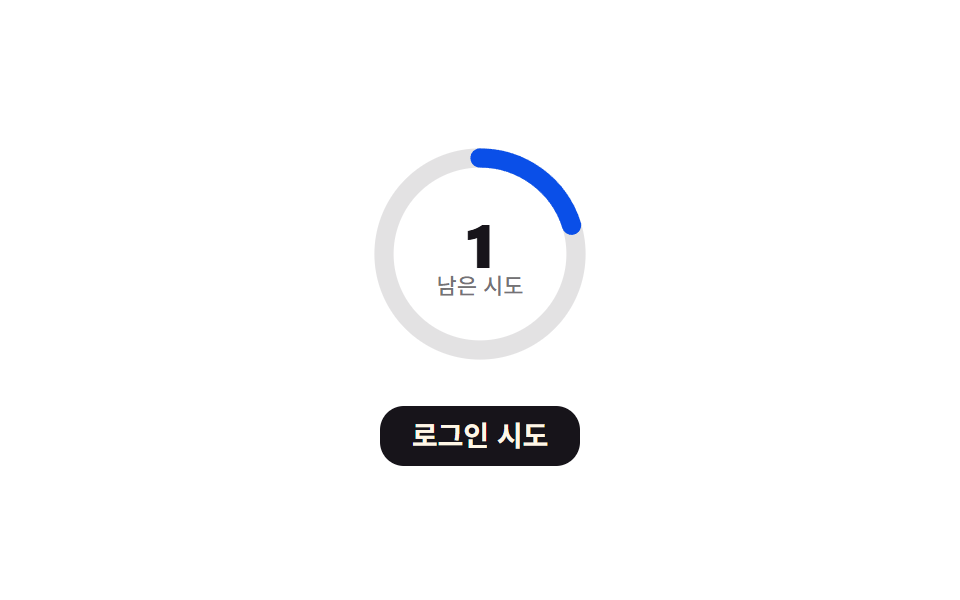
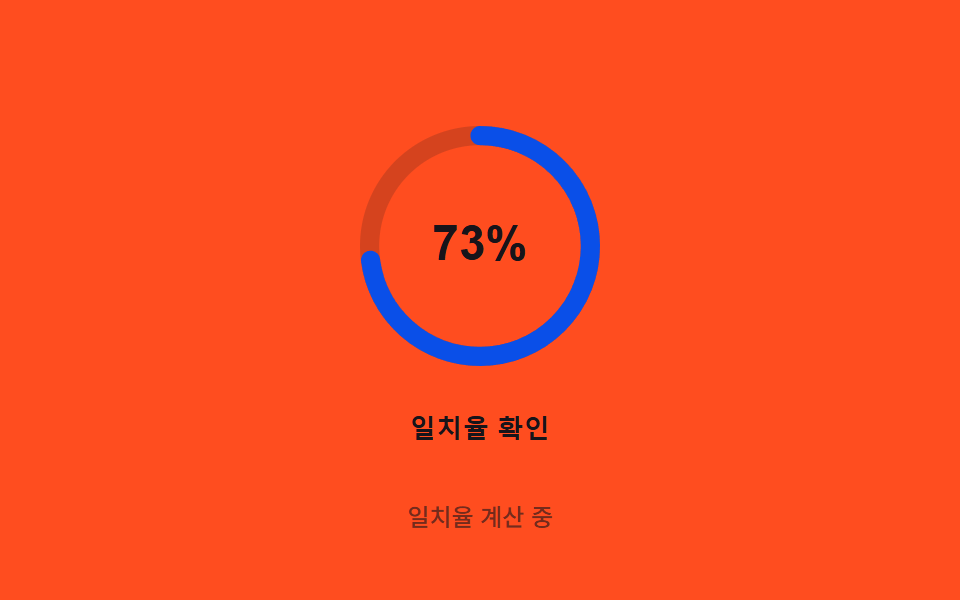
07링 오버슛 — 원형 진행 링이 각도 값으로 채워지다 처리가 끝나는 순간 관성 값만큼 살짝 지나쳤다 되돌아오는 방식
각도 값이 360도에 가까워지면 관성 값이 더해져 링이 살짝 지나친 뒤, 감쇠 값을 따라 정확한 위치로 되돌아옵니다.
쓰임생체 인증 처리 중 로딩 링, 결제 처리 로딩
FLIP_MS$subject-blue-deepSTIFFNESS
<main class="stage">
<div class="ring-wrap">
<button type="button" class="ring is-demo" id="ring" aria-pressed="false">
  <svg class="ring__icon" viewBox="0 0 120 120" aria-hidden="true">
    <circle class="ring__track" cx="60" cy="60" r="46"></circle>
    <circle class="ring__fill" id="fill" cx="60" cy="60" r="46"></circle>
    <text class="ring__pct" id="pct" x="60" y="66" text-anchor="middle">0%</text>
  </svg>
  <span class="ring__label">일치율 확인</span>
</button>
<p class="ring__status" id="status">대기 중</p>
</div>
</main>
@use "../../../../site/static/demo-tokens" as *;
// 계산 겹은 index.html 의 step() 에 있다 — 목표 일치율을 스프링 물리(힘·속도·위치)로 매 프레임
// 직접 적분해 관성으로 목표를 넘었다가(오버슛) 되돌아와 멈춘다. 여기는 무대·모양만 맡는다.
@include stage($stage-orange);
.ring-wrap {
display: flex;
flex-direction: column;
align-items: center;
gap: $sp-3;
}
.ring {
appearance: none;
border: none;
background: transparent;
display: flex;
flex-direction: column;
align-items: center;
gap: $sp-3;
cursor: pointer;
padding: $sp-4;
border-radius: $r-card;
&:focus-visible { outline: 2px solid $stage-ink; outline-offset: 4px; }
}
.ring__icon {
width: clamp(120px, 30vw, 160px);
height: auto;
overflow: visible;
transform: rotate(-90deg);
transform-origin: 50% 50%;
}
.ring__track {
fill: none;
stroke: rgba($stage-ink, .18);
stroke-width: 8;
}
.ring__fill {
fill: none;
stroke: $subject-blue-deep;
stroke-width: 8;
stroke-linecap: round;
}
.ring__pct {
transform: rotate(90deg);
transform-origin: 60px 60px;
fill: $stage-ink;
font-weight: 700;
font-size: 20px;
}
.ring__label {
color: $stage-ink;
font-weight: 600;
font-size: 13px;
line-height: 1.2;
letter-spacing: .02em;
}
.ring__status {
margin: 0;
color: rgba($stage-ink, .6);
font-weight: 500;
font-size: 12px;
line-height: 1.2;
}
@media (max-width: 340px) {
.stage { padding: $sp-2; }
.ring-wrap { gap: $sp-2; }
.ring { padding: $sp-2 $sp-3; gap: $sp-2; }
.ring__icon { width: 104px; }
.ring__label { font-size: 12px; }
.ring__status { font-size: 11px; }
}
@media (prefers-reduced-motion: reduce) {
.ring__fill { transition: none; }
}html, body {
margin: 0;
overflow: hidden;
}
.stage {
box-sizing: border-box;
min-height: 100vh;
display: grid;
place-items: center;
margin: 0;
background: #ff4d1f;
font-family: -apple-system, "Segoe UI", "Noto Sans KR", sans-serif;
padding: clamp(8px, 4vw, 24px);
}
.ring-wrap {
display: flex;
flex-direction: column;
align-items: center;
gap: 12px;
}
.ring {
appearance: none;
border: none;
background: transparent;
display: flex;
flex-direction: column;
align-items: center;
gap: 12px;
cursor: pointer;
padding: 16px;
border-radius: 16px;
}
.ring:focus-visible {
outline: 2px solid #17141a;
outline-offset: 4px;
}
.ring__icon {
width: clamp(120px, 30vw, 160px);
height: auto;
overflow: visible;
transform: rotate(-90deg);
transform-origin: 50% 50%;
}
.ring__track {
fill: none;
stroke: rgba(23, 20, 26, 0.18);
stroke-width: 8;
}
.ring__fill {
fill: none;
stroke: #0a4fe8;
stroke-width: 8;
stroke-linecap: round;
}
.ring__pct {
transform: rotate(90deg);
transform-origin: 60px 60px;
fill: #17141a;
font-weight: 700;
font-size: 20px;
}
.ring__label {
color: #17141a;
font-weight: 600;
font-size: 13px;
line-height: 1.2;
letter-spacing: 0.02em;
}
.ring__status {
margin: 0;
color: rgba(23, 20, 26, 0.6);
font-weight: 500;
font-size: 12px;
line-height: 1.2;
}
@media (max-width: 340px) {
.stage {
padding: 8px;
}
.ring-wrap {
gap: 8px;
}
.ring {
padding: 8px 12px;
gap: 8px;
}
.ring__icon {
width: 104px;
}
.ring__label {
font-size: 12px;
}
.ring__status {
font-size: 11px;
}
}
@media (prefers-reduced-motion: reduce) {
.ring__fill {
transition: none;
}
}(function () {
// 계산 겹: 관성 오버슛 — 트윈 이징이 아니라 스프링 물리를 매 프레임 직접 적분한다.
// force = (target-pos)*STIFFNESS - vel*DAMPING, vel += force*dt, pos += vel*dt.
// 관성 때문에 목표를 넘어섰다가(오버슛) 다시 돌아와 멈춘다.
// 자동 루프는 목표값을 정착 시간보다 짧은 간격으로 두 값 사이에서 계속 바꾼다(재측정을
// 반복하는 계기판처럼) — 스프링이 한 번도 완전히 멈추지 않아 어느 구간을 잘라도 항상
// 진행 중인 움직임이 있다. 실제 조작(클릭·키보드)은 별도 경로로 한 번만 목표에 도달한다.
var STIFFNESS = 0.0006;
var DAMPING = 0.02;
var TARGET = 0.82; // 실제 조작이 향하는 목표 일치율(82%)
var AUTO_HIGH = 0.82, AUTO_LOW = 0.28; // 자동 루프가 번갈아 재는 두 목표값
var FLIP_MS = 480; // 정착 시간(약 400ms)보다 짧게 잡아 늘 진행 중이게 한다
var SETTLE_EPS = 0.0006; // 속도·오차가 이 밑이면 정지로 본다(실제 조작 경로에서만 쓴다)
var R = 46, CIRC = 2 * Math.PI * R;
var reduce = window.matchMedia('(prefers-reduced-motion: reduce)').matches;
var root = document.getElementById('ring');
var fill = document.getElementById('fill');
var pctText = document.getElementById('pct');
var status = document.getElementById('status');
var STRINGS = { idle: '대기 중', running: '일치율 계산 중', done: '일치 확인' };
var isDemo = true;
var manualRunning = false;
var manualPos = 0, manualVel = 0, manualLastTs = 0;
var autoPos = 0, autoVel = 0, autoLastTs = 0, autoTargetHigh = true, autoFlipAt = 0;
var rafId = 0;
fill.style.strokeDasharray = CIRC.toFixed(2);
function paint(pos) {
var shown = Math.max(0, pos);
var offset = CIRC * (1 - Math.min(shown, 1.3));
fill.style.strokeDashoffset = offset.toFixed(2);
pctText.textContent = Math.round(shown * 100) + '%';
}
function runManual(ts) {
if (!manualLastTs) manualLastTs = ts;
var dt = Math.min(ts - manualLastTs, 32);
manualLastTs = ts;
var force = (TARGET - manualPos) * STIFFNESS - manualVel * DAMPING;
manualVel += force * dt;
manualPos += manualVel * dt;
paint(manualPos);
if (Math.abs(manualVel) > SETTLE_EPS || Math.abs(TARGET - manualPos) > SETTLE_EPS) {
status.textContent = STRINGS.running;
requestAnimationFrame(runManual);
} else {
manualPos = TARGET;
manualVel = 0;
paint(manualPos);
status.textContent = STRINGS.done;
manualRunning = false;
root.setAttribute('aria-pressed', 'false');
}
}
function trigger() {
if (manualRunning || isDemo) return;
manualRunning = true;
manualPos = 0; manualVel = 0; manualLastTs = 0;
root.setAttribute('aria-pressed', 'true');
if (reduce) {
manualPos = TARGET; manualVel = 0;
paint(manualPos);
status.textContent = STRINGS.done;
manualRunning = false;
root.setAttribute('aria-pressed', 'false');
return;
}
requestAnimationFrame(runManual);
}
function human() {
if (isDemo) {
isDemo = false;
root.classList.remove('is-demo');
cancelAnimationFrame(rafId);
status.textContent = STRINGS.idle;
paint(0);
}
}
root.addEventListener('click', function () { human(); trigger(); });
root.addEventListener('keydown', function (e) {
if (e.key === ' ' || e.key === 'Enter') { human(); }
});
paint(0);
function autoLoop(ts) {
if (!isDemo || reduce) return;
if (!autoLastTs) autoLastTs = ts;
var dt = Math.min(ts - autoLastTs, 32);
autoLastTs = ts;
if (!autoFlipAt) autoFlipAt = ts + FLIP_MS;
if (ts >= autoFlipAt) { autoTargetHigh = !autoTargetHigh; autoFlipAt = ts + FLIP_MS; }
var target = autoTargetHigh ? AUTO_HIGH : AUTO_LOW;
var force = (target - autoPos) * STIFFNESS - autoVel * DAMPING;
autoVel += force * dt;
autoPos += autoVel * dt;
paint(autoPos);
status.textContent = STRINGS.running;
rafId = requestAnimationFrame(autoLoop);
}
if (isDemo && !reduce) {
rafId = requestAnimationFrame(autoLoop);
} else if (reduce) {
paint(TARGET);
status.textContent = STRINGS.done;
}
})();// RingOvershoot — vanilla 판(run/371/demo/07-biometric-scan-ring-overshoot/index.html) 의 React 포트.
// 계산 겹(관성 오버슛)은 useEffect 안에 있다: 목표 일치율을 스프링 물리(힘·속도·위치)로 매 프레임
// 직접 적분한다 — 트윈 이징이 아니라 관성 때문에 목표를 넘었다가 되돌아와 멈춘다.
// 자동 루프는 목표값을 정착 시간보다 짧은 간격으로 두 값 사이에서 계속 바꿔 스프링이 한 번도
// 완전히 멈추지 않게 한다(어느 순간을 잘라도 항상 진행 중인 움직임이 있다).
import { useEffect, useRef, useState } from "react";
import styles from "./RingOvershoot.module.scss";
type Box<T> = { current: T };
const STRINGS: Record<string, string> = { idle: "대기 중", running: "일치율 계산 중", done: "일치 확인" };
const R = 46;
const CIRC = 2 * Math.PI * R;
export default function RingOvershoot() {
const rootRef = useRef(null) as unknown as Box<HTMLButtonElement>;
const fillRef = useRef(null) as unknown as Box<SVGCircleElement>;
const [pct, setPct] = useState(0);
const [status, setStatus] = useState(STRINGS.idle);
const [pressed, setPressed] = useState(false);
useEffect(() => {
const STIFFNESS = 0.0006;
const DAMPING = 0.02;
const TARGET = 0.82;
const AUTO_HIGH = 0.82;
const AUTO_LOW = 0.28;
const FLIP_MS = 480;
const SETTLE_EPS = 0.0006;
const reduce = window.matchMedia("(prefers-reduced-motion: reduce)").matches;
const root = rootRef.current;
const fill = fillRef.current;
if (!root || !fill) return;
fill.style.strokeDasharray = CIRC.toFixed(2);
let isDemo = true;
let manualRunning = false;
let manualPos = 0, manualVel = 0, manualLastTs = 0;
let autoPos = 0, autoVel = 0, autoLastTs = 0, autoTargetHigh = true, autoFlipAt = 0;
let rafId = 0;
function paint(pos: number) {
const shown = Math.max(0, pos);
const offset = CIRC * (1 - Math.min(shown, 1.3));
fill!.style.strokeDashoffset = offset.toFixed(2);
setPct(Math.round(shown * 100));
}
function runManual(ts: number) {
if (!manualLastTs) manualLastTs = ts;
const dt = Math.min(ts - manualLastTs, 32);
manualLastTs = ts;
const force = (TARGET - manualPos) * STIFFNESS - manualVel * DAMPING;
manualVel += force * dt;
manualPos += manualVel * dt;
paint(manualPos);
if (Math.abs(manualVel) > SETTLE_EPS || Math.abs(TARGET - manualPos) > SETTLE_EPS) {
setStatus(STRINGS.running);
rafId = requestAnimationFrame(runManual);
} else {
manualPos = TARGET;
manualVel = 0;
paint(manualPos);
setStatus(STRINGS.done);
manualRunning = false;
setPressed(false);
}
}
function trigger() {
if (manualRunning || isDemo) return;
manualRunning = true;
manualPos = 0; manualVel = 0; manualLastTs = 0;
setPressed(true);
if (reduce) {
manualPos = TARGET; manualVel = 0;
paint(manualPos);
setStatus(STRINGS.done);
manualRunning = false;
setPressed(false);
return;
}
rafId = requestAnimationFrame(runManual);
}
function human() {
if (isDemo) {
isDemo = false;
root!.classList.remove(styles.isDemo);
cancelAnimationFrame(rafId);
setStatus(STRINGS.idle);
paint(0);
}
}
function onClick() { human(); trigger(); }
function onKeyDown(e: KeyboardEvent) { if (e.key === " " || e.key === "Enter") human(); }
root.addEventListener("click", onClick);
root.addEventListener("keydown", onKeyDown);
paint(0);
function autoLoop(ts: number) {
if (!isDemo || reduce) return;
if (!autoLastTs) autoLastTs = ts;
const dt = Math.min(ts - autoLastTs, 32);
autoLastTs = ts;
if (!autoFlipAt) autoFlipAt = ts + FLIP_MS;
if (ts >= autoFlipAt) { autoTargetHigh = !autoTargetHigh; autoFlipAt = ts + FLIP_MS; }
const target = autoTargetHigh ? AUTO_HIGH : AUTO_LOW;
const force = (target - autoPos) * STIFFNESS - autoVel * DAMPING;
autoVel += force * dt;
autoPos += autoVel * dt;
paint(autoPos);
setStatus(STRINGS.running);
rafId = requestAnimationFrame(autoLoop);
}
if (isDemo && !reduce) {
rafId = requestAnimationFrame(autoLoop);
} else if (reduce) {
paint(TARGET);
setStatus(STRINGS.done);
}
return () => {
root.removeEventListener("click", onClick);
root.removeEventListener("keydown", onKeyDown);
cancelAnimationFrame(rafId);
};
}, []);
return (
<main className={styles.stage}>
<div className={styles.ringWrap}>
<button
type="button"
className={styles.ring + " " + styles.isDemo}
ref={rootRef}
aria-pressed={pressed}
>
<svg className={styles.ringIcon} viewBox="0 0 120 120" aria-hidden="true">
<circle className={styles.ringTrack} cx={60} cy={60} r={R} />
<circle className={styles.ringFill} ref={fillRef} cx={60} cy={60} r={R} />
<text className={styles.ringPct} x={60} y={66} textAnchor="middle">{pct}%</text>
</svg>
<span className={styles.ringLabel}>일치율 확인</span>
</button>
<p className={styles.ringStatus}>{status}</p>
</div>
</main>
);
}07 링 오버슛 — 원형 진행 링이 각도 값으로 채워지다 처리가 끝나는 순간 관성 값만큼 살짝 지나쳤다 되돌아오는 방식 — 측정 누적면적 1.799% · 움직인 프레임 23/23GODRICH 원작 · zip 에 SCSS·React 포함 · 지문 인식 애니메이션 9종 — 스캔 진행률 값으로 갈리는 인증 버튼
이 데모가 속한 글
 지문 인식 애니메이션 9종 — 스캔 진행률 값으로 갈리는 인증 버튼아홉 가지 지문 인식 애니메이션 중 하나는 스캔 진행률 값이 지문 능선을 순서대로 밝히고, 하나는 실패 시 스프링 감쇠 값으로 흔들리다 멈추며, 하나는 압력 값이 커질수록 리플 반경과 진폭 값이 함께 커집니다. 이 글의 데모 전부 보기