01색을 목표로 끌어당기는 기본 hover
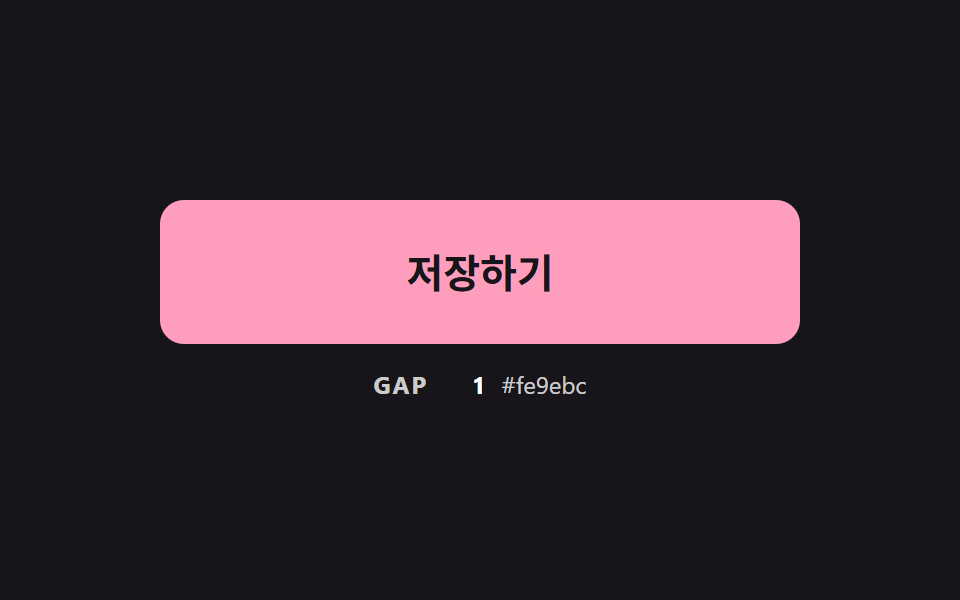
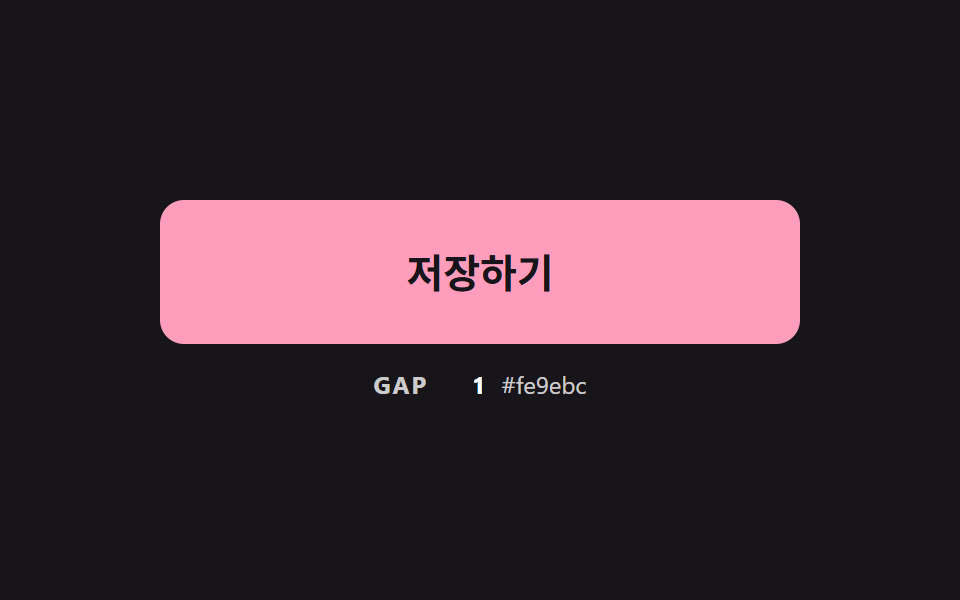
마우스를 올리면 배경색이 목표 색을 향해 매 프레임 남은 거리의 일정 비율씩 다가가, 시간 곡선 없이도 끝에서 부드럽게 멈춘다.
쓰임css 버튼 색상 변경의 계산 뼈대
PULL_RATESETTLE_GAPCYCLE_MS
<main class="stage">
<div class="bc is-demo" id="bcRoot">
  <button class="bc__btn" id="bcBtn" type="button">저장하기</button>
  <p class="bc__meta"><span class="bc__tag">GAP</span> <b id="bcGap">0</b> <span class="bc__hex" id="bcHex">#b9a0ff</span></p>
</div>
</main>
@use "../../../../site/static/demo-tokens" as *;
// 핵심: 색은 CSS transition 이 아니라 JS 가 매 프레임 계산한다.
// 현재 색이 목표 색까지 남은 거리의 일정 비율(PULL_RATE)만큼 다가가므로 끝에서 저절로 느려진다.
$pull-from: $subject-lilac;
$pull-to: $subject-pink;
@include stage($stage-ink);
.bc {
--c-from: #{$pull-from};
--c-to: #{$pull-to};
width: min(100%, 320px);
display: grid;
gap: $sp-3;
justify-items: center;
}
.bc__btn {
box-sizing: border-box;
width: 100%;
height: 72px;
border: 0;
border-radius: $r-control;
background: $pull-from;
color: $subject-ink;
font-family: inherit;
font-size: 20px;
font-weight: 700;
line-height: 24px;
cursor: pointer;
}
.bc__btn:focus-visible { outline: 3px solid $stage-paper; outline-offset: 3px; }
.bc__meta {
margin: 0;
display: flex;
align-items: baseline;
gap: $sp-2;
font-size: 12px;
line-height: 16px;
color: rgba($stage-paper, .78);
}
.bc__tag { font-weight: 700; letter-spacing: .08em; }
.bc__meta b { min-width: 3ch; text-align: right; font-variant-numeric: tabular-nums; color: $stage-paper; }
.bc__hex { font-variant-numeric: tabular-nums; }
@media (prefers-reduced-motion: reduce) {
.bc__btn { transition: none; }
}html, body {
margin: 0;
overflow: hidden;
}
.stage {
box-sizing: border-box;
min-height: 100vh;
display: grid;
place-items: center;
margin: 0;
background: #17141a;
font-family: -apple-system, "Segoe UI", "Noto Sans KR", sans-serif;
padding: clamp(8px, 4vw, 24px);
}
.bc {
--c-from: #b9a0ff;
--c-to: #ff9ebb;
width: min(100%, 320px);
display: grid;
gap: 12px;
justify-items: center;
}
.bc__btn {
box-sizing: border-box;
width: 100%;
height: 72px;
border: 0;
border-radius: 12px;
background: #b9a0ff;
color: #17141a;
font-family: inherit;
font-size: 20px;
font-weight: 700;
line-height: 24px;
cursor: pointer;
}
.bc__btn:focus-visible {
outline: 3px solid #ffffff;
outline-offset: 3px;
}
.bc__meta {
margin: 0;
display: flex;
align-items: baseline;
gap: 8px;
font-size: 12px;
line-height: 16px;
color: rgba(255, 255, 255, 0.78);
}
.bc__tag {
font-weight: 700;
letter-spacing: 0.08em;
}
.bc__meta b {
min-width: 3ch;
text-align: right;
font-variant-numeric: tabular-nums;
color: #ffffff;
}
.bc__hex {
font-variant-numeric: tabular-nums;
}
@media (prefers-reduced-motion: reduce) {
.bc__btn {
transition: none;
}
}(function () {
// 기법: 매 프레임 현재 색이 목표 색까지 남은 거리의 일정 비율만큼 다가간다 (시간 곡선 없음).
// 비율은 프레임 간격(dt)으로 보정해 60Hz 든 120Hz 든 같은 속도로 도착한다.
var PULL_RATE = 7;
var SETTLE_GAP = 0.5;
var START_MS = 200;
var ON_MS = 900;
var CYCLE_MS = 2000;
var root = document.getElementById('bcRoot');
var btn = document.getElementById('bcBtn');
var gapEl = document.getElementById('bcGap');
var hexEl = document.getElementById('bcHex');
var reduce = window.matchMedia('(prefers-reduced-motion: reduce)').matches;
function readRgb(name) {
var v = getComputedStyle(btn).getPropertyValue(name).trim().replace('#', '');
if (v.length === 3) v = v.split('').map(function (c) { return c + c; }).join('');
return [parseInt(v.slice(0, 2), 16), parseInt(v.slice(2, 4), 16), parseInt(v.slice(4, 6), 16)];
}
function toHex(rgb) {
return '#' + rgb.map(function (c) { return ('0' + Math.round(c).toString(16)).slice(-2); }).join('');
}
var from = readRgb('--c-from');
var to = readRgb('--c-to');
var cur = from.slice();
var pointerIn = false;
var kbFocus = false;
var t0 = null;
var lastTs = null;
function demoOn(now) {
return root.classList.contains('is-demo') && now >= START_MS && (now - START_MS) % CYCLE_MS < ON_MS;
}
function target(now) { return demoOn(now) || pointerIn || kbFocus ? to : from; }
function gapOf(goal) {
return Math.abs(goal[0] - cur[0]) + Math.abs(goal[1] - cur[1]) + Math.abs(goal[2] - cur[2]);
}
function paint(goal) {
btn.style.background = toHex(cur);
gapEl.textContent = String(Math.round(gapOf(goal)));
hexEl.textContent = toHex(cur);
}
function stopDemo() { root.classList.remove('is-demo'); }
function jump() { cur = (pointerIn || kbFocus ? to : from).slice(); paint(pointerIn || kbFocus ? to : from); }
btn.addEventListener('pointerenter', function () { stopDemo(); pointerIn = true; if (reduce) jump(); });
btn.addEventListener('pointerleave', function () { pointerIn = false; if (reduce) jump(); });
btn.addEventListener('focus', function () { kbFocus = btn.matches(':focus-visible'); if (kbFocus) stopDemo(); if (reduce) jump(); });
btn.addEventListener('blur', function () { kbFocus = false; if (reduce) jump(); });
function tick(ts) {
if (t0 === null) t0 = ts;
var now = ts - t0;
var dt = lastTs === null ? 0.016 : Math.min(0.05, (ts - lastTs) / 1000);
lastTs = ts;
var goal = target(now);
var k = 1 - Math.exp(-dt * PULL_RATE);
for (var i = 0; i < 3; i += 1) cur[i] += (goal[i] - cur[i]) * k;
if (gapOf(goal) < SETTLE_GAP) cur = goal.slice();
paint(goal);
requestAnimationFrame(tick);
}
if (reduce) {
stopDemo();
paint(from);
} else {
requestAnimationFrame(tick);
}
})();// PullColorButton — vanilla 판(01-btn-color-exp-ease-fill) 의 React 포트.
// 현재 색이 목표 색까지 남은 거리의 일정 비율(PULL_RATE)만큼 매 프레임 다가간다. CSS transition 은 쓰지 않는다.
import { useEffect, useRef } from "react";
import styles from "./PullColorButton.module.scss";
type Box<T> = { current: T };
type Rgb = [number, number, number];
const PULL_RATE = 7;
const SETTLE_GAP = 0.5;
const START_MS = 200;
const ON_MS = 900;
const CYCLE_MS = 2000;
function toHex(rgb: Rgb): string {
return "#" + rgb.map((c) => ("0" + Math.round(c).toString(16)).slice(-2)).join("");
}
export default function PullColorButton() {
const rootRef = useRef<HTMLDivElement | null>(null) as Box<HTMLDivElement | null>;
const btnRef = useRef<HTMLButtonElement | null>(null) as Box<HTMLButtonElement | null>;
const gapRef = useRef<HTMLElement | null>(null) as Box<HTMLElement | null>;
const hexRef = useRef<HTMLSpanElement | null>(null) as Box<HTMLSpanElement | null>;
useEffect(() => {
const btn = btnRef.current;
const gapEl = gapRef.current;
const hexEl = hexRef.current;
if (!btn || !gapEl || !hexEl) return;
const reduce = window.matchMedia("(prefers-reduced-motion: reduce)").matches;
const readRgb = (name: string): Rgb => {
let v = getComputedStyle(btn).getPropertyValue(name).trim().replace("#", "");
if (v.length === 3) v = v.split("").map((c) => c + c).join("");
return [parseInt(v.slice(0, 2), 16), parseInt(v.slice(2, 4), 16), parseInt(v.slice(4, 6), 16)];
};
const from = readRgb("--c-from");
const to = readRgb("--c-to");
let cur: Rgb = [from[0], from[1], from[2]];
let demo = !reduce;
let pointerIn = false;
let kbFocus = false;
let t0: number | null = null;
let lastTs: number | null = null;
let raf = 0;
const demoOn = (now: number): boolean => demo && now >= START_MS && (now - START_MS) % CYCLE_MS < ON_MS;
const gapOf = (goal: Rgb): number =>
Math.abs(goal[0] - cur[0]) + Math.abs(goal[1] - cur[1]) + Math.abs(goal[2] - cur[2]);
const paint = (goal: Rgb): void => {
btn.style.background = toHex(cur);
gapEl.textContent = String(Math.round(gapOf(goal)));
hexEl.textContent = toHex(cur);
};
const stopDemo = (): void => { demo = false; };
const jump = (): void => {
const goal = pointerIn || kbFocus ? to : from;
cur = [goal[0], goal[1], goal[2]];
paint(goal);
};
const onEnter = (): void => { stopDemo(); pointerIn = true; if (reduce) jump(); };
const onLeave = (): void => { pointerIn = false; if (reduce) jump(); };
const onFocus = (): void => { kbFocus = btn.matches(":focus-visible"); if (kbFocus) stopDemo(); if (reduce) jump(); };
const onBlur = (): void => { kbFocus = false; if (reduce) jump(); };
btn.addEventListener("pointerenter", onEnter);
btn.addEventListener("pointerleave", onLeave);
btn.addEventListener("focus", onFocus);
btn.addEventListener("blur", onBlur);
function tick(ts: number): void {
if (t0 === null) t0 = ts;
const now = ts - t0;
const dt = lastTs === null ? 0.016 : Math.min(0.05, (ts - lastTs) / 1000);
lastTs = ts;
const goal = demoOn(now) || pointerIn || kbFocus ? to : from;
const k = 1 - Math.exp(-dt * PULL_RATE);
cur = [cur[0] + (goal[0] - cur[0]) * k, cur[1] + (goal[1] - cur[1]) * k, cur[2] + (goal[2] - cur[2]) * k];
if (gapOf(goal) < SETTLE_GAP) cur = [goal[0], goal[1], goal[2]];
paint(goal);
raf = requestAnimationFrame(tick);
}
if (reduce) paint(from);
else raf = requestAnimationFrame(tick);
return () => {
cancelAnimationFrame(raf);
btn.removeEventListener("pointerenter", onEnter);
btn.removeEventListener("pointerleave", onLeave);
btn.removeEventListener("focus", onFocus);
btn.removeEventListener("blur", onBlur);
};
}, []);
return (
<main className={styles.stage}>
<div className={styles.bc} ref={rootRef}>
<button className={styles.bc__btn} type="button" ref={btnRef}>저장하기</button>
<p className={styles.bc__meta}>
<span className={styles.bc__tag}>GAP</span> <b ref={gapRef}>0</b> <span className={styles.bc__hex} ref={hexRef}>#b9a0ff</span>
</p>
</div>
</main>
);
}01 색을 목표로 끌어당기는 기본 hover — 측정 누적면적 16.203% · 움직인 프레임 22/23GODRICH 원작 · zip 에 SCSS·React 포함 · css 버튼 색상 변경 9가지 — hover 중간 색이 탁해지지 않게 계산한 장면
이 데모가 속한 글
 css 버튼 색상 변경 9가지 — hover 중간 색이 탁해지지 않게 계산한 장면버튼 색을 hover 에서 바꾸는 건 한 줄이면 되지만, 그 줄은 중간 색을 탁하게 만들고 그라데이션은 아예 움직이지 못하게 하고 글자는 중간에 안 읽히게 둔다 — 02번·04번·07번이 하나씩 막는다. css 버튼 이 글의 데모 전부 보기