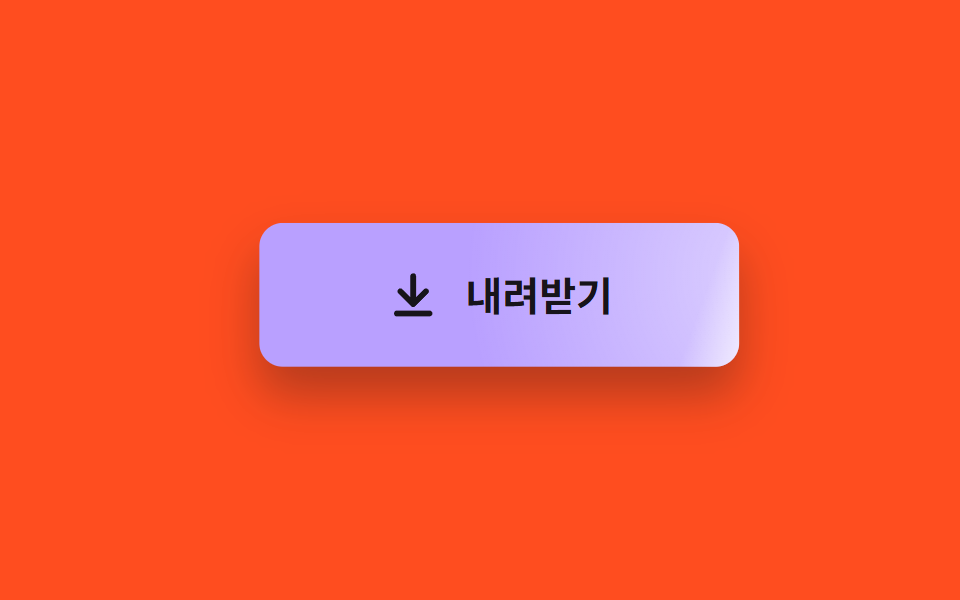
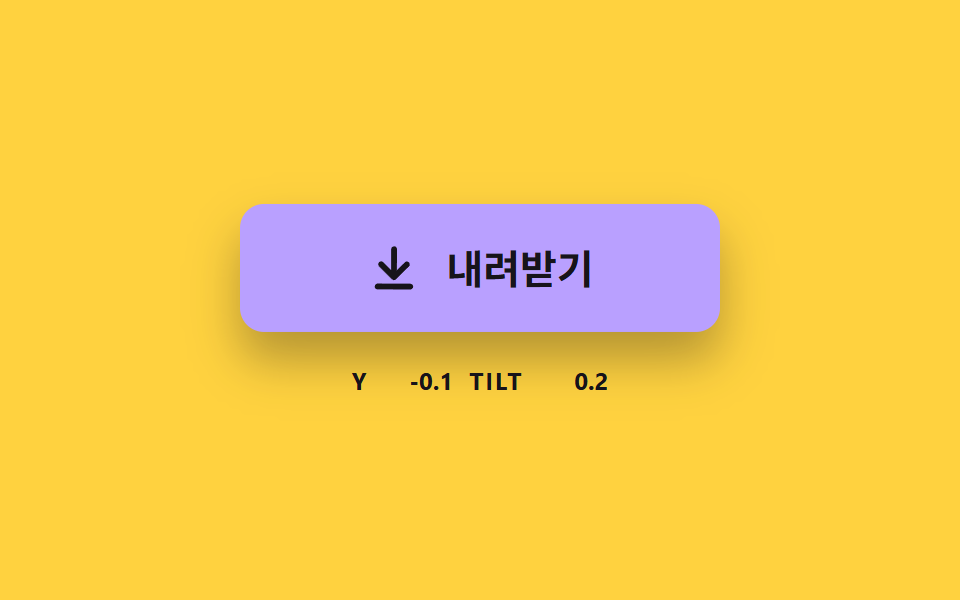
09커서 쪽으로 끌리며 번쩍이는 버튼
버튼이 커서 쪽으로 조금 끌려가고, 커서 위치에 맞춰 광택 띠가 가로질러 지나간다.
쓰임랜딩 페이지 주 CTA 의 첫인상
PULL_RATESHEEN_WLEAN_MAX
<main class="stage">
<div class="mg is-demo" id="mgRoot">
  <button class="mg__btn" id="mgBtn" type="button">
    <span class="mg__sheen" id="mgSheen" aria-hidden="true"></span>
    <svg class="mg__icon" viewBox="0 0 24 24" aria-hidden="true"><path d="M12 4v11M6.5 10.5 12 16l5.5-5.5M5 20h14"/></svg>
    <span class="mg__text">내려받기</span>
  </button>
</div>
</main>
@use "../../../../site/static/demo-tokens" as *;
// 핵심: 버튼 이동량과 광택 위치는 커서와의 거리에서 JS 가 계산한다. 광택 띠와 번쩍임 중심(--gx --gy)이 같은 커서 값을 쓴다.
$mg-face: $subject-lilac;
@include stage($stage-orange);
.mg {
width: min(100%, 280px);
height: 144px;
display: grid;
place-items: center;
}
.mg__btn {
--gx: 50%;
--gy: 50%;
--ga: 0;
position: relative;
box-sizing: border-box;
width: 240px;
max-width: 100%;
height: 72px;
overflow: hidden;
display: flex;
align-items: center;
justify-content: center;
gap: $sp-3;
border: 0;
border-radius: $r-control;
background: radial-gradient(circle at var(--gx) var(--gy), rgb(255 255 255 / var(--ga)), rgb(255 255 255 / 0) 60%), $mg-face;
box-shadow: $shadow-raised;
color: $subject-ink;
font-family: inherit;
font-size: 20px;
font-weight: 700;
line-height: 24px;
cursor: pointer;
}
.mg__btn:focus-visible { outline: 3px solid $subject-ink; outline-offset: 3px; }
.mg__sheen {
position: absolute;
left: 0;
top: -10%;
height: 120%;
background: linear-gradient(90deg, rgba($stage-paper, 0), rgba($stage-paper, .7), rgba($stage-paper, 0));
opacity: 0;
pointer-events: none;
}
.mg__icon {
position: relative;
width: 28px;
height: 28px;
fill: none;
stroke: currentColor;
stroke-width: 2.5;
stroke-linecap: round;
stroke-linejoin: round;
}
.mg__text { position: relative; }
@media (prefers-reduced-motion: reduce) {
.mg__btn { transition: none; }
}html, body {
margin: 0;
overflow: hidden;
}
.stage {
box-sizing: border-box;
min-height: 100vh;
display: grid;
place-items: center;
margin: 0;
background: #ff4d1f;
font-family: -apple-system, "Segoe UI", "Noto Sans KR", sans-serif;
padding: clamp(8px, 4vw, 24px);
}
.mg {
width: min(100%, 280px);
height: 144px;
display: grid;
place-items: center;
}
.mg__btn {
--gx: 50%;
--gy: 50%;
--ga: 0;
position: relative;
box-sizing: border-box;
width: 240px;
max-width: 100%;
height: 72px;
overflow: hidden;
display: flex;
align-items: center;
justify-content: center;
gap: 12px;
border: 0;
border-radius: 12px;
background: radial-gradient(circle at var(--gx) var(--gy), rgb(255, 255, 255, var(--ga)), rgba(255, 255, 255, 0) 60%), #b9a0ff;
box-shadow: 0 14px 24px rgba(23, 20, 26, 0.32);
color: #17141a;
font-family: inherit;
font-size: 20px;
font-weight: 700;
line-height: 24px;
cursor: pointer;
}
.mg__btn:focus-visible {
outline: 3px solid #17141a;
outline-offset: 3px;
}
.mg__sheen {
position: absolute;
left: 0;
top: -10%;
height: 120%;
background: linear-gradient(90deg, rgba(255, 255, 255, 0), rgba(255, 255, 255, 0.7), rgba(255, 255, 255, 0));
opacity: 0;
pointer-events: none;
}
.mg__icon {
position: relative;
width: 28px;
height: 28px;
fill: none;
stroke: currentColor;
stroke-width: 2.5;
stroke-linecap: round;
stroke-linejoin: round;
}
.mg__text {
position: relative;
}
@media (prefers-reduced-motion: reduce) {
.mg__btn {
transition: none;
}
}(function () {
// 기법: 커서와 버튼 중심의 거리 x PULL_RATE 만큼 버튼이 끌려가고 (LEAN_MAX 에서 멈춤), 광택 띠는 커서의 가로 위치를 따라 지수 보간으로 쫓아간다.
// 포인터가 없는 데모에서는 같은 계산에 궤도 위 가짜 커서를 넣는다.
var PULL_RATE = 0.12;
var SHEEN_W = 64;
var LEAN_MAX = 10;
var LEAN_LERP = 10;
var SHEEN_LERP = 14;
var START_MS = 200;
var CYCLE_MS = 2000;
var ORBIT_X = 150;
var ORBIT_Y = 48;
var root = document.getElementById('mgRoot');
var btn = document.getElementById('mgBtn');
var sheen = document.getElementById('mgSheen');
var reduce = window.matchMedia('(prefers-reduced-motion: reduce)').matches;
var lx = 0;
var ly = 0;
var sx = -SHEEN_W * 2;
var alpha = 0;
var cursor = null;
var kbFocus = false;
var t0 = null;
var lastTs = null;
sheen.style.width = SHEEN_W + 'px';
function clamp(v, lo, hi) { return Math.max(lo, Math.min(hi, v)); }
function stopDemo() { root.classList.remove('is-demo'); }
function goal(now) {
var w = btn.offsetWidth;
var h = btn.offsetHeight;
var d = null;
if (root.classList.contains('is-demo') && now >= START_MS) {
var a = 2 * Math.PI * ((now - START_MS) % CYCLE_MS) / CYCLE_MS;
d = { x: ORBIT_X * Math.cos(a), y: ORBIT_Y * Math.sin(a) };
} else if (cursor) {
d = cursor;
}
if (kbFocus && !d) return { lx: 0, ly: 0, sx: w / 2, a: 1, gx: 50, gy: 50 };
if (!d) return { lx: 0, ly: 0, sx: -SHEEN_W * 2, a: 0, gx: 50, gy: 50 };
return {
lx: clamp(d.x * PULL_RATE, -LEAN_MAX, LEAN_MAX),
ly: clamp(d.y * PULL_RATE, -LEAN_MAX, LEAN_MAX),
sx: clamp(d.x + w / 2, -SHEEN_W, w + SHEEN_W),
a: 1,
gx: clamp((d.x + w / 2) / w * 100, -20, 120),
gy: clamp((d.y + h / 2) / h * 100, -40, 140)
};
}
function render(g) {
btn.style.transform = 'translate(' + lx.toFixed(2) + 'px,' + ly.toFixed(2) + 'px)';
sheen.style.transform = 'translateX(' + (sx - SHEEN_W / 2).toFixed(1) + 'px) skewX(-20deg)';
sheen.style.opacity = alpha.toFixed(3);
btn.style.setProperty('--gx', g.gx.toFixed(1) + '%');
btn.style.setProperty('--gy', g.gy.toFixed(1) + '%');
btn.style.setProperty('--ga', (alpha * 0.55).toFixed(3));
}
function snap() {
var g = goal(0);
lx = g.lx; ly = g.ly; sx = g.sx; alpha = g.a;
render(g);
}
root.addEventListener('pointermove', function (e) {
var r = btn.getBoundingClientRect();
stopDemo();
cursor = { x: e.clientX - (r.left - lx) - r.width / 2, y: e.clientY - (r.top - ly) - r.height / 2 };
if (reduce) snap();
});
root.addEventListener('pointerleave', function () { cursor = null; if (reduce) snap(); });
btn.addEventListener('focus', function () { kbFocus = btn.matches(':focus-visible'); if (kbFocus) stopDemo(); if (reduce) snap(); });
btn.addEventListener('blur', function () { kbFocus = false; if (reduce) snap(); });
function tick(ts) {
if (t0 === null) t0 = ts;
var now = ts - t0;
var dt = lastTs === null ? 0.016 : Math.min(0.05, (ts - lastTs) / 1000);
lastTs = ts;
var g = goal(now);
var kl = 1 - Math.exp(-dt * LEAN_LERP);
var ks = 1 - Math.exp(-dt * SHEEN_LERP);
lx += (g.lx - lx) * kl;
ly += (g.ly - ly) * kl;
sx += (g.sx - sx) * ks;
alpha += (g.a - alpha) * ks;
render(g);
requestAnimationFrame(tick);
}
if (reduce) {
stopDemo();
snap();
} else {
requestAnimationFrame(tick);
}
})();// MagnetSheenButton — vanilla 판(09-dlbtn-magnet-sheen-hover) 의 React 포트.
// 커서와 버튼 중심의 거리 x PULL_RATE 만큼 버튼이 끌려가고(LEAN_MAX 에서 멈춤), 광택 띠는 커서의 가로 위치를 지수 보간으로 쫓는다.
import { useEffect, useRef } from "react";
import styles from "./MagnetSheenButton.module.scss";
const PULL_RATE = 0.12;
const SHEEN_W = 64;
const LEAN_MAX = 10;
const LEAN_LERP = 10;
const SHEEN_LERP = 14;
const START_MS = 200;
const CYCLE_MS = 2000;
const ORBIT_X = 150;
const ORBIT_Y = 48;
type Point = { x: number; y: number };
type Goal = { lx: number; ly: number; sx: number; a: number; gx: number; gy: number };
function clamp(v: number, lo: number, hi: number): number {
return Math.max(lo, Math.min(hi, v));
}
export default function MagnetSheenButton() {
const rootRef = useRef<HTMLDivElement | null>(null);
const btnRef = useRef<HTMLButtonElement | null>(null);
const sheenRef = useRef<HTMLSpanElement | null>(null);
useEffect(() => {
const root = rootRef.current;
const btn = btnRef.current;
const sheen = sheenRef.current;
if (!root || !btn || !sheen) return;
const reduce = window.matchMedia("(prefers-reduced-motion: reduce)").matches;
let demo = !reduce;
let lx = 0;
let ly = 0;
let sx = -SHEEN_W * 2;
let alpha = 0;
let cursor: Point | null = null;
let kbFocus = false;
let t0: number | null = null;
let lastTs: number | null = null;
let raf = 0;
sheen.style.width = SHEEN_W + "px";
const goal = (now: number): Goal => {
const w = btn.offsetWidth;
const h = btn.offsetHeight;
let d: Point | null = null;
if (demo && now >= START_MS) {
const a = 2 * Math.PI * ((now - START_MS) % CYCLE_MS) / CYCLE_MS;
d = { x: ORBIT_X * Math.cos(a), y: ORBIT_Y * Math.sin(a) };
} else if (cursor) {
d = cursor;
}
if (kbFocus && !d) return { lx: 0, ly: 0, sx: w / 2, a: 1, gx: 50, gy: 50 };
if (!d) return { lx: 0, ly: 0, sx: -SHEEN_W * 2, a: 0, gx: 50, gy: 50 };
return {
lx: clamp(d.x * PULL_RATE, -LEAN_MAX, LEAN_MAX),
ly: clamp(d.y * PULL_RATE, -LEAN_MAX, LEAN_MAX),
sx: clamp(d.x + w / 2, -SHEEN_W, w + SHEEN_W),
a: 1,
gx: clamp((d.x + w / 2) / w * 100, -20, 120),
gy: clamp((d.y + h / 2) / h * 100, -40, 140)
};
};
const render = (g: Goal): void => {
btn.style.transform = `translate(${lx.toFixed(2)}px,${ly.toFixed(2)}px)`;
sheen.style.transform = `translateX(${(sx - SHEEN_W / 2).toFixed(1)}px) skewX(-20deg)`;
sheen.style.opacity = alpha.toFixed(3);
btn.style.setProperty("--gx", g.gx.toFixed(1) + "%");
btn.style.setProperty("--gy", g.gy.toFixed(1) + "%");
btn.style.setProperty("--ga", (alpha * 0.55).toFixed(3));
};
const snap = (): void => {
const g = goal(0);
lx = g.lx; ly = g.ly; sx = g.sx; alpha = g.a;
render(g);
};
const onMove = (e: PointerEvent): void => {
const r = btn.getBoundingClientRect();
demo = false;
cursor = { x: e.clientX - (r.left - lx) - r.width / 2, y: e.clientY - (r.top - ly) - r.height / 2 };
if (reduce) snap();
};
const onLeave = (): void => { cursor = null; if (reduce) snap(); };
const onFocus = (): void => { kbFocus = btn.matches(":focus-visible"); if (kbFocus) demo = false; if (reduce) snap(); };
const onBlur = (): void => { kbFocus = false; if (reduce) snap(); };
root.addEventListener("pointermove", onMove);
root.addEventListener("pointerleave", onLeave);
btn.addEventListener("focus", onFocus);
btn.addEventListener("blur", onBlur);
function tick(ts: number): void {
if (t0 === null) t0 = ts;
const now = ts - t0;
const dt = lastTs === null ? 0.016 : Math.min(0.05, (ts - lastTs) / 1000);
lastTs = ts;
const g = goal(now);
const kl = 1 - Math.exp(-dt * LEAN_LERP);
const ks = 1 - Math.exp(-dt * SHEEN_LERP);
lx += (g.lx - lx) * kl;
ly += (g.ly - ly) * kl;
sx += (g.sx - sx) * ks;
alpha += (g.a - alpha) * ks;
render(g);
raf = requestAnimationFrame(tick);
}
if (reduce) snap();
else raf = requestAnimationFrame(tick);
return () => {
cancelAnimationFrame(raf);
root.removeEventListener("pointermove", onMove);
root.removeEventListener("pointerleave", onLeave);
btn.removeEventListener("focus", onFocus);
btn.removeEventListener("blur", onBlur);
};
}, []);
return (
<main className={styles.stage}>
<div className={styles.mg} ref={rootRef}>
<button className={styles.mg__btn} type="button" ref={btnRef}>
<span className={styles.mg__sheen} aria-hidden="true" ref={sheenRef} />
<svg className={styles.mg__icon} viewBox="0 0 24 24" aria-hidden="true">
<path d="M12 4v11M6.5 10.5 12 16l5.5-5.5M5 20h14" />
</svg>
<span className={styles.mg__text}>내려받기</span>
</button>
</div>
</main>
);
}09 커서 쪽으로 끌리며 번쩍이는 버튼 — 측정 누적면적 18.191% · 움직인 프레임 23/23GODRICH 원작 · zip 에 SCSS·React 포함 · css download button 9가지 — 눌리고 차오르고 파일이 날아가는 버튼
이 데모가 속한 글
 css download button 9가지 — 눌리고 차오르고 파일이 날아가는 버튼css download button 을 라벨만 바꾸는 상태 전환으로 만들면 화살표는 뻣뻣하고 진행은 눈금처럼 끊기고 파일이 어디 갔는지 모른다 — 01번·02번·03번이 계산으로 푼다. 받기 버튼 하나를 누름에서 완 이 글의 데모 전부 보기