css download button 9가지 — 눌리고 차오르고 파일이 날아가는 버튼
css download button 을 라벨만 바꾸는 상태 전환으로 만들면 화살표는 뻣뻣하고 진행은 눈금처럼 끊기고 파일이 어디 갔는지 모른다 — 01번·02번·03번이 계산으로 푼다. 받기 버튼 하나를 누름에서 완료·실패까지 움직임으로 보여 주는 UI 다.
다운로드 버튼 아홉 장면을 화면에서 바로 본다
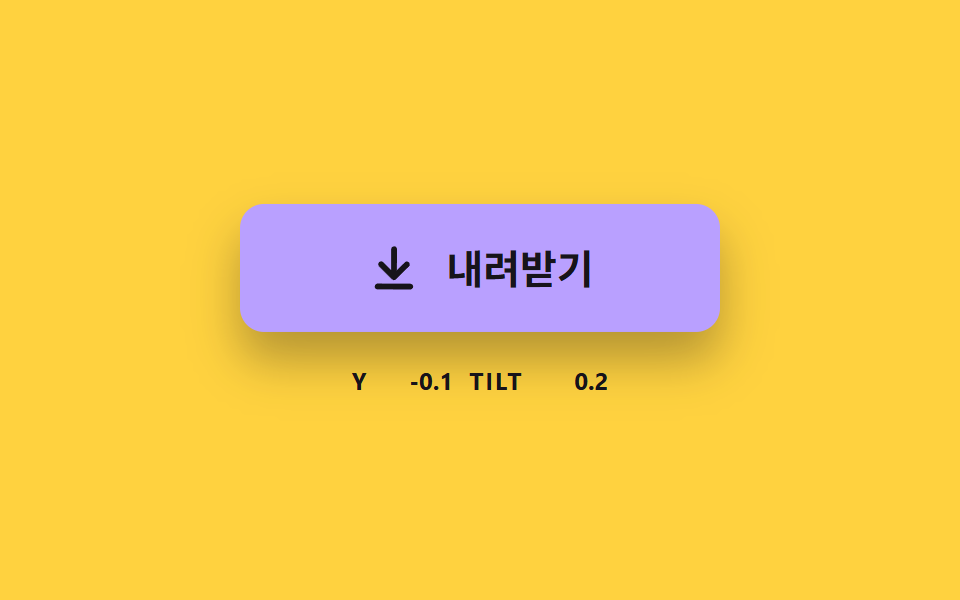 01 dlbtn-arrow-sink-spring
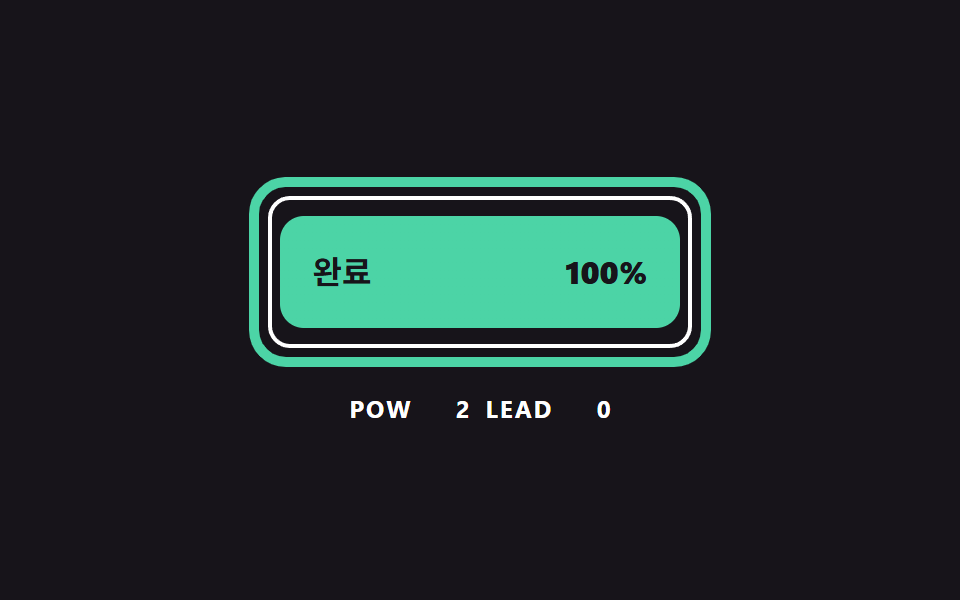 02 dlbtn-ring-progress-curve
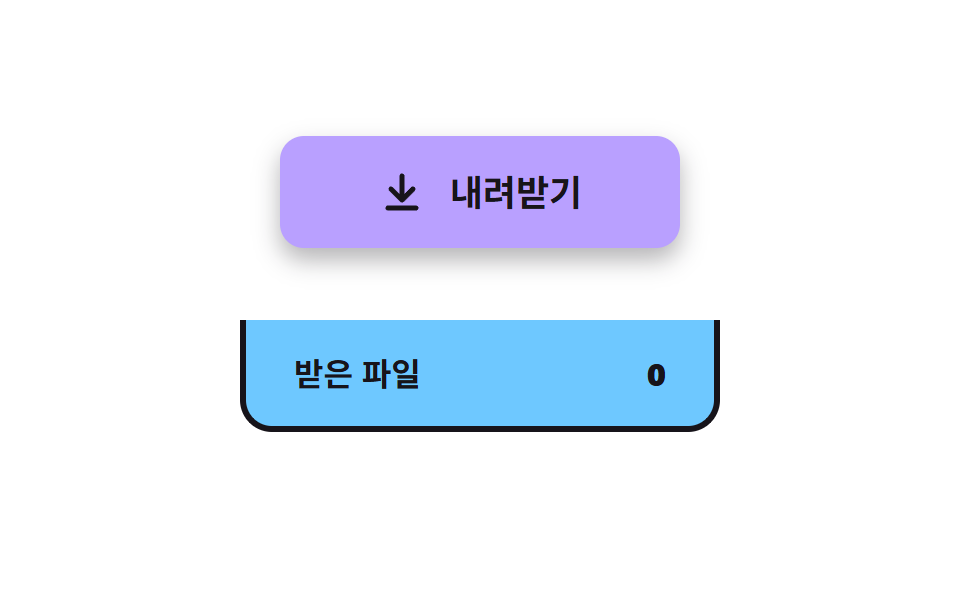 03 dlbtn-file-fly-tray
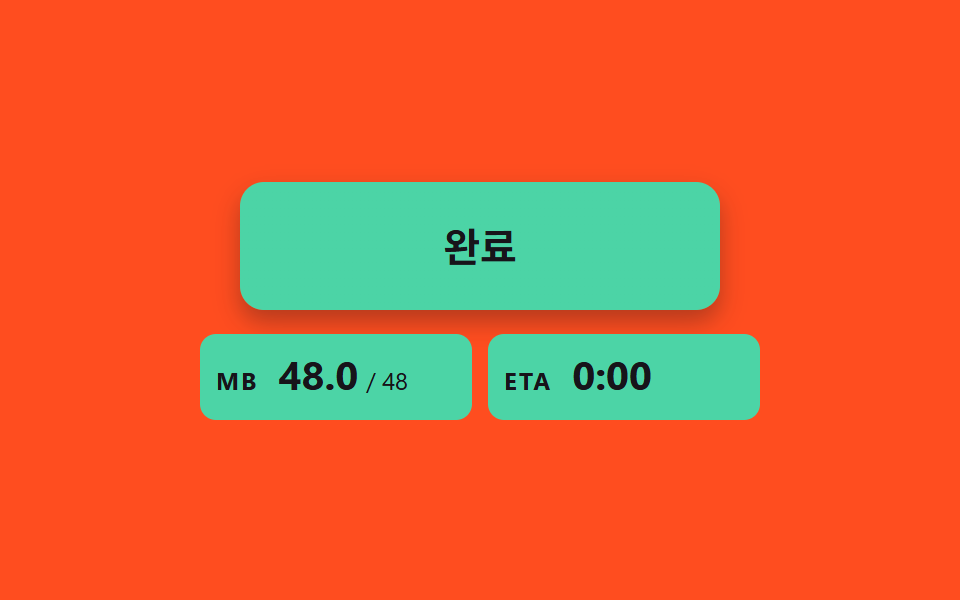 04 dlbtn-size-count-estimate
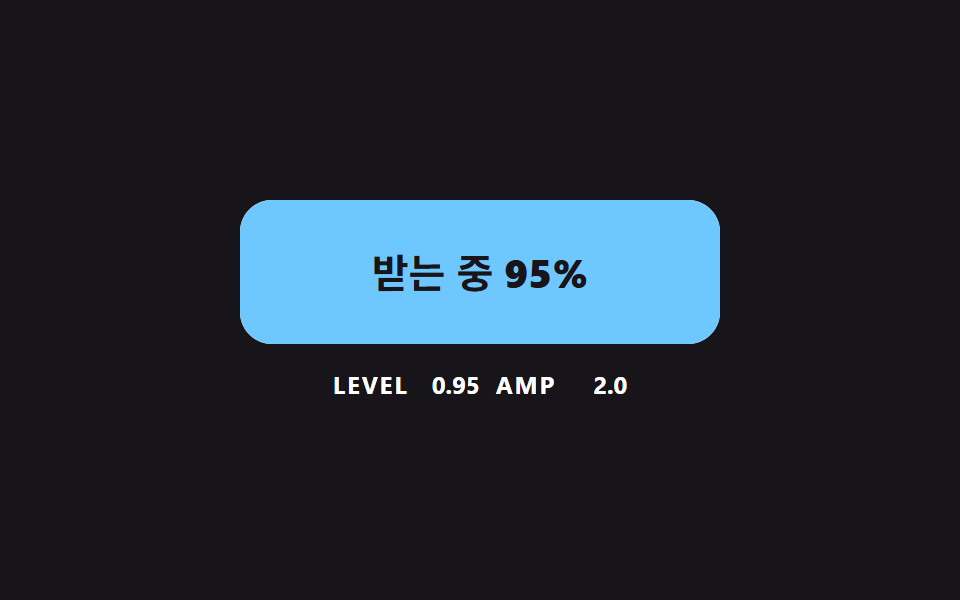 05 dlbtn-liquid-level-wave
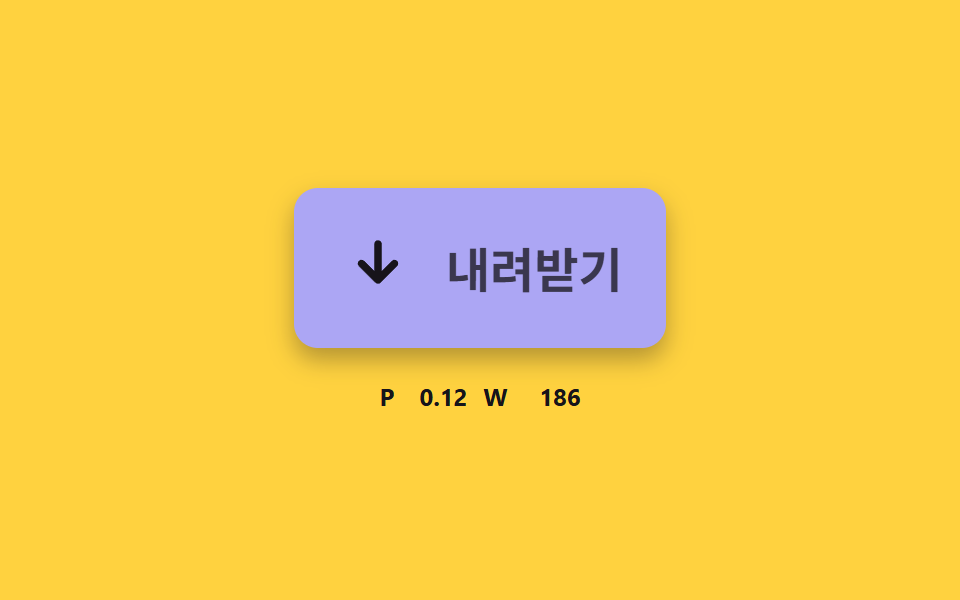 06 dlbtn-check-stroke-morph
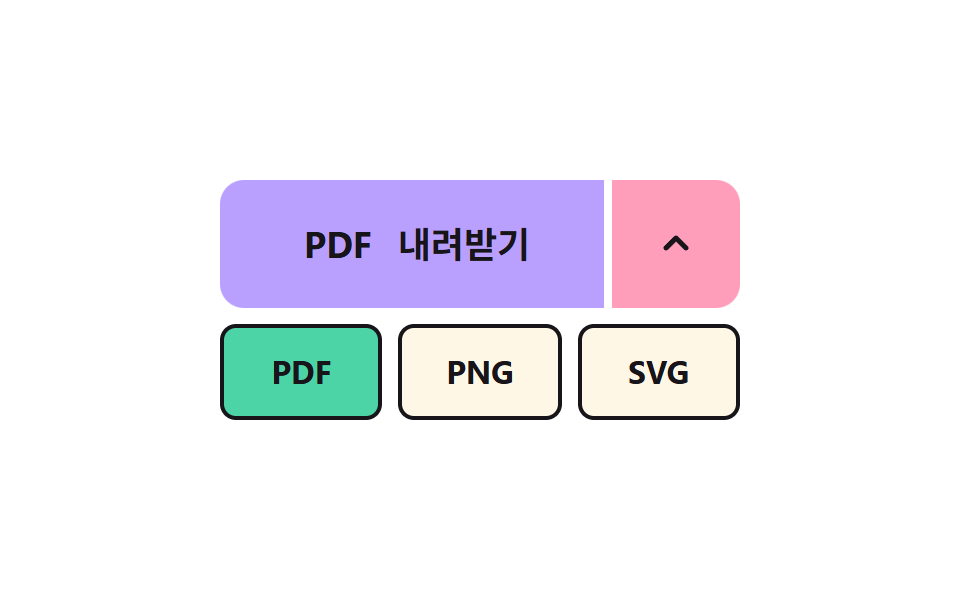 07 dlbtn-format-split-menu
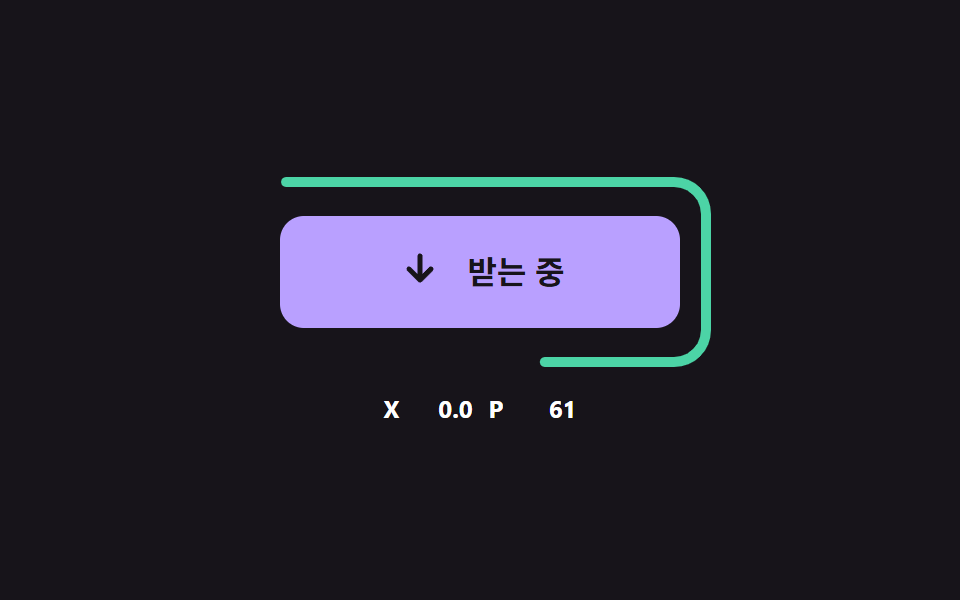 08 dlbtn-error-retry-decay
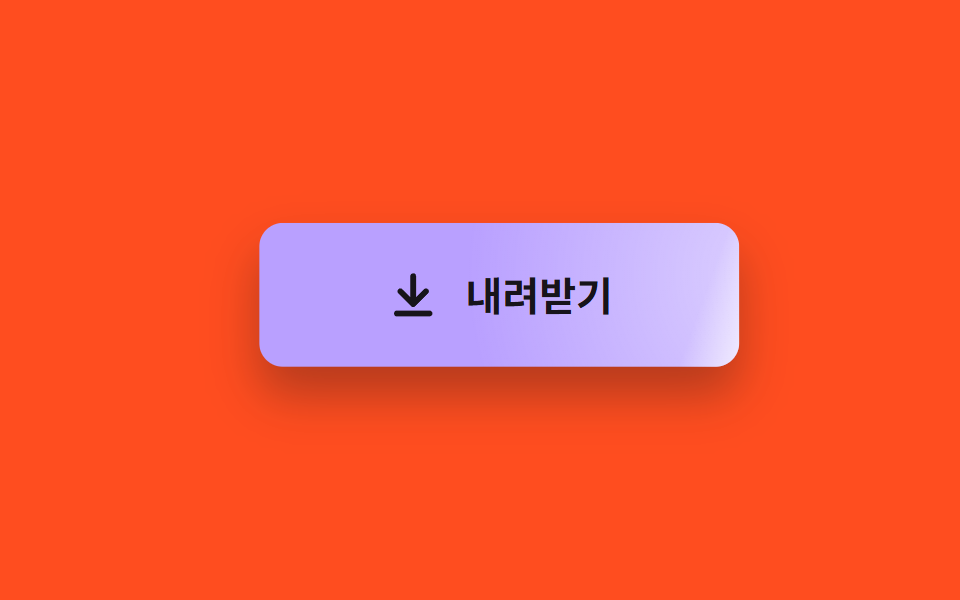 09 dlbtn-magnet-sheen-hover
자동 재생 · 눌러서 해당 항목으로 · 전부 한 zip
- 01 눌리면 가라앉는 화살표
- 02 진행률 곡선으로 차오르는 테두리 링
- 03 트레이로 날아가 들어가는 파일
- 04 받은 크기를 세어 올리는 칩
- 05 진행률을 따라 오르는 액체 수위
- 06 선 길이로 화살표가 체크로 바뀌는 완료
- 07 형식을 고르는 분리 버튼
- 08 실패하고 감쇠하며 다시 시도하는 버튼
- 09 커서 쪽으로 끌리며 번쩍이는 버튼
css download button 9가지 — 스프링·진행 곡선·파일 경로를 계산해야 받기가 느껴진다
아홉 장면은 받기 하나가 흘러가는 순서대로 놓았다. 01 은 눌렸을 때 가라앉는 화살표, 02 는 진행률 곡선으로 차오르는 링, 03 은 트레이로 날아가는 파일이고, 04 는 받은 크기를 세어 올리는 칩, 05 는 오르는 액체 수위, 06 은 화살표가 체크로 바뀌는 완료다. 07 은 형식을 고르는 분리 버튼, 08 은 실패 뒤 흔들리고 다시 시도하는 버튼, 09 는 커서 쪽으로 끌리며 번쩍이는 첫인상 버튼이다.
이런 화면에서 쓴다
자료실이나 제품 소개 페이지의 받기 버튼처럼 한 번 눌러 파일을 가져가게 하는 자리에서 쓴다. 용량이 큰 자료를 받게 하는 화면은 02·04 의 진행 표시가, 받은 파일을 여러 개 모아 두는 화면은 03 의 트레이가, 형식이 여러 가지인 문서는 07 의 분리 버튼이 먼저 필요하다. 어느 쪽이든 받기의 상태를 숫자 하나로 정리하고 그 숫자에서 모양을 계산하는 방식은 같다.
이웃 편과 무엇이 다른가
css 버튼 클릭 효과 9종 — 누른 다음이 진짜다는 누른 뒤 상태가 어떻게 바뀌는지를, 다운로드 진행 상황 표시 9종 — 값이 퍼센트 단위로 갱신되는 아홉 가지 방식은 받는 중인 파일이 목록에 쌓이는 화면을 다룬다. 이 편은 버튼 하나의 눌림·진행·도착·완료·실패가 각각 어떤 계산으로 움직이는지를 아홉 장면으로 다룬다.
기법별 코드로 보는 다운로드 버튼
아홉 장면은 모두 진짜 <button> 이고 움직임은 CSS 전환이 아니라 JS 가 프레임마다 계산한 값으로 칠한다. 입력이 없으면 .is-demo 가 켜져 있는 동안 2초 주기로 같은 동작이 되풀이되고, 첫 입력이 오면 그 자리에서 꺼지며 같은 계산이 입력을 받는다. 라이브러리와 CDN 은 쓰지 않았고 아래 코드는 소스에서 연속 구간만 그대로 가져왔다.
01눌리면 가라앉는 화살표
누르면 화살표가 SINK_PX 10 만큼 내려앉고 포인터가 눌린 가로 위치 쪽으로 최대 14도 기울며, 두 값 모두 스프링 식을 8ms 이하 부분 스텝으로 적분해 얻는다. SPRING_K 120 과 SPRING_DAMP 9 에서 감쇠비는 약 0.41 이라 놓으면 눌린 깊이의 약 24% 를 지나쳤다가 돌아오는, 받기 버튼의 기본 눌림으로 쓸 만한 세기다. 측정은 누적면적 13.3%, 강도 평균 72.3, 움직인 프레임 23/23 이다.
<main class="stage">
<div class="sk is-demo" id="skRoot">
  <button class="sk__btn" id="skBtn" type="button">
    <svg class="sk__icon" id="skIcon" viewBox="0 0 24 24" aria-hidden="true"><path d="M12 4v11M6.5 10.5 12 16l5.5-5.5M5 20h14"/></svg>
    <span>내려받기</span>
  </button>
  <p class="sk__meta"><span class="sk__tag">Y</span> <b id="skY">0.0</b> <span class="sk__tag">TILT</span> <b id="skTilt">0.0</b></p>
</div>
</main>
@use "../../../../site/static/demo-tokens" as *;
// 핵심: 눌림 깊이는 CSS transition 이 아니라 JS 가 스프링 방정식으로 적분한 값이다.
// 그 값 하나(--p)가 버튼 색 · 그림자 길이 · 화살표 위치를 함께 끈다.
$sink-face: $subject-lilac;
$sink-deep: $subject-pink;
@include stage($stage-yellow);
.sk {
width: min(100%, 280px);
display: grid;
gap: $sp-4;
justify-items: center;
}
.sk__btn {
--p: 0;
box-sizing: border-box;
width: 240px;
max-width: 100%;
height: 64px;
display: inline-flex;
align-items: center;
justify-content: center;
gap: $sp-3;
border: 0;
border-radius: $r-control;
background: color-mix(in srgb, #{$sink-face}, #{$sink-deep} calc(var(--p) * 100%));
box-shadow: 0 calc(14px - 8px * var(--p)) calc(24px - 12px * var(--p)) rgba($subject-ink, .32);
color: $subject-ink;
font-family: inherit;
font-size: 20px;
font-weight: 700;
line-height: 24px;
cursor: pointer;
}
.sk__btn:focus-visible { outline: 3px solid $subject-ink; outline-offset: 3px; }
.sk__icon {
width: 28px;
height: 28px;
fill: none;
stroke: currentColor;
stroke-width: 2.5;
stroke-linecap: round;
stroke-linejoin: round;
}
.sk__meta {
margin: 0;
display: flex;
align-items: baseline;
gap: $sp-2;
font-size: 12px;
line-height: 16px;
color: $subject-ink;
}
.sk__tag { font-weight: 700; letter-spacing: .08em; }
.sk__meta b { min-width: 5ch; text-align: right; font-variant-numeric: tabular-nums; }
@media (prefers-reduced-motion: reduce) {
.sk__btn { transition: none; }
}html, body {
margin: 0;
overflow: hidden;
}
.stage {
box-sizing: border-box;
min-height: 100vh;
display: grid;
place-items: center;
margin: 0;
background: #ffd23f;
font-family: -apple-system, "Segoe UI", "Noto Sans KR", sans-serif;
padding: clamp(8px, 4vw, 24px);
}
.sk {
width: min(100%, 280px);
display: grid;
gap: 16px;
justify-items: center;
}
.sk__btn {
--p: 0;
box-sizing: border-box;
width: 240px;
max-width: 100%;
height: 64px;
display: inline-flex;
align-items: center;
justify-content: center;
gap: 12px;
border: 0;
border-radius: 12px;
background: color-mix(in srgb, #b9a0ff, #ff9ebb calc(var(--p) * 100%));
box-shadow: 0 calc(14px - 8px * var(--p)) calc(24px - 12px * var(--p)) rgba(23, 20, 26, 0.32);
color: #17141a;
font-family: inherit;
font-size: 20px;
font-weight: 700;
line-height: 24px;
cursor: pointer;
}
.sk__btn:focus-visible {
outline: 3px solid #17141a;
outline-offset: 3px;
}
.sk__icon {
width: 28px;
height: 28px;
fill: none;
stroke: currentColor;
stroke-width: 2.5;
stroke-linecap: round;
stroke-linejoin: round;
}
.sk__meta {
margin: 0;
display: flex;
align-items: baseline;
gap: 8px;
font-size: 12px;
line-height: 16px;
color: #17141a;
}
.sk__tag {
font-weight: 700;
letter-spacing: 0.08em;
}
.sk__meta b {
min-width: 5ch;
text-align: right;
font-variant-numeric: tabular-nums;
}
@media (prefers-reduced-motion: reduce) {
.sk__btn {
transition: none;
}
}(function () {
// 기법: 눌림 깊이와 기울기를 스프링 방정식 x'' = -K (x - 목표) - D x' 로 매 프레임 적분한다.
// 감쇠가 약해서 화살표는 제자리를 지나쳤다가 한 번 더 출렁이고 멈춘다 (CSS transition 으로는 못 만드는 곡선).
var SINK_PX = 10;
var SPRING_K = 120;
var SPRING_DAMP = 9;
var TILT_MAX = 14;
var START_MS = 200;
var HOLD_MS = 560;
var CYCLE_MS = 2000;
var root = document.getElementById('skRoot');
var btn = document.getElementById('skBtn');
var icon = document.getElementById('skIcon');
var yEl = document.getElementById('skY');
var tiltEl = document.getElementById('skTilt');
var reduce = window.matchMedia('(prefers-reduced-motion: reduce)').matches;
var y = 0;
var vy = 0;
var tilt = 0;
var vt = 0;
var pressed = false;
var side = 0;
var t0 = null;
var lastTs = null;
function clamp(v, lo, hi) { return Math.max(lo, Math.min(hi, v)); }
function stopDemo() { root.classList.remove('is-demo'); }
function goal(now) {
if (root.classList.contains('is-demo') && now >= START_MS) {
var ph = (now - START_MS) % CYCLE_MS;
return { depth: ph < HOLD_MS ? SINK_PX : 0, lean: ph < HOLD_MS ? -0.8 : (ph < 1100 ? 0.8 : 0) };
}
return { depth: pressed ? SINK_PX : 0, lean: side };
}
  function integrate(dt, g) {
    var n = Math.ceil(dt / 0.008);
    var h = dt / n;
    for (var i = 0; i < n; i += 1) {
      vy += (-SPRING_K * (y - g.depth) - SPRING_DAMP * vy) * h;
      y += vy * h;
      vt += (-SPRING_K * (tilt - g.lean * TILT_MAX) - SPRING_DAMP * vt) * h;
      tilt += vt * h;
    }
  }

  function render() {
    var p = clamp(y / SINK_PX, -0.3, 1);
    icon.style.transform = 'translateY(' + y.toFixed(2) + 'px) rotate(' + tilt.toFixed(2) + 'deg)';
    btn.style.transform = 'translateY(' + (y * 0.3).toFixed(2) + 'px)';
    btn.style.setProperty('--p', p.toFixed(3));
    yEl.textContent = y.toFixed(1);
    tiltEl.textContent = tilt.toFixed(1);
  }
function snap() {
var g = goal(0);
y = g.depth; vy = 0; tilt = g.lean * TILT_MAX; vt = 0;
render();
}
function press() { stopDemo(); pressed = true; if (reduce) snap(); }
function release() { pressed = false; if (reduce) snap(); }
btn.addEventListener('pointerdown', function (e) {
var r = btn.getBoundingClientRect();
side = clamp((e.clientX - r.left - r.width / 2) / (r.width / 2), -1, 1);
press();
});
btn.addEventListener('pointerup', release);
btn.addEventListener('pointerleave', release);
btn.addEventListener('pointercancel', release);
btn.addEventListener('keydown', function (e) {
if ((e.key === 'Enter' || e.key === ' ') && !e.repeat) { side = 0; press(); }
});
btn.addEventListener('keyup', function (e) { if (e.key === 'Enter' || e.key === ' ') release(); });
btn.addEventListener('blur', release);
function tick(ts) {
if (t0 === null) t0 = ts;
var now = ts - t0;
var dt = lastTs === null ? 0.016 : Math.min(0.05, (ts - lastTs) / 1000);
lastTs = ts;
integrate(dt, goal(now));
render();
requestAnimationFrame(tick);
}
if (reduce) {
stopDemo();
render();
} else {
requestAnimationFrame(tick);
}
})();// SinkArrowButton — vanilla 판(01-dlbtn-arrow-sink-spring) 의 React 포트.
// 눌림 깊이와 기울기를 스프링 방정식으로 매 프레임 적분한다. CSS transition 은 쓰지 않는다.
import { useEffect, useRef } from "react";
import styles from "./SinkArrowButton.module.scss";
const SINK_PX = 10;
const SPRING_K = 120;
const SPRING_DAMP = 9;
const TILT_MAX = 14;
const START_MS = 200;
const HOLD_MS = 560;
const CYCLE_MS = 2000;
type Goal = { depth: number; lean: number };
function clamp(v: number, lo: number, hi: number): number {
return Math.max(lo, Math.min(hi, v));
}
export default function SinkArrowButton() {
const btnRef = useRef<HTMLButtonElement | null>(null);
const iconRef = useRef<SVGSVGElement | null>(null);
const yRef = useRef<HTMLElement | null>(null);
const tiltRef = useRef<HTMLElement | null>(null);
useEffect(() => {
const btn = btnRef.current;
const icon = iconRef.current;
const yEl = yRef.current;
const tiltEl = tiltRef.current;
if (!btn || !icon || !yEl || !tiltEl) return;
const reduce = window.matchMedia("(prefers-reduced-motion: reduce)").matches;
let demo = !reduce;
let y = 0;
let vy = 0;
let tilt = 0;
let vt = 0;
let pressed = false;
let side = 0;
let t0: number | null = null;
let lastTs: number | null = null;
let raf = 0;
const goal = (now: number): Goal => {
if (demo && now >= START_MS) {
const ph = (now - START_MS) % CYCLE_MS;
return { depth: ph < HOLD_MS ? SINK_PX : 0, lean: ph < HOLD_MS ? -0.8 : ph < 1100 ? 0.8 : 0 };
}
return { depth: pressed ? SINK_PX : 0, lean: side };
};
const integrate = (dt: number, g: Goal): void => {
const n = Math.ceil(dt / 0.008);
const h = dt / n;
for (let i = 0; i < n; i += 1) {
vy += (-SPRING_K * (y - g.depth) - SPRING_DAMP * vy) * h;
y += vy * h;
vt += (-SPRING_K * (tilt - g.lean * TILT_MAX) - SPRING_DAMP * vt) * h;
tilt += vt * h;
}
};
const render = (): void => {
const p = clamp(y / SINK_PX, -0.3, 1);
icon.style.transform = `translateY(${y.toFixed(2)}px) rotate(${tilt.toFixed(2)}deg)`;
btn.style.transform = `translateY(${(y * 0.3).toFixed(2)}px)`;
btn.style.setProperty("--p", p.toFixed(3));
yEl.textContent = y.toFixed(1);
tiltEl.textContent = tilt.toFixed(1);
};
const snap = (): void => {
const g = goal(0);
y = g.depth; vy = 0; tilt = g.lean * TILT_MAX; vt = 0;
render();
};
const press = (): void => { demo = false; pressed = true; if (reduce) snap(); };
const release = (): void => { pressed = false; if (reduce) snap(); };
const onDown = (e: PointerEvent): void => {
const r = btn.getBoundingClientRect();
side = clamp((e.clientX - r.left - r.width / 2) / (r.width / 2), -1, 1);
press();
};
const onKeyDown = (e: KeyboardEvent): void => {
if ((e.key === "Enter" || e.key === " ") && !e.repeat) { side = 0; press(); }
};
const onKeyUp = (e: KeyboardEvent): void => { if (e.key === "Enter" || e.key === " ") release(); };
btn.addEventListener("pointerdown", onDown);
btn.addEventListener("pointerup", release);
btn.addEventListener("pointerleave", release);
btn.addEventListener("pointercancel", release);
btn.addEventListener("keydown", onKeyDown);
btn.addEventListener("keyup", onKeyUp);
btn.addEventListener("blur", release);
function tick(ts: number): void {
if (t0 === null) t0 = ts;
const now = ts - t0;
const dt = lastTs === null ? 0.016 : Math.min(0.05, (ts - lastTs) / 1000);
lastTs = ts;
integrate(dt, goal(now));
render();
raf = requestAnimationFrame(tick);
}
if (reduce) render();
else raf = requestAnimationFrame(tick);
return () => {
cancelAnimationFrame(raf);
btn.removeEventListener("pointerdown", onDown);
btn.removeEventListener("pointerup", release);
btn.removeEventListener("pointerleave", release);
btn.removeEventListener("pointercancel", release);
btn.removeEventListener("keydown", onKeyDown);
btn.removeEventListener("keyup", onKeyUp);
btn.removeEventListener("blur", release);
};
}, []);
return (
<main className={styles.stage}>
<div className={styles.sk}>
<button className={styles.sk__btn} type="button" ref={btnRef}>
<svg className={styles.sk__icon} viewBox="0 0 24 24" aria-hidden="true" ref={iconRef}>
<path d="M12 4v11M6.5 10.5 12 16l5.5-5.5M5 20h14" />
</svg>
<span>내려받기</span>
</button>
<p className={styles.sk__meta}>
<span className={styles.sk__tag}>Y</span> <b ref={yRef}>0.0</b> <span className={styles.sk__tag}>TILT</span> <b ref={tiltRef}>0.0</b>
</p>
</div>
</main>
);
}01 · 눌리면 가라앉는 화살표 — 측정 누적면적 13.29% · 움직인 프레임 23/23GODRICH 원작 · zip 에 SCSS·React 포함 · 비밀번호 보기
function integrate(dt, g) {
var n = Math.ceil(dt / 0.008);
var h = dt / n;
for (var i = 0; i < n; i += 1) {
vy += (-SPRING_K * (y - g.depth) - SPRING_DAMP * vy) * h;
y += vy * h;
vt += (-SPRING_K * (tilt - g.lean * TILT_MAX) - SPRING_DAMP * vt) * h;
tilt += vt * h;
}
}
function render() {
var p = clamp(y / SINK_PX, -0.3, 1);
icon.style.transform = 'translateY(' + y.toFixed(2) + 'px) rotate(' + tilt.toFixed(2) + 'deg)';
btn.style.transform = 'translateY(' + (y * 0.3).toFixed(2) + 'px)';
btn.style.setProperty('--p', p.toFixed(3));
yEl.textContent = y.toFixed(1);
tiltEl.textContent = tilt.toFixed(1);
}
02진행률 곡선으로 차오르는 테두리 링
굵은 링은 CURVE_POW 2 의 곡선 1 - (1 - u)^CURVE_POW 를 따르고 안쪽 가는 링은 균일 진행 u 를 그대로 따라, 둘의 차이 LEAD 가 u 0.5 에서 최대 25점까지 벌어진다. 대용량 파일 받기 안내처럼 시작이 빨라 보여야 하는 자리에 쓰고, 링과 버튼 안 채움이 같은 진행률을 읽으며 aria-valuenow 가 매 프레임 갱신된다. 측정은 누적면적 11.1%, 강도 평균 117.5, 움직인 프레임 19/23 이다.
<main class="stage">
<div class="rg is-demo" id="rgRoot">
  <div class="rg__wrap" id="rgBar" role="progressbar" aria-labelledby="rgLabel" aria-valuemin="0" aria-valuemax="100" aria-valuenow="0" aria-valuetext="0%">
    <svg class="rg__svg" viewBox="0 0 232 96" aria-hidden="true">
      <rect class="rg__ghost" id="rgGhost" x="11" y="11" width="210" height="74" pathLength="100"/>
      <rect class="rg__ring" id="rgRing" x="3" y="3" width="226" height="90" pathLength="100"/>
    </svg>
    <button class="rg__btn" id="rgBtn" type="button"><span id="rgLabel">내려받기</span><b id="rgPct">0%</b></button>
  </div>
  <p class="rg__meta"><span class="rg__tag">POW</span> <b id="rgPow">2</b> <span class="rg__tag">LEAD</span> <b id="rgLead">0</b></p>
</div>
</main>
@use "../../../../site/static/demo-tokens" as *;
// 핵심: 링 길이는 SVG stroke-dashoffset, 값은 JS 가 곡선으로 계산한다. 버튼 안 채움도 같은 진행률(--f)을 쓴다.
$ring-face: $subject-sky;
$ring-fill: $subject-mint;
@include stage($stage-ink);
.rg {
width: min(100%, 280px);
display: grid;
gap: $sp-3;
justify-items: center;
}
.rg__wrap {
position: relative;
width: 232px;
max-width: 100%;
aspect-ratio: 232 / 96;
}
.rg__svg {
position: absolute;
inset: 0;
width: 100%;
height: 100%;
}
.rg__ring, .rg__ghost {
fill: none;
stroke-dasharray: 100 100;
stroke-dashoffset: 100;
stroke-linecap: round;
}
.rg__ring { stroke: $subject-mint; stroke-width: 5; }
.rg__ghost { stroke: $stage-paper; stroke-width: 2; }
.rg__btn {
--f: 0;
position: absolute;
left: 7%;
right: 7%;
top: 21%;
bottom: 21%;
box-sizing: border-box;
display: flex;
align-items: center;
justify-content: space-between;
padding: 0 $sp-4;
border: 0;
border-radius: $r-control;
background: linear-gradient(90deg, #{$ring-fill} calc(var(--f) * 100%), #{$ring-face} calc(var(--f) * 100%));
color: $subject-ink;
font-family: inherit;
font-size: 16px;
font-weight: 700;
line-height: 24px;
cursor: pointer;
}
.rg__btn:focus-visible { outline: 3px solid $stage-paper; outline-offset: 4px; }
.rg__btn b { font-variant-numeric: tabular-nums; }
.rg__meta {
margin: 0;
display: flex;
align-items: baseline;
gap: $sp-2;
font-size: 12px;
line-height: 16px;
color: $stage-paper;
}
.rg__tag { font-weight: 700; letter-spacing: .08em; }
.rg__meta b { min-width: 3ch; text-align: right; font-variant-numeric: tabular-nums; }
@media (prefers-reduced-motion: reduce) {
.rg__btn { transition: none; }
}html, body {
margin: 0;
overflow: hidden;
}
.stage {
box-sizing: border-box;
min-height: 100vh;
display: grid;
place-items: center;
margin: 0;
background: #17141a;
font-family: -apple-system, "Segoe UI", "Noto Sans KR", sans-serif;
padding: clamp(8px, 4vw, 24px);
}
.rg {
width: min(100%, 280px);
display: grid;
gap: 12px;
justify-items: center;
}
.rg__wrap {
position: relative;
width: 232px;
max-width: 100%;
aspect-ratio: 232/96;
}
.rg__svg {
position: absolute;
inset: 0;
width: 100%;
height: 100%;
}
.rg__ring, .rg__ghost {
fill: none;
stroke-dasharray: 100 100;
stroke-dashoffset: 100;
stroke-linecap: round;
}
.rg__ring {
stroke: #4cd4a6;
stroke-width: 5;
}
.rg__ghost {
stroke: #ffffff;
stroke-width: 2;
}
.rg__btn {
--f: 0;
position: absolute;
left: 7%;
right: 7%;
top: 21%;
bottom: 21%;
box-sizing: border-box;
display: flex;
align-items: center;
justify-content: space-between;
padding: 0 16px;
border: 0;
border-radius: 12px;
background: linear-gradient(90deg, #4cd4a6 calc(var(--f) * 100%), #6ec8ff calc(var(--f) * 100%));
color: #17141a;
font-family: inherit;
font-size: 16px;
font-weight: 700;
line-height: 24px;
cursor: pointer;
}
.rg__btn:focus-visible {
outline: 3px solid #ffffff;
outline-offset: 4px;
}
.rg__btn b {
font-variant-numeric: tabular-nums;
}
.rg__meta {
margin: 0;
display: flex;
align-items: baseline;
gap: 8px;
font-size: 12px;
line-height: 16px;
color: #ffffff;
}
.rg__tag {
font-weight: 700;
letter-spacing: 0.08em;
}
.rg__meta b {
min-width: 3ch;
text-align: right;
font-variant-numeric: tabular-nums;
}
@media (prefers-reduced-motion: reduce) {
.rg__btn {
transition: none;
}
}(function () {
// 기법: 진행률을 시간에 비례시키지 않고 곡선 p = 1 - (1 - u)^CURVE_POW 로 계산한다 (u 는 시간 비율).
// 굵은 링 = 곡선 진행률, 가는 안쪽 링 = 같은 시간의 균일 진행률. 둘의 차이(LEAD)가 곡선이 앞서는 만큼이다.
var CURVE_POW = 2;
var RING_R = 16;
var RUN_MS = 1400;
var START_MS = 200;
var CYCLE_MS = 2000;
var root = document.getElementById('rgRoot');
var bar = document.getElementById('rgBar');
var btn = document.getElementById('rgBtn');
var ring = document.getElementById('rgRing');
var ghost = document.getElementById('rgGhost');
var labelEl = document.getElementById('rgLabel');
var pctEl = document.getElementById('rgPct');
var powEl = document.getElementById('rgPow');
var leadEl = document.getElementById('rgLead');
var reduce = window.matchMedia('(prefers-reduced-motion: reduce)').matches;
var clock = 0;
var runStart = null;
var t0 = null;
var lastTs = null;
function ringCurve(u) { return 1 - Math.pow(1 - u, CURVE_POW); }
function stopDemo() { root.classList.remove('is-demo'); }
ring.setAttribute('rx', String(RING_R));
ghost.setAttribute('rx', String(RING_R - 6));
powEl.textContent = String(CURVE_POW);
function startOf(now) {
if (root.classList.contains('is-demo')) {
return now < START_MS ? null : START_MS + Math.floor((now - START_MS) / CYCLE_MS) * CYCLE_MS;
}
return runStart === 'done' ? null : runStart;
}
  function render(now) {
    var s = startOf(now);
    var u = s === null ? 0 : Math.max(0, Math.min(1, (now - s) / RUN_MS));
    if (reduce && runStart === 'done') u = 1;
    var p = ringCurve(u);
    var pct = Math.round(p * 100);
    ring.style.strokeDashoffset = String((100 - p * 100).toFixed(2));
    ghost.style.strokeDashoffset = String((100 - u * 100).toFixed(2));
    ring.style.opacity = p < 0.004 ? '0' : '1';
    ghost.style.opacity = u < 0.004 ? '0' : '1';
    btn.style.setProperty('--f', p.toFixed(3));
    pctEl.textContent = pct + '%';
    leadEl.textContent = String(Math.round((p - u) * 100));
    labelEl.textContent = u >= 1 ? '완료' : (u > 0 ? '받는 중' : '내려받기');
    bar.setAttribute('aria-valuenow', String(pct));
    bar.setAttribute('aria-valuetext', pct + '%');
  }
function activate() {
stopDemo();
if (reduce) { runStart = 'done'; render(clock); return; }
if (runStart !== null && runStart !== 'done' && clock - runStart < RUN_MS) return;
runStart = clock;
}
btn.addEventListener('click', activate);
function tick(ts) {
if (t0 === null) t0 = ts;
clock = ts - t0;
lastTs = ts;
render(clock);
requestAnimationFrame(tick);
}
if (reduce) {
stopDemo();
render(0);
} else {
requestAnimationFrame(tick);
}
})();// RingProgressButton — vanilla 판(02-dlbtn-ring-progress-curve) 의 React 포트.
// 진행률은 곡선 p = 1 - (1 - u)^CURVE_POW 로 계산한다. 굵은 링 = 곡선, 가는 링 = 같은 시간의 균일 진행률.
import { useEffect, useRef } from "react";
import styles from "./RingProgressButton.module.scss";
const CURVE_POW = 2;
const RING_R = 16;
const RUN_MS = 1400;
const START_MS = 200;
const CYCLE_MS = 2000;
type Start = number | "done" | null;
function ringCurve(u: number): number {
return 1 - Math.pow(1 - u, CURVE_POW);
}
export default function RingProgressButton() {
const barRef = useRef<HTMLDivElement | null>(null);
const btnRef = useRef<HTMLButtonElement | null>(null);
const ringRef = useRef<SVGRectElement | null>(null);
const ghostRef = useRef<SVGRectElement | null>(null);
const labelRef = useRef<HTMLSpanElement | null>(null);
const pctRef = useRef<HTMLElement | null>(null);
const leadRef = useRef<HTMLElement | null>(null);
useEffect(() => {
const bar = barRef.current;
const btn = btnRef.current;
const ring = ringRef.current;
const ghost = ghostRef.current;
const labelEl = labelRef.current;
const pctEl = pctRef.current;
const leadEl = leadRef.current;
if (!bar || !btn || !ring || !ghost || !labelEl || !pctEl || !leadEl) return;
const reduce = window.matchMedia("(prefers-reduced-motion: reduce)").matches;
let demo = !reduce;
let clock = 0;
let runStart: Start = null;
let t0: number | null = null;
let raf = 0;
ring.setAttribute("rx", String(RING_R));
ghost.setAttribute("rx", String(RING_R - 6));
const startOf = (now: number): number | null => {
if (demo) return now < START_MS ? null : START_MS + Math.floor((now - START_MS) / CYCLE_MS) * CYCLE_MS;
return runStart === "done" ? null : runStart;
};
const render = (now: number): void => {
const s = startOf(now);
let u = s === null ? 0 : Math.max(0, Math.min(1, (now - s) / RUN_MS));
if (reduce && runStart === "done") u = 1;
const p = ringCurve(u);
const pct = Math.round(p * 100);
ring.style.strokeDashoffset = (100 - p * 100).toFixed(2);
ghost.style.strokeDashoffset = (100 - u * 100).toFixed(2);
ring.style.opacity = p < 0.004 ? "0" : "1";
ghost.style.opacity = u < 0.004 ? "0" : "1";
btn.style.setProperty("--f", p.toFixed(3));
pctEl.textContent = pct + "%";
leadEl.textContent = String(Math.round((p - u) * 100));
labelEl.textContent = u >= 1 ? "완료" : u > 0 ? "받는 중" : "내려받기";
bar.setAttribute("aria-valuenow", String(pct));
bar.setAttribute("aria-valuetext", pct + "%");
};
const activate = (): void => {
demo = false;
if (reduce) { runStart = "done"; render(clock); return; }
if (typeof runStart === "number" && clock - runStart < RUN_MS) return;
runStart = clock;
};
btn.addEventListener("click", activate);
function tick(ts: number): void {
if (t0 === null) t0 = ts;
clock = ts - t0;
render(clock);
raf = requestAnimationFrame(tick);
}
if (reduce) render(0);
else raf = requestAnimationFrame(tick);
return () => {
cancelAnimationFrame(raf);
btn.removeEventListener("click", activate);
};
}, []);
return (
<main className={styles.stage}>
<div className={styles.rg}>
<div className={styles.rg__wrap} ref={barRef} role="progressbar" aria-labelledby="rgLabel" aria-valuemin={0} aria-valuemax={100} aria-valuenow={0} aria-valuetext="0%">
<svg className={styles.rg__svg} viewBox="0 0 232 96" aria-hidden="true">
<rect className={styles.rg__ghost} ref={ghostRef} x="11" y="11" width="210" height="74" pathLength="100" />
<rect className={styles.rg__ring} ref={ringRef} x="3" y="3" width="226" height="90" pathLength="100" />
</svg>
<button className={styles.rg__btn} type="button" ref={btnRef}>
<span id="rgLabel" ref={labelRef}>내려받기</span>
<b ref={pctRef}>0%</b>
</button>
</div>
<p className={styles.rg__meta}>
<span className={styles.rg__tag}>POW</span> <b>{CURVE_POW}</b> <span className={styles.rg__tag}>LEAD</span> <b ref={leadRef}>0</b>
</p>
</div>
</main>
);
}02 · 진행률 곡선으로 차오르는 테두리 링 — 측정 누적면적 11.07% · 움직인 프레임 19/23GODRICH 원작 · zip 에 SCSS·React 포함 · 비밀번호 보기
function render(now) {
var s = startOf(now);
var u = s === null ? 0 : Math.max(0, Math.min(1, (now - s) / RUN_MS));
if (reduce && runStart === 'done') u = 1;
var p = ringCurve(u);
var pct = Math.round(p * 100);
ring.style.strokeDashoffset = String((100 - p * 100).toFixed(2));
ghost.style.strokeDashoffset = String((100 - u * 100).toFixed(2));
ring.style.opacity = p < 0.004 ? '0' : '1';
ghost.style.opacity = u < 0.004 ? '0' : '1';
btn.style.setProperty('--f', p.toFixed(3));
pctEl.textContent = pct + '%';
leadEl.textContent = String(Math.round((p - u) * 100));
labelEl.textContent = u >= 1 ? '완료' : (u > 0 ? '받는 중' : '내려받기');
bar.setAttribute('aria-valuenow', String(pct));
bar.setAttribute('aria-valuetext', pct + '%');
}
03트레이로 날아가 들어가는 파일
파일 아이콘이 FLY_MS 700ms 동안 2차 베지어 곡선을 따라 가며 최대 ARC_HEIGHT 56px 휘고, 회전하고 작아지다 트레이 가까이에서 사라진다. 도착하면 트레이가 TRAY_BOUNCE 14px 눌렸다가 감쇠비 약 0.37 의 스프링으로 몇 번 출렁이며 돌아오고 개수가 하나 늘어, 받은 파일이 어디로 갔는지 보여 줄 때 쓴다. 측정은 누적면적 11.8%, 강도 평균 101.2, 움직인 프레임 21/23 이다.
<main class="stage">
<div class="fl is-demo" id="flRoot">
  <button class="fl__btn" id="flBtn" type="button">
    <svg class="fl__icon" viewBox="0 0 24 24" aria-hidden="true"><path d="M12 4v11M6.5 10.5 12 16l5.5-5.5M5 20h14"/></svg>
    <span>내려받기</span>
  </button>
  <svg class="fl__file" id="flFile" viewBox="0 0 24 24" aria-hidden="true"><path d="M7 3h7l5 5v13H7zM14 3v5h5"/></svg>
  <div class="fl__tray" id="flTray" role="status"><span>받은 파일</span><b id="flCount">0</b></div>
</div>
</main>
@use "../../../../site/static/demo-tokens" as *;
// 핵심: 파일은 JS 가 베지어 곡선 위 좌표를 계산해 transform 으로 옮긴다. 도착한 순간 트레이가 스프링으로 튄다.
$fly-face: $subject-lilac;
$fly-tray: $subject-sky;
$fly-land: $subject-mint;
@include stage($stage-paper);
.fl {
position: relative;
width: 240px;
max-width: 100%;
height: 164px;
}
.fl__btn {
position: absolute;
left: 20px;
right: 20px;
top: 0;
box-sizing: border-box;
height: 56px;
display: flex;
align-items: center;
justify-content: center;
gap: $sp-3;
border: 0;
border-radius: $r-control;
background: $fly-face;
box-shadow: $shadow-press;
color: $subject-ink;
font-family: inherit;
font-size: 18px;
font-weight: 700;
line-height: 24px;
cursor: pointer;
}
.fl__btn:focus-visible { outline: 3px solid $subject-ink; outline-offset: 3px; }
.fl__icon {
width: 24px;
height: 24px;
fill: none;
stroke: currentColor;
stroke-width: 2.5;
stroke-linecap: round;
stroke-linejoin: round;
}
.fl__file {
position: absolute;
left: 0;
top: 0;
width: 28px;
height: 28px;
opacity: 0;
fill: $stage-paper;
stroke: $subject-ink;
stroke-width: 2;
stroke-linejoin: round;
pointer-events: none;
}
.fl__tray {
--h: 0;
position: absolute;
left: 0;
right: 0;
top: 92px;
box-sizing: border-box;
height: 56px;
display: flex;
align-items: center;
justify-content: space-between;
padding: 0 $sp-6;
border: 3px solid $subject-ink;
border-top-width: 0;
border-radius: 0 0 $r-card $r-card;
background: color-mix(in srgb, #{$fly-tray}, #{$fly-land} calc(var(--h) * 100%));
color: $subject-ink;
font-size: 16px;
font-weight: 700;
line-height: 24px;
}
.fl__tray b { min-width: 3ch; text-align: right; font-variant-numeric: tabular-nums; }
@media (prefers-reduced-motion: reduce) {
.fl__tray { transition: none; }
}html, body {
margin: 0;
overflow: hidden;
}
.stage {
box-sizing: border-box;
min-height: 100vh;
display: grid;
place-items: center;
margin: 0;
background: #ffffff;
font-family: -apple-system, "Segoe UI", "Noto Sans KR", sans-serif;
padding: clamp(8px, 4vw, 24px);
}
.fl {
position: relative;
width: 240px;
max-width: 100%;
height: 164px;
}
.fl__btn {
position: absolute;
left: 20px;
right: 20px;
top: 0;
box-sizing: border-box;
height: 56px;
display: flex;
align-items: center;
justify-content: center;
gap: 12px;
border: 0;
border-radius: 12px;
background: #b9a0ff;
box-shadow: 0 6px 12px rgba(23, 20, 26, 0.32);
color: #17141a;
font-family: inherit;
font-size: 18px;
font-weight: 700;
line-height: 24px;
cursor: pointer;
}
.fl__btn:focus-visible {
outline: 3px solid #17141a;
outline-offset: 3px;
}
.fl__icon {
width: 24px;
height: 24px;
fill: none;
stroke: currentColor;
stroke-width: 2.5;
stroke-linecap: round;
stroke-linejoin: round;
}
.fl__file {
position: absolute;
left: 0;
top: 0;
width: 28px;
height: 28px;
opacity: 0;
fill: #ffffff;
stroke: #17141a;
stroke-width: 2;
stroke-linejoin: round;
pointer-events: none;
}
.fl__tray {
--h: 0;
position: absolute;
left: 0;
right: 0;
top: 92px;
box-sizing: border-box;
height: 56px;
display: flex;
align-items: center;
justify-content: space-between;
padding: 0 24px;
border: 3px solid #17141a;
border-top-width: 0;
border-radius: 0 0 16px 16px;
background: color-mix(in srgb, #6ec8ff, #4cd4a6 calc(var(--h) * 100%));
color: #17141a;
font-size: 16px;
font-weight: 700;
line-height: 24px;
}
.fl__tray b {
min-width: 3ch;
text-align: right;
font-variant-numeric: tabular-nums;
}
@media (prefers-reduced-motion: reduce) {
.fl__tray {
transition: none;
}
}(function () {
// 기법: 파일 아이콘은 2차 베지어 곡선 B(t) = (1-t)^2 P0 + 2(1-t)t P1 + t^2 P2 위를 날아간다.
// 제어점 P1 을 옆으로 ARC_HEIGHT 만큼 밀어 활처럼 휘게 하고, 도착하면 트레이를 TRAY_BOUNCE 만큼 눌러 스프링으로 되돌린다.
var FLY_MS = 700;
var ARC_HEIGHT = 56;
var TRAY_BOUNCE = 14;
var TRAY_K = 180;
var TRAY_DAMP = 10;
var START_MS = 200;
var CYCLE_MS = 2000;
var root = document.getElementById('flRoot');
var btn = document.getElementById('flBtn');
var file = document.getElementById('flFile');
var tray = document.getElementById('flTray');
var countEl = document.getElementById('flCount');
var reduce = window.matchMedia('(prefers-reduced-motion: reduce)').matches;
var clock = 0;
var flightStart = null;
var count = 0;
var ty = 0;
var tv = 0;
var lastCycle = -1;
var t0 = null;
var lastTs = null;
function stopDemo() { root.classList.remove('is-demo'); }
function ease(t) { return t < 0.5 ? 4 * t * t * t : 1 - Math.pow(-2 * t + 2, 3) / 2; }
function geometry() {
var w = root.clientWidth;
var b = btn.offsetTop + btn.offsetHeight / 2;
var tr = tray.offsetTop + tray.offsetHeight / 2;
return { x: w / 2, y0: b, y2: tr };
}
function land() {
count += 1;
ty = TRAY_BOUNCE;
tv = 0;
flightStart = null;
}
  function renderFile(now) {
    if (flightStart === null) { file.style.opacity = '0'; return; }
    var t = Math.min(1, (now - flightStart) / FLY_MS);
    var e = ease(t);
    var g = geometry();
    var cx = g.x + 2 * ARC_HEIGHT;
    var cy = (g.y0 + g.y2) / 2;
    var x = (1 - e) * (1 - e) * g.x + 2 * (1 - e) * e * cx + e * e * g.x;
    var y = (1 - e) * (1 - e) * g.y0 + 2 * (1 - e) * e * cy + e * e * g.y2;
    var rot = 28 * Math.sin(Math.PI * e);
    var sc = 1 - 0.45 * e;
    file.style.opacity = t > 0.9 ? String((1 - t) * 10) : '1';
    file.style.transform = 'translate(' + (x - 14).toFixed(1) + 'px,' + (y - 14).toFixed(1) + 'px) rotate(' + rot.toFixed(1) + 'deg) scale(' + sc.toFixed(3) + ')';
  }

  function renderTray() {
    tray.style.transform = 'translateY(' + ty.toFixed(2) + 'px)';
    tray.style.setProperty('--h', Math.max(0, Math.min(1, ty / TRAY_BOUNCE)).toFixed(3));
    countEl.textContent = String(count);
  }
function activate() {
stopDemo();
if (reduce) { count += 1; renderTray(); return; }
if (flightStart === null) flightStart = clock;
}
btn.addEventListener('click', activate);
function tick(ts) {
if (t0 === null) t0 = ts;
clock = ts - t0;
var dt = lastTs === null ? 0.016 : Math.min(0.05, (ts - lastTs) / 1000);
lastTs = ts;
if (root.classList.contains('is-demo') && clock >= START_MS) {
var cyc = Math.floor((clock - START_MS) / CYCLE_MS);
if (cyc > lastCycle) { lastCycle = cyc; count = 0; flightStart = START_MS + cyc * CYCLE_MS; }
}
if (flightStart !== null && clock - flightStart >= FLY_MS) land();
var n = Math.ceil(dt / 0.008);
var h = dt / n;
for (var i = 0; i < n; i += 1) {
tv += (-TRAY_K * ty - TRAY_DAMP * tv) * h;
ty += tv * h;
}
renderFile(clock);
renderTray();
requestAnimationFrame(tick);
}
if (reduce) {
stopDemo();
renderTray();
} else {
requestAnimationFrame(tick);
}
})();// FlyTrayButton — vanilla 판(03-dlbtn-file-fly-tray) 의 React 포트.
// 파일 아이콘은 2차 베지어 곡선 위를 날고, 도착하면 트레이가 TRAY_BOUNCE 만큼 눌렸다가 스프링으로 돌아온다.
import { useEffect, useRef } from "react";
import styles from "./FlyTrayButton.module.scss";
const FLY_MS = 700;
const ARC_HEIGHT = 56;
const TRAY_BOUNCE = 14;
const TRAY_K = 180;
const TRAY_DAMP = 10;
const START_MS = 200;
const CYCLE_MS = 2000;
function ease(t: number): number {
return t < 0.5 ? 4 * t * t * t : 1 - Math.pow(-2 * t + 2, 3) / 2;
}
export default function FlyTrayButton() {
const rootRef = useRef<HTMLDivElement | null>(null);
const btnRef = useRef<HTMLButtonElement | null>(null);
const fileRef = useRef<SVGSVGElement | null>(null);
const trayRef = useRef<HTMLDivElement | null>(null);
const countRef = useRef<HTMLElement | null>(null);
useEffect(() => {
const root = rootRef.current;
const btn = btnRef.current;
const file = fileRef.current;
const tray = trayRef.current;
const countEl = countRef.current;
if (!root || !btn || !file || !tray || !countEl) return;
const reduce = window.matchMedia("(prefers-reduced-motion: reduce)").matches;
let demo = !reduce;
let clock = 0;
let flightStart: number | null = null;
let count = 0;
let ty = 0;
let tv = 0;
let lastCycle = -1;
let t0: number | null = null;
let lastTs: number | null = null;
let raf = 0;
const land = (): void => { count += 1; ty = TRAY_BOUNCE; tv = 0; flightStart = null; };
const renderFile = (now: number): void => {
if (flightStart === null) { file.style.opacity = "0"; return; }
const t = Math.min(1, (now - flightStart) / FLY_MS);
const e = ease(t);
const gx = root.clientWidth / 2;
const y0 = btn.offsetTop + btn.offsetHeight / 2;
const y2 = tray.offsetTop + tray.offsetHeight / 2;
const cx = gx + 2 * ARC_HEIGHT;
const cy = (y0 + y2) / 2;
const x = (1 - e) * (1 - e) * gx + 2 * (1 - e) * e * cx + e * e * gx;
const y = (1 - e) * (1 - e) * y0 + 2 * (1 - e) * e * cy + e * e * y2;
const rot = 28 * Math.sin(Math.PI * e);
const sc = 1 - 0.45 * e;
file.style.opacity = t > 0.9 ? String((1 - t) * 10) : "1";
file.style.transform = `translate(${(x - 14).toFixed(1)}px,${(y - 14).toFixed(1)}px) rotate(${rot.toFixed(1)}deg) scale(${sc.toFixed(3)})`;
};
const renderTray = (): void => {
tray.style.transform = `translateY(${ty.toFixed(2)}px)`;
tray.style.setProperty("--h", Math.max(0, Math.min(1, ty / TRAY_BOUNCE)).toFixed(3));
countEl.textContent = String(count);
};
const activate = (): void => {
demo = false;
if (reduce) { count += 1; renderTray(); return; }
if (flightStart === null) flightStart = clock;
};
btn.addEventListener("click", activate);
function tick(ts: number): void {
if (t0 === null) t0 = ts;
clock = ts - t0;
const dt = lastTs === null ? 0.016 : Math.min(0.05, (ts - lastTs) / 1000);
lastTs = ts;
if (demo && clock >= START_MS) {
const cyc = Math.floor((clock - START_MS) / CYCLE_MS);
if (cyc > lastCycle) { lastCycle = cyc; count = 0; flightStart = START_MS + cyc * CYCLE_MS; }
}
if (flightStart !== null && clock - flightStart >= FLY_MS) land();
const n = Math.ceil(dt / 0.008);
const h = dt / n;
for (let i = 0; i < n; i += 1) {
tv += (-TRAY_K * ty - TRAY_DAMP * tv) * h;
ty += tv * h;
}
renderFile(clock);
renderTray();
raf = requestAnimationFrame(tick);
}
if (reduce) renderTray();
else raf = requestAnimationFrame(tick);
return () => {
cancelAnimationFrame(raf);
btn.removeEventListener("click", activate);
};
}, []);
return (
<main className={styles.stage}>
<div className={styles.fl} ref={rootRef}>
<button className={styles.fl__btn} type="button" ref={btnRef}>
<svg className={styles.fl__icon} viewBox="0 0 24 24" aria-hidden="true">
<path d="M12 4v11M6.5 10.5 12 16l5.5-5.5M5 20h14" />
</svg>
<span>내려받기</span>
</button>
<svg className={styles.fl__file} viewBox="0 0 24 24" aria-hidden="true" ref={fileRef}>
<path d="M7 3h7l5 5v13H7zM14 3v5h5" />
</svg>
<div className={styles.fl__tray} role="status" ref={trayRef}>
<span>받은 파일</span>
<b ref={countRef}>0</b>
</div>
</div>
</main>
);
}03 · 트레이로 날아가 들어가는 파일 — 측정 누적면적 11.791% · 움직인 프레임 21/23GODRICH 원작 · zip 에 SCSS·React 포함 · 비밀번호 보기
function renderFile(now) {
if (flightStart === null) { file.style.opacity = '0'; return; }
var t = Math.min(1, (now - flightStart) / FLY_MS);
var e = ease(t);
var g = geometry();
var cx = g.x + 2 * ARC_HEIGHT;
var cy = (g.y0 + g.y2) / 2;
var x = (1 - e) * (1 - e) * g.x + 2 * (1 - e) * e * cx + e * e * g.x;
var y = (1 - e) * (1 - e) * g.y0 + 2 * (1 - e) * e * cy + e * e * g.y2;
var rot = 28 * Math.sin(Math.PI * e);
var sc = 1 - 0.45 * e;
file.style.opacity = t > 0.9 ? String((1 - t) * 10) : '1';
file.style.transform = 'translate(' + (x - 14).toFixed(1) + 'px,' + (y - 14).toFixed(1) + 'px) rotate(' + rot.toFixed(1) + 'deg) scale(' + sc.toFixed(3) + ')';
}
function renderTray() {
tray.style.transform = 'translateY(' + ty.toFixed(2) + 'px)';
tray.style.setProperty('--h', Math.max(0, Math.min(1, ty / TRAY_BOUNCE)).toFixed(3));
countEl.textContent = String(count);
}
04받은 크기를 세어 올리는 칩
받은 크기는 TARGET_MB 48 에 COUNT_EASE 3 제곱의 감속 곡선을 곱해 올라가고, 남은 시간은 남은 양을 지금까지의 평균 속도로 나눠 구한다. 48MB 와 2분은 시연용 상수이고 남은 시간은 시작 직후 약 40초에서 출발해 0:00 으로 줄어, 파일 크기와 남은 시간을 함께 적는 자리에 틀로 쓴다. 측정은 누적면적 18.6%, 강도 평균 80.9, 움직인 프레임 19/23 이다.
<main class="stage">
<div class="sz is-demo" id="szRoot">
  <button class="sz__btn" id="szBtn" type="button"><span id="szLabel">내려받기</span></button>
  <div class="sz__chips">
    <p class="sz__chip"><span class="sz__tag">MB</span> <b id="szGot">0.0</b><span class="sz__of">/ 48</span></p>
    <p class="sz__chip"><span class="sz__tag">ETA</span> <b id="szEta">--:--</b></p>
  </div>
  <p class="sz__sr" id="szStatus" role="status"></p>
</div>
</main>
@use "../../../../site/static/demo-tokens" as *;
// 핵심: 숫자 두 개(받은 크기 · 남은 시간)와 버튼 안 채움이 같은 계산값 하나에서 나온다.
$sz-face: $subject-lilac;
$sz-fill: $subject-mint;
@include stage($stage-orange);
.sz {
--f: 0;
width: min(100%, 280px);
display: grid;
gap: $sp-3;
justify-items: center;
}
.sz__btn {
box-sizing: border-box;
width: 240px;
max-width: 100%;
height: 64px;
border: 0;
border-radius: $r-control;
background: linear-gradient(90deg, #{$sz-fill} calc(var(--f) * 100%), #{$sz-face} calc(var(--f) * 100%));
box-shadow: $shadow-press;
color: $subject-ink;
font-family: inherit;
font-size: 20px;
font-weight: 700;
line-height: 24px;
cursor: pointer;
}
.sz__btn:focus-visible { outline: 3px solid $subject-ink; outline-offset: 3px; }
.sz__chips {
width: 100%;
display: grid;
grid-template-columns: 1fr 1fr;
gap: $sp-2;
}
.sz__chip {
margin: 0;
box-sizing: border-box;
display: flex;
align-items: baseline;
gap: $sp-1;
padding: $sp-2;
border-radius: $r-sm;
background: color-mix(in srgb, #{$subject-cream}, #{$sz-fill} calc(var(--f) * 100%));
color: $subject-ink;
font-size: 14px;
line-height: 24px;
}
.sz__tag { font-size: 12px; font-weight: 700; letter-spacing: .08em; }
.sz__chip b { min-width: 4ch; font-size: 20px; text-align: right; font-variant-numeric: tabular-nums; }
.sz__of { font-size: 12px; }
.sz__sr {
position: absolute;
width: 1px;
height: 1px;
margin: -1px;
overflow: hidden;
clip-path: inset(50%);
white-space: nowrap;
}
@media (prefers-reduced-motion: reduce) {
.sz__btn { transition: none; }
}html, body {
margin: 0;
overflow: hidden;
}
.stage {
box-sizing: border-box;
min-height: 100vh;
display: grid;
place-items: center;
margin: 0;
background: #ff4d1f;
font-family: -apple-system, "Segoe UI", "Noto Sans KR", sans-serif;
padding: clamp(8px, 4vw, 24px);
}
.sz {
--f: 0;
width: min(100%, 280px);
display: grid;
gap: 12px;
justify-items: center;
}
.sz__btn {
box-sizing: border-box;
width: 240px;
max-width: 100%;
height: 64px;
border: 0;
border-radius: 12px;
background: linear-gradient(90deg, #4cd4a6 calc(var(--f) * 100%), #b9a0ff calc(var(--f) * 100%));
box-shadow: 0 6px 12px rgba(23, 20, 26, 0.32);
color: #17141a;
font-family: inherit;
font-size: 20px;
font-weight: 700;
line-height: 24px;
cursor: pointer;
}
.sz__btn:focus-visible {
outline: 3px solid #17141a;
outline-offset: 3px;
}
.sz__chips {
width: 100%;
display: grid;
grid-template-columns: 1fr 1fr;
gap: 8px;
}
.sz__chip {
margin: 0;
box-sizing: border-box;
display: flex;
align-items: baseline;
gap: 4px;
padding: 8px;
border-radius: 8px;
background: color-mix(in srgb, #fff7e6, #4cd4a6 calc(var(--f) * 100%));
color: #17141a;
font-size: 14px;
line-height: 24px;
}
.sz__tag {
font-size: 12px;
font-weight: 700;
letter-spacing: 0.08em;
}
.sz__chip b {
min-width: 4ch;
font-size: 20px;
text-align: right;
font-variant-numeric: tabular-nums;
}
.sz__of {
font-size: 12px;
}
.sz__sr {
position: absolute;
width: 1px;
height: 1px;
margin: -1px;
overflow: hidden;
clip-path: inset(50%);
white-space: nowrap;
}
@media (prefers-reduced-motion: reduce) {
.sz__btn {
transition: none;
}
}(function () {
// 기법: 받은 크기 = TARGET_MB x (1 - (1 - u)^COUNT_EASE) 로 감속하며 올라간다 (u 는 시간 비율).
// 남은 시간 = 남은 양 / 지금까지의 평균 속도. 평균 속도가 시간에 따라 변하므로 ETA 는 시작 때 가장 크고 끝에서 0 이 된다.
var TARGET_MB = 48;
var ETA_MIN = 2;
var COUNT_EASE = 3;
var RUN_MS = 1500;
var START_MS = 200;
var CYCLE_MS = 2000;
var root = document.getElementById('szRoot');
var btn = document.getElementById('szBtn');
var labelEl = document.getElementById('szLabel');
var gotEl = document.getElementById('szGot');
var etaEl = document.getElementById('szEta');
var statusEl = document.getElementById('szStatus');
var reduce = window.matchMedia('(prefers-reduced-motion: reduce)').matches;
var clock = 0;
var runStart = null;
var finished = false;
var announced = false;
var t0 = null;
function stopDemo() { root.classList.remove('is-demo'); }
function two(n) { return n < 10 ? '0' + n : String(n); }
function startOf(now) {
if (root.classList.contains('is-demo')) {
return now < START_MS ? null : START_MS + Math.floor((now - START_MS) / CYCLE_MS) * CYCLE_MS;
}
return runStart;
}
  function render(now) {
    var s = startOf(now);
    var u = s === null ? 0 : Math.max(0, Math.min(1, (now - s) / RUN_MS));
    if (reduce && finished) u = 1;
    var got = TARGET_MB * (1 - Math.pow(1 - u, COUNT_EASE));
    var eta = '--:--';
    if (u > 0) {
      var elapsedSec = Math.max(u, 0.004) * ETA_MIN * 60;
      var avg = Math.max(got, 0.01) / elapsedSec;
      var left = Math.round((TARGET_MB - got) / avg);
      eta = Math.floor(left / 60) + ':' + two(left % 60);
    }
    root.style.setProperty('--f', (got / TARGET_MB).toFixed(3));
    gotEl.textContent = got.toFixed(1);
    etaEl.textContent = eta;
    labelEl.textContent = u >= 1 ? '완료' : (u > 0 ? '받는 중' : '내려받기');
    if (u >= 1 && !announced) { announced = true; statusEl.textContent = '받기 완료'; }
    if (u < 1 && announced) { announced = false; statusEl.textContent = ''; }
  }
function activate() {
stopDemo();
if (reduce) { finished = true; render(clock); return; }
if (runStart !== null && clock - runStart < RUN_MS) return;
runStart = clock;
}
btn.addEventListener('click', activate);
function tick(ts) {
if (t0 === null) t0 = ts;
clock = ts - t0;
render(clock);
requestAnimationFrame(tick);
}
if (reduce) {
stopDemo();
render(0);
} else {
requestAnimationFrame(tick);
}
})();// SizeCountButton — vanilla 판(04-dlbtn-size-count-estimate) 의 React 포트.
// 받은 크기는 TARGET_MB x (1 - (1 - u)^COUNT_EASE) 로 감속하며 오르고, 남은 시간은 남은 양 / 평균 속도 로 계산한다.
import { useEffect, useRef } from "react";
import styles from "./SizeCountButton.module.scss";
const TARGET_MB = 48;
const ETA_MIN = 2;
const COUNT_EASE = 3;
const RUN_MS = 1500;
const START_MS = 200;
const CYCLE_MS = 2000;
function two(n: number): string {
return n < 10 ? "0" + n : String(n);
}
export default function SizeCountButton() {
const rootRef = useRef<HTMLDivElement | null>(null);
const btnRef = useRef<HTMLButtonElement | null>(null);
const labelRef = useRef<HTMLSpanElement | null>(null);
const gotRef = useRef<HTMLElement | null>(null);
const etaRef = useRef<HTMLElement | null>(null);
const statusRef = useRef<HTMLParagraphElement | null>(null);
useEffect(() => {
const root = rootRef.current;
const btn = btnRef.current;
const labelEl = labelRef.current;
const gotEl = gotRef.current;
const etaEl = etaRef.current;
const statusEl = statusRef.current;
if (!root || !btn || !labelEl || !gotEl || !etaEl || !statusEl) return;
const reduce = window.matchMedia("(prefers-reduced-motion: reduce)").matches;
let demo = !reduce;
let clock = 0;
let runStart: number | null = null;
let finished = false;
let announced = false;
let t0: number | null = null;
let raf = 0;
const startOf = (now: number): number | null => {
if (demo) return now < START_MS ? null : START_MS + Math.floor((now - START_MS) / CYCLE_MS) * CYCLE_MS;
return runStart;
};
const render = (now: number): void => {
const s = startOf(now);
let u = s === null ? 0 : Math.max(0, Math.min(1, (now - s) / RUN_MS));
if (reduce && finished) u = 1;
const got = TARGET_MB * (1 - Math.pow(1 - u, COUNT_EASE));
let eta = "--:--";
if (u > 0) {
const elapsedSec = Math.max(u, 0.004) * ETA_MIN * 60;
const avg = Math.max(got, 0.01) / elapsedSec;
const left = Math.round((TARGET_MB - got) / avg);
eta = Math.floor(left / 60) + ":" + two(left % 60);
}
root.style.setProperty("--f", (got / TARGET_MB).toFixed(3));
gotEl.textContent = got.toFixed(1);
etaEl.textContent = eta;
labelEl.textContent = u >= 1 ? "완료" : u > 0 ? "받는 중" : "내려받기";
if (u >= 1 && !announced) { announced = true; statusEl.textContent = "받기 완료"; }
if (u < 1 && announced) { announced = false; statusEl.textContent = ""; }
};
const activate = (): void => {
demo = false;
if (reduce) { finished = true; render(clock); return; }
if (runStart !== null && clock - runStart < RUN_MS) return;
runStart = clock;
};
btn.addEventListener("click", activate);
function tick(ts: number): void {
if (t0 === null) t0 = ts;
clock = ts - t0;
render(clock);
raf = requestAnimationFrame(tick);
}
if (reduce) render(0);
else raf = requestAnimationFrame(tick);
return () => {
cancelAnimationFrame(raf);
btn.removeEventListener("click", activate);
};
}, []);
return (
<main className={styles.stage}>
<div className={styles.sz} ref={rootRef}>
<button className={styles.sz__btn} type="button" ref={btnRef}>
<span ref={labelRef}>내려받기</span>
</button>
<div className={styles.sz__chips}>
<p className={styles.sz__chip}>
<span className={styles.sz__tag}>MB</span> <b ref={gotRef}>0.0</b>
<span className={styles.sz__of}>/ {TARGET_MB}</span>
</p>
<p className={styles.sz__chip}>
<span className={styles.sz__tag}>ETA</span> <b ref={etaRef}>--:--</b>
</p>
</div>
<p className={styles.sz__sr} role="status" ref={statusRef} />
</div>
</main>
);
}04 · 받은 크기를 세어 올리는 칩 — 측정 누적면적 18.608% · 움직인 프레임 19/23GODRICH 원작 · zip 에 SCSS·React 포함 · 비밀번호 보기
function render(now) {
var s = startOf(now);
var u = s === null ? 0 : Math.max(0, Math.min(1, (now - s) / RUN_MS));
if (reduce && finished) u = 1;
var got = TARGET_MB * (1 - Math.pow(1 - u, COUNT_EASE));
var eta = '--:--';
if (u > 0) {
var elapsedSec = Math.max(u, 0.004) * ETA_MIN * 60;
var avg = Math.max(got, 0.01) / elapsedSec;
var left = Math.round((TARGET_MB - got) / avg);
eta = Math.floor(left / 60) + ':' + two(left % 60);
}
root.style.setProperty('--f', (got / TARGET_MB).toFixed(3));
gotEl.textContent = got.toFixed(1);
etaEl.textContent = eta;
labelEl.textContent = u >= 1 ? '완료' : (u > 0 ? '받는 중' : '내려받기');
if (u >= 1 && !announced) { announced = true; statusEl.textContent = '받기 완료'; }
if (u < 1 && announced) { announced = false; statusEl.textContent = ''; }
}
05진행률을 따라 오르는 액체 수위
수면은 48구간(점 49개)을 두 사인파의 합으로 이은 SVG 경로이고, 진폭 amp 는 수위가 찰수록 줄어 가득 차면 잔잔해진다. 수위는 목표 진행률을 LEVEL_LERP 6 의 지수 보간으로 따라가며, 진행 상태를 그림으로 보여 주는 CTA 에 쓴다. 측정은 누적면적 12.0%, 강도 평균 130.8, 움직인 프레임 23/23 이다.
<main class="stage">
<div class="lq is-demo" id="lqRoot">
  <button class="lq__btn" id="lqBtn" type="button">
    <svg class="lq__wave" viewBox="0 0 240 72" preserveAspectRatio="none" aria-hidden="true"><path id="lqPath" d="M0 72H240V72Z"/></svg>
    <span class="lq__text"><span id="lqLabel">내려받기</span> <b id="lqPct">0%</b></span>
  </button>
  <p class="lq__meta"><span class="lq__tag">LEVEL</span> <b id="lqLevel">0.00</b> <span class="lq__tag">AMP</span> <b id="lqAmp">0.0</b></p>
</div>
</main>
@use "../../../../site/static/demo-tokens" as *;
// 핵심: 수면은 SVG path 의 d 를 JS 가 매 프레임 다시 계산한다. 속성 트윈이 아니라 파동 합성이다.
$lq-face: $subject-cream;
$lq-water: $subject-sky;
@include stage($stage-ink);
.lq {
width: min(100%, 280px);
display: grid;
gap: $sp-3;
justify-items: center;
}
.lq__btn {
position: relative;
box-sizing: border-box;
width: 240px;
max-width: 100%;
height: 72px;
overflow: hidden;
border: 0;
border-radius: $r-card;
background: $lq-face;
color: $subject-ink;
font-family: inherit;
font-size: 20px;
font-weight: 700;
line-height: 24px;
cursor: pointer;
}
.lq__btn:focus-visible { outline: 3px solid $stage-paper; outline-offset: 3px; }
.lq__wave {
position: absolute;
inset: 0;
width: 100%;
height: 100%;
fill: $lq-water;
}
.lq__text { position: relative; }
.lq__text b { font-variant-numeric: tabular-nums; }
.lq__meta {
margin: 0;
display: flex;
align-items: baseline;
gap: $sp-2;
font-size: 12px;
line-height: 16px;
color: $stage-paper;
}
.lq__tag { font-weight: 700; letter-spacing: .08em; }
.lq__meta b { min-width: 4ch; text-align: right; font-variant-numeric: tabular-nums; }
@media (prefers-reduced-motion: reduce) {
.lq__btn { transition: none; }
}html, body {
margin: 0;
overflow: hidden;
}
.stage {
box-sizing: border-box;
min-height: 100vh;
display: grid;
place-items: center;
margin: 0;
background: #17141a;
font-family: -apple-system, "Segoe UI", "Noto Sans KR", sans-serif;
padding: clamp(8px, 4vw, 24px);
}
.lq {
width: min(100%, 280px);
display: grid;
gap: 12px;
justify-items: center;
}
.lq__btn {
position: relative;
box-sizing: border-box;
width: 240px;
max-width: 100%;
height: 72px;
overflow: hidden;
border: 0;
border-radius: 16px;
background: #fff7e6;
color: #17141a;
font-family: inherit;
font-size: 20px;
font-weight: 700;
line-height: 24px;
cursor: pointer;
}
.lq__btn:focus-visible {
outline: 3px solid #ffffff;
outline-offset: 3px;
}
.lq__wave {
position: absolute;
inset: 0;
width: 100%;
height: 100%;
fill: #6ec8ff;
}
.lq__text {
position: relative;
}
.lq__text b {
font-variant-numeric: tabular-nums;
}
.lq__meta {
margin: 0;
display: flex;
align-items: baseline;
gap: 8px;
font-size: 12px;
line-height: 16px;
color: #ffffff;
}
.lq__tag {
font-weight: 700;
letter-spacing: 0.08em;
}
.lq__meta b {
min-width: 4ch;
text-align: right;
font-variant-numeric: tabular-nums;
}
@media (prefers-reduced-motion: reduce) {
.lq__btn {
transition: none;
}
}(function () {
// 기법: 수위는 목표 진행률을 향해 지수 보간(LEVEL_LERP)으로 따라가고, 수면은 사인 두 개를 합성한 곡선이다.
// 파동 진폭에 (1 - 0.7 x 수위) 를 곱해서 물이 찰수록 수면이 가라앉는다.
var WAVE_AMP = 6;
var WAVE_FREQ = 2;
var LEVEL_LERP = 6;
var RUN_MS = 1500;
var START_MS = 200;
var CYCLE_MS = 2000;
var W = 240;
var H = 72;
var POINTS = 48;
var root = document.getElementById('lqRoot');
var btn = document.getElementById('lqBtn');
var pathEl = document.getElementById('lqPath');
var labelEl = document.getElementById('lqLabel');
var pctEl = document.getElementById('lqPct');
var levelEl = document.getElementById('lqLevel');
var ampEl = document.getElementById('lqAmp');
var reduce = window.matchMedia('(prefers-reduced-motion: reduce)').matches;
var clock = 0;
var runStart = null;
var level = 0;
var target = 0;
var t0 = null;
var lastTs = null;
function stopDemo() { root.classList.remove('is-demo'); }
function progressAt(now) {
var s = root.classList.contains('is-demo')
? (now < START_MS ? null : START_MS + Math.floor((now - START_MS) / CYCLE_MS) * CYCLE_MS)
: runStart;
return s === null ? 0 : Math.max(0, Math.min(1, (now - s) / RUN_MS));
}
  function draw(phase) {
    var reach = WAVE_AMP * 1.5;
    var base = -reach + (H + 2 * reach) * (1 - level);
    var amp = WAVE_AMP * (1 - 0.7 * level);
    var d = 'M0 ' + H;
    for (var i = 0; i <= POINTS; i += 1) {
      var x = (i / POINTS) * W;
      var a = 2 * Math.PI * WAVE_FREQ * (x / W);
      var y = base + amp * (Math.sin(a + phase) + 0.5 * Math.sin(2 * a - 1.3 * phase));
      d += 'L' + x.toFixed(1) + ' ' + y.toFixed(2);
    }
    d += 'L' + W + ' ' + H + 'Z';
    pathEl.setAttribute('d', d);
    var pct = Math.round(level * 100);
    pctEl.textContent = pct + '%';
    labelEl.textContent = level > 0.995 ? '완료' : (level > 0.01 ? '받는 중' : '내려받기');
    levelEl.textContent = level.toFixed(2);
    ampEl.textContent = amp.toFixed(1);
  }
function activate() {
stopDemo();
if (reduce) { level = 1; draw(0); return; }
if (runStart !== null && clock - runStart < RUN_MS) return;
runStart = clock;
}
btn.addEventListener('click', activate);
function tick(ts) {
if (t0 === null) t0 = ts;
clock = ts - t0;
var dt = lastTs === null ? 0.016 : Math.min(0.05, (ts - lastTs) / 1000);
lastTs = ts;
target = progressAt(clock);
level += (target - level) * (1 - Math.exp(-dt * LEVEL_LERP));
draw(clock * 0.006);
requestAnimationFrame(tick);
}
if (reduce) {
stopDemo();
draw(0);
} else {
requestAnimationFrame(tick);
}
})();// LiquidLevelButton — vanilla 판(05-dlbtn-liquid-level-wave) 의 React 포트.
// 수위는 목표 진행률을 지수 보간(LEVEL_LERP)으로 따라가고, 수면은 사인 두 개의 합성이며 물이 찰수록 진폭이 줄어든다.
import { useEffect, useRef } from "react";
import styles from "./LiquidLevelButton.module.scss";
const WAVE_AMP = 6;
const WAVE_FREQ = 2;
const LEVEL_LERP = 6;
const RUN_MS = 1500;
const START_MS = 200;
const CYCLE_MS = 2000;
const W = 240;
const H = 72;
const POINTS = 48;
export default function LiquidLevelButton() {
const btnRef = useRef<HTMLButtonElement | null>(null);
const pathRef = useRef<SVGPathElement | null>(null);
const labelRef = useRef<HTMLSpanElement | null>(null);
const pctRef = useRef<HTMLElement | null>(null);
const levelRef = useRef<HTMLElement | null>(null);
const ampRef = useRef<HTMLElement | null>(null);
useEffect(() => {
const btn = btnRef.current;
const pathEl = pathRef.current;
const labelEl = labelRef.current;
const pctEl = pctRef.current;
const levelEl = levelRef.current;
const ampEl = ampRef.current;
if (!btn || !pathEl || !labelEl || !pctEl || !levelEl || !ampEl) return;
const reduce = window.matchMedia("(prefers-reduced-motion: reduce)").matches;
let demo = !reduce;
let clock = 0;
let runStart: number | null = null;
let level = 0;
let t0: number | null = null;
let lastTs: number | null = null;
let raf = 0;
const progressAt = (now: number): number => {
const s = demo
? now < START_MS ? null : START_MS + Math.floor((now - START_MS) / CYCLE_MS) * CYCLE_MS
: runStart;
return s === null ? 0 : Math.max(0, Math.min(1, (now - s) / RUN_MS));
};
const draw = (phase: number): void => {
const reach = WAVE_AMP * 1.5;
const base = -reach + (H + 2 * reach) * (1 - level);
const amp = WAVE_AMP * (1 - 0.7 * level);
let d = "M0 " + H;
for (let i = 0; i <= POINTS; i += 1) {
const x = (i / POINTS) * W;
const a = 2 * Math.PI * WAVE_FREQ * (x / W);
const y = base + amp * (Math.sin(a + phase) + 0.5 * Math.sin(2 * a - 1.3 * phase));
d += "L" + x.toFixed(1) + " " + y.toFixed(2);
}
d += "L" + W + " " + H + "Z";
pathEl.setAttribute("d", d);
pctEl.textContent = Math.round(level * 100) + "%";
labelEl.textContent = level > 0.995 ? "완료" : level > 0.01 ? "받는 중" : "내려받기";
levelEl.textContent = level.toFixed(2);
ampEl.textContent = amp.toFixed(1);
};
const activate = (): void => {
demo = false;
if (reduce) { level = 1; draw(0); return; }
if (runStart !== null && clock - runStart < RUN_MS) return;
runStart = clock;
};
btn.addEventListener("click", activate);
function tick(ts: number): void {
if (t0 === null) t0 = ts;
clock = ts - t0;
const dt = lastTs === null ? 0.016 : Math.min(0.05, (ts - lastTs) / 1000);
lastTs = ts;
level += (progressAt(clock) - level) * (1 - Math.exp(-dt * LEVEL_LERP));
draw(clock * 0.006);
raf = requestAnimationFrame(tick);
}
if (reduce) draw(0);
else raf = requestAnimationFrame(tick);
return () => {
cancelAnimationFrame(raf);
btn.removeEventListener("click", activate);
};
}, []);
return (
<main className={styles.stage}>
<div className={styles.lq}>
<button className={styles.lq__btn} type="button" ref={btnRef}>
<svg className={styles.lq__wave} viewBox="0 0 240 72" preserveAspectRatio="none" aria-hidden="true">
<path d="M0 72H240V72Z" ref={pathRef} />
</svg>
<span className={styles.lq__text}>
<span ref={labelRef}>내려받기</span> <b ref={pctRef}>0%</b>
</span>
</button>
<p className={styles.lq__meta}>
<span className={styles.lq__tag}>LEVEL</span> <b ref={levelRef}>0.00</b> <span className={styles.lq__tag}>AMP</span> <b ref={ampRef}>0.0</b>
</p>
</div>
</main>
);
}05 · 진행률을 따라 오르는 액체 수위 — 측정 누적면적 12.04% · 움직인 프레임 23/23GODRICH 원작 · zip 에 SCSS·React 포함 · 비밀번호 보기
function draw(phase) {
var reach = WAVE_AMP * 1.5;
var base = -reach + (H + 2 * reach) * (1 - level);
var amp = WAVE_AMP * (1 - 0.7 * level);
var d = 'M0 ' + H;
for (var i = 0; i <= POINTS; i += 1) {
var x = (i / POINTS) * W;
var a = 2 * Math.PI * WAVE_FREQ * (x / W);
var y = base + amp * (Math.sin(a + phase) + 0.5 * Math.sin(2 * a - 1.3 * phase));
d += 'L' + x.toFixed(1) + ' ' + y.toFixed(2);
}
d += 'L' + W + ' ' + H + 'Z';
pathEl.setAttribute('d', d);
var pct = Math.round(level * 100);
pctEl.textContent = pct + '%';
labelEl.textContent = level > 0.995 ? '완료' : (level > 0.01 ? '받는 중' : '내려받기');
levelEl.textContent = level.toFixed(2);
ampEl.textContent = amp.toFixed(1);
}
06선 길이로 화살표가 체크로 바뀌는 완료
화살표와 체크 두 경로의 stroke-dashoffset 을 진행값 p 하나로 계산해, p 0.5 까지 화살표 선이 줄고 0.4 부터 체크 선이 그어지며 라벨은 p 0.5 에서 바뀐다. 버튼 폭은 보이지 않는 자 요소의 offsetWidth 로 라벨 폭을 재서 WIDTH_LERP 10 으로 옮겨 가므로, 받기 완료를 확인시키는 자리에 맞다. 측정은 누적면적 11.6%, 강도 평균 50.8, 움직인 프레임 18/23 이다.
<main class="stage">
<div class="ck is-demo" id="ckRoot">
  <button class="ck__btn" id="ckBtn" type="button">
    <svg class="ck__icon" viewBox="0 0 24 24" aria-hidden="true">
      <path id="ckArrow" d="M12 4v11M6.5 10.5 12 16l5.5-5.5"/>
      <path id="ckCheck" d="M5 13l4.5 4.5L19 7"/>
    </svg>
    <span class="ck__label" id="ckLabel">내려받기</span>
  </button>
  <span class="ck__ruler" id="ckRulerA" aria-hidden="true">내려받기</span>
  <span class="ck__ruler" id="ckRulerB" aria-hidden="true">완료</span>
  <p class="ck__meta"><span class="ck__tag">P</span> <b id="ckP">0.00</b> <span class="ck__tag">W</span> <b id="ckW">0</b></p>
  <p class="ck__sr" id="ckStatus" role="status"></p>
</div>
</main>
@use "../../../../site/static/demo-tokens" as *;
// 핵심: 두 선(화살표·체크)의 stroke-dashoffset 이 같은 진행값 하나로 움직이고, 폭은 라벨 실측 너비를 따라간다.
$ck-face: $subject-lilac;
$ck-done: $subject-mint;
@include stage($stage-yellow);
.ck {
position: relative;
width: min(100%, 280px);
display: grid;
gap: $sp-4;
justify-items: center;
}
.ck__btn {
--p: 0;
box-sizing: border-box;
height: 80px;
max-width: 100%;
display: inline-flex;
align-items: center;
justify-content: flex-start;
gap: $sp-4;
padding: 0 $sp-6;
overflow: hidden;
white-space: nowrap;
border: 0;
border-radius: $r-control;
background: color-mix(in srgb, #{$ck-face}, #{$ck-done} calc(var(--p) * 100%));
box-shadow: $shadow-press;
color: $subject-ink;
font-family: inherit;
font-size: 24px;
font-weight: 700;
line-height: 32px;
cursor: pointer;
}
.ck__btn:focus-visible { outline: 3px solid $subject-ink; outline-offset: 3px; }
.ck__icon {
flex: none;
width: 36px;
height: 36px;
fill: none;
stroke: currentColor;
stroke-width: 2.5;
stroke-linecap: round;
stroke-linejoin: round;
}
.ck__ruler {
position: absolute;
visibility: hidden;
white-space: nowrap;
font-size: 24px;
font-weight: 700;
}
.ck__meta {
margin: 0;
display: flex;
align-items: baseline;
gap: $sp-2;
font-size: 12px;
line-height: 16px;
color: $subject-ink;
}
.ck__tag { font-weight: 700; letter-spacing: .08em; }
.ck__meta b { min-width: 4ch; text-align: right; font-variant-numeric: tabular-nums; }
.ck__sr {
position: absolute;
width: 1px;
height: 1px;
margin: -1px;
overflow: hidden;
clip-path: inset(50%);
white-space: nowrap;
}
@media (prefers-reduced-motion: reduce) {
.ck__btn { transition: none; }
}html, body {
margin: 0;
overflow: hidden;
}
.stage {
box-sizing: border-box;
min-height: 100vh;
display: grid;
place-items: center;
margin: 0;
background: #ffd23f;
font-family: -apple-system, "Segoe UI", "Noto Sans KR", sans-serif;
padding: clamp(8px, 4vw, 24px);
}
.ck {
position: relative;
width: min(100%, 280px);
display: grid;
gap: 16px;
justify-items: center;
}
.ck__btn {
--p: 0;
box-sizing: border-box;
height: 80px;
max-width: 100%;
display: inline-flex;
align-items: center;
justify-content: flex-start;
gap: 16px;
padding: 0 24px;
overflow: hidden;
white-space: nowrap;
border: 0;
border-radius: 12px;
background: color-mix(in srgb, #b9a0ff, #4cd4a6 calc(var(--p) * 100%));
box-shadow: 0 6px 12px rgba(23, 20, 26, 0.32);
color: #17141a;
font-family: inherit;
font-size: 24px;
font-weight: 700;
line-height: 32px;
cursor: pointer;
}
.ck__btn:focus-visible {
outline: 3px solid #17141a;
outline-offset: 3px;
}
.ck__icon {
flex: none;
width: 36px;
height: 36px;
fill: none;
stroke: currentColor;
stroke-width: 2.5;
stroke-linecap: round;
stroke-linejoin: round;
}
.ck__ruler {
position: absolute;
visibility: hidden;
white-space: nowrap;
font-size: 24px;
font-weight: 700;
}
.ck__meta {
margin: 0;
display: flex;
align-items: baseline;
gap: 8px;
font-size: 12px;
line-height: 16px;
color: #17141a;
}
.ck__tag {
font-weight: 700;
letter-spacing: 0.08em;
}
.ck__meta b {
min-width: 4ch;
text-align: right;
font-variant-numeric: tabular-nums;
}
.ck__sr {
position: absolute;
width: 1px;
height: 1px;
margin: -1px;
overflow: hidden;
clip-path: inset(50%);
white-space: nowrap;
}
@media (prefers-reduced-motion: reduce) {
.ck__btn {
transition: none;
}
}(function () {
// 기법: 화살표와 체크 두 경로의 stroke-dashoffset 을 같은 진행값 p 에서 계산한다.
// p 0 to 0.5 에서 화살표 선이 줄어들고, p 0.4 to 1 에서 체크 선이 그어진다. 버튼 폭은 라벨 실측 너비로 지수 보간한다.
var STROKE_LEN = 100;
var CHECK_MS = 360;
var WIDTH_LERP = 10;
var PAD_X = 24;
var ICON_GAP = 16;
var ICON_W = 36;
var START_MS = 200;
var HOLD_MS = 1300;
var CYCLE_MS = 2000;
var root = document.getElementById('ckRoot');
var btn = document.getElementById('ckBtn');
var arrow = document.getElementById('ckArrow');
var check = document.getElementById('ckCheck');
var label = document.getElementById('ckLabel');
var rulerA = document.getElementById('ckRulerA');
var rulerB = document.getElementById('ckRulerB');
var pEl = document.getElementById('ckP');
var wEl = document.getElementById('ckW');
var statusEl = document.getElementById('ckStatus');
var reduce = window.matchMedia('(prefers-reduced-motion: reduce)').matches;
var p = 0;
var width = 0;
var done = false;
var announced = false;
var t0 = null;
var lastTs = null;
arrow.setAttribute('pathLength', String(STROKE_LEN));
check.setAttribute('pathLength', String(STROKE_LEN));
arrow.style.strokeDasharray = STROKE_LEN + ' ' + STROKE_LEN;
check.style.strokeDasharray = STROKE_LEN + ' ' + STROKE_LEN;
function clamp(v, lo, hi) { return Math.max(lo, Math.min(hi, v)); }
function stopDemo() { root.classList.remove('is-demo'); }
function widthFor(isDone) { return 2 * PAD_X + ICON_W + ICON_GAP + (isDone ? rulerB : rulerA).offsetWidth; }
function goal(now) {
if (root.classList.contains('is-demo')) {
return now >= START_MS && (now - START_MS) % CYCLE_MS < HOLD_MS;
}
return done;
}
  function render(want) {
    var shrink = clamp(p / 0.5, 0, 1);
    var draw = clamp((p - 0.4) / 0.6, 0, 1);
    arrow.style.strokeDashoffset = String((STROKE_LEN * shrink).toFixed(2));
    check.style.strokeDashoffset = String((STROKE_LEN * (1 - draw)).toFixed(2));
    label.textContent = p >= 0.5 ? '완료' : '내려받기';
    label.style.opacity = String(Math.abs(2 * p - 1).toFixed(2));
    btn.style.setProperty('--p', p.toFixed(3));
    btn.style.width = width.toFixed(1) + 'px';
    pEl.textContent = p.toFixed(2);
    wEl.textContent = String(Math.round(width));
    if (p >= 1 && !announced) { announced = true; statusEl.textContent = '받기 완료'; }
    if (p <= 0 && announced) { announced = false; statusEl.textContent = ''; }
  }
function toggle() {
stopDemo();
done = !done;
if (reduce) { p = done ? 1 : 0; width = widthFor(done); render(done); }
}
btn.addEventListener('click', toggle);
function tick(ts) {
if (t0 === null) t0 = ts;
var now = ts - t0;
var dt = lastTs === null ? 0.016 : Math.min(0.05, (ts - lastTs) / 1000);
lastTs = ts;
var want = goal(now);
var step = dt / (CHECK_MS / 1000);
p = clamp(p + (want ? step : -step), 0, 1);
width += (widthFor(want) - width) * (1 - Math.exp(-dt * WIDTH_LERP));
render(want);
requestAnimationFrame(tick);
}
width = widthFor(false);
if (reduce) {
stopDemo();
render(false);
} else {
requestAnimationFrame(tick);
}
})();// CheckMorphButton — vanilla 판(06-dlbtn-check-stroke-morph) 의 React 포트.
// 화살표와 체크 두 경로의 stroke-dashoffset 을 같은 진행값 p 에서 계산하고, 버튼 폭은 라벨 실측 너비로 보간한다.
import { useEffect, useRef } from "react";
import styles from "./CheckMorphButton.module.scss";
const STROKE_LEN = 100;
const CHECK_MS = 360;
const WIDTH_LERP = 10;
const PAD_X = 24;
const ICON_GAP = 16;
const ICON_W = 36;
const START_MS = 200;
const HOLD_MS = 1300;
const CYCLE_MS = 2000;
function clamp(v: number, lo: number, hi: number): number {
return Math.max(lo, Math.min(hi, v));
}
export default function CheckMorphButton() {
const btnRef = useRef<HTMLButtonElement | null>(null);
const arrowRef = useRef<SVGPathElement | null>(null);
const checkRef = useRef<SVGPathElement | null>(null);
const labelRef = useRef<HTMLSpanElement | null>(null);
const rulerARef = useRef<HTMLSpanElement | null>(null);
const rulerBRef = useRef<HTMLSpanElement | null>(null);
const pRef = useRef<HTMLElement | null>(null);
const wRef = useRef<HTMLElement | null>(null);
const statusRef = useRef<HTMLParagraphElement | null>(null);
useEffect(() => {
const btn = btnRef.current;
const arrow = arrowRef.current;
const check = checkRef.current;
const label = labelRef.current;
const rulerA = rulerARef.current;
const rulerB = rulerBRef.current;
const pEl = pRef.current;
const wEl = wRef.current;
const statusEl = statusRef.current;
if (!btn || !arrow || !check || !label || !rulerA || !rulerB || !pEl || !wEl || !statusEl) return;
const reduce = window.matchMedia("(prefers-reduced-motion: reduce)").matches;
let demo = !reduce;
let p = 0;
let width = 0;
let done = false;
let announced = false;
let t0: number | null = null;
let lastTs: number | null = null;
let raf = 0;
arrow.setAttribute("pathLength", String(STROKE_LEN));
check.setAttribute("pathLength", String(STROKE_LEN));
arrow.style.strokeDasharray = STROKE_LEN + " " + STROKE_LEN;
check.style.strokeDasharray = STROKE_LEN + " " + STROKE_LEN;
const widthFor = (isDone: boolean): number =>
2 * PAD_X + ICON_W + ICON_GAP + (isDone ? rulerB : rulerA).offsetWidth;
const goal = (now: number): boolean => {
if (demo) return now >= START_MS && (now - START_MS) % CYCLE_MS < HOLD_MS;
return done;
};
const render = (): void => {
const shrink = clamp(p / 0.5, 0, 1);
const draw = clamp((p - 0.4) / 0.6, 0, 1);
arrow.style.strokeDashoffset = (STROKE_LEN * shrink).toFixed(2);
check.style.strokeDashoffset = (STROKE_LEN * (1 - draw)).toFixed(2);
label.textContent = p >= 0.5 ? "완료" : "내려받기";
label.style.opacity = Math.abs(2 * p - 1).toFixed(2);
btn.style.setProperty("--p", p.toFixed(3));
btn.style.width = width.toFixed(1) + "px";
pEl.textContent = p.toFixed(2);
wEl.textContent = String(Math.round(width));
if (p >= 1 && !announced) { announced = true; statusEl.textContent = "받기 완료"; }
if (p <= 0 && announced) { announced = false; statusEl.textContent = ""; }
};
const toggle = (): void => {
demo = false;
done = !done;
if (reduce) { p = done ? 1 : 0; width = widthFor(done); render(); }
};
btn.addEventListener("click", toggle);
function tick(ts: number): void {
if (t0 === null) t0 = ts;
const now = ts - t0;
const dt = lastTs === null ? 0.016 : Math.min(0.05, (ts - lastTs) / 1000);
lastTs = ts;
const want = goal(now);
const step = dt / (CHECK_MS / 1000);
p = clamp(p + (want ? step : -step), 0, 1);
width += (widthFor(want) - width) * (1 - Math.exp(-dt * WIDTH_LERP));
render();
raf = requestAnimationFrame(tick);
}
width = widthFor(false);
if (reduce) render();
else raf = requestAnimationFrame(tick);
return () => {
cancelAnimationFrame(raf);
btn.removeEventListener("click", toggle);
};
}, []);
return (
<main className={styles.stage}>
<div className={styles.ck}>
<button className={styles.ck__btn} type="button" ref={btnRef}>
<svg className={styles.ck__icon} viewBox="0 0 24 24" aria-hidden="true">
<path d="M12 4v11M6.5 10.5 12 16l5.5-5.5" ref={arrowRef} />
<path d="M5 13l4.5 4.5L19 7" ref={checkRef} />
</svg>
<span className={styles.ck__label} ref={labelRef}>내려받기</span>
</button>
<span className={styles.ck__ruler} ref={rulerARef} aria-hidden="true">내려받기</span>
<span className={styles.ck__ruler} ref={rulerBRef} aria-hidden="true">완료</span>
<p className={styles.ck__meta}>
<span className={styles.ck__tag}>P</span> <b ref={pRef}>0.00</b> <span className={styles.ck__tag}>W</span> <b ref={wRef}>0</b>
</p>
<p className={styles.ck__sr} role="status" ref={statusRef} />
</div>
</main>
);
}06 · 선 길이로 화살표가 체크로 바뀌는 완료 — 측정 누적면적 11.569% · 움직인 프레임 18/23GODRICH 원작 · zip 에 SCSS·React 포함 · 비밀번호 보기
function render(want) {
var shrink = clamp(p / 0.5, 0, 1);
var draw = clamp((p - 0.4) / 0.6, 0, 1);
arrow.style.strokeDashoffset = String((STROKE_LEN * shrink).toFixed(2));
check.style.strokeDashoffset = String((STROKE_LEN * (1 - draw)).toFixed(2));
label.textContent = p >= 0.5 ? '완료' : '내려받기';
label.style.opacity = String(Math.abs(2 * p - 1).toFixed(2));
btn.style.setProperty('--p', p.toFixed(3));
btn.style.width = width.toFixed(1) + 'px';
pEl.textContent = p.toFixed(2);
wEl.textContent = String(Math.round(width));
if (p >= 1 && !announced) { announced = true; statusEl.textContent = '받기 완료'; }
if (p <= 0 && announced) { announced = false; statusEl.textContent = ''; }
}
07형식을 고르는 분리 버튼
FORMATS 세 칸이 MENU_STAGGER 70ms 씩 늦춰 easeOutBack 으로 펼쳐지고, 고른 형식은 높이 24px 라벨 창에서 옛 글자가 LABEL_RISE 24px 위로 나가고 새 글자가 아래에서 올라온다. 토글은 ArrowDown 으로 열고 화살표 키로 칸을 옮기며 Escape 로 닫아, PDF·PNG 처럼 형식이 갈리는 받기에 쓴다. 측정은 누적면적 17.7%, 강도 평균 90.6, 움직인 프레임 19/23 이다.
<main class="stage">
<div class="sp is-demo" id="spRoot">
  <div class="sp__row">
    <button class="sp__main" id="spMain" type="button">
      <span class="sp__win" aria-hidden="true"><span class="sp__fmt" id="spOld"></span><span class="sp__fmt" id="spNew">PDF</span></span>
      <span class="sp__sr" id="spFmtText">PDF</span>
      <span>내려받기</span>
    </button>
    <button class="sp__toggle" id="spToggle" type="button" aria-haspopup="menu" aria-expanded="false" aria-controls="spMenu" aria-label="형식 선택">
      <svg viewBox="0 0 24 24" aria-hidden="true"><path d="M7 10l5 5 5-5"/></svg>
    </button>
  </div>
  <div class="sp__menu" id="spMenu" role="menu" aria-label="형식 선택">
    <button class="sp__item" type="button" role="menuitem" data-i="0">PDF</button>
    <button class="sp__item" type="button" role="menuitem" data-i="1">PNG</button>
    <button class="sp__item" type="button" role="menuitem" data-i="2">SVG</button>
  </div>
</div>
</main>
@use "../../../../site/static/demo-tokens" as *;
// 핵심: 메뉴 칸마다 진행값이 따로 있다(JS 계산). 라벨은 창 안에서 위로 밀려 나가고 새 글자가 아래에서 올라온다.
$sp-face: $subject-lilac;
$sp-side: $subject-pink;
$sp-picked: $subject-mint;
@include stage($stage-paper);
.sp {
width: 260px;
max-width: 100%;
display: grid;
gap: $sp-2;
}
.sp__row {
display: grid;
grid-template-columns: 1fr 64px;
gap: $sp-1;
}
.sp__main, .sp__toggle {
box-sizing: border-box;
height: 64px;
border: 0;
color: $subject-ink;
font-family: inherit;
font-size: 18px;
font-weight: 700;
line-height: 24px;
cursor: pointer;
}
.sp__main {
display: flex;
align-items: center;
justify-content: center;
gap: $sp-2;
border-radius: $r-control 0 0 $r-control;
background: color-mix(in srgb, #{$sp-face}, #{$sp-picked} calc(var(--k, 0) * 100%));
}
.sp__toggle {
--o: 0;
display: grid;
place-items: center;
border-radius: 0 $r-control $r-control 0;
background: $sp-side;
}
.sp__toggle svg {
width: 24px;
height: 24px;
fill: none;
stroke: currentColor;
stroke-width: 2.5;
stroke-linecap: round;
stroke-linejoin: round;
transform: rotate(calc(var(--o) * 180deg));
}
.sp__main:focus-visible, .sp__toggle:focus-visible, .sp__item:focus-visible { outline: 3px solid $subject-ink; outline-offset: 3px; }
.sp__win {
position: relative;
display: block;
width: 44px;
height: 24px;
overflow: hidden;
}
.sp__fmt { position: absolute; inset: 0; text-align: center; }
.sp__menu {
display: grid;
grid-template-columns: repeat(3, 1fr);
gap: $sp-2;
}
.sp__item {
box-sizing: border-box;
height: 48px;
border: 2px solid $subject-ink;
border-radius: $r-sm;
background: $subject-cream;
color: $subject-ink;
font-family: inherit;
font-size: 16px;
font-weight: 700;
line-height: 24px;
cursor: pointer;
visibility: hidden;
}
.sp__item.is-picked { background: $sp-picked; }
.sp__sr {
position: absolute;
width: 1px;
height: 1px;
margin: -1px;
overflow: hidden;
clip-path: inset(50%);
white-space: nowrap;
}
@media (prefers-reduced-motion: reduce) {
.sp__item { transition: none; }
}html, body {
margin: 0;
overflow: hidden;
}
.stage {
box-sizing: border-box;
min-height: 100vh;
display: grid;
place-items: center;
margin: 0;
background: #ffffff;
font-family: -apple-system, "Segoe UI", "Noto Sans KR", sans-serif;
padding: clamp(8px, 4vw, 24px);
}
.sp {
width: 260px;
max-width: 100%;
display: grid;
gap: 8px;
}
.sp__row {
display: grid;
grid-template-columns: 1fr 64px;
gap: 4px;
}
.sp__main, .sp__toggle {
box-sizing: border-box;
height: 64px;
border: 0;
color: #17141a;
font-family: inherit;
font-size: 18px;
font-weight: 700;
line-height: 24px;
cursor: pointer;
}
.sp__main {
display: flex;
align-items: center;
justify-content: center;
gap: 8px;
border-radius: 12px 0 0 12px;
background: color-mix(in srgb, #b9a0ff, #4cd4a6 calc(var(--k, 0) * 100%));
}
.sp__toggle {
--o: 0;
display: grid;
place-items: center;
border-radius: 0 12px 12px 0;
background: #ff9ebb;
}
.sp__toggle svg {
width: 24px;
height: 24px;
fill: none;
stroke: currentColor;
stroke-width: 2.5;
stroke-linecap: round;
stroke-linejoin: round;
transform: rotate(calc(var(--o) * 180deg));
}
.sp__main:focus-visible, .sp__toggle:focus-visible, .sp__item:focus-visible {
outline: 3px solid #17141a;
outline-offset: 3px;
}
.sp__win {
position: relative;
display: block;
width: 44px;
height: 24px;
overflow: hidden;
}
.sp__fmt {
position: absolute;
inset: 0;
text-align: center;
}
.sp__menu {
display: grid;
grid-template-columns: repeat(3, 1fr);
gap: 8px;
}
.sp__item {
box-sizing: border-box;
height: 48px;
border: 2px solid #17141a;
border-radius: 8px;
background: #fff7e6;
color: #17141a;
font-family: inherit;
font-size: 16px;
font-weight: 700;
line-height: 24px;
cursor: pointer;
visibility: hidden;
}
.sp__item.is-picked {
background: #4cd4a6;
}
.sp__sr {
position: absolute;
width: 1px;
height: 1px;
margin: -1px;
overflow: hidden;
clip-path: inset(50%);
white-space: nowrap;
}
@media (prefers-reduced-motion: reduce) {
.sp__item {
transition: none;
}
}(function () {
// 기법: 메뉴 칸마다 시작 시각을 MENU_STAGGER 씩 늦춰 easeOutBack 으로 펼친다 (칸마다 따로 계산한 진행값).
// 고른 형식은 라벨 창 안에서 옛 글자가 위로 나가고 새 글자가 LABEL_RISE 만큼 아래에서 올라온다.
var MENU_STAGGER = 70;
var FORMATS = ['PDF', 'PNG', 'SVG'];
var LABEL_RISE = 24;
var ITEM_MS = 280;
var OPEN_MS = ITEM_MS + (FORMATS.length - 1) * MENU_STAGGER;
var RISE_MS = 320;
var START_MS = 200;
var CYCLE_MS = 2000;
var root = document.getElementById('spRoot');
var toggle = document.getElementById('spToggle');
var menu = document.getElementById('spMenu');
var oldEl = document.getElementById('spOld');
var newEl = document.getElementById('spNew');
var textEl = document.getElementById('spFmtText');
var items = Array.prototype.slice.call(menu.querySelectorAll('.sp__item'));
var reduce = window.matchMedia('(prefers-reduced-motion: reduce)').matches;
var wantOpen = false;
var wantFmt = 0;
var shownFmt = 0;
var open = 0;
var rise = 1;
var t0 = null;
var lastTs = null;
function clamp(v, lo, hi) { return Math.max(lo, Math.min(hi, v)); }
function stopDemo() { root.classList.remove('is-demo'); }
function outBack(t) { var c = 1.70158; return 1 + (c + 1) * Math.pow(t - 1, 3) + c * Math.pow(t - 1, 2); }
function outCubic(t) { return 1 - Math.pow(1 - t, 3); }
  function render() {
    var s = open * OPEN_MS;
    var visible = open > 0.001 || wantOpen;
    for (var i = 0; i < items.length; i += 1) {
      var q = outBack(clamp((s - i * MENU_STAGGER) / ITEM_MS, 0, 1));
      var o = clamp(q, 0, 1);
      items[i].style.opacity = o.toFixed(3);
      items[i].style.transform = 'translateY(' + ((1 - q) * -16).toFixed(2) + 'px) scale(' + (0.8 + 0.2 * q).toFixed(3) + ')';
      items[i].style.visibility = visible ? 'visible' : 'hidden';
      items[i].setAttribute('tabindex', wantOpen ? '0' : '-1');
      items[i].classList.toggle('is-picked', i === wantFmt);
    }
    menu.setAttribute('aria-hidden', wantOpen ? 'false' : 'true');
    toggle.setAttribute('aria-expanded', wantOpen ? 'true' : 'false');
    toggle.style.setProperty('--o', open.toFixed(3));
    root.style.setProperty('--k', (1 - rise).toFixed(3));
    oldEl.style.transform = 'translateY(' + (-LABEL_RISE * outCubic(rise)).toFixed(2) + 'px)';
    newEl.style.transform = 'translateY(' + (LABEL_RISE * (1 - outBack(rise))).toFixed(2) + 'px)';
    oldEl.style.opacity = String((1 - rise).toFixed(2));
    textEl.textContent = FORMATS[wantFmt];
  }
function pick(i) {
if (i === wantFmt) return;
oldEl.textContent = FORMATS[shownFmt === wantFmt ? wantFmt : shownFmt];
wantFmt = i;
shownFmt = i;
newEl.textContent = FORMATS[i];
rise = reduce ? 1 : 0;
}
function setOpen(v) {
wantOpen = v;
if (reduce) open = v ? 1 : 0;
}
toggle.addEventListener('click', function () {
stopDemo();
setOpen(!wantOpen);
render();
if (wantOpen) items[wantFmt].focus({ preventScroll: true });
});
toggle.addEventListener('keydown', function (e) {
if (e.key === 'ArrowDown' && !wantOpen) { e.preventDefault(); stopDemo(); setOpen(true); render(); items[wantFmt].focus({ preventScroll: true }); }
});
items.forEach(function (it, i) {
it.addEventListener('click', function () { stopDemo(); pick(i); setOpen(false); render(); toggle.focus({ preventScroll: true }); });
it.addEventListener('keydown', function (e) {
if (e.key === 'ArrowRight' || e.key === 'ArrowDown') { e.preventDefault(); items[(i + 1) % items.length].focus({ preventScroll: true }); }
if (e.key === 'ArrowLeft' || e.key === 'ArrowUp') { e.preventDefault(); items[(i + items.length - 1) % items.length].focus({ preventScroll: true }); }
if (e.key === 'Escape') { e.preventDefault(); setOpen(false); render(); toggle.focus({ preventScroll: true }); }
});
});
function tick(ts) {
if (t0 === null) t0 = ts;
var now = ts - t0;
var dt = lastTs === null ? 0.016 : Math.min(0.05, (ts - lastTs) / 1000);
lastTs = ts;
if (root.classList.contains('is-demo') && now >= START_MS) {
var ph = (now - START_MS) % CYCLE_MS;
wantOpen = ph < 800;
var f = ph >= 600 && ph < 1700 ? 2 : 0;
if (f !== wantFmt) pick(f);
}
open = clamp(open + (wantOpen ? 1 : -1) * dt * 1000 / OPEN_MS, 0, 1);
rise = clamp(rise + dt * 1000 / RISE_MS, 0, 1);
render();
requestAnimationFrame(tick);
}
if (reduce) {
stopDemo();
render();
} else {
render();
requestAnimationFrame(tick);
}
})();// SplitFormatButton — vanilla 판(07-dlbtn-format-split-menu) 의 React 포트.
// 메뉴 칸마다 시작 시각을 MENU_STAGGER 씩 늦춰 easeOutBack 으로 펼치고, 고른 형식은 라벨 창 안에서 LABEL_RISE 만큼 올라온다.
import { useEffect, useRef } from "react";
import styles from "./SplitFormatButton.module.scss";
const MENU_STAGGER = 70;
const FORMATS = ["PDF", "PNG", "SVG"];
const LABEL_RISE = 24;
const ITEM_MS = 280;
const OPEN_MS = ITEM_MS + (FORMATS.length - 1) * MENU_STAGGER;
const RISE_MS = 320;
const START_MS = 200;
const CYCLE_MS = 2000;
function clamp(v: number, lo: number, hi: number): number {
return Math.max(lo, Math.min(hi, v));
}
function outBack(t: number): number {
const c = 1.70158;
return 1 + (c + 1) * Math.pow(t - 1, 3) + c * Math.pow(t - 1, 2);
}
function outCubic(t: number): number {
return 1 - Math.pow(1 - t, 3);
}
export default function SplitFormatButton() {
const toggleRef = useRef<HTMLButtonElement | null>(null);
const menuRef = useRef<HTMLDivElement | null>(null);
const oldRef = useRef<HTMLSpanElement | null>(null);
const newRef = useRef<HTMLSpanElement | null>(null);
const textRef = useRef<HTMLSpanElement | null>(null);
useEffect(() => {
const toggle = toggleRef.current;
const menu = menuRef.current;
const oldEl = oldRef.current;
const newEl = newRef.current;
const textEl = textRef.current;
if (!toggle || !menu || !oldEl || !newEl || !textEl) return;
const items = Array.from(menu.querySelectorAll<HTMLButtonElement>("button"));
const reduce = window.matchMedia("(prefers-reduced-motion: reduce)").matches;
let demo = !reduce;
let wantOpen = false;
let wantFmt = 0;
let open = 0;
let rise = 1;
let t0: number | null = null;
let lastTs: number | null = null;
let raf = 0;
const render = (): void => {
const s = open * OPEN_MS;
const visible = open > 0.001 || wantOpen;
items.forEach((it, i) => {
const q = outBack(clamp((s - i * MENU_STAGGER) / ITEM_MS, 0, 1));
it.style.opacity = clamp(q, 0, 1).toFixed(3);
it.style.transform = `translateY(${((1 - q) * -16).toFixed(2)}px) scale(${(0.8 + 0.2 * q).toFixed(3)})`;
it.style.visibility = visible ? "visible" : "hidden";
it.setAttribute("tabindex", wantOpen ? "0" : "-1");
it.classList.toggle(styles["is-picked"], i === wantFmt);
});
menu.setAttribute("aria-hidden", wantOpen ? "false" : "true");
toggle.setAttribute("aria-expanded", wantOpen ? "true" : "false");
toggle.style.setProperty("--o", open.toFixed(3));
toggle.parentElement!.style.setProperty("--k", (1 - rise).toFixed(3));
oldEl.style.transform = `translateY(${(-LABEL_RISE * outCubic(rise)).toFixed(2)}px)`;
newEl.style.transform = `translateY(${(LABEL_RISE * (1 - outBack(rise))).toFixed(2)}px)`;
oldEl.style.opacity = (1 - rise).toFixed(2);
textEl.textContent = FORMATS[wantFmt];
};
const pick = (i: number): void => {
if (i === wantFmt) return;
oldEl.textContent = FORMATS[wantFmt];
wantFmt = i;
newEl.textContent = FORMATS[i];
rise = reduce ? 1 : 0;
};
const setOpen = (v: boolean): void => {
wantOpen = v;
if (reduce) open = v ? 1 : 0;
};
const onToggle = (): void => {
demo = false;
setOpen(!wantOpen);
render();
if (wantOpen) items[wantFmt].focus({ preventScroll: true });
};
const onToggleKey = (e: KeyboardEvent): void => {
if (e.key === "ArrowDown" && !wantOpen) {
e.preventDefault();
demo = false;
setOpen(true);
render();
items[wantFmt].focus({ preventScroll: true });
}
};
toggle.addEventListener("click", onToggle);
toggle.addEventListener("keydown", onToggleKey);
const itemHandlers = items.map((it, i) => {
const onClick = (): void => { demo = false; pick(i); setOpen(false); render(); toggle.focus({ preventScroll: true }); };
const onKey = (e: KeyboardEvent): void => {
if (e.key === "ArrowRight" || e.key === "ArrowDown") { e.preventDefault(); items[(i + 1) % items.length].focus({ preventScroll: true }); }
if (e.key === "ArrowLeft" || e.key === "ArrowUp") { e.preventDefault(); items[(i + items.length - 1) % items.length].focus({ preventScroll: true }); }
if (e.key === "Escape") { e.preventDefault(); setOpen(false); render(); toggle.focus({ preventScroll: true }); }
};
it.addEventListener("click", onClick);
it.addEventListener("keydown", onKey);
return { it, onClick, onKey };
});
function tick(ts: number): void {
if (t0 === null) t0 = ts;
const now = ts - t0;
const dt = lastTs === null ? 0.016 : Math.min(0.05, (ts - lastTs) / 1000);
lastTs = ts;
if (demo && now >= START_MS) {
const ph = (now - START_MS) % CYCLE_MS;
wantOpen = ph < 800;
const f = ph >= 600 && ph < 1700 ? 2 : 0;
if (f !== wantFmt) pick(f);
}
open = clamp(open + (wantOpen ? 1 : -1) * dt * 1000 / OPEN_MS, 0, 1);
rise = clamp(rise + dt * 1000 / RISE_MS, 0, 1);
render();
raf = requestAnimationFrame(tick);
}
render();
if (!reduce) raf = requestAnimationFrame(tick);
return () => {
cancelAnimationFrame(raf);
toggle.removeEventListener("click", onToggle);
toggle.removeEventListener("keydown", onToggleKey);
itemHandlers.forEach((h) => {
h.it.removeEventListener("click", h.onClick);
h.it.removeEventListener("keydown", h.onKey);
});
};
}, []);
return (
<main className={styles.stage}>
<div className={styles.sp}>
<div className={styles.sp__row}>
<button className={styles.sp__main} type="button">
<span className={styles.sp__win} aria-hidden="true">
<span className={styles.sp__fmt} ref={oldRef} />
<span className={styles.sp__fmt} ref={newRef}>PDF</span>
</span>
<span className={styles.sp__sr} ref={textRef}>PDF</span>
<span>내려받기</span>
</button>
<button className={styles.sp__toggle} type="button" aria-haspopup="menu" aria-expanded="false" aria-controls="spMenu" aria-label="형식 선택" ref={toggleRef}>
<svg viewBox="0 0 24 24" aria-hidden="true"><path d="M7 10l5 5 5-5" /></svg>
</button>
</div>
<div className={styles.sp__menu} id="spMenu" role="menu" aria-label="형식 선택" ref={menuRef}>
{FORMATS.map((f) => (
<button className={styles.sp__item} type="button" role="menuitem" key={f}>{f}</button>
))}
</div>
</div>
</main>
);
}07 · 형식을 고르는 분리 버튼 — 측정 누적면적 17.706% · 움직인 프레임 19/23GODRICH 원작 · zip 에 SCSS·React 포함 · 비밀번호 보기
function render() {
var s = open * OPEN_MS;
var visible = open > 0.001 || wantOpen;
for (var i = 0; i < items.length; i += 1) {
var q = outBack(clamp((s - i * MENU_STAGGER) / ITEM_MS, 0, 1));
var o = clamp(q, 0, 1);
items[i].style.opacity = o.toFixed(3);
items[i].style.transform = 'translateY(' + ((1 - q) * -16).toFixed(2) + 'px) scale(' + (0.8 + 0.2 * q).toFixed(3) + ')';
items[i].style.visibility = visible ? 'visible' : 'hidden';
items[i].setAttribute('tabindex', wantOpen ? '0' : '-1');
items[i].classList.toggle('is-picked', i === wantFmt);
}
menu.setAttribute('aria-hidden', wantOpen ? 'false' : 'true');
toggle.setAttribute('aria-expanded', wantOpen ? 'true' : 'false');
toggle.style.setProperty('--o', open.toFixed(3));
root.style.setProperty('--k', (1 - rise).toFixed(3));
oldEl.style.transform = 'translateY(' + (-LABEL_RISE * outCubic(rise)).toFixed(2) + 'px)';
newEl.style.transform = 'translateY(' + (LABEL_RISE * (1 - outBack(rise))).toFixed(2) + 'px)';
oldEl.style.opacity = String((1 - rise).toFixed(2));
textEl.textContent = FORMATS[wantFmt];
}
08실패하고 감쇠하며 다시 시도하는 버튼
실패하면 버튼 전체가 SHAKE_AMP 14px 에서 시작해 초당 SHAKE_DECAY 5 의 비율로 줄며 4.5Hz 로 흔들리고, REWIND_MS 500ms 동안 링이 처음으로 되감긴 뒤 라벨이 다시 시도로 바뀐다. 실제 입력은 첫 시도가 실패하고 두 번째가 끝까지 가도록 코드가 정해 둔 시연이라, 끊긴 받기를 복구하는 화면의 틀로만 쓴다. 측정은 누적면적 10.9%, 강도 평균 135.5, 움직인 프레임 23/23 이다.
<main class="stage">
<div class="rt is-demo" id="rtRoot">
  <div class="rt__wrap" id="rtBar" role="progressbar" aria-labelledby="rtLabel" aria-valuemin="0" aria-valuemax="100" aria-valuenow="0" aria-valuetext="0%">
    <svg class="rt__svg" viewBox="0 0 232 96" aria-hidden="true">
      <rect class="rt__ring" id="rtRing" x="3" y="3" width="226" height="90" rx="16" pathLength="100"/>
    </svg>
    <button class="rt__btn" id="rtBtn" type="button">
      <svg class="rt__icon" viewBox="0 0 24 24" aria-hidden="true"><path id="rtGlyph" d="M12 4v11M6.5 10.5 12 16l5.5-5.5"/></svg>
      <span id="rtLabel">내려받기</span>
    </button>
  </div>
  <p class="rt__meta"><span class="rt__tag">X</span> <b id="rtX">0.0</b> <span class="rt__tag">P</span> <b id="rtP">0</b></p>
  <p class="rt__sr" id="rtStatus" role="status"></p>
</div>
</main>
@use "../../../../site/static/demo-tokens" as *;
// 핵심: 흔들림 진폭은 지수 감쇠 함수로, 링 되감기는 보간 곡선으로 JS 가 계산한다. 실패색(--e)은 글자와 아이콘으로도 구분된다.
$rt-face: $subject-lilac;
$rt-fail: $error-soft;
@include stage($stage-ink);
.rt {
position: relative;
width: min(100%, 280px);
display: grid;
gap: $sp-3;
justify-items: center;
}
.rt__wrap {
--e: 0;
position: relative;
width: 232px;
max-width: 100%;
aspect-ratio: 232 / 96;
}
.rt__svg {
position: absolute;
inset: 0;
width: 100%;
height: 100%;
}
.rt__ring {
fill: none;
stroke: color-mix(in srgb, #{$subject-mint}, #{$tick-down} calc(var(--e) * 100%));
stroke-width: 5;
stroke-dasharray: 100 100;
stroke-dashoffset: 100;
stroke-linecap: round;
}
.rt__btn {
position: absolute;
left: 7%;
right: 7%;
top: 21%;
bottom: 21%;
box-sizing: border-box;
display: flex;
align-items: center;
justify-content: center;
gap: $sp-3;
border: 0;
border-radius: $r-control;
background: color-mix(in srgb, #{$rt-face}, #{$rt-fail} calc(var(--e) * 100%));
color: $subject-ink;
font-family: inherit;
font-size: 16px;
font-weight: 700;
line-height: 24px;
cursor: pointer;
}
.rt__btn:focus-visible { outline: 3px solid $stage-paper; outline-offset: 4px; }
.rt__icon {
width: 24px;
height: 24px;
fill: none;
stroke: currentColor;
stroke-width: 2.5;
stroke-linecap: round;
stroke-linejoin: round;
}
.rt__meta {
margin: 0;
display: flex;
align-items: baseline;
gap: $sp-2;
font-size: 12px;
line-height: 16px;
color: $stage-paper;
}
.rt__tag { font-weight: 700; letter-spacing: .08em; }
.rt__meta b { min-width: 4ch; text-align: right; font-variant-numeric: tabular-nums; }
.rt__sr {
position: absolute;
width: 1px;
height: 1px;
margin: -1px;
overflow: hidden;
clip-path: inset(50%);
white-space: nowrap;
}
@media (prefers-reduced-motion: reduce) {
.rt__btn { transition: none; }
}html, body {
margin: 0;
overflow: hidden;
}
.stage {
box-sizing: border-box;
min-height: 100vh;
display: grid;
place-items: center;
margin: 0;
background: #17141a;
font-family: -apple-system, "Segoe UI", "Noto Sans KR", sans-serif;
padding: clamp(8px, 4vw, 24px);
}
.rt {
position: relative;
width: min(100%, 280px);
display: grid;
gap: 12px;
justify-items: center;
}
.rt__wrap {
--e: 0;
position: relative;
width: 232px;
max-width: 100%;
aspect-ratio: 232/96;
}
.rt__svg {
position: absolute;
inset: 0;
width: 100%;
height: 100%;
}
.rt__ring {
fill: none;
stroke: color-mix(in srgb, #4cd4a6, #ff7a5e calc(var(--e) * 100%));
stroke-width: 5;
stroke-dasharray: 100 100;
stroke-dashoffset: 100;
stroke-linecap: round;
}
.rt__btn {
position: absolute;
left: 7%;
right: 7%;
top: 21%;
bottom: 21%;
box-sizing: border-box;
display: flex;
align-items: center;
justify-content: center;
gap: 12px;
border: 0;
border-radius: 12px;
background: color-mix(in srgb, #b9a0ff, #ffe0d8 calc(var(--e) * 100%));
color: #17141a;
font-family: inherit;
font-size: 16px;
font-weight: 700;
line-height: 24px;
cursor: pointer;
}
.rt__btn:focus-visible {
outline: 3px solid #ffffff;
outline-offset: 4px;
}
.rt__icon {
width: 24px;
height: 24px;
fill: none;
stroke: currentColor;
stroke-width: 2.5;
stroke-linecap: round;
stroke-linejoin: round;
}
.rt__meta {
margin: 0;
display: flex;
align-items: baseline;
gap: 8px;
font-size: 12px;
line-height: 16px;
color: #ffffff;
}
.rt__tag {
font-weight: 700;
letter-spacing: 0.08em;
}
.rt__meta b {
min-width: 4ch;
text-align: right;
font-variant-numeric: tabular-nums;
}
.rt__sr {
position: absolute;
width: 1px;
height: 1px;
margin: -1px;
overflow: hidden;
clip-path: inset(50%);
white-space: nowrap;
}
@media (prefers-reduced-motion: reduce) {
.rt__btn {
transition: none;
}
}(function () {
// 기법: 실패 순간부터 흔들림 x = SHAKE_AMP x e^(-SHAKE_DECAY x t) x sin(2 pi f t) 로 진폭이 지수로 줄고,
// 링은 실패한 길이에서 처음으로 REWIND_MS 동안 되감긴다. 두 번째 시도는 끝까지 간다.
var SHAKE_AMP = 14;
var SHAKE_DECAY = 5;
var REWIND_MS = 500;
var SHAKE_HZ = 4.5;
var FAIL_AT = 0.62;
var RUN_MS = 700;
var REWIND_DELAY = 150;
var START_MS = 200;
var CYCLE_MS = 2000;
var root = document.getElementById('rtRoot');
var bar = document.getElementById('rtBar');
var btn = document.getElementById('rtBtn');
var ring = document.getElementById('rtRing');
var labelEl = document.getElementById('rtLabel');
var glyph = document.getElementById('rtGlyph');
var xEl = document.getElementById('rtX');
var pEl = document.getElementById('rtP');
var statusEl = document.getElementById('rtStatus');
var reduce = window.matchMedia('(prefers-reduced-motion: reduce)').matches;
var ARROW = 'M12 4v11M6.5 10.5 12 16l5.5-5.5';
var BANG = 'M12 5v9M12 19v.5';
var clock = 0;
var runStart = null;
var outcome = 'fail';
var attempts = 0;
var settled = null;
var lastNote = '';
var t0 = null;
function clamp(v, lo, hi) { return Math.max(lo, Math.min(hi, v)); }
function stopDemo() { root.classList.remove('is-demo'); }
function outQuad(t) { return 1 - (1 - t) * (1 - t); }
function inOut(t) { return t < 0.5 ? 2 * t * t : 1 - Math.pow(-2 * t + 2, 2) / 2; }
function busy(now) { return runStart !== null && now - runStart < RUN_MS + REWIND_DELAY + REWIND_MS; }
function frame(now) {
var s;
var res = outcome;
if (root.classList.contains('is-demo')) {
s = now < START_MS ? null : START_MS + Math.floor((now - START_MS) / CYCLE_MS) * CYCLE_MS;
res = 'fail';
} else {
s = runStart;
}
if (settled) return settled;
if (s === null) return { p: 0, x: 0, e: 0, label: '내려받기', glyph: ARROW, note: '' };
    var t = now - s;
    if (t < RUN_MS) {
      var u = outQuad(t / RUN_MS);
      return { p: res === 'fail' ? FAIL_AT * u : u, x: 0, e: 0, label: '받는 중', glyph: ARROW, note: '' };
    }
    if (res === 'ok') return { p: 1, x: 0, e: 0, label: '완료', glyph: ARROW, note: '받기 완료' };
    var tau = (t - RUN_MS) / 1000;
    var rw = clamp((t - RUN_MS - REWIND_DELAY) / REWIND_MS, 0, 1);
    return {
      p: FAIL_AT * (1 - inOut(rw)),
      x: SHAKE_AMP * Math.exp(-SHAKE_DECAY * tau) * Math.sin(2 * Math.PI * SHAKE_HZ * tau),
      e: 1,
      label: rw >= 1 ? '다시 시도' : '실패',
      glyph: BANG,
      note: '받기가 끊겼어요'
    };
}
function paint(f) {
var pct = Math.round(f.p * 100);
ring.style.strokeDashoffset = String((100 - f.p * 100).toFixed(2));
ring.style.opacity = f.p < 0.004 ? '0' : '1';
bar.style.setProperty('--e', String(f.e));
bar.style.transform = 'translateX(' + f.x.toFixed(2) + 'px)';
labelEl.textContent = f.label;
glyph.setAttribute('d', f.glyph);
xEl.textContent = f.x.toFixed(1);
pEl.textContent = String(pct);
bar.setAttribute('aria-valuenow', String(pct));
bar.setAttribute('aria-valuetext', pct + '%');
if (f.note !== lastNote) { lastNote = f.note; statusEl.textContent = f.note; }
}
btn.addEventListener('click', function () {
stopDemo();
if (busy(clock)) return;
outcome = attempts % 2 === 0 ? 'fail' : 'ok';
attempts += 1;
if (reduce) {
settled = outcome === 'ok'
? { p: 1, x: 0, e: 0, label: '완료', glyph: ARROW, note: '받기 완료' }
: { p: 0, x: 0, e: 1, label: '다시 시도', glyph: BANG, note: '받기가 끊겼어요' };
paint(settled);
settled = null;
runStart = null;
return;
}
runStart = clock;
});
function tick(ts) {
if (t0 === null) t0 = ts;
clock = ts - t0;
paint(frame(clock));
requestAnimationFrame(tick);
}
if (reduce) {
stopDemo();
paint(frame(0));
} else {
requestAnimationFrame(tick);
}
})();// RetryDecayButton — vanilla 판(08-dlbtn-error-retry-decay) 의 React 포트.
// 실패 순간부터 흔들림 진폭이 지수로 줄고, 링은 실패한 길이에서 처음으로 REWIND_MS 동안 되감긴다. 두 번째 시도는 끝까지 간다.
import { useEffect, useRef } from "react";
import styles from "./RetryDecayButton.module.scss";
const SHAKE_AMP = 14;
const SHAKE_DECAY = 5;
const REWIND_MS = 500;
const SHAKE_HZ = 4.5;
const FAIL_AT = 0.62;
const RUN_MS = 700;
const REWIND_DELAY = 150;
const START_MS = 200;
const CYCLE_MS = 2000;
const ARROW = "M12 4v11M6.5 10.5 12 16l5.5-5.5";
const BANG = "M12 5v9M12 19v.5";
type Frame = { p: number; x: number; e: number; label: string; glyph: string; note: string };
type Outcome = "fail" | "ok";
function clamp(v: number, lo: number, hi: number): number {
return Math.max(lo, Math.min(hi, v));
}
function outQuad(t: number): number {
return 1 - (1 - t) * (1 - t);
}
function inOut(t: number): number {
return t < 0.5 ? 2 * t * t : 1 - Math.pow(-2 * t + 2, 2) / 2;
}
export default function RetryDecayButton() {
const rootRef = useRef<HTMLDivElement | null>(null);
const barRef = useRef<HTMLDivElement | null>(null);
const btnRef = useRef<HTMLButtonElement | null>(null);
const ringRef = useRef<SVGRectElement | null>(null);
const labelRef = useRef<HTMLSpanElement | null>(null);
const glyphRef = useRef<SVGPathElement | null>(null);
const xRef = useRef<HTMLElement | null>(null);
const pRef = useRef<HTMLElement | null>(null);
const statusRef = useRef<HTMLParagraphElement | null>(null);
useEffect(() => {
const bar = barRef.current;
const btn = btnRef.current;
const ring = ringRef.current;
const labelEl = labelRef.current;
const glyph = glyphRef.current;
const xEl = xRef.current;
const pEl = pRef.current;
const statusEl = statusRef.current;
if (!bar || !btn || !ring || !labelEl || !glyph || !xEl || !pEl || !statusEl) return;
const reduce = window.matchMedia("(prefers-reduced-motion: reduce)").matches;
let demo = !reduce;
let clock = 0;
let runStart: number | null = null;
let outcome: Outcome = "fail";
let attempts = 0;
let lastNote = "";
let t0: number | null = null;
let raf = 0;
const busy = (now: number): boolean =>
runStart !== null && now - runStart < RUN_MS + REWIND_DELAY + REWIND_MS;
const frame = (now: number): Frame => {
let s: number | null;
let res: Outcome = outcome;
if (demo) {
s = now < START_MS ? null : START_MS + Math.floor((now - START_MS) / CYCLE_MS) * CYCLE_MS;
res = "fail";
} else {
s = runStart;
}
if (s === null) return { p: 0, x: 0, e: 0, label: "내려받기", glyph: ARROW, note: "" };
const t = now - s;
if (t < RUN_MS) {
const u = outQuad(t / RUN_MS);
return { p: res === "fail" ? FAIL_AT * u : u, x: 0, e: 0, label: "받는 중", glyph: ARROW, note: "" };
}
if (res === "ok") return { p: 1, x: 0, e: 0, label: "완료", glyph: ARROW, note: "받기 완료" };
const tau = (t - RUN_MS) / 1000;
const rw = clamp((t - RUN_MS - REWIND_DELAY) / REWIND_MS, 0, 1);
return {
p: FAIL_AT * (1 - inOut(rw)),
x: SHAKE_AMP * Math.exp(-SHAKE_DECAY * tau) * Math.sin(2 * Math.PI * SHAKE_HZ * tau),
e: 1,
label: rw >= 1 ? "다시 시도" : "실패",
glyph: BANG,
note: "받기가 끊겼어요"
};
};
const paint = (f: Frame): void => {
const pct = Math.round(f.p * 100);
ring.style.strokeDashoffset = (100 - f.p * 100).toFixed(2);
ring.style.opacity = f.p < 0.004 ? "0" : "1";
bar.style.setProperty("--e", String(f.e));
bar.style.transform = `translateX(${f.x.toFixed(2)}px)`;
labelEl.textContent = f.label;
glyph.setAttribute("d", f.glyph);
xEl.textContent = f.x.toFixed(1);
pEl.textContent = String(pct);
bar.setAttribute("aria-valuenow", String(pct));
bar.setAttribute("aria-valuetext", pct + "%");
if (f.note !== lastNote) { lastNote = f.note; statusEl.textContent = f.note; }
};
const onClick = (): void => {
demo = false;
if (busy(clock)) return;
outcome = attempts % 2 === 0 ? "fail" : "ok";
attempts += 1;
if (reduce) {
paint(outcome === "ok"
? { p: 1, x: 0, e: 0, label: "완료", glyph: ARROW, note: "받기 완료" }
: { p: 0, x: 0, e: 1, label: "다시 시도", glyph: BANG, note: "받기가 끊겼어요" });
runStart = null;
return;
}
runStart = clock;
};
btn.addEventListener("click", onClick);
function tick(ts: number): void {
if (t0 === null) t0 = ts;
clock = ts - t0;
paint(frame(clock));
raf = requestAnimationFrame(tick);
}
if (reduce) paint(frame(0));
else raf = requestAnimationFrame(tick);
return () => {
cancelAnimationFrame(raf);
btn.removeEventListener("click", onClick);
};
}, []);
return (
<main className={styles.stage}>
<div className={styles.rt} ref={rootRef}>
<div className={styles.rt__wrap} ref={barRef} role="progressbar" aria-labelledby="rtLabel" aria-valuemin={0} aria-valuemax={100} aria-valuenow={0} aria-valuetext="0%">
<svg className={styles.rt__svg} viewBox="0 0 232 96" aria-hidden="true">
<rect className={styles.rt__ring} ref={ringRef} x="3" y="3" width="226" height="90" rx="16" pathLength="100" />
</svg>
<button className={styles.rt__btn} type="button" ref={btnRef}>
<svg className={styles.rt__icon} viewBox="0 0 24 24" aria-hidden="true"><path d={ARROW} ref={glyphRef} /></svg>
<span id="rtLabel" ref={labelRef}>내려받기</span>
</button>
</div>
<p className={styles.rt__meta}>
<span className={styles.rt__tag}>X</span> <b ref={xRef}>0.0</b> <span className={styles.rt__tag}>P</span> <b ref={pRef}>0</b>
</p>
<p className={styles.rt__sr} role="status" ref={statusRef} />
</div>
</main>
);
}08 · 실패하고 감쇠하며 다시 시도하는 버튼 — 측정 누적면적 10.896% · 움직인 프레임 23/23GODRICH 원작 · zip 에 SCSS·React 포함 · 비밀번호 보기
var t = now - s;
if (t < RUN_MS) {
var u = outQuad(t / RUN_MS);
return { p: res === 'fail' ? FAIL_AT * u : u, x: 0, e: 0, label: '받는 중', glyph: ARROW, note: '' };
}
if (res === 'ok') return { p: 1, x: 0, e: 0, label: '완료', glyph: ARROW, note: '받기 완료' };
var tau = (t - RUN_MS) / 1000;
var rw = clamp((t - RUN_MS - REWIND_DELAY) / REWIND_MS, 0, 1);
return {
p: FAIL_AT * (1 - inOut(rw)),
x: SHAKE_AMP * Math.exp(-SHAKE_DECAY * tau) * Math.sin(2 * Math.PI * SHAKE_HZ * tau),
e: 1,
label: rw >= 1 ? '다시 시도' : '실패',
glyph: BANG,
note: '받기가 끊겼어요'
};
09커서 쪽으로 끌리며 번쩍이는 버튼
버튼은 커서와 중심의 거리에 PULL_RATE 0.12 를 곱한 만큼 최대 LEAN_MAX 10px 까지 끌려가고, 폭 SHEEN_W 64px 의 광택 띠는 커서의 가로 위치를 지수 보간으로 쫓는다. 커서를 감지하는 범위는 버튼이 아니라 그 둘레 최대 280x144 영역이라, 랜딩 페이지 주 CTA 의 첫인상에 쓴다. 측정은 누적면적 18.2%, 강도 평균 82.3, 움직인 프레임 23/23 이다.
<main class="stage">
<div class="mg is-demo" id="mgRoot">
  <button class="mg__btn" id="mgBtn" type="button">
    <span class="mg__sheen" id="mgSheen" aria-hidden="true"></span>
    <svg class="mg__icon" viewBox="0 0 24 24" aria-hidden="true"><path d="M12 4v11M6.5 10.5 12 16l5.5-5.5M5 20h14"/></svg>
    <span class="mg__text">내려받기</span>
  </button>
</div>
</main>
@use "../../../../site/static/demo-tokens" as *;
// 핵심: 버튼 이동량과 광택 위치는 커서와의 거리에서 JS 가 계산한다. 광택 띠와 번쩍임 중심(--gx --gy)이 같은 커서 값을 쓴다.
$mg-face: $subject-lilac;
@include stage($stage-orange);
.mg {
width: min(100%, 280px);
height: 144px;
display: grid;
place-items: center;
}
.mg__btn {
--gx: 50%;
--gy: 50%;
--ga: 0;
position: relative;
box-sizing: border-box;
width: 240px;
max-width: 100%;
height: 72px;
overflow: hidden;
display: flex;
align-items: center;
justify-content: center;
gap: $sp-3;
border: 0;
border-radius: $r-control;
background: radial-gradient(circle at var(--gx) var(--gy), rgb(255 255 255 / var(--ga)), rgb(255 255 255 / 0) 60%), $mg-face;
box-shadow: $shadow-raised;
color: $subject-ink;
font-family: inherit;
font-size: 20px;
font-weight: 700;
line-height: 24px;
cursor: pointer;
}
.mg__btn:focus-visible { outline: 3px solid $subject-ink; outline-offset: 3px; }
.mg__sheen {
position: absolute;
left: 0;
top: -10%;
height: 120%;
background: linear-gradient(90deg, rgba($stage-paper, 0), rgba($stage-paper, .7), rgba($stage-paper, 0));
opacity: 0;
pointer-events: none;
}
.mg__icon {
position: relative;
width: 28px;
height: 28px;
fill: none;
stroke: currentColor;
stroke-width: 2.5;
stroke-linecap: round;
stroke-linejoin: round;
}
.mg__text { position: relative; }
@media (prefers-reduced-motion: reduce) {
.mg__btn { transition: none; }
}html, body {
margin: 0;
overflow: hidden;
}
.stage {
box-sizing: border-box;
min-height: 100vh;
display: grid;
place-items: center;
margin: 0;
background: #ff4d1f;
font-family: -apple-system, "Segoe UI", "Noto Sans KR", sans-serif;
padding: clamp(8px, 4vw, 24px);
}
.mg {
width: min(100%, 280px);
height: 144px;
display: grid;
place-items: center;
}
.mg__btn {
--gx: 50%;
--gy: 50%;
--ga: 0;
position: relative;
box-sizing: border-box;
width: 240px;
max-width: 100%;
height: 72px;
overflow: hidden;
display: flex;
align-items: center;
justify-content: center;
gap: 12px;
border: 0;
border-radius: 12px;
background: radial-gradient(circle at var(--gx) var(--gy), rgb(255, 255, 255, var(--ga)), rgba(255, 255, 255, 0) 60%), #b9a0ff;
box-shadow: 0 14px 24px rgba(23, 20, 26, 0.32);
color: #17141a;
font-family: inherit;
font-size: 20px;
font-weight: 700;
line-height: 24px;
cursor: pointer;
}
.mg__btn:focus-visible {
outline: 3px solid #17141a;
outline-offset: 3px;
}
.mg__sheen {
position: absolute;
left: 0;
top: -10%;
height: 120%;
background: linear-gradient(90deg, rgba(255, 255, 255, 0), rgba(255, 255, 255, 0.7), rgba(255, 255, 255, 0));
opacity: 0;
pointer-events: none;
}
.mg__icon {
position: relative;
width: 28px;
height: 28px;
fill: none;
stroke: currentColor;
stroke-width: 2.5;
stroke-linecap: round;
stroke-linejoin: round;
}
.mg__text {
position: relative;
}
@media (prefers-reduced-motion: reduce) {
.mg__btn {
transition: none;
}
}(function () {
// 기법: 커서와 버튼 중심의 거리 x PULL_RATE 만큼 버튼이 끌려가고 (LEAN_MAX 에서 멈춤), 광택 띠는 커서의 가로 위치를 따라 지수 보간으로 쫓아간다.
// 포인터가 없는 데모에서는 같은 계산에 궤도 위 가짜 커서를 넣는다.
var PULL_RATE = 0.12;
var SHEEN_W = 64;
var LEAN_MAX = 10;
var LEAN_LERP = 10;
var SHEEN_LERP = 14;
var START_MS = 200;
var CYCLE_MS = 2000;
var ORBIT_X = 150;
var ORBIT_Y = 48;
var root = document.getElementById('mgRoot');
var btn = document.getElementById('mgBtn');
var sheen = document.getElementById('mgSheen');
var reduce = window.matchMedia('(prefers-reduced-motion: reduce)').matches;
var lx = 0;
var ly = 0;
var sx = -SHEEN_W * 2;
var alpha = 0;
var cursor = null;
var kbFocus = false;
var t0 = null;
var lastTs = null;
sheen.style.width = SHEEN_W + 'px';
function clamp(v, lo, hi) { return Math.max(lo, Math.min(hi, v)); }
function stopDemo() { root.classList.remove('is-demo'); }
  function goal(now) {
    var w = btn.offsetWidth;
    var h = btn.offsetHeight;
    var d = null;
    if (root.classList.contains('is-demo') && now >= START_MS) {
      var a = 2 * Math.PI * ((now - START_MS) % CYCLE_MS) / CYCLE_MS;
      d = { x: ORBIT_X * Math.cos(a), y: ORBIT_Y * Math.sin(a) };
    } else if (cursor) {
      d = cursor;
    }
    if (kbFocus && !d) return { lx: 0, ly: 0, sx: w / 2, a: 1, gx: 50, gy: 50 };
    if (!d) return { lx: 0, ly: 0, sx: -SHEEN_W * 2, a: 0, gx: 50, gy: 50 };
    return {
      lx: clamp(d.x * PULL_RATE, -LEAN_MAX, LEAN_MAX),
      ly: clamp(d.y * PULL_RATE, -LEAN_MAX, LEAN_MAX),
      sx: clamp(d.x + w / 2, -SHEEN_W, w + SHEEN_W),
      a: 1,
      gx: clamp((d.x + w / 2) / w * 100, -20, 120),
      gy: clamp((d.y + h / 2) / h * 100, -40, 140)
    };
  }
function render(g) {
btn.style.transform = 'translate(' + lx.toFixed(2) + 'px,' + ly.toFixed(2) + 'px)';
sheen.style.transform = 'translateX(' + (sx - SHEEN_W / 2).toFixed(1) + 'px) skewX(-20deg)';
sheen.style.opacity = alpha.toFixed(3);
btn.style.setProperty('--gx', g.gx.toFixed(1) + '%');
btn.style.setProperty('--gy', g.gy.toFixed(1) + '%');
btn.style.setProperty('--ga', (alpha * 0.55).toFixed(3));
}
function snap() {
var g = goal(0);
lx = g.lx; ly = g.ly; sx = g.sx; alpha = g.a;
render(g);
}
root.addEventListener('pointermove', function (e) {
var r = btn.getBoundingClientRect();
stopDemo();
cursor = { x: e.clientX - (r.left - lx) - r.width / 2, y: e.clientY - (r.top - ly) - r.height / 2 };
if (reduce) snap();
});
root.addEventListener('pointerleave', function () { cursor = null; if (reduce) snap(); });
btn.addEventListener('focus', function () { kbFocus = btn.matches(':focus-visible'); if (kbFocus) stopDemo(); if (reduce) snap(); });
btn.addEventListener('blur', function () { kbFocus = false; if (reduce) snap(); });
function tick(ts) {
if (t0 === null) t0 = ts;
var now = ts - t0;
var dt = lastTs === null ? 0.016 : Math.min(0.05, (ts - lastTs) / 1000);
lastTs = ts;
var g = goal(now);
var kl = 1 - Math.exp(-dt * LEAN_LERP);
var ks = 1 - Math.exp(-dt * SHEEN_LERP);
lx += (g.lx - lx) * kl;
ly += (g.ly - ly) * kl;
sx += (g.sx - sx) * ks;
alpha += (g.a - alpha) * ks;
render(g);
requestAnimationFrame(tick);
}
if (reduce) {
stopDemo();
snap();
} else {
requestAnimationFrame(tick);
}
})();// MagnetSheenButton — vanilla 판(09-dlbtn-magnet-sheen-hover) 의 React 포트.
// 커서와 버튼 중심의 거리 x PULL_RATE 만큼 버튼이 끌려가고(LEAN_MAX 에서 멈춤), 광택 띠는 커서의 가로 위치를 지수 보간으로 쫓는다.
import { useEffect, useRef } from "react";
import styles from "./MagnetSheenButton.module.scss";
const PULL_RATE = 0.12;
const SHEEN_W = 64;
const LEAN_MAX = 10;
const LEAN_LERP = 10;
const SHEEN_LERP = 14;
const START_MS = 200;
const CYCLE_MS = 2000;
const ORBIT_X = 150;
const ORBIT_Y = 48;
type Point = { x: number; y: number };
type Goal = { lx: number; ly: number; sx: number; a: number; gx: number; gy: number };
function clamp(v: number, lo: number, hi: number): number {
return Math.max(lo, Math.min(hi, v));
}
export default function MagnetSheenButton() {
const rootRef = useRef<HTMLDivElement | null>(null);
const btnRef = useRef<HTMLButtonElement | null>(null);
const sheenRef = useRef<HTMLSpanElement | null>(null);
useEffect(() => {
const root = rootRef.current;
const btn = btnRef.current;
const sheen = sheenRef.current;
if (!root || !btn || !sheen) return;
const reduce = window.matchMedia("(prefers-reduced-motion: reduce)").matches;
let demo = !reduce;
let lx = 0;
let ly = 0;
let sx = -SHEEN_W * 2;
let alpha = 0;
let cursor: Point | null = null;
let kbFocus = false;
let t0: number | null = null;
let lastTs: number | null = null;
let raf = 0;
sheen.style.width = SHEEN_W + "px";
const goal = (now: number): Goal => {
const w = btn.offsetWidth;
const h = btn.offsetHeight;
let d: Point | null = null;
if (demo && now >= START_MS) {
const a = 2 * Math.PI * ((now - START_MS) % CYCLE_MS) / CYCLE_MS;
d = { x: ORBIT_X * Math.cos(a), y: ORBIT_Y * Math.sin(a) };
} else if (cursor) {
d = cursor;
}
if (kbFocus && !d) return { lx: 0, ly: 0, sx: w / 2, a: 1, gx: 50, gy: 50 };
if (!d) return { lx: 0, ly: 0, sx: -SHEEN_W * 2, a: 0, gx: 50, gy: 50 };
return {
lx: clamp(d.x * PULL_RATE, -LEAN_MAX, LEAN_MAX),
ly: clamp(d.y * PULL_RATE, -LEAN_MAX, LEAN_MAX),
sx: clamp(d.x + w / 2, -SHEEN_W, w + SHEEN_W),
a: 1,
gx: clamp((d.x + w / 2) / w * 100, -20, 120),
gy: clamp((d.y + h / 2) / h * 100, -40, 140)
};
};
const render = (g: Goal): void => {
btn.style.transform = `translate(${lx.toFixed(2)}px,${ly.toFixed(2)}px)`;
sheen.style.transform = `translateX(${(sx - SHEEN_W / 2).toFixed(1)}px) skewX(-20deg)`;
sheen.style.opacity = alpha.toFixed(3);
btn.style.setProperty("--gx", g.gx.toFixed(1) + "%");
btn.style.setProperty("--gy", g.gy.toFixed(1) + "%");
btn.style.setProperty("--ga", (alpha * 0.55).toFixed(3));
};
const snap = (): void => {
const g = goal(0);
lx = g.lx; ly = g.ly; sx = g.sx; alpha = g.a;
render(g);
};
const onMove = (e: PointerEvent): void => {
const r = btn.getBoundingClientRect();
demo = false;
cursor = { x: e.clientX - (r.left - lx) - r.width / 2, y: e.clientY - (r.top - ly) - r.height / 2 };
if (reduce) snap();
};
const onLeave = (): void => { cursor = null; if (reduce) snap(); };
const onFocus = (): void => { kbFocus = btn.matches(":focus-visible"); if (kbFocus) demo = false; if (reduce) snap(); };
const onBlur = (): void => { kbFocus = false; if (reduce) snap(); };
root.addEventListener("pointermove", onMove);
root.addEventListener("pointerleave", onLeave);
btn.addEventListener("focus", onFocus);
btn.addEventListener("blur", onBlur);
function tick(ts: number): void {
if (t0 === null) t0 = ts;
const now = ts - t0;
const dt = lastTs === null ? 0.016 : Math.min(0.05, (ts - lastTs) / 1000);
lastTs = ts;
const g = goal(now);
const kl = 1 - Math.exp(-dt * LEAN_LERP);
const ks = 1 - Math.exp(-dt * SHEEN_LERP);
lx += (g.lx - lx) * kl;
ly += (g.ly - ly) * kl;
sx += (g.sx - sx) * ks;
alpha += (g.a - alpha) * ks;
render(g);
raf = requestAnimationFrame(tick);
}
if (reduce) snap();
else raf = requestAnimationFrame(tick);
return () => {
cancelAnimationFrame(raf);
root.removeEventListener("pointermove", onMove);
root.removeEventListener("pointerleave", onLeave);
btn.removeEventListener("focus", onFocus);
btn.removeEventListener("blur", onBlur);
};
}, []);
return (
<main className={styles.stage}>
<div className={styles.mg} ref={rootRef}>
<button className={styles.mg__btn} type="button" ref={btnRef}>
<span className={styles.mg__sheen} aria-hidden="true" ref={sheenRef} />
<svg className={styles.mg__icon} viewBox="0 0 24 24" aria-hidden="true">
<path d="M12 4v11M6.5 10.5 12 16l5.5-5.5M5 20h14" />
</svg>
<span className={styles.mg__text}>내려받기</span>
</button>
</div>
</main>
);
}09 · 커서 쪽으로 끌리며 번쩍이는 버튼 — 측정 누적면적 18.191% · 움직인 프레임 23/23GODRICH 원작 · zip 에 SCSS·React 포함 · 비밀번호 보기
function goal(now) {
var w = btn.offsetWidth;
var h = btn.offsetHeight;
var d = null;
if (root.classList.contains('is-demo') && now >= START_MS) {
var a = 2 * Math.PI * ((now - START_MS) % CYCLE_MS) / CYCLE_MS;
d = { x: ORBIT_X * Math.cos(a), y: ORBIT_Y * Math.sin(a) };
} else if (cursor) {
d = cursor;
}
if (kbFocus && !d) return { lx: 0, ly: 0, sx: w / 2, a: 1, gx: 50, gy: 50 };
if (!d) return { lx: 0, ly: 0, sx: -SHEEN_W * 2, a: 0, gx: 50, gy: 50 };
return {
lx: clamp(d.x * PULL_RATE, -LEAN_MAX, LEAN_MAX),
ly: clamp(d.y * PULL_RATE, -LEAN_MAX, LEAN_MAX),
sx: clamp(d.x + w / 2, -SHEEN_W, w + SHEEN_W),
a: 1,
gx: clamp((d.x + w / 2) / w * 100, -20, 120),
gy: clamp((d.y + h / 2) / h * 100, -40, 140)
};
}
값이 장면을 바꾸는 곳 — 스프링 세기·곡선 지수·진폭
상수 셋이 눌림의 출렁임, 진행의 앞섬, 수면의 흔들림을 거의 다 정한다. css download button animation 을 다룰 때 곡선이나 스프링의 식 자체보다 이 값 하나를 바꿔 보는 쪽이 장면의 성격을 훨씬 빨리 바꾼다. 아래 수치는 각 항목을 두 초 동안 렌더해 24장에서 뽑았고 움직임 분모는 프레임 사이 간격인 23 이다.
| 항목 | 누적면적 % | 강도 평균 | 움직인 프레임 |
|---|---|---|---|
| 01 가라앉는 화살표 | 13.3% | 72.3 | 23/23 |
| 02 진행 곡선 링 | 11.1% | 117.5 | 19/23 |
| 03 날아가는 파일 | 11.8% | 101.2 | 21/23 |
| 04 크기 세기 칩 | 18.6% | 80.9 | 19/23 |
| 05 액체 수위 | 12.0% | 130.8 | 23/23 |
| 06 체크 선 모핑 | 11.6% | 50.8 | 18/23 |
| 07 분리 형식 메뉴 | 17.7% | 90.6 | 19/23 |
| 08 실패 흔들림 | 10.9% | 135.5 | 23/23 |
| 09 자석 광택 | 18.2% | 82.3 | 23/23 |
누적면적이 10% 아래인 항목은 없다. 움직인 프레임이 23 미만인 항목은 02·03·04·06·07 이고, 이 글은 그 이유를 소스에서 따로 확인하지 않았으므로 측정값만 적는다.
스프링 세기가 오버슛을 정한다
01 의 감쇠비는 SPRING_DAMP 9 를 2 와 SPRING_K 의 제곱근 곱으로 나눈 값이다. 120 에서는 약 0.41 이고 눌린 깊이 10px 의 약 24% 인 2.4px 를 지나친다. 같은 감쇠에서 SPRING_K 만 240 으로 올리면 감쇠비가 약 0.29 로 내려가 지나치는 폭이 약 39% 로 커진다.
곡선 지수가 앞섬을 정한다
02 의 LEAD 는 곡선 진행에서 균일 진행을 뺀 값이라 지수 2 에서는 u 0.5 일 때 최대 25점이다. CURVE_POW 를 4 로 올리면 u 약 0.37 에서 약 47점까지 벌어지고, 곡선이 균일 진행보다 앞서 나갈 뿐 뒤처지지는 않는다.
진폭이 수면의 흔들림을 정한다
05 는 amp = WAVE_AMP (1 - 0.7 level) 라 수위 0.5 에서 WAVE_AMP 6 이면 진폭이 약 3.9px 이다. 12 로 올리면 같은 수위에서 약 7.8px 가 되고, 수위가 찰수록 진폭이 줄어드는 관계는 그대로다.
어디서 깨지는가 — 역행하는 진행률·좁은 버튼·키보드만 쓸 때
진행률이 거꾸로 가면 수위도 빠진다
02·04 는 시간에서 진행률을 계산하므로 거꾸로 가는 일이 없다. 05 는 목표 진행률이 내려가면 수위가 LEVEL_LERP 로 빠지고 퍼센트 글자도 함께 줄어드니, 시연이 주기 끝에 0 으로 돌아갈 때 수위가 빠지는 모습이 그것이다. 진짜 진행률을 넣을 때는 입력이 단조 증가인지부터 확인한다.
라벨이 길면 폭이 모자란다
06 은 폭을 라벨 실측 너비로 다시 잡지만 max-width: 100% 와 넘침 숨김이 걸려 있어, 영어나 일본어처럼 라벨이 긴 문구로 바꾸면 끝이 잘릴 수 있다. 07 은 형식 칸 셋이 같은 비율이라 폭이 260px 아래로 줄면 글자가 좁아진다.
키보드만 쓰면 기울기도 끌림도 없다
01 은 키로 누르면 기울기 목표를 0 으로 두므로 포인터 위치에서 오던 기울기가 없다. 09 는 포커스만으로는 버튼이 끌려가지 않고 광택만 중앙에 머문다. 07 은 닫힌 칸을 visibility: hidden 과 tabindex="-1" 로 빼 포커스가 들어가지 못하게 한다.
시연 값을 실제 받기에 그대로 쓰지 않는다
04 의 48MB·2분과 08 의 실패는 시연용으로 정한 값이다. 실제 속도는 들쭉날쭉해서 평균 속도로 구한 남은 시간은 시작 구간에서 크게 틀리고, 08 은 첫 시도 실패와 두 번째 성공을 코드가 정하므로 응답 결과로 바꿔 써야 한다. 03 은 시작·끝 높이를 프레임마다 offsetTop 으로 다시 읽고 가로는 상자 폭의 절반에 고정해 두므로, 버튼이나 트레이가 가운데에서 벗어난 배치에서는 파일이 엉뚱한 자리로 날아간다.
코드 전체와 SCSS 를 직접 만져 보려면 압축 파일을 내려받아 비밀번호 f24sfs72 으로 열면 되고, 아홉 폴더 각각에 download button html css js 로 이루어진 데모 페이지와 스타일이 들어 있다.
변형 세 가지와 접근성
| 항목 | 상수 | 값 | 느낌 |
|---|---|---|---|
| 01 | SPRING_K | 120 → 240 | 감쇠비가 약 0.41 에서 0.29 로 내려가 오버슛이 눌린 깊이의 24% 에서 39% 로 커지고 출렁임이 더 눈에 띈다 |
| 02 | CURVE_POW | 2 → 4 | 균일 진행보다 앞서는 폭이 최대 25점에서 약 47점으로 벌어지고 끝 쪽은 더 오래 느리게 간다 |
| 05 | WAVE_AMP | 6 → 12 | 수위 0.5 에서 수면 진폭이 약 3.9px 에서 7.8px 로 커져 출렁이는 물처럼 보인다 |
아홉 장면은 모두 진짜 button 이라 Tab 으로 닿고 :focus-visible 윤곽선을 둔다. Enter·Space 는 기본 click 이 받고, 01 만 keydown·keyup 으로 눌림과 놓임을 따로 받는다. 07 은 ArrowDown 으로 열고 화살표로 이동하며 Escape 로 닫는다. prefers-reduced-motion 분기는 아홉 장면 모두 있고, reduce 이면 requestAnimationFrame 루프를 시작하지 않고 입력이 오는 순간 목표 값을 바로 칠한다. 그래서 01 의 출렁임과 09 의 따라가기는 보간 없이 목표 위치로 바로 가고, 03 은 파일 비행 없이 트레이 개수만 늘며 05 는 수위가 곧바로 가득 찬다. 진행 상태는 02·08 이 role="progressbar" 로, 03·04·06·08 이 role="status" 로 알리고, 08 은 색이 아니라 글자와 느낌표 아이콘으로 실패를 전한다.
html css download button 은 라벨만 바꾸면 충분한가?
받는 시간이 짧고 한 번 눌러 끝나는 파일이라면 충분하다. 다만 라벨만 바꾸는 방식은 눌림의 출렁임, 진행의 앞섬, 파일이 간 곳을 따로 보여 주지 못하니, 큰 파일이나 여러 번 받는 화면에서만 위 계산을 얹으면 된다.
받기 말고 다른 버튼 반응이 필요하면 이웃 편을 이어 읽자. 눌림이 돌아오는 움직임은 버튼 눌림 효과 UI 9종 — 눌림 값이 되돌아오는 아홉 가지 방식에, 키프레임 기반 복붙 버튼 모음은 CSS 버튼 애니메이션 9종 — 복붙하면 되는 SCSS + React에 있다.
css download button 전에 자주 묻는 질문
css download button 에서 진행을 전부 JS 로 계산하면 무거운가요?
아홉 장면 모두 전환이나 키프레임 없이 프레임마다 숫자를 계산해 스타일 값 몇 개를 칠하는 방식이다. 입력이 없을 때만 시연이 돌고 reduce 에서는 루프 자체를 시작하지 않으므로, 버튼 하나가 하는 일은 작다.
tailwind css download button 으로도 만들 수 있나요?
이 편의 코드는 일반 CSS 와 JS 이고 Tailwind 를 쓰지 않았다. 움직임이 클래스가 아니라 JS 가 계산한 값에서 나오므로, 마크업의 클래스 이름을 다른 방식으로 바꿔도 계산 구간은 그대로 옮겨 쓸 수 있다.
받기 진행률은 어떻게 실제 값에 연결하나요?
02·04·05·08 의 진행률을 시간 대신 받은 바이트 비율로 바꿔 넣으면 된다. 05 의 수위는 목표가 내려가도 따라 내려가니 입력이 늘어나기만 하는지 확인하고, 04 의 남은 시간 식은 실제 속도가 들쭉날쭉할 때 구간 평균으로 바꾸는 편이 낫다.
이런 글이랑 어울려요
 버튼CSS 버튼 애니메이션 9종 — 복붙하면 되는 SCSS + React
 버튼css 버튼 hover 효과 모음 9종 — 수상작에서 반복되는 기법
 버튼css 버튼 클릭 효과 9종 — 누른 다음이 진짜다
 버튼CTA 버튼 디자인 9종 — 그림자가 늘어나는 것부터 막대가 튀는 것까지
 버튼버튼 눌림 효과 UI 9종 — 눌림 값이 되돌아오는 아홉 가지 방식
 버튼css 버튼 입체감 9가지 — 클릭 효과까지 커스텀 코드
 버튼css 버튼 클릭 애니메이션 9가지 — 캔버스 계산판
 버튼버튼 애니메이션 효과 9종 — 전송 버튼이 접혀 날아가는 계산
 버튼css 버튼 디자인 9종 — 캔디 그라데이션·눌림·로딩 버튼 코드
 버튼플로팅 버튼 아이콘 버튼 패턴 9종 — 누르고 끌고 펼쳐지는