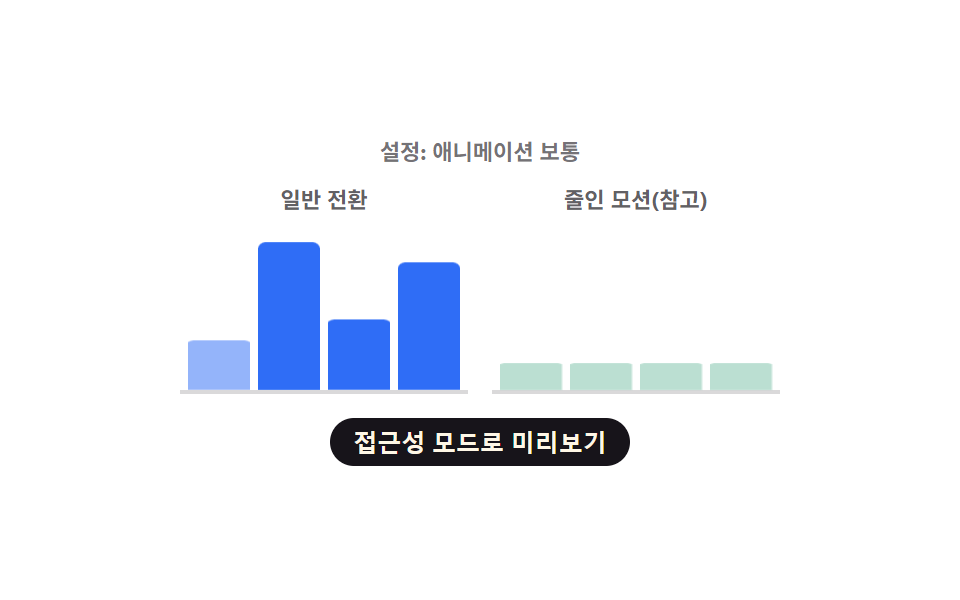
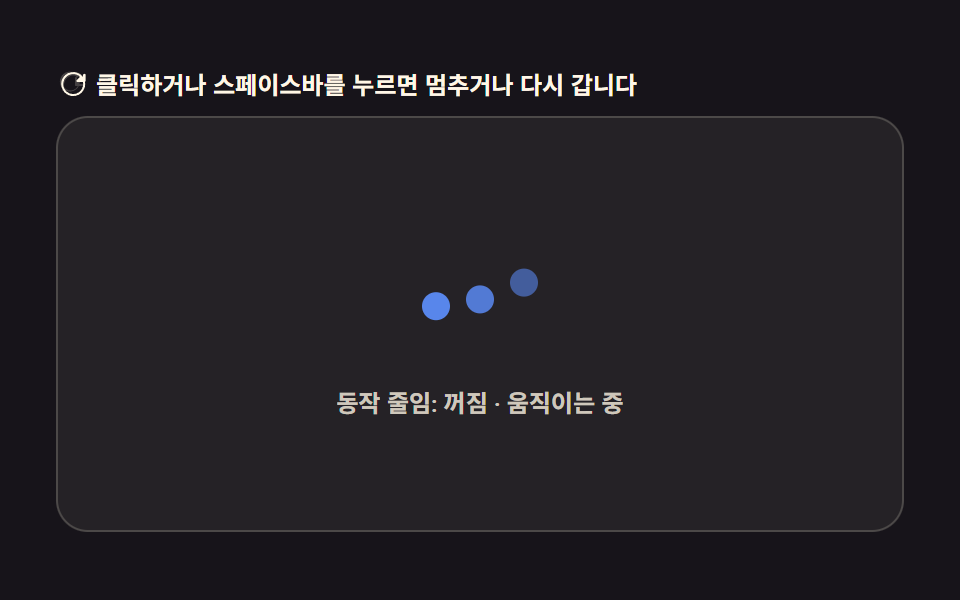
09움직임을 줄이면 점 하나로 멈추는 로딩 버튼
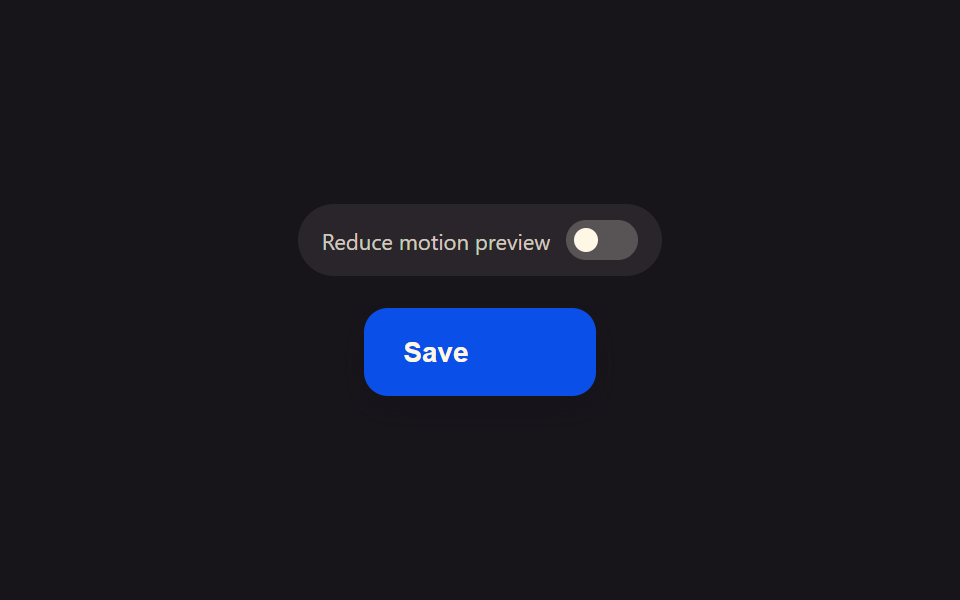
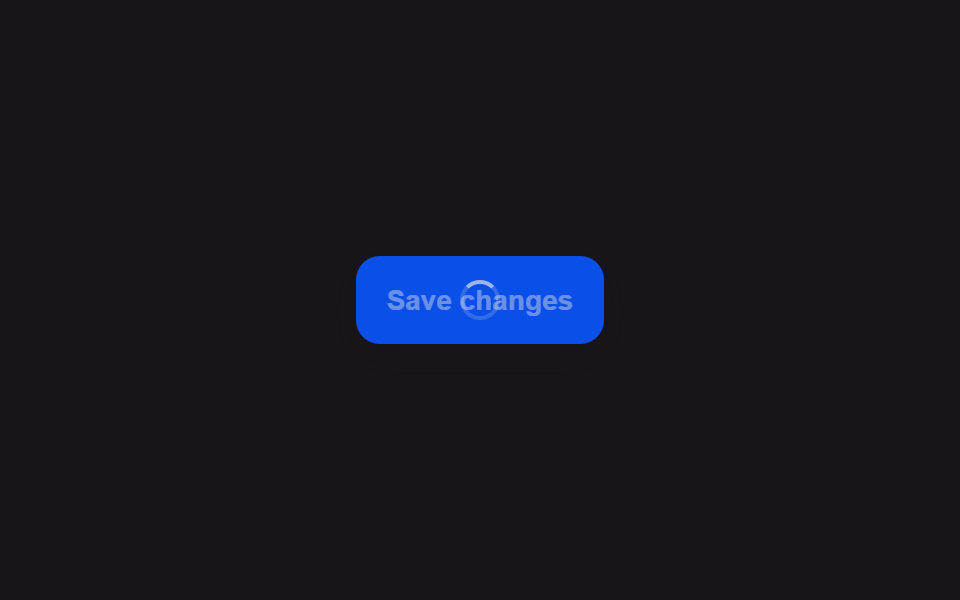
시스템에서 움직임 줄이기가 켜져 있으면 버튼은 돌아가는 스피너 대신 라벨 옆에 흐리지 않은 점 하나만 그대로 두고, 로딩이 끝나는 순간에만 그 점이 사라지며 결과 상태로 바뀐다.
쓰임전정 장애·어지럼 민감 사용자를 위한 대체 로딩 표시
matchMediarole=switcharia-checked
<main class="stage">
<div class="scene is-demo" id="scene">
  <div class="togglePanel">
    <span class="toggleLabel" id="toggleLabel">Reduce motion preview</span>
    <button class="toggleSwitch" id="toggle" type="button" role="switch" aria-checked="false" aria-label="Reduce motion preview">
      <span class="toggleKnob" id="knob"></span>
    </button>
  </div>
  <button class="btn" id="btn" type="button">
    <span class="btnContent">
      <span class="btnLabel" id="label">Save</span>
      <span class="btnSpinnerWrap" id="spinnerWrap" aria-hidden="true"><span class="btnRing" id="ring"></span></span>
      <span class="btnDotWrap" id="dotWrap" aria-hidden="true"><span class="btnDot"></span></span>
    </span>
  </button>
  <span class="visuallyHidden" id="status" role="status" aria-live="polite"></span>
</div>
</main>
@use "../../../../site/static/demo-tokens" as *;
// 변수 3개
$duration: $dur-base;
$easing: $ease-out;
$color: $subject-blue-deep;
// 계산 겹: index.html 이 matchMedia 로 실제 OS 값을 읽어 시뮬 토글의 시작 상태로 삼고,
// 토글 상태에 따라 회전 스피너 루프 대신 정지된 점 하나를 고른다(둘 다 진짜 로딩 경로).
@include stage($stage-ink);
.scene {
display: grid;
place-items: center;
gap: $sp-4;
}
.togglePanel {
display: flex;
align-items: center;
gap: $sp-2;
padding: $sp-2 $sp-3;
border-radius: $r-pill;
background: rgba($subject-cream, .08);
}
.toggleLabel {
font-size: 11px;
color: rgba($subject-cream, .78);
white-space: nowrap;
}
.toggleSwitch {
position: relative;
width: 36px;
height: 20px;
padding: 4px;
border: none;
border-radius: $r-pill;
background: rgba($subject-cream, .22);
cursor: pointer;
&[aria-checked="true"] { background: $subject-mint; }
&:focus-visible { outline: 2px solid $subject-cream; outline-offset: 2px; }
}
.toggleKnob {
display: block;
width: 12px;
height: 12px;
border-radius: $r-pill;
background: $subject-cream;
transform: translateX(0px);
}
.btn {
position: relative;
display: inline-flex;
align-items: center;
justify-content: center;
height: 44px;
padding: 0 $sp-5;
border: none;
border-radius: $r-control;
background: $color;
color: $subject-cream;
font-weight: 600;
font-size: 14px;
line-height: 1;
box-shadow: $shadow-press;
cursor: pointer;
&:focus-visible { outline: 2px solid $subject-cream; outline-offset: 3px; }
&:disabled { cursor: default; }
}
.btnContent {
position: relative;
display: inline-flex;
align-items: center;
gap: $sp-2;
height: 18px;
}
.btnSpinnerWrap,
.btnDotWrap {
display: flex;
align-items: center;
justify-content: center;
width: 14px;
height: 14px;
opacity: 0;
}
.btnRing {
width: 13px;
height: 13px;
border-radius: $r-pill;
border: 2px solid rgba($subject-cream, .28);
border-top-color: $subject-cream;
}
.btnDot {
width: 6px;
height: 6px;
border-radius: $r-pill;
background: $subject-cream;
}
.visuallyHidden {
position: absolute;
width: 1px;
height: 1px;
overflow: hidden;
clip: rect(0 0 0 0);
white-space: nowrap;
}
@media (max-width: 340px) {
.btn { height: 40px; padding: 0 $sp-4; font-size: 13px; }
.toggleLabel { font-size: 10px; }
}
@media (prefers-reduced-motion: reduce) {
// 실사용 경로 적용 — index.html 이 osReduce 로 정지된 점 경로를 이미 고른다.
// scss 만: 토글 노브의 남은 트랜지션을 꺼서 조작도 즉시 반영되게 한다.
.toggleKnob { transition: none; }
}html, body {
margin: 0;
overflow: hidden;
}
.stage {
box-sizing: border-box;
min-height: 100vh;
display: grid;
place-items: center;
margin: 0;
background: #17141a;
font-family: -apple-system, "Segoe UI", "Noto Sans KR", sans-serif;
padding: clamp(8px, 4vw, 24px);
}
.scene {
display: grid;
place-items: center;
gap: 16px;
}
.togglePanel {
display: flex;
align-items: center;
gap: 8px;
padding: 8px 12px;
border-radius: 999px;
background: rgba(255, 247, 230, 0.08);
}
.toggleLabel {
font-size: 11px;
color: rgba(255, 247, 230, 0.78);
white-space: nowrap;
}
.toggleSwitch {
position: relative;
width: 36px;
height: 20px;
padding: 4px;
border: none;
border-radius: 999px;
background: rgba(255, 247, 230, 0.22);
cursor: pointer;
}
.toggleSwitch[aria-checked=true] {
background: #4cd4a6;
}
.toggleSwitch:focus-visible {
outline: 2px solid #fff7e6;
outline-offset: 2px;
}
.toggleKnob {
display: block;
width: 12px;
height: 12px;
border-radius: 999px;
background: #fff7e6;
transform: translateX(0px);
}
.btn {
position: relative;
display: inline-flex;
align-items: center;
justify-content: center;
height: 44px;
padding: 0 20px;
border: none;
border-radius: 12px;
background: #0a4fe8;
color: #fff7e6;
font-weight: 600;
font-size: 14px;
line-height: 1;
box-shadow: 0 6px 12px rgba(23, 20, 26, 0.32);
cursor: pointer;
}
.btn:focus-visible {
outline: 2px solid #fff7e6;
outline-offset: 3px;
}
.btn:disabled {
cursor: default;
}
.btnContent {
position: relative;
display: inline-flex;
align-items: center;
gap: 8px;
height: 18px;
}
.btnSpinnerWrap,
.btnDotWrap {
display: flex;
align-items: center;
justify-content: center;
width: 14px;
height: 14px;
opacity: 0;
}
.btnRing {
width: 13px;
height: 13px;
border-radius: 999px;
border: 2px solid rgba(255, 247, 230, 0.28);
border-top-color: #fff7e6;
}
.btnDot {
width: 6px;
height: 6px;
border-radius: 999px;
background: #fff7e6;
}
.visuallyHidden {
position: absolute;
width: 1px;
height: 1px;
overflow: hidden;
clip: rect(0 0 0 0);
white-space: nowrap;
}
@media (max-width: 340px) {
.btn {
height: 40px;
padding: 0 16px;
font-size: 13px;
}
.toggleLabel {
font-size: 10px;
}
}
@media (prefers-reduced-motion: reduce) {
.toggleKnob {
transition: none;
}
}(function () {
var FADE_MS = 180;
var SPIN_MS = 900;
var GAP_MS = 500;
var START_DELAY_MS = 200;
var TOGGLE_GAP_MS = 550;
var DEG_PER_MS = 360 / 650;
var scene = document.getElementById('scene');
var btn = document.getElementById('btn');
var label = document.getElementById('label');
var spinnerWrap = document.getElementById('spinnerWrap');
var ring = document.getElementById('ring');
var dotWrap = document.getElementById('dotWrap');
var status = document.getElementById('status');
var toggle = document.getElementById('toggle');
var knob = document.getElementById('knob');
// 실제 OS 설정을 진짜로 읽는다 — 기본 상태는 이 값을 따른다.
var mql = window.matchMedia('(prefers-reduced-motion: reduce)');
var osReduce = mql.matches;
var simReduce = osReduce;
var gen = 0;
var timers = [];
var rafId = 0;
function human() {
if (scene.classList.contains('is-demo')) {
scene.classList.remove('is-demo');
timers.forEach(function (t) { clearTimeout(t); });
timers = [];
}
}
function setToggleUI() {
toggle.setAttribute('aria-checked', simReduce ? 'true' : 'false');
knob.style.transform = simReduce ? 'translateX(16px)' : 'translateX(0px)';
}
function applyToggle(next) {
simReduce = next;
setToggleUI();
}
// 시뮬 토글 — 방문자가 실제 OS 설정과 무관하게 두 상태를 미리 볼 수 있다.
toggle.addEventListener('click', function () {
human();
applyToggle(!simReduce);
});
if (osReduce) setToggleUI();
// 실사용 경로 적용 — 진짜 OS 값이 바뀌면(브라우저·OS 설정 변경) 시뮬 토글도 따라간다.
function onOsChange(e) {
osReduce = e.matches;
applyToggle(osReduce);
}
if (mql.addEventListener) mql.addEventListener('change', onOsChange);
function easeInOutQuad(p) { return p < .5 ? 2 * p * p : 1 - Math.pow(-2 * p + 2, 2) / 2; }
function fade(el, from, to, ms, myGen, onDone) {
var start = null;
function step(now) {
if (myGen !== gen) return;
if (start === null) start = now;
var p = Math.min(1, (now - start) / ms);
el.style.opacity = String(from + (to - from) * easeInOutQuad(p));
if (p < 1) requestAnimationFrame(step); else if (onDone) onDone();
}
requestAnimationFrame(step);
}
function spinLoop(myGen) {
var start = null;
function step(now) {
if (myGen !== gen) return;
if (start === null) start = now;
var angle = ((now - start) * DEG_PER_MS) % 360;
ring.style.transform = 'rotate(' + angle.toFixed(1) + 'deg)';
rafId = requestAnimationFrame(step);
}
rafId = requestAnimationFrame(step);
}
function runLoad(myGen, useStaticDot, onDone) {
btn.disabled = true;
btn.setAttribute('aria-busy', 'true');
status.textContent = '저장하는 중';
if (useStaticDot) {
dotWrap.style.opacity = '1';
} else {
fade(spinnerWrap, 0, 1, FADE_MS, myGen, function () { spinLoop(myGen); });
}
timers.push(setTimeout(function () {
cancelAnimationFrame(rafId);
dotWrap.style.opacity = '0';
spinnerWrap.style.opacity = '0';
btn.disabled = false;
btn.removeAttribute('aria-busy');
status.textContent = '저장 완료';
if (onDone) onDone();
}, SPIN_MS));
}
btn.addEventListener('click', function () {
if (btn.disabled) return;
human();
gen++;
runLoad(gen, simReduce);
});
// reduce: 시연 게이트만 — 아래 자동 루프는 reduce 여부와 무관하게 두 상태를 번갈아 보여주려고
// 계속 돈다(정지 표시 자체가 이 항목의 주제라 자동 루프를 완전히 끄면 데모가 항상 빈 화면이다).
// 실사용 경로는 위 runLoad(simReduce) 가 osReduce 시작값을 그대로 물려받아 처리한다.
function cycle() {
if (!scene.classList.contains('is-demo')) return;
gen++;
var myGen = gen;
var useStaticDot = simReduce;
runLoad(myGen, useStaticDot, function () {
timers.push(setTimeout(function () {
if (!scene.classList.contains('is-demo')) return;
applyToggle(!simReduce);
timers.push(setTimeout(cycle, TOGGLE_GAP_MS));
}, GAP_MS));
});
}
timers.push(setTimeout(cycle, START_DELAY_MS));
})();import { useEffect, useRef } from 'react';
import styles from './ButtonLoadingReducedMotionStatic.module.scss';
const FADE_MS = 180;
const SPIN_MS = 900;
const GAP_MS = 500;
const START_DELAY_MS = 200;
const TOGGLE_GAP_MS = 550;
const DEG_PER_MS = 360 / 650;
export default function ButtonLoadingReducedMotionStatic() {
const sceneRef = useRef<HTMLDivElement>(null);
const btnRef = useRef<HTMLButtonElement>(null);
const labelRef = useRef<HTMLSpanElement>(null);
const spinnerWrapRef = useRef<HTMLSpanElement>(null);
const ringRef = useRef<HTMLSpanElement>(null);
const dotWrapRef = useRef<HTMLSpanElement>(null);
const statusRef = useRef<HTMLSpanElement>(null);
const toggleRef = useRef<HTMLButtonElement>(null);
const knobRef = useRef<HTMLSpanElement>(null);
useEffect(() => {
const scene = sceneRef.current;
const btn = btnRef.current;
const label = labelRef.current;
const spinnerWrap = spinnerWrapRef.current;
const ring = ringRef.current;
const dotWrap = dotWrapRef.current;
const status = statusRef.current;
const toggle = toggleRef.current;
const knob = knobRef.current;
if (!scene || !btn || !label || !spinnerWrap || !ring || !dotWrap || !status || !toggle || !knob) return undefined;
// 실제 OS 설정을 진짜로 읽는다 — 기본 상태는 이 값을 따른다.
const mql = window.matchMedia('(prefers-reduced-motion: reduce)');
let osReduce = mql.matches;
let simReduce = osReduce;
let gen = 0;
let timers: number[] = [];
let rafId = 0;
function human() {
if (scene!.classList.contains(styles['is-demo'])) {
scene!.classList.remove(styles['is-demo']);
timers.forEach((t) => window.clearTimeout(t));
timers = [];
}
}
function setToggleUI() {
toggle!.setAttribute('aria-checked', simReduce ? 'true' : 'false');
knob!.style.transform = simReduce ? 'translateX(16px)' : 'translateX(0px)';
}
function applyToggle(next: boolean) {
simReduce = next;
setToggleUI();
}
// 시뮬 토글 — 방문자가 실제 OS 설정과 무관하게 두 상태를 미리 볼 수 있다.
function onToggleClick() {
human();
applyToggle(!simReduce);
}
toggle.addEventListener('click', onToggleClick);
if (osReduce) setToggleUI();
// 실사용 경로 적용 — 진짜 OS 값이 바뀌면(브라우저·OS 설정 변경) 시뮬 토글도 따라간다.
function onOsChange(e: MediaQueryListEvent) {
osReduce = e.matches;
applyToggle(osReduce);
}
if (mql.addEventListener) mql.addEventListener('change', onOsChange);
function easeInOutQuad(p: number) { return p < .5 ? 2 * p * p : 1 - Math.pow(-2 * p + 2, 2) / 2; }
function fade(el: HTMLElement, from: number, to: number, ms: number, myGen: number, onDone?: () => void) {
let start: number | null = null;
function step(now: number) {
if (myGen !== gen) return;
if (start === null) start = now;
const p = Math.min(1, (now - start) / ms);
el.style.opacity = String(from + (to - from) * easeInOutQuad(p));
if (p < 1) requestAnimationFrame(step); else if (onDone) onDone();
}
requestAnimationFrame(step);
}
function spinLoop(myGen: number) {
let start: number | null = null;
function step(now: number) {
if (myGen !== gen) return;
if (start === null) start = now;
const angle = ((now - start) * DEG_PER_MS) % 360;
ring!.style.transform = 'rotate(' + angle.toFixed(1) + 'deg)';
rafId = requestAnimationFrame(step);
}
rafId = requestAnimationFrame(step);
}
function runLoad(myGen: number, useStaticDot: boolean, onDone?: () => void) {
btn!.disabled = true;
btn!.setAttribute('aria-busy', 'true');
status!.textContent = '저장하는 중';
if (useStaticDot) {
dotWrap!.style.opacity = '1';
} else {
fade(spinnerWrap!, 0, 1, FADE_MS, myGen, () => { spinLoop(myGen); });
}
timers.push(window.setTimeout(() => {
cancelAnimationFrame(rafId);
dotWrap!.style.opacity = '0';
spinnerWrap!.style.opacity = '0';
btn!.disabled = false;
btn!.removeAttribute('aria-busy');
status!.textContent = '저장 완료';
if (onDone) onDone();
}, SPIN_MS));
}
function onClick() {
if (btn!.disabled) return;
human();
gen++;
runLoad(gen, simReduce);
}
btn.addEventListener('click', onClick);
// reduce: 시연 게이트만 — 아래 자동 루프는 reduce 여부와 무관하게 두 상태를 번갈아 보여주려고
// 계속 돈다(정지 표시 자체가 이 항목의 주제라 자동 루프를 완전히 끄면 데모가 항상 빈 화면이다).
// 실사용 경로는 위 runLoad(simReduce) 가 osReduce 시작값을 그대로 물려받아 처리한다.
function cycle() {
if (!scene!.classList.contains(styles['is-demo'])) return;
gen++;
const myGen = gen;
const useStaticDot = simReduce;
runLoad(myGen, useStaticDot, () => {
timers.push(window.setTimeout(() => {
if (!scene!.classList.contains(styles['is-demo'])) return;
applyToggle(!simReduce);
timers.push(window.setTimeout(cycle, TOGGLE_GAP_MS));
}, GAP_MS));
});
}
timers.push(window.setTimeout(cycle, START_DELAY_MS));
return () => {
btn.removeEventListener('click', onClick);
toggle.removeEventListener('click', onToggleClick);
if (mql.removeEventListener) mql.removeEventListener('change', onOsChange);
timers.forEach((t) => window.clearTimeout(t));
cancelAnimationFrame(rafId);
};
}, []);
return (
<main className={styles.stage}>
<div className={styles.scene + ' ' + styles['is-demo']} ref={sceneRef}>
<div className={styles.togglePanel}>
<span className={styles.toggleLabel}>Reduce motion preview</span>
<button
className={styles.toggleSwitch}
ref={toggleRef}
type="button"
role="switch"
aria-checked="false"
aria-label="Reduce motion preview"
>
<span className={styles.toggleKnob} ref={knobRef} />
</button>
</div>
<button className={styles.btn} ref={btnRef} type="button">
<span className={styles.btnContent}>
<span className={styles.btnLabel} ref={labelRef}>Save</span>
<span className={styles.btnSpinnerWrap} ref={spinnerWrapRef} aria-hidden="true">
<span className={styles.btnRing} ref={ringRef} />
</span>
<span className={styles.btnDotWrap} ref={dotWrapRef} aria-hidden="true">
<span className={styles.btnDot} />
</span>
</span>
</button>
<span className={styles.visuallyHidden} ref={statusRef} role="status" aria-live="polite" />
</div>
</main>
);
}09 움직임을 줄이면 점 하나로 멈추는 로딩 버튼 — 측정 누적면적 0.588% · 움직인 프레임 10/23GODRICH 원작 · zip 에 SCSS·React 포함 · 버튼 로딩 9종 — 스피너부터 성공 체크까지 상태 전환
이 데모가 속한 글
 버튼 로딩 9종 — 스피너부터 성공 체크까지 상태 전환버튼 로딩 9종 가운데 하나는 스피너가 돌다가 선을 그리듯 체크 표시로 모양을 바꾸고, 하나는 글자 대신 점 세 개가 순서대로 커졌다 작아지며, 하나는 라벨이 일정 시간마다 다음 단계 문구로 위아래 슬라이드해 바뀝니 이 글의 데모 전부 보기