09동작 줄이기에서 계산 없이 바로 바뀌는 차트 로딩
화면이 동작 줄이기를 선호하면 지연·웨이브 계산을 전부 건너뛰고 스켈레톤이 값으로 즉시 바뀌는 경로로 갈아탄다.
쓰임전정 질환·산만함에 민감한 사용자를 위한 접근성 설정 자리
--phasematchMediatransform-origin
<main class="stage">
<div class="cr is-demo" id="cr">
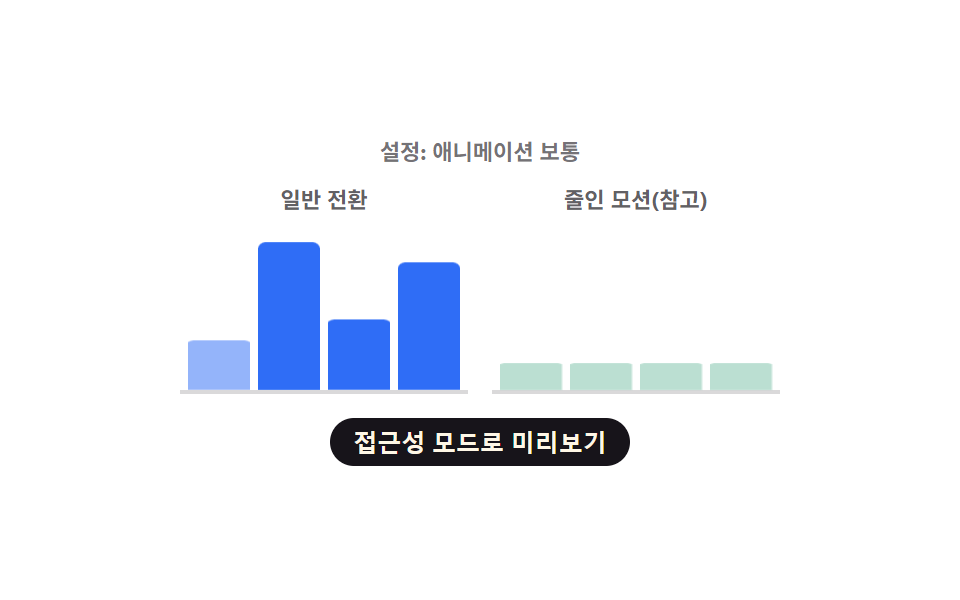
  <p class="cr__status" id="crStatus" aria-live="polite">설정: 애니메이션 보통</p>
  <div class="cr__row">
    <div class="cr__col">
      <span class="cr__label">일반 전환</span>
      <div class="cr__chart" role="img" aria-label="일반 전환 막대 그래프" aria-busy="true">
        <div class="cr__bar cr__bar--normal" id="crN0"></div>
        <div class="cr__bar cr__bar--normal" id="crN1"></div>
        <div class="cr__bar cr__bar--normal" id="crN2"></div>
        <div class="cr__bar cr__bar--normal" id="crN3"></div>
      </div>
    </div>
    <div class="cr__col">
      <span class="cr__label">줄인 모션(참고)</span>
      <div class="cr__chart" role="img" aria-label="줄인 모션 막대 그래프" aria-busy="true">
        <div class="cr__bar cr__bar--reduced" id="crR0"></div>
        <div class="cr__bar cr__bar--reduced" id="crR1"></div>
        <div class="cr__bar cr__bar--reduced" id="crR2"></div>
        <div class="cr__bar cr__bar--reduced" id="crR3"></div>
      </div>
    </div>
  </div>
  <button type="button" class="cr__toggle" id="crToggle" aria-pressed="false">접근성 모드로 미리보기</button>
</div>
</main>@use "../../../../site/static/demo-tokens" as *;
// 변수 3개
$duration: $dur-loop;
$easing: $ease-spring;
$color: $subject-blue;
@include stage($stage-paper);
.cr { width: min(300px, 88vw); text-align: center; }
.cr__status { margin: 0 0 $sp-2; font-size: 11px; font-weight: 700; color: rgba($subject-ink, .6); }
.cr__row { display: flex; gap: $sp-3; }
.cr__col { flex: 1 1 0; min-width: 0; }
.cr__label { display: block; margin-bottom: $sp-1; font-size: 11px; font-weight: 700; color: rgba($subject-ink, .68); }
.cr__chart {
display: flex; align-items: flex-end; justify-content: space-between; gap: $sp-1;
height: 84px; padding: 0 $sp-1; border-bottom: 2px solid rgba($subject-ink, .16);
}
.cr__bar { width: 100%; height: 100%; border-radius: $r-xs $r-xs 0 0; transform-origin: bottom; transform: scaleY(.16); opacity: .32; }
.cr__bar--normal { background: $color; animation: crRevealSmooth $duration var(--phase, 0ms) $easing infinite; }
.cr__bar--reduced { background: $chart-3; animation: crRevealInstant $duration $easing infinite; }
.cr--force-instant .cr__bar--normal { animation-name: crRevealInstant; animation-delay: 0ms; }
.cr__toggle {
display: block; margin: $sp-3 auto 0; appearance: none; border: none; cursor: pointer;
background: $subject-ink; color: $subject-cream; font-weight: 700; font-size: 12px;
padding: $sp-1 $sp-3; border-radius: $r-pill;
}
.cr__toggle:focus-visible { outline: 2px solid $subject-ink; outline-offset: 2px; }
.cr__toggle[aria-pressed="true"] { background: $subject-blue; }
@keyframes crRevealSmooth {
0% { transform: scaleY(.16); opacity: .32; }
14% { transform: scaleY(.16); opacity: .32; }
46% { transform: scaleY(var(--real, .6)); opacity: 1; }
84% { transform: scaleY(var(--real, .6)); opacity: 1; }
100% { transform: scaleY(.16); opacity: .32; }
}
// 줄인 모션 참고 열: steps(1,end) 로 중간 프레임 없이 한 번에 바뀐다(진짜 즉시 전환)
@keyframes crRevealInstant {
0% { transform: scaleY(.16); opacity: .32; }
45% { transform: scaleY(.16); opacity: .32; }
46% { transform: scaleY(var(--real, .6)); opacity: 1; }
84% { transform: scaleY(var(--real, .6)); opacity: 1; }
85% { transform: scaleY(.16); opacity: .32; }
100% { transform: scaleY(.16); opacity: .32; }
}
.cr__bar--reduced, .cr--force-instant .cr__bar--normal {
animation-timing-function: steps(1, end);
}
@media (max-width: 340px) {
.cr { width: min(250px, 86vw); }
.cr__chart { height: 68px; }
}
@media (prefers-reduced-motion: reduce) {
// 실사용 경로 적용: 두 열 다 애니메이션을 멈추고 완성된 높이만 보인다
.cr__bar { animation: none; transform: scaleY(var(--real, .6)); opacity: 1; }
}html, body {
margin: 0;
overflow: hidden;
}
.stage {
box-sizing: border-box;
min-height: 100vh;
display: grid;
place-items: center;
margin: 0;
background: #ffffff;
font-family: -apple-system, "Segoe UI", "Noto Sans KR", sans-serif;
padding: clamp(8px, 4vw, 24px);
}
.cr {
width: min(300px, 88vw);
text-align: center;
}
.cr__status {
margin: 0 0 8px;
font-size: 11px;
font-weight: 700;
color: rgba(23, 20, 26, 0.6);
}
.cr__row {
display: flex;
gap: 12px;
}
.cr__col {
flex: 1 1 0;
min-width: 0;
}
.cr__label {
display: block;
margin-bottom: 4px;
font-size: 11px;
font-weight: 700;
color: rgba(23, 20, 26, 0.68);
}
.cr__chart {
display: flex;
align-items: flex-end;
justify-content: space-between;
gap: 4px;
height: 84px;
padding: 0 4px;
border-bottom: 2px solid rgba(23, 20, 26, 0.16);
}
.cr__bar {
width: 100%;
height: 100%;
border-radius: 4px 4px 0 0;
transform-origin: bottom;
transform: scaleY(0.16);
opacity: 0.32;
}
.cr__bar--normal {
background: #2f6df6;
animation: crRevealSmooth 2s var(--phase, 0ms) cubic-bezier(0.2, 0.8, 0.2, 1) infinite;
}
.cr__bar--reduced {
background: #2b9d74;
animation: crRevealInstant 2s cubic-bezier(0.2, 0.8, 0.2, 1) infinite;
}
.cr--force-instant .cr__bar--normal {
animation-name: crRevealInstant;
animation-delay: 0ms;
}
.cr__toggle {
display: block;
margin: 12px auto 0;
appearance: none;
border: none;
cursor: pointer;
background: #17141a;
color: #fff7e6;
font-weight: 700;
font-size: 12px;
padding: 4px 12px;
border-radius: 999px;
}
.cr__toggle:focus-visible {
outline: 2px solid #17141a;
outline-offset: 2px;
}
.cr__toggle[aria-pressed=true] {
background: #2f6df6;
}
@keyframes crRevealSmooth {
0% {
transform: scaleY(0.16);
opacity: 0.32;
}
14% {
transform: scaleY(0.16);
opacity: 0.32;
}
46% {
transform: scaleY(var(--real, 0.6));
opacity: 1;
}
84% {
transform: scaleY(var(--real, 0.6));
opacity: 1;
}
100% {
transform: scaleY(0.16);
opacity: 0.32;
}
}
@keyframes crRevealInstant {
0% {
transform: scaleY(0.16);
opacity: 0.32;
}
45% {
transform: scaleY(0.16);
opacity: 0.32;
}
46% {
transform: scaleY(var(--real, 0.6));
opacity: 1;
}
84% {
transform: scaleY(var(--real, 0.6));
opacity: 1;
}
85% {
transform: scaleY(0.16);
opacity: 0.32;
}
100% {
transform: scaleY(0.16);
opacity: 0.32;
}
}
.cr__bar--reduced, .cr--force-instant .cr__bar--normal {
animation-timing-function: steps(1, end);
}
@media (max-width: 340px) {
.cr {
width: min(250px, 86vw);
}
.cr__chart {
height: 68px;
}
}
@media (prefers-reduced-motion: reduce) {
.cr__bar {
animation: none;
transform: scaleY(var(--real, 0.6));
opacity: 1;
}
}(function () {
var VALUES = [64, 88, 42, 76];
var STAGGER_MS = 80;
var root = document.getElementById('cr');
var status = document.getElementById('crStatus');
var toggle = document.getElementById('crToggle');
var normalBars = [0, 1, 2, 3].map(function (i) { return document.getElementById('crN' + i); });
var reducedBars = [0, 1, 2, 3].map(function (i) { return document.getElementById('crR' + i); });
// 계산 겹: 같은 공식에 감쇠 계수(reduced)를 곱한다 — 줄인 모션이면 지연이 전부 0 으로 접힌다
function barDelay(i, reduced) { return reduced ? 0 : i * STAGGER_MS; }
normalBars.forEach(function (bar, i) {
bar.style.setProperty('--real', String(VALUES[i] / 100));
bar.style.setProperty('--phase', barDelay(i, false) + 'ms');
});
reducedBars.forEach(function (bar, i) {
bar.style.setProperty('--real', String(VALUES[i] / 100));
bar.style.setProperty('--phase', barDelay(i, true) + 'ms');
});
// 실사용 경로: 브라우저의 실제 설정을 읽는다(시뮬레이션이 아니다)
var mql = window.matchMedia('(prefers-reduced-motion: reduce)');
function updateStatus() {
var real = mql.matches;
var sim = root.classList.contains('cr--reduced-sim');
var forced = real || sim;
root.classList.toggle('cr--force-instant', forced);
if (real) {
status.textContent = '설정: 브라우저의 애니메이션 줄이기가 켜져 있습니다';
} else if (sim) {
status.textContent = '설정: 접근성 모드 미리보기 중(시뮬레이션)';
} else {
status.textContent = '설정: 애니메이션 보통';
}
}
if (mql.addEventListener) {
mql.addEventListener('change', updateStatus);
} else if (mql.addListener) {
mql.addListener(updateStatus);
}
updateStatus();
// 데모용 시뮬레이션 토글: 실제 OS 설정을 바꾸지 않고도 차이를 미리 보여준다
function human() {
root.classList.remove('is-demo');
var next = !root.classList.contains('cr--reduced-sim');
root.classList.toggle('cr--reduced-sim', next);
toggle.setAttribute('aria-pressed', String(next));
updateStatus();
}
toggle.addEventListener('click', human);
toggle.addEventListener('keydown', function (e) {
if (e.key === 'Enter' || e.key === ' ') { e.preventDefault(); human(); }
});
}());import { useEffect, useRef } from 'react';
import styles from './ChartLoadingReducedMotionInstantSwap.module.scss';
const VALUES = [64, 88, 42, 76];
const STAGGER_MS = 80;
// 시뮬레이션 상태만 표시하는 내부 플래그 클래스 — CSS 규칙이 없어 스타일 모듈 맵을 거치지 않는다(vanilla 와 동일)
const REDUCED_SIM_CLASS = 'crReducedSim';
export default function ChartLoadingReducedMotionInstantSwap() {
const rootRef = useRef<HTMLDivElement>(null);
const statusRef = useRef<HTMLParagraphElement>(null);
const toggleRef = useRef<HTMLButtonElement>(null);
const normalRefs = useRef<HTMLDivElement[]>([]);
const reducedRefs = useRef<HTMLDivElement[]>([]);
useEffect(() => {
const root = rootRef.current;
const status = statusRef.current;
const toggle = toggleRef.current;
if (!root || !status || !toggle) return undefined;
const normalBars = normalRefs.current!;
const reducedBars = reducedRefs.current!;
if (!normalBars || !reducedBars) return undefined;
// 계산 겹: 같은 공식에 감쇠 계수(reduced)를 곱한다 — 줄인 모션이면 지연이 전부 0 으로 접힌다
function barDelay(i: number, reduced: boolean) { return reduced ? 0 : i * STAGGER_MS; }
normalBars.forEach((bar, i) => {
bar.style.setProperty('--real', String(VALUES[i] / 100));
bar.style.setProperty('--phase', barDelay(i, false) + 'ms');
});
reducedBars.forEach((bar, i) => {
bar.style.setProperty('--real', String(VALUES[i] / 100));
bar.style.setProperty('--phase', barDelay(i, true) + 'ms');
});
// 실사용 경로: 브라우저의 실제 설정을 읽는다(시뮬레이션이 아니다)
const mql = window.matchMedia('(prefers-reduced-motion: reduce)');
function updateStatus() {
const real = mql.matches;
const sim = root!.classList.contains(REDUCED_SIM_CLASS);
const forced = real || sim;
root!.classList.toggle(styles.crForceInstant, forced);
if (real) {
status!.textContent = '설정: 브라우저의 애니메이션 줄이기가 켜져 있습니다';
} else if (sim) {
status!.textContent = '설정: 접근성 모드 미리보기 중(시뮬레이션)';
} else {
status!.textContent = '설정: 애니메이션 보통';
}
}
type LegacyMql = MediaQueryList & { addListener?: (cb: () => void) => void; removeListener?: (cb: () => void) => void };
const legacyMql = mql as LegacyMql;
if (mql.addEventListener) {
mql.addEventListener('change', updateStatus);
} else if (legacyMql.addListener) {
legacyMql.addListener(updateStatus);
}
updateStatus();
// 데모용 시뮬레이션 토글: 실제 OS 설정을 바꾸지 않고도 차이를 미리 보여준다
function human() {
root!.classList.remove(styles['is-demo']);
const next = !root!.classList.contains(REDUCED_SIM_CLASS);
root!.classList.toggle(REDUCED_SIM_CLASS, next);
toggle!.setAttribute('aria-pressed', String(next));
updateStatus();
}
function onClick() { human(); }
function onKey(e: KeyboardEvent) { if (e.key === 'Enter' || e.key === ' ') { e.preventDefault(); human(); } }
toggle.addEventListener('click', onClick);
toggle.addEventListener('keydown', onKey);
return () => {
toggle.removeEventListener('click', onClick);
toggle.removeEventListener('keydown', onKey);
if (mql.removeEventListener) {
mql.removeEventListener('change', updateStatus);
} else if (legacyMql.removeListener) {
legacyMql.removeListener(updateStatus);
}
};
}, []);
return (
<main className={styles.stage}>
<div className={styles.cr + ' ' + styles['is-demo']} ref={rootRef}>
<p className={styles.crStatus} ref={statusRef} aria-live="polite">설정: 애니메이션 보통</p>
<div className={styles.crRow}>
<div className={styles.crCol}>
<span className={styles.crLabel}>일반 전환</span>
<div className={styles.crChart} role="img" aria-label="일반 전환 막대 그래프" aria-busy="true">
{VALUES.map((_v, i) => (
<div
key={i}
className={styles.crBar + ' ' + styles.crBarNormal}
ref={(el: HTMLDivElement | null) => { if (el) normalRefs.current![i] = el; }}
/>
))}
</div>
</div>
<div className={styles.crCol}>
<span className={styles.crLabel}>줄인 모션(참고)</span>
<div className={styles.crChart} role="img" aria-label="줄인 모션 막대 그래프" aria-busy="true">
{VALUES.map((_v, i) => (
<div
key={i}
className={styles.crBar + ' ' + styles.crBarReduced}
ref={(el: HTMLDivElement | null) => { if (el) reducedRefs.current![i] = el; }}
/>
))}
</div>
</div>
</div>
<button type="button" className={styles.crToggle} ref={toggleRef} aria-pressed="false">접근성 모드로 미리보기</button>
</div>
</main>
);
}09 동작 줄이기에서 계산 없이 바로 바뀌는 차트 로딩 — 측정 누적면적 9.878% · 움직인 프레임 15/23GODRICH 원작 · zip 에 SCSS·React 포함 · 로딩 스켈레톤 ui 9종 — 차트가 계산으로 완성되는 순간까지
이 데모가 속한 글
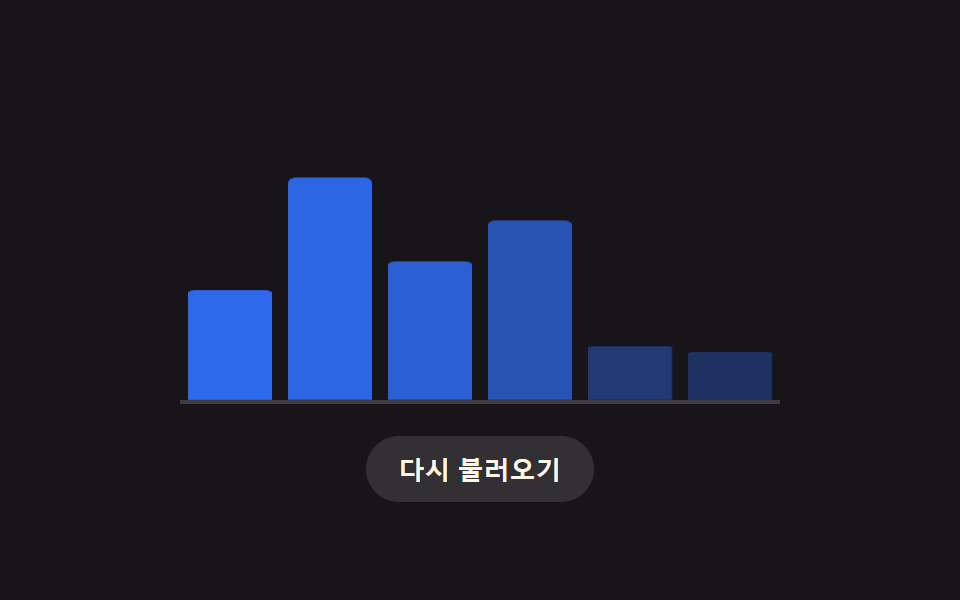 로딩 스켈레톤 ui 9종 — 차트가 계산으로 완성되는 순간까지로딩 스켈레톤 ui 아홉 가지 가운데 하나는 막대마다 도착 지연을 열 번호로 계산해 순서대로 실제 높이로 펴지고, 하나는 히트맵 칸이 대각선 거리로 계산된 지연만큼 차례로 색을 채우며, 하나는 화면이 동작 줄이기를 이 글의 데모 전부 보기