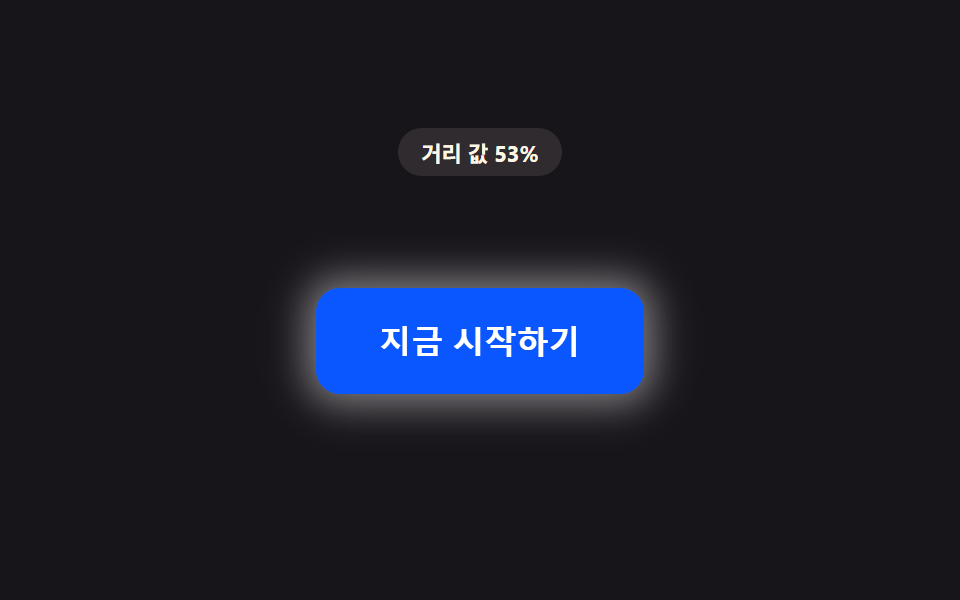
09거리 값만큼 입자가 모여드는 버튼
거리 값이 줄어드는 동안 버튼 주변에 떠 있는 작은 입자의 개수 값과 밀도 값이 함께 늘어난다.
쓰임프리미엄 CTA 버튼 강조
PROX_PARTICLE_MAX_COUNTdrawglobalAlpha

<main class="stage">
<div class="pd is-demo" id="pd">
  <p class="pd__badge" id="pdBadge">입자 값 0/6</p>
  <div class="pd__scene" id="pdScene">
    <div class="pd__wrap" id="pdWrap">
      <canvas class="pd__canvas" id="pdCanvas" width="280" height="150" aria-hidden="true"></canvas>
      <button class="pd__btn" id="pdBtn" type="button">가입하기</button>
    </div>
  </div>
</div>
</main>
@use "../../../../site/static/demo-tokens" as *;
// 핵심: 거리 값이 줄어드는 동안 캔버스에 그리는 입자 개수 값(count)과 궤도 반경(density) 값이
// 함께 바뀐다. 입자마다 고정된 노이즈 오프셋(각도·주기 지터)을 심어 기계적으로 안 보이게 한다.
$duration: $dur-loop;
$easing: linear;
$color: $subject-blue-deep;
@include stage($stage-ink);
.pd {
display: grid;
gap: $sp-2;
justify-items: center;
}
.pd__badge {
margin: 0;
padding: $sp-1 $sp-3;
border-radius: $r-pill;
background: rgba(255, 247, 230, .1);
color: $subject-cream;
font-weight: 700;
font-size: 11px;
font-variant-numeric: tabular-nums;
}
.pd__scene {
padding: $sp-3;
}
.pd__wrap {
position: relative;
width: 340px;
height: 182px;
display: grid;
place-items: center;
--sw-p: 0;
}
.pd__wrap::before {
content: '';
position: absolute;
inset: -8px;
border-radius: $r-control;
background: radial-gradient(circle, rgba($subject-blue-deep, .5), transparent 60%);
transform: scale(calc(0.65 + var(--sw-p) * 0.35));
opacity: calc(var(--sw-p) * 0.4);
pointer-events: none;
z-index: 0;
}
.pd__canvas {
position: absolute;
inset: 0;
width: 100%;
height: 100%;
pointer-events: none;
}
.pd__btn {
position: relative;
border: 0;
cursor: pointer;
padding: $sp-4 $sp-8;
border-radius: $r-control;
background: $color;
color: $subject-cream;
font-size: 16px;
font-weight: 700;
}
.pd__btn:focus-visible {
outline: 2px solid $subject-cream;
outline-offset: 3px;
}
@media (max-width: 340px) {
.pd__scene { padding: $sp-2; }
.pd__wrap { width: 100%; height: 112px; }
.pd__btn { padding: $sp-3 $sp-6; font-size: 14px; }
}
@media (prefers-reduced-motion: reduce) {
.pd__btn { transition: none; }
}html, body {
margin: 0;
overflow: hidden;
}
.stage {
box-sizing: border-box;
min-height: 100vh;
display: grid;
place-items: center;
margin: 0;
background: #17141a;
font-family: -apple-system, "Segoe UI", "Noto Sans KR", sans-serif;
padding: clamp(8px, 4vw, 24px);
}
.pd {
display: grid;
gap: 8px;
justify-items: center;
}
.pd__badge {
margin: 0;
padding: 4px 12px;
border-radius: 999px;
background: rgba(255, 247, 230, 0.1);
color: #fff7e6;
font-weight: 700;
font-size: 11px;
font-variant-numeric: tabular-nums;
}
.pd__scene {
padding: 12px;
}
.pd__wrap {
position: relative;
width: 340px;
height: 182px;
display: grid;
place-items: center;
--sw-p: 0;
}
.pd__wrap::before {
content: "";
position: absolute;
inset: -8px;
border-radius: 12px;
background: radial-gradient(circle, rgba(10, 79, 232, 0.5), transparent 60%);
transform: scale(calc(0.65 + var(--sw-p) * 0.35));
opacity: calc(var(--sw-p) * 0.4);
pointer-events: none;
z-index: 0;
}
.pd__canvas {
position: absolute;
inset: 0;
width: 100%;
height: 100%;
pointer-events: none;
}
.pd__btn {
position: relative;
border: 0;
cursor: pointer;
padding: 16px 32px;
border-radius: 12px;
background: #0a4fe8;
color: #fff7e6;
font-size: 16px;
font-weight: 700;
}
.pd__btn:focus-visible {
outline: 2px solid #fff7e6;
outline-offset: 3px;
}
@media (max-width: 340px) {
.pd__scene {
padding: 8px;
}
.pd__wrap {
width: 100%;
height: 112px;
}
.pd__btn {
padding: 12px 24px;
font-size: 14px;
}
}
@media (prefers-reduced-motion: reduce) {
.pd__btn {
transition: none;
}
}(function () {
// PROX_PARTICLE_MAX_COUNT — 변형 3: 6 → 14 로 늘리면 입자가 촘촘히 모여 붐비듯 화려해진다.
var PROX_PARTICLE_MAX_COUNT = 6;
var PROX_RADIUS_PX = 170;
var LERP = 0.16;
var RADIUS_FAR_PX = 92;
var RADIUS_NEAR_PX = 46;
var root = document.getElementById('pd');
var scene = document.getElementById('pdScene');
var wrap = document.getElementById('pdWrap');
var btn = document.getElementById('pdBtn');
var canvas = document.getElementById('pdCanvas');
var badge = document.getElementById('pdBadge');
var ctx = canvas.getContext('2d');
var reduce = window.matchMedia('(prefers-reduced-motion: reduce)').matches;
function clamp(v, lo, hi) { return Math.max(lo, Math.min(hi, v)); }
// 캔버스 표시 크기 = 스테이지가 실제로 내준 크기(getBoundingClientRect) — 고정 px 캡을 두지 않는다.
var radiusScale = 1;
function resizeCanvas() {
var r = wrap.getBoundingClientRect();
var w = Math.max(1, Math.round(r.width));
var h = Math.max(1, Math.round(r.height));
if (canvas.width !== w) { canvas.width = w; }
if (canvas.height !== h) { canvas.height = h; }
radiusScale = Math.min(w / 280, h / 150);
}
resizeCanvas();
window.addEventListener('resize', resizeCanvas);
// 입자마다 글자별 노이즈 오프셋과 같은 계열 — 각도·주기에 고정 지터를 심어 기계적으로 안 보이게 한다
var particles = [];
for (var i = 0; i < PROX_PARTICLE_MAX_COUNT; i += 1) {
particles.push({
baseAngle: (i / PROX_PARTICLE_MAX_COUNT) * Math.PI * 2,
noise: ((i * 137) % 23) / 23 - 0.5,
phase: (i * 71) % 100 / 100 * Math.PI * 2,
size: 2.4 + ((i * 53) % 7) / 7 * 1.6
});
}
var targetP = 0;
var curP = 0;
var hasPointer = false;
var TRAIL_STEPS = 7;
var trailHistory = [];
function distanceToButton(x, y) {
var r = btn.getBoundingClientRect();
var cx = r.left + r.width / 2;
var cy = r.top + r.height / 2;
return Math.hypot(x - cx, y - cy);
}
function draw(p, t) {
var w = canvas.width, h = canvas.height;
ctx.clearRect(0, 0, w, h);
var cx = w / 2, cy = h / 2;
var count = p * PROX_PARTICLE_MAX_COUNT;
var radius = (RADIUS_FAR_PX + (RADIUS_NEAR_PX - RADIUS_FAR_PX) * p) * radiusScale;
var positions = [];
particles.forEach(function (pt, i) {
var visible = clamp(count - i, 0, 1);
if (visible <= 0) { return; }
var ang = pt.baseAngle + t * 0.5 + pt.noise * Math.sin(t * 1.3 + pt.phase) * 0.6;
var rad = radius + pt.noise * 10 * radiusScale * Math.sin(t * 0.9 + pt.phase);
var x = cx + Math.cos(ang) * rad;
var y = cy + Math.sin(ang) * rad * 0.72;
positions.push({ x: x, y: y, size: pt.size * radiusScale * 1.3, alpha: (0.4 + p * 0.6) * visible });
});
// 계산 레이어: 최근 몇 프레임의 입자 위치를 옅은 잔상으로 같이 그려 궤적이 남게 한다(전체 캔버스를 덮지 않는다).
trailHistory.push(positions);
if (trailHistory.length > TRAIL_STEPS) { trailHistory.shift(); }
trailHistory.forEach(function (frame, hi) {
var age = trailHistory.length - hi;
var fade = 1 - age / (TRAIL_STEPS + 1);
frame.forEach(function (pos) {
ctx.globalAlpha = pos.alpha * fade;
ctx.beginPath();
ctx.arc(pos.x, pos.y, pos.size * (0.8 + fade * 0.9), 0, Math.PI * 2);
ctx.fillStyle = '#0a4fe8';
ctx.fill();
});
});
positions.forEach(function (pos) {
ctx.globalAlpha = pos.alpha;
ctx.beginPath();
ctx.arc(pos.x, pos.y, pos.size, 0, Math.PI * 2);
ctx.fillStyle = '#fff7e6';
ctx.fill();
});
ctx.globalAlpha = 1;
// 계산 레이어: 같은 진행률(p)을 입자 뒤 글로우 크기·불투명도에도 전파한다 — 배경과 겹치지 않는 색.
wrap.style.setProperty('--sw-p', p.toFixed(3));
badge.textContent = '입자 값 ' + Math.round(count) + '/' + PROX_PARTICLE_MAX_COUNT;
}
function syntheticOffset(t) {
var ang = t * 1.5;
var rad = 110 * (1 + Math.cos(t * Math.PI));
return [Math.cos(ang) * rad, Math.sin(ang) * rad];
}
var startTime = null;
function loop(now) {
if (startTime === null) { startTime = now; }
var t = (now - startTime) / 1000;
if (!hasPointer && !reduce) {
var off = syntheticOffset(t);
var d = Math.hypot(off[0], off[1]);
targetP = clamp(1 - d / PROX_RADIUS_PX, 0, 1);
}
curP += (targetP - curP) * LERP;
draw(curP, t);
requestAnimationFrame(loop);
}
scene.addEventListener('pointermove', function (e) {
hasPointer = true;
root.classList.remove('is-demo');
var d = distanceToButton(e.clientX, e.clientY);
targetP = clamp(1 - d / PROX_RADIUS_PX, 0, 1);
if (reduce) { curP = targetP; draw(curP, 0); }
});
scene.addEventListener('pointerleave', function () {
hasPointer = false;
targetP = 0;
if (reduce) { curP = 0; draw(0, 0); }
});
btn.addEventListener('focus', function () {
hasPointer = true;
targetP = 1;
if (reduce) { curP = 1; draw(1, 0); }
});
btn.addEventListener('blur', function () {
hasPointer = false;
targetP = 0;
if (reduce) { curP = 0; draw(0, 0); }
});
if (reduce) {
draw(0, 0);
} else {
requestAnimationFrame(loop);
}
})();// ProximityParticleSwarmButton — vanilla 판(run/408/demo/09-btn-proximity-particle-density-swarm/index.html) 의 React 포트.
// 거리 값이 줄어드는 동안 캔버스에 그리는 입자 개수 값(count)과 궤도 반경(radius) 값이 함께
// 바뀐다. 입자마다 고정된 노이즈 오프셋(각도·주기 지터)을 심어 기계적으로 안 보이게 한다.
import { useEffect, useRef, useState } from "react";
import type { PointerEvent as ReactPointerEvent } from "react";
import styles from "./ProximityParticleSwarmButton.module.scss";
type Box<T> = { current: T };
type Particle = {
baseAngle: number;
noise: number;
phase: number;
size: number;
};
type TrailPoint = {
x: number;
y: number;
size: number;
alpha: number;
};
// PROX_PARTICLE_MAX_COUNT — 변형 3: 6 → 14 로 늘리면 입자가 촘촘히 모여 붐비듯 화려해진다.
const PROX_PARTICLE_MAX_COUNT = 6;
const PROX_RADIUS_PX = 170;
const LERP = 0.16;
const RADIUS_FAR_PX = 92;
const RADIUS_NEAR_PX = 46;
const TRAIL_STEPS = 7;
function clamp(v: number, lo: number, hi: number): number {
return Math.max(lo, Math.min(hi, v));
}
function makeParticles(): Particle[] {
const list: Particle[] = [];
for (let i = 0; i < PROX_PARTICLE_MAX_COUNT; i += 1) {
list.push({
baseAngle: (i / PROX_PARTICLE_MAX_COUNT) * Math.PI * 2,
noise: ((i * 137) % 23) / 23 - 0.5,
phase: ((i * 71) % 100) / 100 * Math.PI * 2,
size: 2.4 + ((i * 53) % 7) / 7 * 1.6,
});
}
return list;
}
function syntheticOffset(t: number): [number, number] {
const ang = t * 1.5;
const rad = 110 * (1 + Math.cos(t * Math.PI));
return [Math.cos(ang) * rad, Math.sin(ang) * rad];
}
export default function ProximityParticleSwarmButton() {
const sceneRef = useRef<HTMLDivElement | null>(null);
const wrapRef = useRef<HTMLDivElement | null>(null);
const btnRef = useRef<HTMLButtonElement | null>(null);
const canvasRef = useRef<HTMLCanvasElement | null>(null);
const badgeRef = useRef<HTMLParagraphElement | null>(null);
const particlesRef = useRef<Particle[]>(makeParticles()) as Box<Particle[]>;
const targetPRef = useRef<number>(0) as Box<number>;
const curPRef = useRef<number>(0) as Box<number>;
const hasPointerRef = useRef<boolean>(false) as Box<boolean>;
const frameRef = useRef<number>(0) as Box<number>;
const t0Ref = useRef<number>(0) as Box<number>;
const radiusScaleRef = useRef<number>(1) as Box<number>;
const trailHistoryRef = useRef<TrailPoint[][]>([]) as Box<TrailPoint[][]>;
const [demo, setDemo] = useState(true);
const [reduce, setReduce] = useState(false);
function resizeCanvas(): void {
const wrap = wrapRef.current;
const canvas = canvasRef.current;
if (!wrap || !canvas) return;
const r = wrap.getBoundingClientRect();
const w = Math.max(1, Math.round(r.width));
const h = Math.max(1, Math.round(r.height));
if (canvas.width !== w) canvas.width = w;
if (canvas.height !== h) canvas.height = h;
radiusScaleRef.current = Math.min(w / 280, h / 150);
}
function draw(p: number, t: number): void {
const canvas = canvasRef.current;
const badge = badgeRef.current;
const wrap = wrapRef.current;
if (!canvas || !badge || !wrap) return;
const ctx = canvas.getContext("2d");
if (!ctx) return;
const w = canvas.width;
const h = canvas.height;
ctx.clearRect(0, 0, w, h);
const cx = w / 2;
const cy = h / 2;
const radiusScale = radiusScaleRef.current;
const count = p * PROX_PARTICLE_MAX_COUNT;
const radius = (RADIUS_FAR_PX + (RADIUS_NEAR_PX - RADIUS_FAR_PX) * p) * radiusScale;
const positions: TrailPoint[] = [];
particlesRef.current.forEach((pt, i) => {
const visible = clamp(count - i, 0, 1);
if (visible <= 0) return;
const ang = pt.baseAngle + t * 0.5 + pt.noise * Math.sin(t * 1.3 + pt.phase) * 0.6;
const rad = radius + pt.noise * 10 * radiusScale * Math.sin(t * 0.9 + pt.phase);
const x = cx + Math.cos(ang) * rad;
const y = cy + Math.sin(ang) * rad * 0.72;
positions.push({ x, y, size: pt.size * radiusScale, alpha: (0.4 + p * 0.6) * visible });
});
// 계산 레이어: 최근 몇 프레임의 입자 위치를 옅은 잔상으로 같이 그려 궤적이 남게 한다(전체 캔버스를 덮지 않는다).
const trailHistory = trailHistoryRef.current;
trailHistory.push(positions);
if (trailHistory.length > TRAIL_STEPS) trailHistory.shift();
trailHistory.forEach((frame, hi) => {
const age = trailHistory.length - hi;
const fade = 1 - age / (TRAIL_STEPS + 1);
frame.forEach((pos) => {
ctx.globalAlpha = pos.alpha * fade;
ctx.beginPath();
ctx.arc(pos.x, pos.y, pos.size * (0.8 + fade * 0.9), 0, Math.PI * 2);
ctx.fillStyle = "#0a4fe8";
ctx.fill();
});
});
positions.forEach((pos) => {
ctx.globalAlpha = pos.alpha;
ctx.beginPath();
ctx.arc(pos.x, pos.y, pos.size, 0, Math.PI * 2);
ctx.fillStyle = "#fff7e6";
ctx.fill();
});
ctx.globalAlpha = 1;
// 계산 레이어: 같은 진행률(p)을 입자 뒤 글로우 크기·불투명도에도 전파한다 — 배경과 겹치지 않는 색.
wrap.style.setProperty("--sw-p", p.toFixed(3));
badge.textContent = "입자 값 " + Math.round(count) + "/" + PROX_PARTICLE_MAX_COUNT;
}
function distanceToButton(x: number, y: number): number {
const btn = btnRef.current;
if (!btn) return PROX_RADIUS_PX;
const r = btn.getBoundingClientRect();
const cx = r.left + r.width / 2;
const cy = r.top + r.height / 2;
return Math.hypot(x - cx, y - cy);
}
useEffect(() => {
setReduce(window.matchMedia("(prefers-reduced-motion: reduce)").matches);
}, []);
useEffect(() => {
resizeCanvas();
window.addEventListener("resize", resizeCanvas);
return () => window.removeEventListener("resize", resizeCanvas);
}, []);
useEffect(() => {
if (reduce) {
draw(0, 0);
return;
}
function loop(now: number): void {
if (t0Ref.current === 0) t0Ref.current = now;
const t = (now - t0Ref.current) / 1000;
if (!hasPointerRef.current) {
const off = syntheticOffset(t);
const d = Math.hypot(off[0], off[1]);
targetPRef.current = clamp(1 - d / PROX_RADIUS_PX, 0, 1);
}
curPRef.current += (targetPRef.current - curPRef.current) * LERP;
draw(curPRef.current, t);
frameRef.current = requestAnimationFrame(loop);
}
frameRef.current = requestAnimationFrame(loop);
return () => cancelAnimationFrame(frameRef.current);
}, [reduce]);
function onPointerMove(event: ReactPointerEvent<HTMLDivElement>): void {
hasPointerRef.current = true;
setDemo(false);
const d = distanceToButton(event.clientX, event.clientY);
targetPRef.current = clamp(1 - d / PROX_RADIUS_PX, 0, 1);
if (reduce) { curPRef.current = targetPRef.current; draw(curPRef.current, 0); }
}
function onPointerLeave(): void {
hasPointerRef.current = false;
targetPRef.current = 0;
if (reduce) { curPRef.current = 0; draw(0, 0); }
}
function onFocus(): void {
hasPointerRef.current = true;
targetPRef.current = 1;
if (reduce) { curPRef.current = 1; draw(1, 0); }
}
function onBlur(): void {
hasPointerRef.current = false;
targetPRef.current = 0;
if (reduce) { curPRef.current = 0; draw(0, 0); }
}
const cls = [styles.pd, demo ? styles.isDemo : ""].filter(Boolean).join(" ");
return (
<main className={styles.stage}>
<div className={cls}>
<p className={styles.badge} ref={badgeRef}>입자 값 0/6</p>
<div className={styles.scene} ref={sceneRef} onPointerMove={onPointerMove} onPointerLeave={onPointerLeave}>
<div className={styles.wrap} ref={wrapRef}>
<canvas className={styles.canvas} ref={canvasRef} width={280} height={150} aria-hidden="true" />
<button className={styles.btn} ref={btnRef} type="button" onFocus={onFocus} onBlur={onBlur}>가입하기</button>
</div>
</div>
</div>
</main>
);
}09 거리 값만큼 입자가 모여드는 버튼 — 측정 누적면적 11.006% · 움직인 프레임 20/23GODRICH 원작 · zip 에 SCSS·React 포함 · css 버튼 마우스 오버 효과 9가지 — 거리 값 하나로 갈라진다
이 데모가 속한 글
 css 버튼 마우스 오버 효과 9가지 — 거리 값 하나로 갈라진다css 버튼 마우스 오버 효과는 커서와 버튼 사이 거리 값 하나를 계산해 반응 세기를 정하는 호버 방식이다. 만약 커서가 버튼에서 아직 한 뼘 떨어져 있다면 거리 값은 크게 남아 있다 — 그 값이 줄어드는 동안 01 이 글의 데모 전부 보기
이 효과가 마음에 들면 — 비슷한 데모
 버튼04 당김 거리 값 늘어남 — 포인터가 멀어진 거리 값만큼 버튼의 모양 값이 늘어났다가 놓으면 되돌아오는 방식버튼 눌림 효과 UI 9종 — 눌림 값이 되돌아오는 아홉 가지 방식
 버튼01 아코디언 드러냄 전환 — 버튼의 열림 값이 바뀌면 둥근 값과 그림자 값이 함께 바뀌며 아래 내용을 내미는 방식펼쳐지는 버튼 UI 9종 — 모양이 달라지는 아홉 가지 방식
 버튼02 활성 표시자 슬라이드 — 활성 버튼 값이 바뀌면 강조 배경의 위치 값이 실측 좌표를 따라 옆 버튼으로 미끄러지는 방식토글 버튼 그룹 9종 — 나란히 붙은 버튼이 하나처럼 움직이는 아홉 가지