08가위질 지그재그 푸터
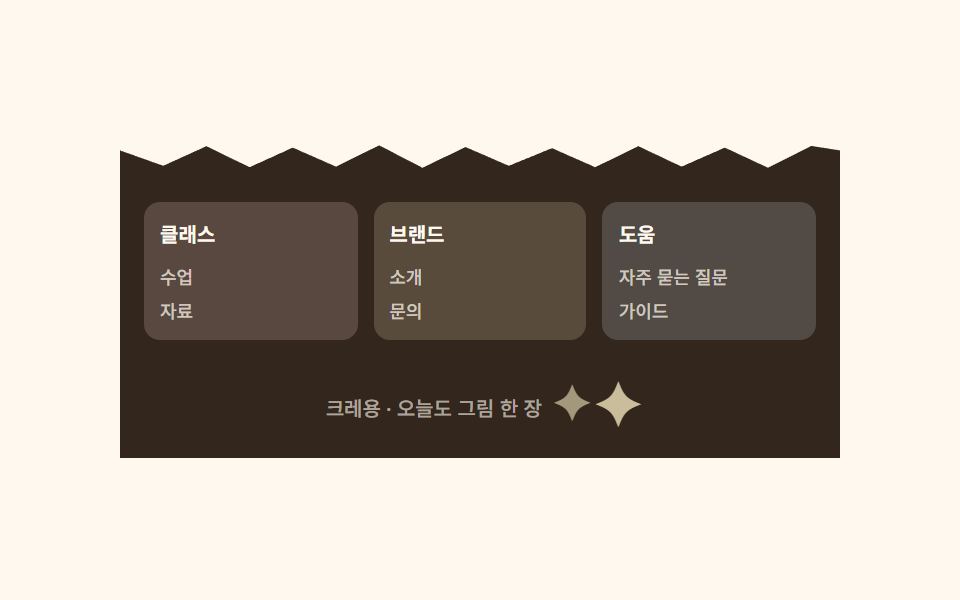
푸터 윗변을 아이가 가위로 대충 오린 듯한 지그재그 선으로 띄우는데, 조각마다 요소를 두지 않고 clip-path 하나로 그립니다. 안의 칸은 빨강·노랑·파랑 크레용 색으로 나뉘고 작은 별이 반짝입니다.
쓰임멀티 컬럼 푸터, 사이트 마무리
clip-path 지그재그3열→1열반짝임 점
<main class="stage">
  <div class="footcrayon">
    <div class="footcrayon__zigzag" aria-hidden="true"></div>
    <footer class="footcrayon__panel">
      <div class="footcrayon__col footcrayon__col--a">
        <p class="footcrayon__head">클래스</p>
        <p class="footcrayon__link">수업</p>
        <p class="footcrayon__link">자료</p>
      </div>
      <div class="footcrayon__col footcrayon__col--b">
        <p class="footcrayon__head">브랜드</p>
        <p class="footcrayon__link">소개</p>
        <p class="footcrayon__link">문의</p>
      </div>
      <div class="footcrayon__col footcrayon__col--c">
        <p class="footcrayon__head">도움</p>
        <p class="footcrayon__link">자주 묻는 질문</p>
        <p class="footcrayon__link">가이드</p>
      </div>
      <p class="footcrayon__bottom">
        크레용 · 오늘도 그림 한 장
        <span class="footcrayon__star footcrayon__star--a" aria-hidden="true">✦</span>
        <span class="footcrayon__star footcrayon__star--b" aria-hidden="true">✦</span>
      </p>
    </footer>
  </div>
</main>@use "../../../../site/static/demo-tokens" as *;
$duration: $dur-loop; // 별이 한 번 반짝이는 주기
$easing: $ease-spring; // 반짝임 곡선
$color: $stage-ink; // 글자 색 기본값(토큰) — 아래 크레용 잉크로 덮는다
$crayon-paper: #fff8ef;
$crayon-ink: #33261c;
$crayon-red: #dbb6b7;
$crayon-yellow: #d1c5a2;
$crayon-blue: #9cb8ce;
$crayon-green: #6dbe6d;
$crayon-purple: #cbbfe0;
$crayon-red-tint: #ffe1e1;
$crayon-yellow-tint: #fff3cc;
$crayon-blue-tint: #dff0fc;
@include stage($crayon-paper);
.footcrayon {
width: clamp(240px, 90vw, 360px);
}
// 가위로 대충 오린 듯한 지그재그 윗변 — 조각마다 요소를 두지 않고 clip-path 하나로 그린다
.footcrayon__zigzag {
height: 14px;
background: $crayon-ink;
clip-path: polygon(
0% 100%, 0% 30%, 6% 85%, 12% 15%, 18% 90%, 24% 20%, 30% 88%,
36% 12%, 42% 92%, 48% 18%, 54% 85%, 60% 22%, 66% 90%, 72% 15%,
78% 88%, 84% 20%, 90% 92%, 96% 14%, 100% 30%, 100% 100%
);
}
.footcrayon__panel {
display: grid;
grid-template-columns: repeat(3, 1fr);
gap: $sp-2;
padding: $sp-4 $sp-3;
background: $crayon-ink;
}
.footcrayon__col {
display: flex;
flex-direction: column;
gap: $sp-1;
border-radius: $r-sm;
padding: $sp-2;
}
.footcrayon__col--a { background: rgba($crayon-red-tint, .18); }
.footcrayon__col--b { background: rgba($crayon-yellow-tint, .18); }
.footcrayon__col--c { background: rgba($crayon-blue-tint, .18); }
.footcrayon__head {
margin: 0 0 $sp-1;
color: $crayon-paper;
font-weight: 700;
font-size: 10px;
}
.footcrayon__link {
margin: 0;
color: rgba($crayon-paper, .72);
font-weight: 500;
font-size: 9px;
}
.footcrayon__bottom {
position: relative;
grid-column: 1 / -1;
margin: $sp-2 0 0;
text-align: center;
color: rgba($crayon-paper, .72);
font-weight: 500;
font-size: 10px;
}
.footcrayon__star {
display: inline-block;
color: $crayon-yellow;
margin-left: 4px;
font-size: 20px;
animation: starBlink $duration $easing infinite;
}
.footcrayon__star--a { animation-delay: 0ms; }
.footcrayon__star--b { animation-delay: 600ms; margin-left: $sp-1; }
// 데모: 작은 별 두 개가 서로 다른 박자로 반짝인다
@keyframes starBlink {
0%, 100% { opacity: .15; transform: scale(.5); }
50% { opacity: 1; transform: scale(1.7); }
}
@media (max-width: 340px), (max-height: 220px) {
.footcrayon__panel { grid-template-columns: repeat(3, 1fr); gap: $sp-1; padding: $sp-2; }
.footcrayon__link { display: none; }
}
@media (prefers-reduced-motion: reduce) {
.footcrayon__star { animation: none !important; opacity: 1; transform: none; }
}html, body {
margin: 0;
overflow: hidden;
}
.stage {
box-sizing: border-box;
min-height: 100vh;
display: grid;
place-items: center;
margin: 0;
background: #fff8ef;
font-family: -apple-system, "Segoe UI", "Noto Sans KR", sans-serif;
padding: clamp(8px, 4vw, 24px);
}
.footcrayon {
width: clamp(240px, 90vw, 360px);
}
.footcrayon__zigzag {
height: 14px;
background: #33261c;
clip-path: polygon(0% 100%, 0% 30%, 6% 85%, 12% 15%, 18% 90%, 24% 20%, 30% 88%, 36% 12%, 42% 92%, 48% 18%, 54% 85%, 60% 22%, 66% 90%, 72% 15%, 78% 88%, 84% 20%, 90% 92%, 96% 14%, 100% 30%, 100% 100%);
}
.footcrayon__panel {
display: grid;
grid-template-columns: repeat(3, 1fr);
gap: 8px;
padding: 16px 12px;
background: #33261c;
}
.footcrayon__col {
display: flex;
flex-direction: column;
gap: 4px;
border-radius: 8px;
padding: 8px;
}
.footcrayon__col--a {
background: rgba(255, 225, 225, 0.18);
}
.footcrayon__col--b {
background: rgba(255, 243, 204, 0.18);
}
.footcrayon__col--c {
background: rgba(223, 240, 252, 0.18);
}
.footcrayon__head {
margin: 0 0 4px;
color: #fff8ef;
font-weight: 700;
font-size: 10px;
}
.footcrayon__link {
margin: 0;
color: rgba(255, 248, 239, 0.72);
font-weight: 500;
font-size: 9px;
}
.footcrayon__bottom {
position: relative;
grid-column: 1/-1;
margin: 8px 0 0;
text-align: center;
color: rgba(255, 248, 239, 0.6);
font-weight: 500;
font-size: 10px;
}
.footcrayon__star {
display: inline-block;
color: #d1c5a2;
margin-left: 4px;
font-size: 20px;
animation: starBlink 2s cubic-bezier(0.2, 0.8, 0.2, 1) infinite;
}
.footcrayon__star--a {
animation-delay: 0ms;
}
.footcrayon__star--b {
animation-delay: 600ms;
margin-left: 4px;
}
@keyframes starBlink {
0%, 100% {
opacity: 0.15;
transform: scale(0.5);
}
50% {
opacity: 1;
transform: scale(1.7);
}
}
@media (max-width: 340px), (max-height: 220px) {
.footcrayon__panel {
grid-template-columns: repeat(3, 1fr);
gap: 4px;
padding: 8px;
}
.footcrayon__link {
display: none;
}
}
@media (prefers-reduced-motion: reduce) {
.footcrayon__star {
animation: none !important;
opacity: 1;
transform: none;
}
}import type { CSSProperties } from "react";
import styles from "./FooterCrayon.module.scss";
export type FooterCrayonProps = {
bottom?: string;
duration?: number;
easing?: string;
color?: string;
};
type Vars = CSSProperties & { "--duration"?: string; "--easing"?: string; "--color"?: string };
export default function FooterCrayon({
bottom = "크레용 · 오늘도 그림 한 장",
duration = 2000,
easing = "cubic-bezier(.2,.8,.2,1)",
color = "#ffcd3c",
}: FooterCrayonProps) {
const vars: Vars = { "--duration": `${duration}ms`, "--easing": easing, "--color": color };
return (
<div className={styles.wrap} style={vars}>
<div className={styles.zigzag} aria-hidden="true" />
<footer className={styles.panel}>
<div className={`${styles.col} ${styles.colA}`}>
<p className={styles.head}>클래스</p>
<p className={styles.link}>수업</p>
<p className={styles.link}>자료</p>
</div>
<div className={`${styles.col} ${styles.colB}`}>
<p className={styles.head}>브랜드</p>
<p className={styles.link}>소개</p>
<p className={styles.link}>문의</p>
</div>
<div className={`${styles.col} ${styles.colC}`}>
<p className={styles.head}>도움</p>
<p className={styles.link}>자주 묻는 질문</p>
<p className={styles.link}>가이드</p>
</div>
<p className={styles.bottom}>
{bottom}
<span className={`${styles.star} ${styles.starA}`} aria-hidden="true">✦</span>
<span className={`${styles.star} ${styles.starB}`} aria-hidden="true">✦</span>
</p>
</footer>
</div>
);
}08 가위질 지그재그 푸터 — 측정 누적면적 0.346% · 움직인 프레임 22/23GODRICH 원작 · zip 에 SCSS·React 포함 · 손그림 디자인 랜딩 UI 키트, 크레용 섹션 9개
이 데모가 속한 글
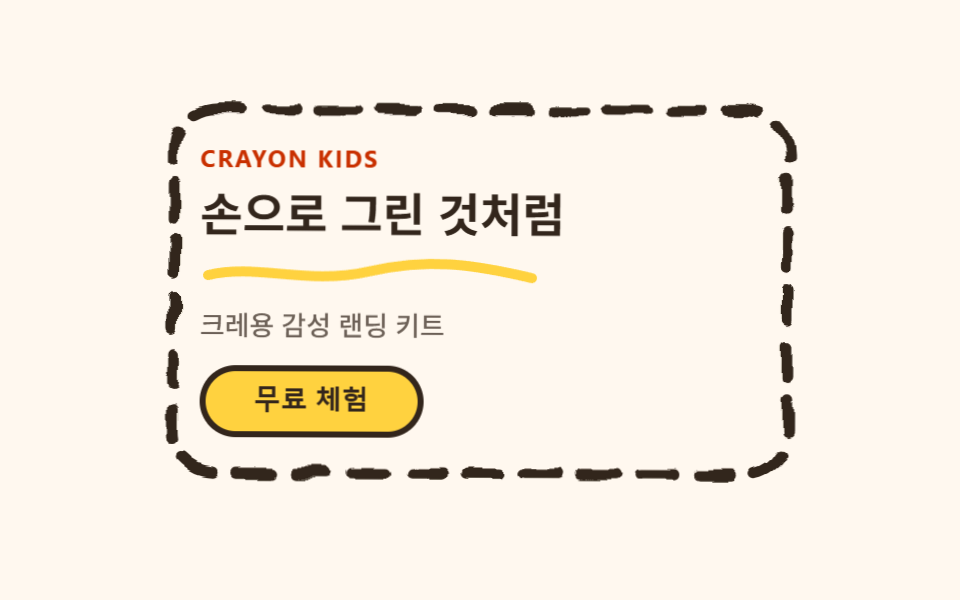 손그림 디자인 랜딩 UI 키트, 크레용 섹션 9개손그림 디자인은 굵고 삐뚤빼뚤한 크레용 선으로 테두리를 그리고, 그 선만 SVG 필터로 살짝 흔들어 종이 위에 손으로 그은 낙서처럼 보이게 만드는 스타일입니다. 동네 미술학원이나 어린이 브랜드 사이트에서 본 그 느낌 이 글의 데모 전부 보기