03진행 링 표시
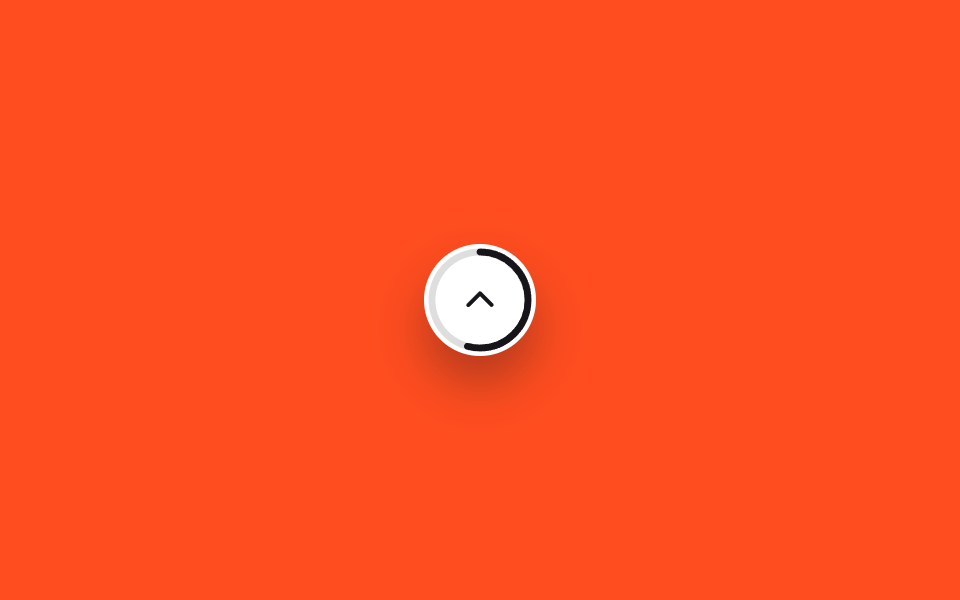
버튼 테두리를 SVG 원이 감싸고, 스크롤한 비율만큼 원이 채워져 지금 문서의 몇 %를 읽었는지 한눈에 보여줍니다.
쓰임긴 아티클 읽기 진행률 표시, 문서형 랜딩 페이지
stroke-dashoffset@propertyJS 7줄
<main class="stage">
  <button type="button" class="totop is-demo" role="progressbar" aria-label="읽은 비율" aria-valuemin="0" aria-valuemax="100" aria-valuenow="0">
    <svg class="totop__ring" viewBox="0 0 56 56" aria-hidden="true">
      <circle class="totop__track" cx="28" cy="28" r="24"/>
      <circle class="totop__fill" cx="28" cy="28" r="24"/>
    </svg>
    <svg class="totop__arrow" viewBox="0 0 24 24" aria-hidden="true"><polyline points="5,15 12,8 19,15"/></svg>
  </button>
</main>
@use "../../../../site/static/demo-tokens" as *;
// ── 변수 3개 ──────────────────────────────────────────
$duration: $dur-loop;
$easing: linear;
$color: $subject-ink; // 링 색
@include stage($stage-orange);
// 정수라야 링이 매끄럽게 보간된다 (047 스크롤 진행 배지와 같은 기법)
// inherits:true — .totop 에서 애니메이션하고 자식 SVG 원(.totop__fill)이 그 값을 물려받아 쓴다
@property --p {
syntax: '<number>';
initial-value: 0;
inherits: true;
}
.totop {
--p: 0;
position: relative;
width: 56px; height: 56px;
border: 0;
border-radius: $r-pill;
background: $stage-paper;
display: grid;
place-items: center;
box-shadow: $shadow-raised;
cursor: pointer;
}
// 데모 루프 — 실제로는 JS 가 스크롤 비율을 --p 에 직접 대입하지만, 여기선 0→100 을 자동으로 돈다
.totop.is-demo { animation: totop-fill $duration $easing infinite; }
@keyframes totop-fill { from { --p: 0; } to { --p: 100; } }
.totop__ring {
position: absolute;
inset: 0;
width: 56px; height: 56px;
transform: rotate(-90deg);
}
.totop__track, .totop__fill {
fill: none;
stroke-width: 3.4;
}
.totop__track { stroke: rgba($stage-ink, .14); }
.totop__fill {
stroke: $color;
stroke-linecap: round;
stroke-dasharray: 150.8px;
stroke-dashoffset: calc(150.8px * (1 - var(--p) / 100));
}
.totop__arrow {
width: 20px; height: 20px;
fill: none;
stroke: $color;
stroke-width: 2.4;
stroke-linecap: round;
stroke-linejoin: round;
}
@media (prefers-reduced-motion: reduce) {
.totop.is-demo { animation: none; --p: 100; }
}html, body {
margin: 0;
overflow: hidden;
}
.stage {
box-sizing: border-box;
min-height: 100vh;
display: grid;
place-items: center;
margin: 0;
background: #ff4d1f;
font-family: -apple-system, "Segoe UI", "Noto Sans KR", sans-serif;
padding: clamp(8px, 4vw, 24px);
}
@property --p {
syntax: "<number>";
initial-value: 0;
inherits: true;
}
.totop {
--p: 0;
position: relative;
width: 56px;
height: 56px;
border: 0;
border-radius: 999px;
background: #ffffff;
display: grid;
place-items: center;
box-shadow: 0 14px 24px rgba(23, 20, 26, 0.32);
cursor: pointer;
}
.totop.is-demo {
animation: totop-fill 2s linear infinite;
}
@keyframes totop-fill {
from {
--p: 0;
}
to {
--p: 100;
}
}
.totop__ring {
position: absolute;
inset: 0;
width: 56px;
height: 56px;
transform: rotate(-90deg);
}
.totop__track, .totop__fill {
fill: none;
stroke-width: 3.4;
}
.totop__track {
stroke: rgba(23, 20, 26, 0.14);
}
.totop__fill {
stroke: #17141a;
stroke-linecap: round;
stroke-dasharray: 150.8px;
stroke-dashoffset: calc(150.8px * (1 - var(--p) / 100));
}
.totop__arrow {
width: 20px;
height: 20px;
fill: none;
stroke: #17141a;
stroke-width: 2.4;
stroke-linecap: round;
stroke-linejoin: round;
}
@media (prefers-reduced-motion: reduce) {
.totop.is-demo {
animation: none;
--p: 100;
}
}// 실제 사용: 스크롤 비율을 계산해 --p 에 직접 대입한다 (7줄). 데모 루프는 별도 keyframes 가 담당한다
var el = document.querySelector('.totop');
function sync() {
var max = document.documentElement.scrollHeight - window.innerHeight;
var ratio = max > 0 ? Math.min(100, (window.scrollY / max) * 100) : 0;
el.style.setProperty('--p', ratio);
}
window.addEventListener('scroll', sync, { passive: true });import { useEffect, useState, type CSSProperties } from "react";
import styles from "./CircleProgressButton.module.scss";
export type CircleProgressButtonProps = {
color?: string;
};
type Vars = CSSProperties & { "--p"?: number };
// 실제 사용: 스크롤 비율을 계산해 --p 에 직접 대입한다. 애니메이션이 아니라 값 그대로 반영한다
export default function CircleProgressButton({ color = "#17141a" }: CircleProgressButtonProps) {
const [p, setP] = useState(0);
useEffect(() => {
const sync = () => {
const max = document.documentElement.scrollHeight - window.innerHeight;
setP(max > 0 ? Math.min(100, (window.scrollY / max) * 100) : 0);
};
sync();
window.addEventListener("scroll", sync, { passive: true });
return () => window.removeEventListener("scroll", sync);
}, []);
const vars: Vars = { "--p": p };
const circumference = 150.8;
return (
<button
type="button"
className={styles.totop}
style={{ ...vars, color }}
role="progressbar"
aria-label="읽은 비율"
aria-valuemin={0}
aria-valuemax={100}
aria-valuenow={Math.round(p)}
onClick={() => window.scrollTo({ top: 0, behavior: "smooth" })}
>
<svg className={styles.ring} viewBox="0 0 56 56" aria-hidden="true">
<circle className={styles.track} cx="28" cy="28" r="24" />
<circle
className={styles.fill}
cx="28"
cy="28"
r="24"
style={{ strokeDasharray: circumference, strokeDashoffset: circumference * (1 - p / 100) }}
/>
</svg>
<svg className={styles.arrow} viewBox="0 0 24 24" aria-hidden="true">
<polyline points="5,15 12,8 19,15" />
</svg>
</button>
);
}03 진행 링 표시 — 측정 누적면적 0.454% · 움직인 프레임 23/23GODRICH 원작 · zip 에 SCSS·React 포함 · 위로가기 버튼 CSS 애니메이션 9종 — 스크롤하면 나타나는
이 데모가 속한 글
 위로가기 버튼 CSS 애니메이션 9종 — 스크롤하면 나타나는위로가기 버튼은 스크롤로 한참 내려간 화면에서 다시 맨 위로 데려다주는 작은 버튼입니다. AOS·GSAP 없이, JS 0줄로 되는 것부터 스크롤 위치를 직접 읽는 것까지 아홉 가지를 모았고, 그중 하나는 애니메이션 이 글의 데모 전부 보기