01리플
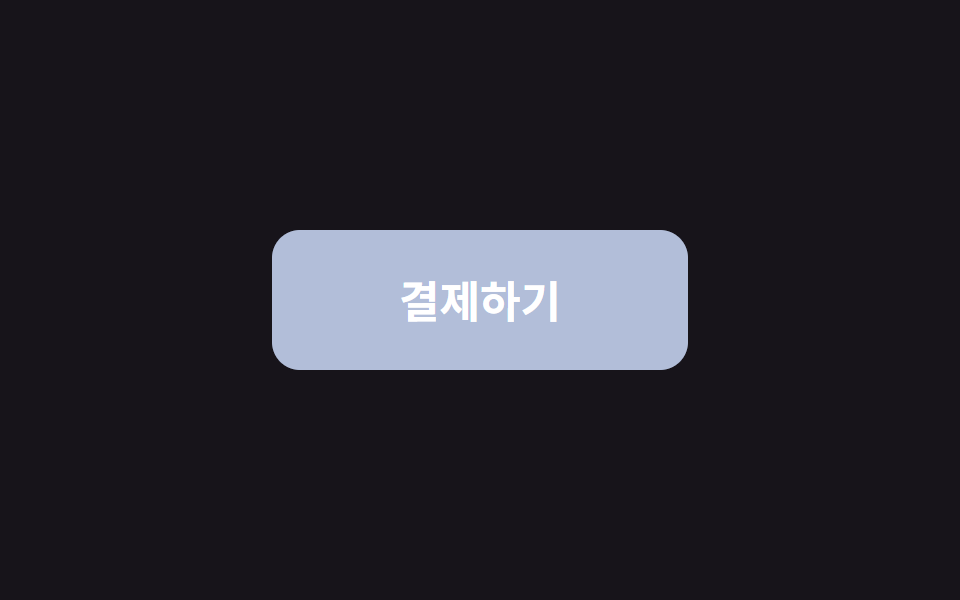
누른 자리에서 원형 물결이 퍼지며 사라진다.
쓰임결제·확인처럼 '눌렀다'가 확실해야 하는 버튼
600ms느리게 900ms어두운 물결

<main class="stage">
  <button class="btn is-demo" type="button">결제하기</button>
</main>
// ── 변수 3개. 변형은 이것만 바꾼다 ──────────────────────────
$duration: 600ms; // 물결이 다 퍼지는 시간
$easing: cubic-bezier(.2, .8, .2, 1); // 처음 빠르고 끝은 부드럽게
$color: #93a4ca; // 버튼 색
$ripple: rgba(255, 255, 255, .6); // 물결 색 (밝은 버튼이면 어둡게)
// ── 데모 무대 (zip 에서 지워도 된다) ──────────────────────────
html, body { margin: 0; overflow: hidden; } // iframe 안에서 스크롤바가 생기지 않게 (실측 2026-09-09: body 여백 8px 이 100vh 를 넘겼다)
.stage {
min-height: 100vh;
display: grid;
place-items: center;
margin: 0;
background: #17141a; // 무대 색. zip 에서 지워도 된다
font-family: -apple-system, "Segoe UI", "Noto Sans KR", sans-serif;
}
// ── 버튼 ──────────────────────────────────────────────
.btn {
position: relative; // 물결의 기준
overflow: hidden; // 물결이 버튼 밖으로 안 나가게
isolation: isolate; // 물결이 버튼 배경 위에서만 섞이게
border: 0;
border-radius: 14px;
padding: 24px 64px;
font-weight: 600;
font-size: 22px;
line-height: 1;
font-family: inherit;
color: #fff;
background: $color;
cursor: pointer;
-webkit-tap-highlight-color: transparent; // 모바일 회색 깜빡임 제거
transition: filter 150ms;
&:hover { filter: brightness(1.06); }
&:active { filter: brightness(.96); }
&::after {
content: "";
position: absolute;
left: var(--x, 50%);
top: var(--y, 50%);
width: var(--d, 0);
height: var(--d, 0);
border-radius: 50%;
background: $ripple;
transform: translate(-50%, -50%) scale(0); // 크기는 transform 으로만 바꾼다
opacity: 0;
pointer-events: none;
}
&.is-rippling::after {
animation: ripple $duration $easing forwards;
}
// 데모 · 문서용: 가운데서 2초마다 자동 반복. 실제 클릭보다 느리게 퍼져서 원이 보인다
// (실측 2026-09-09: 320px 원이 134px 버튼 위에선 두 프레임 만에 다 덮여 "밝아짐" 으로만 보였다)
&.is-demo::after {
--d: 520px;
animation: ripple-loop 2s ease-out infinite;
}
}
@keyframes ripple {
from { transform: translate(-50%, -50%) scale(0); opacity: 1; }
to { transform: translate(-50%, -50%) scale(1); opacity: 0; }
}
@keyframes ripple-loop {
0% { transform: translate(-50%, -50%) scale(0); opacity: 1; }
40% { transform: translate(-50%, -50%) scale(.7); opacity: .85; }
60% { transform: translate(-50%, -50%) scale(1); opacity: 0; }
100% { transform: translate(-50%, -50%) scale(1); opacity: 0; }
}
// ── 접근성: 움직임 줄이기 설정이면 물결 대신 밝기만 ────────────
@media (prefers-reduced-motion: reduce) {
.btn::after { animation: none !important; opacity: 0; }
.btn:active { filter: brightness(.88); }
}html, body {
margin: 0;
overflow: hidden;
}
.stage {
min-height: 100vh;
display: grid;
place-items: center;
margin: 0;
background: #17141a;
font-family: -apple-system, "Segoe UI", "Noto Sans KR", sans-serif;
}
.btn {
position: relative;
overflow: hidden;
isolation: isolate;
border: 0;
border-radius: 14px;
padding: 24px 64px;
font-weight: 600;
font-size: 22px;
line-height: 1;
font-family: inherit;
color: #fff;
background: #93a4ca;
cursor: pointer;
-webkit-tap-highlight-color: transparent;
transition: filter 150ms;
}
.btn:hover {
filter: brightness(1.06);
}
.btn:active {
filter: brightness(0.96);
}
.btn::after {
content: "";
position: absolute;
left: var(--x, 50%);
top: var(--y, 50%);
width: var(--d, 0);
height: var(--d, 0);
border-radius: 50%;
background: rgba(255, 255, 255, 0.6);
transform: translate(-50%, -50%) scale(0);
opacity: 0;
pointer-events: none;
}
.btn.is-rippling::after {
animation: ripple 600ms cubic-bezier(0.2, 0.8, 0.2, 1) forwards;
}
.btn.is-demo::after {
--d: 520px;
animation: ripple-loop 2s ease-out infinite;
}
@keyframes ripple {
from {
transform: translate(-50%, -50%) scale(0);
opacity: 1;
}
to {
transform: translate(-50%, -50%) scale(1);
opacity: 0;
}
}
@keyframes ripple-loop {
0% {
transform: translate(-50%, -50%) scale(0);
opacity: 1;
}
40% {
transform: translate(-50%, -50%) scale(0.7);
opacity: 0.85;
}
60% {
transform: translate(-50%, -50%) scale(1);
opacity: 0;
}
100% {
transform: translate(-50%, -50%) scale(1);
opacity: 0;
}
}
@media (prefers-reduced-motion: reduce) {
.btn::after {
animation: none !important;
opacity: 0;
}
.btn:active {
filter: brightness(0.88);
}
}// 클릭한 자리에서 물결이 시작되게 좌표를 CSS 변수로 넘긴다. 데모(.is-demo)는 가운데서 자동 반복.
document.querySelectorAll('.btn').forEach(function (b) {
b.addEventListener('pointerdown', function (e) {
var r = b.getBoundingClientRect();
var d = Math.max(r.width, r.height) * 2;
b.style.setProperty('--x', (e.clientX - r.left) + 'px');
b.style.setProperty('--y', (e.clientY - r.top) + 'px');
b.style.setProperty('--d', d + 'px');
b.classList.remove('is-demo');
b.classList.remove('is-rippling');
void b.offsetWidth; // 애니메이션 재시작
b.classList.add('is-rippling');
});
b.addEventListener('animationend', function () { b.classList.remove('is-rippling'); });
});import { useCallback, useState } from "react";
import type { CSSProperties, MouseEvent, ReactNode } from "react";
import styles from "./RippleButton.module.scss";
export type RippleButtonProps = {
children: ReactNode;
/** 물결이 다 퍼지는 시간 (기본 600ms) */
duration?: number;
/** CSS easing (기본 cubic-bezier(.2,.8,.2,1)) */
easing?: string;
/** 버튼 색 */
color?: string;
/** 물결 색. 밝은 버튼이면 rgba(0,0,0,.18) */
ripple?: string;
onClick?: (e: MouseEvent<HTMLButtonElement>) => void;
type?: "button" | "submit";
className?: string;
};
type Vars = CSSProperties & {
"--duration"?: string;
"--easing"?: string;
"--color"?: string;
"--ripple"?: string;
"--x"?: string;
"--y"?: string;
"--d"?: string;
};
export default function RippleButton({
children,
duration = 600,
easing = "cubic-bezier(.2,.8,.2,1)",
color = "#2f6df6",
ripple = "rgba(255,255,255,.6)",
onClick,
type = "button",
className = "",
}: RippleButtonProps) {
const [pos, setPos] = useState<{ x: number; y: number; d: number; key: number } | null>(null);
const handle = useCallback(
(e: MouseEvent<HTMLButtonElement>) => {
const r = e.currentTarget.getBoundingClientRect();
const d = Math.max(r.width, r.height) * 2;
setPos({ x: e.clientX - r.left, y: e.clientY - r.top, d, key: Date.now() });
onClick?.(e);
},
[onClick]
);
const vars: Vars = {
"--duration": `${duration}ms`,
"--easing": easing,
"--color": color,
"--ripple": ripple,
...(pos ? { "--x": `${pos.x}px`, "--y": `${pos.y}px`, "--d": `${pos.d}px` } : {}),
};
return (
<button type={type} className={`${styles.btn} ${className}`} style={vars} onClick={handle}>
{children}
{pos && <span key={pos.key} className={styles.ripple} aria-hidden="true" />}
</button>
);
}01 리플 — 측정 누적면적 9.62% · 움직인 프레임 6/23GODRICH 원작 · zip 에 SCSS·React 포함 · CSS 버튼 애니메이션 9종 — 복붙하면 되는 SCSS + React
이 데모가 속한 글
 CSS 버튼 애니메이션 9종 — 복붙하면 되는 SCSS + ReactCSS 버튼 애니메이션 아홉 개를 한 번에 모았습니다. 호버, 클릭, 로딩, 실패, 확인까지 버튼 하나가 겪는 상황을 아홉 장면으로 나눠 하나씩 담았고, 전부 transform과 opacity만 움직입니다. 격자에서 이 글의 데모 전부 보기