09버튼 안 필 로더
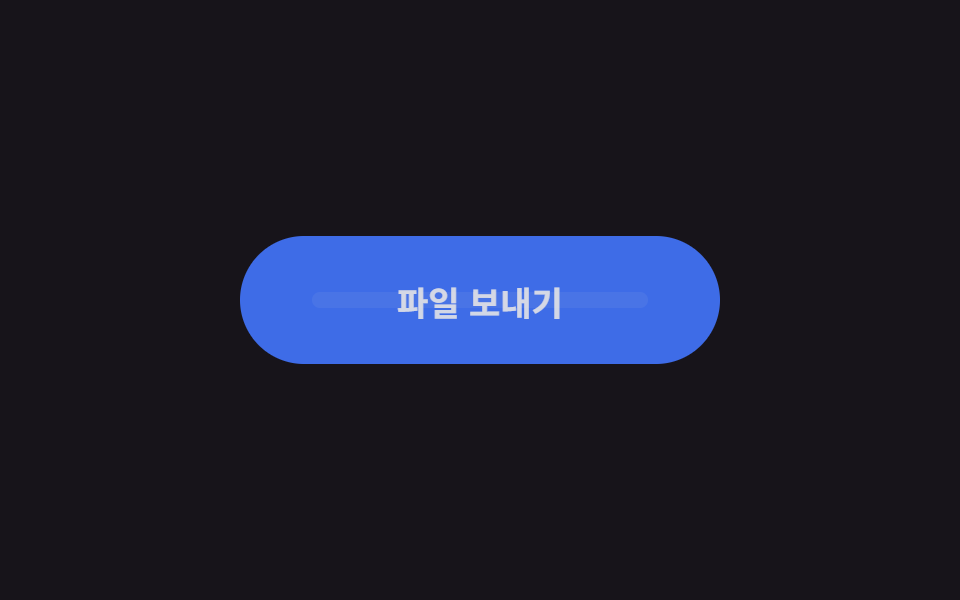
누르면 라벨이 opacity 로 사라지고 버튼이 알약 모양 그대로 진한 색으로 잠긴 뒤, 그 안에서 짧은 막대가 좌우로 미끄러지며 기다리는 중임을 보여준다.
쓰임로그인·회원가입 제출 버튼, 파일 업로드 확인
라벨 opacity 스왑translateX 로더 막대$dur-loop 주기
<main class="stage is-demo">
  <button class="btn" type="button">
    <span class="btn__label">파일 보내기</span>
    <span class="btn__loader" aria-hidden="true">
      <span class="btn__track"><span class="btn__bar"></span></span>
    </span>
  </button>
</main>
@use "../../../../site/static/demo-tokens" as *;
// ── 변수 3개 ──────────────────────────────────────────
$duration: $dur-loop; // 2s — 기다림 한 주기
$easing: ease-in-out;
$color: $subject-blue; // 버튼 색
$busy: #6f67b4; // 기다리는 동안 잠기는 진한 색
@include stage($stage-ink);
.btn {
box-sizing: border-box;
position: relative;
width: 240px;
height: 64px;
border: none;
border-radius: $r-pill;
background: $color;
color: $subject-cream;
font-family: -apple-system, "Segoe UI", "Noto Sans KR", sans-serif;
font-weight: 700;
font-size: 17px;
cursor: pointer;
transition: background-color $dur-quick $easing;
}
.btn__label {
position: absolute;
inset: 0;
display: grid;
place-items: center;
}
// 로더 — 라벨이 사라진 자리에 나타난다
.btn__loader {
position: absolute;
inset: 0;
display: grid;
place-items: center;
opacity: 0;
}
.btn__track {
position: relative;
width: 168px; // 버튼의 70%
height: 8px;
border-radius: $r-pill;
background: rgba($subject-cream, .25);
overflow: hidden;
}
.btn__bar {
position: absolute;
top: 0; bottom: 0;
width: 60px;
border-radius: $r-pill;
background: $subject-cream;
transform: translateX(-60px);
}
// 실사용: 보내는 동안 is-busy 클래스를 붙인다
.btn.is-busy { background: $busy; }
.btn.is-busy .btn__label { opacity: 0; }
.btn.is-busy .btn__loader { opacity: 1; }
.btn__label, .btn__loader { transition: opacity $dur-quick $easing; }
.btn.is-busy .btn__bar { animation: bar-run 1s $easing infinite; }
.btn:focus-visible { outline: 3px solid $stage-yellow; outline-offset: 4px; }
// 격자 미리보기: 라벨 사라짐 → 잠김 → 막대 두 번 왕복 → 복귀
.stage.is-demo .btn { animation: busy-bg $duration $easing infinite; }
.stage.is-demo .btn__label { animation: label-out $duration $easing infinite; }
.stage.is-demo .btn__loader { animation: loader-in $duration $easing infinite; }
.stage.is-demo .btn__bar { animation: bar-run 1s $easing infinite; }
@keyframes busy-bg {
0%, 15% { background: $color; }
25%, 85% { background: $busy; }
95%,100% { background: $color; }
}
@keyframes label-out {
0%, 15% { opacity: 1; }
25%, 85% { opacity: 0; }
95%,100% { opacity: 1; }
}
@keyframes loader-in {
0%, 15% { opacity: 0; }
25%, 85% { opacity: 1; }
95%,100% { opacity: 0; }
}
@keyframes bar-run {
0% { transform: translateX(-60px); }
100% { transform: translateX(168px); }
}
@media (prefers-reduced-motion: reduce) {
.stage.is-demo .btn, .stage.is-demo .btn__label,
.stage.is-demo .btn__loader, .stage.is-demo .btn__bar { animation: none; }
.stage.is-demo .btn__bar { transform: translateX(54px); } // 가운데 정지
}html, body {
margin: 0;
overflow: hidden;
}
.stage {
box-sizing: border-box;
min-height: 100vh;
display: grid;
place-items: center;
margin: 0;
background: #17141a;
font-family: -apple-system, "Segoe UI", "Noto Sans KR", sans-serif;
padding: clamp(8px, 4vw, 24px);
}
.btn {
box-sizing: border-box;
position: relative;
width: 240px;
height: 64px;
border: none;
border-radius: 999px;
background: #2f6df6;
color: #fff7e6;
font-family: -apple-system, "Segoe UI", "Noto Sans KR", sans-serif;
font-weight: 700;
font-size: 17px;
cursor: pointer;
transition: background-color 220ms ease-in-out;
}
.btn__label {
position: absolute;
inset: 0;
display: grid;
place-items: center;
}
.btn__loader {
position: absolute;
inset: 0;
display: grid;
place-items: center;
opacity: 0;
}
.btn__track {
position: relative;
width: 168px;
height: 8px;
border-radius: 999px;
background: rgba(255, 247, 230, 0.25);
overflow: hidden;
}
.btn__bar {
position: absolute;
top: 0;
bottom: 0;
width: 60px;
border-radius: 999px;
background: #fff7e6;
transform: translateX(-60px);
}
.btn.is-busy {
background: #6f67b4;
}
.btn.is-busy .btn__label {
opacity: 0;
}
.btn.is-busy .btn__loader {
opacity: 1;
}
.btn__label, .btn__loader {
transition: opacity 220ms ease-in-out;
}
.btn.is-busy .btn__bar {
animation: bar-run 1s ease-in-out infinite;
}
.btn:focus-visible {
outline: 3px solid #ffd23f;
outline-offset: 4px;
}
.stage.is-demo .btn {
animation: busy-bg 2s ease-in-out infinite;
}
.stage.is-demo .btn__label {
animation: label-out 2s ease-in-out infinite;
}
.stage.is-demo .btn__loader {
animation: loader-in 2s ease-in-out infinite;
}
.stage.is-demo .btn__bar {
animation: bar-run 1s ease-in-out infinite;
}
@keyframes busy-bg {
0%, 15% {
background: #2f6df6;
}
25%, 85% {
background: #6f67b4;
}
95%, 100% {
background: #2f6df6;
}
}
@keyframes label-out {
0%, 15% {
opacity: 1;
}
25%, 85% {
opacity: 0;
}
95%, 100% {
opacity: 1;
}
}
@keyframes loader-in {
0%, 15% {
opacity: 0;
}
25%, 85% {
opacity: 1;
}
95%, 100% {
opacity: 0;
}
}
@keyframes bar-run {
0% {
transform: translateX(-60px);
}
100% {
transform: translateX(168px);
}
}
@media (prefers-reduced-motion: reduce) {
.stage.is-demo .btn, .stage.is-demo .btn__label,
.stage.is-demo .btn__loader, .stage.is-demo .btn__bar {
animation: none;
}
.stage.is-demo .btn__bar {
transform: translateX(54px);
}
}import type { CSSProperties } from "react";
import styles from "./PillLoaderButton.module.scss";
export type PillLoaderButtonProps = {
duration?: number;
easing?: string;
color?: string;
busyColor?: string;
busy?: boolean;
label?: string;
};
export default function PillLoaderButton({
duration = 1000,
easing = "ease-in-out",
color = "#2f6df6",
busyColor = "#3a2bb8",
busy = false,
label = "파일 보내기",
}: PillLoaderButtonProps) {
const vars: CSSProperties = {
"--duration": `${duration}ms`,
"--easing": easing,
"--color": color,
"--busy": busyColor,
} as CSSProperties;
return (
<button className={styles.btn} style={vars} data-busy={busy || undefined} type="button">
<span className={styles.label}>{label}</span>
<span className={styles.loader} aria-hidden="true">
<span className={styles.track}><span className={styles.bar} /></span>
</span>
</button>
);
}09 버튼 안 필 로더 — 측정 누적면적 10.092% · 움직인 프레임 15/23GODRICH 원작 · zip 에 SCSS·React 포함 · css 버튼 디자인 9종 — 캔디 그라데이션·눌림·로딩 버튼 코드
이 데모가 속한 글
 css 버튼 디자인 9종 — 캔디 그라데이션·눌림·로딩 버튼 코드css 버튼 디자인은 버튼의 색과 모양, 마우스를 올렀을 때와 눌렀을 때의 반응까지 코드 몇 줄로 정하는 일이다. 어느 랜딩 페이지에서 본 캔디 같은 그라데이션 버튼, 손끝에 꾹 눌리는 입체 버튼을 내 사이트에 그대 이 글의 데모 전부 보기