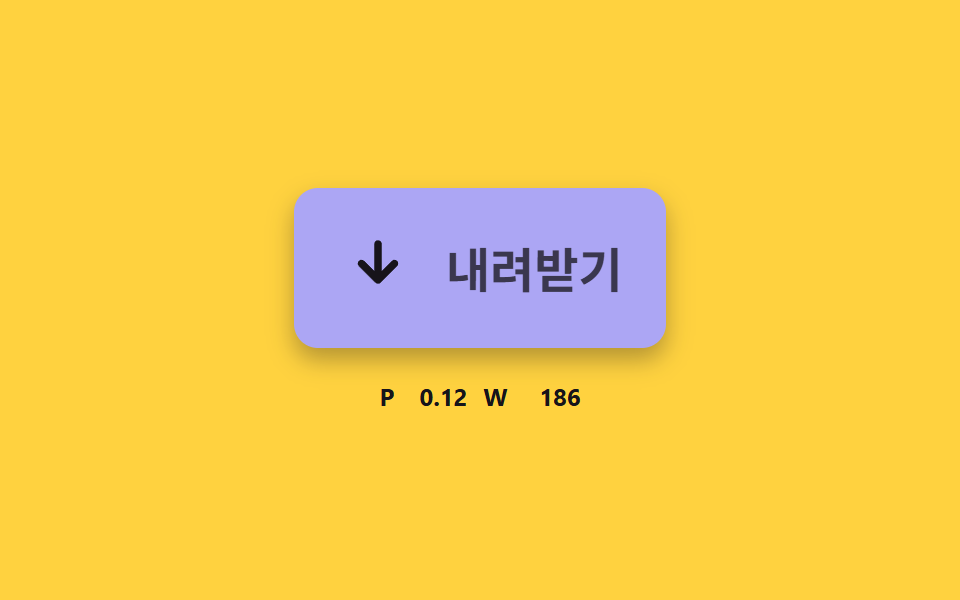
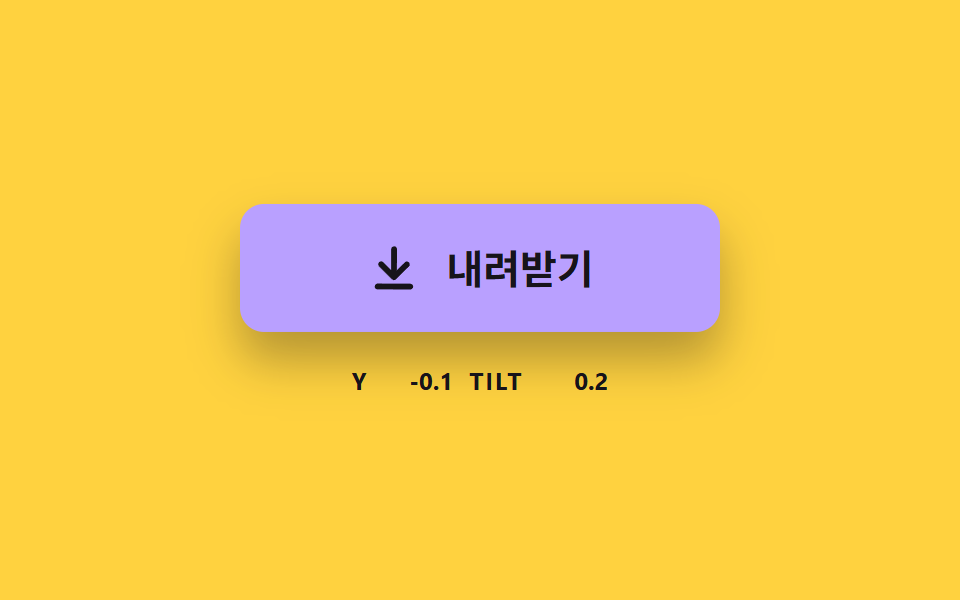
06선 길이로 화살표가 체크로 바뀌는 완료
완료 순간 화살표의 선이 줄어들고 체크 선이 그어지며, 버튼 폭은 라벨 길이에 맞춰 다시 잡힌다.
쓰임받기 완료 확인
STROKE_LENCHECK_MSWIDTH_LERP
<main class="stage">
<div class="ck is-demo" id="ckRoot">
  <button class="ck__btn" id="ckBtn" type="button">
    <svg class="ck__icon" viewBox="0 0 24 24" aria-hidden="true">
      <path id="ckArrow" d="M12 4v11M6.5 10.5 12 16l5.5-5.5"/>
      <path id="ckCheck" d="M5 13l4.5 4.5L19 7"/>
    </svg>
    <span class="ck__label" id="ckLabel">내려받기</span>
  </button>
  <span class="ck__ruler" id="ckRulerA" aria-hidden="true">내려받기</span>
  <span class="ck__ruler" id="ckRulerB" aria-hidden="true">완료</span>
  <p class="ck__meta"><span class="ck__tag">P</span> <b id="ckP">0.00</b> <span class="ck__tag">W</span> <b id="ckW">0</b></p>
  <p class="ck__sr" id="ckStatus" role="status"></p>
</div>
</main>
@use "../../../../site/static/demo-tokens" as *;
// 핵심: 두 선(화살표·체크)의 stroke-dashoffset 이 같은 진행값 하나로 움직이고, 폭은 라벨 실측 너비를 따라간다.
$ck-face: $subject-lilac;
$ck-done: $subject-mint;
@include stage($stage-yellow);
.ck {
position: relative;
width: min(100%, 280px);
display: grid;
gap: $sp-4;
justify-items: center;
}
.ck__btn {
--p: 0;
box-sizing: border-box;
height: 80px;
max-width: 100%;
display: inline-flex;
align-items: center;
justify-content: flex-start;
gap: $sp-4;
padding: 0 $sp-6;
overflow: hidden;
white-space: nowrap;
border: 0;
border-radius: $r-control;
background: color-mix(in srgb, #{$ck-face}, #{$ck-done} calc(var(--p) * 100%));
box-shadow: $shadow-press;
color: $subject-ink;
font-family: inherit;
font-size: 24px;
font-weight: 700;
line-height: 32px;
cursor: pointer;
}
.ck__btn:focus-visible { outline: 3px solid $subject-ink; outline-offset: 3px; }
.ck__icon {
flex: none;
width: 36px;
height: 36px;
fill: none;
stroke: currentColor;
stroke-width: 2.5;
stroke-linecap: round;
stroke-linejoin: round;
}
.ck__ruler {
position: absolute;
visibility: hidden;
white-space: nowrap;
font-size: 24px;
font-weight: 700;
}
.ck__meta {
margin: 0;
display: flex;
align-items: baseline;
gap: $sp-2;
font-size: 12px;
line-height: 16px;
color: $subject-ink;
}
.ck__tag { font-weight: 700; letter-spacing: .08em; }
.ck__meta b { min-width: 4ch; text-align: right; font-variant-numeric: tabular-nums; }
.ck__sr {
position: absolute;
width: 1px;
height: 1px;
margin: -1px;
overflow: hidden;
clip-path: inset(50%);
white-space: nowrap;
}
@media (prefers-reduced-motion: reduce) {
.ck__btn { transition: none; }
}html, body {
margin: 0;
overflow: hidden;
}
.stage {
box-sizing: border-box;
min-height: 100vh;
display: grid;
place-items: center;
margin: 0;
background: #ffd23f;
font-family: -apple-system, "Segoe UI", "Noto Sans KR", sans-serif;
padding: clamp(8px, 4vw, 24px);
}
.ck {
position: relative;
width: min(100%, 280px);
display: grid;
gap: 16px;
justify-items: center;
}
.ck__btn {
--p: 0;
box-sizing: border-box;
height: 80px;
max-width: 100%;
display: inline-flex;
align-items: center;
justify-content: flex-start;
gap: 16px;
padding: 0 24px;
overflow: hidden;
white-space: nowrap;
border: 0;
border-radius: 12px;
background: color-mix(in srgb, #b9a0ff, #4cd4a6 calc(var(--p) * 100%));
box-shadow: 0 6px 12px rgba(23, 20, 26, 0.32);
color: #17141a;
font-family: inherit;
font-size: 24px;
font-weight: 700;
line-height: 32px;
cursor: pointer;
}
.ck__btn:focus-visible {
outline: 3px solid #17141a;
outline-offset: 3px;
}
.ck__icon {
flex: none;
width: 36px;
height: 36px;
fill: none;
stroke: currentColor;
stroke-width: 2.5;
stroke-linecap: round;
stroke-linejoin: round;
}
.ck__ruler {
position: absolute;
visibility: hidden;
white-space: nowrap;
font-size: 24px;
font-weight: 700;
}
.ck__meta {
margin: 0;
display: flex;
align-items: baseline;
gap: 8px;
font-size: 12px;
line-height: 16px;
color: #17141a;
}
.ck__tag {
font-weight: 700;
letter-spacing: 0.08em;
}
.ck__meta b {
min-width: 4ch;
text-align: right;
font-variant-numeric: tabular-nums;
}
.ck__sr {
position: absolute;
width: 1px;
height: 1px;
margin: -1px;
overflow: hidden;
clip-path: inset(50%);
white-space: nowrap;
}
@media (prefers-reduced-motion: reduce) {
.ck__btn {
transition: none;
}
}(function () {
// 기법: 화살표와 체크 두 경로의 stroke-dashoffset 을 같은 진행값 p 에서 계산한다.
// p 0 to 0.5 에서 화살표 선이 줄어들고, p 0.4 to 1 에서 체크 선이 그어진다. 버튼 폭은 라벨 실측 너비로 지수 보간한다.
var STROKE_LEN = 100;
var CHECK_MS = 360;
var WIDTH_LERP = 10;
var PAD_X = 24;
var ICON_GAP = 16;
var ICON_W = 36;
var START_MS = 200;
var HOLD_MS = 1300;
var CYCLE_MS = 2000;
var root = document.getElementById('ckRoot');
var btn = document.getElementById('ckBtn');
var arrow = document.getElementById('ckArrow');
var check = document.getElementById('ckCheck');
var label = document.getElementById('ckLabel');
var rulerA = document.getElementById('ckRulerA');
var rulerB = document.getElementById('ckRulerB');
var pEl = document.getElementById('ckP');
var wEl = document.getElementById('ckW');
var statusEl = document.getElementById('ckStatus');
var reduce = window.matchMedia('(prefers-reduced-motion: reduce)').matches;
var p = 0;
var width = 0;
var done = false;
var announced = false;
var t0 = null;
var lastTs = null;
arrow.setAttribute('pathLength', String(STROKE_LEN));
check.setAttribute('pathLength', String(STROKE_LEN));
arrow.style.strokeDasharray = STROKE_LEN + ' ' + STROKE_LEN;
check.style.strokeDasharray = STROKE_LEN + ' ' + STROKE_LEN;
function clamp(v, lo, hi) { return Math.max(lo, Math.min(hi, v)); }
function stopDemo() { root.classList.remove('is-demo'); }
function widthFor(isDone) { return 2 * PAD_X + ICON_W + ICON_GAP + (isDone ? rulerB : rulerA).offsetWidth; }
function goal(now) {
if (root.classList.contains('is-demo')) {
return now >= START_MS && (now - START_MS) % CYCLE_MS < HOLD_MS;
}
return done;
}
function render(want) {
var shrink = clamp(p / 0.5, 0, 1);
var draw = clamp((p - 0.4) / 0.6, 0, 1);
arrow.style.strokeDashoffset = String((STROKE_LEN * shrink).toFixed(2));
check.style.strokeDashoffset = String((STROKE_LEN * (1 - draw)).toFixed(2));
label.textContent = p >= 0.5 ? '완료' : '내려받기';
label.style.opacity = String(Math.abs(2 * p - 1).toFixed(2));
btn.style.setProperty('--p', p.toFixed(3));
btn.style.width = width.toFixed(1) + 'px';
pEl.textContent = p.toFixed(2);
wEl.textContent = String(Math.round(width));
if (p >= 1 && !announced) { announced = true; statusEl.textContent = '받기 완료'; }
if (p <= 0 && announced) { announced = false; statusEl.textContent = ''; }
}
function toggle() {
stopDemo();
done = !done;
if (reduce) { p = done ? 1 : 0; width = widthFor(done); render(done); }
}
btn.addEventListener('click', toggle);
function tick(ts) {
if (t0 === null) t0 = ts;
var now = ts - t0;
var dt = lastTs === null ? 0.016 : Math.min(0.05, (ts - lastTs) / 1000);
lastTs = ts;
var want = goal(now);
var step = dt / (CHECK_MS / 1000);
p = clamp(p + (want ? step : -step), 0, 1);
width += (widthFor(want) - width) * (1 - Math.exp(-dt * WIDTH_LERP));
render(want);
requestAnimationFrame(tick);
}
width = widthFor(false);
if (reduce) {
stopDemo();
render(false);
} else {
requestAnimationFrame(tick);
}
})();// CheckMorphButton — vanilla 판(06-dlbtn-check-stroke-morph) 의 React 포트.
// 화살표와 체크 두 경로의 stroke-dashoffset 을 같은 진행값 p 에서 계산하고, 버튼 폭은 라벨 실측 너비로 보간한다.
import { useEffect, useRef } from "react";
import styles from "./CheckMorphButton.module.scss";
const STROKE_LEN = 100;
const CHECK_MS = 360;
const WIDTH_LERP = 10;
const PAD_X = 24;
const ICON_GAP = 16;
const ICON_W = 36;
const START_MS = 200;
const HOLD_MS = 1300;
const CYCLE_MS = 2000;
function clamp(v: number, lo: number, hi: number): number {
return Math.max(lo, Math.min(hi, v));
}
export default function CheckMorphButton() {
const btnRef = useRef<HTMLButtonElement | null>(null);
const arrowRef = useRef<SVGPathElement | null>(null);
const checkRef = useRef<SVGPathElement | null>(null);
const labelRef = useRef<HTMLSpanElement | null>(null);
const rulerARef = useRef<HTMLSpanElement | null>(null);
const rulerBRef = useRef<HTMLSpanElement | null>(null);
const pRef = useRef<HTMLElement | null>(null);
const wRef = useRef<HTMLElement | null>(null);
const statusRef = useRef<HTMLParagraphElement | null>(null);
useEffect(() => {
const btn = btnRef.current;
const arrow = arrowRef.current;
const check = checkRef.current;
const label = labelRef.current;
const rulerA = rulerARef.current;
const rulerB = rulerBRef.current;
const pEl = pRef.current;
const wEl = wRef.current;
const statusEl = statusRef.current;
if (!btn || !arrow || !check || !label || !rulerA || !rulerB || !pEl || !wEl || !statusEl) return;
const reduce = window.matchMedia("(prefers-reduced-motion: reduce)").matches;
let demo = !reduce;
let p = 0;
let width = 0;
let done = false;
let announced = false;
let t0: number | null = null;
let lastTs: number | null = null;
let raf = 0;
arrow.setAttribute("pathLength", String(STROKE_LEN));
check.setAttribute("pathLength", String(STROKE_LEN));
arrow.style.strokeDasharray = STROKE_LEN + " " + STROKE_LEN;
check.style.strokeDasharray = STROKE_LEN + " " + STROKE_LEN;
const widthFor = (isDone: boolean): number =>
2 * PAD_X + ICON_W + ICON_GAP + (isDone ? rulerB : rulerA).offsetWidth;
const goal = (now: number): boolean => {
if (demo) return now >= START_MS && (now - START_MS) % CYCLE_MS < HOLD_MS;
return done;
};
const render = (): void => {
const shrink = clamp(p / 0.5, 0, 1);
const draw = clamp((p - 0.4) / 0.6, 0, 1);
arrow.style.strokeDashoffset = (STROKE_LEN * shrink).toFixed(2);
check.style.strokeDashoffset = (STROKE_LEN * (1 - draw)).toFixed(2);
label.textContent = p >= 0.5 ? "완료" : "내려받기";
label.style.opacity = Math.abs(2 * p - 1).toFixed(2);
btn.style.setProperty("--p", p.toFixed(3));
btn.style.width = width.toFixed(1) + "px";
pEl.textContent = p.toFixed(2);
wEl.textContent = String(Math.round(width));
if (p >= 1 && !announced) { announced = true; statusEl.textContent = "받기 완료"; }
if (p <= 0 && announced) { announced = false; statusEl.textContent = ""; }
};
const toggle = (): void => {
demo = false;
done = !done;
if (reduce) { p = done ? 1 : 0; width = widthFor(done); render(); }
};
btn.addEventListener("click", toggle);
function tick(ts: number): void {
if (t0 === null) t0 = ts;
const now = ts - t0;
const dt = lastTs === null ? 0.016 : Math.min(0.05, (ts - lastTs) / 1000);
lastTs = ts;
const want = goal(now);
const step = dt / (CHECK_MS / 1000);
p = clamp(p + (want ? step : -step), 0, 1);
width += (widthFor(want) - width) * (1 - Math.exp(-dt * WIDTH_LERP));
render();
raf = requestAnimationFrame(tick);
}
width = widthFor(false);
if (reduce) render();
else raf = requestAnimationFrame(tick);
return () => {
cancelAnimationFrame(raf);
btn.removeEventListener("click", toggle);
};
}, []);
return (
<main className={styles.stage}>
<div className={styles.ck}>
<button className={styles.ck__btn} type="button" ref={btnRef}>
<svg className={styles.ck__icon} viewBox="0 0 24 24" aria-hidden="true">
<path d="M12 4v11M6.5 10.5 12 16l5.5-5.5" ref={arrowRef} />
<path d="M5 13l4.5 4.5L19 7" ref={checkRef} />
</svg>
<span className={styles.ck__label} ref={labelRef}>내려받기</span>
</button>
<span className={styles.ck__ruler} ref={rulerARef} aria-hidden="true">내려받기</span>
<span className={styles.ck__ruler} ref={rulerBRef} aria-hidden="true">완료</span>
<p className={styles.ck__meta}>
<span className={styles.ck__tag}>P</span> <b ref={pRef}>0.00</b> <span className={styles.ck__tag}>W</span> <b ref={wRef}>0</b>
</p>
<p className={styles.ck__sr} role="status" ref={statusRef} />
</div>
</main>
);
}06 선 길이로 화살표가 체크로 바뀌는 완료 — 측정 누적면적 11.569% · 움직인 프레임 18/23GODRICH 원작 · zip 에 SCSS·React 포함 · css download button 9가지 — 눌리고 차오르고 파일이 날아가는 버튼
이 데모가 속한 글
 css download button 9가지 — 눌리고 차오르고 파일이 날아가는 버튼css download button 을 라벨만 바꾸는 상태 전환으로 만들면 화살표는 뻣뻣하고 진행은 눈금처럼 끊기고 파일이 어디 갔는지 모른다 — 01번·02번·03번이 계산으로 푼다. 받기 버튼 하나를 누름에서 완 이 글의 데모 전부 보기