01하트 팝 등장
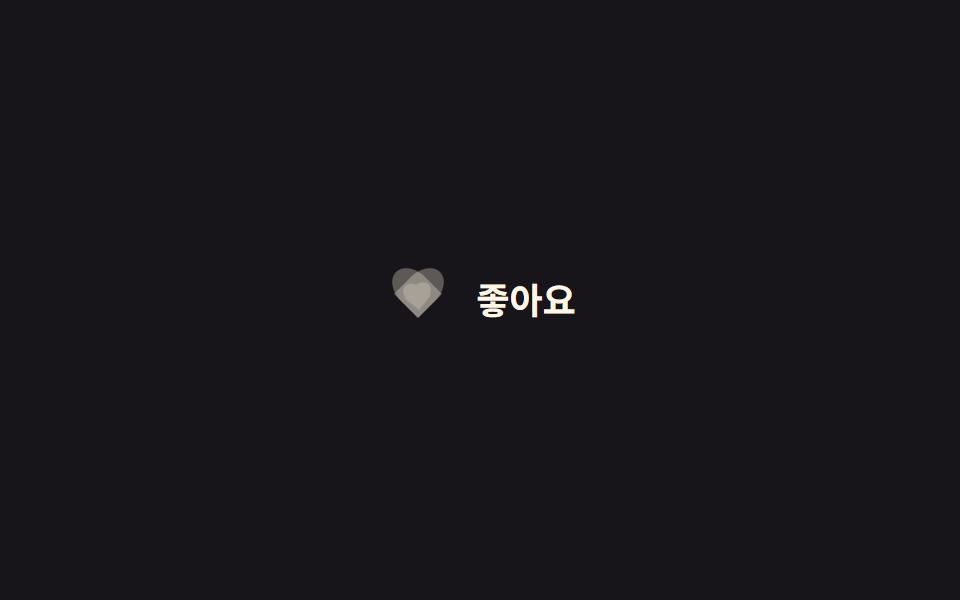
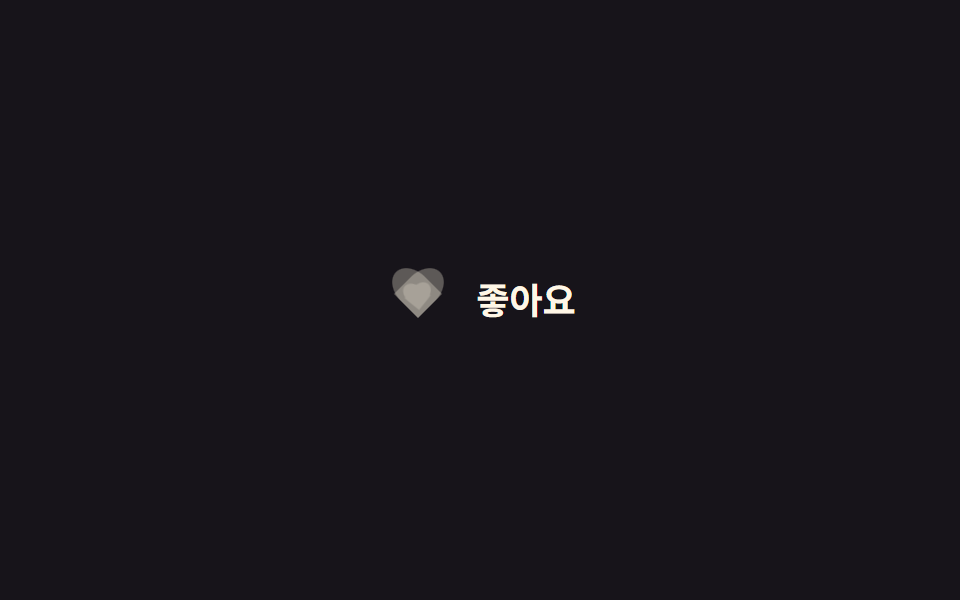
체크박스를 누르면 `::before`·`::after`로 그린 CSS 하트의 채움 레이어가 기본 transform-origin(자기 중심)을 기준으로 0에서 1.15배까지 튀어 올랐다가 1배로 가라앉는다.
쓰임게시물 좋아요 버튼, 상품 찜하기 아이콘
::before/::after 하트:checked0.22초
<main class="stage">
  <label class="heart is-demo">
    <input type="checkbox" class="heart__input">
    <span class="heart__icon" aria-hidden="true">
      <span class="heart__shape heart__shape--outline"></span>
      <span class="heart__shape heart__shape--fill"></span>
      <span class="heart__particle heart__particle--heart"></span>
      <span class="heart__particle heart__particle--heart"></span>
      <span class="heart__particle heart__particle--star"></span>
      <span class="heart__particle heart__particle--heart"></span>
      <span class="heart__particle heart__particle--star"></span>
      <span class="heart__particle heart__particle--heart"></span>
      <span class="heart__particle heart__particle--star"></span>
    </span>
    <span class="heart__label">좋아요</span>
  </label>
</main>
@use "../../../../site/static/demo-tokens" as *;
// ── 변수 3개. 변형은 이것만 바꾼다 ──────────────────────────
$duration: $dur-quick; // 하트가 튀어 오르는 시간
$easing: $ease-pop; // 튕기는 이징
$color: $subject-cream; // 채워질 때 하트 색
// ── 데모 무대 ──────────────────────────────────────────
@include stage($stage-ink);
@mixin heart-shape {
content: "";
position: absolute;
top: 0;
width: 50%;
height: 80%;
border-radius: 50% 50% 0 0;
background: currentColor;
}
.heart {
display: inline-flex;
align-items: center;
gap: clamp(8px, 2.6vw, 12px);
cursor: pointer;
-webkit-tap-highlight-color: transparent;
&__input { position: absolute; opacity: 0; width: 1px; height: 1px; }
&__icon { position: relative; width: 34px; height: 30px; flex: none; }
&__shape {
position: absolute; inset: 0;
&::before { @include heart-shape; left: 50%; transform: rotate(-45deg); transform-origin: 0 100%; } // 규칙8: 하트 로브 회전 피벗
&::after { @include heart-shape; left: 0; transform: rotate(45deg); transform-origin: 100% 100%; } // 규칙8: 하트 로브 회전 피벗
}
&__shape--outline { color: rgba(255, 247, 230, .3); }
&__shape--fill {
color: $color;
opacity: 0;
transform: scale(.4) rotate(-8deg);
transition: opacity $duration $easing, transform $duration $easing;
}
// 한 겹: 물리 버스트 파티클(미니 하트·별). 좌표·페이드는 JS 가 계산해 여기 transform 을 덮어쓴다.
&__particle {
position: absolute; top: 50%; left: 50%;
width: 10px; height: 10px; margin: -5px 0 0 -5px;
opacity: 0;
pointer-events: none;
will-change: transform, opacity;
}
&__particle--heart {
width: 12px; height: 12px; margin: -6px 0 0 -6px;
background: $color;
clip-path: path("M6 11 1 6.5C-.5 5 .0 2.5 2 2 3.5 1.5 5 2.5 6 4 7 2.5 8.5 1.5 10 2 12 2.5 12.5 5 11 6.5Z");
}
&__particle--star {
background: $color;
clip-path: polygon(50% 0%, 61% 35%, 98% 35%, 68% 57%, 79% 91%, 50% 70%, 21% 91%, 32% 57%, 2% 35%, 39% 35%);
}
&__label { font-weight: 600; font-size: clamp(15px, 4.2vw, 18px); line-height: 1; font-family: inherit; color: $subject-cream; }
// 실제 클릭: 체크되면 채움 하트가 튀며 나타난다
&__input:checked ~ &__icon &__shape--fill { opacity: 1; transform: scale(1) rotate(0deg); }
// 데모 · 문서용: 2초마다 자동 반복
&.is-demo &__icon &__shape--fill { animation: heart-pop-loop $dur-loop $easing infinite; }
}
@keyframes heart-pop-loop {
0%, 15% { opacity: 0; transform: scale(.4) rotate(-8deg); }
35% { opacity: 1; transform: scale(1.15) rotate(6deg); }
55%, 80% { opacity: 1; transform: scale(1) rotate(0deg); }
100% { opacity: 0; transform: scale(.4) rotate(-8deg); }
}
// ── 접근성: 움직임 줄이기 설정이면 순간 전환만 ────────────
@media (prefers-reduced-motion: reduce) {
.heart__shape--fill { transition: opacity 1ms; }
.heart__particle { display: none; } // 파티클 버스트는 꺼짐 — 기본 상태 전환만
.heart.is-demo .heart__icon .heart__shape--fill { animation: none !important; opacity: 1; }
}html, body {
margin: 0;
overflow: hidden;
}
.stage {
box-sizing: border-box;
min-height: 100vh;
display: grid;
place-items: center;
margin: 0;
background: #17141a;
font-family: -apple-system, "Segoe UI", "Noto Sans KR", sans-serif;
padding: clamp(8px, 4vw, 24px);
}
.heart {
display: inline-flex;
align-items: center;
gap: clamp(8px, 2.6vw, 12px);
cursor: pointer;
-webkit-tap-highlight-color: transparent;
}
.heart__input {
position: absolute;
opacity: 0;
width: 1px;
height: 1px;
}
.heart__icon {
position: relative;
width: 34px;
height: 30px;
flex: none;
}
.heart__shape {
position: absolute;
inset: 0;
}
.heart__shape::before {
content: "";
position: absolute;
top: 0;
width: 50%;
height: 80%;
border-radius: 50% 50% 0 0;
background: currentColor;
left: 50%;
transform: rotate(-45deg);
transform-origin: 0 100%;
}
.heart__shape::after {
content: "";
position: absolute;
top: 0;
width: 50%;
height: 80%;
border-radius: 50% 50% 0 0;
background: currentColor;
left: 0;
transform: rotate(45deg);
transform-origin: 100% 100%;
}
.heart__shape--outline {
color: rgba(255, 247, 230, 0.3);
}
.heart__shape--fill {
color: #fff7e6;
opacity: 0;
transform: scale(0.4) rotate(-8deg);
transition: opacity 220ms cubic-bezier(0.2, 1.4, 0.4, 1), transform 220ms cubic-bezier(0.2, 1.4, 0.4, 1);
}
.heart__particle {
position: absolute;
top: 50%;
left: 50%;
width: 10px;
height: 10px;
margin: -5px 0 0 -5px;
opacity: 0;
pointer-events: none;
will-change: transform, opacity;
}
.heart__particle--heart {
width: 12px;
height: 12px;
margin: -6px 0 0 -6px;
background: #fff7e6;
clip-path: path("M6 11 1 6.5C-.5 5 .0 2.5 2 2 3.5 1.5 5 2.5 6 4 7 2.5 8.5 1.5 10 2 12 2.5 12.5 5 11 6.5Z");
}
.heart__particle--star {
background: #fff7e6;
clip-path: polygon(50% 0%, 61% 35%, 98% 35%, 68% 57%, 79% 91%, 50% 70%, 21% 91%, 32% 57%, 2% 35%, 39% 35%);
}
.heart__label {
font-weight: 600;
font-size: clamp(15px, 4.2vw, 18px);
line-height: 1;
font-family: inherit;
color: #fff7e6;
}
.heart__input:checked ~ .heart__icon .heart__shape--fill {
opacity: 1;
transform: scale(1) rotate(0deg);
}
.heart.is-demo .heart__icon .heart__shape--fill {
animation: heart-pop-loop 2s cubic-bezier(0.2, 1.4, 0.4, 1) infinite;
}
@keyframes heart-pop-loop {
0%, 15% {
opacity: 0;
transform: scale(0.4) rotate(-8deg);
}
35% {
opacity: 1;
transform: scale(1.15) rotate(6deg);
}
55%, 80% {
opacity: 1;
transform: scale(1) rotate(0deg);
}
100% {
opacity: 0;
transform: scale(0.4) rotate(-8deg);
}
}
@media (prefers-reduced-motion: reduce) {
.heart__shape--fill {
transition: opacity 1ms;
}
.heart__particle {
display: none;
}
.heart.is-demo .heart__icon .heart__shape--fill {
animation: none !important;
opacity: 1;
}
}// 한 겹: 질량-감쇠 물리 파티클 버스트 — 하트가 채워질 때 미니 하트·별이 흩어진다.
// 각 파티클은 초기 속도(방향·크기 랜덤)와 개별 질량을 갖고, 매 프레임 준암시 오일러 적분으로
// 감쇠(-k/m·v — 질량이 클수록 덜 감속해 더 멀리 간다)와 중력(질량 무관)을 받아 흩어졌다 멈춘다.
// CSS keyframes 하드코딩이 아니라 requestAnimationFrame 안에서 좌표를 계산해 transform 에 쓴다.
(function () {
var icon = document.querySelector('.heart__icon'); if (!icon) return;
var ps = [].slice.call(icon.querySelectorAll('.heart__particle'));
var reduce = matchMedia('(prefers-reduced-motion: reduce)').matches;
var alive = false, raf = 0, last = 0;
function fire() {
if (reduce || !ps.length) return;
var now = performance.now();
for (var i = 0; i < ps.length; i++) {
var m = .6 + Math.random() * .9; // 개별 질량 0.6~1.5
var ang = -Math.PI / 2 + (Math.random() - .5) * 2.5; // 위쪽 부채꼴 ±72°
var v0 = (110 + Math.random() * 100) * (1.15 - m * .2); // 무거울수록 살짝 느게 출발
ps[i]._p = { x: 0, y: 0, vx: Math.cos(ang) * v0, vy: Math.sin(ang) * v0,
m: m, k: 3.4, g: 300, rot: (Math.random() - .5) * 40, spin: (Math.random() - .5) * 540,
s: .4 + m * .3, born: now + i * 22, life: 800 + Math.random() * 450 };
}
if (!alive) { alive = true; last = now; raf = requestAnimationFrame(step); }
}
function step(t) {
var dt = Math.min((t - last) / 1000, .05); last = t; // 탭 복귀 시 폭주 방지 클램프
var any = false;
for (var i = 0; i < ps.length; i++) {
var el = ps[i], p = el._p; if (!p) continue;
var age = t - p.born;
if (age < 0) { any = true; continue; } // 방출 전 지연(순차 분사)
if (age >= p.life) { el.style.opacity = '0'; el._p = null; continue; } // 수명 끝 → 그 자리에 정지
p.vx += (-p.k / p.m * p.vx) * dt; // 감쇠 가속도 = -k/m·v
p.vy += (p.g - p.k / p.m * p.vy) * dt; // 중력 가속도 = g (질량 무관)
p.x += p.vx * dt; p.y += p.vy * dt; p.rot += p.spin * dt;
var o = age / p.life; // 수명 후반 45%에서 페이드아웃
el.style.opacity = o < .55 ? '1' : (1 - (o - .55) / .45).toFixed(3);
el.style.transform = 'translate(' + p.x.toFixed(1) + 'px,' + p.y.toFixed(1) + 'px) rotate(' + p.rot.toFixed(1) + 'deg) scale(' + p.s.toFixed(3) + ')';
any = true;
}
if (any) raf = requestAnimationFrame(step); else alive = false; // 전부 정지하면 루프 종료
}
// 트리거 1: 실제 클릭 — 체크되는 순간 발사
var w = document.querySelector('.heart'), inp = w && w.querySelector('.heart__input');
if (inp) {
inp.addEventListener('change', function () { w.classList.remove('is-demo'); if (inp.checked) fire(); });
inp.addEventListener('pointerdown', function () { w.classList.remove('is-demo'); });
}
// 트리거 2: 데모 루프 — CSS 하트 팝(2s 루프의 35% ≈ 660ms)에 맞춰 발사
function demoShot() { if (w && w.classList.contains('is-demo')) setTimeout(fire, 660); }
setInterval(demoShot, 2000);
demoShot();
})();import { useCallback, useEffect, useRef, useState } from "react";
import type { ChangeEvent, CSSProperties } from "react";
import styles from "./HeartPop.module.scss";
export type HeartPopProps = {
/** 하트가 튀어 오르는 시간 (기본 220ms) */
duration?: number;
/** CSS easing (기본 cubic-bezier(.2,1.4,.4,1)) */
easing?: string;
/** 채워질 때 하트 색 */
color?: string;
defaultLiked?: boolean;
onChange?: (liked: boolean) => void;
};
type Vars = CSSProperties & { "--duration"?: string; "--easing"?: string; "--color"?: string };
/** 파티클 1개의 물성 — 질량·감쇠·중력으로 흩어졌다 멈춘다 */
type Particle = {
x: number; y: number; vx: number; vy: number;
m: number; k: number; g: number;
rot: number; spin: number; s: number;
born: number; life: number;
};
// 미니 하트 / 별 모양 교차 배치 (레이아웃·색은 기존 그대로)
const KINDS = ["heart", "star", "heart", "star", "heart", "star", "heart"] as const;
/** 질량-감쇠 물리 초기 상태. 감쇠 가속도 = -k/m·v (질량이 클수록 덜 감속), 중력 = g (질량 무관). */
function spawn(now: number, i: number): Particle {
const m = 0.6 + Math.random() * 0.9; // 개별 질량 0.6~1.5
const ang = -Math.PI / 2 + (Math.random() - 0.5) * 2.5; // 위쪽 부채꼴 ±72°
const v0 = (110 + Math.random() * 100) * (1.15 - m * 0.2); // 무거울수록 느게 출발
return {
x: 0, y: 0,
vx: Math.cos(ang) * v0, vy: Math.sin(ang) * v0,
m, k: 3.4, g: 300,
rot: (Math.random() - 0.5) * 40, spin: (Math.random() - 0.5) * 540,
s: 0.4 + m * 0.3,
born: now + i * 22, life: 800 + Math.random() * 450, // 순차 분사 + 수명 랜덤
};
}
export default function HeartPop({
duration = 220,
easing = "cubic-bezier(.2,1.4,.4,1)",
color = "#fff7e6",
defaultLiked = false,
onChange,
}: HeartPopProps) {
const [liked, setLiked] = useState(defaultLiked);
const [burstKey, setBurstKey] = useState(0);
const iconRef = useRef<HTMLSpanElement>(null);
const vars: Vars = { "--duration": `${duration}ms`, "--easing": easing, "--color": color };
// 한 겹: 체크되는 순간 파티클을 (재)발사 — 다시 좋아요를 눌러도 재생
const fire = useCallback(() => setBurstKey((k) => k + 1), []);
// 준암시 오일러 적분 루프 — rAF 안에서 좌표를 계산해 transform 에 쓴다 (keyframes 하드코딩 아님)
useEffect(() => {
if (!burstKey) return;
if (window.matchMedia("(prefers-reduced-motion: reduce)").matches) return;
const icon = iconRef.current;
if (!icon) return;
const els = Array.from(icon.querySelectorAll<HTMLElement>(`.${styles.particle}`));
if (!els.length) return;
const now = performance.now();
const ps: (Particle | null)[] = els.map((_, i) => spawn(now, i));
let raf = 0, last = now, alive = true;
const step = (t: number) => {
const dt = Math.min((t - last) / 1000, 0.05); // 탭 복귀 시 폭주 방지 클램프
last = t;
let any = false;
for (let i = 0; i < els.length; i++) {
const el = els[i], p = ps[i]; if (!p) continue;
const age = t - p.born;
if (age < 0) { any = true; continue; } // 방출 전 지연
if (age >= p.life) { el.style.opacity = "0"; ps[i] = null; continue; } // 수명 끝 → 정지
p.vx += (-p.k / p.m * p.vx) * dt; // 감쇠 = -k/m·v
p.vy += (p.g - p.k / p.m * p.vy) * dt; // 중력 + 감쇠
p.x += p.vx * dt; p.y += p.vy * dt; p.rot += p.spin * dt;
const o = age / p.life;
el.style.opacity = o < 0.55 ? "1" : (1 - (o - 0.55) / 0.45).toFixed(3);
el.style.transform =
`translate(${p.x.toFixed(1)}px,${p.y.toFixed(1)}px) rotate(${p.rot.toFixed(1)}deg) scale(${p.s.toFixed(3)})`;
any = true;
}
if (any) raf = requestAnimationFrame(step); else alive = false; // 전부 정지하면 루프 종료
};
raf = requestAnimationFrame(step);
return () => { alive = false; cancelAnimationFrame(raf); };
}, [burstKey]);
return (
<label className={styles.heart} style={vars}>
<input
type="checkbox"
className={styles.input}
checked={liked}
onChange={(e: ChangeEvent<HTMLInputElement>) => {
setLiked(e.target.checked);
if (e.target.checked) fire();
onChange?.(e.target.checked);
}}
/>
<span className={styles.icon} aria-hidden="true" ref={iconRef}>
<span className={`${styles.shape} ${styles.outline}`} />
<span className={`${styles.shape} ${styles.fill} ${liked ? styles.isLiked : ""}`} />
{KINDS.map((kind, i) => (
<span
key={i}
className={`${styles.particle} ${kind === "heart" ? styles.pHeart : styles.pStar}`}
/>
))}
</span>
<span className={styles.label}>좋아요</span>
</label>
);
}01 하트 팝 등장 — 측정 누적면적 1.06% · 움직인 프레임 20/23GODRICH 원작 · zip 에 SCSS·React 포함 · CSS 하트 애니메이션 좋아요·별점 9종 — 한 줄 복붙으로
이 데모가 속한 글
 CSS 하트 애니메이션 좋아요·별점 9종 — 한 줄 복붙으로CSS 하트 애니메이션 아홉 개를 한 번에 모았습니다. 좋아요 버튼의 하트부터 별점 입력, 박수·이모지 리액션까지 누르고 고르는 순간 화면이 확실히 반응하는 장면만 골랐고, 전부 transform과 opacity만 이 글의 데모 전부 보기