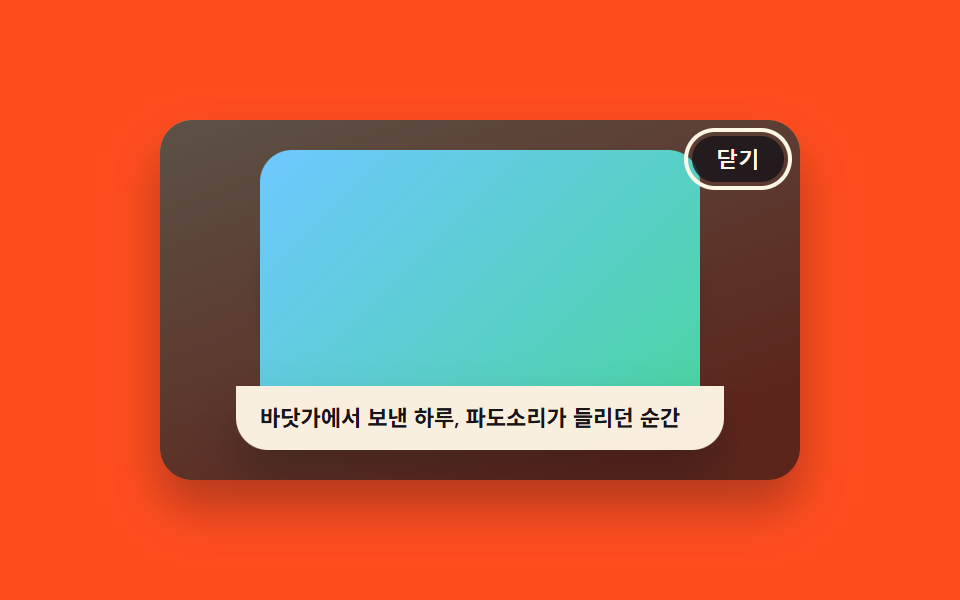
03캡션이 아래에서 슬라이드로 올라오는 라이트박스
이미지가 다 펼쳐지고 나서 한 박자 늦게 하단 캡션 띠가 화면 아래에서부터 밀려 올라와 자리를 잡는다 — 이미지와 캡션이 동시에 나타나지 않고 순서가 나뉜다.
쓰임사진 설명이 있는 갤러리, 작품 상세 보기
transform: translateYrequestAnimationFramestaggered timing
<main class="stage">
<div class="scene is-demo" id="scene">
  <ul class="grid" id="grid">
    <li><button class="thumb" id="thumb0" type="button" aria-haspopup="dialog"><span class="thumbImg thumbImg--a"></span><span class="thumbLabel">사진 1</span></button></li>
    <li><button class="thumb" id="thumb1" type="button" aria-haspopup="dialog"><span class="thumbImg thumbImg--b"></span><span class="thumbLabel">사진 2</span></button></li>
    <li><button class="thumb" id="thumb2" type="button" aria-haspopup="dialog"><span class="thumbImg thumbImg--c"></span><span class="thumbLabel">사진 3</span></button></li>
  </ul>
  <div class="backdrop" id="backdrop"></div>
  <div class="lightbox" id="lightbox" role="dialog" aria-modal="true" aria-hidden="true" aria-label="사진과 설명 보기">
    <span class="fullImg" id="fullImg"></span>
    <p class="caption" id="caption"></p>
    <button class="closeBtn" id="closeBtn" type="button">닫기</button>
  </div>
</div>
</main>
@use "../../../../site/static/demo-tokens" as *;
// 변수 3개
$duration: $dur-enter;
$easing: $ease-out;
$color: $subject-ink;
// 계산 겹: index.html 이 캡션 요소를 먼저 visibility:hidden 으로 렌더해 실제 높이(getBoundingClientRect)를
// 잰 뒤 그 값만큼 translateY 로 내렸다가 0 으로 올린다 — 텍스트 길이(로케일)마다 시작 위치가 다르다.
@include stage($stage-orange);
.scene {
position: relative;
width: 320px;
height: 180px;
border-radius: $r-card;
overflow: hidden;
box-shadow: $shadow-raised;
background: linear-gradient(160deg, #ffe3b0, $stage-orange 85%);
}
.grid {
position: absolute;
inset: 0;
margin: 0;
padding: 0;
list-style: none;
display: flex;
align-items: center;
justify-content: center;
gap: $sp-4;
}
.thumb {
appearance: none;
border: none;
background: none;
padding: 0;
display: flex;
flex-direction: column;
align-items: center;
gap: $sp-1;
cursor: pointer;
&:focus-visible .thumbImg { outline: 2px solid $subject-ink; outline-offset: 2px; }
}
.thumbImg {
display: block;
width: 60px;
height: 44px;
border-radius: $r-sm;
box-shadow: $shadow-press;
&--a { background: linear-gradient(135deg, $subject-mint, $subject-sky); }
&--b { background: linear-gradient(135deg, $subject-lilac, $subject-blue); }
&--c { background: linear-gradient(135deg, $subject-sky, $subject-mint); }
}
.thumbLabel {
font-size: 10px;
font-weight: 700;
color: $subject-ink;
}
.backdrop {
position: absolute;
inset: 0;
background: $subject-ink;
opacity: 0;
visibility: hidden;
pointer-events: none;
}
.lightbox {
position: absolute;
inset: 0;
display: flex;
flex-direction: column;
align-items: center;
justify-content: center;
gap: 0;
visibility: hidden;
overflow: hidden;
}
.fullImg {
display: block;
width: 220px;
height: 118px;
border-radius: $r-card $r-card 0 0;
opacity: 0;
&--a { background: linear-gradient(135deg, $subject-mint, $subject-sky); }
&--b { background: linear-gradient(135deg, $subject-lilac, $subject-blue); }
&--c { background: linear-gradient(135deg, $subject-sky, $subject-mint); }
}
.caption {
width: 220px;
margin: 0;
padding: $sp-2 $sp-3;
border-radius: 0 0 $r-card $r-card;
background: rgba($subject-cream, .96);
color: $subject-ink;
font-size: 11px;
font-weight: 600;
line-height: 1.4;
box-shadow: $shadow-raised;
}
.closeBtn {
position: absolute;
top: $sp-2;
right: $sp-2;
appearance: none;
border: none;
border-radius: $r-pill;
padding: $sp-1 $sp-3;
font-size: 11px;
font-weight: 600;
color: $subject-cream;
background: rgba($subject-ink, .82);
cursor: pointer;
&:focus-visible { outline: 2px solid $subject-cream; outline-offset: 2px; }
}
@media (max-width: 340px) {
.scene { width: 220px; height: 124px; }
.fullImg { width: 160px; height: 82px; }
.caption { width: 160px; font-size: 10px; }
}
@media (prefers-reduced-motion: reduce) {
// 실사용 경로 적용 — 이미지 등장·캡션 슬라이드는 index.html 의 animate() 가 reduce 시 즉시 최종 상태로 처리한다.
.closeBtn, .thumb { transition: none; }
}html, body {
margin: 0;
overflow: hidden;
}
.stage {
box-sizing: border-box;
min-height: 100vh;
display: grid;
place-items: center;
margin: 0;
background: #ff4d1f;
font-family: -apple-system, "Segoe UI", "Noto Sans KR", sans-serif;
padding: clamp(8px, 4vw, 24px);
}
.scene {
position: relative;
width: 320px;
height: 180px;
border-radius: 16px;
overflow: hidden;
box-shadow: 0 14px 24px rgba(23, 20, 26, 0.32);
background: linear-gradient(160deg, #ffe3b0, #ff4d1f 85%);
}
.grid {
position: absolute;
inset: 0;
margin: 0;
padding: 0;
list-style: none;
display: flex;
align-items: center;
justify-content: center;
gap: 16px;
}
.thumb {
appearance: none;
border: none;
background: none;
padding: 0;
display: flex;
flex-direction: column;
align-items: center;
gap: 4px;
cursor: pointer;
}
.thumb:focus-visible .thumbImg {
outline: 2px solid #17141a;
outline-offset: 2px;
}
.thumbImg {
display: block;
width: 60px;
height: 44px;
border-radius: 8px;
box-shadow: 0 6px 12px rgba(23, 20, 26, 0.32);
}
.thumbImg--a {
background: linear-gradient(135deg, #4cd4a6, #6ec8ff);
}
.thumbImg--b {
background: linear-gradient(135deg, #b9a0ff, #2f6df6);
}
.thumbImg--c {
background: linear-gradient(135deg, #6ec8ff, #4cd4a6);
}
.thumbLabel {
font-size: 10px;
font-weight: 700;
color: #17141a;
}
.backdrop {
position: absolute;
inset: 0;
background: #17141a;
opacity: 0;
visibility: hidden;
pointer-events: none;
}
.lightbox {
position: absolute;
inset: 0;
display: flex;
flex-direction: column;
align-items: center;
justify-content: center;
gap: 0;
visibility: hidden;
overflow: hidden;
}
.fullImg {
display: block;
width: 220px;
height: 118px;
border-radius: 16px 16px 0 0;
opacity: 0;
}
.fullImg--a {
background: linear-gradient(135deg, #4cd4a6, #6ec8ff);
}
.fullImg--b {
background: linear-gradient(135deg, #b9a0ff, #2f6df6);
}
.fullImg--c {
background: linear-gradient(135deg, #6ec8ff, #4cd4a6);
}
.caption {
width: 220px;
margin: 0;
padding: 8px 12px;
border-radius: 0 0 16px 16px;
background: rgba(255, 247, 230, 0.96);
color: #17141a;
font-size: 11px;
font-weight: 600;
line-height: 1.4;
box-shadow: 0 14px 24px rgba(23, 20, 26, 0.32);
}
.closeBtn {
position: absolute;
top: 8px;
right: 8px;
appearance: none;
border: none;
border-radius: 999px;
padding: 4px 12px;
font-size: 11px;
font-weight: 600;
color: #fff7e6;
background: rgba(23, 20, 26, 0.82);
cursor: pointer;
}
.closeBtn:focus-visible {
outline: 2px solid #fff7e6;
outline-offset: 2px;
}
@media (max-width: 340px) {
.scene {
width: 220px;
height: 124px;
}
.fullImg {
width: 160px;
height: 82px;
}
.caption {
width: 160px;
font-size: 10px;
}
}
@media (prefers-reduced-motion: reduce) {
.closeBtn, .thumb {
transition: none;
}
}(function () {
var IMAGE_MS = 550;
var CAPTION_GAP_MS = 120;
var CAPTION_MS = 420;
var HOLD_MS = 480;
var CLOSE_MS = 380;
var LOOP_MS = 2000;
var scene = document.getElementById('scene');
var backdrop = document.getElementById('backdrop');
var lightbox = document.getElementById('lightbox');
var fullImg = document.getElementById('fullImg');
var caption = document.getElementById('caption');
var closeBtn = document.getElementById('closeBtn');
var thumbs = [].slice.call(document.querySelectorAll('.thumb'));
var reduce = window.matchMedia('(prefers-reduced-motion: reduce)').matches;
var imgClassByIdx = ['fullImg--a', 'fullImg--b', 'fullImg--c'];
// 문구.json 에서 en·ja 로 함께 옮겨지도록 문자열 리터럴로 둔다(html data-* 속성은 문구치환 대상 밖)
var captionByIdx = ['가을 산책길에서 담은 한 장', '도시의 야경', '바닷가에서 보낸 하루, 파도소리가 들리던 순간'];
function clamp(v, lo, hi) { return Math.min(hi, Math.max(lo, v)); }
function easeOutCubic(t) { return 1 - Math.pow(1 - t, 3); }
// reduce: 실사용 경로 적용 — 트윈 없이 최종 상태로 즉시 전환한다
function animate(duration, onFrame, onDone) {
if (reduce) { onFrame(1); if (onDone) onDone(); return; }
var start = performance.now();
function frame(now) {
var p = clamp((now - start) / duration, 0, 1);
onFrame(easeOutCubic(p));
if (p < 1) requestAnimationFrame(frame);
else if (onDone) onDone();
}
requestAnimationFrame(frame);
}
var open = false;
var activeIdx = 1;
var timers = [];
function openFrom(idx) {
if (open) return;
open = true;
caption.textContent = captionByIdx[idx];
caption.style.transform = 'translateY(0px)';
caption.style.opacity = '0';
fullImg.className = 'fullImg ' + imgClassByIdx[idx];
fullImg.style.transform = 'scale(.86)';
fullImg.style.opacity = '0';
lightbox.style.visibility = 'visible';
lightbox.setAttribute('aria-hidden', 'false');
backdrop.style.visibility = 'visible';
animate(IMAGE_MS, function (e) {
fullImg.style.transform = 'scale(' + (0.86 + 0.14 * e).toFixed(4) + ')';
fullImg.style.opacity = e.toFixed(3);
backdrop.style.opacity = (0.7 * e).toFixed(3);
}, function () {
// 캡션 자신의 실제 렌더 높이를 측정해 그 높이만큼 아래서 밀어 올린다 — 텍스트 길이마다 시작 위치가 다르다
caption.style.visibility = 'hidden';
caption.style.opacity = '1';
var capH = caption.getBoundingClientRect().height;
caption.style.transform = 'translateY(' + capH.toFixed(1) + 'px)';
caption.style.visibility = 'visible';
timers.push(setTimeout(function () {
animate(CAPTION_MS, function (e2) {
caption.style.transform = 'translateY(' + (capH * (1 - e2)).toFixed(1) + 'px)';
}, function () {
closeBtn.focus({ preventScroll: true });
});
}, CAPTION_GAP_MS));
});
}
function closeLightbox() {
if (!open) return;
animate(CLOSE_MS, function (e) {
fullImg.style.opacity = (1 - e).toFixed(3);
caption.style.opacity = (1 - e).toFixed(3);
backdrop.style.opacity = (0.7 * (1 - e)).toFixed(3);
}, function () {
lightbox.style.visibility = 'hidden';
lightbox.setAttribute('aria-hidden', 'true');
backdrop.style.visibility = 'hidden';
open = false;
thumbs[activeIdx].focus({ preventScroll: true });
});
}
function human() {
if (scene.classList.contains('is-demo')) {
scene.classList.remove('is-demo');
timers.forEach(function (id) { clearTimeout(id); clearInterval(id); });
timers = [];
}
}
thumbs.forEach(function (t, i) {
t.addEventListener('click', function () {
human();
activeIdx = i;
openFrom(i);
});
});
closeBtn.addEventListener('click', function () { human(); closeLightbox(); });
backdrop.addEventListener('click', function () { human(); closeLightbox(); });
document.addEventListener('keydown', function (e) {
if (e.key === 'Escape' && open) { human(); closeLightbox(); }
});
function cycle() {
activeIdx = 2;
openFrom(2);
timers.push(setTimeout(closeLightbox, IMAGE_MS + CAPTION_GAP_MS + CAPTION_MS + HOLD_MS));
}
if (!reduce) {
cycle();
timers.push(setInterval(function () {
if (scene.classList.contains('is-demo')) cycle();
}, LOOP_MS));
}
})();import { useEffect, useRef } from 'react';
import styles from './CaptionSlideUp.module.scss';
const IMAGE_MS = 550;
const CAPTION_GAP_MS = 120;
const CAPTION_MS = 420;
const HOLD_MS = 480;
const CLOSE_MS = 380;
const LOOP_MS = 2000;
// 문구.json 에서 en·ja 로 함께 옮겨지도록 문자열 리터럴로 둔다(html data-* 속성은 문구치환 대상 밖)
const captionByIdx = ['가을 산책길에서 담은 한 장', '도시의 야경', '바닷가에서 보낸 하루, 파도소리가 들리던 순간'];
export default function CaptionSlideUp() {
const sceneRef = useRef<HTMLDivElement>(null);
useEffect(() => {
const scene0 = sceneRef.current;
if (!scene0) return undefined;
const backdrop0 = scene0.querySelector<HTMLDivElement>('.' + styles.backdrop);
const lightbox0 = scene0.querySelector<HTMLDivElement>('.' + styles.lightbox);
const fullImg0 = scene0.querySelector<HTMLSpanElement>('.' + styles.fullImg);
const caption0 = scene0.querySelector<HTMLParagraphElement>('.' + styles.caption);
const closeBtn0 = scene0.querySelector<HTMLButtonElement>('.' + styles.closeBtn);
const thumbs = Array.from(scene0.querySelectorAll<HTMLButtonElement>('.' + styles.thumb));
if (!backdrop0 || !lightbox0 || !fullImg0 || !caption0 || !closeBtn0 || thumbs.length === 0) return undefined;
const scene = scene0;
const backdrop = backdrop0;
const lightbox = lightbox0;
const fullImg = fullImg0;
const caption = caption0;
const closeBtn = closeBtn0;
const reduce = window.matchMedia('(prefers-reduced-motion: reduce)').matches;
const imgClassByIdx = [styles['fullImg--a'], styles['fullImg--b'], styles['fullImg--c']];
function clamp(v: number, lo: number, hi: number) { return Math.min(hi, Math.max(lo, v)); }
function easeOutCubic(t: number) { return 1 - Math.pow(1 - t, 3); }
// reduce: 실사용 경로 적용 — 트윈 없이 최종 상태로 즉시 전환한다
function animate(duration: number, onFrame: (e: number) => void, onDone?: () => void) {
if (reduce) { onFrame(1); if (onDone) onDone(); return; }
const start = performance.now();
function frame(now: number) {
const p = clamp((now - start) / duration, 0, 1);
onFrame(easeOutCubic(p));
if (p < 1) requestAnimationFrame(frame);
else if (onDone) onDone();
}
requestAnimationFrame(frame);
}
let open = false;
let activeIdx = 1;
let timers: number[] = [];
function openFrom(idx: number) {
if (open) return;
open = true;
caption.textContent = captionByIdx[idx];
caption.style.transform = 'translateY(0px)';
caption.style.opacity = '0';
fullImg.className = styles.fullImg + ' ' + imgClassByIdx[idx];
fullImg.style.transform = 'scale(.86)';
fullImg.style.opacity = '0';
lightbox.style.visibility = 'visible';
lightbox.setAttribute('aria-hidden', 'false');
backdrop.style.visibility = 'visible';
animate(IMAGE_MS, (e) => {
fullImg.style.transform = 'scale(' + (0.86 + 0.14 * e).toFixed(4) + ')';
fullImg.style.opacity = e.toFixed(3);
backdrop.style.opacity = (0.7 * e).toFixed(3);
}, () => {
// 캡션 자신의 실제 렌더 높이를 측정해 그 높이만큼 아래서 밀어 올린다 — 텍스트 길이마다 시작 위치가 다르다
caption.style.visibility = 'hidden';
caption.style.opacity = '1';
const capH = caption.getBoundingClientRect().height;
caption.style.transform = 'translateY(' + capH.toFixed(1) + 'px)';
caption.style.visibility = 'visible';
timers.push(window.setTimeout(() => {
animate(CAPTION_MS, (e2) => {
caption.style.transform = 'translateY(' + (capH * (1 - e2)).toFixed(1) + 'px)';
}, () => {
closeBtn.focus({ preventScroll: true });
});
}, CAPTION_GAP_MS));
});
}
function closeLightbox() {
if (!open) return;
animate(CLOSE_MS, (e) => {
fullImg.style.opacity = (1 - e).toFixed(3);
caption.style.opacity = (1 - e).toFixed(3);
backdrop.style.opacity = (0.7 * (1 - e)).toFixed(3);
}, () => {
lightbox.style.visibility = 'hidden';
lightbox.setAttribute('aria-hidden', 'true');
backdrop.style.visibility = 'hidden';
open = false;
thumbs[activeIdx].focus({ preventScroll: true });
});
}
function human() {
if (scene.classList.contains(styles['is-demo'])) {
scene.classList.remove(styles['is-demo']);
timers.forEach((id) => { window.clearTimeout(id); window.clearInterval(id); });
timers = [];
}
}
const thumbHandlers = thumbs.map((_, i) => () => { human(); activeIdx = i; openFrom(i); });
thumbs.forEach((t, i) => t.addEventListener('click', thumbHandlers[i]));
function onCloseClick() { human(); closeLightbox(); }
function onBackdropClick() { human(); closeLightbox(); }
function onKeydown(e: KeyboardEvent) {
if (e.key === 'Escape' && open) { human(); closeLightbox(); }
}
closeBtn.addEventListener('click', onCloseClick);
backdrop.addEventListener('click', onBackdropClick);
document.addEventListener('keydown', onKeydown);
function cycle() {
activeIdx = 2;
openFrom(2);
timers.push(window.setTimeout(closeLightbox, IMAGE_MS + CAPTION_GAP_MS + CAPTION_MS + HOLD_MS));
}
if (!reduce) {
cycle();
timers.push(window.setInterval(() => {
if (scene.classList.contains(styles['is-demo'])) cycle();
}, LOOP_MS));
}
return () => {
timers.forEach((id) => { window.clearTimeout(id); window.clearInterval(id); });
thumbs.forEach((t, i) => t.removeEventListener('click', thumbHandlers[i]));
closeBtn.removeEventListener('click', onCloseClick);
backdrop.removeEventListener('click', onBackdropClick);
document.removeEventListener('keydown', onKeydown);
};
}, []);
return (
<div className={`${styles.scene} ${styles['is-demo']}`} ref={sceneRef}>
<ul className={styles.grid}>
<li><button className={styles.thumb} type="button" aria-haspopup="dialog"><span className={`${styles.thumbImg} ${styles['thumbImg--a']}`} /><span className={styles.thumbLabel}>사진 1</span></button></li>
<li><button className={styles.thumb} type="button" aria-haspopup="dialog"><span className={`${styles.thumbImg} ${styles['thumbImg--b']}`} /><span className={styles.thumbLabel}>사진 2</span></button></li>
<li><button className={styles.thumb} type="button" aria-haspopup="dialog"><span className={`${styles.thumbImg} ${styles['thumbImg--c']}`} /><span className={styles.thumbLabel}>사진 3</span></button></li>
</ul>
<div className={styles.backdrop} />
<div className={styles.lightbox} role="dialog" aria-modal="true" aria-hidden="true" aria-label="사진과 설명 보기">
<span className={styles.fullImg} />
<p className={styles.caption} />
<button className={styles.closeBtn} type="button">닫기</button>
</div>
</div>
);
}03 캡션이 아래에서 슬라이드로 올라오는 라이트박스 — 측정 누적면적 39.872% · 움직인 프레임 21/23GODRICH 원작 · zip 에 SCSS·React 포함 · css 이미지 확대 애니메이션 9종 — 라이트박스 전환 모음
이 데모가 속한 글
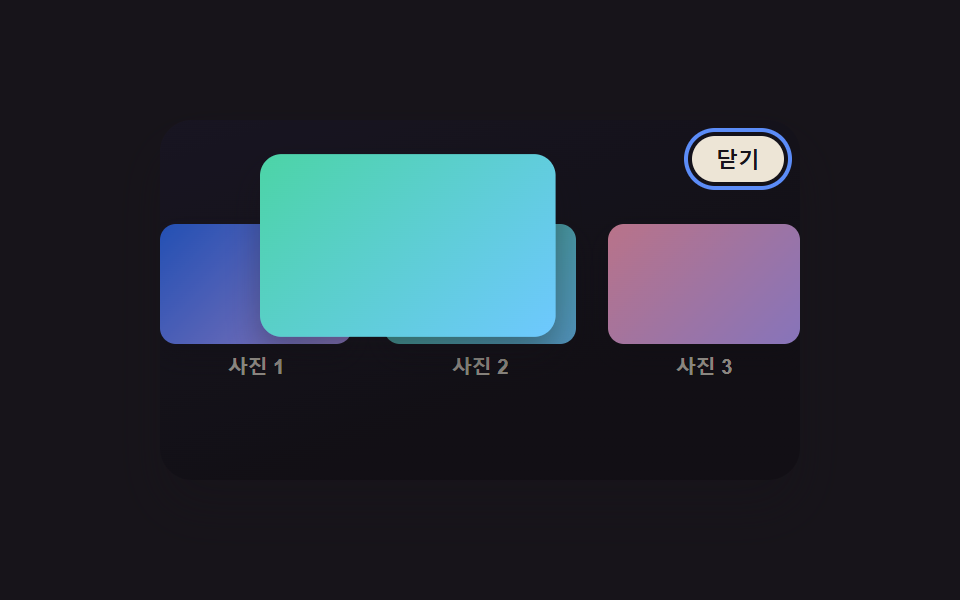 css 이미지 확대 애니메이션 9종 — 라이트박스 전환 모음css 이미지 확대 애니메이션 아홉 가지 중 하나는 클릭한 썸네일이 있던 자리에서 그대로 커지며 펼쳐지고, 하나는 아래로 스와이프한 속도를 계산해 닫을지 되돌아갈지를 정하며, 하나는 키보드로 넘길 때마다 포커스 링이 이 글의 데모 전부 보기