01마운트 시 @starting-style 페이드
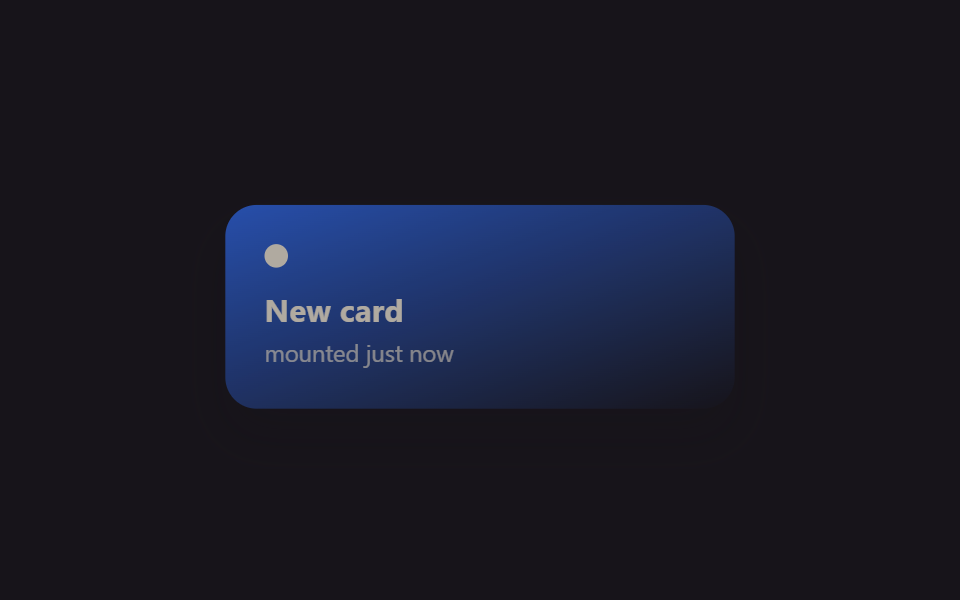
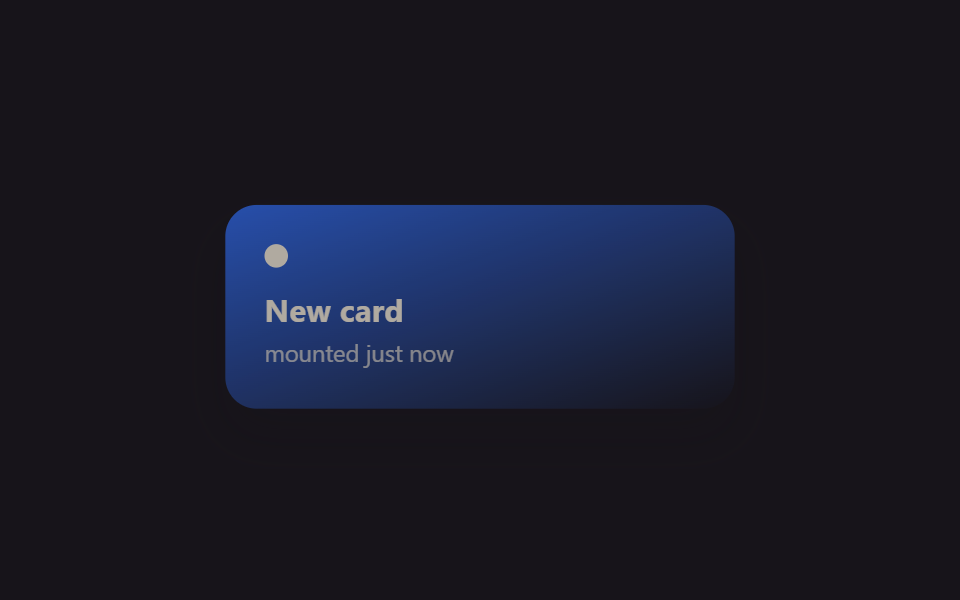
카드 컴포넌트가 마운트되는 순간 @starting-style 이 DOM 에 없던 시점의 값을 정의해줘, useEffect 로 '마운트됨' 플래그를 따로 안 만들어도 opacity 가 0에서 1로 트랜지션됩니다.
쓰임조건부로 새로 렌더되는 알림 카드, 리스트에 막 추가된 항목
@starting-style@keyframes mf-mountReact 19
<main class="stage">
  <div class="mf-wrap is-demo">
    <div class="mf-card">
      <span class="mf-card__dot"></span>
      <span class="mf-card__title">New card</span>
      <span class="mf-card__sub">mounted just now</span>
    </div>
  </div>
</main>
@use "../../../../site/static/demo-tokens" as *;
// ── 변수 3개 ──────────────────────────────────────────
$duration: $dur-enter;
$easing: $ease-spring;
$color: $subject-blue;
@include stage($stage-ink);
.mf-wrap {
width: min(320px, 90vw);
display: grid;
place-items: center;
}
.mf-card {
width: min(260px, 84vw);
box-sizing: border-box;
padding: $sp-5 $sp-5;
border-radius: $r-card;
background: linear-gradient(160deg, $color, rgba(23, 20, 26, .9));
box-shadow: $shadow-raised;
display: flex;
flex-direction: column;
gap: $sp-1;
color: $subject-cream;
font-family: -apple-system, "Segoe UI", sans-serif;
}
.mf-card__dot {
width: $sp-3;
height: $sp-3;
border-radius: $r-pill;
background: $subject-cream;
margin-bottom: $sp-2;
}
.mf-card__title { font-weight: 700; font-size: 16px; line-height: 1.2; font-family: inherit; }
.mf-card__sub { font-weight: 400; font-size: 12px; line-height: 1.4; font-family: inherit; opacity: .72; }
// 실사용 원리: React 19 는 새 노드가 DOM 에 붙는 순간 @starting-style 의 값에서
// 실제 스타일로 트랜지션한다 (useEffect 로 "mounted" 플래그를 따로 안 만들어도 됨).
// 여기 데모는 그 등장 곡선을 무한 반복으로 보여준다.
@starting-style {
.mf-card { opacity: 0; transform: translateY(10px) scale(.94); }
}
.mf-card {
opacity: 1;
transform: none;
transition: opacity $duration $easing, transform $duration $easing;
}
// 캡처용 루프: 마운트 순간을 2초마다 재생 (demo.py 는 WAAPI 로 이 keyframes 를 직접 스크럽한다)
@keyframes mf-mount {
0% { opacity: 0; transform: translateY(10px) scale(.94); }
22% { opacity: 1; transform: none; }
82% { opacity: 1; transform: none; }
100% { opacity: 0; transform: translateY(10px) scale(.94); }
}
.mf-wrap.is-demo .mf-card { animation: mf-mount $dur-loop $easing infinite; }
@media (prefers-reduced-motion: reduce) {
.mf-card { transition: none; }
.mf-wrap.is-demo .mf-card { animation: none !important; opacity: 1; transform: none; }
}html, body {
margin: 0;
overflow: hidden;
}
.stage {
box-sizing: border-box;
min-height: 100vh;
display: grid;
place-items: center;
margin: 0;
background: #17141a;
font-family: -apple-system, "Segoe UI", "Noto Sans KR", sans-serif;
padding: clamp(8px, 4vw, 24px);
}
.mf-wrap {
width: min(320px, 90vw);
display: grid;
place-items: center;
}
.mf-card {
width: min(260px, 84vw);
box-sizing: border-box;
padding: 20px 20px;
border-radius: 16px;
background: linear-gradient(160deg, #2f6df6, rgba(23, 20, 26, 0.9));
box-shadow: 0 14px 24px rgba(23, 20, 26, 0.32);
display: flex;
flex-direction: column;
gap: 4px;
color: #fff7e6;
font-family: -apple-system, "Segoe UI", sans-serif;
}
.mf-card__dot {
width: 12px;
height: 12px;
border-radius: 999px;
background: #fff7e6;
margin-bottom: 8px;
}
.mf-card__title {
font-weight: 700;
font-size: 16px;
line-height: 1.2;
font-family: inherit;
}
.mf-card__sub {
font-weight: 400;
font-size: 12px;
line-height: 1.4;
font-family: inherit;
opacity: 0.72;
}
@starting-style {
.mf-card {
opacity: 0;
transform: translateY(10px) scale(0.94);
}
}
.mf-card {
opacity: 1;
transform: none;
transition: opacity 600ms cubic-bezier(0.2, 0.8, 0.2, 1), transform 600ms cubic-bezier(0.2, 0.8, 0.2, 1);
}
@keyframes mf-mount {
0% {
opacity: 0;
transform: translateY(10px) scale(0.94);
}
22% {
opacity: 1;
transform: none;
}
82% {
opacity: 1;
transform: none;
}
100% {
opacity: 0;
transform: translateY(10px) scale(0.94);
}
}
.mf-wrap.is-demo .mf-card {
animation: mf-mount 2s cubic-bezier(0.2, 0.8, 0.2, 1) infinite;
}
@media (prefers-reduced-motion: reduce) {
.mf-card {
transition: none;
}
.mf-wrap.is-demo .mf-card {
animation: none !important;
opacity: 1;
transform: none;
}
}import { CSSProperties, useEffect, useState } from "react";
import styles from "./MountFadeStartingStyle.module.scss";
export interface MountFadeStartingStyleProps {
duration?: string;
easing?: string;
color?: string;
}
function Card({ color }: { color: string }) {
// React 19: @starting-style (in the CSS module below) defines what this card looked
// like before it existed in the DOM, so no useEffect("mounted") flag is needed for
// the fade-in — the browser transitions from that starting state automatically.
return (
<div className={styles.card} style={{ background: color }}>
<span className={styles.dot} />
<span className={styles.title}>New card</span>
<span className={styles.sub}>mounted just now</span>
</div>
);
}
export default function MountFadeStartingStyle({
duration = "600ms",
easing = "cubic-bezier(.2, .8, .2, 1)",
color = "#2f6df6",
}: MountFadeStartingStyleProps) {
const [mounted, setMounted] = useState(true);
useEffect(() => {
const id = setInterval(() => setMounted((m) => !m), 1400);
return () => clearInterval(id);
}, []);
const style: CSSProperties & { "--duration"?: string; "--easing"?: string } = {
"--duration": duration,
"--easing": easing,
};
return (
<div className={styles.wrap} style={style}>
{mounted ? <Card color={color} /> : null}
</div>
);
}01 마운트 시 @starting-style 페이드 — 측정 누적면적 19.029% · 움직인 프레임 8/23GODRICH 원작 · zip 에 SCSS·React 포함 · 리액트 애니메이션 라이브러리 없이 쓰는 CSS 9종
이 데모가 속한 글
 리액트 애니메이션 라이브러리 없이 쓰는 CSS 9종리액트로 만든 화면에 자연스러운 움직임을 넣고 싶을 때 제일 먼저 떠오르는 게 리액트 애니메이션 라이브러리를 까는 일이지만, 사실 컴포넌트가 나타나고 사라지는 타이밍만 잡으면 CSS 만으로 되는 것도 많습니다. 이 이 글의 데모 전부 보기