05key로 애니메이션 재트리거
key prop 값을 바꾸면 리액트가 그 컴포넌트를 통째로 언마운트하고 새 인스턴스로 다시 마운트해, 마운트 때 한 번만 도는 등장 애니메이션을 원할 때마다 재생시킬 수 있습니다.
쓰임정답 확인 흔들림 재실행, 점수가 바뀔 때마다 다시 터지는 축하 효과
key propremount@keyframes
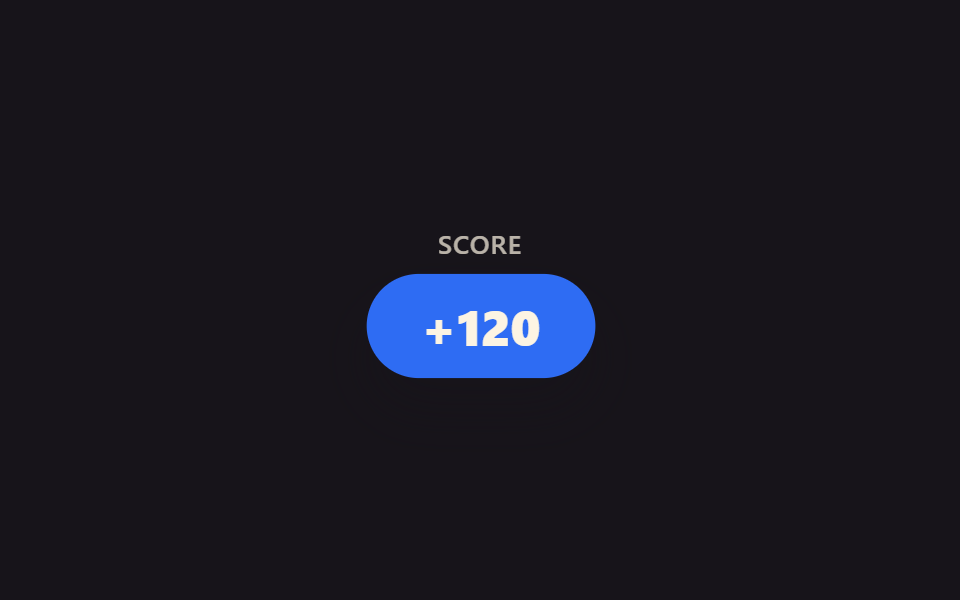
<main class="stage">
  <div class="kr-wrap">
    <span class="kr-label">Score</span>
    <span class="kr-badge is-demo">+120</span>
  </div>
</main>
@use "../../../../site/static/demo-tokens" as *;
// ── 변수 3개 ──────────────────────────────────────────
$duration: 640ms;
$easing: $ease-pop;
$color: $subject-blue;
@include stage($stage-ink);
.kr-wrap {
display: flex;
flex-direction: column;
align-items: center;
gap: $sp-3;
font-family: -apple-system, "Segoe UI", sans-serif;
color: $subject-cream;
}
.kr-label { font-weight: 500; font-size: 13px; line-height: 1; font-family: inherit; opacity: .7; letter-spacing: .04em; text-transform: uppercase; }
.kr-badge {
padding: $sp-3 $sp-6;
border-radius: $r-pill;
background: $color;
color: $subject-cream;
font-weight: 800;
font-size: 22px;
line-height: 1;
font-family: inherit;
box-shadow: $shadow-raised;
}
// 실사용 원리: key prop 을 바꾸면 리액트가 이 배지를 통째로 언마운트하고 새 인스턴스로
// 다시 마운트한다 — "마운트 때 한 번만" 재생되는 팝 애니메이션이 매번 처음부터 다시 돈다.
// 캡처용 루프: 2초 중 앞부분에 팝 → 나머지는 정지 상태로 유지 (재트리거를 기다리는 느낌)
@keyframes kr-pop {
0% { opacity: 0; transform: scale(.4); }
28% { opacity: 1; transform: scale(1.14); }
38% { opacity: 1; transform: scale(.96); }
48%, 100% { opacity: 1; transform: scale(1); }
}
.kr-badge.is-demo { animation: kr-pop $dur-loop $easing infinite; }
@media (prefers-reduced-motion: reduce) {
.kr-badge.is-demo { animation: none !important; opacity: 1; transform: none; }
}html, body {
margin: 0;
overflow: hidden;
}
.stage {
box-sizing: border-box;
min-height: 100vh;
display: grid;
place-items: center;
margin: 0;
background: #17141a;
font-family: -apple-system, "Segoe UI", "Noto Sans KR", sans-serif;
padding: clamp(8px, 4vw, 24px);
}
.kr-wrap {
display: flex;
flex-direction: column;
align-items: center;
gap: 12px;
font-family: -apple-system, "Segoe UI", sans-serif;
color: #fff7e6;
}
.kr-label {
font-weight: 500;
font-size: 13px;
line-height: 1;
font-family: inherit;
opacity: 0.7;
letter-spacing: 0.04em;
text-transform: uppercase;
}
.kr-badge {
padding: 12px 24px;
border-radius: 999px;
background: #2f6df6;
color: #fff7e6;
font-weight: 800;
font-size: 22px;
line-height: 1;
font-family: inherit;
box-shadow: 0 14px 24px rgba(23, 20, 26, 0.32);
}
@keyframes kr-pop {
0% {
opacity: 0;
transform: scale(0.4);
}
28% {
opacity: 1;
transform: scale(1.14);
}
38% {
opacity: 1;
transform: scale(0.96);
}
48%, 100% {
opacity: 1;
transform: scale(1);
}
}
.kr-badge.is-demo {
animation: kr-pop 2s cubic-bezier(0.2, 1.4, 0.4, 1) infinite;
}
@media (prefers-reduced-motion: reduce) {
.kr-badge.is-demo {
animation: none !important;
opacity: 1;
transform: none;
}
}import { CSSProperties, useState } from "react";
import styles from "./KeyRetrigger.module.scss";
function Badge({ value }: { value: number; key?: number }) {
// The key on this element (set by the caller below) forces React to unmount and
// remount it on every change, so the pop-in @keyframes — which only plays once per
// mount — replays from scratch each time the score bumps.
return <span className={styles.badge}>+{value}</span>;
}
export interface KeyRetriggerProps {
duration?: string;
easing?: string;
}
export default function KeyRetrigger({
duration = "640ms",
easing = "cubic-bezier(.2, 1.4, .4, 1)",
}: KeyRetriggerProps) {
const [score, setScore] = useState(120);
const style: CSSProperties & { "--duration"?: string; "--easing"?: string } = {
"--duration": duration,
"--easing": easing,
};
return (
<div className={styles.wrap} style={style}>
<span className={styles.label}>Score</span>
<Badge key={score} value={score} />
<button className={styles.btn} onClick={() => setScore((s) => s + 10)}>+10</button>
</div>
);
}05 key로 애니메이션 재트리거 — 측정 누적면적 4.161% · 움직인 프레임 10/23GODRICH 원작 · zip 에 SCSS·React 포함 · 리액트 애니메이션 라이브러리 없이 쓰는 CSS 9종
이 데모가 속한 글
 리액트 애니메이션 라이브러리 없이 쓰는 CSS 9종리액트로 만든 화면에 자연스러운 움직임을 넣고 싶을 때 제일 먼저 떠오르는 게 리액트 애니메이션 라이브러리를 까는 일이지만, 사실 컴포넌트가 나타나고 사라지는 타이밍만 잡으면 CSS 만으로 되는 것도 많습니다. 이 이 글의 데모 전부 보기