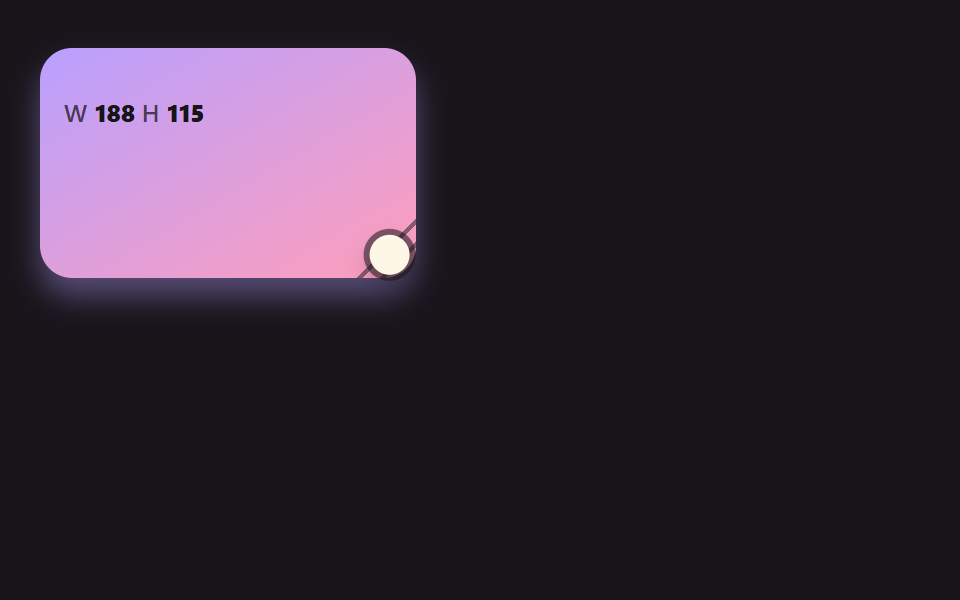
01모서리 손잡이를 끌면 스프링처럼 따라오는 상자
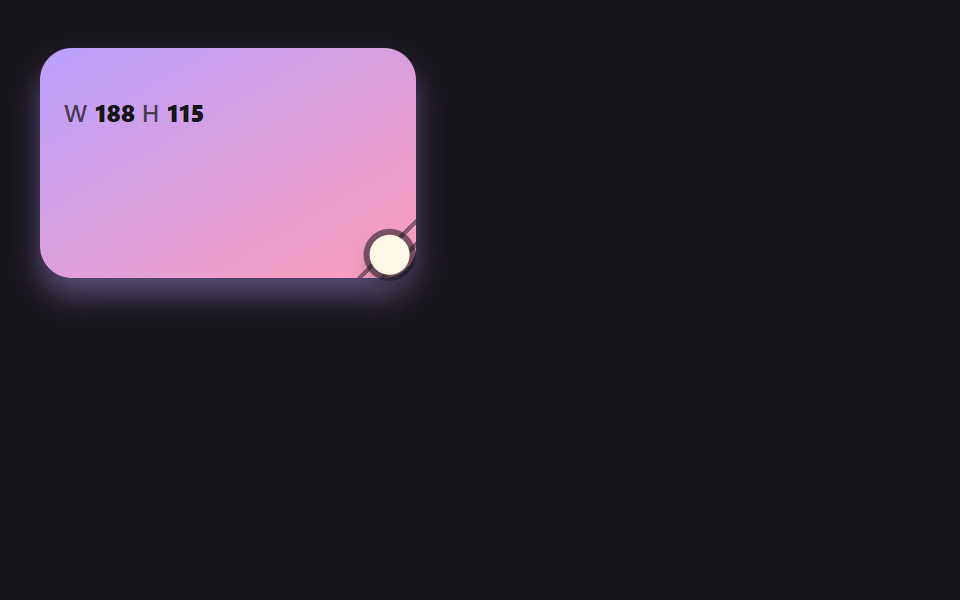
포인터가 가리키는 목표 크기를 두고 실제 크기가 속도를 가진 채 쫓아가, 포인터가 멈추거나 놓으면 살짝 넘쳤다가 자리를 잡는다.
쓰임카드·위젯 크기 조절
twvwSTIFFNESSDAMPING
<main class="stage">
<div class="rh is-demo" id="rh" data-demo="1">
  <div class="rh__panel" data-r="panel">
    <p class="rh__meta"><span class="rh__tag">W</span> <b data-r="w">0</b> <span class="rh__tag">H</span> <b data-r="h">0</b></p>
    <button class="rh__grip" data-r="grip" type="button" aria-label="크기 조절 손잡이"></button>
  </div>
  <i class="rh__cursor" data-r="cursor"></i>
</div>
</main>
@use "../../../../site/static/demo-tokens" as *;
// 핵심: 포인터는 목표 크기만 정하고, 실제 크기는 JS 가 스프링 방정식으로 적분한 값이다.
@include stage($stage-ink);
.rh {
position: relative;
box-sizing: border-box;
width: min(100%, 440px);
height: min(252px, calc(100vh - 2 * clamp(8px, 4vw, 24px)));
color: $subject-cream;
font-size: 12px;
line-height: 16px;
font-weight: 600;
user-select: none;
}
.rh b { font-weight: 800; font-variant-numeric: tabular-nums; }
.rh__tag { color: $tick-mute; letter-spacing: .5px; }
.rh__cursor {
position: absolute;
left: -10px;
top: -10px;
width: 20px;
height: 20px;
border-radius: 50%;
background: $subject-cream;
box-shadow: 0 0 0 3px rgba($subject-ink, .55), $shadow-press;
opacity: 0;
pointer-events: none;
z-index: 6;
}
.rh[data-demo] .rh__cursor { opacity: 1; }
.rh button:focus-visible { outline: 3px solid $subject-pink; outline-offset: 2px; }
@media (prefers-reduced-motion: reduce) {
.rh__cursor { display: none; }
}
// 속도가 클수록 그림자가 들리는 양(--lift)도 같이 커진다.
.rh__panel {
--lift: 0;
position: absolute;
left: 0;
top: 0;
box-sizing: border-box;
overflow: hidden;
padding: $sp-3;
border-radius: $r-card;
background: linear-gradient(150deg, $subject-lilac, $subject-pink);
color: $subject-ink;
box-shadow: 0 calc(4px + var(--lift) * 18px) calc(8px + var(--lift) * 24px) rgba($subject-lilac, .4);
}
.rh__panel .rh__tag { color: rgba($subject-ink, .72); }
.rh__grip {
position: absolute;
right: 0;
bottom: 0;
width: 36px;
height: 36px;
padding: 0;
border: 0;
background: repeating-linear-gradient(135deg, transparent 0 6px, rgba($subject-ink, .5) 6px 8px);
clip-path: polygon(100% 0, 100% 100%, 0 100%);
cursor: nwse-resize;
touch-action: none;
}html, body {
margin: 0;
overflow: hidden;
}
.stage {
box-sizing: border-box;
min-height: 100vh;
display: grid;
place-items: center;
margin: 0;
background: #17141a;
font-family: -apple-system, "Segoe UI", "Noto Sans KR", sans-serif;
padding: clamp(8px, 4vw, 24px);
}
.rh {
position: relative;
box-sizing: border-box;
width: min(100%, 440px);
height: min(252px, 100vh - 2 * clamp(8px, 4vw, 24px));
color: #fff7e6;
font-size: 12px;
line-height: 16px;
font-weight: 600;
user-select: none;
}
.rh b {
font-weight: 800;
font-variant-numeric: tabular-nums;
}
.rh__tag {
color: #9a93a6;
letter-spacing: 0.5px;
}
.rh__cursor {
position: absolute;
left: -10px;
top: -10px;
width: 20px;
height: 20px;
border-radius: 50%;
background: #fff7e6;
box-shadow: 0 0 0 3px rgba(23, 20, 26, 0.55), 0 6px 12px rgba(23, 20, 26, 0.32);
opacity: 0;
pointer-events: none;
z-index: 6;
}
.rh[data-demo] .rh__cursor {
opacity: 1;
}
.rh button:focus-visible {
outline: 3px solid #ff9ebb;
outline-offset: 2px;
}
@media (prefers-reduced-motion: reduce) {
.rh__cursor {
display: none;
}
}
.rh__panel {
--lift: 0;
position: absolute;
left: 0;
top: 0;
box-sizing: border-box;
overflow: hidden;
padding: 12px;
border-radius: 16px;
background: linear-gradient(150deg, #b9a0ff, #ff9ebb);
color: #17141a;
box-shadow: 0 calc(4px + var(--lift) * 18px) calc(8px + var(--lift) * 24px) rgba(185, 160, 255, 0.4);
}
.rh__panel .rh__tag {
color: rgba(23, 20, 26, 0.72);
}
.rh__grip {
position: absolute;
right: 0;
bottom: 0;
width: 36px;
height: 36px;
padding: 0;
border: 0;
background: repeating-linear-gradient(135deg, transparent 0 6px, rgba(23, 20, 26, 0.5) 6px 8px);
clip-path: polygon(100% 0, 100% 100%, 0 100%);
cursor: nwse-resize;
touch-action: none;
}(function () {
const root = document.getElementById("rh");
const reduce = window.matchMedia("(prefers-reduced-motion: reduce)").matches;
let demo = !reduce;
let raf = 0;
let t0 = -1;
let last = -1;
const offs = [];
function q(sel) {
return root.querySelector(sel);
}
function clamp(v, lo, hi) {
return Math.max(lo, Math.min(hi, v));
}
function seg(t, a, b) {
const c = clamp((t - a) / (b - a), 0, 1);
return c * c * (3 - 2 * c);
}
function on(el, type, fn) {
el.addEventListener(type, fn);
offs.push(() => el.removeEventListener(type, fn));
}
function stopDemo() {
demo = false;
root.removeAttribute("data-demo");
root.classList.remove("is-demo");
}
function pos(e) {
const r = root.getBoundingClientRect();
return { x: e.clientX - r.left, y: e.clientY - r.top };
}
function spring(x, v, to, k, c, dt) {
const n = Math.max(1, Math.ceil(dt / 0.008));
const h = dt / n;
for (let i = 0; i < n; i += 1) {
v += (-k * (x - to) - c * v) * h;
x += v * h;
}
return [x, v];
}
function sync() {
if (reduce) {
snap();
render();
}
}
// 기법: 포인터는 목표 크기(tw, th)만 정한다. 실제 크기는 속도를 가진 채 스프링 방정식으로 목표를 쫓는다.
// 감쇠를 비율(DAMPING 0.5)로 두면 강성을 바꿔도 넘침 비율이 같고 쫓는 속도만 달라진다.
const STIFFNESS = 170;
const DAMPING = 0.5;
const MIN_W = 96;
const MIN_H = 72;
const panel = q("[data-r=panel]");
const grip = q("[data-r=grip]");
const cursor = q("[data-r=cursor]");
const wEl = q("[data-r=w]");
const hEl = q("[data-r=h]");
let w = 0;
let h = 0;
let vw = 0;
let vh = 0;
let tw = 0;
let th = 0;
let px = 0;
let py = 0;
let gx = 0;
let gy = 0;
let dragging = false;
let ready = false;
function init() {
if (ready)
return;
ready = true;
tw = w = root.clientWidth * 0.42;
th = h = root.clientHeight * 0.45;
}
function userTakes() {
stopDemo();
dragging = false;
init();
}
function script(now) {
const W = root.clientWidth;
const H = root.clientHeight;
const ph = now % 2000;
const ax = W * 0.42 - 10;
const ay = H * 0.45 - 10;
const bx = W * 0.96 - 10;
const by = H * 0.94 - 10;
const cx = W * 0.62 - 10;
const cy = H * 0.62 - 10;
let t = 0;
let fx = ax;
let fy = ay;
let tx = ax;
let ty = ay;
if (ph >= 200 && ph < 760) {
t = seg(ph, 200, 760);
tx = bx;
ty = by;
}
else if (ph >= 760 && ph < 1000) {
fx = bx;
fy = by;
tx = bx;
ty = by;
}
else if (ph >= 1000 && ph < 1500) {
t = seg(ph, 1000, 1500);
fx = bx;
fy = by;
tx = cx;
ty = cy;
}
else if (ph >= 1500) {
t = seg(ph, 1500, 1960);
fx = cx;
fy = cy;
tx = ax;
ty = ay;
}
px = fx + (tx - fx) * t;
py = fy + (ty - fy) * t;
gx = 10;
gy = 10;
dragging = ph >= 200 && ph < 1960;
}
function snap() {
init();
w = tw;
h = th;
vw = 0;
vh = 0;
}
function step(dt, now) {
init();
if (demo)
script(now);
if (dragging) {
tw = clamp(px + gx, MIN_W, root.clientWidth);
th = clamp(py + gy, MIN_H, root.clientHeight);
}
const c = 2 * DAMPING * Math.sqrt(STIFFNESS);
const a = spring(w, vw, tw, STIFFNESS, c, dt);
const b = spring(h, vh, th, STIFFNESS, c, dt);
w = a[0];
vw = a[1];
h = b[0];
vh = b[1];
}
function render() {
const lift = clamp(Math.hypot(vw, vh) / 700, 0, 1);
panel.style.width = w.toFixed(1) + "px";
panel.style.height = h.toFixed(1) + "px";
panel.style.setProperty("--lift", lift.toFixed(3));
wEl.textContent = String(Math.round(w));
hEl.textContent = String(Math.round(h));
cursor.style.transform = "translate(" + px.toFixed(1) + "px," + py.toFixed(1) + "px)";
}
on(grip, "pointerdown", (e) => {
userTakes();
grip.setPointerCapture(e.pointerId);
const p = pos(e);
px = p.x;
py = p.y;
gx = w - p.x;
gy = h - p.y;
dragging = true;
});
on(grip, "pointermove", (e) => {
if (!dragging)
return;
const p = pos(e);
px = p.x;
py = p.y;
tw = clamp(px + gx, MIN_W, root.clientWidth);
th = clamp(py + gy, MIN_H, root.clientHeight);
sync();
});
on(grip, "pointerup", () => { dragging = false; });
on(grip, "pointercancel", () => { dragging = false; });
on(grip, "keydown", (e) => {
const k = e.key;
if (k !== "ArrowLeft" && k !== "ArrowRight" && k !== "ArrowUp" && k !== "ArrowDown")
return;
e.preventDefault();
userTakes();
tw = clamp(tw + (k === "ArrowRight" ? 16 : k === "ArrowLeft" ? -16 : 0), MIN_W, root.clientWidth);
th = clamp(th + (k === "ArrowDown" ? 16 : k === "ArrowUp" ? -16 : 0), MIN_H, root.clientHeight);
sync();
});
function frame(ts) {
if (t0 < 0) {
t0 = ts;
last = ts;
}
const dt = Math.min(0.05, (ts - last) / 1000);
last = ts;
step(dt, ts - t0);
render();
raf = requestAnimationFrame(frame);
}
if (reduce) {
stopDemo();
snap();
render();
}
else {
raf = requestAnimationFrame(frame);
}
return () => {
cancelAnimationFrame(raf);
offs.forEach((f) => f());
};
})();// SpringCornerGrip - vanilla 판(01-rh-spring-corner-grip) 의 React 포트. 같은 계산을 useEffect 안에서 돌린다.
import { useEffect, useRef } from "react";
import styles from "./SpringCornerGrip.module.scss";
export default function SpringCornerGrip() {
const rootRef = useRef<HTMLDivElement | null>(null);
useEffect(() => {
const rootEl = rootRef.current;
if (!rootEl) return;
const root: HTMLElement = rootEl;
const reduce = window.matchMedia("(prefers-reduced-motion: reduce)").matches;
let demo = !reduce;
let raf = 0;
let t0 = -1;
let last = -1;
const offs: Array<() => void> = [];
function q<T extends Element>(sel: string): T {
return root.querySelector(sel) as T;
}
function clamp(v: number, lo: number, hi: number): number {
return Math.max(lo, Math.min(hi, v));
}
function seg(t: number, a: number, b: number): number {
const c = clamp((t - a) / (b - a), 0, 1);
return c * c * (3 - 2 * c);
}
function on(el: EventTarget, type: string, fn: (e: any) => void): void {
el.addEventListener(type, fn);
offs.push(() => el.removeEventListener(type, fn));
}
function stopDemo(): void {
demo = false;
root.removeAttribute("data-demo");
root.classList.remove("is-demo");
}
function pos(e: PointerEvent): { x: number; y: number } {
const r = root.getBoundingClientRect();
return { x: e.clientX - r.left, y: e.clientY - r.top };
}
function spring(x: number, v: number, to: number, k: number, c: number, dt: number): number[] {
const n = Math.max(1, Math.ceil(dt / 0.008));
const h = dt / n;
for (let i = 0; i < n; i += 1) {
v += (-k * (x - to) - c * v) * h;
x += v * h;
}
return [x, v];
}
function sync(): void {
if (reduce) {
snap();
render();
}
}
// 기법: 포인터는 목표 크기(tw, th)만 정한다. 실제 크기는 속도를 가진 채 스프링 방정식으로 목표를 쫓는다.
// 감쇠를 비율(DAMPING 0.5)로 두면 강성을 바꿔도 넘침 비율이 같고 쫓는 속도만 달라진다.
const STIFFNESS = 170;
const DAMPING = 0.5;
const MIN_W = 96;
const MIN_H = 72;
const panel = q<HTMLElement>("[data-r=panel]");
const grip = q<HTMLElement>("[data-r=grip]");
const cursor = q<HTMLElement>("[data-r=cursor]");
const wEl = q<HTMLElement>("[data-r=w]");
const hEl = q<HTMLElement>("[data-r=h]");
let w = 0;
let h = 0;
let vw = 0;
let vh = 0;
let tw = 0;
let th = 0;
let px = 0;
let py = 0;
let gx = 0;
let gy = 0;
let dragging = false;
let ready = false;
function init(): void {
if (ready) return;
ready = true;
tw = w = root.clientWidth * 0.42;
th = h = root.clientHeight * 0.45;
}
function userTakes(): void {
stopDemo();
dragging = false;
init();
}
function script(now: number): void {
const W = root.clientWidth;
const H = root.clientHeight;
const ph = now % 2000;
const ax = W * 0.42 - 10;
const ay = H * 0.45 - 10;
const bx = W * 0.96 - 10;
const by = H * 0.94 - 10;
const cx = W * 0.62 - 10;
const cy = H * 0.62 - 10;
let t = 0;
let fx = ax;
let fy = ay;
let tx = ax;
let ty = ay;
if (ph >= 200 && ph < 760) { t = seg(ph, 200, 760); tx = bx; ty = by; }
else if (ph >= 760 && ph < 1000) { fx = bx; fy = by; tx = bx; ty = by; }
else if (ph >= 1000 && ph < 1500) { t = seg(ph, 1000, 1500); fx = bx; fy = by; tx = cx; ty = cy; }
else if (ph >= 1500) { t = seg(ph, 1500, 1960); fx = cx; fy = cy; tx = ax; ty = ay; }
px = fx + (tx - fx) * t;
py = fy + (ty - fy) * t;
gx = 10;
gy = 10;
dragging = ph >= 200 && ph < 1960;
}
function snap(): void {
init();
w = tw;
h = th;
vw = 0;
vh = 0;
}
function step(dt: number, now: number): void {
init();
if (demo) script(now);
if (dragging) {
tw = clamp(px + gx, MIN_W, root.clientWidth);
th = clamp(py + gy, MIN_H, root.clientHeight);
}
const c = 2 * DAMPING * Math.sqrt(STIFFNESS);
const a = spring(w, vw, tw, STIFFNESS, c, dt);
const b = spring(h, vh, th, STIFFNESS, c, dt);
w = a[0];
vw = a[1];
h = b[0];
vh = b[1];
}
function render(): void {
const lift = clamp(Math.hypot(vw, vh) / 700, 0, 1);
panel.style.width = w.toFixed(1) + "px";
panel.style.height = h.toFixed(1) + "px";
panel.style.setProperty("--lift", lift.toFixed(3));
wEl.textContent = String(Math.round(w));
hEl.textContent = String(Math.round(h));
cursor.style.transform = "translate(" + px.toFixed(1) + "px," + py.toFixed(1) + "px)";
}
on(grip, "pointerdown", (e: PointerEvent) => {
userTakes();
grip.setPointerCapture(e.pointerId);
const p = pos(e);
px = p.x;
py = p.y;
gx = w - p.x;
gy = h - p.y;
dragging = true;
});
on(grip, "pointermove", (e: PointerEvent) => {
if (!dragging) return;
const p = pos(e);
px = p.x;
py = p.y;
tw = clamp(px + gx, MIN_W, root.clientWidth);
th = clamp(py + gy, MIN_H, root.clientHeight);
sync();
});
on(grip, "pointerup", () => { dragging = false; });
on(grip, "pointercancel", () => { dragging = false; });
on(grip, "keydown", (e: KeyboardEvent) => {
const k = e.key;
if (k !== "ArrowLeft" && k !== "ArrowRight" && k !== "ArrowUp" && k !== "ArrowDown") return;
e.preventDefault();
userTakes();
tw = clamp(tw + (k === "ArrowRight" ? 16 : k === "ArrowLeft" ? -16 : 0), MIN_W, root.clientWidth);
th = clamp(th + (k === "ArrowDown" ? 16 : k === "ArrowUp" ? -16 : 0), MIN_H, root.clientHeight);
sync();
});
function frame(ts: number): void {
if (t0 < 0) {
t0 = ts;
last = ts;
}
const dt = Math.min(0.05, (ts - last) / 1000);
last = ts;
step(dt, ts - t0);
render();
raf = requestAnimationFrame(frame);
}
if (reduce) {
stopDemo();
snap();
render();
} else {
raf = requestAnimationFrame(frame);
}
return () => {
cancelAnimationFrame(raf);
offs.forEach((f) => f());
};
}, []);
return (
<main className={styles["stage"]}>
<div ref={rootRef} className={styles["rh"] + " is-demo"} data-demo="1">
<div className={styles["rh__panel"]} data-r="panel">
<p className={styles["rh__meta"]}><span className={styles["rh__tag"]}>W</span> <b data-r="w">0</b> <span className={styles["rh__tag"]}>H</span> <b data-r="h">0</b></p>
<button className={styles["rh__grip"]} data-r="grip" type="button" aria-label="크기 조절 손잡이"></button>
</div>
<i className={styles["rh__cursor"]} data-r="cursor"></i>
</div>
</main>
);
}01 모서리 손잡이를 끌면 스프링처럼 따라오는 상자 — 측정 누적면적 78.149% · 움직인 프레임 23/23GODRICH 원작 · zip 에 SCSS·React 포함 · css resize handle 9가지 — 모서리를 끌면 상자가 손에 붙어 따라온다
이 데모가 속한 글
 css resize handle 9가지 — 모서리를 끌면 상자가 손에 붙어 따라온다css resize handle 을 resize 속성 하나로만 두면 손잡이 모양은 못 바꾸고, 줄 높이에 안 맞고, 한계를 넘기면 그냥 막힌다 — 09번·02번·06번이 계산으로 푼다. 아래 아홉 장면은 상자·표 열 이 글의 데모 전부 보기