01하트 눈 깜빡임
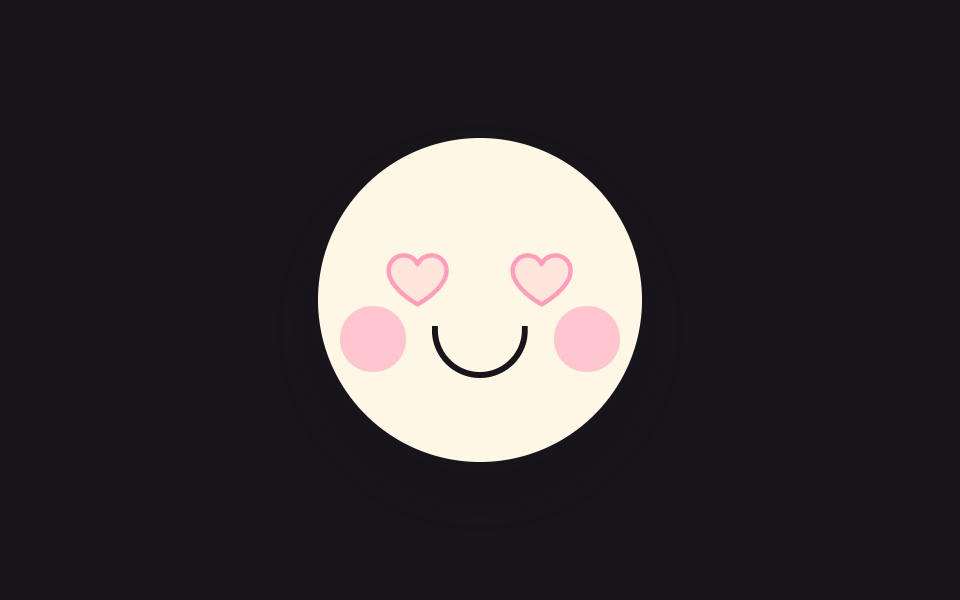
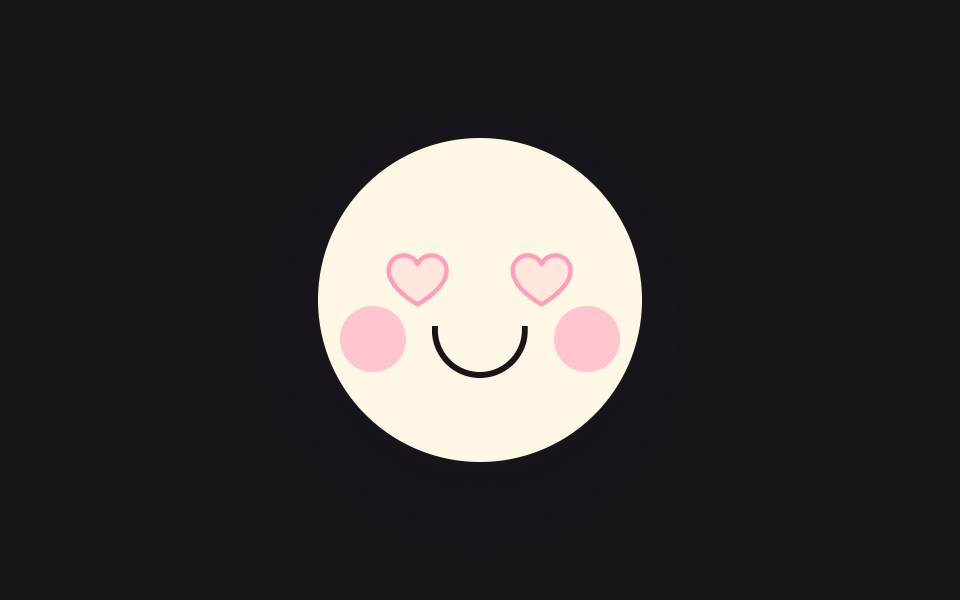
동그란 얼굴의 두 눈이 하트로 차 있고, 몇 초에 한 번 눈꺼풀이 세로로 눌렸다 펴집니다. 누르면 뺨이 발그레해지고 하트가 한 단계 커집니다.
쓰임로그인 완료 인사 화면의 캐릭터
transform-originscaleYanimation-iteration-count
<main class="stage">
<button class="hb is-demo" id="hb" type="button" aria-pressed="false" aria-label="캐릭터 눌러서 반가워하기">
  <span class="hb__face" aria-hidden="true">
    <span class="hb__eye hb__eye--l"><svg xmlns="http://www.w3.org/2000/svg" width="1em" height="1em" viewBox="0 0 256 256"><g fill="currentColor"><path d="M232 102c0 66-104 122-104 122S24 168 24 102a54 54 0 0 1 54-54c22.59 0 41.94 12.31 50 32c8.06-19.69 27.41-32 50-32a54 54 0 0 1 54 54" opacity=".2"/><path d="M178 40c-20.65 0-38.73 8.88-50 23.89C116.73 48.88 98.65 40 78 40a62.07 62.07 0 0 0-62 62c0 70 103.79 126.66 108.21 129a8 8 0 0 0 7.58 0C136.21 228.66 240 172 240 102a62.07 62.07 0 0 0-62-62m-50 174.8c-18.26-10.64-96-59.11-96-112.8a46.06 46.06 0 0 1 46-46c19.45 0 35.78 10.36 42.6 27a8 8 0 0 0 14.8 0c6.82-16.67 23.15-27 42.6-27a46.06 46.06 0 0 1 46 46c0 53.61-77.76 102.15-96 112.8"/></g></svg></span>
    <span class="hb__eye hb__eye--r"><svg xmlns="http://www.w3.org/2000/svg" width="1em" height="1em" viewBox="0 0 256 256"><g fill="currentColor"><path d="M232 102c0 66-104 122-104 122S24 168 24 102a54 54 0 0 1 54-54c22.59 0 41.94 12.31 50 32c8.06-19.69 27.41-32 50-32a54 54 0 0 1 54 54" opacity=".2"/><path d="M178 40c-20.65 0-38.73 8.88-50 23.89C116.73 48.88 98.65 40 78 40a62.07 62.07 0 0 0-62 62c0 70 103.79 126.66 108.21 129a8 8 0 0 0 7.58 0C136.21 228.66 240 172 240 102a62.07 62.07 0 0 0-62-62m-50 174.8c-18.26-10.64-96-59.11-96-112.8a46.06 46.06 0 0 1 46-46c19.45 0 35.78 10.36 42.6 27a8 8 0 0 0 14.8 0c6.82-16.67 23.15-27 42.6-27a46.06 46.06 0 0 1 46 46c0 53.61-77.76 102.15-96 112.8"/></g></svg></span>
    <span class="hb__cheek hb__cheek--l"></span>
    <span class="hb__cheek hb__cheek--r"></span>
    <span class="hb__mouth"></span>
  </span>
</button>
</main>
@use "../../../../site/static/demo-tokens" as *;
// 하트 눈 깜빡임 — 하트를 눈으로 삼은 얼굴이 몇 초에 한 번 세로로 눈을 감는다.
// 깜빡임은 눈 요소의 scaleY 로만 한다(눈꺼풀 오버레이를 얹으면 중간 프레임이 두 겹으로 겹쳐
// 유령처럼 보인다). 누르면 뺨이 발그레해지고 하트가 한 단계 커진다 — 상태는 aria-pressed 하나.
// 미리보기 루프(.is-demo)에서는 62% 지점에 뺨 발그레를 넣어 누른 뒤 모습도 프레임에 잡힌다.
$duration: $dur-loop;
$easing: $ease-pop;
$color: $subject-pink;
@include stage($stage-ink);
.hb {
display: block; border: 0; padding: 0; background: none; cursor: pointer;
-webkit-tap-highlight-color: transparent;
}
.hb:focus-visible { outline: 2px solid $color; outline-offset: 4px; border-radius: 50%; }
.hb__face {
position: relative; display: block; box-sizing: border-box;
width: clamp(120px, 38vw, 168px); aspect-ratio: 1;
background: $subject-cream; border: 3px solid $subject-ink; border-radius: 50%;
box-shadow: $shadow-raised;
}
// 눈 — 하트 아이콘(Phosphor heart duotone, 인라인). 커지는 하트 심장 박동도 이 요소의 scale
.hb__eye {
position: absolute; top: 32%; width: 22%; aspect-ratio: 1; color: $subject-pink;
transform-origin: 50% 50%;
}
.hb__eye--l { left: 20%; }
.hb__eye--r { right: 20%; }
.hb__eye svg { display: block; width: 100%; height: 100%; }
// 뺨 — 누르기 전엔 투명하게 있다가(공간 유지) 누르면 색이 오른다
.hb__cheek {
position: absolute; top: 52%; width: 20%; aspect-ratio: 1;
background: $subject-pink; border-radius: 50%; opacity: 0;
}
.hb__cheek--l { left: 7%; }
.hb__cheek--r { right: 7%; }
.hb__mouth {
position: absolute; top: 58%; left: 50%; width: 26%; height: 14%;
border: 3px solid $subject-ink; border-top: 0; border-radius: 0 0 $r-pill $r-pill;
transform: translateX(-50%);
}
// ── 누른 상태: 뺨 발그레 + 하트 한 단계 커짐 (정적 경로 — .is-demo 와 무관하게 살아 있다)
.hb[aria-pressed="true"] .hb__cheek { opacity: .55; }
.hb[aria-pressed="true"] .hb__eye { scale: 1.16; }
// ── 격자 미리보기 루프(2초). 깜빡임은 40~54% 구간(hbBlink 0%,40%→47%→54%,100%), 뺨은 62~88% 에 켜졌다 꺼진다. (주석 정정 2026-09-13 — 교열이 낡은 44~58 을 그대로 옮겨 적었던 출처)
// 하트는 앞구간에 두 번 박동(0~30%) 쳐서 정지 프레임을 채운다 — 깜빡임만으로는 움직인 프레임이 6/23 에 그친다
.hb.is-demo .hb__eye {
animation-name: hbBlink;
animation-duration: $duration;
animation-timing-function: $easing;
animation-iteration-count: infinite;
}
.hb.is-demo .hb__eye svg {
animation-name: hbBeat;
animation-duration: $duration;
animation-timing-function: $easing;
animation-iteration-count: infinite;
}
.hb.is-demo .hb__cheek {
animation-name: hbBlush;
animation-duration: $duration;
animation-timing-function: steps(1, end);
animation-iteration-count: infinite;
}
@keyframes hbBlink {
0%, 40% { transform: scaleY(1); }
47% { transform: scaleY(.08); }
54%, 100% { transform: scaleY(1); }
}
@keyframes hbBeat {
0%, 12% { transform: scale(1); }
17% { transform: scale(1.14); }
22% { transform: scale(1); }
27% { transform: scale(1.1); }
32%, 100% { transform: scale(1); }
}
@keyframes hbBlush {
0%, 61% { opacity: 0; }
62%, 87% { opacity: .55; }
88%, 100% { opacity: 0; }
}
// ── 좁은 화면: 얼굴을 조금 줄여 무대 안에 들어온다
@media (max-width: 340px) {
.hb__face { border-width: 2px; }
}
@media (prefers-reduced-motion: reduce) {
// 깜빡임을 끊으면 눈을 뜬 채 반가워하는 얼굴이 그대로 남는다
.hb.is-demo .hb__eye,
.hb.is-demo .hb__eye svg,
.hb.is-demo .hb__cheek {
animation: none !important;
}
}html, body {
margin: 0;
overflow: hidden;
}
.stage {
box-sizing: border-box;
min-height: 100vh;
display: grid;
place-items: center;
margin: 0;
background: #17141a;
font-family: -apple-system, "Segoe UI", "Noto Sans KR", sans-serif;
padding: clamp(8px, 4vw, 24px);
}
.hb {
display: block;
border: 0;
padding: 0;
background: none;
cursor: pointer;
-webkit-tap-highlight-color: transparent;
}
.hb:focus-visible {
outline: 2px solid #ff9ebb;
outline-offset: 4px;
border-radius: 50%;
}
.hb__face {
position: relative;
display: block;
box-sizing: border-box;
width: clamp(120px, 38vw, 168px);
aspect-ratio: 1;
background: #fff7e6;
border: 3px solid #17141a;
border-radius: 50%;
box-shadow: 0 14px 24px rgba(23, 20, 26, 0.32);
}
.hb__eye {
position: absolute;
top: 32%;
width: 22%;
aspect-ratio: 1;
color: #ff9ebb;
transform-origin: 50% 50%;
}
.hb__eye--l {
left: 20%;
}
.hb__eye--r {
right: 20%;
}
.hb__eye svg {
display: block;
width: 100%;
height: 100%;
}
.hb__cheek {
position: absolute;
top: 52%;
width: 20%;
aspect-ratio: 1;
background: #ff9ebb;
border-radius: 50%;
opacity: 0;
}
.hb__cheek--l {
left: 7%;
}
.hb__cheek--r {
right: 7%;
}
.hb__mouth {
position: absolute;
top: 58%;
left: 50%;
width: 26%;
height: 14%;
border: 3px solid #17141a;
border-top: 0;
border-radius: 0 0 999px 999px;
transform: translateX(-50%);
}
.hb[aria-pressed=true] .hb__cheek {
opacity: 0.55;
}
.hb[aria-pressed=true] .hb__eye {
scale: 1.16;
}
.hb.is-demo .hb__eye {
animation-name: hbBlink;
animation-duration: 2s;
animation-timing-function: cubic-bezier(0.2, 1.4, 0.4, 1);
animation-iteration-count: infinite;
}
.hb.is-demo .hb__eye svg {
animation-name: hbBeat;
animation-duration: 2s;
animation-timing-function: cubic-bezier(0.2, 1.4, 0.4, 1);
animation-iteration-count: infinite;
}
.hb.is-demo .hb__cheek {
animation-name: hbBlush;
animation-duration: 2s;
animation-timing-function: steps(1, end);
animation-iteration-count: infinite;
}
@keyframes hbBlink {
0%, 40% {
transform: scaleY(1);
}
47% {
transform: scaleY(0.08);
}
54%, 100% {
transform: scaleY(1);
}
}
@keyframes hbBeat {
0%, 12% {
transform: scale(1);
}
17% {
transform: scale(1.14);
}
22% {
transform: scale(1);
}
27% {
transform: scale(1.1);
}
32%, 100% {
transform: scale(1);
}
}
@keyframes hbBlush {
0%, 61% {
opacity: 0;
}
62%, 87% {
opacity: 0.55;
}
88%, 100% {
opacity: 0;
}
}
@media (max-width: 340px) {
.hb__face {
border-width: 2px;
}
}
@media (prefers-reduced-motion: reduce) {
.hb.is-demo .hb__eye,
.hb.is-demo .hb__eye svg,
.hb.is-demo .hb__cheek {
animation: none !important;
}
}var hb = document.getElementById('hb');
// 누르면 얼굴이 반가워하는 상태로 바뀐다 — 뺨 발그레 + 하트 한 단계 커짐. 상태는 aria-pressed 한 곳
hb.addEventListener('click', function () {
hb.classList.remove('is-demo');
hb.setAttribute('aria-pressed', hb.getAttribute('aria-pressed') === 'true' ? 'false' : 'true');
});
hb.addEventListener('pointerdown', function () { hb.classList.remove('is-demo'); });// CuteHeartEyes — vanilla 판(run/075/demo/01-cute-heart-eyes-blink) 의 React 포트.
// 누르면 얼굴이 반가워하는 상태로 바뀐다 — 상태는 aria-pressed 한 곳.
import { useState } from "react";
import type { CSSProperties } from "react";
import styles from "./CuteHeartEyes.module.scss";
export type CuteHeartEyesProps = {
duration?: number;
easing?: string;
color?: string;
initialPressed?: boolean;
};
type Vars = CSSProperties & { "--duration"?: string; "--easing"?: string; "--color"?: string };
const HEART_SVG = (
<svg xmlns="http://www.w3.org/2000/svg" width="1em" height="1em" viewBox="0 0 256 256"><g fill="currentColor"><path d="M232 102c0 66-104 122-104 122S24 168 24 102a54 54 0 0 1 54-54c22.59 0 41.94 12.31 50 32c8.06-19.69 27.41-32 50-32a54 54 0 0 1 54 54" opacity=".2"/><path d="M178 40c-20.65 0-38.73 8.88-50 23.89C116.73 48.88 98.65 40 78 40a62.07 62.07 0 0 0-62 62c0 70 103.79 126.66 108.21 129a8 8 0 0 0 7.58 0C136.21 228.66 240 172 240 102a62.07 62.07 0 0 0-62-62m-50 174.8c-18.26-10.64-96-59.11-96-112.8a46.06 46.06 0 0 1 46-46c19.45 0 35.78 10.36 42.6 27a8 8 0 0 0 14.8 0c6.82-16.67 23.15-27 42.6-27a46.06 46.06 0 0 1 46 46c0 53.61-77.76 102.15-96 112.8"/></g></svg>
);
export default function CuteHeartEyes(props: CuteHeartEyesProps) {
const duration = props.duration ?? 2000;
const easing = props.easing ?? "cubic-bezier(.2, 1.4, .4, 1)";
const color = props.color ?? "#ff9ebb";
const [pressed, setPressed] = useState<boolean>(props.initialPressed ?? false);
const [preview, setPreview] = useState<boolean>(true);
const vars: Vars = { "--duration": duration + "ms", "--easing": easing, "--color": color };
return (
<main className={styles.stage}>
<button
className={styles.hb + (preview ? " " + styles.isDemo : "")}
style={vars}
type="button"
aria-pressed={pressed}
aria-label="캐릭터 눌러서 반가워하기"
onClick={() => setPressed(!pressed)}
onPointerDown={() => setPreview(false)}
>
<span className={styles.face} aria-hidden="true">
<span className={styles.eye + " " + styles.eyeL}>{HEART_SVG}</span>
<span className={styles.eye + " " + styles.eyeR}>{HEART_SVG}</span>
<span className={styles.cheek + " " + styles.cheekL}></span>
<span className={styles.cheek + " " + styles.cheekR}></span>
<span className={styles.mouth}></span>
</span>
</button>
</main>
);
}01 하트 눈 깜빡임 — 측정 누적면적 2.374% · 움직인 프레임 11/23GODRICH 원작 · zip 에 SCSS·React 포함 · 귀여운 캐릭터 애니메이션 9종 — 일러스트 캐릭터 CSS 모음
이 데모가 속한 글
 귀여운 캐릭터 애니메이션 9종 — 일러스트 캐릭터 CSS 모음귀여운 캐릭터 애니메이션은 그린 캐릭터를 이미지 파일 없이 코드만으로 깜빡이고 튀게 만드는 일입니다. 하트 눈 얼굴에서 쿠키 나눠 주는 친구까지 아홉 마리를 CSS 와 SVG 도형으로 지었고, 클릭하면 캐릭터가 바로 이 글의 데모 전부 보기