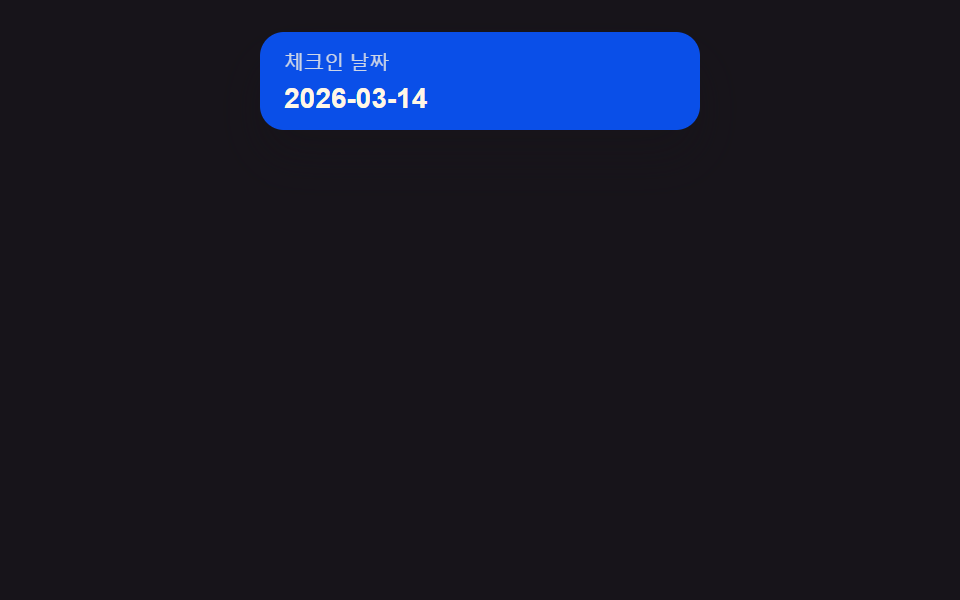
01입력 팝오버 전환 — 입력칸의 초점 값이 켜지면 달력이 팝오버로 펼쳐지고 꺼지면 접히는 방식
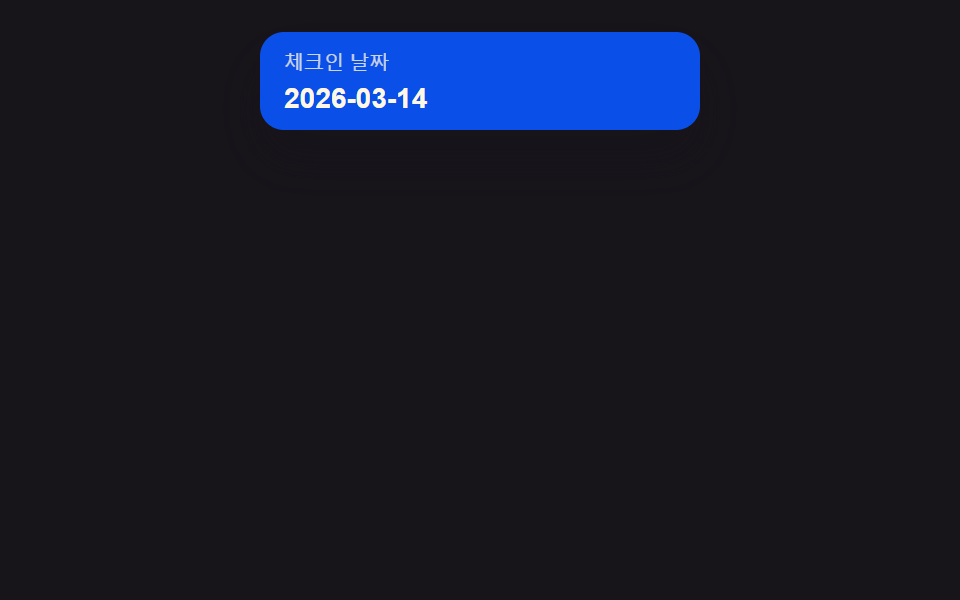
초점 값이 켜지면 입력칸 아래로 팝오버가 목표 높이를 살짝 넘었다가 되돌아오며 펼쳐지고, 바깥을 짚어 초점 값이 꺼지면 다시 접힙니다.
쓰임예약 폼의 날짜 입력칸, 필터 패널의 기간 입력
measureAnchor()ANCHOR_GAP$ease-elastic
<main class="stage">
<div class="dp is-demo" id="dp">
  <button type="button" class="dp__field" id="dpField" aria-haspopup="dialog" aria-expanded="false">
    <span class="dp__fieldLabel">체크인 날짜</span>
    <span class="dp__fieldValue" id="dpValue">2026-03-14</span>
  </button>
  <div class="dp__pop" id="dpPop" role="dialog" aria-label="달력" aria-hidden="true">
    <div class="dp__head"><span class="dp__label">2026년 3월</span></div>
    <div class="dp__weekday" aria-hidden="true">
      <span>일</span><span>월</span><span>화</span><span>수</span><span>목</span><span>금</span><span>토</span>
    </div>
    <div class="dp__grid" id="dpGrid"></div>
  </div>
</div>
</main>
@use "../../../../site/static/demo-tokens" as *;
// 계산 겹: 팝오버 위치는 index.html measureAnchor() 의 getBoundingClientRect 실측값으로 정해진다.
// 애니메이션은 그 자리에서 transform(scale)·opacity 만 — top/left 는 실측 뒤 한 번만 세팅되고 트윈하지 않는다.
@include stage($stage-ink);
// 계산 겹: 팝오버가 필드 아래로 실제 높이만큼 펼쳐지므로 무대는 위쪽에 붙여
// 열림 상태의 전체 높이가 480x300·320x200 두 화면 모두에 들어가게 한다.
.stage {
align-items: start;
padding-top: $sp-4;
}
.dp {
position: relative;
width: 100%;
max-width: 220px;
}
.dp__field {
display: grid;
gap: $sp-1;
width: 100%;
padding: $sp-2 $sp-3;
border: none;
border-radius: $r-control;
background: $subject-blue-deep;
color: $subject-cream;
text-align: left;
cursor: pointer;
box-shadow: $shadow-raised;
}
.dp__fieldLabel {
font-size: 10px;
opacity: .8;
}
.dp__fieldValue {
font-size: 14px;
font-weight: 700;
}
.dp__pop {
position: absolute;
z-index: 2;
box-sizing: border-box;
padding: $sp-2;
border-radius: $r-card;
background: $stage-paper;
box-shadow: $shadow-raised;
transform-origin: top center;
transform: scale(.85);
opacity: 0;
pointer-events: none;
transition: transform $dur-enter $ease-elastic, opacity $dur-quick $ease-out;
}
.dp--open .dp__pop {
transform: scale(1);
opacity: 1;
pointer-events: auto;
}
.dp__head {
text-align: center;
margin-bottom: $sp-1;
}
.dp__label {
font-size: 11px;
font-weight: 700;
color: $subject-ink;
}
.dp__weekday,
.dp__grid {
display: grid;
grid-template-columns: repeat(7, 1fr);
}
.dp__weekday span {
font-size: 9px;
text-align: center;
color: rgba($subject-ink, .72);
padding-bottom: $sp-1;
}
.dp__cell {
display: grid;
place-items: center;
height: 21px;
font-size: 11px;
color: $subject-ink;
border-radius: $r-xs;
}
.dp__cell--out {
visibility: hidden;
}
.dp__cell--today {
background: $subject-blue;
color: $subject-cream;
font-weight: 700;
}
@media (max-width: 340px) {
.stage { padding-top: $sp-2; }
.dp { max-width: 180px; }
.dp__field { padding: $sp-1 $sp-2; }
.dp__pop { padding: $sp-1; }
.dp__cell { height: 17px; font-size: 10px; }
.dp__weekday span { font-size: 8px; padding-bottom: 0; }
}
@media (prefers-reduced-motion: reduce) {
.dp__pop { transition: none; }
}html, body {
margin: 0;
overflow: hidden;
}
.stage {
box-sizing: border-box;
min-height: 100vh;
display: grid;
place-items: center;
margin: 0;
background: #17141a;
font-family: -apple-system, "Segoe UI", "Noto Sans KR", sans-serif;
padding: clamp(8px, 4vw, 24px);
}
.stage {
align-items: start;
padding-top: 16px;
}
.dp {
position: relative;
width: 100%;
max-width: 220px;
}
.dp__field {
display: grid;
gap: 4px;
width: 100%;
padding: 8px 12px;
border: none;
border-radius: 12px;
background: #0a4fe8;
color: #fff7e6;
text-align: left;
cursor: pointer;
box-shadow: 0 14px 24px rgba(23, 20, 26, 0.32);
}
.dp__fieldLabel {
font-size: 10px;
opacity: 0.8;
}
.dp__fieldValue {
font-size: 14px;
font-weight: 700;
}
.dp__pop {
position: absolute;
z-index: 2;
box-sizing: border-box;
padding: 8px;
border-radius: 16px;
background: #ffffff;
box-shadow: 0 14px 24px rgba(23, 20, 26, 0.32);
transform-origin: top center;
transform: scale(0.85);
opacity: 0;
pointer-events: none;
transition: transform 600ms cubic-bezier(0.34, 1.56, 0.64, 1), opacity 220ms ease-out;
}
.dp--open .dp__pop {
transform: scale(1);
opacity: 1;
pointer-events: auto;
}
.dp__head {
text-align: center;
margin-bottom: 4px;
}
.dp__label {
font-size: 11px;
font-weight: 700;
color: #17141a;
}
.dp__weekday,
.dp__grid {
display: grid;
grid-template-columns: repeat(7, 1fr);
}
.dp__weekday span {
font-size: 9px;
text-align: center;
color: rgba(23, 20, 26, 0.72);
padding-bottom: 4px;
}
.dp__cell {
display: grid;
place-items: center;
height: 21px;
font-size: 11px;
color: #17141a;
border-radius: 4px;
}
.dp__cell--out {
visibility: hidden;
}
.dp__cell--today {
background: #2f6df6;
color: #fff7e6;
font-weight: 700;
}
@media (max-width: 340px) {
.stage {
padding-top: 8px;
}
.dp {
max-width: 180px;
}
.dp__field {
padding: 4px 8px;
}
.dp__pop {
padding: 4px;
}
.dp__cell {
height: 17px;
font-size: 10px;
}
.dp__weekday span {
font-size: 8px;
padding-bottom: 0;
}
}
@media (prefers-reduced-motion: reduce) {
.dp__pop {
transition: none;
}
}(function () {
var BASE = { y: 2026, m: 3, d: 14 }; // 계산 겹 상수: 고정 오늘(월 1~12), new Date() 미사용
function isLeap(y) { return (y % 4 === 0 && y % 100 !== 0) || y % 400 === 0; }
function daysInMonth(y, m) {
var t = [31, isLeap(y) ? 29 : 28, 31, 30, 31, 30, 31, 31, 30, 31, 30, 31];
return t[m - 1];
}
function dow(y, m, d) { // Zeller 합동식 — 0=일 ~ 6=토
var yy = y, mm = m;
if (mm < 3) { yy -= 1; mm += 12; }
var K = yy % 100, J = Math.floor(yy / 100);
var h = (d + Math.floor(13 * (mm + 1) / 5) + K + Math.floor(K / 4) + Math.floor(J / 4) - 2 * J) % 7;
h = ((h % 7) + 7) % 7;
return (h + 6) % 7;
}
var ANCHOR_GAP = 8; // 계산 겹: 필드 아래 팝오버 간격(px)
var dp = document.getElementById('dp');
var field = document.getElementById('dpField');
var pop = document.getElementById('dpPop');
var grid = document.getElementById('dpGrid');
var n = daysInMonth(BASE.y, BASE.m);
var lead = dow(BASE.y, BASE.m, 1);
for (var i = 0; i < lead; i++) {
var blank = document.createElement('span');
blank.className = 'dp__cell dp__cell--out';
grid.appendChild(blank);
}
for (var d = 1; d <= n; d++) {
var cell = document.createElement('span');
cell.className = 'dp__cell';
cell.textContent = String(d);
if (d === BASE.d) cell.classList.add('dp__cell--today');
grid.appendChild(cell);
}
function measureAnchor() {
// 계산 겹: 실측 위치 — 필드의 실제 렌더 폭·좌표를 읽어 팝오버를 그 자리에 앵커한다
var fr = field.getBoundingClientRect();
var pr = dp.getBoundingClientRect();
pop.style.left = (fr.left - pr.left) + 'px';
pop.style.top = (fr.bottom - pr.top + ANCHOR_GAP) + 'px';
pop.style.width = fr.width + 'px';
}
function setOpen(v) {
dp.classList.toggle('dp--open', v);
field.setAttribute('aria-expanded', v ? 'true' : 'false');
pop.setAttribute('aria-hidden', v ? 'false' : 'true');
if (v) measureAnchor();
}
function human() {
dp.classList.remove('is-demo');
stopAutoplay();
setOpen(!dp.classList.contains('dp--open'));
}
field.addEventListener('click', human);
document.addEventListener('keydown', function (e) {
if (e.key === 'Escape' && dp.classList.contains('dp--open')) { human(); }
});
document.addEventListener('click', function (e) {
if (dp.classList.contains('dp--open') && !dp.contains(e.target)) { human(); }
});
var open = false;
var autoTimer = null;
function stopAutoplay() { if (autoTimer) { clearInterval(autoTimer); autoTimer = null; } }
var reduce = window.matchMedia('(prefers-reduced-motion: reduce)').matches;
setOpen(false);
if (!reduce) {
autoTimer = setInterval(function () {
open = !open;
setOpen(open);
}, 1400);
}
})();import { useEffect, useRef, useState } from 'react';
import styles from './DatePickerPopoverOpen.module.scss';
type Box<T> = { current: T };
const BASE = { y: 2026, m: 3, d: 14 }; // 계산 겹 상수: 고정 오늘(월 1~12), new Date() 미사용
const ANCHOR_GAP = 8; // 계산 겹: 필드 아래 팝오버 간격(px)
const WEEKDAY = ['일', '월', '화', '수', '목', '금', '토'];
function isLeap(y: number) {
return (y % 4 === 0 && y % 100 !== 0) || y % 400 === 0;
}
function daysInMonth(y: number, m: number) {
const t = [31, isLeap(y) ? 29 : 28, 31, 30, 31, 30, 31, 31, 30, 31, 30, 31];
return t[m - 1];
}
function dow(y: number, m: number, d: number) { // Zeller 합동식 — 0=일 ~ 6=토
let yy = y;
let mm = m;
if (mm < 3) { yy -= 1; mm += 12; }
const K = yy % 100;
const J = Math.floor(yy / 100);
let h = (d + Math.floor((13 * (mm + 1)) / 5) + K + Math.floor(K / 4) + Math.floor(J / 4) - 2 * J) % 7;
h = ((h % 7) + 7) % 7;
return (h + 6) % 7;
}
function buildCells() {
const n = daysInMonth(BASE.y, BASE.m);
const lead = dow(BASE.y, BASE.m, 1);
const cells: { key: string; d: number | null; today: boolean }[] = [];
for (let i = 0; i < lead; i++) cells.push({ key: 'out' + i, d: null, today: false });
for (let d = 1; d <= n; d++) cells.push({ key: 'd' + d, d, today: d === BASE.d });
return cells;
}
export default function DatePickerPopoverOpen() {
const rootRef = useRef(null) as unknown as Box<HTMLDivElement>;
const fieldRef = useRef(null) as unknown as Box<HTMLButtonElement>;
const popRef = useRef(null) as unknown as Box<HTMLDivElement>;
const [isDemo, setIsDemo] = useState(true);
const [open, setOpen] = useState(false);
const cells = buildCells();
function measureAnchor() {
// 계산 겹: 실측 위치 — 필드의 실제 렌더 폭·좌표를 읽어 팝오버를 그 자리에 앵커한다
const field = fieldRef.current;
const root = rootRef.current;
const pop = popRef.current;
if (!field || !root || !pop) return;
const fr = field.getBoundingClientRect();
const pr = root.getBoundingClientRect();
pop.style.left = fr.left - pr.left + 'px';
pop.style.top = fr.bottom - pr.top + ANCHOR_GAP + 'px';
pop.style.width = fr.width + 'px';
}
function human() {
setIsDemo(false);
setOpen((v) => !v);
}
useEffect(() => {
if (open) measureAnchor();
}, [open]);
useEffect(() => {
function onKey(e: KeyboardEvent) {
if (e.key === 'Escape' && open) human();
}
function onDoc(e: MouseEvent) {
const root = rootRef.current;
if (open && root && !root.contains(e.target as Node)) human();
}
document.addEventListener('keydown', onKey);
document.addEventListener('click', onDoc);
return () => {
document.removeEventListener('keydown', onKey);
document.removeEventListener('click', onDoc);
};
}, [open]);
useEffect(() => {
const reduce = window.matchMedia('(prefers-reduced-motion: reduce)').matches;
if (!isDemo || reduce) return;
const timer = window.setInterval(() => {
setOpen((v) => !v);
}, 1400);
return () => window.clearInterval(timer);
}, [isDemo]);
return (
<div className={`${styles.dp} ${isDemo ? styles.isDemo : ''} ${open ? styles.dpOpen : ''}`} ref={rootRef}>
<button
type="button"
className={styles.dpField}
ref={fieldRef}
aria-haspopup="dialog"
aria-expanded={open}
onClick={human}
>
<span className={styles.dpFieldLabel}>체크인 날짜</span>
<span className={styles.dpFieldValue}>2026-03-14</span>
</button>
<div className={styles.dpPop} ref={popRef} role="dialog" aria-label="달력" aria-hidden={!open}>
<div className={styles.dpHead}><span className={styles.dpLabel}>2026년 3월</span></div>
<div className={styles.dpWeekday} aria-hidden="true">
{WEEKDAY.map((w) => <span key={w}>{w}</span>)}
</div>
<div className={styles.dpGrid}>
{cells.map((c) => (
<span
key={c.key}
className={`${styles.dpCell} ${c.d === null ? styles.dpCellOut : ''} ${c.today ? styles.dpCellToday : ''}`}
>
{c.d ?? ''}
</span>
))}
</div>
</div>
</div>
);
}01 입력 팝오버 전환 — 입력칸의 초점 값이 켜지면 달력이 팝오버로 펼쳐지고 꺼지면 접히는 방식 — 측정 누적면적 25.682% · 움직인 프레임 8/23GODRICH 원작 · zip 에 SCSS·React 포함 · 날짜 선택 UI 9종 — 팝오버로 열고 접는 아홉 가지 방식
이 데모가 속한 글
 날짜 선택 UI 9종 — 팝오버로 열고 접는 아홉 가지 방식날짜 선택 UI는 입력 하나로 달력이 열리고 접히는 인터랙션인데, 아홉 개 중 하나는 입력칸의 초점 값이 켜지면 달력이 팝오버로 펼쳐지고, 하나는 허용 범위 밖 날짜의 흐림 값이 커져 선택할 수 없는 칸이 드러나며, 이 글의 데모 전부 보기