06방향키 값으로 격자 안 초점이 옮겨 다니는 키보드 탐색
방향키를 누른 값을 격자의 가로·세로 칸 수와 맞춰 계산해, 화살표 하나에 초점이 옆 칸이 아니라 줄이 바뀌는 위치까지 정확히 건너뛰도록 만든다.
쓰임마우스 없이 쓰는 입력, 접근성이 중요한 폼
measureColsmovesetFocus
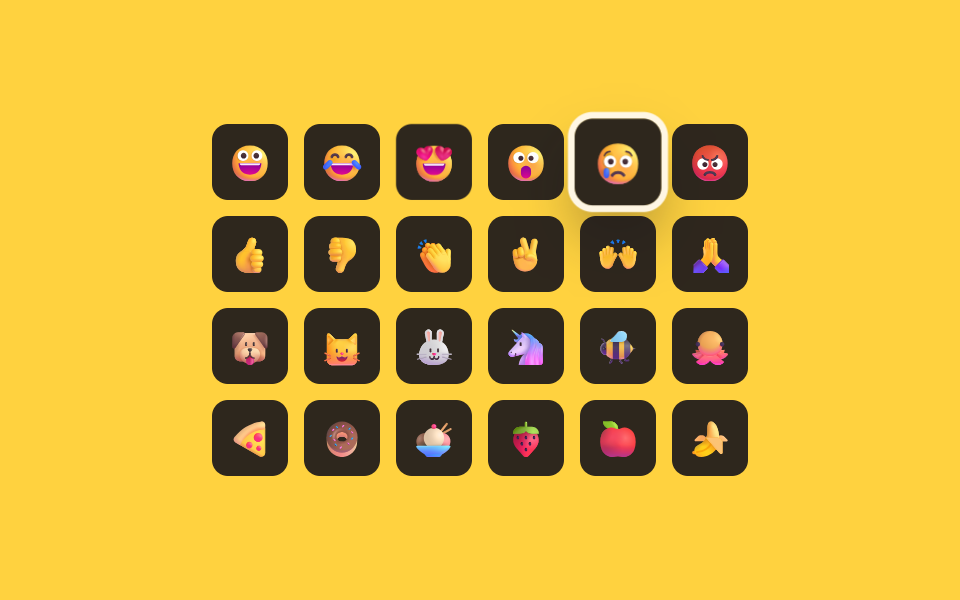
<main class="stage">
<div class="kg is-demo" id="kg">
  <div class="kg__grid" id="kgGrid" role="grid" aria-label="이모지 격자"></div>
  <p class="kg__sr" role="status" aria-live="polite" id="kgLive"></p>
</div>
</main>
@use "../../../../site/static/demo-tokens" as *;
// 계산 겹: index.html measureCols() 가 첫 줄 칸들의 실제 렌더 top 값을 재서 지금 열 수를 구하고,
// move() 가 그 값으로 ArrowUp/Down 이 몇 칸을 건너뛸지 계산한다 — 열 수를 상수로 박아두지 않는다.
@include stage($stage-yellow);
.kg { display: flex; flex-direction: column; align-items: center; justify-content: center; }
.kg__grid {
display: grid; grid-template-columns: repeat(6, 1fr); gap: $sp-2;
}
.kg__cell {
width: 38px; height: 38px; border: none; border-radius: $r-sm;
background: rgba($subject-ink, .90); display: flex; align-items: center; justify-content: center;
font-size: 18px; cursor: pointer; outline: none;
transform: scale(1); transition: transform $dur-quick $ease-spring, box-shadow $dur-quick $ease-out;
}
.kg__cell--active { transform: scale(1.14); box-shadow: 0 0 0 3px $subject-cream, $shadow-raised; }
.kg__cell:focus-visible { box-shadow: 0 0 0 3px $subject-cream, $shadow-raised; }
.kg__sr { position: absolute; width: 1px; height: 1px; overflow: hidden; clip: rect(0 0 0 0); margin: -1px; padding: 0; border: 0; }
@media (max-width: 340px) {
.kg__grid { grid-template-columns: repeat(6, 1fr); gap: $sp-1; }
.kg__cell { width: 26px; height: 26px; font-size: 13px; }
}
@media (prefers-reduced-motion: reduce) {
.kg__cell { transition: none; }
}html, body {
margin: 0;
overflow: hidden;
}
.stage {
box-sizing: border-box;
min-height: 100vh;
display: grid;
place-items: center;
margin: 0;
background: #ffd23f;
font-family: -apple-system, "Segoe UI", "Noto Sans KR", sans-serif;
padding: clamp(8px, 4vw, 24px);
}
.kg {
display: flex;
flex-direction: column;
align-items: center;
justify-content: center;
}
.kg__grid {
display: grid;
grid-template-columns: repeat(6, 1fr);
gap: 8px;
}
.kg__cell {
width: 38px;
height: 38px;
border: none;
border-radius: 8px;
background: rgba(23, 20, 26, 0.9);
display: flex;
align-items: center;
justify-content: center;
font-size: 18px;
cursor: pointer;
outline: none;
transform: scale(1);
transition: transform 220ms cubic-bezier(0.2, 0.8, 0.2, 1), box-shadow 220ms ease-out;
}
.kg__cell--active {
transform: scale(1.14);
box-shadow: 0 0 0 3px #fff7e6, 0 14px 24px rgba(23, 20, 26, 0.32);
}
.kg__cell:focus-visible {
box-shadow: 0 0 0 3px #fff7e6, 0 14px 24px rgba(23, 20, 26, 0.32);
}
.kg__sr {
position: absolute;
width: 1px;
height: 1px;
overflow: hidden;
clip: rect(0 0 0 0);
margin: -1px;
padding: 0;
border: 0;
}
@media (max-width: 340px) {
.kg__grid {
grid-template-columns: repeat(6, 1fr);
gap: 4px;
}
.kg__cell {
width: 26px;
height: 26px;
font-size: 13px;
}
}
@media (prefers-reduced-motion: reduce) {
.kg__cell {
transition: none;
}
}(function () {
var EMOJIS = [
{ ch: '\u{1F600}', name: '웃음' }, { ch: '\u{1F602}', name: '폭소' }, { ch: '\u{1F60D}', name: '하트눈' },
{ ch: '\u{1F62E}', name: '놀람' }, { ch: '\u{1F622}', name: '눈물' }, { ch: '\u{1F621}', name: '화남' },
{ ch: '\u{1F44D}', name: '좋아요' }, { ch: '\u{1F44E}', name: '싫어요' }, { ch: '\u{1F44F}', name: '박수' },
{ ch: '\u{270C}', name: '브이' }, { ch: '\u{1F64C}', name: '만세' }, { ch: '\u{1F64F}', name: '기도' },
{ ch: '\u{1F436}', name: '강아지' }, { ch: '\u{1F431}', name: '고양이' }, { ch: '\u{1F430}', name: '토끼' },
{ ch: '\u{1F984}', name: '유니콘' }, { ch: '\u{1F41D}', name: '꿀벌' }, { ch: '\u{1F419}', name: '문어' },
{ ch: '\u{1F355}', name: '피자' }, { ch: '\u{1F369}', name: '도넛' }, { ch: '\u{1F368}', name: '아이스크림' },
{ ch: '\u{1F353}', name: '딸기' }, { ch: '\u{1F34E}', name: '사과' }, { ch: '\u{1F34C}', name: '바나나' }
];
var root = document.getElementById('kg');
var grid = document.getElementById('kgGrid');
var live = document.getElementById('kgLive');
var synthetic = false;
function human() { if (synthetic) return; if (root.classList.contains('is-demo')) root.classList.remove('is-demo'); }
var cells = [];
EMOJIS.forEach(function (e, i) {
var b = document.createElement('button');
b.type = 'button'; b.className = 'kg__cell'; b.setAttribute('role', 'gridcell');
b.setAttribute('aria-label', e.name); b.setAttribute('aria-selected', i === 0 ? 'true' : 'false');
b.tabIndex = i === 0 ? 0 : -1;
b.textContent = e.ch;
grid.appendChild(b);
cells.push(b);
});
cells[0].classList.add('kg__cell--active');
// 계산 겹: 방향키 하나가 옆 칸(±1)으로 갈지 줄(±열 수)로 건너뛸지는 격자의 실제 렌더 열 수에
// 달려 있다 — 열 수를 상수로 박아두지 않고, 첫 줄에 속한 칸들의 getBoundingClientRect().top 이
// 서로 같다는 사실로 지금 이 순간의 실제 열 수를 측정해서 그 값으로 이동 폭을 계산한다.
function measureCols() {
if (!cells.length) return 1;
var firstTop = cells[0].getBoundingClientRect().top;
var n = 0;
for (var i = 0; i < cells.length; i++) {
if (Math.abs(cells[i].getBoundingClientRect().top - firstTop) < 1) n++; else break;
}
return n || 1;
}
var focusIndex = 0;
function setFocus(i, announce) {
cells[focusIndex].tabIndex = -1;
cells[focusIndex].setAttribute('aria-selected', 'false');
cells[focusIndex].classList.remove('kg__cell--active');
focusIndex = i;
cells[focusIndex].tabIndex = 0;
cells[focusIndex].setAttribute('aria-selected', 'true');
cells[focusIndex].classList.add('kg__cell--active');
cells[focusIndex].focus({ preventScroll: true });
if (announce) {
var cols = measureCols();
var row = Math.floor(focusIndex / cols) + 1;
var col = (focusIndex % cols) + 1;
live.textContent = row + '번째 줄 ' + col + '번째 칸, ' + EMOJIS[focusIndex].name;
}
}
function move(key) {
var cols = measureCols();
var next = focusIndex;
if (key === 'ArrowRight') next = focusIndex + 1;
else if (key === 'ArrowLeft') next = focusIndex - 1;
else if (key === 'ArrowDown') next = focusIndex + cols;
else if (key === 'ArrowUp') next = focusIndex - cols;
else if (key === 'Home') next = 0;
else if (key === 'End') next = cells.length - 1;
if (next < 0 || next >= cells.length) return;
setFocus(next, true);
}
var NAV_KEYS = ['ArrowRight', 'ArrowLeft', 'ArrowUp', 'ArrowDown', 'Home', 'End'];
grid.addEventListener('keydown', function (ev) {
if (NAV_KEYS.indexOf(ev.key) === -1) return;
ev.preventDefault();
human();
move(ev.key);
});
var reduce = window.matchMedia('(prefers-reduced-motion: reduce)').matches;
var steps = ['ArrowRight', 'ArrowRight', 'ArrowDown', 'ArrowDown', 'ArrowLeft', 'ArrowUp'];
var si = 0, loopTimer = 0;
function runStep() {
if (!root.classList.contains('is-demo')) return;
var key = steps[si % steps.length];
synthetic = true;
cells[focusIndex].dispatchEvent(new KeyboardEvent('keydown', { key: key, bubbles: true }));
synthetic = false;
si++;
loopTimer = window.setTimeout(runStep, 640);
}
if (!reduce) { loopTimer = window.setTimeout(runStep, 500); }
else { root.classList.remove('is-demo'); }
})();// EmojiPickerKeyboardArrowGridNav — vanilla 판(run/402/demo/06-.../index.html) 의 React 포트.
// 계산 겹: measureCols() 가 첫 줄 칸들의 실제 렌더 top 값을 재서 지금 열 수를 구하고, move() 가
// 그 값으로 ArrowUp/Down 이 몇 칸을 건너뛸지 계산한다 — 열 수를 상수로 박아두지 않는다.
import { useEffect, useRef, useState } from "react";
import styles from "./EmojiPickerKeyboardArrowGridNav.module.scss";
type Box<T> = { current: T };
const EMOJIS = [
{ ch: "\u{1F600}", name: "웃음" }, { ch: "\u{1F602}", name: "폭소" }, { ch: "\u{1F60D}", name: "하트눈" },
{ ch: "\u{1F62E}", name: "놀람" }, { ch: "\u{1F622}", name: "눈물" }, { ch: "\u{1F621}", name: "화남" },
{ ch: "\u{1F44D}", name: "좋아요" }, { ch: "\u{1F44E}", name: "싫어요" }, { ch: "\u{1F44F}", name: "박수" },
{ ch: "\u{270C}", name: "브이" }, { ch: "\u{1F64C}", name: "만세" }, { ch: "\u{1F64F}", name: "기도" },
{ ch: "\u{1F436}", name: "강아지" }, { ch: "\u{1F431}", name: "고양이" }, { ch: "\u{1F430}", name: "토끼" },
{ ch: "\u{1F984}", name: "유니콘" }, { ch: "\u{1F41D}", name: "꿀벌" }, { ch: "\u{1F419}", name: "문어" },
{ ch: "\u{1F355}", name: "피자" }, { ch: "\u{1F369}", name: "도넛" }, { ch: "\u{1F368}", name: "아이스크림" },
{ ch: "\u{1F353}", name: "딸기" }, { ch: "\u{1F34E}", name: "사과" }, { ch: "\u{1F34C}", name: "바나나" },
];
const NAV_KEYS = ["ArrowRight", "ArrowLeft", "ArrowUp", "ArrowDown", "Home", "End"];
export default function EmojiPickerKeyboardArrowGridNav() {
const [isDemo, setIsDemo] = useState(true);
const [focusIndex, setFocusIndexState] = useState(0);
const isDemoRef = useRef(true) as unknown as Box<boolean>;
const synthRef = useRef(false) as unknown as Box<boolean>;
const focusIndexRef = useRef(0) as unknown as Box<number>;
const liveRef = useRef(null) as unknown as Box<HTMLParagraphElement>;
const gridRef = useRef(null) as unknown as Box<HTMLDivElement>;
const loopTimerRef = useRef(0) as unknown as Box<number>;
const cellRefs = useRef({} as { [i: number]: HTMLButtonElement }) as unknown as Box<{ [i: number]: HTMLButtonElement }>;
function human() {
if (synthRef.current) return;
if (isDemoRef.current) { isDemoRef.current = false; setIsDemo(false); }
}
function measureCols(): number {
const n = EMOJIS.length;
if (n === 0) return 1;
const first = cellRefs.current[0];
if (!first) return 1;
const firstTop = first.getBoundingClientRect().top;
let cols = 0;
for (let i = 0; i < n; i++) {
const el = cellRefs.current[i];
if (!el) break;
if (Math.abs(el.getBoundingClientRect().top - firstTop) < 1) cols++; else break;
}
return cols || 1;
}
function setFocus(i: number, announce: boolean) {
focusIndexRef.current = i;
setFocusIndexState(i);
const el = cellRefs.current[i];
if (el) el.focus({ preventScroll: true });
if (announce && liveRef.current) {
const cols = measureCols();
const row = Math.floor(i / cols) + 1;
const col = (i % cols) + 1;
liveRef.current.textContent = row + "번째 줄 " + col + "번째 칸, " + EMOJIS[i].name;
}
}
function move(key: string) {
const cols = measureCols();
const cur = focusIndexRef.current;
let next = cur;
if (key === "ArrowRight") next = cur + 1;
else if (key === "ArrowLeft") next = cur - 1;
else if (key === "ArrowDown") next = cur + cols;
else if (key === "ArrowUp") next = cur - cols;
else if (key === "Home") next = 0;
else if (key === "End") next = EMOJIS.length - 1;
if (next < 0 || next >= EMOJIS.length) return;
setFocus(next, true);
}
function onKeyDown(ev: { key: string; preventDefault: () => void }) {
if (NAV_KEYS.indexOf(ev.key) === -1) return;
ev.preventDefault();
human();
move(ev.key);
}
useEffect(() => {
const reduce = window.matchMedia("(prefers-reduced-motion: reduce)").matches;
const steps = ["ArrowRight", "ArrowRight", "ArrowDown", "ArrowDown", "ArrowLeft", "ArrowUp"];
let si = 0;
function runStep() {
if (!isDemoRef.current) return;
const key = steps[si % steps.length];
const el = cellRefs.current[focusIndexRef.current];
synthRef.current = true;
if (el) el.dispatchEvent(new KeyboardEvent("keydown", { key: key, bubbles: true }));
synthRef.current = false;
si++;
loopTimerRef.current = window.setTimeout(runStep, 640);
}
if (!reduce) { loopTimerRef.current = window.setTimeout(runStep, 500); }
else { isDemoRef.current = false; setIsDemo(false); }
return () => window.clearTimeout(loopTimerRef.current);
// eslint-disable-next-line react-hooks/exhaustive-deps
}, []);
return (
<main className={styles.stage}>
<div className={styles.kg + " " + (isDemo ? styles.isDemo : "")}>
<div
className={styles.grid}
role="grid"
aria-label="이모지 격자"
ref={gridRef}
onKeyDown={onKeyDown}
>
{EMOJIS.map((e, i) => (
<button
key={e.name + i}
type="button"
className={styles.cell + " " + (focusIndex === i ? styles.cellActive : "")}
role="gridcell"
aria-label={e.name}
aria-selected={focusIndex === i}
tabIndex={focusIndex === i ? 0 : -1}
ref={(el: HTMLButtonElement | null) => { if (el) cellRefs.current[i] = el; }}
>
{e.ch}
</button>
))}
</div>
<p className={styles.sr} role="status" aria-live="polite" ref={liveRef} />
</div>
</main>
);
}06 방향키 값으로 격자 안 초점이 옮겨 다니는 키보드 탐색 — 측정 누적면적 6.242% · 움직인 프레임 12/23GODRICH 원작 · zip 에 SCSS·React 포함 · 이모지 검색기 9가지 — 값 하나로 여닫는 패턴
이 데모가 속한 글
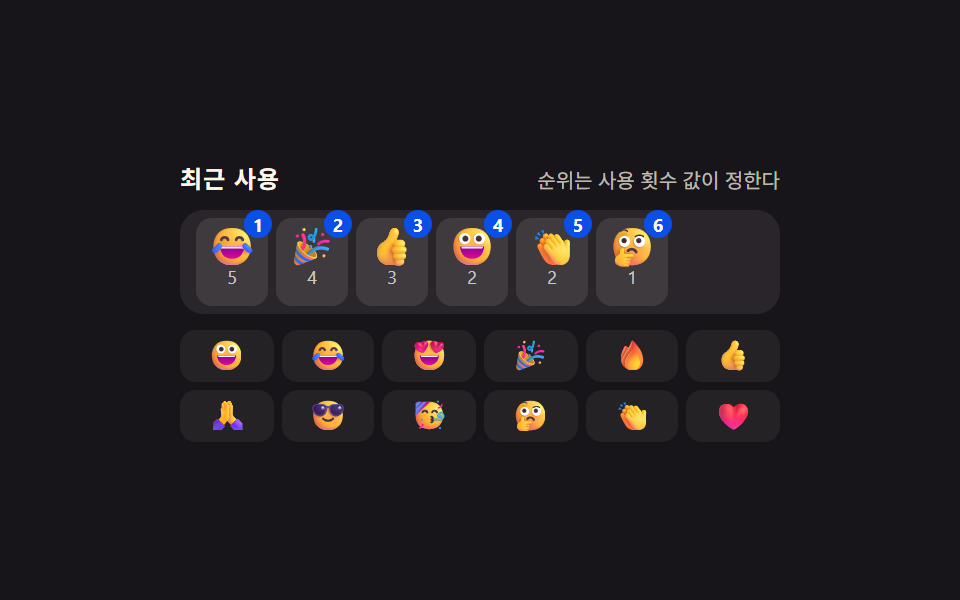 이모지 검색기 9가지 — 값 하나로 여닫는 패턴이모지 검색기 아홉 가지를 나란히 놓고 보면, 입력창 아래 남은 공간 값이 패널 높이보다 작을 때만 패널이 위로 열리는 자리로 바뀌고, 누르고 있는 시간 값이 정해둔 값을 넘을 때만 같은 이모지의 변형이 부채꼴로 펼 이 글의 데모 전부 보기
이 효과가 마음에 들면 — 비슷한 데모
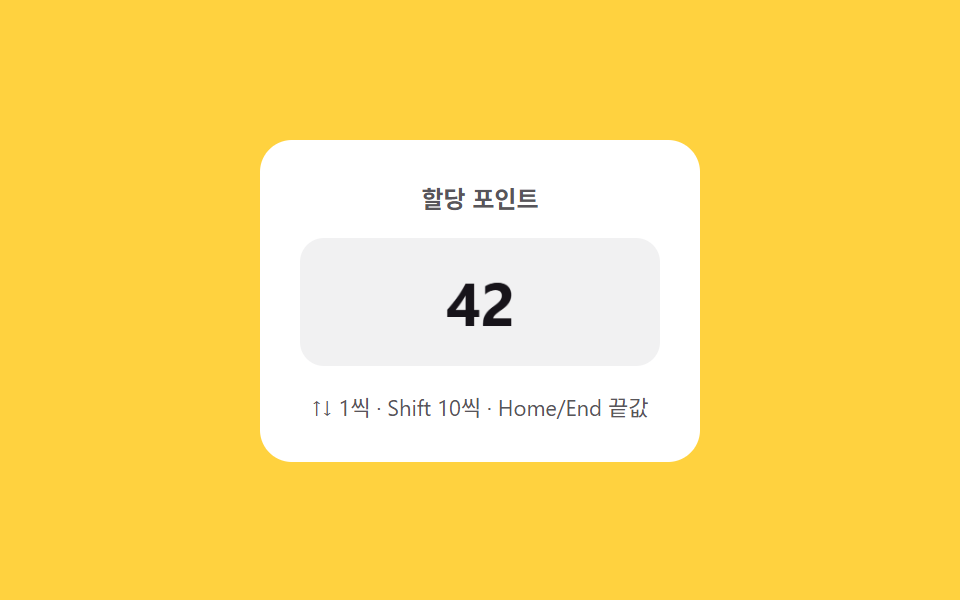 입력 UI06 키보드 점프 — 방향키는 한 단위, 보조키를 더하면 더 큰 단위로 값이 바뀌는 스텝퍼숫자 스텝퍼 UI 패턴 9종 — 길게 누를수록 빨라지는 것부터 눈금에 붙는 것까지
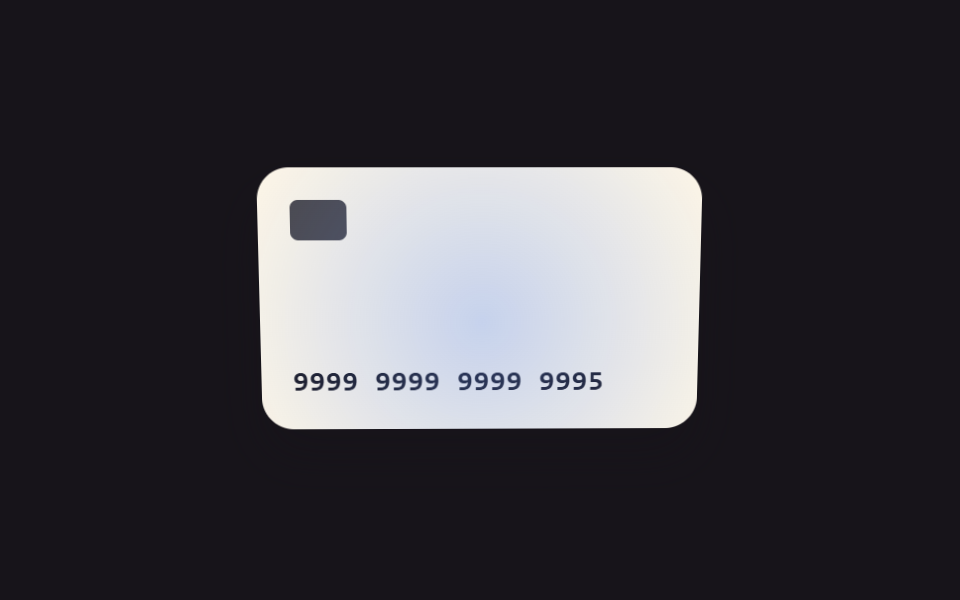 입력 UI09 초점 값과 기울기 값 연동 — 칸의 초점 위치 값이 움직이면 카드 그림의 기울기 값이 함께 따라 움직이는 방식카드 번호 입력 UI 9종 — 자릿수 값마다 반응이 달라지는 아홉 가지 방식
 입력 UI03 키보드 순환 — ↑↓ 로 항목을 고르고 끝에서 반대편으로 돌아오는 mod 계산input 자동완성 검색창 — 하이라이트·디바운스·편집거리 계산을 얹은 9종