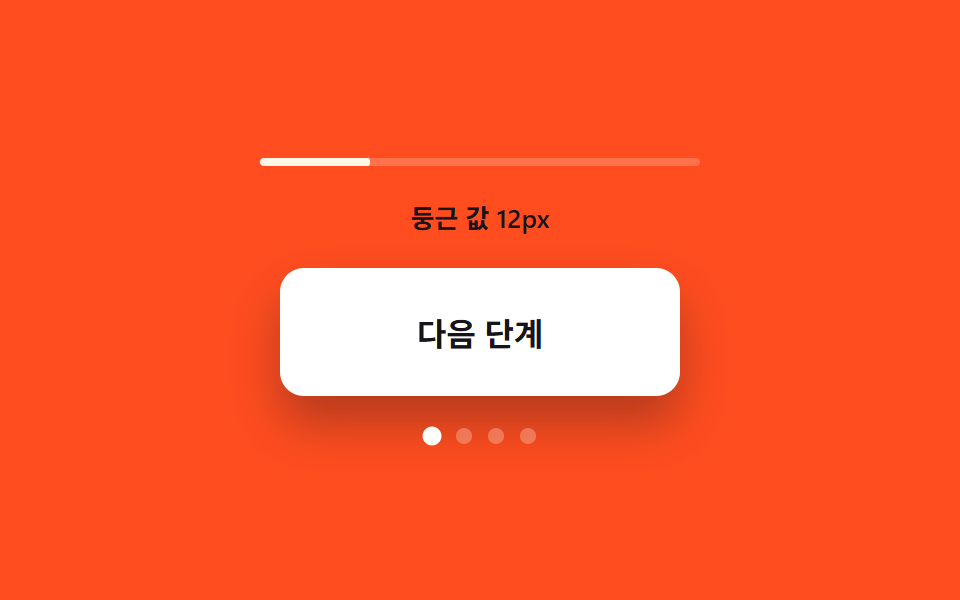
03모서리 둥근 값 성장 — 열림 값이 커질수록 버튼의 모서리 둥근 값이 함께 커지는 방식
열림 값이 단계마다 커질 때마다 모서리 둥근 값이 같은 폭으로 커져, 버튼이 점점 부드러운 형태로 바뀝니다.
쓰임다단계 폼의 다음 단추, 단계 선택 카드
RADIIRADII_TEXTadvance
<main class="stage">
<div class="cr is-demo" id="cr">
  <div class="cr__meter" aria-hidden="true">
    <div class="cr__meterFill" id="crFill"></div>
  </div>
  <p class="cr__read" id="crRead">둥근 값 12px</p>
  <div class="cr__btn" id="crBtn" role="button" tabindex="0" aria-label="단계 값 올리기">
    <span class="cr__label">다음 단계</span>
  </div>
  <div class="cr__steps" aria-hidden="true">
    <span class="cr__dot"></span>
    <span class="cr__dot"></span>
    <span class="cr__dot"></span>
    <span class="cr__dot"></span>
  </div>
</div>
</main>
@use "../../../../site/static/demo-tokens" as *;
// 계산 겹: 단계 값마다 둥근 반경이 RADII 산술(12→16→24→알약)으로 커지고(index.html),
// 크기 성장 곡선이 같은 transition 에 물려 함께 이어진다.
@include stage($stage-orange);
.cr {
display: grid;
gap: $sp-4;
justify-items: center;
}
.cr__meter {
width: 220px;
height: $sp-1;
border-radius: $r-xs;
background: rgba($subject-cream, .22);
overflow: hidden;
}
.cr__meterFill {
width: 100%;
height: 100%;
border-radius: $r-xs;
background: $subject-cream;
transform-origin: left center;
transform: scaleX(.25);
transition: transform $dur-base $ease-out;
}
.cr__read {
margin: 0;
color: $subject-ink;
font-size: 13px;
font-weight: 600;
}
.cr__btn {
display: grid;
place-items: center;
width: 200px;
height: 64px;
border-radius: $r-control;
background: $stage-paper;
color: $subject-ink;
box-shadow: $shadow-raised;
cursor: pointer;
transition: border-radius $dur-enter $ease-elastic, width $dur-enter $ease-elastic, height $dur-enter $ease-elastic;
}
.cr__label {
font-weight: 700;
font-size: 16px;
}
.cr__steps {
display: flex;
gap: $sp-2;
}
.cr__dot {
width: $sp-2;
height: $sp-2;
border-radius: 50%;
background: rgba($subject-cream, .28);
transition: background-color $dur-quick $ease-out, transform $dur-quick $ease-elastic;
}
.cr__dot--on {
background: $stage-paper;
transform: scale(1.18);
}
@media (max-width: 340px) {
.cr__btn { width: 180px; height: 56px; }
.cr__meter { width: 180px; }
}
@media (prefers-reduced-motion: reduce) {
.cr__btn, .cr__meterFill, .cr__dot { transition: none; }
}html, body {
margin: 0;
overflow: hidden;
}
.stage {
box-sizing: border-box;
min-height: 100vh;
display: grid;
place-items: center;
margin: 0;
background: #ff4d1f;
font-family: -apple-system, "Segoe UI", "Noto Sans KR", sans-serif;
padding: clamp(8px, 4vw, 24px);
}
.cr {
display: grid;
gap: 16px;
justify-items: center;
}
.cr__meter {
width: 220px;
height: 4px;
border-radius: 4px;
background: rgba(255, 247, 230, 0.22);
overflow: hidden;
}
.cr__meterFill {
width: 100%;
height: 100%;
border-radius: 4px;
background: #fff7e6;
transform-origin: left center;
transform: scaleX(0.25);
transition: transform 300ms ease-out;
}
.cr__read {
margin: 0;
color: #17141a;
font-size: 13px;
font-weight: 600;
}
.cr__btn {
display: grid;
place-items: center;
width: 200px;
height: 64px;
border-radius: 12px;
background: #ffffff;
color: #17141a;
box-shadow: 0 14px 24px rgba(23, 20, 26, 0.32);
cursor: pointer;
transition: border-radius 600ms cubic-bezier(0.34, 1.56, 0.64, 1), width 600ms cubic-bezier(0.34, 1.56, 0.64, 1), height 600ms cubic-bezier(0.34, 1.56, 0.64, 1);
}
.cr__label {
font-weight: 700;
font-size: 16px;
}
.cr__steps {
display: flex;
gap: 8px;
}
.cr__dot {
width: 8px;
height: 8px;
border-radius: 50%;
background: rgba(255, 247, 230, 0.28);
transition: background-color 220ms ease-out, transform 220ms cubic-bezier(0.34, 1.56, 0.64, 1);
}
.cr__dot--on {
background: #ffffff;
transform: scale(1.18);
}
@media (max-width: 340px) {
.cr__btn {
width: 180px;
height: 56px;
}
.cr__meter {
width: 180px;
}
}
@media (prefers-reduced-motion: reduce) {
.cr__btn, .cr__meterFill, .cr__dot {
transition: none;
}
}(function () {
var root = document.getElementById('cr');
var btn = document.getElementById('crBtn');
var fill = document.getElementById('crFill');
var read = document.getElementById('crRead');
var dots = root.querySelectorAll('.cr__dot');
var RADII = [12, 16, 24, 999]; // 계산 겹: 단계마다 커지는 둥근 값(px) — 마지막은 알약
var RADII_TEXT = ['둥근 값 12px', '둥근 값 16px', '둥근 값 24px', '둥근 값 알약'];
var step = 0;
function paint() {
var r = RADII[step];
// 둥근 값은 % 가 아니라 px 로 보간해야 성장이 선형으로 보인다 — 999px 는 알약 표기
btn.style.borderRadius = (r === 999 ? '999px' : r + 'px');
read.textContent = RADII_TEXT[step];
fill.style.transform = 'scaleX(' + ((step + 1) / RADII.length) + ')';
dots.forEach(function (d, i) {
d.classList.toggle('cr__dot--on', i <= step);
});
}
function advance() {
step = (step + 1) % RADII.length;
paint();
}
function human() {
root.classList.remove('is-demo');
stopAutoplay();
advance();
}
btn.addEventListener('click', human);
btn.addEventListener('keydown', function (e) {
if (e.key === 'Enter' || e.key === ' ') { e.preventDefault(); human(); }
});
var autoTimer = null;
function stopAutoplay() { if (autoTimer) { clearInterval(autoTimer); autoTimer = null; } }
var reduce = window.matchMedia('(prefers-reduced-motion: reduce)').matches;
paint();
if (!reduce) { autoTimer = setInterval(advance, 900); }
})();import { useEffect, useRef } from "react";
import styles from "./CornerRoundGrow.module.scss";
type Box<T> = { current: T };
const RADII = [12, 16, 24, 999]; // 계산 겹: 단계마다 커지는 둥근 값(px) — 마지막은 알약
const RADII_TEXT = ["둥근 값 12px", "둥근 값 16px", "둥근 값 24px", "둥근 값 알약"];
export default function CornerRoundGrow() {
const rootRef = useRef(null) as unknown as Box<HTMLDivElement | null>;
useEffect(() => {
const root = rootRef.current;
if (!root) return;
const btn = root.querySelector(`.${styles.btn}`) as HTMLElement | null;
const fill = root.querySelector(`.${styles.fill}`) as HTMLElement | null;
const read = root.querySelector(`.${styles.read}`) as HTMLElement | null;
const dots = root.querySelectorAll(`.${styles.dot}`);
if (!btn || !fill || !read) return;
let step = 0;
function paint() {
const r = RADII[step];
btn!.style.borderRadius = (r === 999 ? "999px" : r + "px");
read!.textContent = RADII_TEXT[step];
fill!.style.transform = "scaleX(" + ((step + 1) / RADII.length) + ")";
dots.forEach((d, i) => {
d.classList.toggle(styles["dot--on"], i <= step);
});
}
function advance() {
step = (step + 1) % RADII.length;
paint();
}
function human() {
root!.classList.remove(styles["is-demo"]);
stopAutoplay();
advance();
}
function onClick() { human(); }
function onKey(e: KeyboardEvent) {
if (e.key === "Enter" || e.key === " ") { e.preventDefault(); human(); }
}
btn.addEventListener("click", onClick);
btn.addEventListener("keydown", onKey);
let autoTimer: number | null = null;
function stopAutoplay() { if (autoTimer !== null) { window.clearInterval(autoTimer); autoTimer = null; } }
const reduce = window.matchMedia("(prefers-reduced-motion: reduce)").matches;
paint();
if (!reduce) { autoTimer = window.setInterval(advance, 900); }
return () => {
stopAutoplay();
btn.removeEventListener("click", onClick);
btn.removeEventListener("keydown", onKey);
};
}, []);
return (
<div ref={rootRef} className={`${styles.stage} ${styles.cr} ${styles["is-demo"]}`}>
<div className={styles.meter} aria-hidden="true">
<div className={styles.fill} />
</div>
<p className={styles.read}>둥근 값 12px</p>
<div className={styles.btn} role="button" tabIndex={0} aria-label="단계 값 올리기">
<span className={styles.label}>다음 단계</span>
</div>
<div className={styles.steps} aria-hidden="true">
<span className={styles.dot} />
<span className={styles.dot} />
<span className={styles.dot} />
<span className={styles.dot} />
</div>
</div>
);
}03 모서리 둥근 값 성장 — 열림 값이 커질수록 버튼의 모서리 둥근 값이 함께 커지는 방식 — 측정 누적면적 1.665% · 움직인 프레임 15/23GODRICH 원작 · zip 에 SCSS·React 포함 · 펼쳐지는 버튼 UI 9종 — 모양이 달라지는 아홉 가지 방식
이 데모가 속한 글
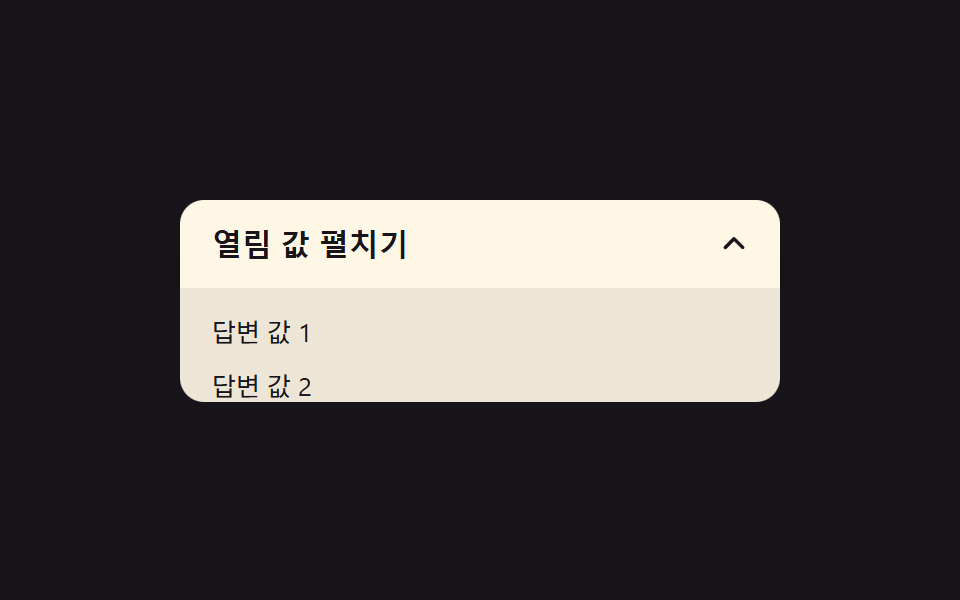 펼쳐지는 버튼 UI 9종 — 모양이 달라지는 아홉 가지 방식펼쳐지는 버튼은 클릭 값 하나로 버튼 자체의 모양 값이 다른 형태로 바뀌는 인터랙션인데, 아홉 개 중 하나는 열림 값이 바뀌면 버튼의 모서리 둥근 값이 함께 커지고, 하나는 닫힘 값이 켜지면 더하기 표시가 회전하여 이 글의 데모 전부 보기