03환색 붓 — 그리는 길이에 따라 색이 도는 브러시
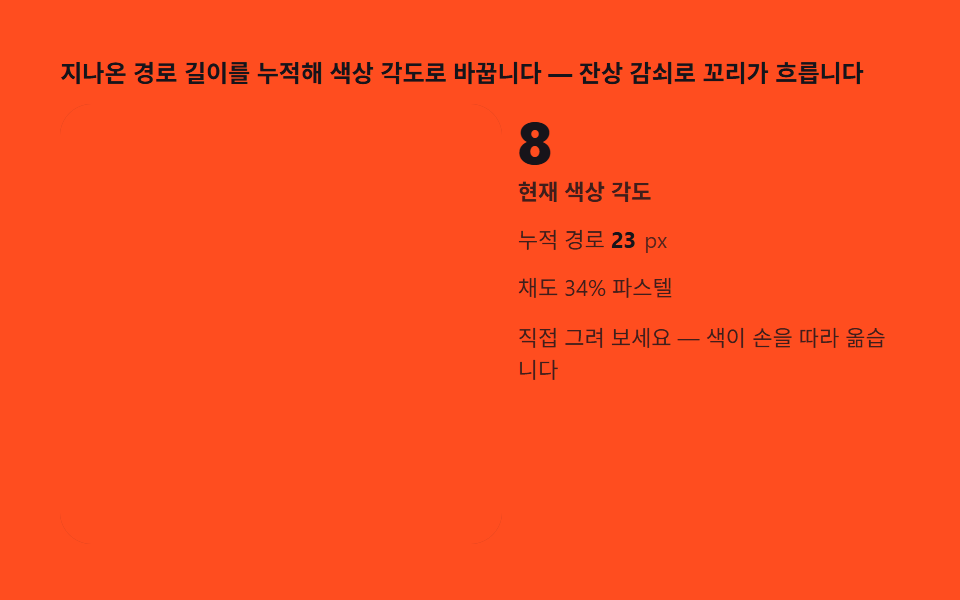
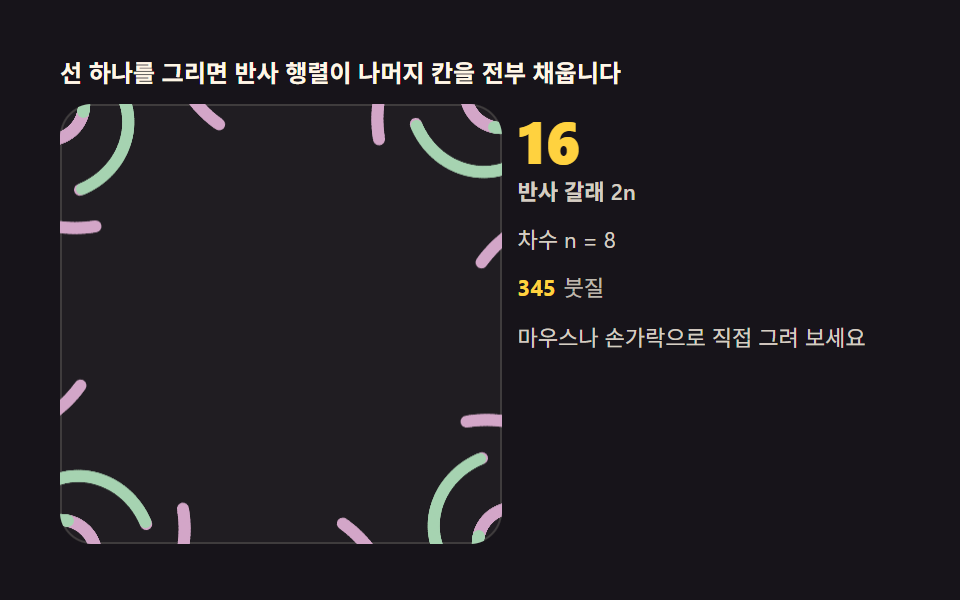
지나온 경로 길이를 누적해 hue 각도로 바꾸면 선이 길어질수록 색이 무지개로 돕니다. 파스텔 채도로 잡으면 만화경 특유의 강한 색이 부드럽게 풀립니다.
쓰임페인트 도구, 컬러 인터랙션
hsllineTo
<main class="stage">
<div class="kh" id="kh">
  <p class="kh__hint">지나온 경로 길이를 누적해 색상 각도로 바꿉니다 — 잔상 감쇠로 꼬리가 흐릅니다</p>
  <div class="kh__row">
    <div class="kh__field" id="field" role="application" aria-label="환색 붓 실험판" tabindex="0">
      <canvas class="kh__cv" id="cv"></canvas>
    </div>
    <div class="kh__side">
      <b class="kh__num" id="hue">0</b>
      <span class="kh__unit">현재 색상 각도</span>
      <p class="kh__meta">누적 경로 <b id="len">0</b><span class="kh__metaUnit">px</span></p>
      <p class="kh__meta">채도 34% 파스텔</p>
      <p class="kh__meta">직접 그려 보세요 — 색이 손을 따라 옮습니다</p>
    </div>
  </div>
</div>
</main>
@use "../../../../site/static/demo-tokens" as *;
// 환색 붓(03) — rAF 캔버스 데모. 붓빛은 코드가 hsl(각도, 34%, 74%) 로 계산해
// 파스텔 채도를 소스에서 고정한다(색이 기능이라 hex 대신 hsl 축).
$duration: $dur-loop;
$easing: $ease-out;
$color: $subject-cream;
@include stage($stage-orange);
.kh {
--stage: #{$stage-orange};
--panel: #{rgba($subject-cream, .05)};
--accent: #{$subject-cream};
display: flex; flex-direction: column; gap: $sp-2;
width: 100%; max-width: 420px;
}
.kh__hint {
margin: 0; font-weight: 700; font-size: clamp(10px, 2.8vw, 12px); line-height: 1.35;
color: $subject-ink;
}
.kh__row { display: flex; gap: $sp-2; align-items: stretch; }
.kh__field {
position: relative; overflow: hidden;
flex: 0 0 auto;
width: clamp(176px, 46vw, 232px);
height: clamp(176px, 46vw, 232px);
border-radius: $r-card;
background: rgba($subject-ink, .06);
box-shadow: inset 0 0 0 1px rgba($subject-ink, .18);
cursor: crosshair; touch-action: none;
}
.kh__field:focus-visible { outline: 2px solid $color; outline-offset: 2px; }
.kh__cv { display: block; width: 100%; height: 100%; }
.kh__side {
flex: 1; min-width: 0;
display: flex; flex-direction: column; gap: $sp-1;
padding-top: $sp-1;
}
.kh__num {
font-weight: 800; font-size: clamp(20px, 6vw, 30px); line-height: 1;
color: $subject-ink; font-variant-numeric: tabular-nums;
}
.kh__unit { font-weight: 600; font-size: clamp(9px, 2.4vw, 11px); line-height: 1.4; color: rgba($subject-ink, .82); }
.kh__meta { margin: $sp-1 0 0; font-size: clamp(9px, 2.4vw, 11px); line-height: 1.5; color: rgba($subject-ink, .82); }
.kh__meta b { font-weight: 700; color: $subject-ink; font-variant-numeric: tabular-nums; margin-right: $sp-1; }
.kh__metaUnit { color: rgba($subject-ink, .72); }
@media (max-width: 340px) {
.kh { gap: $sp-1; }
.kh__field { width: 132px; height: 132px; }
.kh__num { font-size: 16px; }
.kh__meta { margin-top: 0; font-size: 8px; }
}
// reduce — 루프가 안 돈다. 채워진 나선 정적 한 장이 남는다.
@media (prefers-reduced-motion: reduce) {
.kh.is-still .kh__field { cursor: default !important; }
}html, body {
margin: 0;
overflow: hidden;
}
.stage {
box-sizing: border-box;
min-height: 100vh;
display: grid;
place-items: center;
margin: 0;
background: #ff4d1f;
font-family: -apple-system, "Segoe UI", "Noto Sans KR", sans-serif;
padding: clamp(8px, 4vw, 24px);
}
.kh {
--stage: #ff4d1f;
--panel: rgba(255, 247, 230, 0.05);
--accent: #fff7e6;
display: flex;
flex-direction: column;
gap: 8px;
width: 100%;
max-width: 420px;
}
.kh__hint {
margin: 0;
font-weight: 700;
font-size: clamp(10px, 2.8vw, 12px);
line-height: 1.35;
color: #17141a;
}
.kh__row {
display: flex;
gap: 8px;
align-items: stretch;
}
.kh__field {
position: relative;
overflow: hidden;
flex: 0 0 auto;
width: clamp(176px, 46vw, 232px);
height: clamp(176px, 46vw, 232px);
border-radius: 16px;
background: rgba(23, 20, 26, 0.06);
box-shadow: inset 0 0 0 1px rgba(23, 20, 26, 0.18);
cursor: crosshair;
touch-action: none;
}
.kh__field:focus-visible {
outline: 2px solid #fff7e6;
outline-offset: 2px;
}
.kh__cv {
display: block;
width: 100%;
height: 100%;
}
.kh__side {
flex: 1;
min-width: 0;
display: flex;
flex-direction: column;
gap: 4px;
padding-top: 4px;
}
.kh__num {
font-weight: 800;
font-size: clamp(20px, 6vw, 30px);
line-height: 1;
color: #17141a;
font-variant-numeric: tabular-nums;
}
.kh__unit {
font-weight: 600;
font-size: clamp(9px, 2.4vw, 11px);
line-height: 1.4;
color: rgba(23, 20, 26, 0.82);
}
.kh__meta {
margin: 4px 0 0;
font-size: clamp(9px, 2.4vw, 11px);
line-height: 1.5;
color: rgba(23, 20, 26, 0.82);
}
.kh__meta b {
font-weight: 700;
color: #17141a;
font-variant-numeric: tabular-nums;
margin-right: 4px;
}
.kh__metaUnit {
color: rgba(23, 20, 26, 0.72);
}
@media (max-width: 340px) {
.kh {
gap: 4px;
}
.kh__field {
width: 132px;
height: 132px;
}
.kh__num {
font-size: 16px;
}
.kh__meta {
margin-top: 0;
font-size: 8px;
}
}
@media (prefers-reduced-motion: reduce) {
.kh.is-still .kh__field {
cursor: default !important;
}
}// 환색 붓 — 경로 길이 len 을 누적해 hsl(len*0.35, 34%, 74%) 로 선빛깔을 정한다.
// hsl 의 색상축이 경로 길이에 물려 있어 선이 길어질수록 무지개로 돈다. 채도 34% 로
// 잡아 만화경 특유의 강한 색을 파스텔로 눌렀다. 잔상 감쇠 0.92 는 매 프레임 캔버스
// 전체를 아주 옅은 무대색으로 덮는 것이라 이전 붓질이 꼬리를 남긴다.
(function () {
var root = document.getElementById('kh');
var field = document.getElementById('field');
var cv = document.getElementById('cv');
var hue = document.getElementById('hue');
var len = document.getElementById('len');
if (!root || !field || !cv || !hue || !len) return;
var ctx = cv.getContext('2d');
var css = getComputedStyle(root);
var STAGE = css.getPropertyValue('--stage').trim();
var PANEL = css.getPropertyValue('--panel').trim();
var ACCENT = css.getPropertyValue('--accent').trim();
var N = 10; // 차수 n — 반사 포함 2n = 20 갈래
var pathLen = 0;
var W = 0, H = 0, dpr = 1, cx = 0, cy = 0, R = 0;
function fit() {
W = field.clientWidth; H = field.clientHeight;
dpr = Math.min(2, window.devicePixelRatio || 1);
var w0 = cv.width, h0 = cv.height;
cv.width = Math.round(W * dpr); cv.height = Math.round(H * dpr);
cx = W / 2; cy = H / 2; R = Math.min(W, H) / 2 - 6;
// 리사이즈에도 쌓인 그림이 남게 — 기존 내용을 복사해 둔다
if (w0 && h0) {
var old = document.createElement('canvas');
old.width = w0; old.height = h0;
old.getContext('2d').drawImage(cv, 0, 0);
ctx.setTransform(1, 0, 0, 1, 0, 0);
ctx.drawImage(old, 0, 0);
ctx.setTransform(dpr, 0, 0, dpr, 0, 0);
}
}
function fade() {
// 잔상 감쇠 — 알파 0.92 가 아니라 매 프레임 8% 씩 무대색을 겹쳐 옛 붓질을 녹인다
ctx.setTransform(dpr, 0, 0, dpr, 0, 0);
ctx.globalAlpha = 0.08;
ctx.fillStyle = STAGE;
ctx.fillRect(0, 0, W, H);
ctx.globalAlpha = 1;
}
function brushColor() {
var h = (pathLen * 0.35) % 360;
return 'hsl(' + h.toFixed(0) + ', 34%, 74%)';
}
function mirroredSeg(x0, y0, x1, y1, col) {
var dx = x1 - x0, dy = y1 - y0;
pathLen += Math.sqrt(dx * dx + dy * dy);
hue.textContent = String(Math.round((pathLen * 0.35) % 360));
len.textContent = String(Math.round(pathLen));
ctx.globalAlpha = 0.9;
for (var k = 0; k < N; k++) {
var a = k * 2 * Math.PI / N, c = Math.cos(a), s = Math.sin(a);
ctx.setTransform(dpr * c, dpr * s, dpr * s, -dpr * c, cx * dpr, cy * dpr);
ctx.strokeStyle = col;
ctx.lineWidth = 5;
ctx.lineCap = 'round';
ctx.beginPath(); ctx.moveTo(x0, y0); ctx.lineTo(x1, y1); ctx.stroke();
}
ctx.setTransform(dpr, 0, 0, dpr, 0, 0);
ctx.globalAlpha = 1;
}
// 시드 고정 자동 붓질 — 나선을 그리며 색상축이 한 바퀴 이상 돈다
function pathAt(t) {
var ang = t * 0.9;
var r = R * (0.12 + 0.72 * ((t * 0.11) % 1)) * (0.8 + 0.2 * Math.sin(t * 0.7));
return [cx + r * Math.cos(ang), cy + r * Math.sin(ang)];
}
var reduce = window.matchMedia('(prefers-reduced-motion: reduce)').matches;
var t = 0, last = 0, prev = null, pen = false, penPt = null;
function toLocal(e) {
var b = field.getBoundingClientRect();
return [e.clientX - b.left, e.clientY - b.top];
}
field.addEventListener('pointerdown', function (e) {
pen = true; penPt = toLocal(e);
if (field.setPointerCapture) { try { field.setPointerCapture(e.pointerId); } catch (err) { /* 캡처 실패는 그리기에 영향 없다 */ } }
});
field.addEventListener('pointermove', function (e) {
if (!pen || !penPt) return;
var p = toLocal(e);
mirroredSeg(penPt[0], penPt[1], p[0], p[1], brushColor());
penPt = p;
});
field.addEventListener('pointerup', function () { pen = false; penPt = null; });
field.addEventListener('pointercancel', function () { pen = false; penPt = null; });
function step(now) {
var dt = Math.min(64, now - last) / 1000; last = now;
fade();
if (!pen) {
t += dt;
var p = pathAt(t);
if (prev) mirroredSeg(prev[0], prev[1], p[0], p[1], brushColor());
prev = p;
}
requestAnimationFrame(step);
}
fit();
window.addEventListener('resize', fit);
if (reduce) {
// 정지 한 장 — 감쇠 없이 나선 세 바퀴를 채운 상태
ctx.setTransform(dpr, 0, 0, dpr, 0, 0);
ctx.fillStyle = STAGE; ctx.fillRect(0, 0, W, H);
var pv = pathAt(0);
for (var j = 1; j <= 340; j++) {
var tt = j * 0.02, q = pathAt(tt);
mirroredSeg(pv[0], pv[1], q[0], q[1], brushColor());
pv = q;
}
root.classList.add('is-still');
} else {
ctx.setTransform(dpr, 0, 0, dpr, 0, 0);
ctx.fillStyle = STAGE; ctx.fillRect(0, 0, W, H);
last = performance.now();
requestAnimationFrame(step);
}
})();// KaleidoColorHueCycleBrush — vanilla 판(run/331/demo/03-kaleido-color-hue-cycle-brush/index.html) 의 React 포트.
// 경로 길이 len 을 누적해 hsl(len*0.35, 34%, 74%) 로 선빛깔을 정한다. hsl 의 색상축이
// 경로 길이에 물려 있어 선이 길어질수록 무지개로 돈다. 채도 34% 로 잡아 만화경 특유의
// 강한 색을 파스텔로 눌렀다. 잔상 감쇠 0.92 는 매 프레임 캔버스 전체를 아주 옅은 무대색으로
// 덮는 것이라 이전 붓질이 꼬리를 남긴다. 값·수치는 vanilla 와 같다.
// 움직임은 전부 캔버스 rAF 루프가 그리므로 CSS 애니메이션이 없다.
// reduce 에서는 루프를 돌리지 않고 감쇠 없이 나선을 채운 한 장만 남긴다(.isStill).
import { useEffect, useRef, useState } from "react";
import type { CSSProperties, PointerEvent } from "react";
import styles from "./KaleidoColorHueCycleBrush.module.scss";
export type KaleidoColorHueCycleBrushProps = {
duration?: string;
easing?: string;
color?: string;
};
type Vars = CSSProperties & { "--duration"?: string; "--easing"?: string; "--color"?: string };
// useRef 는 T | null 을 돌려준다. 처음부터 값이 있고 절대 비지 않는 상자는 이렇게 좁혀 쓴다
type Box<T> = { current: T };
const STAGE = "#ff4d1f"; // 무대 주황 — 감쇠 덮개 색
const N = 10; // 차수 n — 반사 포함 2n = 20 갈래
const HINT = "지나온 경로 길이를 누적해 색상 각도로 바꿉니다 — 잔상 감쇠로 꼬리가 흐립니다";
const ARIA_FIELD = "환색 붓 실험판";
const HUE_UNIT = "현재 색상 각도";
const LEN_LABEL = "누적 경로";
const LEN_UNIT = "px";
const SAT_TEXT = "채도 34% 파스텔";
const DRAW_TEXT = "직접 그려 보세요 — 색이 손을 따라 옮습니다";
export default function KaleidoColorHueCycleBrush({
duration = "2s",
easing = "ease-out",
color = "#fff7e6"
}: KaleidoColorHueCycleBrushProps) {
const fieldRef = useRef<HTMLDivElement | null>(null);
const cvRef = useRef<HTMLCanvasElement | null>(null);
const hueRef = useRef<HTMLSpanElement | null>(null);
const lenRef = useRef<HTMLSpanElement | null>(null);
const ctxRef = useRef<CanvasRenderingContext2D | null>(null);
const stRef = useRef({
W: 0, H: 0, dpr: 1, cx: 0, cy: 0, R: 0,
pathLen: 0, t: 0, prev: null as [number, number] | null,
pen: false, penPt: null as [number, number] | null
}) as Box<{
W: number; H: number; dpr: number; cx: number; cy: number; R: number;
pathLen: number; t: number; prev: [number, number] | null;
pen: boolean; penPt: [number, number] | null
}>;
const lastRef = useRef(0) as Box<number>;
const rafRef = useRef(0) as Box<number>;
const [still, setStill] = useState(false);
function reduced(): boolean {
return window.matchMedia("(prefers-reduced-motion: reduce)").matches;
}
function fit(): void {
const st = stRef.current;
const field = fieldRef.current, cv = cvRef.current;
if (!field || !cv) return;
const ctx = cv.getContext("2d");
if (!ctx) return;
st.W = field.clientWidth; st.H = field.clientHeight;
st.dpr = Math.min(2, window.devicePixelRatio || 1);
const w0 = cv.width, h0 = cv.height;
cv.width = Math.round(st.W * st.dpr); cv.height = Math.round(st.H * st.dpr);
st.cx = st.W / 2; st.cy = st.H / 2; st.R = Math.min(st.W, st.H) / 2 - 6;
// 리사이즈에도 쌓인 그림이 남게 — 기존 내용을 복사해 둔다
if (w0 && h0) {
const old = document.createElement("canvas");
old.width = w0; old.height = h0;
const octx = old.getContext("2d");
if (octx) octx.drawImage(cv, 0, 0);
ctx.setTransform(1, 0, 0, 1, 0, 0);
ctx.drawImage(old, 0, 0);
ctx.setTransform(st.dpr, 0, 0, st.dpr, 0, 0);
}
ctxRef.current = ctx;
}
function fade(): void {
const st = stRef.current;
const ctx = ctxRef.current;
if (!ctx) return;
// 잔상 감쇠 — 알파 0.92 가 아니라 매 프레임 8% 씩 무대색을 겹쳐 옛 붓질을 녹인다
ctx.setTransform(st.dpr, 0, 0, st.dpr, 0, 0);
ctx.globalAlpha = 0.08;
ctx.fillStyle = STAGE;
ctx.fillRect(0, 0, st.W, st.H);
ctx.globalAlpha = 1;
}
function brushColor(): string {
const st = stRef.current;
const h = (st.pathLen * 0.35) % 360;
return "hsl(" + h.toFixed(0) + ", 34%, 74%)";
}
function mirroredSeg(x0: number, y0: number, x1: number, y1: number, col: string): void {
const st = stRef.current;
const ctx = ctxRef.current;
if (!ctx) return;
const dx = x1 - x0, dy = y1 - y0;
st.pathLen += Math.sqrt(dx * dx + dy * dy);
const hue = hueRef.current, len = lenRef.current;
if (hue) hue.textContent = String(Math.round((st.pathLen * 0.35) % 360));
if (len) len.textContent = String(Math.round(st.pathLen));
ctx.globalAlpha = 0.9;
for (let k = 0; k < N; k++) {
const a = k * 2 * Math.PI / N, c = Math.cos(a), s = Math.sin(a);
ctx.setTransform(st.dpr * c, st.dpr * s, st.dpr * s, -st.dpr * c, st.cx * st.dpr, st.cy * st.dpr);
ctx.strokeStyle = col;
ctx.lineWidth = 5;
ctx.lineCap = "round";
ctx.beginPath(); ctx.moveTo(x0, y0); ctx.lineTo(x1, y1); ctx.stroke();
}
ctx.setTransform(st.dpr, 0, 0, st.dpr, 0, 0);
ctx.globalAlpha = 1;
}
// 시드 고정 자동 붓질 — 나선을 그리며 색상축이 한 바퀴 이상 돈다
function pathAt(t: number): [number, number] {
const st = stRef.current;
const ang = t * 0.9;
const r = st.R * (0.12 + 0.72 * ((t * 0.11) % 1)) * (0.8 + 0.2 * Math.sin(t * 0.7));
return [st.cx + r * Math.cos(ang), st.cy + r * Math.sin(ang)];
}
function step(now: number): void {
const st = stRef.current;
const dt = Math.min(64, now - lastRef.current) / 1000; lastRef.current = now;
fade();
if (!st.pen) {
st.t += dt;
const p = pathAt(st.t);
if (st.prev) mirroredSeg(st.prev[0], st.prev[1], p[0], p[1], brushColor());
st.prev = p;
}
rafRef.current = requestAnimationFrame(step);
}
function toLocal(e: PointerEvent<HTMLDivElement>): [number, number] {
const b = e.currentTarget.getBoundingClientRect();
return [e.clientX - b.left, e.clientY - b.top];
}
function onPointerDown(e: PointerEvent<HTMLDivElement>): void {
const st = stRef.current;
st.pen = true; st.penPt = toLocal(e);
try { e.currentTarget.setPointerCapture(e.pointerId); } catch { /* 캡처 실패는 그리기에 영향 없다 */ }
}
function onPointerMove(e: PointerEvent<HTMLDivElement>): void {
const st = stRef.current;
if (!st.pen || !st.penPt) return;
const p = toLocal(e);
mirroredSeg(st.penPt[0], st.penPt[1], p[0], p[1], brushColor());
st.penPt = p;
}
function onPointerUp(): void {
const st = stRef.current;
st.pen = false; st.penPt = null;
}
function paintBase(): void {
const st = stRef.current;
const ctx = ctxRef.current;
if (!ctx) return;
ctx.setTransform(st.dpr, 0, 0, st.dpr, 0, 0);
ctx.fillStyle = STAGE; ctx.fillRect(0, 0, st.W, st.H);
}
useEffect(() => {
fit();
function onResize(): void { fit(); }
window.addEventListener("resize", onResize);
if (reduced()) {
// 정지 한 장 — 감쇠 없이 나선 세 바퀴를 채운 상태
paintBase();
let pv = pathAt(0);
for (let j = 1; j <= 340; j++) {
const tt = j * 0.02, q = pathAt(tt);
mirroredSeg(pv[0], pv[1], q[0], q[1], brushColor());
pv = q;
}
setStill(true);
} else {
paintBase();
lastRef.current = performance.now();
rafRef.current = requestAnimationFrame(step);
}
return () => {
window.removeEventListener("resize", onResize);
cancelAnimationFrame(rafRef.current);
};
// eslint-disable-next-line react-hooks/exhaustive-deps
}, []);
const rootCls = still ? styles.kh + " " + styles.isStill : styles.kh;
return (
<main className={styles.stage}>
<div className={rootCls} style={{ "--duration": duration, "--easing": easing, "--color": color } as Vars}>
<p className={styles.hint}>{HINT}</p>
<div className={styles.row}>
<div
className={styles.field}
ref={fieldRef}
role="application"
aria-label={ARIA_FIELD}
tabIndex={0}
onPointerDown={onPointerDown}
onPointerMove={onPointerMove}
onPointerUp={onPointerUp}
onPointerCancel={onPointerUp}
>
<canvas className={styles.cv} ref={cvRef}></canvas>
</div>
<div className={styles.side}>
<b className={styles.num}><span ref={hueRef}>0</span></b>
<span className={styles.unit}>{HUE_UNIT}</span>
<p className={styles.meta}>{LEN_LABEL} <b><span ref={lenRef}>0</span></b><span className={styles.metaUnit}>{LEN_UNIT}</span></p>
<p className={styles.meta}>{SAT_TEXT}</p>
<p className={styles.meta}>{DRAW_TEXT}</p>
</div>
</div>
</div>
</main>
);
}03 환색 붓 — 그리는 길이에 따라 색이 도는 브러시 — 측정 누적면적 0.556% · 움직인 프레임 23/23GODRICH 원작 · zip 에 SCSS·React 포함 · 만화경 그리기 — 대칭 반사 각도로 그리는 캔버스 9종
이 데모가 속한 글
 만화경 그리기 — 대칭 반사 각도로 그리는 캔버스 9종선 하나를 그리면 반사 행렬이 남은 칸을 전부 채웁니다. 거울 각도·대칭 차수·색상 환색을 직접 바꾸는 만화경 그리기 도구 — 라이브러리 없이 캔버스 한 장, 코드는 비밀번호 zip으로 드립니다. 이 글은 만화경 그 이 글의 데모 전부 보기