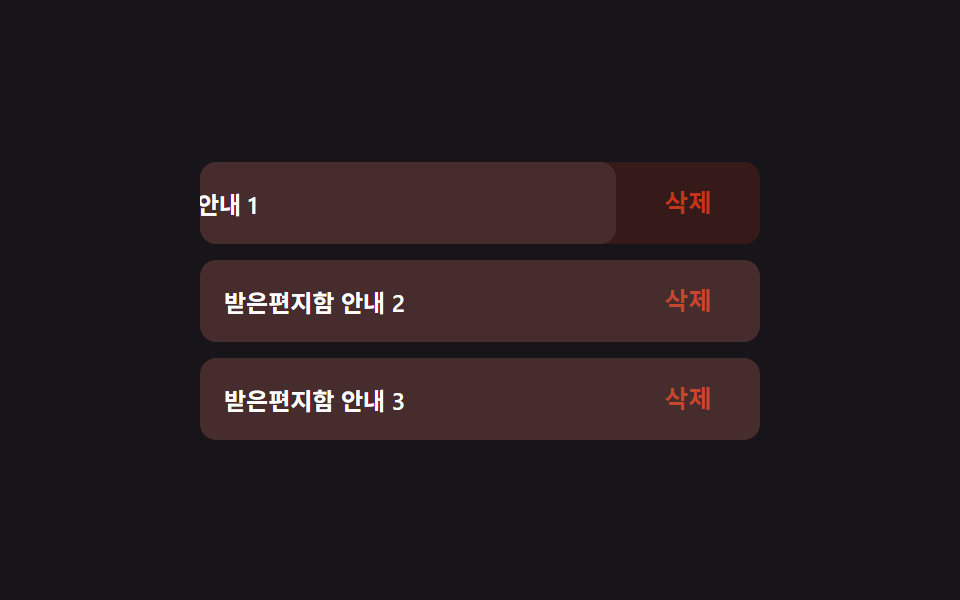
01스와이프 삭제 리빌
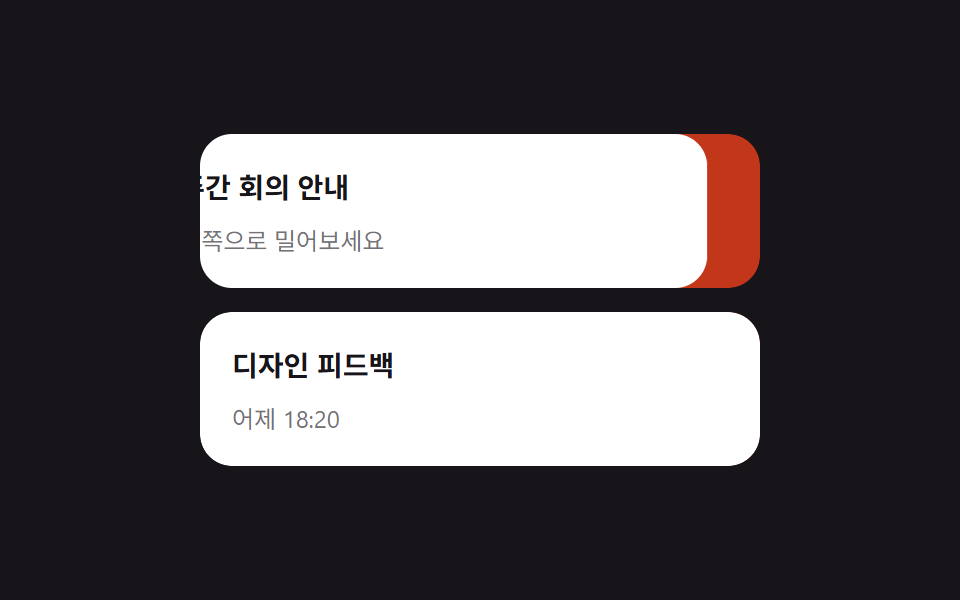
리스트 행을 왼쪽으로 밀면 빨간 삭제 버튼이 뒤에서 드러나고, 절반 넘게 밀면 행 전체가 자동으로 사라진다.
쓰임메일함 리스트 삭제, 할 일 앱 항목 삭제
pointerdown/move/uptransform:translateX임계값 스냅

<main class="stage">
  <ul class="swipe-list" aria-label="받은 메일함">
    <li class="swipe-row is-demo">
      <button class="swipe-row__delete" type="button">삭제</button>
      <div class="swipe-row__content" tabindex="0">
        <span class="swipe-row__title">주간 회의 안내</span>
        <span class="swipe-row__desc">왼쪽으로 밀어보세요</span>
      </div>
    </li>
    <li class="swipe-row">
      <button class="swipe-row__delete" type="button">삭제</button>
      <div class="swipe-row__content" tabindex="0">
        <span class="swipe-row__title">디자인 피드백</span>
        <span class="swipe-row__desc">어제 18:20</span>
      </div>
    </li>
  </ul>
</main>
@use "../../../../site/static/demo-tokens" as *;
$duration: $dur-quick; // 콘텐츠가 밀리는 시간
$easing: $ease-out;
$color: $error; // 삭제 버튼 색
@include stage($stage-ink);
.swipe-list {
list-style: none;
margin: 0;
padding: 0;
width: min(280px, 82vw);
display: flex;
flex-direction: column;
gap: $sp-3;
}
.swipe-row {
position: relative;
overflow: hidden;
border-radius: $r-card;
transition: height $duration $easing;
}
.swipe-row__delete {
position: absolute;
inset: 0 0 0 auto;
width: 88px;
border: 0;
border-radius: $r-card;
background: $color;
color: $stage-paper;
font-weight: 700;
font-size: 14px;
font-family: inherit;
cursor: pointer;
}
.swipe-row__content {
position: relative;
display: flex;
flex-direction: column;
gap: $sp-1;
padding: $sp-4;
border-radius: $r-card;
background: $stage-paper;
transform: translateX(0);
transition: transform $duration $easing;
cursor: grab;
touch-action: pan-y;
}
.swipe-row__content:focus-visible { outline: 2px solid $subject-blue; outline-offset: 2px; }
.swipe-row__title { display: block; font-weight: 700; font-size: 14px; color: $stage-ink; }
.swipe-row__desc { display: block; margin-top: $sp-1; font-size: 12px; color: rgba(23, 20, 26, .6); }
.swipe-row.is-demo .swipe-row__content { animation: swipe-loop $dur-loop $easing infinite; }
@keyframes swipe-loop {
0%, 15% { transform: translateX(0); }
45%, 65% { transform: translateX(-88px); }
90%, 100% { transform: translateX(0); }
}
@media (prefers-reduced-motion: reduce) {
.swipe-row__content { transition: none; }
.swipe-row { transition: none; }
.swipe-row.is-demo .swipe-row__content { animation: none; transform: translateX(-88px); }
}html, body {
margin: 0;
overflow: hidden;
}
.stage {
box-sizing: border-box;
min-height: 100vh;
display: grid;
place-items: center;
margin: 0;
background: #17141a;
font-family: -apple-system, "Segoe UI", "Noto Sans KR", sans-serif;
padding: clamp(8px, 4vw, 24px);
}
.swipe-list {
list-style: none;
margin: 0;
padding: 0;
width: min(280px, 82vw);
display: flex;
flex-direction: column;
gap: 12px;
}
.swipe-row {
position: relative;
overflow: hidden;
border-radius: 16px;
transition: height 220ms ease-out;
}
.swipe-row__delete {
position: absolute;
inset: 0 0 0 auto;
width: 88px;
border: 0;
border-radius: 16px;
background: #c2361a;
color: #ffffff;
font-weight: 700;
font-size: 14px;
font-family: inherit;
cursor: pointer;
}
.swipe-row__content {
position: relative;
display: flex;
flex-direction: column;
gap: 4px;
padding: 16px;
border-radius: 16px;
background: #ffffff;
transform: translateX(0);
transition: transform 220ms ease-out;
cursor: grab;
touch-action: pan-y;
}
.swipe-row__content:focus-visible {
outline: 2px solid #2f6df6;
outline-offset: 2px;
}
.swipe-row__title {
display: block;
font-weight: 700;
font-size: 14px;
color: #17141a;
}
.swipe-row__desc {
display: block;
margin-top: 4px;
font-size: 12px;
color: rgba(23, 20, 26, 0.6);
}
.swipe-row.is-demo .swipe-row__content {
animation: swipe-loop 2s ease-out infinite;
}
@keyframes swipe-loop {
0%, 15% {
transform: translateX(0);
}
45%, 65% {
transform: translateX(-88px);
}
90%, 100% {
transform: translateX(0);
}
}
@media (prefers-reduced-motion: reduce) {
.swipe-row__content {
transition: none;
}
.swipe-row {
transition: none;
}
.swipe-row.is-demo .swipe-row__content {
animation: none;
transform: translateX(-88px);
}
}(function () {
var OPEN = 88, DEL = 140;
document.querySelectorAll('.swipe-row').forEach(function (row) {
var content = row.querySelector('.swipe-row__content');
var del = row.querySelector('.swipe-row__delete');
var startX = 0, dx = 0, dragging = false;
function remove() {
row.style.height = row.offsetHeight + 'px';
requestAnimationFrame(function () {
row.classList.add('is-leaving');
row.style.height = '0px';
});
row.addEventListener('transitionend', function h(e) {
if (e.propertyName === 'height') { row.removeEventListener('transitionend', h); row.remove(); }
});
}
content.addEventListener('pointerdown', function (e) {
row.classList.remove('is-demo');
dragging = true; startX = e.clientX; content.setPointerCapture(e.pointerId);
});
content.addEventListener('pointermove', function (e) {
if (!dragging) return;
dx = Math.min(0, Math.max(-DEL - 30, e.clientX - startX));
content.style.transform = 'translateX(' + dx + 'px)';
});
function end() {
if (!dragging) return;
dragging = false;
if (dx < -DEL) { remove(); return; }
content.style.transform = dx < -OPEN / 2 ? 'translateX(-' + OPEN + 'px)' : '';
dx = 0;
}
content.addEventListener('pointerup', end);
content.addEventListener('pointercancel', end);
content.addEventListener('keydown', function (e) {
if (e.key === 'Delete' || e.key === 'Backspace') { row.classList.remove('is-demo'); remove(); }
});
del.addEventListener('click', function () { remove(); });
});
})();import { useRef, useState, type CSSProperties, type PointerEvent } from "react";
import styles from "./SwipeDeleteReveal.module.scss";
export type SwipeDeleteRevealProps = {
title: string;
desc: string;
/** 콘텐츠가 밀리는 시간 (기본 220ms) */
duration?: number;
easing?: string;
/** 삭제 버튼 색 */
color?: string;
};
type Vars = CSSProperties & { "--duration"?: string; "--easing"?: string; "--color"?: string };
const OPEN = 88;
const DEL = 140;
/** pointer 드래그로 --dx 를 직접 놓고, 임계값을 넘기면 행을 지운다 */
export default function SwipeDeleteReveal({
title,
desc,
duration = 220,
easing = "ease-out",
color = "#c2361a",
}: SwipeDeleteRevealProps) {
const [removed, setRemoved] = useState(false);
const [dx, setDx] = useState(0);
const dragging = useRef(false);
const startX = useRef(0);
const vars: Vars = { "--duration": `${duration}ms`, "--easing": easing, "--color": color };
if (removed) return null;
const down = (e: PointerEvent<HTMLDivElement>) => {
dragging.current = true;
startX.current = e.clientX;
e.currentTarget.setPointerCapture(e.pointerId);
};
const move = (e: PointerEvent<HTMLDivElement>) => {
if (!dragging.current) return;
setDx(Math.min(0, Math.max(-DEL - 30, e.clientX - (startX.current ?? 0))));
};
const up = () => {
if (!dragging.current) return;
dragging.current = false;
if (dx < -DEL) { setRemoved(true); return; }
setDx(dx < -OPEN / 2 ? -OPEN : 0);
};
const key = (e: any) => {
if (e.key === "Delete" || e.key === "Backspace") setRemoved(true);
};
return (
<li className={styles.row} style={vars}>
<button className={styles.del} type="button" onClick={() => setRemoved(true)}>삭제</button>
<div
className={styles.content}
tabIndex={0}
style={{ transform: `translateX(${dx}px)` }}
onPointerDown={down}
onPointerMove={move}
onPointerUp={up}
onPointerCancel={up}
onKeyDown={key}
>
<span className={styles.title}>{title}</span>
<span className={styles.desc}>{desc}</span>
</div>
</li>
);
}01 스와이프 삭제 리빌 — 측정 누적면적 6.517% · 움직인 프레임 15/23GODRICH 원작 · zip 에 SCSS·React 포함 · 스와이프 삭제 리스트 UI 9가지 — 페이지네이션까지
이 데모가 속한 글
 스와이프 삭제 리스트 UI 9가지 — 페이지네이션까지스와이프 삭제는 리스트 항목을 옆으로 밀면 뒤에 숨어 있던 삭제 버튼이 드러나는 동작으로, 인스타·배민 앱에서 본 그 동작입니다. 이 글은 스와이프 삭제를 포함해 당겨서 새로고침·드래그 정렬·고정 헤더·페이지네이션까 이 글의 데모 전부 보기