01스피너 없이 이어붙는 무한 스크롤
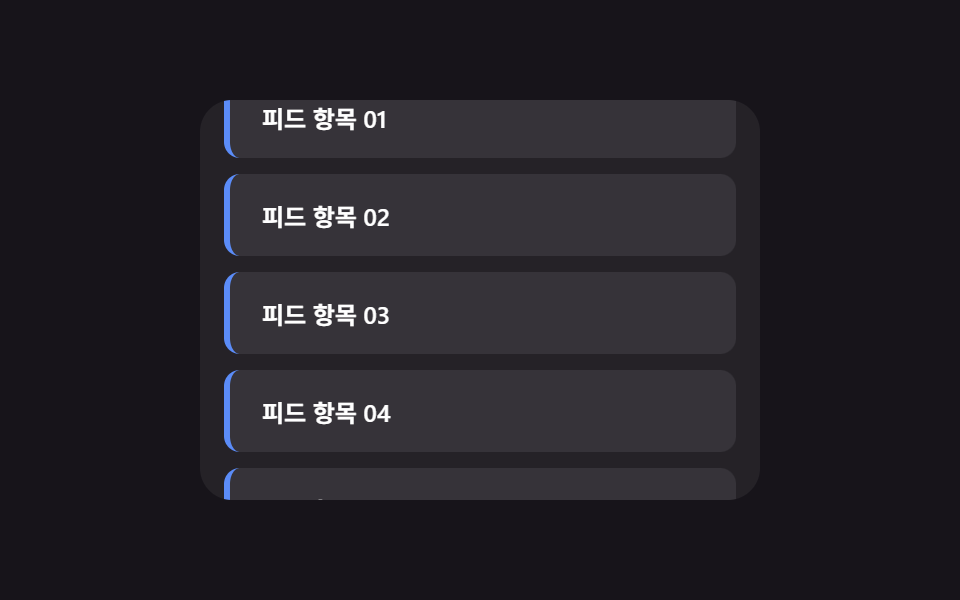
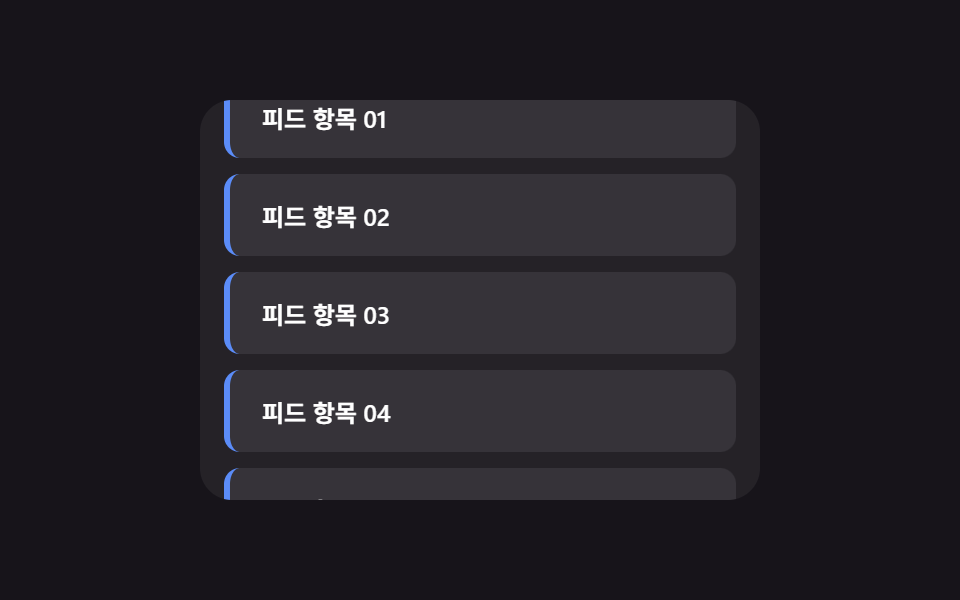
스크롤이 바닥 근처에 닿으면 다음 묶음의 행이 로딩 스피너나 스켈레톤 없이 이미 있는 목록 끝에 순서대로 미끄러져 붙는다 (349의 로딩 피드백 중심 무한 스크롤과 다른 시연 — 여긴 다음 행이 들어오는 등장 동작 자체만 다룬다).
쓰임피드·상품 목록의 다음 페이지 자동 로드
IntersectionObserveraddRowscrollTop
<main class="stage">
<div class="isc is-demo" id="isc">
  <div class="isc__view" id="iscView">
    <ul class="isc__track" id="iscTrack">
      <li class="isc__sentinel" id="iscSentinel" aria-hidden="true"></li>
    </ul>
  </div>
</div>
</main>
@use "../../../../site/static/demo-tokens" as *;
// 변수 3개
$duration: $dur-base;
$easing: $ease-out;
$color: $subject-blue-light;
// 계산 겹: index.html 의 IntersectionObserver 콜백이 센티널의 intersectionRatio 로
// 한 번에 붙일 행 개수(batch)를 산술로 정한다 — 고정 개수가 아니다.
@include stage($stage-ink);
.isc {
width: min(100%, 280px);
}
.isc__view {
box-sizing: border-box;
width: 100%;
height: 200px;
overflow-y: auto;
overflow-x: hidden;
border-radius: $r-card;
background: rgba(255, 255, 255, .06);
padding: $sp-3;
scrollbar-width: thin;
}
.isc__track {
list-style: none;
margin: 0;
padding: 0;
display: flex;
flex-direction: column;
gap: $sp-2;
}
.isc__row {
box-sizing: border-box;
padding: $sp-3 $sp-4;
border-radius: $r-sm;
background: rgba(255, 255, 255, .08);
border-left: 3px solid $color;
color: $stage-paper;
font-weight: 600;
font-size: 12px;
animation-name: rowEnter;
animation-duration: $duration;
animation-timing-function: $easing;
animation-fill-mode: backwards;
}
@keyframes rowEnter {
from { opacity: 0; transform: translateY($sp-4); }
to { opacity: 1; transform: translateY(0); }
}
.isc__sentinel {
height: $sp-2;
}
@media (max-width: 340px) {
.isc__view { height: 120px; padding: $sp-2; }
.isc__row { padding: $sp-2 $sp-3; font-size: 11px; }
}
// reduce: 실사용 경로 적용 — 등장 트윈만 멈춘다. IntersectionObserver·배치 산술은 그대로 동작
@media (prefers-reduced-motion: reduce) {
.isc__row { animation: none; }
}html, body {
margin: 0;
overflow: hidden;
}
.stage {
box-sizing: border-box;
min-height: 100vh;
display: grid;
place-items: center;
margin: 0;
background: #17141a;
font-family: -apple-system, "Segoe UI", "Noto Sans KR", sans-serif;
padding: clamp(8px, 4vw, 24px);
}
.isc {
width: min(100%, 280px);
}
.isc__view {
box-sizing: border-box;
width: 100%;
height: 200px;
overflow-y: auto;
overflow-x: hidden;
border-radius: 16px;
background: rgba(255, 255, 255, 0.06);
padding: 12px;
scrollbar-width: thin;
}
.isc__track {
list-style: none;
margin: 0;
padding: 0;
display: flex;
flex-direction: column;
gap: 8px;
}
.isc__row {
box-sizing: border-box;
padding: 12px 16px;
border-radius: 8px;
background: rgba(255, 255, 255, 0.08);
border-left: 3px solid #5b8cf8;
color: #ffffff;
font-weight: 600;
font-size: 12px;
animation-name: rowEnter;
animation-duration: 300ms;
animation-timing-function: ease-out;
animation-fill-mode: backwards;
}
@keyframes rowEnter {
from {
opacity: 0;
transform: translateY(16px);
}
to {
opacity: 1;
transform: translateY(0);
}
}
.isc__sentinel {
height: 8px;
}
@media (max-width: 340px) {
.isc__view {
height: 120px;
padding: 8px;
}
.isc__row {
padding: 8px 12px;
font-size: 11px;
}
}
@media (prefers-reduced-motion: reduce) {
.isc__row {
animation: none;
}
}(function () {
var SCROLL_APPEND_STAGGER_MS = 40; // 변형 01 대상 — 새 행 등장 사이 간격
var MIN_BATCH = 2;
var MAX_BATCH = 6;
var MAX_ROWS = 40;
var RESET_DELAY_MS = 700;
var AUTO_STEP_PX = 6;
var AUTO_TICK_MS = 55;
var LOAD_COOLDOWN_MS = 260;
var root = document.getElementById('isc');
var view = document.getElementById('iscView');
var track = document.getElementById('iscTrack');
var sentinel = document.getElementById('iscSentinel');
var rowSeq = 0;
var loading = false;
function clamp(v, lo, hi) { return Math.min(hi, Math.max(lo, v)); }
function addRow(delayMs) {
var li = document.createElement('li');
li.className = 'isc__row';
li.style.animationDelay = delayMs + 'ms';
li.textContent = '피드 항목 ' + String(rowSeq + 1).padStart(2, '0');
track.insertBefore(li, sentinel);
rowSeq += 1;
return li;
}
function resetList() {
while (track.firstChild !== sentinel) { track.removeChild(track.firstChild); }
rowSeq = 0;
for (var i = 0; i < 6; i += 1) { addRow(0); }
}
resetList();
// 계산 겹: 센티널이 뷰포트와 겹친 비율(intersectionRatio)이 클수록 한 번에 더 많은 행을 붙인다 —
// 화면 끝에 살짝 걸리면 조금만, 깊이 들어오면 한 번에 크게 이어붙인다.
var io = new IntersectionObserver(function (entries) {
entries.forEach(function (entry) {
if (entry.isIntersecting && !loading && rowSeq < MAX_ROWS) {
loading = true;
var batch = Math.round(MIN_BATCH + (MAX_BATCH - MIN_BATCH) * clamp(entry.intersectionRatio, 0, 1));
for (var j = 0; j < batch; j += 1) { addRow(j * SCROLL_APPEND_STAGGER_MS); }
window.setTimeout(function () { loading = false; }, LOAD_COOLDOWN_MS);
}
});
}, { root: view, threshold: [0, 0.2, 0.4, 0.6, 0.8, 1] });
io.observe(sentinel);
var timer = null;
var dir = 1;
function human() {
if (root.classList.contains('is-demo')) {
root.classList.remove('is-demo');
if (timer) { window.clearInterval(timer); timer = null; }
}
}
view.addEventListener('wheel', human, { passive: true });
view.addEventListener('touchstart', human, { passive: true });
function tick() {
var max = view.scrollHeight - view.clientHeight;
if (view.scrollTop >= max - 1 && dir !== 0) {
dir = 0;
window.setTimeout(function () {
resetList();
view.scrollTop = 0;
dir = 1;
}, RESET_DELAY_MS);
return;
}
if (dir === 0) { return; }
view.scrollTop = Math.min(view.scrollTop + AUTO_STEP_PX, max);
}
var reduce = window.matchMedia('(prefers-reduced-motion: reduce)').matches;
if (!reduce) {
timer = window.setInterval(tick, AUTO_TICK_MS);
}
// reduce: 실사용 경로 적용 — 자동 스크롤과 등장 트윈만 멈춘다. IntersectionObserver 는 그대로 살아 있어
// 사람이 실제로 스크롤하면 다음 배치가 애니메이션 없이 즉시 붙는다(scss 의 reduce 블록이 animation:none 처리)
})();// InfiniteScroll — vanilla 판(run/381/demo/01-infinite-scroll/index.html)의 React 포트.
// 센티널의 intersectionRatio 로 한 번에 붙일 행 개수(batch)를 산술로 정한다 — 고정 개수가 아니다.
// 목록·자동 스크롤·IntersectionObserver 는 vanilla 와 같은 절차형 코드로, 마운트 시 한 번만 연결한다.
import { useEffect, useRef } from "react";
import type { CSSProperties } from "react";
import styles from "./InfiniteScroll.module.scss";
export type InfiniteScrollProps = {
duration?: string;
easing?: string;
color?: string;
};
type Vars = CSSProperties & { "--duration"?: string; "--easing"?: string; "--color"?: string };
export default function InfiniteScroll({
duration = "300ms", // vanilla $duration: $dur-base
easing = "ease-out", // vanilla $easing: $ease-out
color = "#5b8cf8", // vanilla $color: $subject-blue-light
}: InfiniteScrollProps) {
const rootRef = useRef<HTMLDivElement | null>(null);
useEffect(() => {
const root = rootRef.current;
if (!root) return;
const view = root.querySelector<HTMLDivElement>('[data-role="view"]');
const track = root.querySelector<HTMLUListElement>('[data-role="track"]');
const sentinel = root.querySelector<HTMLLIElement>('[data-role="sentinel"]');
if (!view || !track || !sentinel) return;
const SCROLL_APPEND_STAGGER_MS = 40; // 변형 01 대상 — 새 행 등장 사이 간격
const MIN_BATCH = 2;
const MAX_BATCH = 6;
const MAX_ROWS = 40;
const RESET_DELAY_MS = 700;
const AUTO_STEP_PX = 6;
const AUTO_TICK_MS = 55;
const LOAD_COOLDOWN_MS = 260;
let rowSeq = 0;
let loading = false;
function clamp(v: number, lo: number, hi: number): number {
return Math.min(hi, Math.max(lo, v));
}
function addRow(delayMs: number): HTMLLIElement {
const li = document.createElement("li");
li.className = styles.isc__row;
li.style.animationDelay = delayMs + "ms";
li.textContent = "피드 항목 " + String(rowSeq + 1).padStart(2, "0");
track!.insertBefore(li, sentinel);
rowSeq += 1;
return li;
}
function resetList(): void {
while (track!.firstChild !== sentinel) {
track!.removeChild(track!.firstChild as ChildNode);
}
rowSeq = 0;
for (let i = 0; i < 6; i += 1) {
addRow(0);
}
}
resetList();
// 계산 겹: 센티널이 뷰포트와 겹친 비율(intersectionRatio)이 클수록 한 번에 더 많은 행을 붙인다 —
// 화면 끝에 살짝 걸리면 조금만, 깊이 들어오면 한 번에 크게 이어붙인다.
const io = new IntersectionObserver(
(entries) => {
entries.forEach((entry) => {
if (entry.isIntersecting && !loading && rowSeq < MAX_ROWS) {
loading = true;
const batch = Math.round(
MIN_BATCH + (MAX_BATCH - MIN_BATCH) * clamp(entry.intersectionRatio, 0, 1)
);
for (let j = 0; j < batch; j += 1) {
addRow(j * SCROLL_APPEND_STAGGER_MS);
}
window.setTimeout(() => {
loading = false;
}, LOAD_COOLDOWN_MS);
}
});
},
{ root: view, threshold: [0, 0.2, 0.4, 0.6, 0.8, 1] }
);
io.observe(sentinel);
let timer: number | null = null;
let dir = 1;
function human(): void {
if (root!.classList.contains("is-demo")) {
root!.classList.remove("is-demo");
if (timer) {
window.clearInterval(timer);
timer = null;
}
}
}
view.addEventListener("wheel", human, { passive: true });
view.addEventListener("touchstart", human, { passive: true });
function tick(): void {
const max = view!.scrollHeight - view!.clientHeight;
if (view!.scrollTop >= max - 1 && dir !== 0) {
dir = 0;
window.setTimeout(() => {
resetList();
view!.scrollTop = 0;
dir = 1;
}, RESET_DELAY_MS);
return;
}
if (dir === 0) {
return;
}
view!.scrollTop = Math.min(view!.scrollTop + AUTO_STEP_PX, max);
}
const reduce = window.matchMedia("(prefers-reduced-motion: reduce)").matches;
if (!reduce) {
timer = window.setInterval(tick, AUTO_TICK_MS);
}
// reduce: 실사용 경로 적용 — 자동 스크롤과 등장 트윈만 멈춘다. IntersectionObserver 는 그대로 살아 있어
// 사람이 실제로 스크롤하면 다음 배치가 애니메이션 없이 즉시 붙는다(scss 의 reduce 블록이 animation:none 처리)
return () => {
io.disconnect();
if (timer) {
window.clearInterval(timer);
}
view.removeEventListener("wheel", human);
view.removeEventListener("touchstart", human);
};
}, []);
const vars: Vars = { "--duration": duration, "--easing": easing, "--color": color };
return (
<main className={styles.stage}>
<div className={`${styles.isc} is-demo`} ref={rootRef} style={vars}>
<div className={styles.isc__view} data-role="view">
<ul className={styles.isc__track} data-role="track">
<li className={styles.isc__sentinel} data-role="sentinel" aria-hidden="true" />
</ul>
</div>
</div>
</main>
);
}01 스피너 없이 이어붙는 무한 스크롤 — 측정 누적면적 35.554% · 움직인 프레임 23/23GODRICH 원작 · zip 에 SCSS·React 포함 · 무한 스크롤 구현 9종 — 리스트·테이블 UI 기본 패턴
이 데모가 속한 글
 무한 스크롤 구현 9종 — 리스트·테이블 UI 기본 패턴무한 스크롤 구현 아홉 가지 중 하나는 새로 붙는 행이 로딩 스피너 없이 순서대로 미끄러져 들어오고, 하나는 정렬 버튼을 누르면 행들이 실제로 자리를 맞바꾸며 이동하고, 하나는 가로로 스크롤할 때 얼어붙은 첫 칸에만 이 글의 데모 전부 보기