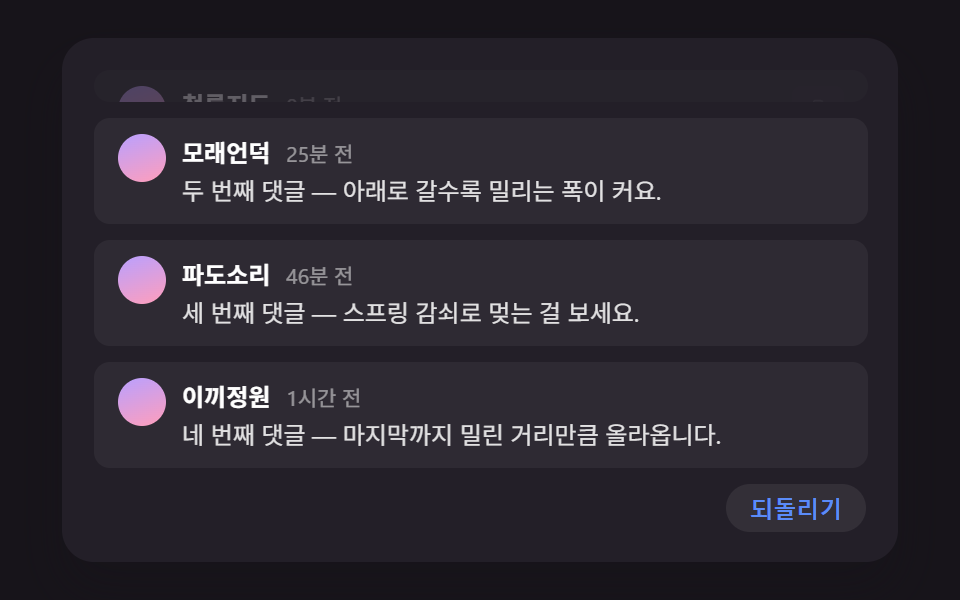
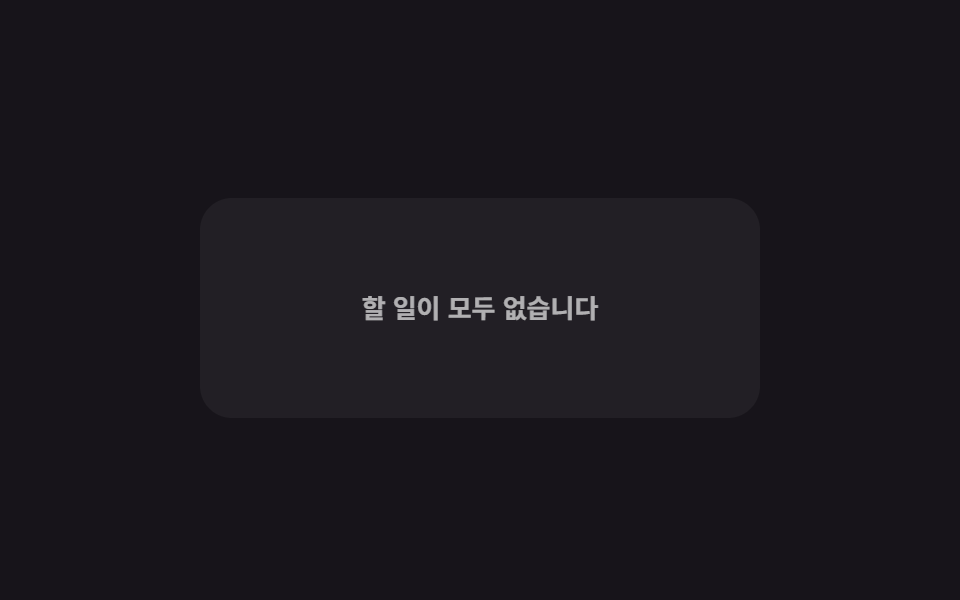
04행이 전부 사라지면 나타나는 빈 리스트 문구
마지막 남은 행까지 지워지는 순간 목록 영역에 작은 아이콘과 안내 문구 한 줄이 옅게 나타난다 (134의 대시보드 위젯 안 추가 모프 일러스트·243의 아홉 가지 일러스트 애니메이션과 다른 시연 — 여긴 일러스트 없이 목록이 스스로 비었다고 알리는 가장 단순한 판이다).
쓰임장바구니·할 일 목록이 다 비었을 때
computeTargetremoveRowtransform-origin
<main class="stage">
<div class="les is-demo" id="les">
  <ul class="les__list" id="lesList"></ul>
  <div class="les__empty" id="lesEmpty" aria-live="polite">
    <p class="les__emptyText">할 일이 모두 없습니다</p>
  </div>
</div>
</main>
@use "../../../../site/static/demo-tokens" as *;
// 변수 3개
$duration: $dur-base;
$easing: $ease-out;
$color: $subject-pink;
// 계산 겹: index.html 의 requestAnimationFrame step() 이 목표 높이(0 또는 EMPTY_HEIGHT)로
// 지수 감쇠(lerp)해 다가가며 문구 영역 높이를 프레임마다 다시 계산한다.
@include stage($stage-ink);
.les {
width: min(100%, 280px);
}
.les__list {
list-style: none;
margin: 0;
padding: 0;
display: flex;
flex-direction: column;
gap: $sp-2;
}
.les__row {
box-sizing: border-box;
transform-origin: top center;
display: flex;
align-items: center;
justify-content: space-between;
padding: $sp-3;
border-radius: $r-sm;
background: rgba(255, 255, 255, .08);
color: $stage-paper;
font-weight: 600;
font-size: 12px;
&.is-removing {
animation-name: lesRowOut;
animation-duration: $duration;
animation-timing-function: $easing;
animation-fill-mode: forwards;
}
}
@keyframes lesRowOut {
to { opacity: 0; transform: scaleY(0); }
}
.les__del {
box-sizing: border-box;
border: 0;
border-radius: $r-pill;
padding: $sp-1 $sp-3;
background: rgba($color, .2);
color: $stage-paper;
font-weight: 600;
font-size: 11px;
cursor: pointer;
&:focus-visible {
outline: 2px solid $color;
outline-offset: 2px;
}
}
.les__empty {
box-sizing: border-box;
height: 0;
overflow: hidden;
opacity: 0;
display: flex;
align-items: center;
justify-content: center;
border-radius: $r-card;
background: rgba(255, 255, 255, .05);
margin-top: $sp-2;
}
.les__emptyText {
margin: 0;
color: rgba(255, 255, 255, .7);
font-weight: 600;
font-size: 13px;
}
@media (max-width: 340px) {
.les__list { gap: $sp-1; }
.les__row { padding: $sp-1 $sp-2; font-size: 11px; }
.les__emptyText { font-size: 12px; }
}
// reduce: 실사용 경로 적용 — 퇴장 트윈만 멈춘다. 높이 계산·목록 삭제 로직은 그대로 동작
@media (prefers-reduced-motion: reduce) {
.les__row.is-removing { animation: none; opacity: 0; transform: scaleY(0); }
}html, body {
margin: 0;
overflow: hidden;
}
.stage {
box-sizing: border-box;
min-height: 100vh;
display: grid;
place-items: center;
margin: 0;
background: #17141a;
font-family: -apple-system, "Segoe UI", "Noto Sans KR", sans-serif;
padding: clamp(8px, 4vw, 24px);
}
.les {
width: min(100%, 280px);
}
.les__list {
list-style: none;
margin: 0;
padding: 0;
display: flex;
flex-direction: column;
gap: 8px;
}
.les__row {
box-sizing: border-box;
transform-origin: top center;
display: flex;
align-items: center;
justify-content: space-between;
padding: 12px;
border-radius: 8px;
background: rgba(255, 255, 255, 0.08);
color: #ffffff;
font-weight: 600;
font-size: 12px;
}
.les__row.is-removing {
animation-name: lesRowOut;
animation-duration: 300ms;
animation-timing-function: ease-out;
animation-fill-mode: forwards;
}
@keyframes lesRowOut {
to {
opacity: 0;
transform: scaleY(0);
}
}
.les__del {
box-sizing: border-box;
border: 0;
border-radius: 999px;
padding: 4px 12px;
background: rgba(255, 158, 187, 0.2);
color: #ffffff;
font-weight: 600;
font-size: 11px;
cursor: pointer;
}
.les__del:focus-visible {
outline: 2px solid #ff9ebb;
outline-offset: 2px;
}
.les__empty {
box-sizing: border-box;
height: 0;
overflow: hidden;
opacity: 0;
display: flex;
align-items: center;
justify-content: center;
border-radius: 16px;
background: rgba(255, 255, 255, 0.05);
margin-top: 8px;
}
.les__emptyText {
margin: 0;
color: rgba(255, 255, 255, 0.7);
font-weight: 600;
font-size: 13px;
}
@media (max-width: 340px) {
.les__list {
gap: 4px;
}
.les__row {
padding: 4px 8px;
font-size: 11px;
}
.les__emptyText {
font-size: 12px;
}
}
@media (prefers-reduced-motion: reduce) {
.les__row.is-removing {
animation: none;
opacity: 0;
transform: scaleY(0);
}
}(function () {
var ROWS = ['작업 A 검토', '작업 B 검토', '작업 C 검토', '작업 D 검토'];
var EMPTY_HEIGHT = 120; // 목록이 다 비었을 때의 최종 높이
var LERP_RATE = 0.18; // 목표 높이로 매 프레임 다가가는 비율(지수 감쇠)
var AUTO_STEP_MS = 380;
var AUTO_RESET_DELAY_MS = 700;
var root = document.getElementById('les');
var list = document.getElementById('lesList');
var empty = document.getElementById('lesEmpty');
function addRow(label) {
var li = document.createElement('li');
li.className = 'les__row';
var span = document.createElement('span');
span.className = 'les__label';
span.textContent = label;
var btn = document.createElement('button');
btn.type = 'button';
btn.className = 'les__del';
btn.setAttribute('aria-label', label + ' 지우기');
btn.textContent = '지우기';
li.appendChild(span);
li.appendChild(btn);
list.appendChild(li);
return li;
}
function resetRows() {
list.innerHTML = '';
ROWS.forEach(function (label) { addRow(label); });
}
resetRows();
// 계산 겹: 목표 높이(0 또는 EMPTY_HEIGHT)로 매 프레임 지수 감쇠(lerp)해 다가간다 —
// 행이 0개가 되는 순간 문구 영역이 즉시 뚝 나타나지 않고 남은 공간 크기를 따라 커진다.
var currentHeight = 0;
var targetHeight = 0;
var rafId = null;
function computeTarget() {
return list.children.length === 0 ? EMPTY_HEIGHT : 0;
}
function step() {
var diff = targetHeight - currentHeight;
if (Math.abs(diff) < 0.5) {
currentHeight = targetHeight;
empty.style.height = currentHeight + 'px';
empty.style.opacity = (currentHeight / EMPTY_HEIGHT).toFixed(2);
rafId = null;
return;
}
currentHeight += diff * LERP_RATE;
empty.style.height = currentHeight + 'px';
empty.style.opacity = Math.min(1, currentHeight / EMPTY_HEIGHT).toFixed(2);
rafId = window.requestAnimationFrame(step);
}
function startLoop() {
if (rafId === null) { rafId = window.requestAnimationFrame(step); }
}
function removeRow(li) {
if (!li || li.classList.contains('is-removing')) { return; }
li.classList.add('is-removing');
if (reduce) {
// reduce: 실사용 경로 — 퇴장 트윈 없이 즉시 제거. animationend 를 기다리지 않는다
li.remove();
targetHeight = computeTarget();
startLoop();
return;
}
li.addEventListener('animationend', function () {
li.remove();
targetHeight = computeTarget();
startLoop();
}, { once: true });
}
function human() {
if (root.classList.contains('is-demo')) {
root.classList.remove('is-demo');
if (timer) { window.clearInterval(timer); timer = null; }
}
}
list.addEventListener('click', function (e) {
var btn = e.target.closest('button.les__del');
if (!btn) { return; }
human();
removeRow(btn.closest('li'));
});
var timer = null;
function autoTick() {
var first = list.querySelector('.les__row:not(.is-removing)');
if (first) {
removeRow(first);
} else {
window.clearInterval(timer);
timer = null;
window.setTimeout(function () {
resetRows();
targetHeight = computeTarget();
startLoop();
timer = window.setInterval(autoTick, AUTO_STEP_MS);
}, AUTO_RESET_DELAY_MS);
}
}
var reduce = window.matchMedia('(prefers-reduced-motion: reduce)').matches;
if (!reduce) {
timer = window.setInterval(autoTick, AUTO_STEP_MS);
} else {
// reduce: 실사용 경로 적용 — 자동 삭제 루프와 등장 트윈을 멈추고 목록이 있는 상태를 고정으로 보여준다
}
})();// ListEmptyState — vanilla 판(run/381/demo/04-list-empty-state/index.html)의 React 포트.
// 목표 높이(0 또는 EMPTY_HEIGHT)로 매 프레임 지수 감쇠(lerp)해 다가가며 문구 영역 높이를
// 다시 계산한다 — 행이 0개가 되는 순간 즉시 뚝 나타나지 않고 남은 공간을 따라 커진다.
import { useEffect, useRef } from "react";
import type { CSSProperties } from "react";
import styles from "./ListEmptyState.module.scss";
export type ListEmptyStateProps = {
duration?: string;
easing?: string;
color?: string;
};
type Vars = CSSProperties & { "--duration"?: string; "--easing"?: string; "--color"?: string };
const ROWS = ["작업 A 검토", "작업 B 검토", "작업 C 검토", "작업 D 검토"];
export default function ListEmptyState({
duration = "300ms", // vanilla $duration: $dur-base
easing = "ease-out", // vanilla $easing: $ease-out
color = "#ff9ebb", // vanilla $color: $subject-pink
}: ListEmptyStateProps) {
const rootRef = useRef<HTMLDivElement | null>(null);
useEffect(() => {
const root = rootRef.current;
if (!root) return;
const list = root.querySelector<HTMLUListElement>('[data-role="list"]');
const empty = root.querySelector<HTMLDivElement>('[data-role="empty"]');
if (!list || !empty) return;
const EMPTY_HEIGHT = 120; // 목록이 다 비었을 때의 최종 높이
const LERP_RATE = 0.18; // 목표 높이로 매 프레임 다가가는 비율(지수 감쇠)
const AUTO_STEP_MS = 380;
const AUTO_RESET_DELAY_MS = 700;
function addRow(label: string): HTMLLIElement {
const li = document.createElement("li");
li.className = styles.les__row;
const span = document.createElement("span");
span.className = styles.les__label;
span.textContent = label;
const btn = document.createElement("button");
btn.type = "button";
btn.className = styles.les__del;
btn.setAttribute("aria-label", label + " 지우기");
btn.textContent = "지우기";
li.appendChild(span);
li.appendChild(btn);
list!.appendChild(li);
return li;
}
function resetRows(): void {
list!.innerHTML = "";
ROWS.forEach((label) => addRow(label));
}
resetRows();
// 계산 겹: 목표 높이(0 또는 EMPTY_HEIGHT)로 매 프레임 지수 감쇠(lerp)해 다가간다.
let currentHeight = 0;
let targetHeight = 0;
let rafId: number | null = null;
function computeTarget(): number {
return list!.children.length === 0 ? EMPTY_HEIGHT : 0;
}
function step(): void {
const diff = targetHeight - currentHeight;
if (Math.abs(diff) < 0.5) {
currentHeight = targetHeight;
empty!.style.height = currentHeight + "px";
empty!.style.opacity = (currentHeight / EMPTY_HEIGHT).toFixed(2);
rafId = null;
return;
}
currentHeight += diff * LERP_RATE;
empty!.style.height = currentHeight + "px";
empty!.style.opacity = Math.min(1, currentHeight / EMPTY_HEIGHT).toFixed(2);
rafId = window.requestAnimationFrame(step);
}
function startLoop(): void {
if (rafId === null) {
rafId = window.requestAnimationFrame(step);
}
}
function human(): void {
if (root!.classList.contains("is-demo")) {
root!.classList.remove("is-demo");
if (timer) {
window.clearInterval(timer);
timer = null;
}
}
}
const reduce = window.matchMedia("(prefers-reduced-motion: reduce)").matches;
function removeRow(li: HTMLLIElement | null): void {
if (!li || li.classList.contains("is-removing")) return;
li.classList.add("is-removing");
if (reduce) {
// reduce: 실사용 경로 — 퇴장 트윈 없이 즉시 제거. animationend 를 기다리지 않는다
li.remove();
targetHeight = computeTarget();
startLoop();
return;
}
li.addEventListener(
"animationend",
() => {
li.remove();
targetHeight = computeTarget();
startLoop();
},
{ once: true }
);
}
function onListClick(e: MouseEvent): void {
const target2 = e.target as HTMLElement;
const btn = target2.closest<HTMLButtonElement>("button." + styles.les__del);
if (!btn) return;
human();
removeRow(btn.closest("li"));
}
list.addEventListener("click", onListClick);
let timer: number | null = null;
function autoTick(): void {
const first = list!.querySelector<HTMLLIElement>(
"." + styles.les__row + ":not(.is-removing)"
);
if (first) {
removeRow(first);
} else {
if (timer) {
window.clearInterval(timer);
timer = null;
}
window.setTimeout(() => {
resetRows();
targetHeight = computeTarget();
startLoop();
timer = window.setInterval(autoTick, AUTO_STEP_MS);
}, AUTO_RESET_DELAY_MS);
}
}
if (!reduce) {
timer = window.setInterval(autoTick, AUTO_STEP_MS);
}
// reduce: 실사용 경로 적용 — 자동 삭제 루프와 등장 트윈을 멈추고 목록이 있는 상태를 고정으로 보여준다
return () => {
list.removeEventListener("click", onListClick);
if (timer) {
window.clearInterval(timer);
}
if (rafId !== null) {
window.cancelAnimationFrame(rafId);
}
};
}, []);
const vars: Vars = { "--duration": duration, "--easing": easing, "--color": color };
return (
<main className={styles.stage}>
<div className={`${styles.les} is-demo`} ref={rootRef} style={vars}>
<ul className={styles.les__list} data-role="list" />
<div className={styles.les__empty} data-role="empty" aria-live="polite">
<p className={styles.les__emptyText}>할 일이 모두 없습니다</p>
</div>
</div>
</main>
);
}04 행이 전부 사라지면 나타나는 빈 리스트 문구 — 측정 누적면적 46.348% · 움직인 프레임 21/23GODRICH 원작 · zip 에 SCSS·React 포함 · 무한 스크롤 구현 9종 — 리스트·테이블 UI 기본 패턴
이 데모가 속한 글
 무한 스크롤 구현 9종 — 리스트·테이블 UI 기본 패턴무한 스크롤 구현 아홉 가지 중 하나는 새로 붙는 행이 로딩 스피너 없이 순서대로 미끄러져 들어오고, 하나는 정렬 버튼을 누르면 행들이 실제로 자리를 맞바꾸며 이동하고, 하나는 가로로 스크롤할 때 얼어붙은 첫 칸에만 이 글의 데모 전부 보기