매직아이 9종 — 깊이 지도를 주사선 밀기 한 겹으로 짜는 스테레오그램 캔버스
픽셀의 밝기를 깊이로 읽어 같은 줄 안에서 몇 픽셀 밀어 붙이면 평면 무늬 속에 입체가 숨습니다. 라이브러리 없이 복붙으로 가져가는 숨은그림 엔진입니다.
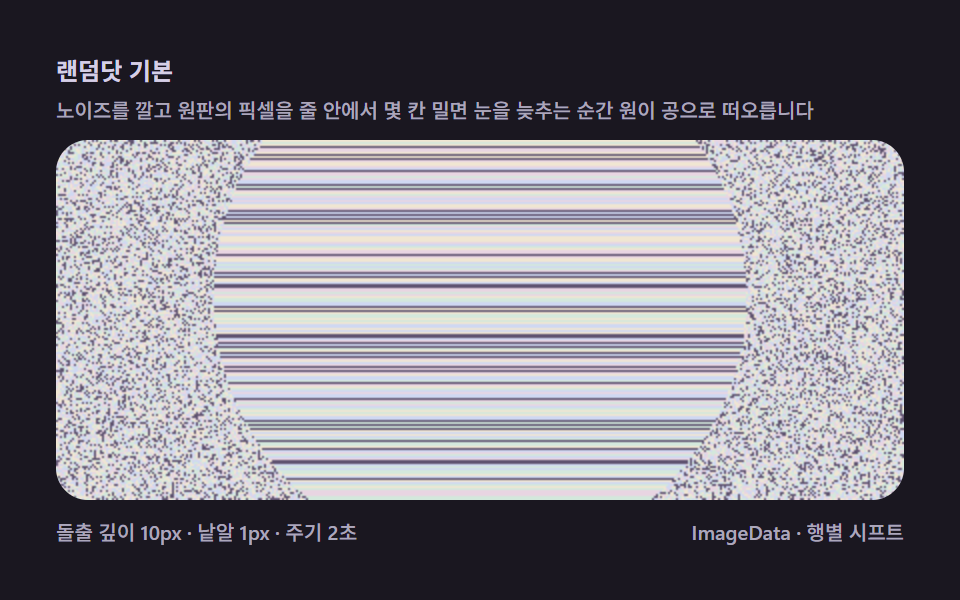 01 magic-eye-random-dot-basic
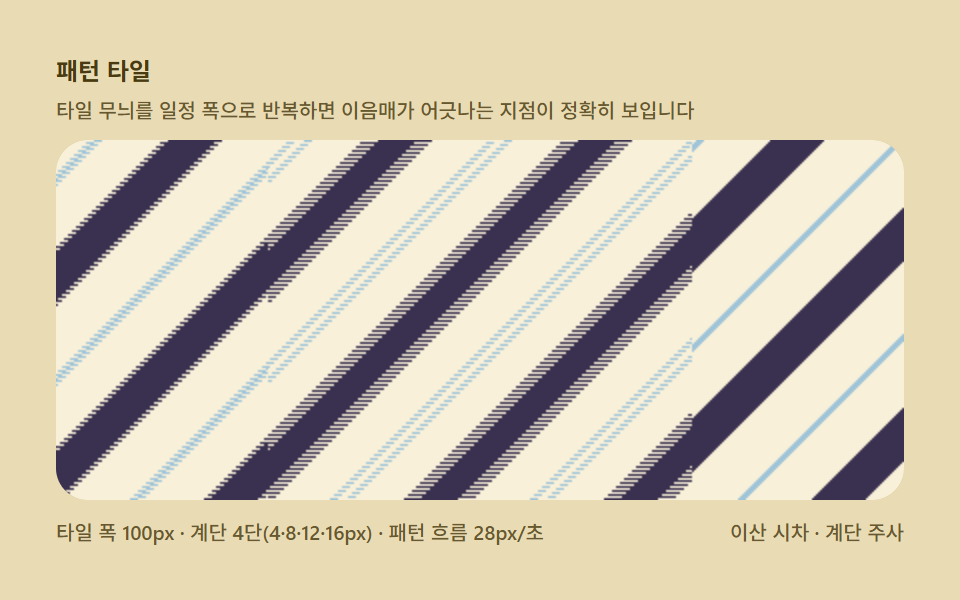 02 magic-eye-texture-pattern-repeat
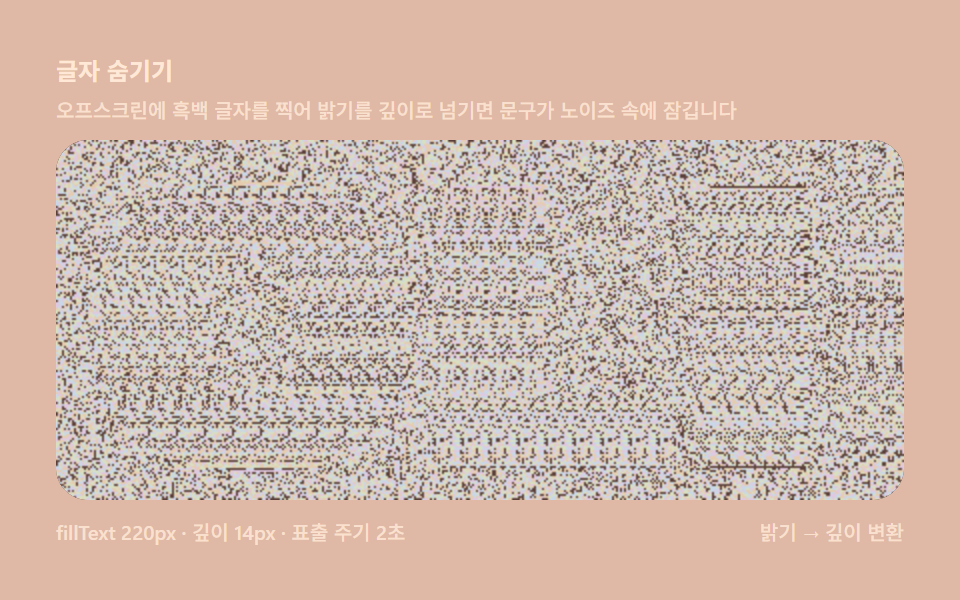 03 magic-eye-text-shape-depthmap
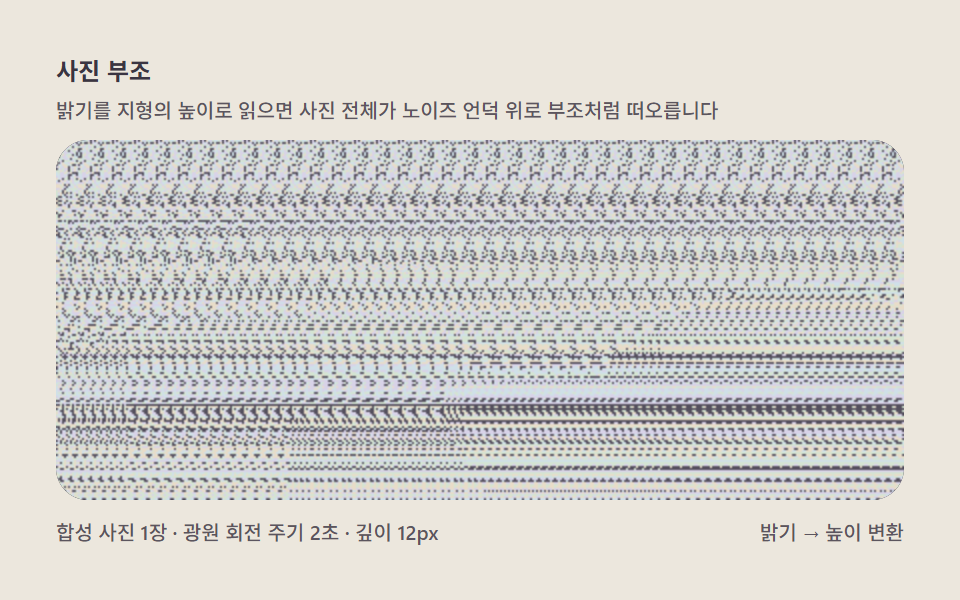 04 magic-eye-photo-depthmap-lift
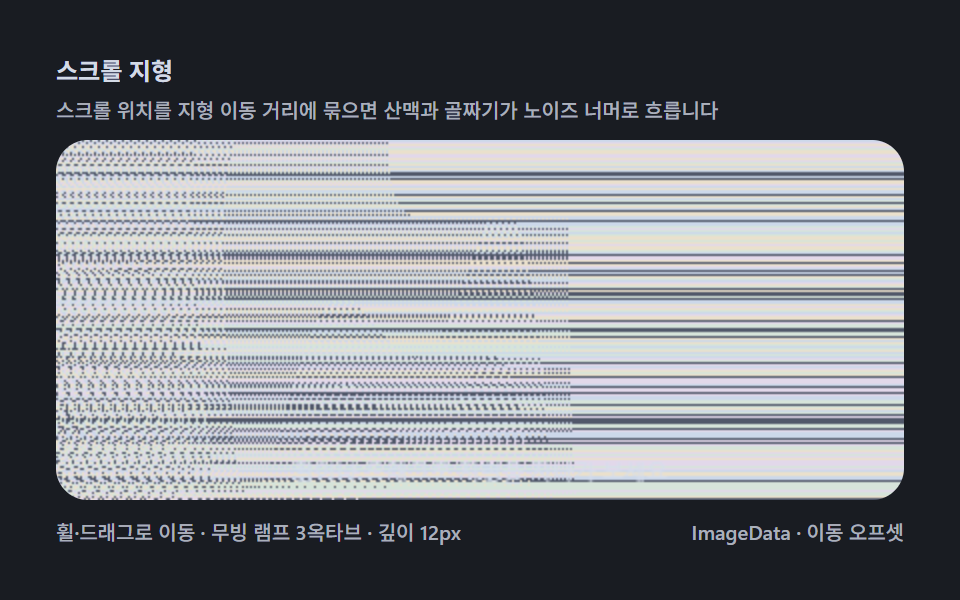 05 magic-eye-scroll-landscape-reveal
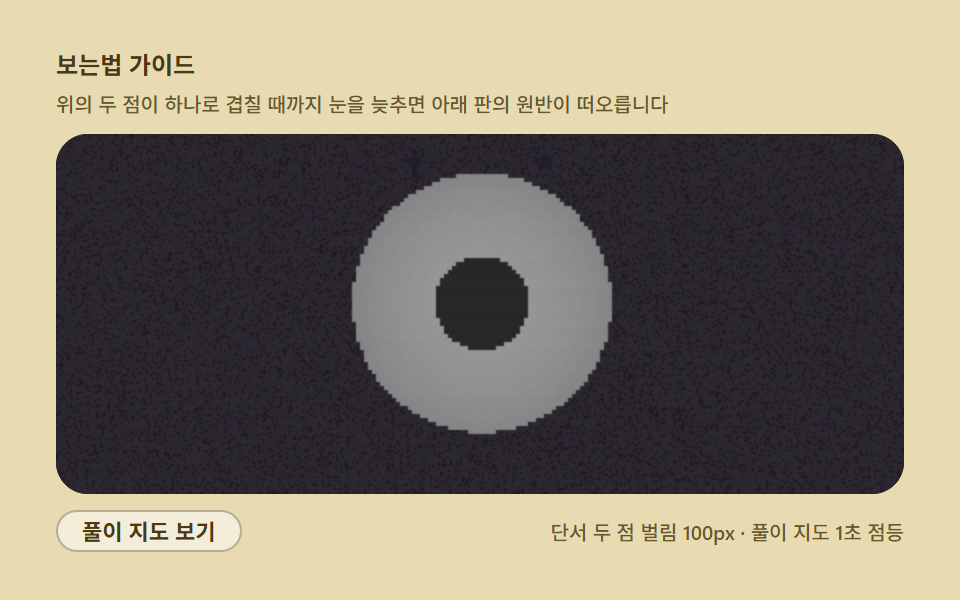 06 magic-eye-focus-blur-guide
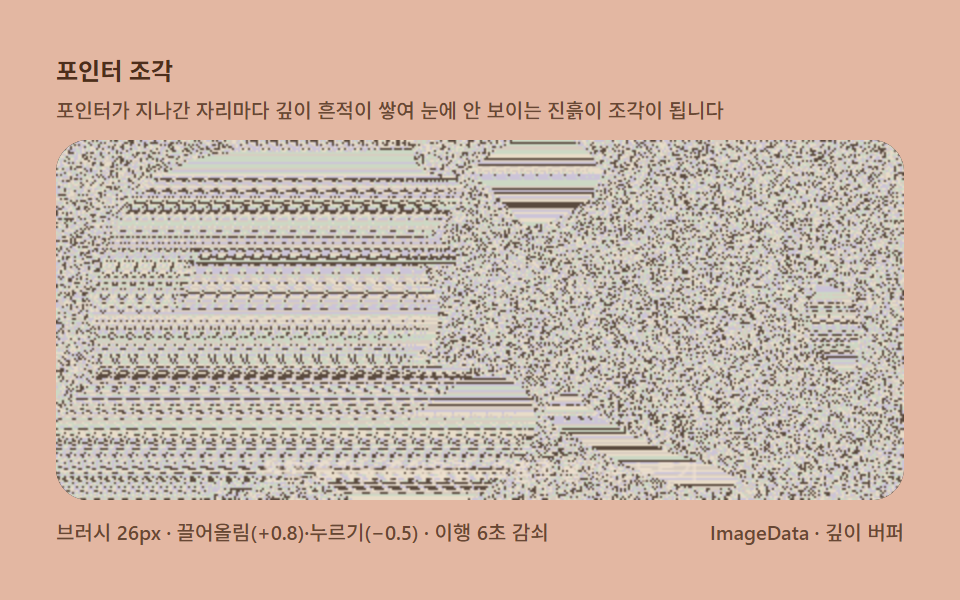 07 magic-eye-pointer-depth-sculpt
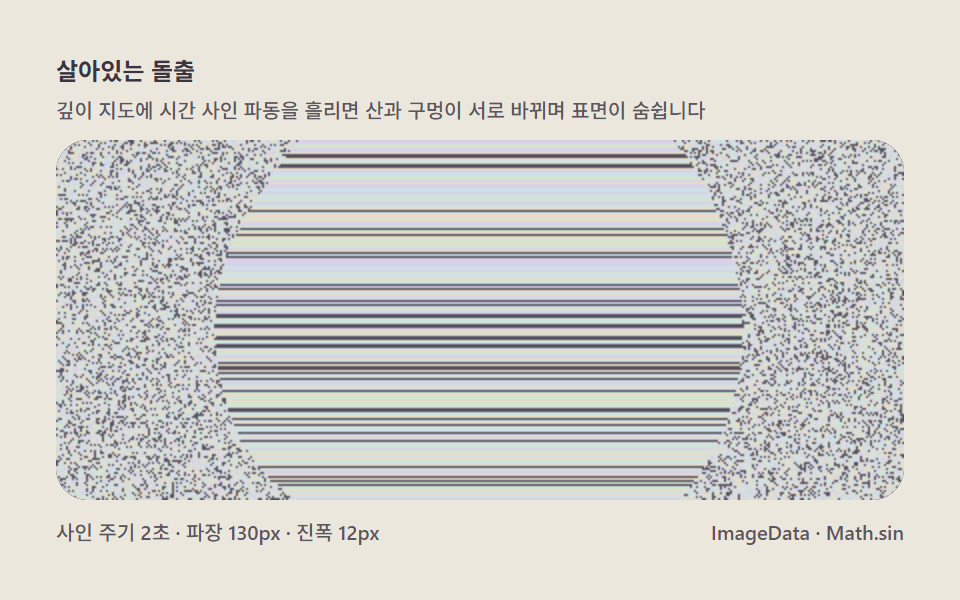 08 magic-eye-anim-depth-wave
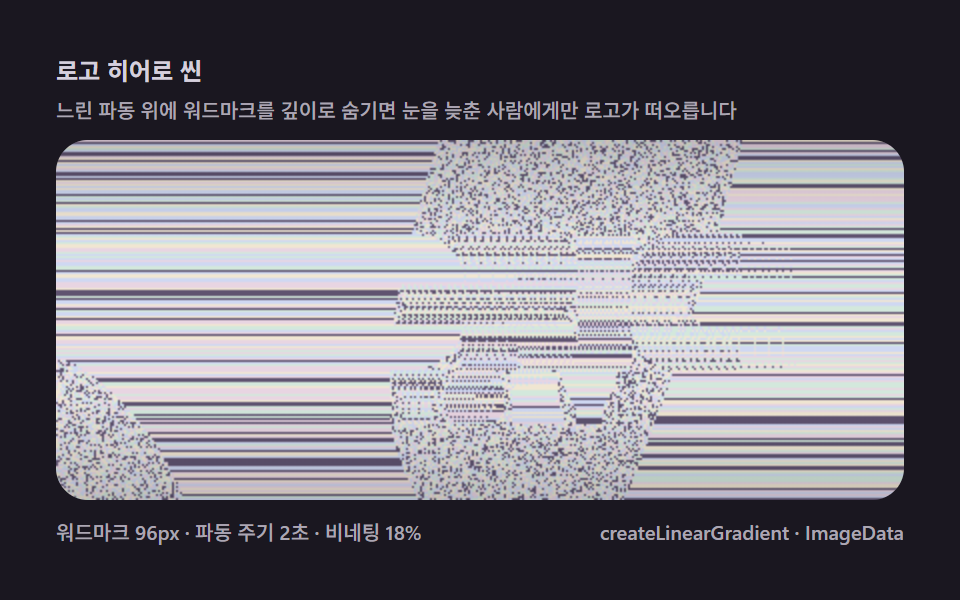 09 magic-eye-logo-hero-scene
자동 재생 · 눌러서 해당 항목으로 · 전부 한 zip
- 01 랜덤닷 기본 — 원 하나가 소리 없이 떠오르는 첫 화면
- 02 패턴 타일 — 반복 무늬 폭이 곧 눈의 모으는 각도다
- 03 글자 숨기기 — fillText 로 찍은 글자를 깊이 지도로 쓴다
- 04 사진 부조 — 밝기를 지형의 높이로 읽어 들어올린다
- 05 스크롤 지형 — 굴리는 만큼 산맥이 드러난다
- 06 보는법 가이드 — 초점 유도 점과 셀프 풀이 오버레이
- 07 포인터 조각 — 갈고리로 깊이를 누르고 끌어올린다
- 08 살아있는 돌출 — 깊이 파동으로 숨쉬는 표면
- 09 로고 히어로 씬 — 브랜드 글자를 숨긴 대문 장면
데모
아홉 판 각각은 html 파일 하나로 자립해 열자마자 움직이고, 화면의 모든 변화는 CSS 애니메이션이 아니라 깊이 지도를 다시 계산해 행별 복사 시프트를 다시 실행한 결과입니다. 24프레임 녹화 구간에서 아홉 판 전부 23프레임이 움직였습니다. 05 는 휠과 가로 드래그로 지형을 직접 여행하고 07 은 포인터로 깊이를 파고 쌓는 판이니 지나가기 전에 멈춰 보시기를 권합니다.
24프레임 실측 한눈에
| 항목 | 초점 | 누적면적(%) | 강도 평균 |
|---|---|---|---|
| 01 랜덤닷 기본 | 숨쉬는 반구가 떠오르는 최소 구현 | 31.427 | 69.7 |
| 02 패턴 타일 | 이산 시차와 패턴 주기의 정밀 대조 | 52.806 | 155.2 |
| 03 글자 숨기기 | fillText 래스터 밝기를 깊이로 넘기기 | 31.934 | 85.8 |
| 04 사진 부조 | 합성 사진의 밝기를 지형 높이로 읽기 | 50.087 | 71.8 |
| 05 스크롤 지형 | 3옥타브 사인 산맥을 여행하며 드러내기 | 51.918 | 71.8 |
| 06 보는법 가이드 | 단서 두 점과 풀이 지도로 입문시키기 | 52.87 | 66.0 |
| 07 포인터 조각 | 보이지 않는 진흙을 끌어올리고 누르기 | 34.71 | 76.0 |
| 08 살아있는 돌출 | 파장 130px 사인 파동이 표면을 숨쉬게 하기 | 31.176 | 71.1 |
| 09 로고 히어로 씬 | 워드마크와 비네팅으로 짜는 대문 장면 | 52.539 | 69.9 |
수치는 성격으로 읽는다
누적면적이 전 항목 31% 이상인 것은 매직아이 특유의 화면 구성 탓입니다. 노이즈 밑칠이 캔버스 전면을 덮는 깊이 있는 화면이라 기본값부터 높고, 항목 사이의 차이는 같은 프레임 안에서 얼마나 다시 엮이는가를 재는 프레임별 최대 면적과 강도평균으로 벌어집니다. 06 보는법 가이드는 풀이 지도가 겹쳐지는 점등 순간 한 프레임 면적 52.87% 로 정점을 찍고, 02 패턴 타일은 강도평균 155.2 로 아홉 판 중 가장 밝습니다. 반대로 01 랜덤닷 기본(31.427%)·03 글자 숨기기(31.934%)·08 살아있는 돌출(31.176%)은 깊이가 있는 영역 자체가 절제된 판이라 낮게 나온 것이지 결함이 아닙니다.
반구 수식에서 포인터 조각까지, 매직아이 깊이를 넓힌 순서
순서는 화려함의 서열이 아니라 깊이의 원천을 몇 단계로 넓혀 가는가의 서열입니다. 먼저 수식으로 잡은 반구 하나로 최소 구현을 얹고(01), 노이즈 대신 반복 패턴을 깔아 이산 시차를 무늬로 읽게 한 뒤(02), 깊이 소스를 수식에서 그림으로 바꿉니다(03). 넷째와 다섯째는 그림의 범위를 넓히는 두 걸음 — 합성한 사진의 밝기를 통째로 높이로 쓰고(04), 사인 세 개를 합한 지형을 여행 축으로 펼칩니다(05). 여섯째는 관점의 전환으로, 그림이 아니라 보는 사람을 바꾸는 접근성 판이고(06), 일곱째부터는 깊이를 손으로 만집니다 — 포인터로 조각하고(07), 시간을 흘려 표면을 숨쉬게 하며(08), 마지막에 워드마크와 비네팅까지 얹어 서비스의 첫 화면으로 조립합니다(09). 픽셀 버퍼를 직접 굽는 계열로는 SDF 거리장을 한 걸음씩 굽는 레이마칭 캔버스와 같은 계보이고, 미적분 한 걸음으로 나비를 쌓는 로렌츠 어트랙터·발산 횟수로 색을 매기는 만델브로 줌과도 이웃하는, 계산으로 그림을 얻는 편입니다.
항목별 코드
01랜덤닷 기본 — 원 하나가 소리 없이 떠오르는 첫 화면
숨은그림 입문 도해나 놀이 위젯에 그대로 얹을 수 있는, 매직아이의 모든 것이 시작되는 최소 구현입니다. 배경 노이즈를 깔고 원판 영역의 픽셀만 한 줄 안에서 몇 칸 밀면 눈을 평행으로 늦추는 순간 원이 공으로 떠오릅니다.
<main class="stage">
<div class="me is-demo" id="meRoot">
  <p class="me__hint">
    <span>랜덤닷 기본</span>
    <span class="me__desc">노이즈를 깔고 원판의 픽셀을 줄 안에서 몇 칸 밀면 눈을 늦추는 순간 원이 공으로 떠오릅니다</span>
  </p>
  <div class="me__field" role="application" aria-label="랜덤닷 실험판" tabindex="0">
    <canvas class="me__cv" id="meCv"></canvas>
  </div>
  <div class="me__bar">
    <span class="me__meta">돌출 깊이 10px · 낱알 1px · 주기 2초</span>
    <span class="me__meta me__meta--dim">ImageData · 행별 시프트</span>
  </div>
</div>
</main>
@use "../../../../site/static/demo-tokens" as *;
// 매직아이 기본(01) — @keyframes 를 두지 않는다.
// 움직임은 전부 캔버스 rAF 루프(행별 시프트 재계산)가 만든다.
// 무대 잉크 — 어두운 판 위 파스텔 노이즈로 입체를 띄운다.
$me-stage: #1a1720;
@include stage($me-stage);
$me-panel: #241f2d; // 스테레오 판 바닥 — 무대보다 한 단계 밝은 먹보라
$me-text: #d5cfe6; // 라벨 글자 — 밝은 라일락 회색
$me-p0: #cfd8f2; // 노이즈 파스텔 1 — 얼음 블루
$me-p1: #e8d5e2; // 노이즈 파스텔 2 — 벚꽃
$me-p2: #d3e8dc; // 노이즈 파스텔 3 — 민트 크림
$me-p3: #f0e6d2; // 노이즈 파스텔 4 — 크림
$me-p4: #5f5370; // 노이즈 어두운 칸 — 저채도 보라(명암 대비용)
$duration: $dur-loop;
$easing: $ease-out;
$color: $me-p0;
.me {
--me-p0: #{$me-p0};
--me-p1: #{$me-p1};
--me-p2: #{$me-p2};
--me-p3: #{$me-p3};
--me-p4: #{$me-p4};
display: flex; flex-direction: column; gap: $sp-2;
width: 100%; max-width: 424px;
}
.me__hint {
display: flex; flex-direction: column; gap: 0; margin: 0;
font-weight: 700; font-size: clamp(10px, 2.8vw, 12px); line-height: 1.35;
color: $me-text;
}
.me__desc {
margin-top: $sp-1;
font-weight: 500; font-size: clamp(9px, 2.4vw, 10px); line-height: 1.4;
color: rgba($me-text, .78);
}
.me__field {
position: relative; height: 180px;
border-radius: $r-card; overflow: hidden;
background: $me-panel;
box-shadow: inset 0 0 0 1px rgba($me-text, .16);
}
.me__field:focus-visible { outline: 2px solid $me-p0; outline-offset: 2px; }
.me__cv { display: block; width: 100%; height: 100%; }
.me__bar { display: flex; align-items: baseline; justify-content: space-between; gap: $sp-2; }
.me__meta { font-size: 10px; font-weight: 500; color: rgba($me-text, .78); }
@media (max-width: 340px) {
.me { gap: $sp-1; }
.me__field { height: 100px; }
.me__meta--dim { display: none; }
}
// reduce — rAF 를 돌리지 않고 부풀은 원판 한 장만 남는다.
@media (prefers-reduced-motion: reduce) {
.me.is-still .me__field { cursor: default !important; }
}html, body {
margin: 0;
overflow: hidden;
}
.stage {
box-sizing: border-box;
min-height: 100vh;
display: grid;
place-items: center;
margin: 0;
background: #1a1720;
font-family: -apple-system, "Segoe UI", "Noto Sans KR", sans-serif;
padding: clamp(8px, 4vw, 24px);
}
.me {
--me-p0: #cfd8f2;
--me-p1: #e8d5e2;
--me-p2: #d3e8dc;
--me-p3: #f0e6d2;
--me-p4: #5f5370;
display: flex;
flex-direction: column;
gap: 8px;
width: 100%;
max-width: 424px;
}
.me__hint {
display: flex;
flex-direction: column;
gap: 0;
margin: 0;
font-weight: 700;
font-size: clamp(10px, 2.8vw, 12px);
line-height: 1.35;
color: #d5cfe6;
}
.me__desc {
margin-top: 4px;
font-weight: 500;
font-size: clamp(9px, 2.4vw, 10px);
line-height: 1.4;
color: rgba(213, 207, 230, 0.78);
}
.me__field {
position: relative;
height: 180px;
border-radius: 16px;
overflow: hidden;
background: #241f2d;
box-shadow: inset 0 0 0 1px rgba(213, 207, 230, 0.16);
}
.me__field:focus-visible {
outline: 2px solid #cfd8f2;
outline-offset: 2px;
}
.me__cv {
display: block;
width: 100%;
height: 100%;
}
.me__bar {
display: flex;
align-items: baseline;
justify-content: space-between;
gap: 8px;
}
.me__meta {
font-size: 10px;
font-weight: 500;
color: rgba(213, 207, 230, 0.78);
}
@media (max-width: 340px) {
.me {
gap: 4px;
}
.me__field {
height: 100px;
}
.me__meta--dim {
display: none;
}
}
@media (prefers-reduced-motion: reduce) {
.me.is-still .me__field {
cursor: default !important;
}
}// 매직아이 기본(01) — 랜덤닷 스테레오그램의 최소 구현.
// 1) 시간이 지나도 같은 난수 노이즈를 깔는다(밑칠 baseIdx — 씨앗은 좌표만 받는다).
// 2) 깊이 지도 depth(x,y) 를 계산해 0..1 로 정규화한다(여기선 숨쉬는 반구 원판).
// 3) 각 행을 왼쪽에서 오른쪽으로 훑며, 깊이가 0인 칸은 밑칠 그대로 두고
// 깊이가 있는 칸은 col[x] = col[x - round(depth*MAXSHIFT)] 로 왼쪽에서 복사한다.
// 같은 낱알이 두 눈에 시차를 두고 들어와 입체로 읽히는 autostereogram 계산의 전부다.
// 원판이 주기 안에 부풀었다 가라앉으면 복사 거리가 바뀌어 원판 영역의 낱알이 다시 엮인다.
(function () {
// ── 변형 상수 블록 — 아래 값 하나만 바꿔 변형을 만든다 ──
var MAXSHIFT = 10; // 돌출 깊이(px) — 22로 올리면 공이 코앞까지 나온다(변형 1)
var CYCLE = 2.0; // 숨쉬기 주기(초)
// ────────────────────────────────────────────────────
var root = document.getElementById('meRoot');
var cvEl = document.getElementById('meCv');
if (!root || !cvEl) return;
var fieldEl = cvEl.parentElement;
var css = getComputedStyle(root);
function tokRGB(name) {
var s = css.getPropertyValue(name).trim();
var hx = s.length === 4
? s.charAt(1) + s.charAt(1) + s.charAt(2) + s.charAt(2) + s.charAt(3) + s.charAt(3)
: s.slice(1);
return [parseInt(hx.slice(0, 2), 16), parseInt(hx.slice(2, 4), 16), parseInt(hx.slice(4, 6), 16)];
}
var PAL = [];
for (var i = 0; i < 5; i++) PAL.push(tokRGB('--me-p' + i));
// ── 밑칠 노이즈 — 좌표만 받는 결정적 해시. 시간을 안 받으므로 프레임 사이에 같다(눈이 패턴을 기억한다) ──
function baseIdx(x, y) {
var h = (Math.imul(x + 11, 374761393) + Math.imul(y + 7, 668265263)) >>> 0;
h ^= h >>> 13;
h = Math.imul(h, 1274126177) >>> 0;
h ^= h >>> 16;
return ((h % PAL.length) + PAL.length) % PAL.length; // ^ 는 ToInt32 로 음수가 될 수 있어 접는다
}
var ctx = cvEl.getContext('2d');
var W = 0, H = 0, img = null;
function fit() {
var r = fieldEl.getBoundingClientRect();
W = Math.round(r.width); H = Math.round(r.height);
cvEl.width = W; cvEl.height = H;
img = ctx.createImageData(W, H);
}
// 깊이 지도 — 중앙 반구가 부풀었다 가라앉으며 살짝 위아래로도 흐른다. 0(배경) .. 1(최대 돌출)
function depthAt(x, y, t) {
var ph = t / CYCLE * Math.PI * 2;
var cx = W * 0.5, cy = H * 0.5 + Math.sin(ph) * H * 0.07;
var rad = Math.min(W, H) * 0.74;
var dx = (x - cx) / rad, dy = (y - cy) / rad;
var d2 = dx * dx + dy * dy;
if (d2 >= 1) return 0;
var bulge = 0.16 + 0.84 * (Math.sin(ph - Math.PI / 2) * .5 + .5);
return Math.sqrt(1 - d2) * bulge; // 반구 단면 × 숨쉬기
}
  function draw(t) {
    var d = img.data, x, y, di;
    var col = new Int32Array(W);   // 이 행의 낱알 팔레트 인덱스
    for (y = 0; y < H; y++) {
      for (x = 0; x < W; x++) {
        var s = Math.round(depthAt(x, y, t) * MAXSHIFT);
        if (s <= 0) {
          col[x] = baseIdx(x, y);                    // 배경 — 밑칠 낱알 그대로
        } else {
          var from = x - s;
          col[x] = from >= 0 ? col[from] : baseIdx(from + W, y);  // 왼쪽에서 복사(화면 밖은 되감아)
        }
      }
      for (x = 0; x < W; x++) {
        var c = PAL[col[x]];
        di = (y * W + x) * 4;
        d[di] = c[0]; d[di + 1] = c[1]; d[di + 2] = c[2]; d[di + 3] = 255;
      }
    }
    ctx.putImageData(img, 0, 0);
  }
var reduce = window.matchMedia('(prefers-reduced-motion: reduce)').matches;
var t0 = -1;
function frame(now) {
if (t0 < 0) t0 = now;
draw((now - t0) / 1000);
requestAnimationFrame(frame);
}
window.addEventListener('resize', function () {
fit();
if (reduce) draw(0.5);
});
fit();
if (reduce) {
draw(0.5); // reduce — 부풀은 원판 한 장만 고정
root.classList.add('is-still');
} else {
requestAnimationFrame(frame);
}
})();// MagicEyeRandomDotBasic — vanilla 판(run/325/demo/01-magic-eye-random-dot-basic/index.html) 의 React 포트.
// 1) 시간이 지나도 같은 난수 노이즈를 깐다(밑칠 baseIdx — 씨앗은 좌표만 받는다).
// 2) 깊이 지도 depth(x,y) 를 계산해 0..1 로 정규화한다(여기선 숨쉬는 반구 원판).
// 3) 각 행을 왼쪽에서 오른쪽으로 훑며, 깊이가 0인 칸은 밑칠 그대로 두고
// 깊이가 있는 칸은 col[x] = col[x - round(depth*MAXSHIFT)] 로 왼쪽에서 복사한다.
// 같은 낱알이 두 눈에 시차를 두고 들어와 입체로 읽히는 autostereogram 계산의 전부다.
// 원판이 주기 안에 부풀었다 가라앉으면 복사 거리가 바뀌어 원판 영역의 낱알이 다시 엮인다.
import { useEffect, useRef, useState } from "react";
import type { CSSProperties } from "react";
import styles from "./MagicEyeRandomDotBasic.module.scss";
export type MagicEyeRandomDotBasicProps = {
duration?: string;
easing?: string;
color?: string;
maxshift?: number; // 돌출 깊이(px) — 22로 올리면 공이 코앞까지 나온다(변형 1)
cycle?: number; // 숨쉬기 주기(초)
};
// ── 변형 상수(기본값) — vanilla 판과 동일 ──
const MAXSHIFT = 10; // 돌출 깊이(px)
const CYCLE = 2.0; // 숨쉬기 주기(초) — 설정 초(2s)와 같아 한 주기가 한 루프
type Vars = CSSProperties & { "--duration"?: string; "--easing"?: string; "--color"?: string };
type Box<T> = { current: T };
type RGB = [number, number, number];
const FIELD_LABEL = "랜덤닷 실험판";
const META_LEFT = "돌출 깊이 10px · 낱알 1px · 주기 2초";
const META_RIGHT = "ImageData · 행별 시프트";
const HINT_TITLE = "랜덤닷 기본";
const HINT_DESC = "노이즈를 깔고 원판의 픽셀을 줄 안에서 몇 칸 밀면 눈을 늦추는 순간 원이 공으로 떠오릅니다";
export default function MagicEyeRandomDotBasic({
duration = "2s",
easing = "ease-out",
color = "#cfd8f2",
maxshift = MAXSHIFT,
cycle = CYCLE
}: MagicEyeRandomDotBasicProps) {
const rootRef = useRef<HTMLDivElement | null>(null);
const fieldRef = useRef<HTMLDivElement | null>(null);
const cvRef = useRef<HTMLCanvasElement | null>(null);
const ctxRef = useRef<CanvasRenderingContext2D | null>(null);
const palRef = useRef<RGB[] | null>(null);
const imgRef = useRef<ImageData | null>(null);
const wRef = useRef(0) as Box<number>;
const hRef = useRef(0) as Box<number>;
const rafRef = useRef(0) as Box<number>;
const [still, setStill] = useState(false);
const vars: Vars = { "--duration": duration, "--easing": easing, "--color": color };
function reduced(): boolean {
return window.matchMedia("(prefers-reduced-motion: reduce)").matches;
}
function tokRGB(root: HTMLDivElement, name: string): RGB {
const s = getComputedStyle(root).getPropertyValue(name).trim();
const hx = s.length === 4
? s.charAt(1) + s.charAt(1) + s.charAt(2) + s.charAt(2) + s.charAt(3) + s.charAt(3)
: s.slice(1);
return [parseInt(hx.slice(0, 2), 16), parseInt(hx.slice(2, 4), 16), parseInt(hx.slice(4, 6), 16)];
}
// ── 밑칠 노이즈 — 좌표만 받는 결정적 해시. 시간을 안 받으므로 프레임 사이에 같다(눈이 패턴을 기억한다) ──
function baseIdx(x: number, y: number): number {
const pal = palRef.current;
if (!pal) return 0;
let h = (Math.imul(x + 11, 374761393) + Math.imul(y + 7, 668265263)) >>> 0;
h ^= h >>> 13;
h = Math.imul(h, 1274126177) >>> 0;
h ^= h >>> 16;
return ((h % pal.length) + pal.length) % pal.length; // ^ 는 ToInt32 로 음수가 될 수 있어 접는다
}
function fit(): void {
const field = fieldRef.current;
const cv = cvRef.current;
const ctx = ctxRef.current;
if (!field || !cv || !ctx) return;
const r = field.getBoundingClientRect();
wRef.current = Math.round(r.width);
hRef.current = Math.round(r.height);
cv.width = wRef.current;
cv.height = hRef.current;
imgRef.current = ctx.createImageData(wRef.current, hRef.current);
}
// 깊이 지도 — 중앙 반구가 부풀었다 가라앉으며 살짝 위아래로도 흐른다. 0(배경) .. 1(최대 돌출)
function depthAt(x: number, y: number, t: number): number {
const W = wRef.current, H = hRef.current;
const ph = t / cycle * Math.PI * 2;
const cx = W * 0.5, cy = H * 0.5 + Math.sin(ph) * H * 0.07;
const rad = Math.min(W, H) * 0.74;
const dx = (x - cx) / rad, dy = (y - cy) / rad;
const d2 = dx * dx + dy * dy;
if (d2 >= 1) return 0;
const bulge = 0.16 + 0.84 * (Math.sin(ph - Math.PI / 2) * .5 + .5);
return Math.sqrt(1 - d2) * bulge; // 반구 단면 × 숨쉬기
}
function draw(t: number): void {
const ctx = ctxRef.current;
const img = imgRef.current;
const pal = palRef.current;
const W = wRef.current, H = hRef.current;
if (!ctx || !img || !pal) return;
const d = img.data;
const col = new Int32Array(W); // 이 행의 낱알 팔레트 인덱스
for (let y = 0; y < H; y++) {
for (let x = 0; x < W; x++) {
const s = Math.round(depthAt(x, y, t) * maxshift);
if (s <= 0) {
col[x] = baseIdx(x, y); // 배경 — 밑칠 낱알 그대로
} else {
const from = x - s;
col[x] = from >= 0 ? col[from] : baseIdx(from + W, y); // 왼쪽에서 복사(화면 밖은 되감아)
}
}
for (let x = 0; x < W; x++) {
const c = pal[col[x]];
const di = (y * W + x) * 4;
d[di] = c[0]; d[di + 1] = c[1]; d[di + 2] = c[2]; d[di + 3] = 255;
}
}
ctx.putImageData(img, 0, 0);
}
let t0 = -1;
function frame(now: number): void {
if (t0 < 0) t0 = now;
draw((now - t0) / 1000);
rafRef.current = requestAnimationFrame(frame);
}
useEffect(() => {
const root = rootRef.current;
const cv = cvRef.current;
if (!root || !cv) return;
const pal: RGB[] = [];
for (let i = 0; i < 5; i++) pal.push(tokRGB(root, "--me-p" + i));
palRef.current = pal;
ctxRef.current = cv.getContext("2d");
fit();
function onResize(): void {
fit();
if (reduced()) draw(0.5);
}
window.addEventListener("resize", onResize);
if (reduced()) {
draw(0.5); // reduce — 부풀은 원판 한 장만 고정
setStill(true);
} else {
t0 = -1;
rafRef.current = requestAnimationFrame(frame);
}
return () => {
window.removeEventListener("resize", onResize);
cancelAnimationFrame(rafRef.current);
};
// eslint-disable-next-line react-hooks/exhaustive-deps
}, [maxshift, cycle]);
const rootCls = still ? `${styles.root} ${styles.isStill}` : styles.root;
return (
<main className={styles.stage}>
<div className={rootCls} ref={rootRef} style={vars}>
<p className={styles.hint}>
<span>{HINT_TITLE}</span>
<span className={styles.desc}>{HINT_DESC}</span>
</p>
<div
className={styles.field}
ref={fieldRef}
role="application"
aria-label={FIELD_LABEL}
tabIndex={0}
>
<canvas className={styles.cv} ref={cvRef}></canvas>
</div>
<div className={styles.bar}>
<span className={styles.meta}>{META_LEFT}</span>
<span className={styles.metaDim}>{META_RIGHT}</span>
</div>
</div>
</main>
);
}01 · 랜덤닷 기본 — 원 하나가 소리 없이 떠오르는 첫 화면 — 측정 누적면적 31.427% · 움직인 프레임 23/23GODRICH 원작 · zip 에 SCSS·React 포함 · 비밀번호 보기
깊이 지도를 주사선으로 미는 한 겹
function draw(t) {
var d = img.data, x, y, di;
var col = new Int32Array(W); // 이 행의 낱알 팔레트 인덱스
for (y = 0; y < H; y++) {
for (x = 0; x < W; x++) {
var s = Math.round(depthAt(x, y, t) * MAXSHIFT);
if (s <= 0) {
col[x] = baseIdx(x, y); // 배경 — 밑칠 낱알 그대로
} else {
var from = x - s;
col[x] = from >= 0 ? col[from] : baseIdx(from + W, y); // 왼쪽에서 복사(화면 밖은 되감아)
}
}
for (x = 0; x < W; x++) {
var c = PAL[col[x]];
di = (y * W + x) * 4;
d[di] = c[0]; d[di + 1] = c[1]; d[di + 2] = c[2]; d[di + 3] = 255;
}
}
ctx.putImageData(img, 0, 0);
}
02패턴 타일 — 반복 무늬 폭이 곧 눈의 모으는 각도다
노이즈 대신 폭 100px 사다리꼴 스트라이프 타일을 깔고 깊이를 4·8·12·16px 네 계단으로 둔, 파라미터 실험과 교육 도해에 맞는 정밀 판입니다. 시프트가 타일 주기의 배수일 때 이음매가 맞고 아니면 어긋나 도드라지는데, 어긋남의 띠는 주사 위상이 2초 주기로 흐르게 하고 타일 자체는 28px/초로 위로 흘러 흐름량을 정수 픽셀로 내림해 결을 유지합니다.
<main class="stage">
<div class="me is-demo" id="meRoot">
  <p class="me__hint">
    <span>패턴 타일</span>
    <span class="me__desc">타일 무늬를 일정 폭으로 반복하면 이음매가 어긋나는 지점이 정확히 보입니다</span>
  </p>
  <div class="me__field" role="application" aria-label="타일 정밀 판" tabindex="0">
    <canvas class="me__cv" id="meCv"></canvas>
  </div>
  <div class="me__bar">
    <span class="me__meta">타일 폭 100px · 계단 4단(4·8·12·16px) · 패턴 흐름 28px/초</span>
    <span class="me__meta me__meta--dim">이산 시차 · 계단 주사</span>
  </div>
</div>
</main>
@use "../../../../site/static/demo-tokens" as *;
// 패턴 타일(02) — keyframes 없음. rAF 계산이 전부.
// 무대 옐로 — 밝은 판 위 잉크 계열 타일 무늬로 이음매를 보여준다.
$me-stage: #e9dbb4;
@include stage($me-stage);
$me-panel: #f7e7b0; // 정밀 판 바닥 — 무대보다 한 단계 밝은 모래
$me-text: #4a3a12; // 라벨 글자 — 진한 갈색 잉크
$me-c0: #f8f0d8; // 타일 바탕 — 크림
$me-c1: #9fc4d8; // 보조선 — 파스텔 청회
$me-c2: #3a3050; // 사선 띠 — 진보라 잉크(크림과的大 대비)
$duration: $dur-loop;
$easing: $ease-out;
$color: $me-c2;
.me {
--me-c0: #{$me-c0};
--me-c1: #{$me-c1};
--me-c2: #{$me-c2};
display: flex; flex-direction: column; gap: $sp-2;
width: 100%; max-width: 424px;
}
.me__hint {
display: flex; flex-direction: column; gap: 0; margin: 0;
font-weight: 700; font-size: clamp(10px, 2.8vw, 12px); line-height: 1.35;
color: $me-text;
}
.me__desc {
margin-top: $sp-1;
font-weight: 500; font-size: clamp(9px, 2.4vw, 10px); line-height: 1.4;
color: rgba($me-text, .82);
}
.me__field {
position: relative; height: 180px;
border-radius: $r-card; overflow: hidden;
background: $me-panel;
box-shadow: inset 0 0 0 1px rgba($me-text, .2);
}
.me__field:focus-visible { outline: 2px solid $me-c2; outline-offset: 2px; }
.me__cv { display: block; width: 100%; height: 100%; }
.me__bar { display: flex; align-items: baseline; justify-content: space-between; gap: $sp-2; }
.me__meta { font-size: 10px; font-weight: 500; color: rgba($me-text, .82); }
@media (max-width: 340px) {
.me { gap: $sp-1; }
.me__field { height: 100px; }
.me__meta--dim { display: none; }
}
// reduce — 계단 한 장만 남는다.
@media (prefers-reduced-motion: reduce) {
.me.is-still .me__field { cursor: default !important; }
}html, body {
margin: 0;
overflow: hidden;
}
.stage {
box-sizing: border-box;
min-height: 100vh;
display: grid;
place-items: center;
margin: 0;
background: #e9dbb4;
font-family: -apple-system, "Segoe UI", "Noto Sans KR", sans-serif;
padding: clamp(8px, 4vw, 24px);
}
.me {
--me-c0: #f8f0d8;
--me-c1: #9fc4d8;
--me-c2: #3a3050;
display: flex;
flex-direction: column;
gap: 8px;
width: 100%;
max-width: 424px;
}
.me__hint {
display: flex;
flex-direction: column;
gap: 0;
margin: 0;
font-weight: 700;
font-size: clamp(10px, 2.8vw, 12px);
line-height: 1.35;
color: #4a3a12;
}
.me__desc {
margin-top: 4px;
font-weight: 500;
font-size: clamp(9px, 2.4vw, 10px);
line-height: 1.4;
color: rgba(74, 58, 18, 0.82);
}
.me__field {
position: relative;
height: 180px;
border-radius: 16px;
overflow: hidden;
background: #f7e7b0;
box-shadow: inset 0 0 0 1px rgba(74, 58, 18, 0.2);
}
.me__field:focus-visible {
outline: 2px solid #3a3050;
outline-offset: 2px;
}
.me__cv {
display: block;
width: 100%;
height: 100%;
}
.me__bar {
display: flex;
align-items: baseline;
justify-content: space-between;
gap: 8px;
}
.me__meta {
font-size: 10px;
font-weight: 500;
color: rgba(74, 58, 18, 0.82);
}
@media (max-width: 340px) {
.me {
gap: 4px;
}
.me__field {
height: 100px;
}
.me__meta--dim {
display: none;
}
}
@media (prefers-reduced-motion: reduce) {
.me.is-still .me__field {
cursor: default !important;
}
}// 패턴 타일(02) — 반복 무늬 폭과 이산 시차의 관계.
// 노이즈 대신 폭 TILE=100px 짜리 타일 무늬(사다리꼴 스트라이프)를 깐다.
// 무늬가 주기적이면 시프트가 주기의 배수일 때 이음매가 딱 맞고, 그렇지 않으면 어긋나 도드라진다 —
// 깊이를 4단 계단으로 두면 단마다 어긋남의 크기가 달라 "몇 픽셀 밀었는지"가 무늬로 읽힌다.
// 계단이 좌우로 주사하며 한 단씩 올라오므로 어긋남의 띠가 화면을 흐른다.
(function () {
// ── 변형 상수 블록 ──
var TILE = 100; // 타일 폭(px) — 140으로 넓히면 눈을 더 멀리 늦춰야 한다(변형 2)
var STEPS = [4, 8, 12, 16]; // 계단 깊이(px)
var CYCLE = 2.0; // 주사 주기(초)
// ─────────────────
var root = document.getElementById('meRoot');
var cvEl = document.getElementById('meCv');
if (!root || !cvEl) return;
var fieldEl = cvEl.parentElement;
var css = getComputedStyle(root);
function tokRGB(name) {
var s = css.getPropertyValue(name).trim();
var hx = s.length === 4
? s.charAt(1) + s.charAt(1) + s.charAt(2) + s.charAt(2) + s.charAt(3) + s.charAt(3)
: s.slice(1);
return [parseInt(hx.slice(0, 2), 16), parseInt(hx.slice(2, 4), 16), parseInt(hx.slice(4, 6), 16)];
}
var C0 = tokRGB('--me-c0');
var C1 = tokRGB('--me-c1');
var C2 = tokRGB('--me-c2');
var ctx = cvEl.getContext('2d');
var W = 0, H = 0, img = null;
function fit() {
var r = fieldEl.getBoundingClientRect();
W = Math.round(r.width); H = Math.round(r.height);
cvEl.width = W; cvEl.height = H;
img = ctx.createImageData(W, H);
}
// 타일 무늬 — 캔버스 좌표(반복 주기 좌표)를 받아 색을 결정한다.
// 사선 스트라이프 + 링: 같은 타일이 반복되는지 바로 보이는 무늬.
function tileColor(px, py) {
var tx = ((px % TILE) + TILE) % TILE, ty = ((py % TILE) + TILE) % TILE;
var diag = (tx + ty) % TILE; // 사선 좌표
if (diag < 14 || diag > TILE - 14) return C2; // 굵은 사선 띠
var dx = tx - TILE * 0.5, dy = ty - TILE * 0.5;
var rr = Math.sqrt(dx * dx + dy * dy);
if (rr < 9) return C2; // 중앙 점
if (rr < 15) return C0; // 점 테두리
return (diag % 50 < 4) ? C1 : C0; // 바탕 + 가는 보조선
}
// 깊이 — 가로 4단 계단. 주사相位에 따라 어떤 단이 화면에 들어와 있는지 달라진다.
  function depthAt(x, y, t) {
    var band = (y * 4 + Math.floor(x / (W / 4)));      // 대각 계단 인덱스
    var scan = (t / CYCLE) % 1;                        // 0..1 주사 위상
    var appear = ((band % 8) + 8) % 8 / 8;             // 단마다 등장 시각을 엇갈리게
    var lift = Math.max(0, Math.sin((scan - appear) * Math.PI * 2 - Math.PI / 2) * .5 + .5);
    return lift * lift;
  }

  function shiftFor(x, y, t) {
    var band = Math.floor(x / (W / 4)) % 4;
    var d = depthAt(x, y, t);
    return Math.round(STEPS[band] * d);
  }
function draw(t) {
var d = img.data, x, y, di;
var flowY = Math.floor(t * 28); // 패턴 순환 — 타일이 천천히 아래로 흐른다(정수 픽셀)
for (y = 0; y < H; y++) {
var rowY = y + flowY;
for (x = 0; x < W; x++) {
var s = shiftFor(x, rowY, t);
var src = x - s;
// 타일 좌표계는 무한히 반복되므로 음수도 그냥 넘겨면 tileColor 가 되감는다
var c = tileColor(src, rowY);
di = (y * W + x) * 4;
d[di] = c[0]; d[di + 1] = c[1]; d[di + 2] = c[2]; d[di + 3] = 255;
}
}
ctx.putImageData(img, 0, 0);
}
var reduce = window.matchMedia('(prefers-reduced-motion: reduce)').matches;
var t0 = -1;
function frame(now) {
if (t0 < 0) t0 = now;
draw((now - t0) / 1000);
requestAnimationFrame(frame);
}
window.addEventListener('resize', function () {
fit();
if (reduce) draw(0.25);
});
fit();
if (reduce) {
draw(0.25); // reduce — 한 단이 뜬 계단 한 장만 고정
root.classList.add('is-still');
} else {
requestAnimationFrame(frame);
}
})();// MagicEyeTexturePatternRepeat — vanilla 판(run/325/demo/02-magic-eye-texture-pattern-repeat/index.html) 의 React 포트.
// 노이즈 대신 폭 TILE=100px 짜리 타일 무늬(사다리꼴 스트라이프)를 깐다.
// 무늬가 주기적이면 시프트가 주기의 배수일 때 이음매가 딱 맞고, 그렇지 않으면 어긋나 도드라진다 —
// 깊이를 4단 계단으로 두면 단마다 어긋남의 크기가 달라 "몇 픽셀 밀었는지"가 무늬로 읽힌다.
// 계단이 좌우로 주사하며 한 단씩 올라오므로 어긋남의 띠가 화면을 흐른다.
import { useEffect, useRef, useState } from "react";
import type { CSSProperties } from "react";
import styles from "./MagicEyeTexturePatternRepeat.module.scss";
export type MagicEyeTexturePatternRepeatProps = {
duration?: string;
easing?: string;
color?: string;
tile?: number; // 타일 폭(px) — 140으로 넓히면 눈을 더 멀리 늦춰야 한다(변형 2)
cycle?: number; // 주사 주기(초)
};
// ── 변형 상수(기본값) — vanilla 판과 동일 ──
const TILE = 100; // 타일 폭(px)
const STEPS = [4, 8, 12, 16]; // 계단 깊이(px)
const CYCLE = 2.0; // 주사 주기(초) — 설정 초(2s)와 같다
const FLOW = 28; // 패턴 순환 속도(px/초)
type Vars = CSSProperties & { "--duration"?: string; "--easing"?: string; "--color"?: string };
type Box<T> = { current: T };
type RGB = [number, number, number];
const FIELD_LABEL = "타일 정밀 판";
const META_LEFT = "타일 폭 100px · 계단 4단(4·8·12·16px) · 패턴 흐름 28px/초";
const META_RIGHT = "이산 시차 · 계단 주사";
const HINT_TITLE = "패턴 타일";
const HINT_DESC = "타일 무늬를 일정 폭으로 반복하면 이음매가 어긋나는 지점이 정확히 보입니다";
export default function MagicEyeTexturePatternRepeat({
duration = "2s",
easing = "ease-out",
color = "#3a3050",
tile = TILE,
cycle = CYCLE
}: MagicEyeTexturePatternRepeatProps) {
const rootRef = useRef<HTMLDivElement | null>(null);
const fieldRef = useRef<HTMLDivElement | null>(null);
const cvRef = useRef<HTMLCanvasElement | null>(null);
const ctxRef = useRef<CanvasRenderingContext2D | null>(null);
const c0Ref = useRef<RGB | null>(null);
const c1Ref = useRef<RGB | null>(null);
const c2Ref = useRef<RGB | null>(null);
const imgRef = useRef<ImageData | null>(null);
const wRef = useRef(0) as Box<number>;
const hRef = useRef(0) as Box<number>;
const rafRef = useRef(0) as Box<number>;
const [still, setStill] = useState(false);
const vars: Vars = { "--duration": duration, "--easing": easing, "--color": color };
function reduced(): boolean {
return window.matchMedia("(prefers-reduced-motion: reduce)").matches;
}
function tokRGB(root: HTMLDivElement, name: string): RGB {
const s = getComputedStyle(root).getPropertyValue(name).trim();
const hx = s.length === 4
? s.charAt(1) + s.charAt(1) + s.charAt(2) + s.charAt(2) + s.charAt(3) + s.charAt(3)
: s.slice(1);
return [parseInt(hx.slice(0, 2), 16), parseInt(hx.slice(2, 4), 16), parseInt(hx.slice(4, 6), 16)];
}
function fit(): void {
const field = fieldRef.current;
const cv = cvRef.current;
const ctx = ctxRef.current;
if (!field || !cv || !ctx) return;
const r = field.getBoundingClientRect();
wRef.current = Math.round(r.width);
hRef.current = Math.round(r.height);
cv.width = wRef.current;
cv.height = hRef.current;
imgRef.current = ctx.createImageData(wRef.current, hRef.current);
}
// 타일 무늬 — 캔버스 좌표(반복 주기 좌표)를 받아 색을 결정한다.
// 사선 스트라이프 + 링: 같은 타일이 반복되는지 바로 보이는 무늬.
function tileColor(px: number, py: number): RGB {
const C0 = c0Ref.current, C1 = c1Ref.current, C2 = c2Ref.current;
if (!C0 || !C1 || !C2) return C0 || [0, 0, 0];
const tx = ((px % tile) + tile) % tile, ty = ((py % tile) + tile) % tile;
const diag = (tx + ty) % tile; // 사선 좌표
if (diag < 14 || diag > tile - 14) return C2; // 굵은 사선 띠
const dx = tx - tile * 0.5, dy = ty - tile * 0.5;
const rr = Math.sqrt(dx * dx + dy * dy);
if (rr < 9) return C2; // 중앙 점
if (rr < 15) return C0; // 점 테두리
return (diag % 50 < 4) ? C1 : C0; // 바탕 + 가는 보조선
}
// 깊이 — 가로 4단 계단. 주사 위상에 따라 어떤 단이 화면에 들어와 있는지 달라진다.
function depthAt(x: number, y: number, t: number): number {
const W = wRef.current;
const band = Math.floor(y * 4 + Math.floor(x / (W / 4))); // 대각 계단 인덱스
const scan = (t / cycle) % 1; // 0..1 주사 위상
const appear = (((band % 8) + 8) % 8) / 8; // 단마다 등장 시각을 엇갈리게
const lift = Math.max(0, Math.sin((scan - appear) * Math.PI * 2 - Math.PI / 2) * .5 + .5);
return lift * lift;
}
function shiftFor(x: number, y: number, t: number): number {
const W = wRef.current;
const band = Math.floor(x / (W / 4)) % 4;
return Math.round(STEPS[band] * depthAt(x, y, t));
}
function draw(t: number): void {
const ctx = ctxRef.current;
const img = imgRef.current;
const W = wRef.current, H = hRef.current;
if (!ctx || !img) return;
const d = img.data;
const flowY = Math.floor(t * FLOW); // 패턴 순환 — 타일이 천천히 아래로 흐른다(정수 픽셀)
for (let y = 0; y < H; y++) {
const rowY = y + flowY;
for (let x = 0; x < W; x++) {
const s = shiftFor(x, rowY, t);
const src = x - s;
// 타일 좌표계는 무한히 반복되므로 음수도 그냥 넘겨면 tileColor 가 되감는다
const c = tileColor(src, rowY);
const di = (y * W + x) * 4;
d[di] = c[0]; d[di + 1] = c[1]; d[di + 2] = c[2]; d[di + 3] = 255;
}
}
ctx.putImageData(img, 0, 0);
}
let t0 = -1;
function frame(now: number): void {
if (t0 < 0) t0 = now;
draw((now - t0) / 1000);
rafRef.current = requestAnimationFrame(frame);
}
useEffect(() => {
const root = rootRef.current;
const cv = cvRef.current;
if (!root || !cv) return;
c0Ref.current = tokRGB(root, "--me-c0"); // 타일 바탕 — 크림
c1Ref.current = tokRGB(root, "--me-c1"); // 보조선 — 파스텔 청회
c2Ref.current = tokRGB(root, "--me-c2"); // 사선 띠 — 진보라 잉크
ctxRef.current = cv.getContext("2d");
fit();
function onResize(): void {
fit();
if (reduced()) draw(0.25);
}
window.addEventListener("resize", onResize);
if (reduced()) {
draw(0.25); // reduce — 한 단이 뜬 계단 한 장만 고정
setStill(true);
} else {
t0 = -1;
rafRef.current = requestAnimationFrame(frame);
}
return () => {
window.removeEventListener("resize", onResize);
cancelAnimationFrame(rafRef.current);
};
// eslint-disable-next-line react-hooks/exhaustive-deps
}, [tile, cycle]);
const rootCls = still ? `${styles.root} ${styles.isStill}` : styles.root;
return (
<main className={styles.stage}>
<div className={rootCls} ref={rootRef} style={vars}>
<p className={styles.hint}>
<span>{HINT_TITLE}</span>
<span className={styles.desc}>{HINT_DESC}</span>
</p>
<div
className={styles.field}
ref={fieldRef}
role="application"
aria-label={FIELD_LABEL}
tabIndex={0}
>
<canvas className={styles.cv} ref={cvRef}></canvas>
</div>
<div className={styles.bar}>
<span className={styles.meta}>{META_LEFT}</span>
<span className={styles.metaDim}>{META_RIGHT}</span>
</div>
</div>
</main>
);
}02 · 패턴 타일 — 반복 무늬 폭이 곧 눈의 모으는 각도다 — 측정 누적면적 52.806% · 움직인 프레임 23/23GODRICH 원작 · zip 에 SCSS·React 포함 · 비밀번호 보기
계단 넷과 주사 위상
function depthAt(x, y, t) {
var band = (y * 4 + Math.floor(x / (W / 4))); // 대각 계단 인덱스
var scan = (t / CYCLE) % 1; // 0..1 주사 위상
var appear = ((band % 8) + 8) % 8 / 8; // 단마다 등장 시각을 엇갈리게
var lift = Math.max(0, Math.sin((scan - appear) * Math.PI * 2 - Math.PI / 2) * .5 + .5);
return lift * lift;
}
function shiftFor(x, y, t) {
var band = Math.floor(x / (W / 4)) % 4;
var d = depthAt(x, y, t);
return Math.round(STEPS[band] * d);
}
03글자 숨기기 — fillText 로 찍은 글자를 깊이 지도로 쓴다
이벤트 이스터에그나 놀이 위젯에 넣을 문구 숨기기입니다. 오프스크린 캔버스에 굵은 글자를 흑백으로 찍어 밝기를 0(배경)..1(글자 살) 깊이로 넘기면 노이즈 속에 단어가 통째로 잠기는데, 좌우 1px 평균으로 가장자리 낙차를 무디게 하는 것이 요령이고 살이 1~2px 인 가는 글자는 시프트 뒤 형태가 녹기 때문에 몸통이 굵은 짧은 단어(SOLID)가 잘 뜹니다.
<main class="stage">
<div class="me is-demo" id="meRoot">
  <p class="me__hint">
    <span>글자 숨기기</span>
    <span class="me__desc">오프스크린에 흑백 글자를 찍어 밝기를 깊이로 넘기면 문구가 노이즈 속에 잠깁니다</span>
  </p>
  <div class="me__field" role="application" aria-label="글자 은닉 판" tabindex="0">
    <canvas class="me__cv" id="meCv"></canvas>
  </div>
  <div class="me__bar">
    <span class="me__meta">fillText 220px · 깊이 14px · 표출 주기 2초</span>
    <span class="me__meta me__meta--dim">밝기 → 깊이 변환</span>
  </div>
</div>
</main>
@use "../../../../site/static/demo-tokens" as *;
// 글자 숨기기(03) — keyframes 없음. fillText 래스터 → 밝기 깊이 → 행별 시프트.
// 무대 오렌지 — 어두운 노이즈 칸으로 글자를 숨긴다.
$me-stage: #e0b8a6;
@include stage($me-stage);
$me-panel: #38241e; // 은닉 판 바닥 — 어두운 갈색 먹(노이즈가 잘 뜨는 어두운 바탕)
$me-text: #ffe8d6; // 라벨 글자 — 크림
$me-p0: #e6ccae; // 노이즈 파스텔 1 — 모래
$me-p1: #c8d8e8; // 노이즈 파스텔 2 — 파스텔 블루
$me-p2: #e0c8e0; // 노이즈 파스텔 3 — 라일락
$me-p3: #d8e0c0; // 노이즈 파스텔 4 — 올리브 크림
$me-p4: #5a4038; // 노이즈 어두운 칸 — 저채도 갈색
$duration: $dur-loop;
$easing: $ease-out;
$color: $me-p1;
.me {
--me-p0: #{$me-p0};
--me-p1: #{$me-p1};
--me-p2: #{$me-p2};
--me-p3: #{$me-p3};
--me-p4: #{$me-p4};
display: flex; flex-direction: column; gap: $sp-2;
width: 100%; max-width: 424px;
}
.me__hint {
display: flex; flex-direction: column; gap: 0; margin: 0;
font-weight: 700; font-size: clamp(10px, 2.8vw, 12px); line-height: 1.35;
color: $me-text;
}
.me__desc {
margin-top: $sp-1;
font-weight: 500; font-size: clamp(9px, 2.4vw, 10px); line-height: 1.4;
color: rgba($me-text, .84);
}
.me__field {
position: relative; height: 180px;
border-radius: $r-card; overflow: hidden;
background: $me-panel;
box-shadow: inset 0 0 0 1px rgba($me-text, .16);
}
.me__field:focus-visible { outline: 2px solid $me-p1; outline-offset: 2px; }
.me__cv { display: block; width: 100%; height: 100%; }
.me__bar { display: flex; align-items: baseline; justify-content: space-between; gap: $sp-2; }
.me__meta { font-size: 10px; font-weight: 500; color: rgba($me-text, .84); }
@media (max-width: 340px) {
.me { gap: $sp-1; }
.me__field { height: 100px; }
.me__meta--dim { display: none; }
}
// reduce — 떠오른 글자 한 장만 남는다.
@media (prefers-reduced-motion: reduce) {
.me.is-still .me__field { cursor: default !important; }
}html, body {
margin: 0;
overflow: hidden;
}
.stage {
box-sizing: border-box;
min-height: 100vh;
display: grid;
place-items: center;
margin: 0;
background: #e0b8a6;
font-family: -apple-system, "Segoe UI", "Noto Sans KR", sans-serif;
padding: clamp(8px, 4vw, 24px);
}
.me {
--me-p0: #e6ccae;
--me-p1: #c8d8e8;
--me-p2: #e0c8e0;
--me-p3: #d8e0c0;
--me-p4: #5a4038;
display: flex;
flex-direction: column;
gap: 8px;
width: 100%;
max-width: 424px;
}
.me__hint {
display: flex;
flex-direction: column;
gap: 0;
margin: 0;
font-weight: 700;
font-size: clamp(10px, 2.8vw, 12px);
line-height: 1.35;
color: #ffe8d6;
}
.me__desc {
margin-top: 4px;
font-weight: 500;
font-size: clamp(9px, 2.4vw, 10px);
line-height: 1.4;
color: rgba(255, 232, 214, 0.84);
}
.me__field {
position: relative;
height: 180px;
border-radius: 16px;
overflow: hidden;
background: #38241e;
box-shadow: inset 0 0 0 1px rgba(255, 232, 214, 0.16);
}
.me__field:focus-visible {
outline: 2px solid #c8d8e8;
outline-offset: 2px;
}
.me__cv {
display: block;
width: 100%;
height: 100%;
}
.me__bar {
display: flex;
align-items: baseline;
justify-content: space-between;
gap: 8px;
}
.me__meta {
font-size: 10px;
font-weight: 500;
color: rgba(255, 232, 214, 0.84);
}
@media (max-width: 340px) {
.me {
gap: 4px;
}
.me__field {
height: 100px;
}
.me__meta--dim {
display: none;
}
}
@media (prefers-reduced-motion: reduce) {
.me.is-still .me__field {
cursor: default !important;
}
}// 글자 숨기기(03) — fillText 로 찍은 글자를 깊이 지도로 쓴다.
// 오프스크린 캔버스에 글자를 흰색/검은 배경으로 그린 뒤 getImageData 로 밝기를 읽어
// 0(검은 배경) .. 1(글자 살) 깊이로 넘긴다. 이후는 01 과 같은 행별 복사 시프트.
// 글자 깊이가 주기 안에 0 → 1 → 0 으로 움직이므로 문구가 노이즈 속에서 떠올랐다 가라앉는다.
// 깊이 소스가 "그림 한 장"이면 뭐든 된다는 문을 여는 항목 — 사진(04)·로고(09)가 같은 길을 잇는다.
(function () {
// ── 변형 상수 블록 ──
var WORD = 'SOLID'; // 숨길 단어 — 몸통이 굵은 짧은 단어가 잘 뜬다
var FSIZE = 220; // fillText 크기(px)
var MAXSHIFT = 14; // 글자 깊이(px)
var CYCLE = 2.0; // 표출 주기(초)
// ─────────────────
var root = document.getElementById('meRoot');
var cvEl = document.getElementById('meCv');
if (!root || !cvEl) return;
var fieldEl = cvEl.parentElement;
var css = getComputedStyle(root);
function tokRGB(name) {
var s = css.getPropertyValue(name).trim();
var hx = s.length === 4
? s.charAt(1) + s.charAt(1) + s.charAt(2) + s.charAt(2) + s.charAt(3) + s.charAt(3)
: s.slice(1);
return [parseInt(hx.slice(0, 2), 16), parseInt(hx.slice(2, 4), 16), parseInt(hx.slice(4, 6), 16)];
}
var PAL = [];
for (var i = 0; i < 5; i++) PAL.push(tokRGB('--me-p' + i));
function baseIdx(x, y) {
var h = (Math.imul(x + 11, 374761393) + Math.imul(y + 7, 668265263)) >>> 0;
h ^= h >>> 13;
h = Math.imul(h, 1274126177) >>> 0;
h ^= h >>> 16;
return ((h % PAL.length) + PAL.length) % PAL.length; // ^ 는 ToInt32 로 음수가 될 수 있어 접는다
}
var ctx = cvEl.getContext('2d');
var W = 0, H = 0, img = null;
// ── 오프스크린 깊이 원본 — 글자 래스터 ──
var srcCv = document.createElement('canvas');
var srcCtx = srcCv.getContext('2d');
var depthBuf = null;
function fit() {
var r = fieldEl.getBoundingClientRect();
W = Math.round(r.width); H = Math.round(r.height);
cvEl.width = W; cvEl.height = H;
img = ctx.createImageData(W, H);
    srcCv.width = W; srcCv.height = H;
    srcCtx.fillStyle = '#000';
    srcCtx.fillRect(0, 0, W, H);
    srcCtx.fillStyle = '#fff';
    srcCtx.textAlign = 'center';
    srcCtx.textBaseline = 'middle';
    var fs = Math.min(FSIZE, W * 0.46);
    srcCtx.font = '900 ' + fs + 'px "Arial Black", "Segoe UI", sans-serif';
    srcCtx.fillText(WORD, W * 0.5, H * 0.58);
    var sd = srcCtx.getImageData(0, 0, W, H).data;

    // 밝기 → 깊이. 좌우 1px 평균으로 가장자리 낙차를 무디게 한다(꺾여 보이지 않게)
    depthBuf = new Float32Array(W * H);
    var x, y, v, sum, n;
    for (y = 0; y < H; y++) {
      for (x = 0; x < W; x++) {
        v = sd[(y * W + x) * 4] / 255;
        sum = v; n = 1;
        if (x > 0)     { sum += sd[(y * W + x - 1) * 4] / 255; n++; }
        if (x < W - 1) { sum += sd[(y * W + x + 1) * 4] / 255; n++; }
        depthBuf[y * W + x] = sum / n;
      }
    }
  }
function draw(t) {
var d = img.data, x, y, di;
var ph = t / CYCLE * Math.PI * 2;
var appear = Math.sin(ph - Math.PI / 2) * .5 + .5;
var amp = 0.12 + 0.88 * appear; // 최저 12% 유지 — 루프가 이어진다
var bob = Math.round(Math.sin(ph) * H * 0.09); // 글자가 위아래로 흐른다 — 행마다 깊이가 흐른다
var col = new Int32Array(W);
for (y = 0; y < H; y++) {
var sy = y - bob;
var rowOff = (sy >= 0 && sy < H ? sy : y) * W;
for (x = 0; x < W; x++) {
var s = Math.round(depthBuf[rowOff + x] * amp * MAXSHIFT);
if (s <= 0) {
col[x] = baseIdx(x, y);
} else {
var from = x - s;
col[x] = from >= 0 ? col[from] : baseIdx(from + W, y);
}
}
for (x = 0; x < W; x++) {
var c = PAL[col[x]];
di = (y * W + x) * 4;
d[di] = c[0]; d[di + 1] = c[1]; d[di + 2] = c[2]; d[di + 3] = 255;
}
}
ctx.putImageData(img, 0, 0);
}
var reduce = window.matchMedia('(prefers-reduced-motion: reduce)').matches;
var t0 = -1;
function frame(now) {
if (t0 < 0) t0 = now;
draw((now - t0) / 1000);
requestAnimationFrame(frame);
}
window.addEventListener('resize', function () {
fit();
if (reduce) draw(0.5);
});
fit();
if (reduce) {
draw(0.5); // reduce — 떠오른 글자 한 장만 고정
root.classList.add('is-still');
} else {
requestAnimationFrame(frame);
}
})();// MagicEyeTextShapeDepthmap — vanilla 판(run/325/demo/03-magic-eye-text-shape-depthmap/index.html) 의 React 포트.
// fillText 로 찍은 글자를 깊이 지도로 쓴다. 오프스크린 캔버스에 글자를 흰색/검은 배경으로 그린 뒤
// getImageData 로 밝기를 읽어 0(검은 배경) .. 1(글자 살) 깊이로 넘긴다. 이후는 01 과 같은 행별 복사 시프트.
// 글자 깊이가 주기 안에 0 → 1 → 0 으로 움직이므로 문구가 노이즈 속에서 떠올랐다 가라앉는다.
// 깊이 소스가 "그림 한 장"이면 뭐든 된다는 문을 여는 항목 — 사진(04)·로고(09)가 같은 길을 잇는다.
import { useEffect, useRef, useState } from "react";
import type { CSSProperties } from "react";
import styles from "./MagicEyeTextShapeDepthmap.module.scss";
export type MagicEyeTextShapeDepthmapProps = {
duration?: string;
easing?: string;
color?: string;
word?: string; // 숨길 단어 — 몸통이 굵은 짧은 단어가 잘 뜬다
fsize?: number; // fillText 크기(px)
maxshift?: number; // 글자 깊이(px)
cycle?: number; // 표출 주기(초)
};
// ── 변형 상수(기본값) — vanilla 판과 동일 ──
const WORD = "SOLID"; // 숨길 단어
const FSIZE = 220; // fillText 크기(px)
const MAXSHIFT = 14; // 글자 깊이(px)
const CYCLE = 2.0; // 표출 주기(초) — 설정 초(2s)와 같아 한 표출이 한 루프
type Vars = CSSProperties & { "--duration"?: string; "--easing"?: string; "--color"?: string };
type Box<T> = { current: T };
type RGB = [number, number, number];
const FIELD_LABEL = "글자 은닉 판";
const META_LEFT = "fillText 220px · 깊이 14px · 표출 주기 2초";
const META_RIGHT = "밝기 → 깊이 변환";
const HINT_TITLE = "글자 숨기기";
const HINT_DESC = "오프스크린에 흑백 글자를 찍어 밝기를 깊이로 넘기면 문구가 노이즈 속에 잠깁니다";
export default function MagicEyeTextShapeDepthmap({
duration = "2s",
easing = "ease-out",
color = "#c8d8e8",
word = WORD,
fsize = FSIZE,
maxshift = MAXSHIFT,
cycle = CYCLE
}: MagicEyeTextShapeDepthmapProps) {
const rootRef = useRef<HTMLDivElement | null>(null);
const fieldRef = useRef<HTMLDivElement | null>(null);
const cvRef = useRef<HTMLCanvasElement | null>(null);
const ctxRef = useRef<CanvasRenderingContext2D | null>(null);
const palRef = useRef<RGB[] | null>(null);
const imgRef = useRef<ImageData | null>(null);
const depthRef = useRef<Float32Array | null>(null);
const wRef = useRef(0) as Box<number>;
const hRef = useRef(0) as Box<number>;
const rafRef = useRef(0) as Box<number>;
const [still, setStill] = useState(false);
const vars: Vars = { "--duration": duration, "--easing": easing, "--color": color };
function reduced(): boolean {
return window.matchMedia("(prefers-reduced-motion: reduce)").matches;
}
function tokRGB(root: HTMLDivElement, name: string): RGB {
const s = getComputedStyle(root).getPropertyValue(name).trim();
const hx = s.length === 4
? s.charAt(1) + s.charAt(1) + s.charAt(2) + s.charAt(2) + s.charAt(3) + s.charAt(3)
: s.slice(1);
return [parseInt(hx.slice(0, 2), 16), parseInt(hx.slice(2, 4), 16), parseInt(hx.slice(4, 6), 16)];
}
function baseIdx(x: number, y: number): number {
const pal = palRef.current;
if (!pal) return 0;
let h = (Math.imul(x + 11, 374761393) + Math.imul(y + 7, 668265263)) >>> 0;
h ^= h >>> 13;
h = Math.imul(h, 1274126177) >>> 0;
h ^= h >>> 16;
return ((h % pal.length) + pal.length) % pal.length; // ^ 는 ToInt32 로 음수가 될 수 있어 접는다
}
// ── 오프스크린 깊이 원본 — 글자 래스터 ──
function rasterizeDepth(): void {
const W = wRef.current, H = hRef.current;
if (W <= 0 || H <= 0) return;
const srcCv = document.createElement("canvas");
srcCv.width = W; srcCv.height = H;
const srcCtx = srcCv.getContext("2d");
if (!srcCtx) return;
srcCtx.fillStyle = "#000";
srcCtx.fillRect(0, 0, W, H);
srcCtx.fillStyle = "#fff";
srcCtx.textAlign = "center";
srcCtx.textBaseline = "middle";
const fs = Math.min(fsize, W * 0.46);
srcCtx.font = "900 " + fs + 'px "Arial Black", "Segoe UI", sans-serif';
srcCtx.fillText(word, W * 0.5, H * 0.58);
const sd = srcCtx.getImageData(0, 0, W, H).data;
// 밝기 → 깊이. 좌우 1px 평균으로 가장자리 낙차를 무디게 한다(꺾여 보이지 않게)
const depthBuf = new Float32Array(W * H);
for (let y = 0; y < H; y++) {
for (let x = 0; x < W; x++) {
const v = sd[(y * W + x) * 4] / 255;
let sum = v, n = 1;
if (x > 0) { sum += sd[(y * W + x - 1) * 4] / 255; n++; }
if (x < W - 1) { sum += sd[(y * W + x + 1) * 4] / 255; n++; }
depthBuf[y * W + x] = sum / n;
}
}
depthRef.current = depthBuf;
}
function fit(): void {
const field = fieldRef.current;
const cv = cvRef.current;
const ctx = ctxRef.current;
if (!field || !cv || !ctx) return;
const r = field.getBoundingClientRect();
wRef.current = Math.round(r.width);
hRef.current = Math.round(r.height);
cv.width = wRef.current;
cv.height = hRef.current;
imgRef.current = ctx.createImageData(wRef.current, hRef.current);
rasterizeDepth();
}
function draw(t: number): void {
const ctx = ctxRef.current;
const img = imgRef.current;
const pal = palRef.current;
const depthBuf = depthRef.current;
const W = wRef.current, H = hRef.current;
if (!ctx || !img || !pal || !depthBuf) return;
const d = img.data;
const ph = t / cycle * Math.PI * 2;
const appear = Math.sin(ph - Math.PI / 2) * .5 + .5;
const amp = 0.12 + 0.88 * appear; // 최저 12% 유지 — 루프가 이어진다
const bob = Math.round(Math.sin(ph) * H * 0.09); // 글자가 위아래로 흐른다 — 행마다 깊이가 흐른다
const col = new Int32Array(W);
for (let y = 0; y < H; y++) {
const sy = y - bob;
const rowOff = (sy >= 0 && sy < H ? sy : y) * W;
for (let x = 0; x < W; x++) {
const s = Math.round(depthBuf[rowOff + x] * amp * maxshift);
if (s <= 0) {
col[x] = baseIdx(x, y);
} else {
const from = x - s;
col[x] = from >= 0 ? col[from] : baseIdx(from + W, y);
}
}
for (let x = 0; x < W; x++) {
const c = pal[col[x]];
const di = (y * W + x) * 4;
d[di] = c[0]; d[di + 1] = c[1]; d[di + 2] = c[2]; d[di + 3] = 255;
}
}
ctx.putImageData(img, 0, 0);
}
let t0 = -1;
function frame(now: number): void {
if (t0 < 0) t0 = now;
draw((now - t0) / 1000);
rafRef.current = requestAnimationFrame(frame);
}
useEffect(() => {
const root = rootRef.current;
const cv = cvRef.current;
if (!root || !cv) return;
const pal: RGB[] = [];
for (let i = 0; i < 5; i++) pal.push(tokRGB(root, "--me-p" + i));
palRef.current = pal;
ctxRef.current = cv.getContext("2d");
fit();
function onResize(): void {
fit();
if (reduced()) draw(0.5);
}
window.addEventListener("resize", onResize);
if (reduced()) {
draw(0.5); // reduce — 떠오른 글자 한 장만 고정
setStill(true);
} else {
t0 = -1;
rafRef.current = requestAnimationFrame(frame);
}
return () => {
window.removeEventListener("resize", onResize);
cancelAnimationFrame(rafRef.current);
};
// eslint-disable-next-line react-hooks/exhaustive-deps
}, [word, fsize, maxshift, cycle]);
const rootCls = still ? `${styles.root} ${styles.isStill}` : styles.root;
return (
<main className={styles.stage}>
<div className={rootCls} ref={rootRef} style={vars}>
<p className={styles.hint}>
<span>{HINT_TITLE}</span>
<span className={styles.desc}>{HINT_DESC}</span>
</p>
<div
className={styles.field}
ref={fieldRef}
role="application"
aria-label={FIELD_LABEL}
tabIndex={0}
>
<canvas className={styles.cv} ref={cvRef}></canvas>
</div>
<div className={styles.bar}>
<span className={styles.meta}>{META_LEFT}</span>
<span className={styles.metaDim}>{META_RIGHT}</span>
</div>
</div>
</main>
);
}03 · 글자 숨기기 — fillText 로 찍은 글자를 깊이 지도로 쓴다 — 측정 누적면적 31.934% · 움직인 프레임 23/23GODRICH 원작 · zip 에 SCSS·React 포함 · 비밀번호 보기
래스터 밝기를 깊이 버퍼로 바꾸기
srcCv.width = W; srcCv.height = H;
srcCtx.fillStyle = '#000';
srcCtx.fillRect(0, 0, W, H);
srcCtx.fillStyle = '#fff';
srcCtx.textAlign = 'center';
srcCtx.textBaseline = 'middle';
var fs = Math.min(FSIZE, W * 0.46);
srcCtx.font = '900 ' + fs + 'px "Arial Black", "Segoe UI", sans-serif';
srcCtx.fillText(WORD, W * 0.5, H * 0.58);
var sd = srcCtx.getImageData(0, 0, W, H).data;
// 밝기 → 깊이. 좌우 1px 평균으로 가장자리 낙차를 무디게 한다(꺾여 보이지 않게)
depthBuf = new Float32Array(W * H);
var x, y, v, sum, n;
for (y = 0; y < H; y++) {
for (x = 0; x < W; x++) {
v = sd[(y * W + x) * 4] / 255;
sum = v; n = 1;
if (x > 0) { sum += sd[(y * W + x - 1) * 4] / 255; n++; }
if (x < W - 1) { sum += sd[(y * W + x + 1) * 4] / 255; n++; }
depthBuf[y * W + x] = sum / n;
}
}
}
04사진 부조 — 밝기를 지형의 높이로 읽어 들어올린다
어두운 사진 한 장의 밝기를 그대로 깊이로 쓰면 얼굴과 사물이 노이즈 언덕 위로 부조처럼 떠오르는, 초상 아트와 SNS 공유용 놀이에 맞는 변환기입니다. 언덕마다 광원과의 가로 거리로 밝기를 정하는데 광원이 2초 주기로 좌우로 돌면 음영이 바뀌고 음영이 곧 높이라 부조 전체가 살아 움직이고, draw 는 매 프레임 래스터를 다시 읽어 밝기 0..255 를 MAXSHIFT 12px 에 곱한 칸수만큼 밀어 붙입니다.
<main class="stage">
<div class="me is-demo" id="meRoot">
  <p class="me__hint">
    <span>사진 부조</span>
    <span class="me__desc">밝기를 지형의 높이로 읽으면 사진 전체가 노이즈 언덕 위로 부조처럼 떠오릅니다</span>
  </p>
  <div class="me__field" role="application" aria-label="사진 부조 변환기" tabindex="0">
    <canvas class="me__cv" id="meCv"></canvas>
  </div>
  <div class="me__bar">
    <span class="me__meta">합성 사진 1장 · 광원 회전 주기 2초 · 깊이 12px</span>
    <span class="me__meta me__meta--dim">밝기 → 높이 변환</span>
  </div>
</div>
</main>
@use "../../../../site/static/demo-tokens" as *;
// 사진 부조(04) — keyframes 없음. 합성 사진 밝기 → 깊이 → 행별 시프트.
// 무대 페이퍼 — 밝은 도화지 위 어두운 판에 부조를 띄운다.
$me-stage: #ece7dd;
@include stage($me-stage);
$me-panel: #2e2a36; // 부조 판 바닥 — 어두운 먹보라(노이즈가 잘 뜨는 바탕)
$me-text: #3a3542; // 라벨 글자 — 잉크보라
$me-p0: #d8d2e8; // 노이즈 파스텔 1 — 라일락 화이트
$me-p1: #cfe0e8; // 노이즈 파스텔 2 — 파스텔 스카이
$me-p2: #e8dcc8; // 노이즈 파스텔 3 — 크림
$me-p3: #d4e4d2; // 노이즈 파스텔 4 — 민트 크림
$me-p4: #55505e; // 노이즈 어두운 칸 — 저채도 보라
$duration: $dur-loop;
$easing: $ease-out;
$color: $me-p0;
.me {
--me-p0: #{$me-p0};
--me-p1: #{$me-p1};
--me-p2: #{$me-p2};
--me-p3: #{$me-p3};
--me-p4: #{$me-p4};
display: flex; flex-direction: column; gap: $sp-2;
width: 100%; max-width: 424px;
}
.me__hint {
display: flex; flex-direction: column; gap: 0; margin: 0;
font-weight: 700; font-size: clamp(10px, 2.8vw, 12px); line-height: 1.35;
color: $me-text;
}
.me__desc {
margin-top: $sp-1;
font-weight: 500; font-size: clamp(9px, 2.4vw, 10px); line-height: 1.4;
color: rgba($me-text, .82);
}
.me__field {
position: relative; height: 180px;
border-radius: $r-card; overflow: hidden;
background: $me-panel;
box-shadow: inset 0 0 0 1px rgba($me-text, .18);
}
.me__field:focus-visible { outline: 2px solid $me-p0; outline-offset: 2px; }
.me__cv { display: block; width: 100%; height: 100%; }
.me__bar { display: flex; align-items: baseline; justify-content: space-between; gap: $sp-2; }
.me__meta { font-size: 10px; font-weight: 500; color: rgba($me-text, .82); }
@media (max-width: 340px) {
.me { gap: $sp-1; }
.me__field { height: 100px; }
.me__meta--dim { display: none; }
}
// reduce — 광원 한 방향의 부조 한 장만 남는다.
@media (prefers-reduced-motion: reduce) {
.me.is-still .me__field { cursor: default !important; }
}html, body {
margin: 0;
overflow: hidden;
}
.stage {
box-sizing: border-box;
min-height: 100vh;
display: grid;
place-items: center;
margin: 0;
background: #ece7dd;
font-family: -apple-system, "Segoe UI", "Noto Sans KR", sans-serif;
padding: clamp(8px, 4vw, 24px);
}
.me {
--me-p0: #d8d2e8;
--me-p1: #cfe0e8;
--me-p2: #e8dcc8;
--me-p3: #d4e4d2;
--me-p4: #55505e;
display: flex;
flex-direction: column;
gap: 8px;
width: 100%;
max-width: 424px;
}
.me__hint {
display: flex;
flex-direction: column;
gap: 0;
margin: 0;
font-weight: 700;
font-size: clamp(10px, 2.8vw, 12px);
line-height: 1.35;
color: #3a3542;
}
.me__desc {
margin-top: 4px;
font-weight: 500;
font-size: clamp(9px, 2.4vw, 10px);
line-height: 1.4;
color: rgba(58, 53, 66, 0.82);
}
.me__field {
position: relative;
height: 180px;
border-radius: 16px;
overflow: hidden;
background: #2e2a36;
box-shadow: inset 0 0 0 1px rgba(58, 53, 66, 0.18);
}
.me__field:focus-visible {
outline: 2px solid #d8d2e8;
outline-offset: 2px;
}
.me__cv {
display: block;
width: 100%;
height: 100%;
}
.me__bar {
display: flex;
align-items: baseline;
justify-content: space-between;
gap: 8px;
}
.me__meta {
font-size: 10px;
font-weight: 500;
color: rgba(58, 53, 66, 0.82);
}
@media (max-width: 340px) {
.me {
gap: 4px;
}
.me__field {
height: 100px;
}
.me__meta--dim {
display: none;
}
}
@media (prefers-reduced-motion: reduce) {
.me.is-still .me__field {
cursor: default !important;
}
}// 사진 부조(04) — 사진 한 장의 밝기를 지형 높이로 읽어 올린다.
// 외부 이미지 없이 캔버스로 "사진"을 합성한다(구름 하늘 그라디언트 + 언덕 두 개 + 얼굴 실루엣 언덕).
// 광원 방향이 주기마다 돌면 언덕의 음영이 바뀌고, 음영이 곧 높이(깊이)라서 부조 전체가 살아 움직인다.
// 실 서비스에서는 드래그앤드롭된 임의 사진의 getImageData 를 같은 파이프라인에 넣으면 된다.
(function () {
// ── 변형 상수 블록 ──
var MAXSHIFT = 12; // 부조 깊이(px)
var CYCLE = 2.0; // 광원 회전 주기(초)
// ─────────────────
var root = document.getElementById('meRoot');
var cvEl = document.getElementById('meCv');
if (!root || !cvEl) return;
var fieldEl = cvEl.parentElement;
var css = getComputedStyle(root);
function tokRGB(name) {
var s = css.getPropertyValue(name).trim();
var hx = s.length === 4
? s.charAt(1) + s.charAt(1) + s.charAt(2) + s.charAt(2) + s.charAt(3) + s.charAt(3)
: s.slice(1);
return [parseInt(hx.slice(0, 2), 16), parseInt(hx.slice(2, 4), 16), parseInt(hx.slice(4, 6), 16)];
}
var PAL = [];
for (var i = 0; i < 5; i++) PAL.push(tokRGB('--me-p' + i));
function baseIdx(x, y) {
var h = (Math.imul(x + 11, 374761393) + Math.imul(y + 7, 668265263)) >>> 0;
h ^= h >>> 13;
h = Math.imul(h, 1274126177) >>> 0;
h ^= h >>> 16;
return ((h % PAL.length) + PAL.length) % PAL.length;
}
var ctx = cvEl.getContext('2d');
var W = 0, H = 0, img = null;
// 합성 사진 — 회전 광원 아래 언덕 지형. 라스터를 읽어 밝기 → 깊이로 쓴다.
var phCv = document.createElement('canvas');
var phCtx = phCv.getContext('2d');
function paintPhoto(t) {
var ang = t / CYCLE * Math.PI * 2;
var lx = W * 0.5 + Math.cos(ang) * W * 0.4; // 광원이 좌우로 돈다
var ly = H * 0.28 + Math.sin(ang) * H * 0.1;
// 하늘 — 세로 그라디언트(밝기가 위에서 아래로 낮아진다 = 뒤로 낮아지는 지형)
var sky = phCtx.createLinearGradient(0, 0, 0, H);
sky.addColorStop(0, '#e8e2d4');
sky.addColorStop(0.7, '#c9c0ae');
sky.addColorStop(1, '#b3a894');
phCtx.fillStyle = sky;
phCtx.fillRect(0, 0, W, H);
// 광원 패치 — 하늘의 가장 밝은 점(가장 앞으로 나온 봉우리로 읽힌다)
var glow = phCtx.createRadialGradient(lx, ly, 2, lx, ly, W * 0.16);
glow.addColorStop(0, '#ffffff');
glow.addColorStop(1, 'rgba(255,255,255,0)');
phCtx.fillStyle = glow;
phCtx.fillRect(0, 0, W, H);
    // 언덕 세 개 — 포물선 낙차. 광원 쪽이 밝다(높이 음영)
    function hill(cx2, baseY, halfW, lift, hue) {
      var g2 = phCtx.createLinearGradient(cx2 - halfW, 0, cx2 + halfW, 0);
      var lit = Math.max(0, Math.min(1, 0.5 + (lx - cx2) / W));
      var r = Math.round(hue[0] + (255 - hue[0]) * lit * lift);
      var g3 = Math.round(hue[1] + (255 - hue[1]) * lit * lift);
      var b2 = Math.round(hue[2] + (255 - hue[2]) * lit * lift);
      var dk = 0.82;
      g2.addColorStop(0, 'rgb(' + Math.round(r * dk) + ',' + Math.round(g3 * dk) + ',' + Math.round(b2 * dk) + ')');
      g2.addColorStop(0.5, 'rgb(' + r + ',' + g3 + ',' + b2 + ')');
      g2.addColorStop(1, 'rgb(' + Math.round(r * dk) + ',' + Math.round(g3 * dk) + ',' + Math.round(b2 * dk) + ')');
      phCtx.fillStyle = g2;
      phCtx.beginPath();
      phCtx.moveTo(cx2 - halfW, H);
      for (var sx = -halfW; sx <= halfW; sx += 4) {
        phCtx.lineTo(cx2 + sx, baseY - Math.cos(sx / halfW * Math.PI / 2) * lift * H * 0.3);
      }
      phCtx.lineTo(cx2 + halfW, H);
      phCtx.closePath();
      phCtx.fill();
    }
hill(W * 0.24, H * 0.66, W * 0.30, 0.55, [96, 104, 88]);
hill(W * 0.62, H * 0.78, W * 0.34, 0.40, [80, 90, 78]);
hill(W * 0.88, H * 0.60, W * 0.22, 0.66, [110, 112, 92]);
// 실루엣 초상 — 오른쪽 언덕 위 이마·코·턱 곡선(부조의 주인공)
phCtx.fillStyle = '#8d8474';
phCtx.beginPath();
phCtx.moveTo(W * 0.30, H);
phCtx.lineTo(W * 0.30, H * 0.52);
phCtx.quadraticCurveTo(W * 0.33, H * 0.30, W * 0.44, H * 0.34); // 이마
phCtx.quadraticCurveTo(W * 0.50, H * 0.36, W * 0.50, H * 0.44); // 콧등
phCtx.quadraticCurveTo(W * 0.53, H * 0.56, W * 0.47, H * 0.66); // 입·턱
phCtx.quadraticCurveTo(W * 0.44, H * 0.78, W * 0.52, H);
phCtx.closePath();
phCtx.fill();
}
function fit() {
var r = fieldEl.getBoundingClientRect();
W = Math.round(r.width); H = Math.round(r.height);
cvEl.width = W; cvEl.height = H;
phCv.width = W; phCv.height = H;
img = ctx.createImageData(W, H);
}
function draw(t) {
paintPhoto(t);
var ph = phCtx.getImageData(0, 0, W, H).data;
var d = img.data, x, y, di;
var col = new Int32Array(W);
for (y = 0; y < H; y++) {
var rowOff = y * W;
for (x = 0; x < W; x++) {
var lum = ph[(rowOff + x) * 4]; // 밝기 0..255
var s = Math.round(lum / 255 * MAXSHIFT);
if (s <= 0) {
col[x] = baseIdx(x, y);
} else {
var from = x - s;
col[x] = from >= 0 ? col[from] : baseIdx(from + W, y);
}
}
for (x = 0; x < W; x++) {
var c = PAL[col[x]];
di = (y * W + x) * 4;
d[di] = c[0]; d[di + 1] = c[1]; d[di + 2] = c[2]; d[di + 3] = 255;
}
}
ctx.putImageData(img, 0, 0);
}
var reduce = window.matchMedia('(prefers-reduced-motion: reduce)').matches;
var t0 = -1;
function frame(now) {
if (t0 < 0) t0 = now;
draw((now - t0) / 1000);
requestAnimationFrame(frame);
}
window.addEventListener('resize', function () {
fit();
if (reduce) draw(0.3);
});
fit();
if (reduce) {
draw(0.3); // reduce — 광원이 오른쪽에 있는 부조 한 장만 고정
root.classList.add('is-still');
} else {
requestAnimationFrame(frame);
}
})();// MagicEyePhotoDepthmapLift — vanilla 판(run/325/demo/04-magic-eye-photo-depthmap-lift/index.html) 의 React 포트.
// 사진 한 장의 밝기를 지형 높이로 읽어 올린다. 외부 이미지 없이 캔버스로 "사진"을 합성한다
// (구름 하늘 그라디언트 + 언덕 두 개 + 얼굴 실루엣 언덕). 광원 방향이 주기마다 돌면 언덕의 음영이
// 바뀌고, 음영이 곧 높이(깊이)라서 부조 전체가 살아 움직인다.
// 실 서비스에서는 드래그앤드롭된 임의 사진의 getImageData 를 같은 파이프라인에 넣으면 된다.
import { useEffect, useRef, useState } from "react";
import type { CSSProperties } from "react";
import styles from "./MagicEyePhotoDepthmapLift.module.scss";
export type MagicEyePhotoDepthmapLiftProps = {
duration?: string;
easing?: string;
color?: string;
maxshift?: number; // 부조 깊이(px)
cycle?: number; // 광원 회전 주기(초)
};
// ── 변형 상수(기본값) — vanilla 판과 동일 ──
const MAXSHIFT = 12; // 부조 깊이(px)
const CYCLE = 2.0; // 광원 회전 주기(초) — 설정 초(2s)와 같아 한 바퀴가 한 루프
type Vars = CSSProperties & { "--duration"?: string; "--easing"?: string; "--color"?: string };
type Box<T> = { current: T };
type RGB = [number, number, number];
const FIELD_LABEL = "사진 부조 변환기";
const META_LEFT = "합성 사진 1장 · 광원 회전 주기 2초 · 깊이 12px";
const META_RIGHT = "밝기 → 높이 변환";
const HINT_TITLE = "사진 부조";
const HINT_DESC = "밝기를 지형의 높이로 읽으면 사진 전체가 노이즈 언덕 위로 부조처럼 떠오릅니다";
export default function MagicEyePhotoDepthmapLift({
duration = "2s",
easing = "ease-out",
color = "#d8d2e8",
maxshift = MAXSHIFT,
cycle = CYCLE
}: MagicEyePhotoDepthmapLiftProps) {
const rootRef = useRef<HTMLDivElement | null>(null);
const fieldRef = useRef<HTMLDivElement | null>(null);
const cvRef = useRef<HTMLCanvasElement | null>(null);
const ctxRef = useRef<CanvasRenderingContext2D | null>(null);
const palRef = useRef<RGB[] | null>(null);
const imgRef = useRef<ImageData | null>(null);
const phRef = useRef<HTMLCanvasElement | null>(null);
const phCtxRef = useRef<CanvasRenderingContext2D | null>(null);
const wRef = useRef(0) as Box<number>;
const hRef = useRef(0) as Box<number>;
const rafRef = useRef(0) as Box<number>;
const [still, setStill] = useState(false);
const vars: Vars = { "--duration": duration, "--easing": easing, "--color": color };
function reduced(): boolean {
return window.matchMedia("(prefers-reduced-motion: reduce)").matches;
}
function tokRGB(root: HTMLDivElement, name: string): RGB {
const s = getComputedStyle(root).getPropertyValue(name).trim();
const hx = s.length === 4
? s.charAt(1) + s.charAt(1) + s.charAt(2) + s.charAt(2) + s.charAt(3) + s.charAt(3)
: s.slice(1);
return [parseInt(hx.slice(0, 2), 16), parseInt(hx.slice(2, 4), 16), parseInt(hx.slice(4, 6), 16)];
}
function baseIdx(x: number, y: number): number {
const pal = palRef.current;
if (!pal) return 0;
let h = (Math.imul(x + 11, 374761393) + Math.imul(y + 7, 668265263)) >>> 0;
h ^= h >>> 13;
h = Math.imul(h, 1274126177) >>> 0;
h ^= h >>> 16;
return ((h % pal.length) + pal.length) % pal.length;
}
function fit(): void {
const field = fieldRef.current;
const cv = cvRef.current;
const ctx = ctxRef.current;
const phCv = phRef.current;
if (!field || !cv || !ctx || !phCv) return;
const r = field.getBoundingClientRect();
wRef.current = Math.round(r.width);
hRef.current = Math.round(r.height);
cv.width = wRef.current;
cv.height = hRef.current;
phCv.width = wRef.current;
phCv.height = hRef.current;
imgRef.current = ctx.createImageData(wRef.current, hRef.current);
}
// 합성 사진 — 회전 광원 아래 언덕 지형. 라스터를 읽어 밝기 → 깊이로 쓴다.
function paintPhoto(t: number): void {
const phCtx: CanvasRenderingContext2D | null = phCtxRef.current;
const W = wRef.current, H = hRef.current;
if (!phCtx || W <= 0) return;
const ang = t / cycle * Math.PI * 2;
const lx = W * 0.5 + Math.cos(ang) * W * 0.4; // 광원이 좌우로 돈다
const ly = H * 0.28 + Math.sin(ang) * H * 0.1;
const P: CanvasRenderingContext2D = phCtx;
// 하늘 — 세로 그라디언트(밝기가 위에서 아래로 낮아진다 = 뒤로 낮아지는 지형)
const sky = P.createLinearGradient(0, 0, 0, H);
sky.addColorStop(0, "#e8e2d4");
sky.addColorStop(0.7, "#c9c0ae");
sky.addColorStop(1, "#b3a894");
P.fillStyle = sky;
P.fillRect(0, 0, W, H);
// 광원 패치 — 하늘의 가장 밝은 점(가장 앞으로 나온 봉우리로 읽힌다)
const glow = P.createRadialGradient(lx, ly, 2, lx, ly, W * 0.16);
glow.addColorStop(0, "#ffffff");
glow.addColorStop(1, "rgba(255,255,255,0)");
P.fillStyle = glow;
P.fillRect(0, 0, W, H);
// 언덕 세 개 — 포물선 낙차. 광원 쪽이 밝다(높이 음영)
function hill(cx2: number, baseY: number, halfW: number, lift: number, hue: RGB): void {
const g2 = P.createLinearGradient(cx2 - halfW, 0, cx2 + halfW, 0);
const lit = Math.max(0, Math.min(1, 0.5 + (lx - cx2) / W));
const r = Math.round(hue[0] + (255 - hue[0]) * lit * lift);
const g3 = Math.round(hue[1] + (255 - hue[1]) * lit * lift);
const b2 = Math.round(hue[2] + (255 - hue[2]) * lit * lift);
const dk = 0.82;
g2.addColorStop(0, "rgb(" + Math.round(r * dk) + "," + Math.round(g3 * dk) + "," + Math.round(b2 * dk) + ")");
g2.addColorStop(0.5, "rgb(" + r + "," + g3 + "," + b2 + ")");
g2.addColorStop(1, "rgb(" + Math.round(r * dk) + "," + Math.round(g3 * dk) + "," + Math.round(b2 * dk) + ")");
P.fillStyle = g2;
P.beginPath();
P.moveTo(cx2 - halfW, H);
for (let sx = -halfW; sx <= halfW; sx += 4) {
P.lineTo(cx2 + sx, baseY - Math.cos(sx / halfW * Math.PI / 2) * lift * H * 0.3);
}
P.lineTo(cx2 + halfW, H);
P.closePath();
P.fill();
}
hill(W * 0.24, H * 0.66, W * 0.30, 0.55, [96, 104, 88]);
hill(W * 0.62, H * 0.78, W * 0.34, 0.40, [80, 90, 78]);
hill(W * 0.88, H * 0.60, W * 0.22, 0.66, [110, 112, 92]);
// 실루엣 초상 — 오른쪽 언덕 위 이마·코·턱 곡선(부조의 주인공)
P.fillStyle = "#8d8474";
P.beginPath();
P.moveTo(W * 0.30, H);
P.lineTo(W * 0.30, H * 0.52);
P.quadraticCurveTo(W * 0.33, H * 0.30, W * 0.44, H * 0.34); // 이마
P.quadraticCurveTo(W * 0.50, H * 0.36, W * 0.50, H * 0.44); // 콧등
P.quadraticCurveTo(W * 0.53, H * 0.56, W * 0.47, H * 0.66); // 입·턱
P.quadraticCurveTo(W * 0.44, H * 0.78, W * 0.52, H);
P.closePath();
P.fill();
}
function draw(t: number): void {
const ctx = ctxRef.current;
const phCtx = phCtxRef.current;
const img = imgRef.current;
const pal = palRef.current;
const W = wRef.current, H = hRef.current;
if (!ctx || !phCtx || !img || !pal) return;
paintPhoto(t);
const ph = phCtx.getImageData(0, 0, W, H).data;
const d = img.data;
const col = new Int32Array(W);
for (let y = 0; y < H; y++) {
const rowOff = y * W;
for (let x = 0; x < W; x++) {
const lum = ph[(rowOff + x) * 4]; // 밝기 0..255
const s = Math.round(lum / 255 * maxshift);
if (s <= 0) {
col[x] = baseIdx(x, y);
} else {
const from = x - s;
col[x] = from >= 0 ? col[from] : baseIdx(from + W, y);
}
}
for (let x = 0; x < W; x++) {
const c = pal[col[x]];
const di = (y * W + x) * 4;
d[di] = c[0]; d[di + 1] = c[1]; d[di + 2] = c[2]; d[di + 3] = 255;
}
}
ctx.putImageData(img, 0, 0);
}
let t0 = -1;
function frame(now: number): void {
if (t0 < 0) t0 = now;
draw((now - t0) / 1000);
rafRef.current = requestAnimationFrame(frame);
}
useEffect(() => {
const root = rootRef.current;
const cv = cvRef.current;
if (!root || !cv) return;
const pal: RGB[] = [];
for (let i = 0; i < 5; i++) pal.push(tokRGB(root, "--me-p" + i));
palRef.current = pal;
// 합성 사진용 오프스크린 캔버스 — ref 로 만들어 재사용한다
const phCv = document.createElement("canvas");
phRef.current = phCv;
phCtxRef.current = phCv.getContext("2d");
ctxRef.current = cv.getContext("2d");
fit();
function onResize(): void {
fit();
if (reduced()) draw(0.3);
}
window.addEventListener("resize", onResize);
if (reduced()) {
draw(0.3); // reduce — 광원이 오른쪽에 있는 부조 한 장만 고정
setStill(true);
} else {
t0 = -1;
rafRef.current = requestAnimationFrame(frame);
}
return () => {
window.removeEventListener("resize", onResize);
cancelAnimationFrame(rafRef.current);
};
// eslint-disable-next-line react-hooks/exhaustive-deps
}, [maxshift, cycle]);
const rootCls = still ? `${styles.root} ${styles.isStill}` : styles.root;
return (
<main className={styles.stage}>
<div className={rootCls} ref={rootRef} style={vars}>
<p className={styles.hint}>
<span>{HINT_TITLE}</span>
<span className={styles.desc}>{HINT_DESC}</span>
</p>
<div
className={styles.field}
ref={fieldRef}
role="application"
aria-label={FIELD_LABEL}
tabIndex={0}
>
<canvas className={styles.cv} ref={cvRef}></canvas>
</div>
<div className={styles.bar}>
<span className={styles.meta}>{META_LEFT}</span>
<span className={styles.metaDim}>{META_RIGHT}</span>
</div>
</div>
</main>
);
}04 · 사진 부조 — 밝기를 지형의 높이로 읽어 들어올린다 — 측정 누적면적 50.087% · 움직인 프레임 23/23GODRICH 원작 · zip 에 SCSS·React 포함 · 비밀번호 보기
광원 쪽이 밝은 언덕 음영
// 언덕 세 개 — 포물선 낙차. 광원 쪽이 밝다(높이 음영)
function hill(cx2, baseY, halfW, lift, hue) {
var g2 = phCtx.createLinearGradient(cx2 - halfW, 0, cx2 + halfW, 0);
var lit = Math.max(0, Math.min(1, 0.5 + (lx - cx2) / W));
var r = Math.round(hue[0] + (255 - hue[0]) * lit * lift);
var g3 = Math.round(hue[1] + (255 - hue[1]) * lit * lift);
var b2 = Math.round(hue[2] + (255 - hue[2]) * lit * lift);
var dk = 0.82;
g2.addColorStop(0, 'rgb(' + Math.round(r * dk) + ',' + Math.round(g3 * dk) + ',' + Math.round(b2 * dk) + ')');
g2.addColorStop(0.5, 'rgb(' + r + ',' + g3 + ',' + b2 + ')');
g2.addColorStop(1, 'rgb(' + Math.round(r * dk) + ',' + Math.round(g3 * dk) + ',' + Math.round(b2 * dk) + ')');
phCtx.fillStyle = g2;
phCtx.beginPath();
phCtx.moveTo(cx2 - halfW, H);
for (var sx = -halfW; sx <= halfW; sx += 4) {
phCtx.lineTo(cx2 + sx, baseY - Math.cos(sx / halfW * Math.PI / 2) * lift * H * 0.3);
}
phCtx.lineTo(cx2 + halfW, H);
phCtx.closePath();
phCtx.fill();
}
05스크롤 지형 — 굴리는 만큼 산맥이 드러난다
스크롤 스토리나 탐험형 랜딩에 쓸 대표 장면입니다. 진폭 0.45·0.30·0.18 사인 세 개에 느린 코사인 한 개를 더해 무빙 램프를 만들고 화면 하단 곧 카메라에 가까운 쪽을 제곱으로 높여 앞쪽 산이 더 솟게 하는 것이 원근감의 전부인데, 행별 시프트에서 terrain(x + travel, y) 처럼 여행 오프셋을 더해 샘플하는 것이 지형을 흐르게 하는 전부이고 휠은 델타의 0.6배, 가로 드래그는 이동량의 1.2배를 travel 에서 뺍니다.
<main class="stage">
<div class="me is-demo" id="meRoot">
  <p class="me__hint">
    <span>스크롤 지형</span>
    <span class="me__desc">스크롤 위치를 지형 이동 거리에 묶으면 산맥과 골짜기가 노이즈 너머로 흐릅니다</span>
  </p>
  <div class="me__field" role="application" aria-label="스크롤 지형 탐사판" tabindex="0">
    <canvas class="me__cv" id="meCv"></canvas>
  </div>
  <div class="me__bar">
    <span class="me__meta">휠·드래그로 이동 · 무빙 램프 3옥타브 · 깊이 12px</span>
    <span class="me__meta me__meta--dim">ImageData · 이동 오프셋</span>
  </div>
</div>
</main>
@use "../../../../site/static/demo-tokens" as *;
// 스크롤 지형(05) — keyframes 없음. 여행 오프셋이 깊이 샘플을 흐르게 한다.
// 무대 잉크 — 심야 탐사판 톤.
$me-stage: #191c22;
@include stage($me-stage);
$me-panel: #232830; // 탐사판 바닥 — 무대보다 한 단계 밝은 밤청
$me-text: #d3dae6; // 라벨 글자 — 밝은 청회
$me-p0: #ccd8ea; // 노이즈 파스텔 1 — 얼음 블루
$me-p1: #e2d8ea; // 노이즈 파스텔 2 — 라일락
$me-p2: #d6e4da; // 노이즈 파스텔 3 — 민트 크림
$me-p3: #eae0cc; // 노이즈 파스텔 4 — 크림
$me-p4: #51586a; // 노이즈 어두운 칸 — 저채소 청회
$duration: $dur-loop;
$easing: $ease-out;
$color: $me-p0;
.me {
--me-p0: #{$me-p0};
--me-p1: #{$me-p1};
--me-p2: #{$me-p2};
--me-p3: #{$me-p3};
--me-p4: #{$me-p4};
display: flex; flex-direction: column; gap: $sp-2;
width: 100%; max-width: 424px;
}
.me__hint {
display: flex; flex-direction: column; gap: 0; margin: 0;
font-weight: 700; font-size: clamp(10px, 2.8vw, 12px); line-height: 1.35;
color: $me-text;
}
.me__desc {
margin-top: $sp-1;
font-weight: 500; font-size: clamp(9px, 2.4vw, 10px); line-height: 1.4;
color: rgba($me-text, .78);
}
.me__field {
position: relative; height: 180px;
border-radius: $r-card; overflow: hidden;
background: $me-panel;
box-shadow: inset 0 0 0 1px rgba($me-text, .16);
cursor: grab;
touch-action: none;
}
.me__field:active { cursor: grabbing; }
.me__field:focus-visible { outline: 2px solid $me-p0; outline-offset: 2px; }
.me__cv { display: block; width: 100%; height: 100%; }
.me__bar { display: flex; align-items: baseline; justify-content: space-between; gap: $sp-2; }
.me__meta { font-size: 10px; font-weight: 500; color: rgba($me-text, .78); }
@media (max-width: 340px) {
.me { gap: $sp-1; }
.me__field { height: 100px; }
.me__meta--dim { display: none; }
}
// reduce — 골짜기 한 장만 남는다.
@media (prefers-reduced-motion: reduce) {
.me.is-still .me__field { cursor: default !important; }
}html, body {
margin: 0;
overflow: hidden;
}
.stage {
box-sizing: border-box;
min-height: 100vh;
display: grid;
place-items: center;
margin: 0;
background: #191c22;
font-family: -apple-system, "Segoe UI", "Noto Sans KR", sans-serif;
padding: clamp(8px, 4vw, 24px);
}
.me {
--me-p0: #ccd8ea;
--me-p1: #e2d8ea;
--me-p2: #d6e4da;
--me-p3: #eae0cc;
--me-p4: #51586a;
display: flex;
flex-direction: column;
gap: 8px;
width: 100%;
max-width: 424px;
}
.me__hint {
display: flex;
flex-direction: column;
gap: 0;
margin: 0;
font-weight: 700;
font-size: clamp(10px, 2.8vw, 12px);
line-height: 1.35;
color: #d3dae6;
}
.me__desc {
margin-top: 4px;
font-weight: 500;
font-size: clamp(9px, 2.4vw, 10px);
line-height: 1.4;
color: rgba(211, 218, 230, 0.78);
}
.me__field {
position: relative;
height: 180px;
border-radius: 16px;
overflow: hidden;
background: #232830;
box-shadow: inset 0 0 0 1px rgba(211, 218, 230, 0.16);
cursor: grab;
touch-action: none;
}
.me__field:active {
cursor: grabbing;
}
.me__field:focus-visible {
outline: 2px solid #ccd8ea;
outline-offset: 2px;
}
.me__cv {
display: block;
width: 100%;
height: 100%;
}
.me__bar {
display: flex;
align-items: baseline;
justify-content: space-between;
gap: 8px;
}
.me__meta {
font-size: 10px;
font-weight: 500;
color: rgba(211, 218, 230, 0.78);
}
@media (max-width: 340px) {
.me {
gap: 4px;
}
.me__field {
height: 100px;
}
.me__meta--dim {
display: none;
}
}
@media (prefers-reduced-motion: reduce) {
.me.is-still .me__field {
cursor: default !important;
}
}// 스크롤 지형(05) — 깊이 지도를 가로지르는 이동 거리를 입력에 묶는다.
// 지형 높이 = 무빙 램프 3옥타브(서로 다른 파장의 사인 합) — x 에 여행 오프셋을 더해 샘플한다.
// 휠·가로 드래그로 직접 여행하고, 손을 떼면 자동 주행이 이어받아 루프가 끊기지 않는다.
// 산맥이 노이즈 너머로 흐르는 대표 장면 — 스크롤 트리거와 픽셀 계산이 한 몸이다.
(function () {
// ── 변형 상수 블록 ──
var MAXSHIFT = 12; // 산 높이(px)
var SPEED = 90; // 자동 주행 속도(px/초)
// ─────────────────
var root = document.getElementById('meRoot');
var cvEl = document.getElementById('meCv');
if (!root || !cvEl) return;
var fieldEl = cvEl.parentElement;
var css = getComputedStyle(root);
function tokRGB(name) {
var s = css.getPropertyValue(name).trim();
var hx = s.length === 4
? s.charAt(1) + s.charAt(1) + s.charAt(2) + s.charAt(2) + s.charAt(3) + s.charAt(3)
: s.slice(1);
return [parseInt(hx.slice(0, 2), 16), parseInt(hx.slice(2, 4), 16), parseInt(hx.slice(4, 6), 16)];
}
var PAL = [];
for (var i = 0; i < 5; i++) PAL.push(tokRGB('--me-p' + i));
function baseIdx(x, y) {
var h = (Math.imul(x + 11, 374761393) + Math.imul(y + 7, 668265263)) >>> 0;
h ^= h >>> 13;
h = Math.imul(h, 1274126177) >>> 0;
h ^= h >>> 16;
return ((h % PAL.length) + PAL.length) % PAL.length;
}
var ctx = cvEl.getContext('2d');
var W = 0, H = 0, img = null;
function fit() {
var r = fieldEl.getBoundingClientRect();
W = Math.round(r.width); H = Math.round(r.height);
cvEl.width = W; cvEl.height = H;
img = ctx.createImageData(W, H);
}
  // 지형 — 3옥타브 무빙 램프. wx = 세계 좌표(여행 오프셋 더한 x)
  function terrain(wx, y) {
    var v = 0;
    v += Math.sin(wx * 0.011 + y * 0.004) * 0.45;
    v += Math.sin(wx * 0.031 + 1.7 + y * 0.010) * 0.30;
    v += Math.sin(wx * 0.074 + 4.2) * 0.18;
    v += (Math.cos(wx * 0.005 + y * 0.006) * 0.5 + 0.5) * 0.35;
    var front = y / H;                       // 화면 하단(앞쪽)이 더 높게 솟는다
    var h01 = Math.max(0, Math.min(1, v * 0.5 + 0.5)) * (0.35 + 0.65 * front * front);
    return h01;
  }
function draw(travel, hover) {
var d = img.data, x, y, di;
var col = new Int32Array(W);
for (y = 0; y < H; y++) {
for (x = 0; x < W; x++) {
var s = Math.round(terrain(x + travel, y) * MAXSHIFT);
if (s <= 0) {
col[x] = baseIdx(x, y);
} else {
var from = x - s;
col[x] = from >= 0 ? col[from] : baseIdx(from + W, y);
}
}
for (x = 0; x < W; x++) {
var c = PAL[col[x]];
di = (y * W + x) * 4;
d[di] = c[0]; d[di + 1] = c[1]; d[di + 2] = c[2]; d[di + 3] = 255;
}
}
ctx.putImageData(img, 0, 0);
if (!hover) {
ctx.fillStyle = 'rgba(214, 222, 236, 0.8)';
ctx.font = '500 11px "Segoe UI", sans-serif';
ctx.textAlign = 'center';
ctx.fillText('휠이나 드래그로 지형을 지나가 보세요', W / 2, H - 10);
}
}
// ── 입력 — 휠 · 가로 드래그 ──
var travel = 0, hover = false, dragX = null;
fieldEl.addEventListener('wheel', function (ev) {
ev.preventDefault();
travel += (ev.deltaY + ev.deltaX) * 0.6;
hover = true;
}, { passive: false });
fieldEl.addEventListener('pointerdown', function (ev) {
dragX = ev.clientX; hover = true;
ev.preventDefault();
});
window.addEventListener('pointermove', function (ev) {
if (dragX === null) return;
travel -= (ev.clientX - dragX) * 1.2;
dragX = ev.clientX;
});
window.addEventListener('pointerup', function () { dragX = null; });
fieldEl.addEventListener('pointerenter', function () { hover = true; });
var reduce = window.matchMedia('(prefers-reduced-motion: reduce)').matches;
var t0 = -1, lastNow = -1;
function frame(now) {
if (t0 < 0) { t0 = now; lastNow = now; }
var dt = Math.min(0.05, (now - lastNow) / 1000 || 0.016);
lastNow = now;
travel += dt * SPEED; // 자동 주행 — 손이 있으면 휠·드래그가 겹쳐 더해진다
draw(travel, hover);
requestAnimationFrame(frame);
}
window.addEventListener('resize', function () {
fit();
if (reduce) draw(0, true);
});
fit();
if (reduce) {
draw(0, true); // reduce — 골짜기 한 장만 고정
root.classList.add('is-still');
} else {
requestAnimationFrame(frame);
}
})();// MagicEyeScrollLandscapeReveal — vanilla 판(run/325/demo/05-magic-eye-scroll-landscape-reveal/index.html) 의 React 포트.
// 깊이 지도를 가로지르는 이동 거리를 입력에 묶는다. 지형 높이 = 무빙 램프 3옥타브
// (서로 다른 파장의 사인 합) — x 에 여행 오프셋을 더해 샘플한다.
// 휠·가로 드래그로 직접 여행하고, 손을 떼면 자동 주행이 이어받아 루프가 끊기지 않는다.
// 산맥이 노이즈 너머로 흐르는 대표 장면 — 스크롤 트리거와 픽셀 계산이 한 몸이다.
import { useEffect, useRef, useState } from "react";
import type { CSSProperties } from "react";
import styles from "./MagicEyeScrollLandscapeReveal.module.scss";
export type MagicEyeScrollLandscapeRevealProps = {
duration?: string;
easing?: string;
color?: string;
maxshift?: number; // 산 높이(px)
speed?: number; // 자동 주행 속도(px/초)
};
// ── 변형 상수(기본값) — vanilla 판과 동일 ──
const MAXSHIFT = 12; // 산 높이(px)
const SPEED = 90; // 자동 주행 속도(px/초)
type Vars = CSSProperties & { "--duration"?: string; "--easing"?: string; "--color"?: string };
type Box<T> = { current: T };
type RGB = [number, number, number];
const FIELD_LABEL = "스크롤 지형 탐사판";
const META_LEFT = "휠·드래그로 이동 · 무빙 램프 3옥타브 · 깊이 12px";
const META_RIGHT = "ImageData · 이동 오프셋";
const HINT_TITLE = "스크롤 지형";
const HINT_DESC = "스크롤 위치를 지형 이동 거리에 묶으면 산맥과 골짜기가 노이즈 너머로 흐릅니다";
const GUIDE = "휠이나 드래그로 지형을 지나가 보세요";
export default function MagicEyeScrollLandscapeReveal({
duration = "2s",
easing = "ease-out",
color = "#ccd8ea",
maxshift = MAXSHIFT,
speed = SPEED
}: MagicEyeScrollLandscapeRevealProps) {
const rootRef = useRef<HTMLDivElement | null>(null);
const fieldRef = useRef<HTMLDivElement | null>(null);
const cvRef = useRef<HTMLCanvasElement | null>(null);
const ctxRef = useRef<CanvasRenderingContext2D | null>(null);
const palRef = useRef<RGB[] | null>(null);
const imgRef = useRef<ImageData | null>(null);
const travelRef = useRef(0) as Box<number>;
const hoverRef = useRef(false) as Box<boolean>;
const dragRef = useRef<number | null>(null) as Box<number | null>;
const wRef = useRef(0) as Box<number>;
const hRef = useRef(0) as Box<number>;
const rafRef = useRef(0) as Box<number>;
const [still, setStill] = useState(false);
const vars: Vars = { "--duration": duration, "--easing": easing, "--color": color };
function reduced(): boolean {
return window.matchMedia("(prefers-reduced-motion: reduce)").matches;
}
function tokRGB(root: HTMLDivElement, name: string): RGB {
const s = getComputedStyle(root).getPropertyValue(name).trim();
const hx = s.length === 4
? s.charAt(1) + s.charAt(1) + s.charAt(2) + s.charAt(2) + s.charAt(3) + s.charAt(3)
: s.slice(1);
return [parseInt(hx.slice(0, 2), 16), parseInt(hx.slice(2, 4), 16), parseInt(hx.slice(4, 6), 16)];
}
function baseIdx(x: number, y: number): number {
const pal = palRef.current;
if (!pal) return 0;
let h = (Math.imul(x + 11, 374761393) + Math.imul(y + 7, 668265263)) >>> 0;
h ^= h >>> 13;
h = Math.imul(h, 1274126177) >>> 0;
h ^= h >>> 16;
return ((h % pal.length) + pal.length) % pal.length;
}
function fit(): void {
const field = fieldRef.current;
const cv = cvRef.current;
const ctx = ctxRef.current;
if (!field || !cv || !ctx) return;
const r = field.getBoundingClientRect();
wRef.current = Math.round(r.width);
hRef.current = Math.round(r.height);
cv.width = wRef.current;
cv.height = hRef.current;
imgRef.current = ctx.createImageData(wRef.current, hRef.current);
}
// 지형 — 3옥타브 무빙 램프. wx = 세계 좌표(여행 오프셋 더한 x)
function terrain(wx: number, y: number): number {
const H = hRef.current;
let v = 0;
v += Math.sin(wx * 0.011 + y * 0.004) * 0.45;
v += Math.sin(wx * 0.031 + 1.7 + y * 0.010) * 0.30;
v += Math.sin(wx * 0.074 + 4.2) * 0.18;
v += (Math.cos(wx * 0.005 + y * 0.006) * 0.5 + 0.5) * 0.35;
const front = y / H; // 화면 하단(앞쪽)이 더 높게 솟는다
return Math.max(0, Math.min(1, v * 0.5 + 0.5)) * (0.35 + 0.65 * front * front);
}
function draw(travel: number, hover: boolean): void {
const ctx = ctxRef.current;
const img = imgRef.current;
const pal = palRef.current;
const W = wRef.current, H = hRef.current;
if (!ctx || !img || !pal) return;
const d = img.data;
const col = new Int32Array(W);
for (let y = 0; y < H; y++) {
for (let x = 0; x < W; x++) {
const s = Math.round(terrain(x + travel, y) * maxshift);
if (s <= 0) {
col[x] = baseIdx(x, y);
} else {
const from = x - s;
col[x] = from >= 0 ? col[from] : baseIdx(from + W, y);
}
}
for (let x = 0; x < W; x++) {
const c = pal[col[x]];
const di = (y * W + x) * 4;
d[di] = c[0]; d[di + 1] = c[1]; d[di + 2] = c[2]; d[di + 3] = 255;
}
}
ctx.putImageData(img, 0, 0);
if (!hover) {
ctx.fillStyle = "rgba(214, 222, 236, 0.8)";
ctx.font = '500 11px "Segoe UI", sans-serif';
ctx.textAlign = "center";
ctx.fillText(GUIDE, W / 2, H - 10);
}
}
let t0 = -1;
let lastNow = -1;
function frame(now: number): void {
if (t0 < 0) { t0 = now; lastNow = now; }
const dt = Math.min(0.05, (now - lastNow) / 1000 || 0.016);
lastNow = now;
travelRef.current += dt * speed; // 자동 주행 — 손이 있으면 휠·드래그가 겹쳐 더해진다
draw(travelRef.current, hoverRef.current);
rafRef.current = requestAnimationFrame(frame);
}
useEffect(() => {
const root = rootRef.current;
const cv = cvRef.current;
const field = fieldRef.current;
if (!root || !cv || !field) return;
const pal: RGB[] = [];
for (let i = 0; i < 5; i++) pal.push(tokRGB(root, "--me-p" + i));
palRef.current = pal;
ctxRef.current = cv.getContext("2d");
fit();
// ── 입력 — 휠 · 가로 드래그 ──
function onWheel(ev: WheelEvent): void {
ev.preventDefault();
travelRef.current += (ev.deltaY + ev.deltaX) * 0.6;
hoverRef.current = true;
}
function onPointerDown(ev: PointerEvent): void {
dragRef.current = ev.clientX; hoverRef.current = true;
ev.preventDefault();
}
function onPointerMove(ev: PointerEvent): void {
if (dragRef.current === null) return;
travelRef.current -= (ev.clientX - dragRef.current) * 1.2;
dragRef.current = ev.clientX;
}
function onPointerUp(): void { dragRef.current = null; }
function onPointerEnter(): void { hoverRef.current = true; }
field.addEventListener("wheel", onWheel, { passive: false });
field.addEventListener("pointerdown", onPointerDown);
window.addEventListener("pointermove", onPointerMove);
window.addEventListener("pointerup", onPointerUp);
field.addEventListener("pointerenter", onPointerEnter);
function onResize(): void {
fit();
if (reduced()) draw(0, true);
}
window.addEventListener("resize", onResize);
if (reduced()) {
draw(0, true); // reduce — 골짜기 한 장만 고정
setStill(true);
} else {
t0 = -1;
lastNow = -1;
rafRef.current = requestAnimationFrame(frame);
}
return () => {
field.removeEventListener("wheel", onWheel);
field.removeEventListener("pointerdown", onPointerDown);
window.removeEventListener("pointermove", onPointerMove);
window.removeEventListener("pointerup", onPointerUp);
field.removeEventListener("pointerenter", onPointerEnter);
window.removeEventListener("resize", onResize);
cancelAnimationFrame(rafRef.current);
};
// eslint-disable-next-line react-hooks/exhaustive-deps
}, [maxshift, speed]);
const rootCls = still ? `${styles.root} ${styles.isStill}` : styles.root;
return (
<main className={styles.stage}>
<div className={rootCls} ref={rootRef} style={vars}>
<p className={styles.hint}>
<span>{HINT_TITLE}</span>
<span className={styles.desc}>{HINT_DESC}</span>
</p>
<div
className={styles.field}
ref={fieldRef}
role="application"
aria-label={FIELD_LABEL}
tabIndex={0}
>
<canvas className={styles.cv} ref={cvRef}></canvas>
</div>
<div className={styles.bar}>
<span className={styles.meta}>{META_LEFT}</span>
<span className={styles.metaDim}>{META_RIGHT}</span>
</div>
</div>
</main>
);
}05 · 스크롤 지형 — 굴리는 만큼 산맥이 드러난다 — 측정 누적면적 51.918% · 움직인 프레임 23/23GODRICH 원작 · zip 에 SCSS·React 포함 · 비밀번호 보기
사인 세 개를 합한 3옥타브 지형
// 지형 — 3옥타브 무빙 램프. wx = 세계 좌표(여행 오프셋 더한 x)
function terrain(wx, y) {
var v = 0;
v += Math.sin(wx * 0.011 + y * 0.004) * 0.45;
v += Math.sin(wx * 0.031 + 1.7 + y * 0.010) * 0.30;
v += Math.sin(wx * 0.074 + 4.2) * 0.18;
v += (Math.cos(wx * 0.005 + y * 0.006) * 0.5 + 0.5) * 0.35;
var front = y / H; // 화면 하단(앞쪽)이 더 높게 솟는다
var h01 = Math.max(0, Math.min(1, v * 0.5 + 0.5)) * (0.35 + 0.65 * front * front);
return h01;
}
06보는법 가이드 — 초점 유도 점과 셀프 풀이 오버레이
매직아이가 안 되는 사람을 위한 접근성 판입니다. 판 위에 스테레오 시차(100px)만큼 벌어진 같은 점 두 개를 띄워 겹칠 때까지 눈을 늦추게 연습시키는데, 벌림이 눈이 늦춰야 할 시차와 같아야 점이 겹치는 순간 판이 합쳐지므로 모든 움직임을 rAF 캔버스로 그려 캡처 시계와 어긋나지 않게 합니다.
<main class="stage">
<div class="me is-demo" id="meRoot">
  <p class="me__hint">
    <span>보는법 가이드</span>
    <span class="me__desc">위의 두 점이 하나로 겹칠 때까지 눈을 늦추면 아래 판의 원반이 떠오릅니다</span>
  </p>
  <div class="me__field" role="application" aria-label="보는법 연습판" tabindex="0">
    <canvas class="me__cv" id="meCv"></canvas>
  </div>
  <div class="me__bar">
    <button class="me__btn" id="meBtn" type="button">풀이 지도 보기</button>
    <span class="me__meta">단서 두 점 벌림 100px · 풀이 지도 1초 점등</span>
  </div>
</div>
</main>
@use "../../../../site/static/demo-tokens" as *;
// 보는법 가이드(06) — keyframes 없음. 단서 두 점 벌림과 풀이 지도 점등을
// 전부 rAF 캔버스로 그린다(CSS 애니메이션은 캡처 시계와 어긋난다).
// 무대 옐로 — 밝은 연습판(파스텔 모래).
$me-stage: #e8dbb2;
@include stage($me-stage);
$me-panel: #2c2620; // 연습판 바닥 — 어두운 갈색 먹(노이즈가 잘 뜬다)
$me-text: #4a3a14; // 라벨 글자 — 진한 갈색 잉크
$me-p0: #e6dcc4; // 노이즈 파스텔 1 — 크림
$me-p1: #c8d4e4; // 노이즈 파스텔 2 — 파스텔 블루
$me-p2: #d8cbe0; // 노이즈 파스텔 3 — 라일락
$me-p3: #cfe2d0; // 노이즈 파스텔 4 — 민트 크림
$me-p4: #5e5346; // 노이즈 어두운 칸 — 저채도 갈색
$me-dot: #5d74c0; // 단서 점 — 파스텔 청(모래 판 위 또렷)
$duration: $dur-loop;
$easing: $ease-out;
$color: $me-dot;
.me {
--me-p0: #{$me-p0};
--me-p1: #{$me-p1};
--me-p2: #{$me-p2};
--me-p3: #{$me-p3};
--me-p4: #{$me-p4};
--me-dot: #{$me-dot};
display: flex; flex-direction: column; gap: $sp-2;
width: 100%; max-width: 424px;
}
.me__hint {
display: flex; flex-direction: column; gap: 0; margin: 0;
font-weight: 700; font-size: clamp(10px, 2.8vw, 12px); line-height: 1.35;
color: $me-text;
}
.me__desc {
margin-top: $sp-1;
font-weight: 500; font-size: clamp(9px, 2.4vw, 10px); line-height: 1.4;
color: rgba($me-text, .82);
}
.me__field {
position: relative; height: 180px;
border-radius: $r-card; overflow: hidden;
background: $me-panel;
box-shadow: inset 0 0 0 1px rgba($me-text, .2);
}
.me__field:focus-visible { outline: 2px solid $me-dot; outline-offset: 2px; }
.me__cv { display: block; width: 100%; height: 100%; }
.me__bar {
display: flex; align-items: center; justify-content: space-between; gap: $sp-2;
}
.me__btn {
font-family: inherit;
font-weight: 600; font-size: 11px; line-height: 1;
color: $me-text;
background: rgba(255, 255, 255, .5);
border: 1px solid rgba($me-text, .35);
border-radius: $r-pill;
padding: $sp-1 $sp-3;
cursor: pointer;
}
.me__btn:hover { background: rgba(255, 255, 255, .75); }
.me__btn:focus-visible { outline: 2px solid $me-dot; outline-offset: 2px; }
.me__meta { font-size: 10px; font-weight: 500; color: rgba($me-text, .82); }
@media (max-width: 340px) {
.me { gap: $sp-1; }
.me__field { height: 100px; }
.me__meta { display: none; }
}
// reduce — 완전히 벌어진 단서와 판 한 장만 남는다(캔버스가 직접 그린다).
@media (prefers-reduced-motion: reduce) {
.me.is-still .me__btn { cursor: default; }
}html, body {
margin: 0;
overflow: hidden;
}
.stage {
box-sizing: border-box;
min-height: 100vh;
display: grid;
place-items: center;
margin: 0;
background: #e8dbb2;
font-family: -apple-system, "Segoe UI", "Noto Sans KR", sans-serif;
padding: clamp(8px, 4vw, 24px);
}
.me {
--me-p0: #e6dcc4;
--me-p1: #c8d4e4;
--me-p2: #d8cbe0;
--me-p3: #cfe2d0;
--me-p4: #5e5346;
--me-dot: #5d74c0;
display: flex;
flex-direction: column;
gap: 8px;
width: 100%;
max-width: 424px;
}
.me__hint {
display: flex;
flex-direction: column;
gap: 0;
margin: 0;
font-weight: 700;
font-size: clamp(10px, 2.8vw, 12px);
line-height: 1.35;
color: #4a3a14;
}
.me__desc {
margin-top: 4px;
font-weight: 500;
font-size: clamp(9px, 2.4vw, 10px);
line-height: 1.4;
color: rgba(74, 58, 20, 0.82);
}
.me__field {
position: relative;
height: 180px;
border-radius: 16px;
overflow: hidden;
background: #2c2620;
box-shadow: inset 0 0 0 1px rgba(74, 58, 20, 0.2);
}
.me__field:focus-visible {
outline: 2px solid #5d74c0;
outline-offset: 2px;
}
.me__cv {
display: block;
width: 100%;
height: 100%;
}
.me__bar {
display: flex;
align-items: center;
justify-content: space-between;
gap: 8px;
}
.me__btn {
font-family: inherit;
font-weight: 600;
font-size: 11px;
line-height: 1;
color: #4a3a14;
background: rgba(255, 255, 255, 0.5);
border: 1px solid rgba(74, 58, 20, 0.35);
border-radius: 999px;
padding: 4px 12px;
cursor: pointer;
}
.me__btn:hover {
background: rgba(255, 255, 255, 0.75);
}
.me__btn:focus-visible {
outline: 2px solid #5d74c0;
outline-offset: 2px;
}
.me__meta {
font-size: 10px;
font-weight: 500;
color: rgba(74, 58, 20, 0.82);
}
@media (max-width: 340px) {
.me {
gap: 4px;
}
.me__field {
height: 100px;
}
.me__meta {
display: none;
}
}
@media (prefers-reduced-motion: reduce) {
.me.is-still .me__btn {
cursor: default;
}
}// 보는법 가이드(06) — 안 되는 사람을 10초 안에 보게 만드는 접근성 항목.
// ① 단서 두 점: 판 위에 스테레오 시차(100px)만큼 벌어진 같은 점을 띄운다 —
// 두 점이 하나로 겹치는 순간 눈이 평행이 되고, 그 상태로 판을 보면 도넛이 떠오른다.
// 격자 미리보기(.is-demo)에서 점이 천천히 벌어졋다 모이며 그 각을 연습시킨다.
// ② 풀이 지도: 같은 깊이 지도를 회색 농담으로 캔버스에 겹쳐 그린다 — 노이즈로는 안 보이는
// 사람에게 "무엇이 어디에" 있는지 확정해 주고, 다시 숨기면 노이즈가 이해된다.
// 모든 움직임(점 벌림·지도 점등)을 rAF 캔버스로 그린다 — CSS 애니메이션은 캡처 시계와 어긋난다.
(function () {
// ── 변형 상수 블록 ──
var SEP = 100; // 단서 두 점 벌림(px) — 눈이 늦춰야 할 시차
var MAXSHIFT = 10; // 도넛 깊이(px)
var CYCLE = 2.0; // 단서 벌림 주기(초)
// ─────────────────
var root = document.getElementById('meRoot');
var cvEl = document.getElementById('meCv');
var btnEl = document.getElementById('meBtn');
if (!root || !cvEl || !btnEl) return;
var fieldEl = cvEl.parentElement;
var css = getComputedStyle(root);
function tokRGB(name) {
var s = css.getPropertyValue(name).trim();
var hx = s.length === 4
? s.charAt(1) + s.charAt(1) + s.charAt(2) + s.charAt(2) + s.charAt(3) + s.charAt(3)
: s.slice(1);
return [parseInt(hx.slice(0, 2), 16), parseInt(hx.slice(2, 4), 16), parseInt(hx.slice(4, 6), 16)];
}
var PAL = [];
for (var i = 0; i < 5; i++) PAL.push(tokRGB('--me-p' + i));
var DOT = tokRGB('--me-dot');
function baseIdx(x, y) {
var h = (Math.imul(x + 11, 374761393) + Math.imul(y + 7, 668265263)) >>> 0;
h ^= h >>> 13;
h = Math.imul(h, 1274126177) >>> 0;
h ^= h >>> 16;
return ((h % PAL.length) + PAL.length) % PAL.length;
}
var ctx = cvEl.getContext('2d');
var W = 0, H = 0, img = null;
function fit() {
var r = fieldEl.getBoundingClientRect();
W = Math.round(r.width); H = Math.round(r.height);
cvEl.width = W; cvEl.height = H;
img = ctx.createImageData(W, H);
}
// 깊이 — 중앙 도넛(안쪽 구멍이 낮다). 풀이 지도와 같은 식을 공유한다.
// 도넛은 천천히 떠오랐다 가라앉으며(bob) 깊이도 맥동한다 — 노이즈 판이 쉬지 않고 재엮긴다.
  function depthAt(x, y, t) {
    var ph = t / CYCLE * Math.PI * 2;
    var cy = H * 0.54 + Math.sin(ph) * H * 0.08;              // 수직 bob
    var cx = W * 0.5;
    var rad = Math.min(W, H) * 0.36;
    var dx = (x - cx) / rad, dy = (y - cy) / rad;
    var d2 = dx * dx + dy * dy;
    if (d2 >= 1) return 0;
    var ring = Math.sqrt(d2);
    var hole = ring < 0.36 ? 0.22 : 1;   // 안쪽 구멍은 낮게 — 입체로 읽으면 도넛
var pulse = 0.55 + 0.45 * (Math.sin(ph - Math.PI / 2) * .5 + .5); // 깊이 맥동
return Math.sqrt(1 - d2 * 0.25) * 0.92 * hole * pulse;
}
// 풀이 지도 알파 — 사람 토글(showMap) 또는 격자 주기 뒤 30% 점등
var showMap = false;
btnEl.addEventListener('click', function () {
showMap = !showMap;
btnEl.textContent = showMap ? '풀이 지도 숨기기' : '풀이 지도 보기';
root.classList.remove('is-demo');
});
function draw(t) {
var ph = t / CYCLE * Math.PI * 2;
var d = img.data, x, y, di;
var col = new Int32Array(W);
for (y = 0; y < H; y++) {
for (x = 0; x < W; x++) {
var s = Math.round(depthAt(x, y, t) * MAXSHIFT);
if (s <= 0) {
col[x] = baseIdx(x, y);
} else {
var from = x - s;
col[x] = from >= 0 ? col[from] : baseIdx(from + W, y);
}
}
for (x = 0; x < W; x++) {
var c = PAL[col[x]];
di = (y * W + x) * 4;
d[di] = c[0]; d[di + 1] = c[1]; d[di + 2] = c[2]; d[di + 3] = 255;
}
}
ctx.putImageData(img, 0, 0);
// ── 격자 미리보기 연출(.is-demo 가 있을 때만) ──
if (root.classList.contains('is-demo')) {
// 단서 두 점 — 천천히 벌어졋다 모인다
var open = Math.max(0, Math.sin(ph - Math.PI / 2) * .5 + .5);
var px = open * SEP / 2;
ctx.fillStyle = 'rgba(' + DOT[0] + ',' + DOT[1] + ',' + DOT[2] + ',0.92)';
ctx.beginPath(); ctx.arc(W / 2 - px, 14, 3.5, 0, 6.2832); ctx.fill();
ctx.beginPath(); ctx.arc(W / 2 + px, 14, 3.5, 0, 6.2832); ctx.fill();
// 풀이 지도 — 주기 뒤 절반(1초) 동안 농담으로 겹쳐 그렷다 지운다
var litPhase = ph % (Math.PI * 2);
if (litPhase > Math.PI) {
var a = Math.min(1, (litPhase - Math.PI) / (Math.PI * 0.15));
var fade = Math.max(0, (Math.PI * 1.92 - litPhase) / (Math.PI * 0.08));
var alpha = Math.min(a, fade) * 0.9;
ctx.fillStyle = 'rgba(24, 20, 30, ' + alpha.toFixed(3) + ')';
ctx.fillRect(0, 0, W, H);
// 도넛을 밝은 농담으로 — 깊이를 그대로 밝기로 보여준다
var gy, gx;
for (gy = 0; gy < H; gy += 2) {
for (gx = 0; gx < W; gx += 2) {
var dp = depthAt(gx, gy, t);
if (dp <= 0) continue;
var v = Math.round(dp * 255 * alpha);
ctx.fillStyle = 'rgba(' + v + ',' + v + ',' + v + ',' + (0.9 * alpha).toFixed(3) + ')';
ctx.fillRect(gx, gy, 2, 2);
}
}
}
} else if (showMap) {
// 사람 토글 상태 — 지도를 계속 띄운다
var gy2, gx2;
ctx.fillStyle = 'rgba(24, 20, 30, 0.9)';
ctx.fillRect(0, 0, W, H);
for (gy2 = 0; gy2 < H; gy2 += 2) {
for (gx2 = 0; gx2 < W; gx2 += 2) {
var dp2 = depthAt(gx2, gy2, t);
if (dp2 <= 0) continue;
var v2 = Math.round(dp2 * 255);
ctx.fillStyle = 'rgba(' + v2 + ',' + v2 + ',' + v2 + ',0.9)';
ctx.fillRect(gx2, gy2, 2, 2);
}
}
}
}
var reduce = window.matchMedia('(prefers-reduced-motion: reduce)').matches;
var t0 = -1;
function frame(now) {
if (t0 < 0) t0 = now;
draw((now - t0) / 1000);
requestAnimationFrame(frame);
}
window.addEventListener('resize', function () {
fit();
if (reduce) draw(CYCLE / 2);
});
fit();
if (reduce) {
draw(CYCLE / 2); // reduce — 완전히 벌어진 단서와 판 한 장만 고정
root.classList.add('is-still');
} else {
requestAnimationFrame(frame);
}
})();// MagicEyeFocusBlurGuide — vanilla 판(run/325/demo/06-magic-eye-focus-blur-guide/index.html) 의 React 포트.
// 안 되는 사람을 10초 안에 보게 만드는 접근성 항목.
// ① 단서 두 점: 판 위에 스테레오 시차(100px)만큼 벌어진 같은 점을 띄운다 —
// 두 점이 하나로 겹치는 순간 눈이 평행이 되고, 그 상태로 판을 보면 도넛이 떠오른다.
// 격자 미리보기(isDemo)에서 점이 천천히 벌어졌다 모이며 그 각을 연습시킨다.
// ② 풀이 지도: 같은 깊이 지도를 회색 농담으로 캔버스에 겹쳐 그린다 — 노이즈로는 안 보이는
// 사람에게 "무엇이 어디에" 있는지 확정해 주고, 다시 숨기면 노이즈가 이해된다.
// 모든 움직임(점 벌림·지도 점등)을 rAF 캔버스로 그린다 — CSS 애니메이션은 캡처 시계와 어긋난다.
import { useEffect, useRef, useState } from "react";
import type { CSSProperties } from "react";
import styles from "./MagicEyeFocusBlurGuide.module.scss";
export type MagicEyeFocusBlurGuideProps = {
duration?: string;
easing?: string;
color?: string;
sep?: number; // 단서 두 점 벌림(px) — 눈이 늦춰야 할 시차
maxshift?: number; // 도넛 깊이(px)
cycle?: number; // 단서 벌림 주기(초)
};
// ── 변형 상수(기본값) — vanilla 판과 동일 ──
const SEP = 100; // 단서 두 점 벌림(px)
const MAXSHIFT = 10; // 도넛 깊이(px)
const CYCLE = 2.0; // 단서 벌림 주기(초) — 설정 초(2s)와 같다
type Vars = CSSProperties & { "--duration"?: string; "--easing"?: string; "--color"?: string };
type Box<T> = { current: T };
type RGB = [number, number, number];
const FIELD_LABEL = "보는법 연습판";
const META = "단서 두 점 벌림 100px · 풀이 지도 1초 점등";
const HINT_TITLE = "보는법 가이드";
const HINT_DESC = "위의 두 점이 하나로 겹칠 때까지 눈을 늦추면 아래 판의 원반이 떠오릅니다";
const BTN_SHOW = "풀이 지도 보기";
const BTN_HIDE = "풀이 지도 숨기기";
export default function MagicEyeFocusBlurGuide({
duration = "2s",
easing = "ease-out",
color = "#5d74c0",
sep = SEP,
maxshift = MAXSHIFT,
cycle = CYCLE
}: MagicEyeFocusBlurGuideProps) {
const rootRef = useRef<HTMLDivElement | null>(null);
const fieldRef = useRef<HTMLDivElement | null>(null);
const cvRef = useRef<HTMLCanvasElement | null>(null);
const ctxRef = useRef<CanvasRenderingContext2D | null>(null);
const palRef = useRef<RGB[] | null>(null);
const dotRef = useRef<RGB | null>(null);
const imgRef = useRef<ImageData | null>(null);
const wRef = useRef(0) as Box<number>;
const hRef = useRef(0) as Box<number>;
const rafRef = useRef(0) as Box<number>;
const demoRef = useRef(true) as Box<boolean>;
const mapRef = useRef(false) as Box<boolean>;
const [still, setStill] = useState(false);
const [showMap, setShowMap] = useState(false);
const vars: Vars = { "--duration": duration, "--easing": easing, "--color": color };
function reduced(): boolean {
return window.matchMedia("(prefers-reduced-motion: reduce)").matches;
}
function tokRGB(root: HTMLDivElement, name: string): RGB {
const s = getComputedStyle(root).getPropertyValue(name).trim();
const hx = s.length === 4
? s.charAt(1) + s.charAt(1) + s.charAt(2) + s.charAt(2) + s.charAt(3) + s.charAt(3)
: s.slice(1);
return [parseInt(hx.slice(0, 2), 16), parseInt(hx.slice(2, 4), 16), parseInt(hx.slice(4, 6), 16)];
}
function baseIdx(x: number, y: number): number {
const pal = palRef.current;
if (!pal) return 0;
let h = (Math.imul(x + 11, 374761393) + Math.imul(y + 7, 668265263)) >>> 0;
h ^= h >>> 13;
h = Math.imul(h, 1274126177) >>> 0;
h ^= h >>> 16;
return ((h % pal.length) + pal.length) % pal.length;
}
function fit(): void {
const field = fieldRef.current;
const cv = cvRef.current;
const ctx = ctxRef.current;
if (!field || !cv || !ctx) return;
const r = field.getBoundingClientRect();
wRef.current = Math.round(r.width);
hRef.current = Math.round(r.height);
cv.width = wRef.current;
cv.height = hRef.current;
imgRef.current = ctx.createImageData(wRef.current, hRef.current);
}
// 깊이 — 중앙 도넛(안쪽 구멍이 낮다). 풀이 지도와 같은 식을 공유한다.
// 도넛은 천천히 떠오랐다 가라앉으며(bob) 깊이도 맥동한다 — 노이즈 판이 쉬지 않고 재엮긴다.
function depthAt(x: number, y: number, t: number): number {
const W = wRef.current, H = hRef.current;
const ph = t / cycle * Math.PI * 2;
const cy = H * 0.54 + Math.sin(ph) * H * 0.08; // 수직 bob
const cx = W * 0.5;
const rad = Math.min(W, H) * 0.36;
const dx = (x - cx) / rad, dy = (y - cy) / rad;
const d2 = dx * dx + dy * dy;
if (d2 >= 1) return 0;
const ring = Math.sqrt(d2);
const hole = ring < 0.36 ? 0.22 : 1; // 안쪽 구멍은 낮게 — 입체로 읽으면 도넛
const pulse = 0.55 + 0.45 * (Math.sin(ph - Math.PI / 2) * .5 + .5); // 깊이 맥동
return Math.sqrt(1 - d2 * 0.25) * 0.92 * hole * pulse;
}
function draw(t: number): void {
const ctx = ctxRef.current;
const img = imgRef.current;
const pal = palRef.current;
const DOT = dotRef.current;
const W = wRef.current, H = hRef.current;
if (!ctx || !img || !pal || !DOT) return;
const ph = t / cycle * Math.PI * 2;
const d = img.data;
const col = new Int32Array(W);
for (let y = 0; y < H; y++) {
for (let x = 0; x < W; x++) {
const s = Math.round(depthAt(x, y, t) * maxshift);
if (s <= 0) {
col[x] = baseIdx(x, y);
} else {
const from = x - s;
col[x] = from >= 0 ? col[from] : baseIdx(from + W, y);
}
}
for (let x = 0; x < W; x++) {
const c = pal[col[x]];
const di = (y * W + x) * 4;
d[di] = c[0]; d[di + 1] = c[1]; d[di + 2] = c[2]; d[di + 3] = 255;
}
}
ctx.putImageData(img, 0, 0);
// ── 격자 미리보기 연출(demoRef 가 참일 때만) ──
if (demoRef.current) {
// 단서 두 점 — 천천히 벌어졌다 모인다
const open = Math.max(0, Math.sin(ph - Math.PI / 2) * .5 + .5);
const px = open * sep / 2;
ctx.fillStyle = "rgba(" + DOT[0] + "," + DOT[1] + "," + DOT[2] + ",0.92)";
ctx.beginPath(); ctx.arc(W / 2 - px, 14, 3.5, 0, 6.2832); ctx.fill();
ctx.beginPath(); ctx.arc(W / 2 + px, 14, 3.5, 0, 6.2832); ctx.fill();
// 풀이 지도 — 주기 뒤 절반(1초) 동안 농담으로 겹쳐 그렸다 지운다
const litPhase = ph % (Math.PI * 2);
if (litPhase > Math.PI) {
const a = Math.min(1, (litPhase - Math.PI) / (Math.PI * 0.15));
const fade = Math.max(0, (Math.PI * 1.92 - litPhase) / (Math.PI * 0.08));
const alpha = Math.min(a, fade) * 0.9;
ctx.fillStyle = "rgba(24, 20, 30, " + alpha.toFixed(3) + ")";
ctx.fillRect(0, 0, W, H);
// 도넛을 밝은 농담으로 — 깊이를 그대로 밝기로 보여준다
for (let gy = 0; gy < H; gy += 2) {
for (let gx = 0; gx < W; gx += 2) {
const dp = depthAt(gx, gy, t);
if (dp <= 0) continue;
const v = Math.round(dp * 255 * alpha);
ctx.fillStyle = "rgba(" + v + "," + v + "," + v + "," + (0.9 * alpha).toFixed(3) + ")";
ctx.fillRect(gx, gy, 2, 2);
}
}
}
} else if (mapRef.current) {
// 사람 토글 상태 — 지도를 계속 띄운다
ctx.fillStyle = "rgba(24, 20, 30, 0.9)";
ctx.fillRect(0, 0, W, H);
for (let gy = 0; gy < H; gy += 2) {
for (let gx = 0; gx < W; gx += 2) {
const dp = depthAt(gx, gy, t);
if (dp <= 0) continue;
const v = Math.round(dp * 255);
ctx.fillStyle = "rgba(" + v + "," + v + "," + v + ",0.9)";
ctx.fillRect(gx, gy, 2, 2);
}
}
}
}
let t0 = -1;
function frame(now: number): void {
if (t0 < 0) t0 = now;
draw((now - t0) / 1000);
rafRef.current = requestAnimationFrame(frame);
}
function toggleMap(): void {
const next = !mapRef.current;
mapRef.current = next;
demoRef.current = false; // 격자 연출을 물린다
setShowMap(next);
}
useEffect(() => {
const root = rootRef.current;
const cv = cvRef.current;
if (!root || !cv) return;
const pal: RGB[] = [];
for (let i = 0; i < 5; i++) pal.push(tokRGB(root, "--me-p" + i));
palRef.current = pal;
dotRef.current = tokRGB(root, "--me-dot");
ctxRef.current = cv.getContext("2d");
fit();
function onResize(): void {
fit();
if (reduced()) draw(cycle / 2);
}
window.addEventListener("resize", onResize);
if (reduced()) {
draw(cycle / 2); // reduce — 완전히 벌어진 단서와 판 한 장만 고정
setStill(true);
} else {
t0 = -1;
rafRef.current = requestAnimationFrame(frame);
}
return () => {
window.removeEventListener("resize", onResize);
cancelAnimationFrame(rafRef.current);
};
// eslint-disable-next-line react-hooks/exhaustive-deps
}, [sep, maxshift, cycle]);
const rootCls = still
? `${styles.root} ${styles.isStill}`
: `${styles.root} ${styles.isDemo}`;
return (
<main className={styles.stage}>
<div className={rootCls} ref={rootRef} style={vars}>
<p className={styles.hint}>
<span>{HINT_TITLE}</span>
<span className={styles.desc}>{HINT_DESC}</span>
</p>
<div
className={styles.field}
ref={fieldRef}
role="application"
aria-label={FIELD_LABEL}
tabIndex={0}
>
<canvas className={styles.cv} ref={cvRef}></canvas>
</div>
<div className={styles.bar}>
<button className={styles.btn} type="button" onClick={toggleMap}>
{showMap ? BTN_HIDE : BTN_SHOW}
</button>
<span className={styles.meta}>{META}</span>
</div>
</div>
</main>
);
}06 · 보는법 가이드 — 초점 유도 점과 셀프 풀이 오버레이 — 측정 누적면적 52.87% · 움직인 프레임 23/23GODRICH 원작 · zip 에 SCSS·React 포함 · 비밀번호 보기
구멍이 낮은 도넛의 깊이
function depthAt(x, y, t) {
var ph = t / CYCLE * Math.PI * 2;
var cy = H * 0.54 + Math.sin(ph) * H * 0.08; // 수직 bob
var cx = W * 0.5;
var rad = Math.min(W, H) * 0.36;
var dx = (x - cx) / rad, dy = (y - cy) / rad;
var d2 = dx * dx + dy * dy;
if (d2 >= 1) return 0;
var ring = Math.sqrt(d2);
var hole = ring < 0.36 ? 0.22 : 1; // 안쪽 구멍은 낮게 — 입체로 읽으면 도넛
07포인터 조각 — 갈고리로 깊이를 파고 쌓는 판
포인터가 지나간 자리마다 깊이 지도에 흔적을 더하고 빼는, 창작 도구 성격의 놀이 판입니다. 브러시 지름 26px 의 원뿔 falloff 로 가장자리는 얕게 스며들게 하고 포인터 이동을 선분으로 잡아 그 사이를 빈틈없이 채우는데, 왼쪽 끌기는 끌어올림(+0.8)·오른쪽 끌기는 누르기(−0.5) 로 한 판에서 지형을 파고 쌓고 스친 자리는 매 프레임 exp(−dt/DECAY) 를 곱해 6초에 걸쳐 스며들듯 사라집니다.
<main class="stage">
<div class="me is-demo" id="meRoot">
  <p class="me__hint">
    <span>포인터 조각</span>
    <span class="me__desc">포인터가 지나간 자리마다 깊이 흔적이 쌓여 눈에 안 보이는 진흙이 조각이 됩니다</span>
  </p>
  <div class="me__field" role="application" aria-label="깊이 조각 판" tabindex="0">
    <canvas class="me__cv" id="meCv"></canvas>
  </div>
  <div class="me__bar">
    <span class="me__meta">브러시 26px · 끌어올림(+0.8)·누르기(−0.5) · 이행 6초 감쇠</span>
    <span class="me__meta me__meta--dim">ImageData · 깊이 버퍼</span>
  </div>
</div>
</main>
@use "../../../../site/static/demo-tokens" as *;
// 포인터 조각(07) — keyframes 없음. sculpt 버퍼의 감쇠와 브러시가 전부다.
// 무대 오렌지 — 작업장 톤(파스텔 점토).
$me-stage: #e3b7a2;
@include stage($me-stage);
$me-panel: #2d2522; // 조각 판 바닥 — 어두운 갈색 먹(노이즈가 잘 뜬다)
$me-text: #4d2e1c; // 라벨 글자 — 진한 갈색 잉크
$me-p0: #e8dcc8; // 노이즈 파스텔 1 — 크림
$me-p1: #d8ccc0; // 노이즈 파스텔 2 — 웜 그레이
$me-p2: #ccc4d8; // 노이즈 파스텔 3 — 라일락
$me-p3: #ccd8c4; // 노이즈 파스텔 4 — 세이지
$me-p4: #5a4a3e; // 노이즈 어두운 칸 — 저채도 갈색
$duration: $dur-loop;
$easing: $ease-out;
$color: $me-p0;
.me {
--me-p0: #{$me-p0};
--me-p1: #{$me-p1};
--me-p2: #{$me-p2};
--me-p3: #{$me-p3};
--me-p4: #{$me-p4};
display: flex; flex-direction: column; gap: $sp-2;
width: 100%; max-width: 424px;
}
.me__hint {
display: flex; flex-direction: column; gap: 0; margin: 0;
font-weight: 700; font-size: clamp(10px, 2.8vw, 12px); line-height: 1.35;
color: $me-text;
}
.me__desc {
margin-top: $sp-1;
font-weight: 500; font-size: clamp(9px, 2.4vw, 10px); line-height: 1.4;
color: rgba($me-text, .82);
}
.me__field {
position: relative; height: 180px;
border-radius: $r-card; overflow: hidden;
background: $me-panel;
box-shadow: inset 0 0 0 1px rgba($me-text, .22);
cursor: crosshair;
touch-action: none;
}
.me__field:focus-visible { outline: 2px solid $me-p0; outline-offset: 2px; }
.me__cv { display: block; width: 100%; height: 100%; }
.me__bar { display: flex; align-items: baseline; justify-content: space-between; gap: $sp-2; }
.me__meta { font-size: 10px; font-weight: 500; color: rgba($me-text, .82); }
@media (max-width: 340px) {
.me { gap: $sp-1; }
.me__field { height: 100px; }
.me__meta--dim { display: none; }
}
// reduce — 조각 한 점만 남은 정지 판.
@media (prefers-reduced-motion: reduce) {
.me.is-still .me__field { cursor: default; }
}html, body {
margin: 0;
overflow: hidden;
}
.stage {
box-sizing: border-box;
min-height: 100vh;
display: grid;
place-items: center;
margin: 0;
background: #e3b7a2;
font-family: -apple-system, "Segoe UI", "Noto Sans KR", sans-serif;
padding: clamp(8px, 4vw, 24px);
}
.me {
--me-p0: #e8dcc8;
--me-p1: #d8ccc0;
--me-p2: #ccc4d8;
--me-p3: #ccd8c4;
--me-p4: #5a4a3e;
display: flex;
flex-direction: column;
gap: 8px;
width: 100%;
max-width: 424px;
}
.me__hint {
display: flex;
flex-direction: column;
gap: 0;
margin: 0;
font-weight: 700;
font-size: clamp(10px, 2.8vw, 12px);
line-height: 1.35;
color: #4d2e1c;
}
.me__desc {
margin-top: 4px;
font-weight: 500;
font-size: clamp(9px, 2.4vw, 10px);
line-height: 1.4;
color: rgba(77, 46, 28, 0.82);
}
.me__field {
position: relative;
height: 180px;
border-radius: 16px;
overflow: hidden;
background: #2d2522;
box-shadow: inset 0 0 0 1px rgba(77, 46, 28, 0.22);
cursor: crosshair;
touch-action: none;
}
.me__field:focus-visible {
outline: 2px solid #e8dcc8;
outline-offset: 2px;
}
.me__cv {
display: block;
width: 100%;
height: 100%;
}
.me__bar {
display: flex;
align-items: baseline;
justify-content: space-between;
gap: 8px;
}
.me__meta {
font-size: 10px;
font-weight: 500;
color: rgba(77, 46, 28, 0.82);
}
@media (max-width: 340px) {
.me {
gap: 4px;
}
.me__field {
height: 100px;
}
.me__meta--dim {
display: none;
}
}
@media (prefers-reduced-motion: reduce) {
.me.is-still .me__field {
cursor: default;
}
}// 포인터 조각(07) — 깊이 지도를 손으로 만지는 항목.
// sculpt 버퍼(Float32Array)에 포인터가 지나간 자리의 깊이를 더하고 빼고,
// 흔적은 6초에 걸쳐 지수 감쇠로 스며든다. 눈에는 아무 변화가 없다가
// 눈을 늦추는 순간 진흙 위에 쌓인 조각이 떠오른다 — 결과 확인 자체가 반전.
// 왼쪽 끌기는 끌어올림(+0.8), 오른쪽 끌기는 누르기(−0.5).
(function () {
// ── 변형 상수 블록 ──
var BRUSH = 26; // 브러시 지름(px)
var LIFT = 0.8; // 끌어올림(왼쪽 끌기) — 한 번 스치면 올라가는 깊이 계수
var PRESS = 0.5; // 누르기(오른쪽 끌기)
var DECAY = 6; // 이행 감쇠(초) — 흔적이 스며드는 시간
var MAXSHIFT = 10; // 최대 시프트(px)
// ─────────────────
var root = document.getElementById('meRoot');
var cvEl = document.getElementById('meCv');
if (!root || !cvEl) return;
var fieldEl = cvEl.parentElement;
var css = getComputedStyle(root);
function tokRGB(name) {
var s = css.getPropertyValue(name).trim();
var hx = s.length === 4
? s.charAt(1) + s.charAt(1) + s.charAt(2) + s.charAt(2) + s.charAt(3) + s.charAt(3)
: s.slice(1);
return [parseInt(hx.slice(0, 2), 16), parseInt(hx.slice(2, 4), 16), parseInt(hx.slice(4, 6), 16)];
}
var PAL = [];
for (var i = 0; i < 5; i++) PAL.push(tokRGB('--me-p' + i));
function baseIdx(x, y) {
var h = (Math.imul(x + 11, 374761393) + Math.imul(y + 7, 668265263)) >>> 0;
h ^= h >>> 13;
h = Math.imul(h, 1274126177) >>> 0;
h ^= h >>> 16;
return ((h % PAL.length) + PAL.length) % PAL.length;
}
var ctx = cvEl.getContext('2d');
var W = 0, H = 0, img = null, sculpt = null;
function fit() {
var r = fieldEl.getBoundingClientRect();
W = Math.round(r.width); H = Math.round(r.height);
cvEl.width = W; cvEl.height = H;
img = ctx.createImageData(W, H);
sculpt = new Float32Array(W * H); // 리사이즈의 흔적 리셋은 감수한다
}
// 브러시 — 선분 (x0,y0)→(x1,y1) 을 따라 반지름 r 원뿔로 찍는다
  function brush(x0, y0, x1, y1, amount, r) {
    r = r || BRUSH / 2;
    var dist = Math.hypot(x1 - x0, y1 - y0);
    var steps = Math.max(1, Math.ceil(dist / (r * 0.4)));
    for (var i = 0; i <= steps; i++) {
      var bx = x0 + (x1 - x0) * (i / steps);
      var by = y0 + (y1 - y0) * (i / steps);
      var x0i = Math.max(0, Math.floor(bx - r)), x1i = Math.min(W - 1, Math.ceil(bx + r));
      var y0i = Math.max(0, Math.floor(by - r)), y1i = Math.min(H - 1, Math.ceil(by + r));
      for (var yy = y0i; yy <= y1i; yy++) {
        for (var xx = x0i; xx <= x1i; xx++) {
          var dx = xx - bx, dy = yy - by;
          var dd = Math.sqrt(dx * dx + dy * dy);
          if (dd >= r) continue;
          var fall = 1 - dd / r;               // 원뿔 falloff — 가장자리는 얕게
          var idx = yy * W + xx;
          var v = sculpt[idx] + amount * fall;
          sculpt[idx] = v < 0 ? 0 : (v > 1 ? 1 : v);
        }
      }
    }
  }
function draw() {
var d = img.data, x, y, di;
var col = new Int32Array(W);
for (y = 0; y < H; y++) {
var row = y * W;
for (x = 0; x < W; x++) {
var s = Math.round(sculpt[row + x] * MAXSHIFT);
if (s <= 0) {
col[x] = baseIdx(x, y);
} else {
var from = x - s;
col[x] = from >= 0 ? col[from] : baseIdx(from + W, y);
}
}
for (x = 0; x < W; x++) {
var c = PAL[col[x]];
di = (y * W + x) * 4;
d[di] = c[0]; d[di + 1] = c[1]; d[di + 2] = c[2]; d[di + 3] = 255;
}
}
ctx.putImageData(img, 0, 0);
if (root.classList.contains('is-demo')) {
ctx.fillStyle = 'rgba(240, 224, 208, 0.85)';
ctx.font = '500 11px "Segoe UI", sans-serif';
ctx.textAlign = 'center';
ctx.fillText('왼쪽 끌기는 끌어올림 · 오른쪽 끌기는 누르기', W / 2, H - 10);
}
}
// ── 사람 입력 — 왼쪽/오른쪽 끌기 ──
var mode = 0, lastX = null, lastY = null;
function localXY(ev) {
var r = fieldEl.getBoundingClientRect();
return [ev.clientX - r.left, ev.clientY - r.top];
}
fieldEl.addEventListener('contextmenu', function (ev) { ev.preventDefault(); });
fieldEl.addEventListener('pointerdown', function (ev) {
ev.preventDefault();
root.classList.remove('is-demo'); // 첫 손질에서 격자 연출을 물린다
mode = ev.button === 2 ? -1 : 1; // 오른쪽 버튼 = 누르기
var p = localXY(ev); lastX = p[0]; lastY = p[1];
fieldEl.setPointerCapture(ev.pointerId);
});
fieldEl.addEventListener('pointermove', function (ev) {
if (!mode) return;
var p = localXY(ev);
if (lastX !== null) {
brush(lastX, lastY, p[0], p[1], mode > 0 ? LIFT : -PRESS);
}
lastX = p[0]; lastY = p[1];
});
function endStroke() { mode = 0; lastX = null; lastY = null; }
fieldEl.addEventListener('pointerup', endStroke);
fieldEl.addEventListener('pointercancel', endStroke);
var reduce = window.matchMedia('(prefers-reduced-motion: reduce)').matches;
var t0 = -1, lastNow = -1, HOOKS = 5, prevXs = [], prevYs = [];
function frame(now) {
if (t0 < 0) { t0 = now; lastNow = now; }
var dt = Math.min(0.05, (now - lastNow) / 1000 || 0.016);
lastNow = now;
var t = (now - t0) / 1000;
// 격자 연출(.is-demo) — 갈고리 5개(리사주 궤적)가 판을 넓게 쓸고 다닌다
if (root.classList.contains('is-demo')) {
var RX = [0.40, 0.30, 0.44, 0.36, 0.24];
var RY = [0.36, 0.44, 0.24, 0.30, 0.40];
var CY = [0.5, 0.3, 0.7, 0.5, 0.5];
for (var g = 0; g < HOOKS; g++) {
var ph = t * 2.6 + g * 1.26;
var bx = W / 2 + Math.cos(ph) * W * RX[g];
var by = H * CY[g] + Math.sin(ph * 2 + g) * H * RY[g];
if (prevXs[g] !== null && prevXs[g] !== undefined) {
var amt = Math.sin(t * 1.9 + g) > -0.25 ? LIFT : -PRESS;
brush(prevXs[g], prevYs[g], bx, by, amt, 20 + (g % 3) * 5);
}
prevXs[g] = bx; prevYs[g] = by;
}
}
// 이행 감쇠 — 흔적이 6초에 걸쳐 스며든다
var k = Math.exp(-dt / DECAY);
for (var i = 0; i < sculpt.length; i++) {
if (sculpt[i] !== 0) sculpt[i] *= k;
}
draw();
requestAnimationFrame(frame);
}
window.addEventListener('resize', function () {
fit();
if (reduce) draw();
});
fit();
if (reduce) {
// reduce — 조각 한 점(브러시 자국 몇 개)만 남긴 정지 판
brush(W * 0.36, H * 0.5, W * 0.64, H * 0.5, LIFT);
brush(W * 0.5, H * 0.3, W * 0.5, H * 0.7, LIFT);
draw();
root.classList.add('is-still');
} else {
requestAnimationFrame(frame);
}
})();// MagicEyePointerDepthSculpt — vanilla 판(run/325/demo/07-magic-eye-pointer-depth-sculpt/index.html) 의 React 포트.
// 깊이 지도를 손으로 만지는 항목. sculpt 버퍼(Float32Array)에 포인터가 지나간 자리의 깊이를
// 더하고 빼고, 흔적은 6초에 걸쳐 지수 감쇠로 스며든다. 눈에는 아무 변화가 없다가
// 눈을 늦추는 순간 진흙 위에 쌓인 조각이 떠오른다 — 결과 확인 자체가 반전.
// 왼쪽 끌기는 끌어올림(+0.8), 오른쪽 끌기는 누르기(−0.5).
import { useEffect, useRef, useState } from "react";
import type { CSSProperties } from "react";
import styles from "./MagicEyePointerDepthSculpt.module.scss";
export type MagicEyePointerDepthSculptProps = {
duration?: string;
easing?: string;
color?: string;
brush?: number; // 브러시 지름(px)
lift?: number; // 끌어올림(왼쪽 끌기) — 한 번 스치면 올라가는 깊이 계수
press?: number; // 누르기(오른쪽 끌기)
decay?: number; // 이행 감쇠(초) — 흔적이 스며드는 시간
maxshift?: number; // 최대 시프트(px)
};
// ── 변형 상수(기본값) — vanilla 판과 동일 ──
const BRUSH = 26; // 브러시 지름(px)
const LIFT = 0.8; // 끌어올림(왼쪽 끌기)
const PRESS = 0.5; // 누르기(오른쪽 끌기)
const DECAY = 6; // 이행 감쇠(초)
const MAXSHIFT = 10; // 최대 시프트(px)
const HOOKS = 5; // 격자 연출 갈고리 수
type Vars = CSSProperties & { "--duration"?: string; "--easing"?: string; "--color"?: string };
type Box<T> = { current: T };
type RGB = [number, number, number];
const FIELD_LABEL = "깊이 조각 판";
const META_LEFT = "브러시 26px · 끌어올림(+0.8)·누르기(−0.5) · 이행 6초 감쇠";
const META_RIGHT = "ImageData · 깊이 버퍼";
const HINT_TITLE = "포인터 조각";
const HINT_DESC = "포인터가 지나간 자리마다 깊이 흔적이 쌓여 눈에 안 보이는 진흙이 조각이 됩니다";
const GUIDE = "왼쪽 끌기는 끌어올림 · 오른쪽 끌기는 누르기";
// 격자 연출 갈고리 — 리사주 궤적 계수
const RX = [0.40, 0.30, 0.44, 0.36, 0.24];
const RY = [0.36, 0.44, 0.24, 0.30, 0.40];
const CYc = [0.5, 0.3, 0.7, 0.5, 0.5];
export default function MagicEyePointerDepthSculpt({
duration = "2s",
easing = "ease-out",
color = "#e8dcc8",
brush = BRUSH,
lift = LIFT,
press = PRESS,
decay = DECAY,
maxshift = MAXSHIFT
}: MagicEyePointerDepthSculptProps) {
const rootRef = useRef<HTMLDivElement | null>(null);
const fieldRef = useRef<HTMLDivElement | null>(null);
const cvRef = useRef<HTMLCanvasElement | null>(null);
const ctxRef = useRef<CanvasRenderingContext2D | null>(null);
const palRef = useRef<RGB[] | null>(null);
const imgRef = useRef<ImageData | null>(null);
const sculptRef = useRef<Float32Array | null>(null);
const wRef = useRef(0) as Box<number>;
const hRef = useRef(0) as Box<number>;
const rafRef = useRef(0) as Box<number>;
const demoRef = useRef(true) as Box<boolean>;
const modeRef = useRef(0) as Box<number>;
const lastXRef = useRef<number | null>(null) as Box<number | null>;
const lastYRef = useRef<number | null>(null) as Box<number | null>;
const prevXsRef = useRef<(number | null)[]>([]) as Box<(number | null)[]>;
const prevYsRef = useRef<(number | null)[]>([]) as Box<(number | null)[]>;
const [still, setStill] = useState(false);
const vars: Vars = { "--duration": duration, "--easing": easing, "--color": color };
function reduced(): boolean {
return window.matchMedia("(prefers-reduced-motion: reduce)").matches;
}
function tokRGB(root: HTMLDivElement, name: string): RGB {
const s = getComputedStyle(root).getPropertyValue(name).trim();
const hx = s.length === 4
? s.charAt(1) + s.charAt(1) + s.charAt(2) + s.charAt(2) + s.charAt(3) + s.charAt(3)
: s.slice(1);
return [parseInt(hx.slice(0, 2), 16), parseInt(hx.slice(2, 4), 16), parseInt(hx.slice(4, 6), 16)];
}
function baseIdx(x: number, y: number): number {
const pal = palRef.current;
if (!pal) return 0;
let h = (Math.imul(x + 11, 374761393) + Math.imul(y + 7, 668265263)) >>> 0;
h ^= h >>> 13;
h = Math.imul(h, 1274126177) >>> 0;
h ^= h >>> 16;
return ((h % pal.length) + pal.length) % pal.length;
}
function fit(): void {
const field = fieldRef.current;
const cv = cvRef.current;
const ctx = ctxRef.current;
if (!field || !cv || !ctx) return;
const r = field.getBoundingClientRect();
wRef.current = Math.round(r.width);
hRef.current = Math.round(r.height);
cv.width = wRef.current;
cv.height = hRef.current;
imgRef.current = ctx.createImageData(wRef.current, hRef.current);
sculptRef.current = new Float32Array(wRef.current * hRef.current); // 리사이즈의 흔적 리셋은 감수한다
}
// 브러시 — 선분 (x0,y0)→(x1,y1) 을 따라 반지름 r 원뿔로 찍는다
function brushStroke(x0: number, y0: number, x1: number, y1: number, amount: number, r2?: number): void {
const sculpt = sculptRef.current;
const W = wRef.current, H = hRef.current;
if (!sculpt) return;
const r = r2 || brush / 2;
const dist = Math.hypot(x1 - x0, y1 - y0);
const steps = Math.max(1, Math.ceil(dist / (r * 0.4)));
for (let i = 0; i <= steps; i++) {
const bx = x0 + (x1 - x0) * (i / steps);
const by = y0 + (y1 - y0) * (i / steps);
const x0i = Math.max(0, Math.floor(bx - r)), x1i = Math.min(W - 1, Math.ceil(bx + r));
const y0i = Math.max(0, Math.floor(by - r)), y1i = Math.min(H - 1, Math.ceil(by + r));
for (let yy = y0i; yy <= y1i; yy++) {
for (let xx = x0i; xx <= x1i; xx++) {
const dx = xx - bx, dy = yy - by;
const dd = Math.sqrt(dx * dx + dy * dy);
if (dd >= r) continue;
const fall = 1 - dd / r; // 원뿔 falloff — 가장자리는 얕게
const idx = yy * W + xx;
const v = sculpt[idx] + amount * fall;
sculpt[idx] = v < 0 ? 0 : (v > 1 ? 1 : v);
}
}
}
}
function draw(): void {
const ctx = ctxRef.current;
const img = imgRef.current;
const pal = palRef.current;
const sculpt = sculptRef.current;
const W = wRef.current, H = hRef.current;
if (!ctx || !img || !pal || !sculpt) return;
const d = img.data;
const col = new Int32Array(W);
for (let y = 0; y < H; y++) {
const row = y * W;
for (let x = 0; x < W; x++) {
const s = Math.round(sculpt[row + x] * maxshift);
if (s <= 0) {
col[x] = baseIdx(x, y);
} else {
const from = x - s;
col[x] = from >= 0 ? col[from] : baseIdx(from + W, y);
}
}
for (let x = 0; x < W; x++) {
const c = pal[col[x]];
const di = (y * W + x) * 4;
d[di] = c[0]; d[di + 1] = c[1]; d[di + 2] = c[2]; d[di + 3] = 255;
}
}
ctx.putImageData(img, 0, 0);
if (demoRef.current) {
ctx.fillStyle = "rgba(240, 224, 208, 0.85)";
ctx.font = '500 11px "Segoe UI", sans-serif';
ctx.textAlign = "center";
ctx.fillText(GUIDE, W / 2, H - 10);
}
}
let t0 = -1;
let lastNow = -1;
function frame(now: number): void {
const sculpt = sculptRef.current;
const W = wRef.current, H = hRef.current;
if (t0 < 0) { t0 = now; lastNow = now; }
const dt = Math.min(0.05, (now - lastNow) / 1000 || 0.016);
lastNow = now;
const t = (now - t0) / 1000;
// 격자 연출(demoRef 참) — 갈고리 5개(리사주 궤적)가 판을 넓게 쓸고 다닌다
if (demoRef.current && sculpt) {
for (let g = 0; g < HOOKS; g++) {
const ph = t * 2.6 + g * 1.26;
const bx = W / 2 + Math.cos(ph) * W * RX[g];
const by = H * CYc[g] + Math.sin(ph * 2 + g) * H * RY[g];
const prevX = prevXsRef.current[g];
if (prevX !== null && prevX !== undefined) {
const amt = Math.sin(t * 1.9 + g) > -0.25 ? lift : -press;
brushStroke(prevX, prevYsRef.current[g] as number, bx, by, amt, 20 + (g % 3) * 5);
}
prevXsRef.current[g] = bx;
prevYsRef.current[g] = by;
}
}
// 이행 감쇠 — 흔적이 6초에 걸쳐 스며든다
if (sculpt) {
const k = Math.exp(-dt / decay);
for (let i = 0; i < sculpt.length; i++) {
if (sculpt[i] !== 0) sculpt[i] *= k;
}
}
draw();
rafRef.current = requestAnimationFrame(frame);
}
useEffect(() => {
const root = rootRef.current;
const cv = cvRef.current;
const field = fieldRef.current;
if (!root || !cv || !field) return;
const pal: RGB[] = [];
for (let i = 0; i < 5; i++) pal.push(tokRGB(root, "--me-p" + i));
palRef.current = pal;
ctxRef.current = cv.getContext("2d");
fit();
// ── 사람 입력 — 왼쪽/오른쪽 끌기 ──
const fld: HTMLDivElement = field;
function localXY(ev: PointerEvent): [number, number] {
const r = fld.getBoundingClientRect();
return [ev.clientX - r.left, ev.clientY - r.top];
}
function onContext(ev: MouseEvent): void { ev.preventDefault(); }
function onPointerDown(ev: PointerEvent): void {
ev.preventDefault();
demoRef.current = false; // 첫 손질에서 격자 연출을 물린다
modeRef.current = ev.button === 2 ? -1 : 1; // 오른쪽 버튼 = 누르기
const p = localXY(ev); lastXRef.current = p[0]; lastYRef.current = p[1];
try { fld.setPointerCapture(ev.pointerId); } catch { /* 캡처 실패는 무시 */ }
}
function onPointerMove(ev: PointerEvent): void {
if (!modeRef.current) return;
const p = localXY(ev);
if (lastXRef.current !== null) {
brushStroke(lastXRef.current, lastYRef.current as number, p[0], p[1], modeRef.current > 0 ? lift : -press);
}
lastXRef.current = p[0]; lastYRef.current = p[1];
}
function endStroke(): void { modeRef.current = 0; lastXRef.current = null; lastYRef.current = null; }
field.addEventListener("contextmenu", onContext);
field.addEventListener("pointerdown", onPointerDown);
field.addEventListener("pointermove", onPointerMove);
field.addEventListener("pointerup", endStroke);
field.addEventListener("pointercancel", endStroke);
function onResize(): void {
fit();
if (reduced()) draw();
}
window.addEventListener("resize", onResize);
if (reduced()) {
// reduce — 조각 한 점(브러시 자국 몇 개)만 남긴 정지 판
const W = wRef.current, H = hRef.current;
brushStroke(W * 0.36, H * 0.5, W * 0.64, H * 0.5, lift);
brushStroke(W * 0.5, H * 0.3, W * 0.5, H * 0.7, lift);
draw();
setStill(true);
} else {
t0 = -1;
lastNow = -1;
prevXsRef.current = [];
prevYsRef.current = [];
rafRef.current = requestAnimationFrame(frame);
}
return () => {
field.removeEventListener("contextmenu", onContext);
field.removeEventListener("pointerdown", onPointerDown);
field.removeEventListener("pointermove", onPointerMove);
field.removeEventListener("pointerup", endStroke);
field.removeEventListener("pointercancel", endStroke);
window.removeEventListener("resize", onResize);
cancelAnimationFrame(rafRef.current);
};
// eslint-disable-next-line react-hooks/exhaustive-deps
}, [brush, lift, press, decay, maxshift]);
const rootCls = still ? `${styles.root} ${styles.isStill}` : `${styles.root} ${styles.isDemo}`;
return (
<main className={styles.stage}>
<div className={rootCls} ref={rootRef} style={vars}>
<p className={styles.hint}>
<span>{HINT_TITLE}</span>
<span className={styles.desc}>{HINT_DESC}</span>
</p>
<div
className={styles.field}
ref={fieldRef}
role="application"
aria-label={FIELD_LABEL}
tabIndex={0}
>
<canvas className={styles.cv} ref={cvRef}></canvas>
</div>
<div className={styles.bar}>
<span className={styles.meta}>{META_LEFT}</span>
<span className={styles.metaDim}>{META_RIGHT}</span>
</div>
</div>
</main>
);
}07 · 포인터 조각 — 갈고리로 깊이를 누르고 끌어올린다 — 측정 누적면적 34.71% · 움직인 프레임 23/23GODRICH 원작 · zip 에 SCSS·React 포함 · 비밀번호 보기
선분을 따라 찍는 원뿔 브러시
function brush(x0, y0, x1, y1, amount, r) {
r = r || BRUSH / 2;
var dist = Math.hypot(x1 - x0, y1 - y0);
var steps = Math.max(1, Math.ceil(dist / (r * 0.4)));
for (var i = 0; i <= steps; i++) {
var bx = x0 + (x1 - x0) * (i / steps);
var by = y0 + (y1 - y0) * (i / steps);
var x0i = Math.max(0, Math.floor(bx - r)), x1i = Math.min(W - 1, Math.ceil(bx + r));
var y0i = Math.max(0, Math.floor(by - r)), y1i = Math.min(H - 1, Math.ceil(by + r));
for (var yy = y0i; yy <= y1i; yy++) {
for (var xx = x0i; xx <= x1i; xx++) {
var dx = xx - bx, dy = yy - by;
var dd = Math.sqrt(dx * dx + dy * dy);
if (dd >= r) continue;
var fall = 1 - dd / r; // 원뿔 falloff — 가장자리는 얕게
var idx = yy * W + xx;
var v = sculpt[idx] + amount * fall;
sculpt[idx] = v < 0 ? 0 : (v > 1 ? 1 : v);
}
}
}
}
08살아있는 돌출 — 깊이 파동으로 숨쉬는 표면
히어로 배경이나 전시형 놀이에 맞는 애니메이션 판입니다. 기저 부풀음(중앙 돔) 위로 파장 130px 사인 파동이 대각선으로 지나가 봉우리가 진폭 12px 최대 시프트를 만들고 골은 0 으로 눌러 산과 구멍이 서로 바뀌며 표면이 숨쉬는데, 시프트가 있는 칸과 없는 칸이 행마다 번갈아 흐르는 것이 이 판의 결입니다.
<main class="stage">
<div class="me is-demo" id="meRoot">
  <p class="me__hint">
    <span>살아있는 돌출</span>
    <span class="me__desc">깊이 지도에 시간 사인 파동을 흘리면 산과 구멍이 서로 바뀌며 표면이 숨쉽니다</span>
  </p>
  <div class="me__field" role="application" aria-label="깊이 파동 판" tabindex="0">
    <canvas class="me__cv" id="meCv"></canvas>
  </div>
  <div class="me__bar">
    <span class="me__meta">사인 주기 2초 · 파장 130px · 진폭 12px</span>
    <span class="me__meta me__meta--dim">ImageData · Math.sin</span>
  </div>
</div>
</main>
@use "../../../../site/static/demo-tokens" as *;
// 살아있는 돌출(08) — keyframes 없음. 시간 사인 파동이 깊이를 흐르게 한다.
// 무대 페이퍼 — 밝은 도화지(파스텔 크림).
$me-stage: #ece7dd;
@include stage($me-stage);
$me-panel: #2c2832; // 파동 판 바닥 — 어두운 먹보라(노이즈가 잘 뜨는 바탕)
$me-text: #3a3542; // 라벨 글자 — 잉크보라
$me-p0: #d8d2e8; // 노이즈 파스텔 1 — 라일락 화이트
$me-p1: #cfe0e8; // 노이즈 파스텔 2 — 파스텔 스카이
$me-p2: #e8dcc8; // 노이즈 파스텔 3 — 크림
$me-p3: #d4e4d2; // 노이즈 파스텔 4 — 민트 크림
$me-p4: #55505e; // 노이즈 어두운 칸 — 저채도 보라
$duration: $dur-loop;
$easing: $ease-out;
$color: $me-p0;
.me {
--me-p0: #{$me-p0};
--me-p1: #{$me-p1};
--me-p2: #{$me-p2};
--me-p3: #{$me-p3};
--me-p4: #{$me-p4};
display: flex; flex-direction: column; gap: $sp-2;
width: 100%; max-width: 424px;
}
.me__hint {
display: flex; flex-direction: column; gap: 0; margin: 0;
font-weight: 700; font-size: clamp(10px, 2.8vw, 12px); line-height: 1.35;
color: $me-text;
}
.me__desc {
margin-top: $sp-1;
font-weight: 500; font-size: clamp(9px, 2.4vw, 10px); line-height: 1.4;
color: rgba($me-text, .82);
}
.me__field {
position: relative; height: 180px;
border-radius: $r-card; overflow: hidden;
background: $me-panel;
box-shadow: inset 0 0 0 1px rgba($me-text, .18);
}
.me__field:focus-visible { outline: 2px solid $me-p0; outline-offset: 2px; }
.me__cv { display: block; width: 100%; height: 100%; }
.me__bar { display: flex; align-items: baseline; justify-content: space-between; gap: $sp-2; }
.me__meta { font-size: 10px; font-weight: 500; color: rgba($me-text, .82); }
@media (max-width: 340px) {
.me { gap: $sp-1; }
.me__field { height: 100px; }
.me__meta--dim { display: none; }
}
// reduce — 파동 한 장만 남는다.
@media (prefers-reduced-motion: reduce) {
.me.is-still .me__field { cursor: default; }
}html, body {
margin: 0;
overflow: hidden;
}
.stage {
box-sizing: border-box;
min-height: 100vh;
display: grid;
place-items: center;
margin: 0;
background: #ece7dd;
font-family: -apple-system, "Segoe UI", "Noto Sans KR", sans-serif;
padding: clamp(8px, 4vw, 24px);
}
.me {
--me-p0: #d8d2e8;
--me-p1: #cfe0e8;
--me-p2: #e8dcc8;
--me-p3: #d4e4d2;
--me-p4: #55505e;
display: flex;
flex-direction: column;
gap: 8px;
width: 100%;
max-width: 424px;
}
.me__hint {
display: flex;
flex-direction: column;
gap: 0;
margin: 0;
font-weight: 700;
font-size: clamp(10px, 2.8vw, 12px);
line-height: 1.35;
color: #3a3542;
}
.me__desc {
margin-top: 4px;
font-weight: 500;
font-size: clamp(9px, 2.4vw, 10px);
line-height: 1.4;
color: rgba(58, 53, 66, 0.82);
}
.me__field {
position: relative;
height: 180px;
border-radius: 16px;
overflow: hidden;
background: #2c2832;
box-shadow: inset 0 0 0 1px rgba(58, 53, 66, 0.18);
}
.me__field:focus-visible {
outline: 2px solid #d8d2e8;
outline-offset: 2px;
}
.me__cv {
display: block;
width: 100%;
height: 100%;
}
.me__bar {
display: flex;
align-items: baseline;
justify-content: space-between;
gap: 8px;
}
.me__meta {
font-size: 10px;
font-weight: 500;
color: rgba(58, 53, 66, 0.82);
}
@media (max-width: 340px) {
.me {
gap: 4px;
}
.me__field {
height: 100px;
}
.me__meta--dim {
display: none;
}
}
@media (prefers-reduced-motion: reduce) {
.me.is-still .me__field {
cursor: default;
}
}// 살아있는 돌출(08) — 깊이 지도에 시간 사인 파동을 흘린다.
// 기저 부풀음(중앙 돔) 위로 파장 130px 사인 파동이 대각선으로 지나가면
// 산과 구멍이 서로 바뀌며 표면이 숨쉰다 — 정지 화면이 전부였던 매직아이의
// 애니메이션 국면. 파동의 봉우리가 최대 시프트(12px)를 만들고 골은 0으로
// 눌러 시프트가 없는 칸과 있는 칸이 행마다 번갈아 흐른다.
(function () {
// ── 변형 상수 블록 ──
var CYCLE = 2.0; // 사인 주기(초)
var WAVELEN = 130; // 파장(px) — 이만큼 이동할 때마다 한 주기
var AMP = 12; // 최대 시프트(px) — 파동 진폭이자 최대 깊이
// ─────────────────
var root = document.getElementById('meRoot');
var cvEl = document.getElementById('meCv');
if (!root || !cvEl) return;
var fieldEl = cvEl.parentElement;
var css = getComputedStyle(root);
function tokRGB(name) {
var s = css.getPropertyValue(name).trim();
var hx = s.length === 4
? s.charAt(1) + s.charAt(1) + s.charAt(2) + s.charAt(2) + s.charAt(3) + s.charAt(3)
: s.slice(1);
return [parseInt(hx.slice(0, 2), 16), parseInt(hx.slice(2, 4), 16), parseInt(hx.slice(4, 6), 16)];
}
var PAL = [];
for (var i = 0; i < 5; i++) PAL.push(tokRGB('--me-p' + i));
function baseIdx(x, y) {
var h = (Math.imul(x + 11, 374761393) + Math.imul(y + 7, 668265263)) >>> 0;
h ^= h >>> 13;
h = Math.imul(h, 1274126177) >>> 0;
h ^= h >>> 16;
return ((h % PAL.length) + PAL.length) % PAL.length;
}
var ctx = cvEl.getContext('2d');
var W = 0, H = 0, img = null;
function fit() {
var r = fieldEl.getBoundingClientRect();
W = Math.round(r.width); H = Math.round(r.height);
cvEl.width = W; cvEl.height = H;
img = ctx.createImageData(W, H);
}
// 깊이 — 기저 돔 × 사인 파동. 파동이 대각선으로 흐르고 위상이 시간에 따라 진행한다.
  function depthAt(x, y, t) {
    var ph = t / CYCLE * Math.PI * 2;
    // 기저 — 중앙 돔(화면 가장자리는 0). 중심이 천천히 수직으로 bob 한다.
    var cx = W * 0.5, cy = H * 0.5 + Math.sin(ph) * H * 0.06;
    var rad = Math.min(W, H) * 0.74;
    var dx = (x - cx) / rad, dy = (y - cy) / rad;
    var d2 = dx * dx + dy * dy;
    if (d2 >= 1) return 0;
    var dome = Math.sqrt(1 - d2) * 0.60;
    // 파동 — 대각선 사인 + 직교 사인(파동면이 비틀린다), 파장 WAVELEN
    var wpos = (x + y * 0.6) / WAVELEN * Math.PI * 2;
    var wpos2 = (x * 0.4 - y) / (WAVELEN * 1.4) * Math.PI * 2;
    var wave = Math.sin(wpos - ph) * 0.5 + 0.5;
    var wave2 = Math.sin(wpos2 - ph * 0.7 + 2.1) * 0.5 + 0.5;
    var v = dome * (0.28 + 0.44 * wave + 0.28 * wave2);
// 숨쉬기 — 전체 진폭이 주기의 절반 위상으로 느리게 부풀고 가라앉는다
var breathe = 0.68 + 0.32 * Math.sin(ph * 0.5);
return v * breathe;
}
function draw(t) {
var d = img.data, x, y, di;
var col = new Int32Array(W);
for (y = 0; y < H; y++) {
for (x = 0; x < W; x++) {
var s = Math.round(depthAt(x, y, t) * AMP);
if (s <= 0) {
col[x] = baseIdx(x, y);
} else {
var from = x - s;
col[x] = from >= 0 ? col[from] : baseIdx(from + W, y);
}
}
for (x = 0; x < W; x++) {
var c = PAL[col[x]];
di = (y * W + x) * 4;
d[di] = c[0]; d[di + 1] = c[1]; d[di + 2] = c[2]; d[di + 3] = 255;
}
}
ctx.putImageData(img, 0, 0);
}
var reduce = window.matchMedia('(prefers-reduced-motion: reduce)').matches;
var t0 = -1;
function frame(now) {
if (t0 < 0) t0 = now;
draw((now - t0) / 1000);
requestAnimationFrame(frame);
}
window.addEventListener('resize', function () {
fit();
if (reduce) draw(0);
});
fit();
if (reduce) {
draw(0); // reduce — 파동 한 장만 고정
root.classList.add('is-still');
} else {
requestAnimationFrame(frame);
}
})();// MagicEyeAnimDepthWave — vanilla 판(run/325/demo/08-magic-eye-anim-depth-wave/index.html) 의 React 포트.
// 깊이 지도에 시간 사인 파동을 흘린다. 기저 부풀음(중앙 돔) 위로 파장 130px 사인 파동이
// 대각선으로 지나가면 산과 구멍이 서로 바뀌며 표면이 숨쉰다 — 정지 화면이 전부였던 매직아이의
// 애니메이션 국면. 파동의 봉우리가 최대 시프트(12px)를 만들고 골은 0으로 눌러
// 시프트가 없는 칸과 있는 칸이 행마다 번갈아 흐른다.
import { useEffect, useRef, useState } from "react";
import type { CSSProperties } from "react";
import styles from "./MagicEyeAnimDepthWave.module.scss";
export type MagicEyeAnimDepthWaveProps = {
duration?: string;
easing?: string;
color?: string;
cycle?: number; // 사인 주기(초)
wavelen?: number; // 파장(px) — 이만큼 이동할 때마다 한 주기
amp?: number; // 최대 시프트(px) — 파동 진폭이자 최대 깊이
};
// ── 변형 상수(기본값) — vanilla 판과 동일 ──
const CYCLE = 2.0; // 사인 주기(초) — 설정 초(2s)와 같아 한 파동이 한 루프
const WAVELEN = 130; // 파장(px)
const AMP = 12; // 최대 시프트(px)
type Vars = CSSProperties & { "--duration"?: string; "--easing"?: string; "--color"?: string };
type Box<T> = { current: T };
type RGB = [number, number, number];
const FIELD_LABEL = "깊이 파동 판";
const META_LEFT = "사인 주기 2초 · 파장 130px · 진폭 12px";
const META_RIGHT = "ImageData · Math.sin";
const HINT_TITLE = "살아있는 돌출";
const HINT_DESC = "깊이 지도에 시간 사인 파동을 흘리면 산과 구멍이 서로 바뀌며 표면이 숨쉽니다";
export default function MagicEyeAnimDepthWave({
duration = "2s",
easing = "ease-out",
color = "#d8d2e8",
cycle = CYCLE,
wavelen = WAVELEN,
amp = AMP
}: MagicEyeAnimDepthWaveProps) {
const rootRef = useRef<HTMLDivElement | null>(null);
const fieldRef = useRef<HTMLDivElement | null>(null);
const cvRef = useRef<HTMLCanvasElement | null>(null);
const ctxRef = useRef<CanvasRenderingContext2D | null>(null);
const palRef = useRef<RGB[] | null>(null);
const imgRef = useRef<ImageData | null>(null);
const wRef = useRef(0) as Box<number>;
const hRef = useRef(0) as Box<number>;
const rafRef = useRef(0) as Box<number>;
const [still, setStill] = useState(false);
const vars: Vars = { "--duration": duration, "--easing": easing, "--color": color };
function reduced(): boolean {
return window.matchMedia("(prefers-reduced-motion: reduce)").matches;
}
function tokRGB(root: HTMLDivElement, name: string): RGB {
const s = getComputedStyle(root).getPropertyValue(name).trim();
const hx = s.length === 4
? s.charAt(1) + s.charAt(1) + s.charAt(2) + s.charAt(2) + s.charAt(3) + s.charAt(3)
: s.slice(1);
return [parseInt(hx.slice(0, 2), 16), parseInt(hx.slice(2, 4), 16), parseInt(hx.slice(4, 6), 16)];
}
function baseIdx(x: number, y: number): number {
const pal = palRef.current;
if (!pal) return 0;
let h = (Math.imul(x + 11, 374761393) + Math.imul(y + 7, 668265263)) >>> 0;
h ^= h >>> 13;
h = Math.imul(h, 1274126177) >>> 0;
h ^= h >>> 16;
return ((h % pal.length) + pal.length) % pal.length;
}
function fit(): void {
const field = fieldRef.current;
const cv = cvRef.current;
const ctx = ctxRef.current;
if (!field || !cv || !ctx) return;
const r = field.getBoundingClientRect();
wRef.current = Math.round(r.width);
hRef.current = Math.round(r.height);
cv.width = wRef.current;
cv.height = hRef.current;
imgRef.current = ctx.createImageData(wRef.current, hRef.current);
}
// 깊이 — 기저 돔 × 사인 파동. 파동이 대각선으로 흐르고 위상이 시간에 따라 진행한다.
function depthAt(x: number, y: number, t: number): number {
const W = wRef.current, H = hRef.current;
const ph = t / cycle * Math.PI * 2;
// 기저 — 중앙 돔(화면 가장자리는 0). 중심이 천천히 수직으로 bob 한다.
const cx = W * 0.5, cy = H * 0.5 + Math.sin(ph) * H * 0.06;
const rad = Math.min(W, H) * 0.74;
const dx = (x - cx) / rad, dy = (y - cy) / rad;
const d2 = dx * dx + dy * dy;
if (d2 >= 1) return 0;
const dome = Math.sqrt(1 - d2) * 0.60;
// 파동 — 대각선 사인 + 직교 사인(파동면이 비틀린다), 파장 wavelen
const wpos = (x + y * 0.6) / wavelen * Math.PI * 2;
const wpos2 = (x * 0.4 - y) / (wavelen * 1.4) * Math.PI * 2;
const wave = Math.sin(wpos - ph) * 0.5 + 0.5;
const wave2 = Math.sin(wpos2 - ph * 0.7 + 2.1) * 0.5 + 0.5;
const v = dome * (0.28 + 0.44 * wave + 0.28 * wave2);
// 숨쉬기 — 전체 진폭이 주기의 절반 위상으로 느리게 부풀고 가라앉는다
const breathe = 0.68 + 0.32 * Math.sin(ph * 0.5);
return v * breathe;
}
function draw(t: number): void {
const ctx = ctxRef.current;
const img = imgRef.current;
const pal = palRef.current;
const W = wRef.current, H = hRef.current;
if (!ctx || !img || !pal) return;
const d = img.data;
const col = new Int32Array(W);
for (let y = 0; y < H; y++) {
for (let x = 0; x < W; x++) {
const s = Math.round(depthAt(x, y, t) * amp);
if (s <= 0) {
col[x] = baseIdx(x, y);
} else {
const from = x - s;
col[x] = from >= 0 ? col[from] : baseIdx(from + W, y);
}
}
for (let x = 0; x < W; x++) {
const c = pal[col[x]];
const di = (y * W + x) * 4;
d[di] = c[0]; d[di + 1] = c[1]; d[di + 2] = c[2]; d[di + 3] = 255;
}
}
ctx.putImageData(img, 0, 0);
}
let t0 = -1;
function frame(now: number): void {
if (t0 < 0) t0 = now;
draw((now - t0) / 1000);
rafRef.current = requestAnimationFrame(frame);
}
useEffect(() => {
const root = rootRef.current;
const cv = cvRef.current;
if (!root || !cv) return;
const pal: RGB[] = [];
for (let i = 0; i < 5; i++) pal.push(tokRGB(root, "--me-p" + i));
palRef.current = pal;
ctxRef.current = cv.getContext("2d");
fit();
function onResize(): void {
fit();
if (reduced()) draw(0);
}
window.addEventListener("resize", onResize);
if (reduced()) {
draw(0); // reduce — 파동 한 장만 고정
setStill(true);
} else {
t0 = -1;
rafRef.current = requestAnimationFrame(frame);
}
return () => {
window.removeEventListener("resize", onResize);
cancelAnimationFrame(rafRef.current);
};
// eslint-disable-next-line react-hooks/exhaustive-deps
}, [cycle, wavelen, amp]);
const rootCls = still ? `${styles.root} ${styles.isStill}` : styles.root;
return (
<main className={styles.stage}>
<div className={rootCls} ref={rootRef} style={vars}>
<p className={styles.hint}>
<span>{HINT_TITLE}</span>
<span className={styles.desc}>{HINT_DESC}</span>
</p>
<div
className={styles.field}
ref={fieldRef}
role="application"
aria-label={FIELD_LABEL}
tabIndex={0}
>
<canvas className={styles.cv} ref={cvRef}></canvas>
</div>
<div className={styles.bar}>
<span className={styles.meta}>{META_LEFT}</span>
<span className={styles.metaDim}>{META_RIGHT}</span>
</div>
</div>
</main>
);
}08 · 살아있는 돌출 — 깊이 파동으로 숨쉬는 표면 — 측정 누적면적 31.176% · 움직인 프레임 23/23GODRICH 원작 · zip 에 SCSS·React 포함 · 비밀번호 보기
돔에 사인 두 겹을 얹은 깊이
function depthAt(x, y, t) {
var ph = t / CYCLE * Math.PI * 2;
// 기저 — 중앙 돔(화면 가장자리는 0). 중심이 천천히 수직으로 bob 한다.
var cx = W * 0.5, cy = H * 0.5 + Math.sin(ph) * H * 0.06;
var rad = Math.min(W, H) * 0.74;
var dx = (x - cx) / rad, dy = (y - cy) / rad;
var d2 = dx * dx + dy * dy;
if (d2 >= 1) return 0;
var dome = Math.sqrt(1 - d2) * 0.60;
// 파동 — 대각선 사인 + 직교 사인(파동면이 비틀린다), 파장 WAVELEN
var wpos = (x + y * 0.6) / WAVELEN * Math.PI * 2;
var wpos2 = (x * 0.4 - y) / (WAVELEN * 1.4) * Math.PI * 2;
var wave = Math.sin(wpos - ph) * 0.5 + 0.5;
var wave2 = Math.sin(wpos2 - ph * 0.7 + 2.1) * 0.5 + 0.5;
var v = dome * (0.28 + 0.44 * wave + 0.28 * wave2);
09로고 히어로 씬 — 브랜드 글자를 숨긴 대문 장면
대문 히어로나 스플래시에 바로 쓸 조립 예시입니다. 오프스크린 캔버스에 찍은 워드마크(GODRICH, 96px)의 밝기를 깊이로 넘기고 그 위로 느린 사인 파동을 흘려 글자가 부풀었다 가라앉으며 숨쉬게 하고, 노이즈 판 위에 createLinearGradient 로 위아래 가장자리를 어둡게 얹어 비네팅 18% 의 대문 씬을 완성합니다.
<main class="stage">
<div class="me is-demo" id="meRoot">
  <p class="me__hint">
    <span>로고 히어로 씬</span>
    <span class="me__desc">느린 파동 위에 워드마크를 깊이로 숨기면 눈을 늦춘 사람에게만 로고가 떠오릅니다</span>
  </p>
  <div class="me__field" role="application" aria-label="브랜드 대문 판" tabindex="0">
    <canvas class="me__cv" id="meCv"></canvas>
  </div>
  <div class="me__bar">
    <span class="me__meta">워드마크 96px · 파동 주기 2초 · 비네팅 18%</span>
    <span class="me__meta me__meta--dim">createLinearGradient · ImageData</span>
  </div>
</div>
</main>
@use "../../../../site/static/demo-tokens" as *;
// 로고 히어로 씬(09) — keyframes 없음. 워드마크 깊이 × 느린 파동 × 비네팅.
// 무대 잉크 — 브랜드 대문의 심야 톤.
$me-stage: #1a1720;
@include stage($me-stage);
$me-panel: #241f2d; // 대문 판 바닥 — 어두운 먹보라(노이즈가 잘 뜨는 바탕)
$me-text: #d5d0dc; // 라벨 글자 — 밝은 라일락 회색
$me-p0: #cfd8f2; // 노이즈 파스텔 1 — 파스텔 퍼워더 블루
$me-p1: #e8d5e2; // 노이즈 파스텔 2 — 파스텔 로즈
$me-p2: #d3e8dc; // 노이즈 파스텔 3 — 파스텔 민트
$me-p3: #f0e6d2; // 노이즈 팔레트 4 — 파스텔 크림
$me-p4: #5f5370; // 노이즈 어두운 칸 — 저채도 보라
$duration: $dur-loop;
$easing: $ease-out;
$color: $me-p0;
.me {
--me-p0: #{$me-p0};
--me-p1: #{$me-p1};
--me-p2: #{$me-p2};
--me-p3: #{$me-p3};
--me-p4: #{$me-p4};
display: flex; flex-direction: column; gap: $sp-2;
width: 100%; max-width: 424px;
}
.me__hint {
display: flex; flex-direction: column; gap: 0; margin: 0;
font-weight: 700; font-size: clamp(10px, 2.8vw, 12px); line-height: 1.35;
color: $me-text;
}
.me__desc {
margin-top: $sp-1;
font-weight: 500; font-size: clamp(9px, 2.4vw, 10px); line-height: 1.4;
color: rgba($me-text, .78);
}
.me__field {
position: relative; height: 180px;
border-radius: $r-card; overflow: hidden;
background: $me-panel;
box-shadow: inset 0 0 0 1px rgba($me-text, .16);
}
.me__field:focus-visible { outline: 2px solid $me-p0; outline-offset: 2px; }
.me__cv { display: block; width: 100%; height: 100%; }
.me__bar { display: flex; align-items: baseline; justify-content: space-between; gap: $sp-2; }
.me__meta { font-size: 10px; font-weight: 500; color: rgba($me-text, .78); }
@media (max-width: 340px) {
.me { gap: $sp-1; }
.me__field { height: 100px; }
.me__meta--dim { display: none; }
}
// reduce — 대문 한 장만 남는다.
@media (prefers-reduced-motion: reduce) {
.me.is-still .me__field { cursor: default; }
}html, body {
margin: 0;
overflow: hidden;
}
.stage {
box-sizing: border-box;
min-height: 100vh;
display: grid;
place-items: center;
margin: 0;
background: #1a1720;
font-family: -apple-system, "Segoe UI", "Noto Sans KR", sans-serif;
padding: clamp(8px, 4vw, 24px);
}
.me {
--me-p0: #cfd8f2;
--me-p1: #e8d5e2;
--me-p2: #d3e8dc;
--me-p3: #f0e6d2;
--me-p4: #5f5370;
display: flex;
flex-direction: column;
gap: 8px;
width: 100%;
max-width: 424px;
}
.me__hint {
display: flex;
flex-direction: column;
gap: 0;
margin: 0;
font-weight: 700;
font-size: clamp(10px, 2.8vw, 12px);
line-height: 1.35;
color: #d5d0dc;
}
.me__desc {
margin-top: 4px;
font-weight: 500;
font-size: clamp(9px, 2.4vw, 10px);
line-height: 1.4;
color: rgba(213, 208, 220, 0.78);
}
.me__field {
position: relative;
height: 180px;
border-radius: 16px;
overflow: hidden;
background: #241f2d;
box-shadow: inset 0 0 0 1px rgba(213, 208, 220, 0.16);
}
.me__field:focus-visible {
outline: 2px solid #cfd8f2;
outline-offset: 2px;
}
.me__cv {
display: block;
width: 100%;
height: 100%;
}
.me__bar {
display: flex;
align-items: baseline;
justify-content: space-between;
gap: 8px;
}
.me__meta {
font-size: 10px;
font-weight: 500;
color: rgba(213, 208, 220, 0.78);
}
@media (max-width: 340px) {
.me {
gap: 4px;
}
.me__field {
height: 100px;
}
.me__meta--dim {
display: none;
}
}
@media (prefers-reduced-motion: reduce) {
.me.is-still .me__field {
cursor: default;
}
}// 로고 히어로 씬(09) — 브랜드 워드마크를 깊이로 숨긴 대문 장면.
// 오프스크린 캔버스에 워드마크(GODRICH, 96px 굵은 글자)를 찍고 밝기를 깊이로 넘긴 뒤
// 그 위로 느린 사인 파동(주기 2초)을 흘린다 — 글자가 부풀었다 가라앉으며 숨쉰다.
// 비네팅 18%: 노이즈 판 위에 createLinearGradient 어두운 가장자리를 얹어 씬으로 완성한다.
(function () {
// ── 변형 상수 블록 ──
var MARK = 'GODRICH'; // 워드마크
var FS = 96; // 워드마크 크기(px)
var CYCLE = 2.0; // 파동 주기(초)
var WAVELEN = 150; // 파동 파장(px)
var VIG = 0.18; // 비네팅 강도(0..1)
var MAXSHIFT = 12; // 글자 최대 시프트(px)
// ─────────────────
var root = document.getElementById('meRoot');
var cvEl = document.getElementById('meCv');
if (!root || !cvEl) return;
var fieldEl = cvEl.parentElement;
var css = getComputedStyle(root);
function tokRGB(name) {
var s = css.getPropertyValue(name).trim();
var hx = s.length === 4
? s.charAt(1) + s.charAt(1) + s.charAt(2) + s.charAt(2) + s.charAt(3) + s.charAt(3)
: s.slice(1);
return [parseInt(hx.slice(0, 2), 16), parseInt(hx.slice(2, 4), 16), parseInt(hx.slice(4, 6), 16)];
}
var PAL = [];
for (var i = 0; i < 5; i++) PAL.push(tokRGB('--me-p' + i));
function baseIdx(x, y) {
var h = (Math.imul(x + 11, 374761393) + Math.imul(y + 7, 668265263)) >>> 0;
h ^= h >>> 13;
h = Math.imul(h, 1274126177) >>> 0;
h ^= h >>> 16;
return ((h % PAL.length) + PAL.length) % PAL.length;
}
var ctx = cvEl.getContext('2d');
var W = 0, H = 0, img = null;
var off = document.createElement('canvas'); // 워드마크 오프스크린
var offCtx = off.getContext('2d');
var markMap = null;
function fit() {
var r = fieldEl.getBoundingClientRect();
W = Math.round(r.width); H = Math.round(r.height);
cvEl.width = W; cvEl.height = H;
img = ctx.createImageData(W, H);
off.width = W; off.height = H;
renderMark();
}
// 워드마크를 오프스크린에 찍는다 — 2단 락업(대 워드마크 + 서브 워드)으로 판을 채운다
function renderMark() {
offCtx.clearRect(0, 0, W, H);
var fs = Math.min(FS, W * 0.21);
offCtx.textAlign = 'center'; offCtx.textBaseline = 'middle';
offCtx.fillStyle = '#fff';
// 판폭에 맞출 수 없으면 가로 축소 — 마크는 항상 화면을 꽉 채운다
offCtx.font = '900 ' + fs + 'px "Segoe UI", "Arial Black", sans-serif';
var tw = offCtx.measureText(MARK).width;
var line1y = H * 0.42, line2y = H * 0.66;
if (tw > W * 0.94) {
offCtx.save();
offCtx.translate(W / 2, line1y);
offCtx.scale(W * 0.94 / tw, 1);
offCtx.fillText(MARK, 0, 0);
offCtx.restore();
} else {
offCtx.fillText(MARK, W / 2, line1y);
}
// 서브 워드 — 자간을 벌려 브랜드 락업을 만든다
var sub = 'S T O R Y';
offCtx.font = '700 ' + Math.round(fs * 0.34) + 'px "Segoe UI", sans-serif';
var tw2 = offCtx.measureText(sub).width;
if (tw2 > W * 0.94) {
offCtx.save();
offCtx.translate(W / 2, line2y);
offCtx.scale(W * 0.94 / tw2, 1);
offCtx.fillText(sub, 0, 0);
offCtx.restore();
} else {
offCtx.fillText(sub, W / 2, line2y);
}
var id = offCtx.getImageData(0, 0, W, H);
var lum = new Float32Array(W * H);
var yy, xx;
for (yy = 0; yy < H; yy++) {
for (xx = 0; xx < W; xx++) {
var v = id.data[(yy * W + xx) * 4] / 255; // 흰 글자 → 1
if (v > 0.25) lum[yy * W + xx] = v;
}
}
// 두께 확장 — 깊이 맵만 3px 부풀려 스트로크 사이도 조각되게(화면 픽셀이 아니라 깊이만)
markMap = new Float32Array(W * H);
for (yy = 0; yy < H; yy++) {
for (xx = 0; xx < W; xx++) {
var base = lum[yy * W + xx];
if (base > 0) { markMap[yy * W + xx] = base; continue; }
var m = 0;
for (var oy = -3; oy <= 3 && !m; oy++) {
var sy2 = yy + oy; if (sy2 < 0 || sy2 >= H) continue;
for (var ox = -3; ox <= 3; ox++) {
var sx2 = xx + ox; if (sx2 < 0 || sx2 >= W) continue;
if (lum[sy2 * W + sx2] > 0) { m = 0.55; break; }
}
}
markMap[yy * W + xx] = m;
}
}
}
  function depthAt(x, y, t) {
    if (!markMap) return 0;
    var ph = t / CYCLE * Math.PI * 2;
    var breathe = 0.55 + 0.45 * Math.sin(ph + 0.8);
    // 바닥 지면 — 판 전체에 아주 얕은 원거리 지형(1~2px)을 깐다. 마크 뒤 안개처럼
    // 숨쉬며, 노이즈 배경 전체가 느리게 재엮인다(마크만으로는 면적이 좁다).
    var fx = (x / W) * Math.PI * 2;
    var fw = 0.5 + 0.5 * Math.sin(fx * 1.5 - ph * 0.5);
    var fw2 = 0.5 + 0.5 * Math.sin(fx * 0.8 + y * 0.012 - ph * 0.34 + 2.0);
    var floorD = (0.085 * fw + 0.075 * fw2) * breathe;
    // 수직 bob — 마크를 천천히 떠오르게 한다(행마다 샘플이 흐른다)
    var bob = Math.round(Math.sin(ph) * H * 0.08);
    var sy = y - bob;
    if (sy < 0 || sy >= H) sy = y;
    var m = markMap[sy * W + x];
    if (!m || m <= 0) return floorD;
    // 느린 파동 — 마크를 대각선으로 가로지르는 사인이 글자를 부풀렸다 가라앉힌다
    var wpos = ((x + y * 0.5) / WAVELEN) * Math.PI * 2;
    var wave = Math.sin(wpos - ph) * 0.5 + 0.5;
    var wave2 = Math.sin(((x * 0.4 - y) / (WAVELEN * 1.3)) * Math.PI * 2 - ph * 0.6 + 1.4) * 0.5 + 0.5;
    var markD = m * (0.22 + 0.42 * wave + 0.36 * wave2) * breathe;
    return markD > floorD ? markD : floorD;
  }
function draw(t) {
var d = img.data, x, y, di;
var col = new Int32Array(W);
for (y = 0; y < H; y++) {
for (x = 0; x < W; x++) {
var s = Math.round(depthAt(x, y, t) * MAXSHIFT);
if (s <= 0) {
col[x] = baseIdx(x, y);
} else {
var from = x - s;
col[x] = from >= 0 ? col[from] : baseIdx(from + W, y);
}
}
for (x = 0; x < W; x++) {
var c = PAL[col[x]];
di = (y * W + x) * 4;
d[di] = c[0]; d[di + 1] = c[1]; d[di + 2] = c[2]; d[di + 3] = 255;
}
}
ctx.putImageData(img, 0, 0);
// 비네팅 18% — 노이즈 판 위에 어두운 가장자리를 얹는다(씬 완성)
var vg = ctx.createLinearGradient(0, 0, 0, H);
vg.addColorStop(0, 'rgba(12, 10, 18, ' + (VIG * 0.9).toFixed(3) + ')');
vg.addColorStop(0.28, 'rgba(12, 10, 18, 0)');
vg.addColorStop(0.72, 'rgba(12, 10, 18, 0)');
vg.addColorStop(1, 'rgba(12, 10, 18, ' + (VIG * 0.9).toFixed(3) + ')');
ctx.fillStyle = vg;
ctx.fillRect(0, 0, W, H);
}
var reduce = window.matchMedia('(prefers-reduced-motion: reduce)').matches;
var t0 = -1;
function frame(now) {
if (t0 < 0) t0 = now;
draw((now - t0) / 1000);
requestAnimationFrame(frame);
}
window.addEventListener('resize', function () {
fit();
if (reduce) draw(0);
});
fit();
if (reduce) {
draw(0);
root.classList.add('is-still');
} else {
requestAnimationFrame(frame);
}
})();// MagicEyeLogoHeroScene — vanilla 판(run/325/demo/09-magic-eye-logo-hero-scene/index.html) 의 React 포트.
// 브랜드 워드마크를 깊이로 숨긴 대문 장면. 오프스크린 캔버스에 워드마크(GODRICH, 96px 굵은 글자)를
// 찍고 밝기를 깊이로 넘긴 뒤 그 위로 느린 사인 파동(주기 2초)을 흘린다 — 글자가 부풀었다 가라앉으며 숨쉰다.
// 비네팅 18%: 노이즈 판 위에 createLinearGradient 어두운 가장자리를 얹어 씬으로 완성한다.
import { useEffect, useRef, useState } from "react";
import type { CSSProperties } from "react";
import styles from "./MagicEyeLogoHeroScene.module.scss";
export type MagicEyeLogoHeroSceneProps = {
duration?: string;
easing?: string;
color?: string;
mark?: string; // 워드마크
fs?: number; // 워드마크 크기(px)
cycle?: number; // 파동 주기(초)
wavelen?: number; // 파동 파장(px)
vig?: number; // 비네팅 강도(0..1)
maxshift?: number; // 글자 최대 시프트(px)
};
// ── 변형 상수(기본값) — vanilla 판과 동일 ──
const MARK = "GODRICH"; // 워드마크
const FS = 96; // 워드마크 크기(px)
const CYCLE = 2.0; // 파동 주기(초) — 설정 초(2s)와 같다
const WAVELEN = 150; // 파동 파장(px)
const VIG = 0.18; // 비네팅 강도(0..1)
const MAXSHIFT = 12; // 글자 최대 시프트(px)
type Vars = CSSProperties & { "--duration"?: string; "--easing"?: string; "--color"?: string };
type Box<T> = { current: T };
type RGB = [number, number, number];
const FIELD_LABEL = "브랜드 대문 판";
const META_LEFT = "워드마크 96px · 파동 주기 2초 · 비네팅 18%";
const META_RIGHT = "createLinearGradient · ImageData";
const HINT_TITLE = "로고 히어로 씬";
const HINT_DESC = "느린 파동 위에 워드마크를 깊이로 숨기면 눈을 늦춘 사람에게만 로고가 떠오릅니다";
const SUB_WORD = "S T O R Y"; // 서브 워드 — 자간을 벌린 브랜드 락업
export default function MagicEyeLogoHeroScene({
duration = "2s",
easing = "ease-out",
color = "#cfd8f2",
mark = MARK,
fs = FS,
cycle = CYCLE,
wavelen = WAVELEN,
vig = VIG,
maxshift = MAXSHIFT
}: MagicEyeLogoHeroSceneProps) {
const rootRef = useRef<HTMLDivElement | null>(null);
const fieldRef = useRef<HTMLDivElement | null>(null);
const cvRef = useRef<HTMLCanvasElement | null>(null);
const ctxRef = useRef<CanvasRenderingContext2D | null>(null);
const palRef = useRef<RGB[] | null>(null);
const imgRef = useRef<ImageData | null>(null);
const markRef = useRef<Float32Array | null>(null);
const wRef = useRef(0) as Box<number>;
const hRef = useRef(0) as Box<number>;
const rafRef = useRef(0) as Box<number>;
const [still, setStill] = useState(false);
const vars: Vars = { "--duration": duration, "--easing": easing, "--color": color };
function reduced(): boolean {
return window.matchMedia("(prefers-reduced-motion: reduce)").matches;
}
function tokRGB(root: HTMLDivElement, name: string): RGB {
const s = getComputedStyle(root).getPropertyValue(name).trim();
const hx = s.length === 4
? s.charAt(1) + s.charAt(1) + s.charAt(2) + s.charAt(2) + s.charAt(3) + s.charAt(3)
: s.slice(1);
return [parseInt(hx.slice(0, 2), 16), parseInt(hx.slice(2, 4), 16), parseInt(hx.slice(4, 6), 16)];
}
function baseIdx(x: number, y: number): number {
const pal = palRef.current;
if (!pal) return 0;
let h = (Math.imul(x + 11, 374761393) + Math.imul(y + 7, 668265263)) >>> 0;
h ^= h >>> 13;
h = Math.imul(h, 1274126177) >>> 0;
h ^= h >>> 16;
return ((h % pal.length) + pal.length) % pal.length;
}
// 워드마크를 오프스크린에 찍는다 — 2단 락업(대 워드마크 + 서브 워드)으로 판을 채운다
function renderMark(): void {
const W = wRef.current, H = hRef.current;
if (W <= 0 || H <= 0) return;
const off = document.createElement("canvas"); // 워드마크 오프스크린
off.width = W; off.height = H;
const offCtx = off.getContext("2d");
if (!offCtx) return;
offCtx.clearRect(0, 0, W, H);
const fsz = Math.min(fs, W * 0.21);
offCtx.textAlign = "center"; offCtx.textBaseline = "middle";
offCtx.fillStyle = "#fff";
// 판폭에 맞출 수 없으면 가로 축소 — 마크는 항상 화면을 꽉 채운다
offCtx.font = '900 ' + fsz + 'px "Segoe UI", "Arial Black", sans-serif';
const tw = offCtx.measureText(mark).width;
const line1y = H * 0.42, line2y = H * 0.66;
if (tw > W * 0.94) {
offCtx.save();
offCtx.translate(W / 2, line1y);
offCtx.scale(W * 0.94 / tw, 1);
offCtx.fillText(mark, 0, 0);
offCtx.restore();
} else {
offCtx.fillText(mark, W / 2, line1y);
}
// 서브 워드 — 자간을 벌려 브랜드 락업을 만든다
offCtx.font = '700 ' + Math.round(fsz * 0.34) + 'px "Segoe UI", sans-serif';
const tw2 = offCtx.measureText(SUB_WORD).width;
if (tw2 > W * 0.94) {
offCtx.save();
offCtx.translate(W / 2, line2y);
offCtx.scale(W * 0.94 / tw2, 1);
offCtx.fillText(SUB_WORD, 0, 0);
offCtx.restore();
} else {
offCtx.fillText(SUB_WORD, W / 2, line2y);
}
const id = offCtx.getImageData(0, 0, W, H);
const lum = new Float32Array(W * H);
for (let yy = 0; yy < H; yy++) {
for (let xx = 0; xx < W; xx++) {
const v = id.data[(yy * W + xx) * 4] / 255; // 흰 글자 → 1
if (v > 0.25) lum[yy * W + xx] = v;
}
}
// 두께 확장 — 깊이 맵만 3px 부풀려 스트로크 사이도 조각되게(화면 픽셀이 아니라 깊이만)
const markMap = new Float32Array(W * H);
for (let yy = 0; yy < H; yy++) {
for (let xx = 0; xx < W; xx++) {
const base = lum[yy * W + xx];
if (base > 0) { markMap[yy * W + xx] = base; continue; }
let m = 0;
for (let oy = -3; oy <= 3 && !m; oy++) {
const sy2 = yy + oy; if (sy2 < 0 || sy2 >= H) continue;
for (let ox = -3; ox <= 3; ox++) {
const sx2 = xx + ox; if (sx2 < 0 || sx2 >= W) continue;
if (lum[sy2 * W + sx2] > 0) { m = 0.55; break; }
}
}
markMap[yy * W + xx] = m;
}
}
markRef.current = markMap;
}
function fit(): void {
const field = fieldRef.current;
const cv = cvRef.current;
const ctx = ctxRef.current;
if (!field || !cv || !ctx) return;
const r = field.getBoundingClientRect();
wRef.current = Math.round(r.width);
hRef.current = Math.round(r.height);
cv.width = wRef.current;
cv.height = hRef.current;
imgRef.current = ctx.createImageData(wRef.current, hRef.current);
renderMark();
}
function depthAt(x: number, y: number, t: number): number {
const markMap = markRef.current;
const W = wRef.current, H = hRef.current;
if (!markMap) return 0;
const ph = t / cycle * Math.PI * 2;
const breathe = 0.55 + 0.45 * Math.sin(ph + 0.8);
// 바닥 지면 — 판 전체에 아주 얕은 원거리 지형(1~2px)을 깐다. 마크 뒤 안개처럼
// 숨쉬며, 노이즈 배경 전체가 느리게 재엮인다(마크만으로는 면적이 좁다).
const fx = (x / W) * Math.PI * 2;
const fw = 0.5 + 0.5 * Math.sin(fx * 1.5 - ph * 0.5);
const fw2 = 0.5 + 0.5 * Math.sin(fx * 0.8 + y * 0.012 - ph * 0.34 + 2.0);
const floorD = (0.085 * fw + 0.075 * fw2) * breathe;
// 수직 bob — 마크를 천천히 떠오르게 한다(행마다 샘플이 흐른다)
const bob = Math.round(Math.sin(ph) * H * 0.08);
let sy = y - bob;
if (sy < 0 || sy >= H) sy = y;
const m = markMap[sy * W + x];
if (!m || m <= 0) return floorD;
// 느린 파동 — 마크를 대각선으로 가로지르는 사인이 글자를 부풀렸다 가라앉힌다
const wpos = ((x + y * 0.5) / wavelen) * Math.PI * 2;
const wave = Math.sin(wpos - ph) * 0.5 + 0.5;
const wave2 = Math.sin(((x * 0.4 - y) / (wavelen * 1.3)) * Math.PI * 2 - ph * 0.6 + 1.4) * 0.5 + 0.5;
const markD = m * (0.22 + 0.42 * wave + 0.36 * wave2) * breathe;
return markD > floorD ? markD : floorD;
}
function draw(t: number): void {
const ctx = ctxRef.current;
const img = imgRef.current;
const pal = palRef.current;
const W = wRef.current, H = hRef.current;
if (!ctx || !img || !pal) return;
const d = img.data;
const col = new Int32Array(W);
for (let y = 0; y < H; y++) {
for (let x = 0; x < W; x++) {
const s = Math.round(depthAt(x, y, t) * maxshift);
if (s <= 0) {
col[x] = baseIdx(x, y);
} else {
const from = x - s;
col[x] = from >= 0 ? col[from] : baseIdx(from + W, y);
}
}
for (let x = 0; x < W; x++) {
const c = pal[col[x]];
const di = (y * W + x) * 4;
d[di] = c[0]; d[di + 1] = c[1]; d[di + 2] = c[2]; d[di + 3] = 255;
}
}
ctx.putImageData(img, 0, 0);
// 비네팅 18% — 노이즈 판 위에 어두운 가장자리를 얹는다(씬 완성)
const vg = ctx.createLinearGradient(0, 0, 0, H);
vg.addColorStop(0, "rgba(12, 10, 18, " + (vig * 0.9).toFixed(3) + ")");
vg.addColorStop(0.28, "rgba(12, 10, 18, 0)");
vg.addColorStop(0.72, "rgba(12, 10, 18, 0)");
vg.addColorStop(1, "rgba(12, 10, 18, " + (vig * 0.9).toFixed(3) + ")");
ctx.fillStyle = vg;
ctx.fillRect(0, 0, W, H);
}
let t0 = -1;
function frame(now: number): void {
if (t0 < 0) t0 = now;
draw((now - t0) / 1000);
rafRef.current = requestAnimationFrame(frame);
}
useEffect(() => {
const root = rootRef.current;
const cv = cvRef.current;
if (!root || !cv) return;
const pal: RGB[] = [];
for (let i = 0; i < 5; i++) pal.push(tokRGB(root, "--me-p" + i));
palRef.current = pal;
ctxRef.current = cv.getContext("2d");
fit();
function onResize(): void {
fit();
if (reduced()) draw(0);
}
window.addEventListener("resize", onResize);
if (reduced()) {
draw(0); // reduce — 대문 한 장만 고정
setStill(true);
} else {
t0 = -1;
rafRef.current = requestAnimationFrame(frame);
}
return () => {
window.removeEventListener("resize", onResize);
cancelAnimationFrame(rafRef.current);
};
// eslint-disable-next-line react-hooks/exhaustive-deps
}, [mark, fs, cycle, wavelen, vig, maxshift]);
const rootCls = still ? `${styles.root} ${styles.isStill}` : styles.root;
return (
<main className={styles.stage}>
<div className={rootCls} ref={rootRef} style={vars}>
<p className={styles.hint}>
<span>{HINT_TITLE}</span>
<span className={styles.desc}>{HINT_DESC}</span>
</p>
<div
className={styles.field}
ref={fieldRef}
role="application"
aria-label={FIELD_LABEL}
tabIndex={0}
>
<canvas className={styles.cv} ref={cvRef}></canvas>
</div>
<div className={styles.bar}>
<span className={styles.meta}>{META_LEFT}</span>
<span className={styles.metaDim}>{META_RIGHT}</span>
</div>
</div>
</main>
);
}09 · 로고 히어로 씬 — 브랜드 글자를 숨긴 대문 장면 — 측정 누적면적 52.539% · 움직인 프레임 23/23GODRICH 원작 · zip 에 SCSS·React 포함 · 비밀번호 보기
바닥 지형과 마크를 겹쳐 주는 깊이
function depthAt(x, y, t) {
if (!markMap) return 0;
var ph = t / CYCLE * Math.PI * 2;
var breathe = 0.55 + 0.45 * Math.sin(ph + 0.8);
// 바닥 지면 — 판 전체에 아주 얕은 원거리 지형(1~2px)을 깐다. 마크 뒤 안개처럼
// 숨쉬며, 노이즈 배경 전체가 느리게 재엮인다(마크만으로는 면적이 좁다).
var fx = (x / W) * Math.PI * 2;
var fw = 0.5 + 0.5 * Math.sin(fx * 1.5 - ph * 0.5);
var fw2 = 0.5 + 0.5 * Math.sin(fx * 0.8 + y * 0.012 - ph * 0.34 + 2.0);
var floorD = (0.085 * fw + 0.075 * fw2) * breathe;
// 수직 bob — 마크를 천천히 떠오르게 한다(행마다 샘플이 흐른다)
var bob = Math.round(Math.sin(ph) * H * 0.08);
var sy = y - bob;
if (sy < 0 || sy >= H) sy = y;
var m = markMap[sy * W + x];
if (!m || m <= 0) return floorD;
// 느린 파동 — 마크를 대각선으로 가로지르는 사인이 글자를 부풀렸다 가라앉힌다
var wpos = ((x + y * 0.5) / WAVELEN) * Math.PI * 2;
var wave = Math.sin(wpos - ph) * 0.5 + 0.5;
var wave2 = Math.sin(((x * 0.4 - y) / (WAVELEN * 1.3)) * Math.PI * 2 - ph * 0.6 + 1.4) * 0.5 + 0.5;
var markD = m * (0.22 + 0.42 * wave + 0.36 * wave2) * breathe;
return markD > floorD ? markD : floorD;
}
MAXSHIFT 를 너무 키우면 무늬가 찢겨 이중으로 보이는 함정
아홉 판을 만들며 실제로 걸린 지점은 시프트 값 하나로 좁혀졌습니다 — 값을 늘려 입체감을 세게 뽑고 싶은 마음과 눈이 대응을 놓치지 않는 한계 사이의 줄다리기입니다. 이 한계를 넘어서면 어떤 판이든 같은 증상으로 깨집니다. MAXSHIFT 를 크게 잡으면 무늬가 찢겨 이중으로 보이는 것이 가장 자주 만나는 깨짐입니다. 이웃 낱알과의 대응이 무너지는 지점이 대략 18px 이상이라 이 편의 아홉 판은 10~16px 의 안정권에 있고, 22px 는 변형으로만 쓰는 값입니다. 노이즈 낱알을 매 프레임 새로 뽑으면 입체가 죽고, 세로 시프트를 섞는 순간 대응 자체가 성립하지 않습니다. 02 패턴 타일은 시프트 단과 타일 폭 100px 의 주기 관계를 맞대지 않으면 어긋남이 띠로 읽히지 않고, 03 글자 숨기기는 가는 글씨를 숨기면 시프트 뒤 형태가 녹습니다. 07 포인터 조각의 흔적을 즉시 반영하면 스친 자리가 번쩍 떠서 눈의 평행이 깨지므로 6초 감쇠를 지켜야 합니다. 이 편의 아홉 판은 노이즈 밑칠부터 시프트 루프까지 통째로 index.html 하나씩에 들어 있는데, 그 원본을 그대로 묶은 암호 zip 의 비밀번호는 9kzb6vjj 이고 풀면 본문의 코드 조각과 줄 단위로 나란히 대조해 보실 수 있습니다.
세 변형 중 하나는 시작부터 접근성 대응을 겸한다
값 하나를 바꾼 세 변형
| 이름 | 바꾼 값 | 느낌 |
|---|---|---|
| 돌출 깊이 | 01 원판 MAXSHIFT 10px → 22px | 공이 코앞까지 튀어나와 보는 법을 몰라도 보이는 반면, 너무 올리면 무늬가 찢겨 이중으로 보인다 |
| 패턴 폭 | 02 타일 폭 100px → 140px | 폭이 넓어질수록 눈을 더 멀리 늦춰야 하고 위화감이 커지며, 좁히면 반대로 아주 쉬워진다 |
| 파동 속도 | 08 사인 주기 2초 → 1초 | 숨쉬듯 부풀던 표면이 맥박처럼 뛰며 입체의 윤곽이 빠르게 달라진다 |
동작을 줄인 사용자에게 주는 장면
각 판은 시작할 때 prefers-reduced-motion: reduce 일치 여부를 검사해, 켜져 있으면 애니메이션 루프를 돌리지 않고 대표 장면 한 번을 그려 고정한 뒤 .is-still 클래스를 붙입니다. 정지 사용자에게도 빈 캔버스가 아니라 입체 한 장이 전달되는 것이 목적입니다.
손으로 만지는 판과 화면 낭독
05 와 07 이 wheel·pointermove 로 입력을 받고 나머지 판은 자동 재생이며, 모든 실험판에는 사람이 알 수 있는 aria-label 과 tabindex 가 붙고 깊이 px · 주기 초 같은 측정 메타가 화면 아래에 함께 표시됩니다.
이런 화면에서 쓴다 — 브랜드 대문과 제품 소개 배경
09 는 반복 무늬 속에 로고 글자를 깊이로만 숨긴 장면이라 랜딩 첫 화면에 그대로 얹으면 방문자가 초점을 맞추는 몇 초 동안 시선이 머뭅니다. 처음부터 글자가 보이지 않고 스스로 찾아야 뜨는 구조라 스크롤을 재촉하는 안내 문구 없이도 화면에 머무는 시간을 늘릴 수 있습니다.
04 는 사진의 밝기를 부조 높이로 바꿔 숨기므로 제품 소개나 회사 연혁 페이지의 배경 장식으로 쓰기에 맞고, 05 는 스크롤한 만큼 산맥이 드러나는 구조라 스크롤텔링 페이지의 중간 전환 구간에 끼워 넣기 좋습니다.
세 판 모두 노이즈 밑칠과 시프트 루프는 그대로 두고 깊이 지도를 만드는 부분만 로고·사진·지형 데이터로 바꿔 넣으면 됩니다.
매직아이 데모를 처음 붙일 때 자주 나오는 질문 FAQ
매직아이가 안 되는 사람도 이 데모에서 볼 수 있나요?
가능합니다. 06 보는법 가이드가 정확히 그 사람을 위한 판입니다. 시차 100px 만큼 벌어진 단서 두 점을 천천히 벌였다 모으는 연습으로 눈의 평행 감각을 익히고, 그래도 어려우면 버튼으로 풀이 지도를 회색 농담으로 겹쳐 어느 자리에 무엇이 숨었는지 확인할 수 있습니다.
매직아이 만들기를 이 코드로 처음해도 따라할 수 있나요?
가능합니다. 핵심은 매 행을 왼쪽에서 오른쪽으로 훑며 깊이가 있는 칸만 왼쪽에서 몇 픽셀 당겨 복사하는 한 겹인데, 01 판의 20여 줄이 그 전부입니다. zip 안에는 아홉 판을 같은 조건으로 다시 짜라고 시키는 지시 문서가 들어 있어 코드 도구에 붙여 넣으면 같은 화면부터 시작합니다. 그다음은 상수 블록의 MAXSHIFT · 주기 값을 하나씩 바꿔 보는 것이 가장 빠른 순서입니다.
왜 굵고 짧은 단어만 제대로 뜨나요?
시프트는 픽셀 단위의 정수라 글자의 살이 1~2px 로 가늘면 시프트 뒤 형태가 녹아 버리기 때문입니다. 몸통이 굵은 짧은 단어(SOLID · GODRICH)가 잘 뜨고, 가는 서체를 쓰고 싶으면 03 처럼 좌우 1px 평균으로 가장자리 낙차를 무디게 하거나 글자 크기를 올려 살을 두껍게 해야 합니다.
다시 보면 — 왜 평면 무늬에서 입체가 떠오르는가
두 눈은 조금 다른 자리에서 같은 장면을 봅니다. 스테레오그램 만들기의 출발점도 이 대응인데, 화면 뒤 편안히 초점을 두고 두 눈의 시선을 평행하게 늦추면 반복 무늬의 이웃한 낱알들이 각각 양쪽 눈에 들어가 대응이 맞물립니다. 이때 두 낱알 사이의 가로 거리가 벌어질수록 뇌는 그 무늬를 화면보다 가까운 쪽에 놓는데, 이 가로 거리가 시차이고 깊이 지도의 값을 행 안에서 몇 픽셀 밀어 붙이는 시프트로 직결됩니다. 같은 깊이면 같은 시프트, 깊은 곳은 큰 시프트 — 이 규칙 하나로 눈이 수평 방향의 밀기만 읽어 들이면 평면의 노이즈 속에서 부피가 솟습니다. 세로 방향으로는 아무 대응도 만들지 않는 것이 핵심이라, 시프트는 언제나 행마다 독립으로 왼쪽에서 오른쪽 한 방향으로만 일어납니다.
낱알이 프레임 사이에 같아야 하는 까닭
두 눈이 무늬의 대응을 기억하는 순간 입체가 뜹니다. 그래서 밑칠 해시는 좌표만 받아 시간을 모르고, 매 프레임 ImageData 를 다시 써도 같은 자리는 같은 낱알로 시작합니다.
더 읽을거리
이런 글이랑 어울려요
 크리에이티브 UI만델브로 집합 9종 — 무한 확대 줌·줄리아·버닝쉽을 복소평면 한 픽셀씩 계산하는 캔버스
 크리에이티브 UI로렌츠 어트랙터 9종 — 나비 모양 카오스 궤적을 미적분 한 걸음씩 계산해 쌓는 캔버스
 크리에이티브 UI자바스크립트 물리엔진 원리 9종 — Verlet 로프부터 래그돌까지
 크리에이티브 UI폴링 샌드(falling sand simulator) 9종 — 모래·물·불 셀 오토마타
 크리에이티브 UIsnowflake generator 9종 — DLA로 자라는 눈결정
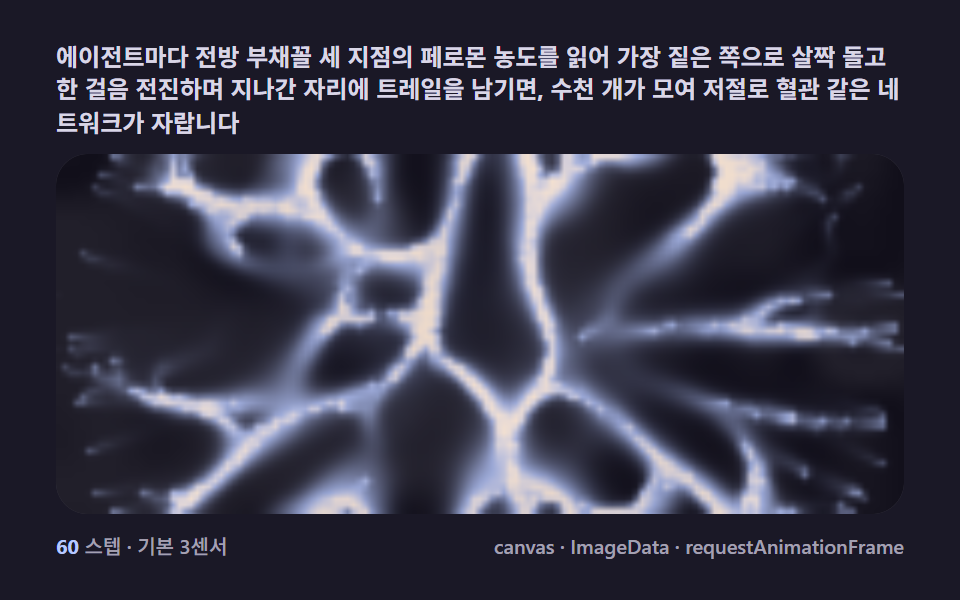 크리에이티브 UI슬라임몰드 길찾기 9종 — 점균 네트워크가 스스로 최단경로를 찾는 캔버스
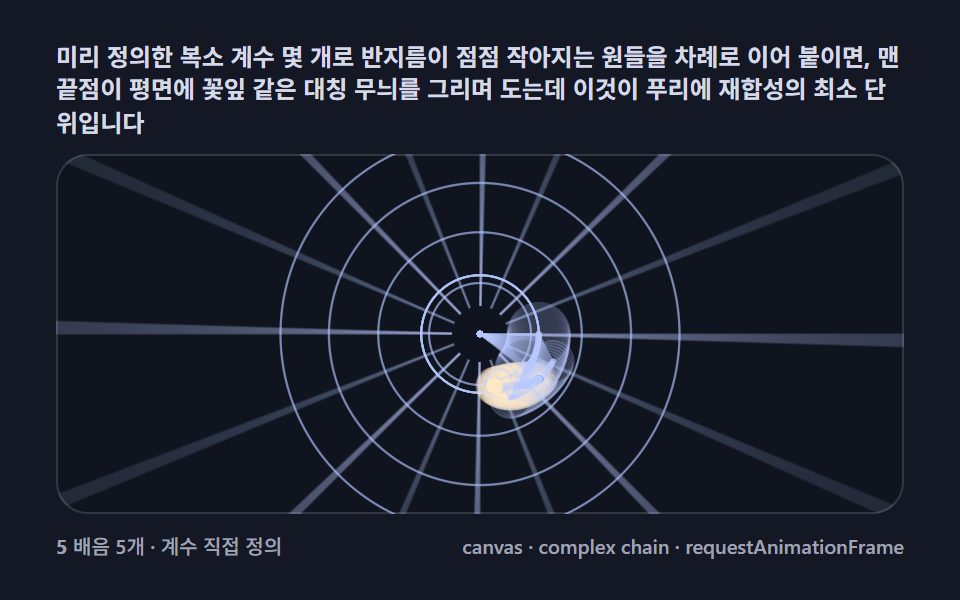 크리에이티브 UI푸리에 변환으로 그림 그리기 9종 — 원이 도는 방식으로 별·하트를 되살리는 캔버스
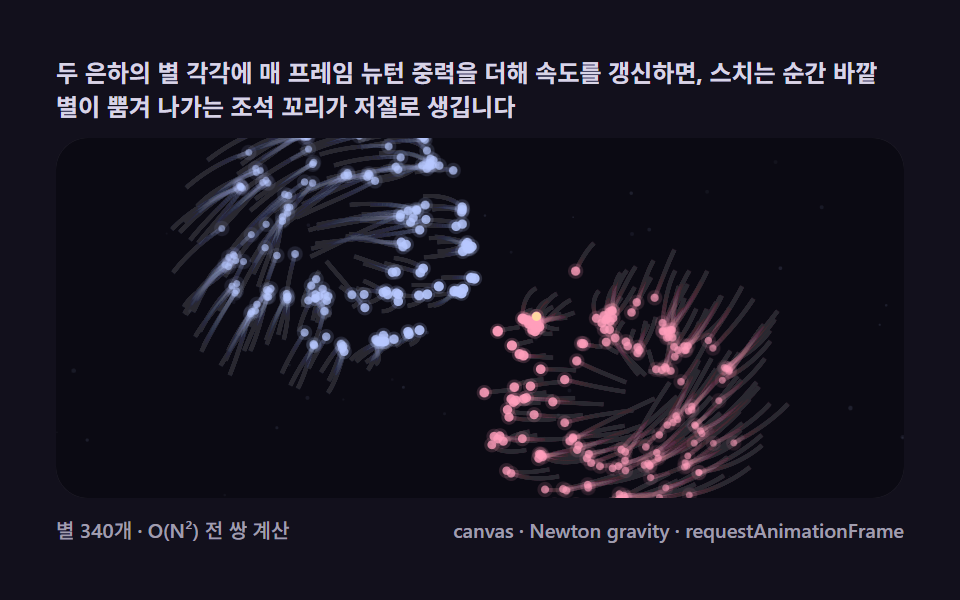 크리에이티브 UI은하 충돌 시뮬레이션 9종 — 서로 잡아당기는 별들로 나선팔·조석 꼬리를 만드는 캔버스
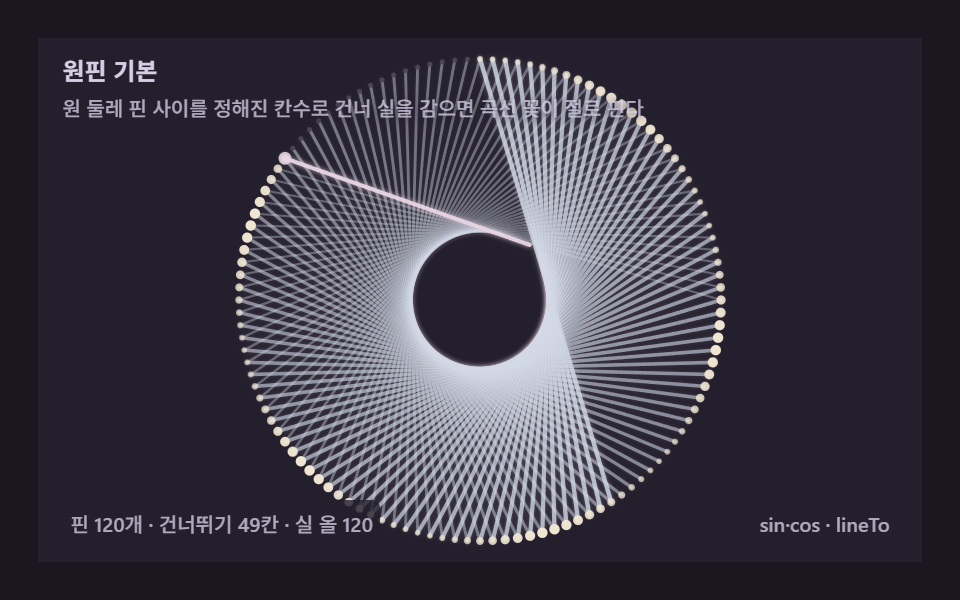 크리에이티브 UI스트링아트 9종 — 실 감기 한 올 한 올을 계산하는 캔버스
 크리에이티브 UIL시스템 프랙탈 나무 9종 — 문자 하나가 가지를 뻗는 캔버스