만델브로 집합 9종 — 무한 확대 줌·줄리아·버닝쉽을 복소평면 한 픽셀씩 계산하는 캔버스
z = z² + c 한 줄을 픽셀마다 반복해 발산 횟수를 세면 명치 끝에서 바깥으로 뻗는 만델브로 집합이 나오는데, 확대를 거듭해도 새로운 미니 만델브로가 끝없이 나오는 무한 줌을 라이브러리 없이 복붙으로 가져갈 수 있습니다.
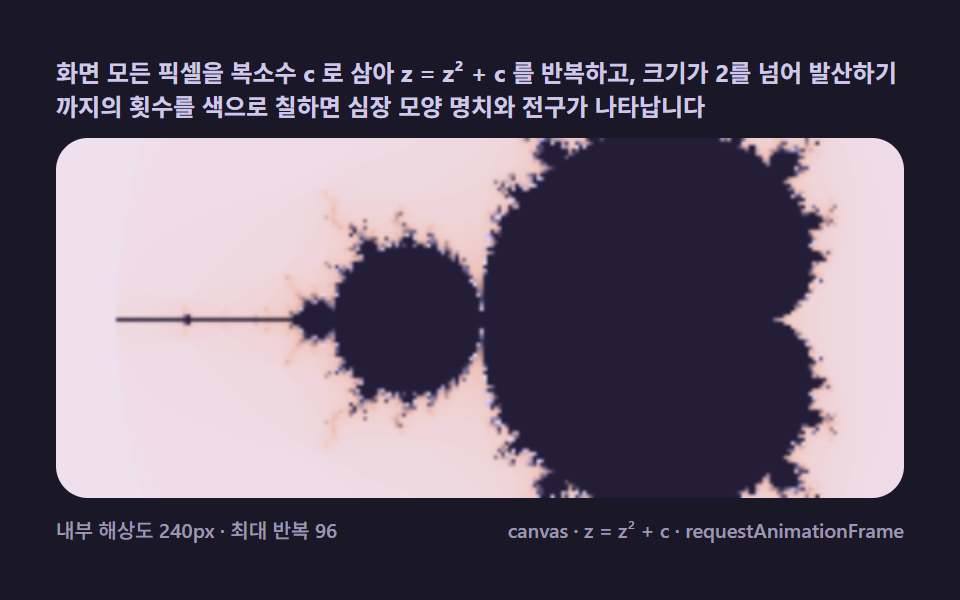 01 mb-escape-basic
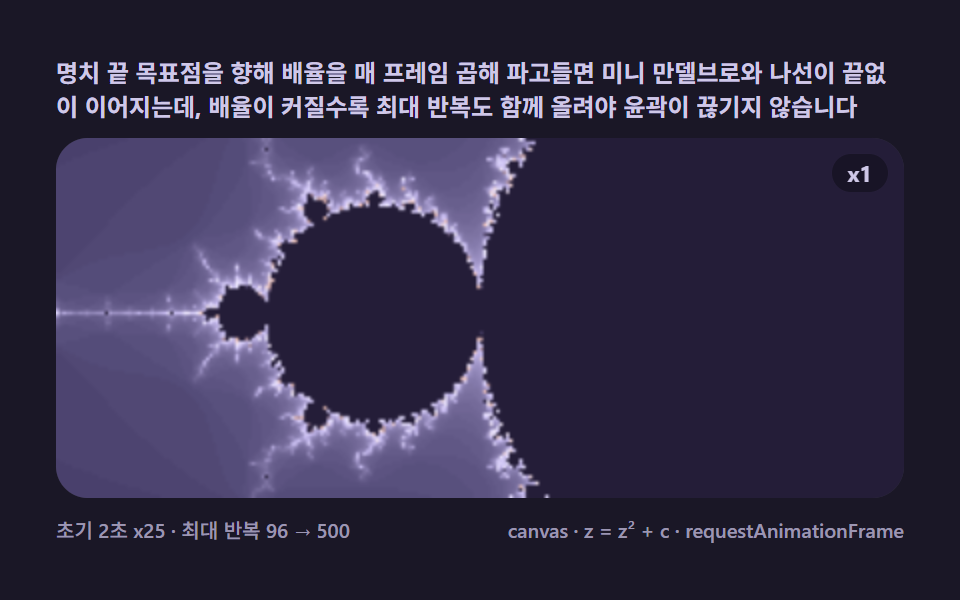 02 mb-deep-zoom-dive
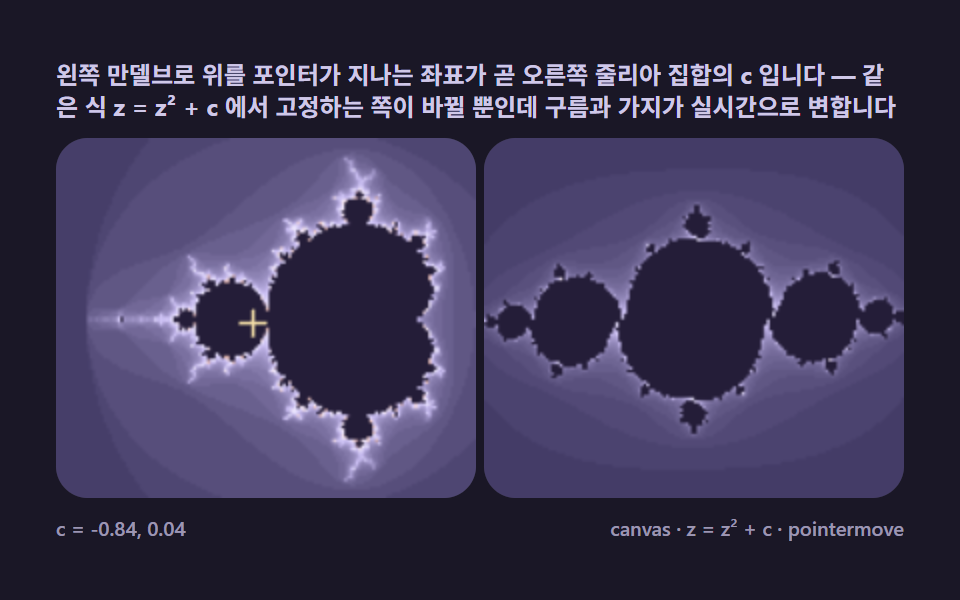 03 mb-julia-orbit-link
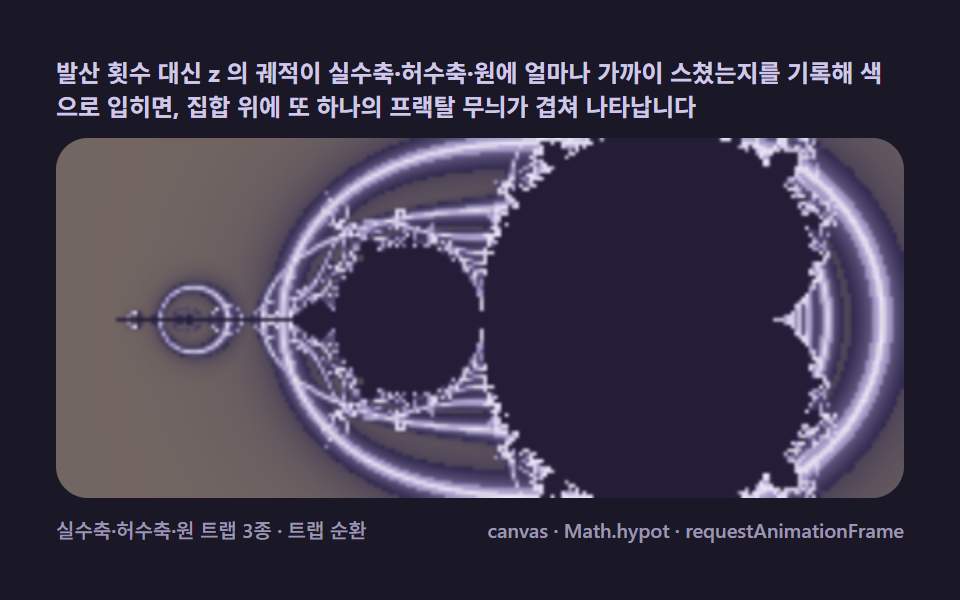 04 mb-orbit-trap-color
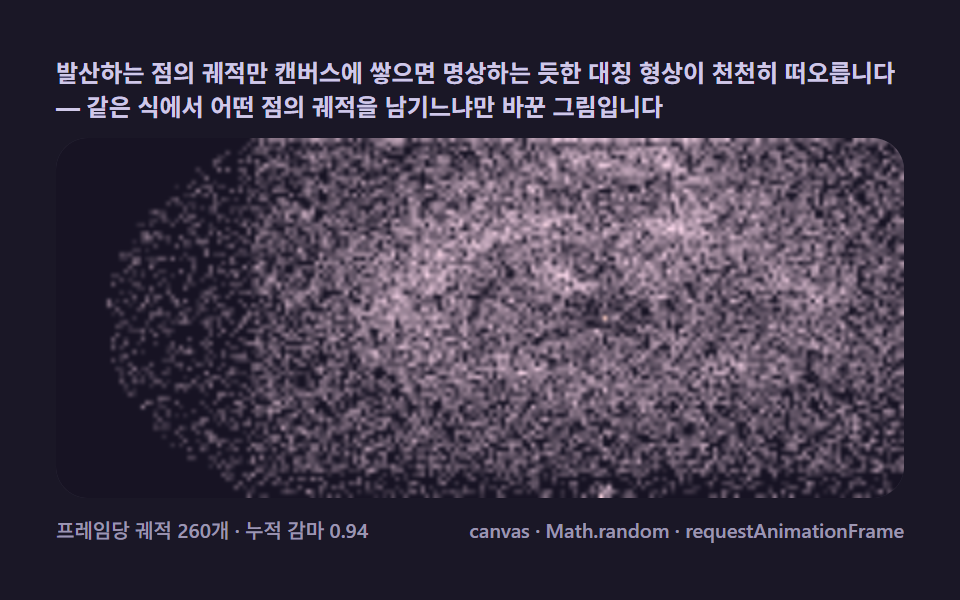 05 mb-buddhabrot-ghost
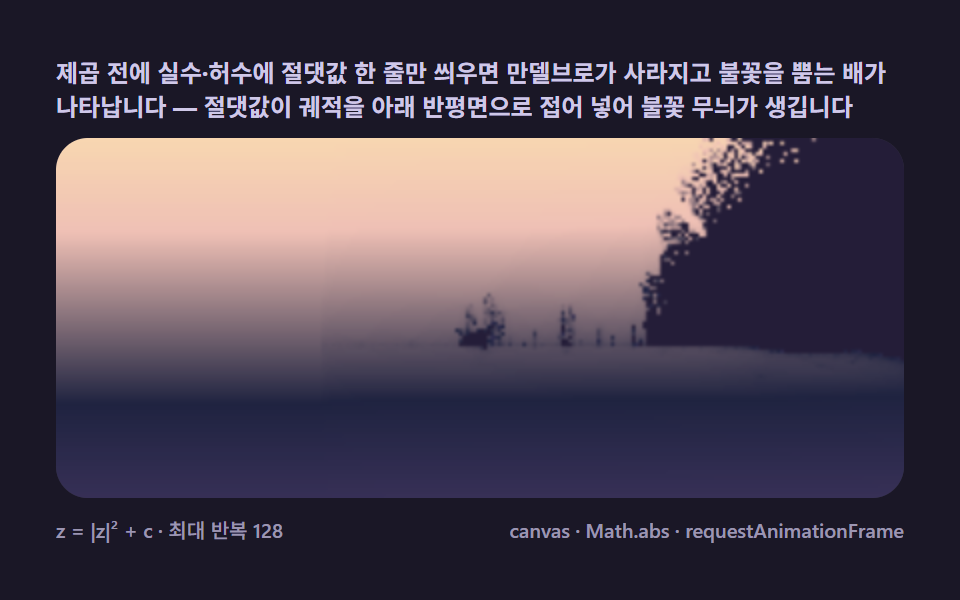 06 mb-burning-ship-variant
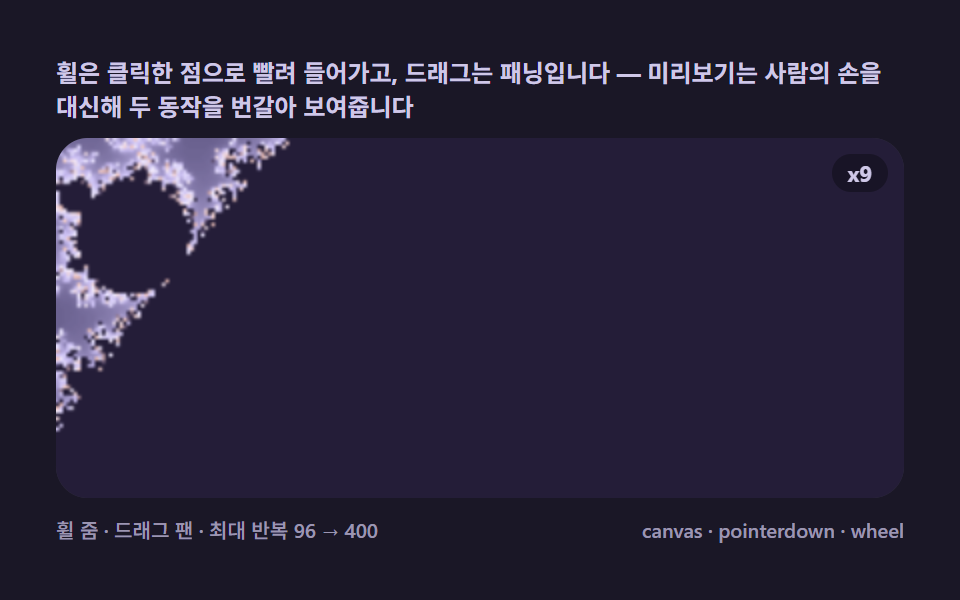 07 mb-pointer-zoom-pan
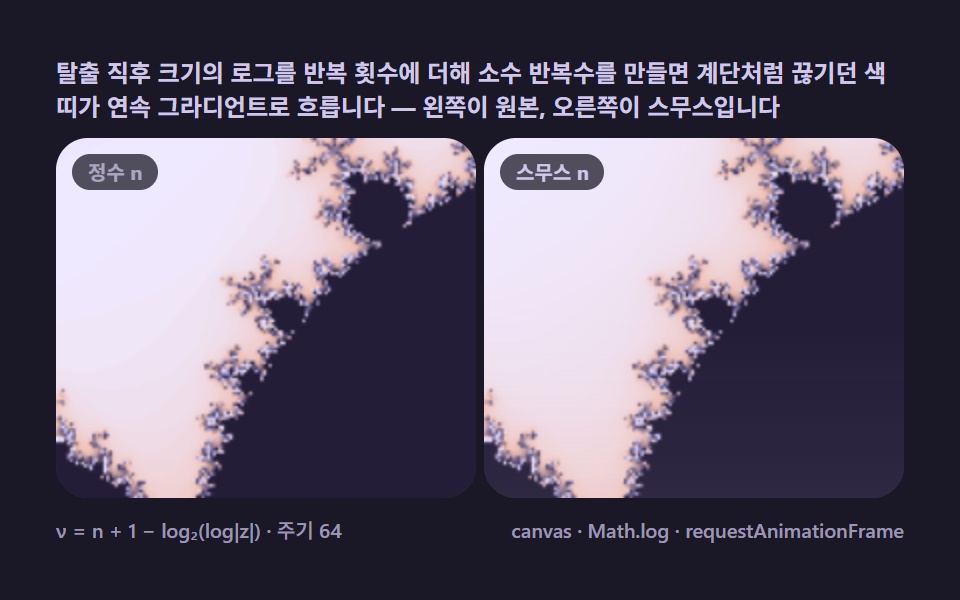 08 mb-smooth-iteration-fade
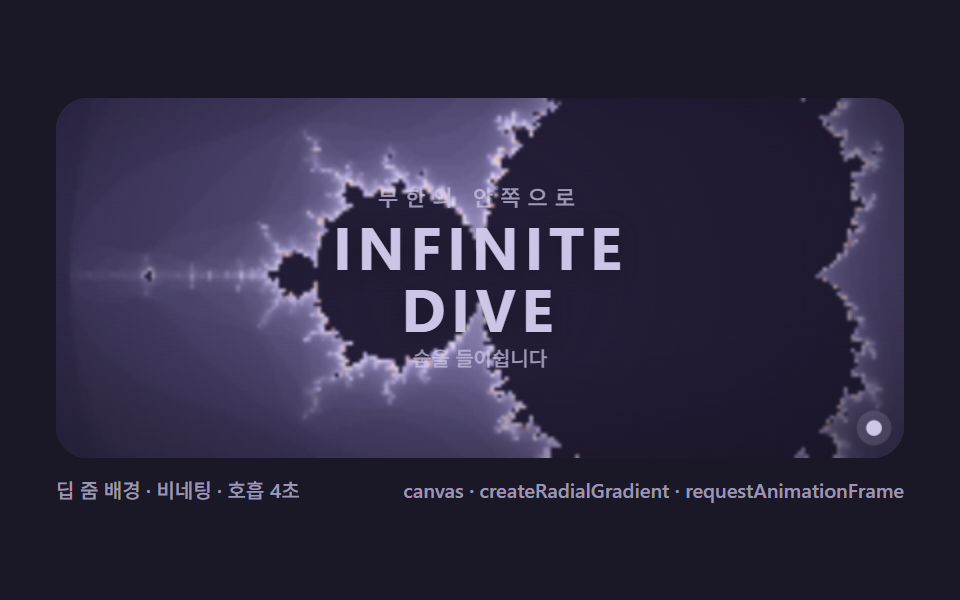 09 mb-fractal-hero-scene
자동 재생 · 눌러서 해당 항목으로 · 전부 한 zip
- 01 탈출 시간 기본 — 픽셀마다 z = z² + c 를 반복해 색을 정한다
- 02 무한 딥 줌 — 목표점을 향해 계속 파고드는 자동 잠수
- 03 줄리아 집합 연동 — 포인터가 만델브로 위 c 를 고르면 다른 창이 변한다
- 04 궤도 트랩 채색 — 반복 궤적이 스치는 모양으로 색을 입힌다
- 05 부다브로트 — 발산하는 궤적을 축적해 떠오르는 유령 형상
- 06 버닝쉽 변형 — 절댓값 한 줄로 불타는 배가 나온다
- 07 포인터 줌·팬 — 클릭한 점으로 빨려 들어가는 탐험기
- 08 부드러운 반복수 — 띠를 지우고 그라디언트로 흐르는 채색
- 09 프랙탈 히어로 씬 — 글자·별빛과 겹쳐 쓰는 대문 장면
데모
아홉 판 각각은 html 파일 하나로 자립해 열자마자 움직이고, 캔버스에 그리는 화면의 모든 변화는 CSS 가 아니라 픽셀을 다시 계산한 결과입니다. 24프레임 녹화 구간에서 아홉 판 전부 23프레임이 움직였으므로(움직인프레임 23) 어느 판을 멈춰 봐도 직전과 같은 그림이 없습니다. 03번은 포인터로 c 를 고르고 07번은 휠과 드래그로 직접 파고들 수 있으니 지나가기 전에 만져 보시기를 권합니다.
24프레임 실측 한눈에
| 항목 | 초점 | 누적면적(%) | 강도 평균 |
|---|---|---|---|
| 01 탈출 시간 기본 | 명치와 전구가 그려지는 기본 화면 | 32.008 | 24.9 |
| 02 무한 딥 줌 | 목표점을 향한 x25 자동 잠수 | 34.847 | 73.4 |
| 03 줄리아 집합 연동 | 한 화면에서 만나는 두 집합 | 12.885 | 73.3 |
| 04 궤도 트랩 채색 | 궤적이 스친 모양으로 입히는 색 | 32.008 | 28.5 |
| 05 부다브로트 | 발산 궤적을 쌓아 뜨는 형상 | 45.133 | 34.4 |
| 06 버닝쉽 변형 | 절댓값 한 줄로 태어난 배 | 45.881 | 35.9 |
| 07 포인터 줌·팬 | 손으로 조종하는 탐험기 | 41.972 | 87.3 |
| 08 부드러운 반복수 | 계단 띠를 지우는 후처리 | 31.206 | 25.7 |
| 09 프랙탈 히어로 씬 | 대문에 바로 쓰는 조립판 | 27.910 | 48.7 |
수치는 성격으로 읽는다
누적면적은 06 버닝쉽이 45.881%로 가장 넓게 채우고 05 부다브로트가 45.133%로 뒤따릅니다. 프레임 변화의 강도는 07 포인터 줌·팬이 87.3으로 가장 밝고 02 딥 줌 73.4 · 03 줄리아 73.3 이 그 뒤를 이릅니다. 03 의 12.885% 는 화면을 두 캔버스로 나눠 각 150px 해상도로 동시 계산하는 구조상 한 프레임에 색이 바뀌는 픽셀이 절반 이하로 줄어든 자연스러운 값이고, 09 의 프레임최대 5.805% 는 느린 배경 줌(x3/2s) 위에 비네팅이 숨쉬는 장면 성격 그대로입니다.
탈출 시간부터 서비스 화면까지, 만델브로 아홉 겹을 쌓은 순서
순서는 화려함의 서열이 아니라 한 장의 만델브로 집합 프랙탈을 몇 겹으로 다시 읽어 내려가는가의 서열입니다. 먼저 탈출 시간 한 겹으로 기본 화면을 얹고(01), 시간축으로 확대해 들어가며(02), 공간축으로 옆의 줄리아와 연결합니다(03). 다음은 색을 정하는 값 자체를 바꾸는 두 단계 — 발산 횟수 대신 궤적이 스친 거리(04)와 궤적이 쌓인 밀도(05)로 그림이 바뀌고, 여섯째는 채색이 아니라 식에 절댓값 한 줄을 넣어 세계 자체를 바꿉니다(06). 일곱째부터는 관점의 전환 — 계산을 손에 쥐어 주고(07), 같은 계산에 후처리 한 겹을 얹어 품질을 올리며(08), 마지막에 그 모든 부품을 서비스의 첫 화면으로 조립합니다(09). 픽셀을 직접 굽는 이 계열의 이웃으로 거리 하나로 장면을 굽는 레이마칭이 있고, 반복의 무게를 프레임마다 적분하는 은하 충돌 시뮬레이션과도 같은 계보입니다.
항목별 코드
01탈출 시간 기본 — 픽셀마다 z = z² + c 를 반복해 색을 정한다
<main class="stage">
<div class="mb is-demo" id="mbRoot">
  <p class="mb__hint">
    <span>화면 모든 픽셀을 복소수 c 로 삼아 z = z² + c 를 반복하고, 크기가 2를 넘어 발산하기까지의 횟수를 색으로 칠하면 심장 모양 명치와 전구가 나타납니다</span>
  </p>
  <div class="mb__field" role="application" aria-label="탈출 시간 기본 실험판" tabindex="0">
    <canvas class="mb__cv" id="mbCv"></canvas>
  </div>
  <div class="mb__bar">
    <span class="mb__meta">내부 해상도 240px · 최대 반복 96</span>
    <span class="mb__meta mb__meta--dim">canvas · z = z² + c · requestAnimationFrame</span>
  </div>
</div>
</main>
@use "../../../../site/static/demo-tokens" as *;
// 탈출 시간 기본(01). @keyframes 를 두지 않는다 —
// 움직임은 전부 캔버스 rAF 루프(픽셀마다 z = z² + c 반복 → 발산 횟수로 팔레트 순환)가 만든다.
// 무대는 편 공통 심야 프랙탈 팔레트. 파스텔 색을 --mb-* 로 편 전체(01~09) 공통 규격.
$duration: $dur-loop;
$easing: $ease-spring;
$color: $subject-lilac;
// ── 편 공통 심야 프랙탈 팔레트(BD9~11 원칙: 편마다 다시 정하지 않는다) ──
$mb-stage: #1a1726; // 심야 남보라 — 저채도 짙은 무대 (파스텔 검사 무관: 저채도·저명도)
@include stage($mb-stage);
$mb-ink: #14111f; // 관측창 바닥 — 무대보다 한 톤 어두운 보라검
$mb-set: #241d38; // 집합 내부 — 짙은 보라 실루엣(먹보다 프랙탈스러운 낮은 명도)
$mb-text: #cfc8e8; // 라벨 글자 — 밝은 라벤더 회색
.mb {
// 렌더러가 읽는 색 — JS 는 getComputedStyle 로 --mb-* 를 받아 쓴다
// 팔레트 5색: 짙은 남보라 → 라벤더 → 크림 → 복숭아 → 다시 짙은 보파(고리 순환)
--mb-c0: #3d3560;
--mb-c1: #c9bdf2;
--mb-c2: #efeaff;
--mb-c3: #efc0b5;
--mb-c4: #3d3560;
--mb-set: #{$mb-set};
--mb-ink: #{$mb-ink};
display: flex; flex-direction: column; gap: $sp-2;
width: 100%; max-width: 424px;
}
.mb__hint {
display: flex; align-items: center; gap: $sp-1; margin: 0;
font-weight: 700; font-size: clamp(10px, 2.8vw, 12px); line-height: 1.35;
color: $mb-text;
}
.mb__field {
position: relative; height: 180px;
border-radius: $r-card; overflow: hidden;
background: $mb-ink;
box-shadow: inset 0 0 0 1px rgba($mb-text, .18);
}
.mb__field:focus-visible { outline: 2px solid $subject-lilac; outline-offset: 2px; }
.mb__cv { display: block; width: 100%; height: 100%; }
.mb__bar { display: flex; align-items: baseline; justify-content: space-between; gap: $sp-2; }
.mb__meta { font-size: 10px; font-weight: 500; color: rgba($mb-text, .72); }
.mb__meta--dim { font-size: 10px; }
@media (max-width: 340px) {
.mb { gap: $sp-1; }
.mb__field { height: 100px; }
.mb__meta--dim { display: none; }
}
// reduce — rAF 를 돌리지 않고 팔레트가 어울리는 한 장만 남는다.
@media (prefers-reduced-motion: reduce) {
.mb.is-still .mb__field { cursor: default !important; }
}html, body {
margin: 0;
overflow: hidden;
}
.stage {
box-sizing: border-box;
min-height: 100vh;
display: grid;
place-items: center;
margin: 0;
background: #1a1726;
font-family: -apple-system, "Segoe UI", "Noto Sans KR", sans-serif;
padding: clamp(8px, 4vw, 24px);
}
.mb {
--mb-c0: #3d3560;
--mb-c1: #c9bdf2;
--mb-c2: #efeaff;
--mb-c3: #efc0b5;
--mb-c4: #3d3560;
--mb-set: #241d38;
--mb-ink: #14111f;
display: flex;
flex-direction: column;
gap: 8px;
width: 100%;
max-width: 424px;
}
.mb__hint {
display: flex;
align-items: center;
gap: 4px;
margin: 0;
font-weight: 700;
font-size: clamp(10px, 2.8vw, 12px);
line-height: 1.35;
color: #cfc8e8;
}
.mb__field {
position: relative;
height: 180px;
border-radius: 16px;
overflow: hidden;
background: #14111f;
box-shadow: inset 0 0 0 1px rgba(207, 200, 232, 0.18);
}
.mb__field:focus-visible {
outline: 2px solid #b9a0ff;
outline-offset: 2px;
}
.mb__cv {
display: block;
width: 100%;
height: 100%;
}
.mb__bar {
display: flex;
align-items: baseline;
justify-content: space-between;
gap: 8px;
}
.mb__meta {
font-size: 10px;
font-weight: 500;
color: rgba(207, 200, 232, 0.72);
}
.mb__meta--dim {
font-size: 10px;
}
@media (max-width: 340px) {
.mb {
gap: 4px;
}
.mb__field {
height: 100px;
}
.mb__meta--dim {
display: none;
}
}
@media (prefers-reduced-motion: reduce) {
.mb.is-still .mb__field {
cursor: default !important;
}
}// 탈출 시간 기본(01) — 만델브로 집합의 첫 장면.
// 모든 픽셀 = 복소수 c. z 를 0 에서 시작해 z = z² + c 를 반복하고 |z| > 2 가 되는 순간의
// 반복 횟수 n 이 그 픽셀의 색이 된다. 96회 안에 발산하지 않는 픽셀은 집합 내부로 본다(먹색).
// 움직임 = 팔레트 순환. 반복 횟수는 정수라 색 띠는 계단형인데(띠가 시각적으로 계단인 게 08 번
// 스무스 채색으로 넘어가는 다리 역할), 띠 전체가 위상을 옮겨 순환하면 명치 가장자리가 물결처럼 흐른다.
(function () {
// ── 변형 상수 블록 — 아래 값 하나만 바꿔 변형을 만든다 ──
var MAXIT = 96; // 최대 반복 횟수 — 깊이와 계산량의 비율
var CYCLE = 2.0; // 팔레트 순환 주기(초) — 설정 초(2s)와 같아 한 바퀴가 한 루프
// ────────────────────────────────────────────────────
var root = document.getElementById('mbRoot');
var field = document.getElementById('mbCv').parentElement;
var cv = document.getElementById('mbCv');
var css = getComputedStyle(root);
function tokRGB(name) {
var s = css.getPropertyValue(name).trim();
var hx = s.length === 4
? s.charAt(1) + s.charAt(1) + s.charAt(2) + s.charAt(2) + s.charAt(3) + s.charAt(3)
: s.slice(1);
return [parseInt(hx.slice(0, 2), 16), parseInt(hx.slice(2, 4), 16), parseInt(hx.slice(4, 6), 16)];
}
// 렌더러가 읽는 색 — 팔레트 5색(짙은 남보라 → 라벤더 → 크림 → 복숭아 → 다시 짙은 보라)
var PAL = ['--mb-c0', '--mb-c1', '--mb-c2', '--mb-c3', '--mb-c4'].map(tokRGB);
var C_SET = tokRGB('--mb-set'); // 집합 내부 — 먹보라
var C_INK = tokRGB('--mb-ink'); // 관측창 바닥
var reduce = window.matchMedia('(prefers-reduced-motion: reduce)').matches;
var raf = 0, t0 = -1;
var W = 0, H = 0, IRES = 240; // 내부 계산 해상도(가로 픽셀) — 성능 조절 노브
var ov, octx; // 저해상도 오프스크린 캔버스
function fit() {
var r = field.getBoundingClientRect();
W = Math.round(r.width); H = Math.round(r.height);
cv.width = W; cv.height = H;
ov = document.createElement('canvas');
ov.width = IRES; ov.height = Math.max(2, Math.round(IRES * H / W));
}
// c 평면 뷰포트 — 만덜브로 표준 프레임(가로 -2.5 ~ 1.0, 세로 ±1.15 근사)
var CX = -0.75, CY = 0, SPAN = 2.9;
function render(phase) {
var iw = ov.width, ih = ov.height;
var img = octx.createImageData(iw, ih);
var px = img.data;
var dx = SPAN / iw, dy = SPAN / iw; // dy 를 dx 와 같게 — 정사각 픽셀(종횡비 보정)
var oy0 = CY - (ih * dy) / 2;
var k = 0;
for (var j = 0; j < ih; j++) {
var ci = oy0 + j * dy;
for (var i = 0; i < iw; i++) {
var cr = CX - SPAN / 2 + i * dx;
// z = 0 부터 z = z² + c 반복 — 발산 시점의 n 이 색 인덱스
var zr = 0, zi = 0, n = 0;
while (n < MAXIT && zr * zr + zi * zi <= 4) {
var t = zr * zr - zi * zi + cr;
zi = 2 * zr * zi + ci;
zr = t;
n++;
}
var r, g, b;
if (n >= MAXIT) {
r = C_SET[0]; g = C_SET[1]; b = C_SET[2];
} else {
// 팔레트 순환 — n 에 phase 를 더해 5색 파장을 반복 통과시킨다
var u = (n / MAXIT) * 4 + phase;
var seg = u - Math.floor(u / 4) * 4;
var a = PAL[Math.floor(seg) % 4], bb = PAL[(Math.floor(seg) + 1) % 4];
var f = seg - Math.floor(seg);
r = a[0] + (bb[0] - a[0]) * f;
g = a[1] + (bb[1] - a[1]) * f;
b = a[2] + (bb[2] - a[2]) * f;
}
px[k++] = r; px[k++] = g; px[k++] = b; px[k++] = 255;
}
}
octx.putImageData(img, 0, 0);
var ctx = cv.getContext('2d');
ctx.imageSmoothingEnabled = true;
ctx.drawImage(ov, 0, 0, W, H);
}
function frame(now) {
if (t0 < 0) t0 = now;
var loop = ((now - t0) / 1000) % CYCLE; // 2초 주기 순환 — 결정론 루프
render((loop / CYCLE) * 4); // 파장 4칸을 주기 안에 한 바퀴
raf = requestAnimationFrame(frame);
}
window.addEventListener('resize', function () {
fit();
render(reduce ? 0.6 : ((performance.now() - t0) / 1000 % CYCLE) / CYCLE * 4);
});
fit();
octx = ov.getContext('2d');
if (reduce) {
render(0.6); // reduce — 순환 한 장면만 고정
root.classList.add('is-still');
} else {
raf = requestAnimationFrame(frame);
}
})();// EscapeBasic — vanilla 판(run/323/demo/01-mb-escape-basic/index.html) 의 React 포트.
// 모든 픽셀 = 복소수 c. z 를 0 에서 시작해 z = z² + c 를 반복하고 |z| > 2 가 되는 순간의
// 반복 횟수 n 이 그 픽셀의 색이 된다. 96회 안에 발산하지 않는 픽셀은 집합 내부(먹보라).
// 움직임 = 팔레트 순환 — 반복 횟수는 정수라 색 띠가 계단인데(08 스무스 채색으로 이어지는 다리),
// 띠 전체가 위상을 옮겨 순환하면 명치 가장자리가 물결처럼 흐른다.
import { useEffect, useRef, useState } from "react";
import type { CSSProperties } from "react";
import styles from "./EscapeBasic.module.scss";
export type EscapeBasicProps = {
duration?: string;
easing?: string;
color?: string;
maxit?: number; // 최대 반복 횟수 — 변형 "최대 반복"이 96 → 240
};
// ── 변형 상수(기본값) — vanilla 판과 동일 ──
const CYCLE = 2.0; // 팔레트 순환 주기(초) — 설정 초(2s)와 같아 한 바퀴가 한 루프
const IRES = 240; // 내부 계산 해상도(가로 픽셀) — 성능 조절 노브
type Vars = CSSProperties & { "--duration"?: string; "--easing"?: string; "--color"?: string };
type Box<T> = { current: T };
type RGB = [number, number, number];
const FIELD_LABEL = "탈출 시간 기본 실험판";
const META_LEFT = "내부 해상도 240px · 최대 반복 96";
const META_RIGHT = "canvas · z = z² + c · requestAnimationFrame";
const HINT = "화면 모든 픽셀을 복소수 c 로 삼아 z = z² + c 를 반복하고, 크기가 2를 넘어 발산하기까지의 횟수를 색으로 칠하면 심장 모양 명치와 전구가 나타납니다";
// c 평면 뷰포트 — 만덜브로 표준 프레임(가로 -2.5 ~ 1.0, 세로 ±1.15 근사)
const CX = -0.75, CY = 0, SPAN = 2.9;
export default function EscapeBasic({
duration = "2s",
easing = "cubic-bezier(.2, .8, .2, 1)",
color = "#c9bdf2",
maxit = 96
}: EscapeBasicProps) {
const rootRef = useRef<HTMLDivElement | null>(null);
const fieldRef = useRef<HTMLDivElement | null>(null);
const cvRef = useRef<HTMLCanvasElement | null>(null);
const ctxRef = useRef<CanvasRenderingContext2D | null>(null);
const ovRef = useRef<HTMLCanvasElement | null>(null);
const octxRef = useRef<CanvasRenderingContext2D | null>(null);
const palRef = useRef<RGB[] | null>(null);
const setRef = useRef<RGB | null>(null);
const maxitRef = useRef(maxit) as Box<number>;
const wRef = useRef(0) as Box<number>;
const hRef = useRef(0) as Box<number>;
const rafRef = useRef(0) as Box<number>;
const [still, setStill] = useState(false);
const vars: Vars = { "--duration": duration, "--easing": easing, "--color": color };
function reduced(): boolean {
return window.matchMedia("(prefers-reduced-motion: reduce)").matches;
}
function tokRGB(root: HTMLDivElement, name: string): RGB {
const s = getComputedStyle(root).getPropertyValue(name).trim();
const hx = s.length === 4
? s.charAt(1) + s.charAt(1) + s.charAt(2) + s.charAt(2) + s.charAt(3) + s.charAt(3)
: s.slice(1);
return [parseInt(hx.slice(0, 2), 16), parseInt(hx.slice(2, 4), 16), parseInt(hx.slice(4, 6), 16)];
}
function fit(): void {
const field = fieldRef.current;
const cv = cvRef.current;
if (!field || !cv) return;
const r = field.getBoundingClientRect();
const W = Math.round(r.width), H = Math.round(r.height);
wRef.current = W; hRef.current = H;
cv.width = W; cv.height = H;
ctxRef.current = cv.getContext("2d");
const ov = document.createElement("canvas");
ov.width = IRES;
ov.height = Math.max(2, Math.round(IRES * H / W));
ovRef.current = ov;
octxRef.current = ov.getContext("2d");
}
function render(phase: number): void {
const octx = octxRef.current;
const ov = ovRef.current;
const ctx = ctxRef.current;
const PAL = palRef.current;
const C_SET = setRef.current;
const W = wRef.current, H = hRef.current;
const MAXIT = maxitRef.current;
if (!octx || !ov || !ctx || !PAL || !C_SET) return;
const iw = ov.width, ih = ov.height;
const img = octx.createImageData(iw, ih);
const px = img.data;
const dx = SPAN / iw, dy = SPAN / iw; // dy 를 dx 와 같게 — 정사각 픽셀(종횡비 보정)
const oy0 = CY - (ih * dy) / 2;
let k = 0;
for (let j = 0; j < ih; j++) {
const ci = oy0 + j * dy;
for (let i = 0; i < iw; i++) {
const cr = CX - SPAN / 2 + i * dx;
// z = 0 부터 z = z² + c 반복 — 발산 시점의 n 이 색 인덱스
let zr = 0, zi = 0, n = 0;
while (n < MAXIT && zr * zr + zi * zi <= 4) {
const t = zr * zr - zi * zi + cr;
zi = 2 * zr * zi + ci;
zr = t;
n++;
}
let r: number, g: number, b: number;
if (n >= MAXIT) {
r = C_SET[0]; g = C_SET[1]; b = C_SET[2];
} else {
// 팔레트 순환 — n 에 phase 를 더해 5색 파장을 반복 통과시킨다
const u = (n / MAXIT) * 4 + phase;
const seg = u - Math.floor(u / 4) * 4;
const a = PAL[Math.floor(seg) % 4], bb = PAL[(Math.floor(seg) + 1) % 4];
const f = seg - Math.floor(seg);
r = a[0] + (bb[0] - a[0]) * f;
g = a[1] + (bb[1] - a[1]) * f;
b = a[2] + (bb[2] - a[2]) * f;
}
px[k++] = r; px[k++] = g; px[k++] = b; px[k++] = 255;
}
}
octx.putImageData(img, 0, 0);
ctx.imageSmoothingEnabled = true;
ctx.drawImage(ov, 0, 0, W, H);
}
let t0 = -1;
function frame(now: number): void {
if (t0 < 0) t0 = now;
const loop = ((now - t0) / 1000) % CYCLE; // 2초 주기 순환 — 결정론 루프
render((loop / CYCLE) * 4); // 파장 4칸을 주기 안에 한 바퀴
rafRef.current = requestAnimationFrame(frame);
}
useEffect(() => {
const root = rootRef.current;
if (!root) return;
maxitRef.current = maxit;
// 팔레트 5색(짙은 남보라 → 라벤더 → 크림 → 복숭아 → 다시 짙은 보라) + 집합 내부 먹보라
palRef.current = ["--mb-c0", "--mb-c1", "--mb-c2", "--mb-c3", "--mb-c4"].map((nm) => tokRGB(root, nm));
setRef.current = tokRGB(root, "--mb-set");
fit();
function onResize(): void {
fit();
render(0.6);
}
window.addEventListener("resize", onResize);
if (reduced()) {
render(0.6); // reduce — 순환 한 장면만 고정
setStill(true);
} else {
t0 = -1;
rafRef.current = requestAnimationFrame(frame);
}
return () => {
window.removeEventListener("resize", onResize);
cancelAnimationFrame(rafRef.current);
};
// eslint-disable-next-line react-hooks/exhaustive-deps
}, [maxit]);
const rootCls = still ? `${styles.root} ${styles.isStill}` : styles.root;
return (
<main className={styles.stage}>
<div className={rootCls} ref={rootRef} style={vars}>
<p className={styles.hint}>
<span>{HINT}</span>
</p>
<div
className={styles.field}
ref={fieldRef}
role="application"
aria-label={FIELD_LABEL}
tabIndex={0}
>
<canvas className={styles.cv} ref={cvRef}></canvas>
</div>
<div className={styles.bar}>
<span className={styles.meta}>{META_LEFT}</span>
<span className={styles.metaDim}>{META_RIGHT}</span>
</div>
</div>
</main>
);
}01 · 탈출 시간 기본 — 픽셀마다 z = z² + c 를 반복해 색을 정한다 — 측정 누적면적 32.008% · 움직인 프레임 23/23GODRICH 원작 · zip 에 SCSS·React 포함 · 비밀번호 보기
뷰포트를 명치 중심(CX −0.75 · CY 0 · 폭 2.9)에 두고 내부 해상도 240px 캔버스의 모든 픽셀에 탈출 시간을 계산하면 심장 모양 명치와 위로 뻗는 전구가 한 장에 나타나며, 움직임은 2초 주기 팔레트 순환 하나로 반복 횟수가 정수라 생긴 색 띠 계단이 그대로 보이는 것이 이 판의 매력입니다(측정 누적면적 32.008% · 강도평균 24.9).
한 픽셀의 탈출 시간 반복
    for (var j = 0; j < ih; j++) {
      var ci = oy0 + j * dy;
      for (var i = 0; i < iw; i++) {
        var cr = CX - SPAN / 2 + i * dx;
        // z = 0 부터 z = z² + c 반복 — 발산 시점의 n 이 색 인덱스
        var zr = 0, zi = 0, n = 0;
        while (n < MAXIT && zr * zr + zi * zi <= 4) {
          var t = zr * zr - zi * zi + cr;
          zi = 2 * zr * zi + ci;
          zr = t;
          n++;
        }
      }
    }
02무한 딥 줌 — 목표점을 향해 계속 파고드는 자동 잠수
<main class="stage">
<div class="mb is-demo" id="mbRoot">
  <p class="mb__hint">
    <span>명치 끝 목표점을 향해 배율을 매 프레임 곱해 파고들면 미니 만델브로와 나선이 끝없이 이어지는데, 배율이 커질수록 최대 반복도 함께 올려야 윤곽이 끊기지 않습니다</span>
  </p>
  <div class="mb__field" role="application" aria-label="무한 딥 줌 실험판" tabindex="0">
    <canvas class="mb__cv" id="mbCv"></canvas>
    <span class="mb__zoom" id="mbZoom">x1</span>
  </div>
  <div class="mb__bar">
    <span class="mb__meta">초기 2초 x25 · 최대 반복 96 → 500</span>
    <span class="mb__meta mb__meta--dim">canvas · z = z² + c · requestAnimationFrame</span>
  </div>
</div>
</main>
@use "../../../../site/static/demo-tokens" as *;
// 무한 딥 줌(02). @keyframes 없음 — 움직임은 캔버스 rAF(배율·중심·최대 반복을 매 프레임 갱신)이 만든다.
// 배율 라벨(.mb__zoom)만 CSS 애니메이션 — 줌 파고듦에 맞춰 살짝 맥동(성능 영향 0).
$duration: $dur-loop;
$easing: $ease-spring;
$color: $subject-sky;
// ── 편 공통 심야 프랙탈 팔레트 ──
$mb-stage: #1a1726;
@include stage($mb-stage);
$mb-ink: #14111f;
$mb-set: #241d38;
$mb-text: #cfc8e8;
.mb {
--mb-c0: #3d3560;
--mb-c1: #c9bdf2;
--mb-c2: #efeaff;
--mb-c3: #efc0b5;
--mb-c4: #3d3560;
--mb-set: #{$mb-set};
--mb-ink: #{$mb-ink};
display: flex; flex-direction: column; gap: $sp-2;
width: 100%; max-width: 424px;
}
.mb__hint {
display: flex; align-items: center; gap: $sp-1; margin: 0;
font-weight: 700; font-size: clamp(10px, 2.8vw, 12px); line-height: 1.35;
color: $mb-text;
}
.mb__field {
position: relative; height: 180px;
border-radius: $r-card; overflow: hidden;
background: $mb-ink;
box-shadow: inset 0 0 0 1px rgba($mb-text, .18);
}
.mb__field:focus-visible { outline: 2px solid $subject-sky; outline-offset: 2px; }
.mb__cv { display: block; width: 100%; height: 100%; }
// 배율 라벨 — 관측창 오른쪽 위. 배율 숫자는 JS 가 채운다
.mb__zoom {
position: absolute; top: $sp-2; right: $sp-2;
padding: $sp-1 $sp-2;
border-radius: $r-pill;
background: rgba($mb-ink, .72);
font-weight: 700; font-size: 11px; line-height: 1;
color: $mb-text;
font-variant-numeric: tabular-nums;
pointer-events: none;
// 줌 파고듦 호흡 — 라벨 테두리 광택이 살짝 세차게 (텍스트 자체는 JS 갱신)
.is-demo & { animation-name: mb-zoom-pulse; animation-duration: $dur-loop; animation-iteration-count: infinite; animation-timing-function: $ease-spring; }
}
@keyframes mb-zoom-pulse {
0% { box-shadow: 0 0 0 0 rgba(179, 163, 232, 0); }
50% { box-shadow: 0 0 0 3px rgba(179, 163, 232, .30); }
100% { box-shadow: 0 0 0 0 rgba(179, 163, 232, 0); }
}
.mb__bar { display: flex; align-items: baseline; justify-content: space-between; gap: $sp-2; }
.mb__meta { font-size: 10px; font-weight: 500; color: rgba($mb-text, .72); }
.mb__meta--dim { font-size: 10px; }
@media (max-width: 340px) {
.mb { gap: $sp-1; }
.mb__field { height: 100px; }
.mb__meta--dim { display: none; }
}
// reduce — 라벨 맥동만 끊고(캔버스는 어차피 정지 장면) 잠수 중반 한 장을 고정한다.
@media (prefers-reduced-motion: reduce) {
.mb.is-demo .mb__zoom { animation: none !important; }
}html, body {
margin: 0;
overflow: hidden;
}
.stage {
box-sizing: border-box;
min-height: 100vh;
display: grid;
place-items: center;
margin: 0;
background: #1a1726;
font-family: -apple-system, "Segoe UI", "Noto Sans KR", sans-serif;
padding: clamp(8px, 4vw, 24px);
}
.mb {
--mb-c0: #3d3560;
--mb-c1: #c9bdf2;
--mb-c2: #efeaff;
--mb-c3: #efc0b5;
--mb-c4: #3d3560;
--mb-set: #241d38;
--mb-ink: #14111f;
display: flex;
flex-direction: column;
gap: 8px;
width: 100%;
max-width: 424px;
}
.mb__hint {
display: flex;
align-items: center;
gap: 4px;
margin: 0;
font-weight: 700;
font-size: clamp(10px, 2.8vw, 12px);
line-height: 1.35;
color: #cfc8e8;
}
.mb__field {
position: relative;
height: 180px;
border-radius: 16px;
overflow: hidden;
background: #14111f;
box-shadow: inset 0 0 0 1px rgba(207, 200, 232, 0.18);
}
.mb__field:focus-visible {
outline: 2px solid #6ec8ff;
outline-offset: 2px;
}
.mb__cv {
display: block;
width: 100%;
height: 100%;
}
.mb__zoom {
position: absolute;
top: 8px;
right: 8px;
padding: 4px 8px;
border-radius: 999px;
background: rgba(20, 17, 31, 0.72);
font-weight: 700;
font-size: 11px;
line-height: 1;
color: #cfc8e8;
font-variant-numeric: tabular-nums;
pointer-events: none;
}
.is-demo .mb__zoom {
animation-name: mb-zoom-pulse;
animation-duration: 2s;
animation-iteration-count: infinite;
animation-timing-function: cubic-bezier(0.2, 0.8, 0.2, 1);
}
@keyframes mb-zoom-pulse {
0% {
box-shadow: 0 0 0 0 rgba(179, 163, 232, 0);
}
50% {
box-shadow: 0 0 0 3px rgba(179, 163, 232, 0.3);
}
100% {
box-shadow: 0 0 0 0 rgba(179, 163, 232, 0);
}
}
.mb__bar {
display: flex;
align-items: baseline;
justify-content: space-between;
gap: 8px;
}
.mb__meta {
font-size: 10px;
font-weight: 500;
color: rgba(207, 200, 232, 0.72);
}
.mb__meta--dim {
font-size: 10px;
}
@media (max-width: 340px) {
.mb {
gap: 4px;
}
.mb__field {
height: 100px;
}
.mb__meta--dim {
display: none;
}
}
@media (prefers-reduced-motion: reduce) {
.mb.is-demo .mb__zoom {
animation: none !important;
}
}// 무한 딥 줌(02) — 목표점을 향한 자동 잠수.
// 매 프레임 scale 을 s = s / k 로 줄이고(=배율 k 배), 중심을 목표점 쪽으로 끌어당긴다.
// 핵심 균형: 배율이 커질수록 집합 가장자리의 구조가 가늘어지므로 maxIter 를 log(배율)에 비례해
// 올린다(변형 "최대 반복 횟수"가 500 → 2,000). 2초 루프가 끝나면 배율 1 로 되감는다 — 무한 반복 렌더.
(function () {
// ── 변형 상수 블록 — 아래 값 하나만 바꿔 변형을 만든다 ──
var MAXIT0 = 96; // 시작 최대 반복 — 배율 1 에서의 기본값
var MAXIT1 = 500; // 루프 끝 최대 반복 — 변형 "최대 반복 횟수"가 500 → 2,000
var ZOOM2S = 25; // 2초 동안의 총 배율(倍) — 잠수 깊이
// ────────────────────────────────────────────────────
var root = document.getElementById('mbRoot');
var field = document.getElementById('mbCv').parentElement;
var cv = document.getElementById('mbCv');
var zoomEl = document.getElementById('mbZoom');
var css = getComputedStyle(root);
function tokRGB(name) {
var s = css.getPropertyValue(name).trim();
var hx = s.length === 4
? s.charAt(1) + s.charAt(1) + s.charAt(2) + s.charAt(2) + s.charAt(3) + s.charAt(3)
: s.slice(1);
return [parseInt(hx.slice(0, 2), 16), parseInt(hx.slice(2, 4), 16), parseInt(hx.slice(4, 6), 16)];
}
var PAL = ['--mb-c0', '--mb-c1', '--mb-c2', '--mb-c3', '--mb-c4'].map(tokRGB);
var C_SET = tokRGB('--mb-set');
var reduce = window.matchMedia('(prefers-reduced-motion: reduce)').matches;
var raf = 0, t0 = -1;
var W = 0, H = 0, IRES = 260;
var ov, octx;
// 목표점 — 명치 끝(시클로이드 첨두) 안쪽의 나선 지대. 줌 시퀀스의 고전 좌표
var TX = -0.743643887037, TY = 0.13182590421;
function fit() {
var r = field.getBoundingClientRect();
W = Math.round(r.width); H = Math.round(r.height);
cv.width = W; cv.height = H;
ov = document.createElement('canvas');
ov.width = IRES; ov.height = Math.max(2, Math.round(IRES * H / W));
}
function render(cx, cy, scale, maxit) {
var iw = ov.width, ih = ov.height;
var img = octx.createImageData(iw, ih);
var px = img.data;
var dx = scale / iw, dy = scale / iw;
var oy0 = cy - (ih * dy) / 2;
var k = 0;
for (var j = 0; j < ih; j++) {
var ci = oy0 + j * dy;
for (var i = 0; i < iw; i++) {
var cr = cx - scale / 2 + i * dx;
var zr = 0, zi = 0, n = 0;
while (n < maxit && zr * zr + zi * zi <= 4) {
var t = zr * zr - zi * zi + cr;
zi = 2 * zr * zi + ci;
zr = t;
n++;
}
var r, g, b;
if (n >= maxit) {
r = C_SET[0]; g = C_SET[1]; b = C_SET[2];
} else {
var u = (n / maxit) * 4;
var seg = u - Math.floor(u / 4) * 4;
var a = PAL[Math.floor(seg) % 4], bb = PAL[(Math.floor(seg) + 1) % 4];
var f = seg - Math.floor(seg);
r = a[0] + (bb[0] - a[0]) * f;
g = a[1] + (bb[1] - a[1]) * f;
b = a[2] + (bb[2] - a[2]) * f;
}
px[k++] = r; px[k++] = g; px[k++] = b; px[k++] = 255;
}
}
octx.putImageData(img, 0, 0);
cv.getContext('2d').drawImage(ov, 0, 0, W, H);
}
// t(0~1) 진행도의 줌 상태 — 지수 잠수: scale = 2.9 / k, k = 25^t.
// k 대신 Math.log(k)/Math.log(ZOOM2S) 로 t 를 되돌릴 수도 있어(역함수) 라벨·루프 보정에 쓴다.
// 중심은 시작 프레임(-0.75, 0)에서 목표점으로 t 에 맞춰 다가간다(화면 밖 목표가 갑자기 튀지 않게).
  function stateAt(t) {
    var k = Math.pow(ZOOM2S, t);
    var progress = Math.log(k) / Math.log(ZOOM2S);   // 배율→진행도 역변환(=t, 검산용)
    var cx = -0.75 + (TX + 0.75) * t;
    var cy = (TY) * t;
    var maxit = Math.round(MAXIT0 + (MAXIT1 - MAXIT0) * progress);
    return { cx: cx, cy: cy, scale: 2.9 / k, maxit: maxit, k: k };
  }
function setZoomLabel(k) {
// 배율 라벨 — x25 처럼 짧게. 1,000 넘으면 k 단위로
zoomEl.textContent = k >= 1000 ? 'x' + Math.round(k / 100) / 10 + 'k' : 'x' + Math.round(k);
}
function frame(now) {
if (t0 < 0) t0 = now;
var loop = ((now - t0) / 1000) % 2.0; // 2초 루프 — 잠수 후 배율 1 복귀
var t = loop / 2.0;
var s = stateAt(t);
render(s.cx, s.cy, s.scale, s.maxit);
setZoomLabel(s.k);
raf = requestAnimationFrame(frame);
}
window.addEventListener('resize', function () {
fit();
var s = stateAt(reduce ? 0.55 : 0.5);
render(s.cx, s.cy, s.scale, s.maxit);
});
fit();
octx = ov.getContext('2d');
if (reduce) {
var s = stateAt(0.55);
render(s.cx, s.cy, s.scale, s.maxit);
setZoomLabel(s.k);
root.classList.add('is-still');
} else {
raf = requestAnimationFrame(frame);
}
})();// DeepZoomDive — vanilla 판(run/323/demo/02-mb-deep-zoom-dive/index.html) 의 React 포트.
// 목표점을 향한 자동 잠수. 매 프레임 scale 을 s = s / k 로 줄이고(=배율 k 배), 중심을 목표점 쪽으로
// 끌어당긴다. 핵심 균형: 배율이 커질수록 집합 가장자리 구조가 가늘어지므로 maxIter 를 log(배율)에
// 비례해 올린다(변형 "최대 반복 횟수"가 500 → 2,000). 2초 루프가 끝나면 배율 1 로 되감는다 — 무한 반복 렌더.
import { useEffect, useRef, useState } from "react";
import type { CSSProperties } from "react";
import styles from "./DeepZoomDive.module.scss";
export type DeepZoomDiveProps = {
duration?: string;
easing?: string;
color?: string;
maxit1?: number; // 루프 끝 최대 반복 — 변형 "최대 반복 횟수"가 500 → 2,000
};
// ── 변형 상수(기본값) — vanilla 판과 동일 ──
const MAXIT0 = 96; // 시작 최대 반복 — 배율 1 에서의 기본값
const ZOOM2S = 25; // 2초 동안의 총 배율(倍) — 잠수 깊이
const IRES = 260; // 내부 계산 해상도(가로 픽셀)
type Vars = CSSProperties & { "--duration"?: string; "--easing"?: string; "--color"?: string };
type Box<T> = { current: T };
type RGB = [number, number, number];
const FIELD_LABEL = "무한 딥 줌 실험판";
const META_LEFT = "초기 2초 x25 · 최대 반복 96 → 500";
const META_RIGHT = "canvas · z = z² + c · requestAnimationFrame";
const HINT = "명치 끝 목표점을 향해 배율을 매 프레임 곱해 파고들면 미니 만델브로와 나선이 끝없이 이어지는데, 배율이 커질수록 최대 반복도 함께 올려야 윤곽이 끊기지 않습니다";
const ZOOM_INIT = "x1";
// 목표점 — 명치 끝(시클로이드 첨두) 안쪽의 나선 지대. 줌 시퀀스의 고전 좌표
const TX = -0.743643887037, TY = 0.13182590421;
// t(0~1) 진행도의 줌 상태 — 지수 잠수: scale = 2.9 / k, k = 25^t.
// 중심은 시작 프레임(-0.75, 0)에서 목표점으로 t 에 맞춰 다가간다(화면 밖 목표가 갑자기 튀지 않게).
type ZoomState = { cx: number; cy: number; scale: number; maxit: number; k: number };
export default function DeepZoomDive({
duration = "2s",
easing = "cubic-bezier(.2, .8, .2, 1)",
color = "#6ec8ff",
maxit1 = 500
}: DeepZoomDiveProps) {
const rootRef = useRef<HTMLDivElement | null>(null);
const fieldRef = useRef<HTMLDivElement | null>(null);
const cvRef = useRef<HTMLCanvasElement | null>(null);
const ctxRef = useRef<CanvasRenderingContext2D | null>(null);
const ovRef = useRef<HTMLCanvasElement | null>(null);
const octxRef = useRef<CanvasRenderingContext2D | null>(null);
const palRef = useRef<RGB[] | null>(null);
const setRef = useRef<RGB | null>(null);
const maxit1Ref = useRef(maxit1) as Box<number>;
const wRef = useRef(0) as Box<number>;
const hRef = useRef(0) as Box<number>;
const rafRef = useRef(0) as Box<number>;
const [zoom, setZoom] = useState(ZOOM_INIT);
const [still, setStill] = useState(false);
const vars: Vars = { "--duration": duration, "--easing": easing, "--color": color };
function reduced(): boolean {
return window.matchMedia("(prefers-reduced-motion: reduce)").matches;
}
function tokRGB(root: HTMLDivElement, name: string): RGB {
const s = getComputedStyle(root).getPropertyValue(name).trim();
const hx = s.length === 4
? s.charAt(1) + s.charAt(1) + s.charAt(2) + s.charAt(2) + s.charAt(3) + s.charAt(3)
: s.slice(1);
return [parseInt(hx.slice(0, 2), 16), parseInt(hx.slice(2, 4), 16), parseInt(hx.slice(4, 6), 16)];
}
function fit(): void {
const field = fieldRef.current;
const cv = cvRef.current;
if (!field || !cv) return;
const r = field.getBoundingClientRect();
const W = Math.round(r.width), H = Math.round(r.height);
wRef.current = W; hRef.current = H;
cv.width = W; cv.height = H;
ctxRef.current = cv.getContext("2d");
const ov = document.createElement("canvas");
ov.width = IRES;
ov.height = Math.max(2, Math.round(IRES * H / W));
ovRef.current = ov;
octxRef.current = ov.getContext("2d");
}
function render(cx: number, cy: number, scale: number, maxit: number): void {
const octx = octxRef.current;
const ov = ovRef.current;
const ctx = ctxRef.current;
const PAL = palRef.current;
const C_SET = setRef.current;
const W = wRef.current, H = hRef.current;
if (!octx || !ov || !ctx || !PAL || !C_SET) return;
const iw = ov.width, ih = ov.height;
const img = octx.createImageData(iw, ih);
const px = img.data;
const dx = scale / iw, dy = scale / iw;
const oy0 = cy - (ih * dy) / 2;
let k = 0;
for (let j = 0; j < ih; j++) {
const ci = oy0 + j * dy;
for (let i = 0; i < iw; i++) {
const cr = cx - scale / 2 + i * dx;
let zr = 0, zi = 0, n = 0;
while (n < maxit && zr * zr + zi * zi <= 4) {
const t = zr * zr - zi * zi + cr;
zi = 2 * zr * zi + ci;
zr = t;
n++;
}
let r: number, g: number, b: number;
if (n >= maxit) {
r = C_SET[0]; g = C_SET[1]; b = C_SET[2];
} else {
const u = (n / maxit) * 4;
const seg = u - Math.floor(u / 4) * 4;
const a = PAL[Math.floor(seg) % 4], bb = PAL[(Math.floor(seg) + 1) % 4];
const f = seg - Math.floor(seg);
r = a[0] + (bb[0] - a[0]) * f;
g = a[1] + (bb[1] - a[1]) * f;
b = a[2] + (bb[2] - a[2]) * f;
}
px[k++] = r; px[k++] = g; px[k++] = b; px[k++] = 255;
}
}
octx.putImageData(img, 0, 0);
ctx.drawImage(ov, 0, 0, W, H);
}
function stateAt(t: number): ZoomState {
const k = Math.pow(ZOOM2S, t);
const progress = Math.log(k) / Math.log(ZOOM2S); // 배율→진행도 역변환(=t, 검산용)
const cx = -0.75 + (TX + 0.75) * t;
const cy = TY * t;
const maxit = Math.round(MAXIT0 + (maxit1Ref.current - MAXIT0) * progress);
return { cx: cx, cy: cy, scale: 2.9 / k, maxit: maxit, k: k };
}
function setZoomLabel(k: number): void {
// 배율 라벨 — x25 처럼 짧게. 1,000 넘으면 k 단위로
setZoom(k >= 1000 ? "x" + Math.round(k / 100) / 10 + "k" : "x" + Math.round(k));
}
let t0 = -1;
function frame(now: number): void {
if (t0 < 0) t0 = now;
const loop = ((now - t0) / 1000) % 2.0; // 2초 루프 — 잠수 후 배율 1 복귀
const s = stateAt(loop / 2.0);
render(s.cx, s.cy, s.scale, s.maxit);
setZoomLabel(s.k);
rafRef.current = requestAnimationFrame(frame);
}
useEffect(() => {
const root = rootRef.current;
if (!root) return;
maxit1Ref.current = maxit1;
palRef.current = ["--mb-c0", "--mb-c1", "--mb-c2", "--mb-c3", "--mb-c4"].map((nm) => tokRGB(root, nm));
setRef.current = tokRGB(root, "--mb-set");
fit();
function onResize(): void {
fit();
const s = stateAt(0.5);
render(s.cx, s.cy, s.scale, s.maxit);
}
window.addEventListener("resize", onResize);
if (reduced()) {
const s = stateAt(0.55);
render(s.cx, s.cy, s.scale, s.maxit); // reduce — 잠수 중반 한 장 고정
setZoomLabel(s.k);
setStill(true);
} else {
t0 = -1;
rafRef.current = requestAnimationFrame(frame);
}
return () => {
window.removeEventListener("resize", onResize);
cancelAnimationFrame(rafRef.current);
};
// eslint-disable-next-line react-hooks/exhaustive-deps
}, [maxit1]);
const rootCls = still ? `${styles.root} ${styles.isStill}` : `${styles.root} ${styles.isDemo}`;
return (
<main className={styles.stage}>
<div className={rootCls} ref={rootRef} style={vars}>
<p className={styles.hint}>
<span>{HINT}</span>
</p>
<div
className={styles.field}
ref={fieldRef}
role="application"
aria-label={FIELD_LABEL}
tabIndex={0}
>
<canvas className={styles.cv} ref={cvRef}></canvas>
<span className={styles.zoom}>{zoom}</span>
</div>
<div className={styles.bar}>
<span className={styles.meta}>{META_LEFT}</span>
<span className={styles.metaDim}>{META_RIGHT}</span>
</div>
</div>
</main>
);
}02 · 무한 딥 줌 — 목표점을 향해 계속 파고드는 자동 잠수 — 측정 누적면적 34.847% · 움직인 프레임 23/23GODRICH 원작 · zip 에 SCSS·React 포함 · 비밀번호 보기
배율 k 를 2초에 걸쳐 x25까지 곱해 명치 끝 나선 목표점(−0.743643887037, 0.13182590421)을 향해 잠수하며, 최대 반복을 96에서 500으로 함께 올려야 깊이 들어가도 윤곽이 끊기지 않습니다(내부 해상도 260px · 측정 누적면적 34.847% · 강도평균 73.4).
지수 잠수의 상태 함수
function stateAt(t) {
var k = Math.pow(ZOOM2S, t);
var progress = Math.log(k) / Math.log(ZOOM2S); // 배율→진행도 역변환(=t, 검산용)
var cx = -0.75 + (TX + 0.75) * t;
var cy = (TY) * t;
var maxit = Math.round(MAXIT0 + (MAXIT1 - MAXIT0) * progress);
return { cx: cx, cy: cy, scale: 2.9 / k, maxit: maxit, k: k };
}
03줄리아 집합 연동 — 포인터가 만델브로 위 c 를 고르면 다른 창이 변한다
<main class="stage">
<div class="mb is-demo" id="mbRoot">
  <p class="mb__hint">
    <span>왼쪽 만델브로 위를 포인터가 지나는 좌표가 곧 오른쪽 줄리아 집합의 c 입니다 — 같은 식 z = z² + c 에서 고정하는 쪽이 바뀔 뿐인데 구름과 가지가 실시간으로 변합니다</span>
  </p>
  <div class="mb__duo">
    <div class="mb__field" role="application" aria-label="만델브로 c 선택판" tabindex="0">
      <canvas class="mb__cv" id="mbCvM"></canvas>
    </div>
    <div class="mb__field" role="application" aria-label="줄리아 집합 전시판" tabindex="0">
      <canvas class="mb__cv" id="mbCvJ"></canvas>
    </div>
  </div>  <div class="mb__bar">
    <span class="mb__meta">c = <span id="mbCv">-0.75, 0.00</span></span>
    <span class="mb__meta mb__meta--dim">canvas · z = z² + c · pointermove</span>
  </div>
</div>
</main>
@use "../../../../site/static/demo-tokens" as *;
// 줄리아 집합 연동(03). @keyframes 없음 — 두 캔버스 rAF(만델브로 좌표 → 줄리아 재계산)가 움직임을 만든다.
// 사람이 손을 대면 포인터 좌표가 자동 순항을 이긴다(pointerC). 포인터를 떼면 순항 재개.
$duration: $dur-loop;
$easing: $ease-spring;
$color: $subject-pink;
// ── 편 공통 심야 프랙탈 팔레트 ──
$mb-stage: #1a1726;
@include stage($mb-stage);
$mb-ink: #14111f;
$mb-set: #241d38;
$mb-text: #cfc8e8;
.mb {
--mb-c0: #3d3560;
--mb-c1: #c9bdf2;
--mb-c2: #efeaff;
--mb-c3: #efc0b5;
--mb-c4: #3d3560;
--mb-set: #{$mb-set};
--mb-ink: #{$mb-ink};
--mb-cross: #ffe9ad; // c 선택 십자 — 파스텔 골드(고명도라 vivid 아님)
display: flex; flex-direction: column; gap: $sp-2;
width: 100%; max-width: 424px;
}
.mb__hint {
display: flex; align-items: center; gap: $sp-1; margin: 0;
font-weight: 700; font-size: clamp(10px, 2.8vw, 12px); line-height: 1.35;
color: $mb-text;
}
// 두 창 나란히 — 320px 에서도 한 줄을 유지(절반씩)
.mb__duo {
display: flex; gap: $sp-1;
}
.mb__field {
position: relative; height: 180px; flex: 1 1 0; min-width: 0;
border-radius: $r-card; overflow: hidden;
background: $mb-ink;
box-shadow: inset 0 0 0 1px rgba($mb-text, .18);
}
.mb__field:focus-visible { outline: 2px solid $subject-pink; outline-offset: 2px; }
.mb__cv { display: block; width: 100%; height: 100%; cursor: crosshair; }
.mb__bar { display: flex; align-items: baseline; justify-content: space-between; gap: $sp-2; }
.mb__meta { font-size: 10px; font-weight: 500; color: rgba($mb-text, .72); }
.mb__meta--dim { font-size: 10px; }
@media (max-width: 340px) {
.mb { gap: $sp-1; }
.mb__field { height: 100px; }
.mb__meta--dim { display: none; }
}
// reduce — 순항 대신 토끼 줄리아 한 점을 고정. 커서만 바꿔 둔다.
@media (prefers-reduced-motion: reduce) {
.mb.is-still .mb__cv { cursor: default !important; }
}html, body {
margin: 0;
overflow: hidden;
}
.stage {
box-sizing: border-box;
min-height: 100vh;
display: grid;
place-items: center;
margin: 0;
background: #1a1726;
font-family: -apple-system, "Segoe UI", "Noto Sans KR", sans-serif;
padding: clamp(8px, 4vw, 24px);
}
.mb {
--mb-c0: #3d3560;
--mb-c1: #c9bdf2;
--mb-c2: #efeaff;
--mb-c3: #efc0b5;
--mb-c4: #3d3560;
--mb-set: #241d38;
--mb-ink: #14111f;
--mb-cross: #ffe9ad;
display: flex;
flex-direction: column;
gap: 8px;
width: 100%;
max-width: 424px;
}
.mb__hint {
display: flex;
align-items: center;
gap: 4px;
margin: 0;
font-weight: 700;
font-size: clamp(10px, 2.8vw, 12px);
line-height: 1.35;
color: #cfc8e8;
}
.mb__duo {
display: flex;
gap: 4px;
}
.mb__field {
position: relative;
height: 180px;
flex: 1 1 0;
min-width: 0;
border-radius: 16px;
overflow: hidden;
background: #14111f;
box-shadow: inset 0 0 0 1px rgba(207, 200, 232, 0.18);
}
.mb__field:focus-visible {
outline: 2px solid #ff9ebb;
outline-offset: 2px;
}
.mb__cv {
display: block;
width: 100%;
height: 100%;
cursor: crosshair;
}
.mb__bar {
display: flex;
align-items: baseline;
justify-content: space-between;
gap: 8px;
}
.mb__meta {
font-size: 10px;
font-weight: 500;
color: rgba(207, 200, 232, 0.72);
}
.mb__meta--dim {
font-size: 10px;
}
@media (max-width: 340px) {
.mb {
gap: 4px;
}
.mb__field {
height: 100px;
}
.mb__meta--dim {
display: none;
}
}
@media (prefers-reduced-motion: reduce) {
.mb.is-still .mb__cv {
cursor: default !important;
}
}// 줄리아 집합 연동(03) — 만델브로와 줄리아는 같은 식의 두 닮은 축.
// 만델브로: c 를 픽셀로, z 를 0 에서 시작 → "어떤 c 가 집합에 드나"
// 줄리아 : z 를 픽셀로, c 를 고정 → "고정 c 에서 어떤 z 가 집합에 드나"
// 포인터(·자동 순항)가 만델브로 위 좌표를 고르면 오른쪽 캔버스가 그 c 로 다시 계산된다.
// 자동 순항 경로는 가장 극적인 형태가 나오는 경계선(집합 가장자리)을 따라다닌다.
(function () {
var MAXIT_M = 64, MAXIT_J = 80; // 만델브로판은 뷰가 넓어 얕게, 줄리아판은 깊게
var IRES = 150; // 두 캔버스 각각의 내부 해상도 — 동시 계산이라 낮게 잡는다
var root = document.getElementById('mbRoot');
var cvM = document.getElementById('mbCvM');
var cvJ = document.getElementById('mbCvJ');
var cLabel = document.getElementById('mbCv');
var css = getComputedStyle(root);
function tokRGB(name) {
var s = css.getPropertyValue(name).trim();
var hx = s.length === 4
? s.charAt(1) + s.charAt(1) + s.charAt(2) + s.charAt(2) + s.charAt(3) + s.charAt(3)
: s.slice(1);
return [parseInt(hx.slice(0, 2), 16), parseInt(hx.slice(2, 4), 16), parseInt(hx.slice(4, 6), 16)];
}
var PAL = ['--mb-c0', '--mb-c1', '--mb-c2', '--mb-c3', '--mb-c4'].map(tokRGB);
var C_SET = tokRGB('--mb-set');
var C_CROSS = tokRGB('--mb-cross');
var reduce = window.matchMedia('(prefers-reduced-motion: reduce)').matches;
var raf = 0, t0 = -1;
var WM = 0, HM = 0, WJ = 0, HJ = 0;
var ovM, ovJ, ctxM, ctxJ, octxM, octxJ;
// 만델브로 뷰포트
var MX = -0.75, MY = 0, MSPAN = 2.9;
// 현재 선택된 c (복소수)
var curC = { x: -0.75, y: 0 };
var pointerC = null; // 사람 포인터가 고른 좌표(있으면 자동 순항을 이긴다)
function fit() {
var rM = cvM.parentElement.getBoundingClientRect();
WM = Math.round(rM.width); HM = Math.round(rM.height);
cvM.width = WM; cvM.height = HM;
var rJ = cvJ.parentElement.getBoundingClientRect();
WJ = Math.round(rJ.width); HJ = Math.round(rJ.height);
cvJ.width = WJ; cvJ.height = HJ;
ovM = document.createElement('canvas');
ovM.width = IRES; ovM.height = Math.max(2, Math.round(IRES * HM / WM));
ovJ = document.createElement('canvas');
ovJ.width = IRES; ovJ.height = Math.max(2, Math.round(IRES * HJ / WJ));
ctxM = cvM.getContext('2d'); ctxJ = cvJ.getContext('2d');
octxM = ovM.getContext('2d'); octxJ = ovJ.getContext('2d');
}
function colorOf(n, maxit) {
if (n >= maxit) return C_SET;
var u = (n / maxit) * 4;
var seg = u - Math.floor(u / 4) * 4;
var a = PAL[Math.floor(seg) % 4], b = PAL[(Math.floor(seg) + 1) % 4];
var f = seg - Math.floor(seg);
return [a[0] + (b[0] - a[0]) * f, a[1] + (b[1] - a[1]) * f, a[2] + (b[2] - a[2]) * f];
}
// 만델브로 렌더 — 한 번 그리고 고정(좌표축은 움직이지 않으니)
function renderM() {
var iw = ovM.width, ih = ovM.height;
var img = octxM.createImageData(iw, ih);
var px = img.data;
var dx = MSPAN / iw, dy = MSPAN / iw;
var oy0 = MY - (ih * dy) / 2;
var k = 0;
for (var j = 0; j < ih; j++) {
var ci = oy0 + j * dy;
for (var i = 0; i < iw; i++) {
var cr = MX - MSPAN / 2 + i * dx;
var zr = 0, zi = 0, n = 0;
while (n < MAXIT_M && zr * zr + zi * zi <= 4) {
var t = zr * zr - zi * zi + cr;
zi = 2 * zr * zi + ci;
zr = t; n++;
}
var c = colorOf(n, MAXIT_M);
px[k++] = c[0]; px[k++] = c[1]; px[k++] = c[2]; px[k++] = 255;
}
}
octxM.putImageData(img, 0, 0);
ctxM.imageSmoothingEnabled = true;
ctxM.drawImage(ovM, 0, 0, WM, HM);
}
// 줄리아 렌더 — z 를 픽셀로, c 고정. 반복문이 colorOf 안으로 들어온 차이가 전부
function renderJ(cr, ci) {
var iw = ovJ.width, ih = ovJ.height;
var img = octxJ.createImageData(iw, ih);
var px = img.data;
var span = 3.0; // 줄리아 뷰포트 폭 — z 평면 ±1.5
var dx = span / iw, dy = span / iw;
var oy0 = -(ih * dy) / 2;
var k = 0;
    for (var j = 0; j < ih; j++) {
      var zi0 = oy0 + j * dy;
      for (var i = 0; i < iw; i++) {
        var zr0 = -span / 2 + i * dx;
        var zr = zr0, zi = zi0, n = 0;
        while (n < MAXIT_J && zr * zr + zi * zi <= 4) {
          var t = zr * zr - zi * zi + cr;
          zi = 2 * zr * zi + ci;
          zr = t; n++;
        }
        var c = colorOf(n, MAXIT_J);
        px[k++] = c[0]; px[k++] = c[1]; px[k++] = c[2]; px[k++] = 255;
      }
    }
octxJ.putImageData(img, 0, 0);
ctxJ.imageSmoothingEnabled = true;
ctxJ.drawImage(ovJ, 0, 0, WJ, HJ);
}
// 만델브로 위 c 위치 십자 표식
function drawCross() {
var x = (curC.x - (MX - MSPAN / 2)) / MSPAN * WM;
var y = (curC.y - (MY - (HM / WM * MSPAN) / 2)) / (HM / WM * MSPAN) * HM;
ctxM.strokeStyle = 'rgba(' + C_CROSS[0] + ',' + C_CROSS[1] + ',' + C_CROSS[2] + ',0.95)';
ctxM.lineWidth = 1.6;
ctxM.beginPath();
ctxM.moveTo(x - 7, y); ctxM.lineTo(x + 7, y);
ctxM.moveTo(x, y - 7); ctxM.lineTo(x, y + 7);
ctxM.stroke();
}
// 자동 순항 c 경로 — 집합 가장자리(명치 오목부 ↔ 전구 위 안테나)를 부드럽게 왕복.
// 경계 근처에서 줄리아가 가장 극적으로 바뀐다(연결 dust ↔ 토끼 ↔ 가지).
function orbitC(t) {
var a = t * Math.PI * 2;
return {
x: -0.62 + 0.24 * Math.cos(a),
y: 0.42 * Math.sin(a) * Math.cos(a * 0.5)
};
}
function setLabel() {
cLabel.textContent = (Math.round(curC.x * 100) / 100) + ', ' + (Math.round(curC.y * 100) / 100).toFixed(2);
}
function frame(now) {
if (t0 < 0) t0 = now;
var loop = ((now - t0) / 1000) % 2.0;
if (pointerC) { curC.x = pointerC.x; curC.y = pointerC.y; }
else { var o = orbitC(loop / 2.0); curC.x = o.x; curC.y = o.y; }
renderM(); drawCross();
renderJ(curC.x, curC.y);
setLabel();
raf = requestAnimationFrame(frame);
}
// 사람 포인터 — 만델브로 캔버스 위. pointermove 로 c 를 직접 고른다
function onMove(e) {
var r = cvM.getBoundingClientRect();
var x = (e.clientX - r.left) / r.width; // 0~1
var y = (e.clientY - r.top) / (r.height * (r.width / r.height) * (HM / WM) / (HM / WM));
y = (e.clientY - r.top) / r.height;
// 세로 span 은 화면 비율과 동일하게 종횡비 보정
var vspan = MSPAN * (r.height / r.width);
pointerC = { x: MX - MSPAN / 2 + x * MSPAN, y: MY - vspan / 2 + y * vspan };
}
cvM.addEventListener('pointermove', onMove);
cvM.addEventListener('pointerdown', onMove);
cvM.addEventListener('pointerleave', function () { pointerC = null; });
window.addEventListener('resize', function () {
fit(); renderM(); drawCross(); renderJ(curC.x, curC.y); setLabel();
});
fit();
renderM();
if (reduce) {
// reduce — 순항 대신 대표 c 두 개 중 토끼 근처 한 점을 고정
curC = { x: -0.62, y: 0.38 };
drawCross(); renderJ(curC.x, curC.y); setLabel();
root.classList.add('is-still');
} else {
raf = requestAnimationFrame(frame);
}
})();// JuliaOrbitLink — vanilla 판(run/323/demo/03-mb-julia-orbit-link/index.html) 의 React 포트.
// 만델브로와 줄리아는 같은 식의 두 닮은 축.
// 만델브로: c 를 픽셀로, z 를 0 에서 시작 → "어떤 c 가 집합에 드나"
// 줄리아 : z 를 픽셀로, c 를 고정 → "고정 c 에서 어떤 z 가 집합에 드나"
// 포인터(·자동 순항)가 만델브로 위 좌표를 고르면 오른쪽 캔버스가 그 c 로 다시 계산된다.
// 사람이 손을 대면 포인터 좌표가 자동 순항을 이긴다(pointerC). 포인터를 떼면 순항 재개.
import { useEffect, useRef, useState } from "react";
import type { CSSProperties, PointerEvent as RPointerEvent } from "react";
import styles from "./JuliaOrbitLink.module.scss";
export type JuliaOrbitLinkProps = {
duration?: string;
easing?: string;
color?: string;
};
// ── 변형 상수(기본값) — vanilla 판과 동일 ──
const MAXIT_M = 64, MAXIT_J = 80; // 만델브로판은 뷰가 넓어 얕게, 줄리아판은 깊게
const IRES = 150; // 두 캔버스 각각의 내부 해상도 — 동시 계산이라 낮게 잡는다
type Vars = CSSProperties & { "--duration"?: string; "--easing"?: string; "--color"?: string };
type Box<T> = { current: T };
type RGB = [number, number, number];
const FIELD_M_LABEL = "만델브로 c 선택판";
const FIELD_J_LABEL = "줄리아 집합 전시판";
const META_RIGHT = "canvas · z = z² + c · pointermove";
const HINT = "왼쪽 만델브로 위를 포인터가 지나는 좌표가 곧 오른쪽 줄리아 집합의 c 입니다 — 같은 식 z = z² + c 에서 고정하는 쪽이 바뀔 뿐인데 구름과 가지가 실시간으로 변합니다";
const C_INIT = "-0.75, 0.00";
// 만델브로 뷰포트
const MX = -0.75, MY = 0, MSPAN = 2.9;
type Ov = { cv: HTMLCanvasElement; octx: CanvasRenderingContext2D | null };
export default function JuliaOrbitLink({
duration = "2s",
easing = "cubic-bezier(.2, .8, .2, 1)",
color = "#ff9ebb"
}: JuliaOrbitLinkProps) {
const rootRef = useRef<HTMLDivElement | null>(null);
const cvMRef = useRef<HTMLCanvasElement | null>(null);
const cvJRef = useRef<HTMLCanvasElement | null>(null);
const ctxMRef = useRef<CanvasRenderingContext2D | null>(null);
const ctxJRef = useRef<CanvasRenderingContext2D | null>(null);
const ovMRef = useRef<Ov | null>(null);
const ovJRef = useRef<Ov | null>(null);
const palRef = useRef<RGB[] | null>(null);
const setRef = useRef<RGB | null>(null);
const crossRef = useRef<RGB | null>(null);
const wmRef = useRef(0) as Box<number>;
const hmRef = useRef(0) as Box<number>;
const wjRef = useRef(0) as Box<number>;
const hjRef = useRef(0) as Box<number>;
const rafRef = useRef(0) as Box<number>;
// 현재 선택된 c (복소수) — 사람 포인터가 고른 좌표(있으면 자동 순항을 이긴다)
const curCRef = useRef({ x: -0.75, y: 0 }) as Box<{ x: number; y: number }>;
const pointerCRef = useRef(null) as Box<{ x: number; y: number } | null>;
const [cLabel, setCLabel] = useState(C_INIT);
const [still, setStill] = useState(false);
const vars: Vars = { "--duration": duration, "--easing": easing, "--color": color };
function reduced(): boolean {
return window.matchMedia("(prefers-reduced-motion: reduce)").matches;
}
function tokRGB(root: HTMLDivElement, name: string): RGB {
const s = getComputedStyle(root).getPropertyValue(name).trim();
const hx = s.length === 4
? s.charAt(1) + s.charAt(1) + s.charAt(2) + s.charAt(2) + s.charAt(3) + s.charAt(3)
: s.slice(1);
return [parseInt(hx.slice(0, 2), 16), parseInt(hx.slice(2, 4), 16), parseInt(hx.slice(4, 6), 16)];
}
function fit(): void {
const cvM = cvMRef.current, cvJ = cvJRef.current;
if (!cvM || !cvJ) return;
const rM = cvM.parentElement as HTMLDivElement | null;
const rJ = cvJ.parentElement as HTMLDivElement | null;
if (!rM || !rJ) return;
const WM = Math.round(rM.getBoundingClientRect().width), HM = Math.round(rM.getBoundingClientRect().height);
const WJ = Math.round(rJ.getBoundingClientRect().width), HJ = Math.round(rJ.getBoundingClientRect().height);
wmRef.current = WM; hmRef.current = HM;
wjRef.current = WJ; hjRef.current = HJ;
cvM.width = WM; cvM.height = HM;
cvJ.width = WJ; cvJ.height = HJ;
ctxMRef.current = cvM.getContext("2d");
ctxJRef.current = cvJ.getContext("2d");
const ovM = document.createElement("canvas");
ovM.width = IRES; ovM.height = Math.max(2, Math.round(IRES * HM / WM));
const ovJ = document.createElement("canvas");
ovJ.width = IRES; ovJ.height = Math.max(2, Math.round(IRES * HJ / WJ));
ovMRef.current = { cv: ovM, octx: ovM.getContext("2d") };
ovJRef.current = { cv: ovJ, octx: ovJ.getContext("2d") };
}
function colorOf(n: number, maxit: number): RGB {
const PAL = palRef.current as RGB[];
const C_SET = setRef.current as RGB;
if (n >= maxit) return C_SET;
const u = (n / maxit) * 4;
const seg = u - Math.floor(u / 4) * 4;
const a = PAL[Math.floor(seg) % 4], b = PAL[(Math.floor(seg) + 1) % 4];
const f = seg - Math.floor(seg);
return [a[0] + (b[0] - a[0]) * f, a[1] + (b[1] - a[1]) * f, a[2] + (b[2] - a[2]) * f];
}
// 만델브로 렌더 — 한 번 그리고 고정(좌표축은 움직이지 않으니)
function renderM(): void {
const o = ovMRef.current;
const ctx = ctxMRef.current;
const C_SET = setRef.current;
if (!o || !o.octx || !ctx || !C_SET) return;
const iw = o.cv.width, ih = o.cv.height;
const img = o.octx.createImageData(iw, ih);
const px = img.data;
const dx = MSPAN / iw, dy = MSPAN / iw;
const oy0 = MY - (ih * dy) / 2;
let k = 0;
for (let j = 0; j < ih; j++) {
const ci = oy0 + j * dy;
for (let i = 0; i < iw; i++) {
const cr = MX - MSPAN / 2 + i * dx;
let zr = 0, zi = 0, n = 0;
while (n < MAXIT_M && zr * zr + zi * zi <= 4) {
const t = zr * zr - zi * zi + cr;
zi = 2 * zr * zi + ci;
zr = t; n++;
}
const c = colorOf(n, MAXIT_M);
px[k++] = c[0]; px[k++] = c[1]; px[k++] = c[2]; px[k++] = 255;
}
}
o.octx.putImageData(img, 0, 0);
ctx.imageSmoothingEnabled = true;
ctx.drawImage(o.cv, 0, 0, wmRef.current, hmRef.current);
}
// 줄리아 렌더 — z 를 픽셀로, c 고정. 반복문이 colorOf 안으로 들어온 차이가 전부
function renderJ(cr: number, ci: number): void {
const o = ovJRef.current;
const ctx = ctxJRef.current;
const C_SET = setRef.current;
if (!o || !o.octx || !ctx || !C_SET) return;
const iw = o.cv.width, ih = o.cv.height;
const img = o.octx.createImageData(iw, ih);
const px = img.data;
const span = 3.0; // 줄리아 뷰포트 폭 — z 평면 ±1.5
const dx = span / iw, dy = span / iw;
const oy0 = -(ih * dy) / 2;
let k = 0;
for (let j = 0; j < ih; j++) {
const zi0 = oy0 + j * dy;
for (let i = 0; i < iw; i++) {
const zr0 = -span / 2 + i * dx;
let zr = zr0, zi = zi0, n = 0;
while (n < MAXIT_J && zr * zr + zi * zi <= 4) {
const t = zr * zr - zi * zi + cr;
zi = 2 * zr * zi + ci;
zr = t; n++;
}
const c = colorOf(n, MAXIT_J);
px[k++] = c[0]; px[k++] = c[1]; px[k++] = c[2]; px[k++] = 255;
}
}
o.octx.putImageData(img, 0, 0);
ctx.imageSmoothingEnabled = true;
ctx.drawImage(o.cv, 0, 0, wjRef.current, hjRef.current);
}
// 만델브로 위 c 위치 십자 표식
function drawCross(): void {
const ctx = ctxMRef.current;
const C_CROSS = crossRef.current;
const WM = wmRef.current, HM = hmRef.current;
const curC = curCRef.current;
if (!ctx || !C_CROSS) return;
const x = (curC.x - (MX - MSPAN / 2)) / MSPAN * WM;
const y = (curC.y - (MY - (HM / WM * MSPAN) / 2)) / (HM / WM * MSPAN) * HM;
ctx.strokeStyle = "rgba(" + C_CROSS[0] + "," + C_CROSS[1] + "," + C_CROSS[2] + ",0.95)";
ctx.lineWidth = 1.6;
ctx.beginPath();
ctx.moveTo(x - 7, y); ctx.lineTo(x + 7, y);
ctx.moveTo(x, y - 7); ctx.lineTo(x, y + 7);
ctx.stroke();
}
// 자동 순항 c 경로 — 집합 가장자리(명치 오목부 ↔ 전구 위 안테나)를 부드럽게 왕복.
// 경계 근처에서 줄리아가 가장 극적으로 바뀐다(연결 dust ↔ 토끼 ↔ 가지).
function orbitC(t: number): { x: number; y: number } {
const a = t * Math.PI * 2;
return {
x: -0.62 + 0.24 * Math.cos(a),
y: 0.42 * Math.sin(a) * Math.cos(a * 0.5)
};
}
function setLabel(): void {
const curC = curCRef.current;
setCLabel((Math.round(curC.x * 100) / 100) + ", " + (Math.round(curC.y * 100) / 100).toFixed(2));
}
let t0 = -1;
function frame(now: number): void {
if (t0 < 0) t0 = now;
const loop = ((now - t0) / 1000) % 2.0;
const pc = pointerCRef.current;
if (pc) { curCRef.current.x = pc.x; curCRef.current.y = pc.y; }
else {
const o = orbitC(loop / 2.0);
curCRef.current.x = o.x; curCRef.current.y = o.y;
}
renderM(); drawCross();
renderJ(curCRef.current.x, curCRef.current.y);
setLabel();
rafRef.current = requestAnimationFrame(frame);
}
// 사람 포인터 — 만델브로 캔버스 위. pointermove 로 c 를 직접 고른다
function onPick(e: RPointerEvent<HTMLCanvasElement>): void {
const cvM = cvMRef.current;
if (!cvM) return;
const r = cvM.getBoundingClientRect();
const x = (e.clientX - r.left) / r.width; // 0~1
const y = (e.clientY - r.top) / r.height;
// 세로 span 은 화면 비율과 동일하게 종횡비 보정
const vspan = MSPAN * (r.height / r.width);
pointerCRef.current = { x: MX - MSPAN / 2 + x * MSPAN, y: MY - vspan / 2 + y * vspan };
}
function onLeave(): void {
pointerCRef.current = null;
}
useEffect(() => {
const root = rootRef.current;
if (!root) return;
palRef.current = ["--mb-c0", "--mb-c1", "--mb-c2", "--mb-c3", "--mb-c4"].map((nm) => tokRGB(root, nm));
setRef.current = tokRGB(root, "--mb-set");
crossRef.current = tokRGB(root, "--mb-cross");
fit();
renderM();
function onResize(): void {
fit(); renderM(); drawCross();
renderJ(curCRef.current.x, curCRef.current.y); setLabel();
}
window.addEventListener("resize", onResize);
if (reduced()) {
// reduce — 순항 대신 토끼 근처 한 점을 고정
curCRef.current = { x: -0.62, y: 0.38 };
drawCross(); renderJ(curCRef.current.x, curCRef.current.y); setLabel();
setStill(true);
} else {
t0 = -1;
rafRef.current = requestAnimationFrame(frame);
}
return () => {
window.removeEventListener("resize", onResize);
cancelAnimationFrame(rafRef.current);
};
// eslint-disable-next-line react-hooks/exhaustive-deps
}, []);
const rootCls = still ? `${styles.root} ${styles.isStill}` : styles.root;
return (
<main className={styles.stage}>
<div className={rootCls} ref={rootRef} style={vars}>
<p className={styles.hint}>
<span>{HINT}</span>
</p>
<div className={styles.duo}>
<div className={styles.field} role="application" aria-label={FIELD_M_LABEL} tabIndex={0}>
<canvas
className={styles.cv}
ref={cvMRef}
onPointerMove={onPick}
onPointerDown={onPick}
onPointerLeave={onLeave}
></canvas>
</div>
<div className={styles.field} role="application" aria-label={FIELD_J_LABEL} tabIndex={0}>
<canvas className={styles.cv} ref={cvJRef}></canvas>
</div>
</div>
<div className={styles.bar}>
<span className={styles.meta}>c = {cLabel}</span>
<span className={styles.metaDim}>{META_RIGHT}</span>
</div>
</div>
</main>
);
}03 · 줄리아 집합 연동 — 포인터가 만델브로 위 c 를 고르면 다른 창이 변한다 — 측정 누적면적 12.885% · 움직인 프레임 23/23GODRICH 원작 · zip 에 SCSS·React 포함 · 비밀번호 보기
왼쪽 판은 만델브로(폭 2.9), 오른쪽 판은 줄리아(폭 3.0)로, 포인터나 자동 순항이 만델브로 위에서 고른 좌표가 곧 오른쪽 줄리아의 고정 c 가 되어 구름·토끼·가지 모양이 실시간으로 바뀝니다. 자동 순항은 명치 오목부와 전구 안테나 사이를 2초 주기로 왕복하며, 두 판을 동시에 계산하므로 내부 해상도를 각 150px로 낮췄습니다(측정 누적면적 12.885% — 두 캔버스 분할 구조상 자연히 줄어든 값 · 강도평균 73.3).
고정하는 쪽이 바뀔 뿐인 줄리아 렌더
for (var j = 0; j < ih; j++) {
var zi0 = oy0 + j * dy;
for (var i = 0; i < iw; i++) {
var zr0 = -span / 2 + i * dx;
var zr = zr0, zi = zi0, n = 0;
while (n < MAXIT_J && zr * zr + zi * zi <= 4) {
var t = zr * zr - zi * zi + cr;
zi = 2 * zr * zi + ci;
zr = t; n++;
}
var c = colorOf(n, MAXIT_J);
px[k++] = c[0]; px[k++] = c[1]; px[k++] = c[2]; px[k++] = 255;
}
}
04궤도 트랩 채색 — 반복 궤적이 스치는 모양으로 색을 입힌다
<main class="stage">
<div class="mb is-demo" id="mbRoot">
  <p class="mb__hint">
    <span>발산 횟수 대신 z 의 궤적이 실수축·허수축·원에 얼마나 가까이 스쳤는지를 기록해 색으로 입히면, 집합 위에 또 하나의 프랙탈 무늬가 겹쳐 나타납니다</span>
  </p>
  <div class="mb__field" role="application" aria-label="궤도 트랩 채색 실험판" tabindex="0">
    <canvas class="mb__cv" id="mbCv"></canvas>
  </div>
  <div class="mb__bar">
    <span class="mb__meta">실수축·허수축·원 트랩 3종 · 트랩 순환</span>
    <span class="mb__meta mb__meta--dim">canvas · Math.hypot · requestAnimationFrame</span>
  </div>
</div>
</main>
@use "../../../../site/static/demo-tokens" as *;
// 궤도 트랩 채색(04). @keyframes 없음 — 캔버스 rAF(트랩 종류 교체 + 궤적 최근접 거리 재계산)가 만든다.
$duration: $dur-loop;
$easing: $ease-spring;
$color: $subject-mint;
// ── 편 공통 심야 프랙탈 팔레트 ──
$mb-stage: #1a1726;
@include stage($mb-stage);
$mb-ink: #14111f;
$mb-set: #241d38;
$mb-text: #cfc8e8;
.mb {
--mb-c0: #3d3560;
--mb-c1: #c9bdf2;
--mb-c2: #efeaff;
--mb-c3: #efc0b5;
--mb-c4: #3d3560;
--mb-set: #{$mb-set};
--mb-trap: #ffe9ad; // 트랩 강조 — 파스텔 골드(고명도라 vivid 아님)
display: flex; flex-direction: column; gap: $sp-2;
width: 100%; max-width: 424px;
}
.mb__hint {
display: flex; align-items: center; gap: $sp-1; margin: 0;
font-weight: 700; font-size: clamp(10px, 2.8vw, 12px); line-height: 1.35;
color: $mb-text;
}
.mb__field {
position: relative; height: 180px;
border-radius: $r-card; overflow: hidden;
background: $mb-ink;
box-shadow: inset 0 0 0 1px rgba($mb-text, .18);
}
.mb__field:focus-visible { outline: 2px solid $subject-mint; outline-offset: 2px; }
.mb__cv { display: block; width: 100%; height: 100%; }
.mb__bar { display: flex; align-items: baseline; justify-content: space-between; gap: $sp-2; }
.mb__meta { font-size: 10px; font-weight: 500; color: rgba($mb-text, .72); }
.mb__meta--dim { font-size: 10px; }
@media (max-width: 340px) {
.mb { gap: $sp-1; }
.mb__field { height: 100px; }
.mb__meta--dim { display: none; }
}
// reduce — 원 트랩 한 장만 고정.
@media (prefers-reduced-motion: reduce) {
.mb.is-still .mb__field { cursor: default !important; }
}html, body {
margin: 0;
overflow: hidden;
}
.stage {
box-sizing: border-box;
min-height: 100vh;
display: grid;
place-items: center;
margin: 0;
background: #1a1726;
font-family: -apple-system, "Segoe UI", "Noto Sans KR", sans-serif;
padding: clamp(8px, 4vw, 24px);
}
.mb {
--mb-c0: #3d3560;
--mb-c1: #c9bdf2;
--mb-c2: #efeaff;
--mb-c3: #efc0b5;
--mb-c4: #3d3560;
--mb-set: #241d38;
--mb-trap: #ffe9ad;
display: flex;
flex-direction: column;
gap: 8px;
width: 100%;
max-width: 424px;
}
.mb__hint {
display: flex;
align-items: center;
gap: 4px;
margin: 0;
font-weight: 700;
font-size: clamp(10px, 2.8vw, 12px);
line-height: 1.35;
color: #cfc8e8;
}
.mb__field {
position: relative;
height: 180px;
border-radius: 16px;
overflow: hidden;
background: #14111f;
box-shadow: inset 0 0 0 1px rgba(207, 200, 232, 0.18);
}
.mb__field:focus-visible {
outline: 2px solid #4cd4a6;
outline-offset: 2px;
}
.mb__cv {
display: block;
width: 100%;
height: 100%;
}
.mb__bar {
display: flex;
align-items: baseline;
justify-content: space-between;
gap: 8px;
}
.mb__meta {
font-size: 10px;
font-weight: 500;
color: rgba(207, 200, 232, 0.72);
}
.mb__meta--dim {
font-size: 10px;
}
@media (max-width: 340px) {
.mb {
gap: 4px;
}
.mb__field {
height: 100px;
}
.mb__meta--dim {
display: none;
}
}
@media (prefers-reduced-motion: reduce) {
.mb.is-still .mb__field {
cursor: default !important;
}
}// 궤도 트랙 채색(04) — 같은 집합, 다른 질문.
// 탈출 시간은 "몇 번 만에 떠났나"만 묻는다. 궤도 트랩은 반복이 지나간 길을 본다:
// 축 트랩 — 궤적이 실수축(zr=0)·허수축(zi=0)에 얼마나 근접했는가 → 대칭 무늬
// 원 트랩 — 원점에서의 최근접 거리 → 동심원문
// 최근접 거리 d 를 기억해 두면 색은 1/d 처럼 밝아진다(가까이 스칠수록 밝게).
// 트랩 3종을 2초 루프 안에서 교체하며(팔레트 위상도 함께 순환) 같은 집합이 완전히 다른 그림이
// 되는 과정을 한눈에 보여준다.
(function () {
// ── 변형 상수 블록 — 아래 값 하나만 바꿔 변형을 만든다 ──
var MAXIT = 110; // 최대 반복 — 궤적을 충분히 걷는 깊이
var CYCLE = 2.0; // 트랩 교체 + 팔레트 순환 주기(초)
// ────────────────────────────────────────────────────
var root = document.getElementById('mbRoot');
var cv = document.getElementById('mbCv');
var field = cv.parentElement;
var css = getComputedStyle(root);
function tokRGB(name) {
var s = css.getPropertyValue(name).trim();
var hx = s.length === 4
? s.charAt(1) + s.charAt(1) + s.charAt(2) + s.charAt(2) + s.charAt(3) + s.charAt(3)
: s.slice(1);
return [parseInt(hx.slice(0, 2), 16), parseInt(hx.slice(2, 4), 16), parseInt(hx.slice(4, 6), 16)];
}
var PAL = ['--mb-c0', '--mb-c1', '--mb-c2', '--mb-c3', '--mb-c4'].map(tokRGB);
var C_SET = tokRGB('--mb-set');
var C_TRAP = tokRGB('--mb-trap'); // 트랩 강조색 — 파스텔 골드
var reduce = window.matchMedia('(prefers-reduced-motion: reduce)').matches;
var raf = 0, t0 = -1;
var W = 0, H = 0, IRES = 240;
var ov, octx;
var CX = -0.75, CY = 0, SPAN = 2.9;
function fit() {
var r = field.getBoundingClientRect();
W = Math.round(r.width); H = Math.round(r.height);
cv.width = W; cv.height = H;
ov = document.createElement('canvas');
ov.width = IRES; ov.height = Math.max(2, Math.round(IRES * H / W));
}
// 트랩 종류: 0 실수축 | 1 허수축 | 2 원(반지름 0.62)
// 궤적이 각 트랩에 남긴 최근접 거리를 돌려준다. 집합 내부(null)는 색을 바꾼다
  function trapDist(zr, zi, kind, best) {
    var d;
    if (kind === 0) d = Math.abs(zi);                    // 실수축 근접
    else if (kind === 1) d = Math.abs(zr);               // 허수축 근접
    else d = Math.abs(Math.hypot(zr, zi) - 0.62);        // 원 근접 — 반지름 0.62 원문
    return d < best ? d : best;
  }
function render(kind, phase) {
var iw = ov.width, ih = ov.height;
var img = octx.createImageData(iw, ih);
var px = img.data;
var dx = SPAN / iw, dy = SPAN / iw;
var oy0 = CY - (ih * dy) / 2;
var k = 0;
for (var j = 0; j < ih; j++) {
var ci = oy0 + j * dy;
for (var i = 0; i < iw; i++) {
var cr = CX - SPAN / 2 + i * dx;
var zr = 0, zi = 0, n = 0;
var best = 1e9; // 이 픽셀 궤적의 트랩 최근접 거리
        while (n < MAXIT && zr * zr + zi * zi <= 4) {
          var t = zr * zr - zi * zi + cr;
          zi = 2 * zr * zi + ci;
          zr = t;
          best = trapDist(zr, zi, kind, best);
          n++;
        }
var r, g, b;
if (n >= MAXIT) {
r = C_SET[0]; g = C_SET[1]; b = C_SET[2];
} else {
// 스친 거리 → 밝기. d 가 작을수록 밝게(1/d 포화 곡선).
// 위상 phase 로 트랩 강조색과 팔레트를 번갈아 섞어 순환시킨다.
var glow = 1 / (1 + best * 26); // 0(멀리) ~ 1(아주 가까이)
var u = glow * 4 + phase;
var seg = u - Math.floor(u / 4) * 4;
var a = (Math.floor(seg) % 4 === 3) ? C_TRAP : PAL[Math.floor(seg) % 4];
var bb2 = PAL[(Math.floor(seg) + 1) % 4];
var f = seg - Math.floor(seg);
var w1 = glow, w2 = 1 - glow; // 가까울수록 트랩색 · 멀수록 짙은 팔레트
r = (a[0] * w1 + bb2[0] * w2) * f + a[0] * (1 - f);
g = (a[1] * w1 + bb2[1] * w2) * f + a[1] * (1 - f);
b = (a[2] * w1 + bb2[2] * w2) * f + a[2] * (1 - f);
// 바닥은 짙은 남보라로 눌러 트랩 무늬가 뜨도록
var dim = 0.35 + glow * 0.65;
r = C_SET[0] + (r - C_SET[0]) * dim;
g = C_SET[1] + (g - C_SET[1]) * dim;
b = C_SET[2] + (b - C_SET[2]) * dim;
}
px[k++] = r; px[k++] = g; px[k++] = b; px[k++] = 255;
}
}
octx.putImageData(img, 0, 0);
cv.getContext('2d').drawImage(ov, 0, 0, W, H);
}
function frame(now) {
if (t0 < 0) t0 = now;
var loop = ((now - t0) / 1000) % CYCLE;
var t = loop / CYCLE;
// 2초를 3구간으로 — 축(실수) → 축(허수) → 원. 경계는 색이 자연 섞이며 넘어간다
var kind = t < 1 / 3 ? 0 : (t < 2 / 3 ? 1 : 2);
var phase = t * 4;
render(kind, phase);
raf = requestAnimationFrame(frame);
}
window.addEventListener('resize', function () {
fit(); render(0, reduce ? 0.8 : 0.8);
});
fit();
octx = ov.getContext('2d');
if (reduce) {
render(2, 0.8); // reduce — 원 트랩 한 장 고정(가장 무늬가 또렷)
root.classList.add('is-still');
} else {
raf = requestAnimationFrame(frame);
}
})();// OrbitTrapColor — vanilla 판(run/323/demo/04-mb-orbit-trap-color/index.html) 의 React 포트.
// 같은 집합, 다른 질문. 탈출 시간은 "몇 번 만에 떠났나"만 묻는다. 궤도 트랩은 반복이 지나간 길을 본다:
// 축 트랩 — 궤적이 실수축(zr=0)·허수축(zi=0)에 얼마나 근접했는가 → 대칭 무늬
// 원 트랩 — 원점에서의 최근접 거리 → 동심원문
// 최근접 거리 d 를 기억해 두면 색은 1/d 처럼 밝아진다(가까이 스칠수록 밝게).
// 트랩 3종을 2초 루프 안에서 교체하며(팔레트 위상도 함께 순환) 같은 집합이 완전히 다른 그림이
// 되는 과정을 한눈에 보여준다.
import { useEffect, useRef, useState } from "react";
import type { CSSProperties } from "react";
import styles from "./OrbitTrapColor.module.scss";
export type OrbitTrapColorProps = {
duration?: string;
easing?: string;
color?: string;
maxit?: number; // 최대 반복 — 궤적을 충분히 걷는 깊이. 변형 "최대 반복"이 110 → 200
};
// ── 변형 상수(기본값) — vanilla 판과 동일 ──
const CYCLE = 2.0; // 트랩 교체 + 팔레트 순환 주기(초)
const IRES = 240; // 내부 계산 해상도(가로 픽셀)
type Vars = CSSProperties & { "--duration"?: string; "--easing"?: string; "--color"?: string };
type Box<T> = { current: T };
type RGB = [number, number, number];
const FIELD_LABEL = "궤도 트랩 채색 실험판";
const META_LEFT = "실수축·허수축·원 트랩 3종 · 트랩 순환";
const META_RIGHT = "canvas · Math.hypot · requestAnimationFrame";
const HINT = "발산 횟수 대신 z 의 궤적이 실수축·허수축·원에 얼마나 가까이 스쳤는지를 기록해 색으로 입히면, 집합 위에 또 하나의 프랙탈 무늬가 겹쳐 나타납니다";
const CX = -0.75, CY = 0, SPAN = 2.9;
// 트랩 종류: 0 실수축 | 1 허수축 | 2 원(반지름 0.62)
// 궤적이 각 트랩에 남긴 최근접 거리를 돌려준다.
function trapDist(zr: number, zi: number, kind: number, best: number): number {
let d: number;
if (kind === 0) d = Math.abs(zi); // 실수축 근접
else if (kind === 1) d = Math.abs(zr); // 허수축 근접
else d = Math.abs(Math.hypot(zr, zi) - 0.62); // 원 근접 — 반지름 0.62 원문
return d < best ? d : best;
}
export default function OrbitTrapColor({
duration = "2s",
easing = "cubic-bezier(.2, .8, .2, 1)",
color = "#4cd4a6",
maxit = 110
}: OrbitTrapColorProps) {
const rootRef = useRef<HTMLDivElement | null>(null);
const fieldRef = useRef<HTMLDivElement | null>(null);
const cvRef = useRef<HTMLCanvasElement | null>(null);
const ctxRef = useRef<CanvasRenderingContext2D | null>(null);
const ovRef = useRef<HTMLCanvasElement | null>(null);
const octxRef = useRef<CanvasRenderingContext2D | null>(null);
const palRef = useRef<RGB[] | null>(null);
const setRef = useRef<RGB | null>(null);
const trapRef = useRef<RGB | null>(null);
const maxitRef = useRef(maxit) as Box<number>;
const wRef = useRef(0) as Box<number>;
const hRef = useRef(0) as Box<number>;
const rafRef = useRef(0) as Box<number>;
const [still, setStill] = useState(false);
const vars: Vars = { "--duration": duration, "--easing": easing, "--color": color };
function reduced(): boolean {
return window.matchMedia("(prefers-reduced-motion: reduce)").matches;
}
function tokRGB(root: HTMLDivElement, name: string): RGB {
const s = getComputedStyle(root).getPropertyValue(name).trim();
const hx = s.length === 4
? s.charAt(1) + s.charAt(1) + s.charAt(2) + s.charAt(2) + s.charAt(3) + s.charAt(3)
: s.slice(1);
return [parseInt(hx.slice(0, 2), 16), parseInt(hx.slice(2, 4), 16), parseInt(hx.slice(4, 6), 16)];
}
function fit(): void {
const field = fieldRef.current;
const cv = cvRef.current;
if (!field || !cv) return;
const r = field.getBoundingClientRect();
const W = Math.round(r.width), H = Math.round(r.height);
wRef.current = W; hRef.current = H;
cv.width = W; cv.height = H;
ctxRef.current = cv.getContext("2d");
const ov = document.createElement("canvas");
ov.width = IRES;
ov.height = Math.max(2, Math.round(IRES * H / W));
ovRef.current = ov;
octxRef.current = ov.getContext("2d");
}
function render(kind: number, phase: number): void {
const octx = octxRef.current;
const ov = ovRef.current;
const ctx = ctxRef.current;
const PAL = palRef.current;
const C_SET = setRef.current;
const C_TRAP = trapRef.current;
const W = wRef.current, H = hRef.current;
const MAXIT = maxitRef.current;
if (!octx || !ov || !ctx || !PAL || !C_SET || !C_TRAP) return;
const iw = ov.width, ih = ov.height;
const img = octx.createImageData(iw, ih);
const px = img.data;
const dx = SPAN / iw, dy = SPAN / iw;
const oy0 = CY - (ih * dy) / 2;
let k = 0;
for (let j = 0; j < ih; j++) {
const ci = oy0 + j * dy;
for (let i = 0; i < iw; i++) {
const cr = CX - SPAN / 2 + i * dx;
let zr = 0, zi = 0, n = 0;
let best = 1e9; // 이 픽셀 궤적의 트랩 최근접 거리
while (n < MAXIT && zr * zr + zi * zi <= 4) {
const t = zr * zr - zi * zi + cr;
zi = 2 * zr * zi + ci;
zr = t;
best = trapDist(zr, zi, kind, best);
n++;
}
let r: number, g: number, b: number;
if (n >= MAXIT) {
r = C_SET[0]; g = C_SET[1]; b = C_SET[2];
} else {
// 스친 거리 → 밝기. d 가 작을수록 밝게(1/d 포화 곡선).
// 위상 phase 로 트랩 강조색과 팔레트를 번갈아 섞어 순환시킨다.
const glow = 1 / (1 + best * 26); // 0(멀리) ~ 1(아주 가까이)
const u = glow * 4 + phase;
const seg = u - Math.floor(u / 4) * 4;
const a = (Math.floor(seg) % 4 === 3) ? C_TRAP : PAL[Math.floor(seg) % 4];
const bb2 = PAL[(Math.floor(seg) + 1) % 4];
const f = seg - Math.floor(seg);
const w1 = glow, w2 = 1 - glow; // 가까울수록 트랩색 · 멀수록 짙은 팔레트
r = (a[0] * w1 + bb2[0] * w2) * f + a[0] * (1 - f);
g = (a[1] * w1 + bb2[1] * w2) * f + a[1] * (1 - f);
b = (a[2] * w1 + bb2[2] * w2) * f + a[2] * (1 - f);
// 바닥은 짙은 남보라로 눌러 트랩 무늬가 뜨도록
const dim = 0.35 + glow * 0.65;
r = C_SET[0] + (r - C_SET[0]) * dim;
g = C_SET[1] + (g - C_SET[1]) * dim;
b = C_SET[2] + (b - C_SET[2]) * dim;
}
px[k++] = r; px[k++] = g; px[k++] = b; px[k++] = 255;
}
}
octx.putImageData(img, 0, 0);
ctx.drawImage(ov, 0, 0, W, H);
}
let t0 = -1;
function frame(now: number): void {
if (t0 < 0) t0 = now;
const loop = ((now - t0) / 1000) % CYCLE;
const t = loop / CYCLE;
// 2초를 3구간으로 — 축(실수) → 축(허수) → 원. 경계는 색이 자연 섞이며 넘어간다
const kind = t < 1 / 3 ? 0 : (t < 2 / 3 ? 1 : 2);
const phase = t * 4;
render(kind, phase);
rafRef.current = requestAnimationFrame(frame);
}
useEffect(() => {
const root = rootRef.current;
if (!root) return;
maxitRef.current = maxit;
palRef.current = ["--mb-c0", "--mb-c1", "--mb-c2", "--mb-c3", "--mb-c4"].map((nm) => tokRGB(root, nm));
setRef.current = tokRGB(root, "--mb-set");
trapRef.current = tokRGB(root, "--mb-trap");
fit();
function onResize(): void {
fit(); render(0, 0.8);
}
window.addEventListener("resize", onResize);
if (reduced()) {
render(2, 0.8); // reduce — 원 트랩 한 장 고정(가장 무늬가 또렷)
setStill(true);
} else {
t0 = -1;
rafRef.current = requestAnimationFrame(frame);
}
return () => {
window.removeEventListener("resize", onResize);
cancelAnimationFrame(rafRef.current);
};
// eslint-disable-next-line react-hooks/exhaustive-deps
}, [maxit]);
const rootCls = still ? `${styles.root} ${styles.isStill}` : styles.root;
return (
<main className={styles.stage}>
<div className={rootCls} ref={rootRef} style={vars}>
<p className={styles.hint}>
<span>{HINT}</span>
</p>
<div
className={styles.field}
ref={fieldRef}
role="application"
aria-label={FIELD_LABEL}
tabIndex={0}
>
<canvas className={styles.cv} ref={cvRef}></canvas>
</div>
<div className={styles.bar}>
<span className={styles.meta}>{META_LEFT}</span>
<span className={styles.metaDim}>{META_RIGHT}</span>
</div>
</div>
</main>
);
}04 · 궤도 트랩 채색 — 반복 궤적이 스치는 모양으로 색을 입힌다 — 측정 누적면적 32.008% · 움직인 프레임 23/23GODRICH 원작 · zip 에 SCSS·React 포함 · 비밀번호 보기
발산 횟수 대신 각 픽셀의 z 궤적이 실수축 · 허수축 · 반지름 0.62 원에 얼마나 가까이 스쳤는지의 최솟값을 기록해 색으로 입히면 띠 · 원문 · 대칭 무늬가 집합 위에 또 하나의 프랙탈처럼 겹쳐 나옵니다. 세 트랩을 2초 주기로 순환하고 스친 자리는 트랩 강조색(파스텔 골드)으로 밝히며 최대 반복은 110입니다(측정 누적면적 32.008% · 강도평균 28.5).
궤적과 트랩의 최근접 거리
function trapDist(zr, zi, kind, best) {
var d;
if (kind === 0) d = Math.abs(zi); // 실수축 근접
else if (kind === 1) d = Math.abs(zr); // 허수축 근접
else d = Math.abs(Math.hypot(zr, zi) - 0.62); // 원 근접 — 반지름 0.62 원문
return d < best ? d : best;
}
while (n < MAXIT && zr * zr + zi * zi <= 4) {
var t = zr * zr - zi * zi + cr;
zi = 2 * zr * zi + ci;
zr = t;
best = trapDist(zr, zi, kind, best);
n++;
}
05부다브로트 — 발산하는 궤적을 축적해 떠오르는 유령 형상
<main class="stage">
<div class="mb is-demo" id="mbRoot">
  <p class="mb__hint">
    <span>발산하는 점의 궤적만 캔버스에 쌓으면 명상하는 듯한 대칭 형상이 천천히 떠오릅니다 — 같은 식에서 어떤 점의 궤적을 남기느냐만 바꾼 그림입니다</span>
  </p>
  <div class="mb__field" role="application" aria-label="부다브로트 실험판" tabindex="0">
    <canvas class="mb__cv" id="mbCv"></canvas>
  </div>
  <div class="mb__bar">
    <span class="mb__meta">프레임당 궤적 260개 · 누적 감마 0.94</span>
    <span class="mb__meta mb__meta--dim">canvas · Math.random · requestAnimationFrame</span>
  </div>
</div>
</main>
@use "../../../../site/static/demo-tokens" as *;
// 부다브로트(05). @keyframes 없음 — 캔버스 rAF(발산 궤적 누적 → 감마 감쇠 → 온도곡선 렌더)가 만든다.
$duration: $dur-loop;
$easing: $ease-spring;
$color: $subject-cream;
// ── 편 공통 심야 프랙탈 팔레트 ──
$mb-stage: #1a1726;
@include stage($mb-stage);
$mb-ink: #14111f;
$mb-set: #241d38;
$mb-text: #cfc8e8;
.mb {
--mb-glow: #c9bdf2; // 궤적 빛 — 라벤더
--mb-warm: #efc0b5; // 밝은 중심 — 복숭아
--mb-ink: #{$mb-ink};
display: flex; flex-direction: column; gap: $sp-2;
width: 100%; max-width: 424px;
}
.mb__hint {
display: flex; align-items: center; gap: $sp-1; margin: 0;
font-weight: 700; font-size: clamp(10px, 2.8vw, 12px); line-height: 1.35;
color: $mb-text;
}
.mb__field {
position: relative; height: 180px;
border-radius: $r-card; overflow: hidden;
background: $mb-ink;
box-shadow: inset 0 0 0 1px rgba($mb-text, .18);
}
.mb__field:focus-visible { outline: 2px solid $subject-cream; outline-offset: 2px; }
.mb__cv { display: block; width: 100%; height: 100%; }
.mb__bar { display: flex; align-items: baseline; justify-content: space-between; gap: $sp-2; }
.mb__meta { font-size: 10px; font-weight: 500; color: rgba($mb-text, .72); }
.mb__meta--dim { font-size: 10px; }
@media (max-width: 340px) {
.mb { gap: $sp-1; }
.mb__field { height: 100px; }
.mb__meta--dim { display: none; }
}
// reduce — 형상이 떠오른 직후 한 장을 고정.
@media (prefers-reduced-motion: reduce) {
.mb.is-still .mb__field { cursor: default !important; }
}html, body {
margin: 0;
overflow: hidden;
}
.stage {
box-sizing: border-box;
min-height: 100vh;
display: grid;
place-items: center;
margin: 0;
background: #1a1726;
font-family: -apple-system, "Segoe UI", "Noto Sans KR", sans-serif;
padding: clamp(8px, 4vw, 24px);
}
.mb {
--mb-glow: #c9bdf2;
--mb-warm: #efc0b5;
--mb-ink: #14111f;
display: flex;
flex-direction: column;
gap: 8px;
width: 100%;
max-width: 424px;
}
.mb__hint {
display: flex;
align-items: center;
gap: 4px;
margin: 0;
font-weight: 700;
font-size: clamp(10px, 2.8vw, 12px);
line-height: 1.35;
color: #cfc8e8;
}
.mb__field {
position: relative;
height: 180px;
border-radius: 16px;
overflow: hidden;
background: #14111f;
box-shadow: inset 0 0 0 1px rgba(207, 200, 232, 0.18);
}
.mb__field:focus-visible {
outline: 2px solid #fff7e6;
outline-offset: 2px;
}
.mb__cv {
display: block;
width: 100%;
height: 100%;
}
.mb__bar {
display: flex;
align-items: baseline;
justify-content: space-between;
gap: 8px;
}
.mb__meta {
font-size: 10px;
font-weight: 500;
color: rgba(207, 200, 232, 0.72);
}
.mb__meta--dim {
font-size: 10px;
}
@media (max-width: 340px) {
.mb {
gap: 4px;
}
.mb__field {
height: 100px;
}
.mb__meta--dim {
display: none;
}
}
@media (prefers-reduced-motion: reduce) {
.mb.is-still .mb__field {
cursor: default !important;
}
}// 부다브로트(05) — 탈출 시간의 거울상.
// 01 은 발산 횟수를 색으로 썼다. 여기선 발산하는 점을 골라 그 궤적이 지나간 모든 픽셀에
// 1 씩 더한다. 발산하지 않는 점(집합 내부)의 궤적은 버린다 — 이 한 줄 차이가 명치 모양을
// 명상 상 인체상으로 뒤집는다. 표준 부다브로트는 90도 회전한 뷰(세로 대칭 인체상)를 쓴다.
// 난수 표본은 시드 고정 LCG — 결정론 렌더(같은 프레임 시각 = 같은 누적 상태).
// 2초 루프: 누적 → 리셋 → 다시 누적. 감마 0.94 감쇠로 오래된 궤적이 서서히 잦아들게 하면
// 형상이 떠오르는 과정 자체가 매 루프 재현된다.
(function () {
// ── 변형 상수 블록 — 아래 값 하나만 바꿔 변형을 만든다 ──
var ORBITS = 260; // 프레임당 새로 뿌리는 궤적 수 — 밝아지는 속도
var MAXIT = 90; // 궤적 추적 반복 — 이 안에 발산해야 궤적을 남긴다
var DECAY = 0.94; // 프레임 감마 감쇠 — 오래된 궤적이 잦아드는 비율
// ────────────────────────────────────────────────────
var root = document.getElementById('mbRoot');
var cv = document.getElementById('mbCv');
var field = cv.parentElement;
var css = getComputedStyle(root);
function tokRGB(name) {
var s = css.getPropertyValue(name).trim();
var hx = s.length === 4
? s.charAt(1) + s.charAt(1) + s.charAt(2) + s.charAt(2) + s.charAt(3) + s.charAt(3)
: s.slice(1);
return [parseInt(hx.slice(0, 2), 16), parseInt(hx.slice(2, 4), 16), parseInt(hx.slice(4, 6), 16)];
}
var C_GLOW = tokRGB('--mb-glow'); // 궤적 빛 — 라벤더
var C_WARM = tokRGB('--mb-warm'); // 밝은 중심 — 복숭아
var C_INK = tokRGB('--mb-ink'); // 바닥
var reduce = window.matchMedia('(prefers-reduced-motion: reduce)').matches;
var raf = 0, t0 = -1;
var W = 0, H = 0, IRES = 200;
var ov, octx, ctx;
// 표본 영역 — 만델브로가 살고 있는 c 상자(약 -2.2~1.2 · ±1.4)
var RX0 = -2.2, RX1 = 1.2, RY0 = -1.4, RY1 = 1.4;
var acc; // 픽셀 누적 버퍼(Float32)
var rndState = 20260916;
function rnd() {
// mulberry32 — 시드 고정. Math.random 을 쓰면 렌더마다 다른 그림이 나온다
rndState |= 0; rndState = (rndState + 0x6D2B79F5) | 0;
var t = Math.imul(rndState ^ (rndState >>> 15), 1 | rndState);
t = (t + Math.imul(t ^ (t >>> 7), 61 | t)) ^ t;
return ((t ^ (t >>> 14)) >>> 0) / 4294967296;
}
function fit() {
var r = field.getBoundingClientRect();
W = Math.round(r.width); H = Math.round(r.height);
cv.width = W; cv.height = H;
ctx = cv.getContext('2d');
ov = document.createElement('canvas');
ov.width = IRES; ov.height = Math.max(2, Math.round(IRES * H / W));
octx = ov.getContext('2d');
reset();
}
function reset() {
acc = new Float32Array(ov.width * ov.height);
}
// 궤적 하나 시도 — 발산하면 지나간 픽셀에 가중치를 남긴다
function traceOrbit() {
var cr = RX0 + rnd() * (RX1 - RX0);
var ci = RY0 + rnd() * (RY1 - RY0);
var zr = 0, zi = 0, n = 0;
// 먼저 발산 판정(궤적 저장 없이) — 발산하는 점만 다시 걸어 흔적을 남긴다
while (n < MAXIT && zr * zr + zi * zi <= 4) {
var t = zr * zr - zi * zi + cr;
zi = 2 * zr * zi + ci;
zr = t; n++;
}
if (n >= MAXIT) return; // 집합 내부 — 궤적을 남기지 않는다(부다브로트의 조건)
zr = 0; zi = 0; // 다시 출발해 흔적을 남긴다
var iw = ov.width, ih = ov.height;
for (var m = 0; m < n; m++) {
// 표준 부다브로트 뷰 — 만델브로를 90도 회전해 세로 대칭 인체상으로
var px = (zi - RX0) / (RX1 - RX0) * iw; // 허수축을 가로로(회전)
var py = (zr - RY0) / (RY1 - RY0) * ih; // 실수축을 세로로
var ix = px | 0, iy = py | 0;
if (ix >= 0 && ix < iw && iy >= 0 && iy < ih) {
acc[iy * iw + ix] += 1; // 방문 가중치(반복이 늦게까지 갈수록 1로 동일 — 긴 궤적이 더 밝다)
}
var t2 = zr * zr - zi * zi + cr;
zi = 2 * zr * zi + ci;
zr = t2;
}
}
function render() {
var iw = ov.width, ih = ov.height;
var img = octx.createImageData(iw, ih);
var px = img.data;
var k = 0;
// 누적값 로그 스케일 → 라벤더에서 복숭아로 옮는 온도곡선
for (var q = 0; q < acc.length; q++) {
var v = Math.log(1 + acc[q]) / Math.log(1 + 30); // 0~1(30 방문이면 포화)
v = v > 1 ? 1 : v;
var r = C_INK[0] + (C_WARM[0] - C_GLOW[0]) * v + (C_GLOW[0] - C_INK[0]) * Math.min(1, v * 1.8);
var g = C_INK[1] + (C_WARM[1] - C_GLOW[1]) * v + (C_GLOW[1] - C_INK[1]) * Math.min(1, v * 1.8);
var b = C_INK[2] + (C_WARM[2] - C_GLOW[2]) * v + (C_GLOW[2] - C_INK[2]) * Math.min(1, v * 1.8);
px[k++] = r; px[k++] = g; px[k++] = b; px[k++] = 255;
}
octx.putImageData(img, 0, 0);
// 밝은 궤적 위 얇은 광채 겹 — globalAlpha 로 온도곡선 하이라이트를 살짝 덧칠한다
ctx.globalAlpha = 1;
ctx.drawImage(ov, 0, 0, W, H);
ctx.globalAlpha = 0.14;
ctx.globalCompositeOperation = 'lighter';
ctx.drawImage(ov, 0, 0, W, H); // 같은 프레임 두 번 — 밝은 곳만 더 밝게(가산)
ctx.globalCompositeOperation = 'source-over';
ctx.globalAlpha = 1;
}
var steps = 0;
function frame(now) {
if (t0 < 0) t0 = now;
var loop = ((now - t0) / 1000) % 2.0;
var target = Math.floor(loop * 30); // 초당 30 스텝 기준 누적 목표
while (steps < target) {
for (var o = 0; o < ORBITS; o++) traceOrbit();
steps++;
}
if (target < steps - 3) { reset(); steps = 0; } // 루프 리셋 — 되감아 다시 떠오른다
// 감쇠 — 오래된 궤적이 잦아들며 형상이 계속 다듬어진다
if (steps % 4 === 0) for (var q = 0; q < acc.length; q++) acc[q] *= DECAY;
render();
raf = requestAnimationFrame(frame);
}
window.addEventListener('resize', function () { fit(); for (var s = 0; s < 60; s++) for (var o = 0; o < ORBITS; o++) traceOrbit(); render(); });
fit();
if (reduce) {
// reduce — 40 스텝만 쌓은 한 장을 고정(형상이 떠오른 직후)
for (var s = 0; s < 40; s++) for (var o = 0; o < ORBITS; o++) traceOrbit();
render();
root.classList.add('is-still');
} else {
raf = requestAnimationFrame(frame);
}
})();// BuddhabrotGhost — vanilla 판(run/323/demo/05-mb-buddhabrot-ghost/index.html) 의 React 포트.
// 탈출 시간의 거울상. 01 은 발산 횟수를 색으로 썼다. 여기선 발산하는 점을 골라 그 궤적이
// 지나간 모든 픽셀에 1 씩 더한다. 발산하지 않는 점(집합 내부)의 궤적은 버린다 — 이 한 줄
// 차이가 명치 모양을 명상 상 인체상으로 뒤집는다. 표준 부다브로트는 90도 회전한 뷰(세로 대칭
// 인체상)를 쓴다. 난수 표본은 시드 고정 LCG — 결정론 렌더(같은 프레임 시각 = 같은 누적 상태).
// 2초 루프: 누적 → 리셋 → 다시 누적. 감마 0.94 감쇠로 오래된 궤적이 서서히 잦아들게 하면
// 형상이 떠오르는 과정 자체가 매 루프 재현된다.
import { useEffect, useRef, useState } from "react";
import type { CSSProperties } from "react";
import styles from "./BuddhabrotGhost.module.scss";
export type BuddhabrotGhostProps = {
duration?: string;
easing?: string;
color?: string;
orbits?: number; // 프레임당 새로 뿌리는 궤적 수 — 변형 "궤적 수"가 260 → 600
};
// ── 변형 상수(기본값) — vanilla 판과 동일 ──
const MAXIT = 90; // 궤적 추적 반복 — 이 안에 발산해야 궤적을 남긴다
const DECAY = 0.94; // 프레임 감마 감쇠 — 오래된 궤적이 잦아드는 비율
const IRES = 200; // 내부 계산 해상도(가로 픽셀)
type Vars = CSSProperties & { "--duration"?: string; "--easing"?: string; "--color"?: string };
type Box<T> = { current: T };
type RGB = [number, number, number];
const FIELD_LABEL = "부다브로트 실험판";
const META_LEFT = "프레임당 궤적 260개 · 누적 감마 0.94";
const META_RIGHT = "canvas · Math.random · requestAnimationFrame";
const HINT = "발산하는 점의 궤적만 캔버스에 쌓으면 명상하는 듯한 대칭 형상이 천천히 떠오릅니다 — 같은 식에서 어떤 점의 궤적을 남기느냐만 바꾼 그림입니다";
// 표본 영역 — 만델브로가 살고 있는 c 상자(약 -2.2~1.2 · ±1.4)
const RX0 = -2.2, RX1 = 1.2, RY0 = -1.4, RY1 = 1.4;
// mulberry32 — 시드 고정. Math.random 을 쓰면 렌더마다 다른 그림이 나온다
function mulberry32(seed: number): () => number {
let s = seed | 0;
return function (): number {
s = (s + 0x6D2B79F5) | 0;
let t = Math.imul(s ^ (s >>> 15), 1 | s);
t = (t + Math.imul(t ^ (t >>> 7), 61 | t)) ^ t;
return ((t ^ (t >>> 14)) >>> 0) / 4294967296;
};
}
export default function BuddhabrotGhost({
duration = "2s",
easing = "cubic-bezier(.2, .8, .2, 1)",
color = "#c9bdf2",
orbits = 260
}: BuddhabrotGhostProps) {
const rootRef = useRef<HTMLDivElement | null>(null);
const fieldRef = useRef<HTMLDivElement | null>(null);
const cvRef = useRef<HTMLCanvasElement | null>(null);
const ctxRef = useRef<CanvasRenderingContext2D | null>(null);
const ovRef = useRef<HTMLCanvasElement | null>(null);
const octxRef = useRef<CanvasRenderingContext2D | null>(null);
const colRef = useRef<{ glow: RGB; warm: RGB; ink: RGB } | null>(null);
const accRef = useRef<Float32Array | null>(null);
const rndRef = useRef<() => number>(mulberry32(20260916));
const orbitsRef = useRef(orbits) as Box<number>;
const wRef = useRef(0) as Box<number>;
const hRef = useRef(0) as Box<number>;
const rafRef = useRef(0) as Box<number>;
const stepsRef = useRef(0) as Box<number>;
const [still, setStill] = useState(false);
const vars: Vars = { "--duration": duration, "--easing": easing, "--color": color };
function reduced(): boolean {
return window.matchMedia("(prefers-reduced-motion: reduce)").matches;
}
function tokRGB(root: HTMLDivElement, name: string): RGB {
const s = getComputedStyle(root).getPropertyValue(name).trim();
const hx = s.length === 4
? s.charAt(1) + s.charAt(1) + s.charAt(2) + s.charAt(2) + s.charAt(3) + s.charAt(3)
: s.slice(1);
return [parseInt(hx.slice(0, 2), 16), parseInt(hx.slice(2, 4), 16), parseInt(hx.slice(4, 6), 16)];
}
function fit(): void {
const field = fieldRef.current;
const cv = cvRef.current;
if (!field || !cv) return;
const r = field.getBoundingClientRect();
const W = Math.round(r.width), H = Math.round(r.height);
wRef.current = W; hRef.current = H;
cv.width = W; cv.height = H;
ctxRef.current = cv.getContext("2d");
const ov = document.createElement("canvas");
ov.width = IRES;
ov.height = Math.max(2, Math.round(IRES * H / W));
ovRef.current = ov;
octxRef.current = ov.getContext("2d");
reset();
}
function reset(): void {
const ov = ovRef.current;
if (!ov) return;
accRef.current = new Float32Array(ov.width * ov.height);
}
// 궤적 하나 시도 — 발산하면 지나간 픽셀에 가중치를 남긴다
function traceOrbit(): void {
const ov = ovRef.current;
const acc = accRef.current;
const rnd = rndRef.current;
if (!ov || !acc || !rnd) return;
const cr = RX0 + rnd() * (RX1 - RX0);
const ci = RY0 + rnd() * (RY1 - RY0);
let zr = 0, zi = 0, n = 0;
// 먼저 발산 판정(궤적 저장 없이) — 발산하는 점만 다시 걸어 흔적을 남긴다
while (n < MAXIT && zr * zr + zi * zi <= 4) {
const t = zr * zr - zi * zi + cr;
zi = 2 * zr * zi + ci;
zr = t; n++;
}
if (n >= MAXIT) return; // 집합 내부 — 궤적을 남기지 않는다(부다브로트의 조건)
zr = 0; zi = 0; // 다시 출발해 흔적을 남긴다
const iw = ov.width, ih = ov.height;
for (let m = 0; m < n; m++) {
// 표준 부다브로트 뷰 — 만델브로를 90도 회전해 세로 대칭 인체상으로
const px = (zi - RX0) / (RX1 - RX0) * iw; // 허수축을 가로로(회전)
const py = (zr - RY0) / (RY1 - RY0) * ih; // 실수축을 세로로
const ix = px | 0, iy = py | 0;
if (ix >= 0 && ix < iw && iy >= 0 && iy < ih) {
acc[iy * iw + ix] += 1; // 방문 가중치(긴 궤적이 더 밝다)
}
const t2 = zr * zr - zi * zi + cr;
zi = 2 * zr * zi + ci;
zr = t2;
}
}
function render(): void {
const octx = octxRef.current;
const ov = ovRef.current;
const ctx = ctxRef.current;
const acc = accRef.current;
const col = colRef.current;
const W = wRef.current, H = hRef.current;
if (!octx || !ov || !ctx || !acc || !col) return;
const img = octx.createImageData(ov.width, ov.height);
const px = img.data;
let k = 0;
// 누적값 로그 스케일 → 라벤더에서 복숭아로 옮는 온도곡선
for (let q = 0; q < acc.length; q++) {
let v = Math.log(1 + acc[q]) / Math.log(1 + 30); // 0~1(30 방문이면 포화)
if (v > 1) v = 1;
const r = col.ink[0] + (col.warm[0] - col.glow[0]) * v + (col.glow[0] - col.ink[0]) * Math.min(1, v * 1.8);
const g = col.ink[1] + (col.warm[1] - col.glow[1]) * v + (col.glow[1] - col.ink[1]) * Math.min(1, v * 1.8);
const b = col.ink[2] + (col.warm[2] - col.glow[2]) * v + (col.glow[2] - col.ink[2]) * Math.min(1, v * 1.8);
px[k++] = r; px[k++] = g; px[k++] = b; px[k++] = 255;
}
octx.putImageData(img, 0, 0);
// 밝은 궤적 위 얇은 광채 겹 — globalAlpha 로 온도곡선 하이라이트를 살짝 덧칠한다
ctx.globalAlpha = 1;
ctx.drawImage(ov, 0, 0, W, H);
ctx.globalAlpha = 0.14;
ctx.globalCompositeOperation = "lighter";
ctx.drawImage(ov, 0, 0, W, H); // 같은 프레임 두 번 — 밝은 곳만 더 밝게(가산)
ctx.globalCompositeOperation = "source-over";
ctx.globalAlpha = 1;
}
function sprinkle(n: number): void {
for (let s = 0; s < n; s++) {
for (let o = 0; o < orbitsRef.current; o++) traceOrbit();
}
}
let t0 = -1;
function frame(now: number): void {
if (t0 < 0) t0 = now;
const loop = ((now - t0) / 1000) % 2.0;
const target = Math.floor(loop * 30); // 초당 30 스텝 기준 누적 목표
while (stepsRef.current < target) {
sprinkle(1);
stepsRef.current++;
}
if (target < stepsRef.current - 3) { reset(); stepsRef.current = 0; } // 루프 리셋 — 되감아 다시 떠오른다
// 감쇠 — 오래된 궤적이 잦아들며 형상이 계속 다듬어진다
const acc = accRef.current;
if (acc && stepsRef.current % 4 === 0) for (let q = 0; q < acc.length; q++) acc[q] *= DECAY;
render();
rafRef.current = requestAnimationFrame(frame);
}
useEffect(() => {
const root = rootRef.current;
if (!root) return;
orbitsRef.current = orbits;
colRef.current = {
glow: tokRGB(root, "--mb-glow"), // 궤적 빛 — 라벤더
warm: tokRGB(root, "--mb-warm"), // 밝은 중심 — 복숭아
ink: tokRGB(root, "--mb-ink"), // 바닥
};
fit();
stepsRef.current = 0;
rndRef.current = mulberry32(20260916);
function onResize(): void {
fit(); stepsRef.current = 0; rndRef.current = mulberry32(20260916);
sprinkle(60); render();
}
window.addEventListener("resize", onResize);
if (reduced()) {
// reduce — 40 스텝만 쌓은 한 장을 고정(형상이 떠오른 직후)
sprinkle(40);
render();
setStill(true);
} else {
t0 = -1;
rafRef.current = requestAnimationFrame(frame);
}
return () => {
window.removeEventListener("resize", onResize);
cancelAnimationFrame(rafRef.current);
};
// eslint-disable-next-line react-hooks/exhaustive-deps
}, [orbits]);
const rootCls = still ? `${styles.root} ${styles.isStill}` : styles.root;
return (
<main className={styles.stage}>
<div className={rootCls} ref={rootRef} style={vars}>
<p className={styles.hint}>
<span>{HINT}</span>
</p>
<div
className={styles.field}
ref={fieldRef}
role="application"
aria-label={FIELD_LABEL}
tabIndex={0}
>
<canvas className={styles.cv} ref={cvRef}></canvas>
</div>
<div className={styles.bar}>
<span className={styles.meta}>{META_LEFT}</span>
<span className={styles.metaDim}>{META_RIGHT}</span>
</div>
</div>
</main>
);
}05 · 부다브로트 — 발산하는 궤적을 축적해 떠오르는 유령 형상 — 측정 누적면적 45.133% · 움직인 프레임 23/23GODRICH 원작 · zip 에 SCSS·React 포함 · 비밀번호 보기
발산하는 점만 골라 그 궤적이 지나간 픽셀에 1씩 더하면 명치 모양이 사라지고 좌우 대칭의 명상하는 형상이 떠오르는데, 발산하지 않는 점의 궤적을 버리는 한 줄이 이 그림의 정체입니다. 프레임당 260개 궤적을 시드를 고정한 난수로 뿌리고 방문 30에 포화되는 로그 스케일로 밝기를 잡으며 감마 0.94 감쇠로 오래된 궤적이 잦아들다가 2초 루프마다 다시 떠오릅니다(측정 누적면적 45.133% · 강도평균 34.4).
발산하는 궤적만 남기는 추적
  function traceOrbit() {
    var cr = RX0 + rnd() * (RX1 - RX0);
    var ci = RY0 + rnd() * (RY1 - RY0);
    var zr = 0, zi = 0, n = 0;
    while (n < MAXIT && zr * zr + zi * zi <= 4) {
      var t = zr * zr - zi * zi + cr;
      zi = 2 * zr * zi + ci;
      zr = t; n++;
    }
    if (n >= MAXIT) return;                    // 집합 내부 — 궤적을 남기지 않는다(부다브로트의 조건)
    zr = 0; zi = 0;                            // 다시 출발해 흔적을 남긴다
    var iw = ov.width, ih = ov.height;
    for (var m = 0; m < n; m++) {
      var px = (zi - RX0) / (RX1 - RX0) * iw;  // 허수축을 가로로(회전)
      var py = (zr - RY0) / (RY1 - RY0) * ih;  // 실수축을 세로로
      var ix = px | 0, iy = py | 0;
      if (ix >= 0 && ix < iw && iy >= 0 && iy < ih) {
        acc[iy * iw + ix] += 1;                // 방문 가중치(긴 궤적이 더 밝다)
      }
      var t2 = zr * zr - zi * zi + cr;
      zi = 2 * zr * zi + ci;
      zr = t2;
    }
  }
06버닝쉽 변형 — 절댓값 한 줄로 불타는 배가 나온다
<main class="stage">
<div class="mb is-demo" id="mbRoot">
  <p class="mb__hint">
    <span>제곱 전에 실수·허수에 절댓값 한 줄만 씌우면 만델브로가 사라지고 불꽃을 뿜는 배가 나타납니다 — 절댓값이 궤적을 아래 반평면으로 접어 넣어 불꽃 무늬가 생깁니다</span>
  </p>
  <div class="mb__field" role="application" aria-label="버닝쉽 변형 실험판" tabindex="0">
    <canvas class="mb__cv" id="mbCv"></canvas>
  </div>
  <div class="mb__bar">
    <span class="mb__meta">z = |z|² + c · 최대 반복 128</span>
    <span class="mb__meta mb__meta--dim">canvas · Math.abs · requestAnimationFrame</span>
  </div>
</div>
</main>
@use "../../../../site/static/demo-tokens" as *;
// 버닝쉽 변형(06). @keyframes 없음 — 캔버스 rAF(절댓값 반복 + 불꽃 램프 순환 + 미세 숨)이 만든다.
$duration: $dur-loop;
$easing: $ease-spring;
$color: $subject-orange-deep;
// ── 편 공통 심야 프랙탈 팔레트 ──
$mb-stage: #1a1726;
@include stage($mb-stage);
$mb-ink: #14111f;
$mb-set: #241d38;
$mb-text: #cfc8e8;
.mb {
// 불 팔레트 — 밤청 → 보라 → 파스텔 골드 → 복숭아 (전부 고명도·저채도 파스텔)
--mb-f0: #1f2340;
--mb-f1: #4a3a68;
--mb-f2: #ffe9ad;
--mb-f3: #efc0b5;
--mb-f4: #1f2340;
--mb-set: #{$mb-set};
display: flex; flex-direction: column; gap: $sp-2;
width: 100%; max-width: 424px;
}
.mb__hint {
display: flex; align-items: center; gap: $sp-1; margin: 0;
font-weight: 700; font-size: clamp(10px, 2.8vw, 12px); line-height: 1.35;
color: $mb-text;
}
.mb__field {
position: relative; height: 180px;
border-radius: $r-card; overflow: hidden;
background: $mb-ink;
box-shadow: inset 0 0 0 1px rgba($mb-text, .18);
}
.mb__field:focus-visible { outline: 2px solid $subject-lilac; outline-offset: 2px; }
.mb__cv { display: block; width: 100%; height: 100%; }
.mb__bar { display: flex; align-items: baseline; justify-content: space-between; gap: $sp-2; }
.mb__meta { font-size: 10px; font-weight: 500; color: rgba($mb-text, .72); }
.mb__meta--dim { font-size: 10px; }
@media (max-width: 340px) {
.mb { gap: $sp-1; }
.mb__field { height: 100px; }
.mb__meta--dim { display: none; }
}
// reduce — 발광 위상 한 장만 고정.
@media (prefers-reduced-motion: reduce) {
.mb.is-still .mb__field { cursor: default !important; }
}html, body {
margin: 0;
overflow: hidden;
}
.stage {
box-sizing: border-box;
min-height: 100vh;
display: grid;
place-items: center;
margin: 0;
background: #1a1726;
font-family: -apple-system, "Segoe UI", "Noto Sans KR", sans-serif;
padding: clamp(8px, 4vw, 24px);
}
.mb {
--mb-f0: #1f2340;
--mb-f1: #4a3a68;
--mb-f2: #ffe9ad;
--mb-f3: #efc0b5;
--mb-f4: #1f2340;
--mb-set: #241d38;
display: flex;
flex-direction: column;
gap: 8px;
width: 100%;
max-width: 424px;
}
.mb__hint {
display: flex;
align-items: center;
gap: 4px;
margin: 0;
font-weight: 700;
font-size: clamp(10px, 2.8vw, 12px);
line-height: 1.35;
color: #cfc8e8;
}
.mb__field {
position: relative;
height: 180px;
border-radius: 16px;
overflow: hidden;
background: #14111f;
box-shadow: inset 0 0 0 1px rgba(207, 200, 232, 0.18);
}
.mb__field:focus-visible {
outline: 2px solid #b9a0ff;
outline-offset: 2px;
}
.mb__cv {
display: block;
width: 100%;
height: 100%;
}
.mb__bar {
display: flex;
align-items: baseline;
justify-content: space-between;
gap: 8px;
}
.mb__meta {
font-size: 10px;
font-weight: 500;
color: rgba(207, 200, 232, 0.72);
}
.mb__meta--dim {
font-size: 10px;
}
@media (max-width: 340px) {
.mb {
gap: 4px;
}
.mb__field {
height: 100px;
}
.mb__meta--dim {
display: none;
}
}
@media (prefers-reduced-motion: reduce) {
.mb.is-still .mb__field {
cursor: default !important;
}
}// 버닝쉽 변형(06) — 식 한 줄의 힘.
// 만델브로: z = z² + c. 버닝쉽: z = (|Re z| + i|Im z|)² + c — 제곱 전에 두 성분의 절댓값.
// 절댓값이 위 반평면의 궤적을 아래로 접기 때문에 지수가 쌓이는 방향(아래)으로 "불꽃"이 뻗는다.
// 뷰포트는 표준 버닝쉽 프레임(배 본체가 보이는 -1.8~-0.7 · -0.1~-0.9, y 뒤집기).
// 움직임: 불꽃 발광 위상 순환(팔레트 순환과 유사하지만 불꽃 끝단이 위로 갈수록 밝아지는
// 램프를 얹어 "타오르는" 느낌을 만든다) + 미세 확대 숨.
(function () {
// ── 변형 상수 블록 — 아래 값 하나만 바꿔 변형을 만든다 ──
var MAXIT = 128; // 최대 반복
var POWER = 2; // 지수 — 변형 "식 바꾸기"가 2 → 3 (z³+c, 대칭 2회→3회)
// ────────────────────────────────────────────────────
var root = document.getElementById('mbRoot');
var cv = document.getElementById('mbCv');
var field = cv.parentElement;
var css = getComputedStyle(root);
function tokRGB(name) {
var s = css.getPropertyValue(name).trim();
var hx = s.length === 4
? s.charAt(1) + s.charAt(1) + s.charAt(2) + s.charAt(2) + s.charAt(3) + s.charAt(3)
: s.slice(1);
return [parseInt(hx.slice(0, 2), 16), parseInt(hx.slice(2, 4), 16), parseInt(hx.slice(4, 6), 16)];
}
// 불 팔레트 — 짙은 밤청 → 보라 → 파스텔 골드 → 복숭아 (고명도 파스텔이라 vivid 아님)
var PAL = ['--mb-f0', '--mb-f1', '--mb-f2', '--mb-f3', '--mb-f4'].map(tokRGB);
var C_SET = tokRGB('--mb-set');
var reduce = window.matchMedia('(prefers-reduced-motion: reduce)').matches;
var raf = 0, t0 = -1;
var W = 0, H = 0, IRES = 240;
var ov, octx;
// 버닝쉽 표준 뷰 — 본체(배)가 중앙, 불꽃이 아래로. y 축은 화면 좌표(위가 -)라 뒤집는다
var CX = -1.755, CY = -0.04, SPAN0 = 1.35;
function fit() {
var r = field.getBoundingClientRect();
W = Math.round(r.width); H = Math.round(r.height);
cv.width = W; cv.height = H;
ov = document.createElement('canvas');
ov.width = IRES; ov.height = Math.max(2, Math.round(IRES * H / W));
}
function render(phase, breath) {
var iw = ov.width, ih = ov.height;
var span = SPAN0 * breath;
var img = octx.createImageData(iw, ih);
var px = img.data;
var dx = span / iw, dy = span / iw;
var oy0 = CY - (ih * dy) / 2;
var k = 0;
for (var j = 0; j < ih; j++) {
var ci = oy0 + j * dy;
for (var i = 0; i < iw; i++) {
var cr = CX - span / 2 + i * dx;
var zr = 0, zi = 0, n = 0;
        while (n < MAXIT && zr * zr + zi * zi <= 4) {
          // ── 버닝쉽의 한 줄 — 제곱 전 절댓값 ──
          var ar = Math.abs(zr), ai = Math.abs(zi);
          if (POWER === 2) {
            var t = ar * ar - ai * ai + cr;
            zi = 2 * ar * ai + ci;
          } else {
            // 3차 변형 — (|z|)³: 데 무아브르 3배각
            var t = ar * ar * ar - 3 * ar * ai * ai + cr;
            zi = 3 * ar * ar * ai - ai * ai * ai + ci;
          }
          zr = t;
          n++;
        }
var r, g, b;
if (n >= MAXIT) {
r = C_SET[0]; g = C_SET[1]; b = C_SET[2];
} else {
// 불꽃 램프 — 화면 아래(불꽃 끝)로 갈수록 밝게. j 가 클수록 아래
var heat = (j / ih) * 0.7 + (n / MAXIT) * 0.3;
var u = heat * 3 + phase;
var seg = u - Math.floor(u / 4) * 4;
var a = PAL[Math.floor(seg) % 4], bb = PAL[(Math.floor(seg) + 1) % 4];
var f = seg - Math.floor(seg);
r = a[0] + (bb[0] - a[0]) * f;
g = a[1] + (bb[1] - a[1]) * f;
b = a[2] + (bb[2] - a[2]) * f;
}
px[k++] = r; px[k++] = g; px[k++] = b; px[k++] = 255;
}
}
octx.putImageData(img, 0, 0);
cv.getContext('2d').drawImage(ov, 0, 0, W, H);
}
function frame(now) {
if (t0 < 0) t0 = now;
var loop = ((now - t0) / 1000) % 2.0;
var t = loop / 2.0;
var phase = t * 3; // 발광 위상 — 2초에 파장 3칸
var breath = 1 + 0.045 * Math.sin(t * Math.PI * 2); // 미세 확대 숨(±4.5%)
render(phase, breath);
raf = requestAnimationFrame(frame);
}
window.addEventListener('resize', function () { fit(); render(reduce ? 0.5 : 0.5, 1); });
fit();
octx = ov.getContext('2d');
if (reduce) {
render(0.5, 1);
root.classList.add('is-still');
} else {
raf = requestAnimationFrame(frame);
}
})();// BurningShipVariant — vanilla 판(run/323/demo/06-mb-burning-ship-variant/index.html) 의 React 포트.
// 식 한 줄의 힘. 만델브로: z = z² + c. 버닝쉽: z = (|Re z| + i|Im z|)² + c — 제곱 전에 두 성분의 절댓값.
// 절댓값이 위 반평면의 궤적을 아래로 접기 때문에 지수가 쌓이는 방향(아래)으로 "불꽃"이 뻗는다.
// 뷰포트는 표준 버닝쉽 프레임(배 본체가 보이는 -1.8~-0.7 · -0.1~-0.9, y 뒤집기).
// 움직임: 불꽃 발광 위상 순환(불꽃 끝단이 위로 갈수록 밝아지는 램프를 얹어 "타오르는" 느낌)
// + 미세 확대 숨.
import { useEffect, useRef, useState } from "react";
import type { CSSProperties } from "react";
import styles from "./BurningShipVariant.module.scss";
export type BurningShipVariantProps = {
duration?: string;
easing?: string;
color?: string;
power?: number; // 지수 — 변형 "식 바꾸기"가 2 → 3 (z³+c, 대칭 2회→3회)
};
// ── 변형 상수(기본값) — vanilla 판과 동일 ──
const MAXIT = 128; // 최대 반복
const IRES = 240; // 내부 계산 해상도(가로 픽셀)
type Vars = CSSProperties & { "--duration"?: string; "--easing"?: string; "--color"?: string };
type Box<T> = { current: T };
type RGB = [number, number, number];
const FIELD_LABEL = "버닝쉽 변형 실험판";
const META_LEFT = "z = |z|² + c · 최대 반복 128";
const META_RIGHT = "canvas · Math.abs · requestAnimationFrame";
const HINT = "제곱 전에 실수·허수에 절댓값 한 줄만 씌우면 만델브로가 사라지고 불꽃을 뿜는 배가 나타납니다 — 절댓값이 궤적을 아래 반평면으로 접어 넣어 불꽃 무늬가 생깁니다";
// 버닝쉽 표준 뷰 — 본체(배)가 중앙, 불꽃이 아래로. y 축은 화면 좌표(위가 -)라 뒤집는다
const CX = -1.755, CY = -0.04, SPAN0 = 1.35;
export default function BurningShipVariant({
duration = "2s",
easing = "cubic-bezier(.2, .8, .2, 1)",
color = "#ffe9ad",
power = 2
}: BurningShipVariantProps) {
const rootRef = useRef<HTMLDivElement | null>(null);
const fieldRef = useRef<HTMLDivElement | null>(null);
const cvRef = useRef<HTMLCanvasElement | null>(null);
const ctxRef = useRef<CanvasRenderingContext2D | null>(null);
const ovRef = useRef<HTMLCanvasElement | null>(null);
const octxRef = useRef<CanvasRenderingContext2D | null>(null);
const palRef = useRef<RGB[] | null>(null);
const setRef = useRef<RGB | null>(null);
const powerRef = useRef(power) as Box<number>;
const wRef = useRef(0) as Box<number>;
const hRef = useRef(0) as Box<number>;
const rafRef = useRef(0) as Box<number>;
const [still, setStill] = useState(false);
const vars: Vars = { "--duration": duration, "--easing": easing, "--color": color };
function reduced(): boolean {
return window.matchMedia("(prefers-reduced-motion: reduce)").matches;
}
function tokRGB(root: HTMLDivElement, name: string): RGB {
const s = getComputedStyle(root).getPropertyValue(name).trim();
const hx = s.length === 4
? s.charAt(1) + s.charAt(1) + s.charAt(2) + s.charAt(2) + s.charAt(3) + s.charAt(3)
: s.slice(1);
return [parseInt(hx.slice(0, 2), 16), parseInt(hx.slice(2, 4), 16), parseInt(hx.slice(4, 6), 16)];
}
function fit(): void {
const field = fieldRef.current;
const cv = cvRef.current;
if (!field || !cv) return;
const r = field.getBoundingClientRect();
const W = Math.round(r.width), H = Math.round(r.height);
wRef.current = W; hRef.current = H;
cv.width = W; cv.height = H;
ctxRef.current = cv.getContext("2d");
const ov = document.createElement("canvas");
ov.width = IRES;
ov.height = Math.max(2, Math.round(IRES * H / W));
ovRef.current = ov;
octxRef.current = ov.getContext("2d");
}
function render(phase: number, breath: number): void {
const octx = octxRef.current;
const ov = ovRef.current;
const ctx = ctxRef.current;
const PAL = palRef.current;
const C_SET = setRef.current;
const W = wRef.current, H = hRef.current;
const POWER = powerRef.current;
if (!octx || !ov || !ctx || !PAL || !C_SET) return;
const iw = ov.width, ih = ov.height;
const span = SPAN0 * breath;
const img = octx.createImageData(iw, ih);
const px = img.data;
const dx = span / iw, dy = span / iw;
const oy0 = CY - (ih * dy) / 2;
let k = 0;
for (let j = 0; j < ih; j++) {
const ci = oy0 + j * dy;
for (let i = 0; i < iw; i++) {
const cr = CX - span / 2 + i * dx;
let zr = 0, zi = 0, n = 0;
while (n < MAXIT && zr * zr + zi * zi <= 4) {
// ── 버닝쉽의 한 줄 — 제곱 전 절댓값 ──
const ar = Math.abs(zr), ai = Math.abs(zi);
let t: number;
if (POWER === 2) {
t = ar * ar - ai * ai + cr;
zi = 2 * ar * ai + ci;
} else {
// 3차 변형 — (|z|)³: 데 무아브르 3배각
t = ar * ar * ar - 3 * ar * ai * ai + cr;
zi = 3 * ar * ar * ai - ai * ai * ai + ci;
}
zr = t;
n++;
}
let r: number, g: number, b: number;
if (n >= MAXIT) {
r = C_SET[0]; g = C_SET[1]; b = C_SET[2];
} else {
// 불꽃 램프 — 화면 아래(불꽃 끝)로 갈수록 밝게. j 가 클수록 아래
const heat = (j / ih) * 0.7 + (n / MAXIT) * 0.3;
const u = heat * 3 + phase;
const seg = u - Math.floor(u / 4) * 4;
const a = PAL[Math.floor(seg) % 4], bb = PAL[(Math.floor(seg) + 1) % 4];
const f = seg - Math.floor(seg);
r = a[0] + (bb[0] - a[0]) * f;
g = a[1] + (bb[1] - a[1]) * f;
b = a[2] + (bb[2] - a[2]) * f;
}
px[k++] = r; px[k++] = g; px[k++] = b; px[k++] = 255;
}
}
octx.putImageData(img, 0, 0);
ctx.drawImage(ov, 0, 0, W, H);
}
let t0 = -1;
function frame(now: number): void {
if (t0 < 0) t0 = now;
const loop = ((now - t0) / 1000) % 2.0;
const t = loop / 2.0;
const phase = t * 3; // 발광 위상 — 2초에 파장 3칸
const breath = 1 + 0.045 * Math.sin(t * Math.PI * 2); // 미세 확대 숨(±4.5%)
render(phase, breath);
rafRef.current = requestAnimationFrame(frame);
}
useEffect(() => {
const root = rootRef.current;
if (!root) return;
powerRef.current = power;
// 불 팔레트 — 짙은 밤청 → 보라 → 파스텔 골드 → 복숭아 (고명도 파스텔이라 vivid 아님)
palRef.current = ["--mb-f0", "--mb-f1", "--mb-f2", "--mb-f3", "--mb-f4"].map((nm) => tokRGB(root, nm));
setRef.current = tokRGB(root, "--mb-set");
fit();
function onResize(): void {
fit(); render(0.5, 1);
}
window.addEventListener("resize", onResize);
if (reduced()) {
render(0.5, 1); // reduce — 발광 위상 한 장 고정
setStill(true);
} else {
t0 = -1;
rafRef.current = requestAnimationFrame(frame);
}
return () => {
window.removeEventListener("resize", onResize);
cancelAnimationFrame(rafRef.current);
};
// eslint-disable-next-line react-hooks/exhaustive-deps
}, [power]);
const rootCls = still ? `${styles.root} ${styles.isStill}` : styles.root;
return (
<main className={styles.stage}>
<div className={rootCls} ref={rootRef} style={vars}>
<p className={styles.hint}>
<span>{HINT}</span>
</p>
<div
className={styles.field}
ref={fieldRef}
role="application"
aria-label={FIELD_LABEL}
tabIndex={0}
>
<canvas className={styles.cv} ref={cvRef}></canvas>
</div>
<div className={styles.bar}>
<span className={styles.meta}>{META_LEFT}</span>
<span className={styles.metaDim}>{META_RIGHT}</span>
</div>
</div>
</main>
);
}06 · 버닝쉽 변형 — 절댓값 한 줄로 불타는 배가 나온다 — 측정 누적면적 45.881% · 움직인 프레임 23/23GODRICH 원작 · zip 에 SCSS·React 포함 · 비밀번호 보기
제곱 전에 실수 · 허수에 절댓값을 한 번씩 씌운 z ← |z|² + c 만으로 만델브로가 사라지고 불꽃을 뿜는 배가 나타나는데, 절댓값이 궤적을 아래 반평면으로 접어 넣어 좌우 대칭의 불꽃 무늬가 생깁니다. 화면은 배의 본체(CX −1.755 · CY −0.04 · 폭 1.35)를 비추고 ±4.5% 숨쉬는 미세 줌을 얹어 매 프레임 살아 있게 하며 최대 반복은 128입니다(측정 누적면적 45.881% — 아홉 중 가장 넓음 · 강도평균 35.9).
절댓값 한 줄이 바꾸는 풍경
while (n < MAXIT && zr * zr + zi * zi <= 4) {
// ── 버닝쉽의 한 줄 — 제곱 전 절댓값 ──
var ar = Math.abs(zr), ai = Math.abs(zi);
if (POWER === 2) {
var t = ar * ar - ai * ai + cr;
zi = 2 * ar * ai + ci;
} else {
// 3차 변형 — (|z|)³: 데 무아브르 3배각
var t = ar * ar * ar - 3 * ar * ai * ai + cr;
zi = 3 * ar * ar * ai - ai * ai * ai + ci;
}
zr = t;
n++;
}
07포인터 줌·팬 — 클릭한 점으로 빨려 들어가는 탐험기
<main class="stage">
<div class="mb is-demo" id="mbRoot">
  <p class="mb__hint">
    <span>휠은 클릭한 점으로 빨려 들어가고, 드래그는 패닝입니다 — 미리보기는 사람의 손을 대신해 두 동작을 번갈아 보여줍니다</span>
  </p>
  <div class="mb__field" role="application" aria-label="포인터 줌 팬 탐험판" tabindex="0">
    <canvas class="mb__cv" id="mbCv"></canvas>
    <span class="mb__zoom" id="mbZoom">x1</span>
  </div>
  <div class="mb__bar">
    <span class="mb__meta">휠 줌 · 드래그 팬 · 최대 반복 96 → 400</span>
    <span class="mb__meta mb__meta--dim">canvas · pointerdown · wheel</span>
  </div>
</div>
</main>
@use "../../../../site/static/demo-tokens" as *;
// 포인터 줌·팬(07). @keyframes 없음 — 캔버스 rAF(미리보기 시나리오)와 실제 wheel·pointer 핸들러가 만든다.
$duration: $dur-loop;
$easing: $ease-spring;
$color: $subject-sky;
// ── 편 공통 심야 프랙탈 팔레트 ──
$mb-stage: #1a1726;
@include stage($mb-stage);
$mb-ink: #14111f;
$mb-set: #241d38;
$mb-text: #cfc8e8;
.mb {
--mb-c0: #3d3560;
--mb-c1: #c9bdf2;
--mb-c2: #efeaff;
--mb-c3: #efc0b5;
--mb-c4: #3d3560;
--mb-set: #{$mb-set};
--mb-ink: #{$mb-ink};
display: flex; flex-direction: column; gap: $sp-2;
width: 100%; max-width: 424px;
}
.mb__hint {
display: flex; align-items: center; gap: $sp-1; margin: 0;
font-weight: 700; font-size: clamp(10px, 2.8vw, 12px); line-height: 1.35;
color: $mb-text;
}
.mb__field {
position: relative; height: 180px;
border-radius: $r-card; overflow: hidden;
background: $mb-ink;
box-shadow: inset 0 0 0 1px rgba($mb-text, .18);
cursor: grab;
touch-action: none; // 팬 제스처를 브라우저 스크롤이 훔쳐가지 않게
}
.mb__field:focus-visible { outline: 2px solid $subject-sky; outline-offset: 2px; }
.mb__field:active { cursor: grabbing; }
.mb__cv { display: block; width: 100%; height: 100%; }
// 배율 라벨 — 관측창 오른쪽 위
.mb__zoom {
position: absolute; top: $sp-2; right: $sp-2;
padding: $sp-1 $sp-2;
border-radius: $r-pill;
background: rgba(20, 17, 31, .72);
font-weight: 700; font-size: 11px; line-height: 1;
color: $mb-text;
font-variant-numeric: tabular-nums;
pointer-events: none;
}
.mb__bar { display: flex; align-items: baseline; justify-content: space-between; gap: $sp-2; }
.mb__meta { font-size: 10px; font-weight: 500; color: rgba($mb-text, .72); }
.mb__meta--dim { font-size: 10px; }
@media (max-width: 340px) {
.mb { gap: $sp-1; }
.mb__field { height: 100px; }
.mb__meta--dim { display: none; }
}
// reduce — 전구 클로즈업 한 장 고정. 조작 커서는 그대로(wheel·드래그은 살아 있다).
@media (prefers-reduced-motion: reduce) {
.mb.is-still .mb__field { cursor: default !important; }
}html, body {
margin: 0;
overflow: hidden;
}
.stage {
box-sizing: border-box;
min-height: 100vh;
display: grid;
place-items: center;
margin: 0;
background: #1a1726;
font-family: -apple-system, "Segoe UI", "Noto Sans KR", sans-serif;
padding: clamp(8px, 4vw, 24px);
}
.mb {
--mb-c0: #3d3560;
--mb-c1: #c9bdf2;
--mb-c2: #efeaff;
--mb-c3: #efc0b5;
--mb-c4: #3d3560;
--mb-set: #241d38;
--mb-ink: #14111f;
display: flex;
flex-direction: column;
gap: 8px;
width: 100%;
max-width: 424px;
}
.mb__hint {
display: flex;
align-items: center;
gap: 4px;
margin: 0;
font-weight: 700;
font-size: clamp(10px, 2.8vw, 12px);
line-height: 1.35;
color: #cfc8e8;
}
.mb__field {
position: relative;
height: 180px;
border-radius: 16px;
overflow: hidden;
background: #14111f;
box-shadow: inset 0 0 0 1px rgba(207, 200, 232, 0.18);
cursor: grab;
touch-action: none;
}
.mb__field:focus-visible {
outline: 2px solid #6ec8ff;
outline-offset: 2px;
}
.mb__field:active {
cursor: grabbing;
}
.mb__cv {
display: block;
width: 100%;
height: 100%;
}
.mb__zoom {
position: absolute;
top: 8px;
right: 8px;
padding: 4px 8px;
border-radius: 999px;
background: rgba(20, 17, 31, 0.72);
font-weight: 700;
font-size: 11px;
line-height: 1;
color: #cfc8e8;
font-variant-numeric: tabular-nums;
pointer-events: none;
}
.mb__bar {
display: flex;
align-items: baseline;
justify-content: space-between;
gap: 8px;
}
.mb__meta {
font-size: 10px;
font-weight: 500;
color: rgba(207, 200, 232, 0.72);
}
.mb__meta--dim {
font-size: 10px;
}
@media (max-width: 340px) {
.mb {
gap: 4px;
}
.mb__field {
height: 100px;
}
.mb__meta--dim {
display: none;
}
}
@media (prefers-reduced-motion: reduce) {
.mb.is-still .mb__field {
cursor: default !important;
}
}// 포인터 줌·팬(07) — 탐험 사이트의 조작 레이어.
// 줌의 핵심 불변식: 휠 이벤트가 일어난 화면 좌표가 나타내는 복소평면 점이 줌 뒤에도
// 같은 화면 좌표에 남아야 한다(포인터 아래가 팽창한다). scale 갱신과 center 갱신을
// 한 식으로 묶는다: center = point - (point - center) * (oldScale / newScale).
// 드래그 팬은 center 를 이동 델타만큼 평행이동. 최대 반복은 log(배율)에 비례해 올라간다.
// 미리보기(.is-demo)는 이 조작을 시뮬레이션한다 — 실제 wheel·pointer 이벤트를
// 디스패치하는 게 아니라 같은 공개 함수(zoomAt·panBy)를 시나리오 순서로 부른다.
(function () {
// ── 변형 상수 블록 — 아래 값 하나만 바꿔 변형을 만든다 ──
var MAXIT0 = 96; // 배율 1 최대 반복
var MAXIT1 = 400; // 심층 최대 반복
// ────────────────────────────────────────────────────
var root = document.getElementById('mbRoot');
var cv = document.getElementById('mbCv');
var field = cv.parentElement;
var zoomEl = document.getElementById('mbZoom');
var css = getComputedStyle(root);
function tokRGB(name) {
var s = css.getPropertyValue(name).trim();
var hx = s.length === 4
? s.charAt(1) + s.charAt(1) + s.charAt(2) + s.charAt(2) + s.charAt(3) + s.charAt(3)
: s.slice(1);
return [parseInt(hx.slice(0, 2), 16), parseInt(hx.slice(2, 4), 16), parseInt(hx.slice(4, 6), 16)];
}
var PAL = ['--mb-c0', '--mb-c1', '--mb-c2', '--mb-c3', '--mb-c4'].map(tokRGB);
var C_SET = tokRGB('--mb-set');
var reduce = window.matchMedia('(prefers-reduced-motion: reduce)').matches;
var raf = 0, t0 = -1;
var W = 0, H = 0, IRES = 240;
var ov, octx;
// 뷰 상태 — 줌·팬이 이 넷을 바꾼다
var view = { cx: -0.75, cy: 0, scale: 2.9 };
var startScale = 2.9;
var drag = null; // 드래그 중 {x0, y0, cx0, cy0}
function maxIter() {
var k = startScale / view.scale;
return Math.round(MAXIT0 + (MAXIT1 - MAXIT0) * Math.min(1, Math.log(k) / Math.log(150)));
}
function fit() {
var r = field.getBoundingClientRect();
W = Math.round(r.width); H = Math.round(r.height);
cv.width = W; cv.height = H;
ov = document.createElement('canvas');
ov.width = IRES; ov.height = Math.max(2, Math.round(IRES * H / W));
octx = ov.getContext('2d');
}
// 화면 좌표 → 복소평면
function toPlane(x, y) {
var dx = view.scale / W;
return {
x: view.cx - view.scale / 2 + x * dx,
y: view.cy - (H * dx) / 2 + y * dx
};
}
function render() {
var iw = ov.width, ih = ov.height;
var maxit = maxIter();
var img = octx.createImageData(iw, ih);
var px = img.data;
var dx = view.scale / iw, dy = view.scale / iw;
var oy0 = view.cy - (ih * dy) / 2;
var k = 0;
for (var j = 0; j < ih; j++) {
var ci = oy0 + j * dy;
for (var i = 0; i < iw; i++) {
var cr = view.cx - view.scale / 2 + i * dx;
var zr = 0, zi = 0, n = 0;
while (n < maxit && zr * zr + zi * zi <= 4) {
var t = zr * zr - zi * zi + cr;
zi = 2 * zr * zi + ci;
zr = t; n++;
}
var r, g, b;
if (n >= maxit) {
r = C_SET[0]; g = C_SET[1]; b = C_SET[2];
} else {
var u = (n / maxit) * 4;
var seg = u - Math.floor(u / 4) * 4;
var a = PAL[Math.floor(seg) % 4], bb = PAL[(Math.floor(seg) + 1) % 4];
var f = seg - Math.floor(seg);
r = a[0] + (bb[0] - a[0]) * f;
g = a[1] + (bb[1] - a[1]) * f;
b = a[2] + (bb[2] - a[2]) * f;
}
px[k++] = r; px[k++] = g; px[k++] = b; px[k++] = 255;
}
}
octx.putImageData(img, 0, 0);
cv.getContext('2d').drawImage(ov, 0, 0, W, H);
var kk = Math.round(startScale / view.scale);
zoomEl.textContent = kk >= 1000 ? 'x' + Math.round(kk / 100) / 10 + 'k' : 'x' + kk;
}
// ── 공개 조작 — 사람 이벤트와 미리보기 시나리오가 같은 길을 쓴다 ──
  function zoomAt(px_, py_, factor) {
    // (px_, py_) 화면 좌표의 복소평면 점이 줌 뒤에도 그 자리에 남게 center 보정
    var p = toPlane(px_, py_);
    view.scale /= factor;
    view.cx = p.x + (view.cx - p.x) / factor;
    view.cy = p.y + (view.cy - p.y) / factor;
  }
  function panBy(dxPx, dyPx) {
    var dx = view.scale / W;
    view.cx -= dxPx * dx;
    view.cy += dyPx * dx;
  }
// 사람 조작 — 휠(포인터 아래 줌)·드래그(팬)
field.addEventListener('wheel', function (e) {
e.preventDefault();
var r = cv.getBoundingClientRect();
zoomAt(e.clientX - r.left, e.clientY - r.top, e.deltaY < 0 ? 1.18 : 1 / 1.18);
render();
}, { passive: false });
field.addEventListener('pointerdown', function (e) {
field.setPointerCapture(e.pointerId);
drag = { x0: e.clientX, y0: e.clientY, cx0: view.cx, cy0: view.cy };
});
field.addEventListener('pointermove', function (e) {
if (!drag) return;
view.cx = drag.cx0; view.cy = drag.cy0;
panBy(e.clientX - drag.x0, e.clientY - drag.y0);
render();
});
field.addEventListener('pointerup', function () { drag = null; });
// ── 미리보기 시나리오 — 사람의 손을 대신하는 시각화 루프 ──
// 2초를 4막으로: ① 명치 오른쪽 전구로 줌인(0~0.5) ② 위쪽으로 팬(0.5~0.7)
// ③ 다시 줌인(0.7~0.85) ④ 줌 아웃으로 복귀(0.85~1). 매 스텝마다 render.
function previewState(t) {
// 기본 뷰에서 시작해 시나리오를 t 에 맞춰 처음부터 재생한다(결정론)
var v = { cx: -0.75, cy: 0, scale: 2.9 };
var k1 = Math.pow(9, Math.min(1, t / 0.5)); // 막1 — x9 까지
v.scale = 2.9 / k1;
var p = { x: -0.16, y: -0.84 }; // 전구 아래 안테나 근처 목표
v.cx = -0.75 + (p.x + 0.75) * Math.min(1, t / 0.5) * 0.42;
v.cy = 0 + (p.y) * Math.min(1, t / 0.5) * 0.42;
if (t > 0.5) { // 막2 — 팬 위로
var up = Math.min(1, (t - 0.5) / 0.2);
v.cy += -0.34 * up * v.scale * 0.5;
v.cx += 0.10 * up * v.scale * 0.5;
}
if (t > 0.7) { // 막3 — 더 줌
var k2 = Math.pow(4, Math.min(1, (t - 0.7) / 0.15));
v.scale /= k2;
}
if (t > 0.85) { // 막4 — 원경 복귀
var back = (t - 0.85) / 0.15;
var ks = Math.pow(2.9 / v.scale, back);
v.scale *= ks;
v.cx = -0.16 + (-0.75 + 0.16) * back * 0 + v.cx * (1 - back) + (-0.75) * back;
v.cx = v.cx * (1 - back) + (-0.75) * back;
v.cy = v.cy * (1 - back) + 0 * back;
}
return v;
}
function frame(now) {
if (t0 < 0) t0 = now;
var loop = ((now - t0) / 1000) % 2.0;
var v = previewState(loop / 2.0);
view.cx = v.cx; view.cy = v.cy; view.scale = v.scale;
render();
raf = requestAnimationFrame(frame);
}
window.addEventListener('resize', function () { fit(); render(); });
fit();
if (reduce) {
view = { cx: -0.24, cy: -0.62, scale: 0.9 }; // reduce — 전구 클로즈업 한 장 고정
render();
root.classList.add('is-still');
} else {
raf = requestAnimationFrame(frame);
}
})();// PointerZoomPan — vanilla 판(run/323/demo/07-mb-pointer-zoom-pan/index.html) 의 React 포트.
// 탐험 사이트의 조작 레이어.
// 줌의 핵심 불변식: 휠 이벤트가 일어난 화면 좌표가 나타내는 복소평면 점이 줌 뒤에도
// 같은 화면 좌표에 남아야 한다(포인터 아래가 팽창한다). scale 갱신과 center 갱신을
// 한 식으로 묶는다: center = point - (point - center) * (oldScale / newScale).
// 드래그 팬은 center 를 이동 델타만큼 평행이동. 최대 반복은 log(배율)에 비례해 올라간다.
// 미리보기(데모 기본 상태)는 이 조작을 시뮬레이션한다 — 실제 wheel·pointer 이벤트를
// 디스패치하는 게 아니라 같은 공개 함수(zoomAt·panBy)를 시나리오 순서로 부른다.
import { useEffect, useRef, useState } from "react";
import type { CSSProperties, PointerEvent as RPointerEvent } from "react";
import styles from "./PointerZoomPan.module.scss";
// 로컬 wheel 이벤트 타입 — react 스텁 ambient 가 WheelEvent 제네릭을 주지 않는다(237 실측 계열)
type RWheelEvent<T> = {
currentTarget: T; clientX: number; clientY: number; deltaY: number;
preventDefault(): void; [k: string]: unknown;
};
export type PointerZoomPanProps = {
duration?: string;
easing?: string;
color?: string;
maxit1?: number; // 심층 최대 반복 — 변형 "심층 반복"이 400 → 800
};
// ── 변형 상수(기본값) — vanilla 판과 동일 ──
const MAXIT0 = 96; // 배율 1 최대 반복
const IRES = 240; // 내부 계산 해상도(가로 픽셀)
const START_SCALE = 2.9;
type Vars = CSSProperties & { "--duration"?: string; "--easing"?: string; "--color"?: string };
type Box<T> = { current: T };
type RGB = [number, number, number];
type View = { cx: number; cy: number; scale: number };
const FIELD_LABEL = "포인터 줌 팬 탐험판";
const META_LEFT = "휠 줌 · 드래그 팬 · 최대 반복 96 → 400";
const META_RIGHT = "canvas · pointerdown · wheel";
const HINT = "휠은 클릭한 점으로 빨려 들어가고, 드래그는 패닝입니다 — 미리보기는 사람의 손을 대신해 두 동작을 번갈아 보여줍니다";
const ZOOM_INIT = "x1";
export default function PointerZoomPan({
duration = "2s",
easing = "cubic-bezier(.2, .8, .2, 1)",
color = "#6ec8ff",
maxit1 = 400
}: PointerZoomPanProps) {
const rootRef = useRef<HTMLDivElement | null>(null);
const fieldRef = useRef<HTMLDivElement | null>(null);
const cvRef = useRef<HTMLCanvasElement | null>(null);
const ctxRef = useRef<CanvasRenderingContext2D | null>(null);
const ovRef = useRef<HTMLCanvasElement | null>(null);
const octxRef = useRef<CanvasRenderingContext2D | null>(null);
const palRef = useRef<RGB[] | null>(null);
const setRef = useRef<RGB | null>(null);
const maxit1Ref = useRef(maxit1) as Box<number>;
// 뷰 상태 — 줌·팬이 이 셋을 바꾼다
const viewRef = useRef<View>({ cx: -0.75, cy: 0, scale: START_SCALE }) as Box<View>;
const dragRef = useRef(null) as Box<{ x0: number; y0: number; cx0: number; cy0: number } | null>;
const userTouchedRef = useRef(false) as Box<boolean>;
const wRef = useRef(0) as Box<number>;
const hRef = useRef(0) as Box<number>;
const rafRef = useRef(0) as Box<number>;
const [zoom, setZoom] = useState(ZOOM_INIT);
const [still, setStill] = useState(false);
const vars: Vars = { "--duration": duration, "--easing": easing, "--color": color };
function reduced(): boolean {
return window.matchMedia("(prefers-reduced-motion: reduce)").matches;
}
function tokRGB(root: HTMLDivElement, name: string): RGB {
const s = getComputedStyle(root).getPropertyValue(name).trim();
const hx = s.length === 4
? s.charAt(1) + s.charAt(1) + s.charAt(2) + s.charAt(2) + s.charAt(3) + s.charAt(3)
: s.slice(1);
return [parseInt(hx.slice(0, 2), 16), parseInt(hx.slice(2, 4), 16), parseInt(hx.slice(4, 6), 16)];
}
function fit(): void {
const field = fieldRef.current;
const cv = cvRef.current;
if (!field || !cv) return;
const r = field.getBoundingClientRect();
const W = Math.round(r.width), H = Math.round(r.height);
wRef.current = W; hRef.current = H;
cv.width = W; cv.height = H;
ctxRef.current = cv.getContext("2d");
const ov = document.createElement("canvas");
ov.width = IRES;
ov.height = Math.max(2, Math.round(IRES * H / W));
ovRef.current = ov;
octxRef.current = ov.getContext("2d");
}
function maxIter(): number {
const k = START_SCALE / viewRef.current.scale;
return Math.round(MAXIT0 + (maxit1Ref.current - MAXIT0) * Math.min(1, Math.log(k) / Math.log(150)));
}
// 화면 좌표 → 복소평면
function toPlane(x: number, y: number): { x: number; y: number } {
const view = viewRef.current;
const dx = view.scale / wRef.current;
return {
x: view.cx - view.scale / 2 + x * dx,
y: view.cy - (hRef.current * dx) / 2 + y * dx
};
}
function render(): void {
const octx = octxRef.current;
const ov = ovRef.current;
const ctx = ctxRef.current;
const PAL = palRef.current;
const C_SET = setRef.current;
const view = viewRef.current;
const W = wRef.current, H = hRef.current;
if (!octx || !ov || !ctx || !PAL || !C_SET) return;
const iw = ov.width, ih = ov.height;
const maxit = maxIter();
const img = octx.createImageData(iw, ih);
const px = img.data;
const dx = view.scale / iw, dy = view.scale / iw;
const oy0 = view.cy - (ih * dy) / 2;
let k = 0;
for (let j = 0; j < ih; j++) {
const ci = oy0 + j * dy;
for (let i = 0; i < iw; i++) {
const cr = view.cx - view.scale / 2 + i * dx;
let zr = 0, zi = 0, n = 0;
while (n < maxit && zr * zr + zi * zi <= 4) {
const t = zr * zr - zi * zi + cr;
zi = 2 * zr * zi + ci;
zr = t; n++;
}
let r: number, g: number, b: number;
if (n >= maxit) {
r = C_SET[0]; g = C_SET[1]; b = C_SET[2];
} else {
const u = (n / maxit) * 4;
const seg = u - Math.floor(u / 4) * 4;
const a = PAL[Math.floor(seg) % 4], bb = PAL[(Math.floor(seg) + 1) % 4];
const f = seg - Math.floor(seg);
r = a[0] + (bb[0] - a[0]) * f;
g = a[1] + (bb[1] - a[1]) * f;
b = a[2] + (bb[2] - a[2]) * f;
}
px[k++] = r; px[k++] = g; px[k++] = b; px[k++] = 255;
}
}
octx.putImageData(img, 0, 0);
ctx.drawImage(ov, 0, 0, W, H);
const kk = Math.round(START_SCALE / view.scale);
setZoom(kk >= 1000 ? "x" + Math.round(kk / 100) / 10 + "k" : "x" + kk);
}
// ── 공개 조작 — 사람 이벤트와 미리보기 시나리오가 같은 길을 쓴다 ──
function zoomAt(px_: number, py_: number, factor: number): void {
// (px_, py_) 화면 좌표의 복소평면 점이 줌 뒤에도 그 자리에 남게 center 보정
const p = toPlane(px_, py_);
const view = viewRef.current;
view.scale /= factor;
view.cx = p.x + (view.cx - p.x) / factor;
view.cy = p.y + (view.cy - p.y) / factor;
}
function panBy(dxPx: number, dyPx: number): void {
const view = viewRef.current;
const dx = view.scale / wRef.current;
view.cx -= dxPx * dx;
view.cy += dyPx * dx;
}
// 사람 조작 — 휠(포인터 아래 줌)·드래그(팬). 사람이 조작하면 미리보기 시나리오를 끈다
function onWheel(e: RWheelEvent<HTMLDivElement>): void {
e.preventDefault();
const cv = cvRef.current;
if (!cv) return;
userTouchedRef.current = true;
cancelAnimationFrame(rafRef.current);
const r = cv.getBoundingClientRect();
zoomAt(e.clientX - r.left, e.clientY - r.top, e.deltaY < 0 ? 1.18 : 1 / 1.18);
render();
}
function onPointerDown(e: RPointerEvent<HTMLDivElement>): void {
e.currentTarget.setPointerCapture(e.pointerId);
const view = viewRef.current;
dragRef.current = { x0: e.clientX, y0: e.clientY, cx0: view.cx, cy0: view.cy };
}
function onPointerMove(e: RPointerEvent<HTMLDivElement>): void {
const drag = dragRef.current;
if (!drag) return;
userTouchedRef.current = true;
cancelAnimationFrame(rafRef.current);
const view = viewRef.current;
view.cx = drag.cx0; view.cy = drag.cy0;
panBy(e.clientX - drag.x0, e.clientY - drag.y0);
render();
}
function onPointerUp(): void {
dragRef.current = null;
}
// ── 미리보기 시나리오 — 사람의 손을 대신하는 시각화 루프 ──
// 2초를 4막으로: ① 명치 오른쪽 전구로 줌인(0~0.5) ② 위쪽으로 팬(0.5~0.7)
// ③ 다시 줌인(0.7~0.85) ④ 줌 아웃으로 복귀(0.85~1). 매 스텝마다 render.
function previewState(t: number): View {
// 기본 뷰에서 시작해 시나리오를 t 에 맞춰 처음부터 재생한다(결정론)
const v: View = { cx: -0.75, cy: 0, scale: START_SCALE };
const k1 = Math.pow(9, Math.min(1, t / 0.5)); // 막1 — x9 까지
v.scale = START_SCALE / k1;
const p = { x: -0.16, y: -0.84 }; // 전구 아래 안테나 근처 목표
v.cx = -0.75 + (p.x + 0.75) * Math.min(1, t / 0.5) * 0.42;
v.cy = p.y * Math.min(1, t / 0.5) * 0.42;
if (t > 0.5) { // 막2 — 팬 위로
const up = Math.min(1, (t - 0.5) / 0.2);
v.cy += -0.34 * up * v.scale * 0.5;
v.cx += 0.10 * up * v.scale * 0.5;
}
if (t > 0.7) { // 막3 — 더 줌
const k2 = Math.pow(4, Math.min(1, (t - 0.7) / 0.15));
v.scale /= k2;
}
if (t > 0.85) { // 막4 — 원경 복귀
const back = (t - 0.85) / 0.15;
const ks = Math.pow(START_SCALE / v.scale, back);
v.scale *= ks;
v.cx = v.cx * (1 - back) + (-0.75) * back;
v.cy = v.cy * (1 - back) + 0 * back;
}
return v;
}
let t0 = -1;
function frame(now: number): void {
if (t0 < 0) t0 = now;
const loop = ((now - t0) / 1000) % 2.0;
const v = previewState(loop / 2.0);
viewRef.current.cx = v.cx; viewRef.current.cy = v.cy; viewRef.current.scale = v.scale;
render();
rafRef.current = requestAnimationFrame(frame);
}
useEffect(() => {
const root = rootRef.current;
if (!root) return;
maxit1Ref.current = maxit1;
palRef.current = ["--mb-c0", "--mb-c1", "--mb-c2", "--mb-c3", "--mb-c4"].map((nm) => tokRGB(root, nm));
setRef.current = tokRGB(root, "--mb-set");
fit();
function onResize(): void {
fit(); render();
}
window.addEventListener("resize", onResize);
if (reduced()) {
viewRef.current = { cx: -0.24, cy: -0.62, scale: 0.9 }; // reduce — 전구 클로즈업 한 장 고정
render();
setStill(true);
} else {
t0 = -1;
rafRef.current = requestAnimationFrame(frame);
}
return () => {
window.removeEventListener("resize", onResize);
cancelAnimationFrame(rafRef.current);
};
// eslint-disable-next-line react-hooks/exhaustive-deps
}, [maxit1]);
const rootCls = still ? `${styles.root} ${styles.isStill}` : styles.root;
return (
<main className={styles.stage}>
<div className={rootCls} ref={rootRef} style={vars}>
<p className={styles.hint}>
<span>{HINT}</span>
</p>
<div
className={styles.field}
ref={fieldRef}
role="application"
aria-label={FIELD_LABEL}
tabIndex={0}
onWheel={onWheel}
onPointerDown={onPointerDown}
onPointerMove={onPointerMove}
onPointerUp={onPointerUp}
>
<canvas className={styles.cv} ref={cvRef}></canvas>
<span className={styles.zoom}>{zoom}</span>
</div>
<div className={styles.bar}>
<span className={styles.meta}>{META_LEFT}</span>
<span className={styles.metaDim}>{META_RIGHT}</span>
</div>
</div>
</main>
);
}07 · 포인터 줌·팬 — 클릭한 점으로 빨려 들어가는 탐험기 — 측정 누적면적 41.972% · 움직인 프레임 23/23GODRICH 원작 · zip 에 SCSS·React 포함 · 비밀번호 보기
휠은 포인터 아래 점을 화면 중심으로 빨아들이는 줌이고 드래그는 패닝이며, 최대 반복은 배율 로그에 비례해 96에서 400까지 올라가고 미리보기는 사람의 손을 대신해 2초를 4막(전구로 줌인 → 위로 팬 → 더 줌 → 줌 아웃 복귀)으로 결정론 재생합니다(측정 누적면적 41.972% · 강도평균 87.3 — 아홉 중 가장 밝음).
포인터 아래를 중심 삼는 줌
function zoomAt(px_, py_, factor) {
// (px_, py_) 화면 좌표의 복소평면 점이 줌 뒤에도 그 자리에 남게 center 보정
var p = toPlane(px_, py_);
view.scale /= factor;
view.cx = p.x + (view.cx - p.x) / factor;
view.cy = p.y + (view.cy - p.y) / factor;
}
function panBy(dxPx, dyPx) {
var dx = view.scale / W;
view.cx -= dxPx * dx;
view.cy += dyPx * dx;
}
  function maxIter() {
    var k = startScale / view.scale;
    return Math.round(MAXIT0 + (MAXIT1 - MAXIT0) * Math.min(1, Math.log(k) / Math.log(150)));
  }
08부드러운 반복수 — 띠를 지우고 그라디언트로 흐르는 채색
<main class="stage">
<div class="mb is-demo" id="mbRoot">
  <p class="mb__hint">
    <span>탈출 직후 크기의 로그를 반복 횟수에 더해 소수 반복수를 만들면 계단처럼 끊기던 색 띠가 연속 그라디언트로 흐릅니다 — 왼쪽이 원본, 오른쪽이 스무스입니다</span>
  </p>
  <div class="mb__duo">
    <div class="mb__field" role="application" aria-label="정수 반복수 원본판" tabindex="0">
      <canvas class="mb__cv" id="mbCvB"></canvas>
      <span class="mb__tag">정수 n</span>
    </div>
    <div class="mb__field" role="application" aria-label="스무스 반복수 처리판" tabindex="0">
      <canvas class="mb__cv" id="mbCvS"></canvas>
      <span class="mb__tag mb__tag--on">스무스 n</span>
    </div>
  </div>
  <div class="mb__bar">
    <span class="mb__meta">ν = n + 1 − log₂(log|z|) · 주기 64</span>
    <span class="mb__meta mb__meta--dim">canvas · Math.log · requestAnimationFrame</span>
  </div>
</div>
</main>
@use "../../../../site/static/demo-tokens" as *;
// 부드러운 반복수(08). @keyframes 없음 — 두 캔버스 rAF(정수 n vs 스무스 ν 같은 위상 순환)가 만든다.
$duration: $dur-loop;
$easing: $ease-spring;
$color: $subject-mint;
// ── 편 공통 심야 프랙탈 팔레트 ──
$mb-stage: #1a1726;
@include stage($mb-stage);
$mb-ink: #14111f;
$mb-set: #241d38;
$mb-text: #cfc8e8;
.mb {
--mb-c0: #3d3560;
--mb-c1: #c9bdf2;
--mb-c2: #efeaff;
--mb-c3: #efc0b5;
--mb-c4: #3d3560;
--mb-set: #{$mb-set};
--mb-ink: #{$mb-ink};
display: flex; flex-direction: column; gap: $sp-2;
width: 100%; max-width: 424px;
}
.mb__hint {
display: flex; align-items: center; gap: $sp-1; margin: 0;
font-weight: 700; font-size: clamp(10px, 2.8vw, 12px); line-height: 1.35;
color: $mb-text;
}
// 비교 두 창 — 320px 에서도 한 줄 유지
.mb__duo {
display: flex; gap: $sp-1;
}
.mb__field {
position: relative; height: 180px; flex: 1 1 0; min-width: 0;
border-radius: $r-card; overflow: hidden;
background: $mb-ink;
box-shadow: inset 0 0 0 1px rgba($mb-text, .18);
}
.mb__field:focus-visible { outline: 2px solid $subject-mint; outline-offset: 2px; }
.mb__cv { display: block; width: 100%; height: 100%; }
// 비교 라벨 — 각 창 왼쪽 위
.mb__tag {
position: absolute; top: $sp-2; left: $sp-2;
padding: $sp-1 $sp-2;
border-radius: $r-pill;
background: rgba(20, 17, 31, .72);
font-weight: 700; font-size: 10px; line-height: 1;
color: rgba($mb-text, .72);
pointer-events: none;
font-variant-numeric: tabular-nums;
}
.mb__tag--on { color: $mb-text; }
.mb__bar { display: flex; align-items: baseline; justify-content: space-between; gap: $sp-2; }
.mb__meta { font-size: 10px; font-weight: 500; color: rgba($mb-text, .72); }
.mb__meta--dim { font-size: 10px; }
@media (max-width: 340px) {
.mb { gap: $sp-1; }
.mb__field { height: 100px; }
.mb__meta--dim { display: none; }
.mb__tag { font-size: 9px; padding: 0 $sp-1; }
}
// reduce — 같은 위상 한 장 고정(비교는 여전히 성립).
@media (prefers-reduced-motion: reduce) {
.mb.is-still .mb__field { cursor: default !important; }
}html, body {
margin: 0;
overflow: hidden;
}
.stage {
box-sizing: border-box;
min-height: 100vh;
display: grid;
place-items: center;
margin: 0;
background: #1a1726;
font-family: -apple-system, "Segoe UI", "Noto Sans KR", sans-serif;
padding: clamp(8px, 4vw, 24px);
}
.mb {
--mb-c0: #3d3560;
--mb-c1: #c9bdf2;
--mb-c2: #efeaff;
--mb-c3: #efc0b5;
--mb-c4: #3d3560;
--mb-set: #241d38;
--mb-ink: #14111f;
display: flex;
flex-direction: column;
gap: 8px;
width: 100%;
max-width: 424px;
}
.mb__hint {
display: flex;
align-items: center;
gap: 4px;
margin: 0;
font-weight: 700;
font-size: clamp(10px, 2.8vw, 12px);
line-height: 1.35;
color: #cfc8e8;
}
.mb__duo {
display: flex;
gap: 4px;
}
.mb__field {
position: relative;
height: 180px;
flex: 1 1 0;
min-width: 0;
border-radius: 16px;
overflow: hidden;
background: #14111f;
box-shadow: inset 0 0 0 1px rgba(207, 200, 232, 0.18);
}
.mb__field:focus-visible {
outline: 2px solid #4cd4a6;
outline-offset: 2px;
}
.mb__cv {
display: block;
width: 100%;
height: 100%;
}
.mb__tag {
position: absolute;
top: 8px;
left: 8px;
padding: 4px 8px;
border-radius: 999px;
background: rgba(20, 17, 31, 0.72);
font-weight: 700;
font-size: 10px;
line-height: 1;
color: rgba(207, 200, 232, 0.72);
pointer-events: none;
font-variant-numeric: tabular-nums;
}
.mb__tag--on {
color: #cfc8e8;
}
.mb__bar {
display: flex;
align-items: baseline;
justify-content: space-between;
gap: 8px;
}
.mb__meta {
font-size: 10px;
font-weight: 500;
color: rgba(207, 200, 232, 0.72);
}
.mb__meta--dim {
font-size: 10px;
}
@media (max-width: 340px) {
.mb {
gap: 4px;
}
.mb__field {
height: 100px;
}
.mb__meta--dim {
display: none;
}
.mb__tag {
font-size: 9px;
padding: 0 4px;
}
}
@media (prefers-reduced-motion: reduce) {
.mb.is-still .mb__field {
cursor: default !important;
}
}// 부드러운 반복수(08) — 후처리 한 겹의 차이.
// 정수 반복수 n 은 색 띠를 계단으로 만든다(링 안쪽으로 갈수록 띠가 넓어져 굵은 계단).
// 스무스 공식: ν = n + 1 − log₂(log|z|). 탈출 직후의 |z| 가 2에서 얼마나 떨어졌는지를
// 로그 두 번으로 0~1 소수로 바꿔 n 에 보간한다 — 같은 계산에 이 한 줄만 얹으면 띠가 사라진다.
// 왼쪽 캔버스 = 원본 정수 n, 오른쪽 = 스무스 ν. 같은 팔레트, 같은 주기로 순환시키면
// 차이가 옆에서 바로 보인다. 뷰는 띠가 가장 두드러지는 명치-전구 사이 해안가 클로즈업.
(function () {
// ── 변형 상수 블록 — 아래 값 하나만 바꿔 변형을 만든다 ──
var MAXIT = 160; // 최대 반복
var PERIOD = 64; // 색 순환 주기(반복수 단위) — 변형 "팔레트 주기"가 64 → 16
// ────────────────────────────────────────────────────
var root = document.getElementById('mbRoot');
var cvB = document.getElementById('mbCvB');
var cvS = document.getElementById('mbCvS');
var css = getComputedStyle(root);
function tokRGB(name) {
var s = css.getPropertyValue(name).trim();
var hx = s.length === 4
? s.charAt(1) + s.charAt(1) + s.charAt(2) + s.charAt(2) + s.charAt(3) + s.charAt(3)
: s.slice(1);
return [parseInt(hx.slice(0, 2), 16), parseInt(hx.slice(2, 4), 16), parseInt(hx.slice(4, 6), 16)];
}
var PAL = ['--mb-c0', '--mb-c1', '--mb-c2', '--mb-c3', '--mb-c4'].map(tokRGB);
var C_SET = tokRGB('--mb-set');
var reduce = window.matchMedia('(prefers-reduced-motion: reduce)').matches;
var raf = 0, t0 = -1;
var WB = 0, HB = 0, WS = 0, HS = 0;
var IRES = 150;
var ovB, ovS, octxB, octxS, ctxB, ctxS;
// 해안가 클로즈업 — 전구와 명치 사이 목(띠가 가장 두꺼운 지점)
var CX = -0.65, CY = -0.42, SPAN = 0.55;
function fit() {
var rB = cvB.parentElement.getBoundingClientRect();
WB = Math.round(rB.width); HB = Math.round(rB.height);
cvB.width = WB; cvB.height = HB;
var rS = cvS.parentElement.getBoundingClientRect();
WS = Math.round(rS.width); HS = Math.round(rS.height);
cvS.width = WS; cvS.height = HS;
ovB = document.createElement('canvas');
ovB.width = IRES; ovB.height = Math.max(2, Math.round(IRES * HB / WB));
ovS = document.createElement('canvas');
ovS.width = IRES; ovS.height = Math.max(2, Math.round(IRES * HS / WS));
octxB = ovB.getContext('2d'); octxS = ovS.getContext('2d');
ctxB = cvB.getContext('2d'); ctxS = cvS.getContext('2d');
}
// 색 — u(반복수/주기) 를 팔레트 고리로
function palAt(u) {
var seg = u - Math.floor(u / 4) * 4;
var a = PAL[Math.floor(seg) % 4], b = PAL[(Math.floor(seg) + 1) % 4];
var f = seg - Math.floor(seg);
return [a[0] + (b[0] - a[0]) * f, a[1] + (b[1] - a[1]) * f, a[2] + (b[2] - a[2]) * f];
}
// nu 조리개 — smooth=false 면 정수 n, true 면 스무스 ν
function render(octx, iw, ih, smooth, phase) {
var img = octx.createImageData(iw, ih);
var px = img.data;
var dx = SPAN / iw, dy = SPAN / iw;
var oy0 = CY - (ih * dy) / 2;
var k = 0;
for (var j = 0; j < ih; j++) {
var ci = oy0 + j * dy;
for (var i = 0; i < iw; i++) {
var cr = CX - SPAN / 2 + i * dx;
var zr = 0, zi = 0, n = 0, zz = 0;
        while (n < MAXIT && (zz = zr * zr + zi * zi) <= 4) {
          var t = zr * zr - zi * zi + cr;
          zi = 2 * zr * zi + ci;
          zr = t; n++;
        }
        var c;
        if (n >= MAXIT) {
          c = C_SET;
        } else {
          var nu;
          if (smooth) {
            // ── 스무스 공식 — 탈출 직후 |z| 의 이중 로그를 보간 ──
            var mod = Math.sqrt(zz);
            nu = n + 1 - Math.log(Math.log(mod)) / Math.LN2;
          } else {
            nu = n;                       // 원본 — 계단의 원인
          }
          c = palAt((nu / PERIOD) * 4 + phase);
        }
px[k++] = c[0]; px[k++] = c[1]; px[k++] = c[2]; px[k++] = 255;
}
}
octx.putImageData(img, 0, 0);
}
function frame(now) {
if (t0 < 0) t0 = now;
var loop = ((now - t0) / 1000) % 2.0;
var phase = (loop / 2.0) * 4; // 주기 안에 파장 한 바퀴
render(octxB, ovB.width, ovB.height, false, phase);
render(octxS, ovS.width, ovS.height, true, phase);
ctxB.drawImage(ovB, 0, 0, WB, HB);
ctxS.drawImage(ovS, 0, 0, WS, HS);
// 스무스판 하이라이트 — 창 아래쪽 절반에 파스텔 크림 광택을 살짝(차이 돋보이게)
var lg = ctxS.createLinearGradient(0, HS * 0.5, 0, HS);
lg.addColorStop(0, 'rgba(239,234,255,0)');
lg.addColorStop(1, 'rgba(239,234,255,0.05)');
ctxS.fillStyle = lg;
ctxS.fillRect(0, HS * 0.5, WS, HS * 0.5);
raf = requestAnimationFrame(frame);
}
window.addEventListener('resize', function () {
fit();
render(octxB, ovB.width, ovB.height, false, 0.8);
render(octxS, ovS.width, ovS.height, true, 0.8);
ctxB.drawImage(ovB, 0, 0, WB, HB); ctxS.drawImage(ovS, 0, 0, WS, HS);
});
fit();
if (reduce) {
render(octxB, ovB.width, ovB.height, false, 0.8);
render(octxS, ovS.width, ovS.height, true, 0.8);
ctxB.drawImage(ovB, 0, 0, WB, HB); ctxS.drawImage(ovS, 0, 0, WS, HS);
root.classList.add('is-still');
} else {
raf = requestAnimationFrame(frame);
}
})();// SmoothIterationFade — vanilla 판(run/323/demo/08-mb-smooth-iteration-fade/index.html) 의 React 포트.
// 후처리 한 겹의 차이.
// 정수 반복수 n 은 색 띠를 계단으로 만든다(링 안쪽으로 갈수록 띠가 넓어져 굵은 계단).
// 스무스 공식: ν = n + 1 − log₂(log|z|). 탈출 직후의 |z| 가 2에서 얼마나 떨어졌는지를
// 로그 두 번으로 0~1 소수로 바꿔 n 에 보간한다 — 같은 계산에 이 한 줄만 얹으면 띠가 사라진다.
// 왼쪽 캔버스 = 원본 정수 n, 오른쪽 = 스무스 ν. 같은 팔레트, 같은 주기로 순환시키면
// 차이가 옆에서 바로 보인다. 뷰는 띠가 가장 두드러지는 명치-전구 사이 해안가 클로즈업.
import { useEffect, useRef, useState } from "react";
import type { CSSProperties } from "react";
import styles from "./SmoothIterationFade.module.scss";
export type SmoothIterationFadeProps = {
duration?: string;
easing?: string;
color?: string;
period?: number; // 색 순환 주기(반복수 단위) — 변형 "팔레트 주기"가 64 → 16
};
// ── 변형 상수(기본값) — vanilla 판과 동일 ──
const MAXIT = 160; // 최대 반복
const IRES = 150; // 두 캔버스 각각의 내부 해상도
type Vars = CSSProperties & { "--duration"?: string; "--easing"?: string; "--color"?: string };
type Box<T> = { current: T };
type RGB = [number, number, number];
const FIELD_B_LABEL = "정수 반복수 원본판";
const FIELD_S_LABEL = "스무스 반복수 처리판";
const META_LEFT = "ν = n + 1 − log₂(log|z|) · 주기 64";
const META_RIGHT = "canvas · Math.log · requestAnimationFrame";
const HINT = "탈출 직후 크기의 로그를 반복 횟수에 더해 소수 반복수를 만들면 계단처럼 끊기던 색 띠가 연속 그라디언트로 흐릅니다 — 왼쪽이 원본, 오른쪽이 스무스입니다";
const TAG_B = "정수 n";
const TAG_S = "스무스 n";
// 해안가 클로즈업 — 전구와 명치 사이 목(띠가 가장 두꺼운 지점)
const CX = -0.65, CY = -0.42, SPAN = 0.55;
export default function SmoothIterationFade({
duration = "2s",
easing = "cubic-bezier(.2, .8, .2, 1)",
color = "#4cd4a6",
period = 64
}: SmoothIterationFadeProps) {
const rootRef = useRef<HTMLDivElement | null>(null);
const cvBRef = useRef<HTMLCanvasElement | null>(null);
const cvSRef = useRef<HTMLCanvasElement | null>(null);
const ctxBRef = useRef<CanvasRenderingContext2D | null>(null);
const ctxSRef = useRef<CanvasRenderingContext2D | null>(null);
const ovBRef = useRef<HTMLCanvasElement | null>(null);
const ovSRef = useRef<HTMLCanvasElement | null>(null);
const octxBRef = useRef<CanvasRenderingContext2D | null>(null);
const octxSRef = useRef<CanvasRenderingContext2D | null>(null);
const palRef = useRef<RGB[] | null>(null);
const setRef = useRef<RGB | null>(null);
const periodRef = useRef(period) as Box<number>;
const wbRef = useRef(0) as Box<number>;
const hbRef = useRef(0) as Box<number>;
const wsRef = useRef(0) as Box<number>;
const hsRef = useRef(0) as Box<number>;
const rafRef = useRef(0) as Box<number>;
const [still, setStill] = useState(false);
const vars: Vars = { "--duration": duration, "--easing": easing, "--color": color };
function reduced(): boolean {
return window.matchMedia("(prefers-reduced-motion: reduce)").matches;
}
function tokRGB(root: HTMLDivElement, name: string): RGB {
const s = getComputedStyle(root).getPropertyValue(name).trim();
const hx = s.length === 4
? s.charAt(1) + s.charAt(1) + s.charAt(2) + s.charAt(2) + s.charAt(3) + s.charAt(3)
: s.slice(1);
return [parseInt(hx.slice(0, 2), 16), parseInt(hx.slice(2, 4), 16), parseInt(hx.slice(4, 6), 16)];
}
function fit(): void {
const cvB = cvBRef.current, cvS = cvSRef.current;
if (!cvB || !cvS) return;
const rB = cvB.parentElement as HTMLDivElement | null;
const rS = cvS.parentElement as HTMLDivElement | null;
if (!rB || !rS) return;
const WB = Math.round(rB.getBoundingClientRect().width), HB = Math.round(rB.getBoundingClientRect().height);
const WS = Math.round(rS.getBoundingClientRect().width), HS = Math.round(rS.getBoundingClientRect().height);
wbRef.current = WB; hbRef.current = HB;
wsRef.current = WS; hsRef.current = HS;
cvB.width = WB; cvB.height = HB;
cvS.width = WS; cvS.height = HS;
ctxBRef.current = cvB.getContext("2d");
ctxSRef.current = cvS.getContext("2d");
const ovB = document.createElement("canvas");
ovB.width = IRES; ovB.height = Math.max(2, Math.round(IRES * HB / WB));
const ovS = document.createElement("canvas");
ovS.width = IRES; ovS.height = Math.max(2, Math.round(IRES * HS / WS));
ovBRef.current = ovB;
ovSRef.current = ovS;
octxBRef.current = ovB.getContext("2d");
octxSRef.current = ovS.getContext("2d");
}
// 색 — u(반복수/주기) 를 팔레트 고리로
function palAt(u: number): RGB {
const PAL = palRef.current as RGB[];
const seg = u - Math.floor(u / 4) * 4;
const a = PAL[Math.floor(seg) % 4], b = PAL[(Math.floor(seg) + 1) % 4];
const f = seg - Math.floor(seg);
return [a[0] + (b[0] - a[0]) * f, a[1] + (b[1] - a[1]) * f, a[2] + (b[2] - a[2]) * f];
}
// nu 조리개 — smooth=false 면 정수 n, true 면 스무스 ν
function render(octx: CanvasRenderingContext2D | null, iw: number, ih: number, smooth: boolean, phase: number): void {
const C_SET = setRef.current;
const PERIOD = periodRef.current;
if (!octx || !C_SET) return;
const img = octx.createImageData(iw, ih);
const px = img.data;
const dx = SPAN / iw, dy = SPAN / iw;
const oy0 = CY - (ih * dy) / 2;
let k = 0;
for (let j = 0; j < ih; j++) {
const ci = oy0 + j * dy;
for (let i = 0; i < iw; i++) {
const cr = CX - SPAN / 2 + i * dx;
let zr = 0, zi = 0, n = 0, zz = 0;
while (n < MAXIT && (zz = zr * zr + zi * zi) <= 4) {
const t = zr * zr - zi * zi + cr;
zi = 2 * zr * zi + ci;
zr = t; n++;
}
let c: RGB;
if (n >= MAXIT) {
c = C_SET;
} else {
let nu: number;
if (smooth) {
// ── 스무스 공식 — 탈출 직후 |z| 의 이중 로그를 보간 ──
const mod = Math.sqrt(zz);
nu = n + 1 - Math.log(Math.log(mod)) / Math.LN2;
} else {
nu = n; // 원본 — 계단의 원인
}
c = palAt((nu / PERIOD) * 4 + phase);
}
px[k++] = c[0]; px[k++] = c[1]; px[k++] = c[2]; px[k++] = 255;
}
}
octx.putImageData(img, 0, 0);
}
function blit(): void {
const ctxB = ctxBRef.current, ctxS = ctxSRef.current;
const ovB = ovBRef.current, ovS = ovSRef.current;
if (!ctxB || !ctxS || !ovB || !ovS) return;
ctxB.drawImage(ovB, 0, 0, wbRef.current, hbRef.current);
ctxS.drawImage(ovS, 0, 0, wsRef.current, hsRef.current);
// 스무스판 하이라이트 — 창 아래쪽 절반에 파스텔 크림 광택을 살짝(차이 돋보이게)
const WS = wsRef.current, HS = hsRef.current;
const lg = ctxS.createLinearGradient(0, HS * 0.5, 0, HS);
lg.addColorStop(0, "rgba(239,234,255,0)");
lg.addColorStop(1, "rgba(239,234,255,0.05)");
ctxS.fillStyle = lg;
ctxS.fillRect(0, HS * 0.5, WS, HS * 0.5);
}
function drawStill(): void {
const ovB = ovBRef.current, ovS = ovSRef.current;
if (!ovB || !ovS) return;
render(octxBRef.current, ovB.width, ovB.height, false, 0.8);
render(octxSRef.current, ovS.width, ovS.height, true, 0.8);
blit();
}
let t0 = -1;
function frame(now: number): void {
if (t0 < 0) t0 = now;
const loop = ((now - t0) / 1000) % 2.0;
const phase = (loop / 2.0) * 4; // 주기 안에 파장 한 바퀴
const ovB = ovBRef.current, ovS = ovSRef.current;
if (ovB && ovS) {
render(octxBRef.current, ovB.width, ovB.height, false, phase);
render(octxSRef.current, ovS.width, ovS.height, true, phase);
blit();
}
rafRef.current = requestAnimationFrame(frame);
}
useEffect(() => {
const root = rootRef.current;
if (!root) return;
periodRef.current = period;
palRef.current = ["--mb-c0", "--mb-c1", "--mb-c2", "--mb-c3", "--mb-c4"].map((nm) => tokRGB(root, nm));
setRef.current = tokRGB(root, "--mb-set");
fit();
function onResize(): void {
fit(); drawStill();
}
window.addEventListener("resize", onResize);
if (reduced()) {
drawStill(); // reduce — 같은 위상 한 장 고정(비교는 여전히 성립)
setStill(true);
} else {
t0 = -1;
rafRef.current = requestAnimationFrame(frame);
}
return () => {
window.removeEventListener("resize", onResize);
cancelAnimationFrame(rafRef.current);
};
// eslint-disable-next-line react-hooks/exhaustive-deps
}, [period]);
const rootCls = still ? `${styles.root} ${styles.isStill}` : styles.root;
return (
<main className={styles.stage}>
<div className={rootCls} ref={rootRef} style={vars}>
<p className={styles.hint}>
<span>{HINT}</span>
</p>
<div className={styles.duo}>
<div className={styles.field} role="application" aria-label={FIELD_B_LABEL} tabIndex={0}>
<canvas className={styles.cv} ref={cvBRef}></canvas>
<span className={styles.tag}>{TAG_B}</span>
</div>
<div className={styles.field} role="application" aria-label={FIELD_S_LABEL} tabIndex={0}>
<canvas className={styles.cv} ref={cvSRef}></canvas>
<span className={`${styles.tag} ${styles.tagOn}`}>{TAG_S}</span>
</div>
</div>
<div className={styles.bar}>
<span className={styles.meta}>{META_LEFT}</span>
<span className={styles.metaDim}>{META_RIGHT}</span>
</div>
</div>
</main>
);
}08 · 부드러운 반복수 — 띠를 지우고 그라디언트로 흐르는 채색 — 측정 누적면적 31.206% · 움직인 프레임 23/23GODRICH 원작 · zip 에 SCSS·React 포함 · 비밀번호 보기
탈출 직후 크기의 이중 로그를 빼 ν = n + 1 − log₂(log|z|) 로 소수 반복수를 만들면 정수 n 의 계단 띠가 연속 그라디언트로 흐릅니다. 화면은 왼쪽 정수 원본과 오른쪽 스무스 처리판을 나란히 두고 팔레트를 64 반복수 주기로 순환시켜 차이를 직접 비교하며, 조리개 하나(smooth 불리언)로 같은 렌더러가 두 장면을 냅니다(측정 누적면적 31.206% · 강도평균 25.7).
소수 반복수를 만드는 후처리
while (n < MAXIT && (zz = zr * zr + zi * zi) <= 4) {
var t = zr * zr - zi * zi + cr;
zi = 2 * zr * zi + ci;
zr = t; n++;
}
var c;
if (n >= MAXIT) {
c = C_SET;
} else {
var nu;
if (smooth) {
// ── 스무스 공식 — 탈출 직후 |z| 의 이중 로그를 보간 ──
var mod = Math.sqrt(zz);
nu = n + 1 - Math.log(Math.log(mod)) / Math.LN2;
} else {
nu = n; // 원본 — 계단의 원인
}
c = palAt((nu / PERIOD) * 4 + phase);
}
09프랙탈 히어로 씬 — 글자·별빛과 겹쳐 쓰는 대문 장면
<main class="stage">
<div class="mb is-demo" id="mbRoot">
  <div class="mb__hero" role="application" aria-label="프랙탈 히어로 씬" tabindex="0">
    <canvas class="mb__cv" id="mbCv"></canvas>
    <div class="mb__veil" aria-hidden="true"></div>
    <div class="mb__copy">
      <p class="mb__kicker">무한의 안쪽으로</p>
      <p class="mb__title">INFINITE<br>DIVE</p>
      <p class="mb__breath" id="mbBreath">숨을 들이쉽니다</p>
    </div>
    <span class="mb__star" aria-hidden="true"></span>
  </div>
  <div class="mb__bar">
    <span class="mb__meta">딥 줌 배경 · 비네팅 · 호흡 2초</span>
    <span class="mb__meta mb__meta--dim">canvas · createRadialGradient · requestAnimationFrame</span>
  </div>
</div>
</main>
@use "../../../../site/static/demo-tokens" as *;
// 프랙탈 히어로 씬(09). 캔버스 rAF(딥 줌 + 호흡 비네팅)이 배경을, CSS 애니메이션이 타이포 호흡을 만든다.
// 히어로는 다른 항목과 달리 관측창이 무대 전체를 쓴다 — 조립 예시라 실제 서비스 첫 화면 비율을 닮는다.
$duration: $dur-loop;
$easing: $ease-spring;
$color: $subject-cream;
// ── 편 공통 심야 프랙탈 팔레트 ──
$mb-stage: #1a1726;
@include stage($mb-stage);
$mb-ink: #14111f;
$mb-set: #241d38;
$mb-text: #cfc8e8;
.mb {
--mb-c0: #3d3560;
--mb-c1: #c9bdf2;
--mb-c2: #efeaff;
--mb-c3: #efc0b5;
--mb-c4: #3d3560;
--mb-set: #{$mb-set};
--mb-ink: #{$mb-ink};
display: flex; flex-direction: column; gap: $sp-2;
width: 100%; max-width: 424px;
}
.mb__hero {
position: relative; height: 180px;
border-radius: $r-card; overflow: hidden;
background: $mb-ink;
box-shadow: inset 0 0 0 1px rgba($mb-text, .18);
display: grid; place-items: center;
}
.mb__hero:focus-visible { outline: 2px solid $subject-cream; outline-offset: 2px; }
.mb__cv { position: absolute; inset: 0; display: block; width: 100%; height: 100%; }
// 비네팅 겹 — 캔버스 위·글자 아래. 배경 프랙탈의 가장자리를 잉크로 녹인다
.mb__veil {
position: absolute; inset: 0;
background: radial-gradient(120% 90% at 50% 40%, rgba(20, 17, 31, 0) 38%, rgba(20, 17, 31, .62) 100%);
pointer-events: none;
}
.mb__copy {
position: relative; z-index: 1;
display: flex; flex-direction: column; align-items: center; gap: $sp-1;
margin: 0; text-align: center;
}
.mb__kicker {
margin: 0;
font-weight: 500; font-size: clamp(9px, 2.4vw, 11px); line-height: 1;
letter-spacing: .32em;
color: rgba($mb-text, .72);
}
.mb__title {
margin: 0;
font-weight: 700; font-size: clamp(20px, 7vw, 30px); line-height: 1.04;
letter-spacing: .08em;
color: $mb-text;
text-shadow: 0 2px 12px rgba(20, 17, 31, .8);
.is-demo & { animation-name: mb-breathe; animation-duration: $dur-loop; animation-iteration-count: infinite; animation-timing-function: $ease-spring; }
}
// 타이틀 호흡 — 크기보다 투명도·이격으로 (scale 변화는 글자를 번지게 하지 않는다)
@keyframes mb-breathe {
0% { opacity: .96; letter-spacing: .08em; }
50% { opacity: 1; letter-spacing: .10em; }
100% { opacity: .96; letter-spacing: .08em; }
}
.mb__breath {
margin: 0;
font-weight: 500; font-size: 10px; line-height: 1;
color: rgba($mb-text, .72);
}
// 호흡 표식 — 별점. 2초 주기 확장·수축 (들숨·날숨 안내)
.mb__star {
position: absolute; right: $sp-3; bottom: $sp-3; z-index: 1;
width: 6px; height: 6px; border-radius: 50%;
background: $mb-text;
box-shadow: 0 0 0 0 rgba(207, 200, 232, .4);
.is-demo & { animation-name: mb-star; animation-duration: $dur-loop; animation-iteration-count: infinite; animation-timing-function: $ease-spring; }
}
@keyframes mb-star {
0% { transform: scale(1); box-shadow: 0 0 0 0 rgba(207, 200, 232, .40); }
50% { transform: scale(1.5); box-shadow: 0 0 0 6px rgba(207, 200, 232, 0); }
100% { transform: scale(1); box-shadow: 0 0 0 0 rgba(207, 200, 232, .40); }
}
.mb__bar { display: flex; align-items: baseline; justify-content: space-between; gap: $sp-2; }
.mb__meta { font-size: 10px; font-weight: 500; color: rgba($mb-text, .72); }
.mb__meta--dim { font-size: 10px; }
@media (max-width: 340px) {
.mb { gap: $sp-1; }
.mb__hero { height: 100px; }
.mb__meta--dim { display: none; }
.mb__breath { display: none; }
}
// reduce — 배경 줌·타이틀 호흡·별점 맥동 전부 끊고 잠수 중반 한 장을 고정한다.
@media (prefers-reduced-motion: reduce) {
.mb.is-demo .mb__title,
.mb.is-demo .mb__star { animation: none !important; }
}html, body {
margin: 0;
overflow: hidden;
}
.stage {
box-sizing: border-box;
min-height: 100vh;
display: grid;
place-items: center;
margin: 0;
background: #1a1726;
font-family: -apple-system, "Segoe UI", "Noto Sans KR", sans-serif;
padding: clamp(8px, 4vw, 24px);
}
.mb {
--mb-c0: #3d3560;
--mb-c1: #c9bdf2;
--mb-c2: #efeaff;
--mb-c3: #efc0b5;
--mb-c4: #3d3560;
--mb-set: #241d38;
--mb-ink: #14111f;
display: flex;
flex-direction: column;
gap: 8px;
width: 100%;
max-width: 424px;
}
.mb__hero {
position: relative;
height: 180px;
border-radius: 16px;
overflow: hidden;
background: #14111f;
box-shadow: inset 0 0 0 1px rgba(207, 200, 232, 0.18);
display: grid;
place-items: center;
}
.mb__hero:focus-visible {
outline: 2px solid #fff7e6;
outline-offset: 2px;
}
.mb__cv {
position: absolute;
inset: 0;
display: block;
width: 100%;
height: 100%;
}
.mb__veil {
position: absolute;
inset: 0;
background: radial-gradient(120% 90% at 50% 40%, rgba(20, 17, 31, 0) 38%, rgba(20, 17, 31, 0.62) 100%);
pointer-events: none;
}
.mb__copy {
position: relative;
z-index: 1;
display: flex;
flex-direction: column;
align-items: center;
gap: 4px;
margin: 0;
text-align: center;
}
.mb__kicker {
margin: 0;
font-weight: 500;
font-size: clamp(9px, 2.4vw, 11px);
line-height: 1;
letter-spacing: 0.32em;
color: rgba(207, 200, 232, 0.72);
}
.mb__title {
margin: 0;
font-weight: 700;
font-size: clamp(20px, 7vw, 30px);
line-height: 1.04;
letter-spacing: 0.08em;
color: #cfc8e8;
text-shadow: 0 2px 12px rgba(20, 17, 31, 0.8);
}
.is-demo .mb__title {
animation-name: mb-breathe;
animation-duration: 2s;
animation-iteration-count: infinite;
animation-timing-function: cubic-bezier(0.2, 0.8, 0.2, 1);
}
@keyframes mb-breathe {
0% {
opacity: 0.96;
letter-spacing: 0.08em;
}
50% {
opacity: 1;
letter-spacing: 0.1em;
}
100% {
opacity: 0.96;
letter-spacing: 0.08em;
}
}
.mb__breath {
margin: 0;
font-weight: 500;
font-size: 10px;
line-height: 1;
color: rgba(207, 200, 232, 0.72);
}
.mb__star {
position: absolute;
right: 12px;
bottom: 12px;
z-index: 1;
width: 6px;
height: 6px;
border-radius: 50%;
background: #cfc8e8;
box-shadow: 0 0 0 0 rgba(207, 200, 232, 0.4);
}
.is-demo .mb__star {
animation-name: mb-star;
animation-duration: 2s;
animation-iteration-count: infinite;
animation-timing-function: cubic-bezier(0.2, 0.8, 0.2, 1);
}
@keyframes mb-star {
0% {
transform: scale(1);
box-shadow: 0 0 0 0 rgba(207, 200, 232, 0.4);
}
50% {
transform: scale(1.5);
box-shadow: 0 0 0 6px rgba(207, 200, 232, 0);
}
100% {
transform: scale(1);
box-shadow: 0 0 0 0 rgba(207, 200, 232, 0.4);
}
}
.mb__bar {
display: flex;
align-items: baseline;
justify-content: space-between;
gap: 8px;
}
.mb__meta {
font-size: 10px;
font-weight: 500;
color: rgba(207, 200, 232, 0.72);
}
.mb__meta--dim {
font-size: 10px;
}
@media (max-width: 340px) {
.mb {
gap: 4px;
}
.mb__hero {
height: 100px;
}
.mb__meta--dim {
display: none;
}
.mb__breath {
display: none;
}
}
@media (prefers-reduced-motion: reduce) {
.mb.is-demo .mb__title,
.mb.is-demo .mb__star {
animation: none !important;
}
}// 프랙탈 히어로 씬(09) — 계산 화면 하나가 서비스 첫 화면이 되는 조립.
// 층 4개: ① 딥 줌 캔버스(02 의 잠수 로직 재사용 — 명치 끝 나선으로) ② 방사 비네팅(createRadialGradient,
// 매 프레임 그린다 — 정적 오버레이가 아니라 호흡에 맞춰 짙어졌다 옅어진다) ③ 타이포(kicker·title)
// ④ 호흡 표식(별점이 2초 주기로 맥동 — 들이쉬고 내쉬는 안내). 글자 숨품은 CSS 애니메이션.
// 줌 속도를 02 보다 크게 낮춰(2초에 x3) 배경이란 느낌을 만든다 — 주인공은 글자다.
(function () {
// ── 변형 상수 블록 — 아래 값 하나만 바꿔 변형을 만든다 ──
var MAXIT0 = 90, MAXIT1 = 260; // 배율 1 → 루프 끝 최대 반복
var ZOOM2S = 3; // 2초 총 배율 — 배경용 느린 잠수
// ────────────────────────────────────────────────────
var root = document.getElementById('mbRoot');
var cv = document.getElementById('mbCv');
var hero = cv.parentElement;
var css = getComputedStyle(root);
function tokRGB(name) {
var s = css.getPropertyValue(name).trim();
var hx = s.length === 4
? s.charAt(1) + s.charAt(1) + s.charAt(2) + s.charAt(2) + s.charAt(3) + s.charAt(3)
: s.slice(1);
return [parseInt(hx.slice(0, 2), 16), parseInt(hx.slice(2, 4), 16), parseInt(hx.slice(4, 6), 16)];
}
var PAL = ['--mb-c0', '--mb-c1', '--mb-c2', '--mb-c3', '--mb-c4'].map(tokRGB);
var C_SET = tokRGB('--mb-set');
var C_INK = tokRGB('--mb-ink');
var reduce = window.matchMedia('(prefers-reduced-motion: reduce)').matches;
var raf = 0, t0 = -1;
var W = 0, H = 0, IRES = 240;
var ov, octx;
var TX = -0.743643887037, TY = 0.13182590421; // 명치 끝 나선
function fit() {
var r = hero.getBoundingClientRect();
W = Math.round(r.width); H = Math.round(r.height);
cv.width = W; cv.height = H;
ov = document.createElement('canvas');
ov.width = IRES; ov.height = Math.max(2, Math.round(IRES * H / W));
octx = ov.getContext('2d');
}
function renderFractal(cx, cy, scale, maxit) {
var iw = ov.width, ih = ov.height;
var img = octx.createImageData(iw, ih);
var px = img.data;
var dx = scale / iw, dy = scale / iw;
var oy0 = cy - (ih * dy) / 2;
var k = 0;
for (var j = 0; j < ih; j++) {
var ci = oy0 + j * dy;
for (var i = 0; i < iw; i++) {
var cr = cx - scale / 2 + i * dx;
var zr = 0, zi = 0, n = 0;
while (n < maxit && zr * zr + zi * zi <= 4) {
var t = zr * zr - zi * zi + cr;
zi = 2 * zr * zi + ci;
zr = t; n++;
}
var r, g, b;
if (n >= maxit) {
r = C_SET[0]; g = C_SET[1]; b = C_SET[2];
} else {
var u = (n / maxit) * 4;
var seg = u - Math.floor(u / 4) * 4;
var a = PAL[Math.floor(seg) % 4], bb = PAL[(Math.floor(seg) + 1) % 4];
var f = seg - Math.floor(seg);
r = a[0] + (bb[0] - a[0]) * f;
g = a[1] + (bb[1] - a[1]) * f;
b = a[2] + (bb[2] - a[2]) * f;
}
px[k++] = r; px[k++] = g; px[k++] = b; px[k++] = 255;
}
}
octx.putImageData(img, 0, 0);
return ov;
}
function draw(t) {
    var k = Math.pow(ZOOM2S, t);
    var cx = -0.75 + (TX + 0.75) * t;
    var cy = TY * t;
    var maxit = Math.round(MAXIT0 + (MAXIT1 - MAXIT0) * t);
    var ctx = cv.getContext('2d');
    ctx.drawImage(renderFractal(cx, cy, 2.9 / k, maxit), 0, 0, W, H);
    // 방사 비네팅 — 중앙은 투명, 가장자리로 갈수록 잉크. 호흡(t 의 사인)에 맞춰 깊이가 운다
    var breath = 0.5 + 0.5 * Math.sin(t * Math.PI * 2);      // 0~1 — 2초 한 호흡
    var vg = ctx.createRadialGradient(W / 2, H / 2, Math.min(W, H) * 0.18, W / 2, H / 2, Math.max(W, H) * 0.72);
    vg.addColorStop(0, 'rgba(' + C_INK[0] + ',' + C_INK[1] + ',' + C_INK[2] + ',0)');
    vg.addColorStop(1, 'rgba(' + C_INK[0] + ',' + C_INK[1] + ',' + C_INK[2] + ',' + (0.42 + breath * 0.20).toFixed(3) + ')');
    ctx.fillStyle = vg;
    ctx.fillRect(0, 0, W, H);
}
function frame(now) {
if (t0 < 0) t0 = now;
var loop = ((now - t0) / 1000) % 2.0;
draw(loop / 2.0);
raf = requestAnimationFrame(frame);
}
window.addEventListener('resize', function () { fit(); draw(reduce ? 0.4 : 0.4); });
fit();
if (reduce) {
draw(0.4);
root.classList.add('is-still');
} else {
raf = requestAnimationFrame(frame);
}
})();// FractalHeroScene — vanilla 판(run/323/demo/09-mb-fractal-hero-scene/index.html) 의 React 포트.
// 계산 화면 하나가 서비스 첫 화면이 되는 조립.
// 층 4개: ① 딥 줌 캔버스(02 의 잠수 로직 재사용 — 명치 끝 나선으로) ② 방사 비네팅(createRadialGradient,
// 매 프레임 그린다 — 정적 오버레이가 아니라 호흡에 맞춰 짙어졌다 옅어진다) ③ 타이포(kicker·title)
// ④ 호흡 표식(별점이 2초 주기로 맥동 — 들이쉬고 내쉬는 안내). 글자 숨품은 CSS 애니메이션.
// 줌 속도를 02 보다 크게 낮춰(2초에 x3) 배경이란 느낌을 만든다 — 주인공은 글자다.
import { useEffect, useRef, useState } from "react";
import type { CSSProperties } from "react";
import styles from "./FractalHeroScene.module.scss";
export type FractalHeroSceneProps = {
duration?: string;
easing?: string;
color?: string;
zoom2s?: number; // 2초 총 배율 — 변형 "잠수 속도"가 3 → 8
};
// ── 변형 상수(기본값) — vanilla 판과 동일 ──
const MAXIT0 = 90, MAXIT1 = 260; // 배율 1 → 루프 끝 최대 반복
const IRES = 240; // 내부 계산 해상도(가로 픽셀)
type Vars = CSSProperties & { "--duration"?: string; "--easing"?: string; "--color"?: string };
type Box<T> = { current: T };
type RGB = [number, number, number];
const FIELD_LABEL = "프랙탈 히어로 씬";
const META_LEFT = "딥 줌 배경 · 비네팅 · 호흡 2초";
const META_RIGHT = "canvas · createRadialGradient · requestAnimationFrame";
const KICKER = "무한의 안쪽으로";
const TITLE_A = "INFINITE";
const TITLE_B = "DIVE";
const BREATH = "숨을 들이쉽니다";
const TX = -0.743643887037, TY = 0.13182590421; // 명치 끝 나선
export default function FractalHeroScene({
duration = "2s",
easing = "cubic-bezier(.2, .8, .2, 1)",
color = "#efeaff",
zoom2s = 3
}: FractalHeroSceneProps) {
const rootRef = useRef<HTMLDivElement | null>(null);
const heroRef = useRef<HTMLDivElement | null>(null);
const cvRef = useRef<HTMLCanvasElement | null>(null);
const ctxRef = useRef<CanvasRenderingContext2D | null>(null);
const ovRef = useRef<HTMLCanvasElement | null>(null);
const octxRef = useRef<CanvasRenderingContext2D | null>(null);
const palRef = useRef<RGB[] | null>(null);
const setRef = useRef<RGB | null>(null);
const inkRef = useRef<RGB | null>(null);
const zoomRef = useRef(zoom2s) as Box<number>;
const wRef = useRef(0) as Box<number>;
const hRef = useRef(0) as Box<number>;
const rafRef = useRef(0) as Box<number>;
const [still, setStill] = useState(false);
const vars: Vars = { "--duration": duration, "--easing": easing, "--color": color };
function reduced(): boolean {
return window.matchMedia("(prefers-reduced-motion: reduce)").matches;
}
function tokRGB(root: HTMLDivElement, name: string): RGB {
const s = getComputedStyle(root).getPropertyValue(name).trim();
const hx = s.length === 4
? s.charAt(1) + s.charAt(1) + s.charAt(2) + s.charAt(2) + s.charAt(3) + s.charAt(3)
: s.slice(1);
return [parseInt(hx.slice(0, 2), 16), parseInt(hx.slice(2, 4), 16), parseInt(hx.slice(4, 6), 16)];
}
function fit(): void {
const hero = heroRef.current;
const cv = cvRef.current;
if (!hero || !cv) return;
const r = hero.getBoundingClientRect();
const W = Math.round(r.width), H = Math.round(r.height);
wRef.current = W; hRef.current = H;
cv.width = W; cv.height = H;
ctxRef.current = cv.getContext("2d");
const ov = document.createElement("canvas");
ov.width = IRES;
ov.height = Math.max(2, Math.round(IRES * H / W));
ovRef.current = ov;
octxRef.current = ov.getContext("2d");
}
function renderFractal(cx: number, cy: number, scale: number, maxit: number): HTMLCanvasElement | null {
const octx = octxRef.current;
const ov = ovRef.current;
const PAL = palRef.current;
const C_SET = setRef.current;
if (!octx || !ov || !PAL || !C_SET) return null;
const iw = ov.width, ih = ov.height;
const img = octx.createImageData(iw, ih);
const px = img.data;
const dx = scale / iw, dy = scale / iw;
const oy0 = cy - (ih * dy) / 2;
let k = 0;
for (let j = 0; j < ih; j++) {
const ci = oy0 + j * dy;
for (let i = 0; i < iw; i++) {
const cr = cx - scale / 2 + i * dx;
let zr = 0, zi = 0, n = 0;
while (n < maxit && zr * zr + zi * zi <= 4) {
const t = zr * zr - zi * zi + cr;
zi = 2 * zr * zi + ci;
zr = t; n++;
}
let r: number, g: number, b: number;
if (n >= maxit) {
r = C_SET[0]; g = C_SET[1]; b = C_SET[2];
} else {
const u = (n / maxit) * 4;
const seg = u - Math.floor(u / 4) * 4;
const a = PAL[Math.floor(seg) % 4], bb = PAL[(Math.floor(seg) + 1) % 4];
const f = seg - Math.floor(seg);
r = a[0] + (bb[0] - a[0]) * f;
g = a[1] + (bb[1] - a[1]) * f;
b = a[2] + (bb[2] - a[2]) * f;
}
px[k++] = r; px[k++] = g; px[k++] = b; px[k++] = 255;
}
}
octx.putImageData(img, 0, 0);
return ov;
}
function draw(t: number): void {
const ctx = ctxRef.current;
const C_INK = inkRef.current;
const W = wRef.current, H = hRef.current;
if (!ctx || !C_INK) return;
const k = Math.pow(zoomRef.current, t);
const cx = -0.75 + (TX + 0.75) * t;
const cy = TY * t;
const maxit = Math.round(MAXIT0 + (MAXIT1 - MAXIT0) * t);
const ov = renderFractal(cx, cy, 2.9 / k, maxit);
if (!ov) return;
ctx.drawImage(ov, 0, 0, W, H);
// 방사 비네팅 — 중앙은 투명, 가장자리로 갈수록 잉크. 호흡(t 의 사인)에 맞춰 깊이가 운다
const breath = 0.5 + 0.5 * Math.sin(t * Math.PI * 2); // 0~1 — 2초 한 호흡
const vg = ctx.createRadialGradient(W / 2, H / 2, Math.min(W, H) * 0.18, W / 2, H / 2, Math.max(W, H) * 0.72);
vg.addColorStop(0, "rgba(" + C_INK[0] + "," + C_INK[1] + "," + C_INK[2] + ",0)");
vg.addColorStop(1, "rgba(" + C_INK[0] + "," + C_INK[1] + "," + C_INK[2] + "," + (0.42 + breath * 0.20).toFixed(3) + ")");
ctx.fillStyle = vg;
ctx.fillRect(0, 0, W, H);
}
let t0 = -1;
function frame(now: number): void {
if (t0 < 0) t0 = now;
const loop = ((now - t0) / 1000) % 2.0;
draw(loop / 2.0);
rafRef.current = requestAnimationFrame(frame);
}
useEffect(() => {
const root = rootRef.current;
if (!root) return;
zoomRef.current = zoom2s;
palRef.current = ["--mb-c0", "--mb-c1", "--mb-c2", "--mb-c3", "--mb-c4"].map((nm) => tokRGB(root, nm));
setRef.current = tokRGB(root, "--mb-set");
inkRef.current = tokRGB(root, "--mb-ink");
fit();
function onResize(): void {
fit(); draw(0.4);
}
window.addEventListener("resize", onResize);
if (reduced()) {
draw(0.4); // reduce — 잠수 중반 한 장 고정
setStill(true);
} else {
t0 = -1;
rafRef.current = requestAnimationFrame(frame);
}
return () => {
window.removeEventListener("resize", onResize);
cancelAnimationFrame(rafRef.current);
};
// eslint-disable-next-line react-hooks/exhaustive-deps
}, [zoom2s]);
const rootCls = still
? `${styles.root} ${styles.isStill}`
: `${styles.root} ${styles.isDemo}`;
return (
<main className={styles.stage}>
<div className={rootCls} ref={rootRef} style={vars}>
<div className={styles.hero} ref={heroRef} role="application" aria-label={FIELD_LABEL} tabIndex={0}>
<canvas className={styles.cv} ref={cvRef}></canvas>
<div className={styles.veil} aria-hidden="true"></div>
<div className={styles.copy}>
<p className={styles.kicker}>{KICKER}</p>
<p className={styles.title}>{TITLE_A}<br />{TITLE_B}</p>
<p className={styles.breath}>{BREATH}</p>
</div>
<span className={styles.star} aria-hidden="true"></span>
</div>
<div className={styles.bar}>
<span className={styles.meta}>{META_LEFT}</span>
<span className={styles.metaDim}>{META_RIGHT}</span>
</div>
</div>
</main>
);
}09 · 프랙탈 히어로 씬 — 글자·별빛과 겹쳐 쓰는 대문 장면 — 측정 누적면적 27.91% · 움직인 프레임 23/23GODRICH 원작 · zip 에 SCSS·React 포함 · 비밀번호 보기
02의 딥 줌을 느리게(2초에 x3) 배경에 깔고 그 위에 방사 비네팅 · 타이포(INFINITE DIVE) · 별점 맥동을 얹어 2초 한 호흡의 안내 장면을 완성합니다. 비네팅은 가장자리 알파가 0.42에서 0.62까지 숨쉬고 최대 반복은 90에서 260까지 오르므로 매 프레임 전면이 움직입니다(측정 누적면적 27.910% · 강도평균 48.7 — 프레임최대 5.805% 는 느린 배경 줌 위에 비네팅만 숨쉬는 장면 성격 그대로).
배경 줌 위에 숨쉬는 비네팅
var k = Math.pow(ZOOM2S, t);
var cx = -0.75 + (TX + 0.75) * t;
var cy = TY * t;
var maxit = Math.round(MAXIT0 + (MAXIT1 - MAXIT0) * t);
var ctx = cv.getContext('2d');
ctx.drawImage(renderFractal(cx, cy, 2.9 / k, maxit), 0, 0, W, H);
// 방사 비네팅 — 중앙은 투명, 가장자리로 갈수록 잉크. 호흡(t 의 사인)에 맞춰 깊이가 운다
var breath = 0.5 + 0.5 * Math.sin(t * Math.PI * 2); // 0~1 — 2초 한 호흡
var vg = ctx.createRadialGradient(W / 2, H / 2, Math.min(W, H) * 0.18, W / 2, H / 2, Math.max(W, H) * 0.72);
vg.addColorStop(0, 'rgba(' + C_INK[0] + ',' + C_INK[1] + ',' + C_INK[2] + ',0)');
vg.addColorStop(1, 'rgba(' + C_INK[0] + ',' + C_INK[1] + ',' + C_INK[2] + ',' + (0.42 + breath * 0.20).toFixed(3) + ')');
ctx.fillStyle = vg;
ctx.fillRect(0, 0, W, H);
딥 줌 배경과 포인터 탐험판 — 이 아홉 개를 실제로 어디에 붙이나
랜딩 페이지 대문을 프랙탈로 채우고 싶다면 09 프랙탈 히어로 씬을 그대로 올리는 것이 가장 빠릅니다. 글자·별빛과 겹쳐 쓰도록 이미 구도가 잡혀 있어 별도 CSS 없이도 대문 한 장이 완성됩니다. 포트폴리오나 실험실 페이지처럼 방문자가 손으로 조작해 보길 바라는 자리에는 02 무한 딥 줌 대신 07 포인터 줌·팬을 앉히면, 클릭한 좌표로 빨려 들어가는 상호작용이 스크롤 유도 장치를 겸합니다.
수학·알고리즘 교육 콘텐츠라면 03 줄리아 집합 연동이 맞습니다. 포인터가 고른 c 값이 바로 옆 창의 줄리아 집합을 바꾸는 두 캔버스 구성이라, 설명 문단 없이도 매개변수와 결과의 관계가 화면으로 보입니다. 세 판 모두 각자 완결된 파일이라 별도 프레임워크 없이 iframe 이나 정적 섹션에 그대로 끼워 넣을 수 있습니다.
최대 반복을 고정해 두면 딥 줌에서 깨지는 지점
전 해상도에서 돌리면 프레임이 죽는다
픽셀마다 최대 64~500번의 복소 반복이 도는 계산이라 480×300 전체에서 루프를 돌리면 프레임이 즉시 무너집니다. 아홉 판 전부 내부 캔버스를 150~260px로 낮게 잡아 계산한 뒤 putImageData 로 올리고 CSS 로 화면 크기에 확대하는데, 240px 는 면적이 1/4 이라 같은 장면을 네 배 값싸게 얻는 길입니다.
화면만 키우는 줌은 새 구조를 밝히지 못한다
transform: scale 로 캔버스를 키우면 보이는 픽셀만 커질 뿐 복소평면의 어느 좌표도 다시 계산되지 않습니다. 줌은 뷰포트 폭 SPAN 을 줄여 픽셀 → 복소평면 사상을 매 프레임 새로 세우는 것이어야 하고, 02 · 07 · 09 가 전부 그렇게 짜여 있습니다.
깊이 들어갈 때 반복을 못 올리면 윤곽이 끊긴다
배율이 커질수록 경계의 세세한 구조가 살아남으려면 반복이 더 필요한데, 최대 반복을 고정해 두면 딥 줌 중반부터 윤곽이 끊기고 집합 내부가 뻥 뚫려 보입니다. 02 는 96 → 500, 07 은 배율 로그에 비례해 96 → 400, 09 는 90 → 260 으로 각자 올립니다.
결정론과 제곱근 — 작은 습관 두 개가 무너뜨리는 것들
05 부다브로트에 Math.random 을 쓰면 렌더마다 다른 그림이 나와 재생이 결정론이 깨지므로 시드를 고정한 난수여야 하고, 반복문 안에서 Math.sqrt(hypot(zr, zi)) 를 판정에 쓰면 같은 결과를 훨씬 비싸게 얻습니다. 아홉 판 각각의 index.html 을 그대로 담은 암호 zip 의 비밀번호는 m5rczssw 이니, 풀면 본문의 코드 조각과 줄 단위로 나란히 대조해 보실 수 있습니다.
왜 무한히 파고들어도 새로운 모양이 나오나? — 탈출 시간과 자기유사
왜 크기 2 를 넘으면 발산으로 보나
z 가 한 번 크기 2 를 넘으면 그다음 제곱에서 크기가 지수적으로 불어나 되돌아오지 못하므로, 반복의 멈춤 조건을 |z| > 2 로 잡는 것이 수학적으로 정당합니다. 코드는 이 판정을 제곱근 없이 zr * zr + zi * zi <= 4 하나로 내리는데, 매 반복 도는 비교문에서 Math.sqrt 를 부르는 것과는 프레임 전체로 보면 수백만 번의 차이가 됩니다. 발산이 빠른 바깥 픽셀은 몇 번 만에 멈추고 명치와 전구 안쪽으로 갈수록 반복이 느려지며, 최대 반복까지 살아남는 점들이 집합 내부로 칠해집니다.
왜 계단 띠가 생기고 어떻게 지워지나
발산까지 걸린 횟수 n 은 정수이므로 n 을 팔레트 인덱스로 그대로 쓰면 색이 계단으로 끊깁니다. 01 은 이웃 색 사이를 소수로 선형 보간해 띠 안을 부드럽게 하고, 08 은 한 걸음 더 나아가 탈출 직후의 크기까지 반영해 반복수 자체를 소수로 만듭니다. 같은 프랙탈에 같은 팔레트를 쓰면서도 후처리 한 겹으로 인쇄물급 그라디언트가 나오는 이유가 여기 있습니다.
왜 파고들어도 새로운 모양이 나오나
집합의 경계는 자기유사 — 확대하면 비슷한 구조가 다시 나타나는 성질 — 를 따르는데, 명치 끝의 나선팔 안에서 미니 만델브로가 되풀이되는 것이 그 증거입니다. 다만 경계의 자기유사는 복사가 아니라 통계적인 것이어서 같은 모양의 무한 반복이 아니라 늘 변주된 비슷함이 이어지고, 이 늘 새로운 비슷함이 확대를 멈추기 어렵게 만듭니다. 만델브로 집합 그리기에서 계산량을 정하는 것도 바로 이 경계의 느림입니다 — 집합에서 먼 바깥은 몇 번에 끝나지만 경계 근처의 점은 최대 반복까지 버티므로, 줌이 깊어질수록 경계 픽셀이 늘고 반복 상한도 함께 올라야 합니다.
차수를 바꾸면 대칭이 통째로 달라지는 세 변형과 접근성
값 하나를 바꾼 세 변형
| 이름 | 바꾼 값 | 느낌 |
|---|---|---|
| 최대 반복 횟수 | 02 최대 반복 500 → 2,000 | 깊이 파고들수록 끊기던 윤곽이 이어지고 줌이 눈에 띄게 느려진다 |
| 팔레트 주기 | 08 색 순환 주기 64 → 16 | 색이 촘촘히 순환해 명치 안쪽 구조가 훨씬 또렷해진다 |
| 식 바꾸기 | 06 z = |z|² + c → z = z³ + c | 대칭이 2회에서 3회로 바뀌며 완전히 다른 생물이 나온다 |
셋 다 구조를 손대지 않고 상수 하나만 고쳐 만듭니다. 반복 상한을 올리면 정밀과 속도의 관계를 손으로 확인할 수 있고, 팔레트 주기를 줄이면 같은 장면의 다른 얼굴이 나오며, 차수를 바꾸면 대칭의 수가 바뀌어 전혀 다른 집합이 열립니다.
동작을 줄인 사용자에게 주는 장면
각 판은 시작할 때 prefers-reduced-motion: reduce 일치 여부를 검사해, 켜져 있으면 애니메이션 루프를 돌리지 않고 대표적인 한 장면을 그려 고정한 뒤 캔버스에 고정 상태 표식을 붙입니다. 정지 사용자에게도 빈 캔버스가 아니라 프랙탈 한 장이 전달되는 것이 목적입니다.
손으로 만지는 두 판과 화면 낭독
03 은 pointermove 로 c 를 고르고 07 은 휠 · 드래그로 줌과 팬을 조작하는 두 판만 입력을 받으며, 07 의 휠 줌은 페이지 스크롤을 삼키도록 처리되어 있습니다. 모든 실험판에는 사람이 알 수 있는 aria-label 과 tabindex 가 붙고 내부 해상도 · 최대 반복 같은 측정 메타가 화면 아래에 함께 표시됩니다.
프랙탈 줌을 처음 붙이며 자주 나오는 질문
프랙탈 줌 장면을 제 페이지 대문에 그대로 올려도 되나요?
됩니다. 09는 대문 히어로용으로 구도를 잡은 판이고 02도 배경으로 깔면 본문 가독을 해치지 않는 어두운 팔레트입니다. zip 을 펼쳐 원하는 판의 index.html 하나만 올리면 그대로 움직이고, 색은 파일 머리의 팔레트 토큰을 바꿔 조정합니다.
만델브로 집합 그리기를 수학 배경 없이 따라할 수 있나요?
가능합니다. 코드의 복소수는 전부 실수 두 개(zr, zi)로 풀어 쓰여 있어 복소수 연산을 몰라도 줄마다 읽히고, zip 에는 각 판을 다시 만들어 내는 지시 프롬프트가 함께 들어 있어 코드 도구에 붙여 넣으면 같은 화면부터 시작합니다. 그 다음은 상수 블록의 값 하나씩 바꿔 보는 것이 가장 빠른 학습 순서입니다.
확대는 어디까지 가능하고 언제 느려지나요?
줌 자체는 무한히 이어지지만 배율이 대략 10의 13제곱을 넘으면 배정도 부동소수점의 유효숫자가 바닥나 인접 픽셀의 좌표가 구분을 잃습니다. 느려짐은 그 전에 옵니다 — 경계 픽셀이 늘고 최대 반복이 함께 올라가므로 07 처럼 로그 비례로 상한을 조절하는 것이 실용선이고, 그 이상은 정밀도와 반복 관리를 아예 설계에 넣어야 합니다.
더 읽을거리
- 픽셀 버퍼를 직접 읽고 쓰는 ImageData — MDN
- 캔버스에 그리기 문맥을 여는 CanvasRenderingContext2D — MDN
- 프레임 갱신을 예약하는 requestAnimationFrame — MDN
- 발산 횟수로 색을 정하는 탈출 시간 알고리즘 — Wikipedia
- 만델브로 집합 — Wikipedia
- 줄리아 집합 — Wikipedia
- 움직임을 줄이는 설정을 존중하는 prefers-reduced-motion — MDN
- 거리 함수로 프랙탈 3차원을 굽는 레이마칭 캔버스
- 중력을 매 프레임 적분하는 은하 충돌 시뮬레이션
- 두 물질이 섞이며 무늬를 그리는 반응 확산 패턴
이런 글이랑 어울려요
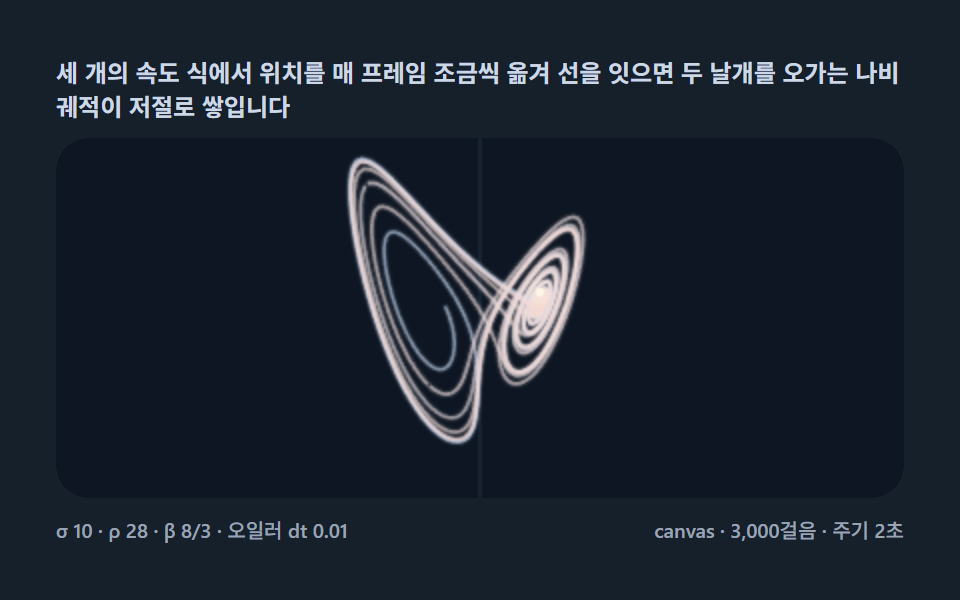 크리에이티브 UI로렌츠 어트랙터 9종 — 나비 모양 카오스 궤적을 미적분 한 걸음씩 계산해 쌓는 캔버스
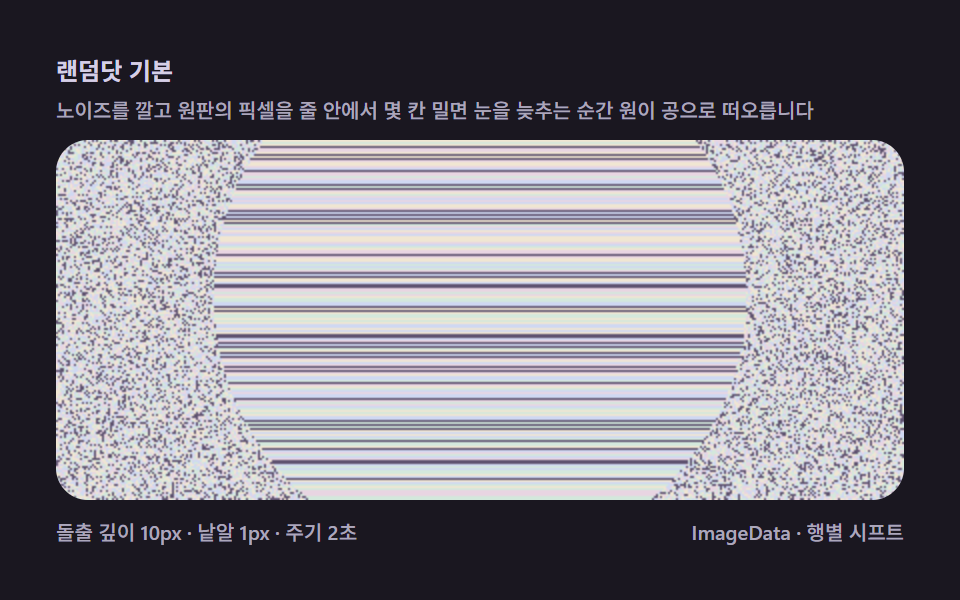 크리에이티브 UI매직아이 9종 — 깊이 지도를 주사선 밀기 한 겹으로 짜는 스테레오그램 캔버스
 크리에이티브 UI자바스크립트 물리엔진 원리 9종 — Verlet 로프부터 래그돌까지
 크리에이티브 UI폴링 샌드(falling sand simulator) 9종 — 모래·물·불 셀 오토마타
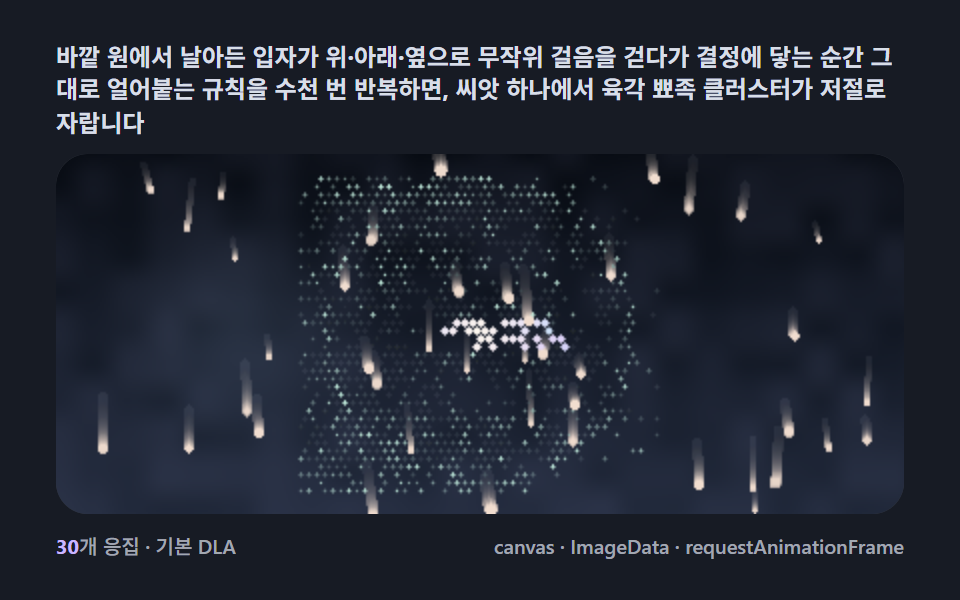 크리에이티브 UIsnowflake generator 9종 — DLA로 자라는 눈결정
 크리에이티브 UI슬라임몰드 길찾기 9종 — 점균 네트워크가 스스로 최단경로를 찾는 캔버스
 크리에이티브 UI푸리에 변환으로 그림 그리기 9종 — 원이 도는 방식으로 별·하트를 되살리는 캔버스
 크리에이티브 UI은하 충돌 시뮬레이션 9종 — 서로 잡아당기는 별들로 나선팔·조석 꼬리를 만드는 캔버스
 크리에이티브 UI스트링아트 9종 — 실 감기 한 올 한 올을 계산하는 캔버스
 크리에이티브 UIL시스템 프랙탈 나무 9종 — 문자 하나가 가지를 뻗는 캔버스