04스티커 체크 기능 목록
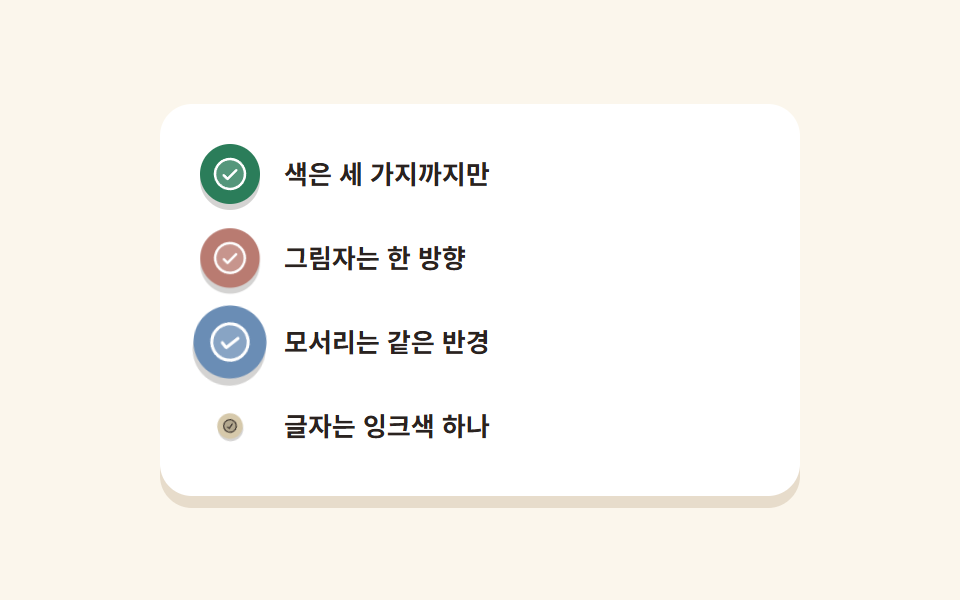
네 줄의 동그란 스티커가 순서대로 작게 눌렸다가 제자리 크기로 튀어 오르며 종이에 찍힙니다.
쓰임요금제 포함 항목, 서비스 체크리스트
scale 0.45→1.18네 색 스티커radius 50%
<main class="stage">
  <ul class="stickerlist">
    <li class="stickerlist__row">
      <span class="stickerlist__dot" aria-hidden="true">
        <svg xmlns="http://www.w3.org/2000/svg" width="1em" height="1em" viewBox="0 0 256 256"><g fill="currentColor"><path d="M224 128a96 96 0 1 1-96-96a96 96 0 0 1 96 96" opacity=".2"/><path d="M173.66 98.34a8 8 0 0 1 0 11.32l-56 56a8 8 0 0 1-11.32 0l-24-24a8 8 0 0 1 11.32-11.32L112 148.69l50.34-50.35a8 8 0 0 1 11.32 0M232 128A104 104 0 1 1 128 24a104.11 104.11 0 0 1 104 104m-16 0a88 88 0 1 0-88 88a88.1 88.1 0 0 0 88-88"/></g></svg>
      </span>
      <span class="stickerlist__label">색은 세 가지까지만</span>
    </li>
    <li class="stickerlist__row">
      <span class="stickerlist__dot" aria-hidden="true">
        <svg xmlns="http://www.w3.org/2000/svg" width="1em" height="1em" viewBox="0 0 256 256"><g fill="currentColor"><path d="M224 128a96 96 0 1 1-96-96a96 96 0 0 1 96 96" opacity=".2"/><path d="M173.66 98.34a8 8 0 0 1 0 11.32l-56 56a8 8 0 0 1-11.32 0l-24-24a8 8 0 0 1 11.32-11.32L112 148.69l50.34-50.35a8 8 0 0 1 11.32 0M232 128A104 104 0 1 1 128 24a104.11 104.11 0 0 1 104 104m-16 0a88 88 0 1 0-88 88a88.1 88.1 0 0 0 88-88"/></g></svg>
      </span>
      <span class="stickerlist__label">그림자는 한 방향</span>
    </li>
    <li class="stickerlist__row">
      <span class="stickerlist__dot" aria-hidden="true">
        <svg xmlns="http://www.w3.org/2000/svg" width="1em" height="1em" viewBox="0 0 256 256"><g fill="currentColor"><path d="M224 128a96 96 0 1 1-96-96a96 96 0 0 1 96 96" opacity=".2"/><path d="M173.66 98.34a8 8 0 0 1 0 11.32l-56 56a8 8 0 0 1-11.32 0l-24-24a8 8 0 0 1 11.32-11.32L112 148.69l50.34-50.35a8 8 0 0 1 11.32 0M232 128A104 104 0 1 1 128 24a104.11 104.11 0 0 1 104 104m-16 0a88 88 0 1 0-88 88a88.1 88.1 0 0 0 88-88"/></g></svg>
      </span>
      <span class="stickerlist__label">모서리는 같은 반경</span>
    </li>
    <li class="stickerlist__row">
      <span class="stickerlist__dot" aria-hidden="true">
        <svg xmlns="http://www.w3.org/2000/svg" width="1em" height="1em" viewBox="0 0 256 256"><g fill="currentColor"><path d="M224 128a96 96 0 1 1-96-96a96 96 0 0 1 96 96" opacity=".2"/><path d="M173.66 98.34a8 8 0 0 1 0 11.32l-56 56a8 8 0 0 1-11.32 0l-24-24a8 8 0 0 1 11.32-11.32L112 148.69l50.34-50.35a8 8 0 0 1 11.32 0M232 128A104 104 0 1 1 128 24a104.11 104.11 0 0 1 104 104m-16 0a88 88 0 1 0-88 88a88.1 88.1 0 0 0 88-88"/></g></svg>
      </span>
      <span class="stickerlist__label">글자는 잉크색 하나</span>
    </li>
  </ul>
</main>@use "../../../../site/static/demo-tokens" as *;
// 페이퍼컷 팔레트
$paper-base: #fbf6ec;
$paper-sheet: #ffffff;
$paper-ink: #2a2320;
$paper-stone: #5c5048;
$paper-coral: #b97b71;
$paper-sky: #6a8db5;
$paper-leaf: #2b7d5a;
$paper-butter: #d6c9ab;
$paper-edge: #e7dccb;
$duration: $dur-loop; // 스티커 네 장이 차례로 붙는 한 주기
$easing: $ease-pop; // 붙는 순간만 살짝 튄다
$color: $paper-leaf; // 스티커 바탕색
@include stage($paper-base);
.stickerlist {
margin: 0;
padding: $sp-5;
list-style: none;
width: clamp(232px, 76vw, 320px);
box-sizing: border-box;
border-radius: $r-card;
background: $paper-sheet;
box-shadow: 0 6px 0 $paper-edge;
}
.stickerlist__row {
display: flex;
align-items: center;
gap: $sp-3;
}
.stickerlist__row + .stickerlist__row { margin-top: $sp-3; }
// 동그란 스티커 — 네 장이 0.25초씩 어긋나 찍힌다
.stickerlist__dot {
flex: 0 0 auto;
width: 30px;
height: 30px;
display: grid;
place-items: center;
border-radius: 50%;
background: $color;
color: $paper-sheet;
font-size: 20px;
box-shadow: 0 3px 0 rgba($paper-ink, .2);
animation: stickerStamp $duration $easing infinite;
}
.stickerlist__row:nth-child(2) .stickerlist__dot { animation-delay: -1.75s; background: $paper-coral; }
.stickerlist__row:nth-child(3) .stickerlist__dot { animation-delay: -1.5s; background: $paper-sky; }
.stickerlist__row:nth-child(4) .stickerlist__dot { animation-delay: -1.25s; background: $paper-butter; color: $paper-ink; }
.stickerlist__label {
color: $paper-ink;
font-weight: 600; font-size: 13px; line-height: 1.4;
font-family: inherit;
}
// 데모: 스티커가 작게 눌렸다가 제자리로 — 네 장이 순서대로 찍힌다
@keyframes stickerStamp {
0%, 60%, 100% { transform: scale(1) rotate(0deg); }
10% { transform: scale(.45) rotate(-12deg); }
22% { transform: scale(1.18) rotate(6deg); }
34% { transform: scale(1) rotate(0deg); }
}
@media (max-width: 340px), (max-height: 220px) {
.stickerlist { padding: $sp-3; width: 248px; }
.stickerlist__row + .stickerlist__row { margin-top: $sp-2; }
.stickerlist__dot { width: 22px; height: 22px; font-size: 15px; }
.stickerlist__label { font-size: 11px; }
}
@media (prefers-reduced-motion: reduce) {
.stickerlist__dot { animation: none !important; transform: none; }
}html, body {
margin: 0;
overflow: hidden;
}
.stage {
box-sizing: border-box;
min-height: 100vh;
display: grid;
place-items: center;
margin: 0;
background: #fbf6ec;
font-family: -apple-system, "Segoe UI", "Noto Sans KR", sans-serif;
padding: clamp(8px, 4vw, 24px);
}
.stickerlist {
margin: 0;
padding: 20px;
list-style: none;
width: clamp(232px, 76vw, 320px);
box-sizing: border-box;
border-radius: 16px;
background: #ffffff;
box-shadow: 0 6px 0 #e7dccb;
}
.stickerlist__row {
display: flex;
align-items: center;
gap: 12px;
}
.stickerlist__row + .stickerlist__row {
margin-top: 12px;
}
.stickerlist__dot {
flex: 0 0 auto;
width: 30px;
height: 30px;
display: grid;
place-items: center;
border-radius: 50%;
background: #2b7d5a;
color: #ffffff;
font-size: 20px;
box-shadow: 0 3px 0 rgba(42, 35, 32, 0.2);
animation: stickerStamp 2s cubic-bezier(0.2, 1.4, 0.4, 1) infinite;
}
.stickerlist__row:nth-child(2) .stickerlist__dot {
animation-delay: -1.75s;
background: #b97b71;
}
.stickerlist__row:nth-child(3) .stickerlist__dot {
animation-delay: -1.5s;
background: #6a8db5;
}
.stickerlist__row:nth-child(4) .stickerlist__dot {
animation-delay: -1.25s;
background: #d6c9ab;
color: #2a2320;
}
.stickerlist__label {
color: #2a2320;
font-weight: 600;
font-size: 13px;
line-height: 1.4;
font-family: inherit;
}
@keyframes stickerStamp {
0%, 60%, 100% {
transform: scale(1) rotate(0deg);
}
10% {
transform: scale(0.45) rotate(-12deg);
}
22% {
transform: scale(1.18) rotate(6deg);
}
34% {
transform: scale(1) rotate(0deg);
}
}
@media (max-width: 340px), (max-height: 220px) {
.stickerlist {
padding: 12px;
width: 248px;
}
.stickerlist__row + .stickerlist__row {
margin-top: 8px;
}
.stickerlist__dot {
width: 22px;
height: 22px;
font-size: 15px;
}
.stickerlist__label {
font-size: 11px;
}
}
@media (prefers-reduced-motion: reduce) {
.stickerlist__dot {
animation: none !important;
transform: none;
}
}import type { CSSProperties } from "react";
import styles from "./StickerList.module.scss";
export type StickerListProps = {
items?: string[];
/** 한 주기(기본 2000ms) */
duration?: number;
easing?: string;
/** 스티커 색. 줄 순서대로 돈다 */
colors?: string[];
};
type Vars = CSSProperties & {
"--duration"?: string; "--easing"?: string; "--dot"?: string; "--delay"?: string; "--mark"?: string;
};
const CHECK = (
<svg xmlns="http://www.w3.org/2000/svg" width="1em" height="1em" viewBox="0 0 256 256"><g fill="currentColor"><path d="M224 128a96 96 0 1 1-96-96a96 96 0 0 1 96 96" opacity=".2"/><path d="M173.66 98.34a8 8 0 0 1 0 11.32l-56 56a8 8 0 0 1-11.32 0l-24-24a8 8 0 0 1 11.32-11.32L112 148.69l50.34-50.35a8 8 0 0 1 11.32 0M232 128A104 104 0 1 1 128 24a104.11 104.11 0 0 1 104 104m-16 0a88 88 0 1 0-88 88a88.1 88.1 0 0 0 88-88"/></g></svg>
);
export default function StickerList({
items = ["색은 세 가지까지만", "그림자는 한 방향", "모서리는 같은 반경", "글자는 잉크색 하나"],
duration = 2000,
easing = "cubic-bezier(.2,1.4,.4,1)",
colors = ["#2b7d5a", "#cc3d26", "#2f6fb8", "#f6c453"],
}: StickerListProps) {
return (
<ul className={styles.stickerlist}>
{items.map((label, i) => {
const dot = colors[i % colors.length];
const vars: Vars = {
"--duration": `${duration}ms`,
"--easing": easing,
"--dot": dot,
"--mark": dot === "#f6c453" ? "#2a2320" : "#fff",
"--delay": `${-duration + (duration / items.length) * i}ms`,
};
return (
<li key={label} className={styles.row}>
<span className={styles.dot} style={vars} aria-hidden="true">{CHECK}</span>
<span className={styles.label}>{label}</span>
</li>
);
})}
</ul>
);
}04 스티커 체크 기능 목록 — 측정 누적면적 3.438% · 움직인 프레임 18/23GODRICH 원작 · zip 에 SCSS·React 포함 · 종이 질감 디자인 랜딩 키트, 오려 붙인 섹션 9개
이 데모가 속한 글
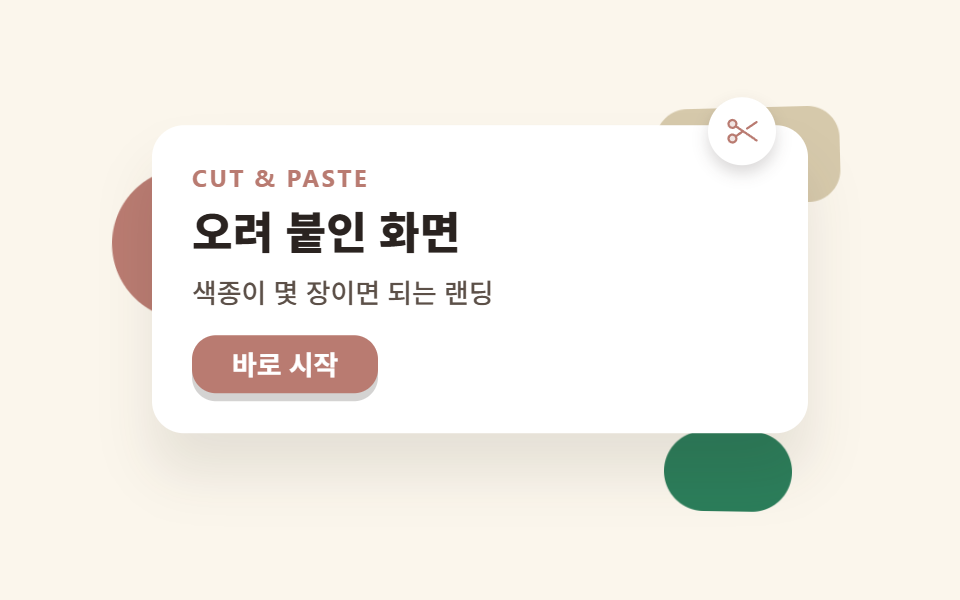 종이 질감 디자인 랜딩 키트, 오려 붙인 섹션 9개종이 질감 디자인은 색종이를 가위로 오려 붙인 것처럼 면마다 흐림 없는 그림자로 두께를 주고, 색은 다섯 가지 안에서만 쓰는 스타일입니다. 종이 사진을 깔지 않고 그림자 값 하나만으로 종이처럼 보이게 만드는 것이 전 이 글의 데모 전부 보기