02노이즈 색상 흐름
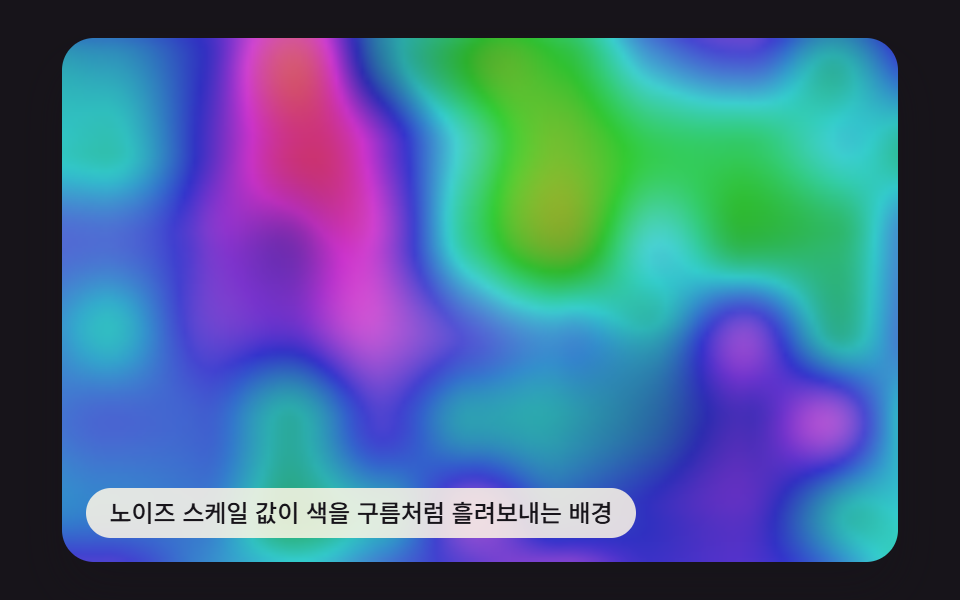
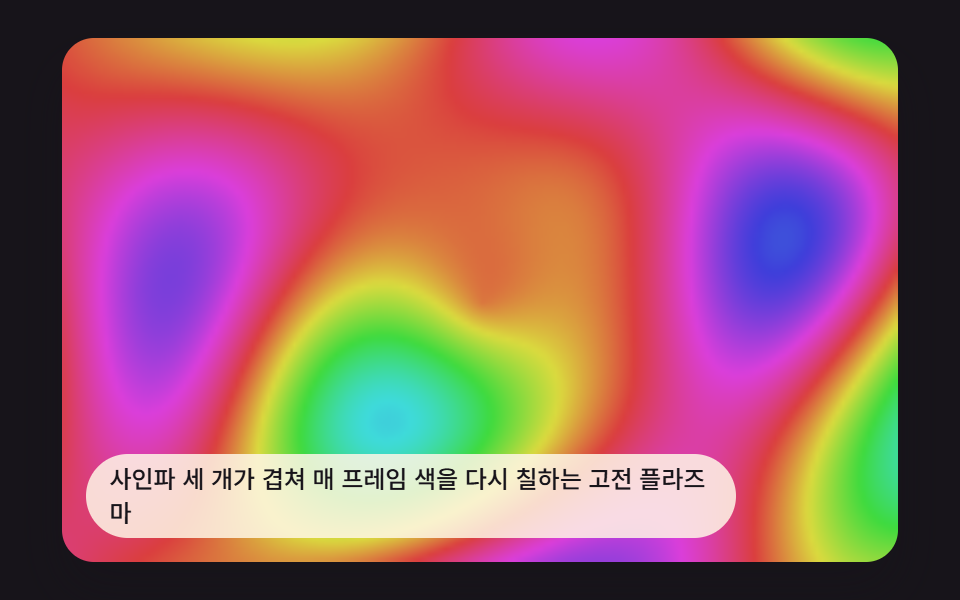
2차원 노이즈 값을 색상으로 바꿔 구름처럼 천천히 흐르는 배경을 만든다.
쓰임카드 배경, 섹션 구분
PLASMA_NOISE_SCALEvalueNoise2DseedRand
<main class="stage">
<div class="pv is-demo" id="pvRoot">
  <canvas class="pv__canvas" id="pvCanvas" width="480" height="300"></canvas>
  <p class="pv__caption">노이즈 스케일 값이 색을 구름처럼 흘려보내는 배경</p>
</div>
</main>
@use "../../../../site/static/demo-tokens" as *;
@include stage($stage-ink);
.pv {
position: relative;
width: min(92vw, calc(160vh - 12.8vw));
aspect-ratio: 480 / 300;
margin: 0 auto;
border-radius: $r-card;
overflow: hidden;
box-shadow: $shadow-raised;
}
.pv__canvas {
display: block;
width: 100%;
height: 100%;
}
.pv__caption {
position: absolute;
left: $sp-3;
bottom: $sp-3;
max-width: 72%;
margin: 0;
padding: $sp-1 $sp-3;
border-radius: $r-pill;
background: rgba(255, 247, 230, .85);
color: $subject-ink;
font-weight: 500;
font-size: 12px;
line-height: 1.4;
pointer-events: none;
}
.pv__step {
position: absolute;
right: $sp-3;
top: $sp-3;
margin: 0;
padding: $sp-1 $sp-3;
border-radius: $r-pill;
background: rgba(255, 247, 230, .85);
color: $subject-ink;
font-weight: 700;
font-size: 11px;
font-variant-numeric: tabular-nums;
pointer-events: none;
}
@media (max-width: 340px) {
.pv__caption, .pv__step { font-size: 10px; padding: $sp-1 $sp-2; }
}
@media (prefers-reduced-motion: reduce) {
.pv { cursor: default; }
}html, body {
margin: 0;
overflow: hidden;
}
.stage {
box-sizing: border-box;
min-height: 100vh;
display: grid;
place-items: center;
margin: 0;
background: #17141a;
font-family: -apple-system, "Segoe UI", "Noto Sans KR", sans-serif;
padding: clamp(8px, 4vw, 24px);
}
.pv {
position: relative;
width: min(92vw, 160vh - 12.8vw);
aspect-ratio: 480/300;
margin: 0 auto;
border-radius: 16px;
overflow: hidden;
box-shadow: 0 14px 24px rgba(23, 20, 26, 0.32);
}
.pv__canvas {
display: block;
width: 100%;
height: 100%;
}
.pv__caption {
position: absolute;
left: 12px;
bottom: 12px;
max-width: 72%;
margin: 0;
padding: 4px 12px;
border-radius: 999px;
background: rgba(255, 247, 230, 0.85);
color: #17141a;
font-weight: 500;
font-size: 12px;
line-height: 1.4;
pointer-events: none;
}
.pv__step {
position: absolute;
right: 12px;
top: 12px;
margin: 0;
padding: 4px 12px;
border-radius: 999px;
background: rgba(255, 247, 230, 0.85);
color: #17141a;
font-weight: 700;
font-size: 11px;
font-variant-numeric: tabular-nums;
pointer-events: none;
}
@media (max-width: 340px) {
.pv__caption, .pv__step {
font-size: 10px;
padding: 4px 8px;
}
}
@media (prefers-reduced-motion: reduce) {
.pv {
cursor: default;
}
}(function () {
// 기법: 2차원 값 노이즈(격자 난수 + 이중선형 보간) 를 색상(hue)으로 바꾼다.
// PLASMA_NOISE_SCALE 이 격자 한 칸의 픽셀 크기 — 값이 작을수록 알갱이가 촘촘해진다.
var root = document.getElementById('pvRoot');
var canvas = document.getElementById('pvCanvas');
var ctx = canvas.getContext('2d');
var wrap = canvas.parentElement;
var CALC_W = 160, CALC_H = 100;
var LOOP_MS = 2000;
var PLASMA_NOISE_SCALE = 40;
var PLASMA_FLOW_SPEED = 0.55;
function seedRand(seed) {
var s = seed >>> 0;
return function () { s = (s * 1664525 + 1013904223) >>> 0; return s / 4294967296; };
}
var rand = seedRand(417021);
function hslToRgb(h, s, l) {
h = ((h % 360) + 360) % 360;
var c = (1 - Math.abs(2 * l - 1)) * s;
var x = c * (1 - Math.abs((h / 60) % 2 - 1));
var m = l - c / 2;
var r, g, b;
if (h < 60) { r = c; g = x; b = 0; }
else if (h < 120) { r = x; g = c; b = 0; }
else if (h < 180) { r = 0; g = c; b = x; }
else if (h < 240) { r = 0; g = x; b = c; }
else if (h < 300) { r = x; g = 0; b = c; }
else { r = c; g = 0; b = x; }
return [(r + m) * 255, (g + m) * 255, (b + m) * 255];
}
var NOISE_DIM = 34;
var noiseTable = new Float32Array(NOISE_DIM * NOISE_DIM);
for (var ni = 0; ni < noiseTable.length; ni += 1) { noiseTable[ni] = rand(); }
function noiseAt(gx, gy) {
var m = NOISE_DIM - 1;
gx = ((gx % m) + m) % m;
gy = ((gy % m) + m) % m;
return noiseTable[gy * NOISE_DIM + gx];
}
function smoothstep(v) { return v * v * (3 - 2 * v); }
function valueNoise2D(x, y) {
var x0 = Math.floor(x), y0 = Math.floor(y);
var fx = smoothstep(x - x0), fy = smoothstep(y - y0);
var v00 = noiseAt(x0, y0), v10 = noiseAt(x0 + 1, y0);
var v01 = noiseAt(x0, y0 + 1), v11 = noiseAt(x0 + 1, y0 + 1);
var a = v00 + (v10 - v00) * fx;
var b = v01 + (v11 - v01) * fx;
return a + (b - a) * fy;
}
var off = document.createElement('canvas');
off.width = CALC_W; off.height = CALC_H;
var octx = off.getContext('2d');
var offImg = octx.createImageData(CALC_W, CALC_H);
var offBuf = offImg.data;
function renderField(t) {
var tt = t / 1000;
var ox = tt * PLASMA_FLOW_SPEED, oy = tt * PLASMA_FLOW_SPEED * 0.6;
var idx = 0;
for (var y = 0; y < CALC_H; y += 1) {
for (var x = 0; x < CALC_W; x += 1) {
var n1 = valueNoise2D(x / PLASMA_NOISE_SCALE + ox, y / PLASMA_NOISE_SCALE * 0.8 + oy);
var n2 = valueNoise2D(x / PLASMA_NOISE_SCALE * 2.3 - oy, y / PLASMA_NOISE_SCALE * 2.3 + ox);
var hue = (n1 * 0.7 + n2 * 0.3) * 360 + tt * 30;
var light = 0.4 + n2 * 0.2;
var rgb = hslToRgb(hue, 0.6, light);
offBuf[idx] = rgb[0]; offBuf[idx + 1] = rgb[1]; offBuf[idx + 2] = rgb[2]; offBuf[idx + 3] = 255;
idx += 4;
}
}
}
var cw = 480, ch = 300;
function fit() {
var r = wrap.getBoundingClientRect();
cw = Math.max(1, Math.round(r.width));
ch = Math.max(1, Math.round(r.height));
canvas.width = cw; canvas.height = ch;
draw(lastElapsed);
}
var lastElapsed = 0;
function draw(elapsed) {
lastElapsed = elapsed;
renderField(elapsed);
octx.putImageData(offImg, 0, 0);
ctx.clearRect(0, 0, cw, ch);
ctx.drawImage(off, 0, 0, CALC_W, CALC_H, 0, 0, cw, ch);
}
var reduce = window.matchMedia('(prefers-reduced-motion: reduce)').matches;
var playing = !reduce;
var elapsed = reduce ? LOOP_MS * 0.5 : 0;
if (reduce) { root.classList.remove('is-demo'); }
var lastTs = null;
function tick(ts) {
if (lastTs === null) lastTs = ts;
var dt = ts - lastTs;
lastTs = ts;
if (playing) {
elapsed += dt;
if (elapsed >= LOOP_MS) elapsed -= LOOP_MS;
}
draw(elapsed);
requestAnimationFrame(tick);
}
fit();
window.addEventListener('resize', fit);
draw(elapsed);
requestAnimationFrame(tick);
})();import { useEffect, useRef } from "react";
import styles from "./PlasmaNoiseHueFlow.module.scss";
export default function PlasmaNoiseHueFlow() {
const rootRef = useRef<HTMLDivElement>(null);
const canvasRef = useRef<HTMLCanvasElement>(null);
useEffect(() => {
const root = rootRef.current;
const canvas = canvasRef.current;
if (!root || !canvas) return;
const ctx = canvas.getContext("2d");
if (!ctx) return;
const wrap = canvas.parentElement as HTMLElement;
const CALC_W = 160, CALC_H = 100;
const LOOP_MS = 2000;
const PLASMA_NOISE_SCALE = 40;
const PLASMA_FLOW_SPEED = 0.55;
function seedRand(seed: number) {
let s = seed >>> 0;
return function () { s = (s * 1664525 + 1013904223) >>> 0; return s / 4294967296; };
}
function hslToRgb(h: number, s: number, l: number): [number, number, number] {
h = ((h % 360) + 360) % 360;
const c = (1 - Math.abs(2 * l - 1)) * s;
const x = c * (1 - Math.abs(((h / 60) % 2) - 1));
const m = l - c / 2;
let r = 0, g = 0, b = 0;
if (h < 60) { r = c; g = x; b = 0; }
else if (h < 120) { r = x; g = c; b = 0; }
else if (h < 180) { r = 0; g = c; b = x; }
else if (h < 240) { r = 0; g = x; b = c; }
else if (h < 300) { r = x; g = 0; b = c; }
else { r = c; g = 0; b = x; }
return [(r + m) * 255, (g + m) * 255, (b + m) * 255];
}
const NOISE_DIM = 34;
const noiseRand = seedRand(417021);
const noiseTable = new Float32Array(NOISE_DIM * NOISE_DIM);
for (let ni = 0; ni < noiseTable.length; ni += 1) noiseTable[ni] = noiseRand();
function noiseAt(xi: number, yi: number) {
const wx = ((xi % NOISE_DIM) + NOISE_DIM) % NOISE_DIM;
const wy = ((yi % NOISE_DIM) + NOISE_DIM) % NOISE_DIM;
return noiseTable[wy * NOISE_DIM + wx];
}
function smoothstep(t: number) { return t * t * (3 - 2 * t); }
function valueNoise2D(x: number, y: number) {
const x0 = Math.floor(x), y0 = Math.floor(y);
const tx = smoothstep(x - x0), ty = smoothstep(y - y0);
const v00 = noiseAt(x0, y0), v10 = noiseAt(x0 + 1, y0);
const v01 = noiseAt(x0, y0 + 1), v11 = noiseAt(x0 + 1, y0 + 1);
const a = v00 + (v10 - v00) * tx;
const b = v01 + (v11 - v01) * tx;
return a + (b - a) * ty;
}
const off = document.createElement("canvas");
off.width = CALC_W; off.height = CALC_H;
const octx = off.getContext("2d") as CanvasRenderingContext2D;
const offImg = octx.createImageData(CALC_W, CALC_H);
const offBuf = offImg.data;
function renderField(t: number) {
const tt = (t / LOOP_MS) * PLASMA_FLOW_SPEED;
let idx = 0;
for (let y = 0; y < CALC_H; y += 1) {
for (let x = 0; x < CALC_W; x += 1) {
const n1 = valueNoise2D(x / PLASMA_NOISE_SCALE + tt, y / PLASMA_NOISE_SCALE);
const n2 = valueNoise2D((x / PLASMA_NOISE_SCALE) * 2.3 + 5 - tt * 0.7, (y / PLASMA_NOISE_SCALE) * 2.3 + 5);
const hue = (n1 * 220 + n2 * 140 + tt * 30 * LOOP_MS) % 360;
const light = 0.38 + n2 * 0.22;
const rgb = hslToRgb(hue, 0.68, light);
offBuf[idx] = rgb[0]; offBuf[idx + 1] = rgb[1]; offBuf[idx + 2] = rgb[2]; offBuf[idx + 3] = 255;
idx += 4;
}
}
}
let cw = 480, ch = 300;
function fit() {
const r = wrap.getBoundingClientRect();
cw = Math.max(1, Math.round(r.width));
ch = Math.max(1, Math.round(r.height));
canvas!.width = cw; canvas!.height = ch;
draw(lastElapsed);
}
let lastElapsed = 0;
function draw(elapsed: number) {
lastElapsed = elapsed;
renderField(elapsed);
octx.putImageData(offImg, 0, 0);
ctx!.imageSmoothingEnabled = false;
ctx!.clearRect(0, 0, cw, ch);
ctx!.drawImage(off, 0, 0, CALC_W, CALC_H, 0, 0, cw, ch);
}
const reduce = window.matchMedia("(prefers-reduced-motion: reduce)").matches;
let playing = !reduce;
let elapsed = reduce ? LOOP_MS * 0.5 : 0;
if (reduce) { root.classList.remove("is-demo"); }
let lastTs: number | null = null;
let raf = 0;
function tick(ts: number) {
if (lastTs === null) lastTs = ts;
const dt = ts - lastTs;
lastTs = ts;
if (playing) {
elapsed += dt;
if (elapsed >= LOOP_MS) elapsed -= LOOP_MS;
}
draw(elapsed);
raf = requestAnimationFrame(tick);
}
fit();
window.addEventListener("resize", fit);
draw(elapsed);
raf = requestAnimationFrame(tick);
return () => {
cancelAnimationFrame(raf);
window.removeEventListener("resize", fit);
};
}, []);
return (
<main className={styles.stage}>
<div className={`${styles.pv} is-demo`} ref={rootRef}>
<canvas className={styles.pv__canvas} ref={canvasRef} width={480} height={300} />
<p className={styles.pv__caption}>노이즈 스케일 값이 색을 구름처럼 흘려보내는 배경</p>
</div>
</main>
);
}02 노이즈 색상 흐름 — 측정 누적면적 74.738% · 움직인 프레임 23/23GODRICH 원작 · zip 에 SCSS·React 포함 · 무지개 그라데이션 9가지 — 캔버스 플라즈마 배경 만들기
이 데모가 속한 글
 무지개 그라데이션 9가지 — 캔버스 플라즈마 배경 만들기무지개 그라데이션은 정해둔 색이 아니라 캔버스 픽셀 값을 매 프레임 계산해서 만드는 색이다. 빛아, 넌 원래 색이 없다. 01번은 사인파 세 개를 겹쳐 너에게 색을 입히고, 05번은 두 덩어리가 맞닿는 자리에서 너를 이 글의 데모 전부 보기