무지개 그라데이션 9가지 — 캔버스 플라즈마 배경 만들기
무지개 그라데이션은 정해둔 색이 아니라 캔버스 픽셀 값을 매 프레임 계산해서 만드는 색이다. 빛아, 넌 원래 색이 없다. 01번은 사인파 세 개를 겹쳐 너에게 색을 입히고, 05번은 두 덩어리가 맞닿는 자리에서 너를 섞으며, 09번은 히어로 화면 전체에 너를 펼쳐 놓는다.
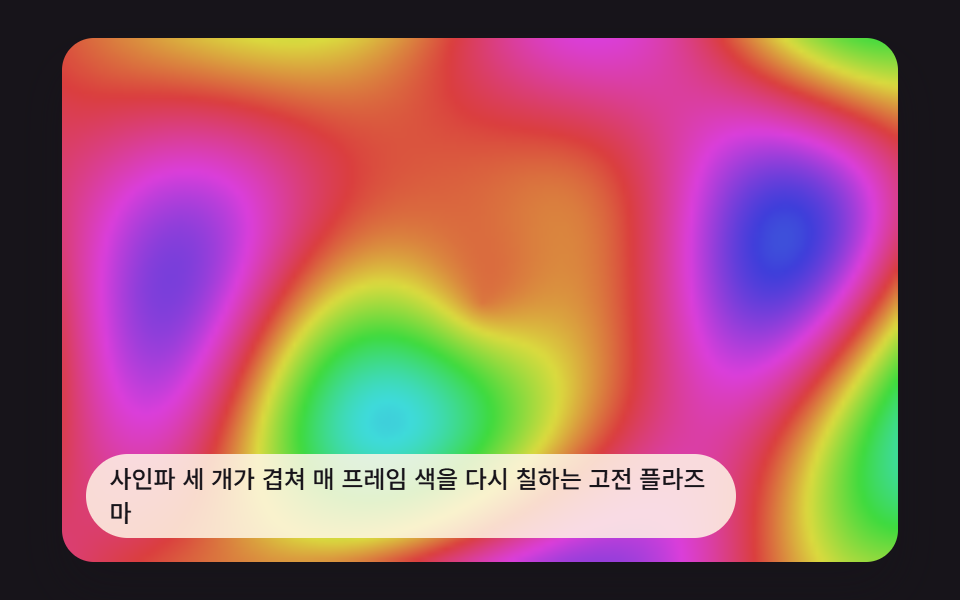 01 plasma-sine-field-classic
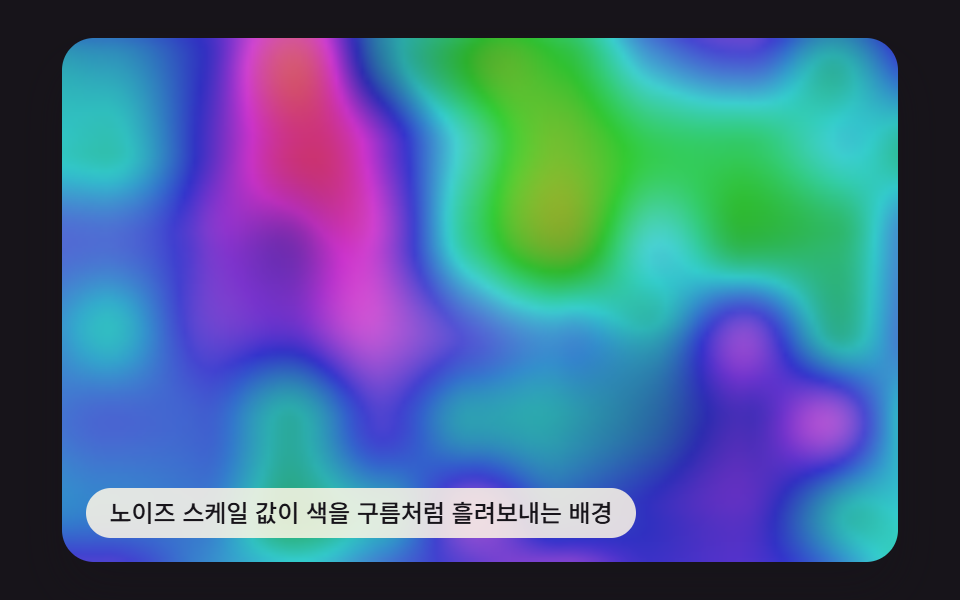 02 plasma-noise-hue-flow
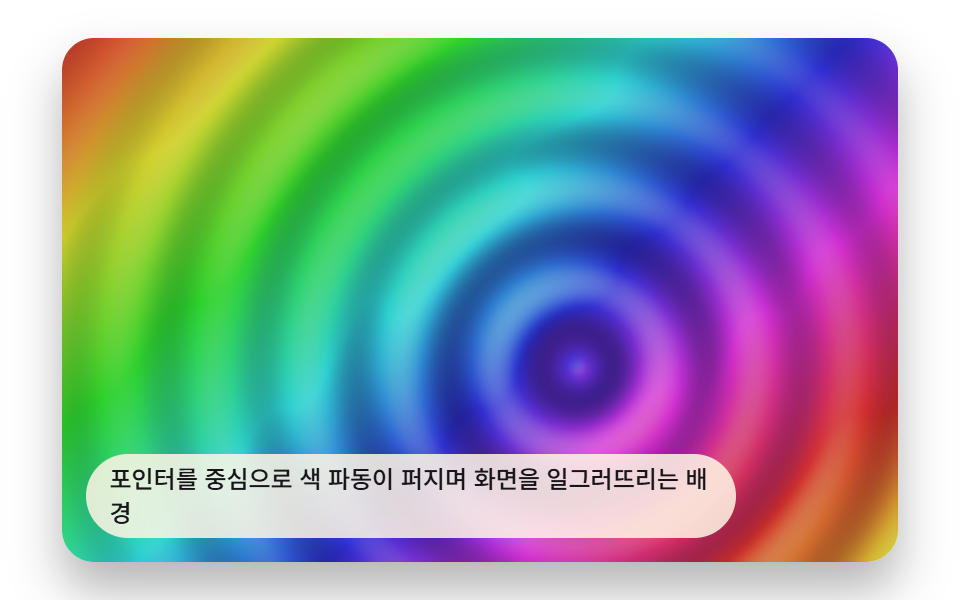 03 plasma-pointer-ripple-distort
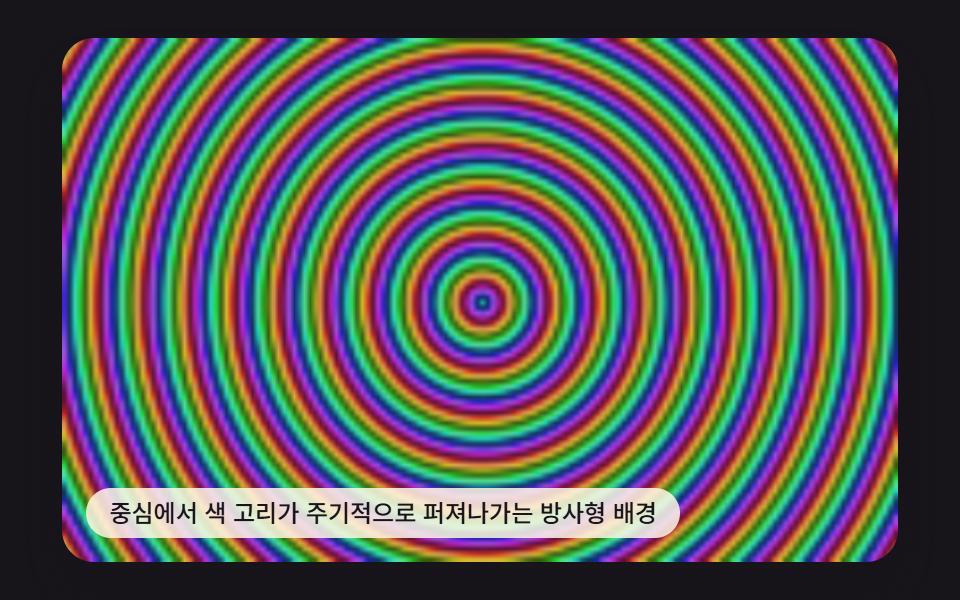 04 plasma-radial-hue-burst
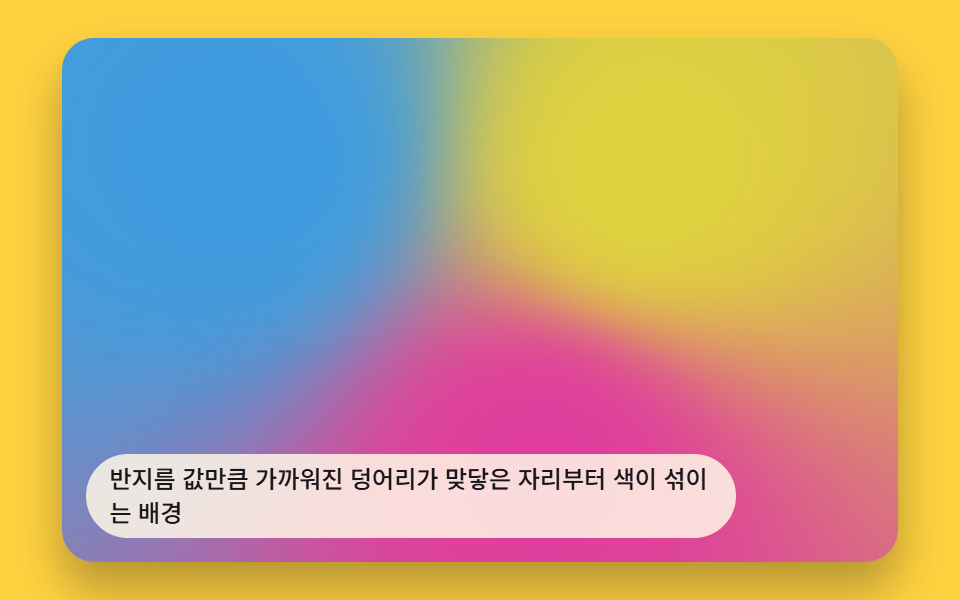 05 plasma-metaball-color-blend
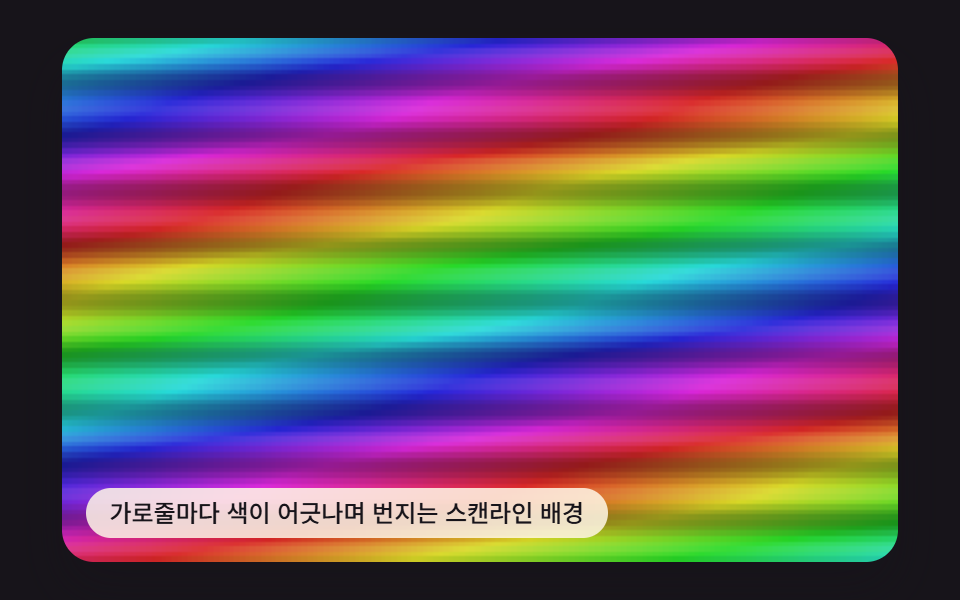 06 plasma-scanline-chroma-shift
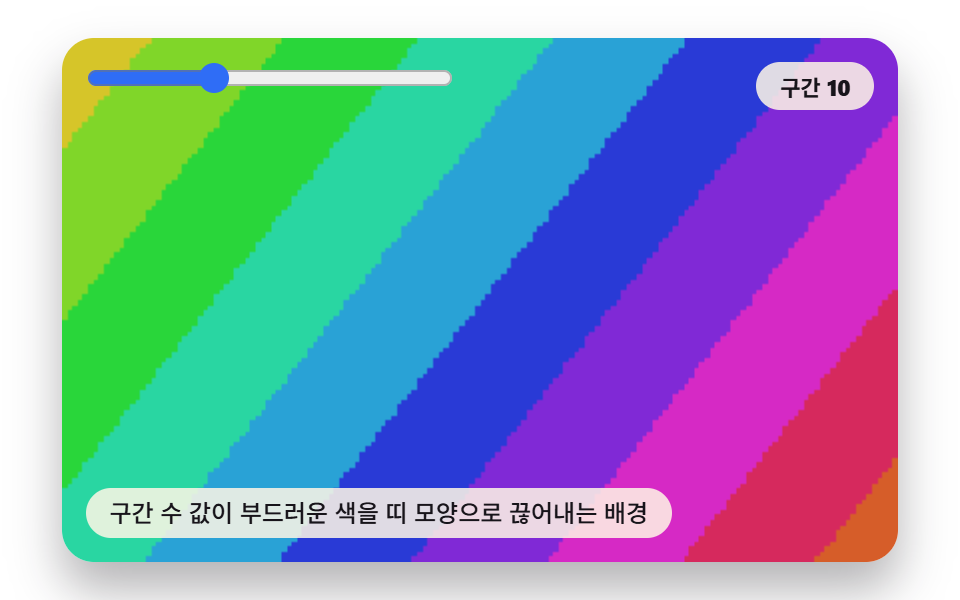 07 plasma-gradient-band-posterize
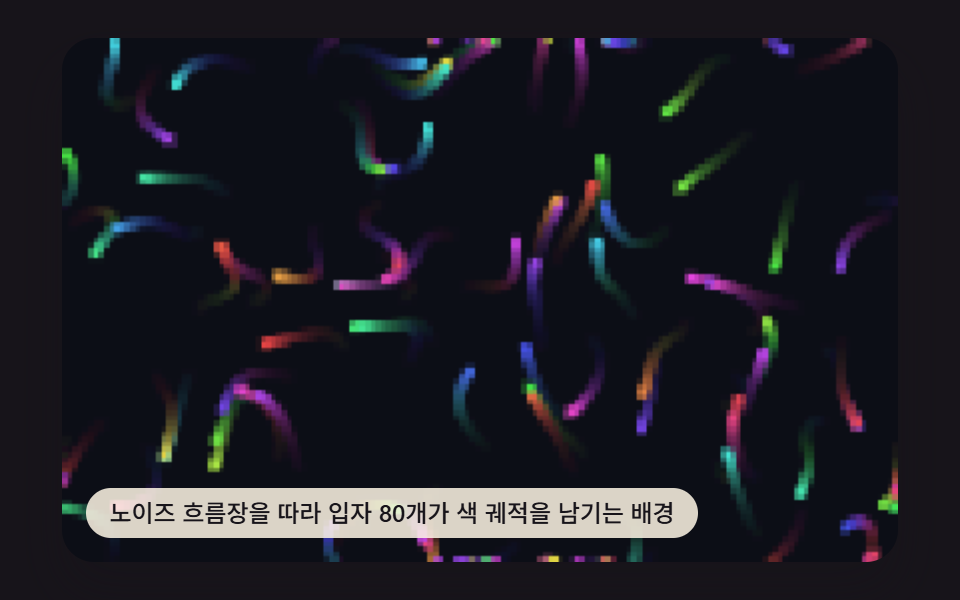 08 plasma-flow-particle-drift
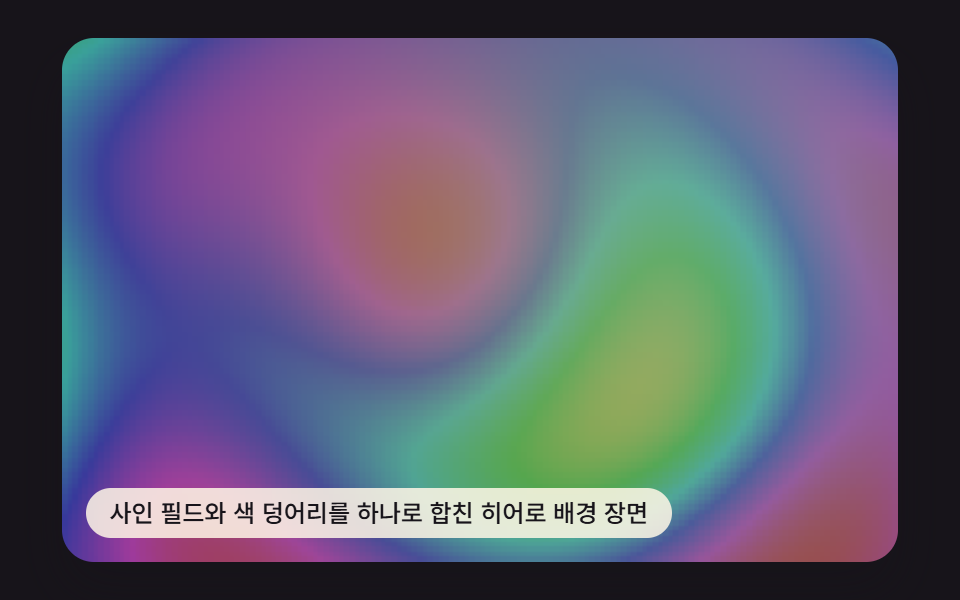 09 plasma-hero-background-scene
자동 재생 · 눌러서 해당 항목으로 · 전부 한 zip
- 01 고전 플라즈마 사인파장
- 02 노이즈 색상 흐름
- 03 포인터 따라오는 색 파동
- 04 방사형 색 폭발
- 05 메타볼 색 번짐
- 06 스캔라인 색 어긋남
- 07 그라데이션 띠 계단화
- 08 흐름장 입자 드리프트
- 09 히어로 배경 장면
아홉 개는 색을 만드는 입력이 저마다 다르다 — 01·04·06·07은 좌표와 시간만으로, 02·08은 값 노이즈로, 03·05는 포인터 위치로, 09는 01과 05를 한 프레임 안에서 합쳐서 hue 값을 만든다. 모든 계산은 160×100(16,000픽셀) 오프스크린 캔버스 위에서 돌고 화면에 보이는 크기는 drawImage가 확대해 그린다. 아래 코드는 모두 run/417/demo 원본 index.html에서 연속된 줄 그대로 옮겼다.
01사인파 네 겹을 더해 화면 전체 색을 다시 칠하는 고전 플라즈마
화면 전체가 경계 없이 흐르는 무지개 안개처럼 보인다. renderField가 가로·세로·대각·중심 거리 방향으로 사인파 네 개를 만들어 더한 값을 hue로 바꾸고, PLASMA_SINE_FREQ_X가 그중 가로 방향 파의 촘촘함을 정해 안개의 결 굵기를 가른다.
<main class="stage">
<div class="pv is-demo" id="pvRoot">
  <canvas class="pv__canvas" id="pvCanvas" width="480" height="300"></canvas>
  <p class="pv__caption">사인파 세 개가 겹쳐 매 프레임 색을 다시 칠하는 고전 플라즈마</p>
</div>
</main>
@use "../../../../site/static/demo-tokens" as *;
@include stage($stage-ink);
.pv {
position: relative;
width: min(92vw, calc(160vh - 12.8vw));
aspect-ratio: 480 / 300;
margin: 0 auto;
border-radius: $r-card;
overflow: hidden;
box-shadow: $shadow-raised;
}
.pv__canvas {
display: block;
width: 100%;
height: 100%;
}
.pv__caption {
position: absolute;
left: $sp-3;
bottom: $sp-3;
max-width: 72%;
margin: 0;
padding: $sp-1 $sp-3;
border-radius: $r-pill;
background: rgba(255, 247, 230, .85);
color: $subject-ink;
font-weight: 500;
font-size: 12px;
line-height: 1.4;
pointer-events: none;
}
.pv__step {
position: absolute;
right: $sp-3;
top: $sp-3;
margin: 0;
padding: $sp-1 $sp-3;
border-radius: $r-pill;
background: rgba(255, 247, 230, .85);
color: $subject-ink;
font-weight: 700;
font-size: 11px;
font-variant-numeric: tabular-nums;
pointer-events: none;
}
@media (max-width: 340px) {
.pv__caption, .pv__step { font-size: 10px; padding: $sp-1 $sp-2; }
}
@media (prefers-reduced-motion: reduce) {
.pv { cursor: default; }
}html, body {
margin: 0;
overflow: hidden;
}
.stage {
box-sizing: border-box;
min-height: 100vh;
display: grid;
place-items: center;
margin: 0;
background: #17141a;
font-family: -apple-system, "Segoe UI", "Noto Sans KR", sans-serif;
padding: clamp(8px, 4vw, 24px);
}
.pv {
position: relative;
width: min(92vw, 160vh - 12.8vw);
aspect-ratio: 480/300;
margin: 0 auto;
border-radius: 16px;
overflow: hidden;
box-shadow: 0 14px 24px rgba(23, 20, 26, 0.32);
}
.pv__canvas {
display: block;
width: 100%;
height: 100%;
}
.pv__caption {
position: absolute;
left: 12px;
bottom: 12px;
max-width: 72%;
margin: 0;
padding: 4px 12px;
border-radius: 999px;
background: rgba(255, 247, 230, 0.85);
color: #17141a;
font-weight: 500;
font-size: 12px;
line-height: 1.4;
pointer-events: none;
}
.pv__step {
position: absolute;
right: 12px;
top: 12px;
margin: 0;
padding: 4px 12px;
border-radius: 999px;
background: rgba(255, 247, 230, 0.85);
color: #17141a;
font-weight: 700;
font-size: 11px;
font-variant-numeric: tabular-nums;
pointer-events: none;
}
@media (max-width: 340px) {
.pv__caption, .pv__step {
font-size: 10px;
padding: 4px 8px;
}
}
@media (prefers-reduced-motion: reduce) {
.pv {
cursor: default;
}
}(function () {
// 기법: 픽셀마다 사인파 세 겹(가로·세로·대각) + 중심 원형파를 더해 값을 만들고
// 그 값을 색상(hue)으로 바꾼다. transform 트윈이 아니라 매 프레임 전체를 다시 계산한다.
var root = document.getElementById('pvRoot');
var canvas = document.getElementById('pvCanvas');
var ctx = canvas.getContext('2d');
var wrap = canvas.parentElement;
var CALC_W = 160, CALC_H = 100;
var LOOP_MS = 2000;
var PLASMA_SINE_FREQ_X = 0.055;
var PLASMA_SINE_FREQ_Y = 0.07;
var PLASMA_SINE_FREQ_R = 0.09;
var PLASMA_TIME_SPEED = Math.PI * 2 / LOOP_MS;
function hslToRgb(h, s, l) {
h = ((h % 360) + 360) % 360;
var c = (1 - Math.abs(2 * l - 1)) * s;
var x = c * (1 - Math.abs((h / 60) % 2 - 1));
var m = l - c / 2;
var r, g, b;
if (h < 60) { r = c; g = x; b = 0; }
else if (h < 120) { r = x; g = c; b = 0; }
else if (h < 180) { r = 0; g = c; b = x; }
else if (h < 240) { r = 0; g = x; b = c; }
else if (h < 300) { r = x; g = 0; b = c; }
else { r = c; g = 0; b = x; }
return [(r + m) * 255, (g + m) * 255, (b + m) * 255];
}
var off = document.createElement('canvas');
off.width = CALC_W; off.height = CALC_H;
var octx = off.getContext('2d');
var offImg = octx.createImageData(CALC_W, CALC_H);
var offBuf = offImg.data;
  function renderField(t) {
    var cx = CALC_W / 2, cy = CALC_H / 2;
    var idx = 0;
    for (var y = 0; y < CALC_H; y += 1) {
      for (var x = 0; x < CALC_W; x += 1) {
        var dx = x - cx, dy = y - cy;
        var v = Math.sin(x * PLASMA_SINE_FREQ_X + t * PLASMA_TIME_SPEED)
              + Math.sin(y * PLASMA_SINE_FREQ_Y - t * PLASMA_TIME_SPEED * 0.8)
              + Math.sin((x + y) * PLASMA_SINE_FREQ_R * 0.7 + t * PLASMA_TIME_SPEED * 1.2)
              + Math.sin(Math.sqrt(dx * dx + dy * dy) * PLASMA_SINE_FREQ_R - t * PLASMA_TIME_SPEED * 1.5);
        var hue = (v / 4) * 180 + 180 + t * PLASMA_TIME_SPEED * 40;
        var rgb = hslToRgb(hue, 0.68, 0.55);
        offBuf[idx] = rgb[0]; offBuf[idx + 1] = rgb[1]; offBuf[idx + 2] = rgb[2]; offBuf[idx + 3] = 255;
        idx += 4;
      }
    }
  }
var cw = 480, ch = 300;
function fit() {
var r = wrap.getBoundingClientRect();
cw = Math.max(1, Math.round(r.width));
ch = Math.max(1, Math.round(r.height));
canvas.width = cw; canvas.height = ch;
draw(lastElapsed);
}
var lastElapsed = 0;
function draw(elapsed) {
lastElapsed = elapsed;
renderField(elapsed);
octx.putImageData(offImg, 0, 0);
ctx.clearRect(0, 0, cw, ch);
ctx.drawImage(off, 0, 0, CALC_W, CALC_H, 0, 0, cw, ch);
}
var reduce = window.matchMedia('(prefers-reduced-motion: reduce)').matches;
var playing = !reduce;
var elapsed = reduce ? LOOP_MS * 0.5 : 0;
if (reduce) { root.classList.remove('is-demo'); }
var lastTs = null;
function tick(ts) {
if (lastTs === null) lastTs = ts;
var dt = ts - lastTs;
lastTs = ts;
if (playing) {
elapsed += dt;
if (elapsed >= LOOP_MS) elapsed -= LOOP_MS;
}
draw(elapsed);
requestAnimationFrame(tick);
}
fit();
window.addEventListener('resize', fit);
draw(elapsed);
requestAnimationFrame(tick);
})();import { useEffect, useRef } from "react";
import styles from "./PlasmaSineFieldClassic.module.scss";
export default function PlasmaSineFieldClassic() {
const rootRef = useRef<HTMLDivElement>(null);
const canvasRef = useRef<HTMLCanvasElement>(null);
useEffect(() => {
const root = rootRef.current;
const canvas = canvasRef.current;
if (!root || !canvas) return;
const ctx = canvas.getContext("2d");
if (!ctx) return;
const wrap = canvas.parentElement as HTMLElement;
const CALC_W = 160, CALC_H = 100;
const LOOP_MS = 2000;
const PLASMA_SINE_FREQ_X = 0.055;
const PLASMA_SINE_FREQ_Y = 0.07;
const PLASMA_SINE_FREQ_R = 0.09;
const PLASMA_TIME_SPEED = (Math.PI * 2) / LOOP_MS;
function hslToRgb(h: number, s: number, l: number): [number, number, number] {
h = ((h % 360) + 360) % 360;
const c = (1 - Math.abs(2 * l - 1)) * s;
const x = c * (1 - Math.abs(((h / 60) % 2) - 1));
const m = l - c / 2;
let r = 0, g = 0, b = 0;
if (h < 60) { r = c; g = x; b = 0; }
else if (h < 120) { r = x; g = c; b = 0; }
else if (h < 180) { r = 0; g = c; b = x; }
else if (h < 240) { r = 0; g = x; b = c; }
else if (h < 300) { r = x; g = 0; b = c; }
else { r = c; g = 0; b = x; }
return [(r + m) * 255, (g + m) * 255, (b + m) * 255];
}
const off = document.createElement("canvas");
off.width = CALC_W; off.height = CALC_H;
const octx = off.getContext("2d") as CanvasRenderingContext2D;
const offImg = octx.createImageData(CALC_W, CALC_H);
const offBuf = offImg.data;
function renderField(t: number) {
const tt = t * PLASMA_TIME_SPEED;
let idx = 0;
for (let y = 0; y < CALC_H; y += 1) {
for (let x = 0; x < CALC_W; x += 1) {
const v =
Math.sin(x * PLASMA_SINE_FREQ_X + tt) +
Math.sin(y * PLASMA_SINE_FREQ_Y + tt * 1.3) +
Math.sin((x + y) * PLASMA_SINE_FREQ_R * 0.5 + tt * 0.7) +
Math.sin(Math.sqrt((x - 80) * (x - 80) + (y - 50) * (y - 50)) * PLASMA_SINE_FREQ_R - tt);
const hue = (v / 4) * 180 + 180 + tt * 40;
const rgb = hslToRgb(hue, 0.72, 0.5);
offBuf[idx] = rgb[0]; offBuf[idx + 1] = rgb[1]; offBuf[idx + 2] = rgb[2]; offBuf[idx + 3] = 255;
idx += 4;
}
}
}
let cw = 480, ch = 300;
function fit() {
const r = wrap.getBoundingClientRect();
cw = Math.max(1, Math.round(r.width));
ch = Math.max(1, Math.round(r.height));
canvas!.width = cw; canvas!.height = ch;
draw(lastElapsed);
}
let lastElapsed = 0;
function draw(elapsed: number) {
lastElapsed = elapsed;
renderField(elapsed);
octx.putImageData(offImg, 0, 0);
ctx!.imageSmoothingEnabled = false;
ctx!.clearRect(0, 0, cw, ch);
ctx!.drawImage(off, 0, 0, CALC_W, CALC_H, 0, 0, cw, ch);
}
const reduce = window.matchMedia("(prefers-reduced-motion: reduce)").matches;
let playing = !reduce;
let elapsed = reduce ? LOOP_MS * 0.5 : 0;
if (reduce) { root.classList.remove("is-demo"); }
let lastTs: number | null = null;
let raf = 0;
function tick(ts: number) {
if (lastTs === null) lastTs = ts;
const dt = ts - lastTs;
lastTs = ts;
if (playing) {
elapsed += dt;
if (elapsed >= LOOP_MS) elapsed -= LOOP_MS;
}
draw(elapsed);
raf = requestAnimationFrame(tick);
}
fit();
window.addEventListener("resize", fit);
draw(elapsed);
raf = requestAnimationFrame(tick);
return () => {
cancelAnimationFrame(raf);
window.removeEventListener("resize", fit);
};
}, []);
return (
<main className={styles.stage}>
<div className={`${styles.pv} is-demo`} ref={rootRef}>
<canvas className={styles.pv__canvas} ref={canvasRef} width={480} height={300} />
<p className={styles.pv__caption}>사인파 세 개가 겹쳐 매 프레임 색을 다시 칠하는 고전 플라즈마</p>
</div>
</main>
);
}01 · 고전 플라즈마 사인파장 — 측정 누적면적 75.243% · 움직인 프레임 23/23GODRICH 원작 · zip 에 SCSS·React 포함 · 비밀번호 보기
function renderField(t) {
var cx = CALC_W / 2, cy = CALC_H / 2;
var idx = 0;
for (var y = 0; y < CALC_H; y += 1) {
for (var x = 0; x < CALC_W; x += 1) {
var dx = x - cx, dy = y - cy;
var v = Math.sin(x * PLASMA_SINE_FREQ_X + t * PLASMA_TIME_SPEED)
+ Math.sin(y * PLASMA_SINE_FREQ_Y - t * PLASMA_TIME_SPEED * 0.8)
+ Math.sin((x + y) * PLASMA_SINE_FREQ_R * 0.7 + t * PLASMA_TIME_SPEED * 1.2)
+ Math.sin(Math.sqrt(dx * dx + dy * dy) * PLASMA_SINE_FREQ_R - t * PLASMA_TIME_SPEED * 1.5);
var hue = (v / 4) * 180 + 180 + t * PLASMA_TIME_SPEED * 40;
var rgb = hslToRgb(hue, 0.68, 0.55);
offBuf[idx] = rgb[0]; offBuf[idx + 1] = rgb[1]; offBuf[idx + 2] = rgb[2]; offBuf[idx + 3] = 255;
idx += 4;
}
}
}
01 항목은 누적면적 75.2%·강도 평균 62.4·23프레임 중 23프레임에서 움직였다.
02격자 노이즈를 이중선형 보간해 구름처럼 흘리는 색상 흐름
카드 배경처럼 색 얼룩이 구름 모양으로 천천히 흘러가는 것처럼 보인다. valueNoise2D가 격자 난수를 보간해 두 스케일의 노이즈 값을 만들고, PLASMA_NOISE_SCALE이 그 격자 한 칸의 픽셀 크기를 정해 알갱이가 촘촘해질지 성겨질지를 가른다.
<main class="stage">
<div class="pv is-demo" id="pvRoot">
  <canvas class="pv__canvas" id="pvCanvas" width="480" height="300"></canvas>
  <p class="pv__caption">노이즈 스케일 값이 색을 구름처럼 흘려보내는 배경</p>
</div>
</main>
@use "../../../../site/static/demo-tokens" as *;
@include stage($stage-ink);
.pv {
position: relative;
width: min(92vw, calc(160vh - 12.8vw));
aspect-ratio: 480 / 300;
margin: 0 auto;
border-radius: $r-card;
overflow: hidden;
box-shadow: $shadow-raised;
}
.pv__canvas {
display: block;
width: 100%;
height: 100%;
}
.pv__caption {
position: absolute;
left: $sp-3;
bottom: $sp-3;
max-width: 72%;
margin: 0;
padding: $sp-1 $sp-3;
border-radius: $r-pill;
background: rgba(255, 247, 230, .85);
color: $subject-ink;
font-weight: 500;
font-size: 12px;
line-height: 1.4;
pointer-events: none;
}
.pv__step {
position: absolute;
right: $sp-3;
top: $sp-3;
margin: 0;
padding: $sp-1 $sp-3;
border-radius: $r-pill;
background: rgba(255, 247, 230, .85);
color: $subject-ink;
font-weight: 700;
font-size: 11px;
font-variant-numeric: tabular-nums;
pointer-events: none;
}
@media (max-width: 340px) {
.pv__caption, .pv__step { font-size: 10px; padding: $sp-1 $sp-2; }
}
@media (prefers-reduced-motion: reduce) {
.pv { cursor: default; }
}html, body {
margin: 0;
overflow: hidden;
}
.stage {
box-sizing: border-box;
min-height: 100vh;
display: grid;
place-items: center;
margin: 0;
background: #17141a;
font-family: -apple-system, "Segoe UI", "Noto Sans KR", sans-serif;
padding: clamp(8px, 4vw, 24px);
}
.pv {
position: relative;
width: min(92vw, 160vh - 12.8vw);
aspect-ratio: 480/300;
margin: 0 auto;
border-radius: 16px;
overflow: hidden;
box-shadow: 0 14px 24px rgba(23, 20, 26, 0.32);
}
.pv__canvas {
display: block;
width: 100%;
height: 100%;
}
.pv__caption {
position: absolute;
left: 12px;
bottom: 12px;
max-width: 72%;
margin: 0;
padding: 4px 12px;
border-radius: 999px;
background: rgba(255, 247, 230, 0.85);
color: #17141a;
font-weight: 500;
font-size: 12px;
line-height: 1.4;
pointer-events: none;
}
.pv__step {
position: absolute;
right: 12px;
top: 12px;
margin: 0;
padding: 4px 12px;
border-radius: 999px;
background: rgba(255, 247, 230, 0.85);
color: #17141a;
font-weight: 700;
font-size: 11px;
font-variant-numeric: tabular-nums;
pointer-events: none;
}
@media (max-width: 340px) {
.pv__caption, .pv__step {
font-size: 10px;
padding: 4px 8px;
}
}
@media (prefers-reduced-motion: reduce) {
.pv {
cursor: default;
}
}(function () {
// 기법: 2차원 값 노이즈(격자 난수 + 이중선형 보간) 를 색상(hue)으로 바꾼다.
// PLASMA_NOISE_SCALE 이 격자 한 칸의 픽셀 크기 — 값이 작을수록 알갱이가 촘촘해진다.
var root = document.getElementById('pvRoot');
var canvas = document.getElementById('pvCanvas');
var ctx = canvas.getContext('2d');
var wrap = canvas.parentElement;
var CALC_W = 160, CALC_H = 100;
var LOOP_MS = 2000;
var PLASMA_NOISE_SCALE = 40;
var PLASMA_FLOW_SPEED = 0.55;
function seedRand(seed) {
var s = seed >>> 0;
return function () { s = (s * 1664525 + 1013904223) >>> 0; return s / 4294967296; };
}
var rand = seedRand(417021);
function hslToRgb(h, s, l) {
h = ((h % 360) + 360) % 360;
var c = (1 - Math.abs(2 * l - 1)) * s;
var x = c * (1 - Math.abs((h / 60) % 2 - 1));
var m = l - c / 2;
var r, g, b;
if (h < 60) { r = c; g = x; b = 0; }
else if (h < 120) { r = x; g = c; b = 0; }
else if (h < 180) { r = 0; g = c; b = x; }
else if (h < 240) { r = 0; g = x; b = c; }
else if (h < 300) { r = x; g = 0; b = c; }
else { r = c; g = 0; b = x; }
return [(r + m) * 255, (g + m) * 255, (b + m) * 255];
}
var NOISE_DIM = 34;
var noiseTable = new Float32Array(NOISE_DIM * NOISE_DIM);
for (var ni = 0; ni < noiseTable.length; ni += 1) { noiseTable[ni] = rand(); }
function noiseAt(gx, gy) {
var m = NOISE_DIM - 1;
gx = ((gx % m) + m) % m;
gy = ((gy % m) + m) % m;
return noiseTable[gy * NOISE_DIM + gx];
}
function smoothstep(v) { return v * v * (3 - 2 * v); }
function valueNoise2D(x, y) {
var x0 = Math.floor(x), y0 = Math.floor(y);
var fx = smoothstep(x - x0), fy = smoothstep(y - y0);
var v00 = noiseAt(x0, y0), v10 = noiseAt(x0 + 1, y0);
var v01 = noiseAt(x0, y0 + 1), v11 = noiseAt(x0 + 1, y0 + 1);
var a = v00 + (v10 - v00) * fx;
var b = v01 + (v11 - v01) * fx;
return a + (b - a) * fy;
}
var off = document.createElement('canvas');
off.width = CALC_W; off.height = CALC_H;
var octx = off.getContext('2d');
var offImg = octx.createImageData(CALC_W, CALC_H);
var offBuf = offImg.data;
  function renderField(t) {
    var tt = t / 1000;
    var ox = tt * PLASMA_FLOW_SPEED, oy = tt * PLASMA_FLOW_SPEED * 0.6;
    var idx = 0;
    for (var y = 0; y < CALC_H; y += 1) {
      for (var x = 0; x < CALC_W; x += 1) {
        var n1 = valueNoise2D(x / PLASMA_NOISE_SCALE + ox, y / PLASMA_NOISE_SCALE * 0.8 + oy);
        var n2 = valueNoise2D(x / PLASMA_NOISE_SCALE * 2.3 - oy, y / PLASMA_NOISE_SCALE * 2.3 + ox);
        var hue = (n1 * 0.7 + n2 * 0.3) * 360 + tt * 30;
        var light = 0.4 + n2 * 0.2;
        var rgb = hslToRgb(hue, 0.6, light);
        offBuf[idx] = rgb[0]; offBuf[idx + 1] = rgb[1]; offBuf[idx + 2] = rgb[2]; offBuf[idx + 3] = 255;
        idx += 4;
      }
    }
  }
var cw = 480, ch = 300;
function fit() {
var r = wrap.getBoundingClientRect();
cw = Math.max(1, Math.round(r.width));
ch = Math.max(1, Math.round(r.height));
canvas.width = cw; canvas.height = ch;
draw(lastElapsed);
}
var lastElapsed = 0;
function draw(elapsed) {
lastElapsed = elapsed;
renderField(elapsed);
octx.putImageData(offImg, 0, 0);
ctx.clearRect(0, 0, cw, ch);
ctx.drawImage(off, 0, 0, CALC_W, CALC_H, 0, 0, cw, ch);
}
var reduce = window.matchMedia('(prefers-reduced-motion: reduce)').matches;
var playing = !reduce;
var elapsed = reduce ? LOOP_MS * 0.5 : 0;
if (reduce) { root.classList.remove('is-demo'); }
var lastTs = null;
function tick(ts) {
if (lastTs === null) lastTs = ts;
var dt = ts - lastTs;
lastTs = ts;
if (playing) {
elapsed += dt;
if (elapsed >= LOOP_MS) elapsed -= LOOP_MS;
}
draw(elapsed);
requestAnimationFrame(tick);
}
fit();
window.addEventListener('resize', fit);
draw(elapsed);
requestAnimationFrame(tick);
})();import { useEffect, useRef } from "react";
import styles from "./PlasmaNoiseHueFlow.module.scss";
export default function PlasmaNoiseHueFlow() {
const rootRef = useRef<HTMLDivElement>(null);
const canvasRef = useRef<HTMLCanvasElement>(null);
useEffect(() => {
const root = rootRef.current;
const canvas = canvasRef.current;
if (!root || !canvas) return;
const ctx = canvas.getContext("2d");
if (!ctx) return;
const wrap = canvas.parentElement as HTMLElement;
const CALC_W = 160, CALC_H = 100;
const LOOP_MS = 2000;
const PLASMA_NOISE_SCALE = 40;
const PLASMA_FLOW_SPEED = 0.55;
function seedRand(seed: number) {
let s = seed >>> 0;
return function () { s = (s * 1664525 + 1013904223) >>> 0; return s / 4294967296; };
}
function hslToRgb(h: number, s: number, l: number): [number, number, number] {
h = ((h % 360) + 360) % 360;
const c = (1 - Math.abs(2 * l - 1)) * s;
const x = c * (1 - Math.abs(((h / 60) % 2) - 1));
const m = l - c / 2;
let r = 0, g = 0, b = 0;
if (h < 60) { r = c; g = x; b = 0; }
else if (h < 120) { r = x; g = c; b = 0; }
else if (h < 180) { r = 0; g = c; b = x; }
else if (h < 240) { r = 0; g = x; b = c; }
else if (h < 300) { r = x; g = 0; b = c; }
else { r = c; g = 0; b = x; }
return [(r + m) * 255, (g + m) * 255, (b + m) * 255];
}
const NOISE_DIM = 34;
const noiseRand = seedRand(417021);
const noiseTable = new Float32Array(NOISE_DIM * NOISE_DIM);
for (let ni = 0; ni < noiseTable.length; ni += 1) noiseTable[ni] = noiseRand();
function noiseAt(xi: number, yi: number) {
const wx = ((xi % NOISE_DIM) + NOISE_DIM) % NOISE_DIM;
const wy = ((yi % NOISE_DIM) + NOISE_DIM) % NOISE_DIM;
return noiseTable[wy * NOISE_DIM + wx];
}
function smoothstep(t: number) { return t * t * (3 - 2 * t); }
function valueNoise2D(x: number, y: number) {
const x0 = Math.floor(x), y0 = Math.floor(y);
const tx = smoothstep(x - x0), ty = smoothstep(y - y0);
const v00 = noiseAt(x0, y0), v10 = noiseAt(x0 + 1, y0);
const v01 = noiseAt(x0, y0 + 1), v11 = noiseAt(x0 + 1, y0 + 1);
const a = v00 + (v10 - v00) * tx;
const b = v01 + (v11 - v01) * tx;
return a + (b - a) * ty;
}
const off = document.createElement("canvas");
off.width = CALC_W; off.height = CALC_H;
const octx = off.getContext("2d") as CanvasRenderingContext2D;
const offImg = octx.createImageData(CALC_W, CALC_H);
const offBuf = offImg.data;
function renderField(t: number) {
const tt = (t / LOOP_MS) * PLASMA_FLOW_SPEED;
let idx = 0;
for (let y = 0; y < CALC_H; y += 1) {
for (let x = 0; x < CALC_W; x += 1) {
const n1 = valueNoise2D(x / PLASMA_NOISE_SCALE + tt, y / PLASMA_NOISE_SCALE);
const n2 = valueNoise2D((x / PLASMA_NOISE_SCALE) * 2.3 + 5 - tt * 0.7, (y / PLASMA_NOISE_SCALE) * 2.3 + 5);
const hue = (n1 * 220 + n2 * 140 + tt * 30 * LOOP_MS) % 360;
const light = 0.38 + n2 * 0.22;
const rgb = hslToRgb(hue, 0.68, light);
offBuf[idx] = rgb[0]; offBuf[idx + 1] = rgb[1]; offBuf[idx + 2] = rgb[2]; offBuf[idx + 3] = 255;
idx += 4;
}
}
}
let cw = 480, ch = 300;
function fit() {
const r = wrap.getBoundingClientRect();
cw = Math.max(1, Math.round(r.width));
ch = Math.max(1, Math.round(r.height));
canvas!.width = cw; canvas!.height = ch;
draw(lastElapsed);
}
let lastElapsed = 0;
function draw(elapsed: number) {
lastElapsed = elapsed;
renderField(elapsed);
octx.putImageData(offImg, 0, 0);
ctx!.imageSmoothingEnabled = false;
ctx!.clearRect(0, 0, cw, ch);
ctx!.drawImage(off, 0, 0, CALC_W, CALC_H, 0, 0, cw, ch);
}
const reduce = window.matchMedia("(prefers-reduced-motion: reduce)").matches;
let playing = !reduce;
let elapsed = reduce ? LOOP_MS * 0.5 : 0;
if (reduce) { root.classList.remove("is-demo"); }
let lastTs: number | null = null;
let raf = 0;
function tick(ts: number) {
if (lastTs === null) lastTs = ts;
const dt = ts - lastTs;
lastTs = ts;
if (playing) {
elapsed += dt;
if (elapsed >= LOOP_MS) elapsed -= LOOP_MS;
}
draw(elapsed);
raf = requestAnimationFrame(tick);
}
fit();
window.addEventListener("resize", fit);
draw(elapsed);
raf = requestAnimationFrame(tick);
return () => {
cancelAnimationFrame(raf);
window.removeEventListener("resize", fit);
};
}, []);
return (
<main className={styles.stage}>
<div className={`${styles.pv} is-demo`} ref={rootRef}>
<canvas className={styles.pv__canvas} ref={canvasRef} width={480} height={300} />
<p className={styles.pv__caption}>노이즈 스케일 값이 색을 구름처럼 흘려보내는 배경</p>
</div>
</main>
);
}02 · 노이즈 색상 흐름 — 측정 누적면적 74.738% · 움직인 프레임 23/23GODRICH 원작 · zip 에 SCSS·React 포함 · 비밀번호 보기
function renderField(t) {
var tt = t / 1000;
var ox = tt * PLASMA_FLOW_SPEED, oy = tt * PLASMA_FLOW_SPEED * 0.6;
var idx = 0;
for (var y = 0; y < CALC_H; y += 1) {
for (var x = 0; x < CALC_W; x += 1) {
var n1 = valueNoise2D(x / PLASMA_NOISE_SCALE + ox, y / PLASMA_NOISE_SCALE * 0.8 + oy);
var n2 = valueNoise2D(x / PLASMA_NOISE_SCALE * 2.3 - oy, y / PLASMA_NOISE_SCALE * 2.3 + ox);
var hue = (n1 * 0.7 + n2 * 0.3) * 360 + tt * 30;
var light = 0.4 + n2 * 0.2;
var rgb = hslToRgb(hue, 0.6, light);
offBuf[idx] = rgb[0]; offBuf[idx + 1] = rgb[1]; offBuf[idx + 2] = rgb[2]; offBuf[idx + 3] = 255;
idx += 4;
}
}
}
02 항목은 누적면적 74.7%·강도 평균 28.7·23프레임 중 23프레임에서 움직였다.
03포인터에서 퍼지는 파동이 좌표를 밀어 색을 일그러뜨리는 리플
포인터를 움직이면 그 자리에서 색 파동이 원처럼 퍼져나가며 화면을 일그러뜨린다. PLASMA_RIPPLE_AMP가 파동이 좌표를 얼마나 밀어내는지 정하고, renderField는 그 밀린 좌표(bx·by)로 hue를 계산해 파동이 지나간 자리의 색만 뒤틀리게 한다.
<main class="stage">
<div class="pv is-demo" id="pvRoot">
  <canvas class="pv__canvas" id="pvCanvas" width="480" height="300"></canvas>
  <p class="pv__caption">포인터를 중심으로 색 파동이 퍼지며 화면을 일그러뜨리는 배경</p>
</div>
</main>
@use "../../../../site/static/demo-tokens" as *;
@include stage($stage-paper);
.pv {
position: relative;
width: min(92vw, calc(160vh - 12.8vw));
aspect-ratio: 480 / 300;
margin: 0 auto;
border-radius: $r-card;
overflow: hidden;
box-shadow: $shadow-raised;
}
.pv__canvas {
display: block;
width: 100%;
height: 100%;
}
.pv__caption {
position: absolute;
left: $sp-3;
bottom: $sp-3;
max-width: 72%;
margin: 0;
padding: $sp-1 $sp-3;
border-radius: $r-pill;
background: rgba(255, 247, 230, .85);
color: $subject-ink;
font-weight: 500;
font-size: 12px;
line-height: 1.4;
pointer-events: none;
}
.pv__step {
position: absolute;
right: $sp-3;
top: $sp-3;
margin: 0;
padding: $sp-1 $sp-3;
border-radius: $r-pill;
background: rgba(255, 247, 230, .85);
color: $subject-ink;
font-weight: 700;
font-size: 11px;
font-variant-numeric: tabular-nums;
pointer-events: none;
}
@media (max-width: 340px) {
.pv__caption, .pv__step { font-size: 10px; padding: $sp-1 $sp-2; }
}
@media (prefers-reduced-motion: reduce) {
.pv { cursor: default; }
}html, body {
margin: 0;
overflow: hidden;
}
.stage {
box-sizing: border-box;
min-height: 100vh;
display: grid;
place-items: center;
margin: 0;
background: #ffffff;
font-family: -apple-system, "Segoe UI", "Noto Sans KR", sans-serif;
padding: clamp(8px, 4vw, 24px);
}
.pv {
position: relative;
width: min(92vw, 160vh - 12.8vw);
aspect-ratio: 480/300;
margin: 0 auto;
border-radius: 16px;
overflow: hidden;
box-shadow: 0 14px 24px rgba(23, 20, 26, 0.32);
}
.pv__canvas {
display: block;
width: 100%;
height: 100%;
}
.pv__caption {
position: absolute;
left: 12px;
bottom: 12px;
max-width: 72%;
margin: 0;
padding: 4px 12px;
border-radius: 999px;
background: rgba(255, 247, 230, 0.85);
color: #17141a;
font-weight: 500;
font-size: 12px;
line-height: 1.4;
pointer-events: none;
}
.pv__step {
position: absolute;
right: 12px;
top: 12px;
margin: 0;
padding: 4px 12px;
border-radius: 999px;
background: rgba(255, 247, 230, 0.85);
color: #17141a;
font-weight: 700;
font-size: 11px;
font-variant-numeric: tabular-nums;
pointer-events: none;
}
@media (max-width: 340px) {
.pv__caption, .pv__step {
font-size: 10px;
padding: 4px 8px;
}
}
@media (prefers-reduced-motion: reduce) {
.pv {
cursor: default;
}
}(function () {
// 기법: 대각선 무지개 그라데이션의 샘플 좌표를 포인터에서 퍼지는 사인파동만큼 밀어(distort)
// 그 밀린 좌표로 색을 계산한다 — 파동이 지나간 자리의 색이 일그러져 보인다.
var root = document.getElementById('pvRoot');
var canvas = document.getElementById('pvCanvas');
var ctx = canvas.getContext('2d');
var wrap = canvas.parentElement;
var CALC_W = 160, CALC_H = 100;
var LOOP_MS = 2000;
var PLASMA_RIPPLE_SPEED = 0.09;
var PLASMA_RIPPLE_FREQ = 0.35;
var PLASMA_RIPPLE_DECAY = 0.014;
var PLASMA_RIPPLE_AMP = 7;
var ORBIT_FREQ = Math.PI * 2 / LOOP_MS;
function hslToRgb(h, s, l) {
h = ((h % 360) + 360) % 360;
var c = (1 - Math.abs(2 * l - 1)) * s;
var x = c * (1 - Math.abs((h / 60) % 2 - 1));
var m = l - c / 2;
var r, g, b;
if (h < 60) { r = c; g = x; b = 0; }
else if (h < 120) { r = x; g = c; b = 0; }
else if (h < 180) { r = 0; g = c; b = x; }
else if (h < 240) { r = 0; g = x; b = c; }
else if (h < 300) { r = x; g = 0; b = c; }
else { r = c; g = 0; b = x; }
return [(r + m) * 255, (g + m) * 255, (b + m) * 255];
}
var off = document.createElement('canvas');
off.width = CALC_W; off.height = CALC_H;
var octx = off.getContext('2d');
var offImg = octx.createImageData(CALC_W, CALC_H);
var offBuf = offImg.data;
var pointerActive = false;
var realPointer = { x: CALC_W / 2, y: CALC_H / 2 };
function virtualPointerOrbit(t) {
var cx = CALC_W / 2, cy = CALC_H / 2;
var orbR = Math.min(CALC_W, CALC_H) * 0.4;
return { x: cx + Math.cos(t * ORBIT_FREQ) * orbR, y: cy + Math.sin(t * ORBIT_FREQ * 1.3) * orbR * 0.7 };
}
  function renderField(t) {
    var p = pointerActive ? realPointer : (reduce ? { x: -999, y: -999 } : virtualPointerOrbit(t));
    var idx = 0;
    for (var y = 0; y < CALC_H; y += 1) {
      for (var x = 0; x < CALC_W; x += 1) {
        var dx = x - p.x, dy = y - p.y;
        var dist = Math.sqrt(dx * dx + dy * dy) || 0.0001;
        var wave = Math.sin(dist * PLASMA_RIPPLE_FREQ - t * PLASMA_RIPPLE_SPEED);
        var atten = Math.exp(-dist * PLASMA_RIPPLE_DECAY);
        var disp = wave * atten * PLASMA_RIPPLE_AMP;
        var bx = x + (dx / dist) * disp, by = y + (dy / dist) * disp;
        var hue = bx * 1.6 + by * 1.6;
        var light = 0.48 + wave * atten * 0.16;
        var rgb = hslToRgb(hue, 0.64, light);
        offBuf[idx] = rgb[0]; offBuf[idx + 1] = rgb[1]; offBuf[idx + 2] = rgb[2]; offBuf[idx + 3] = 255;
        idx += 4;
      }
    }
  }
var cw = 480, ch = 300;
function fit() {
var r = wrap.getBoundingClientRect();
cw = Math.max(1, Math.round(r.width));
ch = Math.max(1, Math.round(r.height));
canvas.width = cw; canvas.height = ch;
draw(lastElapsed);
}
var lastElapsed = 0;
function draw(elapsed) {
lastElapsed = elapsed;
renderField(elapsed);
octx.putImageData(offImg, 0, 0);
ctx.clearRect(0, 0, cw, ch);
ctx.drawImage(off, 0, 0, CALC_W, CALC_H, 0, 0, cw, ch);
}
var reduce = window.matchMedia('(prefers-reduced-motion: reduce)').matches;
var playing = !reduce;
var elapsed = reduce ? 0 : 0;
if (reduce) { root.classList.remove('is-demo'); }
function calcFromEvent(e) {
var r = wrap.getBoundingClientRect();
var t0 = (e.touches && e.touches[0]) ? e.touches[0] : e;
var relX = (t0.clientX - r.left) / r.width * cw;
var relY = (t0.clientY - r.top) / r.height * ch;
realPointer.x = relX * (CALC_W / cw);
realPointer.y = relY * (CALC_H / ch);
}
wrap.addEventListener('pointermove', function (e) {
pointerActive = true;
calcFromEvent(e);
draw(lastElapsed);
});
wrap.addEventListener('pointerleave', function () {
pointerActive = false;
draw(lastElapsed);
});
var lastTs = null;
function tick(ts) {
if (lastTs === null) lastTs = ts;
var dt = ts - lastTs;
lastTs = ts;
if (playing) {
elapsed += dt;
if (elapsed >= LOOP_MS) elapsed -= LOOP_MS;
}
draw(elapsed);
requestAnimationFrame(tick);
}
fit();
window.addEventListener('resize', fit);
draw(elapsed);
requestAnimationFrame(tick);
})();import { useEffect, useRef } from "react";
import styles from "./PlasmaPointerRippleDistort.module.scss";
export default function PlasmaPointerRippleDistort() {
const rootRef = useRef<HTMLDivElement>(null);
const canvasRef = useRef<HTMLCanvasElement>(null);
useEffect(() => {
const root = rootRef.current;
const canvas = canvasRef.current;
if (!root || !canvas) return;
const ctx = canvas.getContext("2d");
if (!ctx) return;
const wrap = canvas.parentElement as HTMLElement;
const CALC_W = 160, CALC_H = 100;
const LOOP_MS = 2000;
const PLASMA_RIPPLE_SPEED = 0.09;
const PLASMA_RIPPLE_FREQ = 0.35;
const PLASMA_RIPPLE_DECAY = 0.014;
const PLASMA_RIPPLE_AMP = 7;
const ORBIT_FREQ = (Math.PI * 2) / LOOP_MS;
function hslToRgb(h: number, s: number, l: number): [number, number, number] {
h = ((h % 360) + 360) % 360;
const c = (1 - Math.abs(2 * l - 1)) * s;
const x = c * (1 - Math.abs(((h / 60) % 2) - 1));
const m = l - c / 2;
let r = 0, g = 0, b = 0;
if (h < 60) { r = c; g = x; b = 0; }
else if (h < 120) { r = x; g = c; b = 0; }
else if (h < 180) { r = 0; g = c; b = x; }
else if (h < 240) { r = 0; g = x; b = c; }
else if (h < 300) { r = x; g = 0; b = c; }
else { r = c; g = 0; b = x; }
return [(r + m) * 255, (g + m) * 255, (b + m) * 255];
}
type Vec = { x: number; y: number };
let pointerActive = false;
const realPointer: Vec = { x: CALC_W / 2, y: CALC_H / 2 };
function virtualPointerOrbit(t: number): Vec {
const cx = CALC_W / 2, cy = CALC_H / 2;
const orbR = Math.min(CALC_W, CALC_H) * 0.38;
return { x: cx + Math.cos(t * ORBIT_FREQ) * orbR, y: cy + Math.sin(t * ORBIT_FREQ * 1.4) * orbR * 0.7 };
}
const off = document.createElement("canvas");
off.width = CALC_W; off.height = CALC_H;
const octx = off.getContext("2d") as CanvasRenderingContext2D;
const offImg = octx.createImageData(CALC_W, CALC_H);
const offBuf = offImg.data;
let reduce = false;
function renderField(t: number) {
const p = pointerActive ? realPointer : (reduce ? { x: -999, y: -999 } : virtualPointerOrbit(t));
let idx = 0;
for (let y = 0; y < CALC_H; y += 1) {
for (let x = 0; x < CALC_W; x += 1) {
const dx = x - p.x, dy = y - p.y;
const dist = Math.sqrt(dx * dx + dy * dy);
const wave = Math.sin(dist * PLASMA_RIPPLE_FREQ - t * PLASMA_RIPPLE_SPEED);
const atten = Math.exp(-dist * PLASMA_RIPPLE_DECAY);
const disp = wave * atten * PLASMA_RIPPLE_AMP;
const bx = x + (dx / (dist || 1)) * disp;
const by = y + (dy / (dist || 1)) * disp;
const hue = bx * 1.6 + by * 1.6 + t * 0.03;
const rgb = hslToRgb(hue, 0.7, 0.5 + wave * atten * 0.12);
offBuf[idx] = rgb[0]; offBuf[idx + 1] = rgb[1]; offBuf[idx + 2] = rgb[2]; offBuf[idx + 3] = 255;
idx += 4;
}
}
}
let cw = 480, ch = 300;
function fit() {
const r = wrap.getBoundingClientRect();
cw = Math.max(1, Math.round(r.width));
ch = Math.max(1, Math.round(r.height));
canvas!.width = cw; canvas!.height = ch;
draw(lastElapsed);
}
let lastElapsed = 0;
function draw(elapsed: number) {
lastElapsed = elapsed;
renderField(elapsed);
octx.putImageData(offImg, 0, 0);
ctx!.imageSmoothingEnabled = false;
ctx!.clearRect(0, 0, cw, ch);
ctx!.drawImage(off, 0, 0, CALC_W, CALC_H, 0, 0, cw, ch);
}
reduce = window.matchMedia("(prefers-reduced-motion: reduce)").matches;
let playing = !reduce;
let elapsed = reduce ? LOOP_MS * 0.5 : 0;
if (reduce) { root.classList.remove("is-demo"); }
function calcFromEvent(e: PointerEvent) {
const r = wrap.getBoundingClientRect();
const relX = ((e.clientX - r.left) / r.width) * cw;
const relY = ((e.clientY - r.top) / r.height) * ch;
realPointer.x = relX * (CALC_W / cw);
realPointer.y = relY * (CALC_H / ch);
}
function onPointerMove(e: PointerEvent) {
pointerActive = true;
calcFromEvent(e);
draw(lastElapsed);
}
function onPointerLeave() {
pointerActive = false;
draw(lastElapsed);
}
wrap.addEventListener("pointermove", onPointerMove);
wrap.addEventListener("pointerleave", onPointerLeave);
let lastTs: number | null = null;
let raf = 0;
function tick(ts: number) {
if (lastTs === null) lastTs = ts;
const dt = ts - lastTs;
lastTs = ts;
if (playing) {
elapsed += dt;
if (elapsed >= LOOP_MS) elapsed -= LOOP_MS;
}
draw(elapsed);
raf = requestAnimationFrame(tick);
}
fit();
window.addEventListener("resize", fit);
draw(elapsed);
raf = requestAnimationFrame(tick);
return () => {
cancelAnimationFrame(raf);
window.removeEventListener("resize", fit);
wrap.removeEventListener("pointermove", onPointerMove);
wrap.removeEventListener("pointerleave", onPointerLeave);
};
}, []);
return (
<main className={styles.stage}>
<div className={`${styles.pv} is-demo`} ref={rootRef}>
<canvas className={styles.pv__canvas} ref={canvasRef} width={480} height={300} />
<p className={styles.pv__caption}>포인터를 중심으로 색 파동이 퍼지며 화면을 일그러뜨리는 배경</p>
</div>
</main>
);
}03 · 포인터 따라오는 색 파동 — 측정 누적면적 66.851% · 움직인 프레임 23/23GODRICH 원작 · zip 에 SCSS·React 포함 · 비밀번호 보기
function renderField(t) {
var p = pointerActive ? realPointer : (reduce ? { x: -999, y: -999 } : virtualPointerOrbit(t));
var idx = 0;
for (var y = 0; y < CALC_H; y += 1) {
for (var x = 0; x < CALC_W; x += 1) {
var dx = x - p.x, dy = y - p.y;
var dist = Math.sqrt(dx * dx + dy * dy) || 0.0001;
var wave = Math.sin(dist * PLASMA_RIPPLE_FREQ - t * PLASMA_RIPPLE_SPEED);
var atten = Math.exp(-dist * PLASMA_RIPPLE_DECAY);
var disp = wave * atten * PLASMA_RIPPLE_AMP;
var bx = x + (dx / dist) * disp, by = y + (dy / dist) * disp;
var hue = bx * 1.6 + by * 1.6;
var light = 0.48 + wave * atten * 0.16;
var rgb = hslToRgb(hue, 0.64, light);
offBuf[idx] = rgb[0]; offBuf[idx + 1] = rgb[1]; offBuf[idx + 2] = rgb[2]; offBuf[idx + 3] = 255;
idx += 4;
}
}
}
03 항목은 누적면적 66.9%·강도 평균 32.1·23프레임 중 23프레임에서 움직였다.
04중심 거리에 주기를 곱해 고리를 바깥으로 흘려보내는 색 폭발
화면 중심에서 색 고리가 바깥으로 밀려나가며 주기적으로 반복된다. PLASMA_RING_FREQ가 중심으로부터 거리(dist)에 곱해지는 주기를 정해 위상(ringPhase)을 만들고, 이 위상에 360을 곱한 값을 그대로 hue로 쓴다.
<main class="stage">
<div class="pv is-demo" id="pvRoot">
  <canvas class="pv__canvas" id="pvCanvas" width="480" height="300"></canvas>
  <p class="pv__caption">중심에서 색 고리가 주기적으로 퍼져나가는 방사형 배경</p>
</div>
</main>
@use "../../../../site/static/demo-tokens" as *;
@include stage($stage-ink);
.pv {
position: relative;
width: min(92vw, calc(160vh - 12.8vw));
aspect-ratio: 480 / 300;
margin: 0 auto;
border-radius: $r-card;
overflow: hidden;
box-shadow: $shadow-raised;
}
.pv__canvas {
display: block;
width: 100%;
height: 100%;
}
.pv__caption {
position: absolute;
left: $sp-3;
bottom: $sp-3;
max-width: 72%;
margin: 0;
padding: $sp-1 $sp-3;
border-radius: $r-pill;
background: rgba(255, 247, 230, .85);
color: $subject-ink;
font-weight: 500;
font-size: 12px;
line-height: 1.4;
pointer-events: none;
}
.pv__step {
position: absolute;
right: $sp-3;
top: $sp-3;
margin: 0;
padding: $sp-1 $sp-3;
border-radius: $r-pill;
background: rgba(255, 247, 230, .85);
color: $subject-ink;
font-weight: 700;
font-size: 11px;
font-variant-numeric: tabular-nums;
pointer-events: none;
}
@media (max-width: 340px) {
.pv__caption, .pv__step { font-size: 10px; padding: $sp-1 $sp-2; }
}
@media (prefers-reduced-motion: reduce) {
.pv { cursor: default; }
}html, body {
margin: 0;
overflow: hidden;
}
.stage {
box-sizing: border-box;
min-height: 100vh;
display: grid;
place-items: center;
margin: 0;
background: #17141a;
font-family: -apple-system, "Segoe UI", "Noto Sans KR", sans-serif;
padding: clamp(8px, 4vw, 24px);
}
.pv {
position: relative;
width: min(92vw, 160vh - 12.8vw);
aspect-ratio: 480/300;
margin: 0 auto;
border-radius: 16px;
overflow: hidden;
box-shadow: 0 14px 24px rgba(23, 20, 26, 0.32);
}
.pv__canvas {
display: block;
width: 100%;
height: 100%;
}
.pv__caption {
position: absolute;
left: 12px;
bottom: 12px;
max-width: 72%;
margin: 0;
padding: 4px 12px;
border-radius: 999px;
background: rgba(255, 247, 230, 0.85);
color: #17141a;
font-weight: 500;
font-size: 12px;
line-height: 1.4;
pointer-events: none;
}
.pv__step {
position: absolute;
right: 12px;
top: 12px;
margin: 0;
padding: 4px 12px;
border-radius: 999px;
background: rgba(255, 247, 230, 0.85);
color: #17141a;
font-weight: 700;
font-size: 11px;
font-variant-numeric: tabular-nums;
pointer-events: none;
}
@media (max-width: 340px) {
.pv__caption, .pv__step {
font-size: 10px;
padding: 4px 8px;
}
}
@media (prefers-reduced-motion: reduce) {
.pv {
cursor: default;
}
}(function () {
// 기법: 화면 중심으로부터의 거리(dist)에 주기(PLASMA_RING_FREQ)를 곱하고 시간을 빼서
// 위상을 만들고, 위상을 hue 로 바꾼다 — 고리가 중심에서 바깥으로 흘러나가는 것처럼 보인다.
var root = document.getElementById('pvRoot');
var canvas = document.getElementById('pvCanvas');
var ctx = canvas.getContext('2d');
var wrap = canvas.parentElement;
var CALC_W = 160, CALC_H = 100;
var LOOP_MS = 2000;
var PLASMA_RING_FREQ = 0.115;
var PLASMA_RING_SPEED = 1.15;
function hslToRgb(h, s, l) {
h = ((h % 360) + 360) % 360;
var c = (1 - Math.abs(2 * l - 1)) * s;
var x = c * (1 - Math.abs((h / 60) % 2 - 1));
var m = l - c / 2;
var r, g, b;
if (h < 60) { r = c; g = x; b = 0; }
else if (h < 120) { r = x; g = c; b = 0; }
else if (h < 180) { r = 0; g = c; b = x; }
else if (h < 240) { r = 0; g = x; b = c; }
else if (h < 300) { r = x; g = 0; b = c; }
else { r = c; g = 0; b = x; }
return [(r + m) * 255, (g + m) * 255, (b + m) * 255];
}
var off = document.createElement('canvas');
off.width = CALC_W; off.height = CALC_H;
var octx = off.getContext('2d');
var offImg = octx.createImageData(CALC_W, CALC_H);
var offBuf = offImg.data;
  function renderField(t) {
    var cx = CALC_W / 2, cy = CALC_H / 2;
    var tt = t / LOOP_MS;
    var idx = 0;
    for (var y = 0; y < CALC_H; y += 1) {
      for (var x = 0; x < CALC_W; x += 1) {
        var dx = x - cx, dy = y - cy;
        var dist = Math.sqrt(dx * dx + dy * dy);
        var ringPhase = dist * PLASMA_RING_FREQ - tt * PLASMA_RING_SPEED;
        var hue = ringPhase * 360;
        var light = 0.4 + 0.2 * Math.sin(ringPhase * Math.PI * 6);
        var rgb = hslToRgb(hue, 0.7, light);
        offBuf[idx] = rgb[0]; offBuf[idx + 1] = rgb[1]; offBuf[idx + 2] = rgb[2]; offBuf[idx + 3] = 255;
        idx += 4;
      }
    }
  }
var cw = 480, ch = 300;
function fit() {
var r = wrap.getBoundingClientRect();
cw = Math.max(1, Math.round(r.width));
ch = Math.max(1, Math.round(r.height));
canvas.width = cw; canvas.height = ch;
draw(lastElapsed);
}
var lastElapsed = 0;
function draw(elapsed) {
lastElapsed = elapsed;
renderField(elapsed);
octx.putImageData(offImg, 0, 0);
ctx.clearRect(0, 0, cw, ch);
ctx.drawImage(off, 0, 0, CALC_W, CALC_H, 0, 0, cw, ch);
}
var reduce = window.matchMedia('(prefers-reduced-motion: reduce)').matches;
var playing = !reduce;
var elapsed = reduce ? LOOP_MS * 0.5 : 0;
if (reduce) { root.classList.remove('is-demo'); }
var lastTs = null;
function tick(ts) {
if (lastTs === null) lastTs = ts;
var dt = ts - lastTs;
lastTs = ts;
if (playing) {
elapsed += dt;
if (elapsed >= LOOP_MS) elapsed -= LOOP_MS;
}
draw(elapsed);
requestAnimationFrame(tick);
}
fit();
window.addEventListener('resize', fit);
draw(elapsed);
requestAnimationFrame(tick);
})();import { useEffect, useRef } from "react";
import styles from "./PlasmaRadialHueBurst.module.scss";
export default function PlasmaRadialHueBurst() {
const rootRef = useRef<HTMLDivElement>(null);
const canvasRef = useRef<HTMLCanvasElement>(null);
useEffect(() => {
const root = rootRef.current;
const canvas = canvasRef.current;
if (!root || !canvas) return;
const ctx = canvas.getContext("2d");
if (!ctx) return;
const wrap = canvas.parentElement as HTMLElement;
const CALC_W = 160, CALC_H = 100;
const LOOP_MS = 2000;
const PLASMA_RING_FREQ = 0.115;
const PLASMA_RING_SPEED = 1.15;
function hslToRgb(h: number, s: number, l: number): [number, number, number] {
h = ((h % 360) + 360) % 360;
const c = (1 - Math.abs(2 * l - 1)) * s;
const x = c * (1 - Math.abs(((h / 60) % 2) - 1));
const m = l - c / 2;
let r = 0, g = 0, b = 0;
if (h < 60) { r = c; g = x; b = 0; }
else if (h < 120) { r = x; g = c; b = 0; }
else if (h < 180) { r = 0; g = c; b = x; }
else if (h < 240) { r = 0; g = x; b = c; }
else if (h < 300) { r = x; g = 0; b = c; }
else { r = c; g = 0; b = x; }
return [(r + m) * 255, (g + m) * 255, (b + m) * 255];
}
const off = document.createElement("canvas");
off.width = CALC_W; off.height = CALC_H;
const octx = off.getContext("2d") as CanvasRenderingContext2D;
const offImg = octx.createImageData(CALC_W, CALC_H);
const offBuf = offImg.data;
const cx0 = CALC_W / 2, cy0 = CALC_H / 2;
function renderField(t: number) {
const tt = t / LOOP_MS;
let idx = 0;
for (let y = 0; y < CALC_H; y += 1) {
for (let x = 0; x < CALC_W; x += 1) {
const dist = Math.sqrt((x - cx0) * (x - cx0) + (y - cy0) * (y - cy0));
const ringPhase = dist * PLASMA_RING_FREQ - tt * PLASMA_RING_SPEED;
const hue = ringPhase * 360;
const light = 0.4 + 0.2 * Math.sin(ringPhase * Math.PI * 6);
const rgb = hslToRgb(hue, 0.75, light);
offBuf[idx] = rgb[0]; offBuf[idx + 1] = rgb[1]; offBuf[idx + 2] = rgb[2]; offBuf[idx + 3] = 255;
idx += 4;
}
}
}
let cw = 480, ch = 300;
function fit() {
const r = wrap.getBoundingClientRect();
cw = Math.max(1, Math.round(r.width));
ch = Math.max(1, Math.round(r.height));
canvas!.width = cw; canvas!.height = ch;
draw(lastElapsed);
}
let lastElapsed = 0;
function draw(elapsed: number) {
lastElapsed = elapsed;
renderField(elapsed);
octx.putImageData(offImg, 0, 0);
ctx!.imageSmoothingEnabled = false;
ctx!.clearRect(0, 0, cw, ch);
ctx!.drawImage(off, 0, 0, CALC_W, CALC_H, 0, 0, cw, ch);
}
const reduce = window.matchMedia("(prefers-reduced-motion: reduce)").matches;
let playing = !reduce;
let elapsed = reduce ? LOOP_MS * 0.5 : 0;
if (reduce) { root.classList.remove("is-demo"); }
let lastTs: number | null = null;
let raf = 0;
function tick(ts: number) {
if (lastTs === null) lastTs = ts;
const dt = ts - lastTs;
lastTs = ts;
if (playing) {
elapsed += dt;
if (elapsed >= LOOP_MS) elapsed -= LOOP_MS;
}
draw(elapsed);
raf = requestAnimationFrame(tick);
}
fit();
window.addEventListener("resize", fit);
draw(elapsed);
raf = requestAnimationFrame(tick);
return () => {
cancelAnimationFrame(raf);
window.removeEventListener("resize", fit);
};
}, []);
return (
<main className={styles.stage}>
<div className={`${styles.pv} is-demo`} ref={rootRef}>
<canvas className={styles.pv__canvas} ref={canvasRef} width={480} height={300} />
<p className={styles.pv__caption}>중심에서 색 고리가 주기적으로 퍼져나가는 방사형 배경</p>
</div>
</main>
);
}04 · 방사형 색 폭발 — 측정 누적면적 75.385% · 움직인 프레임 23/23GODRICH 원작 · zip 에 SCSS·React 포함 · 비밀번호 보기
function renderField(t) {
var cx = CALC_W / 2, cy = CALC_H / 2;
var tt = t / LOOP_MS;
var idx = 0;
for (var y = 0; y < CALC_H; y += 1) {
for (var x = 0; x < CALC_W; x += 1) {
var dx = x - cx, dy = y - cy;
var dist = Math.sqrt(dx * dx + dy * dy);
var ringPhase = dist * PLASMA_RING_FREQ - tt * PLASMA_RING_SPEED;
var hue = ringPhase * 360;
var light = 0.4 + 0.2 * Math.sin(ringPhase * Math.PI * 6);
var rgb = hslToRgb(hue, 0.7, light);
offBuf[idx] = rgb[0]; offBuf[idx + 1] = rgb[1]; offBuf[idx + 2] = rgb[2]; offBuf[idx + 3] = 255;
idx += 4;
}
}
}
04 항목은 누적면적 75.4%·강도 평균 60.9·23프레임 중 23프레임에서 움직였다.
05반지름 제곱 가중치로 경계부터 색을 섞는 메타볼 번짐
색이 다른 두 덩어리를 손가락이나 마우스로 옮기면 맞닿는 경계부터 색이 섞인다. PLASMA_BLOB_RADIUS_PX가 메타볼 필드 가중치(R² / (d² + R² × 2))의 반지름이 되고, 이 가중치를 제곱해 날카롭게 만든 값으로 두 덩어리의 rgb를 픽셀마다 가중 평균한다.
<main class="stage">
<div class="pv is-demo" id="pvRoot">
  <canvas class="pv__canvas" id="pvCanvas" width="480" height="300"></canvas>
  <p class="pv__caption">반지름 값만큼 가까워진 덩어리가 맞닿은 자리부터 색이 섞이는 배경</p>
</div>
</main>
@use "../../../../site/static/demo-tokens" as *;
@include stage($stage-yellow);
.pv {
position: relative;
width: min(92vw, calc(160vh - 12.8vw));
aspect-ratio: 480 / 300;
margin: 0 auto;
border-radius: $r-card;
overflow: hidden;
box-shadow: $shadow-raised;
touch-action: none;
}
.pv__canvas {
display: block;
width: 100%;
height: 100%;
}
.pv__caption {
position: absolute;
left: $sp-3;
bottom: $sp-3;
max-width: 72%;
margin: 0;
padding: $sp-1 $sp-3;
border-radius: $r-pill;
background: rgba(255, 247, 230, .85);
color: $subject-ink;
font-weight: 500;
font-size: 12px;
line-height: 1.4;
pointer-events: none;
}
.pv__step {
position: absolute;
right: $sp-3;
top: $sp-3;
margin: 0;
padding: $sp-1 $sp-3;
border-radius: $r-pill;
background: rgba(255, 247, 230, .85);
color: $subject-ink;
font-weight: 700;
font-size: 11px;
font-variant-numeric: tabular-nums;
pointer-events: none;
}
@media (max-width: 340px) {
.pv__caption, .pv__step { font-size: 10px; padding: $sp-1 $sp-2; }
}
@media (prefers-reduced-motion: reduce) {
.pv { cursor: default; }
}html, body {
margin: 0;
overflow: hidden;
}
.stage {
box-sizing: border-box;
min-height: 100vh;
display: grid;
place-items: center;
margin: 0;
background: #ffd23f;
font-family: -apple-system, "Segoe UI", "Noto Sans KR", sans-serif;
padding: clamp(8px, 4vw, 24px);
}
.pv {
position: relative;
width: min(92vw, 160vh - 12.8vw);
aspect-ratio: 480/300;
margin: 0 auto;
border-radius: 16px;
overflow: hidden;
box-shadow: 0 14px 24px rgba(23, 20, 26, 0.32);
touch-action: none;
}
.pv__canvas {
display: block;
width: 100%;
height: 100%;
}
.pv__caption {
position: absolute;
left: 12px;
bottom: 12px;
max-width: 72%;
margin: 0;
padding: 4px 12px;
border-radius: 999px;
background: rgba(255, 247, 230, 0.85);
color: #17141a;
font-weight: 500;
font-size: 12px;
line-height: 1.4;
pointer-events: none;
}
.pv__step {
position: absolute;
right: 12px;
top: 12px;
margin: 0;
padding: 4px 12px;
border-radius: 999px;
background: rgba(255, 247, 230, 0.85);
color: #17141a;
font-weight: 700;
font-size: 11px;
font-variant-numeric: tabular-nums;
pointer-events: none;
}
@media (max-width: 340px) {
.pv__caption, .pv__step {
font-size: 10px;
padding: 4px 8px;
}
}
@media (prefers-reduced-motion: reduce) {
.pv {
cursor: default;
}
}(function () {
// 기법: 덩어리마다 메타볼 필드(반지름^2 / 거리^2 형태의 감쇠)를 계산해 제곱으로 날카롭게 만든 뒤
// 필드 값으로 색을 가중 평균한다 — 두 덩어리가 가까워질수록 경계에서 색이 섞인다.
// 실제 입력: 덩어리를 손가락·마우스로 드래그해 옮길 수 있다.
var root = document.getElementById('pvRoot');
var canvas = document.getElementById('pvCanvas');
var ctx = canvas.getContext('2d');
var wrap = canvas.parentElement;
var CALC_W = 160, CALC_H = 100;
var LOOP_MS = 2000;
var PLASMA_BLOB_RADIUS_PX = 60;
var DRIFT_AMP = 14;
var DRIFT_FREQ = Math.PI * 2 / LOOP_MS;
function seedRand(seed) {
var s = seed >>> 0;
return function () { s = (s * 1664525 + 1013904223) >>> 0; return s / 4294967296; };
}
var rand = seedRand(417051);
function hslToRgb(h, s, l) {
h = ((h % 360) + 360) % 360;
var c = (1 - Math.abs(2 * l - 1)) * s;
var x = c * (1 - Math.abs((h / 60) % 2 - 1));
var m = l - c / 2;
var r, g, b;
if (h < 60) { r = c; g = x; b = 0; }
else if (h < 120) { r = x; g = c; b = 0; }
else if (h < 180) { r = 0; g = c; b = x; }
else if (h < 240) { r = 0; g = x; b = c; }
else if (h < 300) { r = x; g = 0; b = c; }
else { r = c; g = 0; b = x; }
return [(r + m) * 255, (g + m) * 255, (b + m) * 255];
}
var off = document.createElement('canvas');
off.width = CALC_W; off.height = CALC_H;
var octx = off.getContext('2d');
var offImg = octx.createImageData(CALC_W, CALC_H);
var offBuf = offImg.data;
var blobHues = [205, 325, 55];
var blobs = blobHues.map(function (h, i) {
return {
bx: CALC_W * (0.28 + i * 0.24), by: CALC_H * (0.35 + (i % 2) * 0.3),
x: 0, y: 0, phase: rand() * Math.PI * 2, rgb: hslToRgb(h, 0.72, 0.56)
};
});
var dragIndex = -1;
function updateBlobs(t) {
blobs.forEach(function (b, i) {
if (i === dragIndex) return;
b.x = b.bx + Math.sin(t * DRIFT_FREQ + b.phase) * DRIFT_AMP;
b.y = b.by + Math.cos(t * DRIFT_FREQ * 0.75 + b.phase * 1.2) * DRIFT_AMP;
});
}
  function renderField(t) {
    updateBlobs(t);
    var idx = 0;
    for (var y = 0; y < CALC_H; y += 1) {
      for (var x = 0; x < CALC_W; x += 1) {
        var sw = 0, rr = 0, gg = 0, bb = 0;
        for (var k = 0; k < blobs.length; k += 1) {
          var bo = blobs[k];
          var dx = x - bo.x, dy = y - bo.y;
          var d2 = dx * dx + dy * dy;
          var w = (PLASMA_BLOB_RADIUS_PX * PLASMA_BLOB_RADIUS_PX) / (d2 + PLASMA_BLOB_RADIUS_PX * 2);
          w = w * w;
          sw += w; rr += bo.rgb[0] * w; gg += bo.rgb[1] * w; bb += bo.rgb[2] * w;
        }
        offBuf[idx] = rr / sw; offBuf[idx + 1] = gg / sw; offBuf[idx + 2] = bb / sw; offBuf[idx + 3] = 255;
        idx += 4;
      }
    }
  }
var cw = 480, ch = 300;
function fit() {
var r = wrap.getBoundingClientRect();
cw = Math.max(1, Math.round(r.width));
ch = Math.max(1, Math.round(r.height));
canvas.width = cw; canvas.height = ch;
draw(lastElapsed);
}
var lastElapsed = 0;
function draw(elapsed) {
lastElapsed = elapsed;
renderField(elapsed);
octx.putImageData(offImg, 0, 0);
ctx.clearRect(0, 0, cw, ch);
ctx.drawImage(off, 0, 0, CALC_W, CALC_H, 0, 0, cw, ch);
}
var reduce = window.matchMedia('(prefers-reduced-motion: reduce)').matches;
var playing = !reduce;
var elapsed = reduce ? LOOP_MS * 0.5 : 0;
if (reduce) { root.classList.remove('is-demo'); }
function calcPoint(e) {
var r = wrap.getBoundingClientRect();
var t0 = (e.touches && e.touches[0]) ? e.touches[0] : e;
var relX = (t0.clientX - r.left) / r.width * cw;
var relY = (t0.clientY - r.top) / r.height * ch;
return { x: relX * (CALC_W / cw), y: relY * (CALC_H / ch) };
}
function nearestBlobIndex(p) {
var bi = -1, bd = Infinity;
blobs.forEach(function (b, i) {
var dx = b.x - p.x, dy = b.y - p.y, d = dx * dx + dy * dy;
if (d < bd) { bd = d; bi = i; }
});
return Math.sqrt(bd) < PLASMA_BLOB_RADIUS_PX * 1.4 ? bi : -1;
}
wrap.addEventListener('pointerdown', function (e) {
var p = calcPoint(e);
dragIndex = nearestBlobIndex(p);
if (dragIndex >= 0) { blobs[dragIndex].x = p.x; blobs[dragIndex].y = p.y; draw(lastElapsed); }
});
wrap.addEventListener('pointermove', function (e) {
if (dragIndex < 0) return;
var p = calcPoint(e);
blobs[dragIndex].x = p.x; blobs[dragIndex].y = p.y;
draw(lastElapsed);
});
window.addEventListener('pointerup', function () {
if (dragIndex >= 0) {
blobs[dragIndex].bx = blobs[dragIndex].x;
blobs[dragIndex].by = blobs[dragIndex].y;
}
dragIndex = -1;
});
var lastTs = null;
function tick(ts) {
if (lastTs === null) lastTs = ts;
var dt = ts - lastTs;
lastTs = ts;
if (playing) {
elapsed += dt;
if (elapsed >= LOOP_MS) elapsed -= LOOP_MS;
}
draw(elapsed);
requestAnimationFrame(tick);
}
fit();
window.addEventListener('resize', fit);
draw(elapsed);
requestAnimationFrame(tick);
})();import { useEffect, useRef } from "react";
import styles from "./PlasmaMetaballColorBlend.module.scss";
export default function PlasmaMetaballColorBlend() {
const rootRef = useRef<HTMLDivElement>(null);
const canvasRef = useRef<HTMLCanvasElement>(null);
useEffect(() => {
const root = rootRef.current;
const canvas = canvasRef.current;
if (!root || !canvas) return;
const ctx = canvas.getContext("2d");
if (!ctx) return;
const wrap = canvas.parentElement as HTMLElement;
const CALC_W = 160, CALC_H = 100;
const LOOP_MS = 2000;
const PLASMA_BLOB_RADIUS_PX = 60;
const DRIFT_AMP = 14;
function seedRand(seed: number) {
let s = seed >>> 0;
return function () { s = (s * 1664525 + 1013904223) >>> 0; return s / 4294967296; };
}
const rand = seedRand(417051);
function hslToRgb(h: number, s: number, l: number): [number, number, number] {
h = ((h % 360) + 360) % 360;
const c = (1 - Math.abs(2 * l - 1)) * s;
const x = c * (1 - Math.abs(((h / 60) % 2) - 1));
const m = l - c / 2;
let r = 0, g = 0, b = 0;
if (h < 60) { r = c; g = x; b = 0; }
else if (h < 120) { r = x; g = c; b = 0; }
else if (h < 180) { r = 0; g = c; b = x; }
else if (h < 240) { r = 0; g = x; b = c; }
else if (h < 300) { r = x; g = 0; b = c; }
else { r = c; g = 0; b = x; }
return [(r + m) * 255, (g + m) * 255, (b + m) * 255];
}
type Blob = { hue: number; rgb: [number, number, number]; bx: number; by: number; x: number; y: number; phase: number };
const blobHues = [205, 325, 55];
const blobs: Blob[] = blobHues.map((h, i) => {
const bx = (CALC_W * (0.28 + i * 0.24));
const by = CALC_H * 0.5 + (i % 2 === 0 ? -1 : 1) * 8;
return { hue: h, rgb: hslToRgb(h, 0.68, 0.55), bx, by, x: bx, y: by, phase: rand() * Math.PI * 2 };
});
let dragIndex = -1;
function updateBlobs(t: number) {
const tt = t / LOOP_MS;
blobs.forEach((b, i) => {
if (i === dragIndex) return;
b.x = b.bx + Math.sin(tt * Math.PI * 2 + b.phase) * DRIFT_AMP;
b.y = b.by + Math.cos(tt * Math.PI * 2 * 1.3 + b.phase) * DRIFT_AMP * 0.7;
});
}
const off = document.createElement("canvas");
off.width = CALC_W; off.height = CALC_H;
const octx = off.getContext("2d") as CanvasRenderingContext2D;
const offImg = octx.createImageData(CALC_W, CALC_H);
const offBuf = offImg.data;
function renderField(t: number) {
updateBlobs(t);
let idx = 0;
for (let y = 0; y < CALC_H; y += 1) {
for (let x = 0; x < CALC_W; x += 1) {
let sw = 0, rr = 0, gg = 0, bb = 0;
for (let k = 0; k < blobs.length; k += 1) {
const bo = blobs[k];
const dx = x - bo.x, dy = y - bo.y;
const d2 = dx * dx + dy * dy;
let w = (PLASMA_BLOB_RADIUS_PX * PLASMA_BLOB_RADIUS_PX) / (d2 + PLASMA_BLOB_RADIUS_PX * 2);
w = w * w;
sw += w; rr += bo.rgb[0] * w; gg += bo.rgb[1] * w; bb += bo.rgb[2] * w;
}
offBuf[idx] = rr / sw; offBuf[idx + 1] = gg / sw; offBuf[idx + 2] = bb / sw; offBuf[idx + 3] = 255;
idx += 4;
}
}
}
let cw = 480, ch = 300;
function fit() {
const r = wrap.getBoundingClientRect();
cw = Math.max(1, Math.round(r.width));
ch = Math.max(1, Math.round(r.height));
canvas!.width = cw; canvas!.height = ch;
draw(lastElapsed);
}
let lastElapsed = 0;
function draw(elapsed: number) {
lastElapsed = elapsed;
renderField(elapsed);
octx.putImageData(offImg, 0, 0);
ctx!.imageSmoothingEnabled = false;
ctx!.clearRect(0, 0, cw, ch);
ctx!.drawImage(off, 0, 0, CALC_W, CALC_H, 0, 0, cw, ch);
}
const reduce = window.matchMedia("(prefers-reduced-motion: reduce)").matches;
let playing = !reduce;
let elapsed = reduce ? LOOP_MS * 0.5 : 0;
if (reduce) { root.classList.remove("is-demo"); }
function calcPoint(e: PointerEvent) {
const r = wrap.getBoundingClientRect();
const relX = ((e.clientX - r.left) / r.width) * cw;
const relY = ((e.clientY - r.top) / r.height) * ch;
return { x: relX * (CALC_W / cw), y: relY * (CALC_H / ch) };
}
function nearestBlobIndex(p: { x: number; y: number }) {
let bi = -1, bd = Infinity;
blobs.forEach((b, i) => {
const d = Math.hypot(b.x - p.x, b.y - p.y);
if (d < bd) { bd = d; bi = i; }
});
return bd < PLASMA_BLOB_RADIUS_PX * 1.4 ? bi : -1;
}
function onPointerDown(e: PointerEvent) {
const p = calcPoint(e);
dragIndex = nearestBlobIndex(p);
if (dragIndex >= 0) { blobs[dragIndex].x = p.x; blobs[dragIndex].y = p.y; draw(lastElapsed); }
}
function onPointerMove(e: PointerEvent) {
if (dragIndex < 0) return;
const p = calcPoint(e);
blobs[dragIndex].x = p.x; blobs[dragIndex].y = p.y;
draw(lastElapsed);
}
function onPointerUp() {
if (dragIndex < 0) return;
blobs[dragIndex].bx = blobs[dragIndex].x; blobs[dragIndex].by = blobs[dragIndex].y;
dragIndex = -1;
}
wrap.addEventListener("pointerdown", onPointerDown);
wrap.addEventListener("pointermove", onPointerMove);
window.addEventListener("pointerup", onPointerUp);
let lastTs: number | null = null;
let raf = 0;
function tick(ts: number) {
if (lastTs === null) lastTs = ts;
const dt = ts - lastTs;
lastTs = ts;
if (playing) {
elapsed += dt;
if (elapsed >= LOOP_MS) elapsed -= LOOP_MS;
}
draw(elapsed);
raf = requestAnimationFrame(tick);
}
fit();
window.addEventListener("resize", fit);
draw(elapsed);
raf = requestAnimationFrame(tick);
return () => {
cancelAnimationFrame(raf);
window.removeEventListener("resize", fit);
wrap.removeEventListener("pointerdown", onPointerDown);
wrap.removeEventListener("pointermove", onPointerMove);
window.removeEventListener("pointerup", onPointerUp);
};
}, []);
return (
<main className={styles.stage}>
<div className={`${styles.pv} is-demo`} ref={rootRef}>
<canvas className={styles.pv__canvas} ref={canvasRef} width={480} height={300} />
<p className={styles.pv__caption}>반지름 값만큼 가까워진 덩어리가 맞닿은 자리부터 색이 섞이는 배경</p>
</div>
</main>
);
}05 · 메타볼 색 번짐 — 측정 누적면적 60.035% · 움직인 프레임 22/23GODRICH 원작 · zip 에 SCSS·React 포함 · 비밀번호 보기
function renderField(t) {
updateBlobs(t);
var idx = 0;
for (var y = 0; y < CALC_H; y += 1) {
for (var x = 0; x < CALC_W; x += 1) {
var sw = 0, rr = 0, gg = 0, bb = 0;
for (var k = 0; k < blobs.length; k += 1) {
var bo = blobs[k];
var dx = x - bo.x, dy = y - bo.y;
var d2 = dx * dx + dy * dy;
var w = (PLASMA_BLOB_RADIUS_PX * PLASMA_BLOB_RADIUS_PX) / (d2 + PLASMA_BLOB_RADIUS_PX * 2);
w = w * w;
sw += w; rr += bo.rgb[0] * w; gg += bo.rgb[1] * w; bb += bo.rgb[2] * w;
}
offBuf[idx] = rr / sw; offBuf[idx + 1] = gg / sw; offBuf[idx + 2] = bb / sw; offBuf[idx + 3] = 255;
idx += 4;
}
}
}
05 항목은 누적면적 60.0%·강도 평균 18.8·23프레임 중 22프레임에서 움직였다.
06가로줄마다 표본 위치를 밀어 브라운관처럼 어긋나는 스캔라인
가로줄마다 색이 살짝 어긋나 옛 브라운관 화면 같은 색 번짐이 보인다. PLASMA_ROW_HUE_STEP이 줄(y)마다 hue를 얼마나 밀어 올릴지, PLASMA_ROW_SHIFT_PX가 표본 좌표(xs)를 얼마나 옆으로 미룰지를 각각 정한다.
<main class="stage">
<div class="pv is-demo" id="pvRoot">
  <canvas class="pv__canvas" id="pvCanvas" width="480" height="300"></canvas>
  <p class="pv__caption">가로줄마다 색이 어긋나며 번지는 스캔라인 배경</p>
</div>
</main>
@use "../../../../site/static/demo-tokens" as *;
@include stage($stage-ink);
.pv {
position: relative;
width: min(92vw, calc(160vh - 12.8vw));
aspect-ratio: 480 / 300;
margin: 0 auto;
border-radius: $r-card;
overflow: hidden;
box-shadow: $shadow-raised;
}
.pv__canvas {
display: block;
width: 100%;
height: 100%;
}
.pv__caption {
position: absolute;
left: $sp-3;
bottom: $sp-3;
max-width: 72%;
margin: 0;
padding: $sp-1 $sp-3;
border-radius: $r-pill;
background: rgba(255, 247, 230, .85);
color: $subject-ink;
font-weight: 500;
font-size: 12px;
line-height: 1.4;
pointer-events: none;
}
.pv__step {
position: absolute;
right: $sp-3;
top: $sp-3;
margin: 0;
padding: $sp-1 $sp-3;
border-radius: $r-pill;
background: rgba(255, 247, 230, .85);
color: $subject-ink;
font-weight: 700;
font-size: 11px;
font-variant-numeric: tabular-nums;
pointer-events: none;
}
@media (max-width: 340px) {
.pv__caption, .pv__step { font-size: 10px; padding: $sp-1 $sp-2; }
}
@media (prefers-reduced-motion: reduce) {
.pv { cursor: default; }
}html, body {
margin: 0;
overflow: hidden;
}
.stage {
box-sizing: border-box;
min-height: 100vh;
display: grid;
place-items: center;
margin: 0;
background: #17141a;
font-family: -apple-system, "Segoe UI", "Noto Sans KR", sans-serif;
padding: clamp(8px, 4vw, 24px);
}
.pv {
position: relative;
width: min(92vw, 160vh - 12.8vw);
aspect-ratio: 480/300;
margin: 0 auto;
border-radius: 16px;
overflow: hidden;
box-shadow: 0 14px 24px rgba(23, 20, 26, 0.32);
}
.pv__canvas {
display: block;
width: 100%;
height: 100%;
}
.pv__caption {
position: absolute;
left: 12px;
bottom: 12px;
max-width: 72%;
margin: 0;
padding: 4px 12px;
border-radius: 999px;
background: rgba(255, 247, 230, 0.85);
color: #17141a;
font-weight: 500;
font-size: 12px;
line-height: 1.4;
pointer-events: none;
}
.pv__step {
position: absolute;
right: 12px;
top: 12px;
margin: 0;
padding: 4px 12px;
border-radius: 999px;
background: rgba(255, 247, 230, 0.85);
color: #17141a;
font-weight: 700;
font-size: 11px;
font-variant-numeric: tabular-nums;
pointer-events: none;
}
@media (max-width: 340px) {
.pv__caption, .pv__step {
font-size: 10px;
padding: 4px 8px;
}
}
@media (prefers-reduced-motion: reduce) {
.pv {
cursor: default;
}
}(function () {
// 기법: 가로줄(y)마다 hue 오프셋과 좌우 표본 위치(xs)를 다르게 밀어
// 옛날 브라운관처럼 줄마다 색이 살짝 어긋나 보이게 만든다. 표본은 정수 픽셀 그대로 둬 날카롭게 유지한다.
var root = document.getElementById('pvRoot');
var canvas = document.getElementById('pvCanvas');
var ctx = canvas.getContext('2d');
var wrap = canvas.parentElement;
var CALC_W = 160, CALC_H = 100;
var LOOP_MS = 2000;
var PLASMA_ROW_HUE_STEP = 5.5;
var PLASMA_ROW_SHIFT_PX = 6;
var PLASMA_ROW_SPEED = Math.PI * 2 / LOOP_MS;
function hslToRgb(h, s, l) {
h = ((h % 360) + 360) % 360;
var c = (1 - Math.abs(2 * l - 1)) * s;
var x = c * (1 - Math.abs((h / 60) % 2 - 1));
var m = l - c / 2;
var r, g, b;
if (h < 60) { r = c; g = x; b = 0; }
else if (h < 120) { r = x; g = c; b = 0; }
else if (h < 180) { r = 0; g = c; b = x; }
else if (h < 240) { r = 0; g = x; b = c; }
else if (h < 300) { r = x; g = 0; b = c; }
else { r = c; g = 0; b = x; }
return [(r + m) * 255, (g + m) * 255, (b + m) * 255];
}
var off = document.createElement('canvas');
off.width = CALC_W; off.height = CALC_H;
var octx = off.getContext('2d');
var offImg = octx.createImageData(CALC_W, CALC_H);
var offBuf = offImg.data;
  function renderField(t) {
    var idx = 0;
    for (var y = 0; y < CALC_H; y += 1) {
      var rowShift = Math.sin(y * 0.35 + t * PLASMA_ROW_SPEED) * PLASMA_ROW_SHIFT_PX;
      var rowHue = y * PLASMA_ROW_HUE_STEP + t * PLASMA_ROW_SPEED * 30;
      var rowLight = 0.44 + 0.1 * Math.sin(y * 0.6);
      for (var x = 0; x < CALC_W; x += 1) {
        var xs = x + rowShift;
        var hue = rowHue + xs * 1.2;
        var rgb = hslToRgb(hue, 0.7, rowLight);
        offBuf[idx] = rgb[0]; offBuf[idx + 1] = rgb[1]; offBuf[idx + 2] = rgb[2]; offBuf[idx + 3] = 255;
        idx += 4;
      }
    }
  }
var cw = 480, ch = 300;
function fit() {
var r = wrap.getBoundingClientRect();
cw = Math.max(1, Math.round(r.width));
ch = Math.max(1, Math.round(r.height));
canvas.width = cw; canvas.height = ch;
draw(lastElapsed);
}
var lastElapsed = 0;
function draw(elapsed) {
lastElapsed = elapsed;
renderField(elapsed);
octx.putImageData(offImg, 0, 0);
ctx.imageSmoothingEnabled = false;
ctx.clearRect(0, 0, cw, ch);
ctx.drawImage(off, 0, 0, CALC_W, CALC_H, 0, 0, cw, ch);
}
var reduce = window.matchMedia('(prefers-reduced-motion: reduce)').matches;
var playing = !reduce;
var elapsed = reduce ? LOOP_MS * 0.5 : 0;
if (reduce) { root.classList.remove('is-demo'); }
var lastTs = null;
function tick(ts) {
if (lastTs === null) lastTs = ts;
var dt = ts - lastTs;
lastTs = ts;
if (playing) {
elapsed += dt;
if (elapsed >= LOOP_MS) elapsed -= LOOP_MS;
}
draw(elapsed);
requestAnimationFrame(tick);
}
fit();
window.addEventListener('resize', fit);
draw(elapsed);
requestAnimationFrame(tick);
})();import { useEffect, useRef } from "react";
import styles from "./PlasmaScanlineChromaShift.module.scss";
export default function PlasmaScanlineChromaShift() {
const rootRef = useRef<HTMLDivElement>(null);
const canvasRef = useRef<HTMLCanvasElement>(null);
useEffect(() => {
const root = rootRef.current;
const canvas = canvasRef.current;
if (!root || !canvas) return;
const ctx = canvas.getContext("2d");
if (!ctx) return;
const wrap = canvas.parentElement as HTMLElement;
const CALC_W = 160, CALC_H = 100;
const LOOP_MS = 2000;
const PLASMA_ROW_HUE_STEP = 5.5;
const PLASMA_ROW_SHIFT_PX = 6;
const PLASMA_ROW_SPEED = (Math.PI * 2) / LOOP_MS;
function hslToRgb(h: number, s: number, l: number): [number, number, number] {
h = ((h % 360) + 360) % 360;
const c = (1 - Math.abs(2 * l - 1)) * s;
const x = c * (1 - Math.abs(((h / 60) % 2) - 1));
const m = l - c / 2;
let r = 0, g = 0, b = 0;
if (h < 60) { r = c; g = x; b = 0; }
else if (h < 120) { r = x; g = c; b = 0; }
else if (h < 180) { r = 0; g = c; b = x; }
else if (h < 240) { r = 0; g = x; b = c; }
else if (h < 300) { r = x; g = 0; b = c; }
else { r = c; g = 0; b = x; }
return [(r + m) * 255, (g + m) * 255, (b + m) * 255];
}
const off = document.createElement("canvas");
off.width = CALC_W; off.height = CALC_H;
const octx = off.getContext("2d") as CanvasRenderingContext2D;
const offImg = octx.createImageData(CALC_W, CALC_H);
const offBuf = offImg.data;
function renderField(t: number) {
let idx = 0;
for (let y = 0; y < CALC_H; y += 1) {
const rowShift = Math.sin(y * 0.35 + t * PLASMA_ROW_SPEED) * PLASMA_ROW_SHIFT_PX;
const rowHue = y * PLASMA_ROW_HUE_STEP + t * PLASMA_ROW_SPEED * 30;
const rowLight = 0.44 + 0.1 * Math.sin(y * 0.6);
for (let x = 0; x < CALC_W; x += 1) {
const xs = x + rowShift;
const hue = rowHue + xs * 1.2;
const rgb = hslToRgb(hue, 0.7, rowLight);
offBuf[idx] = rgb[0]; offBuf[idx + 1] = rgb[1]; offBuf[idx + 2] = rgb[2]; offBuf[idx + 3] = 255;
idx += 4;
}
}
}
let cw = 480, ch = 300;
function fit() {
const r = wrap.getBoundingClientRect();
cw = Math.max(1, Math.round(r.width));
ch = Math.max(1, Math.round(r.height));
canvas!.width = cw; canvas!.height = ch;
draw(lastElapsed);
}
let lastElapsed = 0;
function draw(elapsed: number) {
lastElapsed = elapsed;
renderField(elapsed);
octx.putImageData(offImg, 0, 0);
ctx!.imageSmoothingEnabled = false;
ctx!.clearRect(0, 0, cw, ch);
ctx!.drawImage(off, 0, 0, CALC_W, CALC_H, 0, 0, cw, ch);
}
const reduce = window.matchMedia("(prefers-reduced-motion: reduce)").matches;
let playing = !reduce;
let elapsed = reduce ? LOOP_MS * 0.5 : 0;
if (reduce) { root.classList.remove("is-demo"); }
let lastTs: number | null = null;
let raf = 0;
function tick(ts: number) {
if (lastTs === null) lastTs = ts;
const dt = ts - lastTs;
lastTs = ts;
if (playing) {
elapsed += dt;
if (elapsed >= LOOP_MS) elapsed -= LOOP_MS;
}
draw(elapsed);
raf = requestAnimationFrame(tick);
}
fit();
window.addEventListener("resize", fit);
draw(elapsed);
raf = requestAnimationFrame(tick);
return () => {
cancelAnimationFrame(raf);
window.removeEventListener("resize", fit);
};
}, []);
return (
<main className={styles.stage}>
<div className={`${styles.pv} is-demo`} ref={rootRef}>
<canvas className={styles.pv__canvas} ref={canvasRef} width={480} height={300} />
<p className={styles.pv__caption}>가로줄마다 색이 어긋나며 번지는 스캔라인 배경</p>
</div>
</main>
);
}06 · 스캔라인 색 어긋남 — 측정 누적면적 75.342% · 움직인 프레임 23/23GODRICH 원작 · zip 에 SCSS·React 포함 · 비밀번호 보기
function renderField(t) {
var idx = 0;
for (var y = 0; y < CALC_H; y += 1) {
var rowShift = Math.sin(y * 0.35 + t * PLASMA_ROW_SPEED) * PLASMA_ROW_SHIFT_PX;
var rowHue = y * PLASMA_ROW_HUE_STEP + t * PLASMA_ROW_SPEED * 30;
var rowLight = 0.44 + 0.1 * Math.sin(y * 0.6);
for (var x = 0; x < CALC_W; x += 1) {
var xs = x + rowShift;
var hue = rowHue + xs * 1.2;
var rgb = hslToRgb(hue, 0.7, rowLight);
offBuf[idx] = rgb[0]; offBuf[idx + 1] = rgb[1]; offBuf[idx + 2] = rgb[2]; offBuf[idx + 3] = 255;
idx += 4;
}
}
}
06 항목은 누적면적 75.3%·강도 평균 31.6·23프레임 중 23프레임에서 움직였다.
07hue 구간 수를 나눠 부드러운 색을 띠로 끊는 계단화
부드럽게 흐르던 무지개색이 굵은 띠 몇 개로 뚝뚝 끊어져 보인다. posterizeHue가 PLASMA_BAND_COUNT 구간 수만큼 360도를 나눠 원본 hue를 그 구간의 중앙값으로 반올림하고, range 슬라이더로 이 구간 수를 3~24 사이에서 즉시 바꿀 수 있다.
<main class="stage">
<div class="pv is-demo" id="pvRoot">
  <canvas class="pv__canvas" id="pvCanvas" width="480" height="300"></canvas>
  <p class="pv__caption">구간 수 값이 부드러운 색을 띠 모양으로 끊어내는 배경</p>
  <p class="pv__step"><span id="bandLabel"></span><b id="bandVal">10</b></p>
  <input class="pv__range" id="bandRange" type="range" min="3" max="24" step="1" value="10" aria-label="band count">
</div>
</main>
@use "../../../../site/static/demo-tokens" as *;
@include stage($stage-paper);
.pv {
position: relative;
width: min(92vw, calc(160vh - 12.8vw));
aspect-ratio: 480 / 300;
margin: 0 auto;
border-radius: $r-card;
overflow: hidden;
box-shadow: $shadow-raised;
}
.pv__canvas {
display: block;
width: 100%;
height: 100%;
}
.pv__caption {
position: absolute;
left: $sp-3;
bottom: $sp-3;
max-width: 72%;
margin: 0;
padding: $sp-1 $sp-3;
border-radius: $r-pill;
background: rgba(255, 247, 230, .85);
color: $subject-ink;
font-weight: 500;
font-size: 12px;
line-height: 1.4;
pointer-events: none;
}
.pv__step {
position: absolute;
right: $sp-3;
top: $sp-3;
margin: 0;
padding: $sp-1 $sp-3;
border-radius: $r-pill;
background: rgba(255, 247, 230, .85);
color: $subject-ink;
font-weight: 700;
font-size: 11px;
font-variant-numeric: tabular-nums;
pointer-events: none;
}
.pv__range {
position: absolute;
left: $sp-3;
top: $sp-3;
width: 44%;
margin: 0;
accent-color: $subject-blue;
}
@media (max-width: 340px) {
.pv__caption, .pv__step { font-size: 10px; padding: $sp-1 $sp-2; }
.pv__range { width: 52%; }
}
@media (prefers-reduced-motion: reduce) {
.pv { cursor: default; }
}html, body {
margin: 0;
overflow: hidden;
}
.stage {
box-sizing: border-box;
min-height: 100vh;
display: grid;
place-items: center;
margin: 0;
background: #ffffff;
font-family: -apple-system, "Segoe UI", "Noto Sans KR", sans-serif;
padding: clamp(8px, 4vw, 24px);
}
.pv {
position: relative;
width: min(92vw, 160vh - 12.8vw);
aspect-ratio: 480/300;
margin: 0 auto;
border-radius: 16px;
overflow: hidden;
box-shadow: 0 14px 24px rgba(23, 20, 26, 0.32);
}
.pv__canvas {
display: block;
width: 100%;
height: 100%;
}
.pv__caption {
position: absolute;
left: 12px;
bottom: 12px;
max-width: 72%;
margin: 0;
padding: 4px 12px;
border-radius: 999px;
background: rgba(255, 247, 230, 0.85);
color: #17141a;
font-weight: 500;
font-size: 12px;
line-height: 1.4;
pointer-events: none;
}
.pv__step {
position: absolute;
right: 12px;
top: 12px;
margin: 0;
padding: 4px 12px;
border-radius: 999px;
background: rgba(255, 247, 230, 0.85);
color: #17141a;
font-weight: 700;
font-size: 11px;
font-variant-numeric: tabular-nums;
pointer-events: none;
}
.pv__range {
position: absolute;
left: 12px;
top: 12px;
width: 44%;
margin: 0;
accent-color: #2f6df6;
}
@media (max-width: 340px) {
.pv__caption, .pv__step {
font-size: 10px;
padding: 4px 8px;
}
.pv__range {
width: 52%;
}
}
@media (prefers-reduced-motion: reduce) {
.pv {
cursor: default;
}
}(function () {
// 기법: 대각선으로 흐르는 부드러운 무지개 hue 값을 posterizeHue() 로 PLASMA_BAND_COUNT 구간에
// 맞춰 계단화한다 — 구간 수가 늘수록 띠가 가늘어지고 부드러운 그라데이션에 가까워진다.
// 실제 입력: range 슬라이더로 구간 수를 3~24 사이에서 즉시 바꿀 수 있다.
var BAND_LABEL = '구간 ';
var root = document.getElementById('pvRoot');
var canvas = document.getElementById('pvCanvas');
var ctx = canvas.getContext('2d');
var wrap = canvas.parentElement;
var bandValEl = document.getElementById('bandVal');
var bandLabelEl = document.getElementById('bandLabel');
var bandRangeEl = document.getElementById('bandRange');
bandLabelEl.textContent = BAND_LABEL;
var CALC_W = 160, CALC_H = 100;
var LOOP_MS = 2000;
var PLASMA_BAND_COUNT = 10;
function hslToRgb(h, s, l) {
h = ((h % 360) + 360) % 360;
var c = (1 - Math.abs(2 * l - 1)) * s;
var x = c * (1 - Math.abs((h / 60) % 2 - 1));
var m = l - c / 2;
var r, g, b;
if (h < 60) { r = c; g = x; b = 0; }
else if (h < 120) { r = x; g = c; b = 0; }
else if (h < 180) { r = 0; g = c; b = x; }
else if (h < 240) { r = 0; g = x; b = c; }
else if (h < 300) { r = x; g = 0; b = c; }
else { r = c; g = 0; b = x; }
return [(r + m) * 255, (g + m) * 255, (b + m) * 255];
}
var off = document.createElement('canvas');
off.width = CALC_W; off.height = CALC_H;
var octx = off.getContext('2d');
var offImg = octx.createImageData(CALC_W, CALC_H);
var offBuf = offImg.data;
  function posterizeHue(raw, bands) {
    var step = 360 / bands;
    return Math.floor(raw / step) * step + step / 2;
  }

  function renderField(t) {
    var diag = t * 0.03;
    var idx = 0;
    for (var y = 0; y < CALC_H; y += 1) {
      for (var x = 0; x < CALC_W; x += 1) {
        var raw = (x * 1.4 + y * 1.1 + diag) % 360;
        var hue = posterizeHue(raw, PLASMA_BAND_COUNT);
        var rgb = hslToRgb(hue, 0.68, 0.5);
        offBuf[idx] = rgb[0]; offBuf[idx + 1] = rgb[1]; offBuf[idx + 2] = rgb[2]; offBuf[idx + 3] = 255;
        idx += 4;
      }
    }
  }
var cw = 480, ch = 300;
function fit() {
var r = wrap.getBoundingClientRect();
cw = Math.max(1, Math.round(r.width));
ch = Math.max(1, Math.round(r.height));
canvas.width = cw; canvas.height = ch;
draw(lastElapsed);
}
var lastElapsed = 0;
function draw(elapsed) {
lastElapsed = elapsed;
renderField(elapsed);
octx.putImageData(offImg, 0, 0);
ctx.imageSmoothingEnabled = false;
ctx.clearRect(0, 0, cw, ch);
ctx.drawImage(off, 0, 0, CALC_W, CALC_H, 0, 0, cw, ch);
}
var reduce = window.matchMedia('(prefers-reduced-motion: reduce)').matches;
var playing = !reduce;
var elapsed = reduce ? LOOP_MS * 0.5 : 0;
if (reduce) { root.classList.remove('is-demo'); }
bandRangeEl.addEventListener('input', function () {
PLASMA_BAND_COUNT = parseInt(bandRangeEl.value, 10);
bandValEl.textContent = String(PLASMA_BAND_COUNT);
draw(lastElapsed);
});
var lastTs = null;
function tick(ts) {
if (lastTs === null) lastTs = ts;
var dt = ts - lastTs;
lastTs = ts;
if (playing) {
elapsed += dt;
if (elapsed >= LOOP_MS) elapsed -= LOOP_MS;
}
draw(elapsed);
requestAnimationFrame(tick);
}
fit();
window.addEventListener('resize', fit);
draw(elapsed);
requestAnimationFrame(tick);
})();import { useEffect, useRef } from "react";
import styles from "./PlasmaGradientBandPosterize.module.scss";
export default function PlasmaGradientBandPosterize() {
const rootRef = useRef<HTMLDivElement>(null);
const canvasRef = useRef<HTMLCanvasElement>(null);
const bandLabelRef = useRef<HTMLSpanElement>(null);
const bandValRef = useRef<HTMLElement>(null);
const bandRangeRef = useRef<HTMLInputElement>(null);
useEffect(() => {
const root = rootRef.current;
const canvas = canvasRef.current;
const bandLabelEl = bandLabelRef.current;
const bandValEl = bandValRef.current;
const bandRangeEl = bandRangeRef.current;
if (!root || !canvas || !bandLabelEl || !bandValEl || !bandRangeEl) return;
const ctx = canvas.getContext("2d");
if (!ctx) return;
const wrap = canvas.parentElement as HTMLElement;
const BAND_LABEL = "구간 ";
bandLabelEl.textContent = BAND_LABEL;
const CALC_W = 160, CALC_H = 100;
const LOOP_MS = 2000;
let PLASMA_BAND_COUNT = 10;
function hslToRgb(h: number, s: number, l: number): [number, number, number] {
h = ((h % 360) + 360) % 360;
const c = (1 - Math.abs(2 * l - 1)) * s;
const x = c * (1 - Math.abs(((h / 60) % 2) - 1));
const m = l - c / 2;
let r = 0, g = 0, b = 0;
if (h < 60) { r = c; g = x; b = 0; }
else if (h < 120) { r = x; g = c; b = 0; }
else if (h < 180) { r = 0; g = c; b = x; }
else if (h < 240) { r = 0; g = x; b = c; }
else if (h < 300) { r = x; g = 0; b = c; }
else { r = c; g = 0; b = x; }
return [(r + m) * 255, (g + m) * 255, (b + m) * 255];
}
const off = document.createElement("canvas");
off.width = CALC_W; off.height = CALC_H;
const octx = off.getContext("2d") as CanvasRenderingContext2D;
const offImg = octx.createImageData(CALC_W, CALC_H);
const offBuf = offImg.data;
function posterizeHue(raw: number, bands: number) {
const step = 360 / bands;
return Math.floor(raw / step) * step + step / 2;
}
function renderField(t: number) {
const diag = t * 0.03;
let idx = 0;
for (let y = 0; y < CALC_H; y += 1) {
for (let x = 0; x < CALC_W; x += 1) {
const raw = (x * 1.4 + y * 1.1 + diag) % 360;
const hue = posterizeHue(raw, PLASMA_BAND_COUNT);
const rgb = hslToRgb(hue, 0.68, 0.5);
offBuf[idx] = rgb[0]; offBuf[idx + 1] = rgb[1]; offBuf[idx + 2] = rgb[2]; offBuf[idx + 3] = 255;
idx += 4;
}
}
}
let cw = 480, ch = 300;
function fit() {
const r = wrap.getBoundingClientRect();
cw = Math.max(1, Math.round(r.width));
ch = Math.max(1, Math.round(r.height));
canvas!.width = cw; canvas!.height = ch;
draw(lastElapsed);
}
let lastElapsed = 0;
function draw(elapsed: number) {
lastElapsed = elapsed;
renderField(elapsed);
octx.putImageData(offImg, 0, 0);
ctx!.imageSmoothingEnabled = false;
ctx!.clearRect(0, 0, cw, ch);
ctx!.drawImage(off, 0, 0, CALC_W, CALC_H, 0, 0, cw, ch);
}
const reduce = window.matchMedia("(prefers-reduced-motion: reduce)").matches;
let playing = !reduce;
let elapsed = reduce ? LOOP_MS * 0.5 : 0;
if (reduce) { root.classList.remove("is-demo"); }
function onRangeInput() {
PLASMA_BAND_COUNT = parseInt(bandRangeEl!.value, 10);
bandValEl!.textContent = String(PLASMA_BAND_COUNT);
draw(lastElapsed);
}
bandRangeEl.addEventListener("input", onRangeInput);
let lastTs: number | null = null;
let raf = 0;
function tick(ts: number) {
if (lastTs === null) lastTs = ts;
const dt = ts - lastTs;
lastTs = ts;
if (playing) {
elapsed += dt;
if (elapsed >= LOOP_MS) elapsed -= LOOP_MS;
}
draw(elapsed);
raf = requestAnimationFrame(tick);
}
fit();
window.addEventListener("resize", fit);
draw(elapsed);
raf = requestAnimationFrame(tick);
return () => {
cancelAnimationFrame(raf);
window.removeEventListener("resize", fit);
bandRangeEl.removeEventListener("input", onRangeInput);
};
}, []);
return (
<main className={styles.stage}>
<div className={`${styles.pv} is-demo`} ref={rootRef}>
<canvas className={styles.pv__canvas} ref={canvasRef} width={480} height={300} />
<p className={styles.pv__caption}>구간 수 값이 부드러운 색을 띠 모양으로 끊어내는 배경</p>
<p className={styles.pv__step}>
<span ref={bandLabelRef} />
<b ref={bandValRef}>10</b>
</p>
<input
className={styles.pv__range}
ref={bandRangeRef}
type="range"
min={3}
max={24}
step={1}
defaultValue={10}
aria-label="band count"
/>
</div>
</main>
);
}07 · 그라데이션 띠 계단화 — 측정 누적면적 73.538% · 움직인 프레임 23/23GODRICH 원작 · zip 에 SCSS·React 포함 · 비밀번호 보기
function posterizeHue(raw, bands) {
var step = 360 / bands;
return Math.floor(raw / step) * step + step / 2;
}
function renderField(t) {
var diag = t * 0.03;
var idx = 0;
for (var y = 0; y < CALC_H; y += 1) {
for (var x = 0; x < CALC_W; x += 1) {
var raw = (x * 1.4 + y * 1.1 + diag) % 360;
var hue = posterizeHue(raw, PLASMA_BAND_COUNT);
var rgb = hslToRgb(hue, 0.68, 0.5);
offBuf[idx] = rgb[0]; offBuf[idx + 1] = rgb[1]; offBuf[idx + 2] = rgb[2]; offBuf[idx + 3] = 255;
idx += 4;
}
}
}
07 항목은 누적면적 73.5%·강도 평균 77.3·23프레임 중 23프레임에서 움직였다.
08흐름장을 따라 입자가 트레일을 남기는 드리프트
작은 입자 수백 개가 보이지 않는 흐름을 따라 떠다니며 지나간 자리에 옅은 색 궤적을 남긴다. PLASMA_PARTICLE_COUNT가 이 입자 수를 정하고, stepSim은 매 프레임을 독립적으로 계산하는 다른 항목과 달리 이전 프레임의 트레일 버퍼를 살짝 페이드시키며 상태를 계속 이어간다.
<main class="stage">
<div class="pv is-demo" id="pvRoot">
  <canvas class="pv__canvas" id="pvCanvas" width="480" height="300"></canvas>
  <p class="pv__caption">노이즈 흐름장을 따라 입자 80개가 색 궤적을 남기는 배경</p>
</div>
</main>
@use "../../../../site/static/demo-tokens" as *;
@include stage($stage-ink);
.pv {
position: relative;
width: min(92vw, calc(160vh - 12.8vw));
aspect-ratio: 480 / 300;
margin: 0 auto;
border-radius: $r-card;
overflow: hidden;
box-shadow: $shadow-raised;
}
.pv__canvas {
display: block;
width: 100%;
height: 100%;
}
.pv__caption {
position: absolute;
left: $sp-3;
bottom: $sp-3;
max-width: 72%;
margin: 0;
padding: $sp-1 $sp-3;
border-radius: $r-pill;
background: rgba(255, 247, 230, .85);
color: $subject-ink;
font-weight: 500;
font-size: 12px;
line-height: 1.4;
pointer-events: none;
}
@media (max-width: 340px) {
.pv__caption { font-size: 10px; padding: $sp-1 $sp-2; }
}
@media (prefers-reduced-motion: reduce) {
.pv { cursor: default; }
}html, body {
margin: 0;
overflow: hidden;
}
.stage {
box-sizing: border-box;
min-height: 100vh;
display: grid;
place-items: center;
margin: 0;
background: #17141a;
font-family: -apple-system, "Segoe UI", "Noto Sans KR", sans-serif;
padding: clamp(8px, 4vw, 24px);
}
.pv {
position: relative;
width: min(92vw, 160vh - 12.8vw);
aspect-ratio: 480/300;
margin: 0 auto;
border-radius: 16px;
overflow: hidden;
box-shadow: 0 14px 24px rgba(23, 20, 26, 0.32);
}
.pv__canvas {
display: block;
width: 100%;
height: 100%;
}
.pv__caption {
position: absolute;
left: 12px;
bottom: 12px;
max-width: 72%;
margin: 0;
padding: 4px 12px;
border-radius: 999px;
background: rgba(255, 247, 230, 0.85);
color: #17141a;
font-weight: 500;
font-size: 12px;
line-height: 1.4;
pointer-events: none;
}
@media (max-width: 340px) {
.pv__caption {
font-size: 10px;
padding: 4px 8px;
}
}
@media (prefers-reduced-motion: reduce) {
.pv {
cursor: default;
}
}(function () {
// 기법: 2D 값 노이즈로 방향장(flow field)을 만들고, 입자 PLASMA_PARTICLE_COUNT 개가
// 각자의 자리에서 그 방향을 따라 흐르며 지나간 자리를 옅게 남긴다(트레일). 트레일은
// 매 프레임 살짝 페이드되는 offBuf 위에 누적되므로, 매 프레임을 독립 계산하는 다른
// 항목과 달리 상태(입자 위치·트레일)를 이어간다 — reduce 에서는 이 상태 갱신 자체를 멈춘다.
var root = document.getElementById('pvRoot');
var canvas = document.getElementById('pvCanvas');
var ctx = canvas.getContext('2d');
var wrap = canvas.parentElement;
var CALC_W = 160, CALC_H = 100;
var LOOP_MS = 2000;
var PLASMA_PARTICLE_COUNT = 80;
var PLASMA_FLOW_SCALE = 0.05;
var PLASMA_SPEED_PX_S = 34;
var PLASMA_FADE_ALPHA = 0.10;
function seedRand(seed) {
var s = seed >>> 0;
return function () {
s = (s * 1664525 + 1013904223) >>> 0;
return s / 4294967296;
};
}
function hslToRgb(h, s, l) {
h = ((h % 360) + 360) % 360;
var c = (1 - Math.abs(2 * l - 1)) * s;
var x = c * (1 - Math.abs((h / 60) % 2 - 1));
var m = l - c / 2;
var r, g, b;
if (h < 60) { r = c; g = x; b = 0; }
else if (h < 120) { r = x; g = c; b = 0; }
else if (h < 180) { r = 0; g = c; b = x; }
else if (h < 240) { r = 0; g = x; b = c; }
else if (h < 300) { r = x; g = 0; b = c; }
else { r = c; g = 0; b = x; }
return 'rgb(' + Math.round((r + m) * 255) + ',' + Math.round((g + m) * 255) + ',' + Math.round((b + m) * 255) + ')';
}
var NOISE_DIM = 40;
var noiseRand = seedRand(417082);
var noiseTable = new Float32Array(NOISE_DIM * NOISE_DIM);
for (var ni = 0; ni < noiseTable.length; ni += 1) noiseTable[ni] = noiseRand();
function noiseAt(xi, yi) {
var wx = ((xi % NOISE_DIM) + NOISE_DIM) % NOISE_DIM;
var wy = ((yi % NOISE_DIM) + NOISE_DIM) % NOISE_DIM;
return noiseTable[wy * NOISE_DIM + wx];
}
function smoothstep(t) { return t * t * (3 - 2 * t); }
function valueNoise2D(x, y) {
var x0 = Math.floor(x), y0 = Math.floor(y);
var tx = smoothstep(x - x0), ty = smoothstep(y - y0);
var v00 = noiseAt(x0, y0), v10 = noiseAt(x0 + 1, y0);
var v01 = noiseAt(x0, y0 + 1), v11 = noiseAt(x0 + 1, y0 + 1);
var a = v00 + (v10 - v00) * tx;
var b = v01 + (v11 - v01) * tx;
return a + (b - a) * ty;
}
var off = document.createElement('canvas');
off.width = CALC_W; off.height = CALC_H;
var octx = off.getContext('2d');
octx.fillStyle = '#0c0e16';
octx.fillRect(0, 0, CALC_W, CALC_H);
var pRand = seedRand(417083);
var particles = [];
for (var pi = 0; pi < PLASMA_PARTICLE_COUNT; pi += 1) {
particles.push({
x: pRand() * CALC_W,
y: pRand() * CALC_H,
hueSeed: pRand() * 360
});
}
var flowT = 0;
  function stepSim(dtMs) {
    octx.fillStyle = 'rgba(12,14,22,' + PLASMA_FADE_ALPHA + ')';
    octx.fillRect(0, 0, CALC_W, CALC_H);
    flowT += dtMs * 0.00035;
    var dtS = dtMs / 1000;
    for (var i = 0; i < particles.length; i += 1) {
      var p = particles[i];
      var ang = valueNoise2D(p.x * PLASMA_FLOW_SCALE + flowT, p.y * PLASMA_FLOW_SCALE) * Math.PI * 4;
      p.x += Math.cos(ang) * PLASMA_SPEED_PX_S * dtS;
      p.y += Math.sin(ang) * PLASMA_SPEED_PX_S * dtS;
      if (p.x < 0) p.x += CALC_W; if (p.x >= CALC_W) p.x -= CALC_W;
      if (p.y < 0) p.y += CALC_H; if (p.y >= CALC_H) p.y -= CALC_H;
      var hue = (ang * 57.3 + p.hueSeed + flowT * 40) % 360;
      octx.fillStyle = hslToRgb(hue, 0.75, 0.58);
      octx.fillRect(p.x - 0.6, p.y - 0.6, 1.6, 1.6);
    }
  }
var cw = 480, ch = 300;
function fit() {
var r = wrap.getBoundingClientRect();
cw = Math.max(1, Math.round(r.width));
ch = Math.max(1, Math.round(r.height));
canvas.width = cw; canvas.height = ch;
present();
}
function present() {
ctx.imageSmoothingEnabled = false;
ctx.clearRect(0, 0, cw, ch);
ctx.drawImage(off, 0, 0, CALC_W, CALC_H, 0, 0, cw, ch);
}
var reduce = window.matchMedia('(prefers-reduced-motion: reduce)').matches;
var playing = !reduce;
if (reduce) {
root.classList.remove('is-demo');
for (var w = 0; w < 70; w += 1) stepSim(1000 / 30);
}
var lastTs = null;
function tick(ts) {
if (lastTs === null) lastTs = ts;
var dt = ts - lastTs;
lastTs = ts;
if (playing) {
stepSim(Math.min(dt, 48));
}
present();
requestAnimationFrame(tick);
}
fit();
window.addEventListener('resize', fit);
present();
requestAnimationFrame(tick);
})();import { useEffect, useRef } from "react";
import styles from "./PlasmaFlowParticleDrift.module.scss";
type Particle = { x: number; y: number; hueSeed: number };
export default function PlasmaFlowParticleDrift() {
const rootRef = useRef<HTMLDivElement>(null);
const canvasRef = useRef<HTMLCanvasElement>(null);
useEffect(() => {
const root = rootRef.current;
const canvas = canvasRef.current;
if (!root || !canvas) return;
const ctx = canvas.getContext("2d");
if (!ctx) return;
const wrap = canvas.parentElement as HTMLElement;
// 기법: 2D 값 노이즈로 방향장(flow field)을 만들고, 입자 PLASMA_PARTICLE_COUNT 개가
// 각자의 자리에서 그 방향을 따라 흐르며 지나간 자리를 옅게 남긴다(트레일). 트레일은
// 매 프레임 살짝 페이드되는 offBuf 위에 누적되므로, 매 프레임을 독립 계산하는 다른
// 항목과 달리 상태(입자 위치·트레일)를 이어간다 — reduce 에서는 이 상태 갱신 자체를 멈춘다.
const CALC_W = 160, CALC_H = 100;
const PLASMA_PARTICLE_COUNT = 80;
const PLASMA_FLOW_SCALE = 0.05;
const PLASMA_SPEED_PX_S = 34;
const PLASMA_FADE_ALPHA = 0.1;
function seedRand(seed: number) {
let s = seed >>> 0;
return function () { s = (s * 1664525 + 1013904223) >>> 0; return s / 4294967296; };
}
function hslToRgb(h: number, s: number, l: number) {
h = ((h % 360) + 360) % 360;
const c = (1 - Math.abs(2 * l - 1)) * s;
const x = c * (1 - Math.abs(((h / 60) % 2) - 1));
const m = l - c / 2;
let r = 0, g = 0, b = 0;
if (h < 60) { r = c; g = x; b = 0; }
else if (h < 120) { r = x; g = c; b = 0; }
else if (h < 180) { r = 0; g = c; b = x; }
else if (h < 240) { r = 0; g = x; b = c; }
else if (h < 300) { r = x; g = 0; b = c; }
else { r = c; g = 0; b = x; }
return "rgb(" + Math.round((r + m) * 255) + "," + Math.round((g + m) * 255) + "," + Math.round((b + m) * 255) + ")";
}
const NOISE_DIM = 40;
const noiseRand = seedRand(417082);
const noiseTable = new Float32Array(NOISE_DIM * NOISE_DIM);
for (let ni = 0; ni < noiseTable.length; ni += 1) noiseTable[ni] = noiseRand();
function noiseAt(xi: number, yi: number) {
const wx = ((xi % NOISE_DIM) + NOISE_DIM) % NOISE_DIM;
const wy = ((yi % NOISE_DIM) + NOISE_DIM) % NOISE_DIM;
return noiseTable[wy * NOISE_DIM + wx];
}
function smoothstep(t: number) { return t * t * (3 - 2 * t); }
function valueNoise2D(x: number, y: number) {
const x0 = Math.floor(x), y0 = Math.floor(y);
const tx = smoothstep(x - x0), ty = smoothstep(y - y0);
const v00 = noiseAt(x0, y0), v10 = noiseAt(x0 + 1, y0);
const v01 = noiseAt(x0, y0 + 1), v11 = noiseAt(x0 + 1, y0 + 1);
const a = v00 + (v10 - v00) * tx;
const b = v01 + (v11 - v01) * tx;
return a + (b - a) * ty;
}
const off = document.createElement("canvas");
off.width = CALC_W; off.height = CALC_H;
const octx = off.getContext("2d") as CanvasRenderingContext2D;
octx.fillStyle = "#0c0e16";
octx.fillRect(0, 0, CALC_W, CALC_H);
const pRand = seedRand(417083);
const particles: Particle[] = [];
for (let pi = 0; pi < PLASMA_PARTICLE_COUNT; pi += 1) {
particles.push({ x: pRand() * CALC_W, y: pRand() * CALC_H, hueSeed: pRand() * 360 });
}
let flowT = 0;
function stepSim(dtMs: number) {
octx.fillStyle = "rgba(12,14,22," + PLASMA_FADE_ALPHA + ")";
octx.fillRect(0, 0, CALC_W, CALC_H);
flowT += dtMs * 0.00035;
const dtS = dtMs / 1000;
for (let i = 0; i < particles.length; i += 1) {
const p = particles[i];
const ang = valueNoise2D(p.x * PLASMA_FLOW_SCALE + flowT, p.y * PLASMA_FLOW_SCALE) * Math.PI * 4;
p.x += Math.cos(ang) * PLASMA_SPEED_PX_S * dtS;
p.y += Math.sin(ang) * PLASMA_SPEED_PX_S * dtS;
if (p.x < 0) p.x += CALC_W; if (p.x >= CALC_W) p.x -= CALC_W;
if (p.y < 0) p.y += CALC_H; if (p.y >= CALC_H) p.y -= CALC_H;
const hue = (ang * 57.3 + p.hueSeed + flowT * 40) % 360;
octx.fillStyle = hslToRgb(hue, 0.75, 0.58);
octx.fillRect(p.x - 0.6, p.y - 0.6, 1.6, 1.6);
}
}
let cw = 480, ch = 300;
function fit() {
const r = wrap.getBoundingClientRect();
cw = Math.max(1, Math.round(r.width));
ch = Math.max(1, Math.round(r.height));
canvas!.width = cw; canvas!.height = ch;
present();
}
function present() {
ctx!.imageSmoothingEnabled = false;
ctx!.clearRect(0, 0, cw, ch);
ctx!.drawImage(off, 0, 0, CALC_W, CALC_H, 0, 0, cw, ch);
}
const reduce = window.matchMedia("(prefers-reduced-motion: reduce)").matches;
let playing = !reduce;
if (reduce) {
root.classList.remove("is-demo");
for (let w = 0; w < 70; w += 1) stepSim(1000 / 30);
}
let lastTs: number | null = null;
let raf = 0;
function tick(ts: number) {
if (lastTs === null) lastTs = ts;
const dt = ts - lastTs;
lastTs = ts;
if (playing) { stepSim(Math.min(dt, 48)); }
present();
raf = requestAnimationFrame(tick);
}
fit();
window.addEventListener("resize", fit);
present();
raf = requestAnimationFrame(tick);
return () => {
cancelAnimationFrame(raf);
window.removeEventListener("resize", fit);
};
}, []);
return (
<main className={styles.stage}>
<div className={`${styles.pv} is-demo`} ref={rootRef}>
<canvas className={styles.pv__canvas} ref={canvasRef} width={480} height={300} />
<p className={styles.pv__caption}>노이즈 흐름장을 따라 입자 80개가 색 궤적을 남기는 배경</p>
</div>
</main>
);
}08 · 흐름장 입자 드리프트 — 측정 누적면적 30.433% · 움직인 프레임 23/23GODRICH 원작 · zip 에 SCSS·React 포함 · 비밀번호 보기
function stepSim(dtMs) {
octx.fillStyle = 'rgba(12,14,22,' + PLASMA_FADE_ALPHA + ')';
octx.fillRect(0, 0, CALC_W, CALC_H);
flowT += dtMs * 0.00035;
var dtS = dtMs / 1000;
for (var i = 0; i < particles.length; i += 1) {
var p = particles[i];
var ang = valueNoise2D(p.x * PLASMA_FLOW_SCALE + flowT, p.y * PLASMA_FLOW_SCALE) * Math.PI * 4;
p.x += Math.cos(ang) * PLASMA_SPEED_PX_S * dtS;
p.y += Math.sin(ang) * PLASMA_SPEED_PX_S * dtS;
if (p.x < 0) p.x += CALC_W; if (p.x >= CALC_W) p.x -= CALC_W;
if (p.y < 0) p.y += CALC_H; if (p.y >= CALC_H) p.y -= CALC_H;
var hue = (ang * 57.3 + p.hueSeed + flowT * 40) % 360;
octx.fillStyle = hslToRgb(hue, 0.75, 0.58);
octx.fillRect(p.x - 0.6, p.y - 0.6, 1.6, 1.6);
}
}
08 항목은 누적면적 30.4%·강도 평균 64.3·23프레임 중 23프레임에서 움직였다.
0901의 사인 필드와 05의 메타볼을 한 프레임에 합치는 히어로 장면
01의 사인파 네 겹 hue 필드를 바탕색으로 깔고 그 위에 05의 덩어리 두 개를 가중 혼합해, 웹사이트 히어로 섹션 전체를 채우는 한 장면으로 합친다. HERO_BLOB_RADIUS_PX가 이 오버레이 덩어리의 메타볼 반지름을 정해, 값이 클수록 바탕 사인 필드보다 덩어리 색이 더 넓게 두드러진다.
<main class="stage">
<div class="pv is-demo" id="pvRoot">
  <canvas class="pv__canvas" id="pvCanvas" width="480" height="300"></canvas>
  <p class="pv__caption">사인 필드와 색 덩어리를 하나로 합친 히어로 배경 장면</p>
</div>
</main>
@use "../../../../site/static/demo-tokens" as *;
@include stage($stage-ink);
.pv {
position: relative;
width: min(92vw, calc(160vh - 12.8vw));
aspect-ratio: 480 / 300;
margin: 0 auto;
border-radius: $r-card;
overflow: hidden;
box-shadow: $shadow-raised;
}
.pv__canvas {
display: block;
width: 100%;
height: 100%;
}
.pv__caption {
position: absolute;
left: $sp-3;
bottom: $sp-3;
max-width: 72%;
margin: 0;
padding: $sp-1 $sp-3;
border-radius: $r-pill;
background: rgba(255, 247, 230, .85);
color: $subject-ink;
font-weight: 500;
font-size: 12px;
line-height: 1.4;
pointer-events: none;
}
@media (max-width: 340px) {
.pv__caption { font-size: 10px; padding: $sp-1 $sp-2; }
}
@media (prefers-reduced-motion: reduce) {
.pv { cursor: default; }
}html, body {
margin: 0;
overflow: hidden;
}
.stage {
box-sizing: border-box;
min-height: 100vh;
display: grid;
place-items: center;
margin: 0;
background: #17141a;
font-family: -apple-system, "Segoe UI", "Noto Sans KR", sans-serif;
padding: clamp(8px, 4vw, 24px);
}
.pv {
position: relative;
width: min(92vw, 160vh - 12.8vw);
aspect-ratio: 480/300;
margin: 0 auto;
border-radius: 16px;
overflow: hidden;
box-shadow: 0 14px 24px rgba(23, 20, 26, 0.32);
}
.pv__canvas {
display: block;
width: 100%;
height: 100%;
}
.pv__caption {
position: absolute;
left: 12px;
bottom: 12px;
max-width: 72%;
margin: 0;
padding: 4px 12px;
border-radius: 999px;
background: rgba(255, 247, 230, 0.85);
color: #17141a;
font-weight: 500;
font-size: 12px;
line-height: 1.4;
pointer-events: none;
}
@media (max-width: 340px) {
.pv__caption {
font-size: 10px;
padding: 4px 8px;
}
}
@media (prefers-reduced-motion: reduce) {
.pv {
cursor: default;
}
}(function () {
// 합성: 01(plasma-sine-field-classic) 의 사인파 3개 합 hue 필드를 바탕색으로 깔고,
// 05(plasma-metaball-color-blend) 의 덩어리 2개를 그 위에 가중 혼합해 얹은 히어로 장면.
// 01 의 renderField 공식과 05 의 metaball weight(w = R²/(d²+R²×2)) 공식을 그대로 가져와
// 한 프레임 안에서 순서대로 섞는다(바탕 → 덩어리 오버레이).
var root = document.getElementById('pvRoot');
var canvas = document.getElementById('pvCanvas');
var ctx = canvas.getContext('2d');
var wrap = canvas.parentElement;
var CALC_W = 160, CALC_H = 100;
var LOOP_MS = 2000;
// --- 01 sine-field 상수 ---
var PLASMA_SINE_FREQ_X = 0.055;
var PLASMA_SINE_FREQ_Y = 0.07;
var PLASMA_SINE_FREQ_R = 0.09;
var PLASMA_TIME_SPEED = Math.PI * 2 / LOOP_MS;
// --- 05 metaball 상수 ---
var HERO_BLOB_RADIUS_PX = 46;
var DRIFT_AMP = 12;
function seedRand(seed) {
var s = seed >>> 0;
return function () {
s = (s * 1664525 + 1013904223) >>> 0;
return s / 4294967296;
};
}
function hslToRgb(h, s, l) {
h = ((h % 360) + 360) % 360;
var c = (1 - Math.abs(2 * l - 1)) * s;
var x = c * (1 - Math.abs((h / 60) % 2 - 1));
var m = l - c / 2;
var r, g, b;
if (h < 60) { r = c; g = x; b = 0; }
else if (h < 120) { r = x; g = c; b = 0; }
else if (h < 180) { r = 0; g = c; b = x; }
else if (h < 240) { r = 0; g = x; b = c; }
else if (h < 300) { r = x; g = 0; b = c; }
else { r = c; g = 0; b = x; }
return [(r + m) * 255, (g + m) * 255, (b + m) * 255];
}
var heroRand = seedRand(417091);
var blobs = [190, 40].map(function (hue) {
return {
hue: hue,
rgb: hslToRgb(hue, 0.7, 0.55),
bx: heroRand() * 0.5 + 0.25,
by: heroRand() * 0.5 + 0.25,
phase: heroRand() * Math.PI * 2
};
});
var off = document.createElement('canvas');
off.width = CALC_W; off.height = CALC_H;
var octx = off.getContext('2d');
var offImg = octx.createImageData(CALC_W, CALC_H);
var offBuf = offImg.data;
function renderField(t) {
var tt = t * PLASMA_TIME_SPEED;
var bcx = [], bcy = [];
for (var bi = 0; bi < blobs.length; bi += 1) {
var b = blobs[bi];
bcx[bi] = b.bx * CALC_W + Math.sin(tt * 0.8 + b.phase) * DRIFT_AMP;
bcy[bi] = b.by * CALC_H + Math.cos(tt * 0.6 + b.phase) * DRIFT_AMP;
}
var idx = 0;
for (var y = 0; y < CALC_H; y += 1) {
for (var x = 0; x < CALC_W; x += 1) {
        var v = Math.sin(x * PLASMA_SINE_FREQ_X + tt) +
          Math.sin(y * PLASMA_SINE_FREQ_Y + tt * 1.3) +
          Math.sin((x + y) * PLASMA_SINE_FREQ_R * 0.5 + tt * 0.7) +
          Math.sin(Math.sqrt((x - 80) * (x - 80) + (y - 50) * (y - 50)) * PLASMA_SINE_FREQ_R - tt);
        var baseHue = (v / 4) * 180 + 200 + tt * 8;
        var baseRgb = hslToRgb(baseHue, 0.55, 0.4);

        var sr = baseRgb[0], sg = baseRgb[1], sb = baseRgb[2], sw = 1;
        for (var k = 0; k < blobs.length; k += 1) {
          var dx = x - bcx[k], dy = y - bcy[k];
          var d2 = dx * dx + dy * dy;
          var R2 = HERO_BLOB_RADIUS_PX * HERO_BLOB_RADIUS_PX;
          var w = R2 / (d2 + R2 * 2);
          w = w * w * 3.2;
          sr += blobs[k].rgb[0] * w;
          sg += blobs[k].rgb[1] * w;
          sb += blobs[k].rgb[2] * w;
          sw += w;
        }

        offBuf[idx] = sr / sw; offBuf[idx + 1] = sg / sw; offBuf[idx + 2] = sb / sw; offBuf[idx + 3] = 255;
        idx += 4;
      }
    }
  }
var cw = 480, ch = 300;
function fit() {
var r = wrap.getBoundingClientRect();
cw = Math.max(1, Math.round(r.width));
ch = Math.max(1, Math.round(r.height));
canvas.width = cw; canvas.height = ch;
draw(lastElapsed);
}
var lastElapsed = 0;
function draw(elapsed) {
lastElapsed = elapsed;
renderField(elapsed);
octx.putImageData(offImg, 0, 0);
ctx.imageSmoothingEnabled = false;
ctx.clearRect(0, 0, cw, ch);
ctx.drawImage(off, 0, 0, CALC_W, CALC_H, 0, 0, cw, ch);
}
var reduce = window.matchMedia('(prefers-reduced-motion: reduce)').matches;
var playing = !reduce;
var elapsed = reduce ? LOOP_MS * 0.5 : 0;
if (reduce) { root.classList.remove('is-demo'); }
var lastTs = null;
function tick(ts) {
if (lastTs === null) lastTs = ts;
var dt = ts - lastTs;
lastTs = ts;
if (playing) {
elapsed += dt;
if (elapsed >= LOOP_MS) elapsed -= LOOP_MS;
}
draw(elapsed);
requestAnimationFrame(tick);
}
fit();
window.addEventListener('resize', fit);
draw(elapsed);
requestAnimationFrame(tick);
})();import { useEffect, useRef } from "react";
import styles from "./PlasmaHeroBackgroundScene.module.scss";
// 합성: 01(plasma-sine-field-classic) 의 사인파 3개 합 hue 필드를 바탕색으로 깔고,
// 05(plasma-metaball-color-blend) 의 덩어리 2개를 그 위에 가중 혼합해 얹은 히어로 장면.
// 01 의 renderField 공식과 05 의 metaball weight 공식을 그대로 가져와
// 한 프레임 안에서 순서대로 섞는다(바탕 -> 덩어리 오버레이).
export default function PlasmaHeroBackgroundScene() {
const rootRef = useRef<HTMLDivElement>(null);
const canvasRef = useRef<HTMLCanvasElement>(null);
useEffect(() => {
const root = rootRef.current;
const canvas = canvasRef.current;
if (!root || !canvas) return;
const ctx = canvas.getContext("2d");
if (!ctx) return;
const wrap = canvas.parentElement as HTMLElement;
const CALC_W = 160, CALC_H = 100;
const LOOP_MS = 2000;
// --- 01 sine-field 상수 ---
const PLASMA_SINE_FREQ_X = 0.055;
const PLASMA_SINE_FREQ_Y = 0.07;
const PLASMA_SINE_FREQ_R = 0.09;
const PLASMA_TIME_SPEED = (Math.PI * 2) / LOOP_MS;
// --- 05 metaball 상수 ---
const HERO_BLOB_RADIUS_PX = 46;
const DRIFT_AMP = 12;
function seedRand(seed: number) {
let s = seed >>> 0;
return function () { s = (s * 1664525 + 1013904223) >>> 0; return s / 4294967296; };
}
function hslToRgb(h: number, s: number, l: number): [number, number, number] {
h = ((h % 360) + 360) % 360;
const c = (1 - Math.abs(2 * l - 1)) * s;
const x = c * (1 - Math.abs(((h / 60) % 2) - 1));
const m = l - c / 2;
let r = 0, g = 0, b = 0;
if (h < 60) { r = c; g = x; b = 0; }
else if (h < 120) { r = x; g = c; b = 0; }
else if (h < 180) { r = 0; g = c; b = x; }
else if (h < 240) { r = 0; g = x; b = c; }
else if (h < 300) { r = x; g = 0; b = c; }
else { r = c; g = 0; b = x; }
return [(r + m) * 255, (g + m) * 255, (b + m) * 255];
}
type Blob = { hue: number; rgb: [number, number, number]; bx: number; by: number; phase: number };
const heroRand = seedRand(417091);
const blobs: Blob[] = [190, 40].map((hue) => ({
hue,
rgb: hslToRgb(hue, 0.7, 0.55),
bx: heroRand() * 0.5 + 0.25,
by: heroRand() * 0.5 + 0.25,
phase: heroRand() * Math.PI * 2,
}));
const off = document.createElement("canvas");
off.width = CALC_W; off.height = CALC_H;
const octx = off.getContext("2d") as CanvasRenderingContext2D;
const offImg = octx.createImageData(CALC_W, CALC_H);
const offBuf = offImg.data;
function renderField(t: number) {
const tt = t * PLASMA_TIME_SPEED;
const bcx: number[] = [], bcy: number[] = [];
for (let bi = 0; bi < blobs.length; bi += 1) {
const b = blobs[bi];
bcx[bi] = b.bx * CALC_W + Math.sin(tt * 0.8 + b.phase) * DRIFT_AMP;
bcy[bi] = b.by * CALC_H + Math.cos(tt * 0.6 + b.phase) * DRIFT_AMP;
}
let idx = 0;
for (let y = 0; y < CALC_H; y += 1) {
for (let x = 0; x < CALC_W; x += 1) {
const v = Math.sin(x * PLASMA_SINE_FREQ_X + tt) +
Math.sin(y * PLASMA_SINE_FREQ_Y + tt * 1.3) +
Math.sin((x + y) * PLASMA_SINE_FREQ_R * 0.5 + tt * 0.7) +
Math.sin(Math.sqrt((x - 80) * (x - 80) + (y - 50) * (y - 50)) * PLASMA_SINE_FREQ_R - tt);
const baseHue = (v / 4) * 180 + 200 + tt * 8;
const baseRgb = hslToRgb(baseHue, 0.55, 0.4);
let sr = baseRgb[0], sg = baseRgb[1], sb = baseRgb[2], sw = 1;
for (let k = 0; k < blobs.length; k += 1) {
const dx = x - bcx[k], dy = y - bcy[k];
const d2 = dx * dx + dy * dy;
const R2 = HERO_BLOB_RADIUS_PX * HERO_BLOB_RADIUS_PX;
let w = R2 / (d2 + R2 * 2);
w = w * w * 3.2;
sr += blobs[k].rgb[0] * w;
sg += blobs[k].rgb[1] * w;
sb += blobs[k].rgb[2] * w;
sw += w;
}
offBuf[idx] = sr / sw; offBuf[idx + 1] = sg / sw; offBuf[idx + 2] = sb / sw; offBuf[idx + 3] = 255;
idx += 4;
}
}
}
let cw = 480, ch = 300;
function fit() {
const r = wrap.getBoundingClientRect();
cw = Math.max(1, Math.round(r.width));
ch = Math.max(1, Math.round(r.height));
canvas!.width = cw; canvas!.height = ch;
draw(lastElapsed);
}
let lastElapsed = 0;
function draw(elapsed: number) {
lastElapsed = elapsed;
renderField(elapsed);
octx.putImageData(offImg, 0, 0);
ctx!.imageSmoothingEnabled = false;
ctx!.clearRect(0, 0, cw, ch);
ctx!.drawImage(off, 0, 0, CALC_W, CALC_H, 0, 0, cw, ch);
}
const reduce = window.matchMedia("(prefers-reduced-motion: reduce)").matches;
let playing = !reduce;
let elapsed = reduce ? LOOP_MS * 0.5 : 0;
if (reduce) { root.classList.remove("is-demo"); }
let lastTs: number | null = null;
let raf = 0;
function tick(ts: number) {
if (lastTs === null) lastTs = ts;
const dt = ts - lastTs;
lastTs = ts;
if (playing) {
elapsed += dt;
if (elapsed >= LOOP_MS) elapsed -= LOOP_MS;
}
draw(elapsed);
raf = requestAnimationFrame(tick);
}
fit();
window.addEventListener("resize", fit);
draw(elapsed);
raf = requestAnimationFrame(tick);
return () => {
cancelAnimationFrame(raf);
window.removeEventListener("resize", fit);
};
}, []);
return (
<main className={styles.stage}>
<div className={`${styles.pv} is-demo`} ref={rootRef}>
<canvas className={styles.pv__canvas} ref={canvasRef} width={480} height={300} />
<p className={styles.pv__caption}>사인 필드와 색 덩어리를 하나로 합친 히어로 배경 장면</p>
</div>
</main>
);
}09 · 히어로 배경 장면 — 측정 누적면적 72.383% · 움직인 프레임 23/23GODRICH 원작 · zip 에 SCSS·React 포함 · 비밀번호 보기
var v = Math.sin(x * PLASMA_SINE_FREQ_X + tt) +
Math.sin(y * PLASMA_SINE_FREQ_Y + tt * 1.3) +
Math.sin((x + y) * PLASMA_SINE_FREQ_R * 0.5 + tt * 0.7) +
Math.sin(Math.sqrt((x - 80) * (x - 80) + (y - 50) * (y - 50)) * PLASMA_SINE_FREQ_R - tt);
var baseHue = (v / 4) * 180 + 200 + tt * 8;
var baseRgb = hslToRgb(baseHue, 0.55, 0.4);
var sr = baseRgb[0], sg = baseRgb[1], sb = baseRgb[2], sw = 1;
for (var k = 0; k < blobs.length; k += 1) {
var dx = x - bcx[k], dy = y - bcy[k];
var d2 = dx * dx + dy * dy;
var R2 = HERO_BLOB_RADIUS_PX * HERO_BLOB_RADIUS_PX;
var w = R2 / (d2 + R2 * 2);
w = w * w * 3.2;
sr += blobs[k].rgb[0] * w;
sg += blobs[k].rgb[1] * w;
sb += blobs[k].rgb[2] * w;
sw += w;
}
offBuf[idx] = sr / sw; offBuf[idx + 1] = sg / sw; offBuf[idx + 2] = sb / sw; offBuf[idx + 3] = 255;
idx += 4;
}
}
}
09 항목은 누적면적 72.4%·강도 평균 28.9·23프레임 중 23프레임에서 움직였다.
노이즈 스케일·메타볼 반지름·입자 개수 — 값 하나가 픽셀 루프를 가르는 세 자리
아홉 계산은 모두 createImageData 로 얻은 버퍼에 hslToRgb로 만든 무지개 그라데이션 rgb 값을 픽셀마다 써넣지만, 그 hue를 만드는 상수는 항목마다 다르다. 02 노이즈 흐름은 PLASMA_NOISE_SCALE(기본 40)이 valueNoise2D가 읽는 격자 한 칸의 픽셀 크기를 정해, 값이 작을수록 알갱이가 촘촘해지고 클수록 구름처럼 성겨진다. 05 메타볼 번짐은 PLASMA_BLOB_RADIUS_PX(기본 60)가 앞서 본 가중치 공식의 반지름이 되어 두 덩어리가 얼마나 가까워야 색이 섞이기 시작하는지를 정하고, 08 입자 드리프트는 PLASMA_PARTICLE_COUNT(기본 80)가 흐름장을 따라 트레일을 남기는 입자 수를 정해 화면이 성긴 선으로 보일지 촘촘한 색 흐름으로 보일지를 가른다.
23번의 프레임 델타로 잰 아홉 패턴의 누적면적과 강도
프레임 24장을 캡처해 이웃 프레임끼리 픽셀 차를 잰 값은 다음과 같다 — 04 방사형 색 폭발이 누적면적 75.4%로 가장 넓게 바뀌고, 08 흐름장 입자 드리프트는 트레일이 화면 대부분을 어두운 배경으로 남겨둬 30.4%로 가장 좁다.
| NN 이름 | 누적면적 % | 강도 평균 | x/23 |
|---|---|---|---|
| 01 사인파장 | 75.2 | 62.4 | 23/23 |
| 02 노이즈 흐름 | 74.7 | 28.7 | 23/23 |
| 03 포인터 리플 | 66.9 | 32.1 | 23/23 |
| 04 색 폭발 | 75.4 | 60.9 | 23/23 |
| 05 메타볼 번짐 | 60.0 | 18.8 | 22/23 |
| 06 스캔라인 | 75.3 | 31.6 | 23/23 |
| 07 띠 계단화 | 73.5 | 77.3 | 23/23 |
| 08 입자 드리프트 | 30.4 | 64.3 | 23/23 |
| 09 히어로 장면 | 72.4 | 28.9 | 23/23 |
이 아홉 계산을 실제 화면 어디에 놓는가
01 사인파장과 06 스캔라인은 로딩 화면이나 레트로 콘셉트 페이지처럼 계산만으로 움직이는 배경이 필요한 자리에, 02 노이즈 흐름은 카드 배경이나 섹션 구분선처럼 잔잔한 움직임을 원하는 자리에 붙인다. 03 포인터 리플과 05 메타볼 번짐은 사용자 입력에 반응해야 하는 인터랙티브 히어로·포트폴리오 인트로에, 04 색 폭발은 이벤트 배너나 알림 강조처럼 눈에 띄어야 하는 자리에 쓴다. 07 띠 계단화는 포스터형 섹션에, 08 입자 드리프트는 대시보드 배경이나 대기 화면처럼 은은하게 계속 움직여야 하는 자리에 맞는다. 09 히어로 장면은 이 여덟 계산 중 01과 05를 골라 웹사이트 히어로 섹션 전체를 채우는 무지개 그라데이션 배경 화면 하나로 완성한 것이다.
reduce 를 켜도 픽셀 재계산까지는 꺼지지 않는다 — 어디서 깨지는가
prefers-reduced-motion: reduce가 참이면 playing이 꺼지고 is-demo 클래스가 빠져 화면은 정지 프레임처럼 보이지만, 01·02·04·05·06·07·09 일곱 개는 tick의 requestAnimationFrame 호출이 그대로 남아 매 프레임 renderField가 160×100(16,000픽셀) 전체를 다시 계산한다 — 그림은 고정됐는데 계산량은 그대로인 셈이다. 08만 다르다 — reduce 진입 시 stepSim을 70번 미리 돌려 트레일을 채운 뒤 playing을 꺼서 이후 프레임은 present()로 그 정지 화면만 다시 그린다. 03은 포인터가 닿지 않으면 p가 화면 밖 좌표({x:-999, y:-999})로 고정돼 파동 진폭이 사실상 0으로 죽고, hue = bx*1.6 + by*1.6 만 남아 대각선으로 흐르는 밋밋한 무지개 그라데이션 한 장이 보인다. 지금 오프스크린 캔버스가 16,000픽셀이라 이 정도는 가볍지만, CALC_W·CALC_H를 실제 화면 해상도(예: 1920×1080, 200만 픽셀 이상)로 그대로 올리면 픽셀 수가 130배 가까이 뛰어 저사양 기기에서는 한 프레임 계산이 16ms를 넘어 끊길 수 있다. 소스에서 이 값을 직접 바꿔보고 싶다면 29beunjp으로 zip을 열면 아홉 개의 index.html·style.scss 원본이 그대로 들어 있다.
값 세 가지만 바꿔보는 변형
계산식은 그대로 두고 상수 하나만 건드려도 화면에 보이는 무지개 그라데이션의 결이 달라진다.
| 이름 | 값 | 느낌 |
|---|---|---|
| 노이즈 스케일 값 조정 | 02 PLASMA_NOISE_SCALE 40 → 160 | 값을 줄이면 노이즈가 촘촘해져 알갱이가 작은 색 얼룩이 되고, 값을 늘리면 노이즈가 성겨져 구름처럼 크고 느린 색 덩어리가 된다. |
| 메타볼 반지름 값 조정 | 05 PLASMA_BLOB_RADIUS_PX 60 → 200 | 값을 줄이면 두 덩어리가 아주 가까워져야만 색이 섞이고, 값을 늘리면 멀리 떨어져 있어도 색이 일찍 번져 섞인다. |
| 입자 개수 값 조정 | 08 PLASMA_PARTICLE_COUNT 80 → 400 | 값을 줄이면 입자가 듬성듬성해 흐름 선이 성기게 보이고, 값을 늘리면 입자가 빽빽해져 화면 전체가 색으로 가득 찬 흐름처럼 보인다. |
정지 프레임·글자 대비·포인터 없는 입력 — 접근성
prefers-reduced-motion이 걸리면 아홉 항목 모두 시간에 따라 값이 바뀌는 애니메이션을 한 프레임에 고정한다. 09 히어로 장면의 캡션 글자는 움직이는 배경 위에 직접 얹지 않고 rgba(255, 247, 230, .85)로 거의 불투명한 알약 배지 위에 올려 배경 hue가 어떻게 바뀌든 글자 대비가 흔들리지 않는다. 07은 <input type="range">에 aria-label이 달려 있어 키보드 화살표만으로 구간 수를 3~24 사이에서 조절할 수 있지만, 03의 포인터 리플과 05의 메타볼 드래그는 지금 pointermove·pointerdown 좌표에만 반응해 키보드로는 파동을 일으키거나 덩어리를 옮길 방법이 없다 — 포인터가 없는 환경에서는 03이 정지된 대각선 그라데이션으로, 05가 처음 배치된 덩어리 위치로 그대로 남는 한계를 남겨둔다.
무지개 그라데이션 배경 화면과 일반 그라데이션은 뭐가 다른가?
CSS linear-gradient로 만든 일반 그라데이션은 지정한 색 정지점 사이를 브라우저가 한 번 보간해 고정된 색 띠를 그린다. 여기 아홉 개는 매 프레임 createImageData 버퍼의 픽셀 하나하나에 사인파·노이즈·거리·메타볼 값을 넣어 hue를 다시 계산하므로, 색이 흐르고 섞이고 어긋나는 움직임 자체가 계산의 결과다. 같은 픽셀 버퍼 계산을 정적인 장면 효과로 확장한 결과는 캔버스 특수효과 9종에서, 입자 좌표를 계산하는 쪽은 캔버스 파티클 엔진 9종에서, 색이 아니라 표면 질감을 계산하는 결과는 CSS 홀로그래픽 포일 효과 9종에서 각각 확인할 수 있다.
픽셀 계산으로 무지개색을 만들 때 자주 나오는 질문
무지개 그라데이션 글씨는 이 캔버스 계산으로 만들 수 있나요?
아홉 개는 배경 픽셀을 채우는 계산이라 글자 모양 자체를 그리지는 않는다. 그런 문구가 필요하면 이 캔버스를 배경으로 두고 그 위에 CSS background-clip: text로 글자를 얹는 쪽이 픽셀 하나하나를 다시 계산하는 것보다 훨씬 가볍다.
160×100 계산을 실제 화면 해상도로 그대로 키워도 느려지지 않나요?
지금은 오프스크린 캔버스가 160×100(16,000픽셀)이라 아홉 함수가 매 프레임 돌아도 가볍고, 화면에 보이는 크기는 ctx.drawImage가 확대해 그릴 뿐 픽셀마다 다시 계산하지 않는다. CALC_W·CALC_H를 실제 화면 해상도로 올리면 픽셀 수가 수십~수백 배로 뛰어 저사양 기기에서는 먼저 이 값을 낮춰 확인하는 편이 안전하다.
02·08처럼 노이즈를 쓰는 항목은 새로고침마다 모양이 달라지나요?
아니다. seedRand(417021)·seedRand(417082)처럼 고정된 숫자를 시드로 넣어 노이즈 격자 값 자체는 새로고침해도 항상 같고, 시간에 따라 달라지는 건 그 격자를 읽는 좌표(오프셋)뿐이라 흐르는 방향과 속도만 움직인다.
이런 글이랑 어울려요
 크리에이티브 UICSS 배경 패턴 9종 — 시드 하나로 다시 그리기
 크리에이티브 UI3D 지구본 캔버스 장면 9종 — Three.js 없이
 크리에이티브 UI자바스크립트 물리엔진 원리 9종 — Verlet 로프부터 래그돌까지
 크리에이티브 UI텍스트 애니메이션 css 9종 — 글자를 캔버스 픽셀로 뜯어 다시 짓는 법
 크리에이티브 UI튜링 패턴 시뮬레이션 9종 — 라이브러리 없이 두 물질의 반응 격자만으로
 크리에이티브 UI레이 마칭 9종 — 캔버스 픽셀 계산으로 그리는 3D 장면 (WebGL 없이)
 크리에이티브 UI캔버스 메타볼 효과 9종 — 마칭 스퀘어로 합체하는 액체 덩어리
 크리에이티브 UI메쉬 그라데이션 애니메이션 9가지 — 색점 보간부터 노이즈 비틀기까지 JS 계산 장면
 크리에이티브 UIcss 그림자 효과 9가지 — 광원 위치에서 그림자를 계산하는 장면
 크리에이티브 UI마블링 효과 css 9가지 — 잉크 확산·빗 결·돌 결의 흐르는 배경