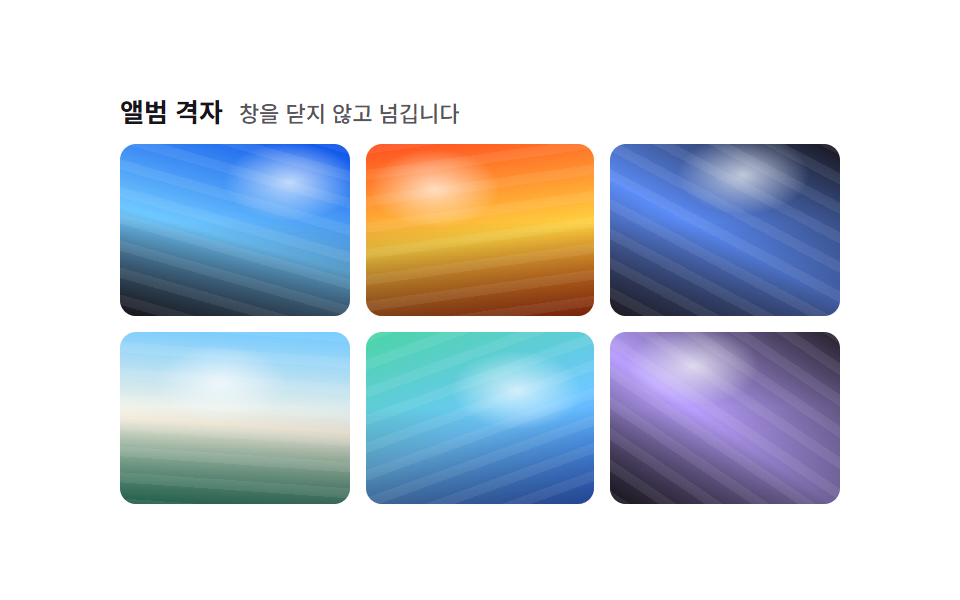
09그리드→단일 뷰 모프 전환
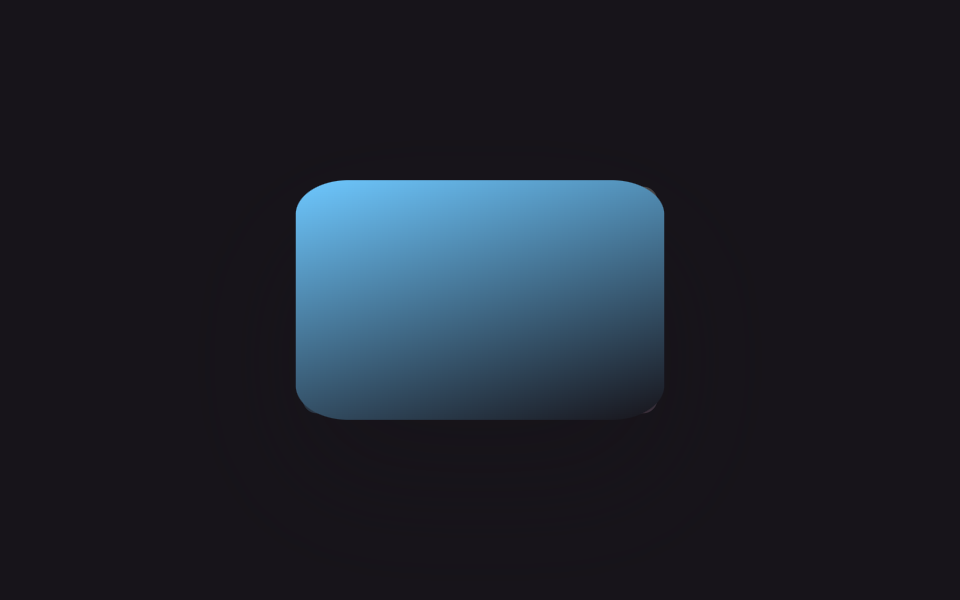
칸 하나를 클릭하면 모달이 뜨는 대신 그리드 자체가 다시 짜여, 고른 칸은 자리에서 커지고 나머지 칸은 옅어지며 한쪽으로 물러납니다. 다시 클릭하면 원래 격자로 되돌아갑니다.
쓰임모달 없이 대표작 하나를 크게 살펴보게 하는 포트폴리오, 상세 설명 없이 사진 자체로 승부하는 갤러리
:checked 상태 분기transform: translate+scalez-index 승격
<main class="stage">
  <div class="g-frame is-demo">
    <div class="g-grid" role="radiogroup" aria-label="사진을 골라 크게 보기">
      <label class="g-tile"><input type="radio" name="g-sel" class="g-radio" aria-label="1번째 사진 크게 보기"><span class="g-tile__img g-tile__img--a"></span></label>
      <label class="g-tile"><input type="radio" name="g-sel" class="g-radio" aria-label="2번째 사진 크게 보기"><span class="g-tile__img g-tile__img--b"></span></label>
      <label class="g-tile"><input type="radio" name="g-sel" class="g-radio" aria-label="3번째 사진 크게 보기"><span class="g-tile__img g-tile__img--c"></span></label>
      <label class="g-tile"><input type="radio" name="g-sel" class="g-radio" aria-label="4번째 사진 크게 보기"><span class="g-tile__img g-tile__img--d"></span></label>
      <label class="g-tile"><input type="radio" name="g-sel" class="g-radio" aria-label="5번째 사진 크게 보기"><span class="g-tile__img g-tile__img--e"></span></label>
      <label class="g-tile"><input type="radio" name="g-sel" class="g-radio" aria-label="6번째 사진 크게 보기"><span class="g-tile__img g-tile__img--f"></span></label>
    </div>
  </div>
</main>
@use "../../../../site/static/demo-tokens" as *;
$duration: $dur-base; // 모프 전환 시간
$easing: $ease-spring;
$color: $subject-sky; // 포커스·선택 강조 색
@include stage($stage-ink);
.g-grid {
position: relative;
display: grid;
grid-template-columns: repeat(3, 56px);
grid-template-rows: repeat(2, 56px);
gap: $sp-2;
width: 184px;
height: 120px;
}
.g-tile {
position: relative;
display: block;
border-radius: $r-sm;
cursor: pointer;
transition: transform $duration $easing, opacity $duration $easing, box-shadow $duration $easing;
}
.g-tile:focus-within { outline: 2px solid $color; outline-offset: 2px; }
.g-radio { position: absolute; width: 1px; height: 1px; opacity: 0; }
.g-tile__img { display: block; width: 100%; height: 100%; border-radius: inherit; }
.g-tile__img--a { background: linear-gradient(155deg, $color 0%, $stage-ink 100%); }
.g-tile__img--b { background: linear-gradient(205deg, $subject-lilac 0%, $color 100%); }
.g-tile__img--c { background: linear-gradient(115deg, $color 0%, $subject-cream 55%); }
.g-tile__img--d { background: linear-gradient(250deg, $subject-pink 0%, $color 100%); }
.g-tile__img--e { background: linear-gradient(160deg, $subject-mint 0%, $color 100%); }
.g-tile__img--f { background: linear-gradient(200deg, $color 0%, $subject-pink 100%); }
// 모달·::backdrop 없이 그리드 자체가 재배치된다 — 라디오 하나가 켜지면 나머지는 옅어지고,
// 켜진 칸만 자기 위치에서 격자 전체 크기로 커진다 (칸마다 자리가 고정이라 이동량도 고정값)
.g-grid:has(.g-radio:checked) .g-tile:not(:has(.g-radio:checked)) { opacity: .22; transform: scale(.88); }
.g-grid .g-tile:has(.g-radio:checked) { z-index: 5; box-shadow: $shadow-raised; }
.g-grid .g-tile:nth-child(1):has(.g-radio:checked) { transform: translate(64px, 32px) scale(3.29, 2.14); }
.g-grid .g-tile:nth-child(2):has(.g-radio:checked) { transform: translate(0, 32px) scale(3.29, 2.14); }
.g-grid .g-tile:nth-child(3):has(.g-radio:checked) { transform: translate(-64px, 32px) scale(3.29, 2.14); }
.g-grid .g-tile:nth-child(4):has(.g-radio:checked) { transform: translate(64px, -32px) scale(3.29, 2.14); }
.g-grid .g-tile:nth-child(5):has(.g-radio:checked) { transform: translate(0, -32px) scale(3.29, 2.14); }
.g-grid .g-tile:nth-child(6):has(.g-radio:checked) { transform: translate(-64px, -32px) scale(3.29, 2.14); }
@media (prefers-reduced-motion: reduce) {
.g-tile { transition: none; }
}html, body {
margin: 0;
overflow: hidden;
}
.stage {
box-sizing: border-box;
min-height: 100vh;
display: grid;
place-items: center;
margin: 0;
background: #17141a;
font-family: -apple-system, "Segoe UI", "Noto Sans KR", sans-serif;
padding: clamp(8px, 4vw, 24px);
}
.g-grid {
position: relative;
display: grid;
grid-template-columns: repeat(3, 56px);
grid-template-rows: repeat(2, 56px);
gap: 8px;
width: 184px;
height: 120px;
}
.g-tile {
position: relative;
display: block;
border-radius: 8px;
cursor: pointer;
transition: transform 300ms cubic-bezier(0.2, 0.8, 0.2, 1), opacity 300ms cubic-bezier(0.2, 0.8, 0.2, 1), box-shadow 300ms cubic-bezier(0.2, 0.8, 0.2, 1);
}
.g-tile:focus-within {
outline: 2px solid #6ec8ff;
outline-offset: 2px;
}
.g-radio {
position: absolute;
width: 1px;
height: 1px;
opacity: 0;
}
.g-tile__img {
display: block;
width: 100%;
height: 100%;
border-radius: inherit;
}
.g-tile__img--a {
background: linear-gradient(155deg, #6ec8ff 0%, #17141a 100%);
}
.g-tile__img--b {
background: linear-gradient(205deg, #b9a0ff 0%, #6ec8ff 100%);
}
.g-tile__img--c {
background: linear-gradient(115deg, #6ec8ff 0%, #fff7e6 55%);
}
.g-tile__img--d {
background: linear-gradient(250deg, #ff9ebb 0%, #6ec8ff 100%);
}
.g-tile__img--e {
background: linear-gradient(160deg, #4cd4a6 0%, #6ec8ff 100%);
}
.g-tile__img--f {
background: linear-gradient(200deg, #6ec8ff 0%, #ff9ebb 100%);
}
.g-grid:has(.g-radio:checked) .g-tile:not(:has(.g-radio:checked)) {
opacity: 0.22;
transform: scale(0.88);
}
.g-grid .g-tile:has(.g-radio:checked) {
z-index: 5;
box-shadow: 0 14px 24px rgba(23, 20, 26, 0.32);
}
.g-grid .g-tile:nth-child(1):has(.g-radio:checked) {
transform: translate(64px, 32px) scale(3.29, 2.14);
}
.g-grid .g-tile:nth-child(2):has(.g-radio:checked) {
transform: translate(0, 32px) scale(3.29, 2.14);
}
.g-grid .g-tile:nth-child(3):has(.g-radio:checked) {
transform: translate(-64px, 32px) scale(3.29, 2.14);
}
.g-grid .g-tile:nth-child(4):has(.g-radio:checked) {
transform: translate(64px, -32px) scale(3.29, 2.14);
}
.g-grid .g-tile:nth-child(5):has(.g-radio:checked) {
transform: translate(0, -32px) scale(3.29, 2.14);
}
.g-grid .g-tile:nth-child(6):has(.g-radio:checked) {
transform: translate(-64px, -32px) scale(3.29, 2.14);
}
@media (prefers-reduced-motion: reduce) {
.g-tile {
transition: none;
}
}(function () {
var frame = document.querySelector('.g-frame');
var radios = document.querySelectorAll('.g-radio');
function stopDemo() { frame.classList.remove('is-demo'); if (window.__gIv) clearInterval(window.__gIv); }
// 라디오는 같은 것을 다시 눌러도 기본으로는 안 꺼진다 — 눌렀을 때 이미 켜져 있으면 직접 끈다 (다시 클릭하면 격자로)
radios.forEach(function (r) {
r.addEventListener('pointerdown', function (e) {
stopDemo();
if (r.checked) { e.preventDefault(); r.checked = false; }
});
r.addEventListener('keydown', function (e) {
stopDemo();
if (e.key === 'Enter' || e.key === ' ') { if (r.checked) { e.preventDefault(); r.checked = false; } }
});
});
if (frame.classList.contains('is-demo')) {
var step = 0;
window.__gIv = setInterval(function () {
var i = Math.floor(step / 2) % radios.length;
radios[i].checked = step % 2 === 0;
step++;
}, 600);
}
})();import { useState } from "react";
import type { CSSProperties } from "react";
import styles from "./GridToSingleViewMorph.module.scss";
export type GridToSingleViewMorphProps = {
/** 모프 전환 시간 (기본 300ms) */
duration?: number;
easing?: string;
/** 선택 강조 색 */
color?: string;
};
type Vars = CSSProperties & { "--duration"?: string; "--easing"?: string; "--color"?: string };
const TONES = ["a", "b", "c", "d", "e", "f"] as const;
// 칸마다 고정 위치라 "격자 전체 크기로 커질 때" 이동량도 고정값 — 3열×2행 격자에서 계산
const OFFSETS = [
"translate(64px, 32px) scale(3.29, 2.14)",
"translate(0, 32px) scale(3.29, 2.14)",
"translate(-64px, 32px) scale(3.29, 2.14)",
"translate(64px, -32px) scale(3.29, 2.14)",
"translate(0, -32px) scale(3.29, 2.14)",
"translate(-64px, -32px) scale(3.29, 2.14)",
];
/** 칸을 클릭하면 모달 없이 그리드 자체가 재배치되어 그 칸이 자리에서 커진다. 다시 클릭하면 되돌아간다 */
export default function GridToSingleViewMorph({
duration = 300,
easing = "cubic-bezier(.2,.8,.2,1)",
color = "#6ec8ff",
}: GridToSingleViewMorphProps) {
const vars: Vars = { "--duration": `${duration}ms`, "--easing": easing, "--color": color };
const [selected, setSelected] = useState<number | null>(null);
return (
<div className={styles.grid} style={vars} role="radiogroup" aria-label="Pick a photo to view large">
{TONES.map((tone, i) => {
const isSelected = selected === i;
const dim = selected !== null && !isSelected;
return (
<button
key={i}
type="button"
role="radio"
aria-checked={isSelected}
aria-label={`View photo ${i + 1} large`}
className={`${styles.tile} ${dim ? styles.dim : ""} ${isSelected ? styles.selected : ""}`}
style={isSelected ? { transform: OFFSETS[i] } : undefined}
onClick={() => setSelected(isSelected ? null : i)}
>
<span className={`${styles.img} ${styles["img-" + tone]}`} />
</button>
);
})}
</div>
);
}09 그리드→단일 뷰 모프 전환 — 측정 누적면적 15.53% · 움직인 프레임 16/23GODRICH 원작 · zip 에 SCSS·React 포함 · 포트폴리오 갤러리 UI 9종 — 드래그 정렬부터 모프 전환까지
이 데모가 속한 글
 포트폴리오 갤러리 UI 9종 — 드래그 정렬부터 모프 전환까지포트폴리오 갤러리는 사진이나 작업물을 격자로 늘어놓고, 마우스를 올리거나 클릭했을 때 확대·정렬·전환이 일어나는 화면입니다. 핀터레스트에 저장해 둔 그 포트폴리오 갤러리를 아홉 가지 방식으로 나눠 그대로 코드로 드립 이 글의 데모 전부 보기