04할인 배지 — 정가와 할인가 차이로 퍼센트를 직접 구하는 배지
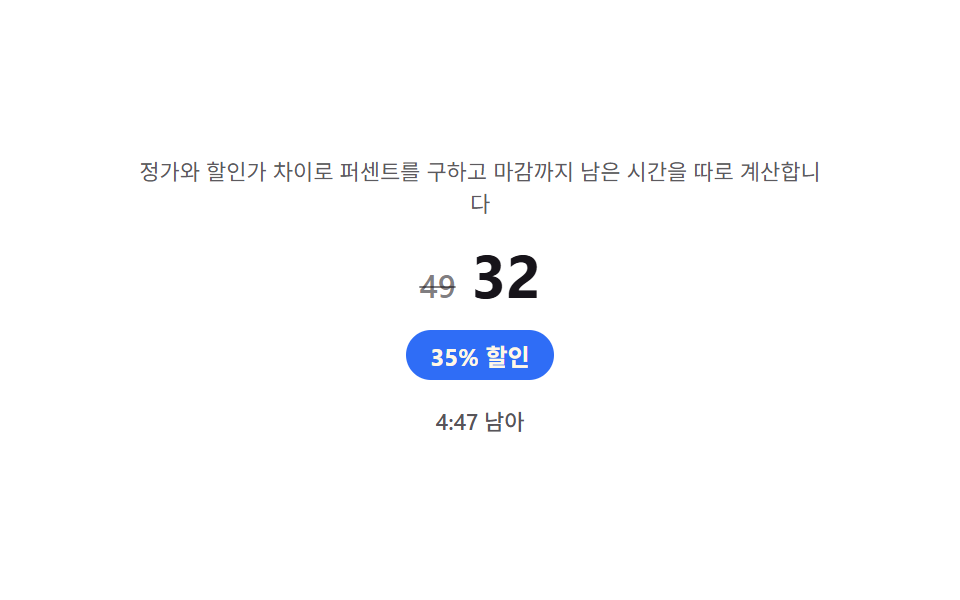
정가와 할인가의 차이를 정가로 나눠 할인율을 직접 구해 배지 문구를 만들고, 할인 마감 시각까지 남은 시간을 따로 구해 그 값이 얼마 남지 않으면 배지 색을 바꿉니다.
쓰임런칭 할인 배지, 한정 기간 프로모션 가격표
requestAnimationFrameMath.flooraria-live
<main class="stage">
<section class="panel">
  <p class="hint">정가와 할인가 차이로 퍼센트를 구하고 마감까지 남은 시간을 따로 계산합니다</p>
  <div class="priceRow">
    <span class="priceOld" id="priceOld">49</span>
    <span class="priceNew" id="priceNew">32</span>
  </div>
  <p class="badge" id="pctBadge">0% 할인</p>
  <p class="countdown" id="countdown" aria-live="polite">0:00 남음</p>
</section>
</main>
@use "../../../../site/static/demo-tokens" as *;
$duration: $dur-quick;
$easing: $ease-out;
$color: $subject-blue;
@include stage($stage-paper);
.panel {
width: 100%;
max-width: 360px;
display: flex;
flex-direction: column;
align-items: center;
gap: $sp-2;
}
.hint {
margin: 0;
padding: 0 $sp-2;
text-align: center;
font-weight: 400;
font-size: 11px;
line-height: 1.4;
color: rgba($subject-ink, .70);
}
.priceRow {
display: flex;
align-items: baseline;
gap: $sp-2;
}
.priceOld {
font-weight: 500;
font-size: 16px;
color: rgba($subject-ink, .55);
text-decoration: line-through;
}
.priceNew {
font-weight: 700;
font-size: 30px;
color: $subject-ink;
}
.badge {
margin: 0;
padding: $sp-1 $sp-3;
border-radius: $r-pill;
background: $color;
color: $subject-cream;
font-weight: 700;
font-size: 12px;
transition: background $duration $easing;
}
.badge.is-urgent {
background: $error;
}
.countdown {
margin: 0;
padding: $sp-1 $sp-2;
border-radius: $r-xs;
font-weight: 500;
font-size: 11px;
color: rgba($subject-ink, .72);
transition: color $duration $easing;
}
.countdown.is-urgent {
color: $error;
font-weight: 700;
}
@media (max-width: 340px) {
.panel { max-width: 280px; gap: $sp-1; }
.hint { font-size: 9px; }
.priceNew { font-size: 24px; }
}
@media (prefers-reduced-motion: reduce) {
.badge,
.countdown {
transition: none;
}
}html, body {
margin: 0;
overflow: hidden;
}
.stage {
box-sizing: border-box;
min-height: 100vh;
display: grid;
place-items: center;
margin: 0;
background: #ffffff;
font-family: -apple-system, "Segoe UI", "Noto Sans KR", sans-serif;
padding: clamp(8px, 4vw, 24px);
}
.panel {
width: 100%;
max-width: 360px;
display: flex;
flex-direction: column;
align-items: center;
gap: 8px;
}
.hint {
margin: 0;
padding: 0 8px;
text-align: center;
font-weight: 400;
font-size: 11px;
line-height: 1.4;
color: rgba(23, 20, 26, 0.7);
}
.priceRow {
display: flex;
align-items: baseline;
gap: 8px;
}
.priceOld {
font-weight: 500;
font-size: 16px;
color: rgba(23, 20, 26, 0.55);
text-decoration: line-through;
}
.priceNew {
font-weight: 700;
font-size: 30px;
color: #17141a;
}
.badge {
margin: 0;
padding: 4px 12px;
border-radius: 999px;
background: #2f6df6;
color: #fff7e6;
font-weight: 700;
font-size: 12px;
transition: background 220ms ease-out;
}
.badge.is-urgent {
background: #c2361a;
}
.countdown {
margin: 0;
padding: 4px 8px;
border-radius: 4px;
font-weight: 500;
font-size: 11px;
color: rgba(23, 20, 26, 0.72);
transition: color 220ms ease-out;
}
.countdown.is-urgent {
color: #c2361a;
font-weight: 700;
}
@media (max-width: 340px) {
.panel {
max-width: 280px;
gap: 4px;
}
.hint {
font-size: 9px;
}
.priceNew {
font-size: 24px;
}
}
@media (prefers-reduced-motion: reduce) {
.badge,
.countdown {
transition: none;
}
}// 할인 배지(04) — 정가(LIST)와 할인가(SALE)의 차이를 정가로 나눠 퍼센트를 한 번 구해 배지에 채우고,
// 가상 마감까지 남은 시간은 rAF 로 매 프레임 다시 계산해 표시하며, 남은 비율이 낮아지면 배지 색을 바꾼다(계산 한 겹).
(function () {
var pctBadge = document.getElementById('pctBadge');
var countdown = document.getElementById('countdown');
if (!pctBadge || !countdown) return;
var reduce = window.matchMedia('(prefers-reduced-motion: reduce)').matches;
var LIST = 49;
var SALE = 32;
var pct = Math.round((LIST - SALE) / LIST * 100);
pctBadge.textContent = pct + '% 할인';
var LOOP_MS = 2000;
var TOTAL_SEC = 12 * 60;
var URGENT_RATIO = .25;
function format(sec) {
var m = Math.floor(sec / 60);
var s = Math.floor(sec % 60);
return m + ':' + (s < 10 ? '0' + s : String(s));
}
function frame(elapsed) {
var progress = Math.min(elapsed / LOOP_MS, 1);
var remainSec = TOTAL_SEC * (1 - progress);
countdown.textContent = format(remainSec) + ' 남아';
var urgent = (remainSec / TOTAL_SEC) < URGENT_RATIO;
pctBadge.classList.toggle('is-urgent', urgent);
countdown.classList.toggle('is-urgent', urgent);
if (progress >= 1) return LOOP_MS;
return null;
}
if (reduce) {
frame(0);
} else {
var start = null;
function tick(ts) {
if (start === null) start = ts;
var elapsed = (ts - start) % LOOP_MS;
frame(elapsed);
requestAnimationFrame(tick);
}
requestAnimationFrame(tick);
}
})();// PricingDiscountBadge — vanilla 판(run/339/demo/04-pricing-discount-badge/index.html) 의 React 포트.
// 정가와 할인가의 차이를 정가로 나눠 퍼센트를 한 번 구해 배지에 채우고, 가상 마감까지 남은 시간은
// rAF 로 매 프레임 다시 계산해 표시하며, 남은 비율이 낮아지면 배지 색을 바꾼다(계산 한 겹).
import { useEffect, useRef } from "react";
import styles from "./PricingDiscountBadge.module.scss";
export type PricingDiscountBadgeProps = {
duration?: string;
easing?: string;
color?: string;
};
const HINT = "정가와 할인가 차이로 퍼센트를 구하고 마감까지 남은 시간을 따로 계산합니다";
const LIST = 49;
const SALE = 32;
const LOOP_MS = 2000;
const TOTAL_SEC = 12 * 60;
const URGENT_RATIO = 0.25;
function format(sec: number): string {
const m = Math.floor(sec / 60);
const s = Math.floor(sec % 60);
return m + ":" + (s < 10 ? "0" + s : String(s));
}
export default function PricingDiscountBadge({
duration = "220ms",
easing = "ease-out",
color = "#2f6df6"
}: PricingDiscountBadgeProps) {
const pctBadgeRef = useRef<HTMLParagraphElement | null>(null);
const countdownRef = useRef<HTMLParagraphElement | null>(null);
useEffect(() => {
const pctBadge = pctBadgeRef.current;
const countdown = countdownRef.current;
if (!pctBadge || !countdown) return;
const reduce = window.matchMedia("(prefers-reduced-motion: reduce)").matches;
const pct = Math.round(((LIST - SALE) / LIST) * 100);
pctBadge.textContent = pct + "% 할인";
function frame(elapsed: number): void {
const progress = Math.min(elapsed / LOOP_MS, 1);
const remainSec = TOTAL_SEC * (1 - progress);
countdown!.textContent = format(remainSec) + " 남아";
const urgent = remainSec / TOTAL_SEC < URGENT_RATIO;
pctBadge!.classList.toggle(styles.isUrgent, urgent);
countdown!.classList.toggle(styles.isUrgent, urgent);
}
let raf = 0;
if (reduce) {
frame(0);
} else {
let start: number | null = null;
const tick = (ts: number): void => {
if (start === null) start = ts;
const elapsed = (ts - start) % LOOP_MS;
frame(elapsed);
raf = requestAnimationFrame(tick);
};
raf = requestAnimationFrame(tick);
}
return () => {
if (raf) cancelAnimationFrame(raf);
};
// eslint-disable-next-line react-hooks/exhaustive-deps
}, []);
return (
<main className={styles.stage}>
<section className={styles.panel}>
<p className={styles.hint}>{HINT}</p>
<div className={styles.priceRow}>
<span className={styles.priceOld}>49</span>
<span className={styles.priceNew}>32</span>
</div>
<p className={styles.badge} ref={pctBadgeRef}>
0% 할인
</p>
<p className={styles.countdown} aria-live="polite" ref={countdownRef}>
0:00 남음
</p>
</section>
</main>
);
}04 할인 배지 — 정가와 할인가 차이로 퍼센트를 직접 구하는 배지 — 측정 누적면적 1.447% · 움직인 프레임 23/23GODRICH 원작 · zip 에 SCSS·React 포함 · 가격표 디자인 UI 9종 — 연/월 전환·할인율까지 계산해서 보여주는
이 데모가 속한 글
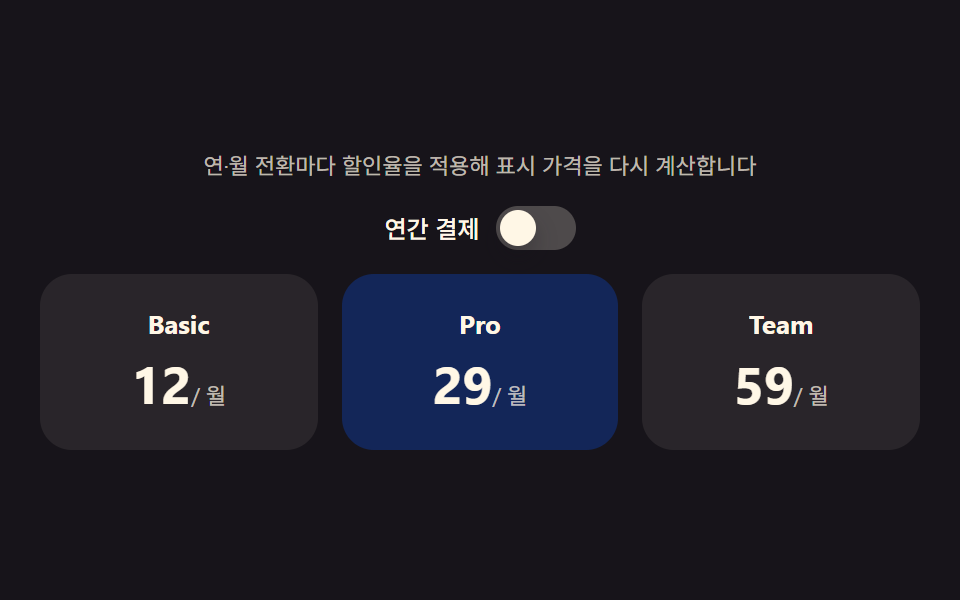 가격표 디자인 UI 9종 — 연/월 전환·할인율까지 계산해서 보여주는연/월 전환이 바뀔 때마다 플랜마다 가격을 다시 계산해 보여주고, 할인 배지는 원가와 할인가 차이를 직접 구하고, 기업 문의 섹션은 사용량 값으로 예상 비용을 즉석에서 계산하는 가격표 페이지 9종입니다. 가격표 디자 이 글의 데모 전부 보기