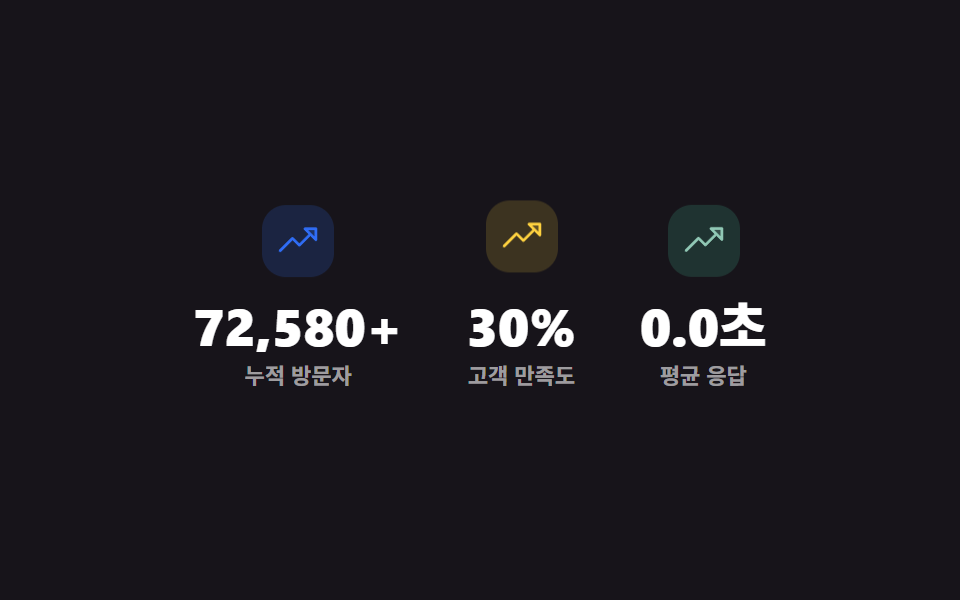
01핵심 지표 카운터
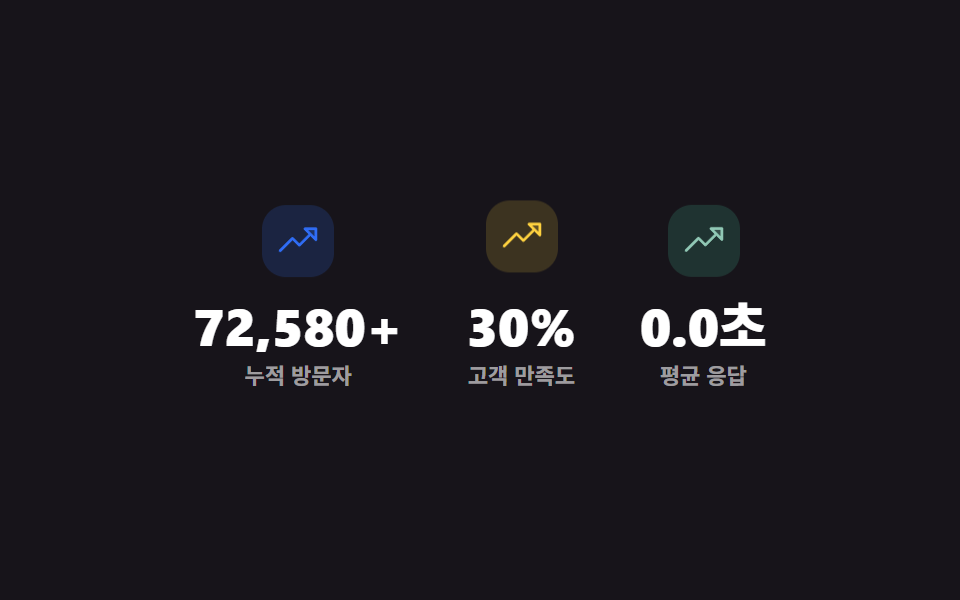
숫자 세 개가 페이지가 뜨자마자 0에서 실제 목표값까지 requestAnimationFrame 으로 실측 카운트업되고, 아이콘은 계속 은은하게 위아래로 스칩니다.
쓰임랜딩 페이지 히어로 아래 핵심 지표 섹션, 소개 페이지 성과 요약
requestAnimationFramecountertransform
<main class="stage">
  <section class="stats" aria-label="핵심 지표">
    <div class="stats__item">
      <span class="stats__icon" aria-hidden="true"><svg viewBox="0 0 256 256" width="22" height="22"><g fill="currentColor"><path d="M232 56v64l-64-64Z" opacity=".2"/><path d="M232 48h-64a8 8 0 0 0-5.66 13.66L188.69 88L136 140.69l-34.34-34.35a8 8 0 0 0-11.32 0l-72 72a8 8 0 0 0 11.32 11.32L96 123.31l34.34 34.35a8 8 0 0 0 11.32 0L200 99.31l26.34 26.35A8 8 0 0 0 240 120V56a8 8 0 0 0-8-8m-8 52.69L187.31 64H224Z"/></g></svg></span>
      <p class="stats__num"><span class="stats__n" data-target="128400" data-suffix="+">0</span></p>
      <p class="stats__label">누적 방문자</p>
    </div>
    <div class="stats__item">
      <span class="stats__icon" aria-hidden="true"><svg viewBox="0 0 256 256" width="22" height="22"><g fill="currentColor"><path d="M232 56v64l-64-64Z" opacity=".2"/><path d="M232 48h-64a8 8 0 0 0-5.66 13.66L188.69 88L136 140.69l-34.34-34.35a8 8 0 0 0-11.32 0l-72 72a8 8 0 0 0 11.32 11.32L96 123.31l34.34 34.35a8 8 0 0 0 11.32 0L200 99.31l26.34 26.35A8 8 0 0 0 240 120V56a8 8 0 0 0-8-8m-8 52.69L187.31 64H224Z"/></g></svg></span>
      <p class="stats__num"><span class="stats__n" data-target="98" data-suffix="%">0</span></p>
      <p class="stats__label">고객 만족도</p>
    </div>
    <div class="stats__item">
      <span class="stats__icon" aria-hidden="true"><svg viewBox="0 0 256 256" width="22" height="22"><g fill="currentColor"><path d="M232 56v64l-64-64Z" opacity=".2"/><path d="M232 48h-64a8 8 0 0 0-5.66 13.66L188.69 88L136 140.69l-34.34-34.35a8 8 0 0 0-11.32 0l-72 72a8 8 0 0 0 11.32 11.32L96 123.31l34.34 34.35a8 8 0 0 0 11.32 0L200 99.31l26.34 26.35A8 8 0 0 0 240 120V56a8 8 0 0 0-8-8m-8 52.69L187.31 64H224Z"/></g></svg></span>
      <p class="stats__num"><span class="stats__n" data-target="1200" data-decimals="1" data-scale="0.001" data-suffix="초">0</span></p>
      <p class="stats__label">평균 응답</p>
    </div>
  </section>
</main>
@use "../../../../site/static/demo-tokens" as *;
// ── 변수 3개 ──────────────────────────────────────────
$duration: $dur-loop;
$easing: $ease-out;
$color: $subject-blue;
@include stage($stage-ink);
.stats { display: flex; gap: $sp-8; width: min(420px, 94vw); justify-content: center; }
.stats__item { display: flex; flex-direction: column; align-items: center; text-align: center; }
.stats__icon {
display: grid; place-items: center;
width: 36px; height: 36px;
border-radius: $r-control;
background: rgba(47, 109, 246, .18);
color: $color;
margin-bottom: $sp-2;
animation: stats-float $duration $easing infinite;
}
.stats__item:nth-child(2) .stats__icon { animation-delay: -.5s; color: $stage-yellow; background: rgba(255, 210, 63, .16); }
.stats__item:nth-child(3) .stats__icon { animation-delay: -1s; color: #90c8b5; background: rgba(76, 212, 166, .16); }
@keyframes stats-float {
0%, 100% { transform: translateY(0); }
50% { transform: translateY(-5px); }
}
.stats__num { margin: 0; font-family: inherit; }
.stats__n {
font-weight: 800;
font-size: clamp(20px, 6vw, 26px);
line-height: 1.1;
font-variant-numeric: tabular-nums;
color: $stage-paper;
}
.stats__label { margin: $sp-1 0 0; font-weight: 600; font-size: 11px; line-height: 1.3; font-family: inherit; color: rgba(255, 255, 255, .58); }
// ── 접근성 ──────────────────────────────────────────
@media (prefers-reduced-motion: reduce) {
.stats__icon { animation: none !important; }
}
// ── 반응형(320px) ────────────────────────────────────
@media (max-width: 340px), (max-height: 220px) {
.stats { gap: $sp-4; }
.stats__icon { width: 30px; height: 30px; }
}html, body {
margin: 0;
overflow: hidden;
}
.stage {
box-sizing: border-box;
min-height: 100vh;
display: grid;
place-items: center;
margin: 0;
background: #17141a;
font-family: -apple-system, "Segoe UI", "Noto Sans KR", sans-serif;
padding: clamp(8px, 4vw, 24px);
}
.stats {
display: flex;
gap: 32px;
width: min(420px, 94vw);
justify-content: center;
}
.stats__item {
display: flex;
flex-direction: column;
align-items: center;
text-align: center;
}
.stats__icon {
display: grid;
place-items: center;
width: 36px;
height: 36px;
border-radius: 12px;
background: rgba(47, 109, 246, 0.18);
color: #2f6df6;
margin-bottom: 8px;
animation: stats-float 2s ease-out infinite;
}
.stats__item:nth-child(2) .stats__icon {
animation-delay: -0.5s;
color: #ffd23f;
background: rgba(255, 210, 63, 0.16);
}
.stats__item:nth-child(3) .stats__icon {
animation-delay: -1s;
color: #90c8b5;
background: rgba(76, 212, 166, 0.16);
}
@keyframes stats-float {
0%, 100% {
transform: translateY(0);
}
50% {
transform: translateY(-5px);
}
}
.stats__num {
margin: 0;
font-family: inherit;
}
.stats__n {
font-weight: 800;
font-size: clamp(20px, 6vw, 26px);
line-height: 1.1;
font-variant-numeric: tabular-nums;
color: #ffffff;
}
.stats__label {
margin: 4px 0 0;
font-weight: 600;
font-size: 11px;
line-height: 1.3;
font-family: inherit;
color: rgba(255, 255, 255, 0.58);
}
@media (prefers-reduced-motion: reduce) {
.stats__icon {
animation: none !important;
}
}
@media (max-width: 340px), (max-height: 220px) {
.stats {
gap: 16px;
}
.stats__icon {
width: 30px;
height: 30px;
}
}// 실제 동작: 화면에 뜨자마자 숫자 3개가 각각 0 → 실측 목표값까지 requestAnimationFrame 으로 카운트업된다. 아이콘은 CSS 로 계속 위아래 스친다.
document.querySelectorAll('.stats__n').forEach(function (el, i) {
var target = Number(el.getAttribute('data-target'));
var scale = Number(el.getAttribute('data-scale')) || 1;
var decimals = Number(el.getAttribute('data-decimals')) || 0;
var suffix = el.getAttribute('data-suffix') || '';
var DUR = 1100, start = null, delay = i * 140;
function frame(ts) {
if (!start) start = ts;
var t = Math.max(0, ts - start - delay);
var p = Math.min(1, t / DUR);
var eased = 1 - Math.pow(1 - p, 3);
var val = eased * target * scale;
el.textContent = (decimals ? val.toFixed(decimals) : Math.round(val)).toLocaleString('ko-KR') + suffix;
if (p < 1) requestAnimationFrame(frame);
}
requestAnimationFrame(frame);
});import { useEffect, useState } from "react";
import type { CSSProperties } from "react";
import styles from "./StatsMetrics.module.scss";
export type StatsMetricsProps = { duration?: number; easing?: string; color?: string };
type Vars = CSSProperties & { "--duration"?: string; "--easing"?: string; "--color"?: string };
type Stat = { target: number; label: string; decimals?: number; scale?: number; suffix?: string };
const STATS: Stat[] = [
{ target: 128400, label: "누적 방문자", suffix: "+" },
{ target: 98, label: "고객 만족도", suffix: "%" },
{ target: 1200, label: "평균 응답", decimals: 1, scale: 0.001, suffix: "초" },
];
function Counter({ target, decimals = 0, scale = 1, suffix = "", delay }: Stat & { delay: number }) {
const [val, setVal] = useState(0);
useEffect(() => {
let raf = 0;
let start: number | null = null;
const DUR = 1100;
function frame(ts: number) {
if (start === null) start = ts;
const t = Math.max(0, ts - start - delay);
const p = Math.min(1, t / DUR);
const eased = 1 - Math.pow(1 - p, 3);
setVal(eased * target * scale);
if (p < 1) raf = requestAnimationFrame(frame);
}
raf = requestAnimationFrame(frame);
return () => cancelAnimationFrame(raf);
}, [target, scale, delay]);
const text = (decimals ? val.toFixed(decimals) : Math.round(val)).toLocaleString("ko-KR") + suffix;
return <span className={styles.n}>{text}</span>;
}
export default function StatsMetrics({ duration = 2000, easing = "ease-out", color = "#2f6df6" }: StatsMetricsProps) {
const vars: Vars = { "--duration": `${duration}ms`, "--easing": easing, "--color": color };
return (
<section className={styles.stats} style={vars} aria-label="핵심 지표">
{STATS.map((s, i) => (
<div className={styles.item} key={s.label}>
<span className={styles.icon} aria-hidden="true">
<svg viewBox="0 0 256 256" width="22" height="22">
<g fill="currentColor">
<path d="M232 56v64l-64-64Z" opacity=".2" />
<path d="M232 48h-64a8 8 0 0 0-5.66 13.66L188.69 88L136 140.69l-34.34-34.35a8 8 0 0 0-11.32 0l-72 72a8 8 0 0 0 11.32 11.32L96 123.31l34.34 34.35a8 8 0 0 0 11.32 0L200 99.31l26.34 26.35A8 8 0 0 0 240 120V56a8 8 0 0 0-8-8m-8 52.69L187.31 64H224Z" />
</g>
</svg>
</span>
<p className={styles.num}><Counter {...s} delay={i * 140} /></p>
<p className={styles.label}>{s.label}</p>
</div>
))}
</section>
);
}01 핵심 지표 카운터 — 측정 누적면적 6.406% · 움직인 프레임 23/23GODRICH 원작 · zip 에 SCSS·React 포함 · 믿음 가는 랜딩 페이지 섹션 템플릿 9종
이 데모가 속한 글
 믿음 가는 랜딩 페이지 섹션 템플릿 9종랜딩 페이지 섹션 템플릿은 통계·로고 바·비교표부터 문의 폼까지, 랜딩 페이지 여기저기 흩어져 있던 신뢰 요소를 한 번에 붙일 수 있게 모은 코드 모음입니다. 랜딩 페이지에 바로 붙이는 아홉 개 중 하나는 숫자가 실 이 글의 데모 전부 보기