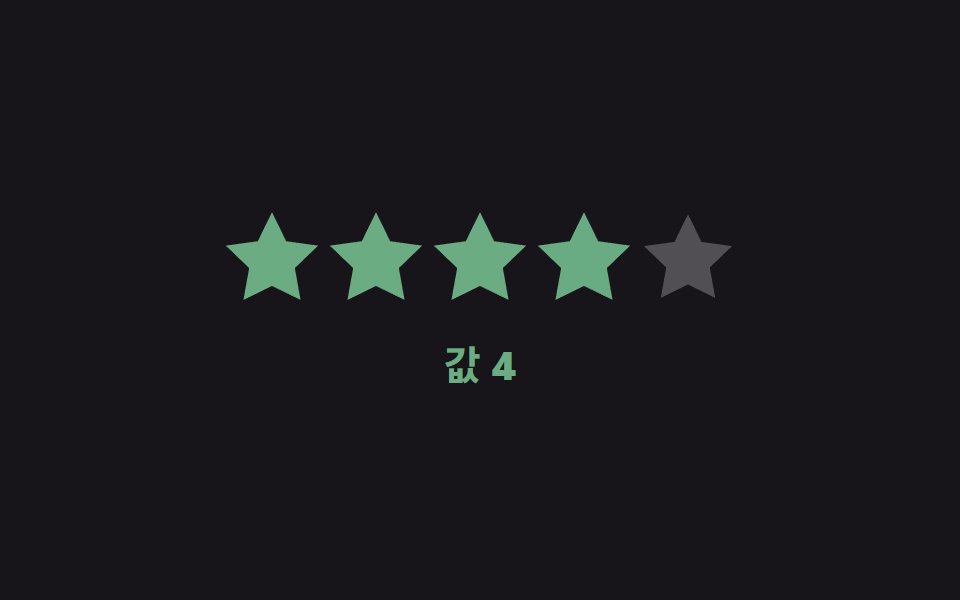
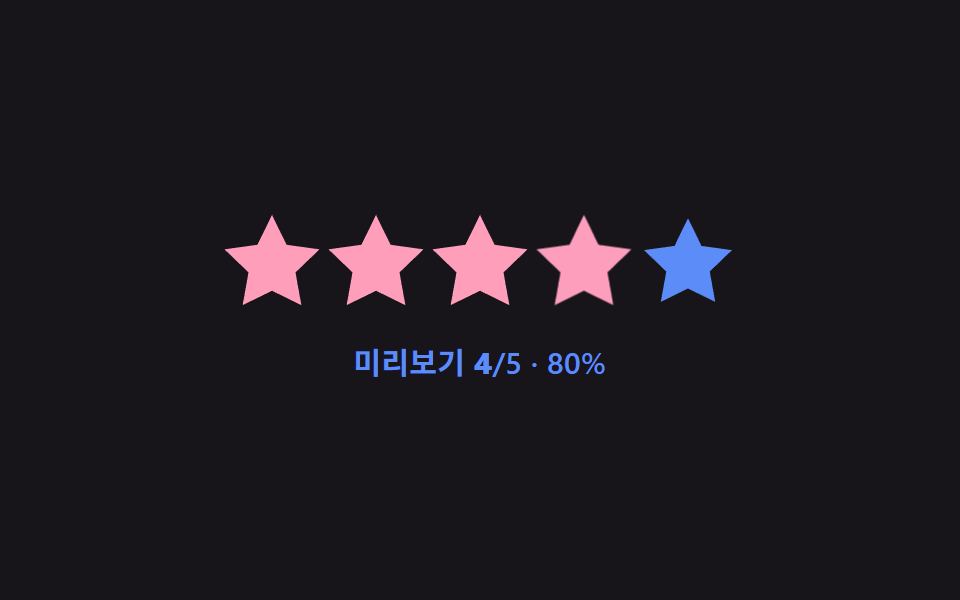
07값별 색 전환 — 선택된 값의 크기에 따라 별의 색상 값이 단계적으로 바뀌는 방식
선택된 별의 순서 값이 낮은 범위에 있으면 색상 값이 한쪽으로, 높은 범위에 있으면 다른 쪽 색상 값으로 바뀌고 그 사이 값은 두 색 사이에서 이어집니다.
쓰임만족도를 색으로도 구분하는 평가 위젯, 낮은 점수를 눈에 띄게 하는 내부 검수 폼
mix(t) — RGB 채널 선형보간LOW = [0xc2, 0x36, 0x1a]HIGH = [0x4c, 0xd4, 0xa6]
<main class="stage">
<div class="sr is-demo" id="sr">
  <div class="sr__row" id="srRow">
    <button class="sr__star" type="button" data-i="1"><svg viewBox="0 0 24 24"><path d="M12 .587l3.668 7.568 8.332 1.151-6.064 5.828 1.48 8.279L12 19.771l-7.416 3.642 1.48-8.279-6.064-5.828 8.332-1.151z"/></svg></button>
    <button class="sr__star" type="button" data-i="2"><svg viewBox="0 0 24 24"><path d="M12 .587l3.668 7.568 8.332 1.151-6.064 5.828 1.48 8.279L12 19.771l-7.416 3.642 1.48-8.279-6.064-5.828 8.332-1.151z"/></svg></button>
    <button class="sr__star" type="button" data-i="3"><svg viewBox="0 0 24 24"><path d="M12 .587l3.668 7.568 8.332 1.151-6.064 5.828 1.48 8.279L12 19.771l-7.416 3.642 1.48-8.279-6.064-5.828 8.332-1.151z"/></svg></button>
    <button class="sr__star" type="button" data-i="4"><svg viewBox="0 0 24 24"><path d="M12 .587l3.668 7.568 8.332 1.151-6.064 5.828 1.48 8.279L12 19.771l-7.416 3.642 1.48-8.279-6.064-5.828 8.332-1.151z"/></svg></button>
    <button class="sr__star" type="button" data-i="5"><svg viewBox="0 0 24 24"><path d="M12 .587l3.668 7.568 8.332 1.151-6.064 5.828 1.48 8.279L12 19.771l-7.416 3.642 1.48-8.279-6.064-5.828 8.332-1.151z"/></svg></button>
  </div>
  <div class="sr__readout" id="srReadout">값 <b id="srNum">3</b></div>
</div>
</main>
@use "../../../../site/static/demo-tokens" as *;
// 계산 겹: 선택된 값(1~5)을 0~1 비율로 바꾼 뒤 두 토큰 색의 R·G·B 채널을 각각 그 비율만큼
// 선형보간(mix())해 중간 색을 만든다 — HSL 회전이 아니라 채널별 산술 혼합이다.
@include stage($stage-ink);
.sr {
display: grid;
gap: $sp-5;
place-items: center;
}
.sr__row { display: flex; gap: $sp-2; }
.sr__star {
width: 44px;
height: 44px;
padding: 0;
border: 0;
background: none;
cursor: pointer;
color: rgba($stage-paper, .25);
transition: color $dur-base $ease-out, transform $dur-quick $ease-out;
svg { display: block; width: 100%; height: 100%; fill: currentColor; }
&--filled { transform: scale(1.05); }
}
.sr__readout {
font: 700 20px/1.2 -apple-system, "Segoe UI", "Noto Sans KR", sans-serif;
color: $stage-paper;
transition: color $dur-base $ease-out;
b { font-variant-numeric: tabular-nums; }
}
@media (max-width: 340px) {
.sr__star { width: 34px; height: 34px; }
.sr__row { gap: $sp-1; }
.sr__readout { font-size: 16px; }
}
@media (prefers-reduced-motion: reduce) {
.sr__star, .sr__readout { transition: none; }
}html, body {
margin: 0;
overflow: hidden;
}
.stage {
box-sizing: border-box;
min-height: 100vh;
display: grid;
place-items: center;
margin: 0;
background: #17141a;
font-family: -apple-system, "Segoe UI", "Noto Sans KR", sans-serif;
padding: clamp(8px, 4vw, 24px);
}
.sr {
display: grid;
gap: 20px;
place-items: center;
}
.sr__row {
display: flex;
gap: 8px;
}
.sr__star {
width: 44px;
height: 44px;
padding: 0;
border: 0;
background: none;
cursor: pointer;
color: rgba(255, 255, 255, 0.25);
transition: color 300ms ease-out, transform 220ms ease-out;
}
.sr__star svg {
display: block;
width: 100%;
height: 100%;
fill: currentColor;
}
.sr__star--filled {
transform: scale(1.05);
}
.sr__readout {
font: 700 20px/1.2 -apple-system, "Segoe UI", "Noto Sans KR", sans-serif;
color: #ffffff;
transition: color 300ms ease-out;
}
.sr__readout b {
font-variant-numeric: tabular-nums;
}
@media (max-width: 340px) {
.sr__star {
width: 34px;
height: 34px;
}
.sr__row {
gap: 4px;
}
.sr__readout {
font-size: 16px;
}
}
@media (prefers-reduced-motion: reduce) {
.sr__star, .sr__readout {
transition: none;
}
}(function () {
var root = document.getElementById('sr');
var stars = Array.prototype.slice.call(document.querySelectorAll('.sr__star'));
var numEl = document.getElementById('srNum');
var readout = document.getElementById('srReadout');
// 토큰 사이 보간 — demo-tokens 의 $error(낮은 값)와 $subject-mint(높은 값) hex 를 그대로 두 끝점으로 쓴다.
var LOW = [0xc2, 0x36, 0x1a];
var HIGH = [0x4c, 0xd4, 0xa6];
// 계산 겹: 선택된 값(1~5)을 0~1 비율 t 로 바꾼 뒤, 두 토큰 색의 R·G·B 채널을 각각
// t 만큼 선형보간(mix)해 중간 색을 만든다 — HSL 회전이 아니라 채널별 산술 혼합이다.
function mix(t) {
var c = LOW.map(function (v, i) { return Math.round(v + (HIGH[i] - v) * t); });
return 'rgb(' + c.join(',') + ')';
}
function paint(value) {
var t = (value - 1) / 4;
var color = mix(t);
stars.forEach(function (s, idx) {
s.style.color = idx < value ? color : '';
s.classList.toggle('sr__star--filled', idx < value);
});
numEl.textContent = String(value);
readout.style.color = color;
}
stars.forEach(function (s) {
var i = Number(s.getAttribute('data-i'));
s.addEventListener('click', function () { root.classList.remove('is-demo'); stopAutoplay(); paint(i); });
});
paint(3);
// 자동 루프: 값을 1→5→1 로 오가며 두 토큰 색 사이를 잇는 보간 색을 보여준다.
var seq = [1, 2, 3, 4, 5, 4, 3, 2];
var si = 0;
var autoTimer = null;
function autoTick() { paint(seq[si]); si = (si + 1) % seq.length; }
var reduce = window.matchMedia('(prefers-reduced-motion: reduce)').matches;
function stopAutoplay() { if (autoTimer) { clearInterval(autoTimer); autoTimer = null; } }
if (!reduce) { autoTimer = setInterval(autoTick, 340); autoTick(); }
})();import { useEffect, useRef } from "react";
import styles from "./ValueColorShift.module.scss";
const STAR_PATH =
"M12 .587l3.668 7.568 8.332 1.151-6.064 5.828 1.48 8.279L12 19.771l-7.416 3.642 1.48-8.279-6.064-5.828 8.332-1.151z";
export default function ValueColorShift() {
const rootRef = useRef<HTMLDivElement | null>(null);
useEffect(() => {
const root = rootRef.current;
if (!root) return;
const stars = Array.prototype.slice.call(
root.querySelectorAll(`.${styles.star}`)
) as HTMLElement[];
const numEl = root.querySelector<HTMLElement>(`.${styles.num}`);
const readout = root.querySelector<HTMLElement>(`.${styles.readout}`);
if (!numEl || !readout) return;
// 토큰 사이 보간 — demo-tokens 의 $error(낮은 값)와 $subject-mint(높은 값) hex 를 그대로 두 끝점으로 쓴다.
const LOW = [0xc2, 0x36, 0x1a];
const HIGH = [0x4c, 0xd4, 0xa6];
// 계산 겹: 선택된 값(1~5)을 0~1 비율 t 로 바꾼 뒤, 두 토큰 색의 R·G·B 채널을 각각
// t 만큼 선형보간(mix)해 중간 색을 만든다 — HSL 회전이 아니라 채널별 산술 혼합이다.
function mix(t: number) {
const c = LOW.map((v, i) => Math.round(v + (HIGH[i] - v) * t));
return "rgb(" + c.join(",") + ")";
}
function paint(value: number) {
const t = (value - 1) / 4;
const color = mix(t);
stars.forEach((s, idx) => {
s.style.color = idx < value ? color : "";
s.classList.toggle(styles.filled, idx < value);
});
numEl!.textContent = String(value);
readout!.style.color = color;
}
const clickHandlers: Array<() => void> = [];
stars.forEach((s, idx) => {
const i = idx + 1;
const handler = () => { stopAutoplay(); paint(i); };
clickHandlers.push(handler);
s.addEventListener("click", handler);
});
paint(3);
// 자동 루프: 값을 1→5→1 로 오가며 두 토큰 색 사이를 잇는 보간 색을 보여준다.
const seq = [1, 2, 3, 4, 5, 4, 3, 2];
let si = 0;
let autoTimer: number | null = null;
function autoTick() { paint(seq[si]); si = (si + 1) % seq.length; }
function stopAutoplay() { if (autoTimer !== null) { window.clearInterval(autoTimer); autoTimer = null; } }
const reduce = window.matchMedia("(prefers-reduced-motion: reduce)").matches;
if (!reduce) { autoTimer = window.setInterval(autoTick, 340); autoTick(); }
return () => {
stopAutoplay();
stars.forEach((s, idx) => s.removeEventListener("click", clickHandlers[idx]));
};
}, []);
return (
<div ref={rootRef} className={styles.stage}>
<div className={styles.sr}>
<div className={styles.row}>
{[1, 2, 3, 4, 5].map((i) => (
<button key={i} type="button" className={styles.star}>
<svg viewBox="0 0 24 24"><path d={STAR_PATH} /></svg>
</button>
))}
</div>
<div className={styles.readout}>값 <b className={styles.num}>3</b></div>
</div>
</div>
);
}07 값별 색 전환 — 선택된 값의 크기에 따라 별의 색상 값이 단계적으로 바뀌는 방식 — 측정 누적면적 3.591% · 움직인 프레임 23/23GODRICH 원작 · zip 에 SCSS·React 포함 · 별점 UI 9종 — 채움 값이 상태에 따라 바뀌는 방식
이 데모가 속한 글
 별점 UI 9종 — 채움 값이 상태에 따라 바뀌는 방식별점 UI는 별 아이콘으로 점수를 매기거나 매겨진 평균 점수를 보여주는 입력 장치인데, 아홉 개 중 하나는 손가락이 움직인 가로 값을 따라 채움 값이 바로 바뀌고, 하나는 평균 값의 소수점 부분이 별 하나의 채움 너 이 글의 데모 전부 보기