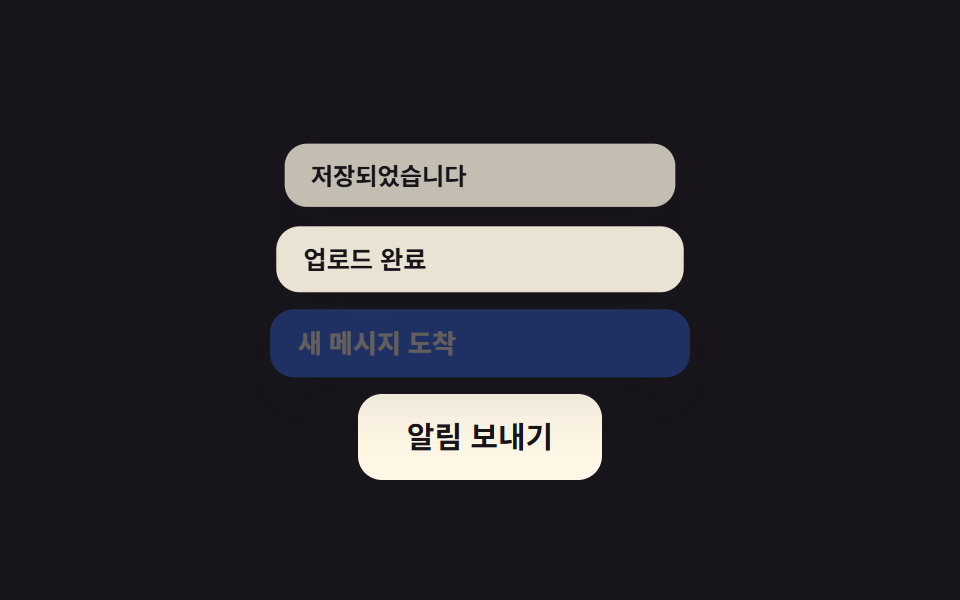
01밀려 올라가는 스택
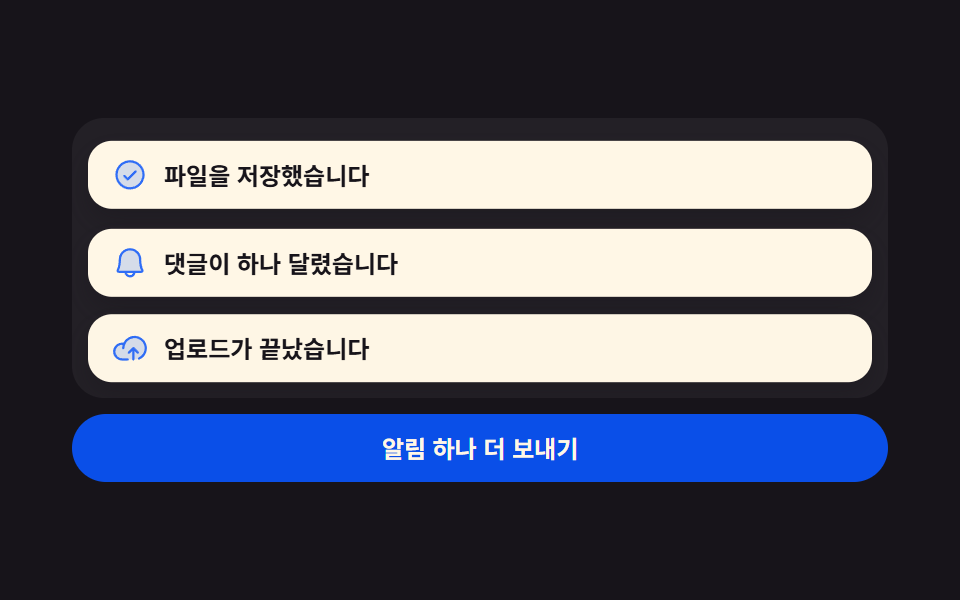
새 알림이 아래에서 들어오면 이미 떠 있던 카드들이 위로 밀려 올라가는데, 밀리는 거리를 미리 재서 제자리에 붙였다가 놓아 주는 FLIP 방식이라 카드가 순간이동하지 않는다.
쓰임저장·전송처럼 짧은 시간에 알림이 여러 개 겹치는 대시보드
getBoundingClientRecttranslateYrequestAnimationFrame
<main class="stage">
  <div class="pu is-demo">
    <div class="pu__stack">
      <div class="pu__list" id="pu-list" role="region" aria-label="알림 스택" aria-live="polite">
        <article class="pu__item">
          <span class="pu__ic" aria-hidden="true"><svg viewBox="0 0 256 256" width="18" height="18"><g fill="currentColor"><path d="M224 128a96 96 0 1 1-96-96a96 96 0 0 1 96 96" opacity=".2"/><path d="M173.66 98.34a8 8 0 0 1 0 11.32l-56 56a8 8 0 0 1-11.32 0l-24-24a8 8 0 0 1 11.32-11.32L112 148.69l50.34-50.35a8 8 0 0 1 11.32 0M232 128A104 104 0 1 1 128 24a104.11 104.11 0 0 1 104 104m-16 0a88 88 0 1 0-88 88a88.1 88.1 0 0 0 88-88"/></g></svg></span>
          <span class="pu__msg">파일을 저장했습니다</span>
        </article>
        <article class="pu__item">
          <span class="pu__ic" aria-hidden="true"><svg viewBox="0 0 256 256" width="18" height="18"><g fill="currentColor"><path d="M208 192H48a8 8 0 0 1-6.88-12C47.71 168.6 56 139.81 56 104a72 72 0 0 1 144 0c0 35.82 8.3 64.6 14.9 76a8 8 0 0 1-6.9 12" opacity=".2"/><path d="M221.8 175.94c-5.55-9.56-13.8-36.61-13.8-71.94a80 80 0 1 0-160 0c0 35.34-8.26 62.38-13.81 71.94A16 16 0 0 0 48 200h40.81a40 40 0 0 0 78.38 0H208a16 16 0 0 0 13.8-24.06M128 216a24 24 0 0 1-22.62-16h45.24A24 24 0 0 1 128 216m-80-32c7.7-13.24 16-43.92 16-80a64 64 0 1 1 128 0c0 36.05 8.28 66.73 16 80Z"/></g></svg></span>
          <span class="pu__msg">댓글이 하나 달렸습니다</span>
        </article>
        <article class="pu__item">
          <span class="pu__ic" aria-hidden="true"><svg viewBox="0 0 256 256" width="18" height="18"><g fill="currentColor"><path d="M240 128a80 80 0 0 1-80 80H72A56 56 0 1 1 85.92 97.74v.1A80 80 0 0 1 240 128" opacity=".2"/><path d="M178.34 165.66L160 147.31V208a8 8 0 0 1-16 0v-60.69l-18.34 18.35a8 8 0 0 1-11.32-11.32l32-32a8 8 0 0 1 11.32 0l32 32a8 8 0 0 1-11.32 11.32M160 40a88.08 88.08 0 0 0-78.71 48.68A64 64 0 1 0 72 216h40a8 8 0 0 0 0-16H72a48 48 0 0 1 0-96c1.1 0 2.2 0 3.29.12A88 88 0 0 0 72 128a8 8 0 0 0 16 0a72 72 0 1 1 100.8 66a8 8 0 0 0 3.2 15.34a7.9 7.9 0 0 0 3.2-.68A88 88 0 0 0 160 40"/></g></svg></span>
          <span class="pu__msg">업로드가 끝났습니다</span>
        </article>
      </div>
    </div>
    <button class="pu__go" type="button" id="pu-go">알림 하나 더 보내기</button>
  </div>
</main>
@use "../../../../site/static/demo-tokens" as *;
$duration: $dur-base;
$easing: $ease-spring;
$color: $subject-blue;
@include stage($stage-ink);
.pu {
box-sizing: border-box;
width: min(408px, 88vw);
display: flex;
flex-direction: column;
gap: $sp-2;
--slot: 44px;
font-family: -apple-system, "Segoe UI", "Noto Sans KR", sans-serif;
color: $subject-cream;
}
// 스택 상자 — 카드가 아래에서 들어오므로 넘치는 부분은 여기서 잘린다
.pu__stack {
position: relative;
overflow: hidden;
height: 140px;
border-radius: $r-card;
background: rgba(255, 255, 255, .05);
}
.pu__list {
position: absolute;
left: 8px;
right: 8px;
bottom: 8px;
display: flex;
flex-direction: column-reverse;
justify-content: flex-start;
gap: $sp-2;
}
.pu__item {
box-sizing: border-box;
display: flex;
align-items: center;
gap: $sp-2;
margin: 0;
padding: $sp-2 $sp-3;
border-radius: $r-control;
background: $subject-cream;
color: $subject-ink;
box-shadow: $shadow-press;
transition: transform $duration $easing;
}
.pu__ic {
display: inline-flex;
flex: 0 0 auto;
color: $color;
}
.pu__ic svg { display: block; }
.pu__msg {
flex: 1 1 auto;
min-width: 0;
font-size: 12px;
line-height: 18px;
font-weight: 700;
white-space: nowrap;
overflow: hidden;
text-overflow: ellipsis;
}
.pu__go {
box-sizing: border-box;
margin: 0;
padding: $sp-2 $sp-4;
border: 0;
border-radius: $r-pill;
background: $subject-blue-deep;
color: $subject-cream;
font-family: inherit;
font-size: 12px;
line-height: 18px;
font-weight: 700;
cursor: pointer;
}
.pu__go:focus-visible { outline: 2px solid $subject-cream; outline-offset: 2px; }
// 사람이 누른 뒤: 새 카드만 아래에서 솟고, 밀려나는 카드는 위 transition 이 옮긴다
.pu__item.is-in {
animation-name: pu-in;
animation-duration: $duration;
animation-timing-function: $easing;
animation-iteration-count: 1;
}
@keyframes pu-in {
0% { opacity: 0; transform: translateY(40px); }
100% { opacity: 1; transform: translateY(0); }
}
// ── 자동 루프: 세 장이 차례로 들어오며 앞 카드를 한 칸씩 위로 민다. 90% 안에서 전부 빠진다 ──
.pu.is-demo .pu__item {
position: absolute;
left: 0;
right: 0;
bottom: 0;
transition: none;
animation-duration: $dur-loop;
animation-timing-function: $easing;
animation-iteration-count: infinite;
}
.pu.is-demo .pu__item:nth-child(1) { animation-name: pu-a; }
.pu.is-demo .pu__item:nth-child(2) { animation-name: pu-b; }
.pu.is-demo .pu__item:nth-child(3) { animation-name: pu-c; }
// 퇴장은 샘플 프레임 사이(4.1667% 간격)에서 한 장씩 끊어 없앤다 — 셋이 한꺼번에 사라지면 그 빈 화면이 poster 로 뽑힌다
@keyframes pu-a {
0%, 4% { opacity: 0; transform: translateY(48px); }
12% { opacity: 1; transform: translateY(0); }
34% { opacity: 1; transform: translateY(0); }
42% { opacity: 1; transform: translateY(calc(var(--slot) * -1)); }
62% { opacity: 1; transform: translateY(calc(var(--slot) * -1)); }
70% { opacity: 1; transform: translateY(calc(var(--slot) * -2)); }
76% { opacity: 1; transform: translateY(calc(var(--slot) * -2)); }
78% { opacity: 0; transform: translateY(calc(var(--slot) * -2)); }
90%, 100% { opacity: 0; transform: translateY(48px); }
}
@keyframes pu-b {
0%, 30% { opacity: 0; transform: translateY(48px); }
40% { opacity: 1; transform: translateY(0); }
62% { opacity: 1; transform: translateY(0); }
70% { opacity: 1; transform: translateY(calc(var(--slot) * -1)); }
80% { opacity: 1; transform: translateY(calc(var(--slot) * -1)); }
82% { opacity: 0; transform: translateY(calc(var(--slot) * -1)); }
90%, 100% { opacity: 0; transform: translateY(48px); }
}
@keyframes pu-c {
0%, 58% { opacity: 0; transform: translateY(48px); }
68% { opacity: 1; transform: translateY(0); }
84% { opacity: 1; transform: translateY(0); }
86% { opacity: 0; transform: translateY(0); }
90%, 100% { opacity: 0; transform: translateY(48px); }
}
@media (max-width: 340px) {
.pu { --slot: 34px; }
.pu__stack { height: 104px; }
.pu__item { padding: $sp-1 $sp-2; }
.pu__msg { font-size: 11px; line-height: 16px; }
.pu__go { padding: $sp-1 $sp-3; font-size: 11px; line-height: 16px; }
}
@media (prefers-reduced-motion: reduce) {
.pu.is-demo .pu__item,
.pu__item.is-in { animation: none !important; opacity: 1; }
.pu.is-demo .pu__item:nth-child(1) { transform: translateY(calc(var(--slot) * -2)); }
.pu.is-demo .pu__item:nth-child(2) { transform: translateY(calc(var(--slot) * -1)); }
.pu.is-demo .pu__item:nth-child(3) { transform: translateY(0); }
.pu__item { transition: none; }
}html, body {
margin: 0;
overflow: hidden;
}
.stage {
box-sizing: border-box;
min-height: 100vh;
display: grid;
place-items: center;
margin: 0;
background: #17141a;
font-family: -apple-system, "Segoe UI", "Noto Sans KR", sans-serif;
padding: clamp(8px, 4vw, 24px);
}
.pu {
box-sizing: border-box;
width: min(408px, 88vw);
display: flex;
flex-direction: column;
gap: 8px;
--slot: 44px;
font-family: -apple-system, "Segoe UI", "Noto Sans KR", sans-serif;
color: #fff7e6;
}
.pu__stack {
position: relative;
overflow: hidden;
height: 140px;
border-radius: 16px;
background: rgba(255, 255, 255, 0.05);
}
.pu__list {
position: absolute;
left: 8px;
right: 8px;
bottom: 8px;
display: flex;
flex-direction: column-reverse;
justify-content: flex-start;
gap: 8px;
}
.pu__item {
box-sizing: border-box;
display: flex;
align-items: center;
gap: 8px;
margin: 0;
padding: 8px 12px;
border-radius: 12px;
background: #fff7e6;
color: #17141a;
box-shadow: 0 6px 12px rgba(23, 20, 26, 0.32);
transition: transform 300ms cubic-bezier(0.2, 0.8, 0.2, 1);
}
.pu__ic {
display: inline-flex;
flex: 0 0 auto;
color: #2f6df6;
}
.pu__ic svg {
display: block;
}
.pu__msg {
flex: 1 1 auto;
min-width: 0;
font-size: 12px;
line-height: 18px;
font-weight: 700;
white-space: nowrap;
overflow: hidden;
text-overflow: ellipsis;
}
.pu__go {
box-sizing: border-box;
margin: 0;
padding: 8px 16px;
border: 0;
border-radius: 999px;
background: #0a4fe8;
color: #fff7e6;
font-family: inherit;
font-size: 12px;
line-height: 18px;
font-weight: 700;
cursor: pointer;
}
.pu__go:focus-visible {
outline: 2px solid #fff7e6;
outline-offset: 2px;
}
.pu__item.is-in {
animation-name: pu-in;
animation-duration: 300ms;
animation-timing-function: cubic-bezier(0.2, 0.8, 0.2, 1);
animation-iteration-count: 1;
}
@keyframes pu-in {
0% {
opacity: 0;
transform: translateY(40px);
}
100% {
opacity: 1;
transform: translateY(0);
}
}
.pu.is-demo .pu__item {
position: absolute;
left: 0;
right: 0;
bottom: 0;
transition: none;
animation-duration: 2s;
animation-timing-function: cubic-bezier(0.2, 0.8, 0.2, 1);
animation-iteration-count: infinite;
}
.pu.is-demo .pu__item:nth-child(1) {
animation-name: pu-a;
}
.pu.is-demo .pu__item:nth-child(2) {
animation-name: pu-b;
}
.pu.is-demo .pu__item:nth-child(3) {
animation-name: pu-c;
}
@keyframes pu-a {
0%, 4% {
opacity: 0;
transform: translateY(48px);
}
12% {
opacity: 1;
transform: translateY(0);
}
34% {
opacity: 1;
transform: translateY(0);
}
42% {
opacity: 1;
transform: translateY(calc(var(--slot) * -1));
}
62% {
opacity: 1;
transform: translateY(calc(var(--slot) * -1));
}
70% {
opacity: 1;
transform: translateY(calc(var(--slot) * -2));
}
76% {
opacity: 1;
transform: translateY(calc(var(--slot) * -2));
}
78% {
opacity: 0;
transform: translateY(calc(var(--slot) * -2));
}
90%, 100% {
opacity: 0;
transform: translateY(48px);
}
}
@keyframes pu-b {
0%, 30% {
opacity: 0;
transform: translateY(48px);
}
40% {
opacity: 1;
transform: translateY(0);
}
62% {
opacity: 1;
transform: translateY(0);
}
70% {
opacity: 1;
transform: translateY(calc(var(--slot) * -1));
}
80% {
opacity: 1;
transform: translateY(calc(var(--slot) * -1));
}
82% {
opacity: 0;
transform: translateY(calc(var(--slot) * -1));
}
90%, 100% {
opacity: 0;
transform: translateY(48px);
}
}
@keyframes pu-c {
0%, 58% {
opacity: 0;
transform: translateY(48px);
}
68% {
opacity: 1;
transform: translateY(0);
}
84% {
opacity: 1;
transform: translateY(0);
}
86% {
opacity: 0;
transform: translateY(0);
}
90%, 100% {
opacity: 0;
transform: translateY(48px);
}
}
@media (max-width: 340px) {
.pu {
--slot: 34px;
}
.pu__stack {
height: 104px;
}
.pu__item {
padding: 4px 8px;
}
.pu__msg {
font-size: 11px;
line-height: 16px;
}
.pu__go {
padding: 4px 12px;
font-size: 11px;
line-height: 16px;
}
}
@media (prefers-reduced-motion: reduce) {
.pu.is-demo .pu__item,
.pu__item.is-in {
animation: none !important;
opacity: 1;
}
.pu.is-demo .pu__item:nth-child(1) {
transform: translateY(calc(var(--slot) * -2));
}
.pu.is-demo .pu__item:nth-child(2) {
transform: translateY(calc(var(--slot) * -1));
}
.pu.is-demo .pu__item:nth-child(3) {
transform: translateY(0);
}
.pu__item {
transition: none;
}
}// 실제 동작: 새 카드를 맨 아래에 넣고, 위로 밀려나는 카드들을 FLIP 으로 제자리에 붙였다 놓는다
var root = document.querySelector('.pu');
var list = document.getElementById('pu-list');
var go = document.getElementById('pu-go');
var seeds = [].slice.call(list.children); // 원본 카드 세 장을 틀로 쓴다
var turn = 0;
function push() {
if (root.classList.contains('is-demo')) { root.classList.remove('is-demo'); list.innerHTML = ''; }
var before = [].map.call(list.children, function (el) { return el.getBoundingClientRect().top; });
var el = seeds[turn++ % seeds.length].cloneNode(true);
el.className = 'pu__item is-in';
list.insertBefore(el, list.firstChild);
[].forEach.call(list.children, function (node, i) {
if (!i) return;
var d = before[i - 1] - node.getBoundingClientRect().top; // 옛 위치 − 새 위치 = 되돌릴 거리
node.style.transition = 'none';
node.style.transform = 'translateY(' + d + 'px)';
});
requestAnimationFrame(function () { // 한 프레임 뒤에 풀어야 브라우저가 되돌린 위치를 시작점으로 본다
[].forEach.call(list.children, function (node, i) {
if (!i) return;
node.style.transition = '';
node.style.transform = '';
});
});
while (list.children.length > 3) list.removeChild(list.lastChild);
}
go.addEventListener('click', push);import { useEffect, useRef, useState } from "react";
import type { CSSProperties } from "react";
import styles from "./PushUpStack.module.scss";
export type PushUpStackProps = {
items?: string[];
label?: string;
regionLabel?: string;
duration?: number;
easing?: string;
color?: string;
};
type Vars = CSSProperties & { "--duration"?: string; "--easing"?: string; "--color"?: string };
// React 이벤트 타입은 'react' 에서 import 하지 않는다 — 포트 안에서 필요한 모양만 선언한다
type ClickEvt = { preventDefault: () => void };
export default function PushUpStack({
items = ["Saved the file", "Someone left a comment", "Upload finished"],
label = "Send one more",
regionLabel = "Notification stack",
duration = 300,
easing = "cubic-bezier(.2,.8,.2,1)",
color = "#2f6df6",
}: PushUpStackProps) {
const [demo, setDemo] = useState(true);
const [rows, setRows] = useState<{ id: number; text: string }[]>([]);
const listRef = useRef<HTMLDivElement>(null);
const before = useRef<number[]>([]);
const seq = useRef<number[]>([0]);
const vars: Vars = { "--duration": `${duration}ms`, "--easing": easing, "--color": color };
function push(e: ClickEvt) {
e.preventDefault();
const el = listRef.current;
before.current = el ? Array.from(el.children).map((c) => (c as HTMLElement).getBoundingClientRect().top) : [];
const n = (seq.current ?? [0])[0];
if (seq.current) seq.current[0] = n + 1;
setDemo(false);
setRows((v) => [{ id: n, text: items[n % items.length] }, ...v].slice(0, 3));
}
// FLIP — 새 줄이 들어가 레이아웃이 바뀐 **뒤**에 옛 위치로 되돌렸다가 한 프레임 뒤에 풀어 준다
useEffect(() => {
const el = listRef.current;
const old = before.current ?? [];
if (!el || !old.length) return;
const kids = Array.from(el.children) as HTMLElement[];
kids.forEach((node, i) => {
if (!i) return;
node.style.transition = "none";
node.style.transform = `translateY(${old[i - 1] - node.getBoundingClientRect().top}px)`;
});
requestAnimationFrame(() => {
kids.forEach((node, i) => {
if (!i) return;
node.style.transition = "";
node.style.transform = "";
});
});
before.current = [];
}, [rows]);
const shown = demo ? items.slice(0, 3).map((text, i) => ({ id: -1 - i, text })) : rows;
return (
<div className={`${styles.pu} ${demo ? styles.isDemo : ""}`} style={vars}>
<div className={styles.stack}>
<div className={styles.list} ref={listRef} role="region" aria-label={regionLabel} aria-live="polite">
{shown.map((row) => (
<article key={row.id} className={`${styles.item} ${demo ? "" : styles.isIn}`}>
<span className={styles.ic} aria-hidden="true">
<svg viewBox="0 0 256 256" width="18" height="18"><g fill="currentColor"><path d="M224 128a96 96 0 1 1-96-96a96 96 0 0 1 96 96" opacity=".2" /><path d="M173.66 98.34a8 8 0 0 1 0 11.32l-56 56a8 8 0 0 1-11.32 0l-24-24a8 8 0 0 1 11.32-11.32L112 148.69l50.34-50.35a8 8 0 0 1 11.32 0M232 128A104 104 0 1 1 128 24a104.11 104.11 0 0 1 104 104m-16 0a88 88 0 1 0-88 88a88.1 88.1 0 0 0 88-88" /></g></svg>
</span>
<span className={styles.msg}>{row.text}</span>
</article>
))}
</div>
</div>
<button className={styles.go} type="button" onClick={push}>{label}</button>
</div>
);
}01 밀려 올라가는 스택 — 측정 누적면적 35.204% · 움직인 프레임 13/23GODRICH 원작 · zip 에 SCSS·React 포함 · 토스트 알림 UI 9종 — 쌓이고 밀리고 사라지는 스택
이 데모가 속한 글
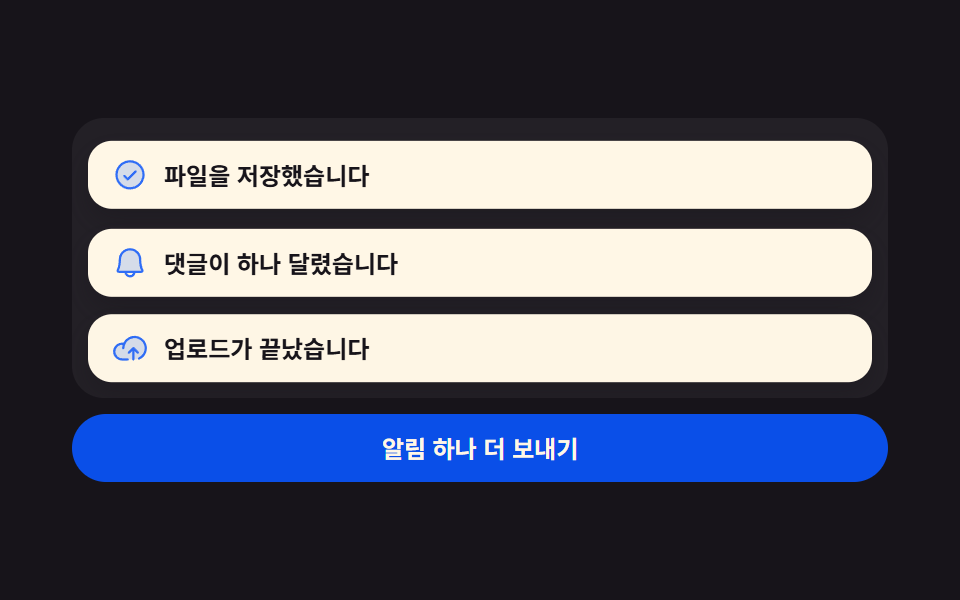 토스트 알림 UI 9종 — 쌓이고 밀리고 사라지는 스택토스트 알림 UI는 화면 구석에 잠깐 떴다 사라지는 알림을 어떻게 쌓고 어떻게 치울지 정하는 설계입니다. 아홉 개 전부 라이브러리 없이 바닐라 JS와 SCSS로만 돌아가고, 첫 번째는 새 알림이 앞선 카드를 위로 밀 이 글의 데모 전부 보기