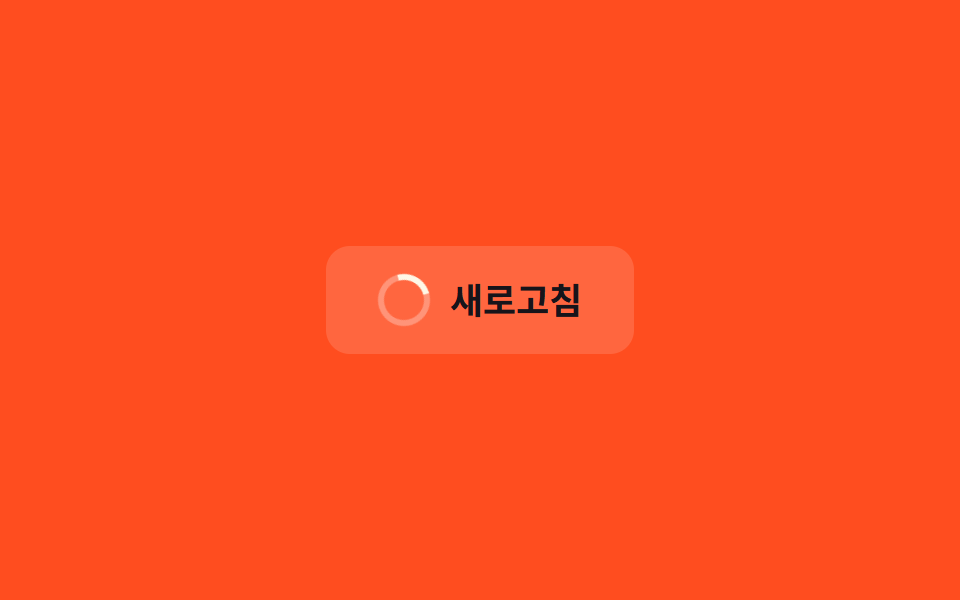
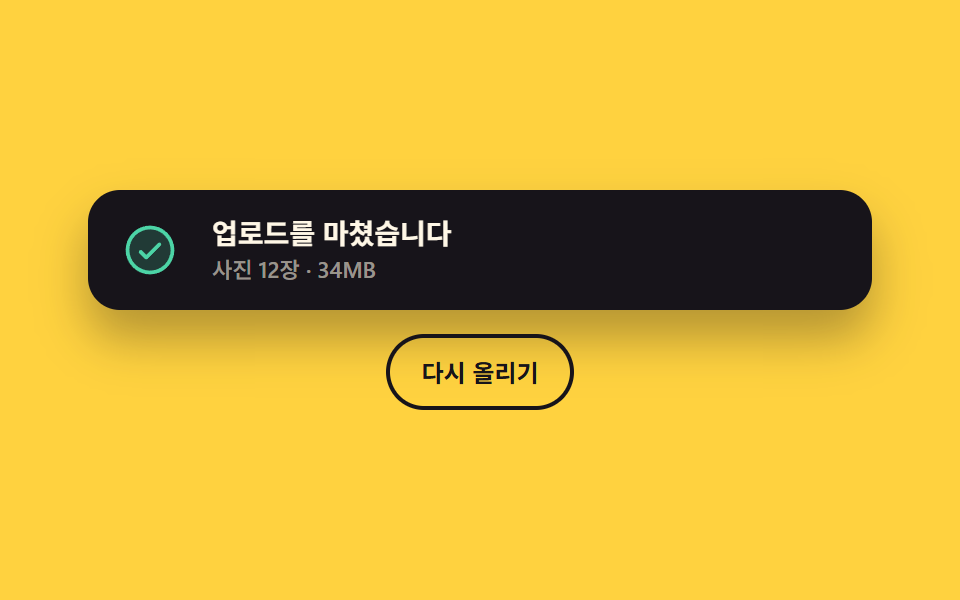
06로딩에서 결과로 바뀌는 토스트
업로드를 시작하면 같은 카드 안에서 고리가 돌다가 끝나는 순간 성공 또는 실패 표시로 바뀌고, 카드 자체는 사라지지 않아 눈이 따라갈 자리를 잃지 않는다.
쓰임결과가 몇 초 뒤에 오는 업로드·결제·동기화
rotatesteps(1, end)aria-busy
<main class="stage">
  <div class="pm is-demo">
    <div class="pm__card" id="pm-card" data-state="load" role="status" aria-live="polite" aria-busy="true">
      <span class="pm__slot" aria-hidden="true">
        <span class="pm__face" data-state="load">
          <span class="pm__spin"><svg viewBox="0 0 256 256" width="30" height="30"><g fill="currentColor"><path d="M224 128a96 96 0 1 1-96-96a96 96 0 0 1 96 96" opacity=".2"/><path d="M232 128a104 104 0 0 1-208 0c0-41 23.81-78.36 60.66-95.27a8 8 0 0 1 6.68 14.54C60.15 61.59 40 93.27 40 128a88 88 0 0 0 176 0c0-34.73-20.15-66.41-51.34-80.73a8 8 0 0 1 6.68-14.54C208.19 49.64 232 87 232 128"/></g></svg></span>
        </span>
        <span class="pm__face" data-state="ok">
          <svg viewBox="0 0 256 256" width="30" height="30"><g fill="currentColor"><path d="M224 128a96 96 0 1 1-96-96a96 96 0 0 1 96 96" opacity=".2"/><path d="M173.66 98.34a8 8 0 0 1 0 11.32l-56 56a8 8 0 0 1-11.32 0l-24-24a8 8 0 0 1 11.32-11.32L112 148.69l50.34-50.35a8 8 0 0 1 11.32 0M232 128A104 104 0 1 1 128 24a104.11 104.11 0 0 1 104 104m-16 0a88 88 0 1 0-88 88a88.1 88.1 0 0 0 88-88"/></g></svg>
        </span>
        <span class="pm__face" data-state="bad">
          <svg viewBox="0 0 256 256" width="30" height="30"><g fill="currentColor"><path d="M224 128a96 96 0 1 1-96-96a96 96 0 0 1 96 96" opacity=".2"/><path d="M165.66 101.66L139.31 128l26.35 26.34a8 8 0 0 1-11.32 11.32L128 139.31l-26.34 26.35a8 8 0 0 1-11.32-11.32L116.69 128l-26.35-26.34a8 8 0 0 1 11.32-11.32L128 116.69l26.34-26.35a8 8 0 0 1 11.32 11.32M232 128A104 104 0 1 1 128 24a104.11 104.11 0 0 1 104 104m-16 0a88 88 0 1 0-88 88a88.1 88.1 0 0 0 88-88"/></g></svg>
        </span>
      </span>
      <span class="pm__txt">
        <span class="pm__words">
          <span class="pm__word" data-state="load">올리는 중입니다</span>
          <span class="pm__word" data-state="ok">업로드를 마쳤습니다</span>
          <span class="pm__word" data-state="bad">업로드가 끊겼습니다</span>
        </span>
        <span class="pm__sub">사진 12장 · 34MB</span>
      </span>
    </div>
    <button class="pm__go" type="button" id="pm-go">다시 올리기</button>
  </div>
</main>@use "../../../../site/static/demo-tokens" as *;
$duration: $dur-quick;
$easing: $ease-pop;
$color: $subject-sky;
@include stage($stage-yellow);
.pm {
box-sizing: border-box;
width: min(392px, 88vw);
display: flex;
flex-direction: column;
align-items: center;
gap: $sp-3;
font-family: -apple-system, "Segoe UI", "Noto Sans KR", sans-serif;
color: $subject-ink;
}
.pm__card {
box-sizing: border-box;
width: 100%;
display: flex;
align-items: center;
gap: $sp-4;
padding: $sp-3 $sp-4;
border-radius: $r-card;
background: $subject-ink;
color: $subject-cream;
box-shadow: $shadow-raised;
}
// 아이콘 자리는 한 칸뿐이다 — 세 얼굴이 같은 자리에 겹쳐 있고 한 프레임에 갈린다
.pm__slot {
position: relative;
flex: 0 0 auto;
width: 30px;
height: 30px;
}
.pm__face {
position: absolute;
left: 0;
top: 0;
display: block;
opacity: 0;
}
.pm__face svg { display: block; }
.pm__face[data-state="load"] { color: $color; }
.pm__face[data-state="ok"] { color: $subject-mint; }
.pm__face[data-state="bad"] { color: $stage-orange; }
.pm__spin { display: block; }
.pm__txt { display: flex; flex-direction: column; flex: 1 1 auto; min-width: 0; }
.pm__words {
position: relative;
display: block;
height: 20px;
}
.pm__word {
position: absolute;
left: 0;
right: 0;
top: 0;
display: block;
opacity: 0;
font-size: 14px;
line-height: 20px;
font-weight: 700;
white-space: nowrap;
overflow: hidden;
text-overflow: ellipsis;
}
.pm__sub {
font-size: 11px;
line-height: 16px;
font-weight: 500;
color: rgba(255, 247, 230, .56);
}
.pm__go {
box-sizing: border-box;
margin: 0;
padding: $sp-2 $sp-4;
border: 2px solid $subject-ink;
border-radius: $r-pill;
background: transparent;
color: $subject-ink;
font-family: inherit;
font-size: 12px;
line-height: 18px;
font-weight: 700;
cursor: pointer;
}
.pm__go:focus-visible { outline: 2px solid $subject-ink; outline-offset: 2px; }
// 사람이 누른 뒤: data-state 하나가 아이콘과 문구를 동시에 정한다
.pm:not(.is-demo) .pm__card[data-state="load"] .pm__face[data-state="load"],
.pm:not(.is-demo) .pm__card[data-state="ok"] .pm__face[data-state="ok"],
.pm:not(.is-demo) .pm__card[data-state="bad"] .pm__face[data-state="bad"] { opacity: 1; }
.pm:not(.is-demo) .pm__card[data-state="load"] .pm__word[data-state="load"],
.pm:not(.is-demo) .pm__card[data-state="ok"] .pm__word[data-state="ok"],
.pm:not(.is-demo) .pm__card[data-state="bad"] .pm__word[data-state="bad"] { opacity: 1; }
// 기다리는 고리는 늘 돈다 — 상태가 바뀌어도 같은 자리에서 결과 아이콘으로 갈릴 뿐이다
.pm__spin {
animation-name: pm-spin;
animation-duration: 1s;
animation-timing-function: linear;
animation-iteration-count: infinite;
}
@keyframes pm-spin {
0% { rotate: 0deg; }
100% { rotate: 360deg; }
}
// ── 자동 루프: 기다림 → 성공 → 기다림 → 실패. 갈리는 지점은 24장 샘플 사이에 두고 steps(1, end) 로 끊는다 ──
.pm.is-demo .pm__face,
.pm.is-demo .pm__word {
animation-duration: $dur-loop;
animation-timing-function: steps(1, end);
animation-iteration-count: infinite;
}
.pm.is-demo .pm__face[data-state="load"],
.pm.is-demo .pm__word[data-state="load"] { animation-name: pm-load; }
.pm.is-demo .pm__face[data-state="ok"],
.pm.is-demo .pm__word[data-state="ok"] { animation-name: pm-ok; }
.pm.is-demo .pm__face[data-state="bad"],
.pm.is-demo .pm__word[data-state="bad"] { animation-name: pm-bad; }
@keyframes pm-load {
0% { opacity: 1; }
35% { opacity: 0; }
56% { opacity: 1; }
77% { opacity: 0; }
89% { opacity: 1; }
100% { opacity: 1; }
}
@keyframes pm-ok {
0% { opacity: 0; }
35% { opacity: 1; }
56% { opacity: 0; }
100% { opacity: 0; }
}
@keyframes pm-bad {
0% { opacity: 0; }
77% { opacity: 1; }
89% { opacity: 0; }
100% { opacity: 0; }
}
@media (max-width: 340px) {
.pm { gap: $sp-2; }
.pm__card { gap: $sp-3; padding: $sp-2 $sp-3; }
.pm__slot { width: 24px; height: 24px; }
.pm__face svg { width: 24px; height: 24px; }
.pm__words { height: 18px; }
.pm__word { font-size: 12px; line-height: 18px; }
.pm__sub { font-size: 10px; line-height: 14px; }
.pm__go { padding: $sp-1 $sp-3; font-size: 11px; line-height: 16px; }
}
@media (prefers-reduced-motion: reduce) {
.pm__spin,
.pm.is-demo .pm__face,
.pm.is-demo .pm__word { animation: none !important; }
.pm.is-demo .pm__face[data-state="load"] { opacity: 1; }
.pm.is-demo .pm__word[data-state="load"] { opacity: 1; }
}html, body {
margin: 0;
overflow: hidden;
}
.stage {
box-sizing: border-box;
min-height: 100vh;
display: grid;
place-items: center;
margin: 0;
background: #ffd23f;
font-family: -apple-system, "Segoe UI", "Noto Sans KR", sans-serif;
padding: clamp(8px, 4vw, 24px);
}
.pm {
box-sizing: border-box;
width: min(392px, 88vw);
display: flex;
flex-direction: column;
align-items: center;
gap: 12px;
font-family: -apple-system, "Segoe UI", "Noto Sans KR", sans-serif;
color: #17141a;
}
.pm__card {
box-sizing: border-box;
width: 100%;
display: flex;
align-items: center;
gap: 16px;
padding: 12px 16px;
border-radius: 16px;
background: #17141a;
color: #fff7e6;
box-shadow: 0 14px 24px rgba(23, 20, 26, 0.32);
}
.pm__slot {
position: relative;
flex: 0 0 auto;
width: 30px;
height: 30px;
}
.pm__face {
position: absolute;
left: 0;
top: 0;
display: block;
opacity: 0;
}
.pm__face svg {
display: block;
}
.pm__face[data-state=load] {
color: #6ec8ff;
}
.pm__face[data-state=ok] {
color: #4cd4a6;
}
.pm__face[data-state=bad] {
color: #ff4d1f;
}
.pm__spin {
display: block;
}
.pm__txt {
display: flex;
flex-direction: column;
flex: 1 1 auto;
min-width: 0;
}
.pm__words {
position: relative;
display: block;
height: 20px;
}
.pm__word {
position: absolute;
left: 0;
right: 0;
top: 0;
display: block;
opacity: 0;
font-size: 14px;
line-height: 20px;
font-weight: 700;
white-space: nowrap;
overflow: hidden;
text-overflow: ellipsis;
}
.pm__sub {
font-size: 11px;
line-height: 16px;
font-weight: 500;
color: rgba(255, 247, 230, 0.56);
}
.pm__go {
box-sizing: border-box;
margin: 0;
padding: 8px 16px;
border: 2px solid #17141a;
border-radius: 999px;
background: transparent;
color: #17141a;
font-family: inherit;
font-size: 12px;
line-height: 18px;
font-weight: 700;
cursor: pointer;
}
.pm__go:focus-visible {
outline: 2px solid #17141a;
outline-offset: 2px;
}
.pm:not(.is-demo) .pm__card[data-state=load] .pm__face[data-state=load],
.pm:not(.is-demo) .pm__card[data-state=ok] .pm__face[data-state=ok],
.pm:not(.is-demo) .pm__card[data-state=bad] .pm__face[data-state=bad] {
opacity: 1;
}
.pm:not(.is-demo) .pm__card[data-state=load] .pm__word[data-state=load],
.pm:not(.is-demo) .pm__card[data-state=ok] .pm__word[data-state=ok],
.pm:not(.is-demo) .pm__card[data-state=bad] .pm__word[data-state=bad] {
opacity: 1;
}
.pm__spin {
animation-name: pm-spin;
animation-duration: 1s;
animation-timing-function: linear;
animation-iteration-count: infinite;
}
@keyframes pm-spin {
0% {
rotate: 0deg;
}
100% {
rotate: 360deg;
}
}
.pm.is-demo .pm__face,
.pm.is-demo .pm__word {
animation-duration: 2s;
animation-timing-function: steps(1, end);
animation-iteration-count: infinite;
}
.pm.is-demo .pm__face[data-state=load],
.pm.is-demo .pm__word[data-state=load] {
animation-name: pm-load;
}
.pm.is-demo .pm__face[data-state=ok],
.pm.is-demo .pm__word[data-state=ok] {
animation-name: pm-ok;
}
.pm.is-demo .pm__face[data-state=bad],
.pm.is-demo .pm__word[data-state=bad] {
animation-name: pm-bad;
}
@keyframes pm-load {
0% {
opacity: 1;
}
35% {
opacity: 0;
}
56% {
opacity: 1;
}
77% {
opacity: 0;
}
89% {
opacity: 1;
}
100% {
opacity: 1;
}
}
@keyframes pm-ok {
0% {
opacity: 0;
}
35% {
opacity: 1;
}
56% {
opacity: 0;
}
100% {
opacity: 0;
}
}
@keyframes pm-bad {
0% {
opacity: 0;
}
77% {
opacity: 1;
}
89% {
opacity: 0;
}
100% {
opacity: 0;
}
}
@media (max-width: 340px) {
.pm {
gap: 8px;
}
.pm__card {
gap: 12px;
padding: 8px 12px;
}
.pm__slot {
width: 24px;
height: 24px;
}
.pm__face svg {
width: 24px;
height: 24px;
}
.pm__words {
height: 18px;
}
.pm__word {
font-size: 12px;
line-height: 18px;
}
.pm__sub {
font-size: 10px;
line-height: 14px;
}
.pm__go {
padding: 4px 12px;
font-size: 11px;
line-height: 16px;
}
}
@media (prefers-reduced-motion: reduce) {
.pm__spin,
.pm.is-demo .pm__face,
.pm.is-demo .pm__word {
animation: none !important;
}
.pm.is-demo .pm__face[data-state=load] {
opacity: 1;
}
.pm.is-demo .pm__word[data-state=load] {
opacity: 1;
}
}// 실제 동작: 카드는 그대로 두고 상태만 바꾼다. 기다리는 동안은 aria-busy 로 알리고, 끝나면 성공·실패를 번갈아 준다
var root = document.querySelector('.pm');
var card = document.getElementById('pm-card');
var timer = 0, turn = 0;
function set(state) {
card.setAttribute('data-state', state);
card.setAttribute('aria-busy', state === 'load' ? 'true' : 'false');
}
document.getElementById('pm-go').addEventListener('click', function () {
root.classList.remove('is-demo');
set('load');
clearTimeout(timer);
timer = setTimeout(function () { set(turn++ % 2 ? 'bad' : 'ok'); }, 1500);
});import { useEffect, useRef, useState } from "react";
import type { CSSProperties } from "react";
import styles from "./PromiseToast.module.scss";
export type PromiseState = "load" | "ok" | "bad";
export type PromiseToastProps = {
words?: Record<PromiseState, string>;
sub?: string;
goLabel?: string;
wait?: number;
easing?: string;
color?: string;
};
type Vars = CSSProperties & { "--easing"?: string; "--color"?: string };
const ORDER: PromiseState[] = ["load", "ok", "bad"];
const ICON: Record<PromiseState, any> = {
load: <g fill="currentColor"><path d="M224 128a96 96 0 1 1-96-96a96 96 0 0 1 96 96" opacity=".2" /><path d="M232 128a104 104 0 0 1-208 0c0-41 23.81-78.36 60.66-95.27a8 8 0 0 1 6.68 14.54C60.15 61.59 40 93.27 40 128a88 88 0 0 0 176 0c0-34.73-20.15-66.41-51.34-80.73a8 8 0 0 1 6.68-14.54C208.19 49.64 232 87 232 128" /></g>,
ok: <g fill="currentColor"><path d="M224 128a96 96 0 1 1-96-96a96 96 0 0 1 96 96" opacity=".2" /><path d="M173.66 98.34a8 8 0 0 1 0 11.32l-56 56a8 8 0 0 1-11.32 0l-24-24a8 8 0 0 1 11.32-11.32L112 148.69l50.34-50.35a8 8 0 0 1 11.32 0M232 128A104 104 0 1 1 128 24a104.11 104.11 0 0 1 104 104m-16 0a88 88 0 1 0-88 88a88.1 88.1 0 0 0 88-88" /></g>,
bad: <g fill="currentColor"><path d="M224 128a96 96 0 1 1-96-96a96 96 0 0 1 96 96" opacity=".2" /><path d="M165.66 101.66L139.31 128l26.35 26.34a8 8 0 0 1-11.32 11.32L128 139.31l-26.34 26.35a8 8 0 0 1-11.32-11.32L116.69 128l-26.35-26.34a8 8 0 0 1 11.32-11.32L128 116.69l26.34-26.35a8 8 0 0 1 11.32 11.32M232 128A104 104 0 1 1 128 24a104.11 104.11 0 0 1 104 104m-16 0a88 88 0 1 0-88 88a88.1 88.1 0 0 0 88-88" /></g>,
};
export default function PromiseToast({
words = { load: "Uploading", ok: "Upload finished", bad: "Upload dropped" },
sub = "12 photos · 34MB",
goLabel = "Upload again",
wait = 1500,
easing = "cubic-bezier(.2,1.4,.4,1)",
color = "#6ec8ff",
}: PromiseToastProps) {
const [demo, setDemo] = useState(true);
const [state, setState] = useState<PromiseState>("load");
const turn = useRef<number[]>([0]);
const timer = useRef<number[]>([0]);
const vars: Vars = { "--easing": easing, "--color": color };
useEffect(() => () => { clearTimeout((timer.current ?? [0])[0]); }, []);
function start() {
setDemo(false);
setState("load");
const t = timer.current ?? [0];
const n = turn.current ?? [0];
clearTimeout(t[0]);
t[0] = setTimeout(() => { setState(n[0]++ % 2 ? "bad" : "ok"); }, wait) as unknown as number;
}
return (
<div className={`${styles.pm} ${demo ? styles.isDemo : ""}`} style={vars}>
<div className={styles.card} data-state={state} role="status" aria-live="polite" aria-busy={state === "load"}>
<span className={styles.slot} aria-hidden="true">
{ORDER.map((s) => (
<span key={s} className={styles.face} data-state={s} data-on={!demo && s === state ? "1" : "0"}>
{s === "load"
? <span className={styles.spin}><svg viewBox="0 0 256 256" width="30" height="30">{ICON[s]}</svg></span>
: <svg viewBox="0 0 256 256" width="30" height="30">{ICON[s]}</svg>}
</span>
))}
</span>
<span className={styles.txt}>
<span className={styles.words}>
{ORDER.map((s) => (
<span key={s} className={styles.word} data-state={s} data-on={!demo && s === state ? "1" : "0"}>{words[s]}</span>
))}
</span>
<span className={styles.sub}>{sub}</span>
</span>
</div>
<button className={styles.go} type="button" onClick={start}>{goLabel}</button>
</div>
);
}06 로딩에서 결과로 바뀌는 토스트 — 측정 누적면적 1.167% · 움직인 프레임 17/23GODRICH 원작 · zip 에 SCSS·React 포함 · 토스트 알림 UI 9종 — 쌓이고 밀리고 사라지는 스택
이 데모가 속한 글
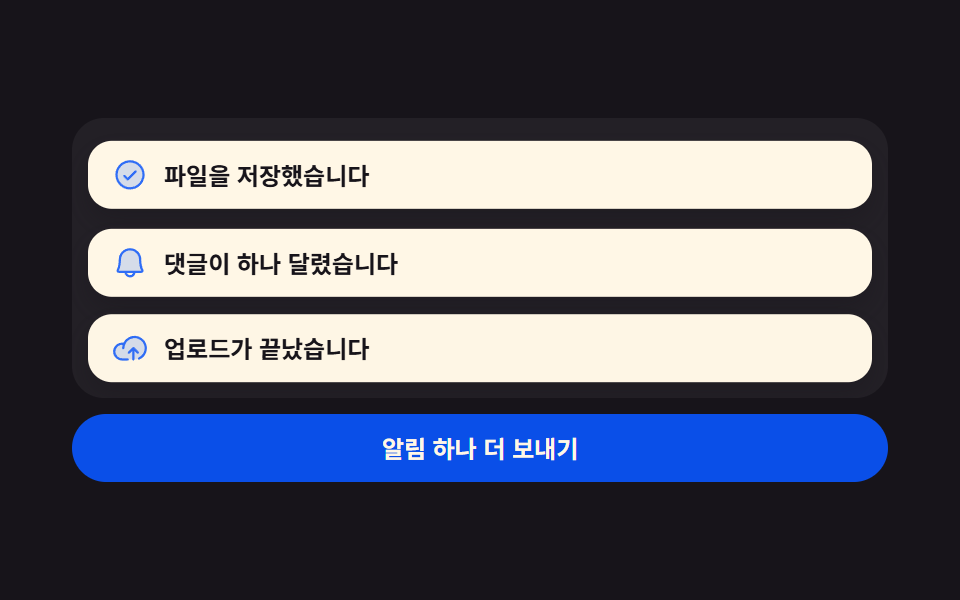 토스트 알림 UI 9종 — 쌓이고 밀리고 사라지는 스택토스트 알림 UI는 화면 구석에 잠깐 떴다 사라지는 알림을 어떻게 쌓고 어떻게 치울지 정하는 설계입니다. 아홉 개 전부 라이브러리 없이 바닐라 JS와 SCSS로만 돌아가고, 첫 번째는 새 알림이 앞선 카드를 위로 밀 이 글의 데모 전부 보기