04더보기 배치 두 배 로드
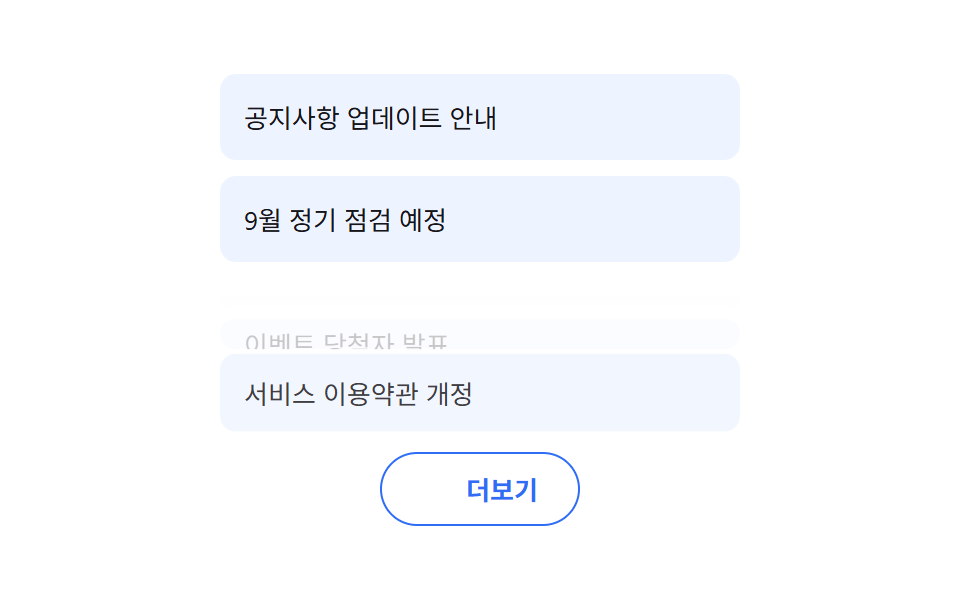
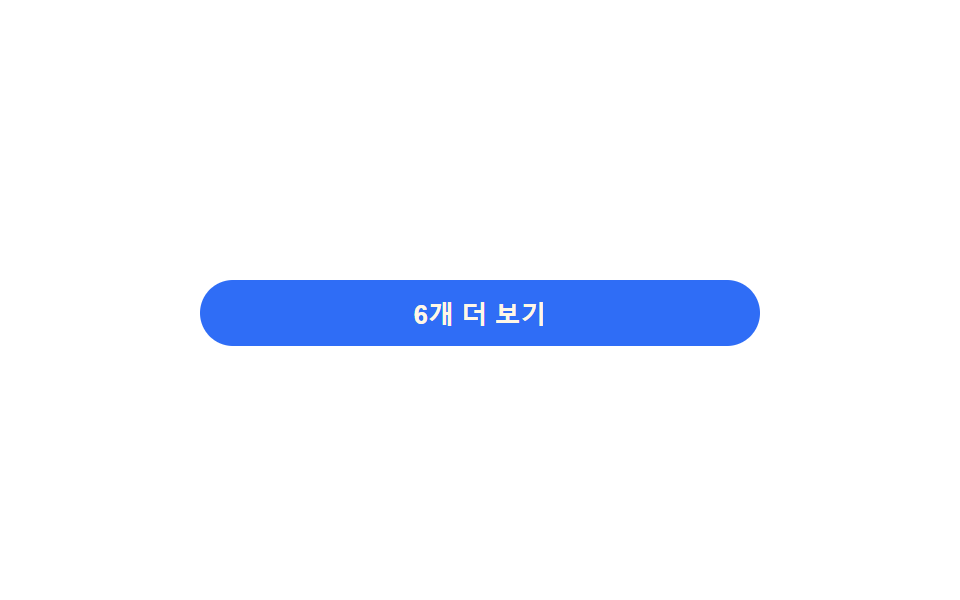
더보기를 누르면 다음에 불러오는 항목 수가 매번 두 배로 늘어나는 배치 크기로 불러오고, 새 항목은 아래에서부터 순서대로 살짝 튀며 자리를 잡는다 (231 의 고정 세 개씩 순차 슬라이드와 다른 시연 — 여긴 배치 크기가 누를 때마다 커진다).
쓰임할일 대량 목록 페이지네이션 대체, 무한 스크롤 대체
LOAD_MORE_MULTIPLIER 배치 배율 증가nextBatchSize() 지수 계산aria-live 항목 추가 알림
<main class="stage">
<div class="wrap is-demo" id="wrap">
  <ul class="list" id="list"></ul>
  <button class="moreBtn" id="moreBtn" type="button">
    <span id="moreLabel">4개 더 보기</span>
  </button>
  <p class="liveNote" id="liveNote" aria-live="polite"></p>
</div>
</main>
@use "../../../../site/static/demo-tokens" as *;
// 계산 겹은 index.html 의 nextBatchSize() 에 있다 — 다음 묶음 크기가 클릭 횟수의 지수함수로
// 커진다(고정 3개 나열이 아니다). 진입 지연도 묶음 안 순서를 실측해 매긴다.
@include stage($stage-paper);
.wrap {
width: 280px;
display: grid;
gap: $sp-3;
}
.list {
list-style: none;
margin: 0;
padding: 0;
display: grid;
gap: $sp-1;
}
.row {
padding: $sp-2 $sp-3;
border-radius: $r-sm;
background: $subject-cream;
color: $subject-ink;
font-size: 13px;
opacity: 0;
transform: translateY(6px);
transition: opacity $dur-base $ease-out, transform $dur-base $ease-out;
&.in { opacity: 1; transform: translateY(0); }
}
.moreBtn {
appearance: none;
border: none;
padding: $sp-2 $sp-4;
border-radius: $r-pill;
background: $subject-blue;
color: $subject-cream;
font-size: 13px;
font-weight: 700;
cursor: pointer;
transition: transform $dur-quick $ease-out, background $dur-quick $ease-out;
&:hover { transform: translateY(-1px); }
&:focus-visible { outline: 2px solid $subject-blue-light; outline-offset: 2px; }
&:disabled { background: rgba($subject-ink, .16); color: rgba($subject-ink, .55); cursor: default; transform: none; }
}
.liveNote {
position: absolute;
width: 1px;
height: 1px;
overflow: hidden;
clip: rect(0 0 0 0);
margin: -1px;
}
@media (max-width: 340px) {
.wrap { width: 220px; }
}
@media (prefers-reduced-motion: reduce) {
// 실사용 경로(더 보기 클릭)에도 적용 — 새 항목이 즉시 나타나고 지연 없이 붙는다
.row { transition: none !important; }
.moreBtn { transition: none !important; }
}html, body {
margin: 0;
overflow: hidden;
}
.stage {
box-sizing: border-box;
min-height: 100vh;
display: grid;
place-items: center;
margin: 0;
background: #ffffff;
font-family: -apple-system, "Segoe UI", "Noto Sans KR", sans-serif;
padding: clamp(8px, 4vw, 24px);
}
.wrap {
width: 280px;
display: grid;
gap: 12px;
}
.list {
list-style: none;
margin: 0;
padding: 0;
display: grid;
gap: 4px;
}
.row {
padding: 8px 12px;
border-radius: 8px;
background: #fff7e6;
color: #17141a;
font-size: 13px;
opacity: 0;
transform: translateY(6px);
transition: opacity 300ms ease-out, transform 300ms ease-out;
}
.row.in {
opacity: 1;
transform: translateY(0);
}
.moreBtn {
appearance: none;
border: none;
padding: 8px 16px;
border-radius: 999px;
background: #2f6df6;
color: #fff7e6;
font-size: 13px;
font-weight: 700;
cursor: pointer;
transition: transform 220ms ease-out, background 220ms ease-out;
}
.moreBtn:hover {
transform: translateY(-1px);
}
.moreBtn:focus-visible {
outline: 2px solid #5b8cf8;
outline-offset: 2px;
}
.moreBtn:disabled {
background: rgba(23, 20, 26, 0.16);
color: rgba(23, 20, 26, 0.55);
cursor: default;
transform: none;
}
.liveNote {
position: absolute;
width: 1px;
height: 1px;
overflow: hidden;
clip: rect(0 0 0 0);
margin: -1px;
}
@media (max-width: 340px) {
.wrap {
width: 220px;
}
}
@media (prefers-reduced-motion: reduce) {
.row {
transition: none !important;
}
.moreBtn {
transition: none !important;
}
}(function () {
var BASE_BATCH = 2;
var LOAD_MORE_MULTIPLIER = 2.0; // 클릭마다 다음 묶음 크기 = BASE_BATCH * 배수^클릭수
var STAGGER_MS = 60;
var reduce = window.matchMedia('(prefers-reduced-motion: reduce)').matches;
var wrap = document.getElementById('wrap');
var list = document.getElementById('list');
var moreBtn = document.getElementById('moreBtn');
var moreLabel = document.getElementById('moreLabel');
var liveNote = document.getElementById('liveNote');
var ALL = [
'치약 사기', '분리수거 내놓기', '이불 세탁 맡기기', '전구 교체',
'자동차 세차 예약', '냉장고 정리', '독서 목록 정하기', '운동화 끈 교체',
'식물 분갈이', '책상 서랍 정리', '영수증 정리', '충전기 케이블 정리',
'겨울옷 꺼내기', '우산 점검', '건전지 재고 확인', '수건 교체',
'창문 방충망 청소', '신발장 정리', '노트북 먼지 청소', '메모장 비우기'
];
var shown = 0; // 화면에 낸 개수
var clicks = 0; // 클릭 횟수 — 계산 겹의 입력값
// 계산 겹: 다음 묶음 크기는 고정값이 아니라 클릭 횟수의 지수함수다.
function nextBatchSize() {
var size = Math.round(BASE_BATCH * Math.pow(LOAD_MORE_MULTIPLIER, clicks));
var remain = ALL.length - shown;
return Math.min(size, remain);
}
function renderBatch(n) {
var frag = document.createDocumentFragment();
for (var i = 0; i < n; i++) {
var idx = shown + i;
var li = document.createElement('li');
li.className = 'row';
li.textContent = ALL[idx];
// 계산 겹: 묶음 안 순서(i)로 진입 지연을 실측해 매긴다 — 고정 delay 나열이 아니다.
li.style.transitionDelay = reduce ? '0ms' : (i * STAGGER_MS) + 'ms';
list.appendChild(li);
frag.appendChild(li);
}
shown += n;
// 강제 리플로 뒤 클래스 부여 — 방금 추가한 항목만 시작 상태에서 도착 상태로 전환된다
list.getBoundingClientRect();
var added = list.querySelectorAll('.row:not(.in)');
for (var j = 0; j < added.length; j++) added[j].classList.add('in');
}
function paintButton() {
var remain = ALL.length - shown;
if (remain <= 0) {
moreBtn.disabled = true;
moreLabel.textContent = '모두 봤어요';
return;
}
var next = nextBatchSize();
moreLabel.textContent = next + '개 더 보기';
}
function loadMore() {
var n = nextBatchSize();
if (n <= 0) return;
renderBatch(n);
clicks += 1;
liveNote.textContent = n + '개 항목이 추가됐습니다. 총 ' + shown + '개.';
paintButton();
}
function human() { wrap.classList.remove('is-demo'); window.clearInterval(autoTimer); }
moreBtn.addEventListener('click', function () { human(); loadMore(); });
function reset() {
list.innerHTML = '';
shown = 0;
clicks = 0;
moreBtn.disabled = false;
paintButton();
}
var autoTimer;
function autoStep() {
if (ALL.length - shown <= 0) { reset(); }
loadMore();
}
reset();
loadMore();
if (!reduce) { autoTimer = window.setInterval(autoStep, 620); }
})();// LoadMore — vanilla 판(run/377/demo/04-load-more/index.html) 의 React 포트.
// 다음 묶음 크기 = BASE_BATCH * LOAD_MORE_MULTIPLIER^클릭수 (고정 3개 나열이 아니다).
import { useEffect, useRef, useState } from "react";
import styles from "./LoadMore.module.scss";
type Box<T> = { current: T };
const BASE_BATCH = 2;
const LOAD_MORE_MULTIPLIER = 2.0;
const STAGGER_MS = 60;
const ALL = [
"치약 사기", "분리수거 내놓기", "이불 세탁 맡기기", "전구 교체",
"자동차 세차 예약", "냉장고 정리", "독서 목록 정하기", "운동화 끈 교체",
"식물 분갈이", "책상 서랍 정리", "영수증 정리", "충전기 케이블 정리",
"겨울옷 꺼내기", "우산 점검", "건전지 재고 확인", "수건 교체",
"창문 방충망 청소", "신발장 정리", "노트북 먼지 청소", "메모장 비우기",
];
type Row = { text: string; delayMs: number; entered: boolean };
export default function LoadMore() {
const [isDemo, setIsDemo] = useState(true);
const [rows, setRows] = useState<Row[]>([]);
const [clicks, setClicks] = useState(0);
const [liveNote, setLiveNote] = useState("");
const timerRef = useRef(0) as unknown as Box<number>;
const clicksRef = useRef(0) as unknown as Box<number>;
const shownRef = useRef(0) as unknown as Box<number>;
const reduce = typeof window !== "undefined" && window.matchMedia("(prefers-reduced-motion: reduce)").matches;
// 계산 겹: 다음 묶음 크기는 고정값이 아니라 클릭 횟수의 지수함수다.
function nextBatchSize(clickCount: number, shownCount: number) {
const size = Math.round(BASE_BATCH * Math.pow(LOAD_MORE_MULTIPLIER, clickCount));
const remain = ALL.length - shownCount;
return Math.min(size, remain);
}
function loadMore() {
const s = shownRef.current;
const c = clicksRef.current;
const n = nextBatchSize(c, s);
if (n <= 0) return;
const batch: Row[] = [];
for (let i = 0; i < n; i++) {
batch.push({ text: ALL[s + i], delayMs: reduce ? 0 : i * STAGGER_MS, entered: false });
}
setRows(function (prev) { return prev.concat(batch); });
shownRef.current = s + n;
clicksRef.current = c + 1;
setClicks(clicksRef.current);
setLiveNote(n + "개 항목이 추가됐습니다. 총 " + shownRef.current + "개.");
window.requestAnimationFrame(function () {
setRows(function (prev) { return prev.map(function (r) { return { ...r, entered: true }; }); });
});
}
function reset() {
shownRef.current = 0;
clicksRef.current = 0;
setClicks(0);
setRows([]);
}
function human() {
if (isDemo) { setIsDemo(false); window.clearInterval(timerRef.current); }
}
useEffect(function () {
loadMore();
if (reduce) return;
timerRef.current = window.setInterval(function () {
if (ALL.length - shownRef.current <= 0) reset();
loadMore();
}, 620);
return function () { window.clearInterval(timerRef.current); };
// eslint-disable-next-line
}, []);
const remain = ALL.length - shownRef.current;
const nextSize = nextBatchSize(clicks, shownRef.current);
return (
<main className={styles.stage}>
<div className={styles.wrap + (isDemo ? " " + styles.isDemo : "")}>
<ul className={styles.list}>
{rows.map(function (r, i) {
return (
<li
key={i}
className={styles.row + (r.entered ? " " + styles.in : "")}
style={{ transitionDelay: r.delayMs + "ms" }}
>
{r.text}
</li>
);
})}
</ul>
<button className={styles.moreBtn} type="button" disabled={remain <= 0} onClick={function () { human(); loadMore(); }}>
{remain <= 0 ? "모두 봤어요" : nextSize + "개 더 보기"}
</button>
<p className={styles.liveNote} aria-live="polite">{liveNote}</p>
</div>
</main>
);
}04 더보기 배치 두 배 로드 — 측정 누적면적 6.275% · 움직인 프레임 6/23GODRICH 원작 · zip 에 SCSS·React 포함 · 투두 리스트 ui 패턴 9종 — 진행률 게이지부터 되감기까지 한 번에 정리
이 데모가 속한 글
 투두 리스트 ui 패턴 9종 — 진행률 게이지부터 되감기까지 한 번에 정리투두 리스트 ui 아홉 패턴 중 하나는 더보기를 누를 때마다 불러오는 개수가 두 배로 늘고, 하나는 되감기를 누르면 완료 타임라인이 방금 순서의 역순으로 사라지며, 하나는 체크박스를 누를 때마다 원형 게이지가 그 비 이 글의 데모 전부 보기