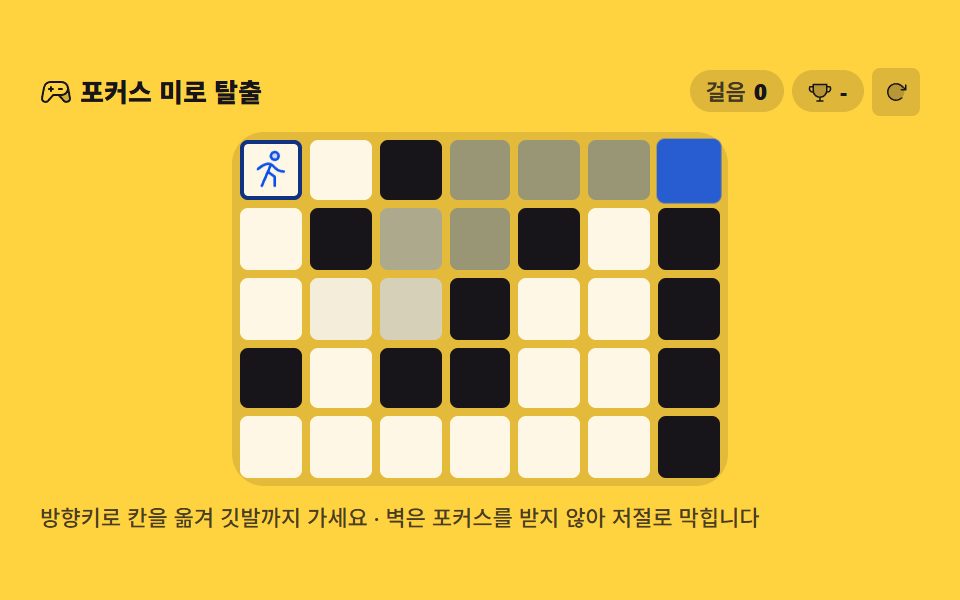
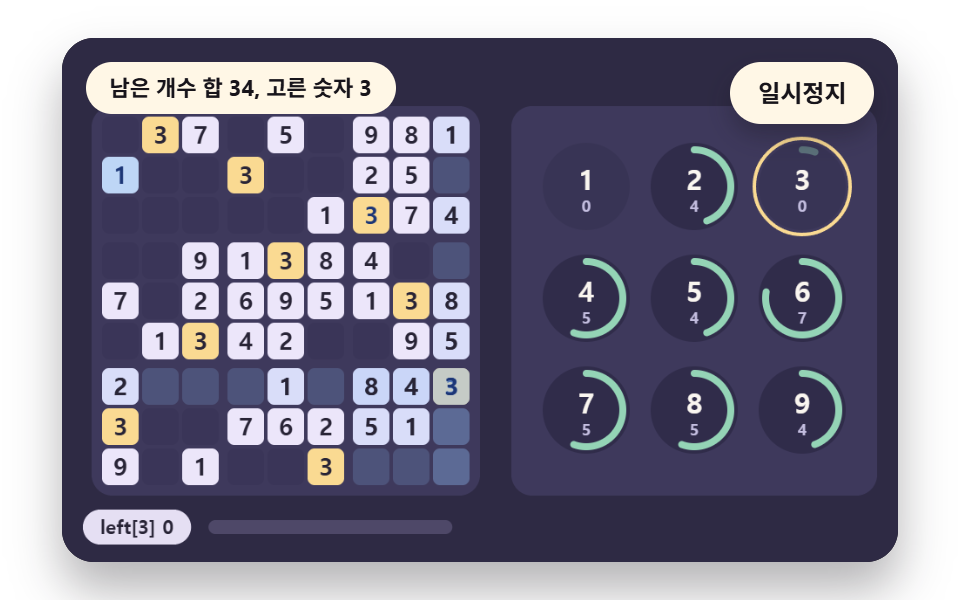
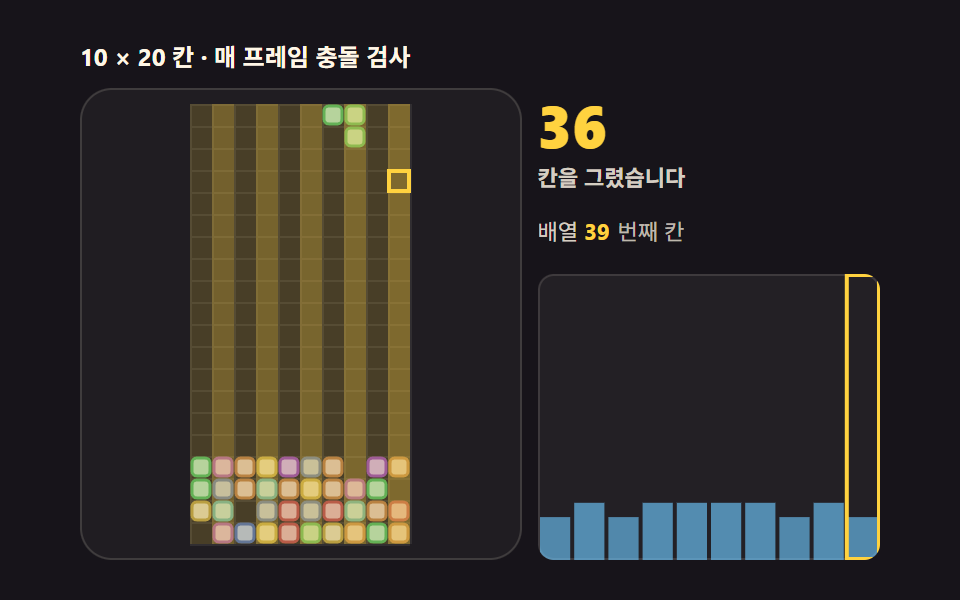
02키패드 계산기
사칙연산이 되는 키패드 계산기로, 키보드 숫자·연산자·Enter·Backspace 가 그대로 먹습니다. 결과칸은 자릿수가 흔들리지 않게 고정폭 숫자로 찍습니다.
쓰임견적 계산 보조, 주문 수량 정산 화면
grid-template-areasfont-variant-numericuser-select
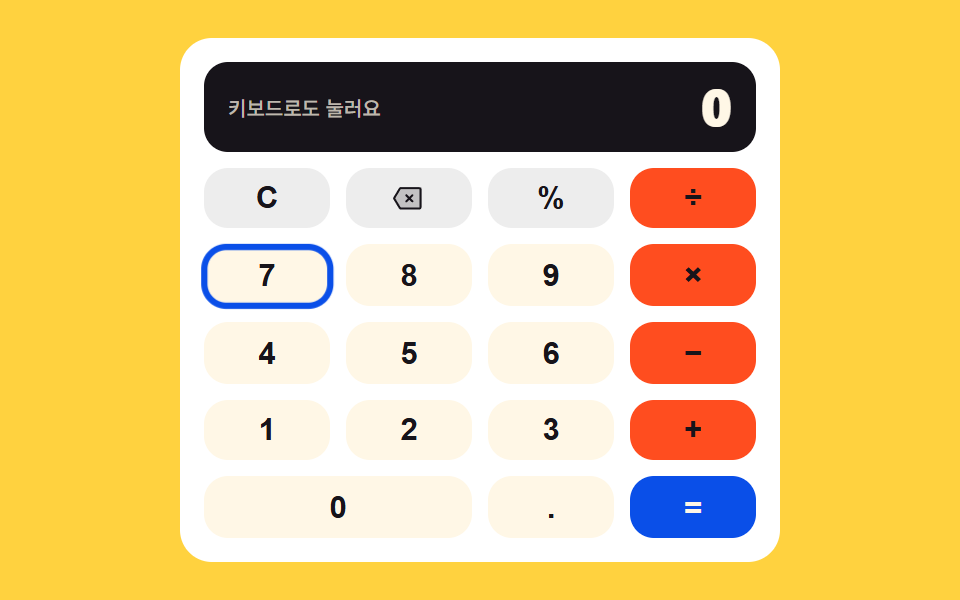
<main class="stage">
<div class="kc is-demo" id="kc">
  <div class="kc__out">
    <span class="kc__hint" id="kcHint">키보드로도 눌러요</span>
    <b class="kc__val kc__val--cut1" id="kcOut">0</b>
    <b class="kc__val kc__val--cut2" aria-hidden="true">7</b>
    <b class="kc__val kc__val--cut3" aria-hidden="true">8</b>
    <b class="kc__val kc__val--cut4" aria-hidden="true">56</b>
  </div>
  <div class="kc__pad" id="kcPad">
    <button class="kc__key kc__key--fn" type="button" data-k="clear" aria-label="전체 지우기" aria-keyshortcuts="Escape">C</button>
    <button class="kc__key kc__key--fn" type="button" data-k="back" aria-label="한 글자 지우기" aria-keyshortcuts="Backspace"><svg class="kc__ic" viewBox="0 0 256 256" aria-hidden="true" focusable="false"><g fill="currentColor"><path d="M224 56v144a8 8 0 0 1-8 8H68.53a8 8 0 0 1-6.86-3.88L16 128l45.67-76.12A8 8 0 0 1 68.53 48H216a8 8 0 0 1 8 8" opacity=".2"/><path d="M216 40H68.53a16.08 16.08 0 0 0-13.72 7.77L9.14 123.88a8 8 0 0 0 0 8.24l45.67 76.11A16.08 16.08 0 0 0 68.53 216H216a16 16 0 0 0 16-16V56a16 16 0 0 0-16-16M61.67 204.12l6.86-4.12ZM216 200H68.53l-43.2-72l43.2-72H216Zm-109.66-53.66L124.69 128l-18.35-18.34a8 8 0 0 1 11.32-11.32L136 116.69l18.34-18.35a8 8 0 0 1 11.32 11.32L147.31 128l18.35 18.34a8 8 0 0 1-11.32 11.32L136 139.31l-18.34 18.35a8 8 0 0 1-11.32-11.32"/></g></svg></button>
    <button class="kc__key kc__key--fn" type="button" data-k="pct" aria-keyshortcuts="%">%</button>
    <button class="kc__key kc__key--op" type="button" data-k="/" aria-label="나누기" aria-keyshortcuts="/">÷</button>
    <button class="kc__key" type="button" data-k="7" aria-keyshortcuts="7">7</button>
    <button class="kc__key" type="button" data-k="8" aria-keyshortcuts="8">8</button>
    <button class="kc__key" type="button" data-k="9" aria-keyshortcuts="9">9</button>
    <button class="kc__key kc__key--op" type="button" data-k="*" aria-label="곱하기" aria-keyshortcuts="*">×</button>
    <button class="kc__key" type="button" data-k="4" aria-keyshortcuts="4">4</button>
    <button class="kc__key" type="button" data-k="5" aria-keyshortcuts="5">5</button>
    <button class="kc__key" type="button" data-k="6" aria-keyshortcuts="6">6</button>
    <button class="kc__key kc__key--op" type="button" data-k="-" aria-label="빼기" aria-keyshortcuts="-">−</button>
    <button class="kc__key" type="button" data-k="1" aria-keyshortcuts="1">1</button>
    <button class="kc__key" type="button" data-k="2" aria-keyshortcuts="2">2</button>
    <button class="kc__key" type="button" data-k="3" aria-keyshortcuts="3">3</button>
    <button class="kc__key kc__key--op" type="button" data-k="+" aria-label="더하기" aria-keyshortcuts="+">+</button>
    <button class="kc__key" type="button" data-k="0" aria-keyshortcuts="0">0</button>
    <button class="kc__key" type="button" data-k="." aria-label="소수점" aria-keyshortcuts=".">.</button>
    <button class="kc__key kc__key--eq" type="button" data-k="=" aria-label="계산" aria-keyshortcuts="Enter">=</button>
    <span class="kc__ghost" aria-hidden="true"></span>
  </div>
</div>
</main>@use "../../../../site/static/demo-tokens" as *;
// 키패드 계산기 — 표시줄 + 4×5 키패드. 키 자리는 grid-template-areas 한 장으로 정하고
// 키마다 data-k 로 area 이름을 받아 간다(0 키만 두 칸을 먹는다).
// 표시줄 숫자는 font-variant-numeric: tabular-nums 라 자릿수가 바뀌어도 폭이 안 흔들린다.
// 정적 상태는 0 이 찍힌 완결된 계산기이고, 격자 미리보기(.is-demo)는 그 위에
// 키 하이라이트 이동 + 표시줄 숫자 컷 교체(0 → 7 → 8 → 56)만 덧씌운다.
$duration: $dur-loop;
$easing: $ease-spring;
$color: $subject-blue-deep;
$hop: calc(100% + var(--kc-space)); // 한 칸 이동 = 자기 폭(=키 폭) 100% + 격자 간격
@include stage($stage-yellow);
.kc {
display: flex; flex-direction: column; gap: $sp-2;
width: 100%; max-width: 300px; height: 100%;
padding: $sp-3; box-sizing: border-box;
border-radius: $r-card; background-color: $stage-paper;
}
.kc__out {
position: relative; display: flex; align-items: center; justify-content: space-between; gap: $sp-2;
padding: $sp-2 $sp-3; border-radius: $r-control;
background-color: $subject-ink;
}
.kc__hint { font-weight: 500; font-size: clamp(8px, 2.2vw, 10px); color: rgba($subject-cream, .72); } // 잉크 면 위 흐린 크림
.kc__val {
font-weight: 800; font-size: clamp(18px, 5.5vw, 26px); line-height: 1.1; color: $subject-cream;
font-variant-numeric: tabular-nums;
}
.kc__pad {
position: relative; flex: 1 1 auto; min-height: 0;
display: grid;
grid-template-columns: repeat(4, 1fr);
grid-template-rows: repeat(5, 1fr);
grid-template-areas:
"clear back pct div"
"n7 n8 n9 mul"
"n4 n5 n6 sub"
"n1 n2 n3 add"
"n0 n0 dot eq";
gap: $sp-2;
--kc-space: #{$sp-2};
}
.kc__key {
display: grid; place-items: center; width: 100%; height: 100%; padding: 0;
border: 0; border-radius: $r-control; cursor: pointer;
background-color: $subject-cream; color: $subject-ink;
font-weight: 700; font-size: clamp(12px, 3.2vw, 16px); line-height: 1;
user-select: none; -webkit-user-select: none;
}
.kc__key:focus-visible { outline: 2px solid $color; outline-offset: 2px; }
.kc__key:active { transform: scale(.96); }
.kc__ic { width: clamp(12px, 3.4vw, 17px); height: clamp(12px, 3.4vw, 17px); }
.kc__key--fn { background-color: rgba($subject-ink, .08); color: $subject-ink; } // 흰 카드 위 연회색 면
.kc__key--op { background-color: $stage-orange; color: $subject-ink; } // 주황 면 위 잉크 글자
.kc__key--eq { background-color: $color; color: $subject-cream; } // 진파랑 면 위 크림 글자
.kc__key[data-k="clear"] { grid-area: clear; }
.kc__key[data-k="back"] { grid-area: back; }
.kc__key[data-k="pct"] { grid-area: pct; }
.kc__key[data-k="/"] { grid-area: div; }
.kc__key[data-k="7"] { grid-area: n7; }
.kc__key[data-k="8"] { grid-area: n8; }
.kc__key[data-k="9"] { grid-area: n9; }
.kc__key[data-k="*"] { grid-area: mul; }
.kc__key[data-k="4"] { grid-area: n4; }
.kc__key[data-k="5"] { grid-area: n5; }
.kc__key[data-k="6"] { grid-area: n6; }
.kc__key[data-k="-"] { grid-area: sub; }
.kc__key[data-k="1"] { grid-area: n1; }
.kc__key[data-k="2"] { grid-area: n2; }
.kc__key[data-k="3"] { grid-area: n3; }
.kc__key[data-k="+"] { grid-area: add; }
.kc__key[data-k="0"] { grid-area: n0; }
.kc__key[data-k="."] { grid-area: dot; }
.kc__key[data-k="="] { grid-area: eq; }
// ── 격자 미리보기 ────────────────────────────────────────────
// 표시줄 숫자 넉 장을 오른쪽에 겹쳐 두고 steps(1, end) 로 컷 교체한다 — 크로스페이드는 유령 프레임이 된다.
.kc__val--cut2, .kc__val--cut3, .kc__val--cut4 {
display: none; position: absolute; right: $sp-3; top: 50%; transform: translateY(-50%);
}
.kc.is-demo .kc__val--cut2,
.kc.is-demo .kc__val--cut3,
.kc.is-demo .kc__val--cut4 { display: block; }
.kc.is-demo .kc__val--cut1 { animation-name: kcCut1; }
.kc.is-demo .kc__val--cut2 { animation-name: kcCut2; }
.kc.is-demo .kc__val--cut3 { animation-name: kcCut3; }
.kc.is-demo .kc__val--cut4 { animation-name: kcCut4; }
.kc.is-demo .kc__val {
animation-duration: $duration; animation-timing-function: steps(1, end);
animation-iteration-count: infinite; animation-fill-mode: backwards;
}
@keyframes kcCut1 { 0% { opacity: 1; } 28% { opacity: 0; } 82% { opacity: 1; } 100% { opacity: 1; } }
@keyframes kcCut2 { 0% { opacity: 0; } 28% { opacity: 1; } 50% { opacity: 0; } 100% { opacity: 0; } }
@keyframes kcCut3 { 0% { opacity: 0; } 50% { opacity: 1; } 72% { opacity: 0; } 100% { opacity: 0; } }
@keyframes kcCut4 { 0% { opacity: 0; } 72% { opacity: 1; } 82% { opacity: 0; } 100% { opacity: 0; } }
// 키 하이라이트 — 7 → × → 8 → = 자리를 돈다. 자기 크기가 곧 키 한 칸이라 이동은 100% 배수로 적는다
.kc__ghost {
display: none; position: absolute; top: 0; left: 0;
width: calc((100% - var(--kc-space) * 3) / 4);
height: calc((100% - var(--kc-space) * 4) / 5);
box-sizing: border-box; border: 3px solid $color; border-radius: $r-control; pointer-events: none;
}
.kc.is-demo .kc__ghost {
display: block;
animation-name: kcHop; animation-duration: $duration; animation-timing-function: $easing;
animation-iteration-count: infinite;
}
@keyframes kcHop {
0% { transform: translate(0, #{$hop}) scale(1.05); }
6%, 14% { transform: translate(0, #{$hop}) scale(1); }
20% { transform: translate(calc(#{$hop} * 3), #{$hop}) scale(1.05); }
26%, 34% { transform: translate(calc(#{$hop} * 3), #{$hop}) scale(1); }
40% { transform: translate(#{$hop}, #{$hop}) scale(1.05); }
46%, 54% { transform: translate(#{$hop}, #{$hop}) scale(1); }
60% { transform: translate(calc(#{$hop} * 3), calc(#{$hop} * 4)) scale(1.05); }
66%, 82% { transform: translate(calc(#{$hop} * 3), calc(#{$hop} * 4)) scale(1); }
88% { transform: translate(0, #{$hop}) scale(1.05); }
94%, 100% { transform: translate(0, #{$hop}) scale(1); }
}
@media (max-width: 340px) {
.kc { gap: $sp-1; padding: $sp-2; }
.kc__out { padding: $sp-1 $sp-2; }
.kc__pad { gap: $sp-1; --kc-space: #{$sp-1}; }
.kc__val--cut2, .kc__val--cut3, .kc__val--cut4 { right: $sp-2; }
}
@media (prefers-reduced-motion: reduce) {
.kc__key:active { transform: none !important; }
.kc.is-demo .kc__val,
.kc.is-demo .kc__ghost { animation: none !important; }
.kc.is-demo .kc__val--cut2,
.kc.is-demo .kc__val--cut3,
.kc.is-demo .kc__val--cut4 { display: none !important; }
}html, body {
margin: 0;
overflow: hidden;
}
.stage {
box-sizing: border-box;
min-height: 100vh;
display: grid;
place-items: center;
margin: 0;
background: #ffd23f;
font-family: -apple-system, "Segoe UI", "Noto Sans KR", sans-serif;
padding: clamp(8px, 4vw, 24px);
}
.kc {
display: flex;
flex-direction: column;
gap: 8px;
width: 100%;
max-width: 300px;
height: 100%;
padding: 12px;
box-sizing: border-box;
border-radius: 16px;
background-color: #ffffff;
}
.kc__out {
position: relative;
display: flex;
align-items: center;
justify-content: space-between;
gap: 8px;
padding: 8px 12px;
border-radius: 12px;
background-color: #17141a;
}
.kc__hint {
font-weight: 500;
font-size: clamp(8px, 2.2vw, 10px);
color: rgba(255, 247, 230, 0.72);
}
.kc__val {
font-weight: 800;
font-size: clamp(18px, 5.5vw, 26px);
line-height: 1.1;
color: #fff7e6;
font-variant-numeric: tabular-nums;
}
.kc__pad {
position: relative;
flex: 1 1 auto;
min-height: 0;
display: grid;
grid-template-columns: repeat(4, 1fr);
grid-template-rows: repeat(5, 1fr);
grid-template-areas: "clear back pct div" "n7 n8 n9 mul" "n4 n5 n6 sub" "n1 n2 n3 add" "n0 n0 dot eq";
gap: 8px;
--kc-space: 8px;
}
.kc__key {
display: grid;
place-items: center;
width: 100%;
height: 100%;
padding: 0;
border: 0;
border-radius: 12px;
cursor: pointer;
background-color: #fff7e6;
color: #17141a;
font-weight: 700;
font-size: clamp(12px, 3.2vw, 16px);
line-height: 1;
user-select: none;
-webkit-user-select: none;
}
.kc__key:focus-visible {
outline: 2px solid #0a4fe8;
outline-offset: 2px;
}
.kc__key:active {
transform: scale(0.96);
}
.kc__ic {
width: clamp(12px, 3.4vw, 17px);
height: clamp(12px, 3.4vw, 17px);
}
.kc__key--fn {
background-color: rgba(23, 20, 26, 0.08);
color: #17141a;
}
.kc__key--op {
background-color: #ff4d1f;
color: #17141a;
}
.kc__key--eq {
background-color: #0a4fe8;
color: #fff7e6;
}
.kc__key[data-k=clear] {
grid-area: clear;
}
.kc__key[data-k=back] {
grid-area: back;
}
.kc__key[data-k=pct] {
grid-area: pct;
}
.kc__key[data-k="/"] {
grid-area: div;
}
.kc__key[data-k="7"] {
grid-area: n7;
}
.kc__key[data-k="8"] {
grid-area: n8;
}
.kc__key[data-k="9"] {
grid-area: n9;
}
.kc__key[data-k="*"] {
grid-area: mul;
}
.kc__key[data-k="4"] {
grid-area: n4;
}
.kc__key[data-k="5"] {
grid-area: n5;
}
.kc__key[data-k="6"] {
grid-area: n6;
}
.kc__key[data-k="-"] {
grid-area: sub;
}
.kc__key[data-k="1"] {
grid-area: n1;
}
.kc__key[data-k="2"] {
grid-area: n2;
}
.kc__key[data-k="3"] {
grid-area: n3;
}
.kc__key[data-k="+"] {
grid-area: add;
}
.kc__key[data-k="0"] {
grid-area: n0;
}
.kc__key[data-k="."] {
grid-area: dot;
}
.kc__key[data-k="="] {
grid-area: eq;
}
.kc__val--cut2, .kc__val--cut3, .kc__val--cut4 {
display: none;
position: absolute;
right: 12px;
top: 50%;
transform: translateY(-50%);
}
.kc.is-demo .kc__val--cut2,
.kc.is-demo .kc__val--cut3,
.kc.is-demo .kc__val--cut4 {
display: block;
}
.kc.is-demo .kc__val--cut1 {
animation-name: kcCut1;
}
.kc.is-demo .kc__val--cut2 {
animation-name: kcCut2;
}
.kc.is-demo .kc__val--cut3 {
animation-name: kcCut3;
}
.kc.is-demo .kc__val--cut4 {
animation-name: kcCut4;
}
.kc.is-demo .kc__val {
animation-duration: 2s;
animation-timing-function: steps(1, end);
animation-iteration-count: infinite;
animation-fill-mode: backwards;
}
@keyframes kcCut1 {
0% {
opacity: 1;
}
28% {
opacity: 0;
}
82% {
opacity: 1;
}
100% {
opacity: 1;
}
}
@keyframes kcCut2 {
0% {
opacity: 0;
}
28% {
opacity: 1;
}
50% {
opacity: 0;
}
100% {
opacity: 0;
}
}
@keyframes kcCut3 {
0% {
opacity: 0;
}
50% {
opacity: 1;
}
72% {
opacity: 0;
}
100% {
opacity: 0;
}
}
@keyframes kcCut4 {
0% {
opacity: 0;
}
72% {
opacity: 1;
}
82% {
opacity: 0;
}
100% {
opacity: 0;
}
}
.kc__ghost {
display: none;
position: absolute;
top: 0;
left: 0;
width: calc((100% - var(--kc-space) * 3) / 4);
height: calc((100% - var(--kc-space) * 4) / 5);
box-sizing: border-box;
border: 3px solid #0a4fe8;
border-radius: 12px;
pointer-events: none;
}
.kc.is-demo .kc__ghost {
display: block;
animation-name: kcHop;
animation-duration: 2s;
animation-timing-function: cubic-bezier(0.2, 0.8, 0.2, 1);
animation-iteration-count: infinite;
}
@keyframes kcHop {
0% {
transform: translate(0, calc(100% + var(--kc-space))) scale(1.05);
}
6%, 14% {
transform: translate(0, calc(100% + var(--kc-space))) scale(1);
}
20% {
transform: translate(calc(calc(100% + var(--kc-space)) * 3), calc(100% + var(--kc-space))) scale(1.05);
}
26%, 34% {
transform: translate(calc(calc(100% + var(--kc-space)) * 3), calc(100% + var(--kc-space))) scale(1);
}
40% {
transform: translate(calc(100% + var(--kc-space)), calc(100% + var(--kc-space))) scale(1.05);
}
46%, 54% {
transform: translate(calc(100% + var(--kc-space)), calc(100% + var(--kc-space))) scale(1);
}
60% {
transform: translate(calc(calc(100% + var(--kc-space)) * 3), calc(calc(100% + var(--kc-space)) * 4)) scale(1.05);
}
66%, 82% {
transform: translate(calc(calc(100% + var(--kc-space)) * 3), calc(calc(100% + var(--kc-space)) * 4)) scale(1);
}
88% {
transform: translate(0, calc(100% + var(--kc-space))) scale(1.05);
}
94%, 100% {
transform: translate(0, calc(100% + var(--kc-space))) scale(1);
}
}
@media (max-width: 340px) {
.kc {
gap: 4px;
padding: 8px;
}
.kc__out {
padding: 4px 8px;
}
.kc__pad {
gap: 4px;
--kc-space: 4px;
}
.kc__val--cut2, .kc__val--cut3, .kc__val--cut4 {
right: 8px;
}
}
@media (prefers-reduced-motion: reduce) {
.kc__key:active {
transform: none !important;
}
.kc.is-demo .kc__val,
.kc.is-demo .kc__ghost {
animation: none !important;
}
.kc.is-demo .kc__val--cut2,
.kc.is-demo .kc__val--cut3,
.kc.is-demo .kc__val--cut4 {
display: none !important;
}
}// 키패드 계산기 — 표시줄 하나와 4×5 키패드(grid-template-areas).
// 상태는 넷이다: acc(왼쪽 값) · op(대기 중인 연산자) · fresh(다음 숫자가 새 입력인가) · shown(표시 문자열).
// 연산자를 잇달아 누르면 마지막 것만 남고, 0 으로 나누면 안내 문구를 띄운 뒤 처음 상태로 돌아간다.
(function () {
var ERR = '오류';
var ERR_WHY = '0 으로는 못 나눠요';
var HINT = '키보드로도 눌러요';
var root = document.getElementById('kc');
var pad = document.getElementById('kcPad');
var out = document.getElementById('kcOut');
var hint = document.getElementById('kcHint');
var acc = null, op = null, fresh = true, shown = '0';
function show(v) { shown = v; out.textContent = v; }
function fmt(n) { return String(Math.round(n * 1e10) / 1e10); }
function calc(a, b, o) {
if (o === '+') { return a + b; }
if (o === '-') { return a - b; }
if (o === '*') { return a * b; }
return b === 0 ? null : a / b;
}
// 표시줄은 짧은 '오류' 만, 이유는 작은 힌트 줄에 — 26px 자리에 문장을 넣으면 패널을 넘친다
function fail() { acc = null; op = null; fresh = true; shown = '0'; out.textContent = ERR; hint.textContent = ERR_WHY; }
function digit(d) {
if (fresh) { show(d === '.' ? '0.' : d); fresh = false; return; }
if (d === '.' && shown.indexOf('.') >= 0) { return; }
show(shown === '0' && d !== '.' ? d : shown + d);
}
function operator(o) {
var v = Number(shown);
if (op !== null && !fresh) {
var r = calc(acc, v, op);
if (r === null) { fail(); return; }
acc = r; show(fmt(r));
} else { acc = v; }
op = o; fresh = true;
}
function equals() {
if (op === null) { fresh = true; return; }
var r = calc(acc, Number(shown), op);
if (r === null) { fail(); return; }
acc = r; op = null; fresh = true; show(fmt(r));
}
function back() {
var s = shown.slice(0, -1);
show(s === '' || s === '-' ? '0' : s);
if (s === '' || s === '-') { fresh = true; }
}
function press(k) {
root.classList.remove('is-demo');
hint.textContent = HINT;
if ('0123456789.'.indexOf(k) >= 0) { digit(k); }
else if ('+-*/'.indexOf(k) >= 0) { operator(k); }
else if (k === '=') { equals(); }
else if (k === 'back') { back(); }
else if (k === 'pct') { show(fmt(Number(shown) / 100)); fresh = true; }
else { acc = null; op = null; fresh = true; show('0'); }
}
pad.addEventListener('click', function (e) {
var btn = e.target.closest ? e.target.closest('.kc__key') : null;
if (btn) { press(btn.getAttribute('data-k')); }
});
document.addEventListener('keydown', function (e) {
var k = e.key;
if (k === 'Enter' || k === '=') { k = '='; }
else if (k === 'Backspace') { k = 'back'; }
else if (k === 'Escape') { k = 'clear'; }
else if (k === '%') { k = 'pct'; }
else if ('0123456789.+-*/'.indexOf(k) < 0 || k === '') { return; }
e.preventDefault();
press(k);
});
})();// KeypadCalculator — vanilla 판(run/080/demo/02-keypad-calculator/index.html) 의 React 포트.
// 표시줄 하나와 4×5 키패드(grid-template-areas). 계산 상태는 넷이다:
// acc(왼쪽 값) · op(대기 중인 연산자) · fresh(다음 숫자가 새 입력인가) · shown(표시 문자열).
// 상태 넷은 렌더마다 살아 있어야 해서 ref 한 통에 넣고, 화면에 나가는 shown 만 useState 로 둔다.
import { useEffect, useRef, useState } from "react";
import type { CSSProperties } from "react";
import styles from "./KeypadCalculator.module.scss";
export type KeypadCalculatorProps = {
duration?: number;
easing?: string;
accentColor?: string;
};
type Vars = CSSProperties & { "--duration"?: string; "--easing"?: string; "--color"?: string };
type KeyEvt = { key: string; preventDefault(): void };
type Machine = { acc: number; op: string; fresh: boolean; shown: string };
type MachineBox = { current: Machine }; // ambient 의 useRef 는 T|null 을 돌려주므로 단언용
type KeyDef = { k: string; label: string; kind: string; aria: string; shortcut: string };
const ERR = "오류";
const ERR_WHY = "0 으로는 못 나눠요";
const HINT = "키보드로도 눌러요";
const CLEAR_LABEL = "전체 지우기";
const BACK_LABEL = "한 글자 지우기";
const DIV_LABEL = "나누기";
const MUL_LABEL = "곱하기";
const SUB_LABEL = "빼기";
const ADD_LABEL = "더하기";
const DOT_LABEL = "소수점";
const EQ_LABEL = "계산";
// Phosphor Duotone backspace — [20% 채움 경로, 본 경로]
const BACK_PATHS: [string, string] = [
"M224 56v144a8 8 0 0 1-8 8H68.53a8 8 0 0 1-6.86-3.88L16 128l45.67-76.12A8 8 0 0 1 68.53 48H216a8 8 0 0 1 8 8",
"M216 40H68.53a16.08 16.08 0 0 0-13.72 7.77L9.14 123.88a8 8 0 0 0 0 8.24l45.67 76.11A16.08 16.08 0 0 0 68.53 216H216a16 16 0 0 0 16-16V56a16 16 0 0 0-16-16M61.67 204.12l6.86-4.12ZM216 200H68.53l-43.2-72l43.2-72H216Zm-109.66-53.66L124.69 128l-18.35-18.34a8 8 0 0 1 11.32-11.32L136 116.69l18.34-18.35a8 8 0 0 1 11.32 11.32L147.31 128l18.35 18.34a8 8 0 0 1-11.32 11.32L136 139.31l-18.34 18.35a8 8 0 0 1-11.32-11.32",
];
const KEYS: KeyDef[] = [
{ k: "clear", label: "C", kind: "fn", aria: CLEAR_LABEL, shortcut: "Escape" },
{ k: "back", label: "", kind: "fn", aria: BACK_LABEL, shortcut: "Backspace" },
{ k: "pct", label: "%", kind: "fn", aria: "", shortcut: "%" },
{ k: "/", label: "÷", kind: "op", aria: DIV_LABEL, shortcut: "/" },
{ k: "7", label: "7", kind: "", aria: "", shortcut: "7" },
{ k: "8", label: "8", kind: "", aria: "", shortcut: "8" },
{ k: "9", label: "9", kind: "", aria: "", shortcut: "9" },
{ k: "*", label: "×", kind: "op", aria: MUL_LABEL, shortcut: "*" },
{ k: "4", label: "4", kind: "", aria: "", shortcut: "4" },
{ k: "5", label: "5", kind: "", aria: "", shortcut: "5" },
{ k: "6", label: "6", kind: "", aria: "", shortcut: "6" },
{ k: "-", label: "−", kind: "op", aria: SUB_LABEL, shortcut: "-" },
{ k: "1", label: "1", kind: "", aria: "", shortcut: "1" },
{ k: "2", label: "2", kind: "", aria: "", shortcut: "2" },
{ k: "3", label: "3", kind: "", aria: "", shortcut: "3" },
{ k: "+", label: "+", kind: "op", aria: ADD_LABEL, shortcut: "+" },
{ k: "0", label: "0", kind: "", aria: "", shortcut: "0" },
{ k: ".", label: ".", kind: "", aria: DOT_LABEL, shortcut: "." },
{ k: "=", label: "=", kind: "eq", aria: EQ_LABEL, shortcut: "Enter" },
];
function calc(a: number, b: number, o: string): number | null {
if (o === "+") { return a + b; }
if (o === "-") { return a - b; }
if (o === "*") { return a * b; }
return b === 0 ? null : a / b;
}
function fmt(n: number): string {
return String(Math.round(n * 1e10) / 1e10);
}
export default function KeypadCalculator({
duration = 2000,
easing = "cubic-bezier(.2, .8, .2, 1)",
accentColor = "#0a4fe8",
}: KeypadCalculatorProps) {
const [shown, setShown] = useState("0");
const [demo, setDemo] = useState(true);
const [hint, setHint] = useState(HINT);
const box = useRef<Machine>({ acc: 0, op: "", fresh: true, shown: "0" }) as MachineBox;
function show(v: string) {
box.current.shown = v;
setShown(v);
}
// 표시줄은 짧은 '오류' 만, 이유는 작은 힌트 줄에 — 26px 자리에 문장을 넣으면 패널을 넘친다
function fail() {
box.current = { acc: 0, op: "", fresh: true, shown: "0" };
setShown(ERR);
setHint(ERR_WHY);
}
function digit(d: string) {
const m = box.current;
if (m.fresh) { m.fresh = false; show(d === "." ? "0." : d); return; }
if (d === "." && m.shown.indexOf(".") >= 0) { return; }
show(m.shown === "0" && d !== "." ? d : m.shown + d);
}
function operator(o: string) {
const m = box.current;
const v = Number(m.shown);
if (m.op !== "" && !m.fresh) {
const r = calc(m.acc, v, m.op);
if (r === null) { fail(); return; }
m.acc = r;
show(fmt(r));
} else { m.acc = v; }
m.op = o;
m.fresh = true;
}
function equals() {
const m = box.current;
if (m.op === "") { m.fresh = true; return; }
const r = calc(m.acc, Number(m.shown), m.op);
if (r === null) { fail(); return; }
m.acc = r;
m.op = "";
m.fresh = true;
show(fmt(r));
}
function back() {
const m = box.current;
const s = m.shown.slice(0, -1);
if (s === "" || s === "-") { m.fresh = true; show("0"); return; }
show(s);
}
function press(k: string) {
setDemo(false);
setHint(HINT);
const m = box.current;
if ("0123456789.".indexOf(k) >= 0) { digit(k); }
else if ("+-*/".indexOf(k) >= 0) { operator(k); }
else if (k === "=") { equals(); }
else if (k === "back") { back(); }
else if (k === "pct") { m.fresh = true; show(fmt(Number(m.shown) / 100)); }
else { box.current = { acc: 0, op: "", fresh: true, shown: "0" }; show("0"); }
}
useEffect(() => {
const onKey = (e: KeyEvt) => {
let k = e.key;
if (k === "Enter" || k === "=") { k = "="; }
else if (k === "Backspace") { k = "back"; }
else if (k === "Escape") { k = "clear"; }
else if (k === "%") { k = "pct"; }
else if (k === "" || "0123456789.+-*/".indexOf(k) < 0) { return; }
e.preventDefault();
press(k);
};
window.addEventListener("keydown", onKey);
return () => window.removeEventListener("keydown", onKey);
}, []);
const vars: Vars = { "--duration": `${duration}ms`, "--easing": easing, "--color": accentColor };
const rootCls = [styles.root, demo ? styles.isDemo : ""].filter(Boolean).join(" ");
const kindCls: { [k: string]: string } = { fn: styles.keyFn, op: styles.keyOp, eq: styles.keyEq };
return (
<main className={styles.stage}>
<div className={rootCls} style={vars}>
<div className={styles.out}>
<span className={styles.hint}>{hint}</span>
<b className={`${styles.val} ${styles.cut1}`}>{shown}</b>
<b className={`${styles.val} ${styles.cut2}`} aria-hidden="true">7</b>
<b className={`${styles.val} ${styles.cut3}`} aria-hidden="true">8</b>
<b className={`${styles.val} ${styles.cut4}`} aria-hidden="true">56</b>
</div>
<div className={styles.pad}>
{KEYS.map((def) => (
<button
key={def.k}
className={[styles.key, kindCls[def.kind] || ""].filter(Boolean).join(" ")}
type="button"
data-k={def.k}
aria-label={def.aria || undefined}
aria-keyshortcuts={def.shortcut}
onClick={() => press(def.k)}
>
{def.k === "back" ? (
<svg className={styles.ic} viewBox="0 0 256 256" aria-hidden="true" focusable="false">
<g fill="currentColor">
<path d={BACK_PATHS[0]} opacity=".2" />
<path d={BACK_PATHS[1]} />
</g>
</svg>
) : def.label}
</button>
))}
<span className={styles.ghost} aria-hidden="true" />
</div>
</div>
</main>
);
}02 키패드 계산기 — 측정 누적면적 3.732% · 움직인 프레임 17/23GODRICH 원작 · zip 에 SCSS·React 포함 · 웹 미니게임 만들기 9종 — 계산기·타이머·퍼즐 복붙 코드
이 데모가 속한 글
 웹 미니게임 만들기 9종 — 계산기·타이머·퍼즐 복붙 코드웹 미니게임 만들기는 브라우저에서 바로 손이 가는 작은 놀잇감과 업무 도구를 HTML·CSS·JS 로 짜는 일입니다. 라이브러리 없이 파일 하나로 도는 아홉 개를 아래 격자에 늘어놓았고, 지금 그대로 움직입니다. 이 글의 데모 전부 보기