02Bật nảy
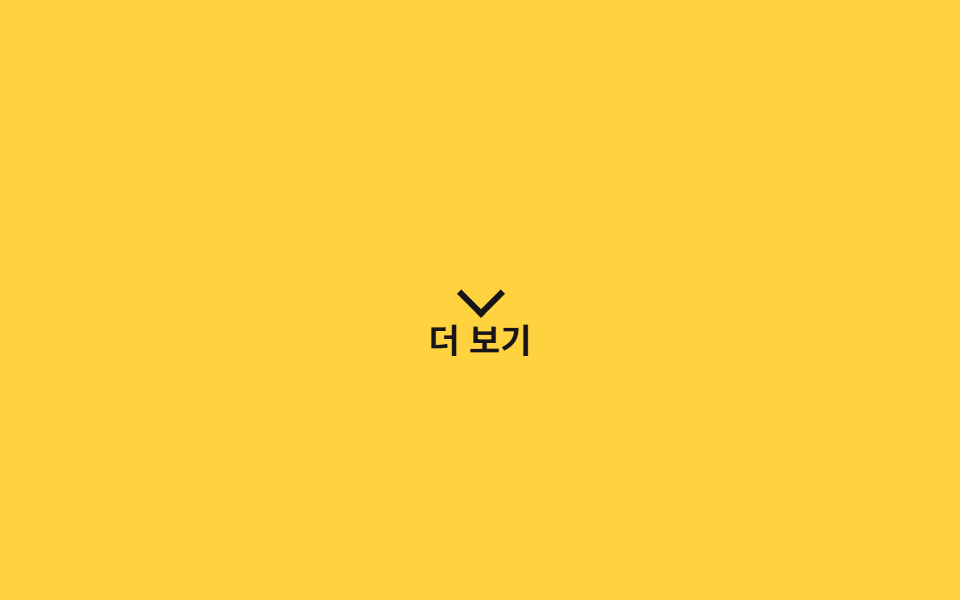
`.a-bounce` lặp lại nhịp chạm đất rồi bật cao bằng translateY như một quả bóng nảy, ra hiệu bằng chuyển động rằng vị trí đó có thể bấm được.
Dùng choMũi tên gợi ý cuộn trang, badge thông báo mới, icon 'xem thêm'
translateY바운스 이징1초
<main class="stage">
  <div class="hint a-bounce">
    <span class="hint__arrow" aria-hidden="true"></span>
    Xem thêm
  </div>
</main>
@use "../../../../site/static/demo-tokens" as *;
// ── 변수 3개 ──────────────────────────────────────────
$duration: 1s;
$easing: cubic-bezier(.28, .84, .42, 1); // 떨어질 때 빠르고 튀어 오를 때 감속 — 중력을 흉내낸다
$color: $stage-ink;
// ── 데모 무대 ───────────────────────────────
@include stage($stage-yellow);
.hint {
display: inline-flex;
flex-direction: column;
align-items: center;
gap: 6px;
color: $color;
font-weight: 700; font-size: clamp(14px, 4vw, 17px); line-height: 1; font-family: inherit;
}
.hint__arrow {
width: 14px;
height: 14px;
border-right: 3px solid $color;
border-bottom: 3px solid $color;
transform: rotate(45deg);
}
// ── .a-bounce 하나로 바닥에 튕기는 리듬을 만든다 ──────────
.a-bounce {
animation: bounce $duration $easing infinite;
}
@keyframes bounce {
0%, 100% { transform: translateY(0); }
30% { transform: translateY(-4px); }
55% { transform: translateY(10px); }
75% { transform: translateY(-2px); }
90% { transform: translateY(4px); }
}
@media (prefers-reduced-motion: reduce) {
.a-bounce { animation: none; }
}html, body {
margin: 0;
overflow: hidden;
}
.stage {
box-sizing: border-box;
min-height: 100vh;
display: grid;
place-items: center;
margin: 0;
background: #ffd23f;
font-family: -apple-system, "Segoe UI", "Noto Sans KR", sans-serif;
padding: clamp(8px, 4vw, 24px);
}
.hint {
display: inline-flex;
flex-direction: column;
align-items: center;
gap: 6px;
color: #17141a;
font-weight: 700;
font-size: clamp(14px, 4vw, 17px);
line-height: 1;
font-family: inherit;
}
.hint__arrow {
width: 14px;
height: 14px;
border-right: 3px solid #17141a;
border-bottom: 3px solid #17141a;
transform: rotate(45deg);
}
.a-bounce {
animation: bounce 1s cubic-bezier(0.28, 0.84, 0.42, 1) infinite;
}
@keyframes bounce {
0%, 100% {
transform: translateY(0);
}
30% {
transform: translateY(-4px);
}
55% {
transform: translateY(10px);
}
75% {
transform: translateY(-2px);
}
90% {
transform: translateY(4px);
}
}
@media (prefers-reduced-motion: reduce) {
.a-bounce {
animation: none;
}
}import type { CSSProperties, ReactNode } from "react";
import styles from "./BounceHint.module.scss";
export type BounceHintProps = {
children: ReactNode;
/** 한 번 튀는 데 걸리는 시간 (기본 1000ms) */
duration?: number;
/** CSS easing (기본 중력을 흉내낸 커스텀 베지어) */
easing?: string;
/** 화살표·글자 색 */
color?: string;
};
type Vars = CSSProperties & {
"--duration"?: string;
"--easing"?: string;
"--color"?: string;
};
export default function BounceHint({
children,
duration = 1000,
easing = "cubic-bezier(.28,.84,.42,1)",
color = "#17141a",
}: BounceHintProps) {
const vars: Vars = {
"--duration": `${duration}ms`,
"--easing": easing,
"--color": color,
};
return (
<div className={styles.hint} style={vars}>
<span className={styles.arrow} aria-hidden="true" />
{children}
</div>
);
}02 Bật nảy — Diện tích đo được 0.997% · khung hình chuyển động 23/23Nguyên tác GODRICH · SCSS và React nằm trong tệp zip · 9 CSS Keyframe Animations — dán 1 dòng là chạy
Bài viết chứa demo này
 9 CSS Keyframe Animations — dán 1 dòng là chạyCSS keyframe animation là chuyển động lặp được định nghĩa bằng @keyframes rồi gộp vào một class duy nhất, dán vào phần t Xem tất cả demo trong bài này