9 CSS Keyframe Animations — dán 1 dòng là chạy
CSS keyframe animation là chuyển động lặp được định nghĩa bằng @keyframes rồi gộp vào một class duy nhất, dán vào phần tử nào cũng chạy ngay.
 01 basic-keyframe-motions-float-updown
 02 basic-keyframe-motions-bounce
 03 basic-keyframe-motions-spin
 04 basic-keyframe-motions-pulse
 05 basic-keyframe-motions-shake
 06 basic-keyframe-motions-wobble
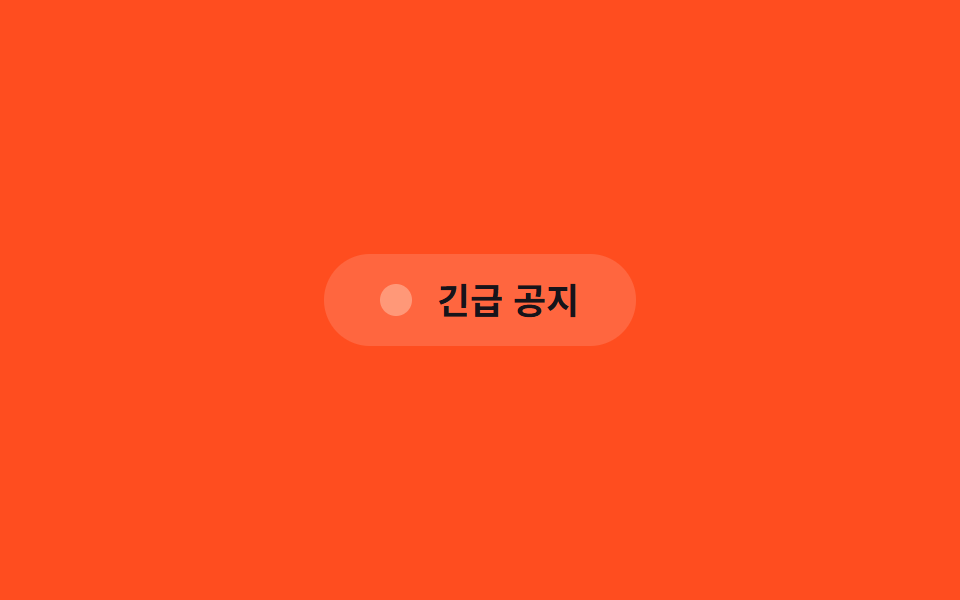 07 basic-keyframe-motions-flash
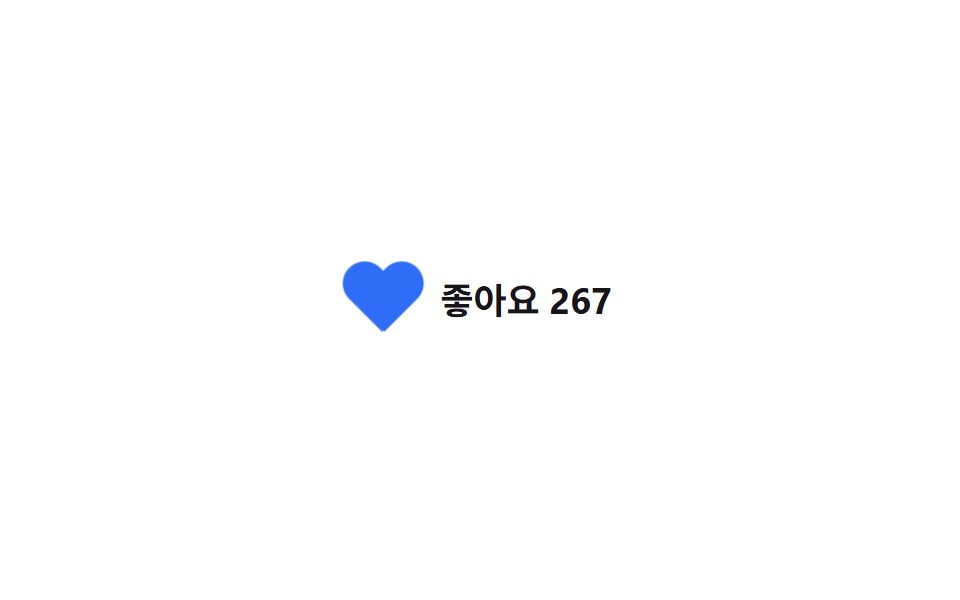 08 basic-keyframe-motions-heartbeat
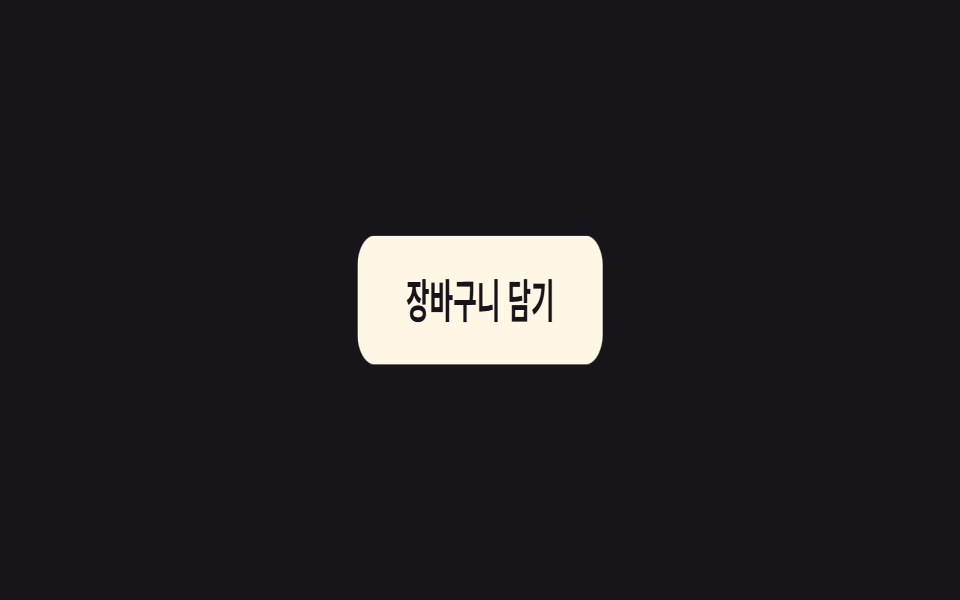 09 basic-keyframe-motions-jelly
Tự chạy · bấm ô để tới mục đó · cả 9 trong một zip
- 01 Bồng bềnh lên xuống
- 02 Bật nảy
- 03 Xoay tròn
- 04 Nhấp nháy nhẹ
- 05 Rung lắc
- 06 Lắc lư
- 07 Nhấp nháy
- 08 Nhịp tim
- 09 Dẻo như thạch
Chín class không xếp theo bảng chữ cái mà theo vai trò mà một phần tử đảm nhận trên màn hình: báo hiệu đang tồn tại (01, 02), báo hiệu đang chờ (03, 04), thu hút sự chú ý (05, 06), rồi báo hiệu trạng thái vừa đổi (07 đến 09). Ở khung lưới phía trên, cả chín class tự lặp lại vì iframe cố định không nhận được sự kiện con trỏ thật — riêng 05 và 09 còn có thêm một keyframes lặp -loop riêng gắn theo class .is-demo để giả lập một cú bấm mỗi 2 giây, còn bản vanilla trong zip chỉ chạy đúng lúc bạn tự bấm.
01Bồng bềnh lên xuống
Bạn thấy gì
Chỉ cần gắn .a-float, một vòng keyframes di chuyển translateY lên xuống chậm rãi chạy ngay, khiến phần tử nào cũng trông như đang lơ lửng.
<main class="stage">
  <div class="badge a-float">
    <span class="badge__dot" aria-hidden="true"></span>
    Hàng mới
  </div>
</main>
@use "../../../../site/static/demo-tokens" as *;
// ── 변수 3개. 변형은 이것만 바꾼다 ──────────────────────
$duration: 3s; // 한 번 오가는 데 걸리는 시간
$easing: ease-in-out; // 뜨고 가라앉는 리듬이라 스프링보다 사인 곡선에 가까운 이 값을 쓴다
$color: $subject-blue; // 점 색
// ── 데모 무대 ───────────────────────────────
@include stage($stage-ink);
// ── 배지: .a-float 하나만 붙이면 어떤 요소든 떠오른다 ─────
.badge {
display: inline-flex;
align-items: center;
gap: clamp(8px, 3vw, 12px);
padding: clamp(14px, 4vw, 18px) clamp(24px, 6vw, 32px);
border-radius: $r-pill;
background: $subject-cream;
color: $stage-ink;
font-weight: 700; font-size: clamp(16px, 4.5vw, 20px); line-height: 1; font-family: inherit;
box-shadow: $shadow-raised;
}
.badge__dot {
width: 10px;
height: 10px;
border-radius: 50%;
background: $color;
flex: none;
}
.a-float {
animation: float $duration $easing infinite;
}
@keyframes float {
0%, 100% { transform: translateY(0); }
50% { transform: translateY(-16px); }
}
// ── 접근성: 움직임 줄이기 설정이면 뜨지 않는다 ──────────────
@media (prefers-reduced-motion: reduce) {
.a-float { animation: none; }
}html, body {
margin: 0;
overflow: hidden;
}
.stage {
box-sizing: border-box;
min-height: 100vh;
display: grid;
place-items: center;
margin: 0;
background: #17141a;
font-family: -apple-system, "Segoe UI", "Noto Sans KR", sans-serif;
padding: clamp(8px, 4vw, 24px);
}
.badge {
display: inline-flex;
align-items: center;
gap: clamp(8px, 3vw, 12px);
padding: clamp(14px, 4vw, 18px) clamp(24px, 6vw, 32px);
border-radius: 999px;
background: #fff7e6;
color: #17141a;
font-weight: 700;
font-size: clamp(16px, 4.5vw, 20px);
line-height: 1;
font-family: inherit;
box-shadow: 0 14px 24px rgba(23, 20, 26, 0.32);
}
.badge__dot {
width: 10px;
height: 10px;
border-radius: 50%;
background: #2f6df6;
flex: none;
}
.a-float {
animation: float 3s ease-in-out infinite;
}
@keyframes float {
0%, 100% {
transform: translateY(0);
}
50% {
transform: translateY(-16px);
}
}
@media (prefers-reduced-motion: reduce) {
.a-float {
animation: none;
}
}import type { CSSProperties, ReactNode } from "react";
import styles from "./FloatBadge.module.scss";
export type FloatBadgeProps = {
children: ReactNode;
/** 한 번 오가는 데 걸리는 시간 (기본 3000ms) */
duration?: number;
/** CSS easing (기본 ease-in-out) */
easing?: string;
/** 점 색 */
color?: string;
};
type Vars = CSSProperties & {
"--duration"?: string;
"--easing"?: string;
"--color"?: string;
};
export default function FloatBadge({
children,
duration = 3000,
easing = "ease-in-out",
color = "#2f6df6",
}: FloatBadgeProps) {
const vars: Vars = {
"--duration": `${duration}ms`,
"--easing": easing,
"--color": color,
};
return (
<div className={styles.badge} style={vars}>
<span className={styles.dot} aria-hidden="true" />
{children}
</div>
);
}01 · Bồng bềnh lên xuống — Diện tích đo được 4.311% · khung hình chuyển động 23/23Nguyên tác GODRICH · SCSS và React nằm trong tệp zip · Xem mật khẩu
Dùng ở đâu
Hợp cho huy hiệu minh họa hay ảnh mockup ở phần hero, nơi cần liên tục nhắc người xem rằng phần tử ấy vẫn đang hiện diện.
$duration: 3s;
$easing: ease-in-out;

.a-float { animation: float $duration $easing infinite; }

@keyframes float {
  0%, 100% { transform: translateY(0); }
  50%      { transform: translateY(-16px); }
}
02Bật nảy
Chuyện gì diễn ra trên màn hình
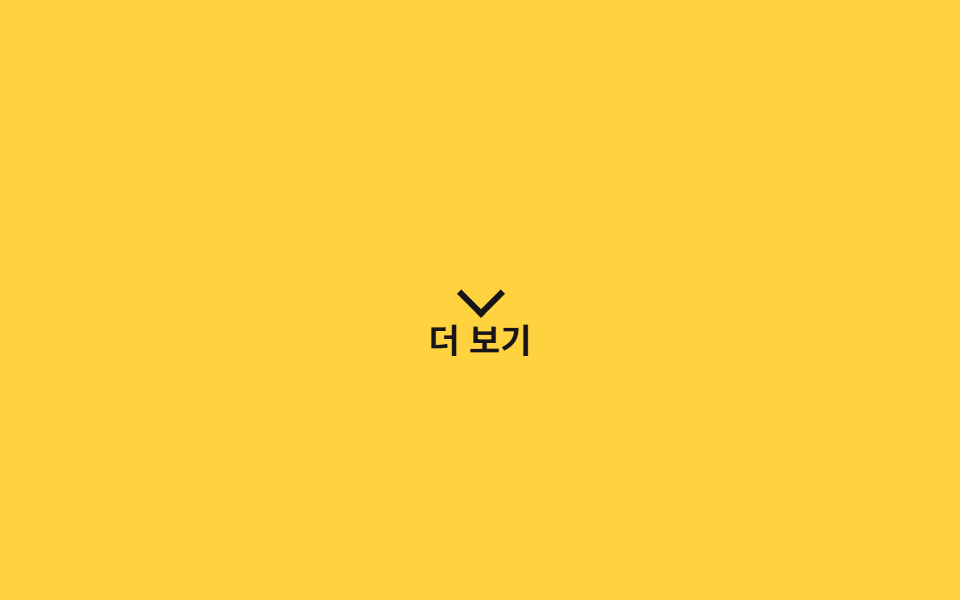
.a-bounce lặp lại nhịp chạm đất rồi bật cao bằng translateY như một quả bóng nảy, dùng chuyển động để ra hiệu rằng vị trí đó có thể bấm được.
<main class="stage">
  <div class="hint a-bounce">
    <span class="hint__arrow" aria-hidden="true"></span>
    Xem thêm
  </div>
</main>
@use "../../../../site/static/demo-tokens" as *;
// ── 변수 3개 ──────────────────────────────────────────
$duration: 1s;
$easing: cubic-bezier(.28, .84, .42, 1); // 떨어질 때 빠르고 튀어 오를 때 감속 — 중력을 흉내낸다
$color: $stage-ink;
// ── 데모 무대 ───────────────────────────────
@include stage($stage-yellow);
.hint {
display: inline-flex;
flex-direction: column;
align-items: center;
gap: 6px;
color: $color;
font-weight: 700; font-size: clamp(14px, 4vw, 17px); line-height: 1; font-family: inherit;
}
.hint__arrow {
width: 14px;
height: 14px;
border-right: 3px solid $color;
border-bottom: 3px solid $color;
transform: rotate(45deg);
}
// ── .a-bounce 하나로 바닥에 튕기는 리듬을 만든다 ──────────
.a-bounce {
animation: bounce $duration $easing infinite;
}
@keyframes bounce {
0%, 100% { transform: translateY(0); }
30% { transform: translateY(-4px); }
55% { transform: translateY(10px); }
75% { transform: translateY(-2px); }
90% { transform: translateY(4px); }
}
@media (prefers-reduced-motion: reduce) {
.a-bounce { animation: none; }
}html, body {
margin: 0;
overflow: hidden;
}
.stage {
box-sizing: border-box;
min-height: 100vh;
display: grid;
place-items: center;
margin: 0;
background: #ffd23f;
font-family: -apple-system, "Segoe UI", "Noto Sans KR", sans-serif;
padding: clamp(8px, 4vw, 24px);
}
.hint {
display: inline-flex;
flex-direction: column;
align-items: center;
gap: 6px;
color: #17141a;
font-weight: 700;
font-size: clamp(14px, 4vw, 17px);
line-height: 1;
font-family: inherit;
}
.hint__arrow {
width: 14px;
height: 14px;
border-right: 3px solid #17141a;
border-bottom: 3px solid #17141a;
transform: rotate(45deg);
}
.a-bounce {
animation: bounce 1s cubic-bezier(0.28, 0.84, 0.42, 1) infinite;
}
@keyframes bounce {
0%, 100% {
transform: translateY(0);
}
30% {
transform: translateY(-4px);
}
55% {
transform: translateY(10px);
}
75% {
transform: translateY(-2px);
}
90% {
transform: translateY(4px);
}
}
@media (prefers-reduced-motion: reduce) {
.a-bounce {
animation: none;
}
}import type { CSSProperties, ReactNode } from "react";
import styles from "./BounceHint.module.scss";
export type BounceHintProps = {
children: ReactNode;
/** 한 번 튀는 데 걸리는 시간 (기본 1000ms) */
duration?: number;
/** CSS easing (기본 중력을 흉내낸 커스텀 베지어) */
easing?: string;
/** 화살표·글자 색 */
color?: string;
};
type Vars = CSSProperties & {
"--duration"?: string;
"--easing"?: string;
"--color"?: string;
};
export default function BounceHint({
children,
duration = 1000,
easing = "cubic-bezier(.28,.84,.42,1)",
color = "#17141a",
}: BounceHintProps) {
const vars: Vars = {
"--duration": `${duration}ms`,
"--easing": easing,
"--color": color,
};
return (
<div className={styles.hint} style={vars}>
<span className={styles.arrow} aria-hidden="true" />
{children}
</div>
);
}02 · Bật nảy — Diện tích đo được 0.997% · khung hình chuyển động 23/23Nguyên tác GODRICH · SCSS và React nằm trong tệp zip · Xem mật khẩu
Chỗ dùng
Dùng cho mũi tên gợi ý cuộn trang hoặc icon "xem thêm", chỗ cần một cử chỉ mời gọi chứ không phải chữ.
$duration: 1s;
$easing: cubic-bezier(.28, .84, .42, 1);

.a-bounce { animation: bounce $duration $easing infinite; }

@keyframes bounce {
  0%, 100% { transform: translateY(0); }
  30%      { transform: translateY(-4px); }
  55%      { transform: translateY(10px); }
  75%      { transform: translateY(-2px); }
  90%      { transform: translateY(4px); }
}
03Xoay tròn
Chuyển động thế nào
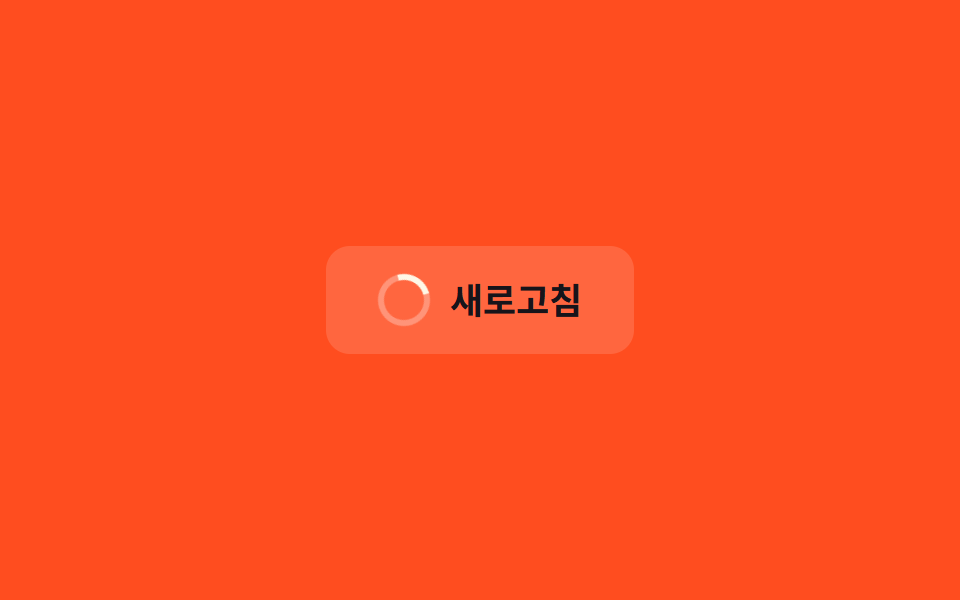
.a-spin không chỉ dành riêng cho spinner tải.
<main class="stage">
  <button class="btn" type="button">
    <span class="icon a-spin" aria-hidden="true"></span>
    Làm mới
  </button>
</main>
@use "../../../../site/static/demo-tokens" as *;
// ── 변수 3개 ──────────────────────────────────────────
$duration: 1s;
$easing: linear; // 가감속 없이 일정한 속도라야 회전이 끊겨 보이지 않는다
$color: $subject-cream;
// ── 데모 무대 ───────────────────────────────
@include stage($stage-orange);
.btn {
display: inline-flex;
align-items: center;
gap: 10px;
border: 0;
border-radius: $r-control;
padding: 14px 26px;
background: rgba(255, 255, 255, .14);
color: $subject-ink; // AA: 주황 면(흰 14% 겹침 #d2ada4) 위 6.28:1 — 스피너 링은 크림 유지
font-weight: 700; font-size: clamp(15px, 4vw, 18px); line-height: 1; font-family: inherit;
cursor: pointer;
-webkit-tap-highlight-color: transparent;
}
.icon {
width: 20px;
height: 20px;
border-radius: 50%;
border: 3px solid rgba(255, 255, 255, .3);
border-top-color: $color; // 이 한 변만 다른 색이라 회전이 보인다
flex: none;
}
// ── .a-spin 은 로딩뿐 아니라 새로고침·동기화 아이콘에도 그대로 쓴다 ─
.a-spin {
animation: spin $duration $easing infinite;
}
@keyframes spin {
to { transform: rotate(360deg); }
}
@media (prefers-reduced-motion: reduce) {
.a-spin { animation: none; }
}html, body {
margin: 0;
overflow: hidden;
}
.stage {
box-sizing: border-box;
min-height: 100vh;
display: grid;
place-items: center;
margin: 0;
background: #ff4d1f;
font-family: -apple-system, "Segoe UI", "Noto Sans KR", sans-serif;
padding: clamp(8px, 4vw, 24px);
}
.btn {
display: inline-flex;
align-items: center;
gap: 10px;
border: 0;
border-radius: 12px;
padding: 14px 26px;
background: rgba(255, 255, 255, 0.14);
color: #17141a;
font-weight: 700;
font-size: clamp(15px, 4vw, 18px);
line-height: 1;
font-family: inherit;
cursor: pointer;
-webkit-tap-highlight-color: transparent;
}
.icon {
width: 20px;
height: 20px;
border-radius: 50%;
border: 3px solid rgba(255, 255, 255, 0.3);
border-top-color: #fff7e6;
flex: none;
}
.a-spin {
animation: spin 1s linear infinite;
}
@keyframes spin {
to {
transform: rotate(360deg);
}
}
@media (prefers-reduced-motion: reduce) {
.a-spin {
animation: none;
}
}import type { CSSProperties, ReactNode } from "react";
import styles from "./SpinIcon.module.scss";
export type SpinIconProps = {
children: ReactNode;
/** 한 바퀴 도는 데 걸리는 시간 (기본 1000ms) */
duration?: number;
/** CSS easing (기본 linear — 끊김 없이 일정한 속도) */
easing?: string;
/** 링 강조 색 */
color?: string;
onClick?: () => void;
};
type Vars = CSSProperties & {
"--duration"?: string;
"--easing"?: string;
"--color"?: string;
};
export default function SpinIcon({
children,
duration = 1000,
easing = "linear",
color = "#fff7e6",
onClick,
}: SpinIconProps) {
const vars: Vars = {
"--duration": `${duration}ms`,
"--easing": easing,
"--color": color,
};
return (
<button type="button" className={styles.btn} style={vars} onClick={onClick}>
<span className={styles.icon} aria-hidden="true" />
{children}
</button>
);
}03 · Xoay tròn — Diện tích đo được 0.233% · khung hình chuyển động 23/23Nguyên tác GODRICH · SCSS và React nằm trong tệp zip · Xem mật khẩu
Dùng khi nào
Nó xoay rotate từ 0 đến 360 độ bằng linear không ngắt quãng, nên gắn thẳng vào icon làm mới hay icon đồng bộ cũng hợp lý không kém.
$duration: 1s;
$easing: linear;   // không gia giảm tốc độ thì vòng xoay mới không giật

.a-spin { animation: spin $duration $easing infinite; }

@keyframes spin {
  to { transform: rotate(360deg); }
}
04Nhấp nháy nhẹ
Bạn thấy gì
.a-pulse đưa scale qua lại giữa 1 và 1.06 đồng thời hạ rồi nâng opacity, tạo điểm nhấn kín đáo mà không buộc trình duyệt vẽ lại layout.
<main class="stage">
  <button class="btn a-pulse" type="button">Bắt đầu ngay</button>
</main>
@use "../../../../site/static/demo-tokens" as *;
// ── 변수 3개 ──────────────────────────────────────────
$duration: $dur-loop; // 2초 — 너무 빠르면 강조가 아니라 깜빡임으로 읽힌다
$easing: $ease-out;
$color: $subject-blue;
// ── 데모 무대 ───────────────────────────────
@include stage($stage-paper);
.btn {
border: 0;
border-radius: $r-control;
padding: 16px 40px;
background: $subject-blue-deep; // AA: 파란 면을 깊게 — 흰 글자 6.3:1
color: #fff;
font-weight: 700; font-size: clamp(15px, 4vw, 18px); line-height: 1; font-family: inherit;
cursor: pointer;
-webkit-tap-highlight-color: transparent;
}
// ── .a-pulse 는 레이아웃을 다시 그리지 않고 scale·opacity 만 쓴다 ─
.a-pulse {
animation: pulse $duration $easing infinite;
}
@keyframes pulse {
0%, 100% { transform: scale(1); opacity: 1; }
50% { transform: scale(1.06); opacity: .92; }
}
@media (prefers-reduced-motion: reduce) {
.a-pulse { animation: none; }
}html, body {
margin: 0;
overflow: hidden;
}
.stage {
box-sizing: border-box;
min-height: 100vh;
display: grid;
place-items: center;
margin: 0;
background: #ffffff;
font-family: -apple-system, "Segoe UI", "Noto Sans KR", sans-serif;
padding: clamp(8px, 4vw, 24px);
}
.btn {
border: 0;
border-radius: 12px;
padding: 16px 40px;
background: #0a4fe8;
color: #fff;
font-weight: 700;
font-size: clamp(15px, 4vw, 18px);
line-height: 1;
font-family: inherit;
cursor: pointer;
-webkit-tap-highlight-color: transparent;
}
.a-pulse {
animation: pulse 2s ease-out infinite;
}
@keyframes pulse {
0%, 100% {
transform: scale(1);
opacity: 1;
}
50% {
transform: scale(1.06);
opacity: 0.92;
}
}
@media (prefers-reduced-motion: reduce) {
.a-pulse {
animation: none;
}
}import type { CSSProperties, MouseEvent, ReactNode } from "react";
import styles from "./PulseButton.module.scss";
export type PulseButtonProps = {
children: ReactNode;
/** 한 번 오가는 데 걸리는 시간 (기본 2000ms) */
duration?: number;
/** CSS easing (기본 ease-out) */
easing?: string;
/** 버튼 색 */
color?: string;
onClick?: (e: MouseEvent<HTMLButtonElement>) => void;
type?: "button" | "submit";
};
type Vars = CSSProperties & {
"--duration"?: string;
"--easing"?: string;
"--color"?: string;
};
export default function PulseButton({
children,
duration = 2000,
easing = "ease-out",
color = "#0a4fe8",
onClick,
type = "button",
}: PulseButtonProps) {
const vars: Vars = {
"--duration": `${duration}ms`,
"--easing": easing,
"--color": color,
};
return (
<button type={type} className={styles.btn} style={vars} onClick={onClick}>
{children}
</button>
);
}04 · Nhấp nháy nhẹ — Diện tích đo được 7.199% · khung hình chuyển động 23/23Nguyên tác GODRICH · SCSS và React nằm trong tệp zip · Xem mật khẩu
Dùng ở đâu
Hợp cho chấm trạng thái đang live, badge tính năng mới, hoặc một nút CTA cần thêm chút chú ý.
$duration: 2s;
$easing: ease-out;

.a-pulse { animation: pulse $duration $easing infinite; }

@keyframes pulse {
  0%, 100% { transform: scale(1);    opacity: 1; }
  50%      { transform: scale(1.06); opacity: .92; }
}
05Rung lắc
Chuyện gì diễn ra trên màn hình
.a-shake không phải riêng cho lỗi form.
<main class="stage">
  <button class="badge a-shake is-demo" type="button">Mới</button>
</main>
@use "../../../../site/static/demo-tokens" as *;
// ── 변수 3개 ──────────────────────────────────────────
$duration: 500ms; // 흔들리는 한 번의 시간
$easing: cubic-bezier(.36, .07, .19, .97);
$color: $subject-cream;
$amount: 8px; // 흔들리는 폭 (변수는 아니지만 셋만 바꾸면 되게 여기 모아 둔다)
// ── 데모 무대 ───────────────────────────────
@include stage($stage-ink);
.badge {
border: 0;
border-radius: $r-pill;
padding: 16px 36px;
background: $color;
color: $stage-ink;
font-weight: 700; font-size: clamp(15px, 4vw, 18px); line-height: 1; font-family: inherit;
cursor: pointer;
-webkit-tap-highlight-color: transparent;
}
// ── 실제 쓰임: is-shaking 을 켜면 여섯 번 왕복하고 스스로 멈춘다 ─
.a-shake.is-shaking { animation: shake $duration $easing 1; }
// ── 데모: 클릭 전까지 2초마다 스스로 다시 흔든다 ──────────
.a-shake.is-demo { animation: shake-loop $dur-loop $easing infinite; }
@keyframes shake {
10%, 90% { transform: translateX($amount * -.5); }
20%, 80% { transform: translateX($amount); }
30%, 70% { transform: translateX($amount * -1); }
40%, 60% { transform: translateX($amount * .7); }
50% { transform: translateX($amount * -.7); }
}
// shake 와 같은 모양을 2초 루프의 60~80% 구간에 압축해 넣고 나머지는 쉰다
@keyframes shake-loop {
0%, 60% { transform: translateX(0); }
62%, 78% { transform: translateX($amount * -.5); }
64%, 76% { transform: translateX($amount); }
66%, 74% { transform: translateX($amount * -1); }
68%, 72% { transform: translateX($amount * .7); }
70% { transform: translateX($amount * -.7); }
80%, 100% { transform: translateX(0); }
}
// ── 접근성: 흔들림 대신 배경으로 알린다 ──────────────────
@media (prefers-reduced-motion: reduce) {
.a-shake.is-shaking, .a-shake.is-demo { animation: none; }
.a-shake.is-shaking { background: $error-soft; }
}html, body {
margin: 0;
overflow: hidden;
}
.stage {
box-sizing: border-box;
min-height: 100vh;
display: grid;
place-items: center;
margin: 0;
background: #17141a;
font-family: -apple-system, "Segoe UI", "Noto Sans KR", sans-serif;
padding: clamp(8px, 4vw, 24px);
}
.badge {
border: 0;
border-radius: 999px;
padding: 16px 36px;
background: #fff7e6;
color: #17141a;
font-weight: 700;
font-size: clamp(15px, 4vw, 18px);
line-height: 1;
font-family: inherit;
cursor: pointer;
-webkit-tap-highlight-color: transparent;
}
.a-shake.is-shaking {
animation: shake 500ms cubic-bezier(0.36, 0.07, 0.19, 0.97) 1;
}
.a-shake.is-demo {
animation: shake-loop 2s cubic-bezier(0.36, 0.07, 0.19, 0.97) infinite;
}
@keyframes shake {
10%, 90% {
transform: translateX(-4px);
}
20%, 80% {
transform: translateX(8px);
}
30%, 70% {
transform: translateX(-8px);
}
40%, 60% {
transform: translateX(5.6px);
}
50% {
transform: translateX(-5.6px);
}
}
@keyframes shake-loop {
0%, 60% {
transform: translateX(0);
}
62%, 78% {
transform: translateX(-4px);
}
64%, 76% {
transform: translateX(8px);
}
66%, 74% {
transform: translateX(-8px);
}
68%, 72% {
transform: translateX(5.6px);
}
70% {
transform: translateX(-5.6px);
}
80%, 100% {
transform: translateX(0);
}
}
@media (prefers-reduced-motion: reduce) {
.a-shake.is-shaking, .a-shake.is-demo {
animation: none;
}
.a-shake.is-shaking {
background: #ffe0d8;
}
}// 누르면 다시 흔든다. 실제 서비스에서는 원하는 시점에 is-shaking 을 켠다.
var b = document.querySelector('.a-shake');
b.addEventListener('click', function () {
b.classList.remove('is-demo'); b.classList.remove('is-shaking');
void b.offsetWidth;
b.classList.add('is-shaking');
});
b.addEventListener('animationend', function () { b.classList.remove('is-shaking'); });import { useCallback, useState } from "react";
import type { CSSProperties, MouseEvent, ReactNode } from "react";
import styles from "./ShakeBadge.module.scss";
export type ShakeBadgeProps = {
children: ReactNode;
/** 한 번 흔들리는 데 걸리는 시간 (기본 500ms) */
duration?: number;
/** CSS easing */
easing?: string;
/** 배지 색 */
color?: string;
onClick?: (e: MouseEvent<HTMLButtonElement>) => void;
};
type Vars = CSSProperties & {
"--duration"?: string;
"--easing"?: string;
"--color"?: string;
};
// 실제 쓰임: shakeKey 를 바꿀 때마다(예: 검증 실패 횟수) 다시 흔든다.
export default function ShakeBadge({
children,
duration = 500,
easing = "cubic-bezier(.36,.07,.19,.97)",
color = "#fff7e6",
onClick,
}: ShakeBadgeProps) {
const [shaking, setShaking] = useState(false);
const handle = useCallback(
(e: MouseEvent<HTMLButtonElement>) => {
setShaking(false);
requestAnimationFrame(() => setShaking(true));
onClick?.(e);
},
[onClick]
);
const vars: Vars = {
"--duration": `${duration}ms`,
"--easing": easing,
"--color": color,
};
return (
<button
type="button"
className={`${styles.badge} ${shaking ? styles.shaking : ""}`}
style={vars}
onClick={handle}
onAnimationEnd={() => setShaking(false)}
>
{children}
</button>
);
}05 · Rung lắc — Diện tích đo được 0.845% · khung hình chuyển động 6/23Nguyên tác GODRICH · SCSS và React nằm trong tệp zip · Xem mật khẩu
Chỗ dùng
Nó đẩy translateX qua lại sáu lần thật ngắn rồi tự dừng trong 0.5 giây, dùng chung cho bất kỳ lời nhắc "nhìn vào đây" nào — rung một badge tính năng mới hay đánh dấu một bước trong hướng dẫn sử dụng.
$duration: 500ms;
$easing: cubic-bezier(.36, .07, .19, .97);
$amount: 8px;

.a-shake.is-shaking { animation: shake $duration $easing 1; }

@keyframes shake {
  10%, 90% { transform: translateX($amount * -.5); }
  20%, 80% { transform: translateX($amount); }
  30%, 70% { transform: translateX($amount * -1); }
  40%, 60% { transform: translateX($amount * .7); }
  50%      { transform: translateX($amount * -.7); }
}
06Lắc lư
Chuyển động thế nào
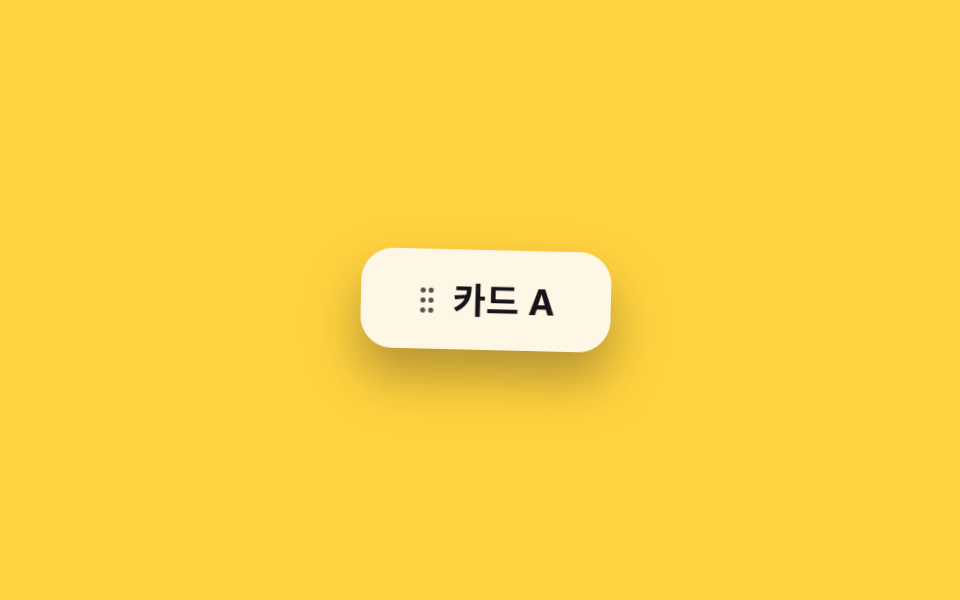
.a-wobble chồng translateX và rotate lệch thời điểm nhau trong cùng một khối keyframes, tạo chuyển động bất định và sống động hơn hẳn rung lắc đơn thuần ở mục 05.
<main class="stage">
  <div class="card a-wobble">
    <span class="card__handle" aria-hidden="true">⋮⋮</span>
    Thẻ A
  </div>
</main>
@use "../../../../site/static/demo-tokens" as *;
// ── 변수 3개 ──────────────────────────────────────────
$duration: 1s;
$easing: ease-in-out;
$color: $stage-ink;
// ── 데모 무대 ───────────────────────────────
@include stage($stage-yellow);
.card {
display: inline-flex;
align-items: center;
gap: 10px;
padding: 16px 28px;
border-radius: $r-card;
background: $subject-cream;
color: $color;
font-weight: 700; font-size: clamp(15px, 4vw, 18px); line-height: 1; font-family: inherit;
box-shadow: $shadow-raised;
}
.card__handle {
letter-spacing: -2px;
opacity: .72; // AA: 크림 면 위 핸들 글자 6.9:1
}
// ── .a-wobble 은 translateX 와 rotate 를 같은 keyframes 안에서 어긋나게 겹친다 ─
.a-wobble {
animation: wobble $duration $easing infinite;
}
@keyframes wobble {
0%, 100% { transform: translateX(0) rotate(0deg); }
15% { transform: translateX(-6px) rotate(-4deg); }
30% { transform: translateX(5px) rotate(3deg); }
45% { transform: translateX(-4px) rotate(-2deg); }
60% { transform: translateX(3px) rotate(2deg); }
75% { transform: translateX(-2px) rotate(-1deg); }
}
@media (prefers-reduced-motion: reduce) {
.a-wobble { animation: none; }
}html, body {
margin: 0;
overflow: hidden;
}
.stage {
box-sizing: border-box;
min-height: 100vh;
display: grid;
place-items: center;
margin: 0;
background: #ffd23f;
font-family: -apple-system, "Segoe UI", "Noto Sans KR", sans-serif;
padding: clamp(8px, 4vw, 24px);
}
.card {
display: inline-flex;
align-items: center;
gap: 10px;
padding: 16px 28px;
border-radius: 16px;
background: #fff7e6;
color: #17141a;
font-weight: 700;
font-size: clamp(15px, 4vw, 18px);
line-height: 1;
font-family: inherit;
box-shadow: 0 14px 24px rgba(23, 20, 26, 0.32);
}
.card__handle {
letter-spacing: -2px;
opacity: 0.72;
}
.a-wobble {
animation: wobble 1s ease-in-out infinite;
}
@keyframes wobble {
0%, 100% {
transform: translateX(0) rotate(0deg);
}
15% {
transform: translateX(-6px) rotate(-4deg);
}
30% {
transform: translateX(5px) rotate(3deg);
}
45% {
transform: translateX(-4px) rotate(-2deg);
}
60% {
transform: translateX(3px) rotate(2deg);
}
75% {
transform: translateX(-2px) rotate(-1deg);
}
}
@media (prefers-reduced-motion: reduce) {
.a-wobble {
animation: none;
}
}import type { CSSProperties, ReactNode } from "react";
import styles from "./WobbleCard.module.scss";
export type WobbleCardProps = {
children: ReactNode;
/** 한 번 도는 데 걸리는 시간 (기본 1000ms) */
duration?: number;
/** CSS easing (기본 ease-in-out) */
easing?: string;
/** 글자·핸들 색 */
color?: string;
};
type Vars = CSSProperties & {
"--duration"?: string;
"--easing"?: string;
"--color"?: string;
};
export default function WobbleCard({
children,
duration = 1000,
easing = "ease-in-out",
color = "#17141a",
}: WobbleCardProps) {
const vars: Vars = {
"--duration": `${duration}ms`,
"--easing": easing,
"--color": color,
};
return (
<div className={styles.card} style={vars}>
<span className={styles.handle} aria-hidden="true">⋮⋮</span>
{children}
</div>
);
}06 · Lắc lư — Diện tích đo được 2.026% · khung hình chuyển động 23/23Nguyên tác GODRICH · SCSS và React nằm trong tệp zip · Xem mật khẩu
Dùng khi nào
Hợp cho gợi ý một thẻ có thể kéo hoặc nhấn mạnh một mục danh sách vừa được sắp xếp lại.
$duration: 1s;
$easing: ease-in-out;

.a-wobble { animation: wobble $duration $easing infinite; }

@keyframes wobble {
  0%, 100% { transform: translateX(0)    rotate(0deg); }
  15%      { transform: translateX(-6px) rotate(-4deg); }
  30%      { transform: translateX(5px)  rotate(3deg); }
  45%      { transform: translateX(-4px) rotate(-2deg); }
  60%      { transform: translateX(3px)  rotate(2deg); }
  75%      { transform: translateX(-2px) rotate(-1deg); }
}
07Nhấp nháy
Bạn thấy gì
.a-flash đưa opacity qua 1→0→1 hai lần liên tiếp, nhấp nháy rõ ràng mà chưa bao giờ khiến phần tử biến mất hẳn.
<main class="stage">
  <div class="notice">
    <span class="notice__dot a-flash" aria-hidden="true"></span>
    Thông báo khẩn
  </div>
</main>
@use "../../../../site/static/demo-tokens" as *;
// ── 변수 3개 ──────────────────────────────────────────
$duration: 1s;
$easing: ease-in-out;
$color: $subject-cream;
// ── 데모 무대 ───────────────────────────────
@include stage($stage-orange);
.notice {
display: inline-flex;
align-items: center;
gap: 12px;
padding: 14px 28px;
border-radius: $r-pill;
background: rgba(255, 255, 255, .14);
color: $subject-ink; // AA: 주황 면(흰 14% 겹침 #d2ada4) 위 6.28:1 — 알림 점은 크림 유지
font-weight: 700; font-size: clamp(15px, 4vw, 18px); line-height: 1; font-family: inherit;
}
.notice__dot {
width: 16px;
height: 16px;
border-radius: 50%;
background: $color;
flex: none;
}
// ── .a-flash 는 opacity 만으로 두 번 끊어 깜빡인다. 요소는 사라지지 않는다 ─
.a-flash {
animation: flash $duration $easing infinite;
}
@keyframes flash {
0%, 50%, 100% { opacity: 1; }
25%, 75% { opacity: .15; }
}
@media (prefers-reduced-motion: reduce) {
.a-flash { animation: none; }
}html, body {
margin: 0;
overflow: hidden;
}
.stage {
box-sizing: border-box;
min-height: 100vh;
display: grid;
place-items: center;
margin: 0;
background: #ff4d1f;
font-family: -apple-system, "Segoe UI", "Noto Sans KR", sans-serif;
padding: clamp(8px, 4vw, 24px);
}
.notice {
display: inline-flex;
align-items: center;
gap: 12px;
padding: 14px 28px;
border-radius: 999px;
background: rgba(255, 255, 255, 0.14);
color: #17141a;
font-weight: 700;
font-size: clamp(15px, 4vw, 18px);
line-height: 1;
font-family: inherit;
}
.notice__dot {
width: 16px;
height: 16px;
border-radius: 50%;
background: #fff7e6;
flex: none;
}
.a-flash {
animation: flash 1s ease-in-out infinite;
}
@keyframes flash {
0%, 50%, 100% {
opacity: 1;
}
25%, 75% {
opacity: 0.15;
}
}
@media (prefers-reduced-motion: reduce) {
.a-flash {
animation: none;
}
}import type { CSSProperties, ReactNode } from "react";
import styles from "./FlashNotice.module.scss";
export type FlashNoticeProps = {
children: ReactNode;
/** 한 번 깜빡이는 데 걸리는 시간 (기본 1000ms) */
duration?: number;
/** CSS easing (기본 ease-in-out) */
easing?: string;
/** 점·글자 색 */
color?: string;
};
type Vars = CSSProperties & {
"--duration"?: string;
"--easing"?: string;
"--color"?: string;
};
export default function FlashNotice({
children,
duration = 1000,
easing = "ease-in-out",
color = "#fff7e6",
}: FlashNoticeProps) {
const vars: Vars = {
"--duration": `${duration}ms`,
"--easing": easing,
"--color": color,
};
return (
<div className={styles.notice} style={vars}>
<span className={styles.dot} aria-hidden="true" />
{children}
</div>
);
}07 · Nhấp nháy — Diện tích đo được 0.15% · khung hình chuyển động 23/23Nguyên tác GODRICH · SCSS và React nằm trong tệp zip · Xem mật khẩu
Dùng ở đâu
Dùng cho icon thông báo khẩn, chấm báo đang phát trực tiếp, hoặc một badge cần lóe sáng một lần.
$duration: 1s;
$easing: ease-in-out;

.a-flash { animation: flash $duration $easing infinite; }

@keyframes flash {
  0%, 50%, 100% { opacity: 1; }
  25%, 75%      { opacity: .15; }
}
08Nhịp tim
Chuyện gì diễn ra trên màn hình
.a-heartbeat chia keyframes thành nhịp "đập, đập, nghỉ" với hai lần bật scale ngắn rồi một quãng nghỉ, mô phỏng đúng nhịp không đều của một nhịp tim thật thay vì một chu kỳ đều tăm tắp.
<main class="stage">
  <div class="like">
    <span class="heart a-heartbeat" aria-hidden="true"></span>
    267 lượt thích
  </div>
</main>
@use "../../../../site/static/demo-tokens" as *;
// ── 변수 3개 ──────────────────────────────────────────
$duration: 1.2s;
$easing: ease-in-out;
$color: $subject-blue;
// ── 데모 무대 ───────────────────────────────
@include stage($stage-paper);
.like {
display: inline-flex;
align-items: center;
gap: 12px;
color: $stage-ink;
font-weight: 700; font-size: clamp(15px, 4vw, 18px); line-height: 1; font-family: inherit;
}
// 순수 CSS 하트 — 원 두 개 + 45도 회전한 사각형
.heart {
position: relative;
display: inline-block;
width: 34px;
height: 30px;
flex: none;
}
.heart::before,
.heart::after {
content: "";
position: absolute;
top: 0;
width: 18px;
height: 28px;
background: $color;
border-radius: 18px 18px 0 0;
}
.heart::before { left: 17px; transform: rotate(-45deg); transform-origin: 0 100%; } // 규칙8: 하트반쪽 밑변꼭짓점 회전
.heart::after { left: 0; transform: rotate(45deg); transform-origin: 100% 100%; } // 규칙8: 하트반쪽 밑변꼭짓점 회전
// ── .a-heartbeat 는 scale 을 두 번 짧게 튀우고 쉬어, 실제 심박처럼 불균등하다 ─
.a-heartbeat {
animation: heartbeat $duration $easing infinite;
}
@keyframes heartbeat {
0%, 100% { transform: scale(1); }
14% { transform: scale(1.24); }
28% { transform: scale(1); }
42% { transform: scale(1.18); }
70% { transform: scale(1); }
}
@media (prefers-reduced-motion: reduce) {
.a-heartbeat { animation: none; }
}html, body {
margin: 0;
overflow: hidden;
}
.stage {
box-sizing: border-box;
min-height: 100vh;
display: grid;
place-items: center;
margin: 0;
background: #ffffff;
font-family: -apple-system, "Segoe UI", "Noto Sans KR", sans-serif;
padding: clamp(8px, 4vw, 24px);
}
.like {
display: inline-flex;
align-items: center;
gap: 12px;
color: #17141a;
font-weight: 700;
font-size: clamp(15px, 4vw, 18px);
line-height: 1;
font-family: inherit;
}
.heart {
position: relative;
display: inline-block;
width: 34px;
height: 30px;
flex: none;
}
.heart::before,
.heart::after {
content: "";
position: absolute;
top: 0;
width: 18px;
height: 28px;
background: #2f6df6;
border-radius: 18px 18px 0 0;
}
.heart::before {
left: 17px;
transform: rotate(-45deg);
transform-origin: 0 100%;
}
.heart::after {
left: 0;
transform: rotate(45deg);
transform-origin: 100% 100%;
}
.a-heartbeat {
animation: heartbeat 1.2s ease-in-out infinite;
}
@keyframes heartbeat {
0%, 100% {
transform: scale(1);
}
14% {
transform: scale(1.24);
}
28% {
transform: scale(1);
}
42% {
transform: scale(1.18);
}
70% {
transform: scale(1);
}
}
@media (prefers-reduced-motion: reduce) {
.a-heartbeat {
animation: none;
}
}import type { CSSProperties, ReactNode } from "react";
import styles from "./HeartbeatLike.module.scss";
export type HeartbeatLikeProps = {
children: ReactNode;
/** 한 박자가 걸리는 시간 (기본 1200ms) */
duration?: number;
/** CSS easing (기본 ease-in-out) */
easing?: string;
/** 하트 색 */
color?: string;
};
type Vars = CSSProperties & {
"--duration"?: string;
"--easing"?: string;
"--color"?: string;
};
export default function HeartbeatLike({
children,
duration = 1200,
easing = "ease-in-out",
color = "#2f6df6",
}: HeartbeatLikeProps) {
const vars: Vars = {
"--duration": `${duration}ms`,
"--easing": easing,
"--color": color,
};
return (
<div className={styles.like} style={vars}>
<span className={styles.heart} aria-hidden="true" />
{children}
</div>
);
}08 · Nhịp tim — Diện tích đo được 0.356% · khung hình chuyển động 19/23Nguyên tác GODRICH · SCSS và React nằm trong tệp zip · Xem mật khẩu
Chỗ dùng
Hợp cho trạng thái chờ của icon thích hoặc một chấm trạng thái trên dashboard giám sát thời gian thực.
$duration: 1.2s;
$easing: ease-in-out;

.a-heartbeat { animation: heartbeat $duration $easing infinite; }

@keyframes heartbeat {
  0%, 100% { transform: scale(1); }
  14%      { transform: scale(1.24); }
  28%      { transform: scale(1); }
  42%      { transform: scale(1.18); }
  70%      { transform: scale(1); }
}
09Dẻo như thạch
Chuyển động thế nào
.a-jelly di chuyển scaleX và scaleY lệch pha ngược nhau, khiến phần tử móp lại như thạch ngay khi vừa nhấn rồi rung nhẹ trở về hình dạng cũ.
<main class="stage">
  <button class="btn a-jelly is-demo" type="button">Thêm vào giỏ</button>
</main>
@use "../../../../site/static/demo-tokens" as *;
// ── 변수 3개 ──────────────────────────────────────────
$duration: 600ms;
$easing: cubic-bezier(.68, -0.55, .27, 1.55); // 과도하게 넘겼다 돌아오는 탄성
$color: $subject-cream;
// ── 데모 무대 ───────────────────────────────
@include stage($stage-ink);
.btn {
border: 0;
border-radius: $r-control;
padding: 16px 34px;
background: $color;
color: $stage-ink;
font-weight: 700; font-size: clamp(15px, 4vw, 18px); line-height: 1; font-family: inherit;
cursor: pointer;
-webkit-tap-highlight-color: transparent;
}
// ── 실제 쓰임: is-jellying 을 켜면 한 번 출렁이고 멈춘다 ─────
.a-jelly.is-jellying { animation: jelly $duration $easing 1; }
// ── 데모: 클릭 전까지 2초마다 스스로 다시 출렁인다 ─────────
.a-jelly.is-demo { animation: jelly-loop $dur-loop $easing infinite; }
// scaleX 와 scaleY 를 서로 반대로 어긋나게 — 커지면서 좁아지고, 좁아지면서 커진다
@keyframes jelly {
0% { transform: scale(1, 1); }
20% { transform: scale(1.25, .75); }
40% { transform: scale(.75, 1.25); }
60% { transform: scale(1.15, .85); }
80% { transform: scale(.95, 1.05); }
100% { transform: scale(1, 1); }
}
// 같은 모양을 2초 루프의 60~100% 구간에 압축해 넣고 나머지는 쉰다
@keyframes jelly-loop {
0%, 60% { transform: scale(1, 1); }
68% { transform: scale(1.25, .75); }
76% { transform: scale(.75, 1.25); }
84% { transform: scale(1.15, .85); }
92% { transform: scale(.95, 1.05); }
100% { transform: scale(1, 1); }
}
@media (prefers-reduced-motion: reduce) {
.a-jelly.is-jellying, .a-jelly.is-demo { animation: none; }
}html, body {
margin: 0;
overflow: hidden;
}
.stage {
box-sizing: border-box;
min-height: 100vh;
display: grid;
place-items: center;
margin: 0;
background: #17141a;
font-family: -apple-system, "Segoe UI", "Noto Sans KR", sans-serif;
padding: clamp(8px, 4vw, 24px);
}
.btn {
border: 0;
border-radius: 12px;
padding: 16px 34px;
background: #fff7e6;
color: #17141a;
font-weight: 700;
font-size: clamp(15px, 4vw, 18px);
line-height: 1;
font-family: inherit;
cursor: pointer;
-webkit-tap-highlight-color: transparent;
}
.a-jelly.is-jellying {
animation: jelly 600ms cubic-bezier(0.68, -0.55, 0.27, 1.55) 1;
}
.a-jelly.is-demo {
animation: jelly-loop 2s cubic-bezier(0.68, -0.55, 0.27, 1.55) infinite;
}
@keyframes jelly {
0% {
transform: scale(1, 1);
}
20% {
transform: scale(1.25, 0.75);
}
40% {
transform: scale(0.75, 1.25);
}
60% {
transform: scale(1.15, 0.85);
}
80% {
transform: scale(0.95, 1.05);
}
100% {
transform: scale(1, 1);
}
}
@keyframes jelly-loop {
0%, 60% {
transform: scale(1, 1);
}
68% {
transform: scale(1.25, 0.75);
}
76% {
transform: scale(0.75, 1.25);
}
84% {
transform: scale(1.15, 0.85);
}
92% {
transform: scale(0.95, 1.05);
}
100% {
transform: scale(1, 1);
}
}
@media (prefers-reduced-motion: reduce) {
.a-jelly.is-jellying, .a-jelly.is-demo {
animation: none;
}
}// 누르면 젤리처럼 출렁이고 멈춘다. 실제로는 담기 요청이 성공했을 때 is-jellying 을 켠다.
var b = document.querySelector('.a-jelly');
b.addEventListener('click', function () {
b.classList.remove('is-demo'); b.classList.remove('is-jellying');
void b.offsetWidth;
b.classList.add('is-jellying');
});
b.addEventListener('animationend', function () { b.classList.remove('is-jellying'); });import { useCallback, useState } from "react";
import type { CSSProperties, MouseEvent, ReactNode } from "react";
import styles from "./JellyButton.module.scss";
export type JellyButtonProps = {
children: ReactNode;
/** 한 번 출렁이는 데 걸리는 시간 (기본 600ms) */
duration?: number;
/** CSS easing (기본 과도하게 넘겼다 돌아오는 커스텀 베지어) */
easing?: string;
/** 버튼 색 */
color?: string;
onClick?: (e: MouseEvent<HTMLButtonElement>) => void;
};
type Vars = CSSProperties & {
"--duration"?: string;
"--easing"?: string;
"--color"?: string;
};
// 실제 쓰임: 담기 요청이 성공했을 때 onClick 안에서 API 를 부르고, 결과와 무관하게 한 번 출렁인다.
export default function JellyButton({
children,
duration = 600,
easing = "cubic-bezier(.68,-0.55,.27,1.55)",
color = "#fff7e6",
onClick,
}: JellyButtonProps) {
const [jellying, setJellying] = useState(false);
const handle = useCallback(
(e: MouseEvent<HTMLButtonElement>) => {
setJellying(false);
requestAnimationFrame(() => setJellying(true));
onClick?.(e);
},
[onClick]
);
const vars: Vars = {
"--duration": `${duration}ms`,
"--easing": easing,
"--color": color,
};
return (
<button
type="button"
className={`${styles.btn} ${jellying ? styles.jellying : ""}`}
style={vars}
onClick={handle}
onAnimationEnd={() => setJellying(false)}
>
{children}
</button>
);
}09 · Dẻo như thạch — Diện tích đo được 7.007% · khung hình chuyển động 10/23Nguyên tác GODRICH · SCSS và React nằm trong tệp zip · Xem mật khẩu
Dùng khi nào
Hợp cho icon xác nhận đã thêm vào giỏ hàng hoặc phản hồi nảy nhẹ trên một nút sau khi click.
$duration: 600ms;
$easing: cubic-bezier(.68, -0.55, .27, 1.55);

.a-jelly.is-jellying { animation: jelly $duration $easing 1; }

@keyframes jelly {
  0%   { transform: scale(1, 1); }
  20%  { transform: scale(1.25, .75); }
  40%  { transform: scale(.75, 1.25); }
  60%  { transform: scale(1.15, .85); }
  80%  { transform: scale(.95, 1.05); }
  100% { transform: scale(1, 1); }
}
Vì sao thứ tự animation rút gọn lại như vậy?
Viết dồn cả tám giá trị vào một dòng animation: rất dễ nhầm duration với delay nếu không nhớ đúng thứ tự. Trang animation rút gọn của MDN xếp thứ tự như bảng dưới.
| Vị trí | Thuộc tính con | Ví dụ ở bài này | Giá trị mặc định |
|---|---|---|---|
| 1 | animation-name |
float |
none |
| 2 | animation-duration |
3s |
0s |
| 3 | animation-timing-function |
ease-in-out |
ease |
| 4 | animation-delay |
(không khai thì 0) | 0s |
| 5 | animation-iteration-count |
infinite |
1 |
| 6 | animation-direction |
(không khai thì normal) | normal |
| 7 | animation-fill-mode |
(không khai thì none) | none |
| 8 | animation-play-state |
(không khai thì running) | running |
animation-fill-mode quyết định giá trị của keyframes có giữ lại trước và sau khi animation chạy hay không. 05 rung lắc và 09 dẻo như thạch chỉ phát một lần (1) nhưng khung 0% và 100% đều là hình dạng gốc, nên không cần fill-mode, phần tử vẫn tự quay về đúng vị trí ban đầu. Nếu khung cuối của keyframes khác hình dạng gốc, phải thêm forwards thì hình dạng đó mới được giữ lại sau khi animation kết thúc.
Nó dễ hỏng ở đâu — cái bẫy
Hai class animation trên cùng một phần tử
Gắn hai class tiện ích như .a-float và .a-spin lên cùng một phần tử tưởng chừng cộng dồn hai chuyển động, nhưng cả hai đều khai báo trọn vẹn thuộc tính rút gọn animation, nên theo quy tắc cascade của CSS, class đứng sau trong stylesheet đè hoàn toàn lên class đứng trước và chỉ một chuyển động còn sống. Muốn chồng hai chuyển động lên cùng một phần tử phải liệt kê tên trong animation-name: float, spin; rồi liệt kê animation-duration và animation-timing-function với đúng số lượng giá trị tương ứng. Nếu hai animation cùng tác động lên một thuộc tính như transform, chế độ mặc định replace vẫn khiến cái sau ghi đè cái trước; animation-composition: add cộng dồn hai giá trị transform lại thay vì đè, và thuộc tính này đã có mặt rộng rãi trên các trình duyệt lớn từ tháng 7 năm 2023.
Diện tích pixel quá nhỏ để đo
Lúc mới dựng mục 04 nhấp nháy nhẹ, hiệu ứng chỉ gắn trên một chấm nhỏ nên diện tích pixel đổi màu quá ít, không vượt ngưỡng cường độ mà công cụ đo dùng để xác nhận có chuyển động thật. Đổi sang gắn .a-pulse cho cả nút thay vì riêng chấm nhỏ mới lên đủ ngưỡng và trông rõ là một điểm nhấn. Chín file đã đóng gói sẵn giá trị đúng, mở bằng mật khẩu nft4q6u2 gõ đúng như nó hiện trên dòng này, không thêm khoảng trắng nào.
Khả năng tiếp cận
Giảm chuyển động cho chín class
Khi hệ thống bật chế độ giảm chuyển động, cả chín class đều tắt bằng @media (prefers-reduced-motion: reduce), đưa animation về none. Riêng 05 rung lắc không chỉ tắt animation mà còn đổi nền sang màu báo lỗi để thông tin "cần chú ý" không mất đi cùng chuyển động, còn tám class kia dừng lại ở đúng trạng thái tĩnh của chúng. Mức hỗ trợ trình duyệt cho media query này nằm trong bảng tương thích trên trang prefers-reduced-motion của MDN.
@media (prefers-reduced-motion: reduce) {
  .a-float, .a-bounce, .a-spin, .a-pulse,
  .a-wobble, .a-flash, .a-heartbeat { animation: none; }
  .a-shake.is-shaking, .a-jelly.is-jellying { animation: none; }
}
Các bài CSS animation khác nằm trong chuyên mục CSS, còn trang giới thiệu nói rõ site này đưa ra thứ gì.
FAQ
Chỉ cần một trong chín class này thôi có được không?
Được. Mỗi class đóng gói gọn trong một khối @keyframes riêng và không chia sẻ biến hay trạng thái với mục khác, nên copy đúng phần SCSS của một mục cùng đoạn HTML đi kèm là chạy độc lập ngay. Mục 01 và 03 là hai bản đơn giản nhất nếu trang chỉ cần một chuyển động.
Kết hợp hai animation trên cùng một phần tử thì làm sao?
Gắn hai class cùng lúc sẽ khiến class đứng sau đè hết class đứng trước vì cả hai khai animation trọn vẹn. Liệt kê nhiều tên trong animation-name cách nhau bằng dấu phẩy, và nếu hai animation cùng tác động lên transform thì thêm animation-composition: add để cộng dồn thay vì ghi đè — ví dụ cụ thể nằm ở mục bẫy phía trên.
React thay việc toggle class như thế nào?
Các component trong thư mục react/ của file zip nhận duration, easing, color qua props rồi đổ vào biến CSS. Với 05 rung lắc và 09 dẻo như thạch — hai class chỉ phát một lần — component dùng useState để bật class trạng thái ngay khi bấm rồi tắt lại ở sự kiện onAnimationEnd, để lần bấm sau lại phát từ đầu.
Có thể bạn cũng thích
 Phản hồi9 hiệu ứng css dark mode toggle 1 dòng CSS
 Phản hồi9 micro interactions css — dán 1 dòng chạy ngay
 Phản hồi9 hiệu ứng css background animation dán là chạy
 Phản hồi9 CSS Text Shine Animation — dán 1 dòng là chạy
 Phản hồi9 CSS Heart Like Animations — dán 1 dòng là chạy
 Phản hồi9 CSS Button Click Feedback, dán 1 dòng chạy ngay
 Phản hồi9 CSS Border Animations — dán 1 dòng là chạy
 Phản hồi9 CSS 3D Cube Effects — dán 1 dòng là chạy
 Phản hồi9 CSS Particle Backgrounds — dán 1 dòng là chạy
 Phản hồi9 css glow effect — nút chữ phát sáng như neon