9 hiệu ứng css background animation dán là chạy
Css background animation là cách khiến nền sau nội dung — gradient, lưới, chấm, nhiễu — tự chuyển động mà không cần ảnh hay JS.
 01 background-animation-gradient-shift
 02 background-animation-mesh-gradient
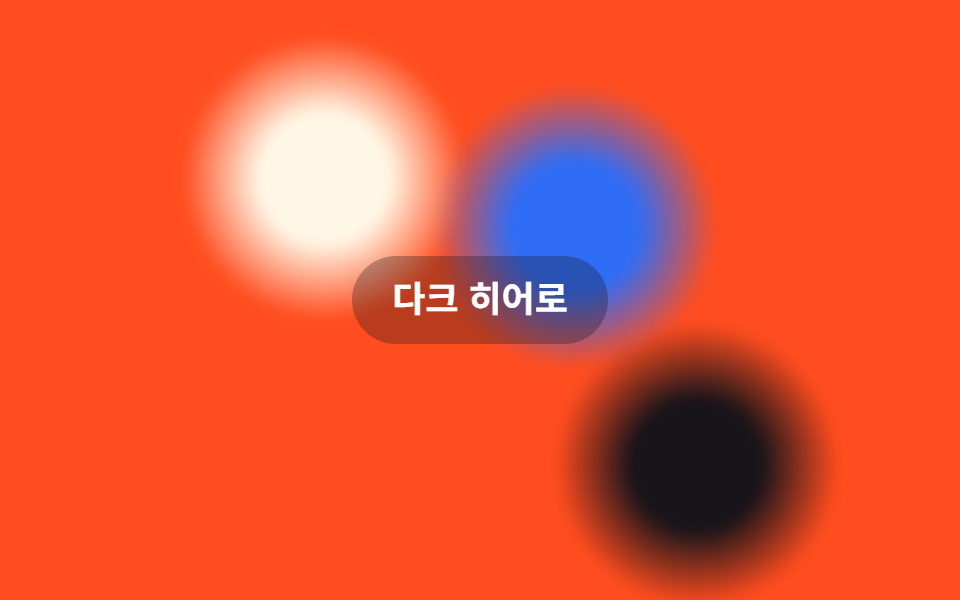 03 background-animation-aurora-blur
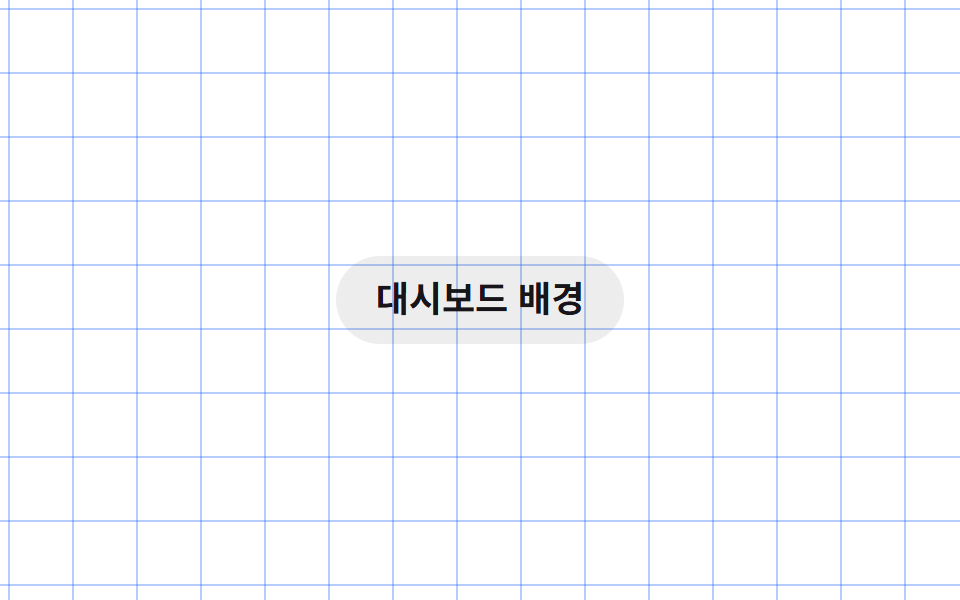 04 background-animation-grid-lines-drift
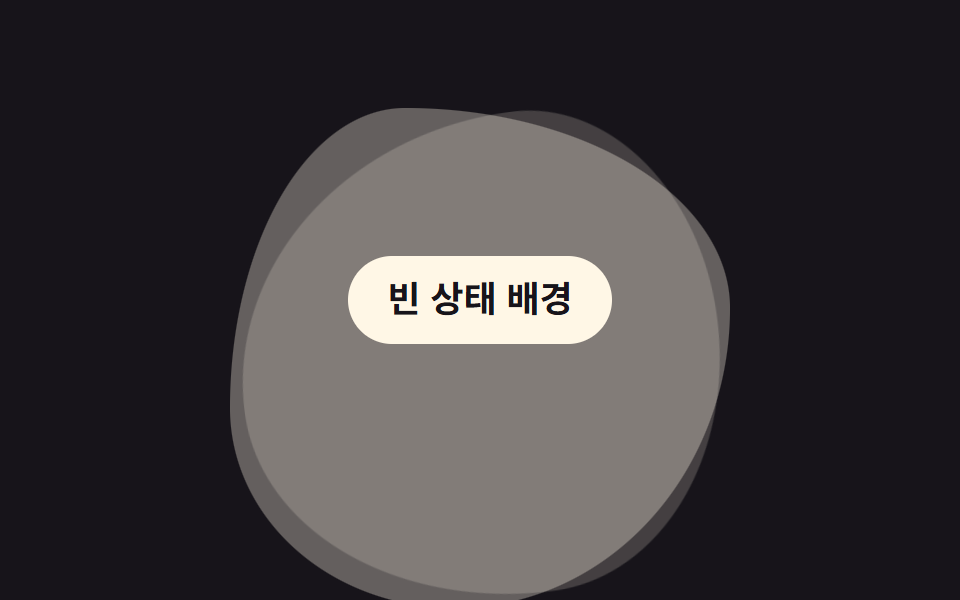 05 background-animation-blob-morph
 06 background-animation-noise-grain
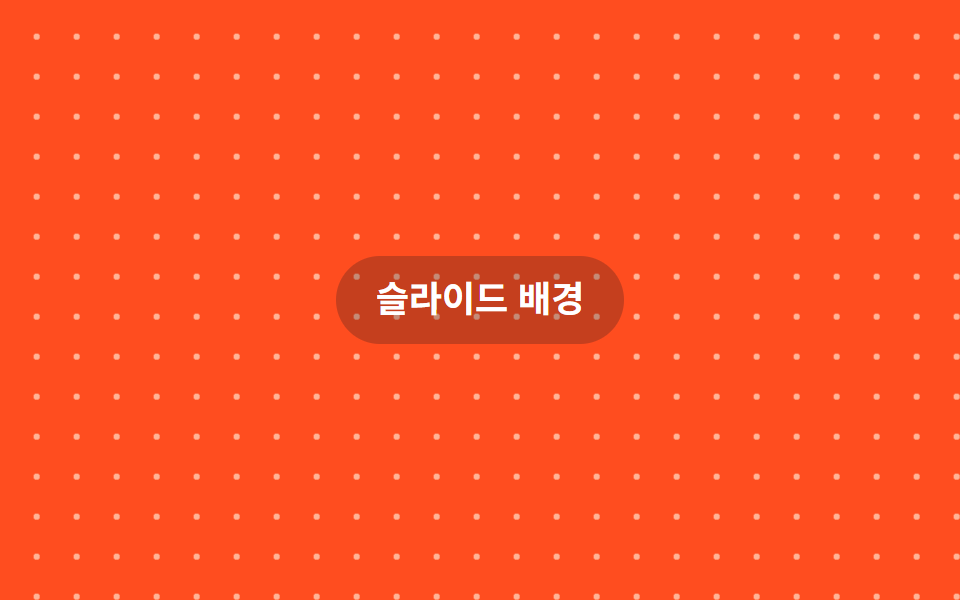 07 background-animation-dot-pattern-drift
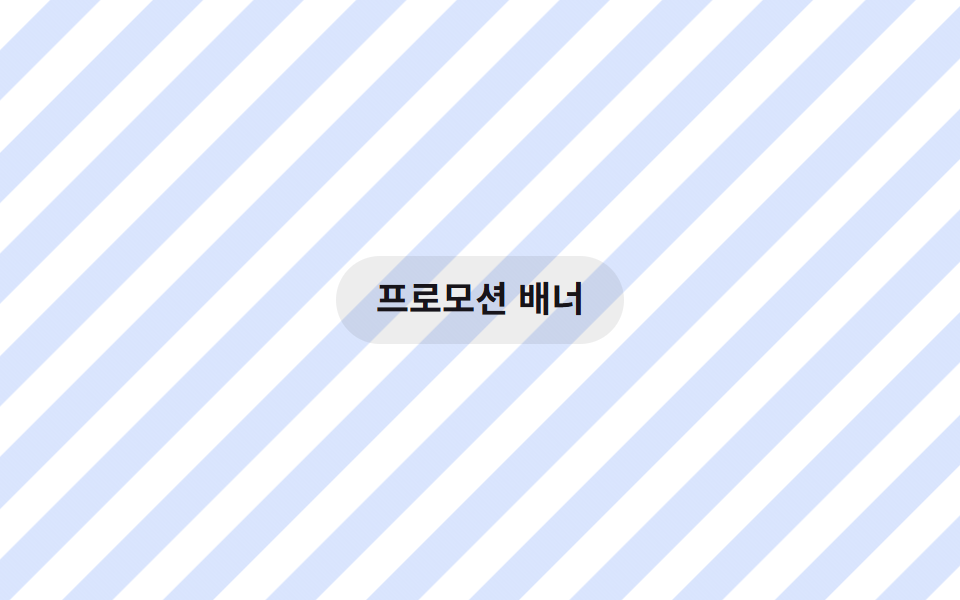 08 background-animation-stripes-diagonal
 09 background-animation-spotlight-cursor-bg
Tự chạy · bấm ô để tới mục đó · cả 9 trong một zip
- 01 Gradient chuyển động
- 02 Mesh gradient trôi
- 03 Aurora mờ
- 04 Lưới kẻ trôi
- 05 Blob biến hình
- 06 Hạt nhiễu noise
- 07 Chấm bi trôi
- 08 Sọc chéo di chuyển
- 09 Đèn chiếu theo con trỏ
Chín hiệu ứng không xếp theo độ hoành tráng mà theo vai trò trên sân khấu: 01 đến 03 để chính màu sắc làm chủ thể, 04 vẽ ra một cấu trúc, 05 liên tục đổi hình, 06 và 07 thêm chất liệu bề mặt, 08 tạo cảm giác hướng đi, còn 09 phản hồi thao tác của bạn. Gần như tất cả chỉ động vào background-position, transform hoặc opacity, không đụng đến width hay border-radius mỗi khung hình. Mỗi mục dưới đây chỉ trích đoạn cốt lõi, bản đầy đủ nằm trong file zip.
01Gradient chuyển động
Bạn thấy gì
Bạn vẽ nền to gấp đôi khung hình rồi chỉ cho background-position trượt qua lại, khiến một gradient đứng yên bỗng trông như đang chảy.
<main class="stage">
  <p class="hint">Nền hero</p>
</main>
@use "../../../../site/static/demo-tokens" as *;
// ── 변수 3개. 변형은 이것만 바꾼다 ──────────────────────────
$duration: $dur-loop; // 그라데이션이 한 바퀴 흐르는 시간
$easing: $ease-out;
$color: $subject-blue; // 흐르는 그라데이션의 포인트 색
// ── 데모 무대 ──────────────────────────────────────────
@include stage($stage-ink);
.stage {
position: relative;
overflow: hidden;
}
// 실제 배경은 스테이지보다 두 배 크게 깔고 background-position 만 움직인다 (transform·opacity 만 쓰는 규칙의 배경판)
.stage::before {
content: "";
position: absolute;
inset: 0;
background-image: linear-gradient(120deg, $stage-ink, $color, $subject-cream, $stage-ink);
background-size: 220% 220%;
animation: flow $duration $easing infinite;
}
.hint {
position: relative;
margin: 0;
padding: 10px 20px;
border-radius: $r-pill;
background: rgba($stage-ink, .35);
color: $stage-paper;
font: 700 clamp(14px, 4vw, 18px)/1.3 -apple-system, "Segoe UI", "Noto Sans KR", sans-serif;
}
@keyframes flow {
0% { background-position: 0% 50%; }
50% { background-position: 100% 50%; }
100% { background-position: 0% 50%; }
}
// ── 접근성: 움직임 줄이기 설정이면 정지 프레임만 ────────────
@media (prefers-reduced-motion: reduce) {
.stage::before { animation: none; background-position: 0% 50%; }
}html, body {
margin: 0;
overflow: hidden;
}
.stage {
box-sizing: border-box;
min-height: 100vh;
display: grid;
place-items: center;
margin: 0;
background: #17141a;
font-family: -apple-system, "Segoe UI", "Noto Sans KR", sans-serif;
padding: clamp(8px, 4vw, 24px);
}
.stage {
position: relative;
overflow: hidden;
}
.stage::before {
content: "";
position: absolute;
inset: 0;
background-image: linear-gradient(120deg, #17141a, #2f6df6, #fff7e6, #17141a);
background-size: 220% 220%;
animation: flow 2s ease-out infinite;
}
.hint {
position: relative;
margin: 0;
padding: 10px 20px;
border-radius: 999px;
background: rgba(23, 20, 26, 0.35);
color: #ffffff;
font: 700 clamp(14px, 4vw, 18px)/1.3 -apple-system, "Segoe UI", "Noto Sans KR", sans-serif;
}
@keyframes flow {
0% {
background-position: 0% 50%;
}
50% {
background-position: 100% 50%;
}
100% {
background-position: 0% 50%;
}
}
@media (prefers-reduced-motion: reduce) {
.stage::before {
animation: none;
background-position: 0% 50%;
}
}import type { CSSProperties, ReactNode } from "react";
import styles from "./GradientShiftBg.module.scss";
export type GradientShiftBgProps = {
children?: ReactNode;
/** 한 바퀴 흐르는 시간 (기본 2000ms) */
duration?: number;
easing?: string;
/** 흐르는 그라데이션의 포인트 색 */
color?: string;
className?: string;
};
type Vars = CSSProperties & { "--duration"?: string; "--easing"?: string; "--color"?: string };
export default function GradientShiftBg({
children,
duration = 2000,
easing = "ease-out",
color = "#2f6df6",
className = "",
}: GradientShiftBgProps) {
const vars: Vars = { "--duration": `${duration}ms`, "--easing": easing, "--color": color };
return (
<div className={`${styles.stage} ${className}`} style={vars}>
<div className={styles.bg} aria-hidden="true" />
{children}
</div>
);
}01 · Gradient chuyển động — Diện tích đo được 99.739% · khung hình chuyển động 20/23Nguyên tác GODRICH · SCSS và React nằm trong tệp zip · Xem mật khẩu
Dùng ở đâu
Không có phần tử phụ nào cả — chính nền sân khấu là nhân vật chính.
.stage::before {
  content: "";
  position: absolute;
  inset: 0;
  background-image: linear-gradient(120deg, $stage-ink, $color, $subject-cream, $stage-ink);
  background-size: 220% 220%;
  animation: flow $duration $easing infinite;
}
@keyframes flow {
  0%   { background-position: 0% 50%; }
  50%  { background-position: 100% 50%; }
  100% { background-position: 0% 50%; }
}
02Mesh gradient trôi
Chuyện gì diễn ra trên màn hình
Ba vệt radial-gradient màu khác nhau chồng lên nhau, mỗi vệt tự dịch bằng transform: translate với độ trễ khởi động riêng, nên chúng trôi qua nhau và hoà thành một mesh gradient hữu cơ.
<main class="stage">
  <span class="blob b1" aria-hidden="true"></span>
  <span class="blob b2" aria-hidden="true"></span>
  <span class="blob b3" aria-hidden="true"></span>
  <p class="hint">Landing SaaS</p>
</main>
@use "../../../../site/static/demo-tokens" as *;
// ── 변수 3개 ──────────────────────────────────────────
$duration: $dur-loop; // 얼룩 하나가 경로를 한 바퀴 도는 시간
$easing: $ease-spring;
$color: $subject-blue; // 얼룩 색 하나
// ── 데모 무대 ──────────────────────────────────────────
@include stage($stage-yellow);
.stage {
position: relative;
overflow: hidden;
}
// 서로 다른 색의 radial-gradient 얼룩 세 개를 겹치고, transform 으로만 각자 다른 경로를 돈다
.blob {
position: absolute;
width: 42%;
aspect-ratio: 1;
border-radius: 50%;
filter: blur(12px);
opacity: .9;
}
.b1 { background: radial-gradient($color, transparent 65%); top: -8%; left: -6%; animation: drift1 $duration $easing infinite; }
.b2 { background: radial-gradient($subject-cream, transparent 65%); bottom: -12%; right: -4%; animation: drift2 $duration $easing infinite; animation-delay: -.6s; }
.b3 { background: radial-gradient($stage-ink, transparent 65%); top: 28%; right: 22%; opacity: .65; animation: drift3 $duration $easing infinite; animation-delay: -1.2s; }
@keyframes drift1 { 0%, 100% { transform: translate(0, 0); } 50% { transform: translate(48px, 32px); } }
@keyframes drift2 { 0%, 100% { transform: translate(0, 0); } 50% { transform: translate(-42px, -26px); } }
@keyframes drift3 { 0%, 100% { transform: translate(0, 0); } 50% { transform: translate(24px, -38px); } }
.hint {
position: relative;
margin: 0;
padding: 10px 20px;
border-radius: $r-pill;
background: rgba($stage-ink, .15);
color: $stage-ink;
font: 700 clamp(14px, 4vw, 18px)/1.3 -apple-system, "Segoe UI", "Noto Sans KR", sans-serif;
}
@media (prefers-reduced-motion: reduce) {
.blob { animation: none; }
}html, body {
margin: 0;
overflow: hidden;
}
.stage {
box-sizing: border-box;
min-height: 100vh;
display: grid;
place-items: center;
margin: 0;
background: #ffd23f;
font-family: -apple-system, "Segoe UI", "Noto Sans KR", sans-serif;
padding: clamp(8px, 4vw, 24px);
}
.stage {
position: relative;
overflow: hidden;
}
.blob {
position: absolute;
width: 42%;
aspect-ratio: 1;
border-radius: 50%;
filter: blur(12px);
opacity: 0.9;
}
.b1 {
background: radial-gradient(#2f6df6, transparent 65%);
top: -8%;
left: -6%;
animation: drift1 2s cubic-bezier(0.2, 0.8, 0.2, 1) infinite;
}
.b2 {
background: radial-gradient(#fff7e6, transparent 65%);
bottom: -12%;
right: -4%;
animation: drift2 2s cubic-bezier(0.2, 0.8, 0.2, 1) infinite;
animation-delay: -0.6s;
}
.b3 {
background: radial-gradient(#17141a, transparent 65%);
top: 28%;
right: 22%;
opacity: 0.65;
animation: drift3 2s cubic-bezier(0.2, 0.8, 0.2, 1) infinite;
animation-delay: -1.2s;
}
@keyframes drift1 {
0%, 100% {
transform: translate(0, 0);
}
50% {
transform: translate(48px, 32px);
}
}
@keyframes drift2 {
0%, 100% {
transform: translate(0, 0);
}
50% {
transform: translate(-42px, -26px);
}
}
@keyframes drift3 {
0%, 100% {
transform: translate(0, 0);
}
50% {
transform: translate(24px, -38px);
}
}
.hint {
position: relative;
margin: 0;
padding: 10px 20px;
border-radius: 999px;
background: rgba(23, 20, 26, 0.15);
color: #17141a;
font: 700 clamp(14px, 4vw, 18px)/1.3 -apple-system, "Segoe UI", "Noto Sans KR", sans-serif;
}
@media (prefers-reduced-motion: reduce) {
.blob {
animation: none;
}
}import type { CSSProperties, ReactNode } from "react";
import styles from "./MeshGradientBg.module.scss";
export type MeshGradientBgProps = {
children?: ReactNode;
/** 얼룩 하나가 경로를 한 바퀴 도는 시간 (기본 2000ms) */
duration?: number;
easing?: string;
/** 얼룩 색 하나 */
color?: string;
className?: string;
};
type Vars = CSSProperties & { "--duration"?: string; "--easing"?: string; "--color"?: string };
export default function MeshGradientBg({
children,
duration = 2000,
easing = "cubic-bezier(.2,.8,.2,1)",
color = "#2f6df6",
className = "",
}: MeshGradientBgProps) {
const vars: Vars = { "--duration": `${duration}ms`, "--easing": easing, "--color": color };
return (
<div className={`${styles.stage} ${className}`} style={vars}>
<span className={`${styles.blob} ${styles.b1}`} aria-hidden="true" />
<span className={`${styles.blob} ${styles.b2}`} aria-hidden="true" />
<span className={`${styles.blob} ${styles.b3}`} aria-hidden="true" />
{children}
</div>
);
}02 · Mesh gradient trôi — Diện tích đo được 52.819% · khung hình chuyển động 15/23Nguyên tác GODRICH · SCSS và React nằm trong tệp zip · Xem mật khẩu
Chỗ dùng
Bạn sẽ gặp kiểu nền này rất nhiều ở landing SaaS gần đây.
.blob { position: absolute; width: 42%; aspect-ratio: 1; border-radius: 50%; filter: blur(12px); opacity: .9; }
.b1 { background: radial-gradient($color, transparent 65%); animation: drift1 $duration $easing infinite; }
.b2 { background: radial-gradient($subject-cream, transparent 65%); animation: drift2 $duration $easing infinite; animation-delay: -.6s; }
.b3 { background: radial-gradient($stage-ink, transparent 65%); opacity: .65; animation: drift3 $duration $easing infinite; animation-delay: -1.2s; }
@keyframes drift1 { 0%, 100% { transform: translate(0, 0); } 50% { transform: translate(48px, 32px); } }
@keyframes drift2 { 0%, 100% { transform: translate(0, 0); } 50% { transform: translate(-42px, -26px); } }
@keyframes drift3 { 0%, 100% { transform: translate(0, 0); } 50% { transform: translate(24px, -38px); } }
03Aurora mờ
Chuyển động thế nào
Hai ba khối màu được filter: blur làm nhoè, xếp chồng bán trong suốt và chỉ xoay bằng transform (dịch chuyển kèm rotate), tạo cảm giác như dải aurora đang cuộn qua nhau.
<main class="stage">
  <span class="aurora a1" aria-hidden="true"></span>
  <span class="aurora a2" aria-hidden="true"></span>
  <span class="aurora a3" aria-hidden="true"></span>
  <p class="hint">Hero tối</p>
</main>
@use "../../../../site/static/demo-tokens" as *;
// ── 변수 3개 ──────────────────────────────────────────
$duration: $dur-loop; // 덩어리 하나가 경로를 한 바퀴 도는 시간
$easing: $ease-out;
$color: $subject-blue; // 덩어리 색 하나
// ── 데모 무대 ──────────────────────────────────────────
@include stage($stage-orange);
.stage {
position: relative;
overflow: hidden;
}
// filter: blur 로 흐린 덩어리를 겹치고, transform(translate·rotate)으로만 움직인다
.aurora {
position: absolute;
width: 38%;
aspect-ratio: 1;
border-radius: 50%;
filter: blur(3px);
opacity: 1;
}
.a1 { background: radial-gradient($subject-cream 0%, $subject-cream 25%, transparent 55%); top: -8%; left: 8%; animation: spin1 $duration linear infinite; }
.a2 { background: radial-gradient($stage-ink 0%, $stage-ink 25%, transparent 55%); bottom: -12%; right: 4%; animation: spin2 $duration linear infinite; animation-delay: -1s; }
.a3 { background: radial-gradient($color 0%, $color 25%, transparent 55%); top: 22%; right: 28%; animation: spin3 $duration linear infinite; animation-delay: -.5s; }
@keyframes spin1 { 0% { transform: translate(0, 0) rotate(0deg); } 50% { transform: translate(56px, 38px) rotate(180deg); } 100% { transform: translate(0, 0) rotate(360deg); } }
@keyframes spin2 { 0% { transform: translate(0, 0) rotate(0deg); } 50% { transform: translate(-50px, -30px) rotate(-160deg); } 100% { transform: translate(0, 0) rotate(-360deg); } }
@keyframes spin3 { 0% { transform: translate(0, 0) rotate(0deg); } 50% { transform: translate(36px, -48px) rotate(150deg); } 100% { transform: translate(0, 0) rotate(300deg); } }
.hint {
position: relative;
margin: 0;
padding: 10px 20px;
border-radius: $r-pill;
background: rgba($stage-ink, .3);
color: $stage-paper;
font: 700 clamp(14px, 4vw, 18px)/1.3 -apple-system, "Segoe UI", "Noto Sans KR", sans-serif;
}
@media (prefers-reduced-motion: reduce) {
.aurora { animation: none; }
}html, body {
margin: 0;
overflow: hidden;
}
.stage {
box-sizing: border-box;
min-height: 100vh;
display: grid;
place-items: center;
margin: 0;
background: #ff4d1f;
font-family: -apple-system, "Segoe UI", "Noto Sans KR", sans-serif;
padding: clamp(8px, 4vw, 24px);
}
.stage {
position: relative;
overflow: hidden;
}
.aurora {
position: absolute;
width: 38%;
aspect-ratio: 1;
border-radius: 50%;
filter: blur(3px);
opacity: 1;
}
.a1 {
background: radial-gradient(#fff7e6 0%, #fff7e6 25%, transparent 55%);
top: -8%;
left: 8%;
animation: spin1 2s linear infinite;
}
.a2 {
background: radial-gradient(#17141a 0%, #17141a 25%, transparent 55%);
bottom: -12%;
right: 4%;
animation: spin2 2s linear infinite;
animation-delay: -1s;
}
.a3 {
background: radial-gradient(#2f6df6 0%, #2f6df6 25%, transparent 55%);
top: 22%;
right: 28%;
animation: spin3 2s linear infinite;
animation-delay: -0.5s;
}
@keyframes spin1 {
0% {
transform: translate(0, 0) rotate(0deg);
}
50% {
transform: translate(56px, 38px) rotate(180deg);
}
100% {
transform: translate(0, 0) rotate(360deg);
}
}
@keyframes spin2 {
0% {
transform: translate(0, 0) rotate(0deg);
}
50% {
transform: translate(-50px, -30px) rotate(-160deg);
}
100% {
transform: translate(0, 0) rotate(-360deg);
}
}
@keyframes spin3 {
0% {
transform: translate(0, 0) rotate(0deg);
}
50% {
transform: translate(36px, -48px) rotate(150deg);
}
100% {
transform: translate(0, 0) rotate(300deg);
}
}
.hint {
position: relative;
margin: 0;
padding: 10px 20px;
border-radius: 999px;
background: rgba(23, 20, 26, 0.3);
color: #ffffff;
font: 700 clamp(14px, 4vw, 18px)/1.3 -apple-system, "Segoe UI", "Noto Sans KR", sans-serif;
}
@media (prefers-reduced-motion: reduce) {
.aurora {
animation: none;
}
}import type { CSSProperties, ReactNode } from "react";
import styles from "./AuroraBlurBg.module.scss";
export type AuroraBlurBgProps = {
children?: ReactNode;
/** 덩어리 하나가 경로를 한 바퀴 도는 시간 (기본 2000ms) */
duration?: number;
easing?: string;
/** 덩어리 색 하나 */
color?: string;
className?: string;
};
type Vars = CSSProperties & { "--duration"?: string; "--color"?: string };
export default function AuroraBlurBg({
children,
duration = 2000,
easing = "linear",
color = "#2f6df6",
className = "",
}: AuroraBlurBgProps) {
const vars: Vars = { "--duration": `${duration}ms`, "--color": color };
void easing; // linear 고정 — spin 키프레임은 등속이 자연스럽다
return (
<div className={`${styles.stage} ${className}`} style={vars}>
<span className={`${styles.aurora} ${styles.a1}`} aria-hidden="true" />
<span className={`${styles.aurora} ${styles.a2}`} aria-hidden="true" />
<span className={`${styles.aurora} ${styles.a3}`} aria-hidden="true" />
{children}
</div>
);
}03 · Aurora mờ — Diện tích đo được 41.671% · khung hình chuyển động 23/23Nguyên tác GODRICH · SCSS và React nằm trong tệp zip · Xem mật khẩu
Dùng khi nào
Bạn hay thấy nó làm ánh sáng nền cho hero chế độ tối.
.aurora { position: absolute; width: 38%; aspect-ratio: 1; border-radius: 50%; filter: blur(3px); }
.a1 { background: radial-gradient($subject-cream 0%, $subject-cream 25%, transparent 55%);
      animation: spin1 $duration linear infinite; }
@keyframes spin1 {
  0%   { transform: translate(0, 0) rotate(0deg); }
  50%  { transform: translate(56px, 38px) rotate(180deg); }
  100% { transform: translate(0, 0) rotate(360deg); }
}
04Lưới kẻ trôi
Bạn thấy gì
Hai lớp repeating-linear-gradient vẽ đường kẻ ngang và dọc chồng lên nhau, rồi background-position đẩy cả cặp trục x·y cùng lúc theo đường chéo, khiến lưới trông như cuộn mãi không dứt.
<main class="stage">
  <p class="hint">Nền dashboard</p>
</main>
@use "../../../../site/static/demo-tokens" as *;
// ── 변수 3개 ──────────────────────────────────────────
$duration: $dur-loop; // 격자 한 칸만큼 흐르는 시간
$easing: linear; // 등속으로 흘러야 격자가 자연스럽다
$color: $subject-blue; // 격자선 색
// ── 데모 무대 ──────────────────────────────────────────
@include stage($stage-paper);
.stage {
position: relative;
overflow: hidden;
}
// repeating-linear-gradient 두 겹(가로·세로)을 한 배경에 겹쳐 격자를 그리고 background-position 만 대각선으로 흘려보낸다
.stage::before {
content: "";
position: absolute;
inset: 0;
background-image:
linear-gradient(to right, rgba($color, .35) 1px, transparent 1px),
linear-gradient(to bottom, rgba($color, .35) 1px, transparent 1px);
background-size: 32px 32px, 32px 32px;
animation: gridmove $duration $easing infinite;
}
.hint {
position: relative;
margin: 0;
padding: 10px 20px;
border-radius: $r-pill;
background: rgba($stage-ink, .08);
color: $stage-ink;
font: 700 clamp(14px, 4vw, 18px)/1.3 -apple-system, "Segoe UI", "Noto Sans KR", sans-serif;
}
@keyframes gridmove {
from { background-position: 0 0, 0 0; }
to { background-position: 32px 32px, 32px 32px; }
}
@media (prefers-reduced-motion: reduce) {
.stage::before { animation: none; }
}html, body {
margin: 0;
overflow: hidden;
}
.stage {
box-sizing: border-box;
min-height: 100vh;
display: grid;
place-items: center;
margin: 0;
background: #ffffff;
font-family: -apple-system, "Segoe UI", "Noto Sans KR", sans-serif;
padding: clamp(8px, 4vw, 24px);
}
.stage {
position: relative;
overflow: hidden;
}
.stage::before {
content: "";
position: absolute;
inset: 0;
background-image: linear-gradient(to right, rgba(47, 109, 246, 0.35) 1px, transparent 1px), linear-gradient(to bottom, rgba(47, 109, 246, 0.35) 1px, transparent 1px);
background-size: 32px 32px, 32px 32px;
animation: gridmove 2s linear infinite;
}
.hint {
position: relative;
margin: 0;
padding: 10px 20px;
border-radius: 999px;
background: rgba(23, 20, 26, 0.08);
color: #17141a;
font: 700 clamp(14px, 4vw, 18px)/1.3 -apple-system, "Segoe UI", "Noto Sans KR", sans-serif;
}
@keyframes gridmove {
from {
background-position: 0 0, 0 0;
}
to {
background-position: 32px 32px, 32px 32px;
}
}
@media (prefers-reduced-motion: reduce) {
.stage::before {
animation: none;
}
}import type { CSSProperties, ReactNode } from "react";
import styles from "./GridLinesDriftBg.module.scss";
export type GridLinesDriftBgProps = {
children?: ReactNode;
/** 격자 한 칸만큼 흐르는 시간 (기본 2000ms) */
duration?: number;
/** 격자선 색 */
color?: string;
className?: string;
};
type Vars = CSSProperties & { "--duration"?: string; "--color"?: string };
export default function GridLinesDriftBg({
children,
duration = 2000,
color = "#2f6df6",
className = "",
}: GridLinesDriftBgProps) {
const vars: Vars = { "--duration": `${duration}ms`, "--color": color };
return (
<div className={`${styles.stage} ${className}`} style={vars}>
<div className={styles.grid} aria-hidden="true" />
{children}
</div>
);
}04 · Lưới kẻ trôi — Diện tích đo được 99.682% · khung hình chuyển động 23/23Nguyên tác GODRICH · SCSS và React nằm trong tệp zip · Xem mật khẩu
Dùng ở đâu
Bạn có thể dùng nó làm nền cho tài liệu kỹ thuật hoặc dashboard rỗng.
.stage::before {
  content: "";
  position: absolute;
  inset: 0;
  background-image:
    linear-gradient(to right, rgba($color, .35) 1px, transparent 1px),
    linear-gradient(to bottom, rgba($color, .35) 1px, transparent 1px);
  background-size: 32px 32px, 32px 32px;
  animation: gridmove $duration linear infinite;
}
@keyframes gridmove {
  from { background-position: 0 0, 0 0; }
  to   { background-position: 32px 32px, 32px 32px; }
}
05Blob biến hình
Chuyện gì diễn ra trên màn hình
Ba lớp blob có border-radius cố định khác nhau chồng lên nhau, chỉ opacity và transform (scale, rotate) thay phiên xuất hiện, nên khối trông như liên tục đổi hình mà trình duyệt không phải tính lại border-radius ở từng khung hình.
<main class="stage">
  <span class="blob m1" aria-hidden="true"></span>
  <span class="blob m2" aria-hidden="true"></span>
  <span class="blob m3" aria-hidden="true"></span>
  <p class="hint">Trạng thái trống</p>
</main>
@use "../../../../site/static/demo-tokens" as *;
// ── 변수 3개 ──────────────────────────────────────────
$duration: $dur-loop; // 세 블롭이 한 바퀴 교차하는 시간
$easing: $ease-spring;
$color: $subject-cream; // 블롭 색
// ── 데모 무대 ──────────────────────────────────────────
@include stage($stage-ink);
.stage {
position: relative;
overflow: hidden;
}
// border-radius 는 세 블롭마다 고정값. opacity·transform 만 움직여 border-radius 를 매 프레임 다시 계산하지 않는다
.blob {
position: absolute;
width: 52%;
aspect-ratio: 1;
left: 24%;
top: 18%;
background: $color;
}
.m1 { border-radius: 42% 58% 63% 37% / 41% 44% 56% 59%; animation: morph1 $duration $easing infinite; }
.m2 { border-radius: 63% 37% 41% 59% / 55% 48% 52% 45%; opacity: 0; animation: morph2 $duration $easing infinite; }
.m3 { border-radius: 35% 65% 55% 45% / 60% 40% 60% 40%; opacity: 0; animation: morph3 $duration $easing infinite; }
@keyframes morph1 {
0% { opacity: 1; transform: scale(1) rotate(0deg); }
28% { opacity: 1; transform: scale(1.05) rotate(4deg); }
38% { opacity: 0; transform: scale(.94) rotate(8deg); }
92% { opacity: 0; }
100% { opacity: 1; transform: scale(1) rotate(0deg); }
}
@keyframes morph2 {
0%, 30% { opacity: 0; }
40% { opacity: 1; transform: scale(1) rotate(0deg); }
68% { opacity: 1; transform: scale(1.05) rotate(-4deg); }
78% { opacity: 0; transform: scale(.94) rotate(-8deg); }
100% { opacity: 0; }
}
@keyframes morph3 {
0%, 70% { opacity: 0; }
80% { opacity: 1; transform: scale(1) rotate(0deg); }
96% { opacity: 1; transform: scale(1.05) rotate(4deg); }
100% { opacity: 0; }
}
.hint {
position: relative;
margin: 0;
padding: 10px 20px;
border-radius: $r-pill;
background: $subject-cream;
color: $subject-ink;
font: 700 clamp(14px, 4vw, 18px)/1.3 -apple-system, "Segoe UI", "Noto Sans KR", sans-serif;
}
@media (prefers-reduced-motion: reduce) {
.blob { animation: none; }
.m1 { opacity: 1; }
.m2, .m3 { opacity: 0; }
}html, body {
margin: 0;
overflow: hidden;
}
.stage {
box-sizing: border-box;
min-height: 100vh;
display: grid;
place-items: center;
margin: 0;
background: #17141a;
font-family: -apple-system, "Segoe UI", "Noto Sans KR", sans-serif;
padding: clamp(8px, 4vw, 24px);
}
.stage {
position: relative;
overflow: hidden;
}
.blob {
position: absolute;
width: 52%;
aspect-ratio: 1;
left: 24%;
top: 18%;
background: #fff7e6;
}
.m1 {
border-radius: 42% 58% 63% 37%/41% 44% 56% 59%;
animation: morph1 2s cubic-bezier(0.2, 0.8, 0.2, 1) infinite;
}
.m2 {
border-radius: 63% 37% 41% 59%/55% 48% 52% 45%;
opacity: 0;
animation: morph2 2s cubic-bezier(0.2, 0.8, 0.2, 1) infinite;
}
.m3 {
border-radius: 35% 65% 55% 45%/60% 40% 60% 40%;
opacity: 0;
animation: morph3 2s cubic-bezier(0.2, 0.8, 0.2, 1) infinite;
}
@keyframes morph1 {
0% {
opacity: 1;
transform: scale(1) rotate(0deg);
}
28% {
opacity: 1;
transform: scale(1.05) rotate(4deg);
}
38% {
opacity: 0;
transform: scale(0.94) rotate(8deg);
}
92% {
opacity: 0;
}
100% {
opacity: 1;
transform: scale(1) rotate(0deg);
}
}
@keyframes morph2 {
0%, 30% {
opacity: 0;
}
40% {
opacity: 1;
transform: scale(1) rotate(0deg);
}
68% {
opacity: 1;
transform: scale(1.05) rotate(-4deg);
}
78% {
opacity: 0;
transform: scale(0.94) rotate(-8deg);
}
100% {
opacity: 0;
}
}
@keyframes morph3 {
0%, 70% {
opacity: 0;
}
80% {
opacity: 1;
transform: scale(1) rotate(0deg);
}
96% {
opacity: 1;
transform: scale(1.05) rotate(4deg);
}
100% {
opacity: 0;
}
}
.hint {
position: relative;
margin: 0;
padding: 10px 20px;
border-radius: 999px;
background: #fff7e6;
color: #17141a;
font: 700 clamp(14px, 4vw, 18px)/1.3 -apple-system, "Segoe UI", "Noto Sans KR", sans-serif;
}
@media (prefers-reduced-motion: reduce) {
.blob {
animation: none;
}
.m1 {
opacity: 1;
}
.m2, .m3 {
opacity: 0;
}
}import type { CSSProperties, ReactNode } from "react";
import styles from "./BlobMorphBg.module.scss";
export type BlobMorphBgProps = {
children?: ReactNode;
/** 세 블롭이 한 바퀴 교차하는 시간 (기본 2000ms) */
duration?: number;
easing?: string;
/** 블롭 색 */
color?: string;
className?: string;
};
type Vars = CSSProperties & { "--duration"?: string; "--easing"?: string; "--color"?: string };
export default function BlobMorphBg({
children,
duration = 2000,
easing = "cubic-bezier(.2,.8,.2,1)",
color = "#fff7e6",
className = "",
}: BlobMorphBgProps) {
const vars: Vars = { "--duration": `${duration}ms`, "--easing": easing, "--color": color };
return (
<div className={`${styles.stage} ${className}`} style={vars}>
<span className={`${styles.blob} ${styles.m1}`} aria-hidden="true" />
<span className={`${styles.blob} ${styles.m2}`} aria-hidden="true" />
<span className={`${styles.blob} ${styles.m3}`} aria-hidden="true" />
{children}
</div>
);
}05 · Blob biến hình — Diện tích đo được 36.54% · khung hình chuyển động 22/23Nguyên tác GODRICH · SCSS và React nằm trong tệp zip · Xem mật khẩu
Chỗ dùng
.blob { position: absolute; width: 52%; aspect-ratio: 1; background: $color; }
.m1 { border-radius: 42% 58% 63% 37% / 41% 44% 56% 59%; animation: morph1 $duration $easing infinite; }
.m2 { border-radius: 63% 37% 41% 59% / 55% 48% 52% 45%; opacity: 0; animation: morph2 $duration $easing infinite; }
@keyframes morph1 {
  0%   { opacity: 1; transform: scale(1) rotate(0deg); }
  38%  { opacity: 0; transform: scale(.94) rotate(8deg); }
  100% { opacity: 1; transform: scale(1) rotate(0deg); }
}
06Hạt nhiễu noise
Chuyển động thế nào
Một ô repeating-conic-gradient chỉ 3px được lát dày đặc, rồi background-position nhảy cóc từng khung hình bằng steps(40) thay vì trượt mượt, nên bề mặt tạo cảm giác nhiễu hạt như phim cũ.
<main class="stage">
  <p class="hint">Thẻ cao cấp</p>
</main>
@use "../../../../site/static/demo-tokens" as *;
// ── 변수 3개 ──────────────────────────────────────────
$duration: $dur-loop; // 그레인 지글거림이 한 바퀴 도는 시간
$easing: steps(40); // 프레임을 건너뛰어야 그레인처럼 보인다 (부드러운 이징 금지)
$color: $stage-ink; // 그레인 점 색
// ── 데모 무대 ──────────────────────────────────────────
@include stage($stage-yellow);
.stage {
position: relative;
overflow: hidden;
}
// 아주 작은 conic-gradient 타일을 반복시키고 background-position 을 steps() 로 매 프레임 건너뛴다
.stage::before {
content: "";
position: absolute;
inset: 0;
background-image: repeating-conic-gradient(from 0deg, rgba($color, .55) 0deg 90deg, transparent 90deg 180deg);
background-size: 3px 3px;
opacity: .35;
animation: grain $duration $easing infinite;
}
.hint {
position: relative;
margin: 0;
padding: 10px 20px;
border-radius: $r-pill;
background: rgba($stage-ink, .12);
color: $stage-ink;
font: 700 clamp(14px, 4vw, 18px)/1.3 -apple-system, "Segoe UI", "Noto Sans KR", sans-serif;
}
@keyframes grain {
from { background-position: 0 0; }
to { background-position: 117px 69px; }
}
@media (prefers-reduced-motion: reduce) {
.stage::before { animation: none; }
}html, body {
margin: 0;
overflow: hidden;
}
.stage {
box-sizing: border-box;
min-height: 100vh;
display: grid;
place-items: center;
margin: 0;
background: #ffd23f;
font-family: -apple-system, "Segoe UI", "Noto Sans KR", sans-serif;
padding: clamp(8px, 4vw, 24px);
}
.stage {
position: relative;
overflow: hidden;
}
.stage::before {
content: "";
position: absolute;
inset: 0;
background-image: repeating-conic-gradient(from 0deg, rgba(23, 20, 26, 0.55) 0deg 90deg, transparent 90deg 180deg);
background-size: 3px 3px;
opacity: 0.35;
animation: grain 2s steps(40) infinite;
}
.hint {
position: relative;
margin: 0;
padding: 10px 20px;
border-radius: 999px;
background: rgba(23, 20, 26, 0.12);
color: #17141a;
font: 700 clamp(14px, 4vw, 18px)/1.3 -apple-system, "Segoe UI", "Noto Sans KR", sans-serif;
}
@keyframes grain {
from {
background-position: 0 0;
}
to {
background-position: 117px 69px;
}
}
@media (prefers-reduced-motion: reduce) {
.stage::before {
animation: none;
}
}import type { CSSProperties, ReactNode } from "react";
import styles from "./NoiseGrainBg.module.scss";
export type NoiseGrainBgProps = {
children?: ReactNode;
/** 그레인 지글거림이 한 바퀴 도는 시간 (기본 2000ms) */
duration?: number;
/** 그레인 점 색 */
color?: string;
className?: string;
};
type Vars = CSSProperties & { "--duration"?: string; "--color"?: string };
export default function NoiseGrainBg({
children,
duration = 2000,
color = "#17141a",
className = "",
}: NoiseGrainBgProps) {
const vars: Vars = { "--duration": `${duration}ms`, "--color": color };
return (
<div className={`${styles.stage} ${className}`} style={vars}>
<div className={styles.grain} aria-hidden="true" />
{children}
</div>
);
}06 · Hạt nhiễu noise — Diện tích đo được 99.705% · khung hình chuyển động 21/23Nguyên tác GODRICH · SCSS và React nằm trong tệp zip · Xem mật khẩu
Dùng khi nào
Đây là lớp phủ chất liệu quen thuộc trên thẻ cao cấp.
.stage::before {
  content: "";
  position: absolute;
  inset: 0;
  background-image: repeating-conic-gradient(from 0deg, rgba($color, .55) 0deg 90deg, transparent 90deg 180deg);
  background-size: 3px 3px;
  opacity: .35;
  animation: grain $duration steps(40) infinite;
}
@keyframes grain {
  from { background-position: 0 0; }
  to   { background-position: 117px 69px; }
}
07Chấm bi trôi
Bạn thấy gì
Một mẫu chấm nhỏ vẽ bằng radial-gradient được lát kín thành lưới 20px, rồi background-position trôi chậm theo đường chéo để các chấm chảy liền mạch, không lộ mối nối giữa các tile.
<main class="stage">
  <p class="hint">Nền slide</p>
</main>
@use "../../../../site/static/demo-tokens" as *;
// ── 변수 3개 ──────────────────────────────────────────
$duration: $dur-loop; // 점 한 칸만큼 흐르는 시간
$easing: linear;
$color: $subject-cream; // 점 색
// ── 데모 무대 ──────────────────────────────────────────
@include stage($stage-orange);
.stage {
position: relative;
overflow: hidden;
}
// radial-gradient 로 찍은 점 패턴을 타일링하고 background-position 만 대각선으로 흘려보낸다
.stage::before {
content: "";
position: absolute;
inset: 0;
background-image: radial-gradient(circle, rgba($color, .6) 1.5px, transparent 1.5px);
background-size: 20px 20px;
animation: dotdrift $duration $easing infinite;
}
.hint {
position: relative;
margin: 0;
padding: 10px 20px;
border-radius: $r-pill;
background: rgba($stage-ink, .25);
color: $stage-paper;
font: 700 clamp(14px, 4vw, 18px)/1.3 -apple-system, "Segoe UI", "Noto Sans KR", sans-serif;
}
@keyframes dotdrift {
from { background-position: 0 0; }
to { background-position: 20px 20px; }
}
@media (prefers-reduced-motion: reduce) {
.stage::before { animation: none; }
}html, body {
margin: 0;
overflow: hidden;
}
.stage {
box-sizing: border-box;
min-height: 100vh;
display: grid;
place-items: center;
margin: 0;
background: #ff4d1f;
font-family: -apple-system, "Segoe UI", "Noto Sans KR", sans-serif;
padding: clamp(8px, 4vw, 24px);
}
.stage {
position: relative;
overflow: hidden;
}
.stage::before {
content: "";
position: absolute;
inset: 0;
background-image: radial-gradient(circle, rgba(255, 247, 230, 0.6) 1.5px, transparent 1.5px);
background-size: 20px 20px;
animation: dotdrift 2s linear infinite;
}
.hint {
position: relative;
margin: 0;
padding: 10px 20px;
border-radius: 999px;
background: rgba(23, 20, 26, 0.25);
color: #ffffff;
font: 700 clamp(14px, 4vw, 18px)/1.3 -apple-system, "Segoe UI", "Noto Sans KR", sans-serif;
}
@keyframes dotdrift {
from {
background-position: 0 0;
}
to {
background-position: 20px 20px;
}
}
@media (prefers-reduced-motion: reduce) {
.stage::before {
animation: none;
}
}import type { CSSProperties, ReactNode } from "react";
import styles from "./DotPatternDriftBg.module.scss";
export type DotPatternDriftBgProps = {
children?: ReactNode;
/** 점 한 칸만큼 흐르는 시간 (기본 2000ms) */
duration?: number;
/** 점 색 */
color?: string;
className?: string;
};
type Vars = CSSProperties & { "--duration"?: string; "--color"?: string };
export default function DotPatternDriftBg({
children,
duration = 2000,
color = "#fff7e6",
className = "",
}: DotPatternDriftBgProps) {
const vars: Vars = { "--duration": `${duration}ms`, "--color": color };
return (
<div className={`${styles.stage} ${className}`} style={vars}>
<div className={styles.dots} aria-hidden="true" />
{children}
</div>
);
}07 · Chấm bi trôi — Diện tích đo được 24.738% · khung hình chuyển động 23/23Nguyên tác GODRICH · SCSS và React nằm trong tệp zip · Xem mật khẩu
Dùng ở đâu
Hợp để làm nền slide hoặc phía sau một lưới thẻ.
.stage::before {
  content: "";
  position: absolute;
  inset: 0;
  background-image: radial-gradient(circle, rgba($color, .6) 1.5px, transparent 1.5px);
  background-size: 20px 20px;
  animation: dotdrift $duration linear infinite;
}
@keyframes dotdrift {
  from { background-position: 0 0; }
  to   { background-position: 20px 20px; }
}
08Sọc chéo di chuyển
Chuyện gì diễn ra trên màn hình
Sọc dọc vẽ bằng repeating-linear-gradient được cả lớp xoay 45 độ bằng transform: rotate, còn background-position chỉ trượt theo trục ngang của toạ độ gốc trước khi xoay — nhờ vậy sọc trông như đang diễu hành chéo qua bề mặt.
<main class="stage">
  <p class="hint">Banner khuyến mãi</p>
</main>
@use "../../../../site/static/demo-tokens" as *;
// ── 변수 3개 ──────────────────────────────────────────
$duration: $dur-loop; // 줄무늬 한 칸만큼 행진하는 시간
$easing: linear;
$color: $subject-blue; // 줄무늬 색
// ── 데모 무대 ──────────────────────────────────────────
@include stage($stage-paper);
.stage {
position: relative;
overflow: hidden;
}
// 세로 줄무늬를 그린 뒤 통째로 45도 회전시켜 대각선으로 보이게 하고, background-position 은 회전 전 좌표계에서 가로로만 한 칸(36px) 이동시킨다
// (45deg 로 기울인 채로 background-position 을 대각선으로 움직이면 이동 방향이 줄무늬와 나란해져 화면이 안 바뀐다 — 실측 2026-09-09)
.stage::before {
content: "";
position: absolute;
inset: -150% -150%;
transform: rotate(45deg);
background-image: repeating-linear-gradient(90deg, rgba($color, .18) 0 18px, transparent 18px 36px);
animation: stripemove $duration $easing infinite;
}
.hint {
position: relative;
margin: 0;
padding: 10px 20px;
border-radius: $r-pill;
background: rgba($stage-ink, .08);
color: $stage-ink;
font: 700 clamp(14px, 4vw, 18px)/1.3 -apple-system, "Segoe UI", "Noto Sans KR", sans-serif;
}
@keyframes stripemove {
from { background-position: 0 0; }
to { background-position: 36px 0; }
}
@media (prefers-reduced-motion: reduce) {
.stage::before { animation: none; }
}html, body {
margin: 0;
overflow: hidden;
}
.stage {
box-sizing: border-box;
min-height: 100vh;
display: grid;
place-items: center;
margin: 0;
background: #ffffff;
font-family: -apple-system, "Segoe UI", "Noto Sans KR", sans-serif;
padding: clamp(8px, 4vw, 24px);
}
.stage {
position: relative;
overflow: hidden;
}
.stage::before {
content: "";
position: absolute;
inset: -150% -150%;
transform: rotate(45deg);
background-image: repeating-linear-gradient(90deg, rgba(47, 109, 246, 0.18) 0 18px, transparent 18px 36px);
animation: stripemove 2s linear infinite;
}
.hint {
position: relative;
margin: 0;
padding: 10px 20px;
border-radius: 999px;
background: rgba(23, 20, 26, 0.08);
color: #17141a;
font: 700 clamp(14px, 4vw, 18px)/1.3 -apple-system, "Segoe UI", "Noto Sans KR", sans-serif;
}
@keyframes stripemove {
from {
background-position: 0 0;
}
to {
background-position: 36px 0;
}
}
@media (prefers-reduced-motion: reduce) {
.stage::before {
animation: none;
}
}import type { CSSProperties, ReactNode } from "react";
import styles from "./StripesDiagonalBg.module.scss";
export type StripesDiagonalBgProps = {
children?: ReactNode;
/** 줄무늬 한 칸만큼 행진하는 시간 (기본 2000ms) */
duration?: number;
/** 줄무늬 색 */
color?: string;
className?: string;
};
type Vars = CSSProperties & { "--duration"?: string; "--color"?: string };
export default function StripesDiagonalBg({
children,
duration = 2000,
color = "#2f6df6",
className = "",
}: StripesDiagonalBgProps) {
const vars: Vars = { "--duration": `${duration}ms`, "--color": color };
return (
<div className={`${styles.stage} ${className}`} style={vars}>
<div className={styles.stripes} aria-hidden="true" />
{children}
</div>
);
}08 · Sọc chéo di chuyển — Diện tích đo được 99.674% · khung hình chuyển động 23/23Nguyên tác GODRICH · SCSS và React nằm trong tệp zip · Xem mật khẩu
Chỗ dùng
Thường gặp trên banner khuyến mãi hoặc trạng thái đang xử lý.
.stage::before {
  content: "";
  position: absolute;
  inset: -150% -150%;
  transform: rotate(45deg);
  background-image: repeating-linear-gradient(90deg, rgba($color, .18) 0 18px, transparent 18px 36px);
  animation: stripemove $duration linear infinite;
}
@keyframes stripemove {
  from { background-position: 0 0; }
  to   { background-position: 36px 0; }
}
09Đèn chiếu theo con trỏ
Chuyển động thế nào
Một vòng tròn radial-gradient nhỏ đã làm mờ đóng vai đèn spotlight, di chuyển theo quỹ đạo elip chỉ bằng transform: translate.
<main class="stage">
  <span class="spot is-demo" aria-hidden="true"></span>
  <p class="hint">Ánh sáng điểm nhấn</p>
</main>
@use "../../../../site/static/demo-tokens" as *;
// ── 변수 3개 ──────────────────────────────────────────
$duration: $dur-loop; // 스포트라이트가 궤도를 한 바퀴 도는 시간
$easing: $ease-spring;
$color: $subject-blue; // 스포트라이트 색
// ── 데모 무대 ──────────────────────────────────────────
@include stage($stage-ink);
.stage {
position: relative;
overflow: hidden;
}
// 작은 블러 원 하나만 transform: translate 로 궤도를 그린다. 실제 페이지에서는 같은 좌표가 pointermove 에서 온다
.spot {
position: absolute;
top: 50%;
left: 50%;
width: 120px;
height: 120px;
margin: -60px 0 0 -60px;
border-radius: 50%;
background: radial-gradient(circle, rgba($color, .55), transparent 70%);
filter: blur(6px);
pointer-events: none;
}
.spot.is-demo { animation: orbit $duration $easing infinite; }
@keyframes orbit {
0% { transform: translate(-90px, -40px); }
25% { transform: translate(90px, -50px); }
50% { transform: translate(70px, 60px); }
75% { transform: translate(-80px, 55px); }
100% { transform: translate(-90px, -40px); }
}
.hint {
position: relative;
margin: 0;
padding: 10px 20px;
border-radius: $r-pill;
background: rgba($stage-paper, .12);
color: $stage-paper;
font: 700 clamp(14px, 4vw, 18px)/1.3 -apple-system, "Segoe UI", "Noto Sans KR", sans-serif;
}
@media (prefers-reduced-motion: reduce) {
.spot.is-demo { animation: none; transform: translate(-90px, -40px); }
}html, body {
margin: 0;
overflow: hidden;
}
.stage {
box-sizing: border-box;
min-height: 100vh;
display: grid;
place-items: center;
margin: 0;
background: #17141a;
font-family: -apple-system, "Segoe UI", "Noto Sans KR", sans-serif;
padding: clamp(8px, 4vw, 24px);
}
.stage {
position: relative;
overflow: hidden;
}
.spot {
position: absolute;
top: 50%;
left: 50%;
width: 120px;
height: 120px;
margin: -60px 0 0 -60px;
border-radius: 50%;
background: radial-gradient(circle, rgba(47, 109, 246, 0.55), transparent 70%);
filter: blur(6px);
pointer-events: none;
}
.spot.is-demo {
animation: orbit 2s cubic-bezier(0.2, 0.8, 0.2, 1) infinite;
}
@keyframes orbit {
0% {
transform: translate(-90px, -40px);
}
25% {
transform: translate(90px, -50px);
}
50% {
transform: translate(70px, 60px);
}
75% {
transform: translate(-80px, 55px);
}
100% {
transform: translate(-90px, -40px);
}
}
.hint {
position: relative;
margin: 0;
padding: 10px 20px;
border-radius: 999px;
background: rgba(255, 255, 255, 0.12);
color: #ffffff;
font: 700 clamp(14px, 4vw, 18px)/1.3 -apple-system, "Segoe UI", "Noto Sans KR", sans-serif;
}
@media (prefers-reduced-motion: reduce) {
.spot.is-demo {
animation: none;
transform: translate(-90px, -40px);
}
}// 실제 페이지에서는 좌표를 pointermove 값으로 바꿔 스포트라이트가 커서를 따라가게 한다. 데모(.is-demo)는 궤도를 자동으로 돈다.
if (matchMedia('(pointer: fine)').matches) {
var stage = document.querySelector('.stage');
var spot = document.querySelector('.spot');
stage.addEventListener('pointermove', function (e) {
var r = stage.getBoundingClientRect();
spot.classList.remove('is-demo');
spot.style.transform = 'translate(' + (e.clientX - r.left - r.width / 2) + 'px,' + (e.clientY - r.top - r.height / 2) + 'px)';
});
}import { useCallback, useState } from "react";
import type { CSSProperties, PointerEvent, ReactNode } from "react";
import styles from "./SpotlightCursorBg.module.scss";
export type SpotlightCursorBgProps = {
children?: ReactNode;
/** 궤도를 한 바퀴 도는 시간 (기본 2000ms) */
duration?: number;
easing?: string;
/** 스포트라이트 색 */
color?: string;
className?: string;
};
type Vars = CSSProperties & { "--duration"?: string; "--easing"?: string; "--color"?: string };
export default function SpotlightCursorBg({
children,
duration = 2000,
easing = "cubic-bezier(.2,.8,.2,1)",
color = "#2f6df6",
className = "",
}: SpotlightCursorBgProps) {
const [demo, setDemo] = useState(true);
const [pos, setPos] = useState({ x: -90, y: -40 });
const move = useCallback((e: PointerEvent<HTMLDivElement>) => {
const r = e.currentTarget.getBoundingClientRect();
setDemo(false);
setPos({ x: e.clientX - r.left - r.width / 2, y: e.clientY - r.top - r.height / 2 });
}, []);
const vars: Vars = { "--duration": `${duration}ms`, "--easing": easing, "--color": color };
const t = demo ? undefined : { transform: `translate(${pos.x}px,${pos.y}px)` };
return (
<div className={`${styles.stage} ${className}`} style={vars} onPointerMove={move}>
<span className={demo ? `${styles.spot} ${styles.isDemo}` : styles.spot} style={t} aria-hidden="true" />
{children}
</div>
);
}09 · Đèn chiếu theo con trỏ — Diện tích đo được 34.851% · khung hình chuyển động 13/23Nguyên tác GODRICH · SCSS và React nằm trong tệp zip · Xem mật khẩu
Dùng khi nào
Trong lưới demo nó tự quay vì không có chuột thật, còn trên trang của bạn, cùng toạ độ ấy sẽ được lấy từ sự kiện pointermove để bám theo con trỏ.
.spot {
  position: absolute;
  top: 50%;
  left: 50%;
  width: 120px;
  height: 120px;
  margin: -60px 0 0 -60px;
  border-radius: 50%;
  background: radial-gradient(circle, rgba($color, .55), transparent 70%);
  filter: blur(6px);
}
.spot.is-demo { animation: orbit $duration $easing infinite; }
@keyframes orbit {
  0%   { transform: translate(-90px, -40px); }
  25%  { transform: translate(90px, -50px); }
  50%  { transform: translate(70px, 60px); }
  75%  { transform: translate(-80px, 55px); }
  100% { transform: translate(-90px, -40px); }
}
Chỗ dễ hỏng ở đâu? — cái bẫy
background-position transform và opacity
Tám trong chín mục chỉ động vào background-position, transform hoặc opacity vì đây là những thuộc tính trình duyệt xử lý ở bước hợp thành, đúng như tài liệu hiệu năng animation của MDN khuyến nghị — nền vốn phủ một diện tích lớn nên đổi width hay tính lại border-radius mỗi khung hình sẽ bắt trình duyệt vẽ lại toàn bộ vùng đó. Cái bẫy nằm ở mục 08. Bạn có thể nghĩ chỉ cần xoay sọc 45 độ rồi cho background-position chạy theo đúng đường chéo đó là xong, nhưng làm vậy màn hình không đổi một pixel nào cả — hướng dịch chuyển trùng khít với hướng sọc nên mắt không phân biệt được điểm đầu và điểm cuối của phép dịch. Cách đúng là vẽ sọc dọc trước rồi xoay nguyên lớp đó 45 độ bằng transform, còn background-position vẫn trượt ngang trong toạ độ gốc chưa xoay. Nếu bạn muốn xem file gốc kèm phần bình luận đã ghi lại đúng chỗ dễ nhầm này, mật khẩu của zip là bc82wnvk.
Khả năng tiếp cận
Điểm dừng của từng nền khi giảm chuyển động
Khi bạn bật "giảm chuyển động" trong hệ điều hành, cả chín nền phản hồi prefers-reduced-motion: reduce nhưng không đơn giản là tắt hết — mỗi mục dừng ở một khung hình còn giữ được ý nghĩa thị giác. Mục 05 giữ nguyên lớp blob đầu tiên và ẩn hai lớp còn lại thay vì để trống, còn mục 09 đứng yên tại điểm bắt đầu quỹ đạo thay vì biến mất khỏi màn hình. Mức hỗ trợ của media query này theo từng trình duyệt được ghi trong tài liệu prefers-reduced-motion của MDN.
@media (prefers-reduced-motion: reduce) {
  .stage::before,
  .blob,
  .aurora,
  .spot.is-demo { animation: none; }
}
Nếu bạn muốn xem thêm hiệu ứng CSS khác ngoài phần nền, chuyên mục CSS gom hết các bài cùng dạng, còn trang giới thiệu nói rõ site này chọn demo theo tiêu chí nào.
FAQ
Css background animation có làm chậm trang không?
Không, miễn là bạn chỉ động vào background-position, transform hoặc opacity như chín mục ở đây, vì trình duyệt xử lý chúng ở bước hợp thành mà không phải vẽ lại layout. Riêng mục 02 và 03 dùng filter: blur, nên hai mục đó chỉ blur vài khối nhỏ thay vì toàn bộ sân khấu để giữ chi phí thấp.
Vì sao mục 09 tự quay trong lưới demo thay vì theo chuột?
Vì lưới demo cần chuyển động chạy sẵn để bạn xem mà không phải rê chuột vào từng ô, nên class .is-demo ép một quỹ đạo elip cố định. Khi bạn mở file thật từ zip và gắn vào trang của mình, đoạn pointermove sẽ thay thế quỹ đạo đó bằng toạ độ con trỏ thật.
Có ghép được nhiều hiệu ứng nền trên cùng một trang không?
Về mặt kỹ thuật thì được, nhưng bạn nên chỉ dùng một nền động cho mỗi màn hình. Hai nền cùng chuyển động sẽ khiến mắt không biết nên nhìn theo cái nào, và chữ đặt lên trên cũng khó đọc hơn hẳn. Bạn có thể tránh việc đó bằng cách chọn một mục làm chủ thể chính rồi giữ các phần còn lại của trang đứng yên.
Có thể bạn cũng thích
 Phản hồi9 CSS Text Shine Animation — dán 1 dòng là chạy
 Phản hồi9 CSS Particle Backgrounds — dán 1 dòng là chạy
 Phản hồi9 hiệu ứng custom cursor css — copy dán một dòng
 Phản hồi9 kiểu css typing animation, copy dán là chạy
 Phản hồi9 CSS Text Animation Effects — dán 1 dòng là chạy
 Phản hồi9 CSS Keyframe Animations — dán 1 dòng là chạy
 Phản hồi9 CSS 3D Cube Effects — dán 1 dòng là chạy
 Phản hồi9 hiệu ứng css dark mode toggle 1 dòng CSS
 Phản hồi9 micro interactions css — dán 1 dòng chạy ngay
 Phản hồi9 CSS tooltip examples — copy dán một dòng là chạy