9 CSS tooltip examples — copy dán một dòng là chạy
CSS tooltip examples ở đây là chín kiểu bong bóng chú thích hiện lên khi bạn hover hoặc focus vào một phần tử, hầu hết chạy bằng CSS thuần chứ không cần
 01 tooltip-bubble-top-basic
 02 tooltip-bubble-fade-scale-pop
 03 tooltip-bubble-anchor-flip
 04 tooltip-bubble-rich-card-preview
 05 tooltip-bubble-arrow-tail
 06 tooltip-bubble-delay-show
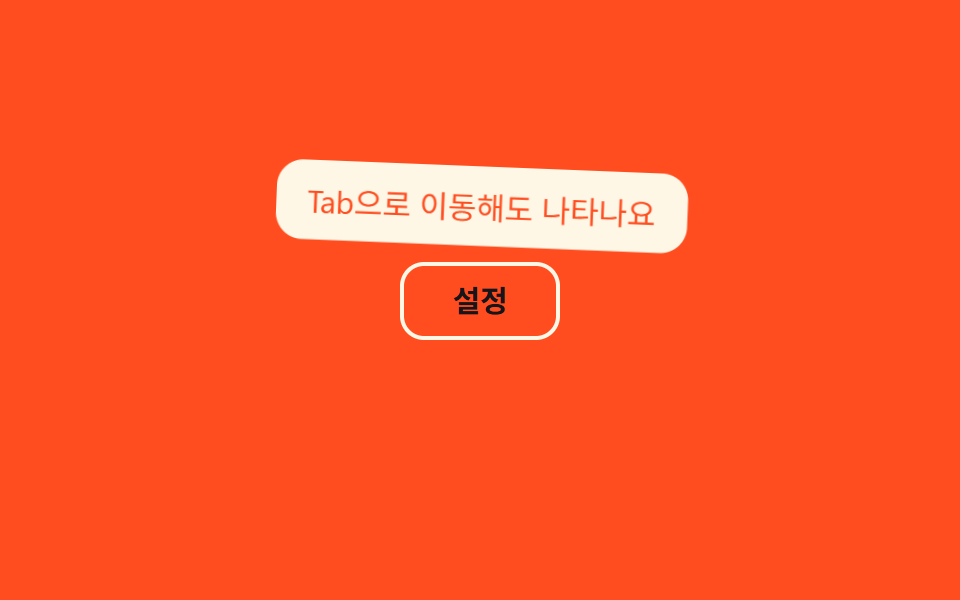 07 tooltip-bubble-keyboard-focus-show
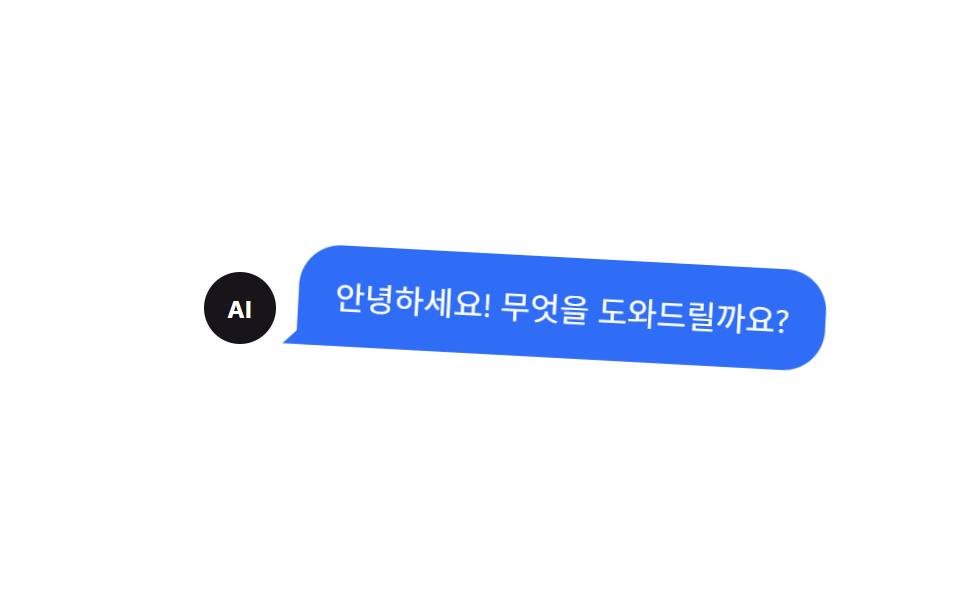 08 tooltip-bubble-kakao-style-bubble
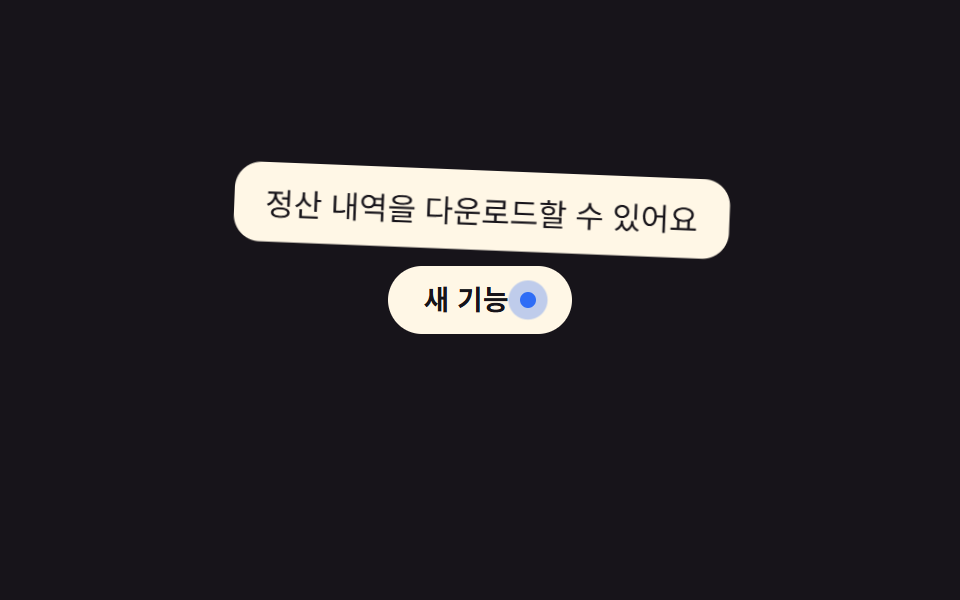 09 tooltip-bubble-info-pulse-dot
Tự chạy · bấm ô để tới mục đó · cả 9 trong một zip
- 01 Hiện phía trên cơ bản
- 02 Mờ dần và phóng to bật lên
- 03 Tự lật hướng khi hết chỗ
- 04 Tooltip xem trước dạng thẻ
- 05 Đuôi mũi tên chỉ hướng
- 06 Hiện có độ trễ
- 07 Hiện khi focus bàn phím
- 08 Bong bóng kiểu ứng dụng nhắn tin
- 09 Chấm pulse gợi ý thông tin
Chín kiểu này không xếp theo độ phổ biến mà theo thứ tự tooltip gặp vấn đề trên thực tế: 01–02 là kiểu xuất hiện đơn giản nhất, 03–05 là lúc vị trí bắt đầu khó, 06–07 xử lý thời điểm hiện khác nhau, còn 08–09 là hai biến thể đã đi hơi xa khỏi khung "tooltip" thông thường. Mỗi mục chỉ giữ đoạn CSS cốt lõi; bản đầy đủ của cả chín file nằm trong một file zip duy nhất bên dưới.
01Hiện phía trên cơ bản
Bạn thấy gì
Một bong bóng nhỏ hiện phía trên phần tử nhờ hiệu ứng opacity và dịch chuyển theo trục dọc, rồi biến mất khi con trỏ rời đi. Lần cập nhật này, khi vừa hiện, tỉ lệ phóng lên tới 1,12 trước khi lắng xuống qua một vòng rung giảm chấn quanh trục cạnh dưới, xoay 2,6°→-1,5°→0,6° rồi dừng hẳn.
<main class="stage">
  <div class="tip-wrap">
    <button class="info-btn" type="button" aria-describedby="tip01">Trợ giúp</button>
    <span class="tooltip is-demo" role="tooltip" id="tip01">Tính năng dành cho thành viên</span>
  </div>
</main>
@use "../../../../site/static/demo-tokens" as *;
$duration: $dur-loop; // 숨김→표시→숨김 한 주기
$easing: $ease-out; // 나타날 땐 빠르게, 사라질 땐 부드럽게
$color: $subject-blue; // 트리거 버튼 색
@include stage($stage-ink);
.tip-wrap {
position: relative; // 툴팁 위치의 기준
}
.info-btn {
border: 0;
border-radius: $r-pill;
padding: 12px 22px;
font-weight: 600;
font-size: 15px;
line-height: 1;
font-family: inherit;
color: #fff;
background: $color;
cursor: pointer;
}
.tooltip {
position: absolute;
bottom: calc(100% + 8px); // 버튼 바로 위, 8px 간격
left: 50%;
transform-origin: bottom center; // 규칙8: 화살표(버튼 쪽 아래변) 축 — 흔들림의 회전 중심
transform: translate(-50%, 4px);
opacity: 0;
background: $subject-cream;
color: $stage-ink;
padding: 8px 14px;
border-radius: $r-control;
font-size: clamp(12px, 3.4vw, 14px);
white-space: nowrap;
pointer-events: none;
}
// 데모: 호버 없이 혼자 표시→숨김을 반복한다
.tooltip.is-demo {
animation: tip-loop $duration $easing infinite;
}
// 등장 스프링 한 겹 — 스케일은 .85 에서 1.12 로 목표를 지나쳤다가 감쇠 반동(.95 → 1.03)으로 멎고,
// 회전은 화살표 축(아래변 중심)을 중심으로 2.6° → -1.5° → .6° 로 감쇠하며 흔들린다
@keyframes tip-loop {
0% { opacity: 0; transform: translate(-50%, 4px) scale(.85) rotate(0deg); }
12% { opacity: 1; transform: translate(-50%, 0) scale(1.12) rotate(2.6deg); }
22% { opacity: 1; transform: translate(-50%, 0) scale(.95) rotate(-1.5deg); }
30% { opacity: 1; transform: translate(-50%, 0) scale(1.03) rotate(.6deg); }
36%, 55% { opacity: 1; transform: translate(-50%, 0) scale(1) rotate(0deg); }
80% { opacity: 0; transform: translate(-50%, 4px) scale(.85) rotate(0deg); }
100% { opacity: 0; transform: translate(-50%, 4px) scale(.85) rotate(0deg); }
}
@media (prefers-reduced-motion: reduce) {
.tooltip.is-demo { animation: none; opacity: 1; transform: translate(-50%, 0) scale(1); }
}html, body {
margin: 0;
overflow: hidden;
}
.stage {
box-sizing: border-box;
min-height: 100vh;
display: grid;
place-items: center;
margin: 0;
background: #17141a;
font-family: -apple-system, "Segoe UI", "Noto Sans KR", sans-serif;
padding: clamp(8px, 4vw, 24px);
}
.tip-wrap {
position: relative;
}
.info-btn {
border: 0;
border-radius: 999px;
padding: 12px 22px;
font-weight: 600;
font-size: 15px;
line-height: 1;
font-family: inherit;
color: #fff;
background: #2f6df6;
cursor: pointer;
}
.tooltip {
position: absolute;
bottom: calc(100% + 8px);
left: 50%;
transform-origin: bottom center;
transform: translate(-50%, 4px);
opacity: 0;
background: #fff7e6;
color: #17141a;
padding: 8px 14px;
border-radius: 12px;
font-size: clamp(12px, 3.4vw, 14px);
white-space: nowrap;
pointer-events: none;
}
.tooltip.is-demo {
animation: tip-loop 2s ease-out infinite;
}
@keyframes tip-loop {
0% {
opacity: 0;
transform: translate(-50%, 4px) scale(0.85) rotate(0deg);
}
12% {
opacity: 1;
transform: translate(-50%, 0) scale(1.12) rotate(2.6deg);
}
22% {
opacity: 1;
transform: translate(-50%, 0) scale(0.95) rotate(-1.5deg);
}
30% {
opacity: 1;
transform: translate(-50%, 0) scale(1.03) rotate(0.6deg);
}
36%, 55% {
opacity: 1;
transform: translate(-50%, 0) scale(1) rotate(0deg);
}
80% {
opacity: 0;
transform: translate(-50%, 4px) scale(0.85) rotate(0deg);
}
100% {
opacity: 0;
transform: translate(-50%, 4px) scale(0.85) rotate(0deg);
}
}
@media (prefers-reduced-motion: reduce) {
.tooltip.is-demo {
animation: none;
opacity: 1;
transform: translate(-50%, 0) scale(1);
}
}import { useState } from "react";
import type { CSSProperties, ReactNode } from "react";
import styles from "./TopTooltip.module.scss";
export type TopTooltipProps = {
/** 버튼 글자 */
label: ReactNode;
/** 툴팁 글자 */
text: string;
/** 나타나고 사라지는 시간 (기본 200ms) */
duration?: number;
/** CSS easing */
easing?: string;
/** 버튼 색 */
color?: string;
};
type Vars = CSSProperties & { "--duration"?: string; "--easing"?: string; "--color"?: string };
export default function TopTooltip({
label,
text,
duration = 200,
easing = "ease-out",
color = "#2f6df6",
}: TopTooltipProps) {
const [open, setOpen] = useState(false);
const vars: Vars = { "--duration": `${duration}ms`, "--easing": easing, "--color": color };
return (
<span className={styles.wrap} style={vars}>
<button
type="button"
className={styles.btn}
aria-describedby="top-tooltip"
onMouseEnter={() => setOpen(true)}
onMouseLeave={() => setOpen(false)}
onFocus={() => setOpen(true)}
onBlur={() => setOpen(false)}
>
{label}
</button>
<span id="top-tooltip" role="tooltip" className={styles.tooltip} data-open={open}>
{text}
</span>
</span>
);
}01 · Hiện phía trên cơ bản — Diện tích đo được 4.959% · khung hình chuyển động 15/23Nguyên tác GODRICH · SCSS và React nằm trong tệp zip · Xem mật khẩu
Dùng ở đâu
Bạn dùng kiểu này cho icon trợ giúp cạnh nút hoặc chú thích từ viết tắt trong tiêu đề bảng.
.tooltip {
  position: absolute;
  bottom: calc(100% + 8px);
  left: 50%;
  transform: translate(-50%, 4px);
  opacity: 0;
}
.tooltip.is-demo {
  animation: tip-loop $duration $easing infinite;
}
@keyframes tip-loop {
  0%, 100% { opacity: 0; transform: translate(-50%, 4px); }
  20%, 55% { opacity: 1; transform: translate(-50%, 0); }
  80%      { opacity: 0; transform: translate(-50%, 4px); }
}
02Mờ dần và phóng to bật lên
Chuyện gì diễn ra trên màn hình
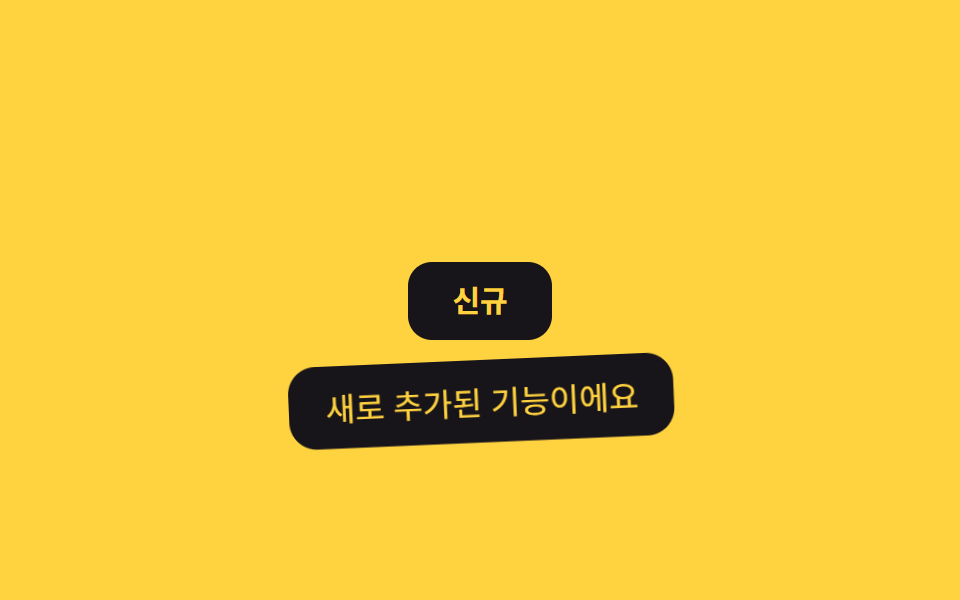
Tooltip bắt đầu từ trạng thái hơi thu nhỏ rồi phóng to lên đúng kích thước như vừa bật ra, tạo cảm giác mới xuất hiện chứ không phải một khung thông tin cứng nhắc. Đợt này thêm một vòng bật lò xo chỉ chạy một lần: tỉ lệ vọt lên 1,14 rồi giảm chấn qua các mốc xoay -2,4°→1,4°→-0,5° quanh cạnh trên trước khi đứng yên.
<main class="stage">
  <div class="tip-wrap">
    <button class="info-btn" type="button" aria-describedby="tip02">Mới</button>
    <span class="tooltip is-demo" role="tooltip" id="tip02">Tính năng vừa được thêm</span>
  </div>
</main>
@use "../../../../site/static/demo-tokens" as *;
$duration: $dur-loop; // 숨김→표시→숨김 한 주기
$easing: $ease-pop; // 끝에서 살짝 튀는 팝 이징
$color: $subject-ink; // 트리거 버튼 색 (노란 무대라 먹색)
@include stage($stage-yellow);
.tip-wrap { position: relative; }
.info-btn {
border: 0;
border-radius: $r-control;
padding: 12px 22px;
font-weight: 700;
font-size: 15px;
line-height: 1;
font-family: inherit;
color: $stage-yellow;
background: $color;
cursor: pointer;
}
.tooltip {
position: absolute;
top: calc(100% + 10px); // 버튼 아래쪽에 표시
left: 50%;
transform-origin: top center; // 규칙8: 버튼 아래변에서 펼침
transform: translateX(-50%) scale(.85);
opacity: 0;
background: $stage-ink;
color: $stage-yellow;
padding: 8px 16px;
border-radius: $r-control;
font-size: clamp(12px, 3.4vw, 14px);
white-space: nowrap;
pointer-events: none;
}
.tooltip.is-demo {
animation: pop-loop $duration $easing infinite;
}
// 등장 스프링 한 겹 — 스케일은 .85 → 1.14 오버슛 뒤 감쇠 반동(.94 → 1.02)으로 멎고,
// 회전은 화살표 축(윗변 중심)을 중심으로 -2.4° → 1.4° → -.5° 로 감쇠하며 흔들린다
@keyframes pop-loop {
0% { opacity: 0; transform: translateX(-50%) scale(.85) rotate(0deg); }
12% { opacity: 1; transform: translateX(-50%) scale(1.14) rotate(-2.4deg); }
22% { opacity: 1; transform: translateX(-50%) scale(.94) rotate(1.4deg); }
30% { opacity: 1; transform: translateX(-50%) scale(1.02) rotate(-.5deg); }
36%, 55% { opacity: 1; transform: translateX(-50%) scale(1) rotate(0deg); }
80% { opacity: 0; transform: translateX(-50%) scale(.85) rotate(0deg); }
100% { opacity: 0; transform: translateX(-50%) scale(.85) rotate(0deg); }
}
@media (prefers-reduced-motion: reduce) {
.tooltip.is-demo { animation: none; opacity: 1; transform: translateX(-50%) scale(1) rotate(0deg); }
}html, body {
margin: 0;
overflow: hidden;
}
.stage {
box-sizing: border-box;
min-height: 100vh;
display: grid;
place-items: center;
margin: 0;
background: #ffd23f;
font-family: -apple-system, "Segoe UI", "Noto Sans KR", sans-serif;
padding: clamp(8px, 4vw, 24px);
}
.tip-wrap {
position: relative;
}
.info-btn {
border: 0;
border-radius: 12px;
padding: 12px 22px;
font-weight: 700;
font-size: 15px;
line-height: 1;
font-family: inherit;
color: #ffd23f;
background: #17141a;
cursor: pointer;
}
.tooltip {
position: absolute;
top: calc(100% + 10px);
left: 50%;
transform-origin: top center;
transform: translateX(-50%) scale(0.85);
opacity: 0;
background: #17141a;
color: #ffd23f;
padding: 8px 16px;
border-radius: 12px;
font-size: clamp(12px, 3.4vw, 14px);
white-space: nowrap;
pointer-events: none;
}
.tooltip.is-demo {
animation: pop-loop 2s cubic-bezier(0.2, 1.4, 0.4, 1) infinite;
}
@keyframes pop-loop {
0% {
opacity: 0;
transform: translateX(-50%) scale(0.85) rotate(0deg);
}
12% {
opacity: 1;
transform: translateX(-50%) scale(1.14) rotate(-2.4deg);
}
22% {
opacity: 1;
transform: translateX(-50%) scale(0.94) rotate(1.4deg);
}
30% {
opacity: 1;
transform: translateX(-50%) scale(1.02) rotate(-0.5deg);
}
36%, 55% {
opacity: 1;
transform: translateX(-50%) scale(1) rotate(0deg);
}
80% {
opacity: 0;
transform: translateX(-50%) scale(0.85) rotate(0deg);
}
100% {
opacity: 0;
transform: translateX(-50%) scale(0.85) rotate(0deg);
}
}
@media (prefers-reduced-motion: reduce) {
.tooltip.is-demo {
animation: none;
opacity: 1;
transform: translateX(-50%) scale(1) rotate(0deg);
}
}import { useState } from "react";
import type { CSSProperties, ReactNode } from "react";
import styles from "./PopTooltip.module.scss";
export type PopTooltipProps = {
label: ReactNode;
text: string;
/** 팝 애니메이션 시간 (기본 220ms) */
duration?: number;
easing?: string;
color?: string;
};
type Vars = CSSProperties & { "--duration"?: string; "--easing"?: string; "--color"?: string };
export default function PopTooltip({
label,
text,
duration = 220,
easing = "cubic-bezier(.2,1.4,.4,1)",
color = "#17141a",
}: PopTooltipProps) {
const [open, setOpen] = useState(false);
const vars: Vars = { "--duration": `${duration}ms`, "--easing": easing, "--color": color };
return (
<span className={styles.wrap} style={vars}>
<button
type="button"
className={styles.btn}
aria-describedby="pop-tooltip"
onMouseEnter={() => setOpen(true)}
onMouseLeave={() => setOpen(false)}
onFocus={() => setOpen(true)}
onBlur={() => setOpen(false)}
>
{label}
</button>
<span id="pop-tooltip" role="tooltip" className={styles.tooltip} data-open={open}>
{text}
</span>
</span>
);
}02 · Mờ dần và phóng to bật lên — Diện tích đo được 5.799% · khung hình chuyển động 11/23Nguyên tác GODRICH · SCSS và React nằm trong tệp zip · Xem mật khẩu
Chỗ dùng
Hợp với huy hiệu tính năng mới hoặc icon trên toolbar cần gây chú ý.
.tooltip {
  top: calc(100% + 10px);
  left: 50%;
  transform-origin: top center;
  transform: translateX(-50%) scale(.85);
  opacity: 0;
}
.tooltip.is-demo {
  animation: pop-loop $duration $easing infinite;
}
@keyframes pop-loop {
  0%, 100% { opacity: 0; transform: translateX(-50%) scale(.85); }
  25%, 55% { opacity: 1; transform: translateX(-50%) scale(1); }
  80%      { opacity: 0; transform: translateX(-50%) scale(.85); }
}
03Tự lật hướng khi hết chỗ
Chuyển động thế nào
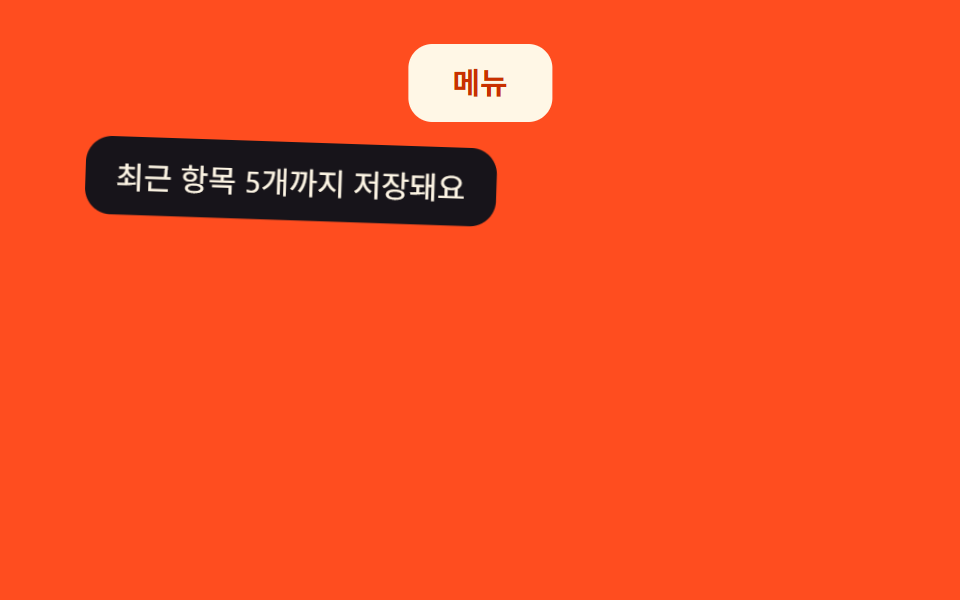
Gắn anchor-name cho phần tử kích hoạt rồi cho tooltip position-anchor cùng position-try-fallbacks: flip-block, trình duyệt sẽ tự lật tooltip sang phía còn chỗ trống mà bạn không phải tính toạ độ. Cả bản dự phòng lẫn bản định vị theo anchor giờ cùng chia sẻ một vòng xoay giảm chấn khi hiện lên — tỉ lệ vọt tới 1,1 rồi xoay 2,2°→-1,3°→0,5° quanh cạnh trên trước khi ổn định.
<main class="stage">
  <button class="trigger" type="button" aria-describedby="tip03">Menu</button>
  <span class="tooltip is-demo" role="tooltip" id="tip03">Lưu tối đa 5 mục gần đây</span>
</main>
@use "../../../../site/static/demo-tokens" as *;
$duration: $dur-loop; // 숨김→표시→숨김 한 주기
$easing: $ease-out;
$color: $subject-cream; // 트리거 버튼 색 (주황 무대라 크림)
@include stage($stage-orange);
.stage { position: relative; } // 트리거·툴팁의 절대 위치 기준
// 트리거를 무대 위쪽에 둔다 — 기본 위치(위)에 자리가 없어야 뒤집힌다
.trigger {
anchor-name: --tip03; // 앵커 이름 등록. 지원: Chrome 125+
position: absolute;
top: 22px;
left: 50%;
transform: translateX(-50%);
border: 0;
border-radius: $r-control;
padding: 12px 22px;
font-weight: 600;
font-size: 15px;
line-height: 1;
font-family: inherit;
color: $subject-orange-deep; // AA: 크림 면 위 주황 글자 5.04:1
background: $color;
cursor: pointer;
}
.tooltip {
position: absolute; // 폴백: 앵커 없이도 버튼 아래에 뜬다
top: calc(22px + 100% + 10px);
left: 50%;
transform-origin: top center; // 규칙8: 버튼 쪽 윗변 축 — 흔들림의 회전 중심
transform: translateX(-50%) translateY(-4px);
opacity: 0;
background: $stage-ink;
color: $subject-cream;
padding: 8px 14px;
border-radius: $r-control;
font-size: clamp(12px, 3.4vw, 14px);
white-space: nowrap;
pointer-events: none;
}
// 앵커 위치 지정 지원 브라우저: 버튼을 기준으로 아래에 붙이되, 위에 자리가 없으면 자동으로 아래로 뒤집는다
// https://developer.mozilla.org/en-US/docs/Web/CSS/CSS_anchor_positioning
@supports (position-anchor: --tip03) {
.tooltip {
position: fixed;
position-anchor: --tip03;
top: auto;
inset: unset;
position-area: top; // 기본은 버튼 위
position-try-fallbacks: flip-block; // 위에 자리가 없으면 아래로 뒤집힘
margin-block: 10px;
transform: translateY(0);
}
.tooltip.is-demo { animation-name: tip-loop-anchor; }
}
.tooltip.is-demo {
animation: tip-loop $duration $easing infinite;
}
// 등장 스프링 한 겹(폴백 축) — 스케일 .85 → 1.1 오버슛 → 감쇠 반동, 회전은 윗변 축으로 2.2° → -1.3° → .5° 감쇠
@keyframes tip-loop {
0% { opacity: 0; transform: translateX(-50%) translateY(-4px) scale(.85) rotate(0deg); }
12% { opacity: 1; transform: translateX(-50%) translateY(0) scale(1.1) rotate(2.2deg); }
22% { opacity: 1; transform: translateX(-50%) translateY(0) scale(.95) rotate(-1.3deg); }
30% { opacity: 1; transform: translateX(-50%) translateY(0) scale(1.02) rotate(.5deg); }
36%, 55% { opacity: 1; transform: translateX(-50%) translateY(0) scale(1) rotate(0deg); }
80% { opacity: 0; transform: translateX(-50%) translateY(-4px) scale(.85) rotate(0deg); }
100% { opacity: 0; transform: translateX(-50%) translateY(-4px) scale(.85) rotate(0deg); }
}
// 등장 스프링 한 겹(앵커 축) — 같은 오버슛·감쇠를 앵커 배치 버튼에도 그대로
@keyframes tip-loop-anchor {
0% { opacity: 0; transform: scale(.85) rotate(0deg); }
12% { opacity: 1; transform: scale(1.1) rotate(2.2deg); }
22% { opacity: 1; transform: scale(.95) rotate(-1.3deg); }
30% { opacity: 1; transform: scale(1.02) rotate(.5deg); }
36%, 55% { opacity: 1; transform: scale(1) rotate(0deg); }
80% { opacity: 0; transform: scale(.85) rotate(0deg); }
100% { opacity: 0; transform: scale(.85) rotate(0deg); }
}
@media (prefers-reduced-motion: reduce) {
.tooltip.is-demo { animation: none; opacity: 1; transform: scale(1) rotate(0deg); }
}html, body {
margin: 0;
overflow: hidden;
}
.stage {
box-sizing: border-box;
min-height: 100vh;
display: grid;
place-items: center;
margin: 0;
background: #ff4d1f;
font-family: -apple-system, "Segoe UI", "Noto Sans KR", sans-serif;
padding: clamp(8px, 4vw, 24px);
}
.stage {
position: relative;
}
.trigger {
anchor-name: --tip03;
position: absolute;
top: 22px;
left: 50%;
transform: translateX(-50%);
border: 0;
border-radius: 12px;
padding: 12px 22px;
font-weight: 600;
font-size: 15px;
line-height: 1;
font-family: inherit;
color: #c93000;
background: #fff7e6;
cursor: pointer;
}
.tooltip {
position: absolute;
top: calc(22px + 100% + 10px);
left: 50%;
transform-origin: top center;
transform: translateX(-50%) translateY(-4px);
opacity: 0;
background: #17141a;
color: #fff7e6;
padding: 8px 14px;
border-radius: 12px;
font-size: clamp(12px, 3.4vw, 14px);
white-space: nowrap;
pointer-events: none;
}
@supports (position-anchor: --tip03) {
.tooltip {
position: fixed;
position-anchor: --tip03;
top: auto;
inset: unset;
position-area: top;
position-try-fallbacks: flip-block;
margin-block: 10px;
transform: translateY(0);
}
.tooltip.is-demo {
animation-name: tip-loop-anchor;
}
}
.tooltip.is-demo {
animation: tip-loop 2s ease-out infinite;
}
@keyframes tip-loop {
0% {
opacity: 0;
transform: translateX(-50%) translateY(-4px) scale(0.85) rotate(0deg);
}
12% {
opacity: 1;
transform: translateX(-50%) translateY(0) scale(1.1) rotate(2.2deg);
}
22% {
opacity: 1;
transform: translateX(-50%) translateY(0) scale(0.95) rotate(-1.3deg);
}
30% {
opacity: 1;
transform: translateX(-50%) translateY(0) scale(1.02) rotate(0.5deg);
}
36%, 55% {
opacity: 1;
transform: translateX(-50%) translateY(0) scale(1) rotate(0deg);
}
80% {
opacity: 0;
transform: translateX(-50%) translateY(-4px) scale(0.85) rotate(0deg);
}
100% {
opacity: 0;
transform: translateX(-50%) translateY(-4px) scale(0.85) rotate(0deg);
}
}
@keyframes tip-loop-anchor {
0% {
opacity: 0;
transform: scale(0.85) rotate(0deg);
}
12% {
opacity: 1;
transform: scale(1.1) rotate(2.2deg);
}
22% {
opacity: 1;
transform: scale(0.95) rotate(-1.3deg);
}
30% {
opacity: 1;
transform: scale(1.02) rotate(0.5deg);
}
36%, 55% {
opacity: 1;
transform: scale(1) rotate(0deg);
}
80% {
opacity: 0;
transform: scale(0.85) rotate(0deg);
}
100% {
opacity: 0;
transform: scale(0.85) rotate(0deg);
}
}
@media (prefers-reduced-motion: reduce) {
.tooltip.is-demo {
animation: none;
opacity: 1;
transform: scale(1) rotate(0deg);
}
}import { useState } from "react";
import type { CSSProperties, ReactNode } from "react";
import styles from "./AnchorFlipTooltip.module.scss";
export type AnchorFlipTooltipProps = {
label: ReactNode;
text: string;
duration?: number;
easing?: string;
color?: string;
};
type Vars = CSSProperties & { "--duration"?: string; "--easing"?: string; "--color"?: string };
// anchor-name/position-anchor 는 Chrome 125+ 에서만 동작한다. 미지원 브라우저는
// .module.scss 의 기본 position:absolute 규칙이 버튼 아래에 그대로 띄운다.
export default function AnchorFlipTooltip({
label,
text,
duration = 200,
easing = "ease-out",
color = "#fff7e6",
}: AnchorFlipTooltipProps) {
const [open, setOpen] = useState(false);
const vars: Vars = { "--duration": `${duration}ms`, "--easing": easing, "--color": color };
return (
<span className={styles.wrap} style={vars}>
<button
type="button"
className={styles.trigger}
aria-describedby="anchor-tooltip"
onMouseEnter={() => setOpen(true)}
onMouseLeave={() => setOpen(false)}
onFocus={() => setOpen(true)}
onBlur={() => setOpen(false)}
>
{label}
</button>
<span id="anchor-tooltip" role="tooltip" className={styles.tooltip} data-open={open}>
{text}
</span>
</span>
);
}03 · Tự lật hướng khi hết chỗ — Diện tích đo được 6.054% · khung hình chuyển động 15/23Nguyên tác GODRICH · SCSS và React nằm trong tệp zip · Xem mật khẩu
Dùng khi nào
Dùng cho nút gần thanh cố định ở cuối màn hình hoặc icon trong sidebar hẹp, nơi vị trí khả dụng đổi liên tục.
.trigger {
  anchor-name: --tip03;
}
@supports (position-anchor: --tip03) {
  .tooltip {
    position: fixed;
    position-anchor: --tip03;
    position-area: top;
    position-try-fallbacks: flip-block;
    margin-block: 10px;
  }
}
04Tooltip xem trước dạng thẻ
Bạn thấy gì
Popover API đưa thẻ xem trước lên top layer nên nó luôn nằm trên mọi nội dung khác, bất kể overflow hay z-index của phần tử cha. Thẻ giờ cũng phóng lên với một vòng bật giảm chấn nhẹ — tỉ lệ vọt tới 1,08 rồi xoay 1,8°→-1°→0,4° quanh cạnh trên trước khi dừng.
<main class="stage">
  <div class="wrap">
    <a class="trigger" href="#" aria-describedby="card04">Xem sản phẩm</a>
    <div class="card" id="card04" popover="manual" role="tooltip">
      <div class="card__thumb" aria-hidden="true"></div>
      <p class="card__title">Tai nghe không dây</p>
      <p class="card__desc">Chống ồn · nghe 30 giờ</p>
    </div>
  </div>
</main>
@use "../../../../site/static/demo-tokens" as *;
$duration: $dur-loop; // 숨김→표시→숨김 한 주기
$easing: $ease-spring;
$color: $subject-blue; // 트리거 링크 색
@include stage($stage-paper);
.stage { position: relative; }
.wrap { position: relative; }
.trigger {
display: inline-block;
border-radius: $r-pill;
padding: 12px 22px;
font-weight: 600;
font-size: 15px;
line-height: 1;
font-family: inherit;
color: #fff;
background: $color;
text-decoration: none;
}
// popover 속성은 UA 가 기본 여백·테두리를 준다 — 전부 지우고 우리 위치로 다시 잡는다
.card {
position: absolute; // 폴백: popover 미지원 브라우저도 이 위치에 보인다
top: calc(100% + 12px);
left: 50%;
transform-origin: top center; // 규칙8: 트리거 쪽 윗변 축 — 흔들림의 회전 중심
transform: translateX(-50%);
margin: 0;
border: 0;
padding: 14px;
width: min(220px, 68vw);
background: $stage-paper;
border-radius: $r-card;
box-shadow: $shadow-raised;
opacity: 0;
animation: card-loop $duration $easing infinite;
}
// popover 지원 브라우저: 최상위 레이어로 올라가면서 컨테이닝 블록이 뷰포트로 바뀐다.
// top:100% 는 더 이상 트리거 기준이 아니게 되므로 무대 높이 기준 고정값으로 다시 잡는다
// (실측 2026-09-09: top:calc(100%+12px) 를 그대로 두니 트리거가 아니라 뷰포트 100%+12px 아래로
// 밀려나 무대 밖으로 나가면서 넘침·움직임 0 이 됐다).
.card:popover-open {
position: fixed;
top: 150px;
left: 50%;
}
.card__thumb {
height: 64px;
border-radius: $r-control;
background: linear-gradient(135deg, $subject-blue, $subject-cream);
margin-bottom: 10px;
}
.card__title { margin: 0 0 4px; font-weight: 700; font-size: 14px; line-height: 1.3; font-family: inherit; color: $stage-ink; }
.card__desc { margin: 0; font-size: clamp(11px, 3vw, 13px); color: $stage-ink; opacity: .7; }
// 등장 스프링 한 겹 — 스케일 .94 → 1.08 오버슛 뒤 감쇠 반동(.97 → 1.015), 회전은 윗변 축으로 1.8° → -1° → .4° 감쇠
@keyframes card-loop {
0% { opacity: 0; transform: translateX(-50%) translateY(-6px) scale(.94) rotate(0deg); }
12% { opacity: 1; transform: translateX(-50%) translateY(0) scale(1.08) rotate(1.8deg); }
22% { opacity: 1; transform: translateX(-50%) translateY(0) scale(.97) rotate(-1deg); }
30% { opacity: 1; transform: translateX(-50%) translateY(0) scale(1.015) rotate(.4deg); }
36%, 55% { opacity: 1; transform: translateX(-50%) translateY(0) scale(1) rotate(0deg); }
80% { opacity: 0; transform: translateX(-50%) translateY(-6px) scale(.94) rotate(0deg); }
100% { opacity: 0; transform: translateX(-50%) translateY(-6px) scale(.94) rotate(0deg); }
}
@media (prefers-reduced-motion: reduce) {
.card { animation: none; opacity: 1; transform: translateX(-50%) scale(1) rotate(0deg); }
}html, body {
margin: 0;
overflow: hidden;
}
.stage {
box-sizing: border-box;
min-height: 100vh;
display: grid;
place-items: center;
margin: 0;
background: #ffffff;
font-family: -apple-system, "Segoe UI", "Noto Sans KR", sans-serif;
padding: clamp(8px, 4vw, 24px);
}
.stage {
position: relative;
}
.wrap {
position: relative;
}
.trigger {
display: inline-block;
border-radius: 999px;
padding: 12px 22px;
font-weight: 600;
font-size: 15px;
line-height: 1;
font-family: inherit;
color: #fff;
background: #2f6df6;
text-decoration: none;
}
.card {
position: absolute;
top: calc(100% + 12px);
left: 50%;
transform-origin: top center;
transform: translateX(-50%);
margin: 0;
border: 0;
padding: 14px;
width: min(220px, 68vw);
background: #ffffff;
border-radius: 16px;
box-shadow: 0 14px 24px rgba(23, 20, 26, 0.32);
opacity: 0;
animation: card-loop 2s cubic-bezier(0.2, 0.8, 0.2, 1) infinite;
}
.card:popover-open {
position: fixed;
top: 150px;
left: 50%;
}
.card__thumb {
height: 64px;
border-radius: 12px;
background: linear-gradient(135deg, #2f6df6, #fff7e6);
margin-bottom: 10px;
}
.card__title {
margin: 0 0 4px;
font-weight: 700;
font-size: 14px;
line-height: 1.3;
font-family: inherit;
color: #17141a;
}
.card__desc {
margin: 0;
font-size: clamp(11px, 3vw, 13px);
color: #17141a;
opacity: 0.7;
}
@keyframes card-loop {
0% {
opacity: 0;
transform: translateX(-50%) translateY(-6px) scale(0.94) rotate(0deg);
}
12% {
opacity: 1;
transform: translateX(-50%) translateY(0) scale(1.08) rotate(1.8deg);
}
22% {
opacity: 1;
transform: translateX(-50%) translateY(0) scale(0.97) rotate(-1deg);
}
30% {
opacity: 1;
transform: translateX(-50%) translateY(0) scale(1.015) rotate(0.4deg);
}
36%, 55% {
opacity: 1;
transform: translateX(-50%) translateY(0) scale(1) rotate(0deg);
}
80% {
opacity: 0;
transform: translateX(-50%) translateY(-6px) scale(0.94) rotate(0deg);
}
100% {
opacity: 0;
transform: translateX(-50%) translateY(-6px) scale(0.94) rotate(0deg);
}
}
@media (prefers-reduced-motion: reduce) {
.card {
animation: none;
opacity: 1;
transform: translateX(-50%) scale(1) rotate(0deg);
}
}// Popover API 로 카드를 최상위 레이어에 띄운다. 미지원 브라우저는 showPopover 가 없어 조용히 넘어간다
try { document.getElementById("card04").showPopover(); } catch (e) {}import { useRef, useState } from "react";
import type { CSSProperties, MouseEvent } from "react";
import styles from "./CardPreviewTooltip.module.scss";
export type CardPreviewTooltipProps = {
label: string;
title: string;
desc: string;
duration?: number;
easing?: string;
color?: string;
};
type Vars = CSSProperties & { "--duration"?: string; "--easing"?: string; "--color"?: string };
type PopoverEl = HTMLDivElement & { showPopover?: () => void; hidePopover?: () => void };
export default function CardPreviewTooltip({
label,
title,
desc,
duration = 220,
easing = "cubic-bezier(.2,.8,.2,1)",
color = "#2f6df6",
}: CardPreviewTooltipProps) {
const cardRef = useRef<PopoverEl | null>(null);
const [open, setOpen] = useState(false);
const vars: Vars = { "--duration": `${duration}ms`, "--easing": easing, "--color": color };
const show = () => {
setOpen(true);
cardRef.current?.showPopover?.();
};
const hide = () => {
setOpen(false);
cardRef.current?.hidePopover?.();
};
return (
<span className={styles.wrap} style={vars}>
<a
className={styles.trigger}
href="#"
onMouseEnter={show}
onMouseLeave={hide}
onFocus={show}
onBlur={hide}
onClick={(e: MouseEvent<HTMLAnchorElement>) => e.preventDefault()}
>
{label}
</a>
{/* @ts-ignore popover 는 React 타입 스텁에 없다 — 표준 HTML 속성 그대로 넘긴다 */}
<div ref={cardRef} popover="manual" role="tooltip" className={styles.card} data-open={open}>
<div className={styles.thumb} aria-hidden="true" />
<p className={styles.title}>{title}</p>
<p className={styles.desc}>{desc}</p>
</div>
</span>
);
}04 · Tooltip xem trước dạng thẻ — Diện tích đo được 23.918% · khung hình chuyển động 13/23Nguyên tác GODRICH · SCSS và React nằm trong tệp zip · Xem mật khẩu
Dùng ở đâu
Dùng khi bạn cần bản xem trước có ảnh và mô tả, như khi hover trên danh sách sản phẩm hoặc thẻ tóm tắt trên tên hồ sơ.
.card {
  position: absolute;
  top: calc(100% + 12px);
  left: 50%;
  transform: translateX(-50%);
}
.card:popover-open {
  position: fixed;
  top: 150px;
  left: 50%;
}
05Đuôi mũi tên chỉ hướng
Chuyện gì diễn ra trên màn hình
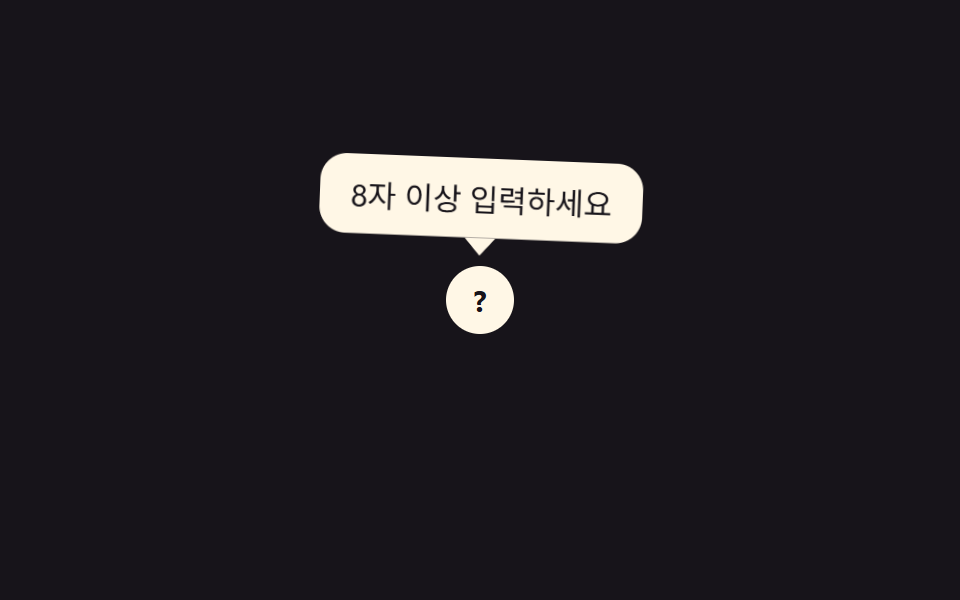
Một tam giác nhỏ được cắt bằng clip-path và gắn dưới bong bóng cho biết chính xác tooltip đang chỉ vào phần tử nào. Khi hiện lên, cả bong bóng lẫn mũi tên cùng phóng tới tỉ lệ 1,12 rồi giảm chấn qua vòng xoay 2,6°→-1,5°→0,6° quanh đúng trục mà mũi tên đang chỉ.
<main class="stage">
  <div class="tip-wrap">
    <span class="field-icon" aria-describedby="tip05">?</span>
    <span class="tooltip is-demo" role="tooltip" id="tip05">Nhập từ 8 ký tự trở lên</span>
  </div>
</main>
@use "../../../../site/static/demo-tokens" as *;
$duration: $dur-loop; // 숨김→표시→숨김 한 주기
$easing: $ease-out;
$color: $subject-cream; // 아이콘·말풍선 색
@include stage($stage-ink);
.tip-wrap { position: relative; }
.field-icon {
display: grid;
place-items: center;
width: 34px;
height: 34px;
border-radius: 50%;
background: $color;
color: $stage-ink;
font-weight: 700;
font-size: 15px;
line-height: 1;
font-family: inherit;
}
.tooltip {
position: absolute;
bottom: calc(100% + 14px); // 화살표 8px + 여유 6px
left: 50%;
transform-origin: bottom center; // 규칙8: 화살표(아래변 중심) 축 — 흔들림의 회전 중심
transform: translate(-50%, 4px);
opacity: 0;
background: $color;
color: $stage-ink;
padding: 8px 14px;
border-radius: $r-control;
font-size: clamp(12px, 3.4vw, 14px);
white-space: nowrap;
pointer-events: none;
&::after { // 꼬리: clip-path 로 삼각형만 남긴다
content: "";
position: absolute;
top: 100%;
left: 50%;
transform: translateX(-50%);
width: 14px;
height: 8px;
background: $color;
clip-path: polygon(50% 100%, 0 0, 100% 0);
}
}
.tooltip.is-demo {
animation: tip-loop $duration $easing infinite;
}
// 등장 스프링 한 겹 — 스케일 .85 → 1.12 오버슛 → 감쇠 반동, 회전은 화살표 축으로 2.6° → -1.5° → .6° 감쇠
@keyframes tip-loop {
0% { opacity: 0; transform: translate(-50%, 4px) scale(.85) rotate(0deg); }
12% { opacity: 1; transform: translate(-50%, 0) scale(1.12) rotate(2.6deg); }
22% { opacity: 1; transform: translate(-50%, 0) scale(.95) rotate(-1.5deg); }
30% { opacity: 1; transform: translate(-50%, 0) scale(1.03) rotate(.6deg); }
36%, 55% { opacity: 1; transform: translate(-50%, 0) scale(1) rotate(0deg); }
80% { opacity: 0; transform: translate(-50%, 4px) scale(.85) rotate(0deg); }
100% { opacity: 0; transform: translate(-50%, 4px) scale(.85) rotate(0deg); }
}
@media (prefers-reduced-motion: reduce) {
.tooltip.is-demo { animation: none; opacity: 1; transform: translate(-50%, 0) scale(1) rotate(0deg); }
}html, body {
margin: 0;
overflow: hidden;
}
.stage {
box-sizing: border-box;
min-height: 100vh;
display: grid;
place-items: center;
margin: 0;
background: #17141a;
font-family: -apple-system, "Segoe UI", "Noto Sans KR", sans-serif;
padding: clamp(8px, 4vw, 24px);
}
.tip-wrap {
position: relative;
}
.field-icon {
display: grid;
place-items: center;
width: 34px;
height: 34px;
border-radius: 50%;
background: #fff7e6;
color: #17141a;
font-weight: 700;
font-size: 15px;
line-height: 1;
font-family: inherit;
}
.tooltip {
position: absolute;
bottom: calc(100% + 14px);
left: 50%;
transform-origin: bottom center;
transform: translate(-50%, 4px);
opacity: 0;
background: #fff7e6;
color: #17141a;
padding: 8px 14px;
border-radius: 12px;
font-size: clamp(12px, 3.4vw, 14px);
white-space: nowrap;
pointer-events: none;
}
.tooltip::after {
content: "";
position: absolute;
top: 100%;
left: 50%;
transform: translateX(-50%);
width: 14px;
height: 8px;
background: #fff7e6;
clip-path: polygon(50% 100%, 0 0, 100% 0);
}
.tooltip.is-demo {
animation: tip-loop 2s ease-out infinite;
}
@keyframes tip-loop {
0% {
opacity: 0;
transform: translate(-50%, 4px) scale(0.85) rotate(0deg);
}
12% {
opacity: 1;
transform: translate(-50%, 0) scale(1.12) rotate(2.6deg);
}
22% {
opacity: 1;
transform: translate(-50%, 0) scale(0.95) rotate(-1.5deg);
}
30% {
opacity: 1;
transform: translate(-50%, 0) scale(1.03) rotate(0.6deg);
}
36%, 55% {
opacity: 1;
transform: translate(-50%, 0) scale(1) rotate(0deg);
}
80% {
opacity: 0;
transform: translate(-50%, 4px) scale(0.85) rotate(0deg);
}
100% {
opacity: 0;
transform: translate(-50%, 4px) scale(0.85) rotate(0deg);
}
}
@media (prefers-reduced-motion: reduce) {
.tooltip.is-demo {
animation: none;
opacity: 1;
transform: translate(-50%, 0) scale(1) rotate(0deg);
}
}import { useState } from "react";
import type { CSSProperties } from "react";
import styles from "./ArrowTooltip.module.scss";
export type ArrowTooltipProps = {
text: string;
duration?: number;
easing?: string;
color?: string;
};
type Vars = CSSProperties & { "--duration"?: string; "--easing"?: string; "--color"?: string };
export default function ArrowTooltip({
text,
duration = 200,
easing = "ease-out",
color = "#fff7e6",
}: ArrowTooltipProps) {
const [open, setOpen] = useState(false);
const vars: Vars = { "--duration": `${duration}ms`, "--easing": easing, "--color": color };
return (
<span className={styles.wrap} style={vars}>
<span
className={styles.icon}
tabIndex={0}
aria-describedby="arrow-tooltip"
onMouseEnter={() => setOpen(true)}
onMouseLeave={() => setOpen(false)}
onFocus={() => setOpen(true)}
onBlur={() => setOpen(false)}
>
?
</span>
<span id="arrow-tooltip" role="tooltip" className={styles.tooltip} data-open={open}>
{text}
</span>
</span>
);
}05 · Đuôi mũi tên chỉ hướng — Diện tích đo được 4.799% · khung hình chuyển động 15/23Nguyên tác GODRICH · SCSS và React nằm trong tệp zip · Xem mật khẩu
Chỗ dùng
Dùng cho gợi ý định dạng cạnh ô nhập liệu hoặc chú thích một điểm dữ liệu trên biểu đồ.
.tooltip::after {
  content: "";
  position: absolute;
  top: 100%;
  left: 50%;
  transform: translateX(-50%);
  width: 14px;
  height: 8px;
  clip-path: polygon(50% 100%, 0 0, 100% 0);
}
06Hiện có độ trễ
Chuyển động thế nào
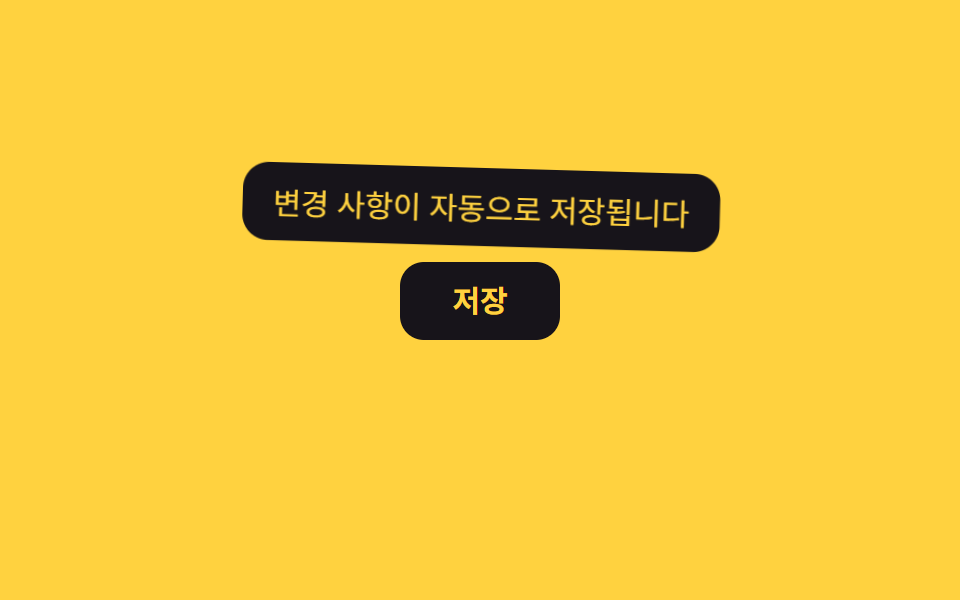
Đoạn đầu của keyframe giữ opacity ở 0 nên tooltip không hiện ngay khi con trỏ lướt qua, chỉ hiện khi bạn dừng lại một chút. Khi độ trễ kết thúc và tooltip bật ra, tỉ lệ vọt lên 1,12 rồi giảm chấn qua vòng xoay 2,4°→-1,4°→0,5° trước khi đứng yên.
<main class="stage">
  <div class="tip-wrap">
    <button class="save-btn" type="button" aria-describedby="tip06">Lưu</button>
    <span class="tooltip is-demo" role="tooltip" id="tip06">Thay đổi được lưu tự động</span>
  </div>
</main>
@use "../../../../site/static/demo-tokens" as *;
$duration: $dur-loop; // 숨김→표시→숨김 한 주기 (지연 포함)
$easing: $ease-out;
$color: $subject-ink; // 버튼 색 (노란 무대라 먹색)
@include stage($stage-yellow);
.tip-wrap { position: relative; }
.save-btn {
border: 0;
border-radius: $r-control;
padding: 12px 26px;
font-weight: 700;
font-size: 15px;
line-height: 1;
font-family: inherit;
color: $stage-yellow;
background: $color;
cursor: pointer;
}
.tooltip {
position: absolute;
bottom: calc(100% + 8px);
left: 50%;
transform-origin: bottom center; // 규칙8: 버튼 쪽 아래변 축 — 흔들림의 회전 중심
transform: translateX(-50%) scale(.85);
opacity: 0;
background: $stage-ink;
color: $stage-yellow;
padding: 8px 14px;
border-radius: $r-control;
font-size: clamp(12px, 3.4vw, 14px);
max-width: clamp(140px, 42vw, 220px);
white-space: nowrap; // 한글은 글자마다 줄바꿈 후보라, 없으면 세로로 한 글자씩 쪼개진다
text-align: center;
pointer-events: none;
}
// 마우스를 올려도 곧바로 뜨지 않는다 — 25%(≈500ms) 까지 숨겨 두고, 뜬 뒤엔 길게 유지한다
// 지연 뒤 등장에 스프링 한 겹 — 스케일 .85 → 1.12 오버슛 → 감쇠 반동, 회전은 아래변 축으로 2.4° → -1.4° → .5° 감쇠
@keyframes delay-loop {
0%, 20% { opacity: 0; transform: translateX(-50%) scale(.85) rotate(0deg); }
28% { opacity: 1; transform: translateX(-50%) scale(1.12) rotate(2.4deg); }
37% { opacity: 1; transform: translateX(-50%) scale(.95) rotate(-1.4deg); }
45% { opacity: 1; transform: translateX(-50%) scale(1.02) rotate(.5deg); }
51%, 80% { opacity: 1; transform: translateX(-50%) scale(1) rotate(0deg); }
100% { opacity: 0; transform: translateX(-50%) scale(.85) rotate(0deg); }
}
.tooltip.is-demo {
animation: delay-loop $duration $easing infinite;
}
@media (prefers-reduced-motion: reduce) {
.tooltip.is-demo { animation: none; opacity: 1; transform: translateX(-50%) scale(1) rotate(0deg); }
}html, body {
margin: 0;
overflow: hidden;
}
.stage {
box-sizing: border-box;
min-height: 100vh;
display: grid;
place-items: center;
margin: 0;
background: #ffd23f;
font-family: -apple-system, "Segoe UI", "Noto Sans KR", sans-serif;
padding: clamp(8px, 4vw, 24px);
}
.tip-wrap {
position: relative;
}
.save-btn {
border: 0;
border-radius: 12px;
padding: 12px 26px;
font-weight: 700;
font-size: 15px;
line-height: 1;
font-family: inherit;
color: #ffd23f;
background: #17141a;
cursor: pointer;
}
.tooltip {
position: absolute;
bottom: calc(100% + 8px);
left: 50%;
transform-origin: bottom center;
transform: translateX(-50%) scale(0.85);
opacity: 0;
background: #17141a;
color: #ffd23f;
padding: 8px 14px;
border-radius: 12px;
font-size: clamp(12px, 3.4vw, 14px);
max-width: clamp(140px, 42vw, 220px);
white-space: nowrap;
text-align: center;
pointer-events: none;
}
@keyframes delay-loop {
0%, 20% {
opacity: 0;
transform: translateX(-50%) scale(0.85) rotate(0deg);
}
28% {
opacity: 1;
transform: translateX(-50%) scale(1.12) rotate(2.4deg);
}
37% {
opacity: 1;
transform: translateX(-50%) scale(0.95) rotate(-1.4deg);
}
45% {
opacity: 1;
transform: translateX(-50%) scale(1.02) rotate(0.5deg);
}
51%, 80% {
opacity: 1;
transform: translateX(-50%) scale(1) rotate(0deg);
}
100% {
opacity: 0;
transform: translateX(-50%) scale(0.85) rotate(0deg);
}
}
.tooltip.is-demo {
animation: delay-loop 2s ease-out infinite;
}
@media (prefers-reduced-motion: reduce) {
.tooltip.is-demo {
animation: none;
opacity: 1;
transform: translateX(-50%) scale(1) rotate(0deg);
}
}import { useRef, useState } from "react";
import type { CSSProperties, ReactNode } from "react";
import styles from "./DelayTooltip.module.scss";
export type DelayTooltipProps = {
label: ReactNode;
text: string;
/** 호버 후 뜨기까지 기다리는 시간 (기본 400ms) */
delay?: number;
duration?: number;
easing?: string;
color?: string;
};
type Vars = CSSProperties & { "--duration"?: string; "--easing"?: string; "--color"?: string };
export default function DelayTooltip({
label,
text,
delay = 400,
duration = 160,
easing = "ease-out",
color = "#17141a",
}: DelayTooltipProps) {
const [open, setOpen] = useState(false);
const timer = useRef<ReturnType<typeof setTimeout> | null>(null);
const vars: Vars = { "--duration": `${duration}ms`, "--easing": easing, "--color": color };
const start = () => {
timer.current = setTimeout(() => setOpen(true), delay);
};
const cancel = () => {
if (timer.current) clearTimeout(timer.current);
setOpen(false);
};
return (
<span className={styles.wrap} style={vars}>
<button
type="button"
className={styles.btn}
aria-describedby="delay-tooltip"
onMouseEnter={start}
onMouseLeave={cancel}
onFocus={start}
onBlur={cancel}
>
{label}
</button>
<span id="delay-tooltip" role="tooltip" className={styles.tooltip} data-open={open}>
{text}
</span>
</span>
);
}06 · Hiện có độ trễ — Diện tích đo được 6.83% · khung hình chuyển động 13/23Nguyên tác GODRICH · SCSS và React nằm trong tệp zip · Xem mật khẩu
Dùng khi nào
Hợp với toolbar nhiều icon sát nhau hoặc icon lặp lại trên từng dòng danh sách, nơi hiện quá nhanh chỉ gây rối mắt.
@keyframes delay-loop {
  0%, 20%  { opacity: 0; }
  40%, 80% { opacity: 1; }
  100%     { opacity: 0; }
}
.tooltip.is-demo {
  animation: delay-loop $duration $easing infinite;
}
07Hiện khi focus bàn phím
Bạn thấy gì
Cùng một rule CSS được gắn cho cả :hover và :focus-visible nên tooltip hiện y hệt nhau dù bạn rê chuột hay dùng phím Tab để di chuyển focus. Ở cả hai cách kích hoạt, tooltip giờ phóng tới tỉ lệ 1,12 rồi giảm chấn qua vòng xoay 2,6°→-1,5°→0,6° quanh cạnh dưới trước khi dừng hẳn.
<main class="stage">
  <div class="tip-wrap">
    <button class="gear-btn" type="button" aria-describedby="tip07">Cài đặt</button>
    <span class="tooltip is-demo" role="tooltip" id="tip07">Cũng hiện khi di chuyển bằng phím Tab</span>
  </div>
</main>
@use "../../../../site/static/demo-tokens" as *;
$duration: $dur-loop; // 숨김→표시→숨김 한 주기
$easing: $ease-out;
$color: $subject-cream; // 버튼·툴팁 색 (주황 무대라 크림)
@include stage($stage-orange);
.tip-wrap { position: relative; }
.gear-btn {
border: 2px solid $color;
border-radius: $r-control;
padding: 10px 24px;
font-weight: 600;
font-size: 15px;
line-height: 1;
font-family: inherit;
color: $subject-ink; // AA: 주황 무대 위 글자 5.50:1 (테두리는 크림 유지)
background: transparent;
cursor: pointer;
}
.tooltip {
position: absolute;
bottom: calc(100% + 8px);
left: 50%;
transform-origin: bottom center; // 규칙8: 버튼 쪽 아래변 축 — 흔들림의 회전 중심
transform: translateX(-50%) scale(.85);
opacity: 0;
background: $color;
color: $stage-orange;
padding: 8px 14px;
border-radius: $r-control;
font-size: clamp(12px, 3.4vw, 14px);
white-space: nowrap;
pointer-events: none;
}
// 실사용: 마우스 호버뿐 아니라 :focus-visible 에도 같은 규칙이 붙는다 (버튼을 Tab 으로 옮겨도 뜬다)
.gear-btn:hover + .tooltip,
.gear-btn:focus-visible + .tooltip {
opacity: 1;
}
// 데모: 실제 포커스 없이 혼자 표시→숨김을 반복한다
// 등장에 스프링 한 겹 — 스케일 .85 → 1.12 오버슛 → 감쇠 반동, 회전은 아래변 축으로 2.6° → -1.5° → .6° 감쇠
.tooltip.is-demo {
animation: tip-loop $duration $easing infinite;
}
@keyframes tip-loop {
0% { opacity: 0; transform: translateX(-50%) scale(.85) rotate(0deg); }
12% { opacity: 1; transform: translateX(-50%) scale(1.12) rotate(2.6deg); }
22% { opacity: 1; transform: translateX(-50%) scale(.95) rotate(-1.5deg); }
30% { opacity: 1; transform: translateX(-50%) scale(1.03) rotate(.6deg); }
36%, 55% { opacity: 1; transform: translateX(-50%) scale(1) rotate(0deg); }
80% { opacity: 0; transform: translateX(-50%) scale(.85) rotate(0deg); }
100% { opacity: 0; transform: translateX(-50%) scale(.85) rotate(0deg); }
}
@media (prefers-reduced-motion: reduce) {
.tooltip.is-demo { animation: none; opacity: 1; transform: translateX(-50%) scale(1) rotate(0deg); }
}html, body {
margin: 0;
overflow: hidden;
}
.stage {
box-sizing: border-box;
min-height: 100vh;
display: grid;
place-items: center;
margin: 0;
background: #ff4d1f;
font-family: -apple-system, "Segoe UI", "Noto Sans KR", sans-serif;
padding: clamp(8px, 4vw, 24px);
}
.tip-wrap {
position: relative;
}
.gear-btn {
border: 2px solid #fff7e6;
border-radius: 12px;
padding: 10px 24px;
font-weight: 600;
font-size: 15px;
line-height: 1;
font-family: inherit;
color: #17141a;
background: transparent;
cursor: pointer;
}
.tooltip {
position: absolute;
bottom: calc(100% + 8px);
left: 50%;
transform-origin: bottom center;
transform: translateX(-50%) scale(0.85);
opacity: 0;
background: #fff7e6;
color: #ff4d1f;
padding: 8px 14px;
border-radius: 12px;
font-size: clamp(12px, 3.4vw, 14px);
white-space: nowrap;
pointer-events: none;
}
.gear-btn:hover + .tooltip,
.gear-btn:focus-visible + .tooltip {
opacity: 1;
}
.tooltip.is-demo {
animation: tip-loop 2s ease-out infinite;
}
@keyframes tip-loop {
0% {
opacity: 0;
transform: translateX(-50%) scale(0.85) rotate(0deg);
}
12% {
opacity: 1;
transform: translateX(-50%) scale(1.12) rotate(2.6deg);
}
22% {
opacity: 1;
transform: translateX(-50%) scale(0.95) rotate(-1.5deg);
}
30% {
opacity: 1;
transform: translateX(-50%) scale(1.03) rotate(0.6deg);
}
36%, 55% {
opacity: 1;
transform: translateX(-50%) scale(1) rotate(0deg);
}
80% {
opacity: 0;
transform: translateX(-50%) scale(0.85) rotate(0deg);
}
100% {
opacity: 0;
transform: translateX(-50%) scale(0.85) rotate(0deg);
}
}
@media (prefers-reduced-motion: reduce) {
.tooltip.is-demo {
animation: none;
opacity: 1;
transform: translateX(-50%) scale(1) rotate(0deg);
}
}import type { CSSProperties, ReactNode } from "react";
import styles from "./FocusTooltip.module.scss";
export type FocusTooltipProps = {
label: ReactNode;
text: string;
duration?: number;
easing?: string;
color?: string;
};
type Vars = CSSProperties & { "--duration"?: string; "--easing"?: string; "--color"?: string };
// :hover 와 :focus-visible 을 CSS 에서 같이 걸어 뒀다 — Tab 으로 옮겨도 마우스 호버와 같은 툴팁이 뜬다.
export default function FocusTooltip({
label,
text,
duration = 200,
easing = "ease-out",
color = "#fff7e6",
}: FocusTooltipProps) {
const vars: Vars = { "--duration": `${duration}ms`, "--easing": easing, "--color": color };
return (
<span className={styles.wrap} style={vars}>
<button type="button" className={styles.btn} aria-describedby="focus-tooltip">
{label}
</button>
<span id="focus-tooltip" role="tooltip" className={styles.tooltip}>
{text}
</span>
</span>
);
}07 · Hiện khi focus bàn phím — Diện tích đo được 5.953% · khung hình chuyển động 14/23Nguyên tác GODRICH · SCSS và React nằm trong tệp zip · Xem mật khẩu
Dùng ở đâu
Đây gần như là điều bắt buộc cho nhãn form dành cho người chỉ dùng bàn phím hoặc nút icon cần đạt chuẩn tiếp cận.
.tooltip {
  opacity: 0;
  transition: opacity $duration $easing;
}
.gear-btn:hover + .tooltip,
.gear-btn:focus-visible + .tooltip {
  opacity: 1;
}
08Bong bóng kiểu ứng dụng nhắn tin
Chuyện gì diễn ra trên màn hình
Tooltip bo tròn ba góc và để một góc vuông làm đuôi bằng clip-path, nên trông giống tin nhắn chat hơn là một khung thông tin thông thường. Khi bong bóng bật ra, tỉ lệ vọt tới 1,14 rồi giảm chấn qua vòng xoay 3°→-1,7°→0,7° quanh góc đuôi tin nhắn trước khi ổn định.
<main class="stage">
  <div class="chat-wrap">
    <div class="avatar" aria-hidden="true">AI</div>
    <p class="bubble is-demo" role="status">Xin chào! Tôi có thể giúp gì cho bạn?</p>
  </div>
</main>
@use "../../../../site/static/demo-tokens" as *;
$duration: $dur-loop; // 숨김→표시→숨김 한 주기
$easing: $ease-pop; // 등장 바운스
$color: $subject-blue; // 말풍선 색
@include stage($stage-paper);
.chat-wrap {
display: flex;
align-items: flex-end;
gap: 10px;
}
.avatar {
display: grid;
place-items: center;
width: 36px;
height: 36px;
border-radius: 50%;
background: $stage-ink;
color: #fff;
font-weight: 700;
font-size: 12px;
line-height: 1;
font-family: inherit;
flex: none;
}
.bubble {
position: relative;
margin: 0;
max-width: clamp(160px, 46vw, 240px);
background: $color;
color: #fff;
padding: 12px 16px;
border-radius: 18px 18px 18px 4px; // 왼쪽 아래만 각져 꼬리처럼 보인다
font-size: clamp(12px, 3.4vw, 14px);
opacity: 0;
transform-origin: bottom left; // 규칙8: 꼬리 bottom left 고정 팝
transform: scale(.85);
&::after { // 말풍선 꼬리
content: "";
position: absolute;
left: -6px;
bottom: 0;
width: 12px;
height: 12px;
background: $color;
clip-path: polygon(100% 0, 100% 100%, 0 100%);
}
}
.bubble.is-demo {
animation: bubble-loop $duration $easing infinite;
}
// 등장 스프링 한 겹 — 스케일 .85 → 1.14 오버슛 → 감쇠 반동(.93 → 1.02), 회전은 꼬리 축(bottom left)으로 3° → -1.7° → .7° 감쇠
@keyframes bubble-loop {
0% { opacity: 0; transform: scale(.85) rotate(0deg); }
12% { opacity: 1; transform: scale(1.14) rotate(3deg); }
22% { opacity: 1; transform: scale(.93) rotate(-1.7deg); }
30% { opacity: 1; transform: scale(1.02) rotate(.7deg); }
36%, 55% { opacity: 1; transform: scale(1) rotate(0deg); }
80% { opacity: 0; transform: scale(.85) rotate(0deg); }
100% { opacity: 0; transform: scale(.85) rotate(0deg); }
}
@media (prefers-reduced-motion: reduce) {
.bubble.is-demo { animation: none; opacity: 1; transform: scale(1) rotate(0deg); }
}html, body {
margin: 0;
overflow: hidden;
}
.stage {
box-sizing: border-box;
min-height: 100vh;
display: grid;
place-items: center;
margin: 0;
background: #ffffff;
font-family: -apple-system, "Segoe UI", "Noto Sans KR", sans-serif;
padding: clamp(8px, 4vw, 24px);
}
.chat-wrap {
display: flex;
align-items: flex-end;
gap: 10px;
}
.avatar {
display: grid;
place-items: center;
width: 36px;
height: 36px;
border-radius: 50%;
background: #17141a;
color: #fff;
font-weight: 700;
font-size: 12px;
line-height: 1;
font-family: inherit;
flex: none;
}
.bubble {
position: relative;
margin: 0;
max-width: clamp(160px, 46vw, 240px);
background: #2f6df6;
color: #fff;
padding: 12px 16px;
border-radius: 18px 18px 18px 4px;
font-size: clamp(12px, 3.4vw, 14px);
opacity: 0;
transform-origin: bottom left;
transform: scale(0.85);
}
.bubble::after {
content: "";
position: absolute;
left: -6px;
bottom: 0;
width: 12px;
height: 12px;
background: #2f6df6;
clip-path: polygon(100% 0, 100% 100%, 0 100%);
}
.bubble.is-demo {
animation: bubble-loop 2s cubic-bezier(0.2, 1.4, 0.4, 1) infinite;
}
@keyframes bubble-loop {
0% {
opacity: 0;
transform: scale(0.85) rotate(0deg);
}
12% {
opacity: 1;
transform: scale(1.14) rotate(3deg);
}
22% {
opacity: 1;
transform: scale(0.93) rotate(-1.7deg);
}
30% {
opacity: 1;
transform: scale(1.02) rotate(0.7deg);
}
36%, 55% {
opacity: 1;
transform: scale(1) rotate(0deg);
}
80% {
opacity: 0;
transform: scale(0.85) rotate(0deg);
}
100% {
opacity: 0;
transform: scale(0.85) rotate(0deg);
}
}
@media (prefers-reduced-motion: reduce) {
.bubble.is-demo {
animation: none;
opacity: 1;
transform: scale(1) rotate(0deg);
}
}import { useEffect, useState } from "react";
import type { CSSProperties } from "react";
import styles from "./ChatBubble.module.scss";
export type ChatBubbleProps = {
avatar: string;
text: string;
duration?: number;
easing?: string;
color?: string;
};
type Vars = CSSProperties & { "--duration"?: string; "--easing"?: string; "--color"?: string };
export default function ChatBubble({
avatar,
text,
duration = 260,
easing = "cubic-bezier(.2,1.4,.4,1)",
color = "#2f6df6",
}: ChatBubbleProps) {
const [shown, setShown] = useState(false);
const vars: Vars = { "--duration": `${duration}ms`, "--easing": easing, "--color": color };
// 마운트되면 한 번 등장한다 — 채팅창에 메시지가 도착하는 흐름
useEffect(() => {
const t = setTimeout(() => setShown(true), 60);
return () => clearTimeout(t);
}, []);
return (
<span className={styles.wrap} style={vars}>
<span className={styles.avatar} aria-hidden="true">{avatar}</span>
<p className={styles.bubble} data-open={shown}>{text}</p>
</span>
);
}08 · Bong bóng kiểu ứng dụng nhắn tin — Diện tích đo được 9.751% · khung hình chuyển động 11/23Nguyên tác GODRICH · SCSS và React nằm trong tệp zip · Xem mật khẩu
Chỗ dùng
Dùng cho câu chào đầu tiên của chatbot hoặc chú thích trong hướng dẫn onboarding.
.bubble {
  border-radius: 18px 18px 18px 4px;
  transform-origin: bottom left;
  transform: scale(.85);
  opacity: 0;

  &::after {
    content: "";
    position: absolute;
    left: -6px;
    bottom: 0;
    width: 12px;
    height: 12px;
    clip-path: polygon(100% 0, 100% 100%, 0 100%);
  }
}
09Chấm pulse gợi ý thông tin
Chuyển động thế nào
Một quầng sáng mờ phía sau chấm nhỏ phóng to rồi mờ dần liên tục, báo hiệu có thông tin đáng xem trước khi bạn kịp hover vào. Khi tooltip hiện lên cạnh chấm, nó cũng phóng tới tỉ lệ 1,12 rồi giảm chấn qua vòng xoay 2,6°→-1,5°→0,6° quanh cạnh dưới, tách biệt hẳn với nhịp pulse-ring nền.
<main class="stage">
  <div class="tip-wrap">
    <span class="badge" aria-describedby="tip09">Tính năng mới<i class="dot" aria-hidden="true"></i></span>
    <span class="tooltip is-demo" role="tooltip" id="tip09">Bạn có thể tải xuống lịch sử thanh toán</span>
  </div>
</main>
@use "../../../../site/static/demo-tokens" as *;
$duration: $dur-loop; // 점 펄스·툴팁 공통 주기
$easing: $ease-out;
$color: $subject-blue; // 점 색
@include stage($stage-ink);
.tip-wrap { position: relative; display: inline-block; }
.badge {
display: inline-flex;
align-items: center;
gap: 6px;
padding: 10px 18px;
border-radius: $r-pill;
background: $subject-cream;
color: $stage-ink;
font-weight: 600;
font-size: 14px;
line-height: 1;
font-family: inherit;
}
.dot {
position: relative;
width: 8px;
height: 8px;
border-radius: 50%;
background: $color;
&::before { // 은은하게 커졌다 작아지는 펄스 링
content: "";
position: absolute;
inset: -6px;
border-radius: 50%;
background: $color;
opacity: .5;
animation: pulse-ring $duration $easing infinite;
}
}
.tooltip {
position: absolute;
bottom: calc(100% + 8px);
left: 50%;
transform-origin: bottom center; // 규칙8: 버튼 쪽 아래변 축 — 흔들림의 회전 중심
transform: translate(-50%, 4px);
opacity: 0;
background: $subject-cream;
color: $stage-ink;
padding: 8px 14px;
border-radius: $r-control;
font-size: clamp(12px, 3.4vw, 14px);
max-width: clamp(150px, 44vw, 220px);
white-space: nowrap; // 한글은 글자마다 줄바꿈 후보라, 없으면 세로로 한 글자씩 쪼개진다
pointer-events: none;
}
.tooltip.is-demo {
animation: tip-loop $duration $easing infinite;
}
@keyframes pulse-ring {
0%, 100% { transform: scale(.6); opacity: .5; }
50% { transform: scale(1.6); opacity: 0; }
}
// 툴팁 등장에 스프링 한 겹 — 스케일 .85 → 1.12 오버슛 → 감쇠 반동, 회전은 아래변 축으로 2.6° → -1.5° → .6° 감쇠
@keyframes tip-loop {
0% { opacity: 0; transform: translate(-50%, 4px) scale(.85) rotate(0deg); }
12% { opacity: 1; transform: translate(-50%, 0) scale(1.12) rotate(2.6deg); }
22% { opacity: 1; transform: translate(-50%, 0) scale(.95) rotate(-1.5deg); }
30% { opacity: 1; transform: translate(-50%, 0) scale(1.03) rotate(.6deg); }
36%, 55% { opacity: 1; transform: translate(-50%, 0) scale(1) rotate(0deg); }
80% { opacity: 0; transform: translate(-50%, 4px) scale(.85) rotate(0deg); }
100% { opacity: 0; transform: translate(-50%, 4px) scale(.85) rotate(0deg); }
}
@media (prefers-reduced-motion: reduce) {
.dot::before { animation: none; opacity: .3; }
.tooltip.is-demo { animation: none; opacity: 1; transform: translate(-50%, 0) scale(1) rotate(0deg); }
}html, body {
margin: 0;
overflow: hidden;
}
.stage {
box-sizing: border-box;
min-height: 100vh;
display: grid;
place-items: center;
margin: 0;
background: #17141a;
font-family: -apple-system, "Segoe UI", "Noto Sans KR", sans-serif;
padding: clamp(8px, 4vw, 24px);
}
.tip-wrap {
position: relative;
display: inline-block;
}
.badge {
display: inline-flex;
align-items: center;
gap: 6px;
padding: 10px 18px;
border-radius: 999px;
background: #fff7e6;
color: #17141a;
font-weight: 600;
font-size: 14px;
line-height: 1;
font-family: inherit;
}
.dot {
position: relative;
width: 8px;
height: 8px;
border-radius: 50%;
background: #2f6df6;
}
.dot::before {
content: "";
position: absolute;
inset: -6px;
border-radius: 50%;
background: #2f6df6;
opacity: 0.5;
animation: pulse-ring 2s ease-out infinite;
}
.tooltip {
position: absolute;
bottom: calc(100% + 8px);
left: 50%;
transform-origin: bottom center;
transform: translate(-50%, 4px);
opacity: 0;
background: #fff7e6;
color: #17141a;
padding: 8px 14px;
border-radius: 12px;
font-size: clamp(12px, 3.4vw, 14px);
max-width: clamp(150px, 44vw, 220px);
white-space: nowrap;
pointer-events: none;
}
.tooltip.is-demo {
animation: tip-loop 2s ease-out infinite;
}
@keyframes pulse-ring {
0%, 100% {
transform: scale(0.6);
opacity: 0.5;
}
50% {
transform: scale(1.6);
opacity: 0;
}
}
@keyframes tip-loop {
0% {
opacity: 0;
transform: translate(-50%, 4px) scale(0.85) rotate(0deg);
}
12% {
opacity: 1;
transform: translate(-50%, 0) scale(1.12) rotate(2.6deg);
}
22% {
opacity: 1;
transform: translate(-50%, 0) scale(0.95) rotate(-1.5deg);
}
30% {
opacity: 1;
transform: translate(-50%, 0) scale(1.03) rotate(0.6deg);
}
36%, 55% {
opacity: 1;
transform: translate(-50%, 0) scale(1) rotate(0deg);
}
80% {
opacity: 0;
transform: translate(-50%, 4px) scale(0.85) rotate(0deg);
}
100% {
opacity: 0;
transform: translate(-50%, 4px) scale(0.85) rotate(0deg);
}
}
@media (prefers-reduced-motion: reduce) {
.dot::before {
animation: none;
opacity: 0.3;
}
.tooltip.is-demo {
animation: none;
opacity: 1;
transform: translate(-50%, 0) scale(1) rotate(0deg);
}
}import { useState } from "react";
import type { CSSProperties, ReactNode } from "react";
import styles from "./PulseDotTooltip.module.scss";
export type PulseDotTooltipProps = {
label: ReactNode;
text: string;
duration?: number;
easing?: string;
color?: string;
};
type Vars = CSSProperties & { "--duration"?: string; "--easing"?: string; "--color"?: string };
export default function PulseDotTooltip({
label,
text,
duration = 200,
easing = "ease-out",
color = "#2f6df6",
}: PulseDotTooltipProps) {
const [open, setOpen] = useState(false);
const vars: Vars = { "--duration": `${duration}ms`, "--easing": easing, "--color": color };
return (
<span className={styles.wrap} style={vars}>
<span
className={styles.badge}
tabIndex={0}
aria-describedby="pulse-tooltip"
onMouseEnter={() => setOpen(true)}
onMouseLeave={() => setOpen(false)}
onFocus={() => setOpen(true)}
onBlur={() => setOpen(false)}
>
{label}
<i className={styles.dot} aria-hidden="true" />
</span>
<span id="pulse-tooltip" role="tooltip" className={styles.tooltip} data-open={open}>
{text}
</span>
</span>
);
}09 · Chấm pulse gợi ý thông tin — Diện tích đo được 7.869% · khung hình chuyển động 20/23Nguyên tác GODRICH · SCSS và React nằm trong tệp zip · Xem mật khẩu
Dùng khi nào
Dùng cho huy hiệu tính năng mới hoặc icon trợ giúp ở góc màn hình cài đặt.
.dot::before {
  content: "";
  position: absolute;
  inset: -6px;
  border-radius: 50%;
  animation: pulse-ring $duration $easing infinite;
}
@keyframes pulse-ring {
  0%, 100% { transform: scale(.6); opacity: .5; }
  50%      { transform: scale(1.6); opacity: 0; }
}
Chỗ dễ hỏng ở đâu? — cái bẫy
Thuộc tính popover và lớp trên cùng
Trong chín kiểu này, mục 04 tooltip xem trước dạng thẻ tốn nhiều thời gian nhất để làm cho đúng. Khi một phần tử có thuộc tính popover được mở ra, trình duyệt sẽ đưa nó lên top layer, và containing block của nó đổi từ phần tử cha sang chính viewport. Bản đầu tiên vẫn giữ position: absolute; top: calc(100% + 12px) như trước khi mở, nên thẻ bị đẩy hẳn ra ngoài khung xem — nhìn qua bạn sẽ tưởng CSS viết sai, nhưng lý do thật là containing block đã đổi. Chỉ khi thêm riêng một rule cho :popover-open với top là một giá trị pixel cố định theo chiều cao khung demo thì thẻ mới trở lại đúng chỗ, và ngay trong câu này bạn cũng đã có mật khẩu uauwf4hn để mở file gốc ra đối chiếu, khỏi phải đoán.
Khả năng tiếp cận
Trạng thái cuối khi giảm chuyển động
Cả chín demo đều phản hồi prefers-reduced-motion, nhưng không phải lúc nào cũng tắt hẳn animation — có lúc là nhảy thẳng tới trạng thái cuối. Từ mục 01 đến mục 06, cùng mục 08 và 09, bỏ animation và giữ nguyên opacity: 1 ở trạng thái đã hiện, để nội dung tooltip vẫn đọc được mà không cần chờ bước mờ dần hay bật lên. Mục 07 (hiện khi focus bàn phím) không phụ thuộc animation-loop của demo, vì rule :focus-visible chạy độc lập với animation, nên dù tắt chuyển động thì tooltip vẫn hiện ngay khi bạn Tab tới nút. Tài liệu MDN về prefers-reduced-motion ghi rõ mức hỗ trợ trình duyệt của media query này.
@media (prefers-reduced-motion: reduce) {
  .tooltip, .bubble, .card, .dot::before {
    animation: none !important;
    opacity: 1;
  }
}
Xem thêm các kiểu CSS phản hồi khác trong chuyên mục CSS, còn lý do blog này tồn tại thì nằm ở trang giới thiệu.
FAQ
CSS tooltip examples có bắt buộc dùng JavaScript không?
Không. Tám trong chín kiểu ở đây chạy hoàn toàn bằng CSS thuần. Chỉ mục 04 tooltip xem trước dạng thẻ cần một dòng script gọi showPopover() để mở phần tử popover, còn vị trí và chuyển động sau đó vẫn do CSS quyết định.
Popover API được trình duyệt nào hỗ trợ?
Theo MDN về Popover API, tính năng này chạy được từ Chrome 114, Safari 17 và Firefox 125. Mục 04 trong gói zip vẫn giữ position: absolute làm phần dự phòng cho trình duyệt cũ hơn.
CSS anchor positioning ở mục 03 chạy được trên trình duyệt nào?
Theo caniuse (kiểm tra 9/2026), Chrome và Edge hỗ trợ từ bản 125, đầy đủ theo đặc tả kể từ bản 151; Safari hỗ trợ đầy đủ từ bản 27; Firefox mới hỗ trợ một phần từ bản 147. Trước khi đưa vào dự án thật, hãy bọc rule anchor trong @supports (position-anchor: --tip03) như mục 03 trong gói zip đã làm.
Có thể bạn cũng thích
 Phản hồi9 CSS Input Focus Animation — dán 1 dòng là chạy
 Phản hồi9 hiệu ứng css dark mode toggle 1 dòng CSS
 Phản hồi9 micro interactions css — dán 1 dòng chạy ngay
 Phản hồi9 hiệu ứng custom cursor css — copy dán một dòng
 Phản hồi9 kiểu css typing animation, copy dán là chạy
 Phản hồi9 CSS Text Animation Effects — dán 1 dòng là chạy
 Phản hồi9 CSS Image Hover Effects — dán 1 dòng là chạy
 Phản hồi9 CSS Number Counter Animation — dán 1 dòng
 Phản hồi9 CSS Chat Bubble Animation — dán 1 dòng là chạy
 Phản hồi9 CSS Card Hover Effects — dán 1 dòng là chạy