9 CSS Chat Bubble Animation — dán 1 dòng là chạy
CSS chat bubble animation là hiệu ứng bong bóng chat chạy bằng CSS thuần khi tin nhắn xuất hiện hoặc được xem.
 01 chat-bubble-ui-bubble-pop-in
 02 chat-bubble-ui-tail-direction
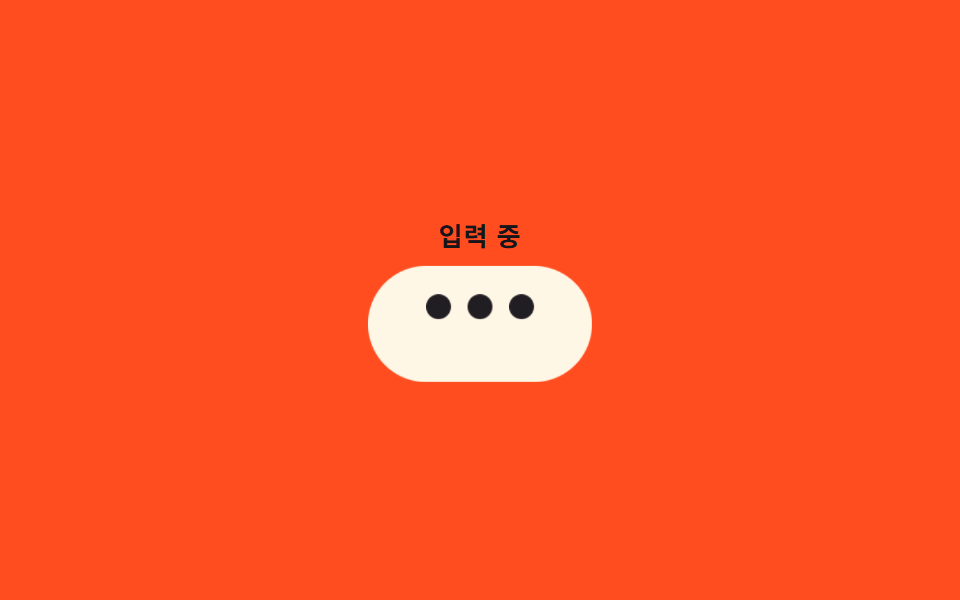 03 chat-bubble-ui-typing-dots
 04 chat-bubble-ui-read-receipt-transition
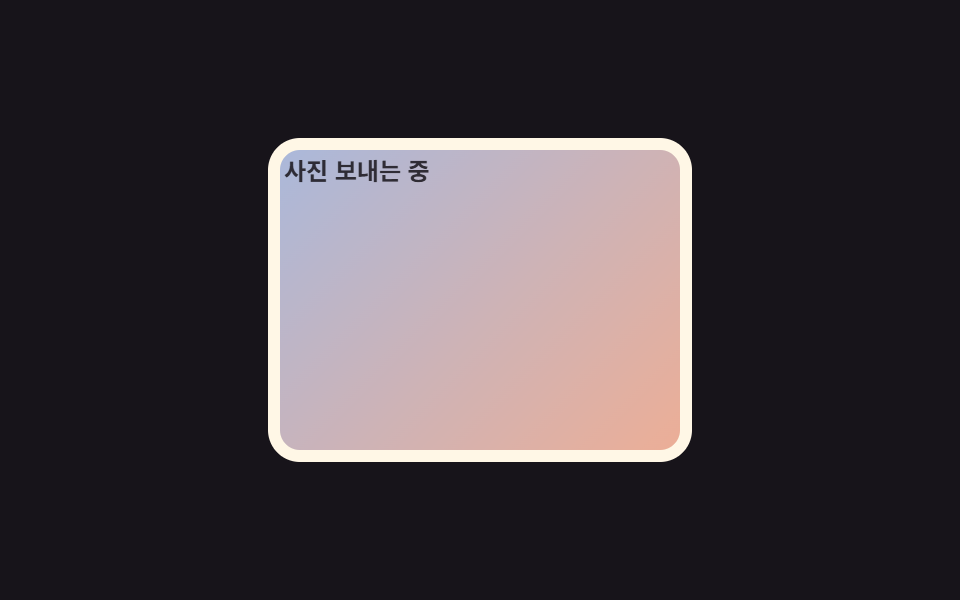 05 chat-bubble-ui-image-bubble-loading
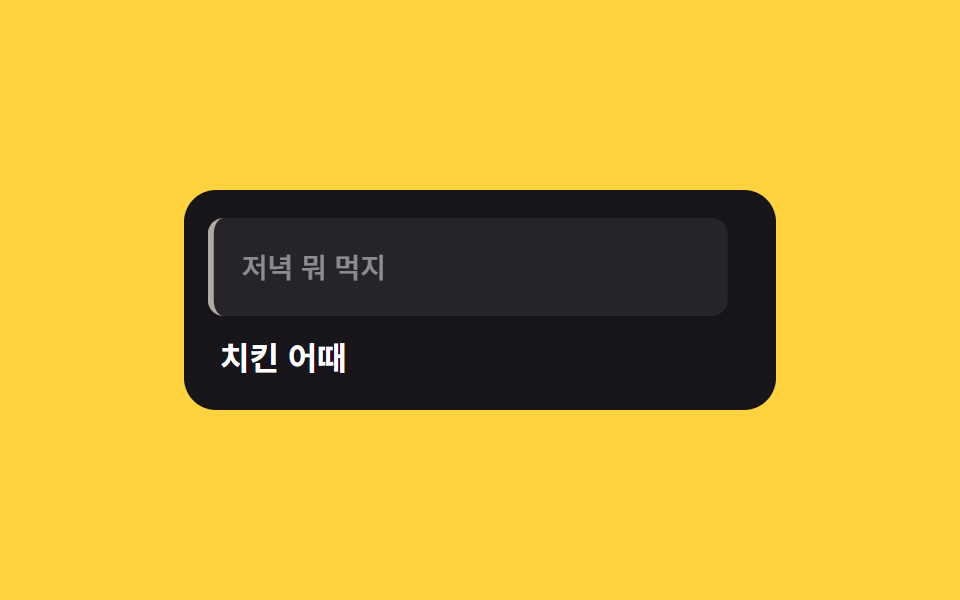 06 chat-bubble-ui-reply-quote-slide
 07 chat-bubble-ui-reaction-emoji-pop
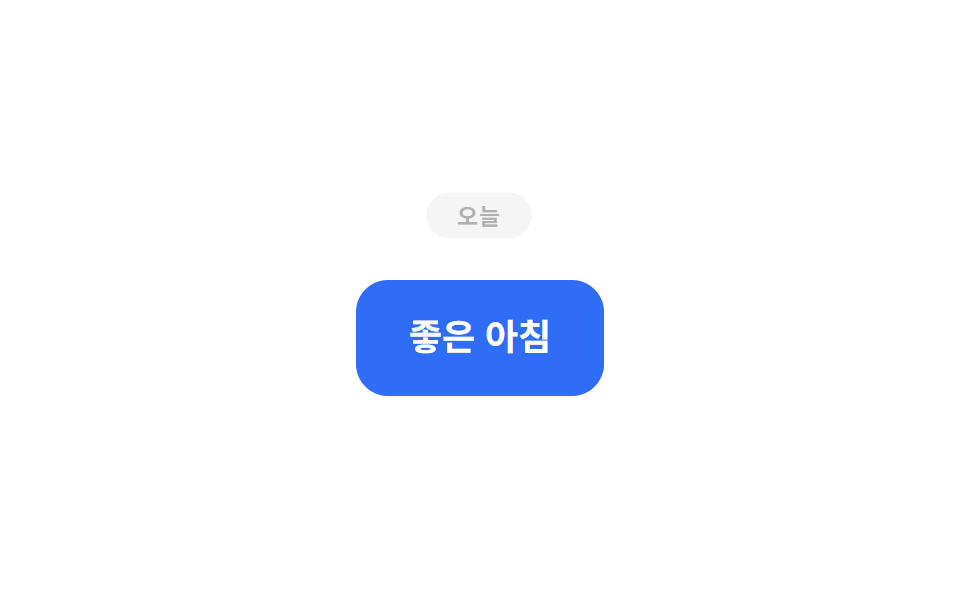 08 chat-bubble-ui-date-divider-appear
 09 chat-bubble-ui-scroll-pin-new-message
Tự chạy · bấm ô để tới mục đó · cả 9 trong một zip
- 01 Bong bóng bật hiện (pop-in)
- 02 Đổi hướng đuôi bong bóng
- 03 Ba chấm đang gõ
- 04 Chuyển trạng thái đã xem
- 05 Bong bóng ảnh đang tải
- 06 Trượt trích dẫn trả lời
- 07 Emoji react bật lên
- 08 Vạch ngày xuất hiện
- 09 Ghim tin nhắn mới ở đáy
Thứ tự chín kiểu này đi theo vòng đời một tin nhắn trong khung chat: bong bóng vừa đến và có hướng gửi hay nhận (01–02), báo hiệu đối phương đang gõ (03), chuyển trạng thái đã xem và tải xong ảnh đính kèm (04–05), gắn ngữ cảnh trả lời (06), nhận phản ứng emoji (07), rồi khung chat tự chia theo ngày và ghim tin mới ở đáy (08–09). Khung xem phía trên là một iframe cố định không nhận sự kiện chuột thật, nên mỗi ô tự phát lại đúng một vòng hai giây qua lớp .is-demo gắn riêng cho bản xem trước; bản gốc trong từng file không có lớp đó.
01Bong bóng bật hiện (pop-in)
Bạn thấy gì
Bong bóng tin nhắn mới phóng to từ scale(.4) lên scale(1.15) rồi lắng xuống đúng kích thước, đồng thời opacity chuyển từ 0 sang 1 trong một chuyển động duy nhất.
<main class="stage">
  <div class="bubble is-demo">Vừa đến!</div>
</main>
@use "../../../../site/static/demo-tokens" as *;
// ── 변수 3개 ──────────────────────────────────────────────
$duration: $dur-quick; // 실제 등장(팝)이 끝나는 데 걸리는 시간 — React 판 --duration 기본값
$easing: $ease-pop; // 튀어나오듯 오버슈트 후 안착
$color: $subject-cream; // 말풍선 색 (ink 무대라 cream)
@include stage($stage-ink);
.bubble {
padding: 22px 34px;
border-radius: $r-card;
background: $color;
color: $stage-ink;
font-weight: 700; font-size: clamp(18px, 5.6vw, 24px); line-height: 1.4; font-family: inherit;
transform-origin: center;
&.is-demo {
animation: bubble-pop-loop $dur-loop $easing infinite;
}
}
// 한 주기(2s) 안에 팝 등장 → 유지 → 사라짐을 담아 gif 이음매가 안 보이게 한다
@keyframes bubble-pop-loop {
0% { transform: scale(.4); opacity: 0; }
16% { transform: scale(1.15); opacity: 1; }
24% { transform: scale(1); opacity: 1; }
82% { transform: scale(1); opacity: 1; }
100% { transform: scale(.4); opacity: 0; }
}
@media (prefers-reduced-motion: reduce) {
.bubble.is-demo { animation: none !important; transform: none; opacity: 1; }
}html, body {
margin: 0;
overflow: hidden;
}
.stage {
box-sizing: border-box;
min-height: 100vh;
display: grid;
place-items: center;
margin: 0;
background: #17141a;
font-family: -apple-system, "Segoe UI", "Noto Sans KR", sans-serif;
padding: clamp(8px, 4vw, 24px);
}
.bubble {
padding: 22px 34px;
border-radius: 16px;
background: #fff7e6;
color: #17141a;
font-weight: 700;
font-size: clamp(18px, 5.6vw, 24px);
line-height: 1.4;
font-family: inherit;
transform-origin: center;
}
.bubble.is-demo {
animation: bubble-pop-loop 2s cubic-bezier(0.2, 1.4, 0.4, 1) infinite;
}
@keyframes bubble-pop-loop {
0% {
transform: scale(0.4);
opacity: 0;
}
16% {
transform: scale(1.15);
opacity: 1;
}
24% {
transform: scale(1);
opacity: 1;
}
82% {
transform: scale(1);
opacity: 1;
}
100% {
transform: scale(0.4);
opacity: 0;
}
}
@media (prefers-reduced-motion: reduce) {
.bubble.is-demo {
animation: none !important;
transform: none;
opacity: 1;
}
}import type { CSSProperties, ReactNode } from "react";
import styles from "./BubblePopIn.module.scss";
export type BubblePopInProps = {
children: ReactNode;
/** 팝 등장이 끝나는 데 걸리는 시간 (기본 220ms) */
duration?: number;
/** easing (기본 오버슈트 포지션) */
easing?: string;
/** 말풍선 색 */
color?: string;
className?: string;
};
type Vars = CSSProperties & {
"--duration"?: string;
"--easing"?: string;
"--color"?: string;
};
export default function BubblePopIn({
children,
duration = 220,
easing = "cubic-bezier(.2, 1.4, .4, 1)",
color = "#fff7e6",
className = "",
}: BubblePopInProps) {
const vars: Vars = {
"--duration": `${duration}ms`,
"--easing": easing,
"--color": color,
};
return (
<div className={`${styles.bubble} ${styles.enter} ${className}`} style={vars}>
{children}
</div>
);
}01 · Bong bóng bật hiện (pop-in) — Diện tích đo được 13.073% · khung hình chuyển động 8/23Nguyên tác GODRICH · SCSS và React nằm trong tệp zip · Xem mật khẩu
Dùng ở đâu
Dùng cho tin nhắn mới trong chat 1:1 hoặc bong bóng xem trước bên trong toast thông báo, nơi cần "vừa tới" hiện rõ ngay lập tức.
.bubble {
  transform-origin: center;
  &.is-demo {
    animation: bubble-pop-loop $dur-loop $easing infinite;
  }
}
@keyframes bubble-pop-loop {
  0%   { transform: scale(.4); opacity: 0; }
  16%  { transform: scale(1.15); opacity: 1; }
  24%  { transform: scale(1); opacity: 1; }
  82%  { transform: scale(1); opacity: 1; }
  100% { transform: scale(.4); opacity: 0; }
}
02Đổi hướng đuôi bong bóng
Chuyện gì diễn ra trên màn hình
Hai tam giác đuôi được vẽ sẵn bằng clip-path ở hai bên, còn bong bóng dịch chuyển bằng translateX sang trái hoặc phải trong khi opacity của từng tam giác bật tắt xen kẽ để chỉ một đuôi hiện ra đúng phía.
<main class="stage">
  <div class="bubble is-demo">
    Gặp sau nhé
    <i class="tail tail--left"></i>
    <i class="tail tail--right"></i>
  </div>
</main>
@use "../../../../site/static/demo-tokens" as *;
// ── 변수 3개 ──────────────────────────────────────────────
$duration: $dur-base; // 왼쪽 ↔ 오른쪽 한 번 전환에 걸리는 시간
$easing: $ease-out;
$color: $subject-ink; // 말풍선 색 (yellow 무대라 ink)
@include stage($stage-yellow);
.bubble {
position: relative;
padding: 14px 20px;
border-radius: $r-card;
background: $color;
color: #fff;
font-weight: 600; font-size: clamp(14px, 4.5vw, 17px); line-height: 1.4; font-family: inherit;
&.is-demo {
animation: tail-shift-loop $dur-loop $easing infinite;
}
}
// clip-path 삼각형 꼬리 — 왼쪽·오른쪽 두 장을 겹쳐 두고 opacity 로만 바꿔친다
.tail {
position: absolute;
bottom: 10px;
width: 14px;
height: 14px;
background: $color;
}
.tail--left { left: -6px; clip-path: polygon(100% 0, 100% 100%, 0 50%); animation: tail-left-loop $dur-loop $easing infinite; }
.tail--right { right: -6px; clip-path: polygon(0 0, 0 100%, 100% 50%); animation: tail-right-loop $dur-loop $easing infinite; }
// 말풍선 전체가 왼쪽(수신)↔오른쪽(발신)으로 옮겨가고, 꼬리는 그 자리에서 opacity 로 바뀐다
@keyframes tail-shift-loop {
0% { transform: translateX(-70px); }
32% { transform: translateX(-70px); }
68% { transform: translateX(70px); }
100% { transform: translateX(70px); }
}
@keyframes tail-left-loop {
0% { opacity: 1; }
32% { opacity: 1; }
68% { opacity: 0; }
100% { opacity: 0; }
}
@keyframes tail-right-loop {
0% { opacity: 0; }
32% { opacity: 0; }
68% { opacity: 1; }
100% { opacity: 1; }
}
@media (prefers-reduced-motion: reduce) {
.bubble.is-demo, .tail--left, .tail--right { animation: none !important; }
.bubble.is-demo { transform: translateX(-70px); }
.tail--left { opacity: 1; }
.tail--right { opacity: 0; }
}html, body {
margin: 0;
overflow: hidden;
}
.stage {
box-sizing: border-box;
min-height: 100vh;
display: grid;
place-items: center;
margin: 0;
background: #ffd23f;
font-family: -apple-system, "Segoe UI", "Noto Sans KR", sans-serif;
padding: clamp(8px, 4vw, 24px);
}
.bubble {
position: relative;
padding: 14px 20px;
border-radius: 16px;
background: #17141a;
color: #fff;
font-weight: 600;
font-size: clamp(14px, 4.5vw, 17px);
line-height: 1.4;
font-family: inherit;
}
.bubble.is-demo {
animation: tail-shift-loop 2s ease-out infinite;
}
.tail {
position: absolute;
bottom: 10px;
width: 14px;
height: 14px;
background: #17141a;
}
.tail--left {
left: -6px;
clip-path: polygon(100% 0, 100% 100%, 0 50%);
animation: tail-left-loop 2s ease-out infinite;
}
.tail--right {
right: -6px;
clip-path: polygon(0 0, 0 100%, 100% 50%);
animation: tail-right-loop 2s ease-out infinite;
}
@keyframes tail-shift-loop {
0% {
transform: translateX(-70px);
}
32% {
transform: translateX(-70px);
}
68% {
transform: translateX(70px);
}
100% {
transform: translateX(70px);
}
}
@keyframes tail-left-loop {
0% {
opacity: 1;
}
32% {
opacity: 1;
}
68% {
opacity: 0;
}
100% {
opacity: 0;
}
}
@keyframes tail-right-loop {
0% {
opacity: 0;
}
32% {
opacity: 0;
}
68% {
opacity: 1;
}
100% {
opacity: 1;
}
}
@media (prefers-reduced-motion: reduce) {
.bubble.is-demo, .tail--left, .tail--right {
animation: none !important;
}
.bubble.is-demo {
transform: translateX(-70px);
}
.tail--left {
opacity: 1;
}
.tail--right {
opacity: 0;
}
}import type { CSSProperties } from "react";
import styles from "./TailDirection.module.scss";
export type TailDirectionProps = {
children: string;
/** 발신(right)인가 수신(left)인가 */
side?: "left" | "right";
/** 전환에 걸리는 시간 (기본 300ms) */
duration?: number;
easing?: string;
className?: string;
};
type Vars = CSSProperties & { "--duration"?: string; "--easing"?: string };
export default function TailDirection({
children,
side = "right",
duration = 300,
easing = "ease-out",
className = "",
}: TailDirectionProps) {
const vars: Vars = { "--duration": `${duration}ms`, "--easing": easing };
return (
<div className={`${styles.bubble} ${styles[side]} ${className}`} style={vars}>
{children}
<i className={`${styles.tail} ${styles.tailLeft}`} />
<i className={`${styles.tail} ${styles.tailRight}`} />
</div>
);
}02 · Đổi hướng đuôi bong bóng — Diện tích đo được 8.289% · khung hình chuyển động 10/23Nguyên tác GODRICH · SCSS và React nằm trong tệp zip · Xem mật khẩu
Chỗ dùng
Kiểu này hợp cho chat 1:1 cần phân biệt tin gửi đi và tin nhận về, hoặc bong bóng trong một luồng chat nhóm.
.tail--left  { left: -6px;  clip-path: polygon(100% 0, 100% 100%, 0 50%); }
.tail--right { right: -6px; clip-path: polygon(0 0, 0 100%, 100% 50%); }
@keyframes tail-shift-loop {
  0%   { transform: translateX(-70px); }
  32%  { transform: translateX(-70px); }
  68%  { transform: translateX(70px); }
  100% { transform: translateX(70px); }
}
03Ba chấm đang gõ
Chuyển động thế nào
Ba chấm tròn dùng chung một @keyframes nảy lên theo translateY, nhưng mỗi chấm mang animation-delay âm lệch nhau 200ms nên trông như một đợt sóng chạy từ trái sang phải chứ không nảy đồng loạt.
<main class="stage">
  <div class="wrap">
    <p class="label">Đang nhập</p>
    <div class="bubble is-demo">
      <span class="dot"></span>
      <span class="dot"></span>
      <span class="dot"></span>
    </div>
  </div>
</main>
@use "../../../../site/static/demo-tokens" as *;
// ── 변수 3개 ──────────────────────────────────────────────
$duration: $dur-base; // 점 하나가 튀는 데 걸리는 시간
$easing: $ease-out;
$color: $subject-ink; // 점 색 (orange 무대라 cream 말풍선 위 ink 점)
@include stage($stage-orange);
.wrap { display: grid; gap: 10px; justify-items: center; }
.label {
margin: 0;
font-weight: 600; font-size: clamp(11px, 3.2vw, 13px); line-height: 1; font-family: inherit;
letter-spacing: .04em;
color: $subject-ink; // 주황 무대 위 글자 — AA 4.5 (blog-design 글자 대비)
}
.bubble {
display: inline-flex;
align-items: center;
gap: 8px;
padding: 22px 28px;
border-radius: $r-pill;
background: $subject-cream;
transform-origin: center;
&.is-demo { animation: bubble-breathe-loop $dur-loop $easing infinite; }
}
.dot {
width: 12px;
height: 12px;
border-radius: 50%;
background: $color;
opacity: .4;
.bubble.is-demo & {
animation: dot-bounce-loop $dur-loop $easing infinite;
}
// 세 점이 200ms 씩 어긋나게 시작해 파도처럼 보인다 (음수 delay = 이미 진행 중인 위상에서 시작)
&:nth-child(1) { animation-delay: 0s; }
&:nth-child(2) { animation-delay: -.2s; }
&:nth-child(3) { animation-delay: -.4s; }
}
// 점 세 개가 파도처럼 튀는 동안 말풍선 전체도 아주 살짝 숨쉬듯 커졌다 줄어든다 — 작은 UI 라 캔버스 대비 면적을 함께 확보
@keyframes bubble-breathe-loop {
0% { transform: scale(1); }
10% { transform: scale(1.06); }
20% { transform: scale(1); }
100% { transform: scale(1); }
}
@keyframes dot-bounce-loop {
0% { transform: translateY(0); opacity: .4; }
16% { transform: translateY(-9px); opacity: 1; }
32% { transform: translateY(0); opacity: .4; }
100% { transform: translateY(0); opacity: .4; }
}
@media (prefers-reduced-motion: reduce) {
.dot, .bubble.is-demo { animation: none !important; }
.dot { opacity: .7; }
}html, body {
margin: 0;
overflow: hidden;
}
.stage {
box-sizing: border-box;
min-height: 100vh;
display: grid;
place-items: center;
margin: 0;
background: #ff4d1f;
font-family: -apple-system, "Segoe UI", "Noto Sans KR", sans-serif;
padding: clamp(8px, 4vw, 24px);
}
.wrap {
display: grid;
gap: 10px;
justify-items: center;
}
.label {
margin: 0;
font-weight: 600;
font-size: clamp(11px, 3.2vw, 13px);
line-height: 1;
font-family: inherit;
letter-spacing: 0.04em;
color: #17141a;
}
.bubble {
display: inline-flex;
align-items: center;
gap: 8px;
padding: 22px 28px;
border-radius: 999px;
background: #fff7e6;
transform-origin: center;
}
.bubble.is-demo {
animation: bubble-breathe-loop 2s ease-out infinite;
}
.dot {
width: 12px;
height: 12px;
border-radius: 50%;
background: #17141a;
opacity: 0.4;
}
.bubble.is-demo .dot {
animation: dot-bounce-loop 2s ease-out infinite;
}
.dot:nth-child(1) {
animation-delay: 0s;
}
.dot:nth-child(2) {
animation-delay: -0.2s;
}
.dot:nth-child(3) {
animation-delay: -0.4s;
}
@keyframes bubble-breathe-loop {
0% {
transform: scale(1);
}
10% {
transform: scale(1.06);
}
20% {
transform: scale(1);
}
100% {
transform: scale(1);
}
}
@keyframes dot-bounce-loop {
0% {
transform: translateY(0);
opacity: 0.4;
}
16% {
transform: translateY(-9px);
opacity: 1;
}
32% {
transform: translateY(0);
opacity: 0.4;
}
100% {
transform: translateY(0);
opacity: 0.4;
}
}
@media (prefers-reduced-motion: reduce) {
.dot, .bubble.is-demo {
animation: none !important;
}
.dot {
opacity: 0.7;
}
}import type { CSSProperties } from "react";
import styles from "./TypingDots.module.scss";
export type TypingDotsProps = {
/** 점 하나가 튀는 데 걸리는 시간 (기본 300ms) */
duration?: number;
easing?: string;
color?: string;
className?: string;
};
type Vars = CSSProperties & { "--duration"?: string; "--easing"?: string; "--color"?: string };
export default function TypingDots({
duration = 300,
easing = "ease-out",
color = "#17141a",
className = "",
}: TypingDotsProps) {
const vars: Vars = { "--duration": `${duration}ms`, "--easing": easing, "--color": color };
return (
<div className={`${styles.bubble} ${className}`} style={vars}>
<span className={styles.dot} />
<span className={styles.dot} />
<span className={styles.dot} />
</div>
);
}03 · Ba chấm đang gõ — Diện tích đo được 1.219% · khung hình chuyển động 8/23Nguyên tác GODRICH · SCSS và React nằm trong tệp zip · Xem mật khẩu
Dùng khi nào
Đây là chỉ báo quen thuộc cho trạng thái đối phương đang gõ trong messenger, hoặc lúc chatbot đang chờ tạo phản hồi.
.dot {
  animation: dot-bounce-loop $dur-loop $easing infinite;
  &:nth-child(1) { animation-delay: 0s; }
  &:nth-child(2) { animation-delay: -.2s; }
  &:nth-child(3) { animation-delay: -.4s; }
}
@keyframes dot-bounce-loop {
  0%   { transform: translateY(0); opacity: .4; }
  16%  { transform: translateY(-9px); opacity: 1; }
  32%  { transform: translateY(0); opacity: .4; }
  100% { transform: translateY(0); opacity: .4; }
}
04Chuyển trạng thái đã xem
Bạn thấy gì
Số chưa đọc và dấu tick dùng hai @keyframes riêng chạy song song trong cùng một khung thời gian: số cũ co nhỏ dần về opacity: 0 đúng lúc dấu tick bật lên quá cỡ rồi lắng về kích thước thật.
<main class="stage">
  <div class="row is-demo">
    <span class="glow" aria-hidden="true"></span>
    <div class="bubble">Xuất phát đây</div>
    <div class="status">
      <span class="unread">1</span>
      <svg class="check" viewBox="0 0 20 20" width="16" height="16" aria-hidden="true">
        <path d="M4 10.5 8 14.5 16 5.5" fill="none" stroke="currentColor" stroke-width="2.6" stroke-linecap="round" stroke-linejoin="round"/>
      </svg>
    </div>
  </div>
</main>
@use "../../../../site/static/demo-tokens" as *;
// ── 변수 3개 ──────────────────────────────────────────────
$duration: $dur-base; // 숫자 → 체크로 바뀌는 데 걸리는 시간
$easing: $ease-out;
$color: $subject-blue; // 말풍선 색 (paper 무대라 blue)
@include stage($stage-paper);
.row {
position: relative;
display: flex;
align-items: flex-end;
gap: 8px;
}
// 읽힌 순간 뒤에서 한 번 번지는 하이라이트 — 배지 하나만으론 화면 대비 피사체가 너무 작아서(캔버스 8%) 곁들였다
.glow {
position: absolute;
left: 50%;
top: 50%;
width: 260px;
height: 260px;
margin: -130px 0 0 -130px;
border-radius: 50%;
background: radial-gradient(circle, rgba($subject-blue, .4), rgba($subject-blue, 0) 70%);
opacity: 0;
transform: scale(.7);
pointer-events: none;
.row.is-demo & { animation: glow-loop $dur-loop $easing infinite; }
}
.bubble {
position: relative;
padding: 14px 20px;
border-radius: $r-card;
background: $color;
color: #fff;
font-weight: 600; font-size: clamp(14px, 4.5vw, 17px); line-height: 1.4; font-family: inherit;
}
.status {
position: relative;
width: 26px;
height: 26px;
color: $color;
font-weight: 700; font-size: 18px; line-height: 1; font-family: inherit;
}
.unread, .check {
position: absolute;
inset: 0;
display: grid;
place-items: center;
}
.check { color: $color; }
.row.is-demo .unread { animation: unread-out-loop $dur-loop $easing infinite; }
.row.is-demo .check { animation: check-in-loop $dur-loop $easing infinite; }
// 절반까지는 안읽음 숫자, 절반 지나면 체크 + 하이라이트 — 한 주기 안에서 전환이 반복된다
@keyframes unread-out-loop {
0% { opacity: 1; transform: scale(1); }
48% { opacity: 1; transform: scale(1); }
58% { opacity: 0; transform: scale(.4); }
100% { opacity: 0; transform: scale(.4); }
}
@keyframes check-in-loop {
0% { opacity: 0; transform: scale(.4); }
48% { opacity: 0; transform: scale(.4); }
62% { opacity: 1; transform: scale(1.15); }
72% { opacity: 1; transform: scale(1); }
100% { opacity: 1; transform: scale(1); }
}
@keyframes glow-loop {
0% { opacity: 0; transform: scale(.7); }
44% { opacity: 0; transform: scale(.7); }
60% { opacity: 1; transform: scale(1); }
90% { opacity: 0; transform: scale(1.35); }
100% { opacity: 0; transform: scale(1.35); }
}
@media (prefers-reduced-motion: reduce) {
.row.is-demo .unread, .row.is-demo .check, .glow { animation: none !important; }
.row.is-demo .unread { opacity: 0; }
.row.is-demo .check { opacity: 1; transform: none; }
.glow { opacity: 0; }
}html, body {
margin: 0;
overflow: hidden;
}
.stage {
box-sizing: border-box;
min-height: 100vh;
display: grid;
place-items: center;
margin: 0;
background: #ffffff;
font-family: -apple-system, "Segoe UI", "Noto Sans KR", sans-serif;
padding: clamp(8px, 4vw, 24px);
}
.row {
position: relative;
display: flex;
align-items: flex-end;
gap: 8px;
}
.glow {
position: absolute;
left: 50%;
top: 50%;
width: 260px;
height: 260px;
margin: -130px 0 0 -130px;
border-radius: 50%;
background: radial-gradient(circle, rgba(47, 109, 246, 0.4), rgba(47, 109, 246, 0) 70%);
opacity: 0;
transform: scale(0.7);
pointer-events: none;
}
.row.is-demo .glow {
animation: glow-loop 2s ease-out infinite;
}
.bubble {
position: relative;
padding: 14px 20px;
border-radius: 16px;
background: #2f6df6;
color: #fff;
font-weight: 600;
font-size: clamp(14px, 4.5vw, 17px);
line-height: 1.4;
font-family: inherit;
}
.status {
position: relative;
width: 26px;
height: 26px;
color: #2f6df6;
font-weight: 700;
font-size: 18px;
line-height: 1;
font-family: inherit;
}
.unread, .check {
position: absolute;
inset: 0;
display: grid;
place-items: center;
}
.check {
color: #2f6df6;
}
.row.is-demo .unread {
animation: unread-out-loop 2s ease-out infinite;
}
.row.is-demo .check {
animation: check-in-loop 2s ease-out infinite;
}
@keyframes unread-out-loop {
0% {
opacity: 1;
transform: scale(1);
}
48% {
opacity: 1;
transform: scale(1);
}
58% {
opacity: 0;
transform: scale(0.4);
}
100% {
opacity: 0;
transform: scale(0.4);
}
}
@keyframes check-in-loop {
0% {
opacity: 0;
transform: scale(0.4);
}
48% {
opacity: 0;
transform: scale(0.4);
}
62% {
opacity: 1;
transform: scale(1.15);
}
72% {
opacity: 1;
transform: scale(1);
}
100% {
opacity: 1;
transform: scale(1);
}
}
@keyframes glow-loop {
0% {
opacity: 0;
transform: scale(0.7);
}
44% {
opacity: 0;
transform: scale(0.7);
}
60% {
opacity: 1;
transform: scale(1);
}
90% {
opacity: 0;
transform: scale(1.35);
}
100% {
opacity: 0;
transform: scale(1.35);
}
}
@media (prefers-reduced-motion: reduce) {
.row.is-demo .unread, .row.is-demo .check, .glow {
animation: none !important;
}
.row.is-demo .unread {
opacity: 0;
}
.row.is-demo .check {
opacity: 1;
transform: none;
}
.glow {
opacity: 0;
}
}import type { CSSProperties } from "react";
import styles from "./ReadReceiptTransition.module.scss";
export type ReadReceiptTransitionProps = {
/** 상대가 읽었는가 */
read: boolean;
duration?: number;
easing?: string;
color?: string;
className?: string;
};
type Vars = CSSProperties & { "--duration"?: string; "--easing"?: string; "--color"?: string };
export default function ReadReceiptTransition({
read,
duration = 300,
easing = "ease-out",
color = "#2f6df6",
className = "",
}: ReadReceiptTransitionProps) {
const vars: Vars = { "--duration": `${duration}ms`, "--easing": easing, "--color": color };
return (
<div className={`${styles.status} ${className}`} style={vars}>
<span className={`${styles.unread} ${read ? styles.hide : ""}`}>1</span>
<svg className={`${styles.check} ${read ? styles.show : ""}`} viewBox="0 0 20 20" width="14" height="14" aria-hidden="true">
<path d="M4 10.5 8 14.5 16 5.5" fill="none" stroke="currentColor" strokeWidth={2.4} strokeLinecap="round" strokeLinejoin="round" />
</svg>
</div>
);
}04 · Chuyển trạng thái đã xem — Diện tích đo được 23.517% · khung hình chuyển động 7/23Nguyên tác GODRICH · SCSS và React nằm trong tệp zip · Xem mật khẩu
Dùng ở đâu
Chuyển động này xác nhận tin đã được xem trong chat 1:1, hoặc báo nhân viên hỗ trợ đã trả lời trong một khung chat tư vấn.
.row.is-demo .unread { animation: unread-out-loop $dur-loop $easing infinite; }
.row.is-demo .check  { animation: check-in-loop $dur-loop $easing infinite; }
@keyframes check-in-loop {
  0%   { opacity: 0; transform: scale(.4); }
  48%  { opacity: 0; transform: scale(.4); }
  62%  { opacity: 1; transform: scale(1.15); }
  72%  { opacity: 1; transform: scale(1); }
  100% { opacity: 1; transform: scale(1); }
}
05Bong bóng ảnh đang tải
Chuyện gì diễn ra trên màn hình
Một dải sáng quét ngang qua lớp skeleton xám bằng translateX, rồi tắt hẳn đúng lúc lớp ảnh thật chuyển opacity từ 0 sang 1 để thế chỗ.
<main class="stage">
  <figure class="bubble is-demo">
    <span class="skeleton">
      <span class="shine"></span>
    </span>
    <span class="photo"></span>
    <figcaption class="caption">Đang gửi ảnh</figcaption>
  </figure>
</main>
@use "../../../../site/static/demo-tokens" as *;
// ── 변수 3개 ──────────────────────────────────────────────
$duration: $dur-enter; // 스켈레톤이 사진으로 바뀌는 데 걸리는 시간
$easing: $ease-out;
$color: $subject-cream; // 말풍선 틀 색 (ink 무대라 cream)
@include stage($stage-ink);
.bubble {
position: relative;
width: min(200px, 60vw);
aspect-ratio: 4 / 3;
margin: 0;
padding: 6px;
border-radius: $r-card;
background: $color;
overflow: hidden;
}
.skeleton, .photo {
position: absolute;
inset: 6px;
border-radius: 10px;
}
.skeleton { background: rgba($stage-ink, .12); overflow: hidden; }
.shine {
position: absolute;
top: 0;
left: -60%;
width: 60%;
height: 100%;
background: linear-gradient(100deg, rgba(255, 255, 255, 0), rgba(255, 255, 255, .55), rgba(255, 255, 255, 0));
.bubble.is-demo & { animation: shine-loop $dur-loop $easing infinite; }
}
.photo {
background: linear-gradient(135deg, $subject-blue, $stage-orange);
opacity: 0;
.bubble.is-demo & { animation: photo-in-loop $dur-loop $easing infinite; }
}
.caption {
margin: 4px 2px 0;
font-weight: 600; font-size: clamp(10px, 3vw, 12px); line-height: 1; font-family: inherit;
color: $subject-ink; // 말풍선(크림) 안 스켈레톤 위 글자 — AA 4.5 (blog-design 글자 대비)
opacity: .85;
}
// 셰이머가 두 번 훑고 지나간 뒤 사진이 opacity 로 나타난다
@keyframes shine-loop {
0% { transform: translateX(0); }
60% { transform: translateX(360%); }
100% { transform: translateX(360%); }
}
@keyframes photo-in-loop {
0% { opacity: 0; }
62% { opacity: 0; }
85% { opacity: 1; }
100% { opacity: 1; }
}
@media (prefers-reduced-motion: reduce) {
.shine, .photo { animation: none !important; }
.photo { opacity: 1; }
.shine { opacity: 0; }
}html, body {
margin: 0;
overflow: hidden;
}
.stage {
box-sizing: border-box;
min-height: 100vh;
display: grid;
place-items: center;
margin: 0;
background: #17141a;
font-family: -apple-system, "Segoe UI", "Noto Sans KR", sans-serif;
padding: clamp(8px, 4vw, 24px);
}
.bubble {
position: relative;
width: min(200px, 60vw);
aspect-ratio: 4/3;
margin: 0;
padding: 6px;
border-radius: 16px;
background: #fff7e6;
overflow: hidden;
}
.skeleton, .photo {
position: absolute;
inset: 6px;
border-radius: 10px;
}
.skeleton {
background: rgba(23, 20, 26, 0.12);
overflow: hidden;
}
.shine {
position: absolute;
top: 0;
left: -60%;
width: 60%;
height: 100%;
background: linear-gradient(100deg, rgba(255, 255, 255, 0), rgba(255, 255, 255, 0.55), rgba(255, 255, 255, 0));
}
.bubble.is-demo .shine {
animation: shine-loop 2s ease-out infinite;
}
.photo {
background: linear-gradient(135deg, #2f6df6, #ff4d1f);
opacity: 0;
}
.bubble.is-demo .photo {
animation: photo-in-loop 2s ease-out infinite;
}
.caption {
margin: 4px 2px 0;
font-weight: 600;
font-size: clamp(10px, 3vw, 12px);
line-height: 1;
font-family: inherit;
color: #17141a;
opacity: 0.85;
}
@keyframes shine-loop {
0% {
transform: translateX(0);
}
60% {
transform: translateX(360%);
}
100% {
transform: translateX(360%);
}
}
@keyframes photo-in-loop {
0% {
opacity: 0;
}
62% {
opacity: 0;
}
85% {
opacity: 1;
}
100% {
opacity: 1;
}
}
@media (prefers-reduced-motion: reduce) {
.shine, .photo {
animation: none !important;
}
.photo {
opacity: 1;
}
.shine {
opacity: 0;
}
}import type { CSSProperties } from "react";
import styles from "./ImageBubbleLoading.module.scss";
export type ImageBubbleLoadingProps = {
/** 이미지 로드가 끝났는가 */
loaded: boolean;
duration?: number;
easing?: string;
className?: string;
};
type Vars = CSSProperties & { "--duration"?: string; "--easing"?: string };
export default function ImageBubbleLoading({
loaded,
duration = 600,
easing = "ease-out",
className = "",
}: ImageBubbleLoadingProps) {
const vars: Vars = { "--duration": `${duration}ms`, "--easing": easing };
return (
<figure className={`${styles.bubble} ${className}`} style={vars}>
<span className={`${styles.skeleton} ${loaded ? styles.fade : ""}`}>
<span className={styles.shine} />
</span>
<span className={`${styles.photo} ${loaded ? styles.show : ""}`} />
</figure>
);
}05 · Bong bóng ảnh đang tải — Diện tích đo được 20.786% · khung hình chuyển động 13/23Nguyên tác GODRICH · SCSS và React nằm trong tệp zip · Xem mật khẩu
Chỗ dùng
Kiểu tải này hợp với chat trao đổi ảnh hoặc GIF, và với khung chat hỏi hàng có ảnh sản phẩm đính kèm.
.shine { animation: shine-loop $dur-loop $easing infinite; }
.photo { opacity: 0; animation: photo-in-loop $dur-loop $easing infinite; }
@keyframes shine-loop {
  0%   { transform: translateX(0); }
  60%  { transform: translateX(360%); }
  100% { transform: translateX(360%); }
}
@keyframes photo-in-loop {
  0%   { opacity: 0; }
  62%  { opacity: 0; }
  85%  { opacity: 1; }
  100% { opacity: 1; }
}
06Trượt trích dẫn trả lời
Chuyển động thế nào
Đoạn trích dẫn nằm phía trên tin nhắn trả lời, trượt vào từ bên trái bằng translateX(-18px) về 0 trong khi opacity tăng dần, gắn chặt vào đúng dòng đang được phản hồi.
<main class="stage">
  <div class="bubble">
    <div class="quote is-demo">Ăn tối gì đây</div>
    <p class="reply">Gà rán không?</p>
  </div>
</main>
@use "../../../../site/static/demo-tokens" as *;
// ── 변수 3개 ──────────────────────────────────────────────
$duration: $dur-quick; // 인용 조각이 밀려 들어오는 데 걸리는 시간
$easing: $ease-out;
$color: $subject-ink; // 말풍선 색 (yellow 무대라 ink)
@include stage($stage-yellow);
.bubble {
width: min(260px, 84vw);
padding: 14px 18px;
border-radius: $r-card;
background: $color;
color: #fff;
}
.quote {
padding: 14px 14px;
margin-bottom: 10px;
border-radius: 8px;
border-left: 3px solid $subject-cream;
background: rgba(255, 255, 255, .1);
font-weight: 500; font-size: clamp(13px, 3.8vw, 14px); line-height: 1.5; font-family: inherit;
color: rgba(255, 255, 255, .75);
&.is-demo { animation: quote-in-loop $dur-loop $easing infinite; }
}
.reply {
margin: 0;
font-weight: 600; font-size: clamp(14px, 4.2vw, 16px); line-height: 1.4; font-family: inherit;
}
// 인용 조각이 왼쪽에서 살짝 밀려 들어와 유지되다 다음 주기를 위해 사라진다
@keyframes quote-in-loop {
0% { transform: translateX(-18px); opacity: 0; }
22% { transform: translateX(0); opacity: 1; }
80% { transform: translateX(0); opacity: 1; }
95% { transform: translateX(-18px); opacity: 0; }
100% { transform: translateX(-18px); opacity: 0; }
}
@media (prefers-reduced-motion: reduce) {
.quote.is-demo { animation: none !important; transform: none; opacity: 1; }
}html, body {
margin: 0;
overflow: hidden;
}
.stage {
box-sizing: border-box;
min-height: 100vh;
display: grid;
place-items: center;
margin: 0;
background: #ffd23f;
font-family: -apple-system, "Segoe UI", "Noto Sans KR", sans-serif;
padding: clamp(8px, 4vw, 24px);
}
.bubble {
width: min(260px, 84vw);
padding: 14px 18px;
border-radius: 16px;
background: #17141a;
color: #fff;
}
.quote {
padding: 14px 14px;
margin-bottom: 10px;
border-radius: 8px;
border-left: 3px solid #fff7e6;
background: rgba(255, 255, 255, 0.1);
font-weight: 500;
font-size: clamp(13px, 3.8vw, 14px);
line-height: 1.5;
font-family: inherit;
color: rgba(255, 255, 255, 0.75);
}
.quote.is-demo {
animation: quote-in-loop 2s ease-out infinite;
}
.reply {
margin: 0;
font-weight: 600;
font-size: clamp(14px, 4.2vw, 16px);
line-height: 1.4;
font-family: inherit;
}
@keyframes quote-in-loop {
0% {
transform: translateX(-18px);
opacity: 0;
}
22% {
transform: translateX(0);
opacity: 1;
}
80% {
transform: translateX(0);
opacity: 1;
}
95% {
transform: translateX(-18px);
opacity: 0;
}
100% {
transform: translateX(-18px);
opacity: 0;
}
}
@media (prefers-reduced-motion: reduce) {
.quote.is-demo {
animation: none !important;
transform: none;
opacity: 1;
}
}import type { CSSProperties, ReactNode } from "react";
import styles from "./ReplyQuoteSlide.module.scss";
export type ReplyQuoteSlideProps = {
quote: string;
children: ReactNode;
/** 인용 조각이 밀려 들어오는 데 걸리는 시간 (기본 220ms) */
duration?: number;
easing?: string;
className?: string;
};
type Vars = CSSProperties & { "--duration"?: string; "--easing"?: string };
export default function ReplyQuoteSlide({
quote,
children,
duration = 220,
easing = "ease-out",
className = "",
}: ReplyQuoteSlideProps) {
const vars: Vars = { "--duration": `${duration}ms`, "--easing": easing };
return (
<div className={`${styles.bubble} ${className}`} style={vars}>
<div className={styles.quote}>{quote}</div>
<p className={styles.reply}>{children}</p>
</div>
);
}06 · Trượt trích dẫn trả lời — Diện tích đo được 9.319% · khung hình chuyển động 10/23Nguyên tác GODRICH · SCSS và React nằm trong tệp zip · Xem mật khẩu
Dùng khi nào
Cách này hợp cho chat dạng thread trả lời một tin nhắn cụ thể, hoặc phần trả lời review và bình luận.
.quote {
  border-left: 3px solid $subject-cream;
  &.is-demo {
    animation: quote-in-loop $dur-loop $easing infinite;
  }
}
@keyframes quote-in-loop {
  0%   { transform: translateX(-18px); opacity: 0; }
  22%  { transform: translateX(0); opacity: 1; }
  80%  { transform: translateX(0); opacity: 1; }
  95%  { transform: translateX(-18px); opacity: 0; }
  100% { transform: translateX(-18px); opacity: 0; }
}
07Emoji react bật lên
Bạn thấy gì
Huy hiệu tròn chứa emoji bật từ scale(0) vượt quá cỡ tới scale(1.3) rồi lắng về scale(1), đúng kiểu bounce, nhấn mạnh khoảnh khắc vừa được tap.
<main class="stage">
  <div class="wrap is-demo">
    <div class="bubble">Chào buổi sáng!</div>
    <span class="reaction" aria-hidden="true">👍</span>
  </div>
</main>
@use "../../../../site/static/demo-tokens" as *;
// ── 변수 3개 ──────────────────────────────────────────────
$duration: $dur-quick; // 이모지가 튀어 오르는 데 걸리는 시간
$easing: $ease-pop;
$color: $subject-cream; // 말풍선 색 (orange 무대라 cream)
@include stage($stage-orange);
.wrap { position: relative; display: inline-block; }
.bubble {
padding: 16px 24px;
border-radius: $r-card;
background: $color;
color: $stage-ink;
font-weight: 600; font-size: clamp(15px, 4.8vw, 18px); line-height: 1.4; font-family: inherit;
transform-origin: center;
.wrap.is-demo & { animation: bubble-settle-loop $dur-loop $easing infinite; }
}
.reaction {
position: absolute;
right: -16px;
bottom: -16px;
display: grid;
place-items: center;
width: 44px;
height: 44px;
border-radius: 50%;
background: #fff;
font-size: 22px;
box-shadow: $shadow-press;
transform: scale(0);
transform-origin: center;
.wrap.is-demo & { animation: reaction-pop-loop $dur-loop $easing infinite; }
}
// 눌린 순간 말풍선도 살짝 눌렸다 돌아오고, 이모지가 오버슈트로 튀어 오른다
@keyframes bubble-settle-loop {
0% { transform: scale(1); }
55% { transform: scale(1); }
66% { transform: scale(.96); }
76% { transform: scale(1); }
100% { transform: scale(1); }
}
@keyframes reaction-pop-loop {
0% { transform: scale(0); opacity: 0; }
55% { transform: scale(0); opacity: 0; }
70% { transform: scale(1.3); opacity: 1; }
80% { transform: scale(1); opacity: 1; }
96% { transform: scale(1); opacity: 1; }
100% { transform: scale(0); opacity: 0; }
}
@media (prefers-reduced-motion: reduce) {
.wrap.is-demo .bubble, .wrap.is-demo .reaction { animation: none !important; }
.wrap.is-demo .reaction { transform: scale(1); opacity: 1; }
}html, body {
margin: 0;
overflow: hidden;
}
.stage {
box-sizing: border-box;
min-height: 100vh;
display: grid;
place-items: center;
margin: 0;
background: #ff4d1f;
font-family: -apple-system, "Segoe UI", "Noto Sans KR", sans-serif;
padding: clamp(8px, 4vw, 24px);
}
.wrap {
position: relative;
display: inline-block;
}
.bubble {
padding: 16px 24px;
border-radius: 16px;
background: #fff7e6;
color: #17141a;
font-weight: 600;
font-size: clamp(15px, 4.8vw, 18px);
line-height: 1.4;
font-family: inherit;
transform-origin: center;
}
.wrap.is-demo .bubble {
animation: bubble-settle-loop 2s cubic-bezier(0.2, 1.4, 0.4, 1) infinite;
}
.reaction {
position: absolute;
right: -16px;
bottom: -16px;
display: grid;
place-items: center;
width: 44px;
height: 44px;
border-radius: 50%;
background: #fff;
font-size: 22px;
box-shadow: 0 6px 12px rgba(23, 20, 26, 0.32);
transform: scale(0);
transform-origin: center;
}
.wrap.is-demo .reaction {
animation: reaction-pop-loop 2s cubic-bezier(0.2, 1.4, 0.4, 1) infinite;
}
@keyframes bubble-settle-loop {
0% {
transform: scale(1);
}
55% {
transform: scale(1);
}
66% {
transform: scale(0.96);
}
76% {
transform: scale(1);
}
100% {
transform: scale(1);
}
}
@keyframes reaction-pop-loop {
0% {
transform: scale(0);
opacity: 0;
}
55% {
transform: scale(0);
opacity: 0;
}
70% {
transform: scale(1.3);
opacity: 1;
}
80% {
transform: scale(1);
opacity: 1;
}
96% {
transform: scale(1);
opacity: 1;
}
100% {
transform: scale(0);
opacity: 0;
}
}
@media (prefers-reduced-motion: reduce) {
.wrap.is-demo .bubble, .wrap.is-demo .reaction {
animation: none !important;
}
.wrap.is-demo .reaction {
transform: scale(1);
opacity: 1;
}
}import type { CSSProperties, ReactNode } from "react";
import styles from "./ReactionEmojiPop.module.scss";
export type ReactionEmojiPopProps = {
children: ReactNode;
emoji?: string;
/** 이모지가 튀어 오르는 데 걸리는 시간 (기본 220ms) */
duration?: number;
easing?: string;
className?: string;
};
type Vars = CSSProperties & { "--duration"?: string; "--easing"?: string };
export default function ReactionEmojiPop({
children,
emoji = "👍",
duration = 220,
easing = "cubic-bezier(.2, 1.4, .4, 1)",
className = "",
}: ReactionEmojiPopProps) {
const vars: Vars = { "--duration": `${duration}ms`, "--easing": easing };
return (
<div className={`${styles.wrap} ${className}`} style={vars}>
<div className={styles.bubble}>{children}</div>
<span className={`${styles.reaction} ${styles.enter}`} aria-hidden="true">{emoji}</span>
</div>
);
}07 · Emoji react bật lên — Diện tích đo được 3.597% · khung hình chuyển động 7/23Nguyên tác GODRICH · SCSS và React nằm trong tệp zip · Xem mật khẩu
Dùng ở đâu
Dùng cho chat cho phép react emoji vào tin nhắn, hoặc nút react trên một bài đăng cộng đồng.
.wrap.is-demo .reaction {
  animation: reaction-pop-loop $dur-loop $easing infinite;
}
@keyframes reaction-pop-loop {
  0%   { transform: scale(0); opacity: 0; }
  55%  { transform: scale(0); opacity: 0; }
  70%  { transform: scale(1.3); opacity: 1; }
  80%  { transform: scale(1); opacity: 1; }
  96%  { transform: scale(1); opacity: 1; }
  100% { transform: scale(0); opacity: 0; }
}
08Vạch ngày xuất hiện
Chuyện gì diễn ra trên màn hình
Viên nang ngày tháng hạ xuống nhẹ bằng translateY(-14px) về 0 kèm opacity, rồi ở yên giữa danh sách tin nhắn cho tới khi khung chat cuộn qua đoạn đó.
<main class="stage">
  <div class="thread">
    <span class="divider is-demo">Hôm nay</span>
    <div class="bubble">Buổi sáng tốt lành</div>
  </div>
</main>
@use "../../../../site/static/demo-tokens" as *;
// ── 변수 3개 ──────────────────────────────────────────────
$duration: $dur-base; // 구분선이 내려와 자리잡는 데 걸리는 시간
$easing: $ease-out;
$color: $subject-blue; // 뒤이은 말풍선 색 (paper 무대라 blue)
@include stage($stage-paper);
.thread { display: grid; gap: 14px; justify-items: center; }
.divider {
padding: 6px 16px;
border-radius: $r-pill;
background: rgba($stage-ink, .08);
color: rgba($stage-ink, .6);
font-weight: 700; font-size: clamp(11px, 3.2vw, 12px); line-height: 1; font-family: inherit;
letter-spacing: .04em;
transform-origin: center;
&.is-demo { animation: divider-in-loop $dur-loop $easing infinite; }
}
.bubble {
padding: 16px 26px;
border-radius: $r-card;
background: $color;
color: #fff;
font-weight: 600; font-size: clamp(15px, 4.6vw, 18px); line-height: 1.4; font-family: inherit;
}
// 구분선이 위에서 살짝 내려오며 옅게 나타나고, 다음 주기를 위해 다시 사라진다
@keyframes divider-in-loop {
0% { transform: translateY(-14px) scale(.9); opacity: 0; }
20% { transform: translateY(0) scale(1); opacity: 1; }
82% { transform: translateY(0) scale(1); opacity: 1; }
100% { transform: translateY(-14px) scale(.9); opacity: 0; }
}
@media (prefers-reduced-motion: reduce) {
.divider.is-demo { animation: none !important; transform: none; opacity: 1; }
}html, body {
margin: 0;
overflow: hidden;
}
.stage {
box-sizing: border-box;
min-height: 100vh;
display: grid;
place-items: center;
margin: 0;
background: #ffffff;
font-family: -apple-system, "Segoe UI", "Noto Sans KR", sans-serif;
padding: clamp(8px, 4vw, 24px);
}
.thread {
display: grid;
gap: 14px;
justify-items: center;
}
.divider {
padding: 6px 16px;
border-radius: 999px;
background: rgba(23, 20, 26, 0.08);
color: rgba(23, 20, 26, 0.6);
font-weight: 700;
font-size: clamp(11px, 3.2vw, 12px);
line-height: 1;
font-family: inherit;
letter-spacing: 0.04em;
transform-origin: center;
}
.divider.is-demo {
animation: divider-in-loop 2s ease-out infinite;
}
.bubble {
padding: 16px 26px;
border-radius: 16px;
background: #2f6df6;
color: #fff;
font-weight: 600;
font-size: clamp(15px, 4.6vw, 18px);
line-height: 1.4;
font-family: inherit;
}
@keyframes divider-in-loop {
0% {
transform: translateY(-14px) scale(0.9);
opacity: 0;
}
20% {
transform: translateY(0) scale(1);
opacity: 1;
}
82% {
transform: translateY(0) scale(1);
opacity: 1;
}
100% {
transform: translateY(-14px) scale(0.9);
opacity: 0;
}
}
@media (prefers-reduced-motion: reduce) {
.divider.is-demo {
animation: none !important;
transform: none;
opacity: 1;
}
}import type { CSSProperties, ReactNode } from "react";
import styles from "./DateDividerAppear.module.scss";
export type DateDividerAppearProps = {
children: ReactNode;
/** 구분선이 내려와 자리잡는 데 걸리는 시간 (기본 300ms) */
duration?: number;
easing?: string;
className?: string;
};
type Vars = CSSProperties & { "--duration"?: string; "--easing"?: string };
export default function DateDividerAppear({
children,
duration = 300,
easing = "ease-out",
className = "",
}: DateDividerAppearProps) {
const vars: Vars = { "--duration": `${duration}ms`, "--easing": easing };
return (
<span className={`${styles.divider} ${styles.enter} ${className}`} style={vars}>
{children}
</span>
);
}08 · Vạch ngày xuất hiện — Diện tích đo được 0.894% · khung hình chuyển động 9/23Nguyên tác GODRICH · SCSS và React nằm trong tệp zip · Xem mật khẩu
Chỗ dùng
Dùng khi cuộn qua một khung chat kéo dài nhiều ngày, hoặc danh sách thông báo được nhóm theo ngày.
.divider.is-demo {
  animation: divider-in-loop $dur-loop $easing infinite;
}
@keyframes divider-in-loop {
  0%   { transform: translateY(-14px) scale(.9); opacity: 0; }
  20%  { transform: translateY(0) scale(1); opacity: 1; }
  82%  { transform: translateY(0) scale(1); opacity: 1; }
  100% { transform: translateY(-14px) scale(.9); opacity: 0; }
}
09Ghim tin nhắn mới ở đáy
Chuyển động thế nào
Tin nhắn mới trượt lên từ đáy bằng translateY(46px) về 0 và opacity tăng dần, nhưng chuyển động này chỉ nên chạy khi khung chat đã cuộn sát đáy sẵn từ trước.
<main class="stage">
  <div class="thread">
    <div class="bubble bubble--in">Được đó</div>
    <div class="bubble bubble--out is-demo">Đi đây!</div>
  </div>
</main>
@use "../../../../site/static/demo-tokens" as *;
// ── 변수 3개 ──────────────────────────────────────────────
$duration: $dur-base; // 새 메시지가 하단까지 밀려 올라오는 데 걸리는 시간
$easing: $ease-out;
$color: $subject-cream; // 새 메시지 말풍선 색 (ink 무대라 cream)
@include stage($stage-ink);
.thread {
display: grid;
gap: 10px;
justify-items: end;
width: min(220px, 78vw);
}
.bubble {
padding: 12px 18px;
border-radius: $r-card;
font-weight: 600; font-size: clamp(13px, 4vw, 15px); line-height: 1.4; font-family: inherit;
max-width: 80%;
}
.bubble--in {
justify-self: start;
background: rgba(255, 255, 255, .1);
color: #fff;
}
.bubble--out {
background: $color;
color: $stage-ink;
transform-origin: bottom center; // 규칙8: 순수 세로 이동, origin 무의미
&.is-demo { animation: pin-in-loop $dur-loop $easing infinite; }
}
// 스크롤이 바닥에 붙어 있을 때만 새 메시지가 아래에서 밀려 올라와 자리를 잡는다
@keyframes pin-in-loop {
0% { transform: translateY(46px); opacity: 0; }
28% { transform: translateY(0); opacity: 1; }
84% { transform: translateY(0); opacity: 1; }
100% { transform: translateY(46px); opacity: 0; }
}
@media (prefers-reduced-motion: reduce) {
.bubble--out.is-demo { animation: none !important; transform: none; opacity: 1; }
}html, body {
margin: 0;
overflow: hidden;
}
.stage {
box-sizing: border-box;
min-height: 100vh;
display: grid;
place-items: center;
margin: 0;
background: #17141a;
font-family: -apple-system, "Segoe UI", "Noto Sans KR", sans-serif;
padding: clamp(8px, 4vw, 24px);
}
.thread {
display: grid;
gap: 10px;
justify-items: end;
width: min(220px, 78vw);
}
.bubble {
padding: 12px 18px;
border-radius: 16px;
font-weight: 600;
font-size: clamp(13px, 4vw, 15px);
line-height: 1.4;
font-family: inherit;
max-width: 80%;
}
.bubble--in {
justify-self: start;
background: rgba(255, 255, 255, 0.1);
color: #fff;
}
.bubble--out {
background: #fff7e6;
color: #17141a;
transform-origin: bottom center;
}
.bubble--out.is-demo {
animation: pin-in-loop 2s ease-out infinite;
}
@keyframes pin-in-loop {
0% {
transform: translateY(46px);
opacity: 0;
}
28% {
transform: translateY(0);
opacity: 1;
}
84% {
transform: translateY(0);
opacity: 1;
}
100% {
transform: translateY(46px);
opacity: 0;
}
}
@media (prefers-reduced-motion: reduce) {
.bubble--out.is-demo {
animation: none !important;
transform: none;
opacity: 1;
}
}import type { CSSProperties, ReactNode } from "react";
import styles from "./ScrollPinNewMessage.module.scss";
export type ScrollPinNewMessageProps = {
children: ReactNode;
/** 하단까지 밀려 올라오는 데 걸리는 시간 (기본 300ms) */
duration?: number;
easing?: string;
className?: string;
};
type Vars = CSSProperties & { "--duration"?: string; "--easing"?: string };
export default function ScrollPinNewMessage({
children,
duration = 300,
easing = "ease-out",
className = "",
}: ScrollPinNewMessageProps) {
const vars: Vars = { "--duration": `${duration}ms`, "--easing": easing };
return (
<div className={`${styles.bubble} ${styles.enter} ${className}`} style={vars}>
{children}
</div>
);
}09 · Ghim tin nhắn mới ở đáy — Diện tích đo được 3.932% · khung hình chuyển động 10/23Nguyên tác GODRICH · SCSS và React nằm trong tệp zip · Xem mật khẩu
Dùng khi nào
Hợp cho phòng chat thời gian thực nhận tin liên tục, hoặc khung chat của một buổi livestream.
.bubble--out.is-demo {
  transform-origin: bottom center;
  animation: pin-in-loop $dur-loop $easing infinite;
}
@keyframes pin-in-loop {
  0%   { transform: translateY(46px); opacity: 0; }
  28%  { transform: translateY(0); opacity: 1; }
  84%  { transform: translateY(0); opacity: 1; }
  100% { transform: translateY(46px); opacity: 0; }
}
Lớp .is-demo dễ vỡ ở đâu khi đem vào sản phẩm thật? — cái bẫy
Từ khoá infinite trong lớp is-demo
Trong chín kiểu này, cái dễ vỡ nhất không nằm ở hiệu ứng nào cả mà ở chính lớp .is-demo dùng để quay gif. Trong mỗi file, hoạt ảnh chỉ được gắn dưới dạng &.is-demo { animation: bubble-pop-loop $dur-loop $easing infinite; }, và từ khoá infinite ở đó tồn tại vì bản xem trước phải lặp lại liên tục để gif ghi được nhiều vòng. Bê nguyên khối này — cả từ khoá infinite lẫn tên lớp .is-demo — vào một ứng dụng chat thật thì bong bóng, ba chấm gõ hay huy hiệu react sẽ hiện rồi biến mất lặp đi lặp lại mãi đúng như trong bản xem trước, thay vì chạy đúng một lần khi tin nhắn vừa được thêm vào khung chat. Một hoạt ảnh CSS gắn sẵn trên một phần tử sẽ tự chạy ngay khi trình duyệt vẽ phần tử đó lần đầu — không cần :hover, không cần JavaScript bật thêm lớp nào — miễn là animation-iteration-count không phải infinite và animation-fill-mode được đặt both để giữ nguyên trạng thái cuối, đúng như tài liệu animation-fill-mode của MDN mô tả. Bản trong file nén đã đổi sẵn .is-demo thành lớp chạy đúng một lần cho cả chín kiểu, và mật khẩu để mở file đó là e469fwnd, gõ đúng như nó hiện trên dòng này, không thêm khoảng trắng nào.
Khả năng tiếp cận
Giảm chuyển động và trạng thái cuối
Bật "giảm chuyển động" trong hệ điều hành thì cả chín kiểu đều tắt animation và giữ nguyên trạng thái đã hoàn tất thay vì ẩn hẳn nội dung: bong bóng 01 đứng yên ở kích thước đầy đủ, đuôi 02 nằm cố định về phía đã gửi hoặc đã nhận, hàng chấm 03 chỉ còn mờ nhạt không nảy, tick đã xem ở 04 hiện sẵn, ảnh ở 05 hiện đủ không qua bước quét sáng, trích dẫn 06 và huy hiệu react 07 hiện ngay tại chỗ, còn vạch ngày 08 và tin nhắn ghim 09 cũng đứng yên ở vị trí cuối. Không kiểu nào biến mất hoàn toàn khi tắt chuyển động — quy tắc chung ở đây luôn là bỏ animation và giữ trạng thái cuối, đúng tinh thần mà trang prefers-reduced-motion của MDN mô tả.
Xem thêm các hiệu ứng CSS khác trong chuyên mục CSS, còn trang giới thiệu nói rõ vì sao mỗi bài ở đây đều đóng gói thành một file zip có khoá riêng.
FAQ
Cần bao nhiêu dòng JavaScript để chạy chín hiệu ứng này?
Không cần dòng nào. Cả chín kiểu chỉ dùng CSS animation và keyframes thuần; lớp .is-demo trong bản xem trước chỉ tồn tại để ép hoạt ảnh lặp lại cho gif, còn bản trong file nén tự chạy đúng một lần khi phần tử được thêm vào DOM.
Có ghép được vào React hoặc một app chat thật không?
Ghép được. Thư mục react/ trong file nén có sẵn một component cho mỗi kiểu, nhận thời lượng và màu qua props, còn phần bong bóng, đuôi, chấm gõ vẫn là các phần tử HTML thường nên gắn thẳng vào danh sách tin nhắn của Messenger, Zalo hay bất kỳ giao diện chat nào bạn đang dựng.
Chín kiểu này có nặng cho hiệu năng khi nhiều bong bóng xuất hiện liên tiếp không?
Không nặng. Toàn bộ chín kiểu chỉ animate transform và opacity, hai thuộc tính trình duyệt xử lý ở bước hợp thành (compositing) mà không phải tính lại layout ở mỗi khung hình, nên vẫn mượt kể cả khi một loạt tin nhắn đổ về cùng lúc trong một khung chat dài.
Có thể bạn cũng thích
 Phản hồi9 CSS Number Counter Animation — dán 1 dòng
 Phản hồi9 bento grid css — hiệu ứng hover dán một dòng
 Phản hồi9 hiệu ứng react css animation không cần library
 Phản hồi9 hiệu ứng css dark mode toggle 1 dòng CSS
 Phản hồi9 micro interactions css — dán 1 dòng chạy ngay
 Phản hồi9 CSS tooltip examples — copy dán một dòng là chạy
 Phản hồi9 hiệu ứng custom cursor css — copy dán một dòng
 Phản hồi9 kiểu css typing animation, copy dán là chạy
 Phản hồi9 CSS Text Animation Effects — dán 1 dòng là chạy
 Phản hồi9 CSS Image Hover Effects — dán 1 dòng là chạy