9 bento grid css — hiệu ứng hover dán một dòng
Bạn từng thấy trang portfolio ghép các ô vuông to nhỏ liền nhau như một tấm collage ảnh chưa?
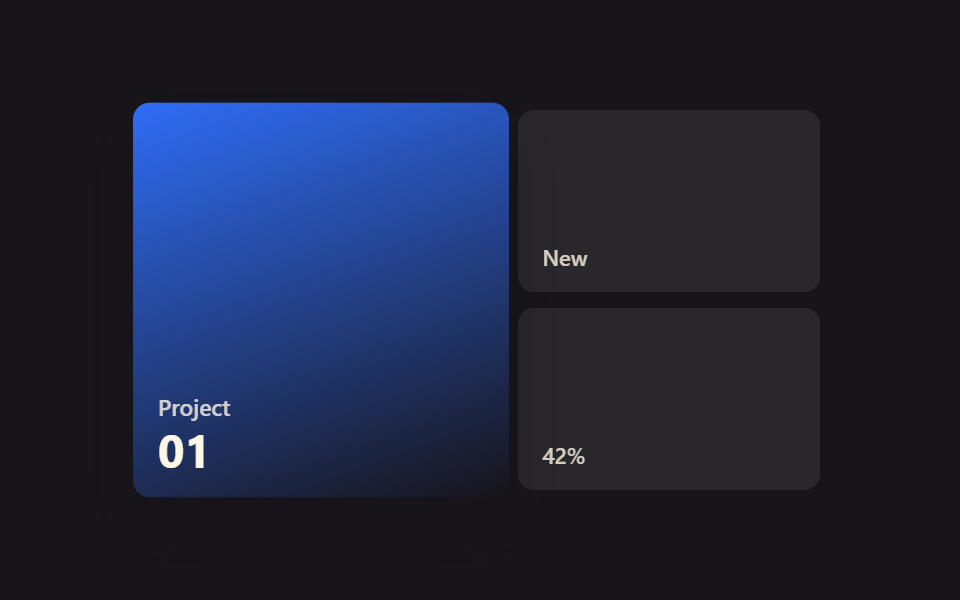 01 bento-grid-hover-breath-scale-shadow
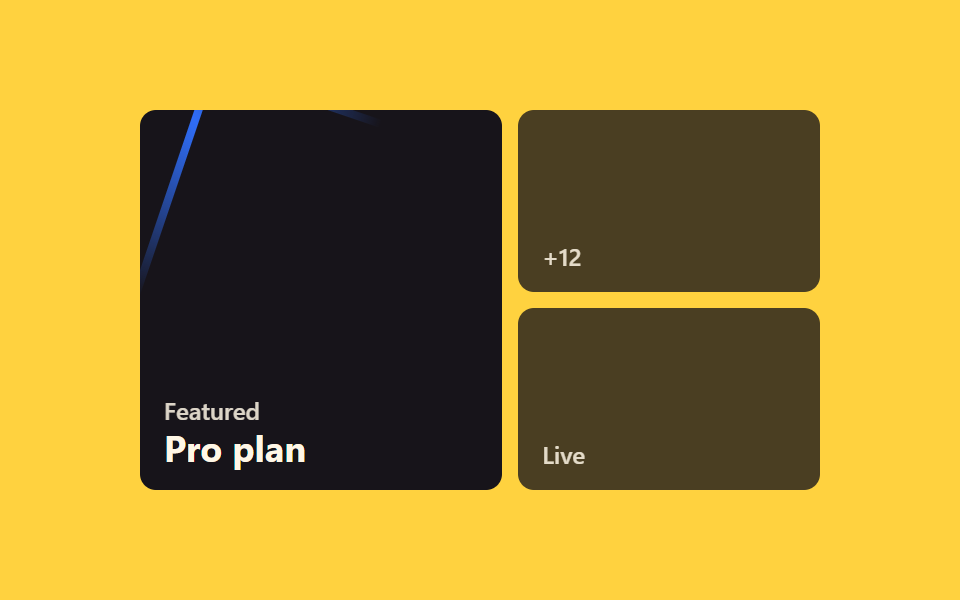 02 bento-grid-hover-border-beam-tile
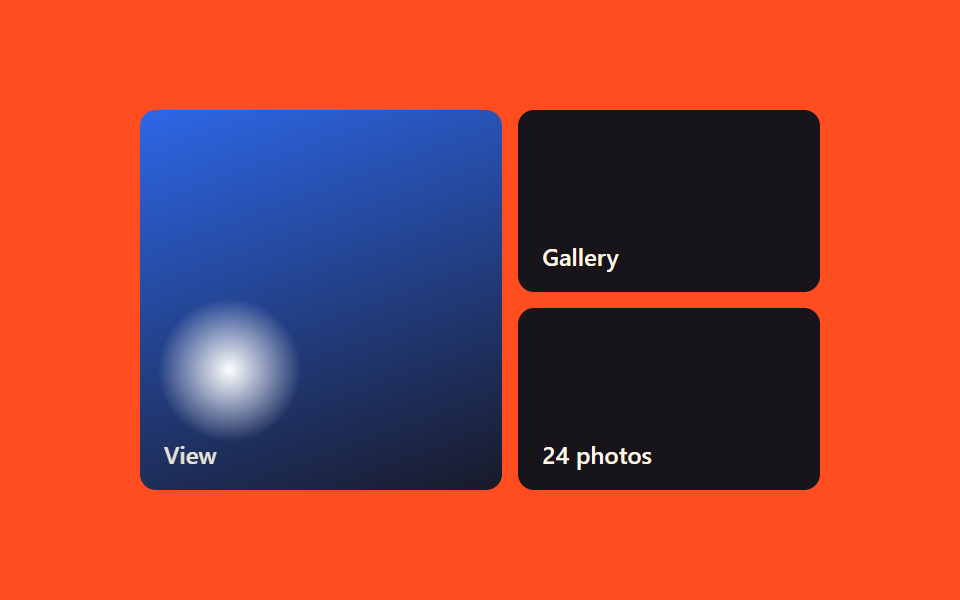 03 bento-grid-hover-image-zoom-tile
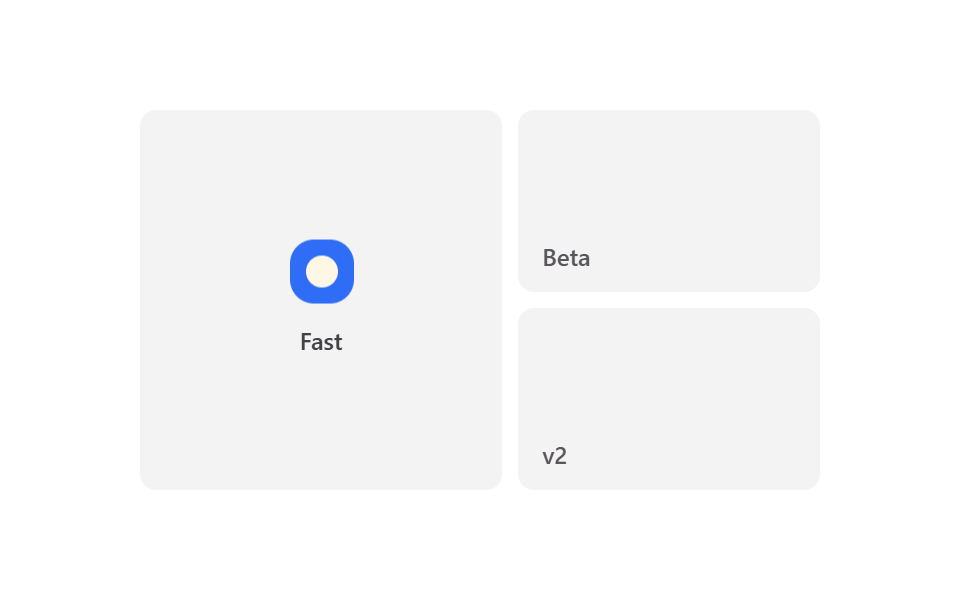 04 bento-grid-hover-icon-float-tile
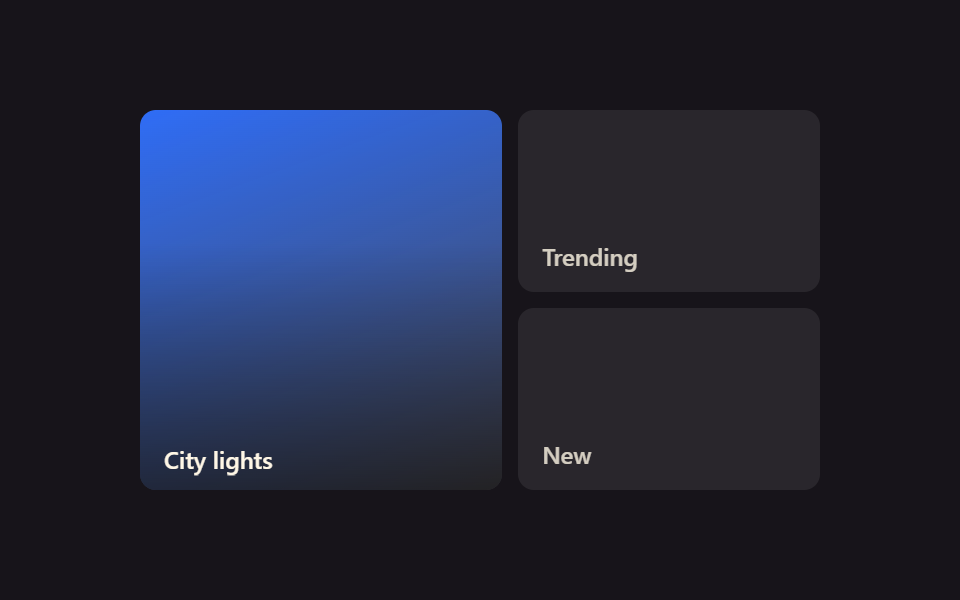 05 bento-grid-hover-gradient-reveal-tile
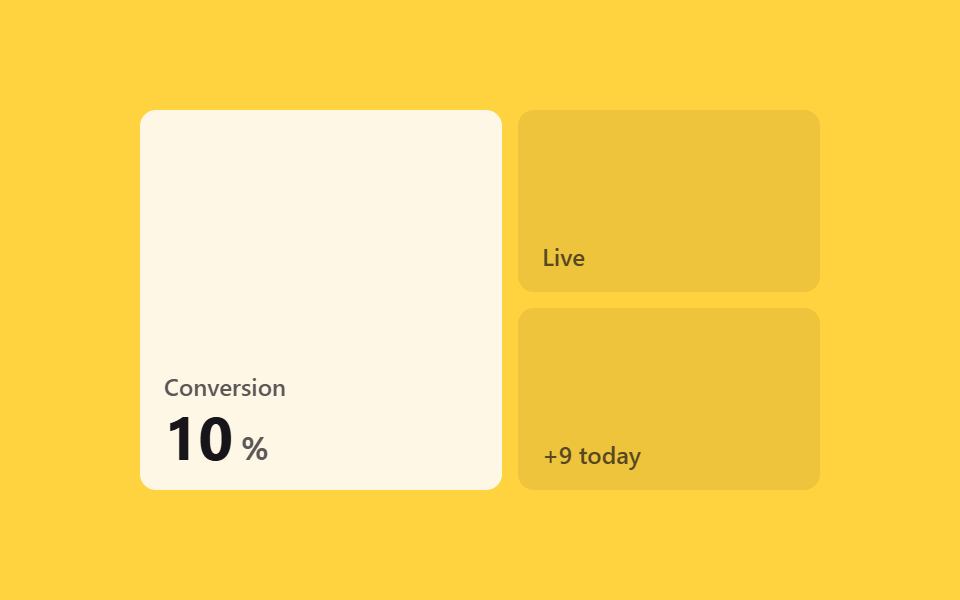 06 bento-grid-hover-stat-count-tile
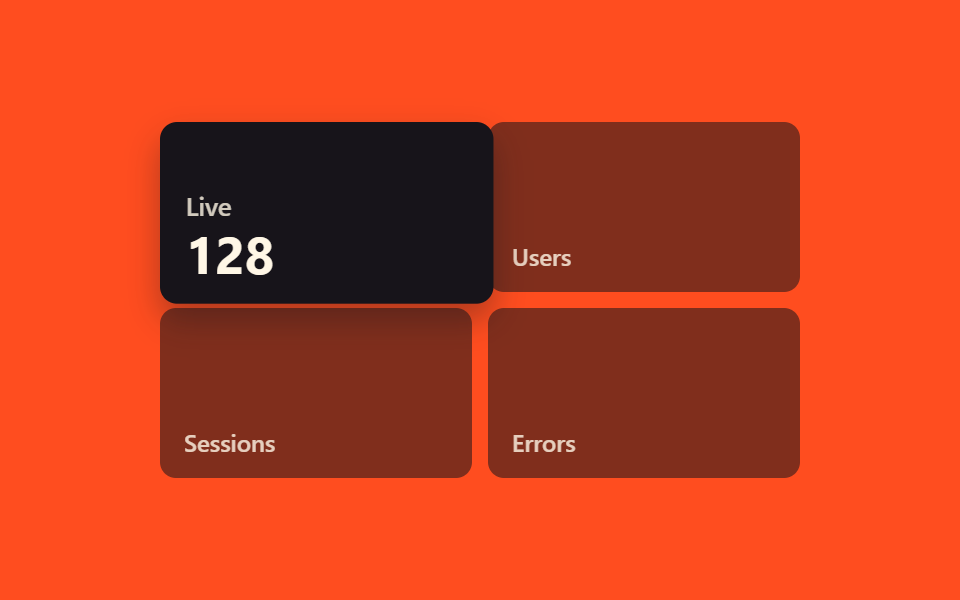 07 bento-grid-hover-hover-expand-span
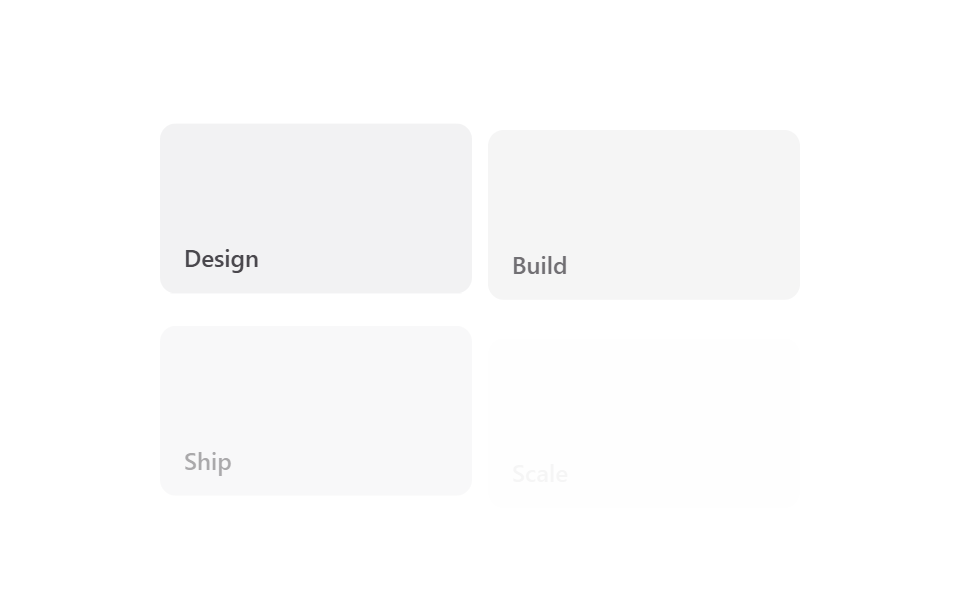 08 bento-grid-hover-scroll-stagger-tiles
 09 bento-grid-hover-spotlight-neighbors
Tự chạy · bấm ô để tới mục đó · cả 9 trong một zip
- 01 Thẻ phồng nhẹ như thở
- 02 Tile viền tia sáng chạy vòng
- 03 Zoom ảnh trong tile
- 04 Icon bồng bềnh trong tile
- 05 Tile lộ dần lớp gradient
- 06 Tile đếm số liệu
- 07 Giả mở rộng span khi hover
- 08 Tile hiện lần lượt theo scroll
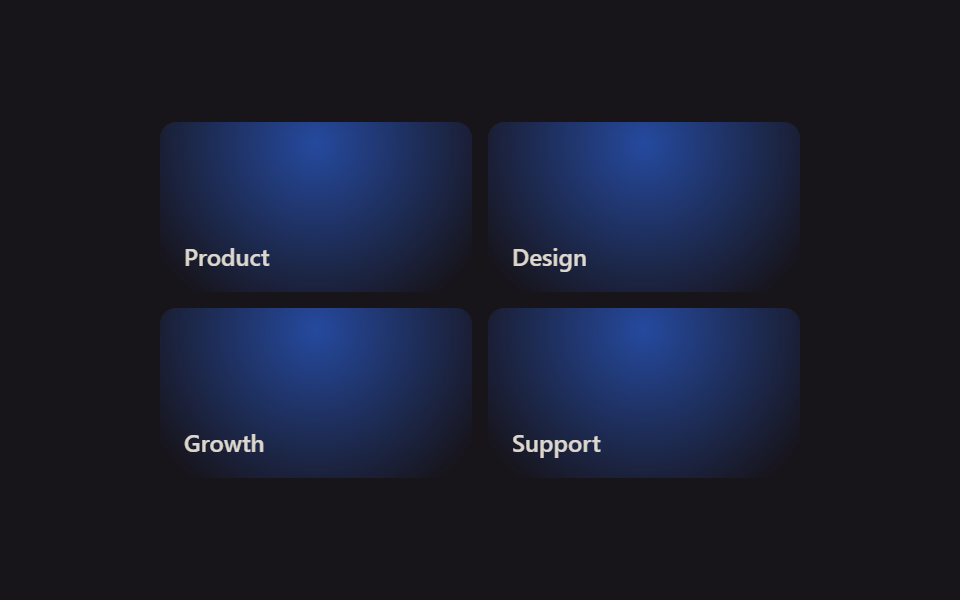
- 09 Ô kề bên phát sáng
Chín mục không xếp theo độ phổ biến mà đi theo thứ tự mắt người quét qua một tấm lưới. Trước hết là tín hiệu nhẹ báo rằng cả ô đều phản ứng (01~02), tiếp đến là chuyển động ở cấp nội dung khi ảnh và icon bên trong đáp lại (03~05), rồi tới khoảnh khắc dữ liệu dạng số thay đổi (06) và một cú thử táo bạo trông như đang sửa chính bố cục (07), khép lại bằng lúc lưới lọt vào màn hình (08) và ánh sáng trải khắp cả lưới (09).
| Số | Tên | Cái gì chuyển động | JS |
|---|---|---|---|
| 01 | Phóng to thở cùng bóng đổ | transform: scale, box-shadow |
không |
| 02 | Ô viền chạy tia sáng | vòng conic-gradient xoay |
không |
| 03 | Ô ảnh zoom trong khung | lớp media scale, khung đứng yên |
không |
| 04 | Ô icon bồng bềnh | translateY của icon |
không |
| 05 | Ô lộ gradient khi hover | opacity màn phủ, translateY tiêu đề |
không |
| 06 | Ô đếm số thống kê | --num kiểu integer chạy tới 87 |
không |
| 07 | Ô nở rộng như đổi grid span | transform: scale, z-index |
không |
| 08 | Ô hiện lần lượt theo cuộn | transition-delay lệch nhau |
vài dòng |
| 09 | Glow lan sang ô kế bên | --mx --my chia chung cả lưới |
vài dòng |
01Phóng to thở cùng bóng đổ
bento grid design dùng mục này ở đâu
Khi con trỏ chạm vào, cả ô nở ra một chút và bóng đổ sâu thêm, phản ứng hệt như một nhịp thở.
<main class="stage">
  <div class="bs-grid is-demo">
    <div class="bs-tile bs-tile--a bs-focal">
      <span class="bs-tile__tag">Project</span>
      <span class="bs-tile__num">01</span>
    </div>
    <div class="bs-tile bs-tile--b">
      <span class="bs-tile__tag">New</span>
    </div>
    <div class="bs-tile bs-tile--c">
      <span class="bs-tile__tag">42%</span>
    </div>
  </div>
</main>
@use "../../../../site/static/demo-tokens" as *;
// ── 변수 3개 ──────────────────────────────────────────
$duration: $dur-base;
$easing: $ease-spring;
$color: $subject-blue;
@include stage($stage-ink);
.bs-grid {
width: min(340px, 90vw);
aspect-ratio: 340 / 190;
display: grid;
grid-template-columns: 1.2fr 1fr;
grid-template-rows: 1fr 1fr;
gap: $sp-2;
}
.bs-tile {
border-radius: $r-sm;
display: flex;
flex-direction: column;
justify-content: flex-end;
padding: $sp-3;
box-sizing: border-box;
color: $subject-cream;
font: 600 12px/1 -apple-system, "Segoe UI", sans-serif;
}
.bs-tile--a {
grid-row: 1 / 3;
background: linear-gradient(160deg, $color, rgba(23, 20, 26, .85));
}
.bs-tile--b, .bs-tile--c {
background: rgba(255, 255, 255, .08);
}
.bs-tile__tag { opacity: .8; font-size: 11px; }
.bs-tile__num { font-size: 22px; font-weight: 700; margin-top: $sp-1; }
// 실사용: 진짜 마우스 호버로 트랜지션
.bs-focal {
transition: transform $duration $easing, box-shadow $duration $easing;
box-shadow: $shadow-press;
}
.bs-focal:hover {
transform: scale(1.04);
box-shadow: $shadow-raised;
}
// 데모 루프: is-demo 는 같은 모양을 keyframes 로 무한 재생 (캡처용 — 헤드리스는 :hover 를 못 건다)
@keyframes bs-breathe {
0%, 100% { transform: scale(1); box-shadow: $shadow-press; }
50% { transform: scale(1.04); box-shadow: $shadow-raised; }
}
.bs-grid.is-demo .bs-focal { animation: bs-breathe $duration $easing infinite; }
@media (prefers-reduced-motion: reduce) {
.bs-focal:hover,
.bs-grid.is-demo .bs-focal { animation: none !important; transform: none !important; box-shadow: $shadow-press !important; }
}html, body {
margin: 0;
overflow: hidden;
}
.stage {
box-sizing: border-box;
min-height: 100vh;
display: grid;
place-items: center;
margin: 0;
background: #17141a;
font-family: -apple-system, "Segoe UI", "Noto Sans KR", sans-serif;
padding: clamp(8px, 4vw, 24px);
}
.bs-grid {
width: min(340px, 90vw);
aspect-ratio: 340/190;
display: grid;
grid-template-columns: 1.2fr 1fr;
grid-template-rows: 1fr 1fr;
gap: 8px;
}
.bs-tile {
border-radius: 8px;
display: flex;
flex-direction: column;
justify-content: flex-end;
padding: 12px;
box-sizing: border-box;
color: #fff7e6;
font: 600 12px/1 -apple-system, "Segoe UI", sans-serif;
}
.bs-tile--a {
grid-row: 1/3;
background: linear-gradient(160deg, #2f6df6, rgba(23, 20, 26, 0.85));
}
.bs-tile--b, .bs-tile--c {
background: rgba(255, 255, 255, 0.08);
}
.bs-tile__tag {
opacity: 0.8;
font-size: 11px;
}
.bs-tile__num {
font-size: 22px;
font-weight: 700;
margin-top: 4px;
}
.bs-focal {
transition: transform 300ms cubic-bezier(0.2, 0.8, 0.2, 1), box-shadow 300ms cubic-bezier(0.2, 0.8, 0.2, 1);
box-shadow: 0 6px 12px rgba(23, 20, 26, 0.32);
}
.bs-focal:hover {
transform: scale(1.04);
box-shadow: 0 14px 24px rgba(23, 20, 26, 0.32);
}
@keyframes bs-breathe {
0%, 100% {
transform: scale(1);
box-shadow: 0 6px 12px rgba(23, 20, 26, 0.32);
}
50% {
transform: scale(1.04);
box-shadow: 0 14px 24px rgba(23, 20, 26, 0.32);
}
}
.bs-grid.is-demo .bs-focal {
animation: bs-breathe 300ms cubic-bezier(0.2, 0.8, 0.2, 1) infinite;
}
@media (prefers-reduced-motion: reduce) {
.bs-focal:hover,
.bs-grid.is-demo .bs-focal {
animation: none !important;
transform: none !important;
box-shadow: 0 6px 12px rgba(23, 20, 26, 0.32) !important;
}
}import { CSSProperties } from "react";
import styles from "./BreathScaleShadow.module.scss";
type Vars = CSSProperties & {
"--duration"?: string;
"--easing"?: string;
"--color"?: string;
};
export interface BreathScaleShadowProps {
duration?: string;
easing?: string;
color?: string;
}
export default function BreathScaleShadow({
duration = "300ms",
easing = "cubic-bezier(.2, .8, .2, 1)",
color = "#2f6df6",
}: BreathScaleShadowProps) {
const style: Vars = {
"--duration": duration,
"--easing": easing,
"--color": color,
};
return (
<div className={styles.grid} style={style}>
<div className={`${styles.tile} ${styles.tileA} ${styles.focal}`}>
<span className={styles.tag}>Project</span>
<span className={styles.num}>01</span>
</div>
<div className={`${styles.tile} ${styles.tileB}`}>
<span className={styles.tag}>New</span>
</div>
<div className={`${styles.tile} ${styles.tileC}`}>
<span className={styles.tag}>42%</span>
</div>
</div>
);
}01 · Thẻ phồng nhẹ như thở — Diện tích đo được 2.481% · khung hình chuyển động 23/23Nguyên tác GODRICH · SCSS và React nằm trong tệp zip · Xem mật khẩu
Vì sao làm theo cách này
Chỉ transform: scale(1.04) và box-shadow cùng transition nên bố cục không hề rung.
.bs-focal {
  transition: transform 300ms $ease-spring, box-shadow 300ms $ease-spring;
  box-shadow: $shadow-press;
}
.bs-focal:hover {
  transform: scale(1.04);
  box-shadow: $shadow-raised;
}
02Ô viền chạy tia sáng
Đó là màn hình nào
Rê chuột lên ô bạn muốn nhấn mạnh, một tia sáng mảnh chạy trọn một vòng dọc theo đường viền.
<main class="stage">
  <div class="bb-grid is-demo">
    <div class="bb-tile bb-tile--a bb-focal">
      <span class="bb-tile__tag">Featured</span>
      <span class="bb-tile__sub">Pro plan</span>
    </div>
    <div class="bb-tile bb-tile--b">
      <span class="bb-tile__tag">+12</span>
    </div>
    <div class="bb-tile bb-tile--c">
      <span class="bb-tile__tag">Live</span>
    </div>
  </div>
</main>
@use "../../../../site/static/demo-tokens" as *;
// ── 변수 3개 ──────────────────────────────────────────
$duration: 1.6s;
$easing: linear;
$color: $subject-blue;
@include stage($stage-yellow);
.bb-grid {
width: min(340px, 90vw);
aspect-ratio: 340 / 190;
display: grid;
grid-template-columns: 1.2fr 1fr;
grid-template-rows: 1fr 1fr;
gap: $sp-2;
}
.bb-tile {
border-radius: $r-sm;
display: flex;
flex-direction: column;
justify-content: flex-end;
padding: $sp-3;
box-sizing: border-box;
color: $subject-cream;
background: $subject-ink;
font: 600 12px/1 -apple-system, "Segoe UI", sans-serif;
position: relative;
overflow: hidden;
}
.bb-tile--a { grid-row: 1 / 3; }
.bb-tile--b, .bb-tile--c { background: rgba(23, 20, 26, .78); }
.bb-tile__tag { font-size: 12px; opacity: .85; }
.bb-tile__sub { font-size: 18px; font-weight: 700; margin-top: $sp-1; }
// 빛줄기 — 두께 $sp-1 만큼만 링으로 보이게 mask. 회전은 transform 만 (그라디언트 각도 자체는 애니메이트하지 않는다)
.bb-focal::before {
content: "";
position: absolute;
inset: 0;
border-radius: inherit;
padding: $sp-1;
box-sizing: border-box;
background: conic-gradient(from 0deg, transparent 0 70%, $color 85%, transparent 100%);
-webkit-mask: linear-gradient(#000 0 0) content-box, linear-gradient(#000 0 0);
-webkit-mask-composite: xor;
mask: linear-gradient(#000 0 0) content-box, linear-gradient(#000 0 0);
mask-composite: exclude;
pointer-events: none;
opacity: 0;
}
// 실사용: 진짜 마우스 호버
.bb-focal:hover::before { opacity: 1; animation: bb-spin $duration $easing infinite; }
@keyframes bb-spin {
from { transform: rotate(0deg); }
to { transform: rotate(360deg); }
}
// 데모 루프: is-demo 는 같은 회전을 무한 재생 (캡처용)
.bb-grid.is-demo .bb-focal::before { opacity: 1; animation: bb-spin $duration $easing infinite; }
@media (prefers-reduced-motion: reduce) {
.bb-focal:hover::before,
.bb-grid.is-demo .bb-focal::before { animation: none !important; }
}html, body {
margin: 0;
overflow: hidden;
}
.stage {
box-sizing: border-box;
min-height: 100vh;
display: grid;
place-items: center;
margin: 0;
background: #ffd23f;
font-family: -apple-system, "Segoe UI", "Noto Sans KR", sans-serif;
padding: clamp(8px, 4vw, 24px);
}
.bb-grid {
width: min(340px, 90vw);
aspect-ratio: 340/190;
display: grid;
grid-template-columns: 1.2fr 1fr;
grid-template-rows: 1fr 1fr;
gap: 8px;
}
.bb-tile {
border-radius: 8px;
display: flex;
flex-direction: column;
justify-content: flex-end;
padding: 12px;
box-sizing: border-box;
color: #fff7e6;
background: #17141a;
font: 600 12px/1 -apple-system, "Segoe UI", sans-serif;
position: relative;
overflow: hidden;
}
.bb-tile--a {
grid-row: 1/3;
}
.bb-tile--b, .bb-tile--c {
background: rgba(23, 20, 26, 0.78);
}
.bb-tile__tag {
font-size: 12px;
opacity: 0.85;
}
.bb-tile__sub {
font-size: 18px;
font-weight: 700;
margin-top: 4px;
}
.bb-focal::before {
content: "";
position: absolute;
inset: 0;
border-radius: inherit;
padding: 4px;
box-sizing: border-box;
background: conic-gradient(from 0deg, transparent 0 70%, #2f6df6 85%, transparent 100%);
-webkit-mask: linear-gradient(#000 0 0) content-box, linear-gradient(#000 0 0);
-webkit-mask-composite: xor;
mask: linear-gradient(#000 0 0) content-box, linear-gradient(#000 0 0);
mask-composite: exclude;
pointer-events: none;
opacity: 0;
}
.bb-focal:hover::before {
opacity: 1;
animation: bb-spin 1.6s linear infinite;
}
@keyframes bb-spin {
from {
transform: rotate(0deg);
}
to {
transform: rotate(360deg);
}
}
.bb-grid.is-demo .bb-focal::before {
opacity: 1;
animation: bb-spin 1.6s linear infinite;
}
@media (prefers-reduced-motion: reduce) {
.bb-focal:hover::before,
.bb-grid.is-demo .bb-focal::before {
animation: none !important;
}
}import { CSSProperties } from "react";
import styles from "./BorderBeamTile.module.scss";
type Vars = CSSProperties & {
"--duration"?: string;
"--easing"?: string;
"--color"?: string;
};
export interface BorderBeamTileProps {
duration?: string;
easing?: string;
color?: string;
}
export default function BorderBeamTile({
duration = "1.6s",
easing = "linear",
color = "#2f6df6",
}: BorderBeamTileProps) {
const style: Vars = {
"--duration": duration,
"--easing": easing,
"--color": color,
};
return (
<div className={styles.grid} style={style}>
<div className={`${styles.tile} ${styles.tileA} ${styles.focal}`}>
<span className={styles.tag}>Featured</span>
<span className={styles.sub}>Pro plan</span>
</div>
<div className={`${styles.tile} ${styles.tileB}`}>
<span className={styles.tag}>+12</span>
</div>
<div className={`${styles.tile} ${styles.tileC}`}>
<span className={styles.tag}>Live</span>
</div>
</div>
);
}02 · Tile viền tia sáng chạy vòng — Diện tích đo được 5.527% · khung hình chuyển động 23/23Nguyên tác GODRICH · SCSS và React nằm trong tệp zip · Xem mật khẩu
Cốt lõi khi triển khai
Hình vòng được khoét ra từ conic-gradient bằng mask-composite: exclude, còn phần quay chỉ xoay transform của đúng lớp đó.
.bb-focal::before {
  content: "";
  position: absolute;
  inset: 0;
  padding: $sp-1;
  background: conic-gradient(from 0deg, transparent 0 70%, $color 85%, transparent 100%);
  mask: linear-gradient(#000 0 0) content-box, linear-gradient(#000 0 0);
  mask-composite: exclude;
  opacity: 0;
}
.bb-focal:hover::before {
  opacity: 1;
  animation: bb-spin 1.6s linear infinite;
}
03Ô ảnh zoom trong khung
Cái gì đang chuyển động
Ở ô có thumbnail, con trỏ chạm vào thì đường viền vẫn đứng yên, riêng lớp ảnh bên trong phóng to.
<main class="stage">
  <div class="iz-grid is-demo">
    <div class="iz-tile iz-tile--a iz-focal">
      <div class="iz-tile__media"></div>
      <span class="iz-tile__label">View</span>
    </div>
    <div class="iz-tile iz-tile--b">
      <span class="iz-tile__tag">Gallery</span>
    </div>
    <div class="iz-tile iz-tile--c">
      <span class="iz-tile__tag">24 photos</span>
    </div>
  </div>
</main>
@use "../../../../site/static/demo-tokens" as *;
// ── 변수 3개 ──────────────────────────────────────────
$duration: $dur-enter;
$easing: linear;
$color: $subject-blue;
@include stage($stage-orange);
.iz-grid {
width: min(340px, 90vw);
aspect-ratio: 340 / 190;
display: grid;
grid-template-columns: 1.2fr 1fr;
grid-template-rows: 1fr 1fr;
gap: $sp-2;
}
.iz-tile {
border-radius: $r-sm;
display: flex;
flex-direction: column;
justify-content: flex-end;
padding: $sp-3;
box-sizing: border-box;
color: $subject-cream;
font: 600 12px/1 -apple-system, "Segoe UI", sans-serif;
position: relative;
}
.iz-tile--a { grid-row: 1 / 3; overflow: hidden; }
.iz-tile--b, .iz-tile--c { background: $subject-ink; }
// 바깥 타일은 고정, 안쪽 media 레이어만 확대된다
.iz-tile__media {
position: absolute;
inset: 0;
background:
radial-gradient(65px circle at 28% 66%, #fff, transparent 48%),
linear-gradient(160deg, $color, $subject-ink);
}
.iz-tile__label { position: relative; z-index: 1; font-size: 12px; opacity: .9; }
// 실사용: 진짜 마우스 호버
.iz-tile__media { transition: transform $duration $easing; }
.iz-focal:hover .iz-tile__media { transform: scale(1.15); }
// 데모 루프: is-demo 는 같은 확대를 keyframes 로 무한 재생 (캡처용)
@keyframes iz-zoom {
0%, 100% { transform: scale(1); }
50% { transform: scale(1.15); }
}
.iz-grid.is-demo .iz-focal .iz-tile__media { animation: iz-zoom $duration $easing infinite; }
@media (prefers-reduced-motion: reduce) {
.iz-focal:hover .iz-tile__media,
.iz-grid.is-demo .iz-focal .iz-tile__media { animation: none !important; transform: none !important; }
}html, body {
margin: 0;
overflow: hidden;
}
.stage {
box-sizing: border-box;
min-height: 100vh;
display: grid;
place-items: center;
margin: 0;
background: #ff4d1f;
font-family: -apple-system, "Segoe UI", "Noto Sans KR", sans-serif;
padding: clamp(8px, 4vw, 24px);
}
.iz-grid {
width: min(340px, 90vw);
aspect-ratio: 340/190;
display: grid;
grid-template-columns: 1.2fr 1fr;
grid-template-rows: 1fr 1fr;
gap: 8px;
}
.iz-tile {
border-radius: 8px;
display: flex;
flex-direction: column;
justify-content: flex-end;
padding: 12px;
box-sizing: border-box;
color: #fff7e6;
font: 600 12px/1 -apple-system, "Segoe UI", sans-serif;
position: relative;
}
.iz-tile--a {
grid-row: 1/3;
overflow: hidden;
}
.iz-tile--b, .iz-tile--c {
background: #17141a;
}
.iz-tile__media {
position: absolute;
inset: 0;
background: radial-gradient(65px circle at 28% 66%, #fff, transparent 48%), linear-gradient(160deg, #2f6df6, #17141a);
}
.iz-tile__label {
position: relative;
z-index: 1;
font-size: 12px;
opacity: 0.9;
}
.iz-tile__media {
transition: transform 600ms linear;
}
.iz-focal:hover .iz-tile__media {
transform: scale(1.15);
}
@keyframes iz-zoom {
0%, 100% {
transform: scale(1);
}
50% {
transform: scale(1.15);
}
}
.iz-grid.is-demo .iz-focal .iz-tile__media {
animation: iz-zoom 600ms linear infinite;
}
@media (prefers-reduced-motion: reduce) {
.iz-focal:hover .iz-tile__media,
.iz-grid.is-demo .iz-focal .iz-tile__media {
animation: none !important;
transform: none !important;
}
}import { CSSProperties } from "react";
import styles from "./ImageZoomTile.module.scss";
type Vars = CSSProperties & {
"--duration"?: string;
"--easing"?: string;
"--color"?: string;
};
export interface ImageZoomTileProps {
duration?: string;
easing?: string;
color?: string;
}
export default function ImageZoomTile({
duration = "400ms",
easing = "ease-out",
color = "#2f6df6",
}: ImageZoomTileProps) {
const style: Vars = {
"--duration": duration,
"--easing": easing,
"--color": color,
};
return (
<div className={styles.grid} style={style}>
<div className={`${styles.tile} ${styles.tileA} ${styles.focal}`}>
<div className={styles.media} />
<span className={styles.label}>View</span>
</div>
<div className={`${styles.tile} ${styles.tileB}`}>
<span className={styles.tag}>Gallery</span>
</div>
<div className={`${styles.tile} ${styles.tileC}`}>
<span className={styles.tag}>24 photos</span>
</div>
</div>
);
}03 · Zoom ảnh trong tile — Diện tích đo được 2.692% · khung hình chuyển động 20/23Nguyên tác GODRICH · SCSS và React nằm trong tệp zip · Xem mật khẩu
Mấu chốt nằm ở đâu
overflow: hidden giữ chặt cái khung, chỉ lớp media bên trong nó dịch chuyển bằng transform: scale.
.iz-tile--a { overflow: hidden; }
.iz-tile__media {
  position: absolute;
  inset: 0;
  transition: transform 600ms linear;
}
.iz-focal:hover .iz-tile__media {
  transform: scale(1.15);
}
04Ô icon bồng bềnh
Dùng ở đâu
Icon nhỏ trong ô giới thiệu tính năng bình thường nằm im, phải có con trỏ tới thì mới bắt đầu nhấp nhô lên xuống.
<main class="stage">
  <div class="if-grid is-demo">
    <div class="if-tile if-tile--a if-focal">
      <span class="if-icon"></span>
      <span class="if-tile__label">Fast</span>
    </div>
    <div class="if-tile if-tile--b">
      <span class="if-tile__tag">Beta</span>
    </div>
    <div class="if-tile if-tile--c">
      <span class="if-tile__tag">v2</span>
    </div>
  </div>
</main>
@use "../../../../site/static/demo-tokens" as *;
// ── 변수 3개 ──────────────────────────────────────────
$duration: 1.4s;
$easing: $ease-out;
$color: $subject-blue;
@include stage($stage-paper);
.if-grid {
width: min(340px, 90vw);
aspect-ratio: 340 / 190;
display: grid;
grid-template-columns: 1.2fr 1fr;
grid-template-rows: 1fr 1fr;
gap: $sp-2;
}
.if-tile {
border-radius: $r-sm;
display: flex;
flex-direction: column;
justify-content: flex-end;
align-items: flex-start;
gap: $sp-2;
padding: $sp-3;
box-sizing: border-box;
color: $subject-ink;
font: 600 12px/1 -apple-system, "Segoe UI", sans-serif;
background: rgba(23, 20, 26, .05);
}
.if-tile--a { grid-row: 1 / 3; justify-content: center; align-items: center; }
.if-tile--b, .if-tile--c { justify-content: flex-end; align-items: flex-start; }
.if-tile__tag { opacity: .7; }
.if-tile__label { opacity: .8; }
// 아이콘 — 이모지 대신 CSS 로 그린 둥근 사각형 + 안쪽 점
.if-icon {
position: relative;
width: $sp-8;
height: $sp-8;
border-radius: $r-control;
background: $color;
display: block;
}
.if-icon::after {
content: "";
position: absolute;
inset: $sp-2;
border-radius: $r-pill;
background: $subject-cream;
}
// 실사용: 진짜 마우스 호버 — 평소엔 가만히, 호버해야 떠오른다
.if-focal:hover .if-icon { animation: if-bob $duration $easing infinite; }
@keyframes if-bob {
0%, 100% { transform: translateY(0); }
50% { transform: translateY(-6px); }
}
// 데모 루프: is-demo 는 같은 동작을 무한 재생 (캡처용)
.if-grid.is-demo .if-focal .if-icon { animation: if-bob $duration $easing infinite; }
@media (prefers-reduced-motion: reduce) {
.if-focal:hover .if-icon,
.if-grid.is-demo .if-focal .if-icon { animation: none !important; transform: none !important; }
}html, body {
margin: 0;
overflow: hidden;
}
.stage {
box-sizing: border-box;
min-height: 100vh;
display: grid;
place-items: center;
margin: 0;
background: #ffffff;
font-family: -apple-system, "Segoe UI", "Noto Sans KR", sans-serif;
padding: clamp(8px, 4vw, 24px);
}
.if-grid {
width: min(340px, 90vw);
aspect-ratio: 340/190;
display: grid;
grid-template-columns: 1.2fr 1fr;
grid-template-rows: 1fr 1fr;
gap: 8px;
}
.if-tile {
border-radius: 8px;
display: flex;
flex-direction: column;
justify-content: flex-end;
align-items: flex-start;
gap: 8px;
padding: 12px;
box-sizing: border-box;
color: #17141a;
font: 600 12px/1 -apple-system, "Segoe UI", sans-serif;
background: rgba(23, 20, 26, 0.05);
}
.if-tile--a {
grid-row: 1/3;
justify-content: center;
align-items: center;
}
.if-tile--b, .if-tile--c {
justify-content: flex-end;
align-items: flex-start;
}
.if-tile__tag {
opacity: 0.7;
}
.if-tile__label {
opacity: 0.8;
}
.if-icon {
position: relative;
width: 32px;
height: 32px;
border-radius: 12px;
background: #2f6df6;
display: block;
}
.if-icon::after {
content: "";
position: absolute;
inset: 8px;
border-radius: 999px;
background: #fff7e6;
}
.if-focal:hover .if-icon {
animation: if-bob 1.4s ease-out infinite;
}
@keyframes if-bob {
0%, 100% {
transform: translateY(0);
}
50% {
transform: translateY(-6px);
}
}
.if-grid.is-demo .if-focal .if-icon {
animation: if-bob 1.4s ease-out infinite;
}
@media (prefers-reduced-motion: reduce) {
.if-focal:hover .if-icon,
.if-grid.is-demo .if-focal .if-icon {
animation: none !important;
transform: none !important;
}
}import { CSSProperties } from "react";
import styles from "./IconFloatTile.module.scss";
type Vars = CSSProperties & {
"--duration"?: string;
"--easing"?: string;
"--color"?: string;
};
export interface IconFloatTileProps {
duration?: string;
easing?: string;
color?: string;
}
export default function IconFloatTile({
duration = "1.4s",
easing = "ease-out",
color = "#2f6df6",
}: IconFloatTileProps) {
const style: Vars = {
"--duration": duration,
"--easing": easing,
"--color": color,
};
return (
<div className={styles.grid} style={style}>
<div className={`${styles.tile} ${styles.tileA} ${styles.focal}`}>
<span className={styles.icon} />
<span className={styles.label}>Fast</span>
</div>
<div className={`${styles.tile} ${styles.tileB}`}>
<span className={styles.tag}>Beta</span>
</div>
<div className={`${styles.tile} ${styles.tileC}`}>
<span className={styles.tag}>v2</span>
</div>
</div>
);
}04 · Icon bồng bềnh trong tile — Diện tích đo được 0.461% · khung hình chuyển động 23/23Nguyên tác GODRICH · SCSS và React nằm trong tệp zip · Xem mật khẩu
Điểm cần nhớ
Suốt quãng thời gian không hover thì nó đứng yên hoàn toàn, mắt bạn không bị phân tán.
.if-focal:hover .if-icon {
  animation: if-bob 1.4s $ease-out infinite;
}
@keyframes if-bob {
  0%, 100% { transform: translateY(0); }
  50% { transform: translateY(-6px); }
}
05Ô lộ gradient khi hover
Bạn nhìn thấy gì
Ô vốn chỉ hiện mỗi tấm ảnh, đưa con trỏ vào thì màn gradient phía dưới đậm dần lên và tiêu đề nhích nhẹ lên trên.
<main class="stage">
  <div class="gr-grid is-demo">
    <div class="gr-tile gr-tile--a gr-focal">
      <span class="gr-tile__scrim"></span>
      <span class="gr-tile__label">City lights</span>
    </div>
    <div class="gr-tile gr-tile--b">
      <span class="gr-tile__tag">Trending</span>
    </div>
    <div class="gr-tile gr-tile--c">
      <span class="gr-tile__tag">New</span>
    </div>
  </div>
</main>
@use "../../../../site/static/demo-tokens" as *;
// ── 변수 3개 ──────────────────────────────────────────
$duration: 350ms;
$easing: $ease-out;
$color: $subject-blue;
@include stage($stage-ink);
.gr-grid {
width: min(340px, 90vw);
aspect-ratio: 340 / 190;
display: grid;
grid-template-columns: 1.2fr 1fr;
grid-template-rows: 1fr 1fr;
gap: $sp-2;
}
.gr-tile {
border-radius: $r-sm;
display: flex;
flex-direction: column;
justify-content: flex-end;
padding: $sp-3;
box-sizing: border-box;
color: $subject-cream;
font: 600 12px/1 -apple-system, "Segoe UI", sans-serif;
position: relative;
overflow: hidden;
}
.gr-tile--a { grid-row: 1 / 3; background: linear-gradient(160deg, $color, rgba(255, 255, 255, .2)); }
.gr-tile--b, .gr-tile--c { background: rgba(255, 255, 255, .08); }
.gr-tile__tag { opacity: .8; }
// 평소엔 사진만: 스크림은 opacity 0, 제목은 아래로 8px 밀려 있다
.gr-tile__scrim {
position: absolute;
inset: 0;
background: linear-gradient(to top, rgba(0, 0, 0, .75), transparent 65%);
opacity: 0;
transition: opacity $duration $easing;
}
.gr-tile__label {
position: relative;
z-index: 1;
transform: translateY($sp-2);
transition: transform $duration $easing;
}
// 실사용: 진짜 마우스 호버
.gr-focal:hover .gr-tile__scrim { opacity: 1; }
.gr-focal:hover .gr-tile__label { transform: translateY(0); }
// 데모 루프: is-demo 는 같은 등장을 keyframes 로 무한 재생 (캡처용)
@keyframes gr-scrim-in { 0%, 100% { opacity: 0; } 50% { opacity: 1; } }
@keyframes gr-label-up { 0%, 100% { transform: translateY($sp-2); } 50% { transform: translateY(0); } }
.gr-grid.is-demo .gr-focal .gr-tile__scrim { animation: gr-scrim-in $duration $easing infinite; }
.gr-grid.is-demo .gr-focal .gr-tile__label { animation: gr-label-up $duration $easing infinite; }
@media (prefers-reduced-motion: reduce) {
.gr-focal:hover .gr-tile__scrim, .gr-focal:hover .gr-tile__label,
.gr-grid.is-demo .gr-focal .gr-tile__scrim, .gr-grid.is-demo .gr-focal .gr-tile__label {
animation: none !important; transition: none !important;
}
}html, body {
margin: 0;
overflow: hidden;
}
.stage {
box-sizing: border-box;
min-height: 100vh;
display: grid;
place-items: center;
margin: 0;
background: #17141a;
font-family: -apple-system, "Segoe UI", "Noto Sans KR", sans-serif;
padding: clamp(8px, 4vw, 24px);
}
.gr-grid {
width: min(340px, 90vw);
aspect-ratio: 340/190;
display: grid;
grid-template-columns: 1.2fr 1fr;
grid-template-rows: 1fr 1fr;
gap: 8px;
}
.gr-tile {
border-radius: 8px;
display: flex;
flex-direction: column;
justify-content: flex-end;
padding: 12px;
box-sizing: border-box;
color: #fff7e6;
font: 600 12px/1 -apple-system, "Segoe UI", sans-serif;
position: relative;
overflow: hidden;
}
.gr-tile--a {
grid-row: 1/3;
background: linear-gradient(160deg, #2f6df6, rgba(255, 255, 255, 0.2));
}
.gr-tile--b, .gr-tile--c {
background: rgba(255, 255, 255, 0.08);
}
.gr-tile__tag {
opacity: 0.8;
}
.gr-tile__scrim {
position: absolute;
inset: 0;
background: linear-gradient(to top, rgba(0, 0, 0, 0.75), transparent 65%);
opacity: 0;
transition: opacity 350ms ease-out;
}
.gr-tile__label {
position: relative;
z-index: 1;
transform: translateY(8px);
transition: transform 350ms ease-out;
}
.gr-focal:hover .gr-tile__scrim {
opacity: 1;
}
.gr-focal:hover .gr-tile__label {
transform: translateY(0);
}
@keyframes gr-scrim-in {
0%, 100% {
opacity: 0;
}
50% {
opacity: 1;
}
}
@keyframes gr-label-up {
0%, 100% {
transform: translateY(8px);
}
50% {
transform: translateY(0);
}
}
.gr-grid.is-demo .gr-focal .gr-tile__scrim {
animation: gr-scrim-in 350ms ease-out infinite;
}
.gr-grid.is-demo .gr-focal .gr-tile__label {
animation: gr-label-up 350ms ease-out infinite;
}
@media (prefers-reduced-motion: reduce) {
.gr-focal:hover .gr-tile__scrim, .gr-focal:hover .gr-tile__label,
.gr-grid.is-demo .gr-focal .gr-tile__scrim, .gr-grid.is-demo .gr-focal .gr-tile__label {
animation: none !important;
transition: none !important;
}
}import { CSSProperties } from "react";
import styles from "./GradientRevealTile.module.scss";
type Vars = CSSProperties & {
"--duration"?: string;
"--easing"?: string;
"--color"?: string;
};
export interface GradientRevealTileProps {
duration?: string;
easing?: string;
color?: string;
}
export default function GradientRevealTile({
duration = "350ms",
easing = "ease-out",
color = "#2f6df6",
}: GradientRevealTileProps) {
const style: Vars = {
"--duration": duration,
"--easing": easing,
"--color": color,
};
return (
<div className={styles.grid} style={style}>
<div className={`${styles.tile} ${styles.tileA} ${styles.focal}`}>
<span className={styles.scrim} />
<span className={styles.label}>City lights</span>
</div>
<div className={`${styles.tile} ${styles.tileB}`}>
<span className={styles.tag}>Trending</span>
</div>
<div className={`${styles.tile} ${styles.tileC}`}>
<span className={styles.tag}>New</span>
</div>
</div>
);
}05 · Tile lộ dần lớp gradient — Diện tích đo được 13.982% · khung hình chuyển động 23/23Nguyên tác GODRICH · SCSS và React nằm trong tệp zip · Xem mật khẩu
Làm ra nó thế nào
Màn phủ chỉ đổi opacity, tiêu đề chỉ đổi translateY, còn tấm ảnh không bị đụng tới.
.gr-tile__scrim {
  opacity: 0;
  transition: opacity 350ms $ease-out;
}
.gr-tile__label {
  transform: translateY($sp-2);
  transition: transform 350ms $ease-out;
}
.gr-focal:hover .gr-tile__scrim { opacity: 1; }
.gr-focal:hover .gr-tile__label { transform: translateY(0); }
06Ô đếm số thống kê
Đó là tình huống gì
Ở ô khoe thành tích bằng con số, con trỏ vừa chạm là số chạy từ 0 lên tới giá trị đích.
<main class="stage">
  <div class="sc-grid is-demo">
    <div class="sc-tile sc-tile--a sc-focal">
      <span class="sc-tile__tag">Conversion</span>
      <span class="sc-stat"><span class="sc-stat__value"></span><span class="sc-stat__unit">%</span></span>
    </div>
    <div class="sc-tile sc-tile--b">
      <span class="sc-tile__tag">Live</span>
    </div>
    <div class="sc-tile sc-tile--c">
      <span class="sc-tile__tag">+9 today</span>
    </div>
  </div>
</main>
@use "../../../../site/static/demo-tokens" as *;
// ── 변수 3개 ──────────────────────────────────────────
$duration: 1.2s;
$easing: $ease-out;
$target: 87;
@include stage($stage-yellow);
// 카운트업에 쓰는 커스텀 속성 — 정수 타입으로 등록해야 키프레임이 숫자를 보간한다
// 지원: Chromium·Safari 16.4+·Firefox 128+ (그 밖은 카운트업 없이 목표값이 바로 보인다)
@property --num {
syntax: '<integer>';
inherits: true;
initial-value: 0;
}
.sc-grid {
width: min(340px, 90vw);
aspect-ratio: 340 / 190;
display: grid;
grid-template-columns: 1.2fr 1fr;
grid-template-rows: 1fr 1fr;
gap: $sp-2;
}
.sc-tile {
border-radius: $r-sm;
display: flex;
flex-direction: column;
justify-content: flex-end;
padding: $sp-3;
box-sizing: border-box;
color: $subject-ink;
font: 600 12px/1 -apple-system, "Segoe UI", sans-serif;
background: $subject-cream;
}
.sc-tile--a { grid-row: 1 / 3; }
.sc-tile--b, .sc-tile--c { background: rgba(23, 20, 26, .08); }
.sc-tile__tag { opacity: .7; }
.sc-stat { margin-top: $sp-1; font-size: 30px; font-weight: 700; }
// 실제로 보이는 숫자는 ::after 의 counter() 다 — value 자신의 텍스트는 비워둔다
.sc-stat__value {
--num: 0;
}
.sc-stat__value::after {
counter-reset: num var(--num);
content: counter(num);
}
.sc-stat__unit { margin-left: $sp-1; font-size: 16px; opacity: .7; }
@keyframes sc-countup {
to { --num: #{$target}; }
}
// 실사용: 진짜 마우스 호버 — JS 없이 CSS 만으로 카운트업
.sc-focal:hover .sc-stat__value { animation: sc-countup $duration $easing forwards; }
// 데모 루프: is-demo 는 같은 카운트업을 forwards 로 (헤드리스 캡처는 currentTime 을 직접 놓아 0→목표를 그대로 읽는다)
.sc-grid.is-demo .sc-focal .sc-stat__value { animation: sc-countup $duration $easing forwards; }
@media (prefers-reduced-motion: reduce) {
.sc-focal:hover .sc-stat__value,
.sc-grid.is-demo .sc-focal .sc-stat__value { animation: none !important; --num: #{$target}; }
}html, body {
margin: 0;
overflow: hidden;
}
.stage {
box-sizing: border-box;
min-height: 100vh;
display: grid;
place-items: center;
margin: 0;
background: #ffd23f;
font-family: -apple-system, "Segoe UI", "Noto Sans KR", sans-serif;
padding: clamp(8px, 4vw, 24px);
}
@property --num {
syntax: "<integer>";
inherits: true;
initial-value: 0;
}
.sc-grid {
width: min(340px, 90vw);
aspect-ratio: 340/190;
display: grid;
grid-template-columns: 1.2fr 1fr;
grid-template-rows: 1fr 1fr;
gap: 8px;
}
.sc-tile {
border-radius: 8px;
display: flex;
flex-direction: column;
justify-content: flex-end;
padding: 12px;
box-sizing: border-box;
color: #17141a;
font: 600 12px/1 -apple-system, "Segoe UI", sans-serif;
background: #fff7e6;
}
.sc-tile--a {
grid-row: 1/3;
}
.sc-tile--b, .sc-tile--c {
background: rgba(23, 20, 26, 0.08);
}
.sc-tile__tag {
opacity: 0.7;
}
.sc-stat {
margin-top: 4px;
font-size: 30px;
font-weight: 700;
}
.sc-stat__value {
--num: 0;
}
.sc-stat__value::after {
counter-reset: num var(--num);
content: counter(num);
}
.sc-stat__unit {
margin-left: 4px;
font-size: 16px;
opacity: 0.7;
}
@keyframes sc-countup {
to {
--num: 87;
}
}
.sc-focal:hover .sc-stat__value {
animation: sc-countup 1.2s ease-out forwards;
}
.sc-grid.is-demo .sc-focal .sc-stat__value {
animation: sc-countup 1.2s ease-out forwards;
}
@media (prefers-reduced-motion: reduce) {
.sc-focal:hover .sc-stat__value,
.sc-grid.is-demo .sc-focal .sc-stat__value {
animation: none !important;
--num: 87;
}
}import { CSSProperties } from "react";
import styles from "./StatCountTile.module.scss";
type Vars = CSSProperties & {
"--duration"?: string;
"--easing"?: string;
"--target"?: number;
};
export interface StatCountTileProps {
duration?: string;
easing?: string;
target?: number;
}
// 지원: Chromium·Safari 16.4+·Firefox 128+. 미지원 브라우저는 카운트업 없이 목표값이 바로 보인다
export default function StatCountTile({
duration = "1.2s",
easing = "ease-out",
target = 87,
}: StatCountTileProps) {
const style: Vars = {
"--duration": duration,
"--easing": easing,
"--target": target,
};
return (
<div className={styles.grid} style={style}>
<div className={`${styles.tile} ${styles.tileA} ${styles.focal}`}>
<span className={styles.tag}>Conversion</span>
<span className={styles.stat}>
<span className={styles.value} />
<span className={styles.unit}>%</span>
</span>
</div>
<div className={`${styles.tile} ${styles.tileB}`}>
<span className={styles.tag}>Live</span>
</div>
<div className={`${styles.tile} ${styles.tileC}`}>
<span className={styles.tag}>+9 today</span>
</div>
</div>
);
}06 · Tile đếm số liệu — Diện tích đo được 0.54% · khung hình chuyển động 14/23Nguyên tác GODRICH · SCSS và React nằm trong tệp zip · Xem mật khẩu
Đọc code như thế nào
Không cần JavaScript: đăng ký custom property kiểu integer bằng @property rồi để keyframes nội suy thẳng con số đó.
@property --num {
  syntax: '<integer>';
  inherits: true;
  initial-value: 0;
}
.sc-stat__value::after {
  counter-reset: num var(--num);
  content: counter(num);
}
@keyframes sc-countup { to { --num: 87; } }
.sc-focal:hover .sc-stat__value {
  animation: sc-countup 1.2s $ease-out forwards;
}
07Ô nở rộng như đổi grid span
Điều gì đang diễn ra
Chạm con trỏ vào một ô, trông như nó lớn lên và phủ cả ô bên cạnh, nhưng thật ra giá trị span của grid-column hay grid-row không đổi.
<main class="stage">
  <div class="he-grid is-demo">
    <div class="he-tile he-focal">
      <span class="he-tile__tag">Live</span>
      <span class="he-tile__num">128</span>
    </div>
    <div class="he-tile">
      <span class="he-tile__tag">Users</span>
    </div>
    <div class="he-tile">
      <span class="he-tile__tag">Sessions</span>
    </div>
    <div class="he-tile">
      <span class="he-tile__tag">Errors</span>
    </div>
  </div>
</main>
@use "../../../../site/static/demo-tokens" as *;
// ── 변수 3개 ──────────────────────────────────────────
$duration: $dur-enter;
$easing: $ease-spring;
$scale: 1.35;
@include stage($stage-orange);
.he-grid {
width: min(320px, 88vw);
aspect-ratio: 340 / 190;
display: grid;
grid-template-columns: repeat(2, 1fr);
grid-template-rows: repeat(2, 1fr);
gap: $sp-2;
}
.he-tile {
border-radius: $r-sm;
padding: $sp-3;
box-sizing: border-box;
color: $subject-cream;
background: rgba(23, 20, 26, .55);
font: 600 12px/1 -apple-system, "Segoe UI", sans-serif;
display: flex;
flex-direction: column;
justify-content: flex-end;
position: relative;
transform-origin: top left; // 규칙8: 그리드 좌상단 칸 안쪽 확장
}
.he-focal { background: $subject-ink; }
.he-tile__tag { opacity: .8; }
.he-tile__num { font-size: 24px; font-weight: 700; margin-top: $sp-1; }
// grid-column/row 의 span 값 자체는 트랜지션이 걸리지 않는다(이산값이라 중간 프레임이 없다) —
// 그래서 실제 칸 배치는 그대로 두고 transform: scale + z-index 로 옆 칸을 덮어 "확장"을 흉내 낸다
.he-focal {
transition: transform $duration $easing, box-shadow $duration $easing;
box-shadow: $shadow-press;
}
.he-focal:hover {
transform: scale($scale);
box-shadow: $shadow-raised;
z-index: 5;
}
@keyframes he-expand {
0%, 100% { transform: scale(1); box-shadow: $shadow-press; z-index: 1; }
50% { transform: scale($scale); box-shadow: $shadow-raised; z-index: 5; }
}
.he-grid.is-demo .he-focal { animation: he-expand $duration $easing infinite; }
@media (prefers-reduced-motion: reduce) {
.he-focal:hover,
.he-grid.is-demo .he-focal { animation: none !important; transform: none !important; box-shadow: $shadow-press !important; z-index: 1 !important; }
}html, body {
margin: 0;
overflow: hidden;
}
.stage {
box-sizing: border-box;
min-height: 100vh;
display: grid;
place-items: center;
margin: 0;
background: #ff4d1f;
font-family: -apple-system, "Segoe UI", "Noto Sans KR", sans-serif;
padding: clamp(8px, 4vw, 24px);
}
.he-grid {
width: min(320px, 88vw);
aspect-ratio: 340/190;
display: grid;
grid-template-columns: repeat(2, 1fr);
grid-template-rows: repeat(2, 1fr);
gap: 8px;
}
.he-tile {
border-radius: 8px;
padding: 12px;
box-sizing: border-box;
color: #fff7e6;
background: rgba(23, 20, 26, 0.55);
font: 600 12px/1 -apple-system, "Segoe UI", sans-serif;
display: flex;
flex-direction: column;
justify-content: flex-end;
position: relative;
transform-origin: top left;
}
.he-focal {
background: #17141a;
}
.he-tile__tag {
opacity: 0.8;
}
.he-tile__num {
font-size: 24px;
font-weight: 700;
margin-top: 4px;
}
.he-focal {
transition: transform 600ms cubic-bezier(0.2, 0.8, 0.2, 1), box-shadow 600ms cubic-bezier(0.2, 0.8, 0.2, 1);
box-shadow: 0 6px 12px rgba(23, 20, 26, 0.32);
}
.he-focal:hover {
transform: scale(1.35);
box-shadow: 0 14px 24px rgba(23, 20, 26, 0.32);
z-index: 5;
}
@keyframes he-expand {
0%, 100% {
transform: scale(1);
box-shadow: 0 6px 12px rgba(23, 20, 26, 0.32);
z-index: 1;
}
50% {
transform: scale(1.35);
box-shadow: 0 14px 24px rgba(23, 20, 26, 0.32);
z-index: 5;
}
}
.he-grid.is-demo .he-focal {
animation: he-expand 600ms cubic-bezier(0.2, 0.8, 0.2, 1) infinite;
}
@media (prefers-reduced-motion: reduce) {
.he-focal:hover,
.he-grid.is-demo .he-focal {
animation: none !important;
transform: none !important;
box-shadow: 0 6px 12px rgba(23, 20, 26, 0.32) !important;
z-index: 1 !important;
}
}import { CSSProperties } from "react";
import styles from "./HoverExpandSpan.module.scss";
type Vars = CSSProperties & {
"--duration"?: string;
"--easing"?: string;
"--scale"?: number;
};
export interface HoverExpandSpanProps {
duration?: string;
easing?: string;
scale?: number;
}
// grid-column/row 의 span 값은 트랜지션이 걸리지 않아 transform: scale + z-index 로 확장을 흉내 낸다
export default function HoverExpandSpan({
duration = "600ms",
easing = "cubic-bezier(.2, .8, .2, 1)",
scale = 1.35,
}: HoverExpandSpanProps) {
const style: Vars = {
"--duration": duration,
"--easing": easing,
"--scale": scale,
};
return (
<div className={styles.grid} style={style}>
<div className={`${styles.tile} ${styles.focal}`}>
<span className={styles.tag}>Live</span>
<span className={styles.num}>128</span>
</div>
<div className={styles.tile}>
<span className={styles.tag}>Users</span>
</div>
<div className={styles.tile}>
<span className={styles.tag}>Sessions</span>
</div>
<div className={styles.tile}>
<span className={styles.tag}>Errors</span>
</div>
</div>
);
}07 · Giả mở rộng span khi hover — Diện tích đo được 13.703% · khung hình chuyển động 23/23Nguyên tác GODRICH · SCSS và React nằm trong tệp zip · Xem mật khẩu
Điểm chính của code
Bản thân giá trị đó là số rời rạc, không transition được, nên chỗ này giả lập việc nở rộng bằng transform: scale cộng z-index để chồng lên ô kế bên.
.he-focal {
  transition: transform 600ms $ease-spring, box-shadow 600ms $ease-spring;
  box-shadow: $shadow-press;
}
.he-focal:hover {
  transform: scale(1.35);
  box-shadow: $shadow-raised;
  z-index: 5;
}
08Ô hiện lần lượt theo cuộn
Trên màn hình có gì
Lưới vừa lọt vào khung nhìn là các ô lần lượt nổi lên từng cái một.
<main class="stage">
  <div class="ss-grid is-demo">
    <div class="ss-tile"><span class="ss-tile__tag">Design</span></div>
    <div class="ss-tile"><span class="ss-tile__tag">Build</span></div>
    <div class="ss-tile"><span class="ss-tile__tag">Ship</span></div>
    <div class="ss-tile"><span class="ss-tile__tag">Scale</span></div>
  </div>
</main>
@use "../../../../site/static/demo-tokens" as *;
// ── 변수 3개 ──────────────────────────────────────────
$duration: $dur-loop;
$easing: $ease-out;
$stagger: 160ms;
@include stage($stage-paper);
.ss-grid {
width: min(320px, 88vw);
aspect-ratio: 340 / 190;
display: grid;
grid-template-columns: repeat(2, 1fr);
grid-template-rows: repeat(2, 1fr);
gap: $sp-2;
}
.ss-tile {
border-radius: $r-sm;
padding: $sp-3;
box-sizing: border-box;
color: $subject-ink;
background: rgba(23, 20, 26, .06);
font: 600 12px/1 -apple-system, "Segoe UI", sans-serif;
display: flex;
align-items: flex-end;
// 진짜 등장 전 상태 — transition 경로와 keyframes 경로가 같은 시작점을 공유한다
opacity: 0;
transform: translateY($sp-4);
}
.ss-tile__tag { opacity: .8; }
// 실사용: 진짜 IntersectionObserver 가 뷰포트에 들어올 때 .in 을 붙인다(위 <script>). 타일마다 delay 만 다르다
.ss-tile {
transition: opacity 400ms $easing, transform 400ms $easing;
}
.ss-tile.in { opacity: 1; transform: translateY(0); }
.ss-tile:nth-child(1).in { transition-delay: 0ms; }
.ss-tile:nth-child(2).in { transition-delay: $stagger; }
.ss-tile:nth-child(3).in { transition-delay: $stagger * 2; }
.ss-tile:nth-child(4).in { transition-delay: $stagger * 3; }
// 데모 루프: is-demo 는 transition 경로를 쓰지 않는다 — scroll-timeline·view() 대신 keyframes 로 같은 순차 등장을 무한 재생한다(캡처용)
@keyframes ss-tile-in {
0% { opacity: 0; transform: translateY($sp-4); }
30% { opacity: 1; transform: translateY(0); }
100% { opacity: 1; transform: translateY(0); }
}
.ss-grid.is-demo .ss-tile {
animation: ss-tile-in $duration $easing infinite;
animation-fill-mode: both;
}
.ss-grid.is-demo .ss-tile:nth-child(1) { animation-delay: 0ms; }
.ss-grid.is-demo .ss-tile:nth-child(2) { animation-delay: $stagger; }
.ss-grid.is-demo .ss-tile:nth-child(3) { animation-delay: $stagger * 2; }
.ss-grid.is-demo .ss-tile:nth-child(4) { animation-delay: $stagger * 3; }
@media (prefers-reduced-motion: reduce) {
.ss-tile, .ss-tile.in,
.ss-grid.is-demo .ss-tile {
animation: none !important; transition: none !important; opacity: 1 !important; transform: none !important;
}
}html, body {
margin: 0;
overflow: hidden;
}
.stage {
box-sizing: border-box;
min-height: 100vh;
display: grid;
place-items: center;
margin: 0;
background: #ffffff;
font-family: -apple-system, "Segoe UI", "Noto Sans KR", sans-serif;
padding: clamp(8px, 4vw, 24px);
}
.ss-grid {
width: min(320px, 88vw);
aspect-ratio: 340/190;
display: grid;
grid-template-columns: repeat(2, 1fr);
grid-template-rows: repeat(2, 1fr);
gap: 8px;
}
.ss-tile {
border-radius: 8px;
padding: 12px;
box-sizing: border-box;
color: #17141a;
background: rgba(23, 20, 26, 0.06);
font: 600 12px/1 -apple-system, "Segoe UI", sans-serif;
display: flex;
align-items: flex-end;
opacity: 0;
transform: translateY(16px);
}
.ss-tile__tag {
opacity: 0.8;
}
.ss-tile {
transition: opacity 400ms ease-out, transform 400ms ease-out;
}
.ss-tile.in {
opacity: 1;
transform: translateY(0);
}
.ss-tile:nth-child(1).in {
transition-delay: 0ms;
}
.ss-tile:nth-child(2).in {
transition-delay: 160ms;
}
.ss-tile:nth-child(3).in {
transition-delay: 320ms;
}
.ss-tile:nth-child(4).in {
transition-delay: 480ms;
}
@keyframes ss-tile-in {
0% {
opacity: 0;
transform: translateY(16px);
}
30% {
opacity: 1;
transform: translateY(0);
}
100% {
opacity: 1;
transform: translateY(0);
}
}
.ss-grid.is-demo .ss-tile {
animation: ss-tile-in 2s ease-out infinite;
animation-fill-mode: both;
}
.ss-grid.is-demo .ss-tile:nth-child(1) {
animation-delay: 0ms;
}
.ss-grid.is-demo .ss-tile:nth-child(2) {
animation-delay: 160ms;
}
.ss-grid.is-demo .ss-tile:nth-child(3) {
animation-delay: 320ms;
}
.ss-grid.is-demo .ss-tile:nth-child(4) {
animation-delay: 480ms;
}
@media (prefers-reduced-motion: reduce) {
.ss-tile, .ss-tile.in,
.ss-grid.is-demo .ss-tile {
animation: none !important;
transition: none !important;
opacity: 1 !important;
transform: none !important;
}
}var tiles = document.querySelectorAll('.ss-tile');
var io = new IntersectionObserver(function (entries) {
  entries.forEach(function (e) {
    if (e.isIntersecting) { e.target.classList.add('in'); io.unobserve(e.target); }
  });
}, { threshold: 0.3 });
tiles.forEach(function (t) { io.observe(t); });import { CSSProperties, useEffect, useRef, useState } from "react";
import styles from "./ScrollStaggerTiles.module.scss";
type Vars = CSSProperties & {
"--duration"?: string;
"--easing"?: string;
"--stagger"?: string;
};
export interface ScrollStaggerTilesProps {
duration?: string;
easing?: string;
stagger?: string;
}
const LABELS = ["Design", "Build", "Ship", "Scale"];
// 실사용: 진짜 IntersectionObserver 가 그리드 전체가 뷰포트에 들어올 때 in 을 켠다. 타일마다 transition-delay 만 다르다.
// scroll-timeline / view() 는 쓰지 않는다 — 브라우저마다 렌더가 갈린다
export default function ScrollStaggerTiles({
duration = "2s",
easing = "ease-out",
stagger = "160ms",
}: ScrollStaggerTilesProps) {
const gridRef = useRef<HTMLDivElement>(null);
const [inView, setInView] = useState(false);
useEffect(() => {
const el = gridRef.current;
if (!el) return;
const io = new IntersectionObserver((entries) => {
entries.forEach((e) => { if (e.isIntersecting) { setInView(true); io.unobserve(e.target); } });
}, { threshold: 0.3 });
io.observe(el);
return () => io.disconnect();
}, []);
const style: Vars = {
"--duration": duration,
"--easing": easing,
"--stagger": stagger,
};
return (
<div className={styles.grid} style={style} ref={gridRef}>
{LABELS.map((label, i) => (
<div
key={label}
className={`${styles.tile} ${inView ? styles.in : ""}`}
style={{ transitionDelay: inView ? `calc(${stagger} * ${i})` : undefined }}
>
<span className={styles.tag}>{label}</span>
</div>
))}
</div>
);
}08 · Tile hiện lần lượt theo scroll — Diện tích đo được 36.644% · khung hình chuyển động 13/23Nguyên tác GODRICH · SCSS và React nằm trong tệp zip · Xem mật khẩu
Nguyên lý chạy thế nào
IntersectionObserver gắn class .in cho từng ô, mỗi ô đặt transition-delay khác nhau nên cùng một chuyển động lặp lại lệch pha theo thời gian.
var io = new IntersectionObserver(function (entries) {
entries.forEach(function (e) {
if (e.isIntersecting) { e.target.classList.add('in'); io.unobserve(e.target); }
});
}, { threshold: 0.3 });
tiles.forEach(function (t) { io.observe(t); });
.ss-tile { transition: opacity 400ms $ease-out, transform 400ms $ease-out; }
.ss-tile.in { opacity: 1; transform: translateY(0); }
.ss-tile:nth-child(2).in { transition-delay: 160ms; }
.ss-tile:nth-child(3).in { transition-delay: 320ms; }
.ss-tile:nth-child(4).in { transition-delay: 480ms; }
09Glow lan sang ô kế bên
Trên màn hình trông thế nào
Di chuyển con trỏ trên lưới, ánh sáng dịu không chỉ tỏa ở ô đang chỉ vào mà loang sang cả các ô hàng xóm.
<main class="stage">
  <div class="sl-grid is-demo">
    <div class="sl-tile"><span class="sl-tile__tag">Product</span></div>
    <div class="sl-tile"><span class="sl-tile__tag">Design</span></div>
    <div class="sl-tile"><span class="sl-tile__tag">Growth</span></div>
    <div class="sl-tile"><span class="sl-tile__tag">Support</span></div>
  </div>
</main>
@use "../../../../site/static/demo-tokens" as *;
// ── 변수 3개 ──────────────────────────────────────────
$duration: $dur-loop;
$easing: linear;
$color: $subject-blue;
@include stage($stage-ink);
// 커서 좌표 — 퍼센트 타입으로 등록해야 is-demo 의 키프레임이 값을 보간한다. 그리드 전체에 상속돼 타일마다 같은 지점을 읽는다
@property --mx { syntax: '<percentage>'; inherits: true; initial-value: 50%; }
@property --my { syntax: '<percentage>'; inherits: true; initial-value: 50%; }
.sl-grid {
width: min(320px, 88vw);
aspect-ratio: 340 / 190;
display: grid;
grid-template-columns: repeat(2, 1fr);
grid-template-rows: repeat(2, 1fr);
gap: $sp-2;
--mx: 50%;
--my: 50%;
}
.sl-tile {
border-radius: $r-sm;
padding: $sp-3;
box-sizing: border-box;
color: $subject-cream;
background: $subject-ink;
font: 600 12px/1 -apple-system, "Segoe UI", sans-serif;
position: relative;
overflow: hidden;
display: flex;
align-items: flex-end;
}
.sl-tile__tag { position: relative; z-index: 1; opacity: .85; }
// 글로우 레이어 — 좌표는 공유하지만 opacity 는 :has() 로 "그리드 안 어딘가 호버 중"일 때만 켠다
.sl-tile::before {
content: "";
position: absolute;
inset: 0;
background: radial-gradient(140px circle at var(--mx) var(--my), rgba($color, .6), transparent 70%);
opacity: 0;
transition: opacity 200ms $easing;
pointer-events: none;
}
// 실사용: 진짜 pointermove 가 --mx·--my 를 갱신한다(위 <script>). 호버 중인 타일이 그리드 안에 있으면 전부 켠다
.sl-grid:has(.sl-tile:hover) .sl-tile::before { opacity: 1; }
// 데모 루프: is-demo 는 :has(:hover) 를 못 거니 opacity 를 직접 켜고, --mx·--my 는 keyframes 로 원을 그리며 돈다(캡처용)
@keyframes sl-drift {
0% { --mx: 10%; --my: 15%; }
25% { --mx: 90%; --my: 10%; }
50% { --mx: 85%; --my: 90%; }
75% { --mx: 10%; --my: 85%; }
100% { --mx: 10%; --my: 15%; }
}
.sl-grid.is-demo { animation: sl-drift $duration $easing infinite; }
.sl-grid.is-demo .sl-tile::before { opacity: 1; }
@media (prefers-reduced-motion: reduce) {
.sl-grid.is-demo { animation: none !important; }
.sl-tile::before { transition: none !important; }
}html, body {
margin: 0;
overflow: hidden;
}
.stage {
box-sizing: border-box;
min-height: 100vh;
display: grid;
place-items: center;
margin: 0;
background: #17141a;
font-family: -apple-system, "Segoe UI", "Noto Sans KR", sans-serif;
padding: clamp(8px, 4vw, 24px);
}
@property --mx {
syntax: "<percentage>";
inherits: true;
initial-value: 50%;
}
@property --my {
syntax: "<percentage>";
inherits: true;
initial-value: 50%;
}
.sl-grid {
width: min(320px, 88vw);
aspect-ratio: 340/190;
display: grid;
grid-template-columns: repeat(2, 1fr);
grid-template-rows: repeat(2, 1fr);
gap: 8px;
--mx: 50%;
--my: 50%;
}
.sl-tile {
border-radius: 8px;
padding: 12px;
box-sizing: border-box;
color: #fff7e6;
background: #17141a;
font: 600 12px/1 -apple-system, "Segoe UI", sans-serif;
position: relative;
overflow: hidden;
display: flex;
align-items: flex-end;
}
.sl-tile__tag {
position: relative;
z-index: 1;
opacity: 0.85;
}
.sl-tile::before {
content: "";
position: absolute;
inset: 0;
background: radial-gradient(140px circle at var(--mx) var(--my), rgba(47, 109, 246, 0.6), transparent 70%);
opacity: 0;
transition: opacity 200ms linear;
pointer-events: none;
}
.sl-grid:has(.sl-tile:hover) .sl-tile::before {
opacity: 1;
}
@keyframes sl-drift {
0% {
--mx: 10%;
--my: 15%;
}
25% {
--mx: 90%;
--my: 10%;
}
50% {
--mx: 85%;
--my: 90%;
}
75% {
--mx: 10%;
--my: 85%;
}
100% {
--mx: 10%;
--my: 15%;
}
}
.sl-grid.is-demo {
animation: sl-drift 2s linear infinite;
}
.sl-grid.is-demo .sl-tile::before {
opacity: 1;
}
@media (prefers-reduced-motion: reduce) {
.sl-grid.is-demo {
animation: none !important;
}
.sl-tile::before {
transition: none !important;
}
}var grid = document.querySelector('.sl-grid');
grid.addEventListener('pointermove', function (e) {
var r = grid.getBoundingClientRect();
var x = ((e.clientX - r.left) / r.width * 100).toFixed(1) + '%';
var y = ((e.clientY - r.top) / r.height * 100).toFixed(1) + '%';
grid.style.setProperty('--mx', x);
grid.style.setProperty('--my', y);
});import { CSSProperties, PointerEvent, useCallback, useRef } from "react";
import styles from "./SpotlightNeighbors.module.scss";
type Vars = CSSProperties & { "--color"?: string; "--mx"?: string; "--my"?: string };
export interface SpotlightNeighborsProps {
color?: string;
}
const LABELS = ["Product", "Design", "Growth", "Support"];
// 실사용: 진짜 pointermove 로 --mx·--my 를 갱신한다. 켜고 끄는 건 CSS :has() 가 한다
export default function SpotlightNeighbors({ color = "#2f6df6" }: SpotlightNeighborsProps) {
const gridRef = useRef<HTMLDivElement>(null);
const handleMove = useCallback((e: PointerEvent<HTMLDivElement>) => {
const el = gridRef.current;
if (!el) return;
const r = el.getBoundingClientRect();
const x = (((e.clientX - r.left) / r.width) * 100).toFixed(1) + "%";
const y = (((e.clientY - r.top) / r.height) * 100).toFixed(1) + "%";
el.style.setProperty("--mx", x);
el.style.setProperty("--my", y);
}, []);
const style: Vars = { "--color": color };
return (
<div className={styles.grid} style={style} ref={gridRef} onPointerMove={handleMove}>
{LABELS.map((label) => (
<div key={label} className={styles.tile}>
<span className={styles.tag}>{label}</span>
</div>
))}
</div>
);
}09 · Ô kề bên phát sáng — Diện tích đo được 36.649% · khung hình chuyển động 23/23Nguyên tác GODRICH · SCSS và React nằm trong tệp zip · Xem mật khẩu
Cách tạo ra nó
Tọa độ được cất vào hai custom property --mx --my cho mọi ô dùng chung, còn :has() chỉ xét xem trong lưới có ô nào đang được hover hay không để bật đèn.
.sl-tile::before {
  content: "";
  position: absolute;
  inset: 0;
  background: radial-gradient(140px circle at var(--mx) var(--my), rgba($color, .6), transparent 70%);
  opacity: 0;
}
.sl-grid:has(.sl-tile:hover) .sl-tile::before { opacity: 1; }
grid.addEventListener('pointermove', function (e) {
  var r = grid.getBoundingClientRect();
  var x = ((e.clientX - r.left) / r.width * 100) + '%';
  var y = ((e.clientY - r.top) / r.height * 100) + '%';
  grid.style.setProperty('--mx', x);
  grid.style.setProperty('--my', y);
});
bento grid layout css dễ vỡ ở đâu
Vấn đề nằm ở đâu
Trong chín mục thì 07 là chỗ vấp nhiều lần nhất. Bạn sẽ rất hay muốn đổi luôn kích thước ô khi hover theo kiểu grid-column: span 2, nhưng span của grid là giá trị rời rạc, trình duyệt không dựng nổi khung hình trung gian nên transition không hề chạy — nó chỉ nhảy phắt một cái như công tắc bật tắt. Vì vậy cách bố trí ô thật vẫn giữ nguyên, còn transform: scale cộng z-index lo phần chồng lên ô bên cạnh.
Tránh như thế nào
Selector :has() ở mục 09 và counter @property ở mục 06 cũng là tính năng mới vào gần đây: Chrome, Edge, Safari bản mới và Firefox chạy tốt, còn trình duyệt cũ chỉ hiện trạng thái cuối đứng im. Mục 08 vốn có animation-timeline: view() là tính năng CSS gốc chạy animation thuần theo vị trí cuộn, nhưng mức hỗ trợ và kết quả render lệch nhau giữa các trình duyệt nên demo này không dùng, thay vào đó là IntersectionObserver chạy được ở mọi nơi. Mật khẩu cần khi giải nén file zip nằm ngay ở chỗ 6s9wc2fb dưới dạng chữ thường trong bài, bạn đọc chậm đoạn này là thấy.
Khả năng tiếp cận của chín mục
Còn lại gì khi bật reduced-motion
Bật chế độ giảm chuyển động trong hệ thống thì cả chín mục đều tắt chuyển động bằng animation: none !important dưới prefers-reduced-motion: reduce. Các phản ứng thuần trang trí như 01, 02, 03, 05, 07, 09 chỉ cần đứng im là đủ; riêng phần đếm số ở 06 và thứ tự hiện ra ở 08 lại chở chính thông tin trong chuyển động, nên thay vì tắt animation, --num cùng opacity và transform được ghim thẳng vào giá trị cuối để con số và nội dung hiện đủ ngay từ đầu dù không nhúc nhích.
Đọc tiếp gì
Nếu bạn cần kiểu lưới ô này ở nhiều biến thể khác, cả danh sách nằm trong chuyên mục CSS animation, còn trang giới thiệu nói rõ blog này đo và dựng demo theo cách nào.
Hỏi đáp (FAQ)
bento grid là gì và có bắt buộc dùng CSS grid không?
Bento grid là kiểu lưới ghép các ô kích thước khác nhau như hộp cơm bento, và đúng là phải có display: grid cùng grid-template-columns mới sắp được các ô lệch cỡ như vậy. Chín demo trong bài dùng lưới mini 3~4 ô chỉ để khoe phản ứng hover, còn trang thật thì bạn chỉ cần tăng số ô và giá trị span lên.
Máy cảm ứng không có chuột thì hover đâu chạy?
Đúng vậy. Thiết bị cảm ứng thường không bắt :hover, hoặc chạm một cái là dính luôn không gỡ, nên các phản ứng thuần thị giác như 01, 03, 05 được thiết kế để bỏ qua trên cảm ứng mà không mất thông tin; riêng mục quan trọng về con số như 06 thì nên đổi trigger sang thời điểm lọt vào khung nhìn.
Code vanilla và react trong file zip có khác nhau không?
Cách chạy thì giống nhau. Bản vanilla đặt biến SCSS ở đầu file, bản React nhận đúng những giá trị đó qua props của component rồi chuyển thành CSS custom property, nên màn hình kết quả y hệt.
Có thể bạn cũng thích
 Phản hồi9 CSS Number Counter Animation — dán 1 dòng
 Phản hồi9 CSS Chat Bubble Animation — dán 1 dòng là chạy
 Phản hồi9 hiệu ứng react css animation không cần library
 Phản hồi9 hiệu ứng css dark mode toggle 1 dòng CSS
 Phản hồi9 micro interactions css — dán 1 dòng chạy ngay
 Phản hồi9 CSS tooltip examples — copy dán một dòng là chạy
 Phản hồi9 hiệu ứng custom cursor css — copy dán một dòng
 Phản hồi9 kiểu css typing animation, copy dán là chạy
 Phản hồi9 CSS Text Animation Effects — dán 1 dòng là chạy
 Phản hồi9 CSS Image Hover Effects — dán 1 dòng là chạy