9 hero section css animation — không cần JS
Hero section là màn hình lớn đập vào mắt đầu tiên khi bạn vừa vào một trang web, nơi đặt tiêu đề cỡ đại và nút bấm dựng nên ấn tượng ban đầu.
 01 hero-section-animation-headline-stagger-in
 02 hero-section-animation-gradient-bg-drift
 03 hero-section-animation-cta-pulse-glow
 04 hero-section-animation-mockup-float
 05 hero-section-animation-badge-slide-in
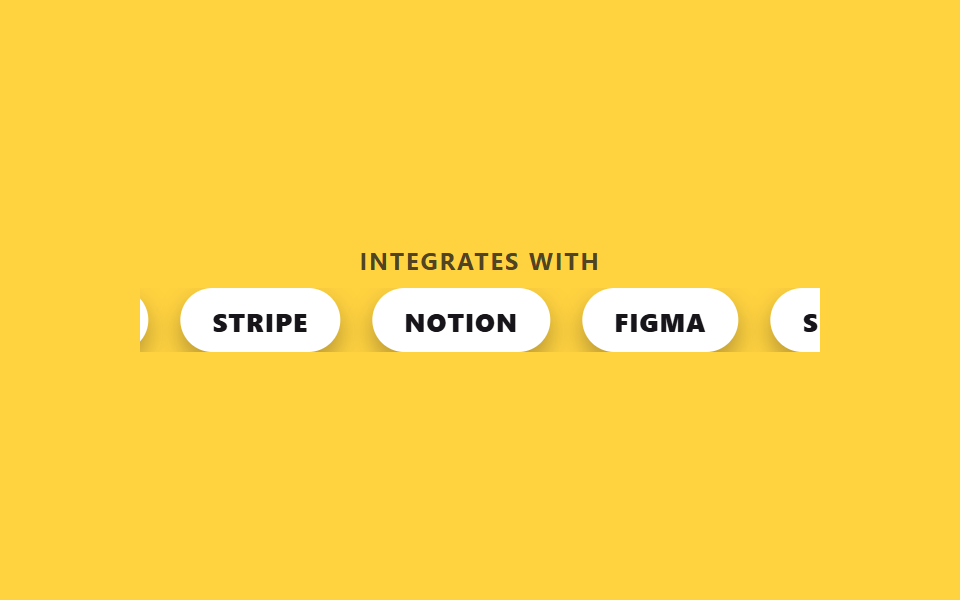 06 hero-section-animation-marquee-strip
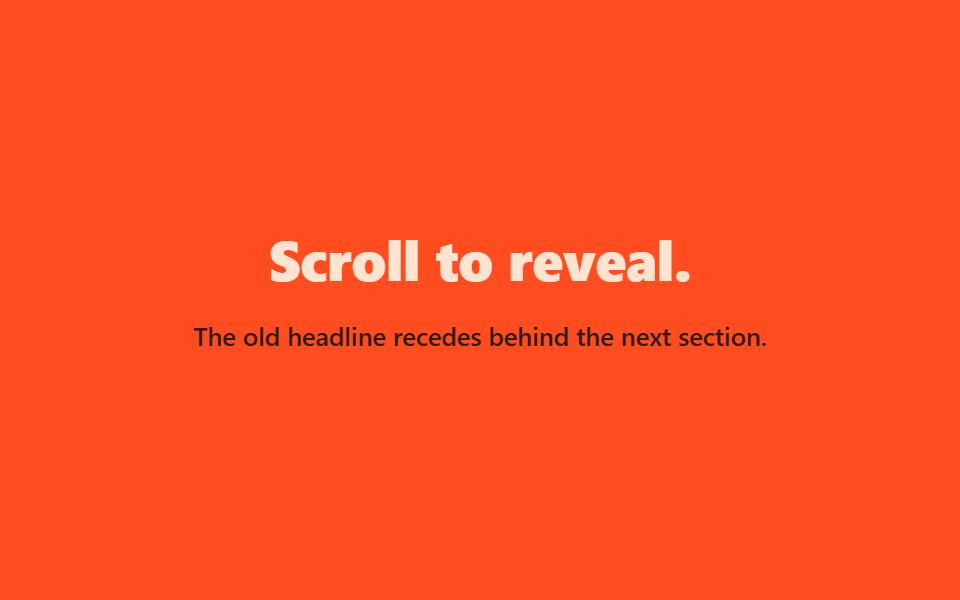 07 hero-section-animation-scroll-fade-behind
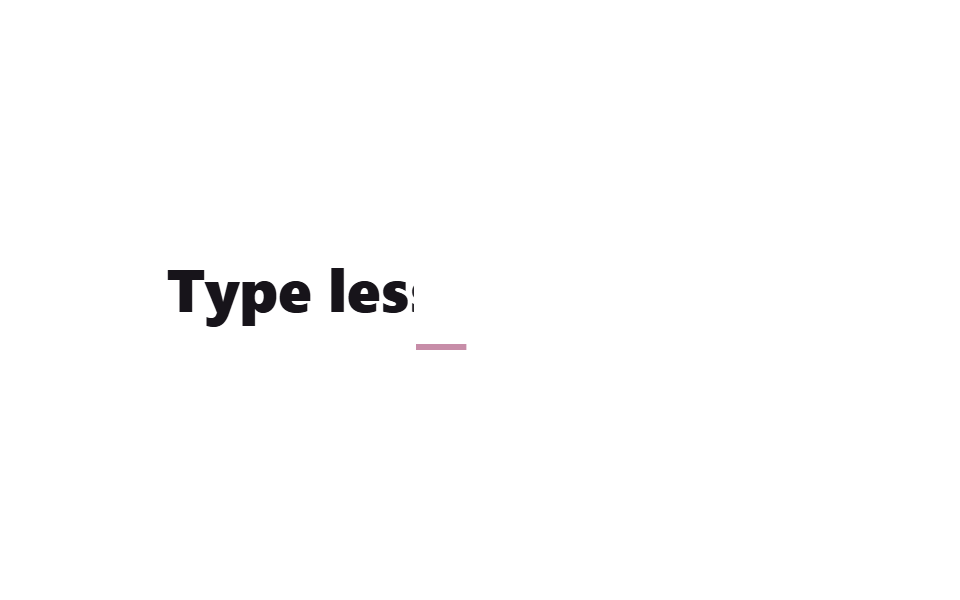 08 hero-section-animation-split-text-mask
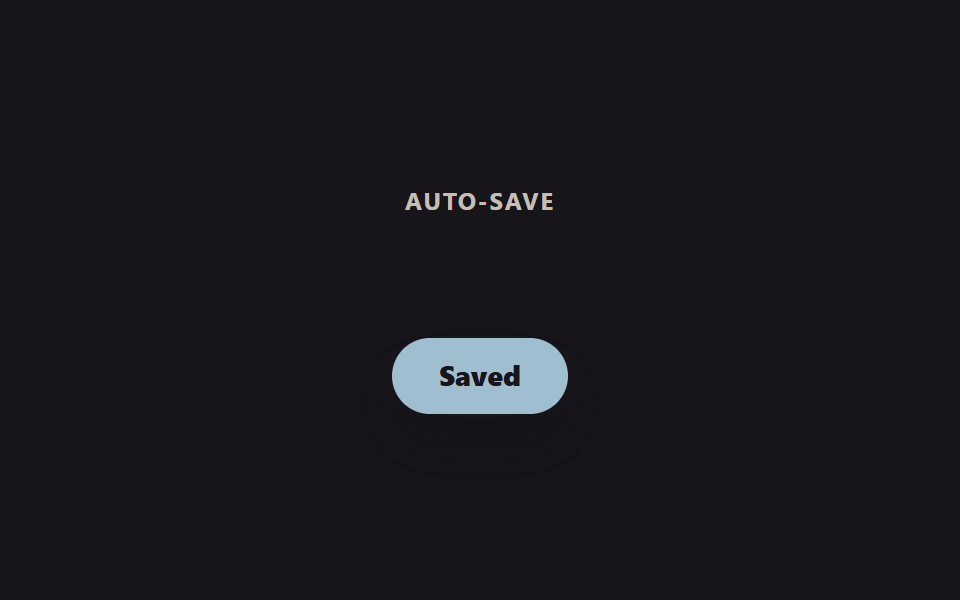 09 hero-section-animation-starting-style-load
Tự chạy · bấm ô để tới mục đó · cả 9 trong một zip
- 01 Tiêu đề vào lần lượt
- 02 Nền gradient trôi chậm
- 03 CTA đập nhịp phát sáng
- 04 Mockup lơ lửng
- 05 Badge trượt vào
- 06 Dải marquee chạy ngang
- 07 Chữ mờ lùi khi cuộn
- 08 Lộ chữ qua mặt nạ quét
- 09 Vào màn hình bằng @starting-style
Chín mục không xếp theo độ phổ biến mà theo đúng thứ tự người vào trang gặp chúng: headline hút mắt ngay khi trang mở ra (01), chuyển động dịu ở lớp nền (02), nút CTA giữ chân ánh nhìn (03), mockup khoe sản phẩm (04) và huy hiệu bồi thêm niềm tin (05). Cuộn xuống chút nữa gặp dải logo đối tác trôi ngang (06) — hết phần chạy ngay sau khi tải. Ba mục còn lại (07~09) chỉ đáp lại khi bạn thật sự cuộn hoặc khi có gì đó vừa được lưu.
| Số | Tên | Cái gì chuyển động | Kỹ thuật chính |
|---|---|---|---|
| 01 | Headline hiện lần lượt | opacity, translateY từng dòng |
@keyframes lệch mốc |
| 02 | Nền gradient trôi | translate, rotate của lớp nền |
conic-gradient |
| 03 | CTA đập nhịp glow | scale, box-shadow |
@keyframes lặp |
| 04 | Mockup bồng bềnh | translateY, rotate rất nhỏ |
chỉ transform |
| 05 | Huy hiệu trượt vào | translateX, opacity |
mốc dừng 30~65% |
| 06 | Dải marquee | translateX(-50%) của track |
margin-right thay gap |
| 07 | Chữ lùi ra sau khi cuộn | scale, opacity, translateY |
thay cho scroll-timeline |
| 08 | Chữ lộ dần qua mask | clip-path: inset() |
scaleX gạch chân |
| 09 | Toast hiện lúc tải | display, opacity, transform |
@starting-style |
01Headline hiện lần lượt
hero section css design dùng mục này ở đâu
Ba dòng headline không bật lên cùng lúc mà từng dòng một xuất hiện trễ hơn dòng trước.
<main class="stage is-demo">
  <h1 class="hero">
    <span class="hero__line hero__line--1">Ship your idea.</span>
    <span class="hero__line hero__line--2">Faster than ever.</span>
    <span class="hero__line hero__line--3">Start <em>free</em> today.</span>
  </h1>
</main>
@use "../../../../site/static/demo-tokens" as *;
// ── 변수 3개 ──────────────────────────────────────────
$duration: $dur-loop; // 2s — 3줄이 순차 등장하는 한 바퀴
$easing: $ease-spring;
$color: $subject-cream;
@include stage($stage-ink);
.hero {
margin: 0;
box-sizing: border-box;
max-width: clamp(220px, 78vw, 360px);
text-align: center;
display: grid;
gap: $sp-2;
}
.hero__line {
display: block;
font-weight: 800;
font-size: clamp(18px, 6vw, 28px);
line-height: 1.28;
font-family: inherit;
color: $color;
letter-spacing: -0.01em;
opacity: 0;
transform: translateY($sp-6);
}
.hero__line--3 em { font-style: normal; color: #beab7c; }
.stage.is-demo .hero__line--1 { animation: line-in-1 $duration $easing infinite; }
.stage.is-demo .hero__line--2 { animation: line-in-2 $duration $easing infinite; }
.stage.is-demo .hero__line--3 { animation: line-in-3 $duration $easing infinite; }
@keyframes line-in-1 {
0% { opacity: 0; transform: translateY($sp-6); }
10% { opacity: 1; transform: translateY(0); }
85% { opacity: 1; transform: translateY(0); }
100% { opacity: 0; transform: translateY($sp-6); }
}
@keyframes line-in-2 {
0%, 10% { opacity: 0; transform: translateY($sp-6); }
20% { opacity: 1; transform: translateY(0); }
85% { opacity: 1; transform: translateY(0); }
100% { opacity: 0; transform: translateY($sp-6); }
}
@keyframes line-in-3 {
0%, 20% { opacity: 0; transform: translateY($sp-6); }
30% { opacity: 1; transform: translateY(0); }
85% { opacity: 1; transform: translateY(0); }
100% { opacity: 0; transform: translateY($sp-6); }
}
@media (prefers-reduced-motion: reduce) {
.stage.is-demo .hero__line--1,
.stage.is-demo .hero__line--2,
.stage.is-demo .hero__line--3 {
animation: none;
opacity: 1;
transform: none;
}
}html, body {
margin: 0;
overflow: hidden;
}
.stage {
box-sizing: border-box;
min-height: 100vh;
display: grid;
place-items: center;
margin: 0;
background: #17141a;
font-family: -apple-system, "Segoe UI", "Noto Sans KR", sans-serif;
padding: clamp(8px, 4vw, 24px);
}
.hero {
margin: 0;
box-sizing: border-box;
max-width: clamp(220px, 78vw, 360px);
text-align: center;
display: grid;
gap: 8px;
}
.hero__line {
display: block;
font-weight: 800;
font-size: clamp(18px, 6vw, 28px);
line-height: 1.28;
font-family: inherit;
color: #fff7e6;
letter-spacing: -0.01em;
opacity: 0;
transform: translateY(24px);
}
.hero__line--3 em {
font-style: normal;
color: #beab7c;
}
.stage.is-demo .hero__line--1 {
animation: line-in-1 2s cubic-bezier(0.2, 0.8, 0.2, 1) infinite;
}
.stage.is-demo .hero__line--2 {
animation: line-in-2 2s cubic-bezier(0.2, 0.8, 0.2, 1) infinite;
}
.stage.is-demo .hero__line--3 {
animation: line-in-3 2s cubic-bezier(0.2, 0.8, 0.2, 1) infinite;
}
@keyframes line-in-1 {
0% {
opacity: 0;
transform: translateY(24px);
}
10% {
opacity: 1;
transform: translateY(0);
}
85% {
opacity: 1;
transform: translateY(0);
}
100% {
opacity: 0;
transform: translateY(24px);
}
}
@keyframes line-in-2 {
0%, 10% {
opacity: 0;
transform: translateY(24px);
}
20% {
opacity: 1;
transform: translateY(0);
}
85% {
opacity: 1;
transform: translateY(0);
}
100% {
opacity: 0;
transform: translateY(24px);
}
}
@keyframes line-in-3 {
0%, 20% {
opacity: 0;
transform: translateY(24px);
}
30% {
opacity: 1;
transform: translateY(0);
}
85% {
opacity: 1;
transform: translateY(0);
}
100% {
opacity: 0;
transform: translateY(24px);
}
}
@media (prefers-reduced-motion: reduce) {
.stage.is-demo .hero__line--1,
.stage.is-demo .hero__line--2,
.stage.is-demo .hero__line--3 {
animation: none;
opacity: 1;
transform: none;
}
}import type { CSSProperties } from "react";
import styles from "./HeadlineStaggerIn.module.scss";
export type HeadlineStaggerInProps = {
lines?: [string, string, string];
duration?: number;
easing?: string;
color?: string;
};
type Vars = CSSProperties & { "--duration"?: string; "--easing"?: string; "--color"?: string };
export default function HeadlineStaggerIn({
lines = ["Ship your idea.", "Faster than ever.", "Start free today."],
duration = 2000,
easing = "cubic-bezier(.2,.8,.2,1)",
color = "#fff7e6",
}: HeadlineStaggerInProps) {
const vars: Vars = { "--duration": `${duration}ms`, "--easing": easing, "--color": color };
return (
<h1 className={styles.hero} style={vars}>
<span className={`${styles.line} ${styles.line1}`}>{lines[0]}</span>
<span className={`${styles.line} ${styles.line2}`}>{lines[1]}</span>
<span className={`${styles.line} ${styles.line3}`}>{lines[2]}</span>
</h1>
);
}01 · Tiêu đề vào lần lượt — Diện tích đo được 13.299% · khung hình chuyển động 10/23Nguyên tác GODRICH · SCSS và React nằm trong tệp zip · Xem mật khẩu
Nguyên lý chạy thế nào
Mỗi dòng có @keyframes riêng với điểm bắt đầu lệch nhau ở 10%, 20%, 30%, nên chỉ hai giá trị opacity và translateY đã đủ dựng nên thứ tự.
.hero__line { opacity: 0; transform: translateY(24px); }

.hero__line--1 { animation: line-in-1 $duration $easing infinite; } // $easing: $ease-spring

@keyframes line-in-1 {
  0%   { opacity: 0; transform: translateY(24px); }
  10%  { opacity: 1; transform: translateY(0); }
  85%  { opacity: 1; transform: translateY(0); }
  100% { opacity: 0; transform: translateY(24px); }
}
02Nền gradient trôi
Cái gì đang chuyển động
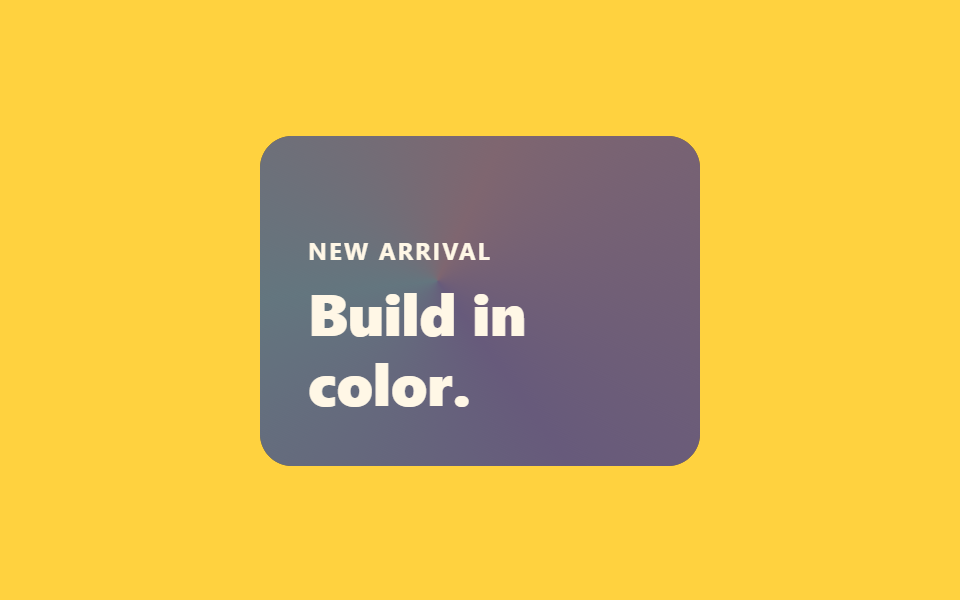
Một lớp conic-gradient rộng hơn hẳn cái thẻ được trải vào ::before rồi nhốt lại bằng overflow: hidden, sau đó quay chậm chỉ bằng translate và rotate.
<main class="stage is-demo">
  <section class="hero">
    <p class="hero__eyebrow">New arrival</p>
    <h1 class="hero__title">Build in color.</h1>
  </section>
</main>
@use "../../../../site/static/demo-tokens" as *;
// ── 변수 3개 ──────────────────────────────────────────
$duration: $dur-loop; // 2s — 그라디언트 한 바퀴 드리프트
$easing: $ease-out;
$color: $subject-ink;
@include stage($stage-yellow);
.hero {
position: relative;
overflow: hidden;
box-sizing: border-box;
width: clamp(220px, 62vmin, 300px);
aspect-ratio: 4 / 3;
border-radius: $r-card;
background: $color;
padding: $sp-6;
display: flex;
flex-direction: column;
justify-content: flex-end;
gap: $sp-2;
}
// 카드보다 훨씬 큰(180% 오버사이즈) conic-gradient 층 — overflow:hidden 이 가둔다
.hero::before {
content: '';
position: absolute;
inset: -60% -60%;
background: conic-gradient(from 0deg, #d5a9b6, #a994ca, #a3c6d1, #d5a9b6);
opacity: .55;
pointer-events: none;
}
.hero__eyebrow, .hero__title { position: relative; z-index: 1; margin: 0; color: $subject-cream; }
.hero__eyebrow { font-weight: 700; font-size: clamp(11px, 3vw, 12px); line-height: 1; font-family: inherit; letter-spacing: .08em; text-transform: uppercase; }
.hero__title { font-weight: 800; font-size: clamp(22px, 6vw, 30px); line-height: 1.2; font-family: inherit; }
// translate·rotate 만 — background-position 은 쓰지 않는다
.stage.is-demo .hero::before { animation: drift $duration $easing infinite; }
@keyframes drift {
0% { transform: translate(-6%, -4%) rotate(0deg); }
50% { transform: translate(6%, 5%) rotate(180deg); }
100% { transform: translate(-6%, -4%) rotate(360deg); }
}
@media (prefers-reduced-motion: reduce) {
.stage.is-demo .hero::before { animation: none; transform: none; }
}html, body {
margin: 0;
overflow: hidden;
}
.stage {
box-sizing: border-box;
min-height: 100vh;
display: grid;
place-items: center;
margin: 0;
background: #ffd23f;
font-family: -apple-system, "Segoe UI", "Noto Sans KR", sans-serif;
padding: clamp(8px, 4vw, 24px);
}
.hero {
position: relative;
overflow: hidden;
box-sizing: border-box;
width: clamp(220px, 62vmin, 300px);
aspect-ratio: 4/3;
border-radius: 16px;
background: #17141a;
padding: 24px;
display: flex;
flex-direction: column;
justify-content: flex-end;
gap: 8px;
}
.hero::before {
content: "";
position: absolute;
inset: -60% -60%;
background: conic-gradient(from 0deg, #d5a9b6, #a994ca, #a3c6d1, #d5a9b6);
opacity: 0.55;
pointer-events: none;
}
.hero__eyebrow, .hero__title {
position: relative;
z-index: 1;
margin: 0;
color: #fff7e6;
}
.hero__eyebrow {
font-weight: 700;
font-size: clamp(11px, 3vw, 12px);
line-height: 1;
font-family: inherit;
letter-spacing: 0.08em;
text-transform: uppercase;
}
.hero__title {
font-weight: 800;
font-size: clamp(22px, 6vw, 30px);
line-height: 1.2;
font-family: inherit;
}
.stage.is-demo .hero::before {
animation: drift 2s ease-out infinite;
}
@keyframes drift {
0% {
transform: translate(-6%, -4%) rotate(0deg);
}
50% {
transform: translate(6%, 5%) rotate(180deg);
}
100% {
transform: translate(-6%, -4%) rotate(360deg);
}
}
@media (prefers-reduced-motion: reduce) {
.stage.is-demo .hero::before {
animation: none;
transform: none;
}
}import type { CSSProperties } from "react";
import styles from "./GradientBgDrift.module.scss";
export type GradientBgDriftProps = {
eyebrow?: string;
title?: string;
duration?: number;
easing?: string;
color?: string;
};
type Vars = CSSProperties & { "--duration"?: string; "--easing"?: string; "--color"?: string };
export default function GradientBgDrift({
eyebrow = "New arrival",
title = "Build in color.",
duration = 2000,
easing = "ease-out",
color = "#17141a",
}: GradientBgDriftProps) {
const vars: Vars = { "--duration": `${duration}ms`, "--easing": easing, "--color": color };
return (
<section className={styles.hero} style={vars}>
<p className={styles.eyebrow}>{eyebrow}</p>
<h1 className={styles.title}>{title}</h1>
</section>
);
}02 · Nền gradient trôi chậm — Diện tích đo được 23.185% · khung hình chuyển động 21/23Nguyên tác GODRICH · SCSS và React nằm trong tệp zip · Xem mật khẩu
Cách tạo ra nó
Khác với cách dịch background-position, ở kiểu này dù thẻ đổi kích thước thì gradient cũng không phải tính lại.
.hero::before {
  content: '';
  position: absolute;
  inset: -60% -60%;
  background: conic-gradient(from 0deg, #ff477e, #7b2ff7, #4cc9f0, #ff477e);
  animation: drift $duration $easing infinite; // $easing: $ease-out
}
@keyframes drift {
  0%   { transform: translate(-6%, -4%) rotate(0deg); }
  50%  { transform: translate(6%, 5%) rotate(180deg); }
  100% { transform: translate(-6%, -4%) rotate(360deg); }
}
03CTA đập nhịp glow
Dùng ở đâu
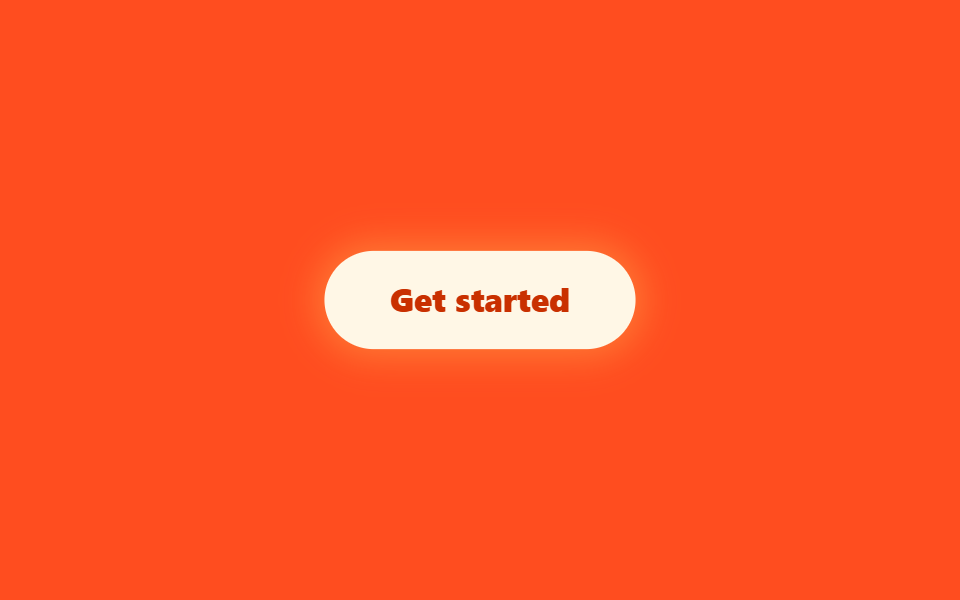
Nút vừa scale vừa đổi box-shadow cùng lúc, phình ra thu vào như đang hít thở.
<main class="stage is-demo">
  <button type="button" class="cta">Get started</button>
</main>
@use "../../../../site/static/demo-tokens" as *;
// ── 변수 3개 ──────────────────────────────────────────
$duration: $dur-loop; // 2s — 펄스 한 바퀴
$easing: $ease-pop;
$color: $subject-cream;
@include stage($stage-orange);
.cta {
box-sizing: border-box;
border: 0;
cursor: pointer;
padding: $sp-4 $sp-8;
border-radius: $r-pill;
background: $color;
color: $subject-orange-deep;
font-weight: 800;
font-size: clamp(14px, 4vw, 16px);
line-height: 1;
font-family: inherit;
box-shadow: 0 0 0 0 rgba(255, 224, 102, 0);
transition: transform $dur-quick $ease-out;
}
.cta:hover { transform: translateY(-2px); }
.cta:focus-visible { outline: 2px solid $subject-ink; outline-offset: 2px; }
// box-shadow 를 애니메이션 대상으로 쓴다 — blog-demo 규칙 1(transform·opacity 만)의 의도적 예외.
// 글로우는 box-shadow(또는 filter) 없이는 성립하지 않는다 (사실.md 기록)
.stage.is-demo .cta { animation: pulse $duration $easing infinite; }
@keyframes pulse {
0% { transform: scale(1); box-shadow: 0 0 0 0 rgba(255, 224, 102, .55); }
50% { transform: scale(1.045); box-shadow: 0 0 $sp-8 $sp-2 rgba(255, 224, 102, .55); }
100% { transform: scale(1); box-shadow: 0 0 0 0 rgba(255, 224, 102, 0); }
}
@media (prefers-reduced-motion: reduce) {
.stage.is-demo .cta { animation: none; box-shadow: 0 0 $sp-6 $sp-1 rgba(255, 224, 102, .35); }
}html, body {
margin: 0;
overflow: hidden;
}
.stage {
box-sizing: border-box;
min-height: 100vh;
display: grid;
place-items: center;
margin: 0;
background: #ff4d1f;
font-family: -apple-system, "Segoe UI", "Noto Sans KR", sans-serif;
padding: clamp(8px, 4vw, 24px);
}
.cta {
box-sizing: border-box;
border: 0;
cursor: pointer;
padding: 16px 32px;
border-radius: 999px;
background: #fff7e6;
color: #c93000;
font-weight: 800;
font-size: clamp(14px, 4vw, 16px);
line-height: 1;
font-family: inherit;
box-shadow: 0 0 0 0 rgba(255, 224, 102, 0);
transition: transform 220ms ease-out;
}
.cta:hover {
transform: translateY(-2px);
}
.cta:focus-visible {
outline: 2px solid #17141a;
outline-offset: 2px;
}
.stage.is-demo .cta {
animation: pulse 2s cubic-bezier(0.2, 1.4, 0.4, 1) infinite;
}
@keyframes pulse {
0% {
transform: scale(1);
box-shadow: 0 0 0 0 rgba(255, 224, 102, 0.55);
}
50% {
transform: scale(1.045);
box-shadow: 0 0 32px 8px rgba(255, 224, 102, 0.55);
}
100% {
transform: scale(1);
box-shadow: 0 0 0 0 rgba(255, 224, 102, 0);
}
}
@media (prefers-reduced-motion: reduce) {
.stage.is-demo .cta {
animation: none;
box-shadow: 0 0 24px 4px rgba(255, 224, 102, 0.35);
}
}import type { CSSProperties } from "react";
import styles from "./CtaPulseGlow.module.scss";
export type CtaPulseGlowProps = {
label?: string;
duration?: number;
easing?: string;
color?: string;
};
type Vars = CSSProperties & { "--duration"?: string; "--easing"?: string; "--color"?: string };
export default function CtaPulseGlow({
label = "Get started",
duration = 2000,
easing = "cubic-bezier(.2,1.4,.4,1)",
color = "#fff7e6",
}: CtaPulseGlowProps) {
const vars: Vars = { "--duration": `${duration}ms`, "--easing": easing, "--color": color };
return (
<button type="button" className={styles.cta} style={vars}>
{label}
</button>
);
}03 · CTA đập nhịp phát sáng — Diện tích đo được 8.864% · khung hình chuyển động 16/23Nguyên tác GODRICH · SCSS và React nằm trong tệp zip · Xem mật khẩu
Vì sao làm theo cách này
Tách riêng khỏi vòng lặp dành cho demo, :hover và :focus-visible thật cũng đáp lại bằng đúng màu đó, nên tắt vòng lặp đi thì bản thân cái nút vẫn sống.
.cta:hover { transform: translateY(-2px); }

.cta { animation: pulse $duration $easing infinite; } // $easing: $ease-pop

@keyframes pulse {
  0%   { transform: scale(1);     box-shadow: 0 0 0 0 rgba(255, 224, 102, .55); }
  50%  { transform: scale(1.045); box-shadow: 0 0 32px 8px rgba(255, 224, 102, .55); }
  100% { transform: scale(1);     box-shadow: 0 0 0 0 rgba(255, 224, 102, 0); }
}
04Mockup bồng bềnh
Bạn nhìn thấy gì
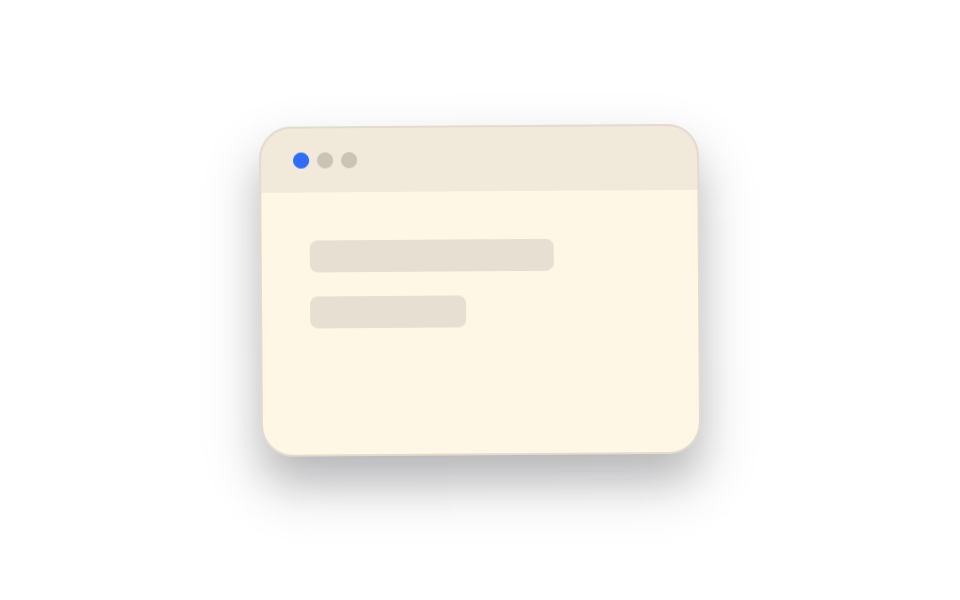
Cả tấm thẻ mockup có thanh trên đầu như cửa sổ trình duyệt cứ đảo qua lại giữa translateY và một góc rotate rất nhỏ, trông như đang lơ lửng.
<main class="stage is-demo">
  <div class="mockup">
    <div class="mockup__bar" aria-hidden="true">
      <span class="mockup__dot"></span>
      <span class="mockup__dot"></span>
      <span class="mockup__dot"></span>
    </div>
    <div class="mockup__body" aria-hidden="true">
      <span class="mockup__block mockup__block--lg"></span>
      <span class="mockup__block mockup__block--sm"></span>
    </div>
  </div>
</main>
@use "../../../../site/static/demo-tokens" as *;
// ── 변수 3개 ──────────────────────────────────────────
$duration: $dur-loop; // 2s — 떠오름 한 바퀴
$easing: $ease-spring;
$color: $subject-blue;
@include stage($stage-paper);
.mockup {
box-sizing: border-box;
width: clamp(220px, 62vmin, 300px);
aspect-ratio: 4 / 3;
border-radius: $r-card;
background: $subject-cream;
border: 1px solid rgba($subject-ink, .12);
box-shadow: $shadow-raised;
overflow: hidden;
}
.mockup__bar {
display: flex;
align-items: center;
gap: $sp-1;
padding: $sp-3 $sp-4;
background: rgba($subject-ink, .06);
}
.mockup__dot { width: $sp-2; height: $sp-2; border-radius: 50%; background: rgba($subject-ink, .18); }
.mockup__dot:first-child { background: $color; }
.mockup__body { display: grid; gap: $sp-3; padding: $sp-6; }
.mockup__block { display: block; height: $sp-4; border-radius: $r-xs; background: rgba($subject-ink, .1); }
.mockup__block--lg { width: 72%; }
.mockup__block--sm { width: 46%; }
// transform 만 — translateY 와 미세 rotate 로 떠 있는 느낌
.stage.is-demo .mockup { animation: float $duration $easing infinite; }
@keyframes float {
0% { transform: translateY(0) rotate(0deg); }
50% { transform: translateY(-$sp-4) rotate(-1.2deg); }
100% { transform: translateY(0) rotate(0deg); }
}
@media (prefers-reduced-motion: reduce) {
.stage.is-demo .mockup { animation: none; transform: none; }
}html, body {
margin: 0;
overflow: hidden;
}
.stage {
box-sizing: border-box;
min-height: 100vh;
display: grid;
place-items: center;
margin: 0;
background: #ffffff;
font-family: -apple-system, "Segoe UI", "Noto Sans KR", sans-serif;
padding: clamp(8px, 4vw, 24px);
}
.mockup {
box-sizing: border-box;
width: clamp(220px, 62vmin, 300px);
aspect-ratio: 4/3;
border-radius: 16px;
background: #fff7e6;
border: 1px solid rgba(23, 20, 26, 0.12);
box-shadow: 0 14px 24px rgba(23, 20, 26, 0.32);
overflow: hidden;
}
.mockup__bar {
display: flex;
align-items: center;
gap: 4px;
padding: 12px 16px;
background: rgba(23, 20, 26, 0.06);
}
.mockup__dot {
width: 8px;
height: 8px;
border-radius: 50%;
background: rgba(23, 20, 26, 0.18);
}
.mockup__dot:first-child {
background: #2f6df6;
}
.mockup__body {
display: grid;
gap: 12px;
padding: 24px;
}
.mockup__block {
display: block;
height: 16px;
border-radius: 4px;
background: rgba(23, 20, 26, 0.1);
}
.mockup__block--lg {
width: 72%;
}
.mockup__block--sm {
width: 46%;
}
.stage.is-demo .mockup {
animation: float 2s cubic-bezier(0.2, 0.8, 0.2, 1) infinite;
}
@keyframes float {
0% {
transform: translateY(0) rotate(0deg);
}
50% {
transform: translateY(-16px) rotate(-1.2deg);
}
100% {
transform: translateY(0) rotate(0deg);
}
}
@media (prefers-reduced-motion: reduce) {
.stage.is-demo .mockup {
animation: none;
transform: none;
}
}import type { CSSProperties } from "react";
import styles from "./MockupFloat.module.scss";
export type MockupFloatProps = {
duration?: number;
easing?: string;
color?: string;
};
type Vars = CSSProperties & { "--duration"?: string; "--easing"?: string; "--color"?: string };
export default function MockupFloat({
duration = 2000,
easing = "cubic-bezier(.2,.8,.2,1)",
color = "#2f6df6",
}: MockupFloatProps) {
const vars: Vars = { "--duration": `${duration}ms`, "--easing": easing, "--color": color };
return (
<div className={styles.mockup} style={vars}>
<div className={styles.bar} aria-hidden="true">
<span className={styles.dot} />
<span className={styles.dotMuted} />
<span className={styles.dotMuted} />
</div>
<div className={styles.body} aria-hidden="true">
<span className={`${styles.block} ${styles.blockLg}`} />
<span className={`${styles.block} ${styles.blockSm}`} />
</div>
</div>
);
}04 · Mockup lơ lửng — Diện tích đo được 16.142% · khung hình chuyển động 20/23Nguyên tác GODRICH · SCSS và React nằm trong tệp zip · Xem mật khẩu
Cốt lõi khi triển khai
Cả hai giá trị đều chỉ chạm vào transform nên bố cục không có lý do gì phải tính lại.
.mockup { animation: float $duration $easing infinite; } // $easing: $ease-spring

@keyframes float {
  0%   { transform: translateY(0) rotate(0deg); }
  50%  { transform: translateY(-16px) rotate(-1.2deg); }
  100% { transform: translateY(0) rotate(0deg); }
}
05Huy hiệu trượt vào
Đó là tình huống gì
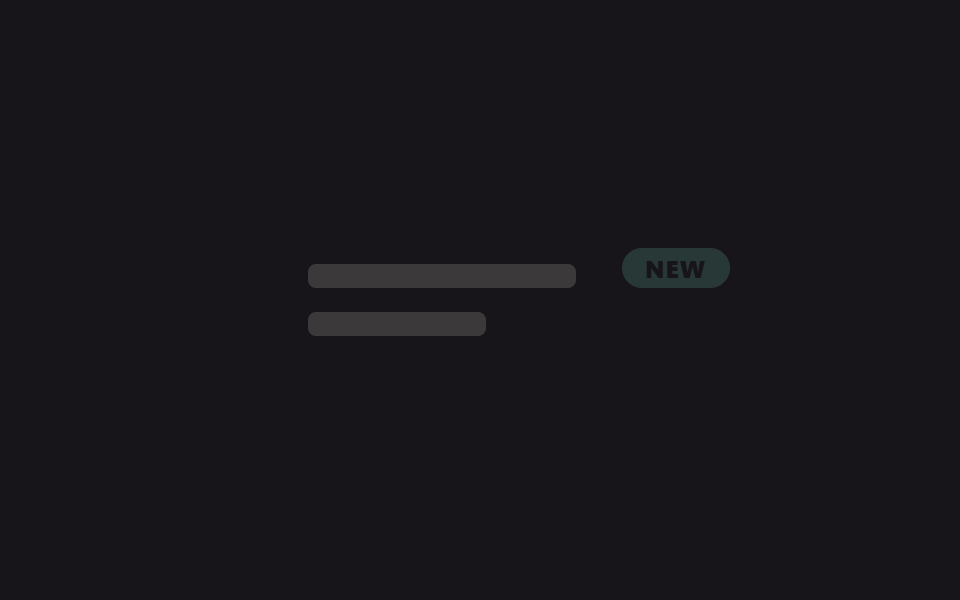
Huy hiệu NEW trượt vào từ bên hông, nán lại một lúc rồi lại rút ra, cứ thế lặp đi lặp lại.
<main class="stage is-demo">
  <div class="panel">
    <span class="panel__bar panel__bar--lg" aria-hidden="true"></span>
    <span class="panel__bar panel__bar--sm" aria-hidden="true"></span>
    <span class="badge">NEW</span>
  </div>
</main>
@use "../../../../site/static/demo-tokens" as *;
// ── 변수 3개 ──────────────────────────────────────────
$duration: $dur-loop; // 2s — 슬라이드 인·홀드·아웃 한 바퀴
$easing: $ease-pop;
$color: #62b29d;
@include stage($stage-ink);
.panel {
box-sizing: border-box;
position: relative;
width: clamp(220px, 62vmin, 300px);
padding: $sp-6;
display: grid;
gap: $sp-3;
}
.panel__bar { display: block; height: $sp-3; border-radius: $r-xs; background: rgba($subject-cream, .16); }
.panel__bar--lg { width: 78%; }
.panel__bar--sm { width: 52%; }
.badge {
position: absolute;
top: $sp-4;
right: $sp-4;
padding: $sp-1 $sp-3;
border-radius: $r-pill;
background: $color;
color: $stage-ink;
font-weight: 800;
font-size: clamp(11px, 3vw, 12px);
line-height: 1;
font-family: inherit;
letter-spacing: .04em;
opacity: 0;
transform: translateX($sp-10);
}
// 정지 구간(30%~65%)을 넣어 논스톱 슬라이드가 아니라 들어왔다 머물다 나가는 것처럼 보이게 한다
.stage.is-demo .badge { animation: slide-in $duration $easing infinite; }
@keyframes slide-in {
0% { opacity: 0; transform: translateX($sp-10); }
30% { opacity: 1; transform: translateX(0); }
65% { opacity: 1; transform: translateX(0); }
100% { opacity: 0; transform: translateX($sp-10); }
}
@media (prefers-reduced-motion: reduce) {
.stage.is-demo .badge { animation: none; opacity: 1; transform: none; }
}html, body {
margin: 0;
overflow: hidden;
}
.stage {
box-sizing: border-box;
min-height: 100vh;
display: grid;
place-items: center;
margin: 0;
background: #17141a;
font-family: -apple-system, "Segoe UI", "Noto Sans KR", sans-serif;
padding: clamp(8px, 4vw, 24px);
}
.panel {
box-sizing: border-box;
position: relative;
width: clamp(220px, 62vmin, 300px);
padding: 24px;
display: grid;
gap: 12px;
}
.panel__bar {
display: block;
height: 12px;
border-radius: 4px;
background: rgba(255, 247, 230, 0.16);
}
.panel__bar--lg {
width: 78%;
}
.panel__bar--sm {
width: 52%;
}
.badge {
position: absolute;
top: 16px;
right: 16px;
padding: 4px 12px;
border-radius: 999px;
background: #62b29d;
color: #17141a;
font-weight: 800;
font-size: clamp(11px, 3vw, 12px);
line-height: 1;
font-family: inherit;
letter-spacing: 0.04em;
opacity: 0;
transform: translateX(40px);
}
.stage.is-demo .badge {
animation: slide-in 2s cubic-bezier(0.2, 1.4, 0.4, 1) infinite;
}
@keyframes slide-in {
0% {
opacity: 0;
transform: translateX(40px);
}
30% {
opacity: 1;
transform: translateX(0);
}
65% {
opacity: 1;
transform: translateX(0);
}
100% {
opacity: 0;
transform: translateX(40px);
}
}
@media (prefers-reduced-motion: reduce) {
.stage.is-demo .badge {
animation: none;
opacity: 1;
transform: none;
}
}import type { CSSProperties } from "react";
import styles from "./BadgeSlideIn.module.scss";
export type BadgeSlideInProps = {
label?: string;
duration?: number;
easing?: string;
color?: string;
};
type Vars = CSSProperties & { "--duration"?: string; "--easing"?: string; "--color"?: string };
export default function BadgeSlideIn({
label = "NEW",
duration = 2000,
easing = "cubic-bezier(.2,1.4,.4,1)",
color = "#06d6a0",
}: BadgeSlideInProps) {
const vars: Vars = { "--duration": `${duration}ms`, "--easing": easing, "--color": color };
return (
<div className={styles.panel} style={vars}>
<span className={`${styles.bar} ${styles.barLg}`} aria-hidden="true" />
<span className={`${styles.bar} ${styles.barSm}`} aria-hidden="true" />
<span className={styles.badge}>{label}</span>
</div>
);
}05 · Badge trượt vào — Diện tích đo được 1.14% · khung hình chuyển động 9/23Nguyên tác GODRICH · SCSS và React nằm trong tệp zip · Xem mật khẩu
Mấu chốt nằm ở đâu
Khoảng 30% tới 65% được chèn sẵn một đoạn đứng yên, nên nó không chạy tới chạy lui liên tục mà chừa cho bạn chút thời gian đọc kịp.
.badge { animation: slide-in $duration $easing infinite; } // $easing: $ease-pop

@keyframes slide-in {
  0%   { opacity: 0; transform: translateX(40px); }
  30%  { opacity: 1; transform: translateX(0); }
  65%  { opacity: 1; transform: translateX(0); }
  100% { opacity: 0; transform: translateX(40px); }
}
06Dải marquee
Điều gì đang diễn ra
Dưới hero, một track ghép hai bộ viên thuốc logo đối tác trôi liền mạch bằng translateX(-50%).
<main class="stage">
  <div class="marquee">
    <p class="marquee__label">Integrates with</p>
    <div class="marquee__row">
      <div class="marquee__track">
        <span class="marquee__pill">STRIPE</span>
        <span class="marquee__pill">NOTION</span>
        <span class="marquee__pill">FIGMA</span>
        <span class="marquee__pill">SLACK</span>
        <span class="marquee__pill">LINEAR</span>
        <span class="marquee__pill" aria-hidden="true">STRIPE</span>
        <span class="marquee__pill" aria-hidden="true">NOTION</span>
        <span class="marquee__pill" aria-hidden="true">FIGMA</span>
        <span class="marquee__pill" aria-hidden="true">SLACK</span>
        <span class="marquee__pill" aria-hidden="true">LINEAR</span>
      </div>
    </div>
  </div>
</main>
@use "../../../../site/static/demo-tokens" as *;
// ── 변수 3개 ──────────────────────────────────────────
$duration: $dur-loop; // 2s — 트랙 한 바퀴(-50%)
$easing: linear;
$color: $stage-ink;
@include stage($stage-yellow);
.marquee { width: min(340px, 88vw); display: grid; gap: $sp-2; justify-items: center; }
.marquee__label {
margin: 0;
font-weight: 700;
font-size: clamp(11px, 3vw, 12px);
line-height: 1;
font-family: inherit;
letter-spacing: .08em;
color: rgba($color, .75);
text-transform: uppercase;
}
.marquee__row { width: 100%; overflow: hidden; }
.marquee__track {
display: flex;
width: max-content;
animation: pill-scroll $duration $easing infinite;
}
.marquee__pill {
margin-right: $sp-4; // 트랙의 gap 대신 — 세트 폭이 정확히 절반이 되어 -50% 이음새가 0px 이 된다 (BD15)
flex-shrink: 0;
display: grid;
place-items: center;
height: $sp-8;
padding: 0 $sp-4;
border-radius: $r-pill;
background: $stage-paper;
color: $color;
font-weight: 800;
font-size: 13px;
line-height: 1;
font-family: inherit;
letter-spacing: .04em;
box-shadow: $shadow-press;
}
@keyframes pill-scroll {
from { transform: translateX(0); }
to { transform: translateX(-50%); }
}
@media (prefers-reduced-motion: reduce) {
.marquee__track { animation: none; transform: translateX(0); }
}html, body {
margin: 0;
overflow: hidden;
}
.stage {
box-sizing: border-box;
min-height: 100vh;
display: grid;
place-items: center;
margin: 0;
background: #ffd23f;
font-family: -apple-system, "Segoe UI", "Noto Sans KR", sans-serif;
padding: clamp(8px, 4vw, 24px);
}
.marquee {
width: min(340px, 88vw);
display: grid;
gap: 8px;
justify-items: center;
}
.marquee__label {
margin: 0;
font-weight: 700;
font-size: clamp(11px, 3vw, 12px);
line-height: 1;
font-family: inherit;
letter-spacing: 0.08em;
color: rgba(23, 20, 26, 0.75);
text-transform: uppercase;
}
.marquee__row {
width: 100%;
overflow: hidden;
}
.marquee__track {
display: flex;
width: max-content;
animation: pill-scroll 2s linear infinite;
}
.marquee__pill {
margin-right: 16px;
flex-shrink: 0;
display: grid;
place-items: center;
height: 32px;
padding: 0 16px;
border-radius: 999px;
background: #ffffff;
color: #17141a;
font-weight: 800;
font-size: 13px;
line-height: 1;
font-family: inherit;
letter-spacing: 0.04em;
box-shadow: 0 6px 12px rgba(23, 20, 26, 0.32);
}
@keyframes pill-scroll {
from {
transform: translateX(0);
}
to {
transform: translateX(-50%);
}
}
@media (prefers-reduced-motion: reduce) {
.marquee__track {
animation: none;
transform: translateX(0);
}
}import type { CSSProperties } from "react";
import styles from "./MarqueeStrip.module.scss";
export type MarqueeStripProps = {
label?: string;
pills?: string[];
duration?: number;
easing?: string;
color?: string;
};
type Vars = CSSProperties & { "--duration"?: string; "--easing"?: string; "--color"?: string };
export default function MarqueeStrip({
label = "Integrates with",
pills = ["STRIPE", "NOTION", "FIGMA", "SLACK", "LINEAR"],
duration = 2000,
easing = "linear",
color = "#17141a",
}: MarqueeStripProps) {
const vars: Vars = { "--duration": `${duration}ms`, "--easing": easing, "--color": color };
return (
<div className={styles.marquee} style={vars}>
<p className={styles.label}>{label}</p>
<div className={styles.row}>
<div className={styles.track}>
{pills.map((p) => (
<span key={p} className={styles.pill}>{p}</span>
))}
{pills.map((p) => (
<span key={"dup-" + p} className={styles.pill} aria-hidden="true">{p}</span>
))}
</div>
</div>
</div>
);
}06 · Dải marquee chạy ngang — Diện tích đo được 7.556% · khung hình chuyển động 23/23Nguyên tác GODRICH · SCSS và React nằm trong tệp zip · Xem mật khẩu
Điểm cần nhớ
Khoảng hở đặt bằng margin-right trên từng viên chứ không phải gap của flex — dùng gap thì riêng chỗ nối giữa hai bộ bị hụt nửa khoảng, mỗi vòng lại giật một nhịp pixel.
.marquee__track {
  display: flex;
  width: max-content;
  animation: pill-scroll $duration $easing infinite; // $easing: linear
}
.marquee__pill { margin-right: 16px; flex-shrink: 0; } // margin-right thay cho gap

@keyframes pill-scroll {
  from { transform: translateX(0); }
  to   { transform: translateX(-50%); }
}
07Chữ lùi ra sau khi cuộn
Trên màn hình có gì
Ở một sản phẩm thật thì scroll-timeline buộc thẳng kích thước, độ trong và vị trí của headline vào tiến độ cuộn.
<main class="stage is-demo">
  <div class="hero">
    <h1 class="hero__title">Scroll to reveal.</h1>
    <p class="hero__sub">The old headline recedes behind the next section.</p>
  </div>
</main>
@use "../../../../site/static/demo-tokens" as *;
// ── 변수 3개 ──────────────────────────────────────────
$duration: $dur-loop; // 2s — 물러남 한 바퀴
$easing: $ease-out;
$color: $subject-cream;
@include stage($stage-orange);
// 실제 서비스라면 scroll-timeline / animation-timeline: view() 로 스크롤 진행률에 직접 묶지만,
// 브라우저 지원 차이가 커서(blog-demo 규칙 6) 데모는 같은 모양을 keyframes 루프로 대신한다 (사실.md 명시)
.hero {
box-sizing: border-box;
max-width: clamp(220px, 78vw, 360px);
text-align: center;
display: grid;
gap: $sp-3;
}
.hero__title { margin: 0; color: $color; font-weight: 800; font-size: clamp(20px, 6vw, 28px); line-height: 1.25; font-family: inherit; }
.hero__sub { margin: 0; color: $subject-ink; font-weight: 500; font-size: clamp(12px, 3.4vw, 13px); line-height: 1.5; font-family: inherit; }
.stage.is-demo .hero { animation: recede $duration $easing infinite; transform-origin: center top; }
@keyframes recede {
0% { opacity: 1; transform: scale(1) translateY(0); }
55% { opacity: .15; transform: scale(.85) translateY(-$sp-10); }
100% { opacity: 1; transform: scale(1) translateY(0); }
}
@media (prefers-reduced-motion: reduce) {
.stage.is-demo .hero { animation: none; opacity: 1; transform: none; }
}html, body {
margin: 0;
overflow: hidden;
}
.stage {
box-sizing: border-box;
min-height: 100vh;
display: grid;
place-items: center;
margin: 0;
background: #ff4d1f;
font-family: -apple-system, "Segoe UI", "Noto Sans KR", sans-serif;
padding: clamp(8px, 4vw, 24px);
}
.hero {
box-sizing: border-box;
max-width: clamp(220px, 78vw, 360px);
text-align: center;
display: grid;
gap: 12px;
}
.hero__title {
margin: 0;
color: #fff7e6;
font-weight: 800;
font-size: clamp(20px, 6vw, 28px);
line-height: 1.25;
font-family: inherit;
}
.hero__sub {
margin: 0;
color: #17141a;
font-weight: 500;
font-size: clamp(12px, 3.4vw, 13px);
line-height: 1.5;
font-family: inherit;
}
.stage.is-demo .hero {
animation: recede 2s ease-out infinite;
transform-origin: center top;
}
@keyframes recede {
0% {
opacity: 1;
transform: scale(1) translateY(0);
}
55% {
opacity: 0.15;
transform: scale(0.85) translateY(-40px);
}
100% {
opacity: 1;
transform: scale(1) translateY(0);
}
}
@media (prefers-reduced-motion: reduce) {
.stage.is-demo .hero {
animation: none;
opacity: 1;
transform: none;
}
}import type { CSSProperties } from "react";
import styles from "./ScrollFadeBehind.module.scss";
export type ScrollFadeBehindProps = {
title?: string;
subtitle?: string;
duration?: number;
easing?: string;
color?: string;
};
type Vars = CSSProperties & { "--duration"?: string; "--easing"?: string; "--color"?: string };
export default function ScrollFadeBehind({
title = "Scroll to reveal.",
subtitle = "The old headline recedes behind the next section.",
duration = 2000,
easing = "ease-out",
color = "#fff7e6",
}: ScrollFadeBehindProps) {
const vars: Vars = { "--duration": `${duration}ms`, "--easing": easing, "--color": color };
// 실제 서비스라면 scroll-timeline / animation-timeline: view() 로 스크롤 진행률에 직접 묶는다.
// 브라우저 지원 차이가 커서 이 컴포넌트는 같은 모양을 keyframes 루프로 대신 보여준다.
return (
<div className={styles.hero} style={vars}>
<h1 className={styles.title}>{title}</h1>
<p className={styles.sub}>{subtitle}</p>
</div>
);
}07 · Chữ mờ lùi khi cuộn — Diện tích đo được 13.056% · khung hình chuyển động 23/23Nguyên tác GODRICH · SCSS và React nằm trong tệp zip · Xem mật khẩu
Làm ra nó thế nào
Có điều mức hỗ trợ giữa các trình duyệt còn chênh nhau nhiều, nên demo này dựng lại đúng hình dáng đó bằng một vòng lặp @keyframes.
.hero { animation: recede $duration $easing infinite; transform-origin: center top; } // $easing: $ease-out

@keyframes recede {
  0%   { opacity: 1;   transform: scale(1)   translateY(0); }
  55%  { opacity: .15; transform: scale(.85) translateY(-40px); }
  100% { opacity: 1;   transform: scale(1)   translateY(0); }
}
08Chữ lộ dần qua mask
Trên màn hình trông thế nào
Headline lộ dần ra như bị một nhát quét từ trái sang phải kéo thân chữ theo.
<main class="stage is-demo">
  <div class="headline">
    <h1 class="headline__mask">Type less. Ship more.</h1>
    <span class="headline__underline" aria-hidden="true"></span>
  </div>
</main>
@use "../../../../site/static/demo-tokens" as *;
// ── 변수 3개 ──────────────────────────────────────────
$duration: $dur-loop; // 2s — 리빌·홀드·리셋 한 바퀴
$easing: $ease-spring;
$color: $subject-ink;
@include stage($stage-paper);
.headline {
margin: 0;
box-sizing: border-box;
max-width: clamp(220px, 80vw, 380px);
text-align: center;
}
// clip-path 를 애니메이션 대상으로 쓴다 — blog-demo 규칙 1(transform·opacity 만)의 의도적 예외.
// 마스크 리빌(왼쪽→오른쪽으로 쓸려 나오는 등장)은 clip-path 없이는 표현이 안 된다 (사실.md 기록)
.headline__mask {
display: inline-block;
margin: 0;
color: $color;
font-weight: 800;
font-size: clamp(20px, 6.4vw, 30px);
line-height: 1.3;
font-family: inherit;
clip-path: inset(0 100% 0 0);
}
.headline__underline {
display: block;
margin: $sp-2 auto 0;
width: 64px;
height: 3px;
background: #c78da8;
transform: scaleX(0);
transform-origin: left center; // 규칙8: 언더라인 left 그어짐
}
.stage.is-demo .headline__mask { animation: reveal $duration $easing infinite; }
.stage.is-demo .headline__underline { animation: underline-grow $duration $easing infinite; }
@keyframes reveal {
0% { clip-path: inset(0 100% 0 0); }
40% { clip-path: inset(0 0% 0 0); }
85% { clip-path: inset(0 0% 0 0); }
100% { clip-path: inset(0 100% 0 0); }
}
@keyframes underline-grow {
0% { transform: scaleX(0); }
40% { transform: scaleX(1); }
85% { transform: scaleX(1); }
100% { transform: scaleX(0); }
}
@media (prefers-reduced-motion: reduce) {
.stage.is-demo .headline__mask { animation: none; clip-path: inset(0 0% 0 0); }
.stage.is-demo .headline__underline { animation: none; transform: scaleX(1); }
}html, body {
margin: 0;
overflow: hidden;
}
.stage {
box-sizing: border-box;
min-height: 100vh;
display: grid;
place-items: center;
margin: 0;
background: #ffffff;
font-family: -apple-system, "Segoe UI", "Noto Sans KR", sans-serif;
padding: clamp(8px, 4vw, 24px);
}
.headline {
margin: 0;
box-sizing: border-box;
max-width: clamp(220px, 80vw, 380px);
text-align: center;
}
.headline__mask {
display: inline-block;
margin: 0;
color: #17141a;
font-weight: 800;
font-size: clamp(20px, 6.4vw, 30px);
line-height: 1.3;
font-family: inherit;
clip-path: inset(0 100% 0 0);
}
.headline__underline {
display: block;
margin: 8px auto 0;
width: 64px;
height: 3px;
background: #c78da8;
transform: scaleX(0);
transform-origin: left center;
}
.stage.is-demo .headline__mask {
animation: reveal 2s cubic-bezier(0.2, 0.8, 0.2, 1) infinite;
}
.stage.is-demo .headline__underline {
animation: underline-grow 2s cubic-bezier(0.2, 0.8, 0.2, 1) infinite;
}
@keyframes reveal {
0% {
clip-path: inset(0 100% 0 0);
}
40% {
clip-path: inset(0 0% 0 0);
}
85% {
clip-path: inset(0 0% 0 0);
}
100% {
clip-path: inset(0 100% 0 0);
}
}
@keyframes underline-grow {
0% {
transform: scaleX(0);
}
40% {
transform: scaleX(1);
}
85% {
transform: scaleX(1);
}
100% {
transform: scaleX(0);
}
}
@media (prefers-reduced-motion: reduce) {
.stage.is-demo .headline__mask {
animation: none;
clip-path: inset(0 0% 0 0);
}
.stage.is-demo .headline__underline {
animation: none;
transform: scaleX(1);
}
}import type { CSSProperties } from "react";
import styles from "./SplitTextMaskReveal.module.scss";
export type SplitTextMaskRevealProps = {
text?: string;
duration?: number;
easing?: string;
color?: string;
};
type Vars = CSSProperties & { "--duration"?: string; "--easing"?: string; "--color"?: string };
export default function SplitTextMaskReveal({
text = "Type less. Ship more.",
duration = 2000,
easing = "cubic-bezier(.2,.8,.2,1)",
color = "#17141a",
}: SplitTextMaskRevealProps) {
const vars: Vars = { "--duration": `${duration}ms`, "--easing": easing, "--color": color };
return (
<div className={styles.headline} style={vars}>
<h1 className={styles.mask}>{text}</h1>
<span className={styles.underline} aria-hidden="true" />
</div>
);
}08 · Lộ chữ qua mặt nạ quét — Diện tích đo được 2.719% · khung hình chuyển động 12/23Nguyên tác GODRICH · SCSS và React nằm trong tệp zip · Xem mật khẩu
Đọc code như thế nào
Cách làm là bóp lề phải của clip-path: inset() từ 100% về 0%, và cùng nhịp đó gạch chân lớn dần bằng scaleX để cùng xuất hiện.
.headline__mask { clip-path: inset(0 100% 0 0); animation: reveal $duration $easing infinite; } // $easing: $ease-spring

@keyframes reveal {
  0%   { clip-path: inset(0 100% 0 0); }
  40%  { clip-path: inset(0 0% 0 0); }
  85%  { clip-path: inset(0 0% 0 0); }
  100% { clip-path: inset(0 100% 0 0); }
}
09@starting-style lúc tải trang
Khi nào dùng
Chính khoảnh khắc toast thông báo chuyển từ display: none sang hiện trên màn hình được dựng chỉ bằng @starting-style cùng transition-behavior: allow-discrete.
<main class="stage">
  <div class="scene">
    <p class="scene__label">Auto-save</p>
    <div class="toast" id="toast">Saved</div>
  </div>
</main>
@use "../../../../site/static/demo-tokens" as *;
// ── 변수 3개 ──────────────────────────────────────────
$duration: $dur-quick; // 220ms — @starting-style 진입 전환 길이 (반복 재생은 JS 가 담당, index.html 참고)
$easing: $ease-pop;
$color: #9fbed0;
@include stage($stage-ink);
.scene {
box-sizing: border-box;
width: clamp(220px, 62vmin, 300px);
min-height: 160px;
display: grid;
place-items: center;
gap: $sp-4;
}
.scene__label {
margin: 0;
color: rgba($subject-cream, .75);
font-weight: 700;
font-size: clamp(11px, 3vw, 12px);
line-height: 1;
font-family: inherit;
letter-spacing: .08em;
text-transform: uppercase;
}
.toast {
padding: $sp-3 $sp-6;
border-radius: $r-pill;
background: $color;
color: $stage-ink;
font-weight: 800;
font-size: clamp(13px, 3.6vw, 14px);
line-height: 1;
font-family: inherit;
box-shadow: $shadow-raised;
}
// Chrome 117+ 만 지원 — 미지원 브라우저는 이 블록 밖의 기본 상태(항상 보임, 전환 없음)로 조용히 대체된다
@supports (transition-behavior: allow-discrete) {
.toast {
transition: display $duration allow-discrete, opacity $duration $easing, transform $duration $easing;
}
.toast.is-hidden {
display: none;
opacity: 0;
transform: translateY($sp-3) scale(.92);
}
// display:none → 보임으로 "새로 렌더" 되는 그 순간의 시작 상태. 키프레임 없이 CSS 만으로 진입 전환을 만든다
@starting-style {
.toast { opacity: 0; transform: translateY($sp-3) scale(.92); }
}
}
@media (prefers-reduced-motion: reduce) {
.toast { transition: none !important; }
}html, body {
margin: 0;
overflow: hidden;
}
.stage {
box-sizing: border-box;
min-height: 100vh;
display: grid;
place-items: center;
margin: 0;
background: #17141a;
font-family: -apple-system, "Segoe UI", "Noto Sans KR", sans-serif;
padding: clamp(8px, 4vw, 24px);
}
.scene {
box-sizing: border-box;
width: clamp(220px, 62vmin, 300px);
min-height: 160px;
display: grid;
place-items: center;
gap: 16px;
}
.scene__label {
margin: 0;
color: rgba(255, 247, 230, 0.75);
font-weight: 700;
font-size: clamp(11px, 3vw, 12px);
line-height: 1;
font-family: inherit;
letter-spacing: 0.08em;
text-transform: uppercase;
}
.toast {
padding: 12px 24px;
border-radius: 999px;
background: #9fbed0;
color: #17141a;
font-weight: 800;
font-size: clamp(13px, 3.6vw, 14px);
line-height: 1;
font-family: inherit;
box-shadow: 0 14px 24px rgba(23, 20, 26, 0.32);
}
@supports (transition-behavior: allow-discrete) {
.toast {
transition: display 220ms allow-discrete, opacity 220ms cubic-bezier(0.2, 1.4, 0.4, 1), transform 220ms cubic-bezier(0.2, 1.4, 0.4, 1);
}
.toast.is-hidden {
display: none;
opacity: 0;
transform: translateY(12px) scale(0.92);
}
@starting-style {
.toast {
opacity: 0;
transform: translateY(12px) scale(0.92);
}
}
}
@media (prefers-reduced-motion: reduce) {
.toast {
transition: none !important;
}
}// @starting-style 는 요소가 "새로 렌더" 될 때만 발동한다. 데모에서 반복 재현하려면
// display:none 으로 뺐다가(is-hidden) 두 번의 requestAnimationFrame 뒤에 다시 넣어
// 매번 새로 렌더된 것처럼 만든다 — 8줄.
(function () {
var t = document.getElementById('toast');
function loop() {
t.classList.add('is-hidden');
requestAnimationFrame(function () { requestAnimationFrame(function () { t.classList.remove('is-hidden'); }); });
}
setTimeout(function () { loop(); setInterval(loop, 350); }, 300);
})();import { useEffect, useState } from "react";
import type { CSSProperties } from "react";
import styles from "./StartingStyleLoad.module.scss";
export type StartingStyleLoadProps = {
label?: string;
duration?: number;
easing?: string;
color?: string;
};
type Vars = CSSProperties & { "--duration"?: string; "--easing"?: string; "--color"?: string };
export default function StartingStyleLoad({
label = "Saved",
duration = 220,
easing = "cubic-bezier(.2,1.4,.4,1)",
color = "#38b6ff",
}: StartingStyleLoadProps) {
const [hidden, setHidden] = useState(false);
const vars: Vars = { "--duration": `${duration}ms`, "--easing": easing, "--color": color };
// @starting-style 는 요소가 "새로 렌더" 될 때만 발동한다 — 실서비스라면 실제 저장 이벤트가
// 이 토글을 부르고, 여기서는 데모용으로 짧은 간격을 두고 반복 재현한다
useEffect(() => {
const id = setInterval(() => {
setHidden(true);
requestAnimationFrame(() => requestAnimationFrame(() => setHidden(false)));
}, 350);
return () => clearInterval(id);
}, []);
return (
<div className={styles.scene} style={vars}>
<p className={styles.label}>Auto-save</p>
<div className={`${styles.toast} ${hidden ? styles.hidden : ""}`}>{label}</div>
</div>
);
}09 · Vào màn hình bằng @starting-style — Diện tích đo được 2.515% · khung hình chuyển động 8/23Nguyên tác GODRICH · SCSS và React nằm trong tệp zip · Xem mật khẩu
Điểm chính của code
Không cần @keyframes, cũng không cần JS lo animation vào màn — đoạn JS 8 dòng trong demo chỉ để phát lại; ở sản phẩm thật, lúc một toast mới nổi lên thì thiếu JS nó vẫn chạy y nguyên.
@supports (transition-behavior: allow-discrete) {
  .toast {
    transition: display $duration allow-discrete, opacity $duration $easing, transform $duration $easing;
  }
  .toast.is-hidden {
    display: none;
    opacity: 0;
    transform: translateY($sp-3) scale(.92);
  }
  @starting-style {
    .toast { opacity: 0; transform: translateY($sp-3) scale(.92); }
  }
}
Dễ vỡ ở đâu — @starting-style bắt cả phần tử đã có sẵn
Vấn đề nằm ở đâu
Lúc mới dựng mục 09 cho phần animated hero section html css, mình đinh ninh @starting-style chỉ bắt những phần tử được thêm vào DOM về sau. Đo thực tế thì không phải: trang vừa mở ra, đoạn JS phát lại còn chưa chạy lần nào, toast đã kịp diễn trọn một lượt chuyển cảnh vào màn. @starting-style áp cho mọi khoảnh khắc "trông như vừa được render mới", và khung hình đầu tiên lúc trang vừa vẽ xong cũng nằm trong đó.
Tránh như thế nào
Vì vậy đoạn JS phát lại không phải là code "tạo ra" màn xuất hiện, mà gần với code "chiếu lại" thứ CSS đã tự làm xong một lần. Mật khẩu nén của file zip chứa chín file này là 5p7qvp7z, gõ đúng như vậy vào file bạn nhận được là bung ra. box-shadow ở mục 03 và clip-path ở mục 08 cũng mang cái bẫy cùng họ — khác với transform và opacity chỉ cần GPU ghép lớp, hai thứ này phải tô lại mỗi khung hình, càng tham chồng lớp thì máy cấu hình thấp càng lộ ra trước.
Khả năng tiếp cận
Còn lại gì khi bật reduced-motion
Trong môi trường đã bật reduced-motion, cả chín mục được chỉnh cho animation tắt hẳn. Mục 01 ở lại với ba dòng hiện đủ ngay từ đầu, mục 02, 04, 07 thành khung hình tĩnh không nhúc nhích, còn mục 05 và 08 dừng ở trạng thái cuối khi huy hiệu và headline đã lộ trọn.
Ngoài ra nên chú ý
Mục 09 chỉ tắt phần transition nên toast luôn giữ trạng thái nhìn thấy được — người khó chịu với chuyển động cũng không mất thông tin nào.
Hỏi đáp (FAQ)
Chỉ bằng CSS có dựng nổi animation cho hero section của landing page không?
Được, cả chín mục đều chuyển động thuần bằng CSS. Riêng mục 09 kèm theo đoạn JS 8 dòng cốt để phát lại demo, còn ở sản phẩm thật, khoảnh khắc một toast mới nổi lên thì bản thân đoạn JS đó là thừa.
@starting-style chạy được trên trình duyệt nào?
Chạy từ Chrome và Edge 117 trở lên. Tài liệu @starting-style trên MDN ghi rõ phạm vi hỗ trợ; trên trình duyệt chưa hỗ trợ, demo mục 09 rơi ra ngoài khối @supports và chỉ nằm yên ở trạng thái luôn hiện, còn cách bố trí phần tử thì vẫn nguyên vẹn.
Là animation theo cuộn, sao không cuộn nó vẫn chạy?
Mục 07 nếu là sản phẩm thật sẽ buộc thẳng vào tiến độ cuộn qua scroll-timeline, nhưng demo này phát lại đúng hình dáng đó bằng vòng lặp @keyframes theo thời gian, để chụp hình được và tương thích trình duyệt. Khi gắn vào thật, bạn xem tài liệu scroll-driven animations của MDN rồi đổi sang animation-timeline: view(). Bộ sưu tập CSS animation còn lại nằm ở trang tìm kiếm, cách blog này dựng demo thì ở trang giới thiệu.
Có thể bạn cũng thích
 Cuộn trang9 hiệu ứng css scroll animation không cần JS
 Cuộn trang9 hiệu ứng css parallax scrolling, không cần JS
 Cuộn trang9 CSS sticky header không cần JS
 Cuộn trang9 CSS Marquee Infinite Loop — chỉ CSS, không JS
 Cuộn trang9 CSS Scroll Progress Bar — không cần JS
 Cuộn trangCSS only carousel — 9 image slider css dán là chạy
 Cuộn trang9 css timeline animation không JS, copy-paste
 Cuộn trang9 nút back to top button css — hiện khi cuộn
 Cuộn trang9 mẫu css sticky header — copy-paste là chạy
 Cuộn trang9 CSS Stagger Animation Demos Copy-Paste Là Chạy