9 css timeline animation không JS, copy-paste
Css timeline animation là cách nối nhiều bước bằng đường kẻ với vòng tròn để bày ra theo thứ tự.
 01 timeline-stepper-animation-vertical-line-draw
 02 timeline-stepper-animation-dot-pop-stagger
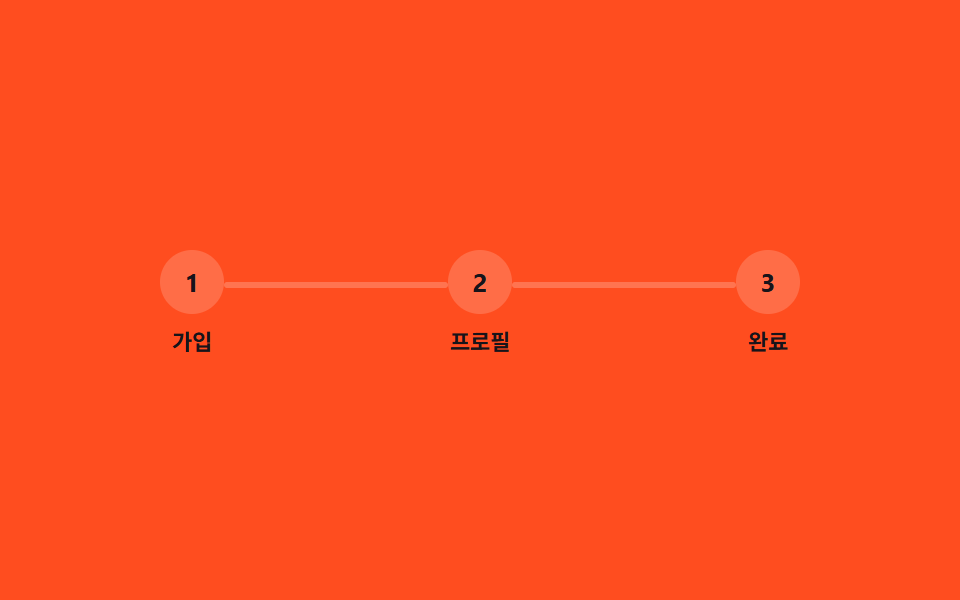 03 timeline-stepper-animation-horizontal-steps-fill
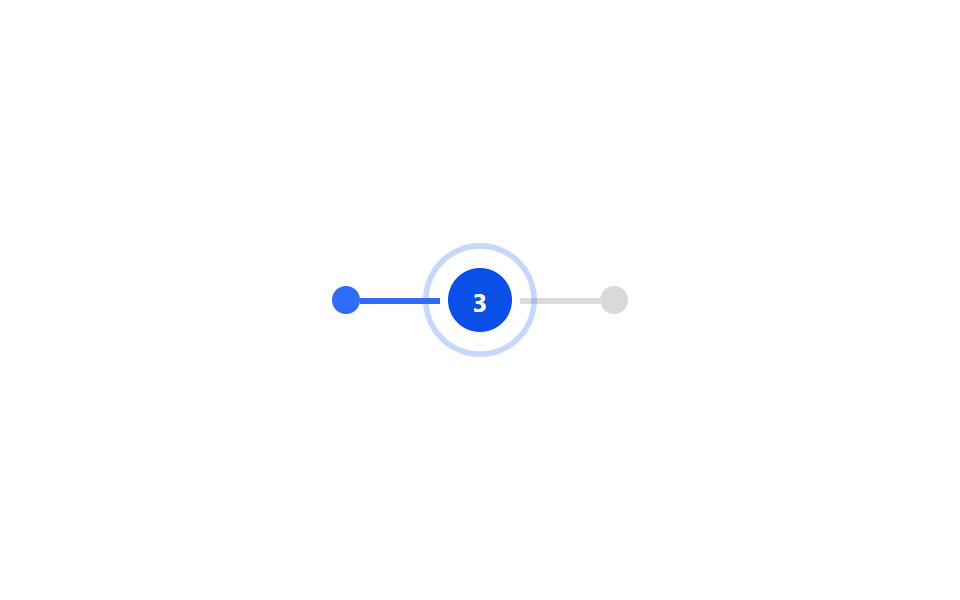 04 timeline-stepper-animation-active-step-pulse
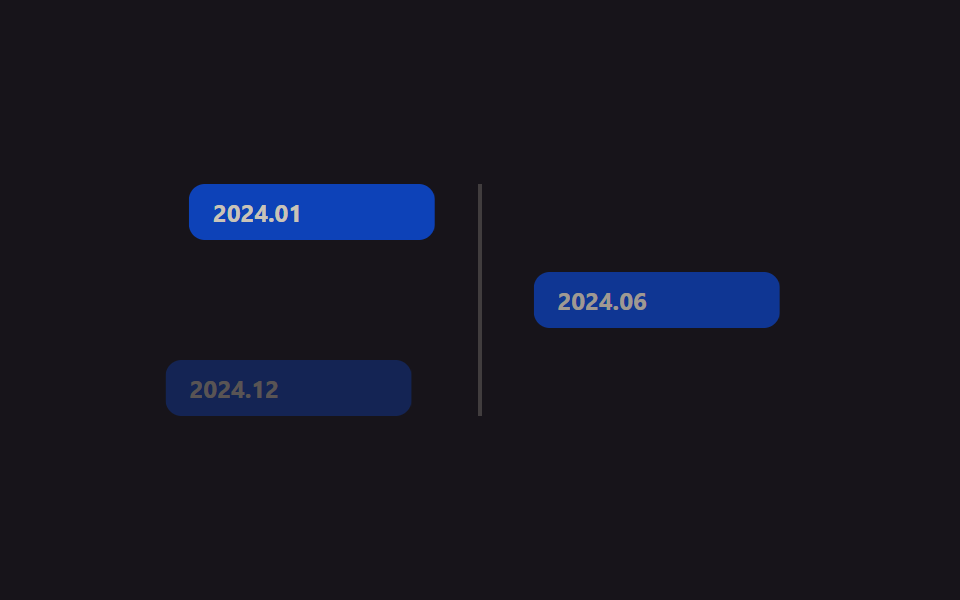 05 timeline-stepper-animation-card-alternate-slide
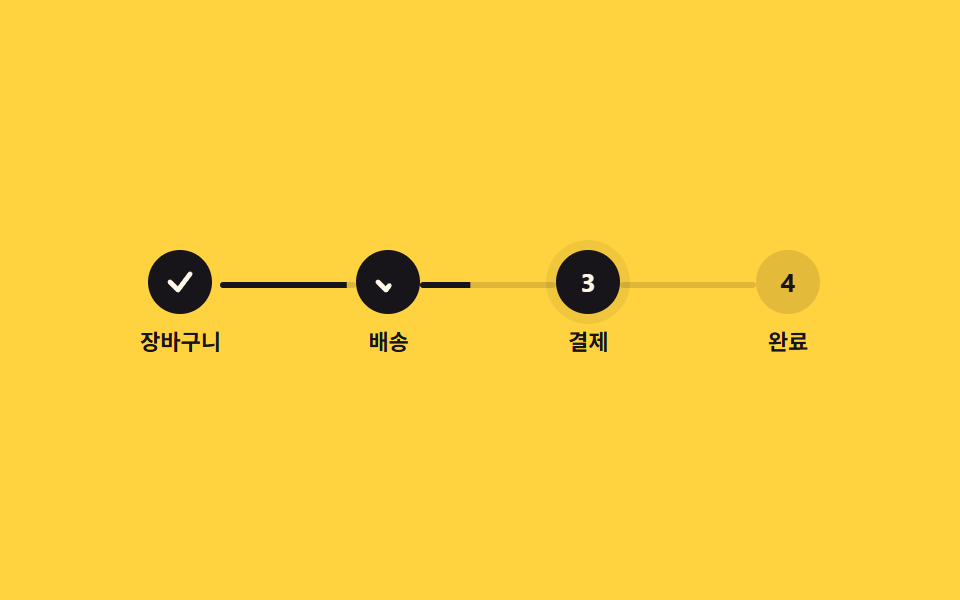 06 timeline-stepper-animation-checkout-stepper
 07 timeline-stepper-animation-scroll-progress-line
 08 timeline-stepper-animation-view-reveal-events
 09 timeline-stepper-animation-sibling-index-numbering
Tự chạy · bấm ô để tới mục đó · cả 9 trong một zip
- 01 Vẽ đường dọc
- 02 Chấm nảy lần lượt
- 03 Tô màu các bước ngang
- 04 Bước đang chạy đập nhịp
- 05 Card trượt so le hai bên
- 06 Stepper thanh toán
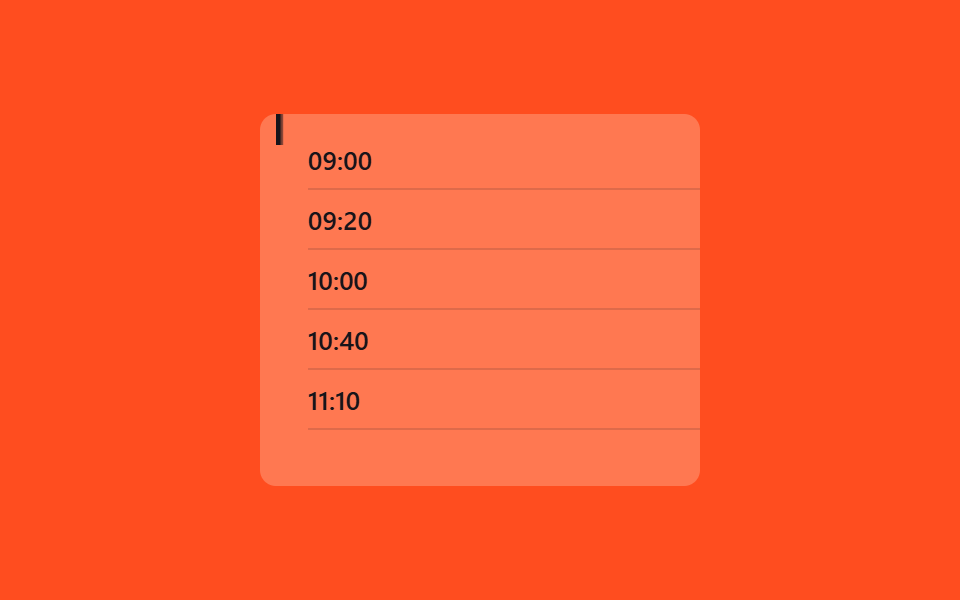
- 07 Vẽ đường tiến trình theo scroll(scroll())
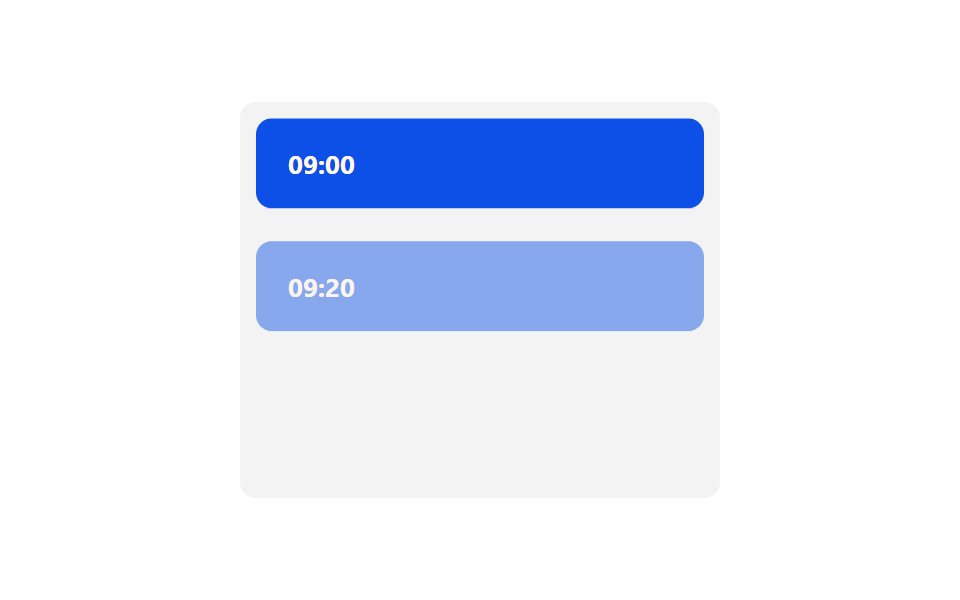
- 08 Sự kiện hiện dần bằng view()
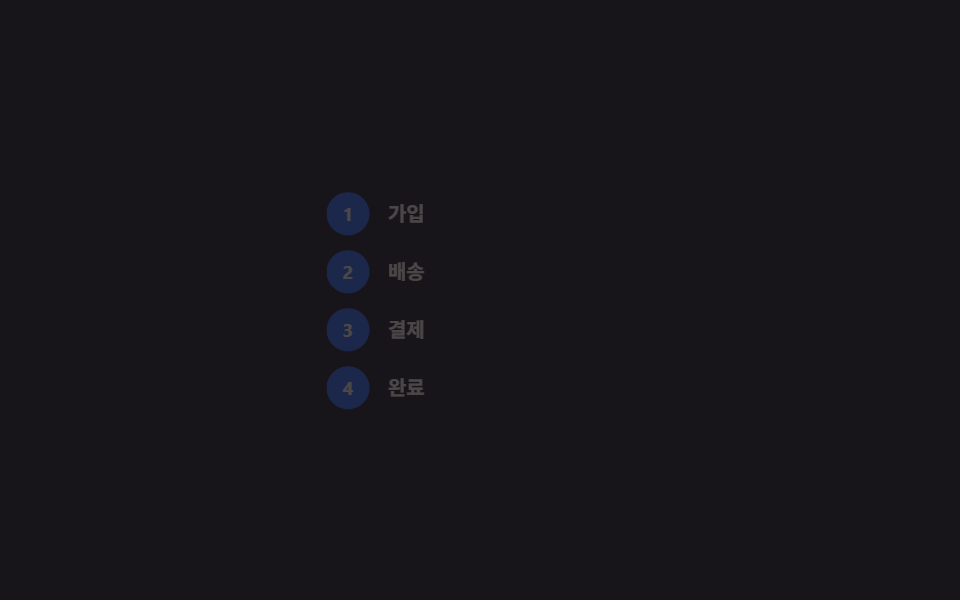
- 09 Đánh số tự động bằng sibling-index()
Chín mẫu timeline html css này xếp theo thứ tự một màn hình thật sự trải qua: trước hết là cách bản thân timeline được vẽ ra (01~02), rồi cách stepper nằm ngang bày tiến độ (03~04), tiếp đến cách nó phủ lên màn hình như nội dung (05~06), và cuối cùng là cách chỉ một tính năng CSS mới lo hết chuyện cuộn với thứ tự (07~09).
01Vẽ đường dọc
Timeline css design dùng vào đâu?
Ở danh sách sự kiện xếp dọc như lịch sử công ty hay kinh nghiệm trong CV, đường kẻ mọc dần từ trên xuống dưới.
<main class="stage">
  <ul class="ts01-timeline is-demo">
    <li class="ts01-step"><span class="ts01-dot"></span>Lên kế hoạch</li>
    <li class="ts01-step"><span class="ts01-dot"></span>Thiết kế</li>
    <li class="ts01-step"><span class="ts01-dot"></span>Phát triển</li>
    <li class="ts01-step"><span class="ts01-dot"></span>Ra mắt</li>
    <li class="ts01-line" aria-hidden="true"></li>
  </ul>
</main>
@use "../../../../site/static/demo-tokens" as *;
// ── 변수 3개 ──────────────────────────────────────────
$duration: $dur-enter;
$easing: $ease-out;
$color: $subject-blue;
@include stage($stage-ink);
.ts01-timeline {
position: relative;
margin: 0;
padding: 0 0 0 32px;
list-style: none;
color: $subject-cream;
font: 500 13px/1 -apple-system, "Segoe UI", "Noto Sans KR", sans-serif;
}
.ts01-step {
position: relative;
padding: $sp-1 0;
margin-bottom: clamp($sp-4, 6vw, $sp-6);
&:last-of-type { margin-bottom: 0; }
}
.ts01-dot {
position: absolute;
left: -28px;
top: 3px;
width: 12px;
height: 12px;
border-radius: 50%;
background: $subject-cream;
border: 2px solid $stage-ink;
box-shadow: 0 0 0 2px $color;
}
// 세로선: 위에서 아래로 그려진다 (실제 사용 코드 — 뷰포트 진입 시 한 번)
.ts01-line {
position: absolute;
left: -23px;
top: 4px;
width: 3px;
height: calc(100% - 12px);
background: $color;
border-radius: $r-xs;
transform: scaleY(1);
transform-origin: top; // 규칙8: 세로선 위에서 그려짐
@supports (animation-timeline: view()) {
transform: scaleY(0);
animation: ts01-draw linear both;
animation-timeline: view();
animation-range: entry 0% cover 70%;
}
}
@keyframes ts01-draw {
from { transform: scaleY(0); }
to { transform: scaleY(1); }
}
// 데모 루프: 뷰포트 진입을 2초 주기로 흉내
.ts01-timeline.is-demo .ts01-line {
animation: ts01-draw-loop $duration $easing infinite;
}
@keyframes ts01-draw-loop {
0%, 8% { transform: scaleY(0); }
75%, 100% { transform: scaleY(1); }
}
@media (prefers-reduced-motion: reduce) {
.ts01-line, .ts01-timeline.is-demo .ts01-line { animation: none !important; transform: scaleY(1) !important; }
}html, body {
margin: 0;
overflow: hidden;
}
.stage {
box-sizing: border-box;
min-height: 100vh;
display: grid;
place-items: center;
margin: 0;
background: #17141a;
font-family: -apple-system, "Segoe UI", "Noto Sans KR", sans-serif;
padding: clamp(8px, 4vw, 24px);
}
.ts01-timeline {
position: relative;
margin: 0;
padding: 0 0 0 32px;
list-style: none;
color: #fff7e6;
font: 500 13px/1 -apple-system, "Segoe UI", "Noto Sans KR", sans-serif;
}
.ts01-step {
position: relative;
padding: 4px 0;
margin-bottom: clamp(16px, 6vw, 24px);
}
.ts01-step:last-of-type {
margin-bottom: 0;
}
.ts01-dot {
position: absolute;
left: -28px;
top: 3px;
width: 12px;
height: 12px;
border-radius: 50%;
background: #fff7e6;
border: 2px solid #17141a;
box-shadow: 0 0 0 2px #2f6df6;
}
.ts01-line {
position: absolute;
left: -23px;
top: 4px;
width: 3px;
height: calc(100% - 12px);
background: #2f6df6;
border-radius: 4px;
transform: scaleY(1);
transform-origin: top;
}
@supports (animation-timeline: view()) {
.ts01-line {
transform: scaleY(0);
animation: ts01-draw linear both;
animation-timeline: view();
animation-range: entry 0% cover 70%;
}
}
@keyframes ts01-draw {
from {
transform: scaleY(0);
}
to {
transform: scaleY(1);
}
}
.ts01-timeline.is-demo .ts01-line {
animation: ts01-draw-loop 600ms ease-out infinite;
}
@keyframes ts01-draw-loop {
0%, 8% {
transform: scaleY(0);
}
75%, 100% {
transform: scaleY(1);
}
}
@media (prefers-reduced-motion: reduce) {
.ts01-line, .ts01-timeline.is-demo .ts01-line {
animation: none !important;
transform: scaleY(1) !important;
}
}import { CSSProperties } from "react";
import styles from "./VerticalLineDraw.module.scss";
type Vars = CSSProperties & {
"--duration"?: string;
"--easing"?: string;
"--color"?: string;
};
export interface VerticalLineDrawProps {
duration?: string;
easing?: string;
color?: string;
steps?: string[];
}
export default function VerticalLineDraw({
duration = "600ms",
easing = "ease-out",
color = "#2f6df6",
steps = ["기획", "디자인", "개발", "출시"],
}: VerticalLineDrawProps) {
const style: Vars = {
"--duration": duration,
"--easing": easing,
"--color": color,
};
return (
<ul className={styles.timeline} style={style}>
{steps.map((s) => (
<li key={s} className={styles.step}>
<span className={styles.dot} />
{s}
</li>
))}
<li className={styles.line} aria-hidden="true" />
</ul>
);
}01 · Vẽ đường dọc — Diện tích đo được 0.368% · khung hình chuyển động 20/23Nguyên tác GODRICH · SCSS và React nằm trong tệp zip · Xem mật khẩu
Cách làm
Đi từ transform: scaleY(0) tới scaleY(1), chỉ cần thêm transform-origin: top là xong.
.rail {
  width: 3px;
  height: 100%;
  background: $color;
  transform-origin: top;
  transform: scaleY(1);

  @supports (animation-timeline: view()) {
    transform: scaleY(0);
    animation: draw linear both;
    animation-timeline: view();
    animation-range: entry 0% cover 70%;
  }
}
@keyframes draw {
  from { transform: scaleY(0); }
  to   { transform: scaleY(1); }
}
02Chấm bật lên lần lượt
Chuyện gì xảy ra
Các chấm trên đường kẻ nảy lên từng cái một, bắt đầu từ chấm trên cùng.
<main class="stage">
  <div class="ts02-row is-demo">
    <span class="ts02-dot"></span>
    <span class="ts02-dot"></span>
    <span class="ts02-dot"></span>
    <span class="ts02-dot"></span>
    <span class="ts02-dot"></span>
  </div>
</main>
@use "../../../../site/static/demo-tokens" as *;
// ── 변수 3개 ──────────────────────────────────────────
$duration: $dur-loop;
$easing: $ease-pop;
$color: $stage-ink;
@include stage($stage-yellow);
.ts02-row {
display: flex;
align-items: center;
gap: $sp-4;
}
.ts02-dot {
width: 28px;
height: 28px;
border-radius: 50%;
background: $color;
transform: scale(0);
opacity: 0;
}
// 실제 사용 코드: 뷰포트에 들어오면 순서대로 팝 (nth-child 델레이만 다르다)
@for $i from 1 through 5 {
.ts02-row .ts02-dot:nth-child(#{$i}) {
animation-delay: #{($i - 1) * 140}ms;
}
}
.ts02-row.is-demo .ts02-dot {
animation: ts02-pop $duration $easing infinite;
}
@keyframes ts02-pop {
0% { transform: scale(0); opacity: 0; }
10% { transform: scale(1.25); opacity: 1; }
20% { transform: scale(1); opacity: 1; }
85% { transform: scale(1); opacity: 1; }
92% { transform: scale(0); opacity: 0; }
100% { transform: scale(0); opacity: 0; }
}
@media (prefers-reduced-motion: reduce) {
.ts02-dot, .ts02-row.is-demo .ts02-dot { animation: none !important; transform: scale(1) !important; opacity: 1 !important; }
}html, body {
margin: 0;
overflow: hidden;
}
.stage {
box-sizing: border-box;
min-height: 100vh;
display: grid;
place-items: center;
margin: 0;
background: #ffd23f;
font-family: -apple-system, "Segoe UI", "Noto Sans KR", sans-serif;
padding: clamp(8px, 4vw, 24px);
}
.ts02-row {
display: flex;
align-items: center;
gap: 16px;
}
.ts02-dot {
width: 28px;
height: 28px;
border-radius: 50%;
background: #17141a;
transform: scale(0);
opacity: 0;
}
.ts02-row .ts02-dot:nth-child(1) {
animation-delay: 0ms;
}
.ts02-row .ts02-dot:nth-child(2) {
animation-delay: 140ms;
}
.ts02-row .ts02-dot:nth-child(3) {
animation-delay: 280ms;
}
.ts02-row .ts02-dot:nth-child(4) {
animation-delay: 420ms;
}
.ts02-row .ts02-dot:nth-child(5) {
animation-delay: 560ms;
}
.ts02-row.is-demo .ts02-dot {
animation: ts02-pop 2s cubic-bezier(0.2, 1.4, 0.4, 1) infinite;
}
@keyframes ts02-pop {
0% {
transform: scale(0);
opacity: 0;
}
10% {
transform: scale(1.25);
opacity: 1;
}
20% {
transform: scale(1);
opacity: 1;
}
85% {
transform: scale(1);
opacity: 1;
}
92% {
transform: scale(0);
opacity: 0;
}
100% {
transform: scale(0);
opacity: 0;
}
}
@media (prefers-reduced-motion: reduce) {
.ts02-dot, .ts02-row.is-demo .ts02-dot {
animation: none !important;
transform: scale(1) !important;
opacity: 1 !important;
}
}import { CSSProperties } from "react";
import styles from "./DotPopStagger.module.scss";
type Vars = CSSProperties & {
"--duration"?: string;
"--easing"?: string;
"--color"?: string;
};
export interface DotPopStaggerProps {
duration?: string;
easing?: string;
color?: string;
count?: number;
stepDelay?: number;
}
export default function DotPopStagger({
duration = "2s",
easing = "cubic-bezier(.2, 1.4, .4, 1)",
color = "#17141a",
count = 5,
stepDelay = 140,
}: DotPopStaggerProps) {
const style: Vars = { "--duration": duration, "--easing": easing, "--color": color };
return (
<div className={styles.row} style={style}>
{Array.from({ length: count }).map((_, i) => (
<span key={i} className={styles.dot} style={{ animationDelay: `${i * stepDelay}ms` }} />
))}
</div>
);
}02 · Chấm nảy lần lượt — Diện tích đo được 4.049% · khung hình chuyển động 6/23Nguyên tác GODRICH · SCSS và React nằm trong tệp zip · Xem mật khẩu
Lý do làm vậy
Dùng cho checklist onboarding hay bảng hiện bước xử lý đơn hàng, mỗi chấm chỉ khác nhau delay đặt qua nth-child.
.dot {
  width: 28px;
  height: 28px;
  border-radius: 50%;
  background: $color;
  transform: scale(0);
  opacity: 0;
  animation: pop 2s cubic-bezier(.2, 1.4, .4, 1) both;
}

@for $i from 1 through 5 {
  .dot:nth-child(#{$i}) { animation-delay: #{($i - 1) * 140}ms; }
}

@keyframes pop {
  0%   { transform: scale(0);    opacity: 0; }
  60%  { transform: scale(1.25); opacity: 1; }
  100% { transform: scale(1);    opacity: 1; }
}
03Đổ đầy bước nằm ngang
Trên màn hình
Ở chuỗi bước nằm ngang kiểu đăng ký thành viên hay khảo sát, đường nối giữa các bước được tô màu đúng bằng quãng đã đi qua.
<main class="stage">
  <div class="ts03-steps is-demo">
    <div class="ts03-step"><span class="ts03-circle">1</span><span class="ts03-label">Đăng ký</span></div>
    <span class="ts03-bar"><span class="ts03-fill"></span></span>
    <div class="ts03-step"><span class="ts03-circle">2</span><span class="ts03-label">Hồ sơ</span></div>
    <span class="ts03-bar"><span class="ts03-fill"></span></span>
    <div class="ts03-step"><span class="ts03-circle">3</span><span class="ts03-label">Hoàn tất</span></div>
  </div>
</main>
@use "../../../../site/static/demo-tokens" as *;
// ── 변수 3개 ──────────────────────────────────────────
$duration: $dur-base;
$easing: $ease-out;
$color: $subject-ink; // 주황 무대 위 전경은 잉크 — 크림은 3.11:1
@include stage($stage-orange);
.ts03-steps {
display: flex;
align-items: flex-start;
width: min(320px, 88vw);
}
.ts03-step {
flex-grow: 0;
flex-shrink: 0;
flex-basis: auto;
display: flex;
flex-direction: column;
align-items: center;
gap: $sp-2;
color: $color;
font: 600 11px/1 -apple-system, "Segoe UI", "Noto Sans KR", sans-serif;
}
.ts03-circle {
width: 32px;
height: 32px;
border-radius: 50%;
display: grid;
place-items: center;
background: rgba(255, 255, 255, .18);
color: $color;
font-weight: 700;
font-size: 13px;
line-height: 1;
font-family: inherit;
}
// 연결선: 왼쪽부터 채워진다 (transform-origin: left, scaleX)
.ts03-bar {
flex-grow: 1;
flex-shrink: 1;
flex-basis: 0;
height: 3px;
margin-top: 16px;
background: rgba(255, 255, 255, .22);
border-radius: $r-xs;
overflow: hidden;
display: block;
}
.ts03-fill {
display: block;
width: 100%;
height: 100%;
background: $color;
transform: scaleX(0);
transform-origin: left; // 규칙8: 연결선 왼쪽부터 채움
}
// 실제 사용 코드: 단계가 끝나면 JS 가 .is-done 을 붙이고 채워진다
.ts03-step.is-done .ts03-circle { background: $subject-cream; color: $subject-orange-deep; } // 채워진 원 안 숫자 — 크림 면 위 deep 5.04:1
.ts03-step.is-done + .ts03-bar .ts03-fill { transform: scaleX(1); }
// 데모 루프: 1 → 2 → 3 순서로 채워지는 걸 2초에 한 번
.ts03-steps.is-demo .ts03-step:nth-child(1) .ts03-circle { animation: ts03-done $duration $easing infinite; }
.ts03-steps.is-demo .ts03-bar:nth-child(2) .ts03-fill { animation: ts03-fill $duration $easing infinite; animation-delay: .3s; }
.ts03-steps.is-demo .ts03-step:nth-child(3) .ts03-circle { animation: ts03-done $duration $easing infinite; animation-delay: .9s; }
.ts03-steps.is-demo .ts03-bar:nth-child(4) .ts03-fill { animation: ts03-fill $duration $easing infinite; animation-delay: 1.2s; }
@keyframes ts03-fill { from { transform: scaleX(0); } to { transform: scaleX(1); } }
@keyframes ts03-done { from { background: rgba(255, 255, 255, .18); } to { background: $subject-cream; } }
@media (prefers-reduced-motion: reduce) {
.ts03-fill, .ts03-steps.is-demo .ts03-fill { animation: none !important; transform: scaleX(1) !important; }
.ts03-steps.is-demo .ts03-circle { animation: none !important; }
}html, body {
margin: 0;
overflow: hidden;
}
.stage {
box-sizing: border-box;
min-height: 100vh;
display: grid;
place-items: center;
margin: 0;
background: #ff4d1f;
font-family: -apple-system, "Segoe UI", "Noto Sans KR", sans-serif;
padding: clamp(8px, 4vw, 24px);
}
.ts03-steps {
display: flex;
align-items: flex-start;
width: min(320px, 88vw);
}
.ts03-step {
flex-grow: 0;
flex-shrink: 0;
flex-basis: auto;
display: flex;
flex-direction: column;
align-items: center;
gap: 8px;
color: #17141a;
font: 600 11px/1 -apple-system, "Segoe UI", "Noto Sans KR", sans-serif;
}
.ts03-circle {
width: 32px;
height: 32px;
border-radius: 50%;
display: grid;
place-items: center;
background: rgba(255, 255, 255, 0.18);
color: #17141a;
font-weight: 700;
font-size: 13px;
line-height: 1;
font-family: inherit;
}
.ts03-bar {
flex-grow: 1;
flex-shrink: 1;
flex-basis: 0;
height: 3px;
margin-top: 16px;
background: rgba(255, 255, 255, 0.22);
border-radius: 4px;
overflow: hidden;
display: block;
}
.ts03-fill {
display: block;
width: 100%;
height: 100%;
background: #17141a;
transform: scaleX(0);
transform-origin: left;
}
.ts03-step.is-done .ts03-circle {
background: #fff7e6;
color: #c93000;
}
.ts03-step.is-done + .ts03-bar .ts03-fill {
transform: scaleX(1);
}
.ts03-steps.is-demo .ts03-step:nth-child(1) .ts03-circle {
animation: ts03-done 300ms ease-out infinite;
}
.ts03-steps.is-demo .ts03-bar:nth-child(2) .ts03-fill {
animation: ts03-fill 300ms ease-out infinite;
animation-delay: 0.3s;
}
.ts03-steps.is-demo .ts03-step:nth-child(3) .ts03-circle {
animation: ts03-done 300ms ease-out infinite;
animation-delay: 0.9s;
}
.ts03-steps.is-demo .ts03-bar:nth-child(4) .ts03-fill {
animation: ts03-fill 300ms ease-out infinite;
animation-delay: 1.2s;
}
@keyframes ts03-fill {
from {
transform: scaleX(0);
}
to {
transform: scaleX(1);
}
}
@keyframes ts03-done {
from {
background: rgba(255, 255, 255, 0.18);
}
to {
background: #fff7e6;
}
}
@media (prefers-reduced-motion: reduce) {
.ts03-fill, .ts03-steps.is-demo .ts03-fill {
animation: none !important;
transform: scaleX(1) !important;
}
.ts03-steps.is-demo .ts03-circle {
animation: none !important;
}
}import { CSSProperties } from "react";
import styles from "./HorizontalStepsFill.module.scss";
type Vars = CSSProperties & {
"--duration"?: string;
"--easing"?: string;
"--color"?: string;
};
export interface HorizontalStepsFillProps {
duration?: string;
easing?: string;
color?: string;
labels?: string[];
doneCount?: number;
}
export default function HorizontalStepsFill({
duration = "600ms",
easing = "ease-out",
color = "#17141a",
labels = ["가입", "프로필", "완료"],
doneCount = 2,
}: HorizontalStepsFillProps) {
const style: Vars = { "--duration": duration, "--easing": easing, "--color": color };
return (
<div className={styles.steps} style={style}>
{labels.map((label, i) => (
<div key={label} style={{ display: "contents" }}>
<div className={styles.step}>
<span className={`${styles.circle} ${i < doneCount ? styles.done : ""}`}>{i + 1}</span>
<span>{label}</span>
</div>
{i < labels.length - 1 && (
<span className={styles.bar}>
<span className={`${styles.fill} ${i < doneCount - 1 ? styles.filled : ""}`} />
</span>
)}
</div>
))}
</div>
);
}03 · Tô màu các bước ngang — Diện tích đo được 1.597% · khung hình chuyển động 23/23Nguyên tác GODRICH · SCSS và React nằm trong tệp zip · Xem mật khẩu
Cốt lõi khi triển khai
scaleX phóng to theo chính chiều rộng của nó, nên bạn khỏi cần biết ô bên cạnh rộng bao nhiêu.
.bar {
  flex-grow: 1;
  flex-shrink: 1;
  flex-basis: 0;
  height: 3px;
  overflow: hidden;
}
.fill {
  width: 100%;
  height: 100%;
  background: $color;
  transform: scaleX(0);
  transform-origin: left;
}
.step.is-done + .bar .fill { transform: scaleX(1); }
04Nhịp đập ở bước đang chạy
Nhìn thế nào
Giống đơn hàng đang được xử lý hay badge báo realtime, phía sau vòng tròn của bước đang chạy có một vòng phình ra rồi nhạt dần, lặp mãi.
<main class="stage">
  <div class="ts04-track">
    <span class="ts04-node is-done"></span>
    <span class="ts04-line is-done"></span>
    <span class="ts04-step is-demo">
      <span class="ts04-ring"></span>
      <span class="ts04-circle">3</span>
    </span>
    <span class="ts04-line"></span>
    <span class="ts04-node"></span>
  </div>
</main>
@use "../../../../site/static/demo-tokens" as *;
// ── 변수 3개 ──────────────────────────────────────────
$duration: $dur-loop;
$easing: $ease-out;
$color: $subject-blue;
@include stage($stage-paper);
.ts04-track {
display: flex;
align-items: center;
gap: 0;
}
.ts04-node {
width: 14px;
height: 14px;
border-radius: 50%;
background: rgba(23, 20, 26, .16);
flex: 0 0 auto;
&.is-done { background: $color; }
}
.ts04-line {
width: 40px;
height: 3px;
background: rgba(23, 20, 26, .16);
flex: 0 0 auto;
&.is-done { background: $color; }
}
.ts04-step {
position: relative;
width: 40px;
height: 40px;
flex: 0 0 auto;
display: grid;
place-items: center;
}
// 지금 처리 중인 단계: 뒤에서 링이 번지는 펄스
.ts04-ring {
position: absolute;
inset: 0;
border-radius: 50%;
border: 2px solid $color;
opacity: 0;
}
.ts04-step.is-demo .ts04-ring {
animation: ts04-pulse $duration $easing infinite;
}
@keyframes ts04-pulse {
0% { transform: scale(.7); opacity: .8; }
70% { transform: scale(1.8); opacity: 0; }
100% { transform: scale(1.8); opacity: 0; }
}
.ts04-circle {
width: 32px;
height: 32px;
border-radius: 50%;
background: $subject-blue-deep; // 크림 글자가 얹히므로 진한 파랑
color: $subject-cream;
display: grid;
place-items: center;
font: 700 13px/1 -apple-system, "Segoe UI", "Noto Sans KR", sans-serif;
}
@media (prefers-reduced-motion: reduce) {
.ts04-ring, .ts04-step.is-demo .ts04-ring { animation: none !important; opacity: .6 !important; transform: scale(1) !important; }
}html, body {
margin: 0;
overflow: hidden;
}
.stage {
box-sizing: border-box;
min-height: 100vh;
display: grid;
place-items: center;
margin: 0;
background: #ffffff;
font-family: -apple-system, "Segoe UI", "Noto Sans KR", sans-serif;
padding: clamp(8px, 4vw, 24px);
}
.ts04-track {
display: flex;
align-items: center;
gap: 0;
}
.ts04-node {
width: 14px;
height: 14px;
border-radius: 50%;
background: rgba(23, 20, 26, 0.16);
flex: 0 0 auto;
}
.ts04-node.is-done {
background: #2f6df6;
}
.ts04-line {
width: 40px;
height: 3px;
background: rgba(23, 20, 26, 0.16);
flex: 0 0 auto;
}
.ts04-line.is-done {
background: #2f6df6;
}
.ts04-step {
position: relative;
width: 40px;
height: 40px;
flex: 0 0 auto;
display: grid;
place-items: center;
}
.ts04-ring {
position: absolute;
inset: 0;
border-radius: 50%;
border: 2px solid #2f6df6;
opacity: 0;
}
.ts04-step.is-demo .ts04-ring {
animation: ts04-pulse 2s ease-out infinite;
}
@keyframes ts04-pulse {
0% {
transform: scale(0.7);
opacity: 0.8;
}
70% {
transform: scale(1.8);
opacity: 0;
}
100% {
transform: scale(1.8);
opacity: 0;
}
}
.ts04-circle {
width: 32px;
height: 32px;
border-radius: 50%;
background: #0a4fe8;
color: #fff7e6;
display: grid;
place-items: center;
font: 700 13px/1 -apple-system, "Segoe UI", "Noto Sans KR", sans-serif;
}
@media (prefers-reduced-motion: reduce) {
.ts04-ring, .ts04-step.is-demo .ts04-ring {
animation: none !important;
opacity: 0.6 !important;
transform: scale(1) !important;
}
}import { CSSProperties } from "react";
import styles from "./ActiveStepPulse.module.scss";
type Vars = CSSProperties & {
"--duration"?: string;
"--easing"?: string;
"--color"?: string;
};
export interface ActiveStepPulseProps {
duration?: string;
easing?: string;
color?: string;
activeNumber?: number;
}
export default function ActiveStepPulse({
duration = "1.6s",
easing = "ease-out",
color = "#2f6df6",
activeNumber = 3,
}: ActiveStepPulseProps) {
const style: Vars = { "--duration": duration, "--easing": easing, "--color": color };
return (
<div className={styles.track} style={style}>
<span className={`${styles.node} ${styles.done}`} />
<span className={`${styles.line} ${styles.done}`} />
<span className={styles.step}>
<span className={styles.ring} />
<span className={styles.circle}>{activeNumber}</span>
</span>
<span className={styles.line} />
<span className={styles.node} />
</div>
);
}04 · Bước đang chạy đập nhịp — Diện tích đo được 2.033% · khung hình chuyển động 13/23Nguyên tác GODRICH · SCSS và React nằm trong tệp zip · Xem mật khẩu
Điểm mấu chốt
Nó tách riêng đúng một tín hiệu "chỗ này đang chạy", giống vệt radar quét qua.
.ring {
  position: absolute;
  inset: 0;
  border-radius: 50%;
  border: 2px solid $color;
  animation: pulse 1.6s ease-out infinite;
}
@keyframes pulse {
  0%   { transform: scale(.7); opacity: .8; }
  70%  { transform: scale(1.8); opacity: 0; }
  100% { transform: scale(1.8); opacity: 0; }
}
05Thẻ trượt so le hai bên
Dùng khi nào
Trên trang mốc dự án hay lịch sử công ty, lấy đường dọc giữa làm trục, thẻ lẻ dồn vào từ trái còn thẻ chẵn dồn vào từ phải.
<main class="stage">
  <div class="ts05-timeline is-demo">
    <div class="ts05-row ts05-row--l"><div class="ts05-card">2024.01</div></div>
    <div class="ts05-row ts05-row--r"><div class="ts05-card">2024.06</div></div>
    <div class="ts05-row ts05-row--l"><div class="ts05-card">2024.12</div></div>
  </div>
</main>
@use "../../../../site/static/demo-tokens" as *;
// ── 변수 3개 ──────────────────────────────────────────
$duration: $dur-loop;
$easing: $ease-spring;
$color: $subject-blue-deep; // 크림 글자가 얹히므로 진한 파랑
@include stage($stage-ink);
.ts05-timeline {
position: relative;
width: min(280px, 84vw);
display: flex;
flex-direction: column;
gap: $sp-4;
// 가운데 세로선
&::before {
content: "";
position: absolute;
left: 50%;
top: 0;
width: 2px;
height: 100%;
background: rgba(255, 247, 230, .18);
transform: translateX(-50%);
}
}
.ts05-row {
display: flex;
&--l { justify-content: flex-start; }
&--r { justify-content: flex-end; }
}
.ts05-card {
width: 44%;
box-sizing: border-box;
padding: $sp-2 $sp-3;
border-radius: $r-sm;
background: $color;
color: $subject-cream;
font: 700 12px/1 -apple-system, "Segoe UI", "Noto Sans KR", sans-serif;
opacity: 0;
}
// 실제 사용 코드: 뷰포트에 들어오면 홀수는 왼쪽, 짝수는 오른쪽에서 모인다
.ts05-row--l .ts05-card { transform: translateX(-24px); }
.ts05-row--r .ts05-card { transform: translateX(24px); }
@supports (animation-timeline: view()) {
.ts05-row--l .ts05-card { animation: ts05-in-l $duration $easing both; animation-timeline: view(); animation-range: entry 0% cover 60%; }
.ts05-row--r .ts05-card { animation: ts05-in-r $duration $easing both; animation-timeline: view(); animation-range: entry 0% cover 60%; }
}
@supports not (animation-timeline: view()) {
.ts05-card { opacity: 1; transform: none; }
}
@keyframes ts05-in-l { from { opacity: 0; transform: translateX(-24px); } to { opacity: 1; transform: translateX(0); } }
@keyframes ts05-in-r { from { opacity: 0; transform: translateX(24px); } to { opacity: 1; transform: translateX(0); } }
// 데모 루프: 위에서부터 순서대로
.ts05-timeline.is-demo .ts05-row--l .ts05-card { animation: ts05-in-l $duration $easing infinite; }
.ts05-timeline.is-demo .ts05-row--r .ts05-card { animation: ts05-in-r $duration $easing infinite; animation-delay: .18s; }
.ts05-timeline.is-demo .ts05-row:nth-child(3) .ts05-card { animation-delay: .36s; }
@media (prefers-reduced-motion: reduce) {
.ts05-card, .ts05-timeline.is-demo .ts05-card { animation: none !important; opacity: 1 !important; transform: none !important; }
}html, body {
margin: 0;
overflow: hidden;
}
.stage {
box-sizing: border-box;
min-height: 100vh;
display: grid;
place-items: center;
margin: 0;
background: #17141a;
font-family: -apple-system, "Segoe UI", "Noto Sans KR", sans-serif;
padding: clamp(8px, 4vw, 24px);
}
.ts05-timeline {
position: relative;
width: min(280px, 84vw);
display: flex;
flex-direction: column;
gap: 16px;
}
.ts05-timeline::before {
content: "";
position: absolute;
left: 50%;
top: 0;
width: 2px;
height: 100%;
background: rgba(255, 247, 230, 0.18);
transform: translateX(-50%);
}
.ts05-row {
display: flex;
}
.ts05-row--l {
justify-content: flex-start;
}
.ts05-row--r {
justify-content: flex-end;
}
.ts05-card {
width: 44%;
box-sizing: border-box;
padding: 8px 12px;
border-radius: 8px;
background: #0a4fe8;
color: #fff7e6;
font: 700 12px/1 -apple-system, "Segoe UI", "Noto Sans KR", sans-serif;
opacity: 0;
}
.ts05-row--l .ts05-card {
transform: translateX(-24px);
}
.ts05-row--r .ts05-card {
transform: translateX(24px);
}
@supports (animation-timeline: view()) {
.ts05-row--l .ts05-card {
animation: ts05-in-l 2s cubic-bezier(0.2, 0.8, 0.2, 1) both;
animation-timeline: view();
animation-range: entry 0% cover 60%;
}
.ts05-row--r .ts05-card {
animation: ts05-in-r 2s cubic-bezier(0.2, 0.8, 0.2, 1) both;
animation-timeline: view();
animation-range: entry 0% cover 60%;
}
}
@supports not (animation-timeline: view()) {
.ts05-card {
opacity: 1;
transform: none;
}
}
@keyframes ts05-in-l {
from {
opacity: 0;
transform: translateX(-24px);
}
to {
opacity: 1;
transform: translateX(0);
}
}
@keyframes ts05-in-r {
from {
opacity: 0;
transform: translateX(24px);
}
to {
opacity: 1;
transform: translateX(0);
}
}
.ts05-timeline.is-demo .ts05-row--l .ts05-card {
animation: ts05-in-l 2s cubic-bezier(0.2, 0.8, 0.2, 1) infinite;
}
.ts05-timeline.is-demo .ts05-row--r .ts05-card {
animation: ts05-in-r 2s cubic-bezier(0.2, 0.8, 0.2, 1) infinite;
animation-delay: 0.18s;
}
.ts05-timeline.is-demo .ts05-row:nth-child(3) .ts05-card {
animation-delay: 0.36s;
}
@media (prefers-reduced-motion: reduce) {
.ts05-card, .ts05-timeline.is-demo .ts05-card {
animation: none !important;
opacity: 1 !important;
transform: none !important;
}
}import { CSSProperties } from "react";
import styles from "./AlternatingCardSlide.module.scss";
type Vars = CSSProperties & {
"--duration"?: string;
"--easing"?: string;
"--color"?: string;
};
export interface AlternatingCardSlideProps {
duration?: string;
easing?: string;
color?: string;
dates?: string[];
}
export default function AlternatingCardSlide({
duration = "2s",
easing = "cubic-bezier(.2, .8, .2, 1)",
color = "#0a4fe8",
dates = ["2024.01", "2024.06", "2024.12"],
}: AlternatingCardSlideProps) {
const style: Vars = { "--duration": duration, "--easing": easing, "--color": color };
return (
<div className={styles.timeline} style={style}>
{dates.map((d, i) => (
<div key={d} className={`${styles.row} ${i % 2 === 0 ? styles.rowL : styles.rowR}`}>
<div className={styles.card} style={{ animationDelay: `${i * 180}ms` }}>{d}</div>
</div>
))}
</div>
);
}05 · Card trượt so le hai bên — Diện tích đo được 8.283% · khung hình chuyển động 23/23Nguyên tác GODRICH · SCSS và React nằm trong tệp zip · Xem mật khẩu
Điểm cần ghi nhớ
Mỗi thẻ lọt vào viewport sẽ tự khởi động nhờ view().
.row--l .card { transform: translateX(-24px); }
.row--r .card { transform: translateX(24px); }

@supports (animation-timeline: view()) {
  .card {
    opacity: 0;
    animation: in ease-out both;
    animation-timeline: view();
    animation-range: entry 0% cover 60%;
  }
}
@keyframes in { to { opacity: 1; transform: translateX(0); } }
06Stepper thanh toán
Màn hình nào
Trong bốn bước của luồng thanh toán thương mại điện tử hay form đặt chỗ, bước nào xong thì con số trong vòng tròn đổi thành icon dấu check.
<main class="stage">
  <div class="ts06-steps is-demo">
    <div class="ts06-step">
      <span class="ts06-circle" aria-label="Hoàn tất">
        <svg class="ts06-check" viewBox="0 0 16 16" fill="none" aria-hidden="true"><polyline points="3,8 7,12 13,4" /></svg>
        <span class="ts06-num">1</span>
      </span>
      <span class="ts06-label">Giỏ hàng</span>
    </div>
    <span class="ts06-bar"><span class="ts06-fill"></span></span>
    <div class="ts06-step">
      <span class="ts06-circle" aria-label="Hoàn tất">
        <svg class="ts06-check" viewBox="0 0 16 16" fill="none" aria-hidden="true"><polyline points="3,8 7,12 13,4" /></svg>
        <span class="ts06-num">2</span>
      </span>
      <span class="ts06-label">Giao hàng</span>
    </div>
    <span class="ts06-bar"><span class="ts06-fill"></span></span>
    <div class="ts06-step ts06-step--active">
      <span class="ts06-circle"><span class="ts06-num">3</span></span>
      <span class="ts06-label">Thanh toán</span>
    </div>
    <span class="ts06-bar"></span>
    <div class="ts06-step">
      <span class="ts06-circle"><span class="ts06-num">4</span></span>
      <span class="ts06-label">Hoàn tất</span>
    </div>
  </div>
</main>@use "../../../../site/static/demo-tokens" as *;
// ── 변수 3개 ──────────────────────────────────────────
$duration: $dur-loop;
$easing: $ease-out;
$color: $stage-ink;
@include stage($stage-yellow);
.ts06-steps {
display: flex;
align-items: flex-start;
width: min(340px, 90vw);
}
.ts06-step {
flex-grow: 0;
flex-shrink: 0;
flex-basis: auto;
display: flex;
flex-direction: column;
align-items: center;
gap: $sp-2;
color: $color;
font: 600 11px/1 -apple-system, "Segoe UI", "Noto Sans KR", sans-serif;
}
.ts06-circle {
position: relative;
width: 32px;
height: 32px;
border-radius: 50%;
background: rgba(23, 20, 26, .12);
display: grid;
place-items: center;
}
.ts06-num { font-weight: 700; font-size: 13px; line-height: 1; font-family: inherit; }
// 체크 아이콘: SVG polyline 을 stroke-dashoffset 으로 그린다 (BD16: 막대 두 개 사선 대신 안전한 방법)
.ts06-check {
position: absolute;
inset: 0;
width: 100%;
height: 100%;
padding: 8px;
box-sizing: border-box;
opacity: 0;
polyline {
fill: none;
stroke: $subject-cream;
stroke-width: 2.4;
stroke-linecap: round;
stroke-linejoin: round;
stroke-dasharray: 16;
stroke-dashoffset: 16;
}
}
.ts06-num { opacity: 0; }
// 실제 사용 코드: 끝난 단계는 JS 가 .is-checked 를 붙이면 체크가 그려지고 숫자는 사라진다
.ts06-step.is-checked .ts06-circle { background: $color; }
.ts06-step.is-checked .ts06-check { opacity: 1; }
.ts06-step.is-checked .ts06-check polyline { animation: ts06-draw .5s $easing forwards; }
.ts06-step.is-checked .ts06-num { display: none; }
.ts06-step:not(.is-checked) .ts06-num { opacity: 1; }
.ts06-step--active .ts06-circle { background: $color; color: $subject-cream; }
.ts06-step--active .ts06-num { opacity: 1; color: $subject-cream; }
.ts06-step.is-checked + .ts06-bar .ts06-fill { transform: scaleX(1); }
.ts06-bar {
flex-grow: 1;
flex-shrink: 1;
flex-basis: 0;
height: 3px;
margin-top: 16px;
background: rgba(23, 20, 26, .14);
border-radius: $r-xs;
overflow: hidden;
display: block;
}
.ts06-fill {
display: block;
width: 100%;
height: 100%;
background: $color;
transform: scaleX(0);
transform-origin: left; // 규칙8: 체크아웃 연결선 좌측 채움
}
@keyframes ts06-draw { from { stroke-dashoffset: 16; } to { stroke-dashoffset: 0; } }
// 데모 루프: 1·2 는 이미 완료, 3(결제)이 활성 상태로 펄스
.ts06-steps.is-demo .ts06-step--active .ts06-circle { animation: ts06-active-pulse 1.2s $easing infinite; }
.ts06-steps.is-demo .ts06-step:nth-child(1) .ts06-circle,
.ts06-steps.is-demo .ts06-step:nth-child(3) .ts06-circle { background: $color; }
.ts06-steps.is-demo .ts06-step:nth-child(1) .ts06-check,
.ts06-steps.is-demo .ts06-step:nth-child(3) .ts06-check { opacity: 1; }
.ts06-steps.is-demo .ts06-step:nth-child(1) .ts06-num,
.ts06-steps.is-demo .ts06-step:nth-child(3) .ts06-num { display: none; }
.ts06-steps.is-demo .ts06-step:nth-child(1) .ts06-check polyline { animation: ts06-draw-loop $duration $easing infinite; }
.ts06-steps.is-demo .ts06-step:nth-child(3) .ts06-check polyline { animation: ts06-draw-loop $duration $easing infinite; animation-delay: .35s; }
.ts06-steps.is-demo .ts06-bar:nth-child(2) .ts06-fill { animation: ts06-fill-loop $duration $easing infinite; }
.ts06-steps.is-demo .ts06-bar:nth-child(4) .ts06-fill { animation: ts06-fill-loop $duration $easing infinite; animation-delay: .35s; }
@keyframes ts06-draw-loop {
0%, 5% { stroke-dashoffset: 16; }
35%, 100% { stroke-dashoffset: 0; }
}
@keyframes ts06-fill-loop {
0%, 8% { transform: scaleX(0); }
40%, 100% { transform: scaleX(1); }
}
@keyframes ts06-active-pulse {
0%, 100% { box-shadow: 0 0 0 0 rgba(23, 20, 26, .35); }
50% { box-shadow: 0 0 0 6px rgba(23, 20, 26, 0); }
}
@media (prefers-reduced-motion: reduce) {
.ts06-check polyline, .ts06-steps.is-demo .ts06-check polyline { animation: none !important; stroke-dashoffset: 0 !important; }
.ts06-fill, .ts06-steps.is-demo .ts06-fill { animation: none !important; }
.ts06-steps.is-demo .ts06-step--active .ts06-circle { animation: none !important; }
}html, body {
margin: 0;
overflow: hidden;
}
.stage {
box-sizing: border-box;
min-height: 100vh;
display: grid;
place-items: center;
margin: 0;
background: #ffd23f;
font-family: -apple-system, "Segoe UI", "Noto Sans KR", sans-serif;
padding: clamp(8px, 4vw, 24px);
}
.ts06-steps {
display: flex;
align-items: flex-start;
width: min(340px, 90vw);
}
.ts06-step {
flex-grow: 0;
flex-shrink: 0;
flex-basis: auto;
display: flex;
flex-direction: column;
align-items: center;
gap: 8px;
color: #17141a;
font: 600 11px/1 -apple-system, "Segoe UI", "Noto Sans KR", sans-serif;
}
.ts06-circle {
position: relative;
width: 32px;
height: 32px;
border-radius: 50%;
background: rgba(23, 20, 26, 0.12);
display: grid;
place-items: center;
}
.ts06-num {
font-weight: 700;
font-size: 13px;
line-height: 1;
font-family: inherit;
}
.ts06-check {
position: absolute;
inset: 0;
width: 100%;
height: 100%;
padding: 8px;
box-sizing: border-box;
opacity: 0;
}
.ts06-check polyline {
fill: none;
stroke: #fff7e6;
stroke-width: 2.4;
stroke-linecap: round;
stroke-linejoin: round;
stroke-dasharray: 16;
stroke-dashoffset: 16;
}
.ts06-num {
opacity: 0;
}
.ts06-step.is-checked .ts06-circle {
background: #17141a;
}
.ts06-step.is-checked .ts06-check {
opacity: 1;
}
.ts06-step.is-checked .ts06-check polyline {
animation: ts06-draw 0.5s ease-out forwards;
}
.ts06-step.is-checked .ts06-num {
display: none;
}
.ts06-step:not(.is-checked) .ts06-num {
opacity: 1;
}
.ts06-step--active .ts06-circle {
background: #17141a;
color: #fff7e6;
}
.ts06-step--active .ts06-num {
opacity: 1;
color: #fff7e6;
}
.ts06-step.is-checked + .ts06-bar .ts06-fill {
transform: scaleX(1);
}
.ts06-bar {
flex-grow: 1;
flex-shrink: 1;
flex-basis: 0;
height: 3px;
margin-top: 16px;
background: rgba(23, 20, 26, 0.14);
border-radius: 4px;
overflow: hidden;
display: block;
}
.ts06-fill {
display: block;
width: 100%;
height: 100%;
background: #17141a;
transform: scaleX(0);
transform-origin: left;
}
@keyframes ts06-draw {
from {
stroke-dashoffset: 16;
}
to {
stroke-dashoffset: 0;
}
}
.ts06-steps.is-demo .ts06-step--active .ts06-circle {
animation: ts06-active-pulse 1.2s ease-out infinite;
}
.ts06-steps.is-demo .ts06-step:nth-child(1) .ts06-circle,
.ts06-steps.is-demo .ts06-step:nth-child(3) .ts06-circle {
background: #17141a;
}
.ts06-steps.is-demo .ts06-step:nth-child(1) .ts06-check,
.ts06-steps.is-demo .ts06-step:nth-child(3) .ts06-check {
opacity: 1;
}
.ts06-steps.is-demo .ts06-step:nth-child(1) .ts06-num,
.ts06-steps.is-demo .ts06-step:nth-child(3) .ts06-num {
display: none;
}
.ts06-steps.is-demo .ts06-step:nth-child(1) .ts06-check polyline {
animation: ts06-draw-loop 2s ease-out infinite;
}
.ts06-steps.is-demo .ts06-step:nth-child(3) .ts06-check polyline {
animation: ts06-draw-loop 2s ease-out infinite;
animation-delay: 0.35s;
}
.ts06-steps.is-demo .ts06-bar:nth-child(2) .ts06-fill {
animation: ts06-fill-loop 2s ease-out infinite;
}
.ts06-steps.is-demo .ts06-bar:nth-child(4) .ts06-fill {
animation: ts06-fill-loop 2s ease-out infinite;
animation-delay: 0.35s;
}
@keyframes ts06-draw-loop {
0%, 5% {
stroke-dashoffset: 16;
}
35%, 100% {
stroke-dashoffset: 0;
}
}
@keyframes ts06-fill-loop {
0%, 8% {
transform: scaleX(0);
}
40%, 100% {
transform: scaleX(1);
}
}
@keyframes ts06-active-pulse {
0%, 100% {
box-shadow: 0 0 0 0 rgba(23, 20, 26, 0.35);
}
50% {
box-shadow: 0 0 0 6px rgba(23, 20, 26, 0);
}
}
@media (prefers-reduced-motion: reduce) {
.ts06-check polyline, .ts06-steps.is-demo .ts06-check polyline {
animation: none !important;
stroke-dashoffset: 0 !important;
}
.ts06-fill, .ts06-steps.is-demo .ts06-fill {
animation: none !important;
}
.ts06-steps.is-demo .ts06-step--active .ts06-circle {
animation: none !important;
}
}import { CSSProperties } from "react";
import styles from "./CheckoutStepper.module.scss";
type Vars = CSSProperties & {
"--duration"?: string;
"--easing"?: string;
"--color"?: string;
};
export interface CheckoutStepperProps {
duration?: string;
easing?: string;
color?: string;
labels?: string[];
activeIndex?: number;
}
export default function CheckoutStepper({
duration = "500ms",
easing = "ease-out",
color = "#17141a",
labels = ["장바구니", "배송", "결제", "완료"],
activeIndex = 2,
}: CheckoutStepperProps) {
const style: Vars = { "--duration": duration, "--easing": easing, "--color": color };
return (
<div className={styles.steps} style={style}>
{labels.map((label, i) => (
<div key={label} style={{ display: "contents" }}>
<div className={styles.step}>
<span className={`${styles.circle} ${i < activeIndex ? styles.checked : ""} ${i === activeIndex ? styles.active : ""}`} aria-label={i < activeIndex ? "완료" : undefined}>
{i < activeIndex ? (
<svg className={styles.check} viewBox="0 0 16 16" fill="none" aria-hidden="true">
<polyline points="3,8 7,12 13,4" />
</svg>
) : (
<span className={styles.num}>{i + 1}</span>
)}
</span>
<span>{label}</span>
</div>
{i < labels.length - 1 && (
<span className={styles.bar}>
<span className={`${styles.fill} ${i < activeIndex - 1 ? styles.filled : ""}`} />
</span>
)}
</div>
))}
</div>
);
}06 · Stepper thanh toán — Diện tích đo được 0.77% · khung hình chuyển động 20/23Nguyên tác GODRICH · SCSS và React nằm trong tệp zip · Xem mật khẩu
Cách tạo
Thay vì ghép hai thanh thành nét chéo, cách này giảm dần stroke-dashoffset của polyline trong SVG để vẽ ra, nên điểm bắt đầu không bao giờ lệch mà vỡ hình.
.check polyline {
  stroke-dasharray: 16;
  stroke-dashoffset: 16;
}
.step.is-checked .check polyline {
  animation: draw .5s ease-out forwards;
}
@keyframes draw { to { stroke-dashoffset: 0; } }

.step.is-checked + .bar .fill { transform: scaleX(1); }
07Vẽ đường tiến độ theo cuộn bằng scroll()
Cái gì chuyển động
Ở thanh tiến độ đọc của bài dài hay timeline bên lề tài liệu, cuộn bên trong hộp tới đâu thì đường dọc cạnh đó được vẽ ra đúng tới đó.
<main class="stage">
  <div class="ts07-box">
    <span class="ts07-rail is-demo"></span>
    <div class="ts07-content">
      <div class="ts07-item">09:00</div>
      <div class="ts07-item">09:20</div>
      <div class="ts07-item">10:00</div>
      <div class="ts07-item">10:40</div>
      <div class="ts07-item">11:10</div>
    </div>
  </div>
</main>
@use "../../../../site/static/demo-tokens" as *;
// ── 변수 3개 ──────────────────────────────────────────
$duration: $dur-loop;
$easing: linear;
$color: $subject-ink; // 주황 무대 위 전경은 잉크 — 크림은 3.11:1
@include stage($stage-orange);
.ts07-box {
position: relative;
width: min(220px, 80vw);
height: clamp(120px, 62vh, 200px);
overflow-y: auto;
padding: $sp-2 0 $sp-2 $sp-6;
box-sizing: border-box;
background: rgba(255, 247, 230, .25); // 잉크 글자를 받는 상자 — 먹 틴트(4.32:1) 대신 크림 틴트 6.98:1
border-radius: $r-sm;
}
.ts07-content { position: relative; }
.ts07-rail {
position: absolute;
left: $sp-2;
top: 0;
width: 3px;
height: 100%;
background: $color;
border-radius: $r-xs;
transform-origin: top; // 규칙8: 스크롤 진행선 위 기준 채움
transform: scaleY(0);
}
// 실제 사용 코드: 상자를 안에서 스크롤하면 JS 없이 진행률만큼 그려진다
@supports (animation-timeline: scroll()) {
.ts07-rail:not(.is-demo) {
animation: ts07-draw linear both;
animation-timeline: scroll(nearest block);
}
}
// 미지원 브라우저(Firefox·Safari): 다 그려진 최종 상태로 고정
@supports not (animation-timeline: scroll()) {
.ts07-rail:not(.is-demo) { transform: scaleY(1); }
}
@keyframes ts07-draw { from { transform: scaleY(0); } to { transform: scaleY(1); } }
.ts07-item {
padding: $sp-2 0;
color: $color;
font: 600 13px/1 -apple-system, "Segoe UI", "Noto Sans KR", sans-serif;
border-bottom: 1px solid rgba(23, 20, 26, .14);
}
// 데모 루프: 실제 스크롤 대신 2초 주기로 진행률을 흉내(캡처용)
.ts07-rail.is-demo { animation: ts07-draw-loop $duration $easing infinite; }
@keyframes ts07-draw-loop { 0% { transform: scaleY(0); } 100% { transform: scaleY(1); } }
@media (prefers-reduced-motion: reduce) {
.ts07-rail, .ts07-rail.is-demo { animation: none !important; transform: scaleY(1) !important; }
}html, body {
margin: 0;
overflow: hidden;
}
.stage {
box-sizing: border-box;
min-height: 100vh;
display: grid;
place-items: center;
margin: 0;
background: #ff4d1f;
font-family: -apple-system, "Segoe UI", "Noto Sans KR", sans-serif;
padding: clamp(8px, 4vw, 24px);
}
.ts07-box {
position: relative;
width: min(220px, 80vw);
height: clamp(120px, 62vh, 200px);
overflow-y: auto;
padding: 8px 0 8px 24px;
box-sizing: border-box;
background: rgba(255, 247, 230, 0.25);
border-radius: 8px;
}
.ts07-content {
position: relative;
}
.ts07-rail {
position: absolute;
left: 8px;
top: 0;
width: 3px;
height: 100%;
background: #17141a;
border-radius: 4px;
transform-origin: top;
transform: scaleY(0);
}
@supports (animation-timeline: scroll()) {
.ts07-rail:not(.is-demo) {
animation: ts07-draw linear both;
animation-timeline: scroll(nearest block);
}
}
@supports not (animation-timeline: scroll()) {
.ts07-rail:not(.is-demo) {
transform: scaleY(1);
}
}
@keyframes ts07-draw {
from {
transform: scaleY(0);
}
to {
transform: scaleY(1);
}
}
.ts07-item {
padding: 8px 0;
color: #17141a;
font: 600 13px/1 -apple-system, "Segoe UI", "Noto Sans KR", sans-serif;
border-bottom: 1px solid rgba(23, 20, 26, 0.14);
}
.ts07-rail.is-demo {
animation: ts07-draw-loop 2s linear infinite;
}
@keyframes ts07-draw-loop {
0% {
transform: scaleY(0);
}
100% {
transform: scaleY(1);
}
}
@media (prefers-reduced-motion: reduce) {
.ts07-rail, .ts07-rail.is-demo {
animation: none !important;
transform: scaleY(1) !important;
}
}import { CSSProperties } from "react";
import styles from "./ScrollProgressLine.module.scss";
type Vars = CSSProperties & { "--color"?: string };
export interface ScrollProgressLineProps {
color?: string;
times?: string[];
}
// animation-timeline: scroll() 는 브라우저 지원이 갈린다 — Firefox·Safari 는 아직 없다.
// 지원 브라우저에서는 이 상자를 안에서 스크롤하면 JS 없이 옆 선이 진행률만큼 그려진다.
export default function ScrollProgressLine({
color = "#17141a",
times = ["09:00", "09:20", "10:00", "10:40", "11:10"],
}: ScrollProgressLineProps) {
const style: Vars = { "--color": color };
return (
<div className={styles.box} style={style}>
<span className={styles.rail} />
<div className={styles.content}>
{times.map((t) => (
<div key={t} className={styles.item}>{t}</div>
))}
</div>
</div>
);
}07 · Vẽ đường tiến trình theo scroll(scroll()) — Diện tích đo được 0.373% · khung hình chuyển động 23/23Nguyên tác GODRICH · SCSS và React nằm trong tệp zip · Xem mật khẩu
Cách đọc code
Cả phần css animation timeline scroll ở đây gói vào một dòng animation-timeline: scroll(nearest block), thay cho listener sự kiện scroll lẫn vòng lặp requestAnimationFrame.
.rail {
  width: 3px;
  height: 100%;
  background: $color;
  transform-origin: top;
  transform: scaleY(1);

  @supports (animation-timeline: scroll()) {
    transform: scaleY(0);
    animation: draw linear both;
    animation-timeline: scroll(nearest block);
  }
}
@keyframes draw { to { transform: scaleY(1); } }
08Lộ sự kiện bằng view()
Dùng ở đâu
Trên timeline sự kiện hiện dần theo cuộn hay các phần của bài viết dài, không cần IntersectionObserver: mỗi thẻ tự cho opacity với translateY chạy đúng bằng quãng nó lọt vào màn hình.
<main class="stage">
  <div class="ts08-box">
    <div class="ts08-card is-demo">09:00</div>
    <div class="ts08-card is-demo">09:20</div>
    <div class="ts08-card is-demo">10:00</div>
    <div class="ts08-card is-demo">10:40</div>
  </div>
</main>
@use "../../../../site/static/demo-tokens" as *;
// ── 변수 3개 ──────────────────────────────────────────
$duration: $dur-loop;
$easing: $ease-out;
$color: $subject-blue-deep; // 크림 글자가 얹히므로 진한 파랑
@include stage($stage-paper);
.ts08-box {
width: min(240px, 84vw);
height: clamp(120px, 66vh, 220px);
overflow-y: auto;
padding: $sp-2;
box-sizing: border-box;
background: rgba(23, 20, 26, .05);
border-radius: $r-sm;
}
.ts08-card {
padding: $sp-4;
margin-bottom: $sp-2;
border-radius: $r-sm;
background: $color;
color: $subject-cream;
font: 700 13px/1 -apple-system, "Segoe UI", "Noto Sans KR", sans-serif;
opacity: 0;
transform: translateY(16px);
&:last-of-type { margin-bottom: 0; }
}
// 실제 사용 코드: 카드마다 자기가 스크롤로 보이는 구간에 맞춰 자동으로 드러난다
@supports (animation-timeline: view()) {
.ts08-card:not(.is-demo) {
animation: ts08-reveal $easing both;
animation-timeline: view();
animation-range: entry 0% cover 40%;
}
}
// 미지원 브라우저(Firefox·Safari): 다 드러난 최종 상태로 고정
@supports not (animation-timeline: view()) {
.ts08-card:not(.is-demo) { opacity: 1; transform: none; }
}
@keyframes ts08-reveal { from { opacity: 0; transform: translateY(16px); } to { opacity: 1; transform: translateY(0); } }
// 데모 루프: 실제 스크롤 대신, 카드가 하나씩 드러나는 걸 순서대로 흉내(캡처용)
.ts08-card.is-demo { animation: ts08-reveal-loop $duration $easing infinite; }
.ts08-card.is-demo:nth-child(1) { animation-delay: 0ms; }
.ts08-card.is-demo:nth-child(2) { animation-delay: 220ms; }
.ts08-card.is-demo:nth-child(3) { animation-delay: 440ms; }
.ts08-card.is-demo:nth-child(4) { animation-delay: 660ms; }
@keyframes ts08-reveal-loop {
0% { opacity: 0; transform: translateY(16px); }
18% { opacity: 1; transform: translateY(0); }
85% { opacity: 1; transform: translateY(0); }
100% { opacity: 0; transform: translateY(16px); }
}
@media (prefers-reduced-motion: reduce) {
.ts08-card, .ts08-card.is-demo { animation: none !important; opacity: 1 !important; transform: none !important; }
}html, body {
margin: 0;
overflow: hidden;
}
.stage {
box-sizing: border-box;
min-height: 100vh;
display: grid;
place-items: center;
margin: 0;
background: #ffffff;
font-family: -apple-system, "Segoe UI", "Noto Sans KR", sans-serif;
padding: clamp(8px, 4vw, 24px);
}
.ts08-box {
width: min(240px, 84vw);
height: clamp(120px, 66vh, 220px);
overflow-y: auto;
padding: 8px;
box-sizing: border-box;
background: rgba(23, 20, 26, 0.05);
border-radius: 8px;
}
.ts08-card {
padding: 16px;
margin-bottom: 8px;
border-radius: 8px;
background: #0a4fe8;
color: #fff7e6;
font: 700 13px/1 -apple-system, "Segoe UI", "Noto Sans KR", sans-serif;
opacity: 0;
transform: translateY(16px);
}
.ts08-card:last-of-type {
margin-bottom: 0;
}
@supports (animation-timeline: view()) {
.ts08-card:not(.is-demo) {
animation: ts08-reveal ease-out both;
animation-timeline: view();
animation-range: entry 0% cover 40%;
}
}
@supports not (animation-timeline: view()) {
.ts08-card:not(.is-demo) {
opacity: 1;
transform: none;
}
}
@keyframes ts08-reveal {
from {
opacity: 0;
transform: translateY(16px);
}
to {
opacity: 1;
transform: translateY(0);
}
}
.ts08-card.is-demo {
animation: ts08-reveal-loop 2s ease-out infinite;
}
.ts08-card.is-demo:nth-child(1) {
animation-delay: 0ms;
}
.ts08-card.is-demo:nth-child(2) {
animation-delay: 220ms;
}
.ts08-card.is-demo:nth-child(3) {
animation-delay: 440ms;
}
.ts08-card.is-demo:nth-child(4) {
animation-delay: 660ms;
}
@keyframes ts08-reveal-loop {
0% {
opacity: 0;
transform: translateY(16px);
}
18% {
opacity: 1;
transform: translateY(0);
}
85% {
opacity: 1;
transform: translateY(0);
}
100% {
opacity: 0;
transform: translateY(16px);
}
}
@media (prefers-reduced-motion: reduce) {
.ts08-card, .ts08-card.is-demo {
animation: none !important;
opacity: 1 !important;
transform: none !important;
}
}import { CSSProperties } from "react";
import styles from "./ViewRevealEvents.module.scss";
type Vars = CSSProperties & { "--color"?: string };
export interface ViewRevealEventsProps {
color?: string;
times?: string[];
}
// animation-timeline: view() 도 scroll() 과 같은 지원 범위다 — IntersectionObserver 없이
// 카드마다 자기가 뷰포트에 들어오는 구간에서 opacity·translateY 가 자동으로 움직인다.
export default function ViewRevealEvents({
color = "#0a4fe8",
times = ["09:00", "09:20", "10:00", "10:40"],
}: ViewRevealEventsProps) {
const style: Vars = { "--color": color };
return (
<div className={styles.box} style={style}>
{times.map((t) => (
<div key={t} className={styles.card}>{t}</div>
))}
</div>
);
}08 · Sự kiện hiện dần bằng view() — Diện tích đo được 29.524% · khung hình chuyển động 16/23Nguyên tác GODRICH · SCSS và React nằm trong tệp zip · Xem mật khẩu
Điểm chính của code
.card {
  opacity: 1;

  @supports (animation-timeline: view()) {
    opacity: 0;
    transform: translateY(16px);
    animation: reveal ease-out both;
    animation-timeline: view();
    animation-range: entry 0% cover 40%;
  }
}
@keyframes reveal { to { opacity: 1; transform: translateY(0); } }
09Đánh số tự động bằng sibling-index()
Điều bạn thấy
Ở danh sách hay thêm bớt phần tử như checklist kéo thả đổi thứ tự, thứ tự anh em được dùng thẳng làm số thứ tự mà không cần quy tắc nth-child nào.
<main class="stage">
  <ul class="ts09-list is-demo">
    <li class="ts09-step" aria-label="Bước 1: Đăng ký">Đăng ký</li>
    <li class="ts09-step" aria-label="Bước 2: Giao hàng">Giao hàng</li>
    <li class="ts09-step" aria-label="Bước 3: Thanh toán">Thanh toán</li>
    <li class="ts09-step" aria-label="Bước 4: Hoàn tất">Hoàn tất</li>
  </ul>
</main>
@use "../../../../site/static/demo-tokens" as *;
// ── 변수 3개 ──────────────────────────────────────────
$duration: $dur-loop;
$easing: $ease-pop;
$color: $subject-blue;
@include stage($stage-ink);
.ts09-list {
margin: 0;
padding: 0;
list-style: none;
width: min(200px, 76vw);
counter-reset: n 0;
}
.ts09-step {
position: relative;
display: flex;
align-items: center;
gap: $sp-3;
padding: $sp-2 0 $sp-2 $sp-10;
color: $subject-cream;
font: 600 13px/1 -apple-system, "Segoe UI", "Noto Sans KR", sans-serif;
opacity: 0;
transform: scale(.7);
// 기본(폴백): 순서대로 자동 증가하는 CSS 카운터
counter-increment: n;
&::before {
content: counter(n);
position: absolute;
left: 0;
width: 28px;
height: 28px;
border-radius: 50%;
background: $color;
color: $subject-cream;
display: grid;
place-items: center;
font-weight: 700;
font-size: 12px;
line-height: 1;
font-family: inherit;
}
}
// 실제 사용 코드: sibling-index() 를 지원하면 순서가 바뀌어도(드래그 정렬) nth-child 없이 번호가 맞는다
@supports (z-index: calc(sibling-index())) {
.ts09-step {
counter-increment: none;
counter-set: n calc(sibling-index());
animation-delay: calc((sibling-index() - 1) * 120ms);
}
}
.ts09-list.is-demo .ts09-step {
animation: ts09-in $duration $easing infinite;
}
@keyframes ts09-in {
0% { opacity: 0; transform: scale(.7); }
20% { opacity: 1; transform: scale(1.08); }
32% { opacity: 1; transform: scale(1); }
90% { opacity: 1; transform: scale(1); }
100% { opacity: 0; transform: scale(.7); }
}
@media (prefers-reduced-motion: reduce) {
.ts09-step, .ts09-list.is-demo .ts09-step { animation: none !important; opacity: 1 !important; transform: none !important; }
}html, body {
margin: 0;
overflow: hidden;
}
.stage {
box-sizing: border-box;
min-height: 100vh;
display: grid;
place-items: center;
margin: 0;
background: #17141a;
font-family: -apple-system, "Segoe UI", "Noto Sans KR", sans-serif;
padding: clamp(8px, 4vw, 24px);
}
.ts09-list {
margin: 0;
padding: 0;
list-style: none;
width: min(200px, 76vw);
counter-reset: n 0;
}
.ts09-step {
position: relative;
display: flex;
align-items: center;
gap: 12px;
padding: 8px 0 8px 40px;
color: #fff7e6;
font: 600 13px/1 -apple-system, "Segoe UI", "Noto Sans KR", sans-serif;
opacity: 0;
transform: scale(0.7);
counter-increment: n;
}
.ts09-step::before {
content: counter(n);
position: absolute;
left: 0;
width: 28px;
height: 28px;
border-radius: 50%;
background: #2f6df6;
color: #fff7e6;
display: grid;
place-items: center;
font-weight: 700;
font-size: 12px;
line-height: 1;
font-family: inherit;
}
@supports (z-index: calc(sibling-index())) {
.ts09-step {
counter-increment: none;
counter-set: n calc(sibling-index());
animation-delay: calc((sibling-index() - 1) * 120ms);
}
}
.ts09-list.is-demo .ts09-step {
animation: ts09-in 2s cubic-bezier(0.2, 1.4, 0.4, 1) infinite;
}
@keyframes ts09-in {
0% {
opacity: 0;
transform: scale(0.7);
}
20% {
opacity: 1;
transform: scale(1.08);
}
32% {
opacity: 1;
transform: scale(1);
}
90% {
opacity: 1;
transform: scale(1);
}
100% {
opacity: 0;
transform: scale(0.7);
}
}
@media (prefers-reduced-motion: reduce) {
.ts09-step, .ts09-list.is-demo .ts09-step {
animation: none !important;
opacity: 1 !important;
transform: none !important;
}
}import { CSSProperties } from "react";
import styles from "./SiblingIndexNumbering.module.scss";
type Vars = CSSProperties & {
"--duration"?: string;
"--easing"?: string;
"--color"?: string;
};
export interface SiblingIndexNumberingProps {
duration?: string;
easing?: string;
color?: string;
steps?: string[];
}
export default function SiblingIndexNumbering({
duration = "2s",
easing = "cubic-bezier(.2, 1.4, .4, 1)",
color = "#2f6df6",
steps = ["가입", "배송", "결제", "완료"],
}: SiblingIndexNumberingProps) {
const style: Vars = { "--duration": duration, "--easing": easing, "--color": color };
return (
<ul className={styles.list} style={style}>
{steps.map((s, i) => (
<li key={s} className={styles.step} aria-label={`${i + 1}번째 단계: ${s}`}>{s}</li>
))}
</ul>
);
}09 · Đánh số tự động bằng sibling-index() — Diện tích đo được 4.478% · khung hình chuyển động 10/23Nguyên tác GODRICH · SCSS và React nằm trong tệp zip · Xem mật khẩu
Nguyên lý hoạt động
Mấu chốt nằm ở chỗ counter-set nhận được cả một biểu thức tính toán.
.step {
  counter-increment: n;
  &::before { content: counter(n); }
}
@supports (z-index: calc(sibling-index())) {
  .step {
    counter-increment: none;
    counter-set: n calc(sibling-index());
    animation-delay: calc((sibling-index() - 1) * 120ms);
  }
}
Timeline cuộn dễ vỡ ở đâu — mấy cái bẫy
Vấn đề là gì?
Bộ ba animation-timeline: scroll(), view() và sibling-index() giao hẳn phần timeline animation cho CSS lo, nhưng mức hỗ trợ của trình duyệt vẫn chênh nhau. Đây là số đo thật ngày 2026-09-10 trên bản Chrome 152 đã cài.
| Tính năng | Chrome·Edge | Safari | Firefox |
|---|---|---|---|
animation-timeline scroll()·view() |
115+ | chưa có | chưa có (sau cờ flag) |
sibling-index()·sibling-count() |
129+ | chưa có | chưa có |
Tránh thế nào?
Phạm vi hỗ trợ kiểm tra lại ở tài liệu MDN về animation-timeline và bản nháp đặc tả sibling-index(). Lúc render demo cũng dính một cái bẫy thật. Script render xuất gif cho mấy demo này đẩy thẳng đồng hồ animation vào currentTime để rút từng khung hình, nhưng nhét giá trị thời gian tuyệt đối (ms) vào các animation dùng scroll() với view() như 07 và 08 thì cả lượt render chết hẳn, báo lỗi rằng animation chạy theo tiến độ không nhận thời gian tuyệt đối. Biết được giá trị đặt đồng hồ phải là CSS.percent(tiến độ) thì 07 với 08 mới chụp được bình thường. Mục 05 thẻ so le hai bên tuy render qua trót lọt nhưng dán vào dùng thật thì thẻ không bao giờ hiện, vì tên keyframe dành cho .is-demo lúc chụp khác với tên keyframe mà code dùng thật trỏ tới — lại một lần học rằng chụp qua không đồng nghĩa dùng thật đã ổn. Gỡ class .is-demo ra rồi render lại đúng điều kiện dùng thật, thấy opacity của thẻ về gần 1 chứ không phải 0, mới dám coi là đã sửa xong. Mật khẩu nén của chín file chứa đủ các giá trị này là q3b8jjma, và bên dưới bạn tải về trong một zip duy nhất. Trên Firefox với Safari, animation-timeline ở 07 và 08 bị bỏ qua, nên đường kẻ và thẻ đã được ghim sẵn ở trạng thái cuối vẽ xong bằng @supports not (animation-timeline: scroll()) (hoặc view()) — đoạn code đó nằm trong cả vanilla/ lẫn react/ của zip này.
Tiếp cận
Dưới reduced-motion còn lại gì?
Bật tùy chọn giảm chuyển động của hệ điều hành (prefers-reduced-motion: reduce) thì cả chín mẫu dừng chuyển động. Những mục được đổ đầy hay vẽ ra như 01, 03, 06, 07, 08 bị ghim ở trạng thái cuối đã đầy chứ không phải tiến độ 0; còn những mục hiện ra từng cái như 02, 05, 09 bị ghim ở trạng thái đã hiện hết. Vòng nhịp đập của 04 chỉ còn opacity: .6 cố định, hết chớp tắt nhưng vẫn giữ tín hiệu "đang ở đây". Icon check của 06 là thông tin trạng thái chứ không phải trang trí, nên vòng tròn được gắn riêng aria-label="hoàn thành"; con số vẽ bằng counter() ở mục 09 thì screen reader không đọc được, nên <li> bọc ngoài mang thêm aria-label="bước thứ {n}". Phạm vi hỗ trợ của prefers-reduced-motion xem ở tài liệu MDN.
Bài nên đọc tiếp
Bộ khác cũng dùng trigger cuộn này nằm ở 9 css progress bar animation, còn toàn bộ chủ đề CSS animation gom trong chuyên mục CSS animation.
FAQ
Trình duyệt không chạy được scroll()·view() thì timeline đứng yên à?
Cả vanilla/ lẫn react/ đều có nhánh @supports not (animation-timeline: scroll()) (mục 08 là view()), nên nó dừng ở dáng đã vẽ xong mà không có phần tiến độ — hai bản hành xử giống nhau. Muốn 07 và 08 phản ứng realtime theo cuộn trên Firefox với Safari, bạn phải tự thêm JS tính tiến độ bằng sự kiện scroll hoặc IntersectionObserver rồi truyền qua biến CSS; điều kiện đó đã ghi trong mục "dòng thêm khi đặt làm bản React" của prompt.md.
Thay sibling-index() ở mục 09 bằng nth-child thường có được không?
Danh sách tĩnh thì nth-child là đủ. sibling-index() chỉ cần khi danh sách đổi thứ tự bằng kéo thả hoặc bị thêm bớt phần tử — quy tắc nth-child phải viết sẵn đủ theo số phần tử, còn sibling-index() đọc thẳng thứ tự anh em đang có trong DOM nên khỏi viết lại quy tắc.
Timeline dọc và ngang đặt chung một trang có sao không?
Nhóm chảy dọc như 01, 02, 05, 07, 08 và nhóm chảy ngang như 03, 04, 06 thường giữ vai trò khác nhau trong một trang: dọc dành cho nội dung chính (lịch sử, sự kiện), ngang dành cho phần hiện tiến độ ở đầu form. Trộn hai hướng trong cùng một khu của màn hình sẽ làm người đọc lẫn lộn đâu mới là "đang chạy", nên tốt nhất tách khu ra mà dùng.
Có thể bạn cũng thích
 Cuộn trang9 hiệu ứng css scroll animation không cần JS
 Cuộn trang9 CSS Marquee Infinite Loop — chỉ CSS, không JS
 Cuộn trang9 CSS Scroll Progress Bar — không cần JS
 Cuộn trangCSS only carousel — 9 image slider css dán là chạy
 Cuộn trang9 hiệu ứng css parallax scrolling, không cần JS
 Cuộn trang9 CSS sticky header không cần JS
 Cuộn trang9 CSS Stagger Animation Demos Copy-Paste Là Chạy
 Cuộn trang9 hero section css animation — không cần JS
 Cuộn trang9 nút back to top button css — hiện khi cuộn
 Cuộn trang9 mẫu css sticky header — copy-paste là chạy