9 CSS Stagger Animation Demos Copy-Paste Là Chạy
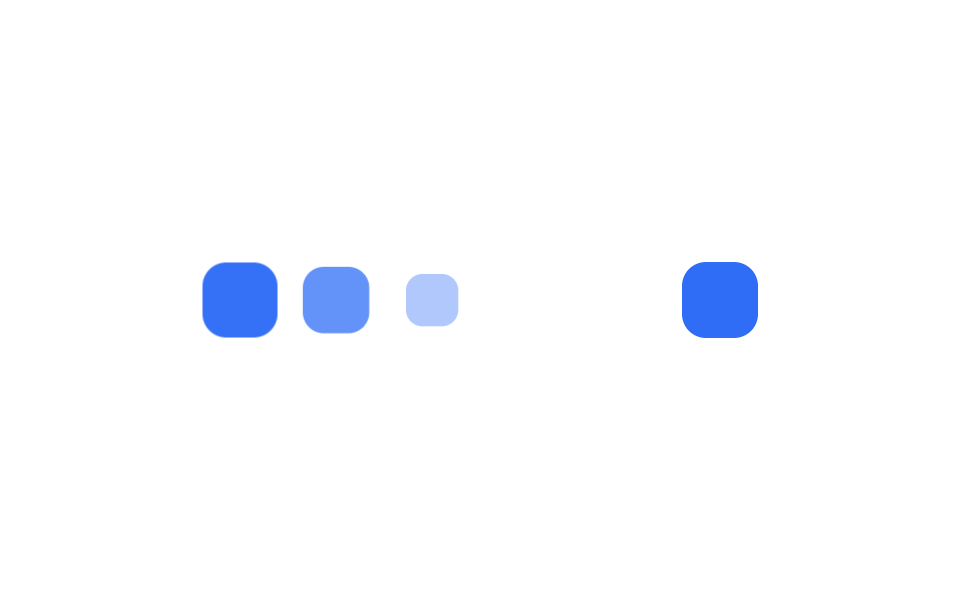
CSS stagger animation là kỹ thuật khiến các phần tử trong danh sách hay lưới xuất hiện trễ nhau, thay vì bung ra cùng lúc.
 01 stagger-animation-list-cascade
 02 stagger-animation-grid-wave
 03 stagger-animation-text-letters
 04 stagger-animation-card-flip-sequence
 05 stagger-animation-reverse-exit
 06 stagger-animation-circular-ripple
 07 stagger-animation-custom-property-calc
 08 stagger-animation-sibling-index
 09 stagger-animation-random-delay-scss
Tự chạy · bấm ô để tới mục đó · cả 9 trong một zip
- 01 Cascade danh sách
- 02 Sóng lưới (grid wave)
- 03 Stagger theo từng chữ
- 04 Lật thẻ 3D tuần tự
- 05 Thoát theo thứ tự ngược
- 06 Gợn sóng hình tròn
- 07 Biến --i + calc() một dòng
- 08 Tự động trễ bằng sibling-index()
- 09 Delay giả ngẫu nhiên (SCSS random())
Chín demo xếp theo thứ tự cách tính độ trễ ngày càng tự động hơn, không phải ngẫu nhiên. 01–03 là kiểu dáng cơ bản cho danh sách, lưới và chữ; 04–06 đổi hướng và hình dạng; 07–09 là ba cách tính giá trị delay khác hẳn nhau. Đoạn code bên dưới chỉ là phần trích của cách tính delay cốt lõi, còn file chạy đầy đủ nằm trong file nén của bài này.
01Cascade danh sách
Bạn thấy gì
Ba dòng trong .cascade chờ ẩn đi và thu nhỏ nhẹ, rồi mỗi dòng bắt đầu animation trễ nhau 90ms nhờ nth-child cộng vào animation-delay.
<main class="stage">
  <ul class="cascade is-demo">
    <li>Tin nhắn mới</li>
    <li>Thanh toán xong</li>
    <li>Tích điểm</li>
  </ul>
</main>
@use "../../../../site/static/demo-tokens" as *;
$duration: $dur-base; // 항목 하나가 나타나는 시간
$easing: $ease-pop; // 톡 튀어 올라오는 느낌
$stagger: 90ms; // 항목 사이 시차
@include stage($stage-ink);
.cascade {
margin: 0;
padding: 0;
list-style: none;
display: flex;
flex-wrap: wrap;
justify-content: center;
gap: 8px;
max-width: min(400px, 90vw);
font-weight: 600; font-size: clamp(12px, 3.4vw, 15px); line-height: 1.2; font-family: inherit;
li {
padding: clamp(8px, 2.6vw, 11px) clamp(12px, 3.4vw, 16px);
border-radius: $r-pill;
background: $subject-cream;
color: $stage-ink;
box-shadow: $shadow-raised;
animation: cascade-loop $dur-loop $easing infinite;
white-space: nowrap;
}
@for $i from 1 through 3 {
li:nth-child(#{$i}) { animation-delay: ($i - 1) * $stagger; }
}
}
@keyframes cascade-loop {
0%, 8% { opacity: 0; transform: translateY(14px) scale(.9); }
26%, 66% { opacity: 1; transform: translateY(0) scale(1); }
86%, 100% { opacity: 0; transform: translateY(-8px) scale(.96); }
}
@media (prefers-reduced-motion: reduce) {
.cascade li { animation: none; opacity: 1; transform: none; }
}html, body {
margin: 0;
overflow: hidden;
}
.stage {
box-sizing: border-box;
min-height: 100vh;
display: grid;
place-items: center;
margin: 0;
background: #17141a;
font-family: -apple-system, "Segoe UI", "Noto Sans KR", sans-serif;
padding: clamp(8px, 4vw, 24px);
}
.cascade {
margin: 0;
padding: 0;
list-style: none;
display: flex;
flex-wrap: wrap;
justify-content: center;
gap: 8px;
max-width: min(400px, 90vw);
font-weight: 600;
font-size: clamp(12px, 3.4vw, 15px);
line-height: 1.2;
font-family: inherit;
}
.cascade li {
padding: clamp(8px, 2.6vw, 11px) clamp(12px, 3.4vw, 16px);
border-radius: 999px;
background: #fff7e6;
color: #17141a;
box-shadow: 0 14px 24px rgba(23, 20, 26, 0.32);
animation: cascade-loop 2s cubic-bezier(0.2, 1.4, 0.4, 1) infinite;
white-space: nowrap;
}
.cascade li:nth-child(1) {
animation-delay: 0ms;
}
.cascade li:nth-child(2) {
animation-delay: 90ms;
}
.cascade li:nth-child(3) {
animation-delay: 180ms;
}
@keyframes cascade-loop {
0%, 8% {
opacity: 0;
transform: translateY(14px) scale(0.9);
}
26%, 66% {
opacity: 1;
transform: translateY(0) scale(1);
}
86%, 100% {
opacity: 0;
transform: translateY(-8px) scale(0.96);
}
}
@media (prefers-reduced-motion: reduce) {
.cascade li {
animation: none;
opacity: 1;
transform: none;
}
}import type { CSSProperties } from "react";
import styles from "./ListCascade.module.scss";
export type ListCascadeProps = {
items: string[];
/** 항목 하나가 나타나는 시간 (기본 300ms) */
duration?: number;
easing?: string;
/** 항목 사이 시차 ms (기본 90ms) */
stagger?: number;
};
export default function ListCascade({
items,
duration = 300,
easing = "cubic-bezier(.2,1.4,.4,1)",
stagger = 90,
}: ListCascadeProps) {
return (
<ul className={styles.cascade} style={{ "--duration": `${duration}ms`, "--easing": easing } as CSSProperties}>
{items.map((label, i) => (
<li key={label} style={{ animationDelay: `${i * stagger}ms` }}>
{label}
</li>
))}
</ul>
);
}01 · Cascade danh sách — Diện tích đo được 9.301% · khung hình chuyển động 12/23Nguyên tác GODRICH · SCSS và React nằm trong tệp zip · Xem mật khẩu
Dùng ở đâu
Kiểu này có chiều sâu hơn một fade phẳng, hợp với feed thông báo hay danh sách kết quả tìm kiếm liên tục có mục mới.
.cascade li {
  opacity: 0;
  transform: translateY(14px) scale(.9);
  animation: cascade-loop $duration $easing;
}
@for $i from 1 through 3 {
  .cascade li:nth-child(#{$i}) {
    animation-delay: ($i - 1) * $stagger;   // $stagger: 90ms
  }
}
@keyframes cascade-loop {
  to { opacity: 1; transform: translateY(0) scale(1); }
}
02Sóng lưới (grid wave)
Chuyện gì diễn ra trên màn hình
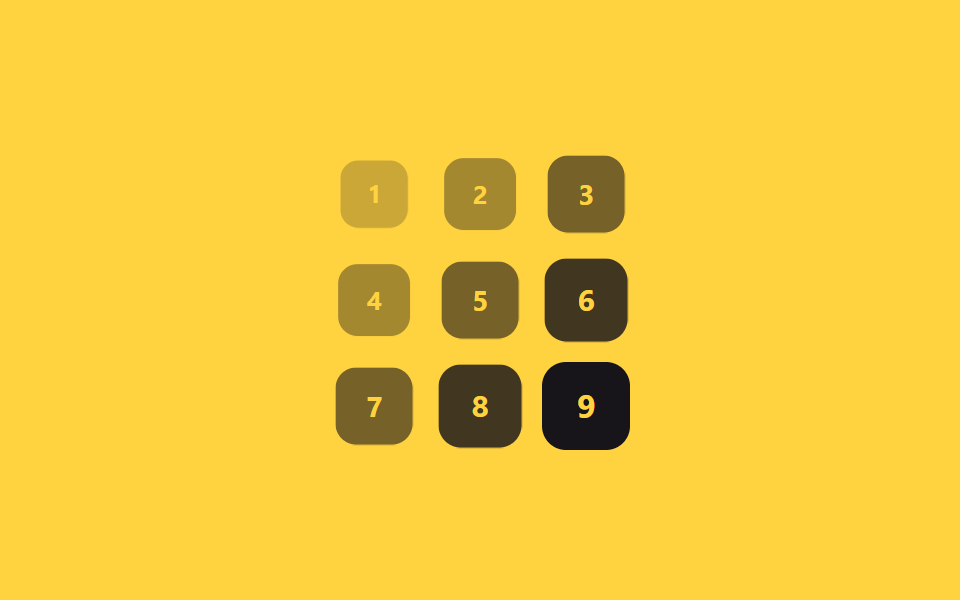
Chín thẻ xếp thành lưới 3×3, và delay của mỗi thẻ bằng tổng chỉ số hàng và chỉ số cột, nhân với 70ms.
<main class="stage">
  <div class="grid is-demo">
    <span class="cell">1</span><span class="cell">2</span><span class="cell">3</span>
    <span class="cell">4</span><span class="cell">5</span><span class="cell">6</span>
    <span class="cell">7</span><span class="cell">8</span><span class="cell">9</span>
  </div>
</main>
@use "sass:math";
@use "../../../../site/static/demo-tokens" as *;
$duration: $dur-base; // 칸 하나가 나타나는 시간
$easing: $ease-out; // 시작 빠르고 끝은 부드럽게
$wave: 70ms; // (행+열) 1당 시차 계수
@include stage($stage-yellow);
.grid {
display: grid;
grid-template-columns: repeat(3, 1fr);
gap: clamp(5px, 1.8vw, 10px);
width: min(150px, 50vw);
aspect-ratio: 1;
}
.cell {
display: grid;
place-items: center;
border-radius: $r-control;
background: $stage-ink;
color: $stage-yellow;
font-weight: 700; font-size: clamp(12px, 3.4vw, 16px); line-height: 1; font-family: inherit;
}
// 반복 재생은 데모 상태에서만 — 정지 상태의 칸은 불투명해야 글자가 읽힌다(옐로 글자 · 먹 면 12.63:1)
.grid.is-demo .cell { animation: wave-loop $dur-loop $easing infinite; }
$cols: 3;
@for $i from 1 through 9 {
$row: math.floor(math.div($i - 1, $cols));
$col: ($i - 1) % $cols;
.grid.is-demo .cell:nth-child(#{$i}) { animation-delay: ($row + $col) * $wave; }
}
@keyframes wave-loop {
0%, 6% { opacity: 0; transform: scale(.5); }
22%, 62% { opacity: 1; transform: scale(1); }
84%, 100% { opacity: 0; transform: scale(.7); }
}
@media (prefers-reduced-motion: reduce) {
.cell { animation: none; opacity: 1; transform: none; }
}html, body {
margin: 0;
overflow: hidden;
}
.stage {
box-sizing: border-box;
min-height: 100vh;
display: grid;
place-items: center;
margin: 0;
background: #ffd23f;
font-family: -apple-system, "Segoe UI", "Noto Sans KR", sans-serif;
padding: clamp(8px, 4vw, 24px);
}
.grid {
display: grid;
grid-template-columns: repeat(3, 1fr);
gap: clamp(5px, 1.8vw, 10px);
width: min(150px, 50vw);
aspect-ratio: 1;
}
.cell {
display: grid;
place-items: center;
border-radius: 12px;
background: #17141a;
color: #ffd23f;
font-weight: 700;
font-size: clamp(12px, 3.4vw, 16px);
line-height: 1;
font-family: inherit;
}
.grid.is-demo .cell {
animation: wave-loop 2s ease-out infinite;
}
.grid.is-demo .cell:nth-child(1) {
animation-delay: 0ms;
}
.grid.is-demo .cell:nth-child(2) {
animation-delay: 70ms;
}
.grid.is-demo .cell:nth-child(3) {
animation-delay: 140ms;
}
.grid.is-demo .cell:nth-child(4) {
animation-delay: 70ms;
}
.grid.is-demo .cell:nth-child(5) {
animation-delay: 140ms;
}
.grid.is-demo .cell:nth-child(6) {
animation-delay: 210ms;
}
.grid.is-demo .cell:nth-child(7) {
animation-delay: 140ms;
}
.grid.is-demo .cell:nth-child(8) {
animation-delay: 210ms;
}
.grid.is-demo .cell:nth-child(9) {
animation-delay: 280ms;
}
@keyframes wave-loop {
0%, 6% {
opacity: 0;
transform: scale(0.5);
}
22%, 62% {
opacity: 1;
transform: scale(1);
}
84%, 100% {
opacity: 0;
transform: scale(0.7);
}
}
@media (prefers-reduced-motion: reduce) {
.cell {
animation: none;
opacity: 1;
transform: none;
}
}import styles from "./GridWave.module.scss";
export type GridWaveProps = {
cells?: (string | number)[];
cols?: number;
/** (행+열) 1당 시차 ms (기본 70ms) */
wave?: number;
duration?: number;
easing?: string;
};
export default function GridWave({
cells = [1, 2, 3, 4, 5, 6, 7, 8, 9],
cols = 3,
wave = 70,
duration = 300,
easing = "ease-out",
}: GridWaveProps) {
return (
<div className={styles.grid}>
{cells.map((cell, i) => {
const row = Math.floor(i / cols);
const col = i % cols;
return (
<span
key={i}
className={styles.cell}
style={{
animationDelay: `${(row + col) * wave}ms`,
animationDuration: "2s",
transitionDuration: `${duration}ms`,
transitionTimingFunction: easing,
}}
>
{cell}
</span>
);
})}
</div>
);
}02 · Sóng lưới (grid wave) — Diện tích đo được 11.562% · khung hình chuyển động 18/23Nguyên tác GODRICH · SCSS và React nằm trong tệp zip · Xem mật khẩu
Chỗ dùng
Thẻ ở góc trên trái bung ra trước, góc dưới phải bung ra cuối cùng như một đợt sóng chéo — hợp với lưới thẻ dashboard hay thumbnail gallery.
$cols: 3;
@for $i from 1 through 9 {
  $row: math.floor(math.div($i - 1, $cols));
  $col: ($i - 1) % $cols;
  .grid .cell:nth-child(#{$i}) {
    animation-delay: ($row + $col) * $wave;   // $wave: 70ms
  }
}
@keyframes wave-loop {
  from { opacity: 0; transform: scale(.5); }
  to   { opacity: 1; transform: scale(1); }
}
03Stagger theo từng chữ
Chuyển động thế nào
Mỗi chữ trong tiêu đề hero nằm trong một span riêng, và nth-child trễ từng chữ 30ms so với chữ trước nó.
<main class="stage">
  <h1 class="letters is-demo">
    <span>C</span><span>H</span><span>À</span><span>O</span><span>!</span>
  </h1>
</main>
@use "../../../../site/static/demo-tokens" as *;
$duration: $dur-quick; // 글자 하나가 튀어오르는 시간
$easing: $ease-pop; // 아래에서 튀어오르는 느낌
$stagger: 30ms; // 글자 사이 시차
@include stage($stage-orange);
.letters {
margin: 0;
display: flex;
gap: clamp(2px, 1vw, 6px);
font-weight: 800; font-size: clamp(24px, 9vw, 40px); line-height: 1; font-family: inherit;
color: $subject-cream;
span {
display: inline-block;
animation: letter-loop $dur-loop $easing infinite;
}
@for $i from 1 through 5 {
span:nth-child(#{$i}) { animation-delay: ($i - 1) * $stagger; }
}
}
@keyframes letter-loop {
0%, 4% { opacity: 0; transform: translateY(16px); }
20%, 66% { opacity: 1; transform: translateY(0); }
86%, 100% { opacity: 0; transform: translateY(-10px); }
}
@media (prefers-reduced-motion: reduce) {
.letters span { animation: none; opacity: 1; transform: none; }
}html, body {
margin: 0;
overflow: hidden;
}
.stage {
box-sizing: border-box;
min-height: 100vh;
display: grid;
place-items: center;
margin: 0;
background: #ff4d1f;
font-family: -apple-system, "Segoe UI", "Noto Sans KR", sans-serif;
padding: clamp(8px, 4vw, 24px);
}
.letters {
margin: 0;
display: flex;
gap: clamp(2px, 1vw, 6px);
font-weight: 800;
font-size: clamp(24px, 9vw, 40px);
line-height: 1;
font-family: inherit;
color: #fff7e6;
}
.letters span {
display: inline-block;
animation: letter-loop 2s cubic-bezier(0.2, 1.4, 0.4, 1) infinite;
}
.letters span:nth-child(1) {
animation-delay: 0ms;
}
.letters span:nth-child(2) {
animation-delay: 30ms;
}
.letters span:nth-child(3) {
animation-delay: 60ms;
}
.letters span:nth-child(4) {
animation-delay: 90ms;
}
.letters span:nth-child(5) {
animation-delay: 120ms;
}
@keyframes letter-loop {
0%, 4% {
opacity: 0;
transform: translateY(16px);
}
20%, 66% {
opacity: 1;
transform: translateY(0);
}
86%, 100% {
opacity: 0;
transform: translateY(-10px);
}
}
@media (prefers-reduced-motion: reduce) {
.letters span {
animation: none;
opacity: 1;
transform: none;
}
}export type LetterStaggerProps = {
text: string;
/** 글자 사이 시차 ms (기본 30ms) */
stagger?: number;
duration?: number;
easing?: string;
};
import styles from "./LetterStagger.module.scss";
export default function LetterStagger({ text, stagger = 30 }: LetterStaggerProps) {
return (
<h1 className={styles.letters}>
{[...text].map((ch, i) => (
<span key={i} style={{ animationDelay: `${i * stagger}ms` }}>
{ch}
</span>
))}
</h1>
);
}03 · Stagger theo từng chữ — Diện tích đo được 4.64% · khung hình chuyển động 10/23Nguyên tác GODRICH · SCSS và React nằm trong tệp zip · Xem mật khẩu
Dùng khi nào
Khoảng trễ ngắn hơn hẳn hai mục trên khiến cả cụm chữ trông như nảy lên gần như liền mạch — hợp với tiêu đề hero hay animation intro logo.
.letters span {
  opacity: 0;
  transform: translateY(16px);
  animation: letter-loop $duration $easing;
}
@for $i from 1 through 5 {
  .letters span:nth-child(#{$i}) {
    animation-delay: ($i - 1) * $stagger;   // $stagger: 30ms
  }
}
@keyframes letter-loop {
  to { opacity: 1; transform: translateY(0); }
}
04Lật thẻ 3D tuần tự
Bạn thấy gì
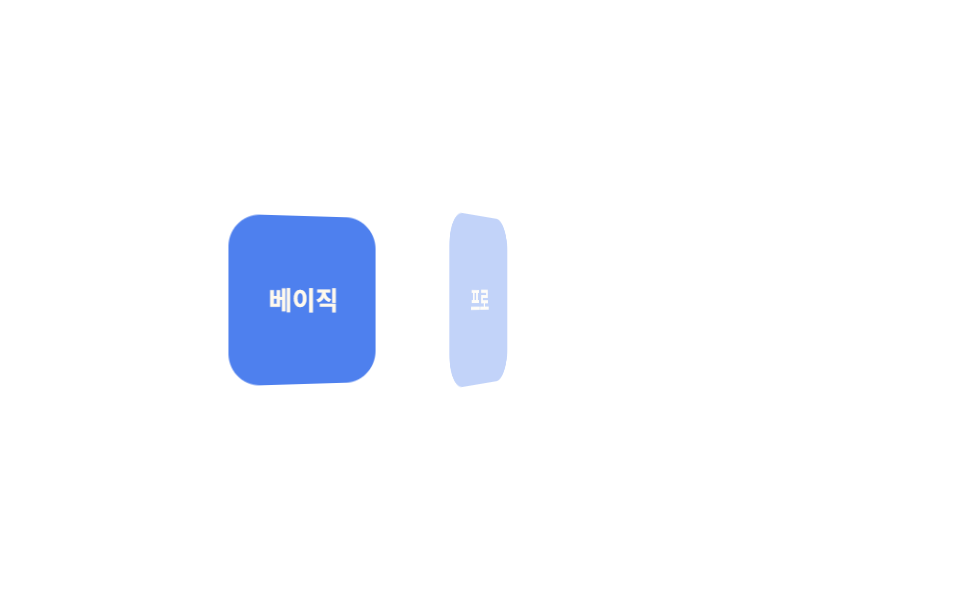
Ba thẻ nằm nghiêng 90 độ trên trục Y bên trong một khối cha có perspective, rồi lần lượt mở ra cách nhau 150ms để lộ mặt trước.
<main class="stage">
  <div class="cards is-demo">
    <div class="card">Cơ bản</div>
    <div class="card">Pro</div>
    <div class="card">Nhóm</div>
  </div>
</main>
@use "../../../../site/static/demo-tokens" as *;
$duration: $dur-base; // 카드 한 장이 펴지는 시간
$easing: $ease-out; // 시작 빠르고 끝은 부드럽게
$stagger: 150ms; // 카드 사이 시차
@include stage($stage-paper);
.cards {
display: flex;
gap: clamp(8px, 2.6vw, 14px);
perspective: 600px;
}
.card {
width: clamp(56px, 16vw, 76px);
height: clamp(64px, 18vw, 84px);
display: grid;
place-items: center;
border-radius: $r-card;
background: $subject-blue-deep;
color: $subject-cream;
font-weight: 700; font-size: clamp(11px, 3vw, 13px); line-height: 1.2; font-family: inherit;
transform-style: preserve-3d;
}
// 반복 재생은 데모 상태에서만 — 정지 상태의 카드는 불투명해야 글자가 읽힌다(크림 글자 · 진파랑 면 5.98:1)
.cards.is-demo .card { animation: flip-loop $dur-loop $easing infinite; }
@for $i from 1 through 3 {
.cards.is-demo .card:nth-child(#{$i}) { animation-delay: ($i - 1) * $stagger; }
}
@keyframes flip-loop {
0%, 6% { opacity: 0; transform: rotateY(90deg); }
26%, 66% { opacity: 1; transform: rotateY(0deg); }
86%, 100% { opacity: 0; transform: rotateY(-90deg); }
}
@media (prefers-reduced-motion: reduce) {
.card { animation: none; opacity: 1; transform: none; }
}html, body {
margin: 0;
overflow: hidden;
}
.stage {
box-sizing: border-box;
min-height: 100vh;
display: grid;
place-items: center;
margin: 0;
background: #ffffff;
font-family: -apple-system, "Segoe UI", "Noto Sans KR", sans-serif;
padding: clamp(8px, 4vw, 24px);
}
.cards {
display: flex;
gap: clamp(8px, 2.6vw, 14px);
perspective: 600px;
}
.card {
width: clamp(56px, 16vw, 76px);
height: clamp(64px, 18vw, 84px);
display: grid;
place-items: center;
border-radius: 16px;
background: #0a4fe8;
color: #fff7e6;
font-weight: 700;
font-size: clamp(11px, 3vw, 13px);
line-height: 1.2;
font-family: inherit;
transform-style: preserve-3d;
}
.cards.is-demo .card {
animation: flip-loop 2s ease-out infinite;
}
.cards.is-demo .card:nth-child(1) {
animation-delay: 0ms;
}
.cards.is-demo .card:nth-child(2) {
animation-delay: 150ms;
}
.cards.is-demo .card:nth-child(3) {
animation-delay: 300ms;
}
@keyframes flip-loop {
0%, 6% {
opacity: 0;
transform: rotateY(90deg);
}
26%, 66% {
opacity: 1;
transform: rotateY(0deg);
}
86%, 100% {
opacity: 0;
transform: rotateY(-90deg);
}
}
@media (prefers-reduced-motion: reduce) {
.card {
animation: none;
opacity: 1;
transform: none;
}
}import styles from "./CardFlipSequence.module.scss";
export type CardFlipSequenceProps = {
cards: string[];
/** 카드 사이 시차 ms (기본 150ms) */
stagger?: number;
duration?: number;
easing?: string;
};
export default function CardFlipSequence({ cards, stagger = 150 }: CardFlipSequenceProps) {
return (
<div className={styles.cards}>
{cards.map((label, i) => (
<div key={label} className={styles.card} style={{ animationDelay: `${i * stagger}ms` }}>
{label}
</div>
))}
</div>
);
}04 · Lật thẻ 3D tuần tự — Diện tích đo được 13.364% · khung hình chuyển động 17/23Nguyên tác GODRICH · SCSS và React nằm trong tệp zip · Xem mật khẩu
Dùng ở đâu
Nhờ perspective đặt trên phần tử cha, cú lật có chiều sâu thật chứ không chỉ là scale phẳng — hợp với so sánh thẻ giá hay thẻ thông số sản phẩm.
.cards { perspective: 600px; }
.card {
  opacity: 0;
  transform: rotateY(90deg);
  transform-style: preserve-3d;
  animation: flip-loop $duration $easing;
}
@for $i from 1 through 3 {
  .card:nth-child(#{$i}) {
    animation-delay: ($i - 1) * $stagger;   // $stagger: 150ms
  }
}
@keyframes flip-loop {
  to { opacity: 1; transform: rotateY(0deg); }
}
05Thoát theo thứ tự ngược
Chuyện gì diễn ra trên màn hình
Ba mục vào theo thứ tự 01 rồi đến 03, nhưng lúc thoát lại theo chiều ngược — 03 biến mất trước, 01 biến mất sau cùng — vì mỗi mục dùng một @keyframes riêng với mốc thời gian lệch nhau.
<main class="stage">
  <ul class="toasts is-demo">
    <li>Đã lưu</li>
    <li>Đã chia sẻ</li>
    <li>Hoàn tất</li>
  </ul>
</main>
@use "../../../../site/static/demo-tokens" as *;
$duration: $dur-base; // 항목 한 개가 트랜지션되는 시간
$easing: $ease-out; // 시작 빠르고 끝은 부드럽게
$color: $subject-cream; // 항목 배경색
@include stage($stage-ink);
.toasts {
margin: 0;
padding: 0;
list-style: none;
display: flex;
flex-wrap: wrap;
justify-content: center;
gap: 8px;
max-width: min(360px, 88vw);
font-weight: 600; font-size: clamp(12px, 3.4vw, 15px); line-height: 1.2; font-family: inherit;
li {
padding: clamp(8px, 2.6vw, 11px) clamp(14px, 3.6vw, 18px);
border-radius: $r-pill;
background: $color;
color: $stage-ink;
box-shadow: $shadow-raised;
}
}
// 들어올 땐 위(01)→아래(03) 순, 나갈 땐 아래(03)→위(01) 순 — 방향이 반대다
@keyframes exit-1 {
0%, 5% { opacity: 0; transform: translateY(-8px); }
15%, 78% { opacity: 1; transform: translateY(0); }
90%, 100% { opacity: 0; transform: translateY(-8px); }
}
@keyframes exit-2 {
0%, 15% { opacity: 0; transform: translateY(-8px); }
25%, 63% { opacity: 1; transform: translateY(0); }
75%, 100% { opacity: 0; transform: translateY(-8px); }
}
@keyframes exit-3 {
0%, 25% { opacity: 0; transform: translateY(-8px); }
35%, 53% { opacity: 1; transform: translateY(0); }
65%, 100% { opacity: 0; transform: translateY(-8px); }
}
.toasts li:nth-child(1) { animation: exit-1 $dur-loop $easing infinite; }
.toasts li:nth-child(2) { animation: exit-2 $dur-loop $easing infinite; }
.toasts li:nth-child(3) { animation: exit-3 $dur-loop $easing infinite; }
@media (prefers-reduced-motion: reduce) {
.toasts li { animation: none; opacity: 1; transform: none; }
}html, body {
margin: 0;
overflow: hidden;
}
.stage {
box-sizing: border-box;
min-height: 100vh;
display: grid;
place-items: center;
margin: 0;
background: #17141a;
font-family: -apple-system, "Segoe UI", "Noto Sans KR", sans-serif;
padding: clamp(8px, 4vw, 24px);
}
.toasts {
margin: 0;
padding: 0;
list-style: none;
display: flex;
flex-wrap: wrap;
justify-content: center;
gap: 8px;
max-width: min(360px, 88vw);
font-weight: 600;
font-size: clamp(12px, 3.4vw, 15px);
line-height: 1.2;
font-family: inherit;
}
.toasts li {
padding: clamp(8px, 2.6vw, 11px) clamp(14px, 3.6vw, 18px);
border-radius: 999px;
background: #fff7e6;
color: #17141a;
box-shadow: 0 14px 24px rgba(23, 20, 26, 0.32);
}
@keyframes exit-1 {
0%, 5% {
opacity: 0;
transform: translateY(-8px);
}
15%, 78% {
opacity: 1;
transform: translateY(0);
}
90%, 100% {
opacity: 0;
transform: translateY(-8px);
}
}
@keyframes exit-2 {
0%, 15% {
opacity: 0;
transform: translateY(-8px);
}
25%, 63% {
opacity: 1;
transform: translateY(0);
}
75%, 100% {
opacity: 0;
transform: translateY(-8px);
}
}
@keyframes exit-3 {
0%, 25% {
opacity: 0;
transform: translateY(-8px);
}
35%, 53% {
opacity: 1;
transform: translateY(0);
}
65%, 100% {
opacity: 0;
transform: translateY(-8px);
}
}
.toasts li:nth-child(1) {
animation: exit-1 2s ease-out infinite;
}
.toasts li:nth-child(2) {
animation: exit-2 2s ease-out infinite;
}
.toasts li:nth-child(3) {
animation: exit-3 2s ease-out infinite;
}
@media (prefers-reduced-motion: reduce) {
.toasts li {
animation: none;
opacity: 1;
transform: none;
}
}import styles from "./ReverseExit.module.scss";
export type ReverseExitProps = {
/** 정확히 3개 — 들어올 땐 위→아래 순, 나갈 땐 아래→위 역순 */
items: [string, string, string];
};
const CLASS = [styles.exit1, styles.exit2, styles.exit3];
export default function ReverseExit({ items }: ReverseExitProps) {
return (
<ul className={styles.toasts}>
{items.map((label, i) => (
<li key={label} className={CLASS[i]}>
{label}
</li>
))}
</ul>
);
}05 · Thoát theo thứ tự ngược — Diện tích đo được 6.794% · khung hình chuyển động 17/23Nguyên tác GODRICH · SCSS và React nằm trong tệp zip · Xem mật khẩu
Chỗ dùng
Cách này hợp với danh sách xác nhận xóa hay dọn một chồng thông báo toast, nơi cái đến sau nên biến mất trước.
@keyframes exit-1 {
  0%, 5%    { opacity: 0; transform: translateY(-8px); }
  15%, 78%  { opacity: 1; transform: translateY(0); }
  90%, 100% { opacity: 0; transform: translateY(-8px); }
}
@keyframes exit-3 {
  0%, 25%   { opacity: 0; transform: translateY(-8px); }
  35%, 53%  { opacity: 1; transform: translateY(0); }
  65%, 100% { opacity: 0; transform: translateY(-8px); }
}
06Gợn sóng hình tròn
Chuyển động thế nào
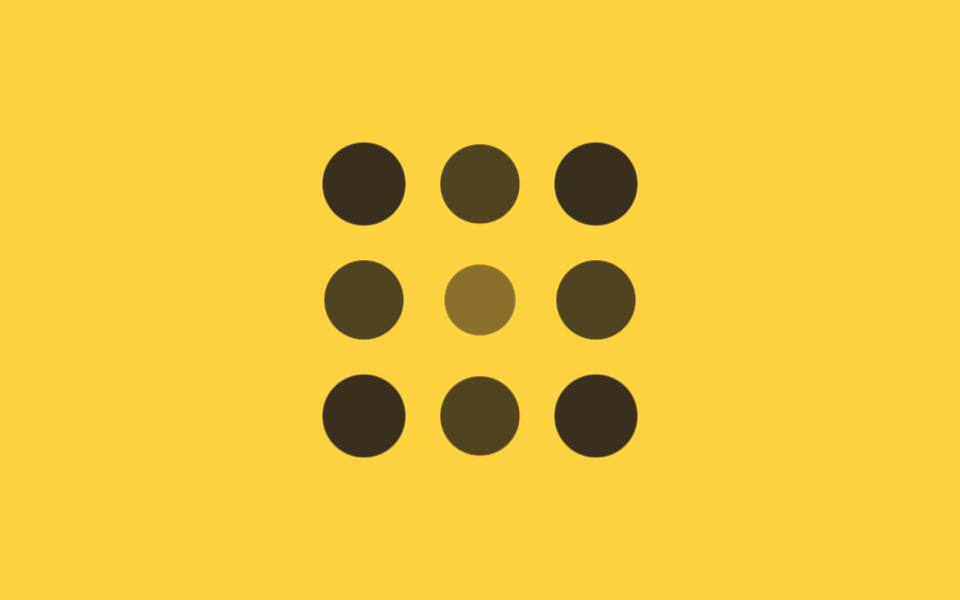
Chín chấm tròn xếp lưới 3×3, và delay mỗi chấm bằng khoảng cách tới ô trung tâm nhân với 90ms — bốn góc xa nhất (khoảng cách √2) trễ nhất, còn ô giữa nổ ra đầu tiên với delay 0.
<main class="stage">
  <div class="ripple is-demo">
    <span></span><span></span><span></span>
    <span></span><span></span><span></span>
    <span></span><span></span><span></span>
  </div>
</main>
@use "../../../../site/static/demo-tokens" as *;
$duration: $dur-base; // 점 하나가 커지는 시간
$easing: $ease-out; // 시작 빠르고 끝은 부드럽게
$step: 90ms; // 중심 거리 1당 시차 계수
@include stage($stage-yellow);
.ripple {
display: grid;
grid-template-columns: repeat(3, 1fr);
gap: clamp(10px, 3vw, 16px);
width: min(160px, 55vw);
aspect-ratio: 1;
span {
border-radius: 50%;
background: $stage-ink;
animation: ripple-loop $dur-loop $easing infinite;
}
// 3×3, 중심(칸 5)까지의 거리 × $step — 코너는 √2, 변은 1, 중심은 0
span:nth-child(1) { animation-delay: $step * 1.41; }
span:nth-child(2) { animation-delay: $step * 1; }
span:nth-child(3) { animation-delay: $step * 1.41; }
span:nth-child(4) { animation-delay: $step * 1; }
span:nth-child(5) { animation-delay: 0ms; }
span:nth-child(6) { animation-delay: $step * 1; }
span:nth-child(7) { animation-delay: $step * 1.41; }
span:nth-child(8) { animation-delay: $step * 1; }
span:nth-child(9) { animation-delay: $step * 1.41; }
}
@keyframes ripple-loop {
0%, 4% { opacity: 0; transform: scale(.3); }
24%, 58% { opacity: 1; transform: scale(1); }
84%, 100% { opacity: 0; transform: scale(.6); }
}
@media (prefers-reduced-motion: reduce) {
.ripple span { animation: none; opacity: 1; transform: none; }
}html, body {
margin: 0;
overflow: hidden;
}
.stage {
box-sizing: border-box;
min-height: 100vh;
display: grid;
place-items: center;
margin: 0;
background: #ffd23f;
font-family: -apple-system, "Segoe UI", "Noto Sans KR", sans-serif;
padding: clamp(8px, 4vw, 24px);
}
.ripple {
display: grid;
grid-template-columns: repeat(3, 1fr);
gap: clamp(10px, 3vw, 16px);
width: min(160px, 55vw);
aspect-ratio: 1;
}
.ripple span {
border-radius: 50%;
background: #17141a;
animation: ripple-loop 2s ease-out infinite;
}
.ripple span:nth-child(1) {
animation-delay: 126.9ms;
}
.ripple span:nth-child(2) {
animation-delay: 90ms;
}
.ripple span:nth-child(3) {
animation-delay: 126.9ms;
}
.ripple span:nth-child(4) {
animation-delay: 90ms;
}
.ripple span:nth-child(5) {
animation-delay: 0ms;
}
.ripple span:nth-child(6) {
animation-delay: 90ms;
}
.ripple span:nth-child(7) {
animation-delay: 126.9ms;
}
.ripple span:nth-child(8) {
animation-delay: 90ms;
}
.ripple span:nth-child(9) {
animation-delay: 126.9ms;
}
@keyframes ripple-loop {
0%, 4% {
opacity: 0;
transform: scale(0.3);
}
24%, 58% {
opacity: 1;
transform: scale(1);
}
84%, 100% {
opacity: 0;
transform: scale(0.6);
}
}
@media (prefers-reduced-motion: reduce) {
.ripple span {
animation: none;
opacity: 1;
transform: none;
}
}import styles from "./CircularRipple.module.scss";
// 3×3, 중심(인덱스 4)까지의 거리 — 코너는 √2, 변은 1, 중심은 0
const DIST = [Math.SQRT2, 1, Math.SQRT2, 1, 0, 1, Math.SQRT2, 1, Math.SQRT2];
export type CircularRippleProps = {
/** 중심 거리 1당 시차 ms (기본 90ms) */
step?: number;
};
export default function CircularRipple({ step = 90 }: CircularRippleProps) {
return (
<div className={styles.ripple}>
{DIST.map((d, i) => (
<span key={i} style={{ animationDelay: `${d * step}ms` }} />
))}
</div>
);
}06 · Gợn sóng hình tròn — Diện tích đo được 9.975% · khung hình chuyển động 15/23Nguyên tác GODRICH · SCSS và React nằm trong tệp zip · Xem mật khẩu
Dùng khi nào
Kết quả trông như một vòng sóng lan dần từ tâm ra ngoài, hợp với hiệu ứng bấm nút like hay lưới icon thông báo.
.ripple span {
  opacity: 0;
  transform: scale(.3);
  animation: ripple-loop $duration $easing;
}
// góc = √2, cạnh = 1, tâm = 0 — tính sẵn rồi gán cứng
span:nth-child(1) { animation-delay: $step * 1.41; }
span:nth-child(5) { animation-delay: 0ms; }
span:nth-child(9) { animation-delay: $step * 1.41; }
@keyframes ripple-loop {
  to { opacity: 1; transform: scale(1); }
}
07Biến --i + calc() một dòng
Bạn thấy gì
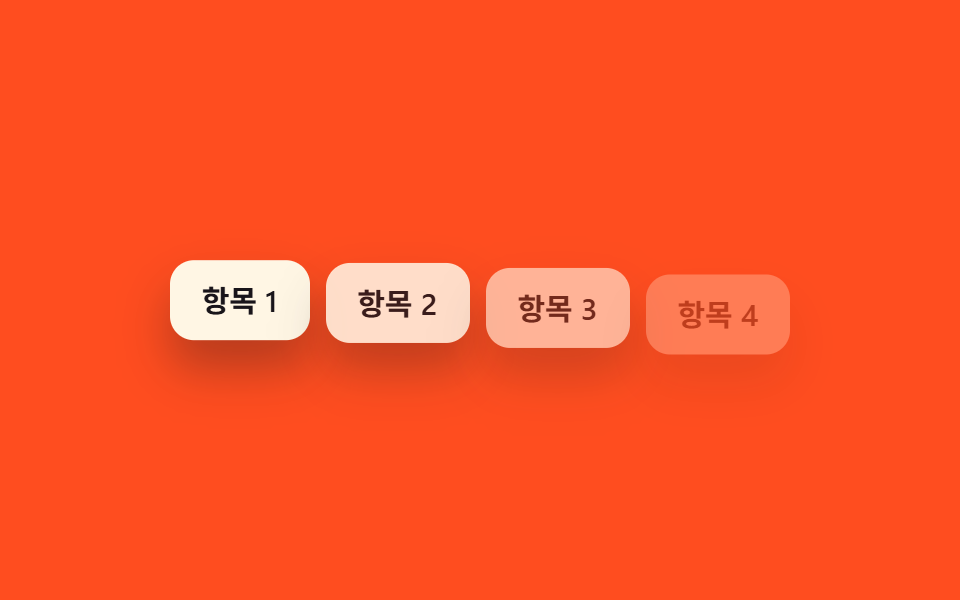
Mỗi phần tử chỉ mang một giá trị --i trong inline style — <li style="--i:0">, <li style="--i:1"> và cứ thế — còn phía CSS không có vòng lặp nào, chỉ một dòng calc(var(--i) * 80ms) tính hết.
<main class="stage">
  <ul class="i-list is-demo">
    <li style="--i:0">Mục 1</li>
    <li style="--i:1">Mục 2</li>
    <li style="--i:2">Mục 3</li>
    <li style="--i:3">Mục 4</li>
  </ul>
</main>
@use "../../../../site/static/demo-tokens" as *;
$duration: $dur-quick; // 항목 하나가 나타나는 시간
$easing: $ease-out; // 시작 빠르고 끝은 부드럽게
$stagger: 80ms; // --i 1당 시차
@include stage($stage-orange);
.i-list {
margin: 0;
padding: 0;
list-style: none;
display: flex;
flex-wrap: wrap;
justify-content: center;
gap: 8px;
max-width: min(360px, 88vw);
font-weight: 600; font-size: clamp(12px, 3.4vw, 15px); line-height: 1.2; font-family: inherit;
li {
padding: clamp(8px, 2.6vw, 11px) clamp(12px, 3.4vw, 16px);
border-radius: $r-control;
background: $subject-cream;
color: $stage-ink;
box-shadow: $shadow-raised;
animation: i-loop $dur-loop $easing infinite;
animation-delay: calc(var(--i) * #{$stagger}); // ← --i 변수 + calc 한 줄
}
}
@keyframes i-loop {
0%, 6% { opacity: 0; transform: translateY(10px); }
22%, 68% { opacity: 1; transform: translateY(0); }
88%, 100% { opacity: 0; transform: translateY(6px); }
}
@media (prefers-reduced-motion: reduce) {
.i-list li { animation: none; opacity: 1; transform: none; }
}html, body {
margin: 0;
overflow: hidden;
}
.stage {
box-sizing: border-box;
min-height: 100vh;
display: grid;
place-items: center;
margin: 0;
background: #ff4d1f;
font-family: -apple-system, "Segoe UI", "Noto Sans KR", sans-serif;
padding: clamp(8px, 4vw, 24px);
}
.i-list {
margin: 0;
padding: 0;
list-style: none;
display: flex;
flex-wrap: wrap;
justify-content: center;
gap: 8px;
max-width: min(360px, 88vw);
font-weight: 600;
font-size: clamp(12px, 3.4vw, 15px);
line-height: 1.2;
font-family: inherit;
}
.i-list li {
padding: clamp(8px, 2.6vw, 11px) clamp(12px, 3.4vw, 16px);
border-radius: 12px;
background: #fff7e6;
color: #17141a;
box-shadow: 0 14px 24px rgba(23, 20, 26, 0.32);
animation: i-loop 2s ease-out infinite;
animation-delay: calc(var(--i) * 80ms);
}
@keyframes i-loop {
0%, 6% {
opacity: 0;
transform: translateY(10px);
}
22%, 68% {
opacity: 1;
transform: translateY(0);
}
88%, 100% {
opacity: 0;
transform: translateY(6px);
}
}
@media (prefers-reduced-motion: reduce) {
.i-list li {
animation: none;
opacity: 1;
transform: none;
}
}import type { CSSProperties } from "react";
import styles from "./CustomPropertyList.module.scss";
type Vars = CSSProperties & { "--i"?: number };
export type CustomPropertyListProps = {
items: string[];
/** --i 1당 시차 ms (기본 80ms) — CSS 쪽 calc(var(--i) * 80ms) 한 줄이 실제 계산을 한다 */
stagger?: number;
};
export default function CustomPropertyList({ items }: CustomPropertyListProps) {
return (
<ul className={styles.list}>
{items.map((label, i) => (
<li key={label} style={{ "--i": i } as Vars}>
{label}
</li>
))}
</ul>
);
}07 · Biến --i + calc() một dòng — Diện tích đo được 13.745% · khung hình chuyển động 15/23Nguyên tác GODRICH · SCSS và React nằm trong tệp zip · Xem mật khẩu
Dùng ở đâu
Không cần SCSS @for hay nth-child, nên dù số lượng phần tử tăng giảm cũng không cần build lại style, hợp với component danh sách dùng chung.
// html: <li style="--i:0">, <li style="--i:1">, ...
.i-list li {
  opacity: 0;
  transform: translateY(10px);
  animation: i-loop $duration $easing;
  animation-delay: calc(var(--i) * 80ms);   // xong trong một dòng
}
@keyframes i-loop {
  to { opacity: 1; transform: translateY(0); }
}
08Tự động trễ bằng sibling-index()
Chuyện gì diễn ra trên màn hình
Sáu ô không mang biến --i nào và cũng không có vòng lặp nth-child, chỉ một dòng animation-delay: calc(sibling-index() * 100ms).
<main class="stage">
  <div class="tiles is-demo">
    <span></span><span></span><span></span>
    <span></span><span></span><span></span>
  </div>
</main>
@use "../../../../site/static/demo-tokens" as *;
$duration: $dur-quick; // 타일 하나가 나타나는 시간
$easing: $ease-out; // 시작 빠르고 끝은 부드럽게
$stagger: 100ms; // 형제 순서 1당 시차
@include stage($stage-paper);
// sibling-index() 는 --i 변수도 nth-child 반복문도 없이 형제 순서를 직접 읽는다 (Chrome/Edge 138+)
.tiles {
display: flex;
gap: clamp(6px, 2vw, 10px);
span {
width: clamp(30px, 8vw, 40px);
height: clamp(30px, 8vw, 40px);
border-radius: $r-control;
background: $subject-blue;
animation: tile-loop $dur-loop $easing infinite;
animation-delay: calc(sibling-index() * #{$stagger});
}
}
@keyframes tile-loop {
0%, 6% { opacity: 0; transform: scale(.5); }
22%, 68% { opacity: 1; transform: scale(1); }
88%, 100% { opacity: 0; transform: scale(.7); }
}
@media (prefers-reduced-motion: reduce) {
.tiles span { animation: none; opacity: 1; transform: none; }
}html, body {
margin: 0;
overflow: hidden;
}
.stage {
box-sizing: border-box;
min-height: 100vh;
display: grid;
place-items: center;
margin: 0;
background: #ffffff;
font-family: -apple-system, "Segoe UI", "Noto Sans KR", sans-serif;
padding: clamp(8px, 4vw, 24px);
}
.tiles {
display: flex;
gap: clamp(6px, 2vw, 10px);
}
.tiles span {
width: clamp(30px, 8vw, 40px);
height: clamp(30px, 8vw, 40px);
border-radius: 12px;
background: #2f6df6;
animation: tile-loop 2s ease-out infinite;
animation-delay: calc(sibling-index() * 100ms);
}
@keyframes tile-loop {
0%, 6% {
opacity: 0;
transform: scale(0.5);
}
22%, 68% {
opacity: 1;
transform: scale(1);
}
88%, 100% {
opacity: 0;
transform: scale(0.7);
}
}
@media (prefers-reduced-motion: reduce) {
.tiles span {
animation: none;
opacity: 1;
transform: none;
}
}import styles from "./SiblingIndexTiles.module.scss";
export type SiblingIndexTilesProps = {
/** 타일 개수 (기본 6) — --i 도 nth-child 도 없이 sibling-index() 가 형제 순서를 읽는다 */
count?: number;
};
export default function SiblingIndexTiles({ count = 6 }: SiblingIndexTilesProps) {
return (
<div className={styles.tiles}>
{Array.from({ length: count }, (_, i) => (
<span key={i} />
))}
</div>
);
}08 · Tự động trễ bằng sibling-index() — Diện tích đo được 5.736% · khung hình chuyển động 18/23Nguyên tác GODRICH · SCSS và React nằm trong tệp zip · Xem mật khẩu
Chỗ dùng
Hàm sibling-index() tự đọc thứ tự anh em của chính phần tử đó, nên markup còn gọn hơn cả cách dùng --i ở mục 07, nhưng mới chỉ chạy trên Chrome/Edge 138 trở lên theo bảng hỗ trợ sibling-index() của caniuse.
.tiles span {
  opacity: 0;
  transform: scale(.5);
  animation: tile-loop $duration $easing;
  animation-delay: calc(sibling-index() * 100ms);
}
@keyframes tile-loop {
  to { opacity: 1; transform: scale(1); }
}
09Delay giả ngẫu nhiên (SCSS random())
Chuyển động thế nào
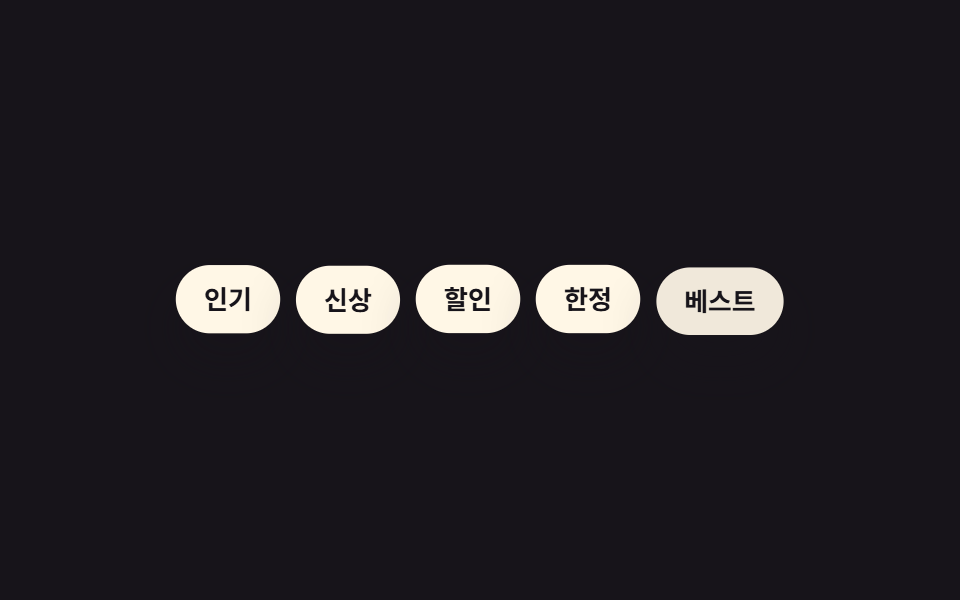
Năm badge dùng hàm random(420) của SCSS để gán mỗi phần tử một độ trễ khác nhau trong khoảng 1–420ms.
<main class="stage">
  <div class="badges is-demo">
    <span class="badge">Phổ biến</span>
    <span class="badge">Mới</span>
    <span class="badge">Giảm giá</span>
    <span class="badge">Giới hạn</span>
    <span class="badge">Tốt nhất</span>
  </div>
</main>
@use "../../../../site/static/demo-tokens" as *;
$duration: $dur-quick; // 배지 하나가 나타나는 시간
$easing: $ease-pop; // 톡 튀어 올라오는 느낌
$max-delay: 420; // 랜덤 지연 상한(ms) — SCSS random() 이 컴파일 시점에 고정한다
@include stage($stage-ink);
.badges {
display: flex;
flex-wrap: wrap;
justify-content: center;
gap: 8px;
max-width: min(380px, 90vw);
font-weight: 700; font-size: clamp(11px, 3vw, 13px); line-height: 1.2; font-family: inherit;
}
.badge {
padding: clamp(7px, 2.2vw, 9px) clamp(11px, 3vw, 14px);
border-radius: $r-pill;
background: $subject-cream;
color: $stage-ink;
box-shadow: $shadow-raised;
animation: badge-loop $dur-loop $easing infinite;
}
// 항목마다 컴파일 시점에 고정된 서로 다른 지연 — 균일 간격이 아니라 흩뿌려진 느낌
@for $i from 1 through 5 {
.badge:nth-child(#{$i}) { animation-delay: random($max-delay) * 1ms; }
}
@keyframes badge-loop {
0%, 4% { opacity: 0; transform: translateY(10px) scale(.9); }
16%, 60% { opacity: 1; transform: translateY(0) scale(1); }
84%, 100% { opacity: 0; transform: translateY(-6px) scale(.95); }
}
@media (prefers-reduced-motion: reduce) {
.badge { animation: none; opacity: 1; transform: none; }
}html, body {
margin: 0;
overflow: hidden;
}
.stage {
box-sizing: border-box;
min-height: 100vh;
display: grid;
place-items: center;
margin: 0;
background: #17141a;
font-family: -apple-system, "Segoe UI", "Noto Sans KR", sans-serif;
padding: clamp(8px, 4vw, 24px);
}
.badges {
display: flex;
flex-wrap: wrap;
justify-content: center;
gap: 8px;
max-width: min(380px, 90vw);
font-weight: 700;
font-size: clamp(11px, 3vw, 13px);
line-height: 1.2;
font-family: inherit;
}
.badge {
padding: clamp(7px, 2.2vw, 9px) clamp(11px, 3vw, 14px);
border-radius: 999px;
background: #fff7e6;
color: #17141a;
box-shadow: 0 14px 24px rgba(23, 20, 26, 0.32);
animation: badge-loop 2s cubic-bezier(0.2, 1.4, 0.4, 1) infinite;
}
.badge:nth-child(1) {
animation-delay: 160ms;
}
.badge:nth-child(2) {
animation-delay: 175ms;
}
.badge:nth-child(3) {
animation-delay: 136ms;
}
.badge:nth-child(4) {
animation-delay: 122ms;
}
.badge:nth-child(5) {
animation-delay: 193ms;
}
@keyframes badge-loop {
0%, 4% {
opacity: 0;
transform: translateY(10px) scale(0.9);
}
16%, 60% {
opacity: 1;
transform: translateY(0) scale(1);
}
84%, 100% {
opacity: 0;
transform: translateY(-6px) scale(0.95);
}
}
@media (prefers-reduced-motion: reduce) {
.badge {
animation: none;
opacity: 1;
transform: none;
}
}import styles from "./RandomDelayBadges.module.scss";
export type RandomDelayBadgesProps = {
badges: string[];
};
export default function RandomDelayBadges({ badges }: RandomDelayBadgesProps) {
return (
<div className={styles.badges}>
{badges.map((label) => (
<span key={label} className={styles.badge}>
{label}
</span>
))}
</div>
);
}09 · Delay giả ngẫu nhiên (SCSS random()) — Diện tích đo được 6.827% · khung hình chuyển động 9/23Nguyên tác GODRICH · SCSS và React nằm trong tệp zip · Xem mật khẩu
Dùng khi nào
Giá trị này không đổi mỗi lần tải trang trong trình duyệt — nó chỉ được rút một lần khi sass biên dịch, rồi cố định luôn trong file style.css.
@for $i from 1 through 5 {
  .badge:nth-child(#{$i}) {
    animation-delay: random(420) * 1ms;
  }
}
@keyframes badge-loop {
  from { opacity: 0; transform: translateY(10px) scale(.9); }
  to   { opacity: 1; transform: translateY(0) scale(1); }
}
Bẫy hay gặp — dễ vỡ ở đâu
Số phần tử cố định và delay
01 đến 06 và 09 tính delay bằng nth-child hoặc giá trị tính sẵn, nên chỉ đúng khi số phần tử cố định ngay từ đầu. Nếu danh sách thêm bớt phần tử theo kiểu động thì phải build lại style hoặc chỉnh tay markup — đúng vấn đề mà giá trị --i inline ở 07 và sibling-index() ở 08 né được hoàn toàn. Trang :nth-child() của MDN nói rõ bộ chọn này tính theo cấu trúc DOM thật đang có trên trang, không phải theo thời điểm biên dịch.
Giá trị random cố định sau biên dịch
Mục 09 còn một điểm dễ hiểu lầm khác: hàm random() chỉ chạy đúng một lần khi trình biên dịch sass tạo ra style.css, và 8dxrtqpt là mật khẩu mở file nén mà bên trong giữ nguyên đúng những giá trị cố định đó, nên load lại trang bao nhiêu lần thì thứ tự badge vẫn y hệt.
Ngẫu nhiên thật mỗi lần tải cần JavaScript
Muốn thứ tự badge đổi thật mỗi lần ghé trang thì CSS thuần không làm được — phải nhờ JS tính lại thuộc tính tùy chỉnh --delay ngay lúc trang tải. Trong chín demo, chỉ 07 và 08 gọn còn đúng một dòng CSS cho delay, còn bảy demo còn lại cũng không cần JS để chạy, nhưng "ngẫu nhiên thật mỗi lần tải" thì không phải việc của CSS.
Khả năng tiếp cận
Giảm chuyển động và suy giảm êm
Cả chín demo đều tắt animation khi gặp prefers-reduced-motion: reduce và hiện thẳng trạng thái cuối, nghĩa là toàn bộ nội dung xuất hiện ngay lập tức thay vì trễ dần từng phần tử. Với 08, trên trình duyệt chưa hỗ trợ sibling-index() thì toàn bộ tile cũng bung ra cùng lúc không delay — một kiểu suy giảm êm chứ không vỡ layout. Giá trị cấu hình đầy đủ nằm trong trang @media prefers-reduced-motion của MDN.
@media (prefers-reduced-motion: reduce) {
  li, span, .card, .badge { animation: none !important; opacity: 1; transform: none; }
}
Muốn xem thêm animation dạng chuyển cảnh hay xuất hiện khác thì ghé chuyên mục CSS, còn trang giới thiệu nói rõ site này thật ra bán gì.
FAQ
Có bắt buộc dùng JavaScript cho stagger animation không?
Không. Cả chín demo chỉ chạy bằng keyframes và animation-delay của CSS, tự lặp không cần script nào. Giá trị --i ở 07 cũng chỉ là inline style gán sẵn trong markup, còn sibling-index() ở 08 là hàm CSS thuần.
Nên chọn --i hay sibling-index()?
Nếu cần chạy đúng trên mọi trình duyệt ngay bây giờ thì --i kèm calc() ở 07 là lựa chọn an toàn. Nếu chỉ cần chạy trong công cụ nội bộ hay admin panel dùng Chrome/Edge 138 trở lên thì sibling-index() ở 08 giúp markup gọn hơn hẳn (bảng hỗ trợ trên caniuse).
Delay ngẫu nhiên ở mục 09 có đổi mỗi lần tải trang không?
Không. Hàm random() của SCSS chỉ chạy một lần khi sass biên dịch ra style.css, và giá trị đó cố định trong file. Muốn nó đổi thật mỗi lần ghé trang thì phải dùng JS tính lại thuộc tính tùy chỉnh --delay ngay lúc trang tải, CSS thuần không làm được điều đó.
Có thể bạn cũng thích
 Cuộn trang9 hiệu ứng css scroll animation không cần JS
 Cuộn trang9 CSS Marquee Infinite Loop — chỉ CSS, không JS
 Cuộn trang9 CSS Scroll Progress Bar — không cần JS
 Cuộn trangCSS only carousel — 9 image slider css dán là chạy
 Cuộn trang9 css timeline animation không JS, copy-paste
 Cuộn trang9 hiệu ứng css parallax scrolling, không cần JS
 Cuộn trang9 CSS sticky header không cần JS
 Cuộn trang9 hero section css animation — không cần JS
 Cuộn trang9 nút back to top button css — hiện khi cuộn
 Cuộn trang9 mẫu css sticky header — copy-paste là chạy