9 hiệu ứng css parallax scrolling, không cần JS
CSS parallax scrolling là cách tạo cảm giác chiều sâu khi cuộn trang, bằng cách cho các lớp — nền, chữ, thẻ — di chuyển với tốc độ khác nhau, chỉ bằng
 01 parallax-scroll-bg-slow
 02 parallax-scroll-layer-3-depth
 03 parallax-scroll-text-over-image
 04 parallax-scroll-hero-shrink
 05 parallax-scroll-horizontal-timeline
 06 parallax-scroll-depth-cards
 07 parallax-scroll-sticky-parallax
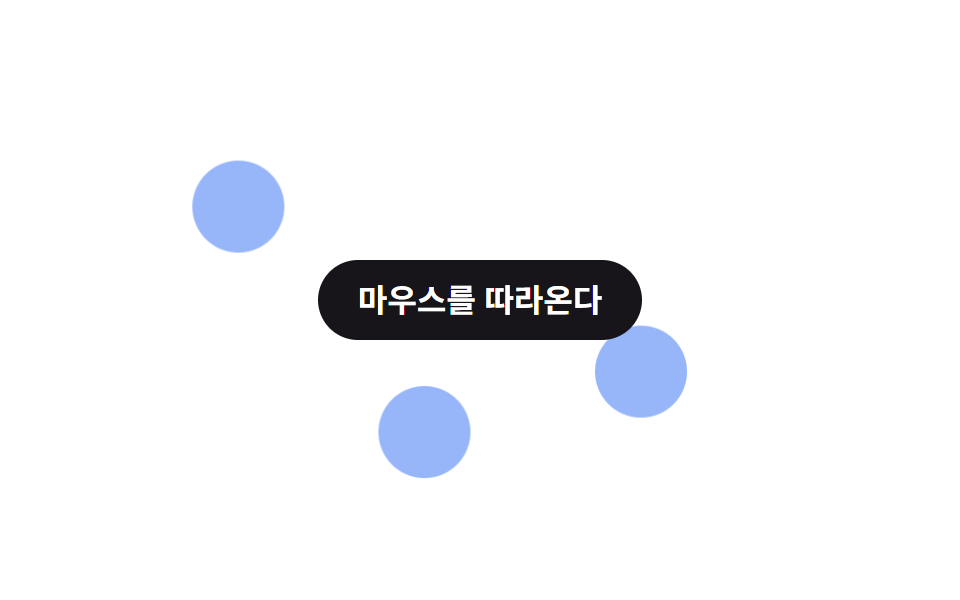 08 parallax-scroll-mouse-parallax
 09 parallax-scroll-zoom-out-scroll
Tự chạy · bấm ô để tới mục đó · cả 9 trong một zip
- 01 Nền trôi chậm
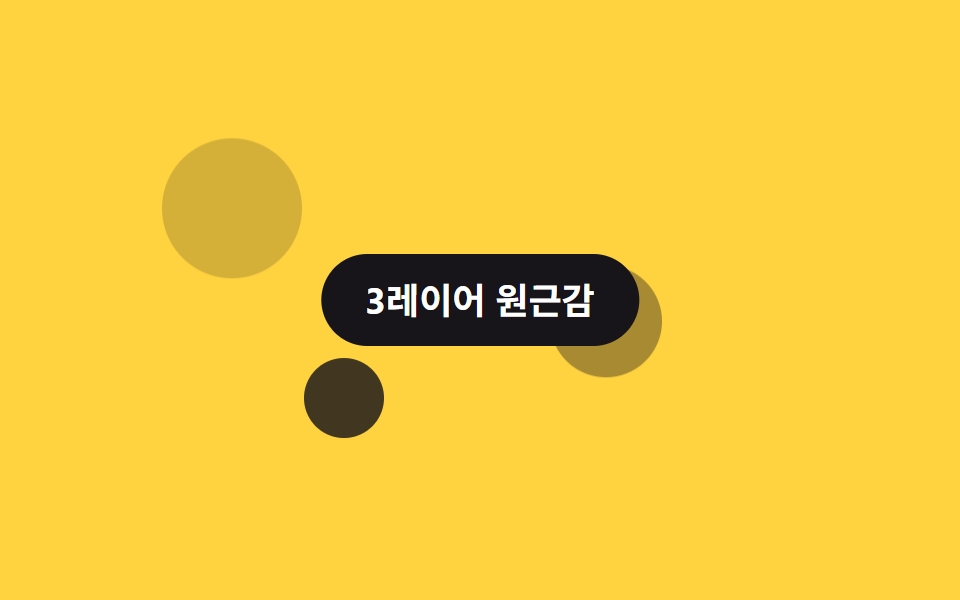
- 02 Phối cảnh 3 lớp
- 03 Chữ trôi qua ảnh
- 04 Hero co lại khi cuộn
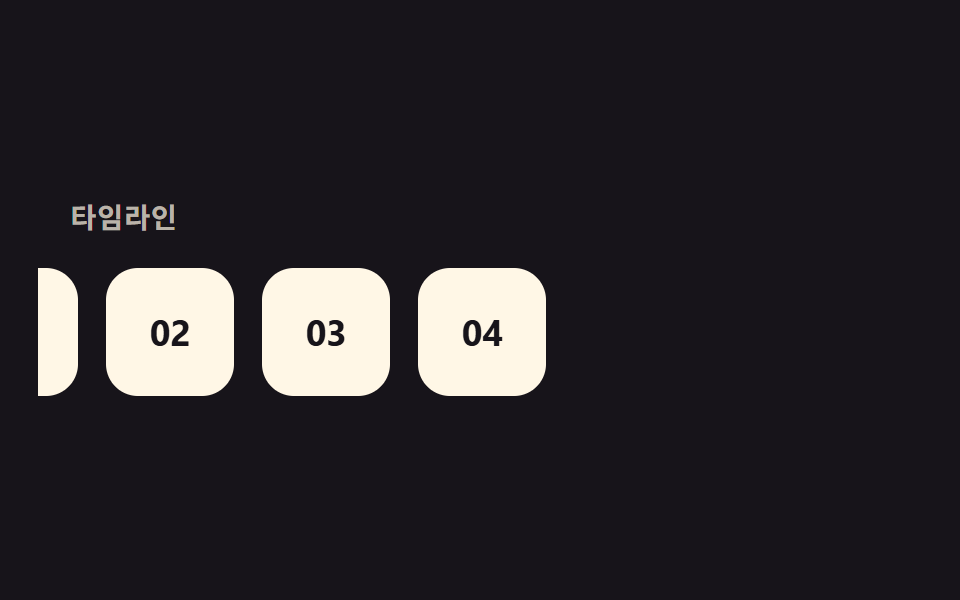
- 05 Timeline cuộn ngang
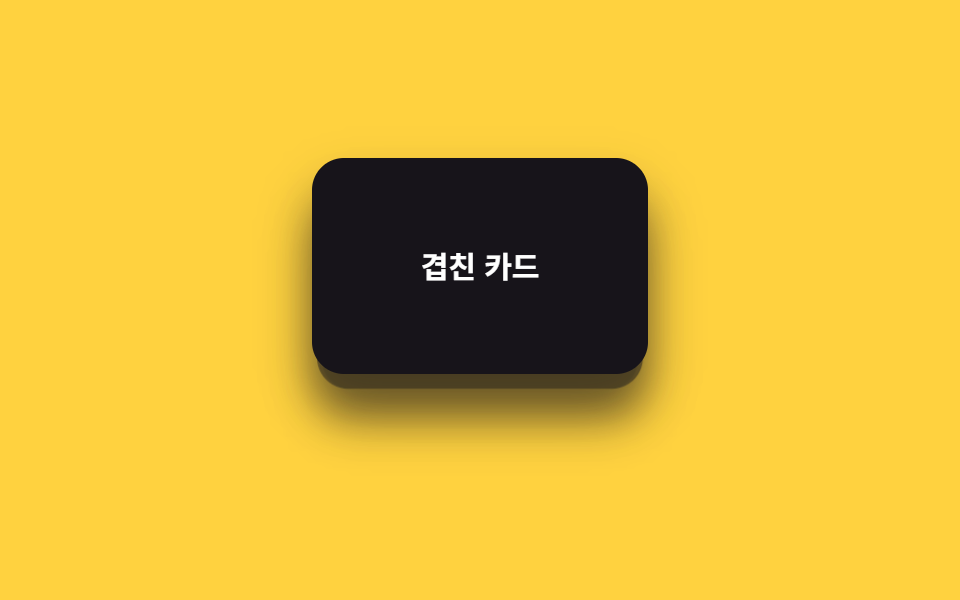
- 06 Thẻ xếp lớp
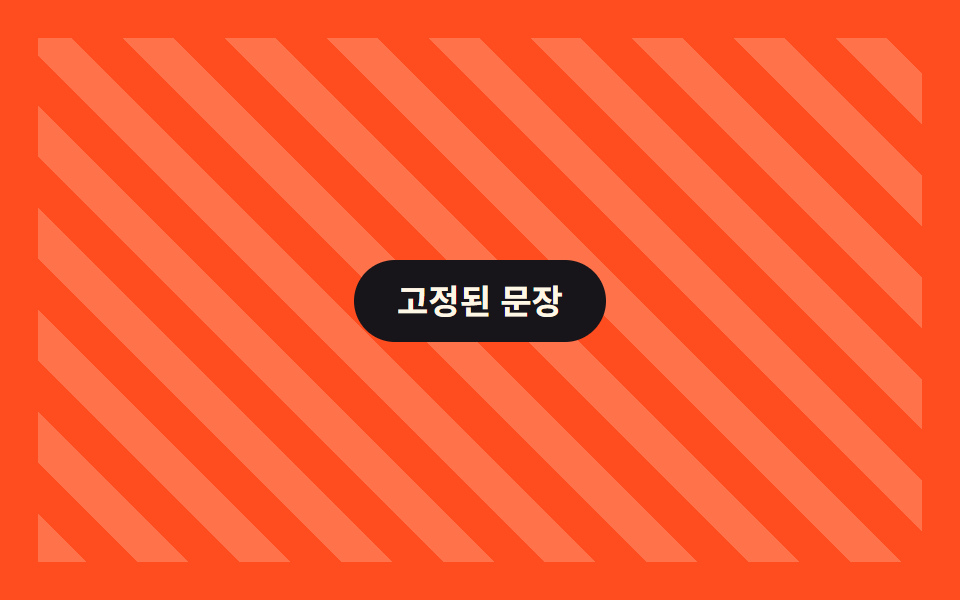
- 07 Sticky kết hợp parallax
- 08 Parallax theo chuột
- 09 Zoom out khi cuộn
Chín hiệu ứng dưới đây xếp theo độ phức tạp của lớp: từ một lớp nền trôi chậm (01) đến ba lớp phối cảnh thật (02), rồi tới những biến thể dùng sticky, timeline ngang hoặc chuột thay cho cuộn dọc thuần túy. Trang demo không cuộn được, nên lưới 3×3 phía trên lặp lại chuyển động mỗi 2 giây trong một iframe cố định — bạn chỉ cần xem; các số đo dưới mỗi mục lấy từ chuyển động cuộn thật, không phải từ vòng lặp trình diễn này. animation-timeline hiện chạy trên Chrome 115+ và Safari 26+, còn Firefox bản ổn định vẫn cần bật cờ tính đến 9/2026.
01Nền trôi chậm
Bạn thấy gì
Chỉ một lớp nền di chuyển chậm hơn tốc độ cuộn, tạo khoảng cách với chữ phía trước và sinh ra cảm giác chiều sâu.
<main class="stage is-demo">
  <div class="bgslow">
    <div class="bgslow__bg" aria-hidden="true"></div>
    <h2 class="bgslow__title">Chỉ nền trôi chậm</h2>
  </div>
</main>
@use "../../../../site/static/demo-tokens" as *;
// ── 변수 3개. 변형은 이것만 바꾼다 (값은 토큰에서 받는다) ──────
$shift: 24px; // 배경 이동량 (스크롤의 0.4배 느낌)
$duration: $dur-loop; // 데모 왕복 주기
$color: $subject-cream; // 배경 점 색 (ink 무대라 cream)
@include stage($stage-ink);
.bgslow {
position: relative;
width: 100%;
height: 100%;
overflow: hidden;
display: grid;
place-items: center;
&__bg {
position: absolute;
inset: -20% -10%;
background:
radial-gradient($color 0 46px, transparent 47px) 24% 30%,
radial-gradient($color 0 30px, transparent 31px) 78% 62%,
radial-gradient($color 0 20px, transparent 21px) 55% 82%;
background-repeat: no-repeat;
opacity: .5;
// ── 실제 사용 코드: 배경 하나만 스크롤보다 느리게(0.4배) 움직인다 ──
@supports (animation-timeline: scroll()) {
animation: drift linear both;
animation-timeline: scroll(root);
}
@supports not (animation-timeline: scroll()) {
transform: none;
}
}
&__title {
position: relative;
z-index: 1;
margin: 0;
padding: 14px 22px;
border-radius: $r-pill;
background: $subject-blue;
color: #fff;
font: 700 clamp(15px, 5vw, 19px)/1 -apple-system, "Segoe UI", "Noto Sans KR", sans-serif;
}
}
@keyframes drift { from { transform: translateY(0); } to { transform: translateY(-#{$shift}); } }
// ── 데모(.is-demo): 스크롤 대신 왕복 루프로 흉내 ────────
.stage.is-demo .bgslow__bg {
animation: drift-loop $duration ease-in-out infinite;
}
@keyframes drift-loop {
0%, 100% { transform: translateY($shift); }
50% { transform: translateY(-$shift); }
}
// ── 접근성: 움직임 줄이기 설정이면 배경을 그대로 고정 ────────────
@media (prefers-reduced-motion: reduce) {
.bgslow__bg, .stage.is-demo .bgslow__bg { animation: none !important; transform: none; }
}html, body {
margin: 0;
overflow: hidden;
}
.stage {
box-sizing: border-box;
min-height: 100vh;
display: grid;
place-items: center;
margin: 0;
background: #17141a;
font-family: -apple-system, "Segoe UI", "Noto Sans KR", sans-serif;
padding: clamp(8px, 4vw, 24px);
}
.bgslow {
position: relative;
width: 100%;
height: 100%;
overflow: hidden;
display: grid;
place-items: center;
}
.bgslow__bg {
position: absolute;
inset: -20% -10%;
background: radial-gradient(#fff7e6 0 46px, transparent 47px) 24% 30%, radial-gradient(#fff7e6 0 30px, transparent 31px) 78% 62%, radial-gradient(#fff7e6 0 20px, transparent 21px) 55% 82%;
background-repeat: no-repeat;
opacity: 0.5;
}
@supports (animation-timeline: scroll()) {
.bgslow__bg {
animation: drift linear both;
animation-timeline: scroll(root);
}
}
@supports not (animation-timeline: scroll()) {
.bgslow__bg {
transform: none;
}
}
.bgslow__title {
position: relative;
z-index: 1;
margin: 0;
padding: 14px 22px;
border-radius: 999px;
background: #2f6df6;
color: #fff;
font: 700 clamp(15px, 5vw, 19px)/1 -apple-system, "Segoe UI", "Noto Sans KR", sans-serif;
}
@keyframes drift {
from {
transform: translateY(0);
}
to {
transform: translateY(-24px);
}
}
.stage.is-demo .bgslow__bg {
animation: drift-loop 2s ease-in-out infinite;
}
@keyframes drift-loop {
0%, 100% {
transform: translateY(24px);
}
50% {
transform: translateY(-24px);
}
}
@media (prefers-reduced-motion: reduce) {
.bgslow__bg, .stage.is-demo .bgslow__bg {
animation: none !important;
transform: none;
}
}import type { CSSProperties, ReactNode } from "react";
import styles from "./SlowBackground.module.scss";
export type SlowBackgroundProps = {
children: ReactNode;
/** 배경 이동량 (기본 24px, 스크롤의 0.4배 느낌) */
shift?: number;
/** 배경 점 색 */
color?: string;
className?: string;
};
type Vars = CSSProperties & { "--shift"?: string; "--color"?: string };
export default function SlowBackground({
children,
shift = 24,
color = "#fff7e6",
className = "",
}: SlowBackgroundProps) {
const vars: Vars = { "--shift": `${shift}px`, "--color": color };
return (
<div className={`${styles.wrap} ${className}`} style={vars}>
<div className={styles.bg} aria-hidden="true" />
<div className={styles.title}>{children}</div>
</div>
);
}01 · Nền trôi chậm — Diện tích đo được 3.371% · khung hình chuyển động 23/23Nguyên tác GODRICH · SCSS và React nằm trong tệp zip · Xem mật khẩu
Dùng ở đâu
Dùng cho nền hero trang landing hoặc banner đầu section.
.bgslow__bg {
  position: absolute;
  inset: -20% -10%;
  background: radial-gradient($color 0 46px, transparent 47px) 24% 30%;

  @supports (animation-timeline: scroll()) {
    animation: drift linear both;
    animation-timeline: scroll(root);
  }
}

@keyframes drift {
  from { transform: translateY(0); }
  to   { transform: translateY(-24px); }
}
02Phối cảnh 3 lớp
Chuyện gì diễn ra trên màn hình
Ba lớp sau, giữa, trước di chuyển với tốc độ khác nhau, tạo phối cảnh thật cho sân khấu.
<main class="stage is-demo">
  <div class="layer3">
    <div class="layer3__back" aria-hidden="true"></div>
    <div class="layer3__mid" aria-hidden="true"></div>
    <div class="layer3__front" aria-hidden="true"></div>
    <h2 class="layer3__title">Phối cảnh 3 lớp</h2>
  </div>
</main>
@use "../../../../site/static/demo-tokens" as *;
// ── 변수 3개. 변형은 이것만 바꾼다 ──────────────────────────
$back-shift: 10px; // 뒤 레이어 이동량 (가장 적게)
$mid-shift: 26px; // 중간 레이어 이동량
$front-shift: 46px; // 앞 레이어 이동량 (가장 많이)
@include stage($stage-yellow);
.layer3 {
position: relative;
width: 100%;
height: 100%;
overflow: hidden;
&__back, &__mid, &__front {
position: absolute;
border-radius: 50%;
background: $subject-ink;
}
&__back {
width: 70px; height: 70px; left: 14%; top: 20%; opacity: .18;
@supports (animation-timeline: scroll()) { animation: drift-back linear both; animation-timeline: scroll(root); }
}
&__mid {
width: 56px; height: 56px; left: 58%; top: 46%; opacity: .38;
@supports (animation-timeline: scroll()) { animation: drift-mid linear both; animation-timeline: scroll(root); }
}
&__front {
width: 40px; height: 40px; left: 30%; top: 66%; opacity: .82;
@supports (animation-timeline: scroll()) { animation: drift-front linear both; animation-timeline: scroll(root); }
}
&__title {
position: absolute;
z-index: 1;
top: 50%;
left: 50%;
transform: translate(-50%, -50%);
margin: 0;
padding: 14px 22px;
border-radius: $r-pill;
background: $stage-ink;
color: #fff;
font: 700 clamp(14px, 4.6vw, 18px)/1 -apple-system, "Segoe UI", "Noto Sans KR", sans-serif;
white-space: nowrap;
}
}
// ── 실제 사용 코드: 세 레이어가 각각 다른 속도로 스크롤과 함께 이동한다 ──
@keyframes drift-back { from { transform: translateY(0); } to { transform: translateY(-#{$back-shift}); } }
@keyframes drift-mid { from { transform: translateY(0); } to { transform: translateY(-#{$mid-shift}); } }
@keyframes drift-front { from { transform: translateY(0); } to { transform: translateY(-#{$front-shift}); } }
// ── 데모(.is-demo): 왕복 루프로 흉내 ────────
.stage.is-demo .layer3__back { animation: loop-back $dur-loop ease-in-out infinite; }
.stage.is-demo .layer3__mid { animation: loop-mid $dur-loop ease-in-out infinite; }
.stage.is-demo .layer3__front { animation: loop-front $dur-loop ease-in-out infinite; }
@keyframes loop-back { 0%, 100% { transform: translateY($back-shift); } 50% { transform: translateY(-$back-shift); } }
@keyframes loop-mid { 0%, 100% { transform: translateY($mid-shift); } 50% { transform: translateY(-$mid-shift); } }
@keyframes loop-front { 0%, 100% { transform: translateY($front-shift); } 50% { transform: translateY(-$front-shift); } }
@media (prefers-reduced-motion: reduce) {
.layer3__back, .layer3__mid, .layer3__front,
.stage.is-demo .layer3__back, .stage.is-demo .layer3__mid, .stage.is-demo .layer3__front {
animation: none !important;
transform: none;
}
}html, body {
margin: 0;
overflow: hidden;
}
.stage {
box-sizing: border-box;
min-height: 100vh;
display: grid;
place-items: center;
margin: 0;
background: #ffd23f;
font-family: -apple-system, "Segoe UI", "Noto Sans KR", sans-serif;
padding: clamp(8px, 4vw, 24px);
}
.layer3 {
position: relative;
width: 100%;
height: 100%;
overflow: hidden;
}
.layer3__back, .layer3__mid, .layer3__front {
position: absolute;
border-radius: 50%;
background: #17141a;
}
.layer3__back {
width: 70px;
height: 70px;
left: 14%;
top: 20%;
opacity: 0.18;
}
@supports (animation-timeline: scroll()) {
.layer3__back {
animation: drift-back linear both;
animation-timeline: scroll(root);
}
}
.layer3__mid {
width: 56px;
height: 56px;
left: 58%;
top: 46%;
opacity: 0.38;
}
@supports (animation-timeline: scroll()) {
.layer3__mid {
animation: drift-mid linear both;
animation-timeline: scroll(root);
}
}
.layer3__front {
width: 40px;
height: 40px;
left: 30%;
top: 66%;
opacity: 0.82;
}
@supports (animation-timeline: scroll()) {
.layer3__front {
animation: drift-front linear both;
animation-timeline: scroll(root);
}
}
.layer3__title {
position: absolute;
z-index: 1;
top: 50%;
left: 50%;
transform: translate(-50%, -50%);
margin: 0;
padding: 14px 22px;
border-radius: 999px;
background: #17141a;
color: #fff;
font: 700 clamp(14px, 4.6vw, 18px)/1 -apple-system, "Segoe UI", "Noto Sans KR", sans-serif;
white-space: nowrap;
}
@keyframes drift-back {
from {
transform: translateY(0);
}
to {
transform: translateY(-10px);
}
}
@keyframes drift-mid {
from {
transform: translateY(0);
}
to {
transform: translateY(-26px);
}
}
@keyframes drift-front {
from {
transform: translateY(0);
}
to {
transform: translateY(-46px);
}
}
.stage.is-demo .layer3__back {
animation: loop-back 2s ease-in-out infinite;
}
.stage.is-demo .layer3__mid {
animation: loop-mid 2s ease-in-out infinite;
}
.stage.is-demo .layer3__front {
animation: loop-front 2s ease-in-out infinite;
}
@keyframes loop-back {
0%, 100% {
transform: translateY(10px);
}
50% {
transform: translateY(-10px);
}
}
@keyframes loop-mid {
0%, 100% {
transform: translateY(26px);
}
50% {
transform: translateY(-26px);
}
}
@keyframes loop-front {
0%, 100% {
transform: translateY(46px);
}
50% {
transform: translateY(-46px);
}
}
@media (prefers-reduced-motion: reduce) {
.layer3__back, .layer3__mid, .layer3__front,
.stage.is-demo .layer3__back, .stage.is-demo .layer3__mid, .stage.is-demo .layer3__front {
animation: none !important;
transform: none;
}
}import type { CSSProperties, ReactNode } from "react";
import styles from "./ThreeLayerDepth.module.scss";
export type ThreeLayerDepthProps = {
children: ReactNode;
/** 뒤 레이어 이동량 (기본 10px) */
backShift?: number;
/** 중간 레이어 이동량 (기본 26px) */
midShift?: number;
/** 앞 레이어 이동량 (기본 46px) */
frontShift?: number;
className?: string;
};
type Vars = CSSProperties & {
"--back-shift"?: string;
"--mid-shift"?: string;
"--front-shift"?: string;
};
export default function ThreeLayerDepth({
children,
backShift = 10,
midShift = 26,
frontShift = 46,
className = "",
}: ThreeLayerDepthProps) {
const vars: Vars = {
"--back-shift": `${backShift}px`,
"--mid-shift": `${midShift}px`,
"--front-shift": `${frontShift}px`,
};
return (
<div className={`${styles.layer3} ${className}`} style={vars}>
<div className={styles.back} aria-hidden="true" />
<div className={styles.mid} aria-hidden="true" />
<div className={styles.front} aria-hidden="true" />
<div className={styles.title}>{children}</div>
</div>
);
}02 · Phối cảnh 3 lớp — Diện tích đo được 7.535% · khung hình chuyển động 23/23Nguyên tác GODRICH · SCSS và React nằm trong tệp zip · Xem mật khẩu
Chỗ dùng
Hợp với trang giới thiệu game hoặc section kể chuyện thương hiệu.
.layer3__back  { animation: drift-back linear both;  animation-timeline: scroll(root); }
.layer3__mid   { animation: drift-mid linear both;   animation-timeline: scroll(root); }
.layer3__front { animation: drift-front linear both; animation-timeline: scroll(root); }

@keyframes drift-back  { from { transform: translateY(0); } to { transform: translateY(-10px); } }
@keyframes drift-mid   { from { transform: translateY(0); } to { transform: translateY(-26px); } }
@keyframes drift-front { from { transform: translateY(0); } to { transform: translateY(-46px); } }
03Chữ trôi qua ảnh
Chuyển động thế nào
Ảnh gần như đứng yên, chỉ chữ di chuyển nhanh hơn tốc độ cuộn rồi trượt qua bên trên ảnh.
<main class="stage is-demo">
  <div class="textimg">
    <div class="textimg__image" aria-hidden="true"></div>
    <h2 class="textimg__text">Tiêu đề trôi qua</h2>
  </div>
</main>
@use "../../../../site/static/demo-tokens" as *;
// ── 변수 3개. 변형은 이것만 바꾼다 ──────────────────────────
$text-shift: 70px; // 글자 이동량 (이미지보다 훨씬 빠르게)
$image-shift: 14px; // 이미지 이동량 (거의 고정)
$color: $subject-cream; // 글자 색 (orange 무대라 cream)
@include stage($stage-orange);
.textimg {
position: relative;
width: 100%;
height: 100%;
display: grid;
place-items: center;
overflow: hidden;
&__image {
position: absolute;
inset: 14% 10%;
border-radius: $r-card;
background: rgba($subject-ink, .34);
// ── 실제 사용 코드: 이미지는 거의 고정, 글자만 훨씬 빠르게 지나간다 ──
@supports (animation-timeline: scroll()) {
animation: image-drift linear both;
animation-timeline: scroll(root);
}
@supports not (animation-timeline: scroll()) { transform: none; }
}
&__text {
position: relative;
z-index: 1;
margin: 0;
color: $color;
font: 800 clamp(28px, 11vw, 44px)/1 -apple-system, "Segoe UI", "Noto Sans KR", sans-serif;
mix-blend-mode: difference;
@supports (animation-timeline: scroll()) {
animation: text-drift linear both;
animation-timeline: scroll(root);
}
@supports not (animation-timeline: scroll()) { transform: none; }
}
}
@keyframes image-drift { from { transform: translateY(0); } to { transform: translateY(-#{$image-shift}); } }
@keyframes text-drift { from { transform: translateY(60px); } to { transform: translateY(-#{$text-shift}); } }
// ── 데모(.is-demo): 왕복 루프로 흉내 ────────
.stage.is-demo .textimg__image { animation: image-loop $dur-loop ease-in-out infinite; }
.stage.is-demo .textimg__text { animation: text-loop $dur-loop ease-in-out infinite; }
@keyframes image-loop { 0%, 100% { transform: translateY($image-shift); } 50% { transform: translateY(-$image-shift); } }
@keyframes text-loop { 0%, 100% { transform: translateY(46px); } 50% { transform: translateY(-46px); } }
@media (prefers-reduced-motion: reduce) {
.textimg__image, .textimg__text,
.stage.is-demo .textimg__image, .stage.is-demo .textimg__text {
animation: none !important;
transform: none;
}
}html, body {
margin: 0;
overflow: hidden;
}
.stage {
box-sizing: border-box;
min-height: 100vh;
display: grid;
place-items: center;
margin: 0;
background: #ff4d1f;
font-family: -apple-system, "Segoe UI", "Noto Sans KR", sans-serif;
padding: clamp(8px, 4vw, 24px);
}
.textimg {
position: relative;
width: 100%;
height: 100%;
display: grid;
place-items: center;
overflow: hidden;
}
.textimg__image {
position: absolute;
inset: 14% 10%;
border-radius: 16px;
background: rgba(23, 20, 26, 0.34);
}
@supports (animation-timeline: scroll()) {
.textimg__image {
animation: image-drift linear both;
animation-timeline: scroll(root);
}
}
@supports not (animation-timeline: scroll()) {
.textimg__image {
transform: none;
}
}
.textimg__text {
position: relative;
z-index: 1;
margin: 0;
color: #fff7e6;
font: 800 clamp(28px, 11vw, 44px)/1 -apple-system, "Segoe UI", "Noto Sans KR", sans-serif;
mix-blend-mode: difference;
}
@supports (animation-timeline: scroll()) {
.textimg__text {
animation: text-drift linear both;
animation-timeline: scroll(root);
}
}
@supports not (animation-timeline: scroll()) {
.textimg__text {
transform: none;
}
}
@keyframes image-drift {
from {
transform: translateY(0);
}
to {
transform: translateY(-14px);
}
}
@keyframes text-drift {
from {
transform: translateY(60px);
}
to {
transform: translateY(-70px);
}
}
.stage.is-demo .textimg__image {
animation: image-loop 2s ease-in-out infinite;
}
.stage.is-demo .textimg__text {
animation: text-loop 2s ease-in-out infinite;
}
@keyframes image-loop {
0%, 100% {
transform: translateY(14px);
}
50% {
transform: translateY(-14px);
}
}
@keyframes text-loop {
0%, 100% {
transform: translateY(46px);
}
50% {
transform: translateY(-46px);
}
}
@media (prefers-reduced-motion: reduce) {
.textimg__image, .textimg__text,
.stage.is-demo .textimg__image, .stage.is-demo .textimg__text {
animation: none !important;
transform: none;
}
}import type { CSSProperties, ReactNode } from "react";
import styles from "./TextOverImage.module.scss";
export type TextOverImageProps = {
children: ReactNode;
/** 글자 이동량 (기본 70px, 이미지보다 훨씬 빠르게) */
textShift?: number;
/** 이미지 이동량 (기본 14px, 거의 고정) */
imageShift?: number;
/** 글자 색 */
color?: string;
className?: string;
};
type Vars = CSSProperties & {
"--text-shift"?: string;
"--image-shift"?: string;
"--color"?: string;
};
export default function TextOverImage({
children,
textShift = 70,
imageShift = 14,
color = "#fff7e6",
className = "",
}: TextOverImageProps) {
const vars: Vars = {
"--text-shift": `${textShift}px`,
"--image-shift": `${imageShift}px`,
"--color": color,
};
return (
<div className={`${styles.wrap} ${className}`} style={vars}>
<div className={styles.image} aria-hidden="true" />
<h2 className={styles.text}>{children}</h2>
</div>
);
}03 · Chữ trôi qua ảnh — Diện tích đo được 31.153% · khung hình chuyển động 23/23Nguyên tác GODRICH · SCSS và React nằm trong tệp zip · Xem mật khẩu
Dùng khi nào
Hợp với hero kiểu tạp chí hoặc tiêu đề photo essay.
.textimg__image {
  animation: image-drift linear both;
  animation-timeline: scroll(root);
}
.textimg__text {
  mix-blend-mode: difference;
  animation: text-drift linear both;
  animation-timeline: scroll(root);
}

@keyframes image-drift { from { transform: translateY(0); }    to { transform: translateY(-14px); } }
@keyframes text-drift  { from { transform: translateY(60px); } to { transform: translateY(-70px); } }
04Hero co lại khi cuộn
Bạn thấy gì
Tiêu đề hero nhỏ dần và mờ dần trong lúc bạn cuộn, nhường chỗ cho section tiếp theo.
<main class="stage is-demo">
  <div class="heroshrink">
    <h2 class="heroshrink__title">Hero co lại</h2>
  </div>
</main>
@use "../../../../site/static/demo-tokens" as *;
// ── 변수 3개. 변형은 이것만 바꾼다 ──────────────────────────
$scale-to: .55; // 다 스크롤했을 때 남는 크기
$duration: $dur-loop; // 데모 왕복 주기
$color: $subject-blue; // 제목 색 (paper 무대라 blue)
@include stage($stage-paper);
.heroshrink {
width: 100%;
height: 100%;
display: grid;
place-items: center;
}
.heroshrink__title {
margin: 0;
color: $color;
font: 800 clamp(22px, 8vw, 34px)/1.1 -apple-system, "Segoe UI", "Noto Sans KR", sans-serif;
text-align: center;
// ── 실제 사용 코드: 스크롤하는 동안 작아지고 옅어진다 ──
@supports (animation-timeline: scroll()) {
animation: shrink linear both;
animation-timeline: scroll(root);
}
@supports not (animation-timeline: scroll()) { transform: none; opacity: 1; }
}
@keyframes shrink { from { transform: scale(1); opacity: 1; } to { transform: scale(#{$scale-to}); opacity: .25; } }
// ── 데모(.is-demo): 왕복 루프로 흉내 ────────
.stage.is-demo .heroshrink__title { animation: shrink-loop $duration ease-in-out infinite; }
@keyframes shrink-loop {
0%, 100% { transform: scale(1); opacity: 1; }
50% { transform: scale($scale-to); opacity: .25; }
}
@media (prefers-reduced-motion: reduce) {
.heroshrink__title, .stage.is-demo .heroshrink__title { animation: none !important; transform: none; opacity: 1; }
}html, body {
margin: 0;
overflow: hidden;
}
.stage {
box-sizing: border-box;
min-height: 100vh;
display: grid;
place-items: center;
margin: 0;
background: #ffffff;
font-family: -apple-system, "Segoe UI", "Noto Sans KR", sans-serif;
padding: clamp(8px, 4vw, 24px);
}
.heroshrink {
width: 100%;
height: 100%;
display: grid;
place-items: center;
}
.heroshrink__title {
margin: 0;
color: #2f6df6;
font: 800 clamp(22px, 8vw, 34px)/1.1 -apple-system, "Segoe UI", "Noto Sans KR", sans-serif;
text-align: center;
}
@supports (animation-timeline: scroll()) {
.heroshrink__title {
animation: shrink linear both;
animation-timeline: scroll(root);
}
}
@supports not (animation-timeline: scroll()) {
.heroshrink__title {
transform: none;
opacity: 1;
}
}
@keyframes shrink {
from {
transform: scale(1);
opacity: 1;
}
to {
transform: scale(0.55);
opacity: 0.25;
}
}
.stage.is-demo .heroshrink__title {
animation: shrink-loop 2s ease-in-out infinite;
}
@keyframes shrink-loop {
0%, 100% {
transform: scale(1);
opacity: 1;
}
50% {
transform: scale(0.55);
opacity: 0.25;
}
}
@media (prefers-reduced-motion: reduce) {
.heroshrink__title, .stage.is-demo .heroshrink__title {
animation: none !important;
transform: none;
opacity: 1;
}
}import type { CSSProperties, ReactNode } from "react";
import styles from "./HeroShrink.module.scss";
export type HeroShrinkProps = {
children: ReactNode;
/** 다 스크롤했을 때 남는 크기 (기본 .55) */
scaleTo?: number;
/** 제목 색 */
color?: string;
className?: string;
};
type Vars = CSSProperties & { "--scale-to"?: string; "--color"?: string };
export default function HeroShrink({
children,
scaleTo = 0.55,
color = "#2f6df6",
className = "",
}: HeroShrinkProps) {
const vars: Vars = { "--scale-to": `${scaleTo}`, "--color": color };
return (
<div className={`${styles.wrap} ${className}`} style={vars}>
<h2 className={styles.title}>{children}</h2>
</div>
);
}04 · Hero co lại khi cuộn — Diện tích đo được 3.955% · khung hình chuyển động 23/23Nguyên tác GODRICH · SCSS và React nằm trong tệp zip · Xem mật khẩu
Dùng ở đâu
Hợp với màn hình đầu trang landing hoặc phần mở đầu giới thiệu app.
.heroshrink__title {
  animation: shrink linear both;
  animation-timeline: scroll(root);
}

@keyframes shrink {
  from { transform: scale(1);   opacity: 1; }
  to   { transform: scale(.55); opacity: .25; }
}
05Timeline cuộn ngang
Chuyện gì diễn ra trên màn hình
Cuộn dọc như bình thường nhưng dãy thẻ lại trôi ngang, đọc như một timeline.
<main class="stage is-demo">
  <div class="hline">
    <span class="hline__label">Timeline</span>
    <div class="hline__track">
      <span class="hline__card">01</span>
      <span class="hline__card">02</span>
      <span class="hline__card">03</span>
      <span class="hline__card">04</span>
    </div>
  </div>
</main>
@use "../../../../site/static/demo-tokens" as *;
// ── 변수 3개. 변형은 이것만 바꾼다 ──────────────────────────
$travel: 120px; // 가로 이동 거리
$gap: 14px; // 카드 사이 간격
$color: $subject-cream; // 카드 색 (ink 무대라 cream)
@include stage($stage-ink);
.hline {
position: relative;
width: 100%;
height: 100%;
overflow: hidden;
display: grid;
align-content: center;
gap: 18px;
}
.hline__label {
padding-left: 16px;
color: rgba($color, .7);
font: 700 clamp(12px, 3.6vw, 14px)/1 -apple-system, "Segoe UI", "Noto Sans KR", sans-serif;
letter-spacing: .04em;
}
.hline__track {
display: flex;
gap: $gap;
padding-left: 16px;
// ── 실제 사용 코드: 세로 스크롤을 그대로 가로 이동으로 쓴다 ──
@supports (animation-timeline: scroll()) {
animation: travel linear both;
animation-timeline: scroll(root);
}
@supports not (animation-timeline: scroll()) { transform: none; }
}
.hline__card {
flex: none;
width: 64px;
height: 64px;
border-radius: $r-card;
background: $color;
color: $stage-ink;
display: grid;
place-items: center;
font: 700 18px/1 -apple-system, "Segoe UI", "Noto Sans KR", sans-serif;
}
@keyframes travel { from { transform: translateX(0); } to { transform: translateX(-#{$travel}); } }
// ── 데모(.is-demo): 왕복 루프로 흉내 ────────
.stage.is-demo .hline__track { animation: travel-loop $dur-loop ease-in-out infinite; }
@keyframes travel-loop { 0%, 100% { transform: translateX(0); } 50% { transform: translateX(-$travel); } }
@media (prefers-reduced-motion: reduce) {
.hline__track, .stage.is-demo .hline__track { animation: none !important; transform: none; }
}html, body {
margin: 0;
overflow: hidden;
}
.stage {
box-sizing: border-box;
min-height: 100vh;
display: grid;
place-items: center;
margin: 0;
background: #17141a;
font-family: -apple-system, "Segoe UI", "Noto Sans KR", sans-serif;
padding: clamp(8px, 4vw, 24px);
}
.hline {
position: relative;
width: 100%;
height: 100%;
overflow: hidden;
display: grid;
align-content: center;
gap: 18px;
}
.hline__label {
padding-left: 16px;
color: rgba(255, 247, 230, 0.7);
font: 700 clamp(12px, 3.6vw, 14px)/1 -apple-system, "Segoe UI", "Noto Sans KR", sans-serif;
letter-spacing: 0.04em;
}
.hline__track {
display: flex;
gap: 14px;
padding-left: 16px;
}
@supports (animation-timeline: scroll()) {
.hline__track {
animation: travel linear both;
animation-timeline: scroll(root);
}
}
@supports not (animation-timeline: scroll()) {
.hline__track {
transform: none;
}
}
.hline__card {
flex: none;
width: 64px;
height: 64px;
border-radius: 16px;
background: #fff7e6;
color: #17141a;
display: grid;
place-items: center;
font: 700 18px/1 -apple-system, "Segoe UI", "Noto Sans KR", sans-serif;
}
@keyframes travel {
from {
transform: translateX(0);
}
to {
transform: translateX(-120px);
}
}
.stage.is-demo .hline__track {
animation: travel-loop 2s ease-in-out infinite;
}
@keyframes travel-loop {
0%, 100% {
transform: translateX(0);
}
50% {
transform: translateX(-120px);
}
}
@media (prefers-reduced-motion: reduce) {
.hline__track, .stage.is-demo .hline__track {
animation: none !important;
transform: none;
}
}import type { CSSProperties, ReactNode } from "react";
import styles from "./HorizontalTimeline.module.scss";
export type HorizontalTimelineProps = {
/** 카드 내용 (숫자·짧은 라벨) */
items: ReactNode[];
label?: string;
/** 가로 이동 거리 (기본 120px) */
travel?: number;
/** 카드 사이 간격 (기본 14px) */
gap?: number;
className?: string;
};
type Vars = CSSProperties & { "--travel"?: string; "--gap"?: string };
export default function HorizontalTimeline({
items,
label = "Timeline",
travel = 120,
gap = 14,
className = "",
}: HorizontalTimelineProps) {
const vars: Vars = { "--travel": `${travel}px`, "--gap": `${gap}px` };
return (
<div className={`${styles.hline} ${className}`} style={vars}>
<span className={styles.label}>{label}</span>
<div className={styles.track}>
{items.map((item, i) => (
<span key={i} className={styles.card}>
{item}
</span>
))}
</div>
</div>
);
}05 · Timeline cuộn ngang — Diện tích đo được 13.686% · khung hình chuyển động 23/23Nguyên tác GODRICH · SCSS và React nằm trong tệp zip · Xem mật khẩu
Chỗ dùng
Hợp với trang lịch sử công ty hoặc roadmap sản phẩm.
.hline__track {
  display: flex;
  gap: 14px;
  animation: travel linear both;
  animation-timeline: scroll(root);
}

@keyframes travel {
  from { transform: translateX(0); }
  to   { transform: translateX(-120px); }
}
06Thẻ xếp lớp
Chuyển động thế nào
Ba thẻ xếp chồng lên nhau bong ra với tốc độ khác nhau mỗi khi bạn cuộn, để lộ chiều sâu bên dưới.
<main class="stage is-demo">
  <div class="depthcards">
    <div class="depthcards__card depthcards__card--3" aria-hidden="true"></div>
    <div class="depthcards__card depthcards__card--2" aria-hidden="true"></div>
    <div class="depthcards__card depthcards__card--1">
      <span>Thẻ xếp lớp</span>
    </div>
  </div>
</main>
@use "../../../../site/static/demo-tokens" as *;
// ── 변수 3개. 변형은 이것만 바꾼다 ──────────────────────────
$peel: 34px; // 맨 앞 카드가 밀려나는 거리
$scale-step: .06; // 뒤 카드일수록 커지는 폭
$color: $subject-ink; // 카드 색 (yellow 무대라 ink)
@include stage($stage-yellow);
.depthcards {
position: relative;
width: 100%;
height: 100%;
display: grid;
place-items: center;
}
.depthcards__card {
position: absolute;
width: 168px;
height: 108px;
border-radius: $r-card;
box-shadow: $shadow-raised;
display: grid;
place-items: center;
font: 700 clamp(13px, 4vw, 15px)/1 -apple-system, "Segoe UI", "Noto Sans KR", sans-serif;
&--3 {
background: rgba($color, .28);
transform: translateY(18px) scale(.88);
@supports (animation-timeline: scroll()) { animation: peel-3 linear both; animation-timeline: scroll(root); }
}
&--2 {
background: rgba($color, .58);
transform: translateY(9px) scale(.94);
@supports (animation-timeline: scroll()) { animation: peel-2 linear both; animation-timeline: scroll(root); }
}
&--1 {
background: $color;
color: #fff;
@supports (animation-timeline: scroll()) { animation: peel-1 linear both; animation-timeline: scroll(root); }
}
}
// ── 실제 사용 코드: 앞 카드일수록 더 멀리, 더 빨리 밀려난다 ──
@keyframes peel-1 { from { transform: translateY(0) scale(1); } to { transform: translateY(-#{$peel}) scale(1); } }
@keyframes peel-2 { from { transform: translateY(9px) scale(.94); } to { transform: translateY(9px - $peel) scale(.94 + $scale-step); } }
@keyframes peel-3 { from { transform: translateY(18px) scale(.88); } to { transform: translateY(18px - $peel * 1.4) scale(.88 + $scale-step * 2); } }
// ── 데모(.is-demo): 왕복 루프로 흉내 ────────
.stage.is-demo .depthcards__card--1 { animation: loop-1 $dur-loop ease-in-out infinite; }
.stage.is-demo .depthcards__card--2 { animation: loop-2 $dur-loop ease-in-out infinite; }
.stage.is-demo .depthcards__card--3 { animation: loop-3 $dur-loop ease-in-out infinite; }
@keyframes loop-1 { 0%, 100% { transform: translateY(0) scale(1); } 50% { transform: translateY(-$peel) scale(1); } }
@keyframes loop-2 { 0%, 100% { transform: translateY(9px) scale(.94); } 50% { transform: translateY(9px - $peel) scale(.94 + $scale-step); } }
@keyframes loop-3 { 0%, 100% { transform: translateY(18px) scale(.88); } 50% { transform: translateY(18px - $peel * 1.4) scale(.88 + $scale-step * 2); } }
@media (prefers-reduced-motion: reduce) {
.depthcards__card--1, .depthcards__card--2, .depthcards__card--3,
.stage.is-demo .depthcards__card--1, .stage.is-demo .depthcards__card--2, .stage.is-demo .depthcards__card--3 {
animation: none !important;
}
.depthcards__card--1 { transform: translateY(0) scale(1); }
.depthcards__card--2 { transform: translateY(9px) scale(.94); }
.depthcards__card--3 { transform: translateY(18px) scale(.88); }
}html, body {
margin: 0;
overflow: hidden;
}
.stage {
box-sizing: border-box;
min-height: 100vh;
display: grid;
place-items: center;
margin: 0;
background: #ffd23f;
font-family: -apple-system, "Segoe UI", "Noto Sans KR", sans-serif;
padding: clamp(8px, 4vw, 24px);
}
.depthcards {
position: relative;
width: 100%;
height: 100%;
display: grid;
place-items: center;
}
.depthcards__card {
position: absolute;
width: 168px;
height: 108px;
border-radius: 16px;
box-shadow: 0 14px 24px rgba(23, 20, 26, 0.32);
display: grid;
place-items: center;
font: 700 clamp(13px, 4vw, 15px)/1 -apple-system, "Segoe UI", "Noto Sans KR", sans-serif;
}
.depthcards__card--3 {
background: rgba(23, 20, 26, 0.28);
transform: translateY(18px) scale(0.88);
}
@supports (animation-timeline: scroll()) {
.depthcards__card--3 {
animation: peel-3 linear both;
animation-timeline: scroll(root);
}
}
.depthcards__card--2 {
background: rgba(23, 20, 26, 0.58);
transform: translateY(9px) scale(0.94);
}
@supports (animation-timeline: scroll()) {
.depthcards__card--2 {
animation: peel-2 linear both;
animation-timeline: scroll(root);
}
}
.depthcards__card--1 {
background: #17141a;
color: #fff;
}
@supports (animation-timeline: scroll()) {
.depthcards__card--1 {
animation: peel-1 linear both;
animation-timeline: scroll(root);
}
}
@keyframes peel-1 {
from {
transform: translateY(0) scale(1);
}
to {
transform: translateY(-34px) scale(1);
}
}
@keyframes peel-2 {
from {
transform: translateY(9px) scale(0.94);
}
to {
transform: translateY(-25px) scale(1);
}
}
@keyframes peel-3 {
from {
transform: translateY(18px) scale(0.88);
}
to {
transform: translateY(-29.6px) scale(1);
}
}
.stage.is-demo .depthcards__card--1 {
animation: loop-1 2s ease-in-out infinite;
}
.stage.is-demo .depthcards__card--2 {
animation: loop-2 2s ease-in-out infinite;
}
.stage.is-demo .depthcards__card--3 {
animation: loop-3 2s ease-in-out infinite;
}
@keyframes loop-1 {
0%, 100% {
transform: translateY(0) scale(1);
}
50% {
transform: translateY(-34px) scale(1);
}
}
@keyframes loop-2 {
0%, 100% {
transform: translateY(9px) scale(0.94);
}
50% {
transform: translateY(-25px) scale(1);
}
}
@keyframes loop-3 {
0%, 100% {
transform: translateY(18px) scale(0.88);
}
50% {
transform: translateY(-29.6px) scale(1);
}
}
@media (prefers-reduced-motion: reduce) {
.depthcards__card--1, .depthcards__card--2, .depthcards__card--3,
.stage.is-demo .depthcards__card--1, .stage.is-demo .depthcards__card--2, .stage.is-demo .depthcards__card--3 {
animation: none !important;
}
.depthcards__card--1 {
transform: translateY(0) scale(1);
}
.depthcards__card--2 {
transform: translateY(9px) scale(0.94);
}
.depthcards__card--3 {
transform: translateY(18px) scale(0.88);
}
}import type { CSSProperties, ReactNode } from "react";
import styles from "./DepthCards.module.scss";
export type DepthCardsProps = {
/** 맨 앞 카드 라벨 */
children: ReactNode;
/** 맨 앞 카드가 밀려나는 거리 (기본 34px) */
peel?: number;
/** 뒤 카드일수록 커지는 폭 (기본 .06) */
scaleStep?: number;
className?: string;
};
type Vars = CSSProperties & { "--peel"?: string; "--scale-step"?: string };
export default function DepthCards({
children,
peel = 34,
scaleStep = 0.06,
className = "",
}: DepthCardsProps) {
const vars: Vars = { "--peel": `${peel}px`, "--scale-step": `${scaleStep}` };
return (
<div className={`${styles.wrap} ${className}`} style={vars}>
<div className={`${styles.card} ${styles.card3}`} aria-hidden="true" />
<div className={`${styles.card} ${styles.card2}`} aria-hidden="true" />
<div className={`${styles.card} ${styles.card1}`}>{children}</div>
</div>
);
}06 · Thẻ xếp lớp — Diện tích đo được 16.794% · khung hình chuyển động 23/23Nguyên tác GODRICH · SCSS và React nằm trong tệp zip · Xem mật khẩu
Dùng khi nào
Hợp với thẻ giới thiệu tính năng hoặc so sánh gói giá.
.depthcards__card--1 { animation: peel-1 linear both; animation-timeline: scroll(root); }
.depthcards__card--2 { animation: peel-2 linear both; animation-timeline: scroll(root); }
.depthcards__card--3 { animation: peel-3 linear both; animation-timeline: scroll(root); }

@keyframes peel-1 { from { transform: translateY(0) scale(1); }      to { transform: translateY(-34px) scale(1); } }
@keyframes peel-2 { from { transform: translateY(9px) scale(.94); }  to { transform: translateY(-25px) scale(1); } }
@keyframes peel-3 { from { transform: translateY(18px) scale(.88); } to { transform: translateY(-30px) scale(1); } }
07Sticky kết hợp parallax
Bạn thấy gì
Chữ phía trước dính cố định trên màn hình bằng position: sticky, chỉ nền phía sau tiếp tục trôi qua.
<main class="stage is-demo">
  <div class="stickypar">
    <div class="stickypar__bg" aria-hidden="true"></div>
    <p class="stickypar__caption">Chữ đứng yên</p>
  </div>
</main>
@use "../../../../site/static/demo-tokens" as *;
// ── 변수 3개. 변형은 이것만 바꾼다 ──────────────────────────
$bg-shift: 40px; // 뒤 배경 이동량
$duration: $dur-loop; // 데모 왕복 주기
$color: $subject-cream; // 배경 결·문장 글자 색 (orange 무대라 cream)
@include stage($stage-orange);
.stickypar {
position: relative;
width: 100%;
height: 100%;
overflow: hidden;
display: grid;
place-items: center;
}
.stickypar__bg {
position: absolute;
inset: -20% 0;
background: repeating-linear-gradient(45deg, rgba($color, .22) 0 18px, transparent 18px 36px);
// ── 실제 사용 코드: 앞 문장은 sticky 로 붙박이, 뒤 배경만 흘러간다 ──
@supports (animation-timeline: scroll()) {
animation: bg-drift linear both;
animation-timeline: scroll(root);
}
@supports not (animation-timeline: scroll()) { transform: none; }
}
.stickypar__caption {
position: sticky;
top: 40%;
z-index: 1;
margin: 0;
padding: 12px 22px;
border-radius: $r-pill;
background: $stage-ink;
color: $color;
font: 700 clamp(14px, 4.4vw, 17px)/1 -apple-system, "Segoe UI", "Noto Sans KR", sans-serif;
}
@keyframes bg-drift { from { transform: translateY(0); } to { transform: translateY(-#{$bg-shift}); } }
// ── 데모(.is-demo): 왕복 루프로 흉내 ────────
.stage.is-demo .stickypar__bg { animation: bg-loop $duration ease-in-out infinite; }
@keyframes bg-loop { 0%, 100% { transform: translateY($bg-shift); } 50% { transform: translateY(-$bg-shift); } }
@media (prefers-reduced-motion: reduce) {
.stickypar__bg, .stage.is-demo .stickypar__bg { animation: none !important; transform: none; }
}html, body {
margin: 0;
overflow: hidden;
}
.stage {
box-sizing: border-box;
min-height: 100vh;
display: grid;
place-items: center;
margin: 0;
background: #ff4d1f;
font-family: -apple-system, "Segoe UI", "Noto Sans KR", sans-serif;
padding: clamp(8px, 4vw, 24px);
}
.stickypar {
position: relative;
width: 100%;
height: 100%;
overflow: hidden;
display: grid;
place-items: center;
}
.stickypar__bg {
position: absolute;
inset: -20% 0;
background: repeating-linear-gradient(45deg, rgba(255, 247, 230, 0.22) 0 18px, transparent 18px 36px);
}
@supports (animation-timeline: scroll()) {
.stickypar__bg {
animation: bg-drift linear both;
animation-timeline: scroll(root);
}
}
@supports not (animation-timeline: scroll()) {
.stickypar__bg {
transform: none;
}
}
.stickypar__caption {
position: sticky;
top: 40%;
z-index: 1;
margin: 0;
padding: 12px 22px;
border-radius: 999px;
background: #17141a;
color: #fff7e6;
font: 700 clamp(14px, 4.4vw, 17px)/1 -apple-system, "Segoe UI", "Noto Sans KR", sans-serif;
}
@keyframes bg-drift {
from {
transform: translateY(0);
}
to {
transform: translateY(-40px);
}
}
.stage.is-demo .stickypar__bg {
animation: bg-loop 2s ease-in-out infinite;
}
@keyframes bg-loop {
0%, 100% {
transform: translateY(40px);
}
50% {
transform: translateY(-40px);
}
}
@media (prefers-reduced-motion: reduce) {
.stickypar__bg, .stage.is-demo .stickypar__bg {
animation: none !important;
transform: none;
}
}import type { CSSProperties, ReactNode } from "react";
import styles from "./StickyParallax.module.scss";
export type StickyParallaxProps = {
children: ReactNode;
/** 뒤 배경 이동량 (기본 40px) */
bgShift?: number;
/** 배경 결·문장 글자 색 */
color?: string;
className?: string;
};
type Vars = CSSProperties & { "--bg-shift"?: string; "--color"?: string };
export default function StickyParallax({
children,
bgShift = 40,
color = "#fff7e6",
className = "",
}: StickyParallaxProps) {
const vars: Vars = { "--bg-shift": `${bgShift}px`, "--color": color };
return (
<div className={`${styles.wrap} ${className}`} style={vars}>
<div className={styles.bg} aria-hidden="true" />
<p className={styles.caption}>{children}</p>
</div>
);
}07 · Sticky kết hợp parallax — Diện tích đo được 77.093% · khung hình chuyển động 23/23Nguyên tác GODRICH · SCSS và React nằm trong tệp zip · Xem mật khẩu
Dùng ở đâu
Hợp với section kể chuyện hoặc giải thích thông số sản phẩm.
.stickypar__caption {
  position: sticky;
  top: 40%;
}
.stickypar__bg {
  animation: bg-drift linear both;
  animation-timeline: scroll(root);
}

@keyframes bg-drift {
  from { transform: translateY(0); }
  to   { transform: translateY(-40px); }
}
08Parallax theo chuột
Chuyện gì diễn ra trên màn hình
Các lớp bám theo hướng con trỏ di chuyển với biên độ khác nhau, tạo cảm giác nổi khối mà không cần cuộn trang.
<main class="stage is-demo">
  <div class="mousepar">
    <div class="mousepar__layer mousepar__layer--a" style="--depth:.3" aria-hidden="true"></div>
    <div class="mousepar__layer mousepar__layer--b" style="--depth:.6" aria-hidden="true"></div>
    <div class="mousepar__layer mousepar__layer--c" style="--depth:1" aria-hidden="true"></div>
    <p class="mousepar__label">Bám theo con trỏ</p>
  </div>
</main>
@use "../../../../site/static/demo-tokens" as *;
// ── 변수 3개. 변형은 이것만 바꾼다 ──────────────────────────
$amp: 22px; // 커서 정규화값 1당 이동량
$duration: $dur-loop; // 데모 왕복 주기
$color: $subject-blue; // 레이어 색 (paper 무대라 blue)
@include stage($stage-paper);
.mousepar {
position: relative;
width: 100%;
height: 100%;
display: grid;
place-items: center;
}
.mousepar__layer {
position: absolute;
width: 46px;
height: 46px;
border-radius: 50%;
background: rgba($color, .5);
transition: transform 120ms $ease-out;
// ── 실제 사용 코드: pointermove 로 받은 --mx·--my 에 레이어별 --depth 를 곱해 이동한다 ──
&--a { left: 18%; top: 24%; transform: translate(calc(var(--mx, 0) * var(--depth) * #{$amp}), calc(var(--my, 0) * var(--depth) * #{$amp})); }
&--b { left: 62%; top: 54%; transform: translate(calc(var(--mx, 0) * var(--depth) * #{$amp}), calc(var(--my, 0) * var(--depth) * #{$amp})); }
&--c { left: 40%; top: 68%; transform: translate(calc(var(--mx, 0) * var(--depth) * #{$amp}), calc(var(--my, 0) * var(--depth) * #{$amp})); }
}
.mousepar__label {
position: relative;
z-index: 1;
margin: 0;
padding: 12px 20px;
border-radius: $r-pill;
background: $stage-ink;
color: #fff;
font: 700 clamp(13px, 4.2vw, 16px)/1 -apple-system, "Segoe UI", "Noto Sans KR", sans-serif;
}
// ── 데모(.is-demo): 커서 대신 2초 루프로 흉내 ────────
.stage.is-demo .mousepar__layer--a { animation: loop-a $duration ease-in-out infinite; }
.stage.is-demo .mousepar__layer--b { animation: loop-b $duration ease-in-out infinite; }
.stage.is-demo .mousepar__layer--c { animation: loop-c $duration ease-in-out infinite; }
@keyframes loop-a { 0%, 100% { transform: translate(-10px, -6px); } 50% { transform: translate(10px, 6px); } }
@keyframes loop-b { 0%, 100% { transform: translate(16px, 10px); } 50% { transform: translate(-16px, -10px); } }
@keyframes loop-c { 0%, 100% { transform: translate(-24px, -14px); } 50% { transform: translate(24px, 14px); } }
@media (prefers-reduced-motion: reduce) {
.mousepar__layer,
.stage.is-demo .mousepar__layer--a, .stage.is-demo .mousepar__layer--b, .stage.is-demo .mousepar__layer--c {
animation: none !important;
transform: none !important;
transition: none;
}
}html, body {
margin: 0;
overflow: hidden;
}
.stage {
box-sizing: border-box;
min-height: 100vh;
display: grid;
place-items: center;
margin: 0;
background: #ffffff;
font-family: -apple-system, "Segoe UI", "Noto Sans KR", sans-serif;
padding: clamp(8px, 4vw, 24px);
}
.mousepar {
position: relative;
width: 100%;
height: 100%;
display: grid;
place-items: center;
}
.mousepar__layer {
position: absolute;
width: 46px;
height: 46px;
border-radius: 50%;
background: rgba(47, 109, 246, 0.5);
transition: transform 120ms ease-out;
}
.mousepar__layer--a {
left: 18%;
top: 24%;
transform: translate(calc(var(--mx, 0) * var(--depth) * 22px), calc(var(--my, 0) * var(--depth) * 22px));
}
.mousepar__layer--b {
left: 62%;
top: 54%;
transform: translate(calc(var(--mx, 0) * var(--depth) * 22px), calc(var(--my, 0) * var(--depth) * 22px));
}
.mousepar__layer--c {
left: 40%;
top: 68%;
transform: translate(calc(var(--mx, 0) * var(--depth) * 22px), calc(var(--my, 0) * var(--depth) * 22px));
}
.mousepar__label {
position: relative;
z-index: 1;
margin: 0;
padding: 12px 20px;
border-radius: 999px;
background: #17141a;
color: #fff;
font: 700 clamp(13px, 4.2vw, 16px)/1 -apple-system, "Segoe UI", "Noto Sans KR", sans-serif;
}
.stage.is-demo .mousepar__layer--a {
animation: loop-a 2s ease-in-out infinite;
}
.stage.is-demo .mousepar__layer--b {
animation: loop-b 2s ease-in-out infinite;
}
.stage.is-demo .mousepar__layer--c {
animation: loop-c 2s ease-in-out infinite;
}
@keyframes loop-a {
0%, 100% {
transform: translate(-10px, -6px);
}
50% {
transform: translate(10px, 6px);
}
}
@keyframes loop-b {
0%, 100% {
transform: translate(16px, 10px);
}
50% {
transform: translate(-16px, -10px);
}
}
@keyframes loop-c {
0%, 100% {
transform: translate(-24px, -14px);
}
50% {
transform: translate(24px, 14px);
}
}
@media (prefers-reduced-motion: reduce) {
.mousepar__layer,
.stage.is-demo .mousepar__layer--a, .stage.is-demo .mousepar__layer--b, .stage.is-demo .mousepar__layer--c {
animation: none !important;
transform: none !important;
transition: none;
}
}// 실제 사용: 커서 위치를 -0.5~0.5 로 정규화해 CSS 변수로 넘긴다. 레이어는 --depth 로 배율만 다르게 받는다.
var el = document.querySelector('.mousepar');
el.addEventListener('pointermove', function (e) {
var r = el.getBoundingClientRect();
el.style.setProperty('--mx', ((e.clientX - r.left) / r.width - 0.5).toFixed(3));
el.style.setProperty('--my', ((e.clientY - r.top) / r.height - 0.5).toFixed(3));
});import { useCallback, useRef } from "react";
import type { CSSProperties, PointerEvent, ReactNode } from "react";
import styles from "./MouseParallax.module.scss";
export type MouseParallaxProps = {
children: ReactNode;
/** 커서 정규화값 1당 이동량 (기본 22px) */
amp?: number;
/** 레이어 색 */
color?: string;
className?: string;
};
type Vars = CSSProperties & { "--amp"?: string; "--color"?: string; "--mx"?: string; "--my"?: string };
export default function MouseParallax({ children, amp = 22, color = "#2f6df6", className = "" }: MouseParallaxProps) {
const ref = useRef<HTMLDivElement>(null);
const handle = useCallback((e: PointerEvent<HTMLDivElement>) => {
const r = e.currentTarget.getBoundingClientRect();
ref.current?.style.setProperty("--mx", `${(e.clientX - r.left) / r.width - 0.5}`);
ref.current?.style.setProperty("--my", `${(e.clientY - r.top) / r.height - 0.5}`);
}, []);
const vars: Vars = { "--amp": `${amp}px`, "--color": color };
return (
<div ref={ref} className={`${styles.wrap} ${className}`} style={vars} onPointerMove={handle}>
<div className={styles.layer} style={{ "--depth": ".3", left: "18%", top: "24%" } as Vars} aria-hidden="true" />
<div className={styles.layer} style={{ "--depth": ".6", left: "62%", top: "54%" } as Vars} aria-hidden="true" />
<div className={styles.layer} style={{ "--depth": "1", left: "40%", top: "68%" } as Vars} aria-hidden="true" />
<p className={styles.label}>{children}</p>
</div>
);
}08 · Parallax theo chuột — Diện tích đo được 6.447% · khung hình chuyển động 23/23Nguyên tác GODRICH · SCSS và React nằm trong tệp zip · Xem mật khẩu
Chỗ dùng
Hợp với showcase sản phẩm hoặc hero portfolio.
.mousepar__layer {
  transition: transform 120ms ease-out;
  // JS đặt --mx, --my từ pointermove; --depth khác nhau theo từng lớp
  transform: translate(
    calc(var(--mx, 0) * var(--depth) * 22px),
    calc(var(--my, 0) * var(--depth) * 22px)
  );
}
09Zoom out khi cuộn
Chuyển động thế nào
Ảnh phóng to sẵn thu nhỏ dần khi bạn cuộn, để lộ layout xung quanh nó.
<main class="stage is-demo">
  <div class="zoomout">
    <div class="zoomout__media" aria-hidden="true"></div>
    <span class="zoomout__label">Thu nhỏ khi cuộn</span>
  </div>
</main>
@use "../../../../site/static/demo-tokens" as *;
// ── 변수 3개. 변형은 이것만 바꾼다 ──────────────────────────
$scale-from: 1.45; // 처음 확대 배율
$duration: $dur-loop; // 데모 왕복 주기
$color: $subject-cream; // 라벨 글자 색 (ink 무대라 cream)
@include stage($stage-ink);
.zoomout {
position: relative;
width: 100%;
height: 100%;
overflow: hidden;
display: grid;
place-items: center;
}
.zoomout__media {
position: absolute;
inset: 6%;
border-radius: $r-card;
background: linear-gradient(135deg, rgba($color, .5), rgba($subject-blue, .5));
transform: scale(#{$scale-from});
// ── 실제 사용 코드: 확대돼 있던 화면이 스크롤할수록 줄어든다 ──
@supports (animation-timeline: scroll()) {
animation: zoom-out linear both;
animation-timeline: scroll(root);
}
}
.zoomout__label {
position: relative;
z-index: 1;
padding: 10px 18px;
border-radius: $r-pill;
background: $stage-ink;
border: 1px solid rgba($color, .5);
color: $color;
font: 700 clamp(12px, 3.8vw, 14px)/1 -apple-system, "Segoe UI", "Noto Sans KR", sans-serif;
}
@keyframes zoom-out { from { transform: scale(#{$scale-from}); } to { transform: scale(1); } }
// ── 데모(.is-demo): 왕복 루프로 흉내 ────────
.stage.is-demo .zoomout__media { animation: zoom-loop $duration ease-in-out infinite; }
@keyframes zoom-loop { 0%, 100% { transform: scale(#{$scale-from}); } 50% { transform: scale(1); } }
@media (prefers-reduced-motion: reduce) {
.zoomout__media, .stage.is-demo .zoomout__media { animation: none !important; transform: scale(1); }
}html, body {
margin: 0;
overflow: hidden;
}
.stage {
box-sizing: border-box;
min-height: 100vh;
display: grid;
place-items: center;
margin: 0;
background: #17141a;
font-family: -apple-system, "Segoe UI", "Noto Sans KR", sans-serif;
padding: clamp(8px, 4vw, 24px);
}
.zoomout {
position: relative;
width: 100%;
height: 100%;
overflow: hidden;
display: grid;
place-items: center;
}
.zoomout__media {
position: absolute;
inset: 6%;
border-radius: 16px;
background: linear-gradient(135deg, rgba(255, 247, 230, 0.5), rgba(47, 109, 246, 0.5));
transform: scale(1.45);
}
@supports (animation-timeline: scroll()) {
.zoomout__media {
animation: zoom-out linear both;
animation-timeline: scroll(root);
}
}
.zoomout__label {
position: relative;
z-index: 1;
padding: 10px 18px;
border-radius: 999px;
background: #17141a;
border: 1px solid rgba(255, 247, 230, 0.5);
color: #fff7e6;
font: 700 clamp(12px, 3.8vw, 14px)/1 -apple-system, "Segoe UI", "Noto Sans KR", sans-serif;
}
@keyframes zoom-out {
from {
transform: scale(1.45);
}
to {
transform: scale(1);
}
}
.stage.is-demo .zoomout__media {
animation: zoom-loop 2s ease-in-out infinite;
}
@keyframes zoom-loop {
0%, 100% {
transform: scale(1.45);
}
50% {
transform: scale(1);
}
}
@media (prefers-reduced-motion: reduce) {
.zoomout__media, .stage.is-demo .zoomout__media {
animation: none !important;
transform: scale(1);
}
}import type { CSSProperties, ReactNode } from "react";
import styles from "./ZoomOutScroll.module.scss";
export type ZoomOutScrollProps = {
children: ReactNode;
/** 처음 확대 배율 (기본 1.45) */
scaleFrom?: number;
/** 라벨 글자 색 */
color?: string;
className?: string;
};
type Vars = CSSProperties & { "--scale-from"?: string; "--color"?: string };
export default function ZoomOutScroll({
children,
scaleFrom = 1.45,
color = "#fff7e6",
className = "",
}: ZoomOutScrollProps) {
const vars: Vars = { "--scale-from": `${scaleFrom}`, "--color": color };
return (
<div className={`${styles.wrap} ${className}`} style={vars}>
<div className={styles.media} aria-hidden="true" />
<span className={styles.label}>{children}</span>
</div>
);
}09 · Zoom out khi cuộn — Diện tích đo được 22.201% · khung hình chuyển động 12/23Nguyên tác GODRICH · SCSS và React nằm trong tệp zip · Xem mật khẩu
Dùng khi nào
Hợp với màn hình đầu trang chi tiết sản phẩm hoặc phần mở đầu gallery.
.zoomout__media {
  transform: scale(1.45);
  animation: zoom-out linear both;
  animation-timeline: scroll(root);
}

@keyframes zoom-out {
  from { transform: scale(1.45); }
  to   { transform: scale(1); }
}
Chỗ dễ hỏng — cái bẫy nằm ở đâu?
Nhánh dự phòng của @supports
Cả 9 hiệu ứng đều đặt code thật trong @supports (animation-timeline: scroll()), và bẫy dễ mắc nhất là quên nhánh dự phòng: trình duyệt chưa hỗ trợ không báo lỗi gì cả, lớp đó chỉ đứng yên, còn phần còn lại của trang vẫn chạy bình thường nên rất dễ bỏ sót khi test nhanh trên một trình duyệt mới. Bẫy thứ hai nằm ở mục 03 — mix-blend-mode: difference đọc màu nền ngay bên dưới nó, nên nếu bạn đổi ảnh nền mà quên kiểm tra lại độ tương phản, chữ có thể biến mất hoàn toàn trên một vài đoạn ảnh. Bẫy thứ ba là hiệu năng: cả 9 hiệu ứng chỉ animate transform và opacity, không đụng vào width hay top, vì hai thuộc tính đó buộc trình duyệt tính lại layout ở từng frame còn transform thì không.
Toàn bộ 9 file, kèm nhánh dự phòng và biến thể đã chỉnh sẵn, nằm trong file nén mà mật khẩu là x6462unj viết liền không dấu cách.
Khả năng tiếp cận
Phần giữ lại khi giảm chuyển động
Cả 9 hiệu ứng đều tắt được qua prefers-reduced-motion: reduce, nhưng mỗi hiệu ứng giữ lại một phần khác nhau thay vì đứng hình hoàn toàn. Mục 01, 02, 05, 06, 07 và 09 dừng animation và giữ nguyên vị trí cuối; mục 03 giữ ảnh và chữ tĩnh nhưng vẫn giữ mix-blend-mode để không mất độ tương phản; mục 04 giữ tiêu đề ở kích thước gốc thay vì đứng ở giữa quá trình co lại; mục 08 tắt transition theo chuột hoàn toàn. MDN có tài liệu đầy đủ về prefers-reduced-motion và cách hệ điều hành bật nó.
@media (prefers-reduced-motion: reduce) {
  .bgslow__bg, .layer3__back, .layer3__mid, .layer3__front,
  .textimg__image, .textimg__text, .heroshrink__title,
  .hline__track, .depthcards__card--1, .depthcards__card--2,
  .depthcards__card--3, .stickypar__bg, .zoomout__media {
    animation: none !important;
    transform: none;
  }
}
Các hiệu ứng cuộn khác của trang này gom trong chuyên mục CSS, còn cách trang chọn hiệu ứng để viết nằm ở trang giới thiệu.
FAQ
animation-timeline: scroll() có thay được thư viện parallax dùng JS không?
Được với phần lớn trường hợp. Chín hiệu ứng ở trên đều chạy hoàn toàn bằng CSS, không cần thư viện nào tính toán vị trí cuộn mỗi frame, nên nhẹ hơn và không có độ trễ giữa lúc cuộn và lúc lớp di chuyển. Chỉ mục 08 (theo chuột) cần một đoạn JS ngắn, vì đó là chuyển động theo con trỏ chứ không phải theo cuộn.
Vì sao lưới demo phía trên không cuộn được như trang thật?
Vì mỗi ô demo nằm trong một iframe cố định 480×300, không có nội dung để cuộn thật sự, nên mỗi ô lặp lại đúng chuyển động đó bằng một animation 2 giây thay vì đọc animation-timeline: scroll(). Bản trong file zip vẫn dùng scroll() thật; bạn cần xem trên trang có nội dung dài mới thấy đúng cảm giác.
Dùng cả 9 hiệu ứng trên cùng một trang có ổn không?
Không nên. Mỗi hiệu ứng gắn với một vị trí cụ thể trên trang — nền hero, một section kể chuyện, một dãy thẻ — nên dùng hai đến ba hiệu ứng khác khu vực trong cùng một trang là hợp lý, còn dùng cả 9 liên tiếp sẽ khiến người đọc chóng mặt vì tốc độ cuộn cảm nhận được liên tục thay đổi.
Có thể bạn cũng thích
 Cuộn trang9 hiệu ứng css scroll animation không cần JS
 Cuộn trang9 hero section css animation — không cần JS
 Cuộn trang9 CSS sticky header không cần JS
 Cuộn trang9 CSS Marquee Infinite Loop — chỉ CSS, không JS
 Cuộn trang9 CSS Scroll Progress Bar — không cần JS
 Cuộn trangCSS only carousel — 9 image slider css dán là chạy
 Cuộn trang9 css timeline animation không JS, copy-paste
 Cuộn trang9 nút back to top button css — hiện khi cuộn
 Cuộn trang9 mẫu css sticky header — copy-paste là chạy
 Cuộn trang9 CSS Stagger Animation Demos Copy-Paste Là Chạy