9 micro interactions css — dán 1 dòng chạy ngay
Micro interactions css là những phản hồi cực nhỏ trên giao diện — nút lún xuống, icon đổi hình, toast xếp chồng — báo cho bạn biết thao tác vừa có tác dụng.
 01 vibe-coding-micro-interactions-press-scale
 02 vibe-coding-micro-interactions-save-check
 03 vibe-coding-micro-interactions-copy-done
 04 vibe-coding-micro-interactions-optimistic-like
 05 vibe-coding-micro-interactions-skeleton-to-content
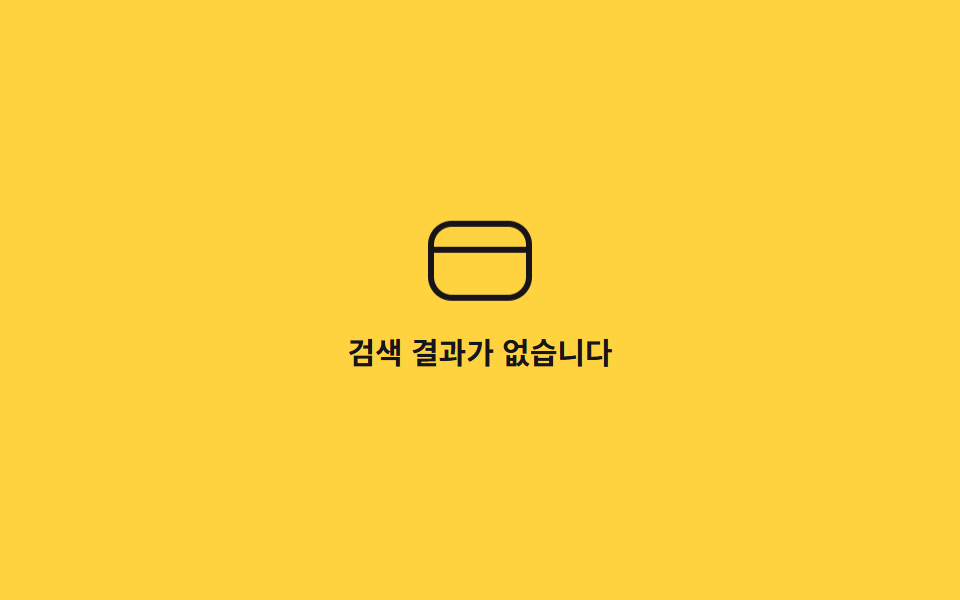 06 vibe-coding-micro-interactions-empty-state-bounce
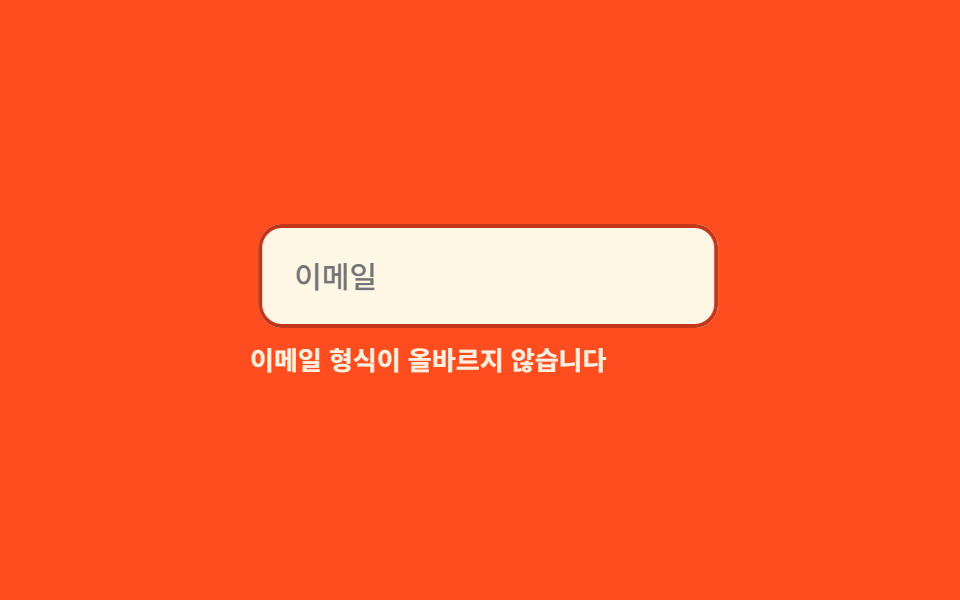 07 vibe-coding-micro-interactions-input-error-shake
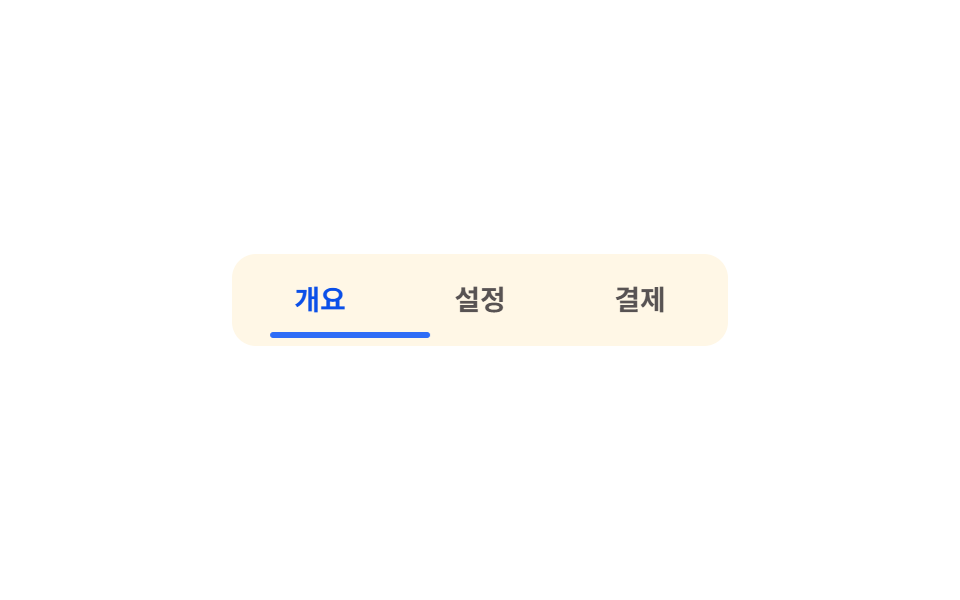 08 vibe-coding-micro-interactions-tab-indicator-slide
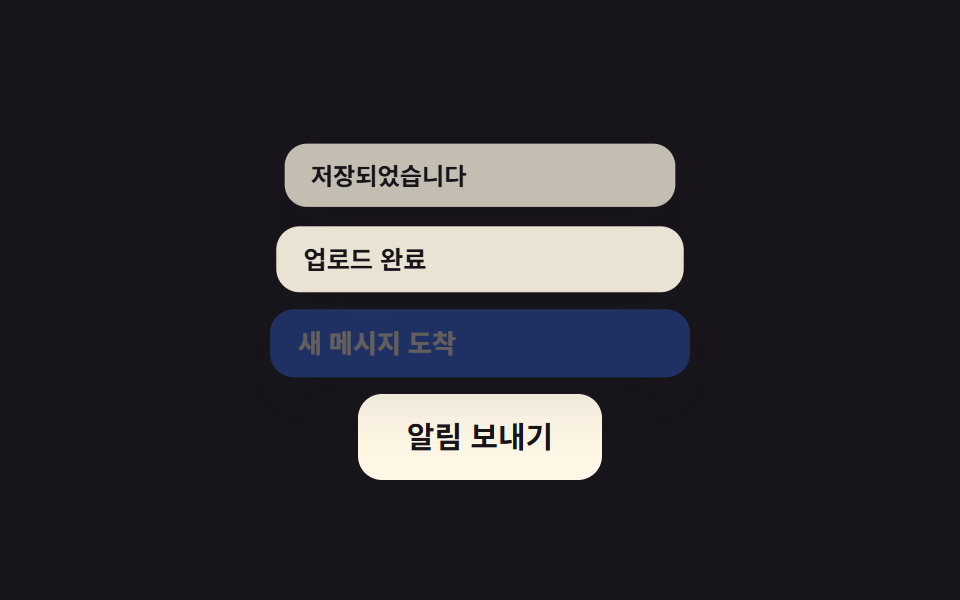 09 vibe-coding-micro-interactions-toast-stack
Tự chạy · bấm ô để tới mục đó · cả 9 trong một zip
- 01 Nút lún xuống khi nhấn
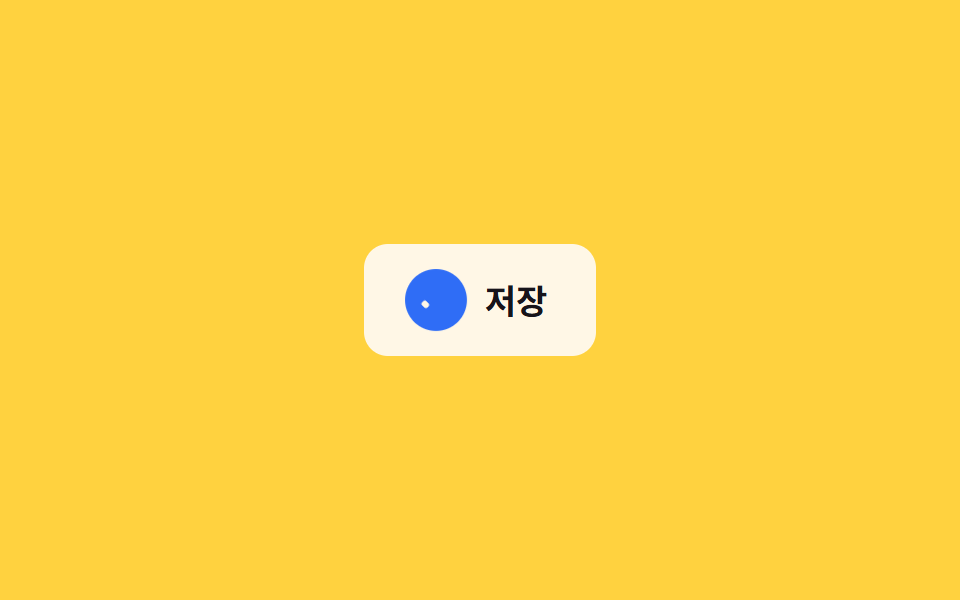
- 02 Hoạt ảnh lưu thành tick
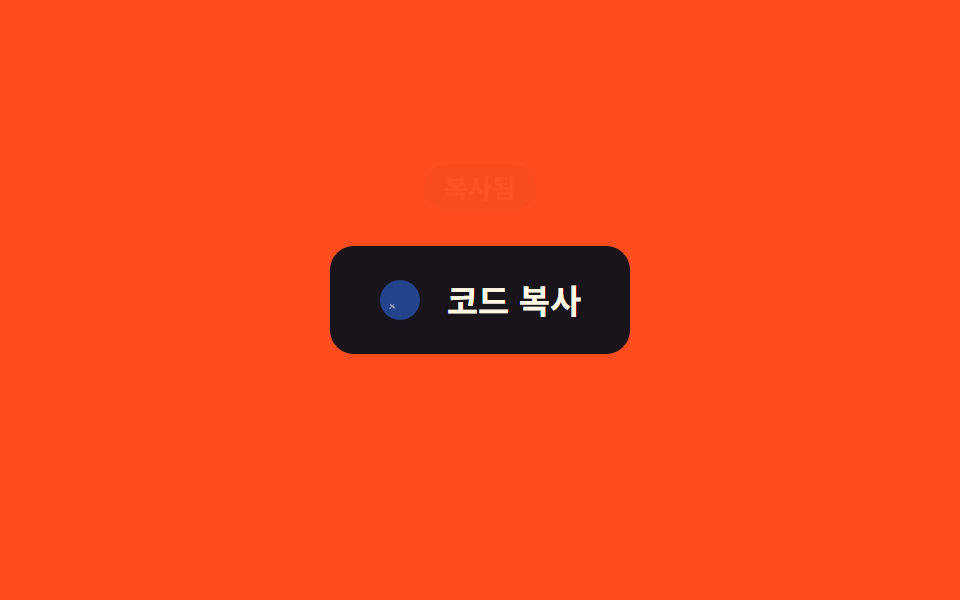
- 03 Phản hồi sao chép xong
- 04 Thích lạc quan (tức thời + rollback)
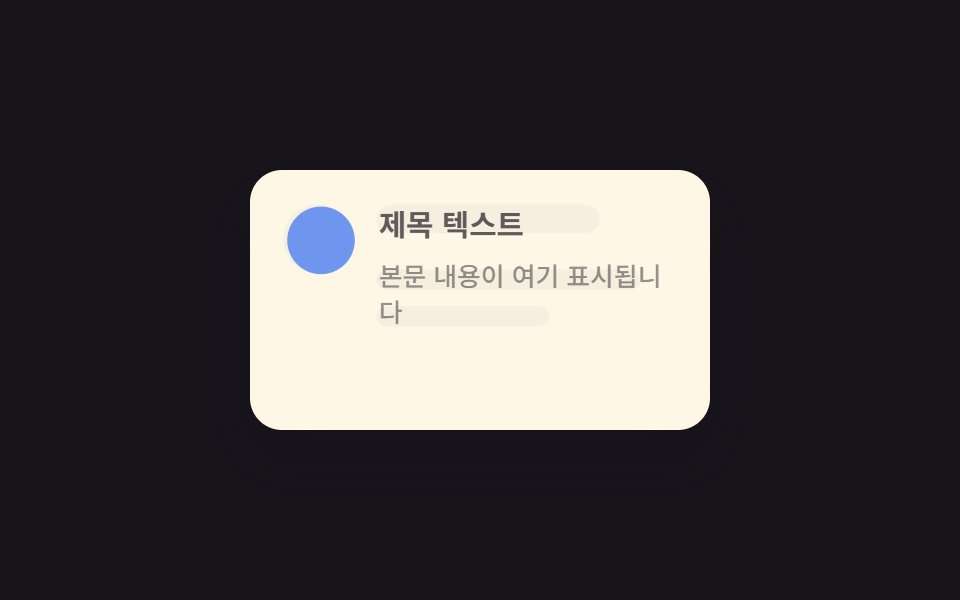
- 05 Crossfade skeleton sang nội dung
- 06 Icon trạng thái rỗng nảy nhẹ
- 07 Ô nhập rung khi sai
- 08 Vạch chỉ báo tab trượt
- 09 Toast xếp chồng
Thứ tự chín mục đi từ hẹp ra rộng. Từ 01 đến 03 là phản hồi ngay tại chỗ bạn vừa chạm — một nút, một icon lưu, một icon copy — chỉ đổi trạng thái của chính phần tử đó. Từ 04 đến 06 là phản hồi cho những trạng thái không do một cú nhấn trực tiếp quyết định — thích một bài viết, dữ liệu vừa tải xong, danh sách không có kết quả. 07 đến 09 trải rộng trên nhiều phần tử cùng lúc — một ô nhập cùng dòng cảnh báo, một hàng tab, một chồng thông báo. Ở lưới phía trên, bạn xem từng hiệu ứng tự lặp lại — bản đầy đủ, không cắt dòng nào, nằm trong file zip.
01Nút lún xuống khi nhấn
Bạn thấy gì
Nút này co lại còn scale(0.96) ngay khi bạn nhấn giữ, nhờ pseudo-class :active chứ không cần JavaScript, rồi bật trở lại bằng easing kiểu lò xo ngay khi bạn thả tay.
<main class="stage">
  <button class="btn is-demo" type="button">Gửi</button>
</main>
@use "../../../../site/static/demo-tokens" as *;
// ── 변수 3개. 변형은 이것만 바꾼다 ──────────────────────────
$duration: $dur-quick; // 눌렸다 돌아오는 시간
$easing: $ease-spring; // 처음 빠르고 끝은 스프링처럼
$color: $subject-blue; // 버튼 색
// ── 데모 무대 ──────────────────────────────────────────
@include stage($stage-ink);
.btn {
border: 0;
border-radius: $r-control;
padding: clamp(14px, 5vw, 22px) clamp(28px, 9vw, 56px);
font-weight: 700;
font-size: clamp(15px, 4.4vw, 20px);
line-height: 1;
font-family: inherit;
color: $subject-cream;
background: $color;
cursor: pointer;
-webkit-tap-highlight-color: transparent;
transform: scale(1);
box-shadow: $shadow-raised;
transition: transform $duration $easing, box-shadow $duration $easing;
&:active {
transform: scale(.96);
box-shadow: $shadow-press;
}
// 데모 · 문서용: 스스로 눌렸다 돌아오길 2초마다 반복한다
&.is-demo {
animation: press-loop $dur-loop $easing infinite;
}
}
@keyframes press-loop {
0%, 12% { transform: scale(1); box-shadow: $shadow-raised; }
22% { transform: scale(.96); box-shadow: $shadow-press; }
38%, 100% { transform: scale(1); box-shadow: $shadow-raised; }
}
// ── 접근성: 움직임 줄이기 설정이면 순간 전환만 ────────────
@media (prefers-reduced-motion: reduce) {
.btn { transition: none; }
.btn.is-demo { animation: none; }
.btn:active { transform: none; box-shadow: $shadow-press; }
}html, body {
margin: 0;
overflow: hidden;
}
.stage {
box-sizing: border-box;
min-height: 100vh;
display: grid;
place-items: center;
margin: 0;
background: #17141a;
font-family: -apple-system, "Segoe UI", "Noto Sans KR", sans-serif;
padding: clamp(8px, 4vw, 24px);
}
.btn {
border: 0;
border-radius: 12px;
padding: clamp(14px, 5vw, 22px) clamp(28px, 9vw, 56px);
font-weight: 700;
font-size: clamp(15px, 4.4vw, 20px);
line-height: 1;
font-family: inherit;
color: #fff7e6;
background: #2f6df6;
cursor: pointer;
-webkit-tap-highlight-color: transparent;
transform: scale(1);
box-shadow: 0 14px 24px rgba(23, 20, 26, 0.32);
transition: transform 220ms cubic-bezier(0.2, 0.8, 0.2, 1), box-shadow 220ms cubic-bezier(0.2, 0.8, 0.2, 1);
}
.btn:active {
transform: scale(0.96);
box-shadow: 0 6px 12px rgba(23, 20, 26, 0.32);
}
.btn.is-demo {
animation: press-loop 2s cubic-bezier(0.2, 0.8, 0.2, 1) infinite;
}
@keyframes press-loop {
0%, 12% {
transform: scale(1);
box-shadow: 0 14px 24px rgba(23, 20, 26, 0.32);
}
22% {
transform: scale(0.96);
box-shadow: 0 6px 12px rgba(23, 20, 26, 0.32);
}
38%, 100% {
transform: scale(1);
box-shadow: 0 14px 24px rgba(23, 20, 26, 0.32);
}
}
@media (prefers-reduced-motion: reduce) {
.btn {
transition: none;
}
.btn.is-demo {
animation: none;
}
.btn:active {
transform: none;
box-shadow: 0 6px 12px rgba(23, 20, 26, 0.32);
}
}// 실제 클릭에선 :active 만으로 눌림이 즉시 반응한다. 데모(.is-demo)는 손을 대면 자동 루프를 멈춘다.
document.querySelector('.btn').addEventListener('pointerdown', function (e) {
e.currentTarget.classList.remove('is-demo');
});import type { CSSProperties, MouseEvent, ReactNode } from "react";
import styles from "./PressScaleButton.module.scss";
export type PressScaleButtonProps = {
children: ReactNode;
/** 눌렸다 돌아오는 시간 (기본 220ms) */
duration?: number;
/** CSS easing (기본 스프링) */
easing?: string;
/** 버튼 색 */
color?: string;
onClick?: (e: MouseEvent<HTMLButtonElement>) => void;
type?: "button" | "submit";
className?: string;
};
type Vars = CSSProperties & {
"--duration"?: string;
"--easing"?: string;
"--color"?: string;
};
export default function PressScaleButton({
children,
duration = 220,
easing = "cubic-bezier(.2,.8,.2,1)",
color = "#2f6df6",
onClick,
type = "button",
className = "",
}: PressScaleButtonProps) {
const vars: Vars = {
"--duration": `${duration}ms`,
"--easing": easing,
"--color": color,
};
return (
<button type={type} className={`${styles.btn} ${className}`} style={vars} onClick={onClick}>
{children}
</button>
);
}01 · Nút lún xuống khi nhấn — Diện tích đo được 1.256% · khung hình chuyển động 7/23Nguyên tác GODRICH · SCSS và React nằm trong tệp zip · Xem mật khẩu
Dùng ở đâu
Dùng cho nút gửi, thẻ có thể bấm, hoặc nút icon — bất cứ chỗ nào cần xác nhận rằng cú chạm đã được ghi nhận.
.btn {
  transform: scale(1);
  box-shadow: $shadow-raised;
  transition: transform $duration $easing, box-shadow $duration $easing;

  &:active {
    transform: scale(.96);
    box-shadow: $shadow-press;
  }

  &.is-demo {
    animation: press-loop $dur-loop $easing infinite;
  }
}
02Hoạt ảnh lưu thành tick
Chuyện gì diễn ra trên màn hình
Khi bạn bấm nút lưu, class is-saved bật lên: hình đĩa mềm mờ dần biến mất trong lúc hai vạch của dấu tick tự vẽ ra bằng scaleX, với animation-delay lệch nhau để nét ngắn đi trước nét dài.
<main class="stage">
  <button class="save is-demo" type="button">
    <span class="save__icon" aria-hidden="true">
      <span class="save__ring"></span>
      <span class="save__disk"></span>
      <span class="save__check">
        <span class="save__check-bar save__check-bar--short"></span>
        <span class="save__check-bar save__check-bar--long"></span>
      </span>
    </span>
    <span class="save__label">Lưu</span>
  </button>
</main>
@use "../../../../site/static/demo-tokens" as *;
// ── 변수 3개 ──────────────────────────────────────────
$duration: $dur-base; // 디스켓 → 체크 전환 시간
$easing: $ease-pop; // 배지가 팝업하는 이징
$color: $subject-blue; // 완료 배지 강조색
// ── 데모 무대 ──────────────────────────────────────────
@include stage($stage-yellow);
.save {
display: inline-flex;
align-items: center;
gap: clamp(8px, 2.6vw, 12px);
border: 0;
border-radius: $r-control;
padding: clamp(12px, 4vw, 16px) clamp(18px, 5.6vw, 24px);
font-weight: 700;
font-size: clamp(14px, 4vw, 17px);
line-height: 1;
font-family: inherit;
color: $stage-ink;
background: $subject-cream;
cursor: pointer;
-webkit-tap-highlight-color: transparent;
&__icon { position: relative; width: 24px; height: 24px; flex: none; }
// 배지: 원형이 팝업하며 완료를 알린다
&__ring {
position: absolute; inset: -3px;
border-radius: 50%;
background: $color;
opacity: 0;
transform: scale(.4);
}
// 디스켓: 사각 + 오른쪽 위 노치
&__disk {
position: absolute; inset: 0;
border: 2.4px solid currentColor;
border-radius: 4px;
opacity: 1;
transform: scale(1);
&::after {
content: "";
position: absolute; top: 3px; right: 3px;
width: 7px; height: 6px;
background: currentColor;
}
}
// 체크: 두 개의 획이 각각 scaleX 로 그어진다
&__check { position: absolute; inset: 0; color: $subject-cream; }
&__check-bar {
position: absolute;
height: 3px;
border-radius: 2px;
background: currentColor;
transform: scaleX(0);
transform-origin: left center; // 규칙8: 체크 막대 같은 꼭짓점
}
&__check-bar--short { width: 6px; left: 8px; top: 14px; transform: rotate(225deg) scaleX(0); } // 두 막대가 같은 꼭짓점(8,14)에서 출발 — 어긋남 0
&__check-bar--long { width: 13px; left: 8px; top: 14px; transform: rotate(-52deg) scaleX(0); }
&.is-saved &__ring { animation: ring-pop $duration $easing forwards; }
&.is-saved &__disk { animation: disk-out $duration $easing forwards; }
&.is-saved &__check-bar--short { animation: check-short $duration $easing forwards; animation-delay: $duration * .35; }
&.is-saved &__check-bar--long { animation: check-long $duration $easing forwards; animation-delay: $duration * .5; }
&.is-demo &__ring { animation: ring-pop-loop $dur-loop $easing infinite; }
&.is-demo &__disk { animation: disk-out-loop $dur-loop $easing infinite; }
&.is-demo &__check-bar--short { animation: check-short-loop $dur-loop $easing infinite; }
&.is-demo &__check-bar--long { animation: check-long-loop $dur-loop $easing infinite; }
}
@keyframes ring-pop { from { opacity: 0; transform: scale(.4); } to { opacity: 1; transform: scale(1); } }
@keyframes disk-out { from { opacity: 1; transform: scale(1); } to { opacity: 0; transform: scale(.5); } }
@keyframes check-short { to { transform: rotate(225deg) scaleX(1); } }
@keyframes check-long { to { transform: rotate(-52deg) scaleX(1); } }
@keyframes ring-pop-loop {
0%, 20% { opacity: 0; transform: scale(.4); }
40%, 85% { opacity: 1; transform: scale(1); }
100% { opacity: 0; transform: scale(.4); }
}
@keyframes disk-out-loop {
0%, 20% { opacity: 1; transform: scale(1); }
40%, 85% { opacity: 0; transform: scale(.5); }
100% { opacity: 1; transform: scale(1); }
}
@keyframes check-short-loop {
0%, 27% { transform: rotate(225deg) scaleX(0); }
45%, 85% { transform: rotate(225deg) scaleX(1); }
100% { transform: rotate(225deg) scaleX(0); }
}
@keyframes check-long-loop {
0%, 32% { transform: rotate(-52deg) scaleX(0); }
50%, 85% { transform: rotate(-52deg) scaleX(1); }
100% { transform: rotate(-52deg) scaleX(0); }
}
// ── 접근성: 움직임 줄이기 설정이면 상태만 바뀌고 과정은 생략 ────
@media (prefers-reduced-motion: reduce) {
.save__ring, .save__disk, .save__check-bar { animation: none !important; }
.save.is-saved .save__ring { opacity: 1; transform: scale(1); }
.save.is-saved .save__disk { opacity: 0; }
.save.is-saved .save__check-bar--short { transform: rotate(225deg) scaleX(1); }
.save.is-saved .save__check-bar--long { transform: rotate(-52deg) scaleX(1); }
}html, body {
margin: 0;
overflow: hidden;
}
.stage {
box-sizing: border-box;
min-height: 100vh;
display: grid;
place-items: center;
margin: 0;
background: #ffd23f;
font-family: -apple-system, "Segoe UI", "Noto Sans KR", sans-serif;
padding: clamp(8px, 4vw, 24px);
}
.save {
display: inline-flex;
align-items: center;
gap: clamp(8px, 2.6vw, 12px);
border: 0;
border-radius: 12px;
padding: clamp(12px, 4vw, 16px) clamp(18px, 5.6vw, 24px);
font-weight: 700;
font-size: clamp(14px, 4vw, 17px);
line-height: 1;
font-family: inherit;
color: #17141a;
background: #fff7e6;
cursor: pointer;
-webkit-tap-highlight-color: transparent;
}
.save__icon {
position: relative;
width: 24px;
height: 24px;
flex: none;
}
.save__ring {
position: absolute;
inset: -3px;
border-radius: 50%;
background: #2f6df6;
opacity: 0;
transform: scale(0.4);
}
.save__disk {
position: absolute;
inset: 0;
border: 2.4px solid currentColor;
border-radius: 4px;
opacity: 1;
transform: scale(1);
}
.save__disk::after {
content: "";
position: absolute;
top: 3px;
right: 3px;
width: 7px;
height: 6px;
background: currentColor;
}
.save__check {
position: absolute;
inset: 0;
color: #fff7e6;
}
.save__check-bar {
position: absolute;
height: 3px;
border-radius: 2px;
background: currentColor;
transform: scaleX(0);
transform-origin: left center;
}
.save__check-bar--short {
width: 6px;
left: 8px;
top: 14px;
transform: rotate(225deg) scaleX(0);
}
.save__check-bar--long {
width: 13px;
left: 8px;
top: 14px;
transform: rotate(-52deg) scaleX(0);
}
.save.is-saved .save__ring {
animation: ring-pop 300ms cubic-bezier(0.2, 1.4, 0.4, 1) forwards;
}
.save.is-saved .save__disk {
animation: disk-out 300ms cubic-bezier(0.2, 1.4, 0.4, 1) forwards;
}
.save.is-saved .save__check-bar--short {
animation: check-short 300ms cubic-bezier(0.2, 1.4, 0.4, 1) forwards;
animation-delay: 105ms;
}
.save.is-saved .save__check-bar--long {
animation: check-long 300ms cubic-bezier(0.2, 1.4, 0.4, 1) forwards;
animation-delay: 150ms;
}
.save.is-demo .save__ring {
animation: ring-pop-loop 2s cubic-bezier(0.2, 1.4, 0.4, 1) infinite;
}
.save.is-demo .save__disk {
animation: disk-out-loop 2s cubic-bezier(0.2, 1.4, 0.4, 1) infinite;
}
.save.is-demo .save__check-bar--short {
animation: check-short-loop 2s cubic-bezier(0.2, 1.4, 0.4, 1) infinite;
}
.save.is-demo .save__check-bar--long {
animation: check-long-loop 2s cubic-bezier(0.2, 1.4, 0.4, 1) infinite;
}
@keyframes ring-pop {
from {
opacity: 0;
transform: scale(0.4);
}
to {
opacity: 1;
transform: scale(1);
}
}
@keyframes disk-out {
from {
opacity: 1;
transform: scale(1);
}
to {
opacity: 0;
transform: scale(0.5);
}
}
@keyframes check-short {
to {
transform: rotate(225deg) scaleX(1);
}
}
@keyframes check-long {
to {
transform: rotate(-52deg) scaleX(1);
}
}
@keyframes ring-pop-loop {
0%, 20% {
opacity: 0;
transform: scale(0.4);
}
40%, 85% {
opacity: 1;
transform: scale(1);
}
100% {
opacity: 0;
transform: scale(0.4);
}
}
@keyframes disk-out-loop {
0%, 20% {
opacity: 1;
transform: scale(1);
}
40%, 85% {
opacity: 0;
transform: scale(0.5);
}
100% {
opacity: 1;
transform: scale(1);
}
}
@keyframes check-short-loop {
0%, 27% {
transform: rotate(225deg) scaleX(0);
}
45%, 85% {
transform: rotate(225deg) scaleX(1);
}
100% {
transform: rotate(225deg) scaleX(0);
}
}
@keyframes check-long-loop {
0%, 32% {
transform: rotate(-52deg) scaleX(0);
}
50%, 85% {
transform: rotate(-52deg) scaleX(1);
}
100% {
transform: rotate(-52deg) scaleX(0);
}
}
@media (prefers-reduced-motion: reduce) {
.save__ring, .save__disk, .save__check-bar {
animation: none !important;
}
.save.is-saved .save__ring {
opacity: 1;
transform: scale(1);
}
.save.is-saved .save__disk {
opacity: 0;
}
.save.is-saved .save__check-bar--short {
transform: rotate(225deg) scaleX(1);
}
.save.is-saved .save__check-bar--long {
transform: rotate(-52deg) scaleX(1);
}
}// 실제 클릭 한 번 = Lưu 완료 한 번. 데모(.is-demo) 루프는 손을 대면 멈추고 수동 상태로 바뀐다.
document.querySelector('.save').addEventListener('click', function (e) {
var b = e.currentTarget;
b.classList.remove('is-demo');
b.classList.remove('is-saved');
void b.offsetWidth;
b.classList.add('is-saved');
});import { useState } from "react";
import type { CSSProperties, MouseEvent } from "react";
import styles from "./SaveCheckButton.module.scss";
export type SaveCheckButtonProps = {
label: string;
/** 디스켓 → 체크 전환 시간 (기본 300ms) */
duration?: number;
easing?: string;
/** 완료 배지 강조색 */
color?: string;
onSave?: (e: MouseEvent<HTMLButtonElement>) => void;
};
type Vars = CSSProperties & { "--duration"?: string; "--easing"?: string; "--color"?: string };
export default function SaveCheckButton({
label,
duration = 300,
easing = "cubic-bezier(.2,1.4,.4,1)",
color = "#2f6df6",
onSave,
}: SaveCheckButtonProps) {
const [saved, setSaved] = useState(false);
const vars: Vars = { "--duration": `${duration}ms`, "--easing": easing, "--color": color };
const handle = (e: MouseEvent<HTMLButtonElement>) => {
setSaved(true);
onSave?.(e);
};
return (
<button
type="button"
className={saved ? `${styles.save} ${styles.saved}` : styles.save}
style={vars}
onClick={handle}
>
<span className={styles.icon} aria-hidden="true">
<span className={styles.ring} />
<span className={styles.disk} />
<span className={styles.check}>
<span className={`${styles.bar} ${styles.barShort}`} />
<span className={`${styles.bar} ${styles.barLong}`} />
</span>
</span>
<span>{label}</span>
</button>
);
}02 · Hoạt ảnh lưu thành tick — Diện tích đo được 0.583% · khung hình chuyển động 11/23Nguyên tác GODRICH · SCSS và React nằm trong tệp zip · Xem mật khẩu
Chỗ dùng
Một vòng tròn nền cũng phồng lên cùng lúc để nhấn mạnh việc lưu đã xong.
&.is-saved &__ring  { animation: ring-pop $duration $easing forwards; }
&.is-saved &__disk  { animation: disk-out $duration $easing forwards; }
&.is-saved &__check-bar--short { animation: check-short $duration $easing forwards; animation-delay: $duration * .35; }
&.is-saved &__check-bar--long  { animation: check-long $duration $easing forwards; animation-delay: $duration * .5; }

@keyframes ring-pop  { from { opacity: 0; transform: scale(.4); } to { opacity: 1; transform: scale(1); } }
@keyframes disk-out  { from { opacity: 1; transform: scale(1); } to { opacity: 0; transform: scale(.5); } }
@keyframes check-short { to { transform: rotate(45deg) scaleX(1); } }
@keyframes check-long  { to { transform: rotate(-52deg) scaleX(1); } }
03Phản hồi sao chép xong
Chuyển động thế nào
Bấm vào icon copy, icon đổi ngay sang dấu tick trong khi hai hình chữ nhật chồng lên nhau mờ dần biến mất, và một tooltip nhỏ nổi lên rồi tự tắt theo đúng bốn mốc của keyframe tip-float.
<main class="stage">
  <button class="copy is-demo" type="button">
    <span class="copy__icon" aria-hidden="true">
      <span class="copy__ring"></span>
      <span class="copy__sheet copy__sheet--back"></span>
      <span class="copy__sheet copy__sheet--front"></span>
      <span class="copy__check">
        <span class="copy__check-bar copy__check-bar--short"></span>
        <span class="copy__check-bar copy__check-bar--long"></span>
      </span>
    </span>
    <span class="copy__label">Sao chép mã</span>
    <span class="copy__tip" role="status">Đã sao chép</span>
  </button>
</main>
@use "../../../../site/static/demo-tokens" as *;
// ── 변수 3개 ──────────────────────────────────────────
$duration: $dur-base; // 아이콘 전환 시간
$easing: $ease-pop; // 배지가 팝업하는 이징
$color: $subject-cream; // 아이콘·툴팁 글자색
// ── 데모 무대 ──────────────────────────────────────────
@include stage($stage-orange);
.copy {
position: relative;
display: inline-flex;
align-items: center;
gap: clamp(8px, 2.6vw, 12px);
border: 0;
border-radius: $r-control;
padding: clamp(12px, 4vw, 16px) clamp(18px, 5.6vw, 24px);
font-weight: 700;
font-size: clamp(14px, 4vw, 17px);
line-height: 1;
font-family: inherit;
color: $color;
background: $stage-ink;
cursor: pointer;
-webkit-tap-highlight-color: transparent;
&__icon { position: relative; width: 22px; height: 22px; flex: none; }
// 완료 배지: 체크가 도드라지도록 원형이 팝업한다
&__ring {
position: absolute; inset: -3px;
border-radius: 50%;
background: $subject-blue;
opacity: 0;
transform: scale(.4);
}
// 복사 아이콘: 겹친 두 사각형
&__sheet {
position: absolute;
width: 14px; height: 16px;
border: 2px solid currentColor;
border-radius: 3px;
transition: opacity $duration $easing, transform $duration $easing;
}
&__sheet--back { left: 0; top: 0; opacity: .55; }
&__sheet--front { left: 5px; top: 4px; background: $stage-ink; }
// 체크 아이콘: 두 획이 scaleX 로 그어진다
&__check { position: absolute; inset: 0; opacity: 0; }
&__check-bar {
position: absolute;
height: 3px;
border-radius: 2px;
background: currentColor;
transform-origin: left center; // 규칙8: 체크 막대 같은 꼭짓점
}
&__check-bar--short { width: 6px; left: 7px; top: 13px; transform: rotate(225deg) scaleX(0); } // 같은 꼭짓점(7,13)에서 출발
&__check-bar--long { width: 12px; left: 7px; top: 13px; transform: rotate(-52deg) scaleX(0); }
// 툴팁: 위로 살짝 떠올랐다가 사라진다
&__tip {
position: absolute;
left: 50%; bottom: 100%;
transform: translate(-50%, 4px);
margin-bottom: 8px;
padding: 5px 10px;
border-radius: $r-pill;
background: $stage-ink;
color: $color;
font-weight: 700;
font-size: clamp(11px, 3vw, 13px);
line-height: 1;
font-family: inherit;
white-space: nowrap;
opacity: 0;
pointer-events: none;
}
&.is-copied &__ring { animation: ring-pop $duration $easing forwards; }
&.is-copied &__sheet--front { opacity: 0; transform: scale(.6); transition-delay: 0s; }
&.is-copied &__sheet--back { opacity: 0; transform: scale(.6); }
&.is-copied &__check { animation: check-in $duration $easing forwards; }
&.is-copied &__check-bar--short { animation: bar-short $duration $easing forwards; animation-delay: $duration * .3; }
&.is-copied &__check-bar--long { animation: bar-long $duration $easing forwards; animation-delay: $duration * .45; }
&.is-copied &__tip { animation: tip-float 1.4s $easing forwards; }
&.is-demo &__ring { animation: ring-pop-loop $dur-loop $easing infinite; }
&.is-demo &__sheet { animation: sheet-loop $dur-loop $easing infinite; }
&.is-demo &__check { animation: check-in-loop $dur-loop $easing infinite; }
&.is-demo &__check-bar--short { animation: bar-short-loop $dur-loop $easing infinite; }
&.is-demo &__check-bar--long { animation: bar-long-loop $dur-loop $easing infinite; }
&.is-demo &__tip { animation: tip-float-loop $dur-loop $easing infinite; }
}
@keyframes ring-pop { from { opacity: 0; transform: scale(.4); } to { opacity: 1; transform: scale(1); } }
@keyframes ring-pop-loop {
0%, 32% { opacity: 0; transform: scale(.4); }
40%, 78% { opacity: 1; transform: scale(1); }
92%, 100% { opacity: 0; transform: scale(.4); }
}
@keyframes check-in { to { opacity: 1; } }
@keyframes bar-short { to { transform: rotate(225deg) scaleX(1); } }
@keyframes bar-long { to { transform: rotate(-52deg) scaleX(1); } }
@keyframes tip-float {
0% { opacity: 0; transform: translate(-50%, 4px); }
15% { opacity: 1; transform: translate(-50%, -2px); }
85% { opacity: 1; transform: translate(-50%, -2px); }
100% { opacity: 0; transform: translate(-50%, -10px); }
}
@keyframes sheet-loop {
0%, 18% { opacity: 1; transform: scale(1); }
35%, 82% { opacity: 0; transform: scale(.6); }
95%, 100% { opacity: 1; transform: scale(1); }
}
@keyframes check-in-loop {
0%, 32% { opacity: 0; }
40%, 78% { opacity: 1; }
92%, 100% { opacity: 0; }
}
@keyframes bar-short-loop {
0%, 35% { transform: rotate(225deg) scaleX(0); }
45%, 75% { transform: rotate(225deg) scaleX(1); }
92%, 100% { transform: rotate(225deg) scaleX(0); }
}
@keyframes bar-long-loop {
0%, 40% { transform: rotate(-52deg) scaleX(0); }
50%, 75% { transform: rotate(-52deg) scaleX(1); }
92%, 100% { transform: rotate(-52deg) scaleX(0); }
}
@keyframes tip-float-loop {
0%, 15% { opacity: 0; transform: translate(-50%, 4px); }
32% { opacity: 1; transform: translate(-50%, -2px); }
75% { opacity: 1; transform: translate(-50%, -2px); }
90%, 100% { opacity: 0; transform: translate(-50%, -10px); }
}
// ── 접근성: 움직임 줄이기 설정이면 상태만 바뀌고 과정은 생략 ────
@media (prefers-reduced-motion: reduce) {
.copy__ring, .copy__sheet, .copy__check, .copy__check-bar, .copy__tip { animation: none !important; transition: none !important; }
.copy.is-copied .copy__ring { opacity: 1; transform: scale(1); }
.copy.is-copied .copy__sheet { opacity: 0; }
.copy.is-copied .copy__check { opacity: 1; }
.copy.is-copied .copy__check-bar--short { transform: rotate(225deg) scaleX(1); }
.copy.is-copied .copy__check-bar--long { transform: rotate(-52deg) scaleX(1); }
.copy.is-copied .copy__tip { opacity: 1; transform: translate(-50%, -2px); }
}html, body {
margin: 0;
overflow: hidden;
}
.stage {
box-sizing: border-box;
min-height: 100vh;
display: grid;
place-items: center;
margin: 0;
background: #ff4d1f;
font-family: -apple-system, "Segoe UI", "Noto Sans KR", sans-serif;
padding: clamp(8px, 4vw, 24px);
}
.copy {
position: relative;
display: inline-flex;
align-items: center;
gap: clamp(8px, 2.6vw, 12px);
border: 0;
border-radius: 12px;
padding: clamp(12px, 4vw, 16px) clamp(18px, 5.6vw, 24px);
font-weight: 700;
font-size: clamp(14px, 4vw, 17px);
line-height: 1;
font-family: inherit;
color: #fff7e6;
background: #17141a;
cursor: pointer;
-webkit-tap-highlight-color: transparent;
}
.copy__icon {
position: relative;
width: 22px;
height: 22px;
flex: none;
}
.copy__ring {
position: absolute;
inset: -3px;
border-radius: 50%;
background: #2f6df6;
opacity: 0;
transform: scale(0.4);
}
.copy__sheet {
position: absolute;
width: 14px;
height: 16px;
border: 2px solid currentColor;
border-radius: 3px;
transition: opacity 300ms cubic-bezier(0.2, 1.4, 0.4, 1), transform 300ms cubic-bezier(0.2, 1.4, 0.4, 1);
}
.copy__sheet--back {
left: 0;
top: 0;
opacity: 0.55;
}
.copy__sheet--front {
left: 5px;
top: 4px;
background: #17141a;
}
.copy__check {
position: absolute;
inset: 0;
opacity: 0;
}
.copy__check-bar {
position: absolute;
height: 3px;
border-radius: 2px;
background: currentColor;
transform-origin: left center;
}
.copy__check-bar--short {
width: 6px;
left: 7px;
top: 13px;
transform: rotate(225deg) scaleX(0);
}
.copy__check-bar--long {
width: 12px;
left: 7px;
top: 13px;
transform: rotate(-52deg) scaleX(0);
}
.copy__tip {
position: absolute;
left: 50%;
bottom: 100%;
transform: translate(-50%, 4px);
margin-bottom: 8px;
padding: 5px 10px;
border-radius: 999px;
background: #17141a;
color: #fff7e6;
font-weight: 700;
font-size: clamp(11px, 3vw, 13px);
line-height: 1;
font-family: inherit;
white-space: nowrap;
opacity: 0;
pointer-events: none;
}
.copy.is-copied .copy__ring {
animation: ring-pop 300ms cubic-bezier(0.2, 1.4, 0.4, 1) forwards;
}
.copy.is-copied .copy__sheet--front {
opacity: 0;
transform: scale(0.6);
transition-delay: 0s;
}
.copy.is-copied .copy__sheet--back {
opacity: 0;
transform: scale(0.6);
}
.copy.is-copied .copy__check {
animation: check-in 300ms cubic-bezier(0.2, 1.4, 0.4, 1) forwards;
}
.copy.is-copied .copy__check-bar--short {
animation: bar-short 300ms cubic-bezier(0.2, 1.4, 0.4, 1) forwards;
animation-delay: 90ms;
}
.copy.is-copied .copy__check-bar--long {
animation: bar-long 300ms cubic-bezier(0.2, 1.4, 0.4, 1) forwards;
animation-delay: 135ms;
}
.copy.is-copied .copy__tip {
animation: tip-float 1.4s cubic-bezier(0.2, 1.4, 0.4, 1) forwards;
}
.copy.is-demo .copy__ring {
animation: ring-pop-loop 2s cubic-bezier(0.2, 1.4, 0.4, 1) infinite;
}
.copy.is-demo .copy__sheet {
animation: sheet-loop 2s cubic-bezier(0.2, 1.4, 0.4, 1) infinite;
}
.copy.is-demo .copy__check {
animation: check-in-loop 2s cubic-bezier(0.2, 1.4, 0.4, 1) infinite;
}
.copy.is-demo .copy__check-bar--short {
animation: bar-short-loop 2s cubic-bezier(0.2, 1.4, 0.4, 1) infinite;
}
.copy.is-demo .copy__check-bar--long {
animation: bar-long-loop 2s cubic-bezier(0.2, 1.4, 0.4, 1) infinite;
}
.copy.is-demo .copy__tip {
animation: tip-float-loop 2s cubic-bezier(0.2, 1.4, 0.4, 1) infinite;
}
@keyframes ring-pop {
from {
opacity: 0;
transform: scale(0.4);
}
to {
opacity: 1;
transform: scale(1);
}
}
@keyframes ring-pop-loop {
0%, 32% {
opacity: 0;
transform: scale(0.4);
}
40%, 78% {
opacity: 1;
transform: scale(1);
}
92%, 100% {
opacity: 0;
transform: scale(0.4);
}
}
@keyframes check-in {
to {
opacity: 1;
}
}
@keyframes bar-short {
to {
transform: rotate(225deg) scaleX(1);
}
}
@keyframes bar-long {
to {
transform: rotate(-52deg) scaleX(1);
}
}
@keyframes tip-float {
0% {
opacity: 0;
transform: translate(-50%, 4px);
}
15% {
opacity: 1;
transform: translate(-50%, -2px);
}
85% {
opacity: 1;
transform: translate(-50%, -2px);
}
100% {
opacity: 0;
transform: translate(-50%, -10px);
}
}
@keyframes sheet-loop {
0%, 18% {
opacity: 1;
transform: scale(1);
}
35%, 82% {
opacity: 0;
transform: scale(0.6);
}
95%, 100% {
opacity: 1;
transform: scale(1);
}
}
@keyframes check-in-loop {
0%, 32% {
opacity: 0;
}
40%, 78% {
opacity: 1;
}
92%, 100% {
opacity: 0;
}
}
@keyframes bar-short-loop {
0%, 35% {
transform: rotate(225deg) scaleX(0);
}
45%, 75% {
transform: rotate(225deg) scaleX(1);
}
92%, 100% {
transform: rotate(225deg) scaleX(0);
}
}
@keyframes bar-long-loop {
0%, 40% {
transform: rotate(-52deg) scaleX(0);
}
50%, 75% {
transform: rotate(-52deg) scaleX(1);
}
92%, 100% {
transform: rotate(-52deg) scaleX(0);
}
}
@keyframes tip-float-loop {
0%, 15% {
opacity: 0;
transform: translate(-50%, 4px);
}
32% {
opacity: 1;
transform: translate(-50%, -2px);
}
75% {
opacity: 1;
transform: translate(-50%, -2px);
}
90%, 100% {
opacity: 0;
transform: translate(-50%, -10px);
}
}
@media (prefers-reduced-motion: reduce) {
.copy__ring, .copy__sheet, .copy__check, .copy__check-bar, .copy__tip {
animation: none !important;
transition: none !important;
}
.copy.is-copied .copy__ring {
opacity: 1;
transform: scale(1);
}
.copy.is-copied .copy__sheet {
opacity: 0;
}
.copy.is-copied .copy__check {
opacity: 1;
}
.copy.is-copied .copy__check-bar--short {
transform: rotate(225deg) scaleX(1);
}
.copy.is-copied .copy__check-bar--long {
transform: rotate(-52deg) scaleX(1);
}
.copy.is-copied .copy__tip {
opacity: 1;
transform: translate(-50%, -2px);
}
}// 실제 클릭에도 같은 상태(.is-copied)로 반응한다. 데모(.is-demo)는 손을 대면 멈춘다.
document.querySelector('.copy').addEventListener('click', function (e) {
var b = e.currentTarget;
b.classList.remove('is-demo');
b.classList.remove('is-copied');
void b.offsetWidth;
b.classList.add('is-copied');
});import { useEffect, useState } from "react";
import type { CSSProperties } from "react";
import styles from "./CopyDoneButton.module.scss";
export type CopyDoneButtonProps = {
label: string;
tipLabel: string;
value: string;
/** 아이콘 전환 시간 (기본 300ms) */
duration?: number;
easing?: string;
color?: string;
};
type Vars = CSSProperties & { "--duration"?: string; "--easing"?: string; "--color"?: string };
export default function CopyDoneButton({
label,
tipLabel,
value,
duration = 300,
easing = "cubic-bezier(.2,1.4,.4,1)",
color = "#fff7e6",
}: CopyDoneButtonProps) {
const [copied, setCopied] = useState(false);
const vars: Vars = { "--duration": `${duration}ms`, "--easing": easing, "--color": color };
useEffect(() => {
if (!copied) return;
const t = setTimeout(() => setCopied(false), 1400);
return () => clearTimeout(t);
}, [copied]);
const handle = async () => {
try {
await navigator.clipboard.writeText(value);
} catch {
/* 클립보드 권한이 없어도 UI 는 그대로 반응한다 */
}
setCopied(true);
};
return (
<button
type="button"
className={copied ? `${styles.copy} ${styles.copied}` : styles.copy}
style={vars}
onClick={handle}
>
<span className={styles.icon} aria-hidden="true">
<span className={styles.ring} />
<span className={`${styles.sheet} ${styles.sheetBack}`} />
<span className={`${styles.sheet} ${styles.sheetFront}`} />
<span className={styles.check}>
<span className={`${styles.bar} ${styles.barShort}`} />
<span className={`${styles.bar} ${styles.barLong}`} />
</span>
</span>
<span>{label}</span>
<span className={styles.tip} role="status">{tipLabel}</span>
</button>
);
}03 · Phản hồi sao chép xong — Diện tích đo được 1.494% · khung hình chuyển động 14/23Nguyên tác GODRICH · SCSS và React nằm trong tệp zip · Xem mật khẩu
Dùng khi nào
Hợp cho nút copy trong khối code hoặc nút copy API key.
&.is-copied &__ring { animation: ring-pop $duration $easing forwards; }
&.is-copied &__sheet--front { opacity: 0; transform: scale(.6); transition-delay: 0s; }
&.is-copied &__sheet--back  { opacity: 0; transform: scale(.6); }
&.is-copied &__check { animation: check-in $duration $easing forwards; }
&.is-copied &__check-bar--short { animation: bar-short $duration $easing forwards; animation-delay: $duration * .3; }
&.is-copied &__check-bar--long  { animation: bar-long $duration $easing forwards; animation-delay: $duration * .45; }
&.is-copied &__tip { animation: tip-float 1.4s $easing forwards; }

@keyframes tip-float {
  0%   { opacity: 0; transform: translate(-50%, 4px); }
  15%  { opacity: 1; transform: translate(-50%, -2px); }
  85%  { opacity: 1; transform: translate(-50%, -2px); }
  100% { opacity: 0; transform: translate(-50%, -10px); }
}
04Thích lạc quan (tức thời + rollback)
Bạn thấy gì
Chạm vào trái tim, giao diện tô đỏ và tăng số đếm ngay lập tức mà không đợi phản hồi server, đúng kiểu optimistic update.
<main class="stage">
  <button class="like is-demo" type="button" aria-pressed="false" aria-label="Thích">
    <span class="like__icon" aria-hidden="true">
      <span class="like__heart like__heart--base"></span>
      <span class="like__heart like__heart--fill"></span>
    </span>
    <span class="like__count" aria-hidden="true">
      <span class="like__count-track">
        <span class="like__count-num">12</span>
        <span class="like__count-num">13</span>
      </span>
    </span>
  </button>
</main>
@use "../../../../site/static/demo-tokens" as *;
// ── 변수 3개 ──────────────────────────────────────────
$duration: $dur-quick; // 하트가 차오르는 시간
$easing: $ease-pop; // 팝업 이징
$color: $subject-blue; // 좋아요 강조색
// ── 데모 무대 ──────────────────────────────────────────
@include stage($stage-paper);
@mixin heart-shape {
content: "";
position: absolute;
top: 0;
width: 50%;
height: 80%;
border-radius: 50% 50% 0 0;
background: currentColor;
}
.like {
display: inline-flex;
align-items: center;
gap: clamp(8px, 2.6vw, 12px);
border: 0;
border-radius: $r-pill;
padding: clamp(12px, 4vw, 16px) clamp(20px, 6vw, 26px);
font-weight: 700;
font-size: clamp(15px, 4.2vw, 19px);
line-height: 1;
font-family: inherit;
color: $stage-ink;
background: $subject-cream;
cursor: pointer;
-webkit-tap-highlight-color: transparent;
&__icon { position: relative; width: 22px; height: 20px; flex: none; color: $stage-ink; }
&__heart {
position: absolute; inset: 0;
transform: scale(1);
&::before { @include heart-shape; left: 50%; transform: rotate(-45deg); transform-origin: 0 100%; } // 규칙8: 하트 로브 꼭짓점 조형
&::after { @include heart-shape; left: 0; transform: rotate(45deg); transform-origin: 100% 100%; } // 규칙8: 하트 로브 꼭짓점 조형
}
&__heart--base { opacity: .28; }
&__heart--fill {
color: $color;
opacity: 0;
transform: scale(.5);
transition: opacity $duration $easing, transform $duration $easing;
}
&__count { position: relative; height: 1em; overflow: hidden; }
&__count-track {
display: flex;
flex-direction: column;
transform: translateY(0);
transition: transform $duration $easing;
}
&__count-num { height: 1em; line-height: 1; }
&.is-liked &__heart--fill { opacity: 1; transform: scale(1); }
&.is-liked &__count-track { transform: translateY(-50%); }
&.is-demo &__heart--fill { animation: fill-loop $dur-loop $easing infinite; }
&.is-demo &__count-track { animation: count-loop $dur-loop $easing infinite; }
}
@keyframes fill-loop {
0%, 20% { opacity: 0; transform: scale(.5); }
35%, 60% { opacity: 1; transform: scale(1); }
80%, 100% { opacity: 0; transform: scale(.5); }
}
@keyframes count-loop {
0%, 20% { transform: translateY(0); }
35%, 60% { transform: translateY(-50%); }
80%, 100% { transform: translateY(0); }
}
// ── 접근성: 움직임 줄이기 설정이면 순간 전환만, 롤백 상태는 유지 ────
@media (prefers-reduced-motion: reduce) {
.like__heart--fill, .like__count-track { transition: none; }
.like.is-demo .like__heart--fill,
.like.is-demo .like__count-track { animation: none !important; }
}html, body {
margin: 0;
overflow: hidden;
}
.stage {
box-sizing: border-box;
min-height: 100vh;
display: grid;
place-items: center;
margin: 0;
background: #ffffff;
font-family: -apple-system, "Segoe UI", "Noto Sans KR", sans-serif;
padding: clamp(8px, 4vw, 24px);
}
.like {
display: inline-flex;
align-items: center;
gap: clamp(8px, 2.6vw, 12px);
border: 0;
border-radius: 999px;
padding: clamp(12px, 4vw, 16px) clamp(20px, 6vw, 26px);
font-weight: 700;
font-size: clamp(15px, 4.2vw, 19px);
line-height: 1;
font-family: inherit;
color: #17141a;
background: #fff7e6;
cursor: pointer;
-webkit-tap-highlight-color: transparent;
}
.like__icon {
position: relative;
width: 22px;
height: 20px;
flex: none;
color: #17141a;
}
.like__heart {
position: absolute;
inset: 0;
transform: scale(1);
}
.like__heart::before {
content: "";
position: absolute;
top: 0;
width: 50%;
height: 80%;
border-radius: 50% 50% 0 0;
background: currentColor;
left: 50%;
transform: rotate(-45deg);
transform-origin: 0 100%;
}
.like__heart::after {
content: "";
position: absolute;
top: 0;
width: 50%;
height: 80%;
border-radius: 50% 50% 0 0;
background: currentColor;
left: 0;
transform: rotate(45deg);
transform-origin: 100% 100%;
}
.like__heart--base {
opacity: 0.28;
}
.like__heart--fill {
color: #2f6df6;
opacity: 0;
transform: scale(0.5);
transition: opacity 220ms cubic-bezier(0.2, 1.4, 0.4, 1), transform 220ms cubic-bezier(0.2, 1.4, 0.4, 1);
}
.like__count {
position: relative;
height: 1em;
overflow: hidden;
}
.like__count-track {
display: flex;
flex-direction: column;
transform: translateY(0);
transition: transform 220ms cubic-bezier(0.2, 1.4, 0.4, 1);
}
.like__count-num {
height: 1em;
line-height: 1;
}
.like.is-liked .like__heart--fill {
opacity: 1;
transform: scale(1);
}
.like.is-liked .like__count-track {
transform: translateY(-50%);
}
.like.is-demo .like__heart--fill {
animation: fill-loop 2s cubic-bezier(0.2, 1.4, 0.4, 1) infinite;
}
.like.is-demo .like__count-track {
animation: count-loop 2s cubic-bezier(0.2, 1.4, 0.4, 1) infinite;
}
@keyframes fill-loop {
0%, 20% {
opacity: 0;
transform: scale(0.5);
}
35%, 60% {
opacity: 1;
transform: scale(1);
}
80%, 100% {
opacity: 0;
transform: scale(0.5);
}
}
@keyframes count-loop {
0%, 20% {
transform: translateY(0);
}
35%, 60% {
transform: translateY(-50%);
}
80%, 100% {
transform: translateY(0);
}
}
@media (prefers-reduced-motion: reduce) {
.like__heart--fill, .like__count-track {
transition: none;
}
.like.is-demo .like__heart--fill,
.like.is-demo .like__count-track {
animation: none !important;
}
}// 실제 클릭: 서버 응답 없이 즉시 Thích 표시 → 0.8초 뒤 실패했다고 가정하고 되돌린다.
var b = document.querySelector('.like');
b.addEventListener('click', function () {
  b.classList.remove('is-demo');
  var liked = b.classList.toggle('is-liked');
  b.setAttribute('aria-pressed', liked);
  if (liked) setTimeout(function () {
    b.classList.remove('is-liked');
    b.setAttribute('aria-pressed', 'false');
  }, 800);
});import { useEffect, useRef, useState } from "react";
import type { CSSProperties } from "react";
import styles from "./OptimisticLikeButton.module.scss";
export type OptimisticLikeButtonProps = {
count: number;
ariaLabel: string;
/** 낙관적 업데이트가 유지되는 시간 — 이후 실패로 가정하고 롤백 (기본 800ms) */
rollbackAfter?: number;
duration?: number;
easing?: string;
color?: string;
/** 실제로는 여기서 서버에 요청을 보내고, 실패하면 되돌린다 */
onToggle?: (liked: boolean) => Promise<boolean>;
};
type Vars = CSSProperties & { "--duration"?: string; "--easing"?: string; "--color"?: string };
export default function OptimisticLikeButton({
count,
ariaLabel,
rollbackAfter = 800,
duration = 220,
easing = "cubic-bezier(.2,1.4,.4,1)",
color = "#2f6df6",
onToggle,
}: OptimisticLikeButtonProps) {
const [liked, setLiked] = useState(false);
const timer = useRef<ReturnType<typeof setTimeout> | null>(null);
const vars: Vars = { "--duration": `${duration}ms`, "--easing": easing, "--color": color };
useEffect(() => () => { if (timer.current) clearTimeout(timer.current); }, []);
const handle = async () => {
setLiked(true); // 서버 응답을 기다리지 않고 즉시 반영
const ok = onToggle ? await onToggle(true) : false;
if (!ok) timer.current = setTimeout(() => setLiked(false), rollbackAfter);
};
return (
<button
type="button"
className={liked ? `${styles.like} ${styles.liked}` : styles.like}
style={vars}
aria-pressed={liked}
aria-label={ariaLabel}
onClick={handle}
>
<span className={styles.icon} aria-hidden="true">
<span className={`${styles.heart} ${styles.base}`} />
<span className={`${styles.heart} ${styles.fill}`} />
</span>
<span className={styles.count} aria-hidden="true">
<span className={styles.track}>
<span className={styles.num}>{count}</span>
<span className={styles.num}>{count + 1}</span>
</span>
</span>
</button>
);
}04 · Thích lạc quan (tức thời + rollback) — Diện tích đo được 0.354% · khung hình chuyển động 9/23Nguyên tác GODRICH · SCSS và React nằm trong tệp zip · Xem mật khẩu
Dùng ở đâu
Đoạn script còn giả lập luôn cảnh thất bại: sau 800ms trạng thái like tự rollback về ban đầu.
var b = document.querySelector('.like');
b.addEventListener('click', function () {
b.classList.remove('is-demo');
var liked = b.classList.toggle('is-liked');
b.setAttribute('aria-pressed', liked);
if (liked) setTimeout(function () {
b.classList.remove('is-liked');
b.setAttribute('aria-pressed', 'false');
}, 800);
});
05Crossfade skeleton sang nội dung
Chuyện gì diễn ra trên màn hình
Hai lớp — khối skeleton xám và nội dung thật — nằm chồng tuyệt đối lên nhau trong cùng một thẻ card, mỗi lớp chỉ đổi opacity và scale riêng để tạo crossfade chứ không lớp nào bị gỡ khỏi DOM.
<main class="stage">
  <div class="card is-demo">
    <div class="card__layer card__layer--skeleton" aria-hidden="true">
      <span class="sk sk--avatar"></span>
      <span class="card__col">
        <span class="sk sk--title"></span>
        <span class="sk sk--line"></span>
        <span class="sk sk--line sk--line--short"></span>
      </span>
    </div>
    <div class="card__layer card__layer--content">
      <span class="avatar"></span>
      <span class="card__col">
        <p class="title">Văn bản tiêu đề</p>
        <p class="body">Nội dung sẽ hiển thị ở đây</p>
      </span>
    </div>
  </div>
</main>
@use "../../../../site/static/demo-tokens" as *;
// ── 변수 3개 ──────────────────────────────────────────
$duration: $dur-enter; // 스켈레톤 → 콘텐츠 전환 시간
$easing: $ease-out; // 시작 빠르고 끝은 부드럽게
$color: $subject-blue; // 콘텐츠 아바타 색
// ── 데모 무대 ──────────────────────────────────────────
@include stage($stage-ink);
.card {
position: relative;
width: min(230px, 82vw);
height: clamp(110px, 40vw, 130px);
border-radius: $r-card;
background: $subject-cream;
box-shadow: $shadow-raised;
overflow: hidden;
}
.card__layer {
position: absolute; inset: 0;
box-sizing: border-box;
padding: clamp(14px, 5vw, 18px);
display: flex;
align-items: flex-start;
gap: 12px;
}
.card__col {
display: flex;
flex-direction: column;
min-width: 0;
flex: 1;
}
// ── 스켈레톤 레이어 ──────────────────────────────────
.card__layer--skeleton {
flex-direction: row;
opacity: 1;
transform: scale(1);
transition: opacity $duration $easing, transform $duration $easing;
}
.sk {
display: block;
border-radius: $r-control;
background: rgba($stage-ink, .12);
}
.sk--avatar { width: 34px; height: 34px; border-radius: 50%; flex: none; }
.sk--title { width: 110px; height: 14px; margin-bottom: 10px; }
.sk--line { display: block; width: 130px; height: 10px; margin-top: 8px; }
.sk--line--short { width: 85px; }
// ── 콘텐츠 레이어 ────────────────────────────────────
.card__layer--content {
flex-direction: row;
align-items: flex-start;
opacity: 0;
transform: scale(.98);
transition: opacity $duration $easing, transform $duration $easing;
}
.avatar {
width: 34px; height: 34px; border-radius: 50%; flex: none;
background: $color;
}
.title { margin: 0 0 6px; color: $stage-ink; font-weight: 700; font-size: clamp(13px, 3.8vw, 15px); line-height: 1.3; font-family: inherit; }
.body { margin: 0; color: rgba($stage-ink, .68); font-weight: 500; font-size: clamp(12px, 3.4vw, 13px); line-height: 1.4; font-family: inherit; }
.card.is-demo {
.card__layer--skeleton { animation: sk-fade $dur-loop $easing infinite; }
.card__layer--content { animation: content-fade $dur-loop $easing infinite; }
}
@keyframes sk-fade {
0%, 12% { opacity: 1; transform: scale(1); }
55%, 100% { opacity: 0; transform: scale(1.02); }
}
@keyframes content-fade {
0%, 12% { opacity: 0; transform: scale(.98); }
55%, 100% { opacity: 1; transform: scale(1); }
}
// ── 접근성: 움직임 줄이기 설정이면 콘텐츠 상태로 고정 ────────
@media (prefers-reduced-motion: reduce) {
.card__layer--skeleton, .card__layer--content { transition: none; }
.card.is-demo .card__layer--skeleton,
.card.is-demo .card__layer--content { animation: none !important; }
.card .card__layer--skeleton { opacity: 0; }
.card .card__layer--content { opacity: 1; transform: scale(1); }
}html, body {
margin: 0;
overflow: hidden;
}
.stage {
box-sizing: border-box;
min-height: 100vh;
display: grid;
place-items: center;
margin: 0;
background: #17141a;
font-family: -apple-system, "Segoe UI", "Noto Sans KR", sans-serif;
padding: clamp(8px, 4vw, 24px);
}
.card {
position: relative;
width: min(230px, 82vw);
height: clamp(110px, 40vw, 130px);
border-radius: 16px;
background: #fff7e6;
box-shadow: 0 14px 24px rgba(23, 20, 26, 0.32);
overflow: hidden;
}
.card__layer {
position: absolute;
inset: 0;
box-sizing: border-box;
padding: clamp(14px, 5vw, 18px);
display: flex;
align-items: flex-start;
gap: 12px;
}
.card__col {
display: flex;
flex-direction: column;
min-width: 0;
flex: 1;
}
.card__layer--skeleton {
flex-direction: row;
opacity: 1;
transform: scale(1);
transition: opacity 600ms ease-out, transform 600ms ease-out;
}
.sk {
display: block;
border-radius: 12px;
background: rgba(23, 20, 26, 0.12);
}
.sk--avatar {
width: 34px;
height: 34px;
border-radius: 50%;
flex: none;
}
.sk--title {
width: 110px;
height: 14px;
margin-bottom: 10px;
}
.sk--line {
display: block;
width: 130px;
height: 10px;
margin-top: 8px;
}
.sk--line--short {
width: 85px;
}
.card__layer--content {
flex-direction: row;
align-items: flex-start;
opacity: 0;
transform: scale(0.98);
transition: opacity 600ms ease-out, transform 600ms ease-out;
}
.avatar {
width: 34px;
height: 34px;
border-radius: 50%;
flex: none;
background: #2f6df6;
}
.title {
margin: 0 0 6px;
color: #17141a;
font-weight: 700;
font-size: clamp(13px, 3.8vw, 15px);
line-height: 1.3;
font-family: inherit;
}
.body {
margin: 0;
color: rgba(23, 20, 26, 0.68);
font-weight: 500;
font-size: clamp(12px, 3.4vw, 13px);
line-height: 1.4;
font-family: inherit;
}
.card.is-demo .card__layer--skeleton {
animation: sk-fade 2s ease-out infinite;
}
.card.is-demo .card__layer--content {
animation: content-fade 2s ease-out infinite;
}
@keyframes sk-fade {
0%, 12% {
opacity: 1;
transform: scale(1);
}
55%, 100% {
opacity: 0;
transform: scale(1.02);
}
}
@keyframes content-fade {
0%, 12% {
opacity: 0;
transform: scale(0.98);
}
55%, 100% {
opacity: 1;
transform: scale(1);
}
}
@media (prefers-reduced-motion: reduce) {
.card__layer--skeleton, .card__layer--content {
transition: none;
}
.card.is-demo .card__layer--skeleton,
.card.is-demo .card__layer--content {
animation: none !important;
}
.card .card__layer--skeleton {
opacity: 0;
}
.card .card__layer--content {
opacity: 1;
transform: scale(1);
}
}import type { CSSProperties } from "react";
import styles from "./SkeletonToContentCard.module.scss";
export type SkeletonToContentCardProps = {
loading: boolean;
title: string;
body: string;
/** 전환 시간 (기본 600ms) */
duration?: number;
easing?: string;
color?: string;
};
type Vars = CSSProperties & { "--duration"?: string; "--easing"?: string; "--color"?: string };
export default function SkeletonToContentCard({
loading,
title,
body,
duration = 600,
easing = "ease-out",
color = "#2f6df6",
}: SkeletonToContentCardProps) {
const vars: Vars = { "--duration": `${duration}ms`, "--easing": easing, "--color": color };
return (
<div className={styles.card} style={vars}>
<div className={styles.layer} style={{ opacity: loading ? 1 : 0 }} aria-hidden="true">
<span className={`${styles.sk} ${styles.avatar}`} />
<div>
<span className={`${styles.sk} ${styles.title}`} />
<span className={`${styles.sk} ${styles.line}`} />
<span className={`${styles.sk} ${styles.lineShort}`} />
</div>
</div>
<div className={styles.layer} style={{ opacity: loading ? 0 : 1, transform: loading ? "scale(.98)" : "scale(1)" }}>
<span className={styles.realAvatar} />
<div>
<p className={styles.realTitle}>{title}</p>
<p className={styles.realBody}>{body}</p>
</div>
</div>
</div>
);
}05 · Crossfade skeleton sang nội dung — Diện tích đo được 3.401% · khung hình chuyển động 10/23Nguyên tác GODRICH · SCSS và React nằm trong tệp zip · Xem mật khẩu
Chỗ dùng
Dùng cho danh sách card đang tải hoặc lần tải đầu của trang hồ sơ.
.card__layer--skeleton {
  flex-direction: row;
  opacity: 1;
  transform: scale(1);
  transition: opacity $duration $easing, transform $duration $easing;
}
.card__layer--content {
  flex-direction: row;
  align-items: flex-start;
  opacity: 0;
  transform: scale(.98);
  transition: opacity $duration $easing, transform $duration $easing;
}
06Icon trạng thái rỗng nảy nhẹ
Chuyển động thế nào
Icon khay hiện ra khi danh sách rỗng chỉ dịch chuyển translateY lên xuống 10px theo chu kỳ vô hạn, không có gì khác đổi, để nói rằng màn hình trống này là chủ ý chứ không phải lỗi tải.
<main class="stage">
  <div class="empty is-demo">
    <span class="empty__icon" aria-hidden="true">
      <span class="empty__tray"></span>
      <span class="empty__divider"></span>
    </span>
    <p class="empty__text">Không có kết quả</p>
  </div>
</main>
@use "../../../../site/static/demo-tokens" as *;
// ── 변수 3개 ──────────────────────────────────────────
$duration: $dur-loop; // 바운스 한 주기 시간
$easing: $ease-out; // 위아래로 부드럽게
$color: $stage-ink; // 아이콘 색
// ── 데모 무대 ──────────────────────────────────────────
@include stage($stage-yellow);
.empty {
display: flex;
flex-direction: column;
align-items: center;
gap: clamp(10px, 3vw, 14px);
color: $color;
&__icon {
position: relative;
width: 52px;
height: 40px;
transform: translateY(0);
}
&__tray {
position: absolute; inset: 0;
border: 3px solid currentColor;
border-radius: $r-control;
}
&__divider {
position: absolute;
left: 3px; right: 3px; top: 13px;
height: 0;
border-top: 3px solid currentColor;
}
&__text {
margin: 0;
font-weight: 700;
font-size: clamp(13px, 3.8vw, 15px);
line-height: 1.3;
font-family: inherit;
}
&.is-demo &__icon { animation: bounce $duration $easing infinite; }
}
@keyframes bounce {
0%, 100% { transform: translateY(0); }
50% { transform: translateY(-10px); }
}
// ── 접근성: 움직임 줄이기 설정이면 정지 ────────────────────
@media (prefers-reduced-motion: reduce) {
.empty.is-demo .empty__icon { animation: none !important; }
}html, body {
margin: 0;
overflow: hidden;
}
.stage {
box-sizing: border-box;
min-height: 100vh;
display: grid;
place-items: center;
margin: 0;
background: #ffd23f;
font-family: -apple-system, "Segoe UI", "Noto Sans KR", sans-serif;
padding: clamp(8px, 4vw, 24px);
}
.empty {
display: flex;
flex-direction: column;
align-items: center;
gap: clamp(10px, 3vw, 14px);
color: #17141a;
}
.empty__icon {
position: relative;
width: 52px;
height: 40px;
transform: translateY(0);
}
.empty__tray {
position: absolute;
inset: 0;
border: 3px solid currentColor;
border-radius: 12px;
}
.empty__divider {
position: absolute;
left: 3px;
right: 3px;
top: 13px;
height: 0;
border-top: 3px solid currentColor;
}
.empty__text {
margin: 0;
font-weight: 700;
font-size: clamp(13px, 3.8vw, 15px);
line-height: 1.3;
font-family: inherit;
}
.empty.is-demo .empty__icon {
animation: bounce 2s ease-out infinite;
}
@keyframes bounce {
0%, 100% {
transform: translateY(0);
}
50% {
transform: translateY(-10px);
}
}
@media (prefers-reduced-motion: reduce) {
.empty.is-demo .empty__icon {
animation: none !important;
}
}import type { CSSProperties } from "react";
import styles from "./EmptyStateBounce.module.scss";
export type EmptyStateBounceProps = {
text: string;
/** 바운스 한 주기 시간 (기본 2000ms) */
duration?: number;
easing?: string;
color?: string;
};
type Vars = CSSProperties & { "--duration"?: string; "--easing"?: string; "--color"?: string };
export default function EmptyStateBounce({
text,
duration = 2000,
easing = "ease-out",
color = "#17141a",
}: EmptyStateBounceProps) {
const vars: Vars = { "--duration": `${duration}ms`, "--easing": easing, "--color": color };
return (
<div className={styles.empty} style={vars}>
<span className={styles.icon} aria-hidden="true">
<span className={styles.tray} />
<span className={styles.divider} />
</span>
<p className={styles.text}>{text}</p>
</div>
);
}06 · Icon trạng thái rỗng nảy nhẹ — Diện tích đo được 1.361% · khung hình chuyển động 23/23Nguyên tác GODRICH · SCSS và React nằm trong tệp zip · Xem mật khẩu
Dùng khi nào
Hợp cho màn hình không có kết quả tìm kiếm hoặc giỏ hàng rỗng.
.empty {
  &__icon {
    position: relative;
    width: 52px;
    height: 40px;
    transform: translateY(0);
  }

  &.is-demo &__icon { animation: bounce $duration $easing infinite; }
}

@keyframes bounce {
  0%, 100% { transform: translateY(0); }
  50%      { transform: translateY(-10px); }
}
07Ô nhập rung khi sai
Bạn thấy gì
Khi giá trị nhập sai, khung input rung translateX qua lại theo năm mốc thời gian bất đối xứng để tạo cảm giác lắc thật, trong khi một vòng viền đỏ tách riêng chỉ đổi opacity thay vì animate border-color.
<main class="stage">
  <div class="field is-demo">
    <div class="field__frame">
      <input class="field__input" type="email" placeholder="Email" readonly>
      <span class="field__ring" aria-hidden="true"></span>
    </div>
    <p class="field__msg" role="alert">Định dạng email không đúng.</p>
  </div>
</main>
@use "../../../../site/static/demo-tokens" as *;
// ── 변수 3개 ──────────────────────────────────────────
$duration: $dur-enter; // 흔들리는 시간
$easing: cubic-bezier(.36, .07, .19, .97); // 흔들림 전용 이징 (요동)
$amount: 6px; // 흔들리는 폭
// ── 데모 무대 ──────────────────────────────────────────
@include stage($stage-orange);
.field {
width: min(230px, 82vw);
cursor: pointer;
&__frame { position: relative; }
&__input {
box-sizing: border-box;
width: 100%;
border: 2.5px solid transparent;
border-radius: $r-control;
padding: clamp(10px, 3.4vw, 14px) clamp(12px, 4vw, 16px);
font-weight: 500;
font-size: clamp(13px, 3.8vw, 15px);
line-height: 1;
font-family: inherit;
color: $stage-ink;
background: $subject-cream;
pointer-events: none;
}
// 빨간 테두리는 별도 링으로 겹쳐 opacity 만 움직인다 (border-color 는 애니메이션하지 않는다)
&__ring {
position: absolute; inset: 0;
border: 2.5px solid $error;
border-radius: $r-control;
opacity: 0;
pointer-events: none;
}
&__msg {
margin: 8px 0 0;
color: $subject-cream;
font-weight: 700;
font-size: clamp(11px, 3.2vw, 13px);
line-height: 1.3;
font-family: inherit;
opacity: 0;
transform: translateY(-4px);
transition: opacity $duration $easing, transform $duration $easing;
}
&.is-error &__frame { animation: shake $duration $easing both; }
&.is-error &__ring { opacity: 1; }
&.is-error &__msg { opacity: 1; transform: translateY(0); }
&.is-demo &__frame { animation: shake-loop $dur-loop $easing infinite; }
&.is-demo &__ring { animation: ring-loop $dur-loop $easing infinite; }
&.is-demo &__msg { animation: msg-loop $dur-loop $easing infinite; }
}
@keyframes shake {
10%, 90% { transform: translateX(-$amount * .5); }
20%, 80% { transform: translateX($amount); }
30%, 70% { transform: translateX(-$amount); }
40%, 60% { transform: translateX($amount * .7); }
50% { transform: translateX(-$amount * .7); }
}
@keyframes shake-loop {
0%, 55% { transform: translateX(0); }
60%, 90% { transform: translateX(-$amount * .5); }
65% { transform: translateX($amount); }
70% { transform: translateX(-$amount); }
75% { transform: translateX($amount * .7); }
80% { transform: translateX(-$amount * .7); }
90%, 100% { transform: translateX(0); }
}
@keyframes ring-loop {
0%, 55% { opacity: 0; }
60%, 90% { opacity: 1; }
100% { opacity: 0; }
}
@keyframes msg-loop {
0%, 55% { opacity: 0; transform: translateY(-4px); }
65%, 92% { opacity: 1; transform: translateY(0); }
100% { opacity: 0; transform: translateY(-4px); }
}
// ── 접근성: 움직임 줄이기 설정이면 흔들림 대신 색으로만 알린다 ────
@media (prefers-reduced-motion: reduce) {
.field__ring, .field__msg { transition: none; }
.field.is-error .field__frame,
.field.is-demo .field__frame { animation: none !important; }
.field.is-demo .field__ring,
.field.is-demo .field__msg { animation: none !important; }
.field.is-error .field__ring { opacity: 1; }
.field.is-error .field__msg { opacity: 1; transform: none; }
}html, body {
margin: 0;
overflow: hidden;
}
.stage {
box-sizing: border-box;
min-height: 100vh;
display: grid;
place-items: center;
margin: 0;
background: #ff4d1f;
font-family: -apple-system, "Segoe UI", "Noto Sans KR", sans-serif;
padding: clamp(8px, 4vw, 24px);
}
.field {
width: min(230px, 82vw);
cursor: pointer;
}
.field__frame {
position: relative;
}
.field__input {
box-sizing: border-box;
width: 100%;
border: 2.5px solid transparent;
border-radius: 12px;
padding: clamp(10px, 3.4vw, 14px) clamp(12px, 4vw, 16px);
font-weight: 500;
font-size: clamp(13px, 3.8vw, 15px);
line-height: 1;
font-family: inherit;
color: #17141a;
background: #fff7e6;
pointer-events: none;
}
.field__ring {
position: absolute;
inset: 0;
border: 2.5px solid #c2361a;
border-radius: 12px;
opacity: 0;
pointer-events: none;
}
.field__msg {
margin: 8px 0 0;
color: #fff7e6;
font-weight: 700;
font-size: clamp(11px, 3.2vw, 13px);
line-height: 1.3;
font-family: inherit;
opacity: 0;
transform: translateY(-4px);
transition: opacity 600ms cubic-bezier(0.36, 0.07, 0.19, 0.97), transform 600ms cubic-bezier(0.36, 0.07, 0.19, 0.97);
}
.field.is-error .field__frame {
animation: shake 600ms cubic-bezier(0.36, 0.07, 0.19, 0.97) both;
}
.field.is-error .field__ring {
opacity: 1;
}
.field.is-error .field__msg {
opacity: 1;
transform: translateY(0);
}
.field.is-demo .field__frame {
animation: shake-loop 2s cubic-bezier(0.36, 0.07, 0.19, 0.97) infinite;
}
.field.is-demo .field__ring {
animation: ring-loop 2s cubic-bezier(0.36, 0.07, 0.19, 0.97) infinite;
}
.field.is-demo .field__msg {
animation: msg-loop 2s cubic-bezier(0.36, 0.07, 0.19, 0.97) infinite;
}
@keyframes shake {
10%, 90% {
transform: translateX(-3px);
}
20%, 80% {
transform: translateX(6px);
}
30%, 70% {
transform: translateX(-6px);
}
40%, 60% {
transform: translateX(4.2px);
}
50% {
transform: translateX(-4.2px);
}
}
@keyframes shake-loop {
0%, 55% {
transform: translateX(0);
}
60%, 90% {
transform: translateX(-3px);
}
65% {
transform: translateX(6px);
}
70% {
transform: translateX(-6px);
}
75% {
transform: translateX(4.2px);
}
80% {
transform: translateX(-4.2px);
}
90%, 100% {
transform: translateX(0);
}
}
@keyframes ring-loop {
0%, 55% {
opacity: 0;
}
60%, 90% {
opacity: 1;
}
100% {
opacity: 0;
}
}
@keyframes msg-loop {
0%, 55% {
opacity: 0;
transform: translateY(-4px);
}
65%, 92% {
opacity: 1;
transform: translateY(0);
}
100% {
opacity: 0;
transform: translateY(-4px);
}
}
@media (prefers-reduced-motion: reduce) {
.field__ring, .field__msg {
transition: none;
}
.field.is-error .field__frame,
.field.is-demo .field__frame {
animation: none !important;
}
.field.is-demo .field__ring,
.field.is-demo .field__msg {
animation: none !important;
}
.field.is-error .field__ring {
opacity: 1;
}
.field.is-error .field__msg {
opacity: 1;
transform: none;
}
}// 실제 제출 실패 시 이 클래스를 켠다. 데모(.is-demo) 루프는 클릭하면 멈추고 수동 재생으로 바뀐다.
document.querySelector('.field').addEventListener('click', function (e) {
var f = e.currentTarget;
f.classList.remove('is-demo');
f.classList.remove('is-error');
void f.offsetWidth;
f.classList.add('is-error');
});import { useEffect, useState } from "react";
import type { CSSProperties } from "react";
import styles from "./InputErrorShake.module.scss";
export type InputErrorShakeProps = {
error: boolean;
message: string;
duration?: number;
easing?: string;
amount?: number;
/** 실제 input 에 얹을 값 — placeholder·value·onChange 등만 최소로 받는다 */
inputProps?: { placeholder?: string; value?: string; type?: string; onChange?: (e: { target: { value: string } }) => void };
};
type Vars = CSSProperties & { "--duration"?: string; "--easing"?: string; "--amount"?: string };
export default function InputErrorShake({
error,
message,
duration = 600,
easing = "cubic-bezier(.36,.07,.19,.97)",
amount = 6,
inputProps,
}: InputErrorShakeProps) {
const [shaking, setShaking] = useState(false);
const vars: Vars = { "--duration": `${duration}ms`, "--easing": easing, "--amount": `${amount}px` };
useEffect(() => {
if (!error) return;
setShaking(true);
const t = setTimeout(() => setShaking(false), duration);
return () => clearTimeout(t);
}, [error, duration]);
return (
<div className={styles.field} style={vars}>
<div className={shaking ? `${styles.frame} ${styles.shaking}` : styles.frame}>
<input className={styles.input} {...inputProps} />
<span className={error ? `${styles.ring} ${styles.ringOn}` : styles.ring} aria-hidden="true" />
</div>
<p className={error ? `${styles.msg} ${styles.msgOn}` : styles.msg} role="alert">{message}</p>
</div>
);
}07 · Ô nhập rung khi sai — Diện tích đo được 3.311% · khung hình chuyển động 10/23Nguyên tác GODRICH · SCSS và React nằm trong tệp zip · Xem mật khẩu
Dùng ở đâu
Hợp cho ô mật khẩu ở form đăng nhập hoặc ô số thẻ ở form thanh toán.
&.is-error &__frame { animation: shake $duration $easing both; }
&.is-error &__ring  { opacity: 1; }
&.is-error &__msg   { opacity: 1; transform: translateY(0); }

@keyframes shake {
  10%, 90% { transform: translateX(-$amount * .5); }
  20%, 80% { transform: translateX($amount); }
  30%, 70% { transform: translateX(-$amount); }
  40%, 60% { transform: translateX($amount * .7); }
  50%      { transform: translateX(-$amount * .7); }
}
08Vạch chỉ báo tab trượt
Chuyện gì diễn ra trên màn hình
Vạch chỉ báo dưới tab dịch chuyển bằng translateX nhân với biến CSS tuỳ chỉnh --i, và click handler trong JavaScript chỉ làm một việc là ghi số thứ tự tab mới vào biến đó.
<main class="stage">
  <nav class="tabs is-demo" role="tablist">
    <button class="tabs__item is-active" type="button" role="tab" aria-selected="true">Tổng quan</button>
    <button class="tabs__item" type="button" role="tab" aria-selected="false">Cài đặt</button>
    <button class="tabs__item" type="button" role="tab" aria-selected="false">Thanh toán</button>
    <span class="tabs__indicator" aria-hidden="true"></span>
  </nav>
</main>
@use "../../../../site/static/demo-tokens" as *;
// ── 변수 3개 ──────────────────────────────────────────
$duration: $dur-base; // 인디케이터가 옮겨가는 시간
$easing: $ease-spring; // 이동 곡선
$color: $subject-blue; // 인디케이터·활성 탭 색
// ── 데모 무대 ──────────────────────────────────────────
@include stage($stage-paper);
.tabs {
position: relative;
display: grid;
grid-template-columns: repeat(3, 1fr); // 세 칸을 똑같은 폭으로 — 그래야 translateX 배수만으로 옮겨간다
width: min(240px, 84vw);
background: $subject-cream;
border-radius: $r-control;
padding: 4px;
--i: 0; // 실제 클릭이 여기에 인덱스를 써 넣는다
&__item {
position: relative;
z-index: 1;
border: 0;
background: transparent;
padding: clamp(9px, 3vw, 12px) 4px;
font-weight: 700;
font-size: clamp(12px, 3.4vw, 14px);
line-height: 1;
font-family: inherit;
color: rgba($stage-ink, .72); // 흐린 글자는 알파가 아니라 색으로 — .72 가 크림 면 위 6.9:1
cursor: pointer;
&.is-active { color: $subject-blue-deep; } // 색은 상태값 — 트랜지션 없이 즉시. 크림 면 위 파란 글자는 deep(5.98:1)
}
&__indicator {
  position: absolute;
  left: 4px; bottom: 4px;
  width: calc((100% - 8px) / 3);
  height: 3px;
  border-radius: $r-pill;
  background: $color;
  transform: translateX(calc(var(--i, 0) * 100%));
  transition: transform $duration $easing;
}
&.is-demo &__indicator { animation: tab-loop $dur-loop $easing infinite; }
}
@keyframes tab-loop {
0%, 20% { transform: translateX(0%); }
33%, 53% { transform: translateX(100%); }
66%, 86% { transform: translateX(200%); }
100% { transform: translateX(0%); }
}
// ── 접근성: 움직임 줄이기 설정이면 즉시 전환, 첫 탭에 고정 ────────
@media (prefers-reduced-motion: reduce) {
.tabs__indicator { transition: none; }
.tabs.is-demo .tabs__indicator { animation: none !important; }
}html, body {
margin: 0;
overflow: hidden;
}
.stage {
box-sizing: border-box;
min-height: 100vh;
display: grid;
place-items: center;
margin: 0;
background: #ffffff;
font-family: -apple-system, "Segoe UI", "Noto Sans KR", sans-serif;
padding: clamp(8px, 4vw, 24px);
}
.tabs {
position: relative;
display: grid;
grid-template-columns: repeat(3, 1fr);
width: min(240px, 84vw);
background: #fff7e6;
border-radius: 12px;
padding: 4px;
--i: 0;
}
.tabs__item {
position: relative;
z-index: 1;
border: 0;
background: transparent;
padding: clamp(9px, 3vw, 12px) 4px;
font-weight: 700;
font-size: clamp(12px, 3.4vw, 14px);
line-height: 1;
font-family: inherit;
color: rgba(23, 20, 26, 0.72);
cursor: pointer;
}
.tabs__item.is-active {
color: #0a4fe8;
}
.tabs__indicator {
position: absolute;
left: 4px;
bottom: 4px;
width: calc((100% - 8px) / 3);
height: 3px;
border-radius: 999px;
background: #2f6df6;
transform: translateX(calc(var(--i, 0) * 100%));
transition: transform 300ms cubic-bezier(0.2, 0.8, 0.2, 1);
}
.tabs.is-demo .tabs__indicator {
animation: tab-loop 2s cubic-bezier(0.2, 0.8, 0.2, 1) infinite;
}
@keyframes tab-loop {
0%, 20% {
transform: translateX(0%);
}
33%, 53% {
transform: translateX(100%);
}
66%, 86% {
transform: translateX(200%);
}
100% {
transform: translateX(0%);
}
}
@media (prefers-reduced-motion: reduce) {
.tabs__indicator {
transition: none;
}
.tabs.is-demo .tabs__indicator {
animation: none !important;
}
}// 실제 클릭: 누른 탭으로 인디케이터가 옮겨간다. 데모(.is-demo) 루프는 클릭하면 멈춘다.
var tabs = document.querySelectorAll('.tabs__item');
var nav = document.querySelector('.tabs');
tabs.forEach(function (t, i) {
t.addEventListener('click', function () {
nav.classList.remove('is-demo');
tabs.forEach(function (x) { x.classList.remove('is-active'); x.setAttribute('aria-selected', 'false'); });
t.classList.add('is-active');
t.setAttribute('aria-selected', 'true');
nav.style.setProperty('--i', i);
});
});import { useState } from "react";
import type { CSSProperties } from "react";
import styles from "./TabIndicatorSlide.module.scss";
export type TabIndicatorSlideProps = {
tabs: string[];
/** 인디케이터가 옮겨가는 시간 (기본 300ms) */
duration?: number;
easing?: string;
color?: string;
};
type Vars = CSSProperties & { "--duration"?: string; "--easing"?: string; "--i"?: number };
export default function TabIndicatorSlide({
tabs,
duration = 300,
easing = "cubic-bezier(.2,.8,.2,1)",
color = "#2f6df6",
}: TabIndicatorSlideProps) {
const [active, setActive] = useState(0);
const vars: Vars = { "--duration": `${duration}ms`, "--easing": easing, "--i": active };
return (
<nav className={styles.tabs} role="tablist" style={{ ...vars, ["--color" as string]: color }}>
{tabs.map((label, i) => (
<button
key={label}
type="button"
role="tab"
aria-selected={i === active}
className={i === active ? `${styles.item} ${styles.active}` : styles.item}
onClick={() => setActive(i)}
>
{label}
</button>
))}
<span className={styles.indicator} style={{ width: `calc((100% - 8px) / ${tabs.length})` }} aria-hidden="true" />
</nav>
);
}08 · Vạch chỉ báo tab trượt — Diện tích đo được 0.5% · khung hình chuyển động 11/23Nguyên tác GODRICH · SCSS và React nằm trong tệp zip · Xem mật khẩu
Chỗ dùng
Hợp cho tab trang cài đặt hoặc tab danh mục trên dashboard.
&__indicator {
position: absolute;
left: 4px; bottom: 4px;
width: calc((100% - 8px) / 3);
height: 3px;
border-radius: $r-pill;
background: $color;
transform: translateX(calc(var(--i, 0) * 100%));
transition: transform $duration $easing;
}
09Toast xếp chồng
Chuyển động thế nào
Mỗi toast cũ bị đẩy lên translateY(-42px) và thu nhỏ nhẹ bằng scale(.96) mỗi khi có một toast mới xuất hiện phía dưới, nên ba thông báo luôn xếp chồng lên nhau theo bậc thay vì đè lên nhau.
<main class="stage">
  <div class="toasts">
    <button class="toasts__trigger" type="button">Gửi thông báo</button>
    <div class="toasts__list is-demo" aria-live="polite">
      <div class="toast toast--1">Đã lưu</div>
      <div class="toast toast--2">Tải lên hoàn tất</div>
      <div class="toast toast--3">Tin nhắn mới</div>
    </div>
  </div>
</main>
@use "../../../../site/static/demo-tokens" as *;
// ── 변수 3개 ──────────────────────────────────────────
$duration: $dur-loop; // 세 개가 다 쌓이는 한 주기
$easing: $ease-spring; // 밀려나는 곡선
$color: $subject-blue; // 새 토스트 강조색
// ── 데모 무대 ──────────────────────────────────────────
@include stage($stage-ink);
.toasts {
display: flex;
flex-direction: column-reverse; // 트리거를 아래에 둬서 위로 쌓이는 스택과 안 겹친다
align-items: center;
gap: clamp(14px, 4vw, 20px);
}
.toasts__trigger {
border: 0;
border-radius: $r-control;
padding: clamp(10px, 3.4vw, 14px) clamp(18px, 5.6vw, 24px);
font-weight: 700;
font-size: clamp(13px, 3.8vw, 15px);
line-height: 1;
font-family: inherit;
color: $stage-ink;
background: $subject-cream;
cursor: pointer;
}
.toasts__list {
position: relative;
width: min(210px, 78vw);
height: 118px; // 슬롯 하나(34px) + 두 칸 밀려 올라갈 여유(42px × 2)
}
.toast {
position: absolute;
left: 0; right: 0; bottom: 0;
box-sizing: border-box;
padding: 9px 14px;
border-radius: $r-control;
background: $subject-cream;
color: $stage-ink;
font-weight: 600;
font-size: clamp(11.5px, 3.2vw, 13px);
line-height: 1.2;
font-family: inherit;
box-shadow: $shadow-raised;
opacity: 0;
transform: translateY(16px);
}
.toast--3 { background: $color; color: $subject-cream; } // 가장 새 토스트만 강조색
.toasts__list.is-demo {
.toast--1 { animation: slot-1 $duration $easing infinite; }
.toast--2 { animation: slot-2 $duration $easing infinite; }
.toast--3 { animation: slot-3 $duration $easing infinite; }
}
.toasts__list.is-replaying {
.toast--1 { animation: slot-1 $duration $easing 1; }
.toast--2 { animation: slot-2 $duration $easing 1; }
.toast--3 { animation: slot-3 $duration $easing 1; }
}
// 1번(가장 오래됨): 맨 처음 슬롯0 에 등장 → 2번이 오면 슬롯1 로, 3번이 오면 슬롯2 로 밀려 올라간다
@keyframes slot-1 {
  0%, 4%    { opacity: 0; transform: translateY(16px) scale(1); }
  12%, 38%  { opacity: 1; transform: translateY(0) scale(1); }
  50%, 68%  { opacity: .88; transform: translateY(-42px) scale(.96); }
  80%, 92%  { opacity: .7; transform: translateY(-84px) scale(.92); }
  98%, 100% { opacity: 0; transform: translateY(-84px) scale(.92); }
}
// 2번: 슬롯0 에 늦게 등장 → 3번이 오면 슬롯1 로 밀려 올라간다
@keyframes slot-2 {
0%, 40% { opacity: 0; transform: translateY(16px) scale(1); }
50%, 68% { opacity: 1; transform: translateY(0) scale(1); }
80%, 92% { opacity: .88; transform: translateY(-42px) scale(.96); }
98%, 100% { opacity: 0; transform: translateY(-42px) scale(.96); }
}
// 3번(가장 새 토스트): 가장 늦게 슬롯0 에 등장해 끝까지 자리를 지킨다
@keyframes slot-3 {
0%, 70% { opacity: 0; transform: translateY(16px) scale(1); }
80%, 92% { opacity: 1; transform: translateY(0) scale(1); }
98%, 100% { opacity: 0; transform: translateY(0) scale(1); }
}
// ── 접근성: 움직임 줄이기 설정이면 최종 스택 상태로 고정 ────────
@media (prefers-reduced-motion: reduce) {
.toasts__list.is-demo .toast,
.toasts__list.is-replaying .toast { animation: none !important; }
.toast--1 { opacity: .7; transform: translateY(-84px); }
.toast--2 { opacity: .88; transform: translateY(-42px); }
.toast--3 { opacity: 1; transform: translateY(0); }
}html, body {
margin: 0;
overflow: hidden;
}
.stage {
box-sizing: border-box;
min-height: 100vh;
display: grid;
place-items: center;
margin: 0;
background: #17141a;
font-family: -apple-system, "Segoe UI", "Noto Sans KR", sans-serif;
padding: clamp(8px, 4vw, 24px);
}
.toasts {
display: flex;
flex-direction: column-reverse;
align-items: center;
gap: clamp(14px, 4vw, 20px);
}
.toasts__trigger {
border: 0;
border-radius: 12px;
padding: clamp(10px, 3.4vw, 14px) clamp(18px, 5.6vw, 24px);
font-weight: 700;
font-size: clamp(13px, 3.8vw, 15px);
line-height: 1;
font-family: inherit;
color: #17141a;
background: #fff7e6;
cursor: pointer;
}
.toasts__list {
position: relative;
width: min(210px, 78vw);
height: 118px;
}
.toast {
position: absolute;
left: 0;
right: 0;
bottom: 0;
box-sizing: border-box;
padding: 9px 14px;
border-radius: 12px;
background: #fff7e6;
color: #17141a;
font-weight: 600;
font-size: clamp(11.5px, 3.2vw, 13px);
line-height: 1.2;
font-family: inherit;
box-shadow: 0 14px 24px rgba(23, 20, 26, 0.32);
opacity: 0;
transform: translateY(16px);
}
.toast--3 {
background: #2f6df6;
color: #fff7e6;
}
.toasts__list.is-demo .toast--1 {
animation: slot-1 2s cubic-bezier(0.2, 0.8, 0.2, 1) infinite;
}
.toasts__list.is-demo .toast--2 {
animation: slot-2 2s cubic-bezier(0.2, 0.8, 0.2, 1) infinite;
}
.toasts__list.is-demo .toast--3 {
animation: slot-3 2s cubic-bezier(0.2, 0.8, 0.2, 1) infinite;
}
.toasts__list.is-replaying .toast--1 {
animation: slot-1 2s cubic-bezier(0.2, 0.8, 0.2, 1) 1;
}
.toasts__list.is-replaying .toast--2 {
animation: slot-2 2s cubic-bezier(0.2, 0.8, 0.2, 1) 1;
}
.toasts__list.is-replaying .toast--3 {
animation: slot-3 2s cubic-bezier(0.2, 0.8, 0.2, 1) 1;
}
@keyframes slot-1 {
0%, 4% {
opacity: 0;
transform: translateY(16px) scale(1);
}
12%, 38% {
opacity: 1;
transform: translateY(0) scale(1);
}
50%, 68% {
opacity: 0.88;
transform: translateY(-42px) scale(0.96);
}
80%, 92% {
opacity: 0.7;
transform: translateY(-84px) scale(0.92);
}
98%, 100% {
opacity: 0;
transform: translateY(-84px) scale(0.92);
}
}
@keyframes slot-2 {
0%, 40% {
opacity: 0;
transform: translateY(16px) scale(1);
}
50%, 68% {
opacity: 1;
transform: translateY(0) scale(1);
}
80%, 92% {
opacity: 0.88;
transform: translateY(-42px) scale(0.96);
}
98%, 100% {
opacity: 0;
transform: translateY(-42px) scale(0.96);
}
}
@keyframes slot-3 {
0%, 70% {
opacity: 0;
transform: translateY(16px) scale(1);
}
80%, 92% {
opacity: 1;
transform: translateY(0) scale(1);
}
98%, 100% {
opacity: 0;
transform: translateY(0) scale(1);
}
}
@media (prefers-reduced-motion: reduce) {
.toasts__list.is-demo .toast,
.toasts__list.is-replaying .toast {
animation: none !important;
}
.toast--1 {
opacity: 0.7;
transform: translateY(-84px);
}
.toast--2 {
opacity: 0.88;
transform: translateY(-42px);
}
.toast--3 {
opacity: 1;
transform: translateY(0);
}
}// 실제 클릭 한 번마다 토스트를 하나씩 다시 쌓는다. 데모(.is-demo) 자동 루프는 손을 대면 멈춘다.
var list = document.querySelector('.toasts__list');
document.querySelector('.toasts__trigger').addEventListener('click', function () {
list.classList.remove('is-demo');
list.classList.remove('is-replaying');
void list.offsetWidth;
list.classList.add('is-replaying');
});import { useState } from "react";
import type { CSSProperties } from "react";
import styles from "./ToastStack.module.scss";
export type ToastStackProps = {
messages: string[];
triggerLabel: string;
/** 세 개가 다 쌓이는 시간 (기본 260ms 씩 순차) */
duration?: number;
easing?: string;
color?: string;
};
type Vars = CSSProperties & { "--duration"?: string; "--easing"?: string; "--color"?: string };
export default function ToastStack({
messages,
triggerLabel,
duration = 260,
easing = "cubic-bezier(.2,.8,.2,1)",
color = "#2f6df6",
}: ToastStackProps) {
const [visible, setVisible] = useState<number[]>([]);
const vars: Vars = { "--duration": `${duration}ms`, "--easing": easing, "--color": color };
const push = () => {
setVisible([]);
messages.forEach((_, i) => {
setTimeout(() => setVisible((v) => [...v, i]), i * duration);
});
};
return (
<div className={styles.toasts} style={vars}>
<button type="button" className={styles.trigger} onClick={push}>{triggerLabel}</button>
<div className={styles.list} aria-live="polite">
{messages.map((msg, i) => {
const shown = visible.includes(i);
const depth = visible.length - 1 - i; // 도착 순서가 곧 인덱스 순서라 뺄셈만으로 깊이가 나온다
return (
<div
key={msg}
className={i === messages.length - 1 ? `${styles.toast} ${styles.newest}` : styles.toast}
style={{
opacity: shown ? Math.max(1 - depth * .12, 0) : 0,
transform: shown ? `translateY(${-depth * 42}px) scale(${1 - depth * .04})` : "translateY(16px) scale(1)",
}}
>
{msg}
</div>
);
})}
</div>
</div>
);
}09 · Toast xếp chồng — Diện tích đo được 19.122% · khung hình chuyển động 10/23Nguyên tác GODRICH · SCSS và React nằm trong tệp zip · Xem mật khẩu
Dùng khi nào
Hợp cho thông báo lưu thành công hoặc tiến trình tải nhiều file cùng lúc.
@keyframes slot-1 {
0%, 4% { opacity: 0; transform: translateY(16px) scale(1); }
12%, 38% { opacity: 1; transform: translateY(0) scale(1); }
50%, 68% { opacity: .88; transform: translateY(-42px) scale(.96); }
80%, 92% { opacity: .7; transform: translateY(-84px) scale(.92); }
98%, 100% { opacity: 0; transform: translateY(-84px) scale(.92); }
}
Chỗ dễ hỏng ở đâu? — cái bẫy
Chiều cao cố định 118px của khung toast
Cái bẫy đầu tiên nằm ở mục 09: khung .toasts__list được đặt chiều cao cố định 118px, đúng bằng một slot 34px cộng hai lần dịch chuyển 42px. Con số đó chỉ đủ cho đúng ba toast xếp chồng như trong demo — nếu bạn thêm toast thứ tư vào cùng danh sách mà không tính lại chiều cao, toast mới nhất sẽ tràn ra khỏi khung chứ không tự xếp thêm bậc.
Thời lượng 1,4s viết cứng
Cái bẫy thứ hai nằm ở mục 03: thời lượng của tooltip là 1.4s viết cứng trong khai báo animation: tip-float 1.4s $easing forwards, tách rời khỏi biến $duration dùng cho icon và dấu tick. Đổi $duration ở đầu file để làm icon đổi nhanh hơn sẽ không kéo tooltip nhanh theo, vì đó là hai con số độc lập chứ không phải một biến chung — nếu bạn muốn mở file ra soi từng dòng ngay bây giờ, mật khẩu của zip là dawuywyc.
Lưới xem trước và class is-demo
Cái bẫy thứ ba nằm ngay ở lưới phía trên: mỗi ô đặt trong iframe cố định thấp và hẹp, nên chín hiệu ứng ở đây đều chạy bằng class .is-demo lặp vô hạn thay cho cú nhấn thật của bạn — bạn chỉ xem chuyển động lặp lại chứ chưa thật sự nhấn nút nào cả. Muốn thấy đúng phản hồi khi bạn tự tay chạm vào, hãy mở file vanilla riêng trong tab của mình.
Khả năng tiếp cận
Kết quả cuối khi giảm chuyển động
Chín demo đều phản hồi prefers-reduced-motion, nhưng cách xử lý không phải lúc nào cũng là tắt hẳn — đôi khi là nhảy thẳng đến kết quả cuối. Mục 01, 03, 04, 07 và 09 bỏ animation và giữ transform ở trạng thái cuối cùng chứ không giật về vị trí ban đầu. Mục 02 và 05 khoá luôn ở trạng thái đã lưu và đã tải xong — vòng lặp qua lại giữa hai lớp bị bỏ hẳn. Mục 06 dừng hẳn cú nảy vì một icon đứng yên không mang đủ tính trang trí để đáng giữ khi chuyển động đã tắt, còn mục 08 chỉ bỏ transition của vạch chỉ báo và giữ nguyên vị trí theo biến --i. Hướng dẫn prefers-reduced-motion của MDN có ghi mức hỗ trợ trình duyệt cho media query này, và biến CSS tuỳ chỉnh --i dùng ở mục 08 cũng được MDN giải thích ở đây.
@media (prefers-reduced-motion: reduce) {
  .btn { transition: none; }
  .btn.is-demo { animation: none; }
  .save__ring, .save__disk, .save__check-bar { animation: none !important; }
}
Chín micro interaction này chỉ là một góc nhỏ — chuyên mục CSS gom hết các bài khác cùng kiểu, còn trang giới thiệu giải thích vì sao site chỉ đưa demo đã đo đạc thật.
FAQ
Micro interactions css có cần JavaScript không?
Phần lớn có. Mục 01 chạy hoàn toàn bằng :active nên không cần JavaScript, nhưng 02, 03, 04, 07, 08 và 09 vẫn cần một đoạn script ngắn để toggle class hoặc ghi biến CSS khi bạn nhấn — CSS lo phần chuyển động, JavaScript chỉ lo đúng một việc là đổi trạng thái.
Có dùng chung với React và Tailwind được không?
Được. Thư mục react/ trong zip có sẵn một component cho mỗi hiệu ứng, mỗi component nhận đúng những biến số đó qua props và đi kèm module.scss riêng, nên class tiện ích của Tailwind không xung đột với animation và keyframes của SCSS.
Vì sao demo trong lưới trông khác khi tôi tự bấm trong file thật?
Vì lưới phía trên chạy vòng lặp .is-demo cố định để bạn xem liên tục mà không cần thao tác gì, còn file vanilla thật phản hồi đúng theo cú nhấn hoặc cú chạm của bạn — hai thứ dùng chung SCSS nhưng khác cách kích hoạt.
Có thể bạn cũng thích
 Phản hồi9 hiệu ứng css dark mode toggle 1 dòng CSS
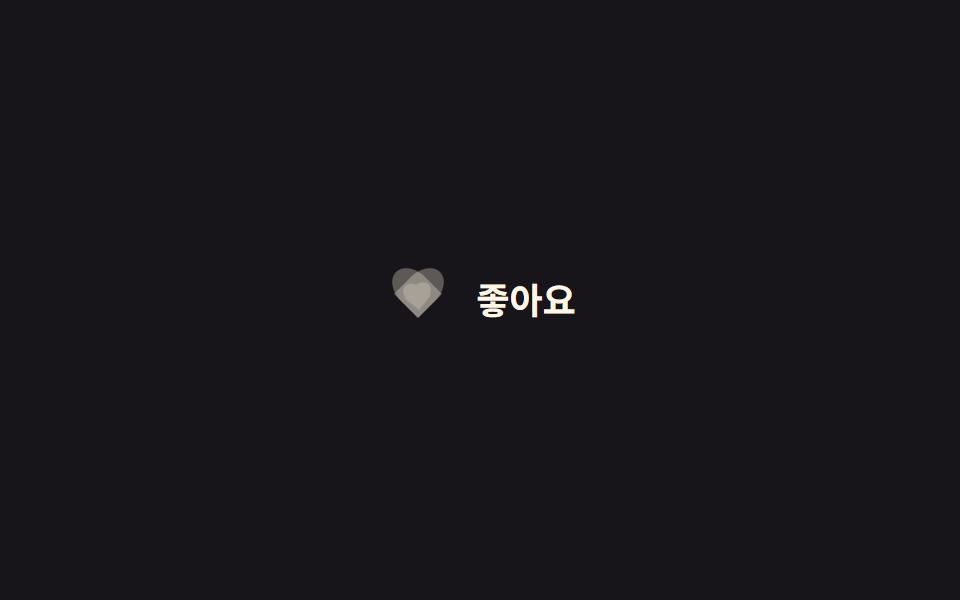 Phản hồi9 CSS Heart Like Animations — dán 1 dòng là chạy
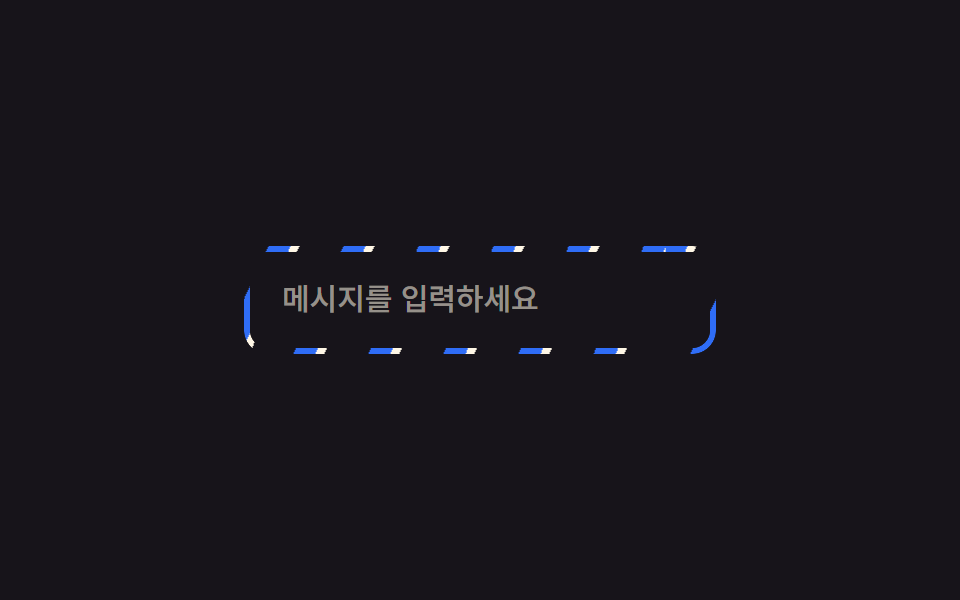 Phản hồi9 CSS Border Animations — dán 1 dòng là chạy
 Phản hồi9 css glow effect — nút chữ phát sáng như neon
 Phản hồi9 css confetti animation — dán một file là chạy
 Phản hồi9 css bounce animation — dán một dòng là chạy
 Phản hồi9 css arrow animation — dán một dòng là chạy
 Phản hồi9 CSS tooltip examples — copy dán một dòng là chạy
 Phản hồi9 hiệu ứng custom cursor css — copy dán một dòng
 Phản hồi9 kiểu css typing animation, copy dán là chạy